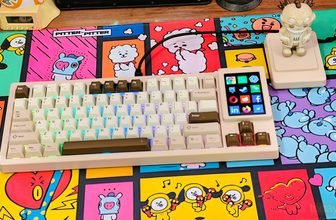
Gun-shaped mice have been around for years, but most have been designed with FPS gaming in mind. The Ragnok ErgoStrike7 takes this unusual peripheral design in an interesting direction, raising a question worth exploring: can a gun mouse do more than control a first-person shooter, and could it offer a practical alternative to a traditional light gun? That is what I wanted to find out, starting with one of Ragnok’s latest models.
Ragnok has been developing gun-shaped gaming mice since the late 2010s, experimenting with different designs and features across several generations. The ErgoStrike7 is the company’s latest attempt to refine the concept, combining a pistol-style form factor with modern gaming mouse hardware. Rather than judging it on appearance alone, I’m interested in how its shape, controls, and tracking perform during actual gameplay, particularly when aiming and shooting are central to the experience.
The Ragnok ErgoStrike7 uses a PixArt PAW3395 optical sensor with up to 26,000 DPI, 650 IPS tracking speed, 50G acceleration, and a 1000Hz polling rate. These specifications put it in line with the capabilities expected from a modern gaming mouse, although the sensor is only one part of the experience. With a gun-shaped design, comfort, aiming control, button placement, and consistency during repeated movements are just as important as the numbers on the spec sheet.
Connectivity is covered by 2.4GHz wireless, Bluetooth 5.1, and USB-C wired modes, while a rechargeable 1000mAh lithium-ion battery handles wireless operation. This gives the ErgoStrike7 flexibility for different setups, but its real appeal depends on how well the hardware works together.
In this hands-on review, I’ll examine the design, ergonomics, tracking, connectivity, and gaming experience, with particular attention to its potential as a light gun for compatible games. Can the Ragnok ErgoStrike7 deliver a convincing shooting experience, or is it better suited to conventional FPS gaming?
Specifications
| Category | Specifications |
|---|---|
| Weight | 6.35 oz (180 g) |
| Dimensions | 4.45 × 4.80 × 3.07 inches (113 × 122 × 78 mm) |
| Material | Metal Trigger, Soft TPE Grip |
| Battery | Rechargeable Lithium-ion, 1000 mAh |
| Sensor | PixArt PAW3395 Optical Sensor |
| Preset DPI Levels | 800, 1600, 3200, 6400, 12000, 16000, 20000, 26000 |
| DPI Adjustment | On-the-fly adjustment via bottom button; customizable through software |
| Polling Rate | 1000 Hz |
| Tracking Speed | 650 IPS |
| Acceleration | 50G |
| Wireless Operating Distance | 49.2 ft (15 m) |
| USB Cable Length | 5.91 ft (1.8 m) |
| Hand Compatibility | Right-handed |
| Programmable Buttons | 5 |
| Connectivity | 2.4 GHz Wireless, Bluetooth 5.1, USB-C Wired |
| Software Support | Windows |
| Software Download | Ragnok Official Software |
Unboxing
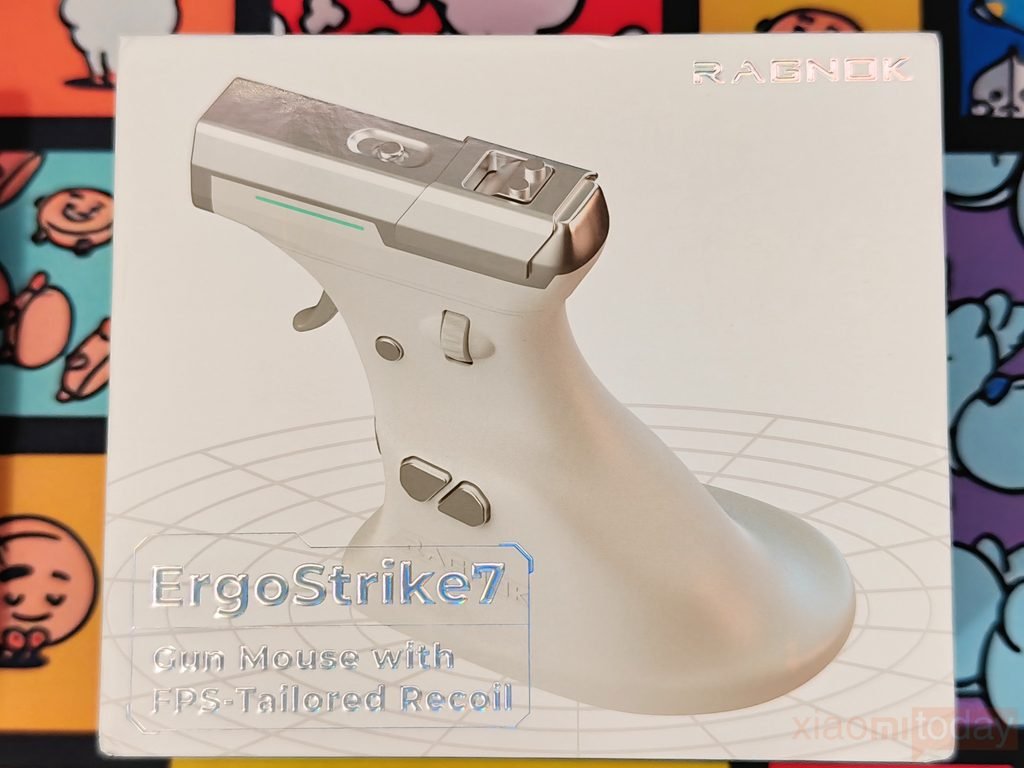
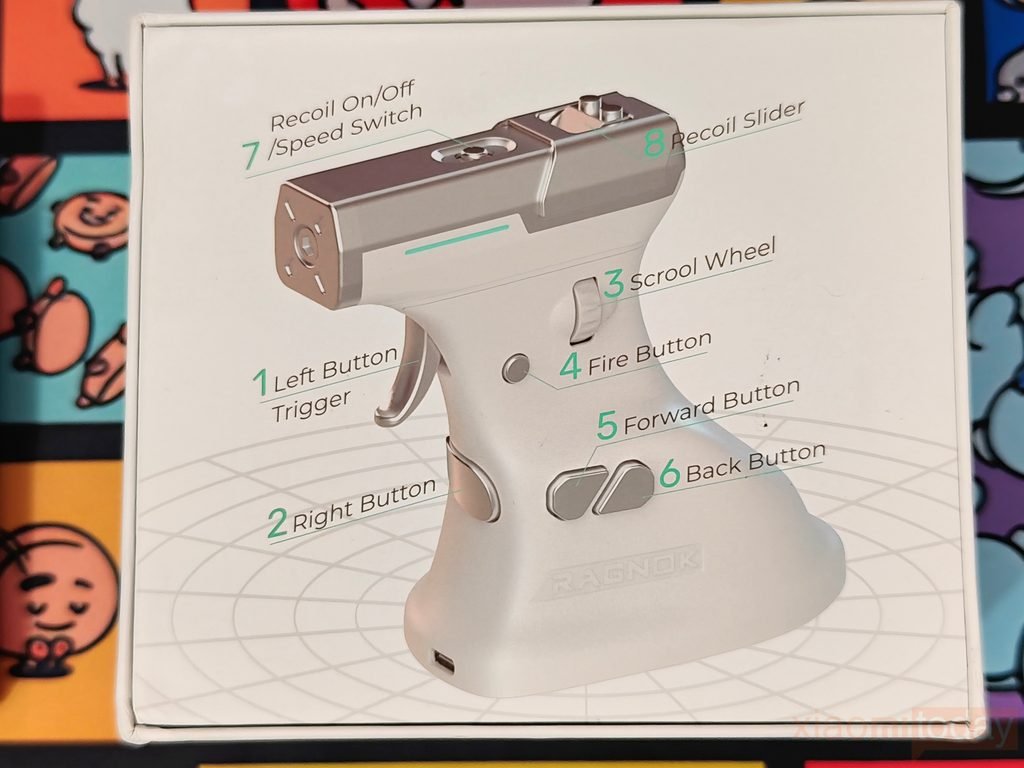
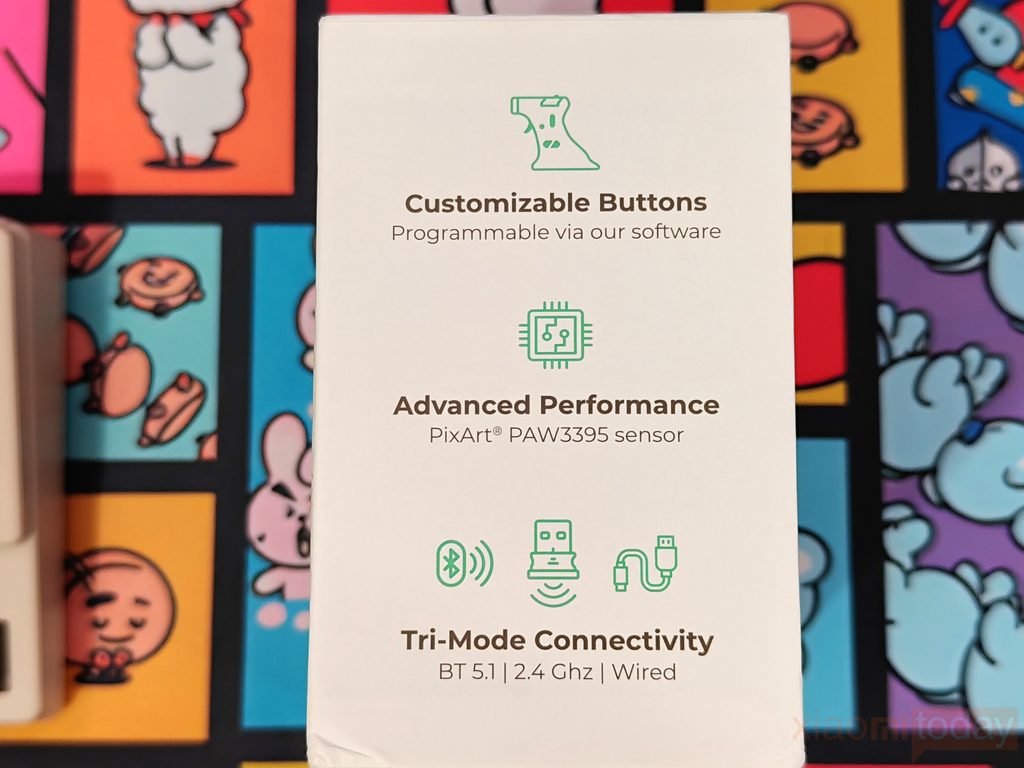
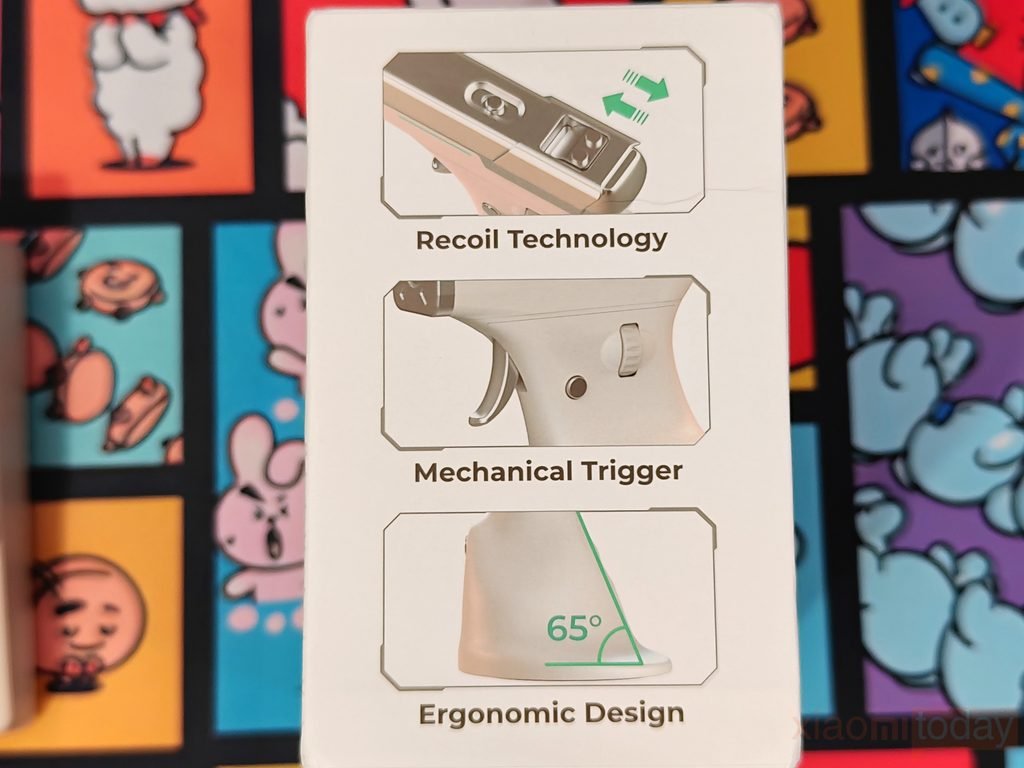
The Ragnok ErgoStrike7 comes in a white retail box with silver branding, black text, and green accents. The front features a large image of the gun-shaped mouse, along with the product name and model description. The back displays another view of the mouse with labels identifying its buttons and controls. Both side panels feature product features, giving the packaging a consistent look from every angle. Overall, the box keeps its design focused on the product, with clear branding and images of the ErgoStrike7.
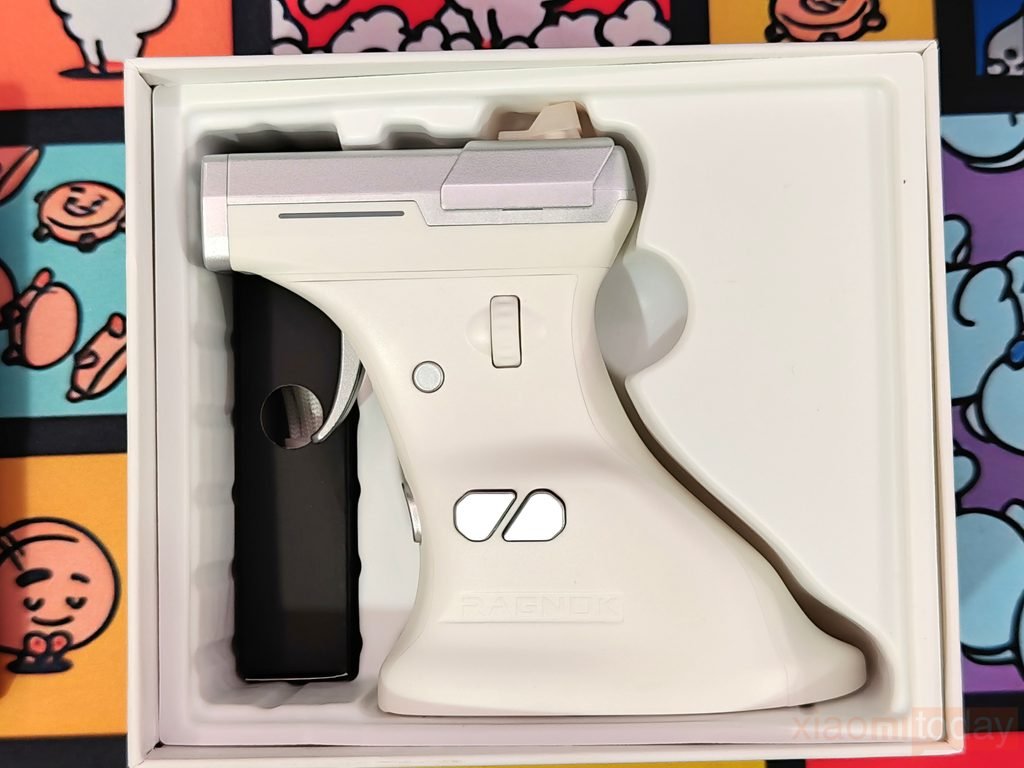
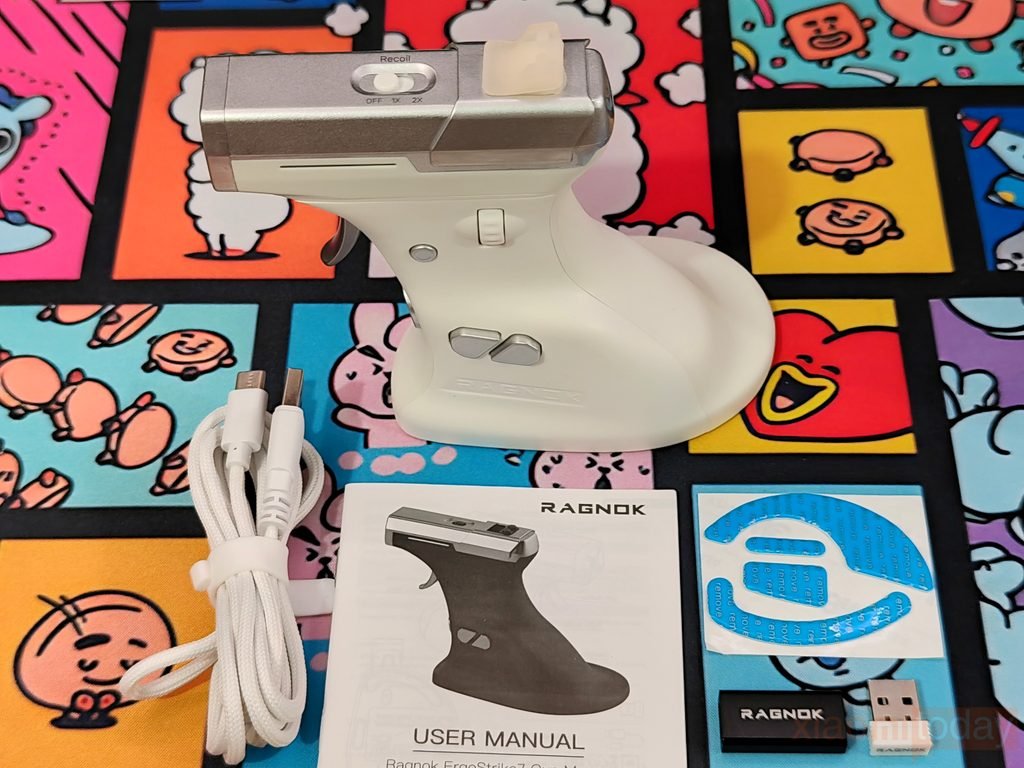
Inside, the Ragnok ErgoStrike7 sits in a fitted tray, with the wireless receiver placed at the bottom of the packaging. The included accessories consist of a USB-A to USB-C cable, a USB-C-to-USB-A extension adapter, a slider cover, replacement mouse feet, and a user manual.
The cable supports charging and wired connectivity, while the extension adapter provides a convenient way to connect the receiver. The spare feet and slider cover are included alongside the main unit, completing the package with the accessories supplied by Ragnok.
Design and Build Quality
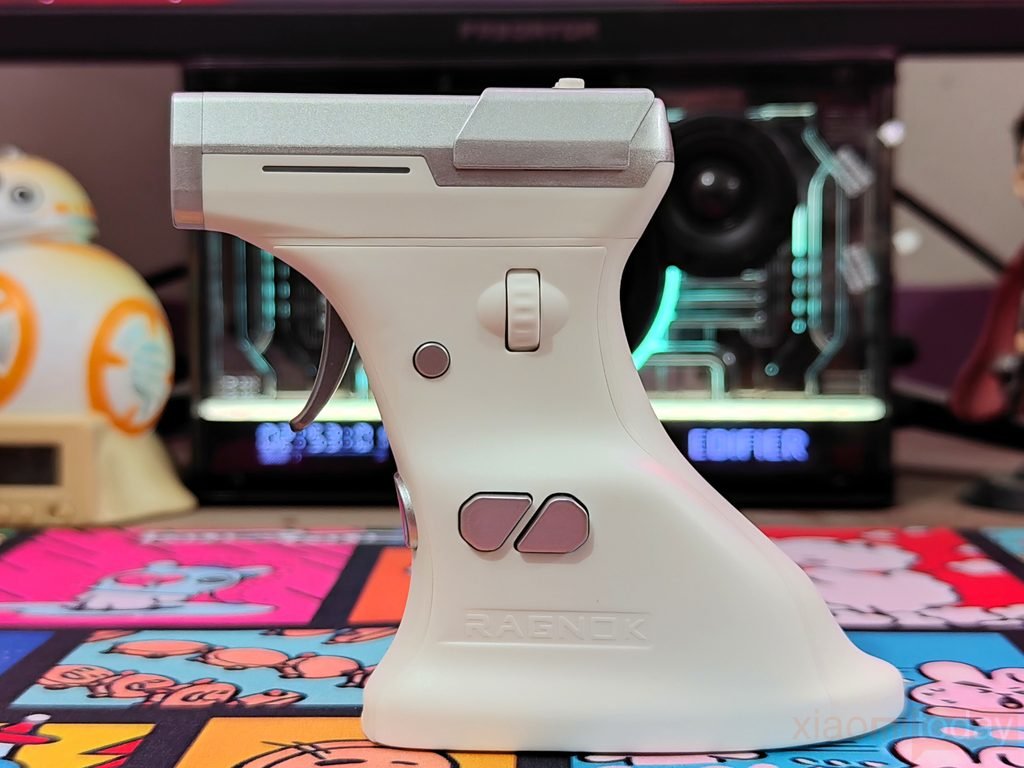
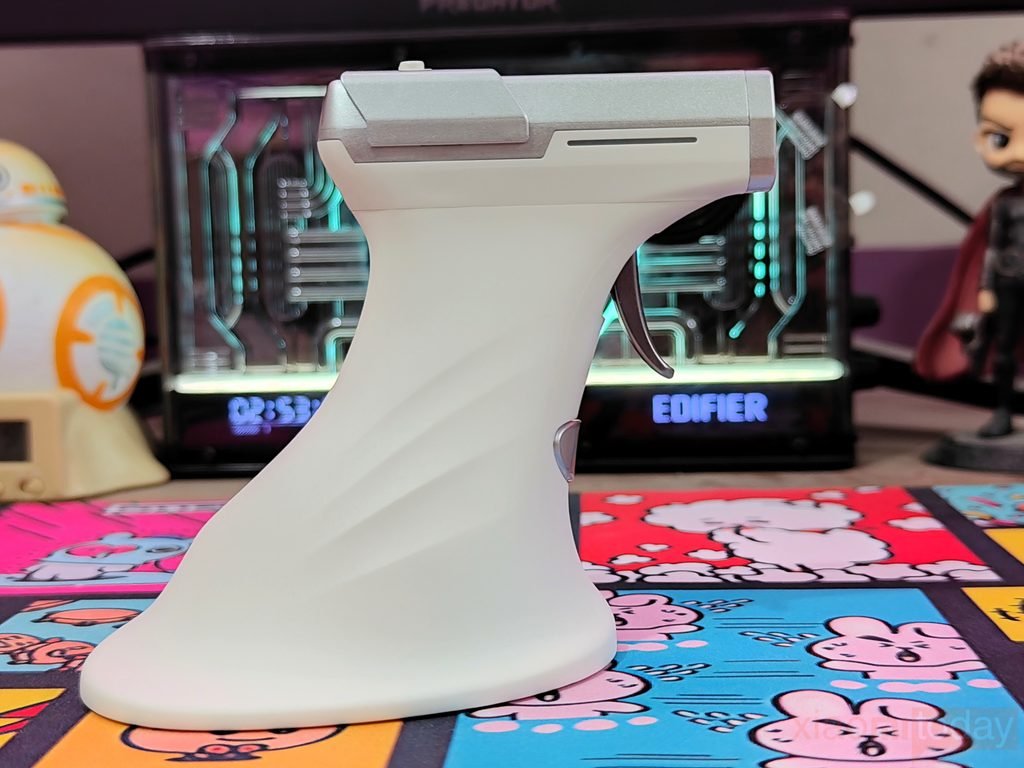
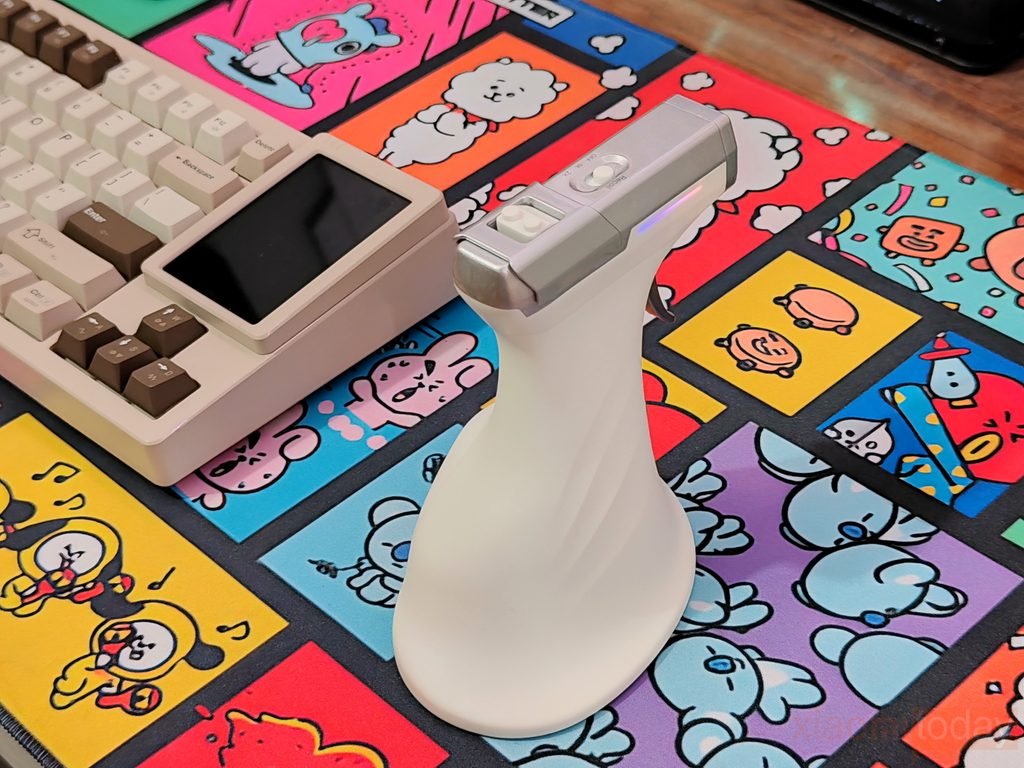
The Ragnok ErgoStrike7 replaces the usual mouse shape with a pistol-style design built around a vertical grip. It is available in Desert Sand, black, and white, with the white version being our review sample. The white body, silver-colored upper housing, and slim colored light strip give it a distinctive appearance without making the design too busy. Measuring 113 × 122 × 78 mm (4.45 × 4.80 × 3.07 inches) and weighing 180 g (6.35 oz), it is much larger and heavier than a conventional gaming mouse. The size comes with the territory for this type of design, but users accustomed to lightweight FPS mice will notice the difference immediately.
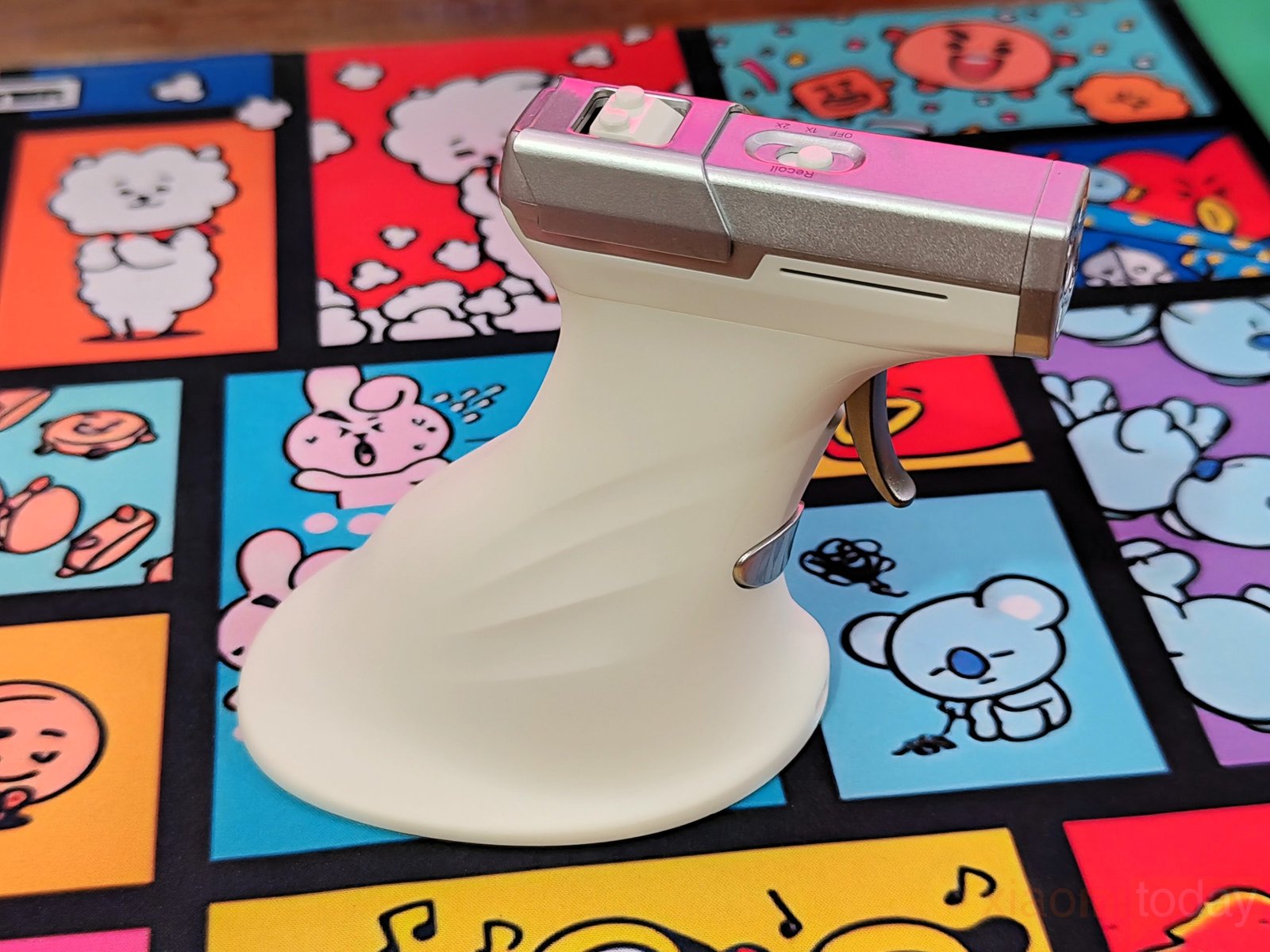
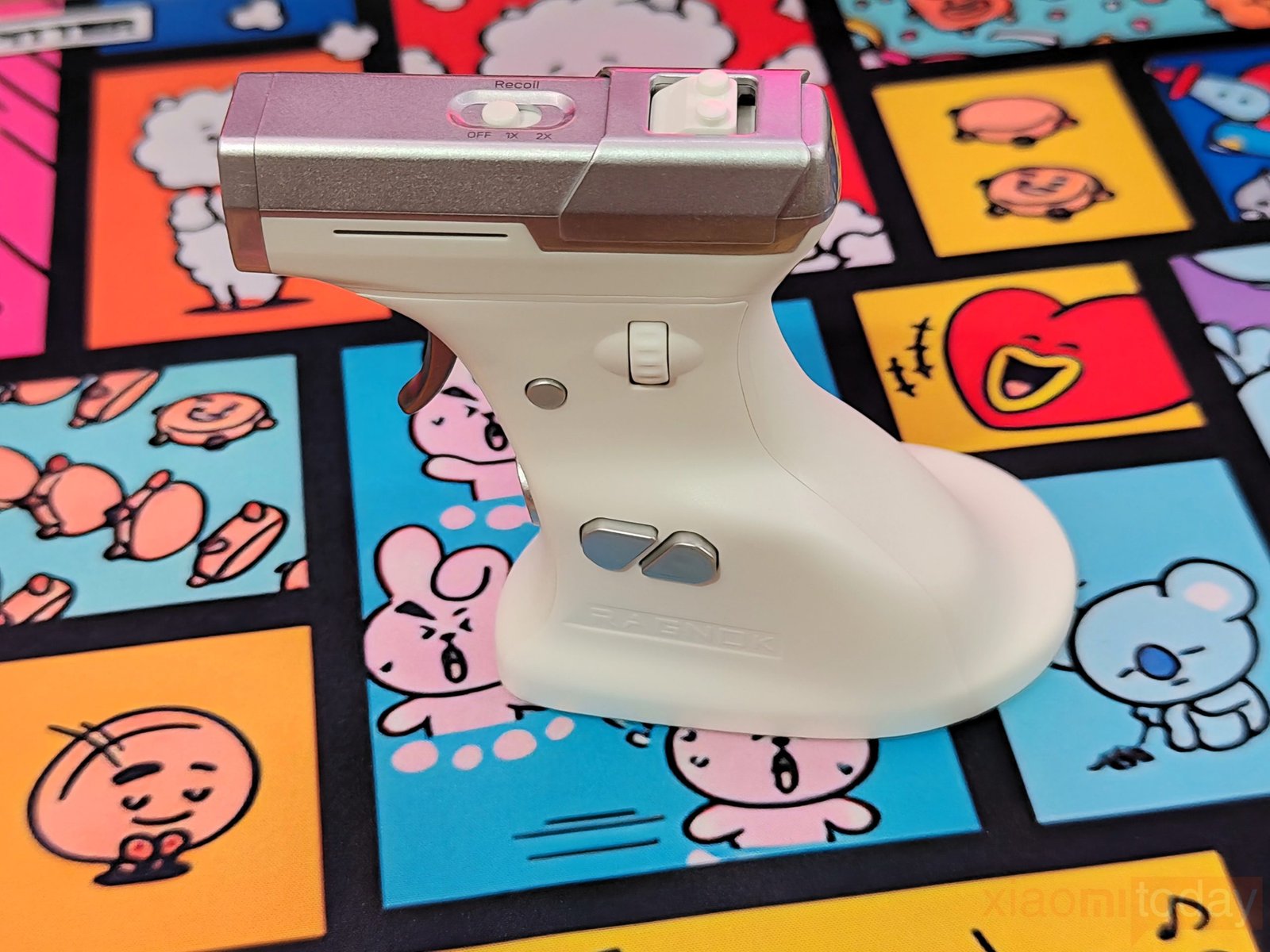
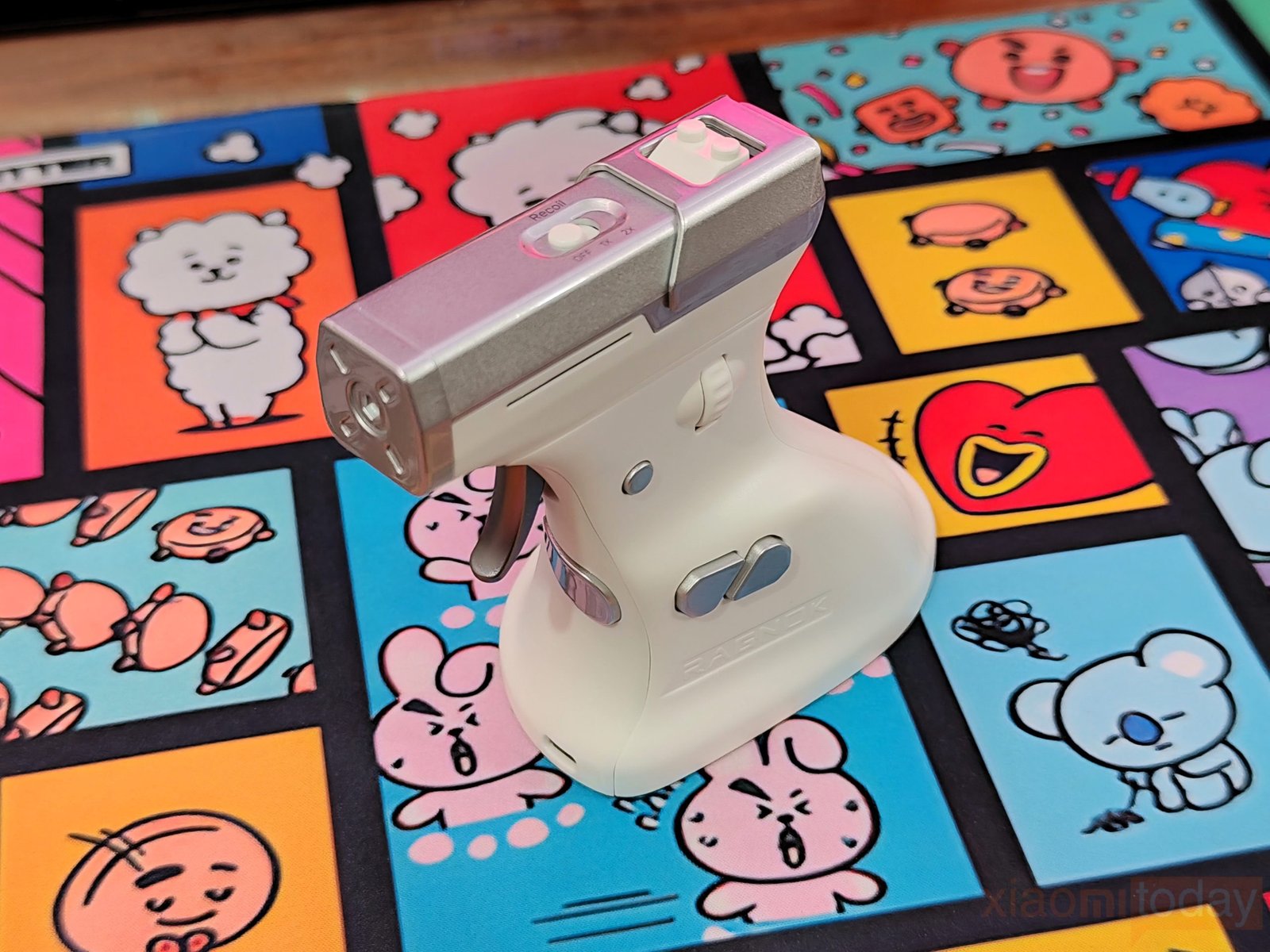
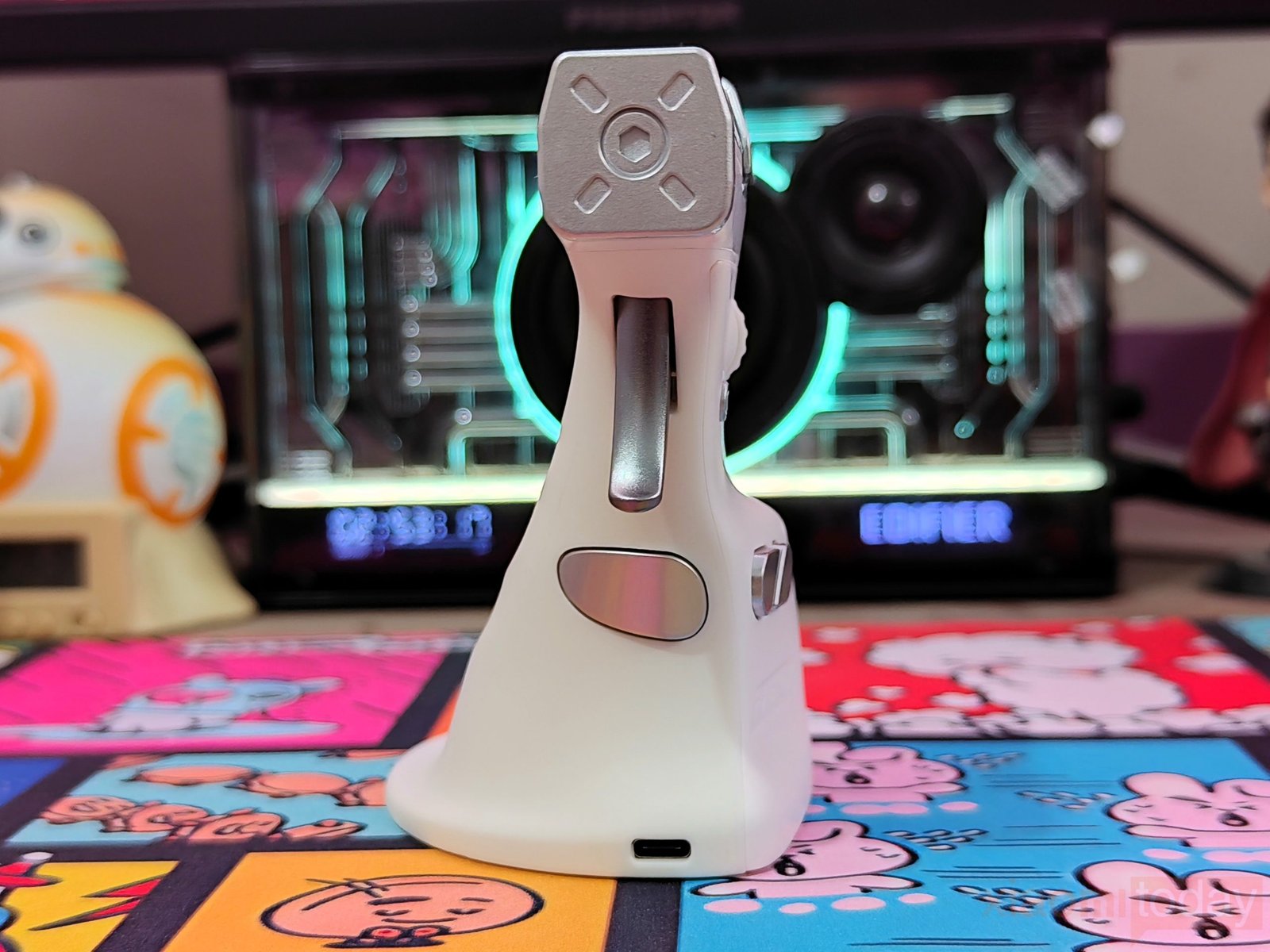
The gun-shaped body determines how you hold and operate the ErgoStrike7. Instead of resting your palm over a low-profile shell, you wrap your hand around the grip, with your index finger positioned near the trigger. The handle curves inward before widening into a broad base, giving the mouse a shape that can stand upright on a desk. The upper housing extends forward like the barrel of a pistol, while the angled grip changes the position of your wrist compared with a regular mouse. This layout is intended to make aiming feel closer to holding a gun, although getting comfortable with it will take some adjustment if you’re used to moving a mouse across a desk.
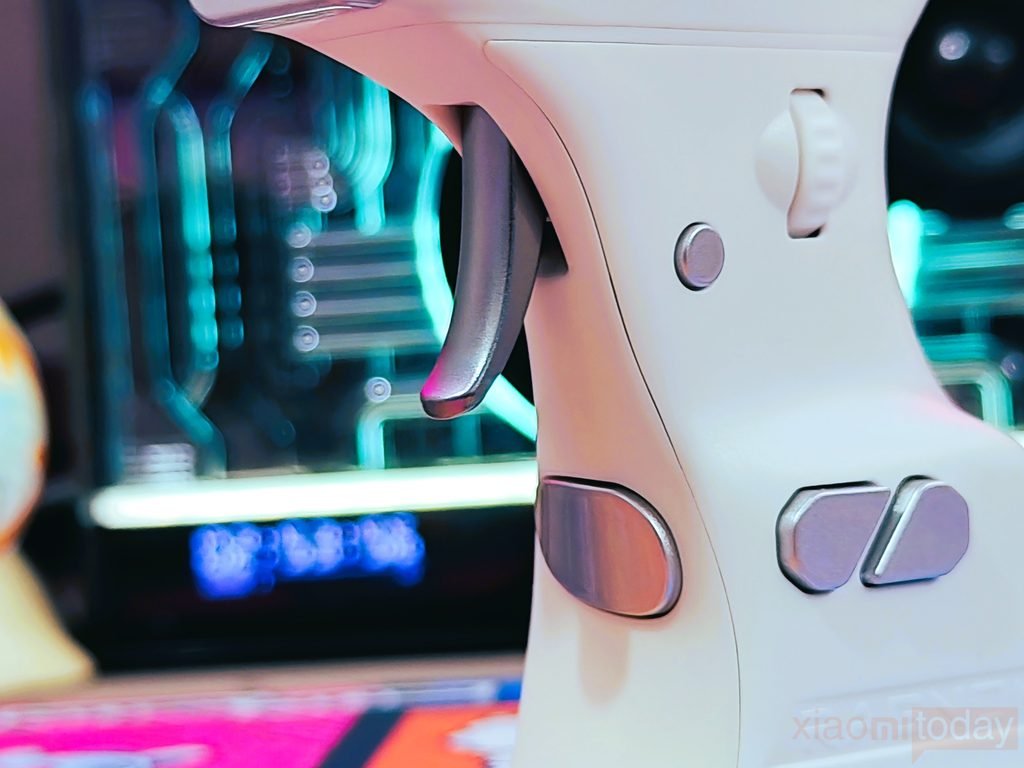
The main left-click control is a metal-colored mechanical trigger beneath the front housing. Its position lets you use your index finger to activate the primary mouse input, rather than pressing a button with your fingertip. The right-click button sits along the grip, within reach while holding the device. Both controls follow the ErgoStrike7’s gun-style layout, giving familiar mouse functions a different feel. The trigger is likely to be the control you’ll notice most during the first few minutes of use, especially if you’ve spent years using a conventional gaming mouse.
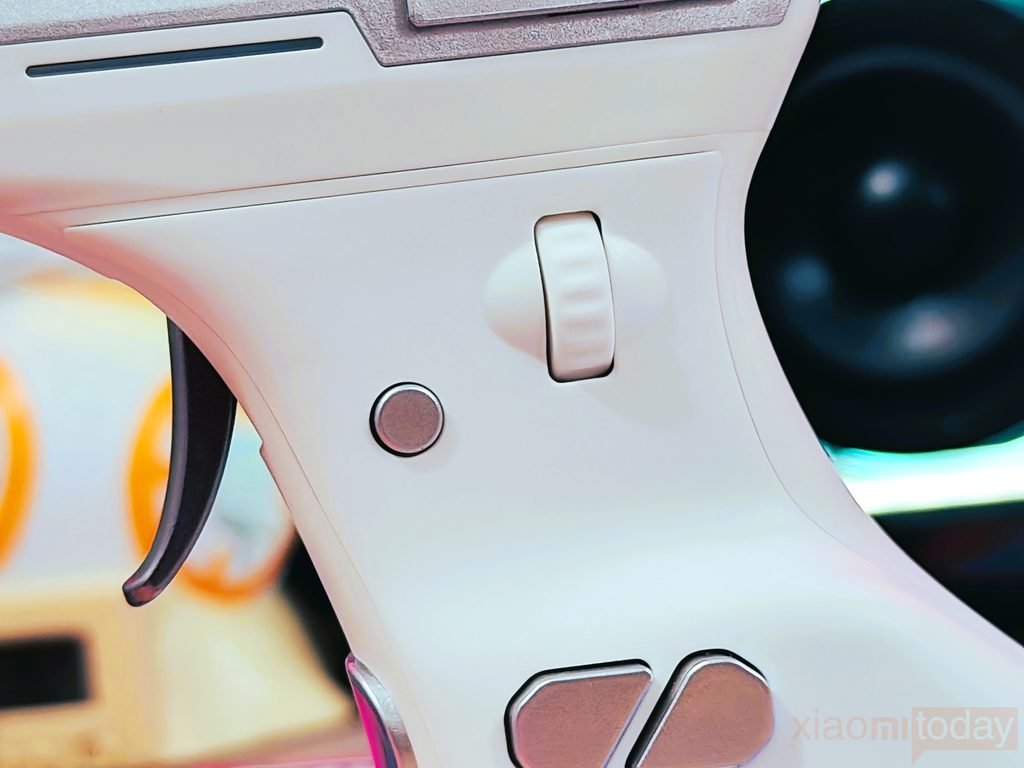
A scroll wheel is positioned on the side of the upper housing, with a separate round fire button just below it. The wheel is placed where your thumb can reach it, rather than on top of the mouse as it would be on a conventional design. Ragnok identifies the additional button as a rapid-fire control, providing another input for supported functions and games. The arrangement keeps these controls close to the grip, though using the wheel may require a little practice until your thumb gets used to its position.
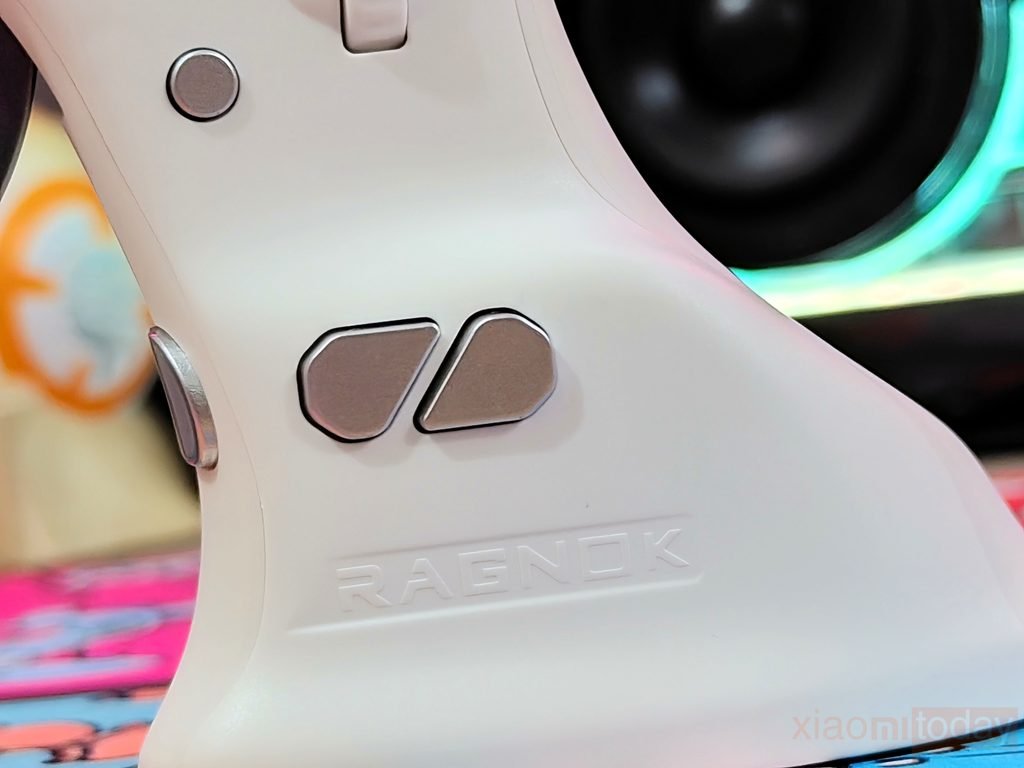
Two additional buttons, marked forward and back, sit lower on the grip. Their angled shapes follow the contours of the body, and both are positioned for access while holding the ErgoStrike7. They can handle navigation commands or other assigned functions, depending on the software configuration. Their placement differs from the thumb buttons on a regular gaming mouse, so how easily you reach them will depend on your hand size and grip. After some use, you’ll get a better idea of whether the spacing works for your preferred hand position.
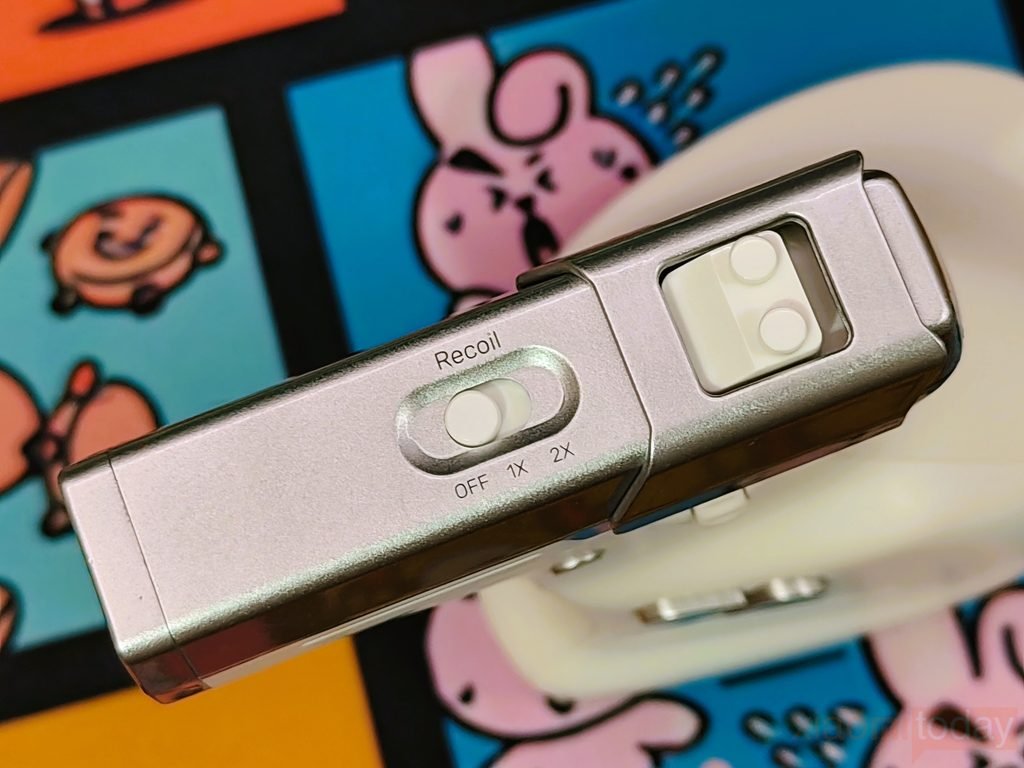
The upper housing contains the recoil switch and recoil slider, which provide physical controls for the mouse’s recoil function. The segmented silver-colored panels contrast with the white body, while a narrow illuminated strip runs along the side. Having dedicated controls on the device means you can access recoil-related adjustments without relying entirely on software. The top section does have more controls than a standard mouse, so learning their positions will be part of getting familiar with the ErgoStrike7.
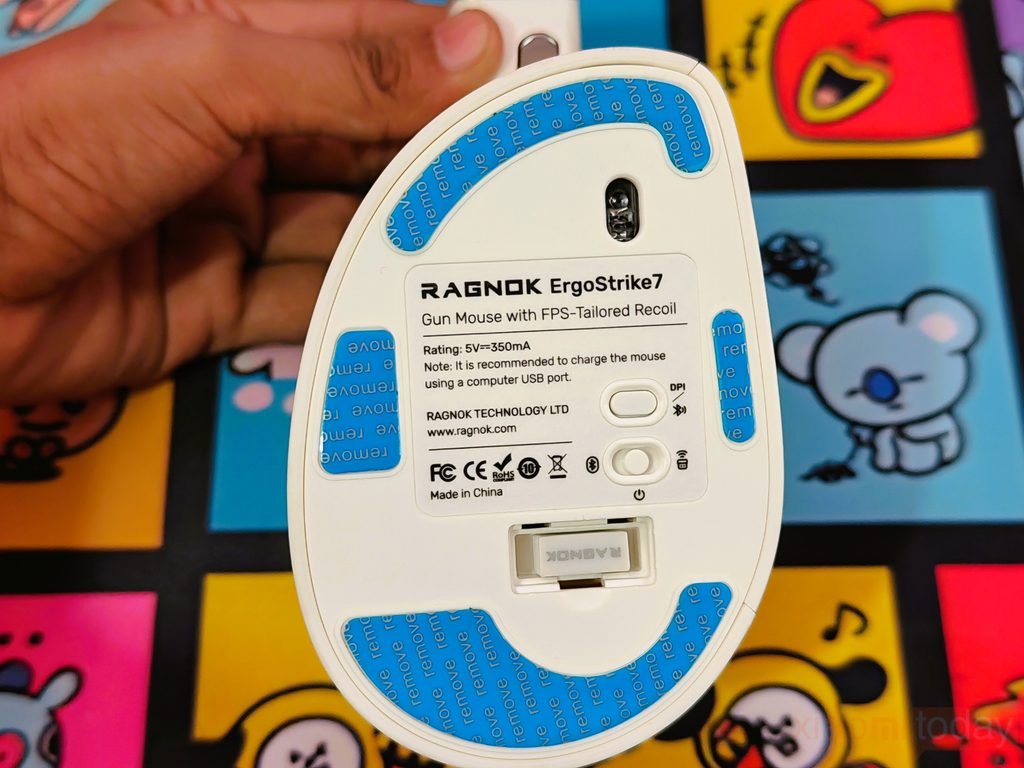
The underside houses the optical sensor and the controls for wireless operation. A selector switches between 2.4GHz wireless, off, and Bluetooth modes, while a separate button handles DPI adjustment and pairing. A storage compartment also provides a place to keep the wireless receiver when it isn’t in use. These controls are positioned underneath the mouse, keeping them out of the way during normal use but requiring you to turn the device over whenever you need to change a setting. The receiver storage is useful for transport, particularly if you plan to move the ErgoStrike7 between different setups.
Features
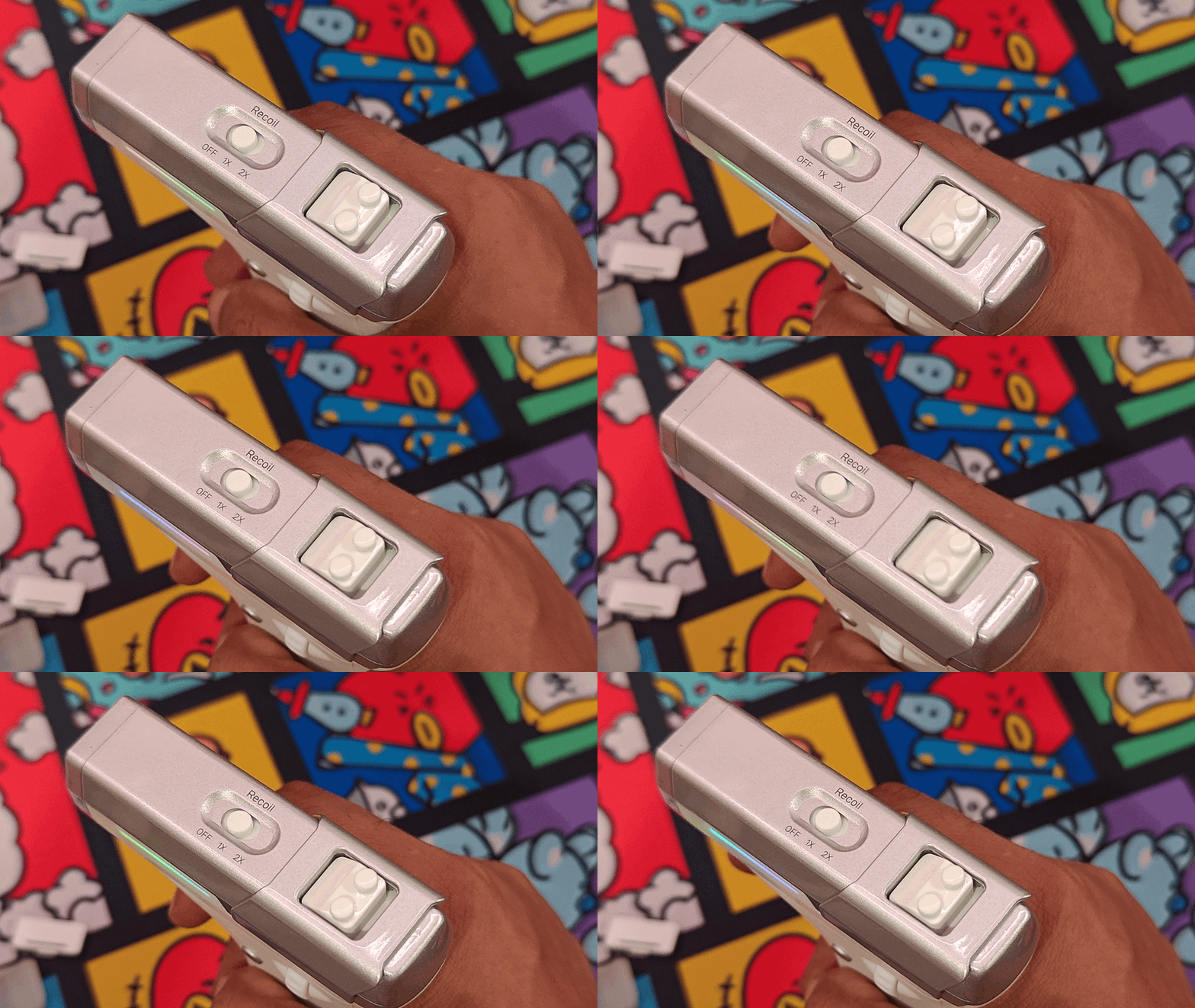
The Ragnok ErgoStrike7 comes with a built-in linear recoil system that delivers physical feedback when the trigger is pulled. You can switch between single-shot and continuous recoil modes to suit different shooting styles, or turn the system off when you prefer a more conventional experience. This feature gives each trigger pull a physical response, adding another layer to the gun-style design. The ability to adjust recoil also lets you decide how much feedback you want while playing, depending on the game and your preferences.
The ErgoStrike7 uses a 65-degree vertical grip designed to keep your hand in a natural handshake position. Its tapered palm rest supports the lower part of your hand, while the soft TPE surface provides a more comfortable contact area during extended gaming sessions. Rather than resting your palm over a traditional mouse shell, you hold the ErgoStrike7 by its grip and move it to control your aim. The design takes some getting used to, particularly if you normally use a lightweight FPS mouse, but it offers a different approach to mouse control for shooting games.
Although the shape is different, the Ragnok ErgoStrike7 retains familiar mouse functions. Your index finger operates the primary trigger, while the right-click button sits within reach on the grip. The scroll wheel and separate fire button are positioned along the side, allowing you to scroll or activate commands with your thumb while keeping your fingers ready to aim and shoot. Forward and back buttons provide additional inputs for navigation or in-game actions. This layout combines the controls of a conventional gaming mouse with a pistol-style grip, although you may need some practice to get used to the button positions.
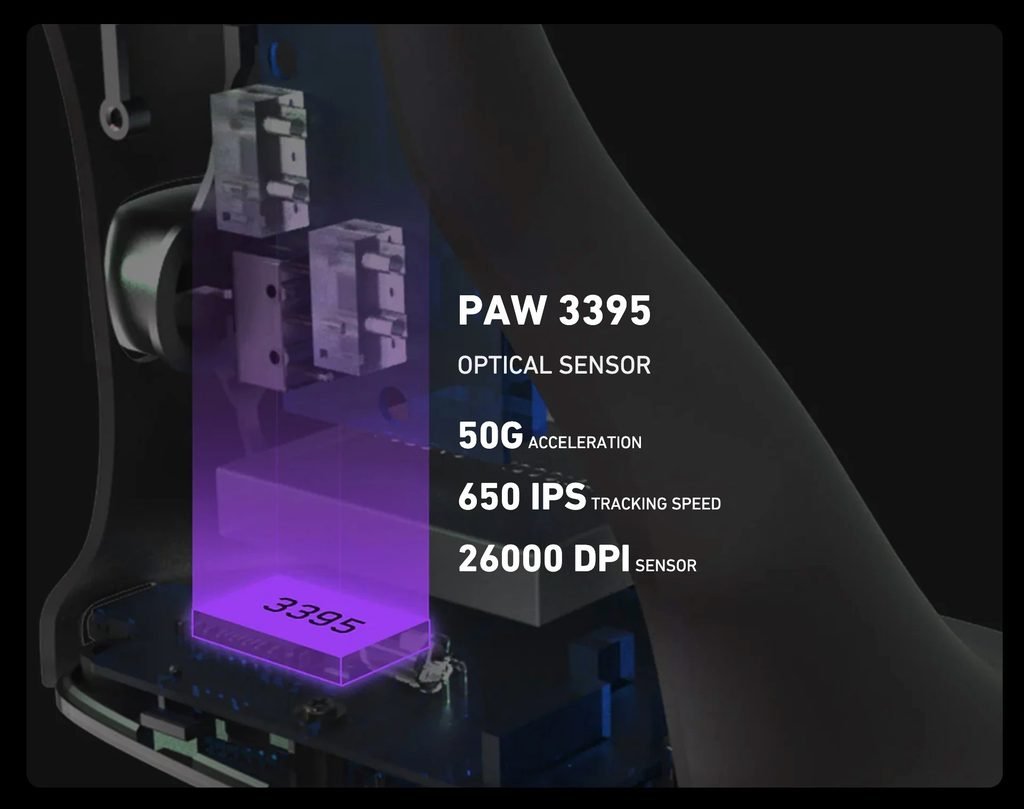
The metal trigger uses a built-in microswitch and is designed to provide balanced resistance without requiring too much force. Its trigger-pull action feels different from pressing a standard mouse button and suits the shooting-focused design. For tracking, the ErgoStrike7 uses a PixArt PAW3395 optical sensor with up to 26,000 DPI, 650 IPS tracking speed, and 50G acceleration. It also supports a 1000Hz polling rate, reporting movement to the connected system up to 1,000 times per second. These specifications provide the tracking capabilities expected from a modern gaming mouse, while the physical trigger and adjustable recoil give the ErgoStrike7 a different feel from a conventional FPS peripheral.
Connectivity
The Ragnok ErgoStrike7 supports three connection options: 2.4GHz wireless, Bluetooth 5.1, and USB-C wired connectivity. This allows you to connect it to a PC or another compatible device using the included wireless receiver, Bluetooth pairing, or a USB cable. A switch on the bottom controls the wireless mode, while the indicator light shows the current pairing status. Switching between connection types is simple, although accessing the mode selector requires turning the mouse over.
| Connection Mode | How to Connect | Indicator Status |
|---|---|---|
| 2.4GHz Wireless | Set the bottom switch to 2.4G and plug the included receiver into your device. | The green light flashes during pairing and stops flashing when connected. RGB lighting remains on. |
| Bluetooth 5.1 | Switch to Bluetooth mode, hold the pairing button for two seconds, then select ErgoStrike7 in your device’s Bluetooth settings. | The blue light flashes during pairing and turns off once connected. The mouse automatically reconnects to the last paired device. |
| USB-C Wired | Connect the supplied USB-A-to-USB-C cable to the mouse and your device. | The 2.4GHz and Bluetooth connections are disabled automatically while wired. |
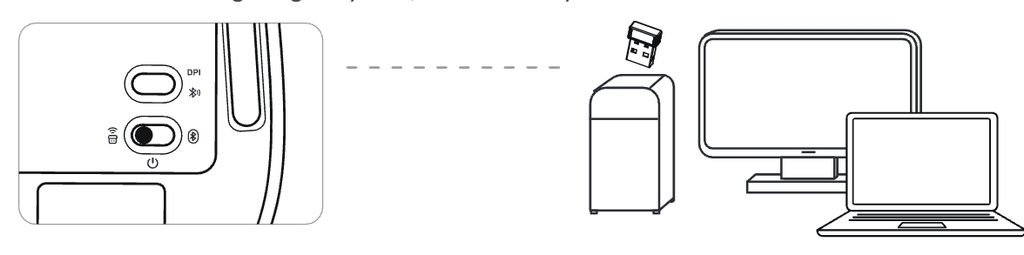
For gaming on a PC, the 2.4GHz receiver offers a dedicated wireless connection, while Bluetooth is useful when you want to avoid using a USB port. The wired option provides an alternative when you prefer a cable or need to troubleshoot a wireless connection. All three modes give the Ragnok ErgoStrike7 flexibility across compatible setups, although the available options will depend on your device.
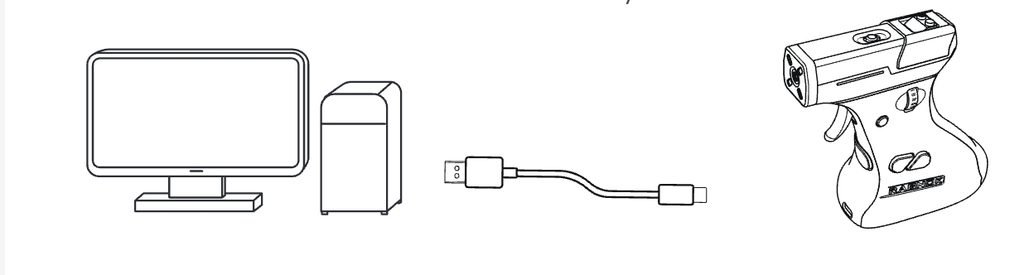
Bluetooth compatibility has a few limitations. Ragnok specifies Windows 10 or later and macOS 10.15.4 or later for Bluetooth 5.1. If your computer runs an older operating system, you can use the 2.4GHz receiver or USB-C wired mode instead. Some gaming consoles may also require a USB adapter, depending on the console’s mouse compatibility.
If the Ragnok ErgoStrike7 fails to connect, check the battery level and make sure the bottom switch is set to the correct mode. For Bluetooth, confirm that your device supports the required connection and try pairing the mouse again. For 2.4GHz wireless, check that the receiver is properly inserted and try another USB port if necessary. If you’re using a wired connection, make sure both ends of the supplied cable are connected securely. These checks cover the most common connection issues and should help you get the mouse working again.
Ragnok Software
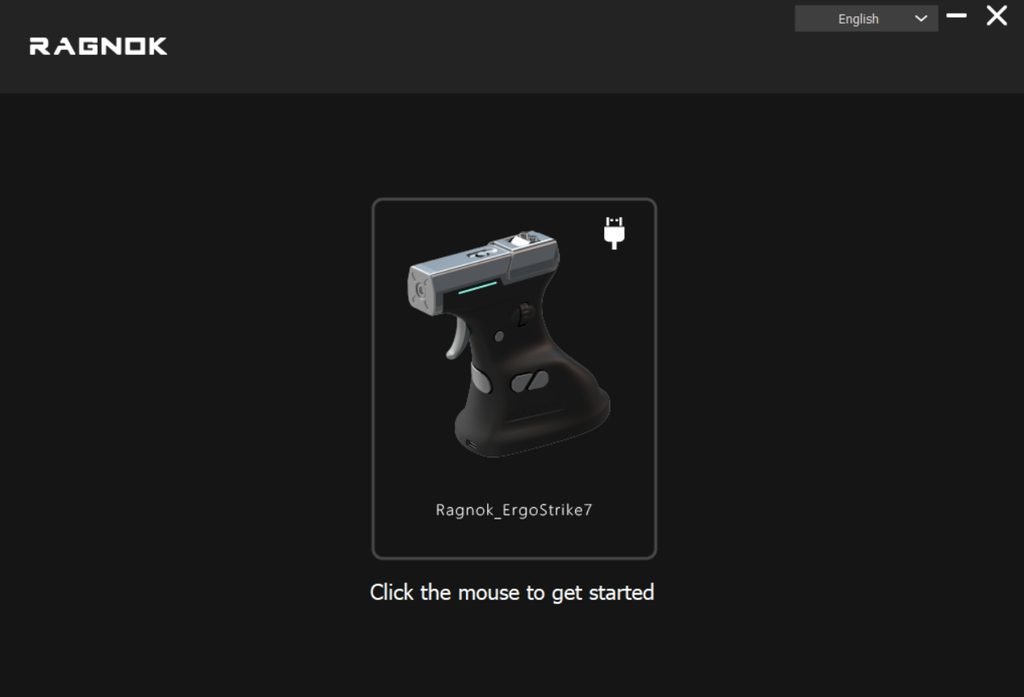
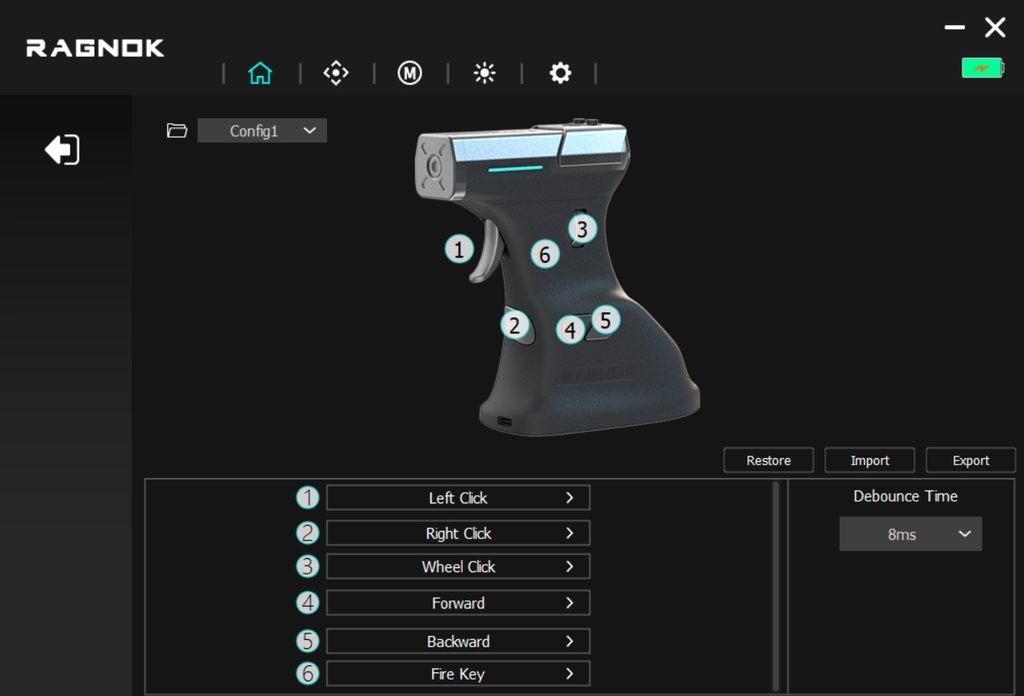
The Ragnok ErgoStrike7 software gives you control over button assignments, DPI settings, polling rate, and sensor behaviour. From the main interface, you can customize six controls: left click, right click, wheel click, forward, backward, and fire key. It also lets you adjust debounce time and manage configuration profiles, with options to restore default settings or import and export profiles.
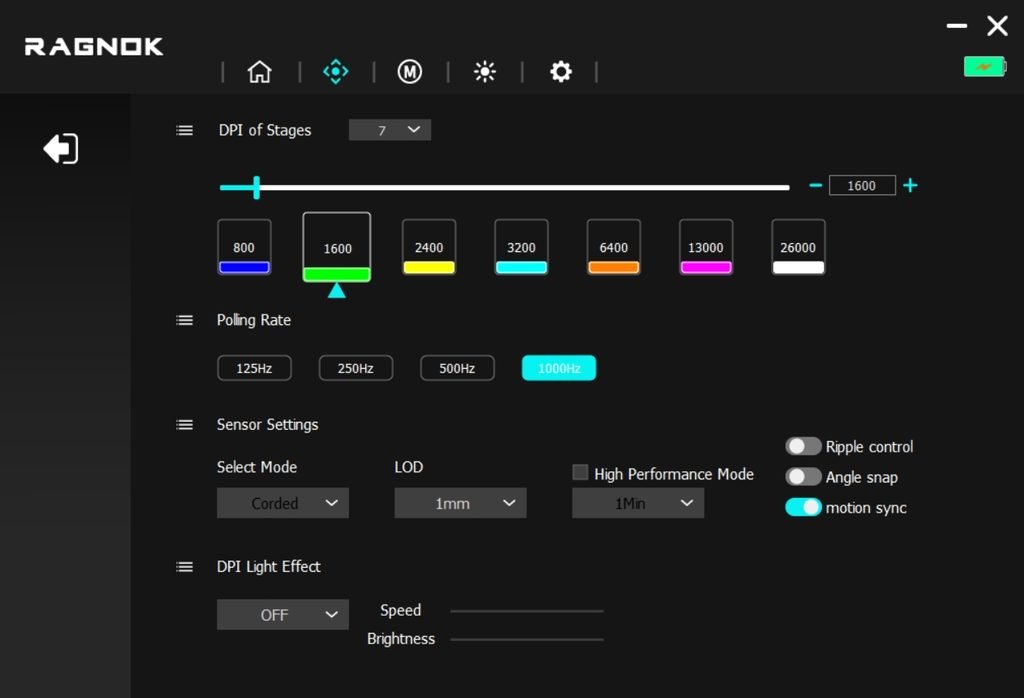
The DPI menu provides seven preset stages ranging from 800 to 26,000 DPI, while the polling rate can be set to 125Hz, 250Hz, 500Hz, or 1000Hz. Additional sensor settings include lift-off distance, high-performance mode, ripple control, angle snapping, and motion sync. These options let you adjust the ErgoStrike7’s response to suit different games and personal preferences.
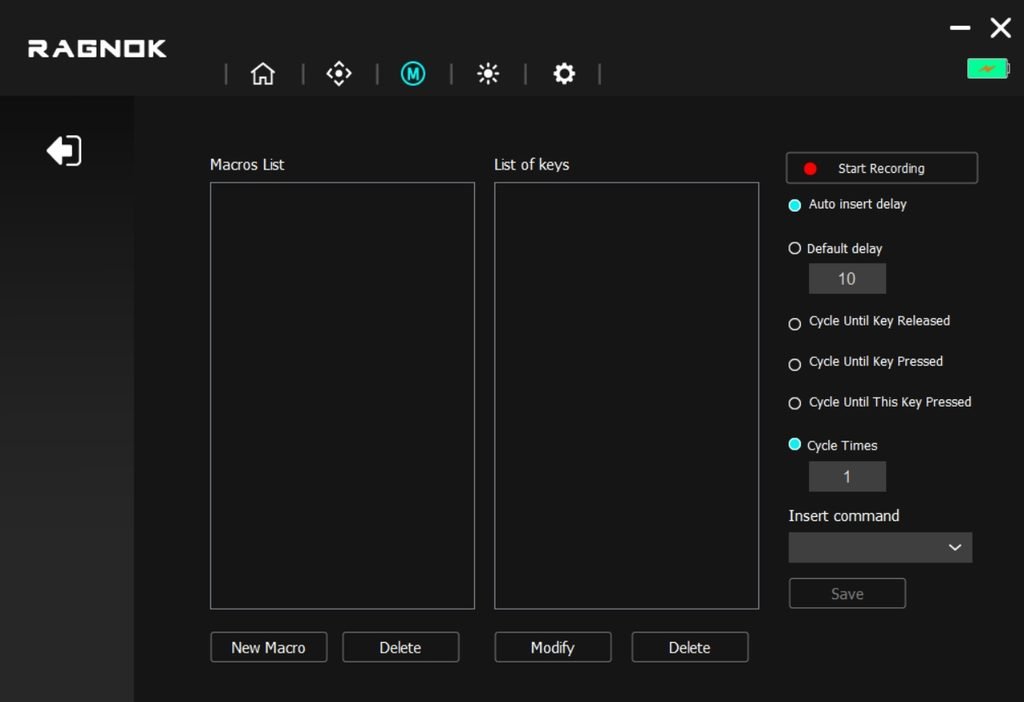
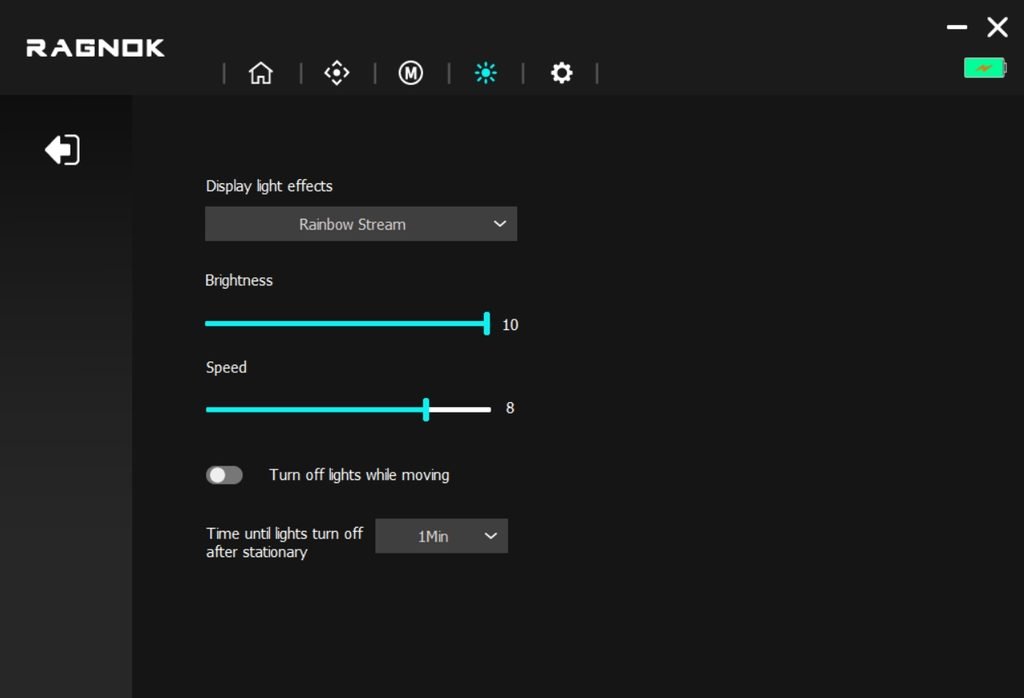
The software also includes macro recording, RGB lighting controls, and a device settings page. The macro editor lets you record key sequences, set delays, and choose how commands repeat. In the lighting section, you can select effects such as Rainbow Stream and adjust brightness and speed. There are also options to turn off the lights while the mouse is moving and set a delay before the lighting switches off when the mouse remains stationary.
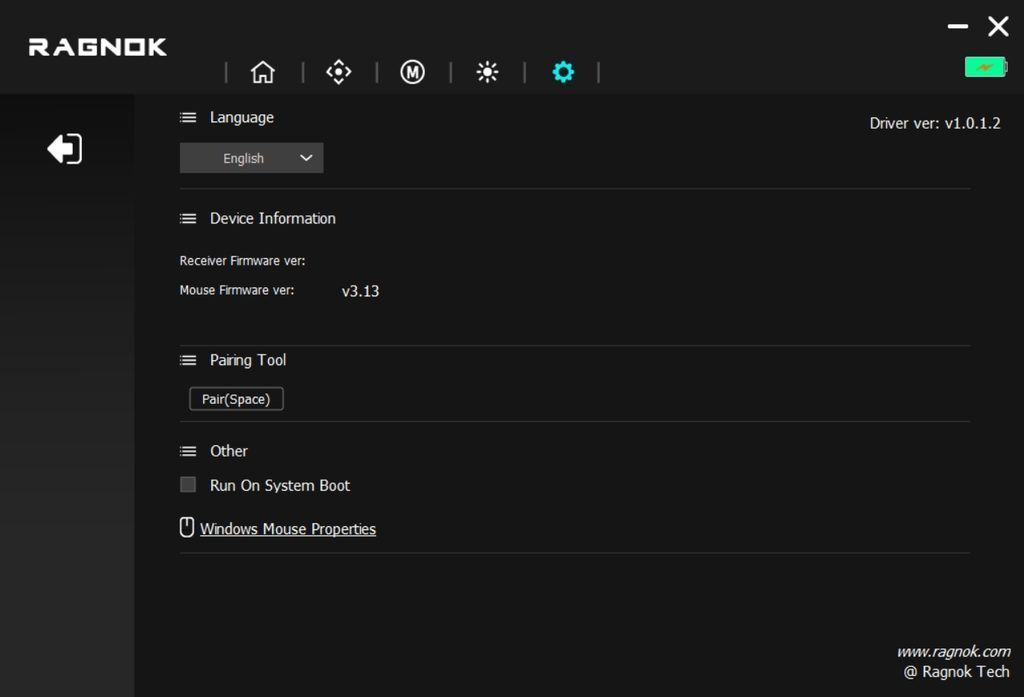
The settings page displays device and firmware information, provides a pairing tool, and includes language selection and an option to launch the software when Windows starts. The dark interface keeps these functions separated into different tabs, although some settings may take a little exploration to find. Overall, the Ragnok ErgoStrike7 app covers the essential customization options for sensitivity, button mapping, macros, sensor behaviour, and lighting.
Battery Life and Charging
The Ragnok ErgoStrike7 features a 1000mAh rechargeable lithium-ion battery, with runtime varying depending on how you use the mouse. According to Ragnok, the battery lasts up to 70 hours with the recoil system and RGB lighting turned off. Switch both on, and the rated battery life drops to around 10 hours because the motorized recoil mechanism requires additional power. This makes your choice of settings important if you plan to use the recoil feature regularly. Players who prefer longer sessions between charges can disable recoil and lighting when they aren’t needed, while those who want the full gun-style experience will need to recharge more often.
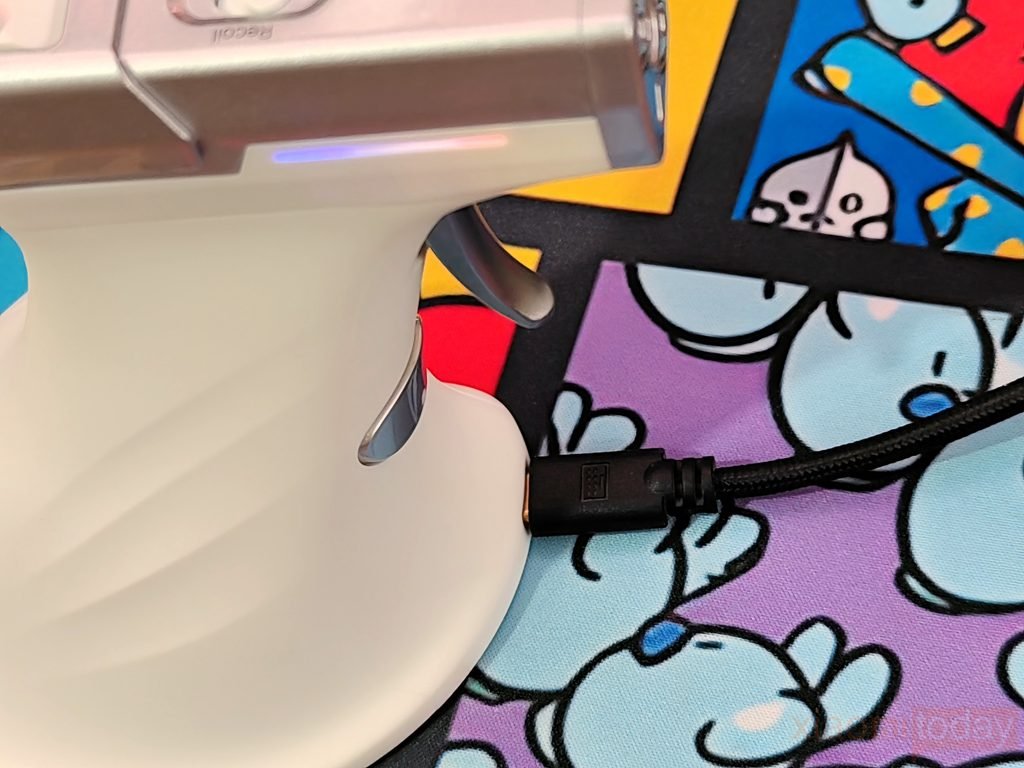
Charging the Ragnok ErgoStrike7 takes approximately two hours using the included USB-A-to-USB-C cable. A red indicator stays on while the battery is charging and turns off once charging is complete. When the remaining charge falls below 20%, the red light flashes to warn you that the battery is running low. The mouse switches to wired mode during charging, temporarily disabling both Bluetooth and 2.4GHz wireless connectivity.
Ragnok recommends charging through a PC USB port or using a power source rated at no more than 5V/1A. To conserve power, the mouse enters deep sleep after 20 seconds of inactivity and wakes when you move it or press a button. If you won’t be using it for an extended period, set the bottom switch to the middle position to turn it off.
Gaming Experience
After two weeks with the Ragnok ErgoStrike7, the biggest change was learning to aim with a gun-shaped mouse instead of a conventional gaming mouse. I used it in FPS titles such as Call of Duty: Warzone, Counter-Strike 2, and DOOM Eternal, where aiming speed, target tracking, and firing control are important. The pistol-style grip changes how you hold the mouse and position your fingers, so the first few sessions feel unfamiliar.
At 180g, the ErgoStrike7 is also heavier than most lightweight FPS mice, making quick repositioning more tiring. Players used to a standard mouse will need time to adjust, particularly in games that demand rapid flicks and frequent changes in direction.
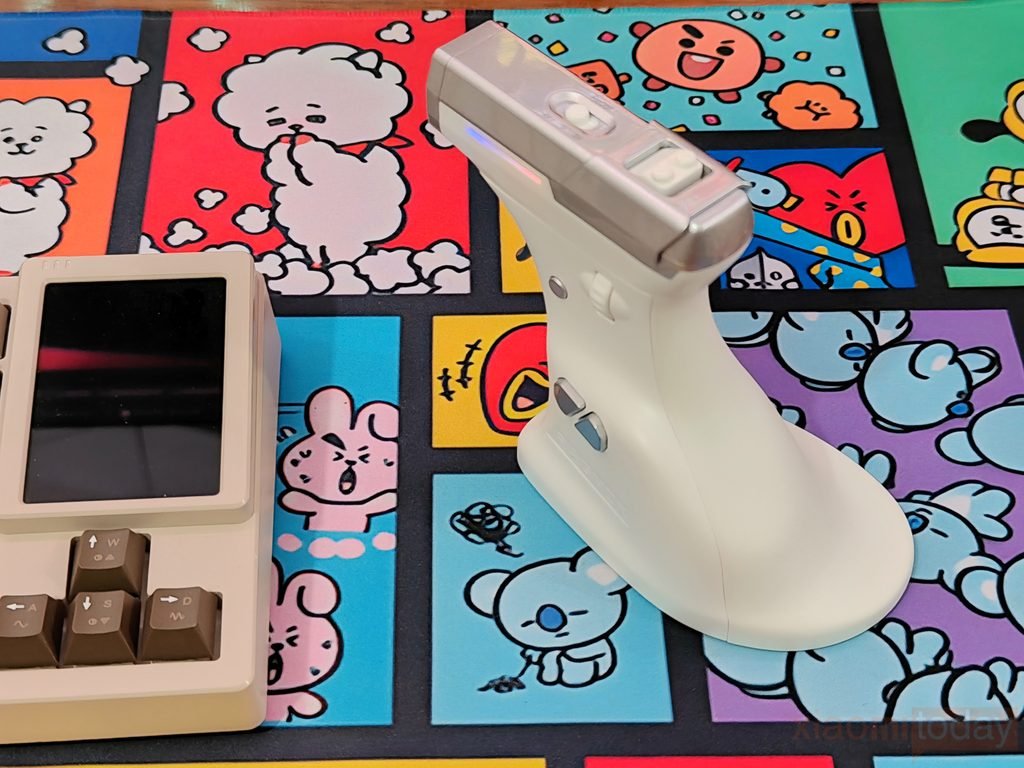
The physical trigger is the main difference when playing shooting games. Instead of pressing a conventional left mouse button, you pull the trigger to fire, while the built-in recoil system adds physical feedback when enabled. You can switch between single-shot and continuous recoil or turn the feature off. In DOOM Eternal, the trigger-based controls offer a different way to handle repeated firing during combat.
In Counter-Strike 2, where careful crosshair placement and controlled shots matter, the unfamiliar grip and heavier body make precise aiming more challenging at first. The recoil effect adds to the physical experience, but it also has a significant impact on battery life, reducing the rated runtime from up to 70 hours with recoil and RGB lighting off to around 10 hours with both enabled.
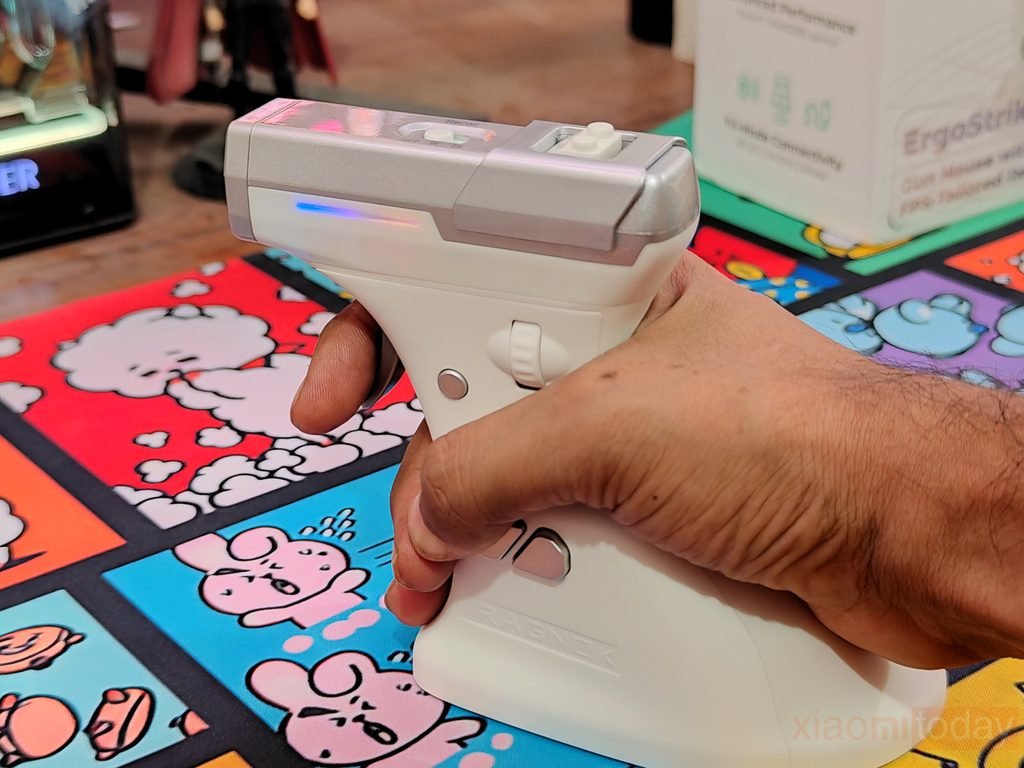
The side-mounted scroll wheel, fire button, and forward and back buttons also require some practice. Their positions differ from those on a regular gaming mouse, so I had to get used to reaching them without changing my grip. The PixArt PAW3395 sensor supports up to 26,000 DPI, 650 IPS tracking speed, 50G acceleration, and a 1000Hz polling rate. These specifications provide the tracking capabilities expected from a modern gaming mouse, while the software lets you adjust sensitivity to suit different games. However, sensor specifications alone don’t guarantee better aim. The ErgoStrike7’s shape, weight, and control placement have a greater effect on how naturally it feels during fast gameplay.
After two weeks of use, the Ragnok ErgoStrike7 makes the most sense for players who want to try a different way of controlling FPS games. Its physical trigger and adjustable recoil give shooting a different feel, but the weight and pistol-style grip aren’t as easy to handle as a conventional mouse during competitive matches. It’s also important to distinguish between a gun-shaped mouse and a dedicated light gun: the ErgoStrike7 uses mouse input, and its shape alone doesn’t provide the screen-position tracking used by traditional light gun systems.
If you’re interested in experimenting with gun-style controls in compatible PC games, the ErgoStrike7 offers an alternative worth considering. For competitive FPS gaming, where fast flicks, precise tracking, and familiar controls are priorities, a conventional lightweight gaming mouse remains the more practical choice.