A gaming mouse needs to do more than deliver high DPI numbers. Its shape, weight, sensor performance, and wireless connection all play a role in how it feels during a long gaming session. The Razer Cobra Pro brings these elements together in a compact wireless design, combining a Focus Pro 30K Optical Sensor, HyperSpeed Wireless connectivity, and customizable Chroma RGB lighting. It is aimed at gamers who want a feature-packed mouse without moving to a larger, heavier design.
The Razer Cobra Pro measures 119.6 x 62.5 x 38.1 mm and weighs 77 grams. Its symmetrical shape is designed for right-handed use, with side buttons positioned for easy access. The compact body should appeal to players who prefer a smaller mouse for quick movements, while the rubberized side grips provide additional contact during gameplay. Razer also uses its Gen-3 Optical Mouse Switches, rated for up to 90 million clicks.
Under the hood, the Focus Pro 30K Optical Sensor supports up to 30,000 DPI, tracking speeds of up to 750 IPS, and acceleration up to 70G. These figures put the Cobra Pro in line with high-end gaming mice, but real-world tracking and control matter more than specifications alone. The mouse features eight programmable buttons, five onboard memory profiles, and configuration options through Razer Synapse, giving users room to adjust controls and sensitivity to suit different games.
The Cobra Pro supports 2.4 GHz Razer HyperSpeed Wireless, Bluetooth, and wired USB-C connectivity. Razer rates its battery life at up to 100 hours over HyperSpeed Wireless and up to 170 hours over Bluetooth, although actual results depend on usage and lighting settings. The 11-zone Chroma RGB lighting adds further customization, including illumination beneath the mouse.
In this review, we’ll examine the Razer Cobra Pro‘s build quality, ergonomics, wireless performance, sensor accuracy, software, and battery life to find out whether it delivers the right balance of comfort and performance for its price.
Razer Cobra Pro – Specifications
| Specification | Details |
|---|---|
| Model | Razer Cobra Pro |
| Product Type | Wireless Gaming Mouse |
| Form Factor | Right-handed Symmetrical |
| Dimensions | 119.6 × 62.5 × 38.1 mm |
| Weight | 77 g |
| Sensor | Razer Focus Pro 30K Optical Sensor |
| Maximum DPI | 30,000 DPI |
| Maximum Tracking Speed | 750 IPS |
| Maximum Acceleration | 70G |
| Connectivity | 2.4 GHz HyperSpeed Wireless, Bluetooth, Wired USB-C |
| Polling Rate | 1,000 Hz; up to 8,000 Hz with compatible accessories |
| Programmable Buttons | 8 physical buttons; 10 customizable controls advertised by Razer |
| Switch Type | Razer Optical Mouse Switches Gen-3 |
| Switch Lifecycle | Up to 90 million clicks |
| Onboard Memory | 5 profiles |
| Mouse Feet | 100% PTFE |
| RGB Lighting | 11-zone Razer Chroma RGB with underglow |
| Battery Life | Up to 100 hours (2.4 GHz); up to 170 hours (Bluetooth) |
| Charging Port | USB Type-C |
| Wireless Charging | Supported with compatible accessories, sold separately |
| Software | Razer Synapse |
| Available Colors | Black, White |
| Official Website | Razer.com |
Unboxing
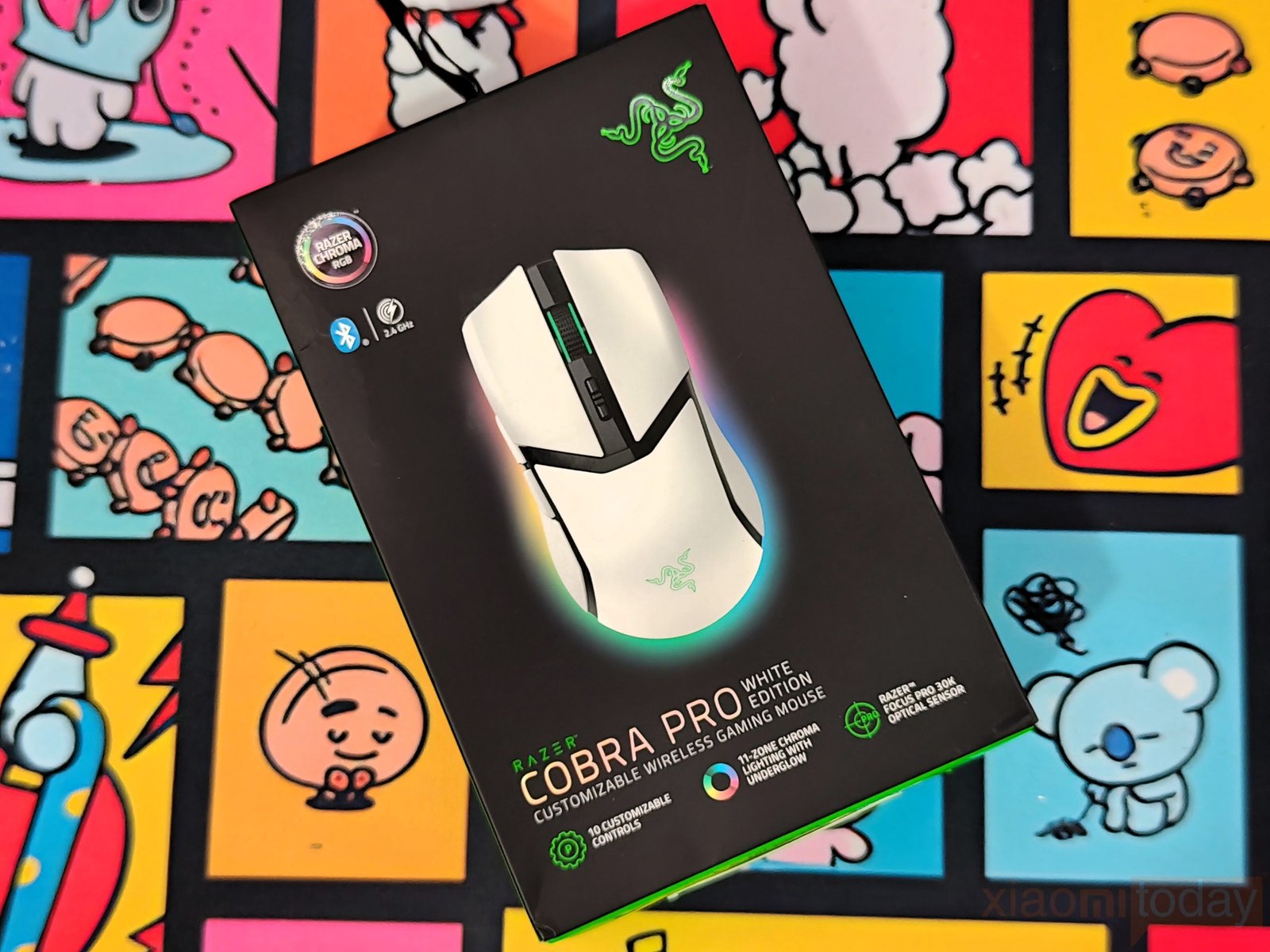
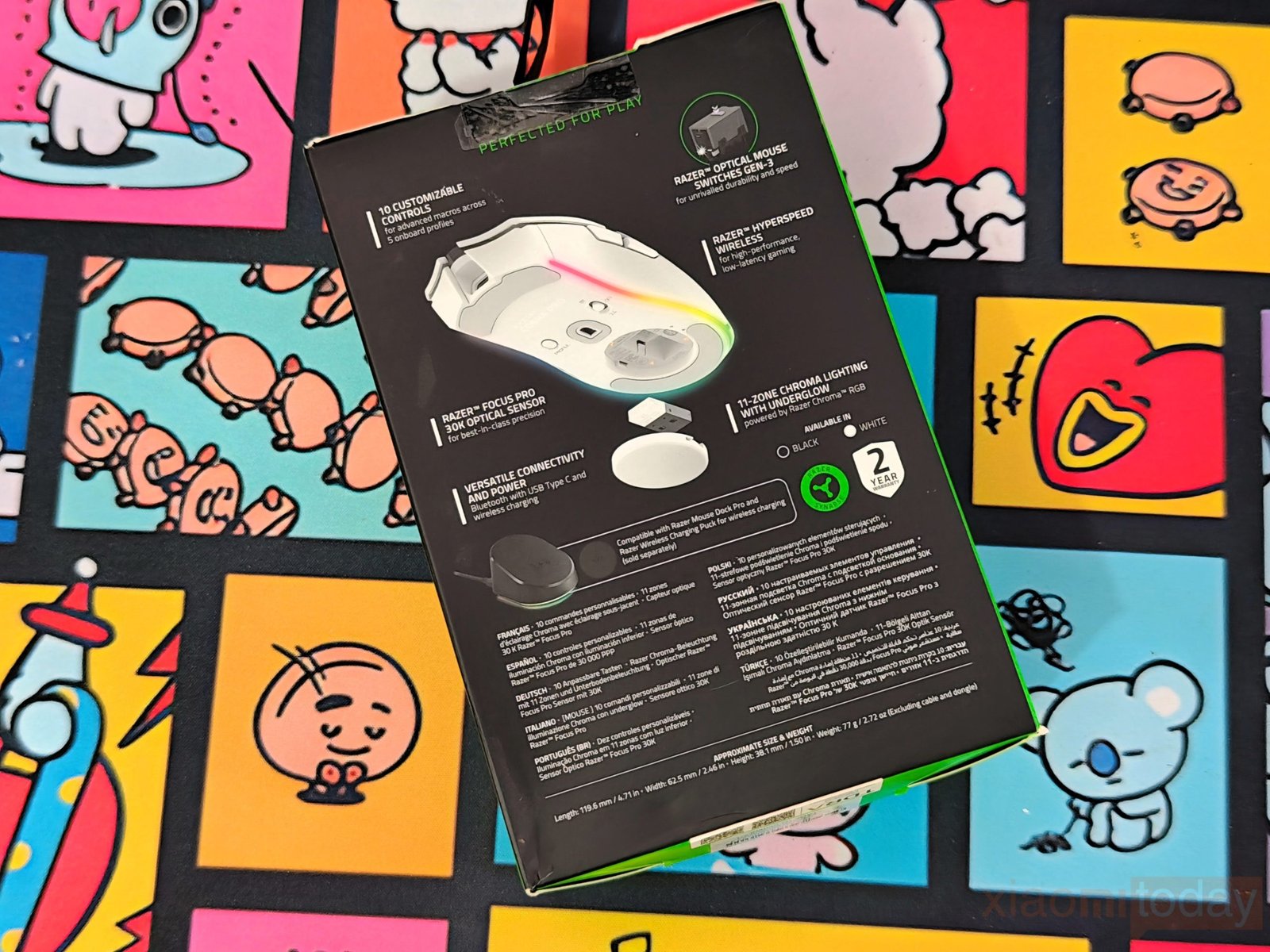
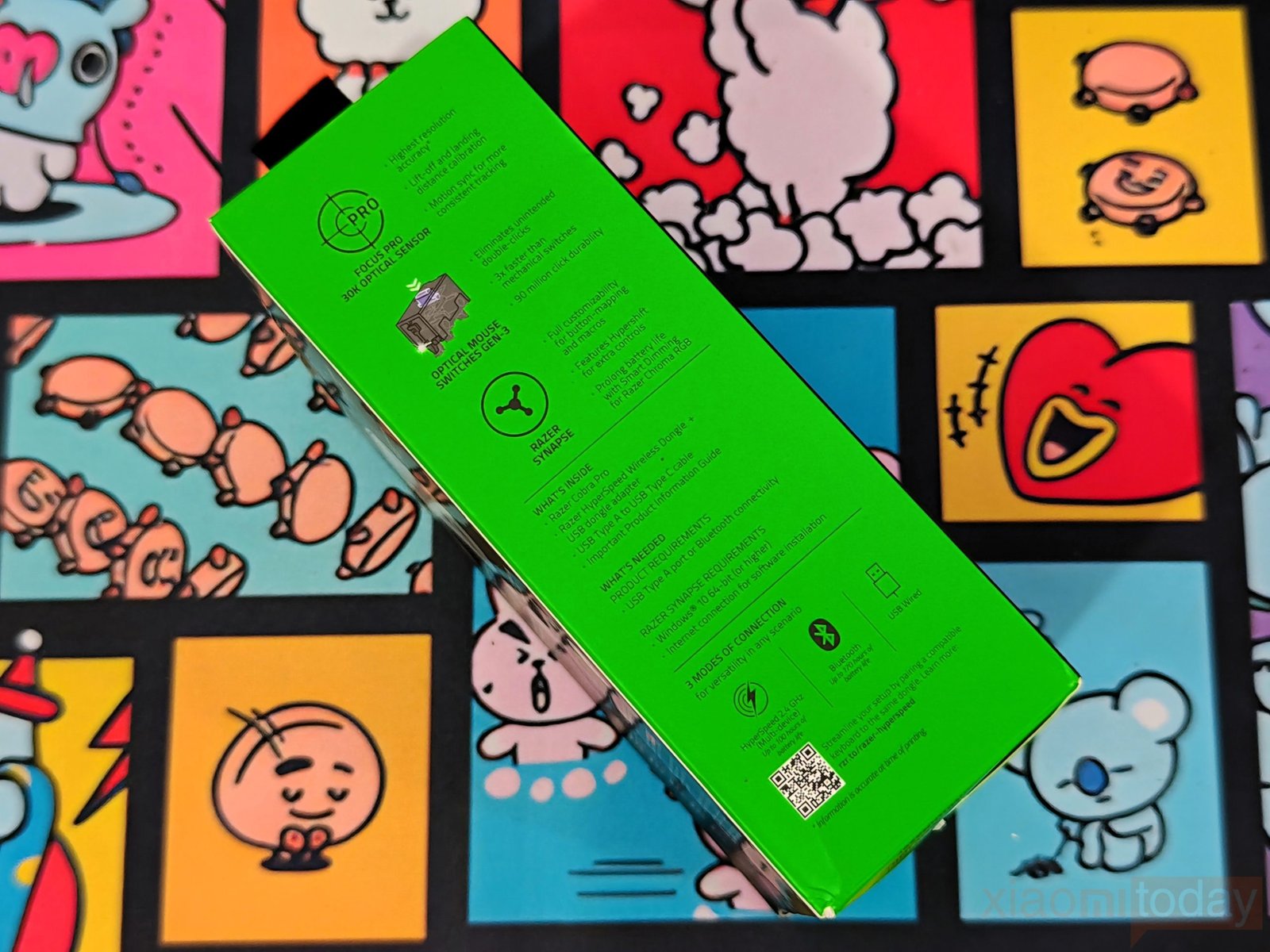
The Razer Cobra Pro White Edition arrives in a black box with green accents, following Razer’s familiar gaming product packaging. The front features a large image of the mouse with its RGB underglow, along with the Chroma RGB, Bluetooth, and 2.4 GHz wireless logos. Razer also highlights the Focus Pro 30K Optical Sensor, 11-zone Chroma RGB lighting, and 10 customizable controls. The back of the box covers the mouse’s main features and compatibility with Razer’s optional wireless charging accessories. The left side lists the key specifications, system requirements, included accessories, and three connection options: 2.4 GHz wireless, Bluetooth, and USB wired.
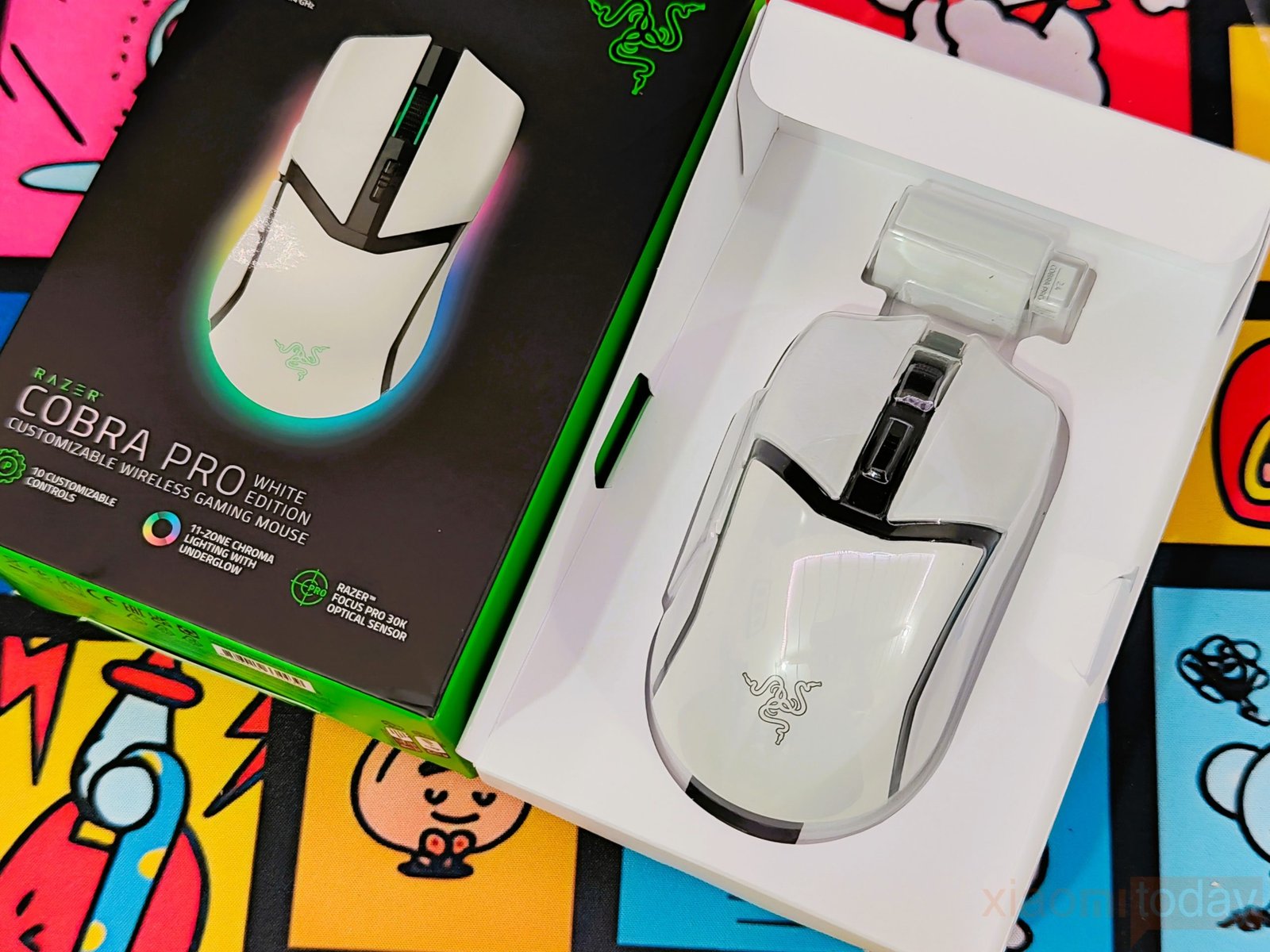
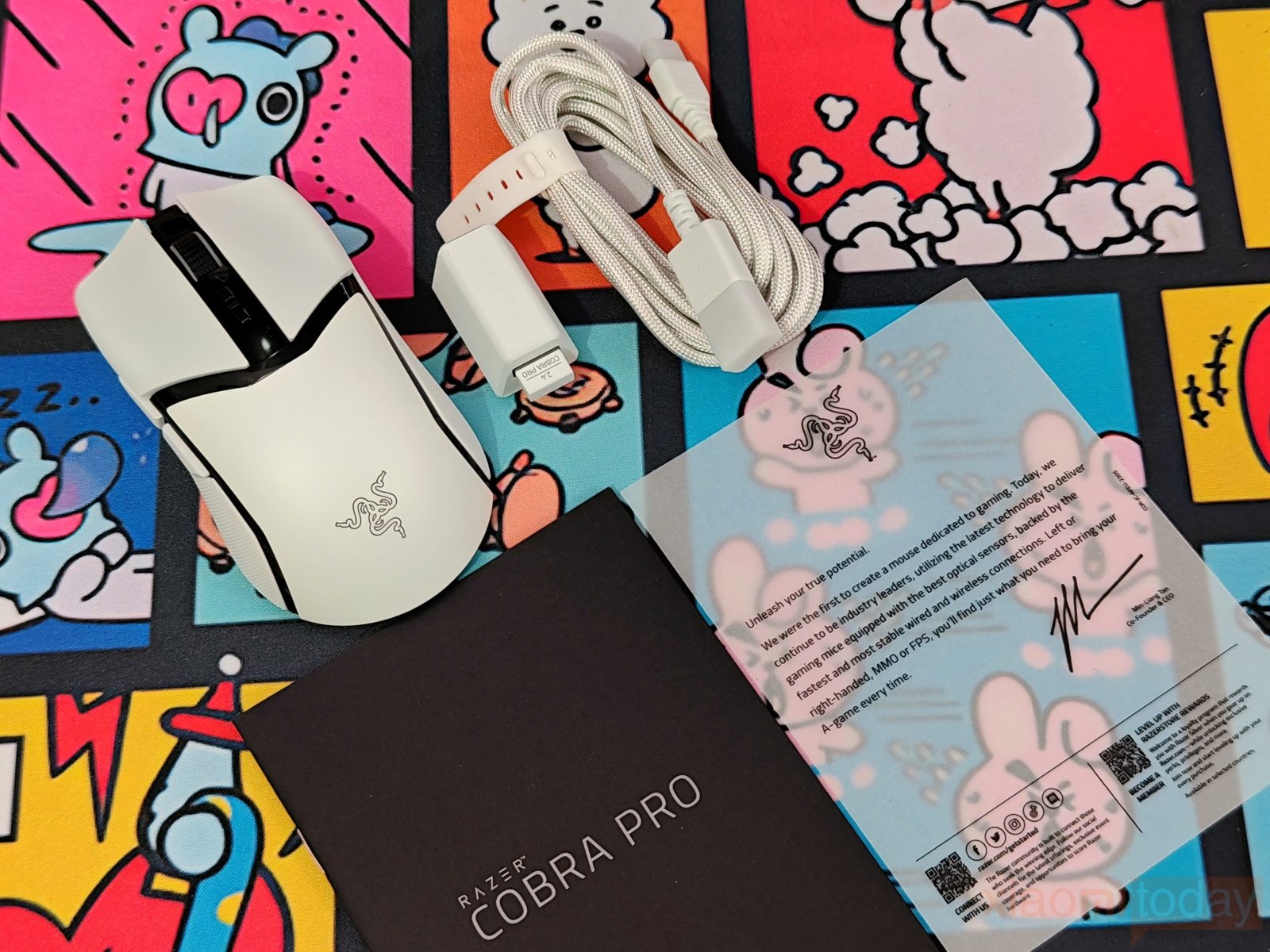
Inside the box, the Razer Cobra Pro is held in a molded white tray, with the accessories packed alongside it. The package includes the Razer Cobra Pro wireless gaming mouse, a Razer HyperSpeed Wireless Dongle with USB dongle adapter, a USB Type-A to USB Type-C cable, and an Important Product Information Guide.
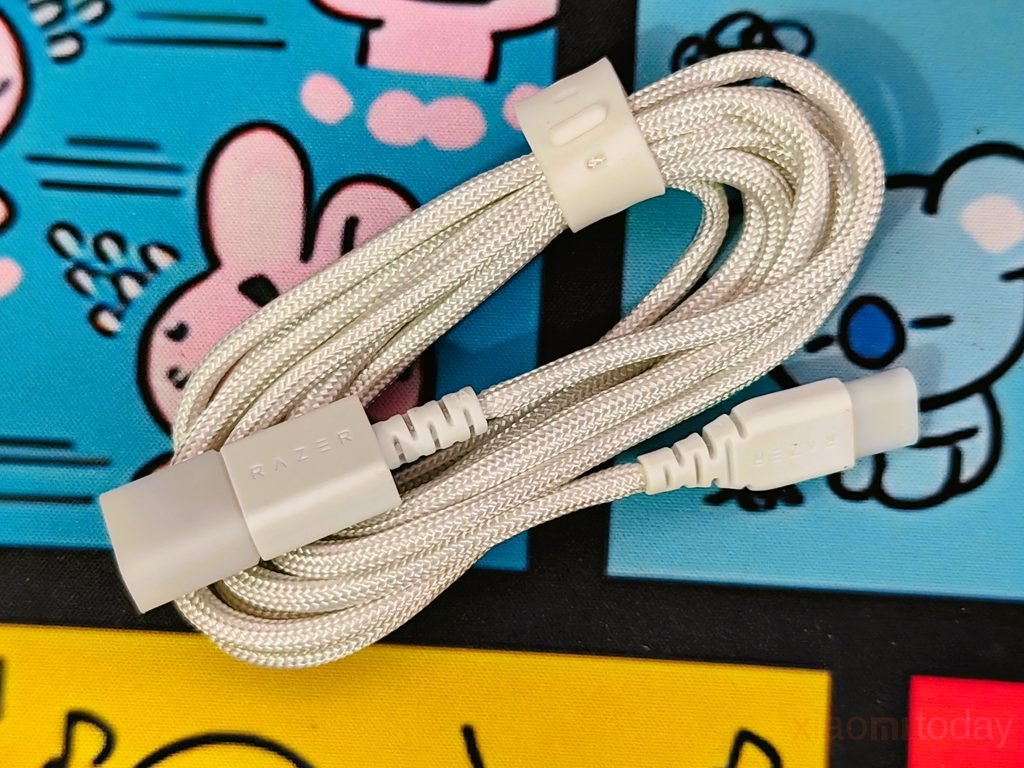
The white braided cable matches the White Edition’s finish, while the included dongle and adapter provide everything needed to get started with a wireless connection. The USB cable can also be used for wired operation and charging. Razer keeps the package focused on the essentials and doesn’t include additional grip tape or replacement mouse feet.
Design and Build Quality
The Razer Cobra Pro White Edition has a compact design that combines a white shell with black accents around the scroll wheel, main buttons, and center section. The contrast gives the mouse a clean look without relying on an overly complicated design. The Razer logo sits on the palm rest, while the curved lines around the main buttons help separate the different sections of the shell. Razer offers the Cobra Pro in black and white, and we received the White Edition for this review. It should fit nicely into a white-themed gaming setup, although the black center section provides enough contrast to keep the design from looking plain.
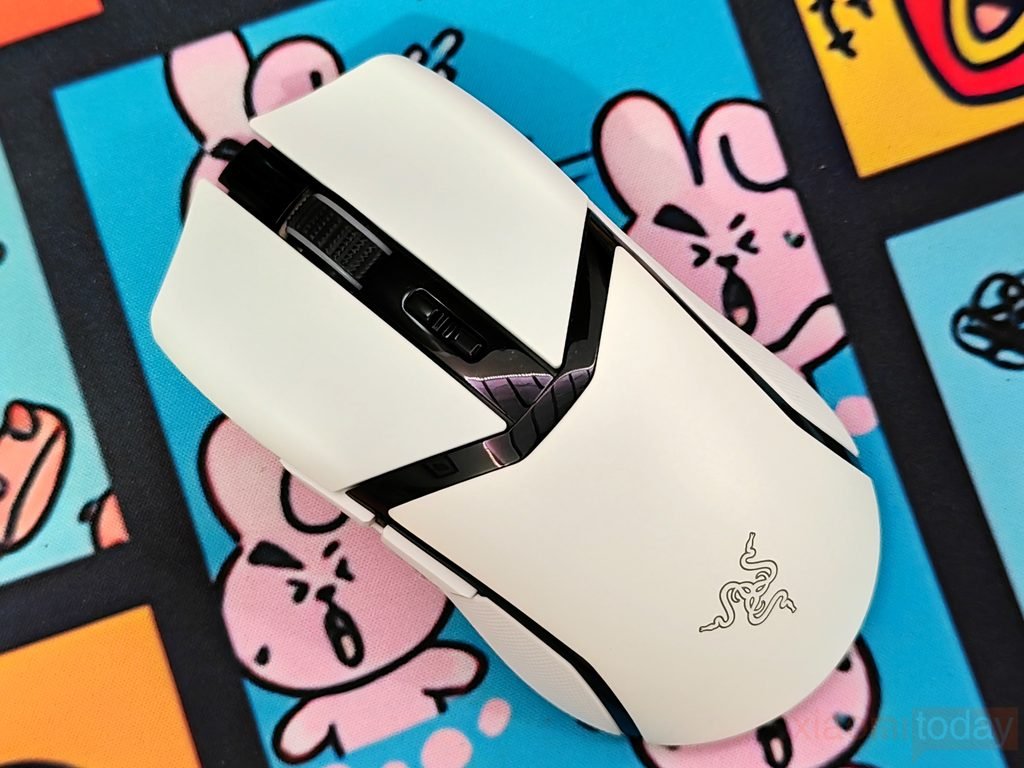
Looking at the build, the white panels have a smooth finish, while the black center section houses the scroll wheel and DPI adjustment buttons. The scroll wheel has a textured rubber surface that provides grip during everyday use and gaming. The side panels curve inward near the bottom, giving the thumb and fingers a more defined resting position. At 77 grams, the Razer Cobra Pro is reasonably light for a wireless gaming mouse with a built-in battery and RGB lighting. Its plastic body keeps the overall weight under control, and the different shell sections give it a distinct two-tone appearance. The glossy black trim may pick up fingerprints, but the white surface helps maintain a clean look with regular care.
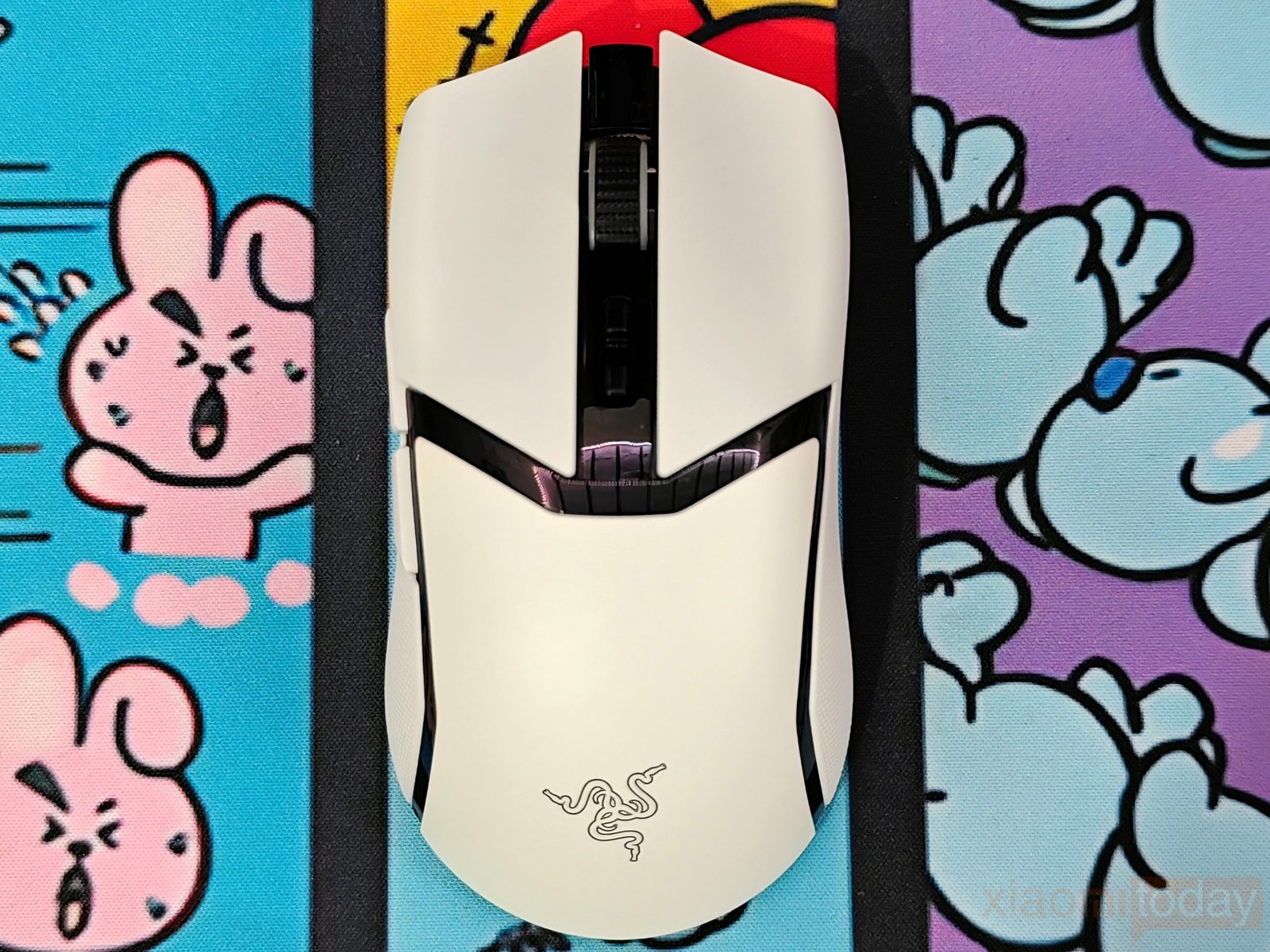
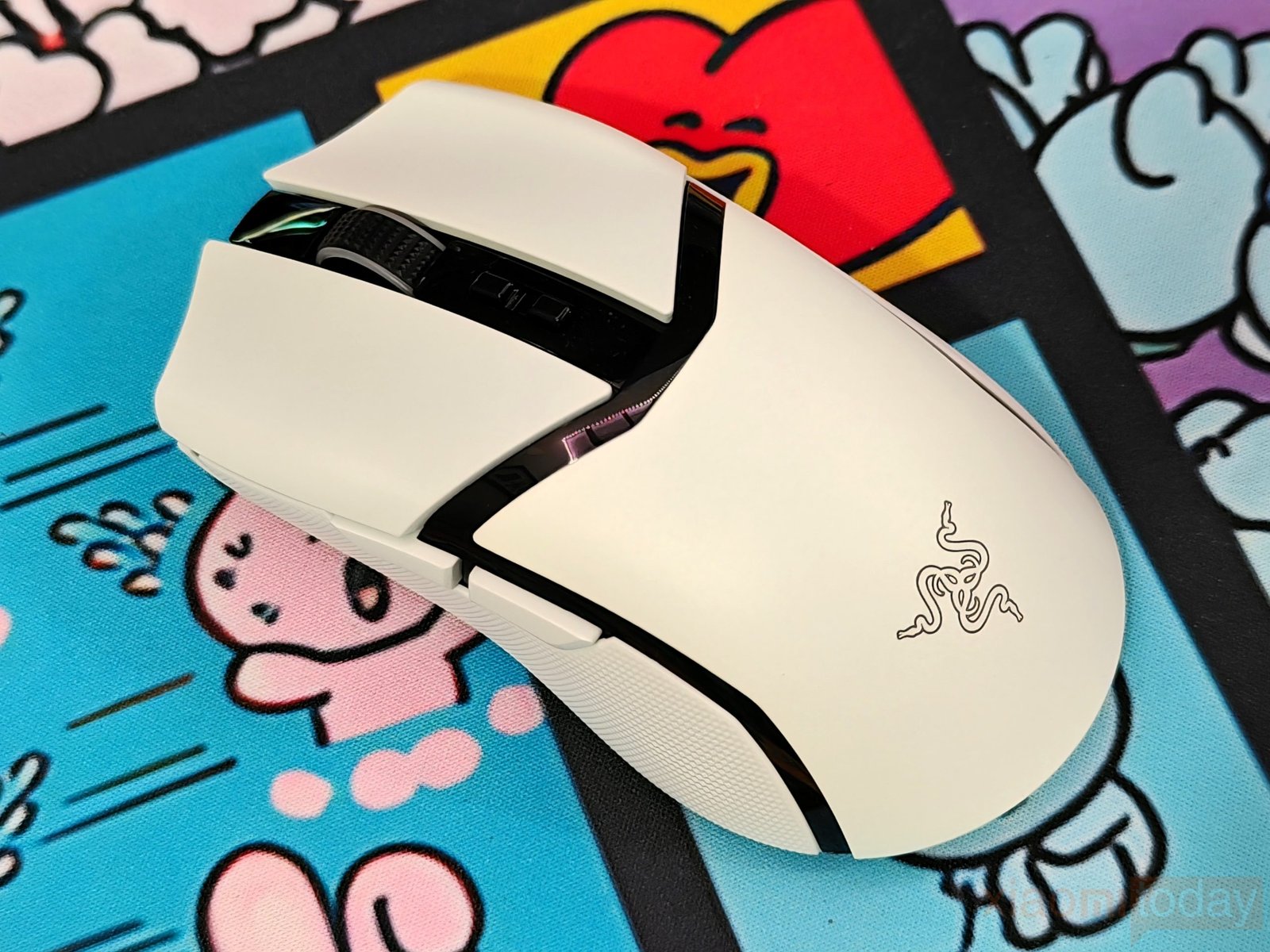
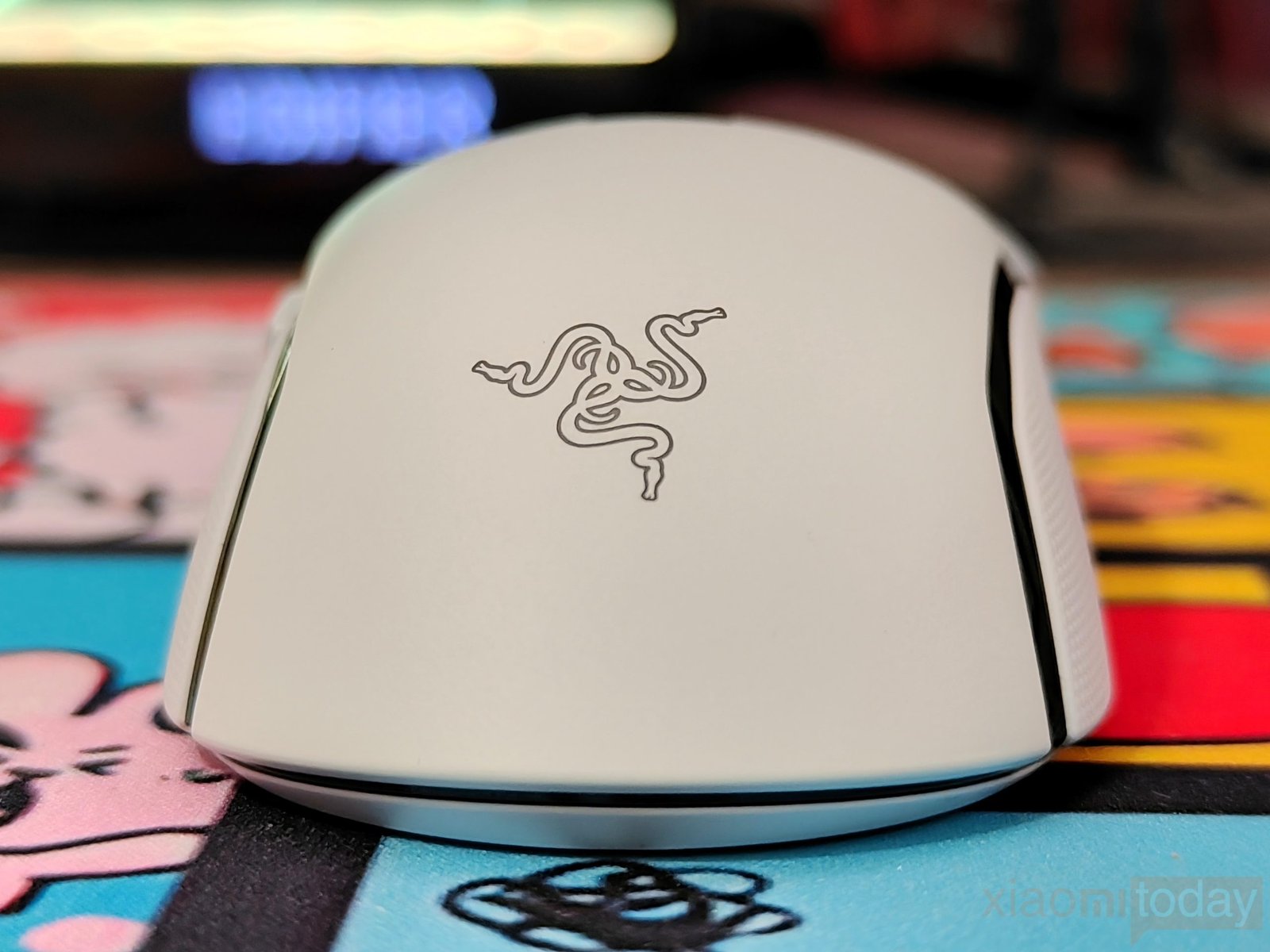
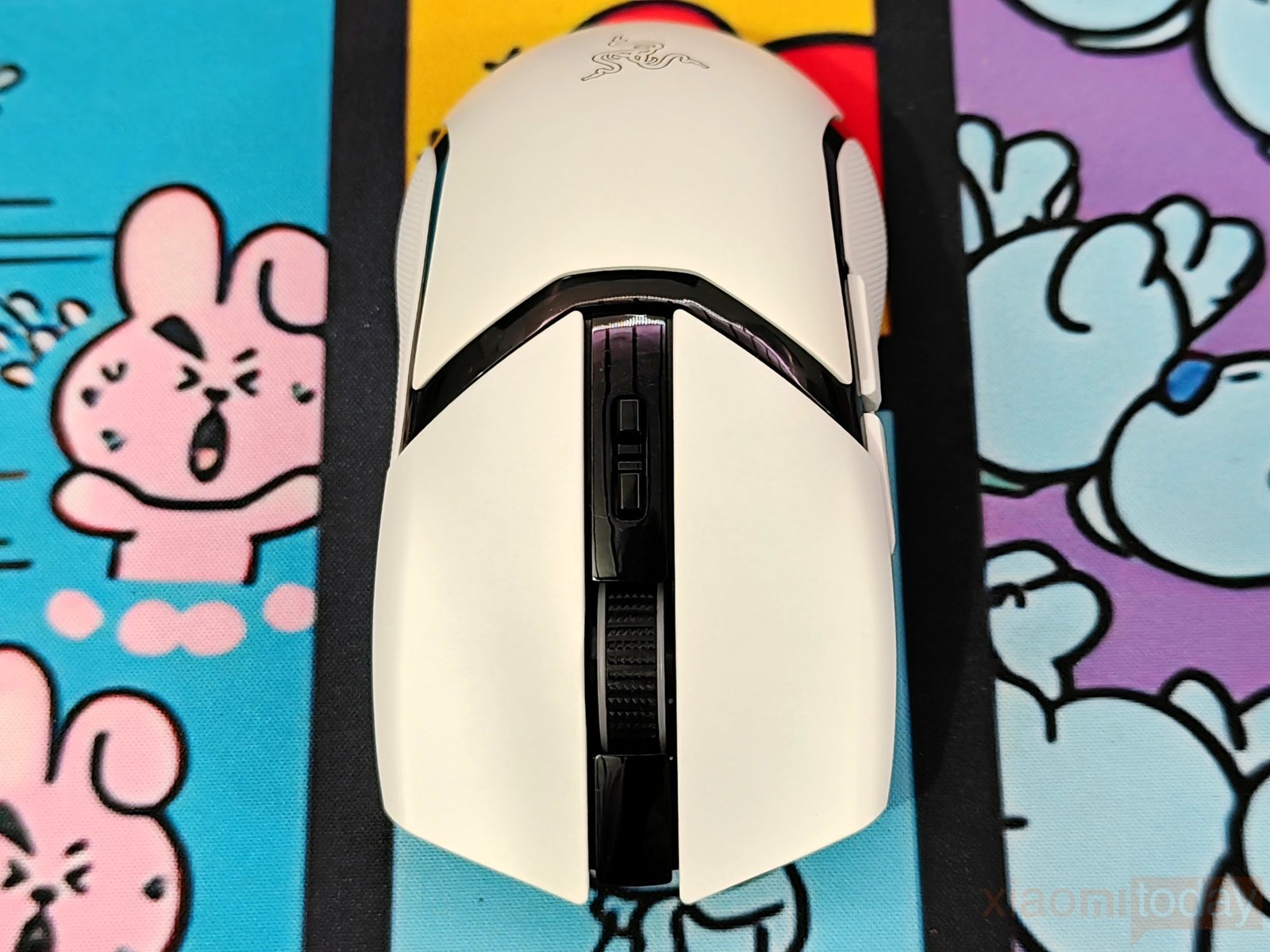
The Razer Cobra Pro measures 119.6 x 62.5 x 38.1 mm, making it a compact wireless gaming mouse suited to users who prefer a smaller body. Its symmetrical outline has a gently raised rear section that supports the palm, while the narrower front allows the fingers to reach the main buttons comfortably. The scroll wheel and DPI controls sit along the center line, and the side buttons are positioned within reach of the thumb. From the top, the mouse has a tapered waist and curved sides, while the side profile shows a gradual slope from the rear toward the front. The 77-gram weight also makes it easier to reposition during fast movements. Claw and fingertip grip users may find the compact shape particularly suitable, while palm grip comfort will depend on hand size.
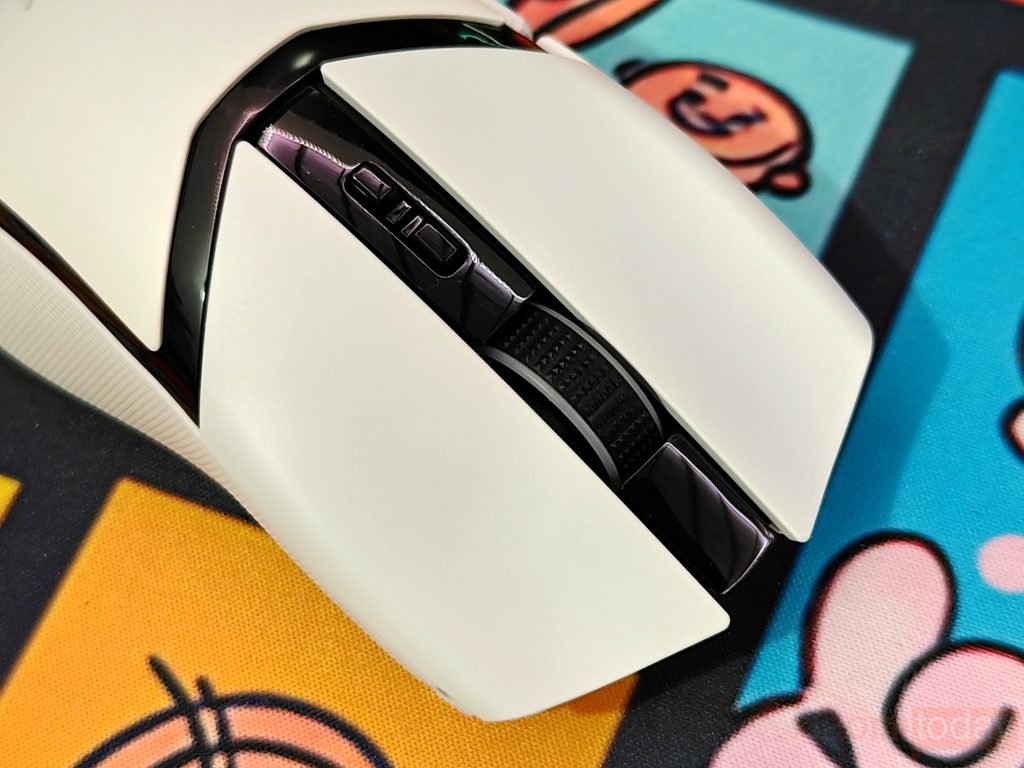
The Razer Cobra Pro features Razer Gen-3 Optical Mouse Switches rated for up to 90 million clicks. The left and right buttons have a defined separation and a smooth finish that matches the white shell. These optical switches are designed to register clicks with a claimed actuation time of 0.2 ms, without the debounce delay associated with traditional mechanical switches. They also help prevent unintended double-clicks caused by switch wear over time. For gaming, this means the main buttons are built to handle repeated clicks in fast-paced titles while maintaining consistent input registration. The 90-million-click rating should also provide plenty of service life for users who spend long hours gaming or working at their desk.
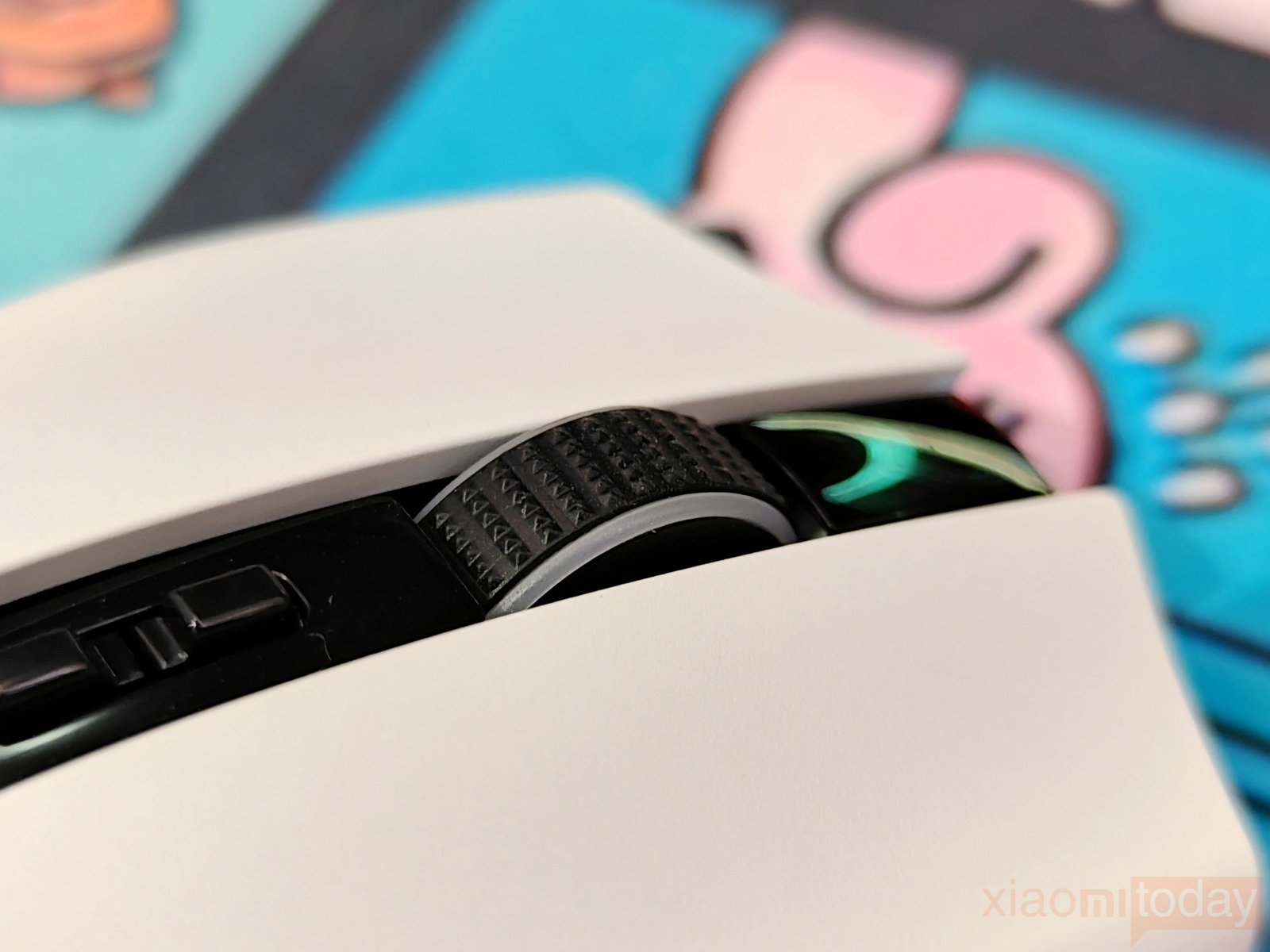
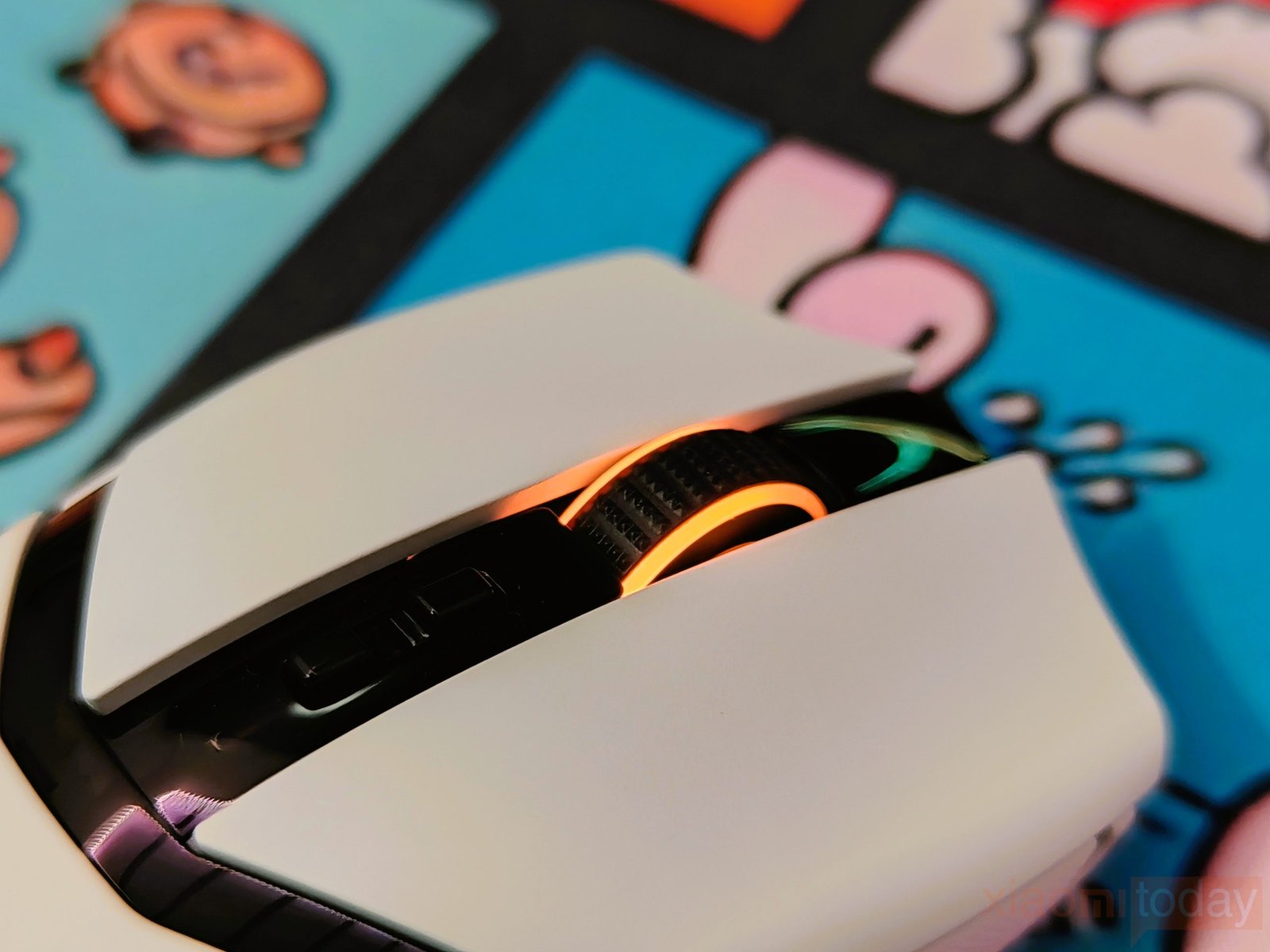
The Razer Cobra Pro features a mechanical scroll wheel with a textured rubber surface and clearly defined steps. The notched movement makes scrolling feel controlled, whether you’re navigating long documents, browsing web pages, or switching weapons during gameplay. The wheel produces an audible click with each step, which users who prefer clear tactile feedback may appreciate, although it is not the quietest option. An RGB lighting ring around the scroll wheel adds color to the design and can be customized through Razer Chroma RGB.
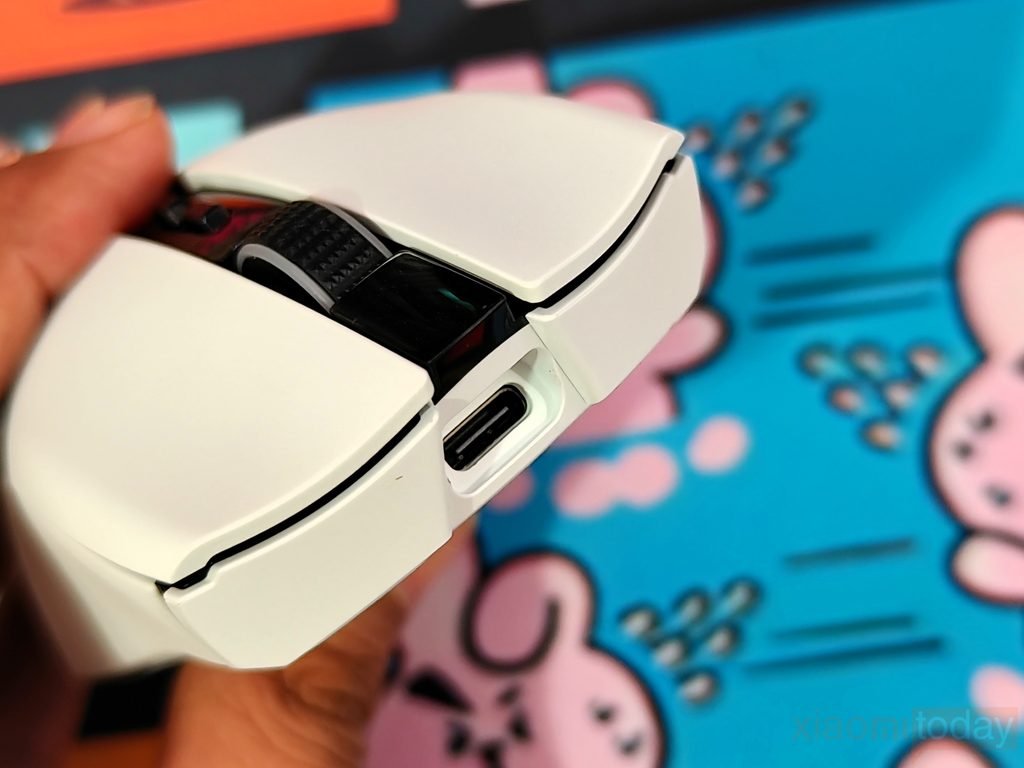
The USB Type-C port sits at the front of the Razer Cobra Pro, allowing the mouse to charge using the included USB Type-A to USB Type-C cable. It also supports wired operation, so you can continue using the mouse while charging instead of waiting for the battery to refill. The recessed port keeps the cable connection neatly positioned at the front, while the standard USB-C interface makes charging convenient. Between wireless use and the option to connect by cable, the Cobra Pro gives users flexibility for both gaming sessions and everyday desktop work.
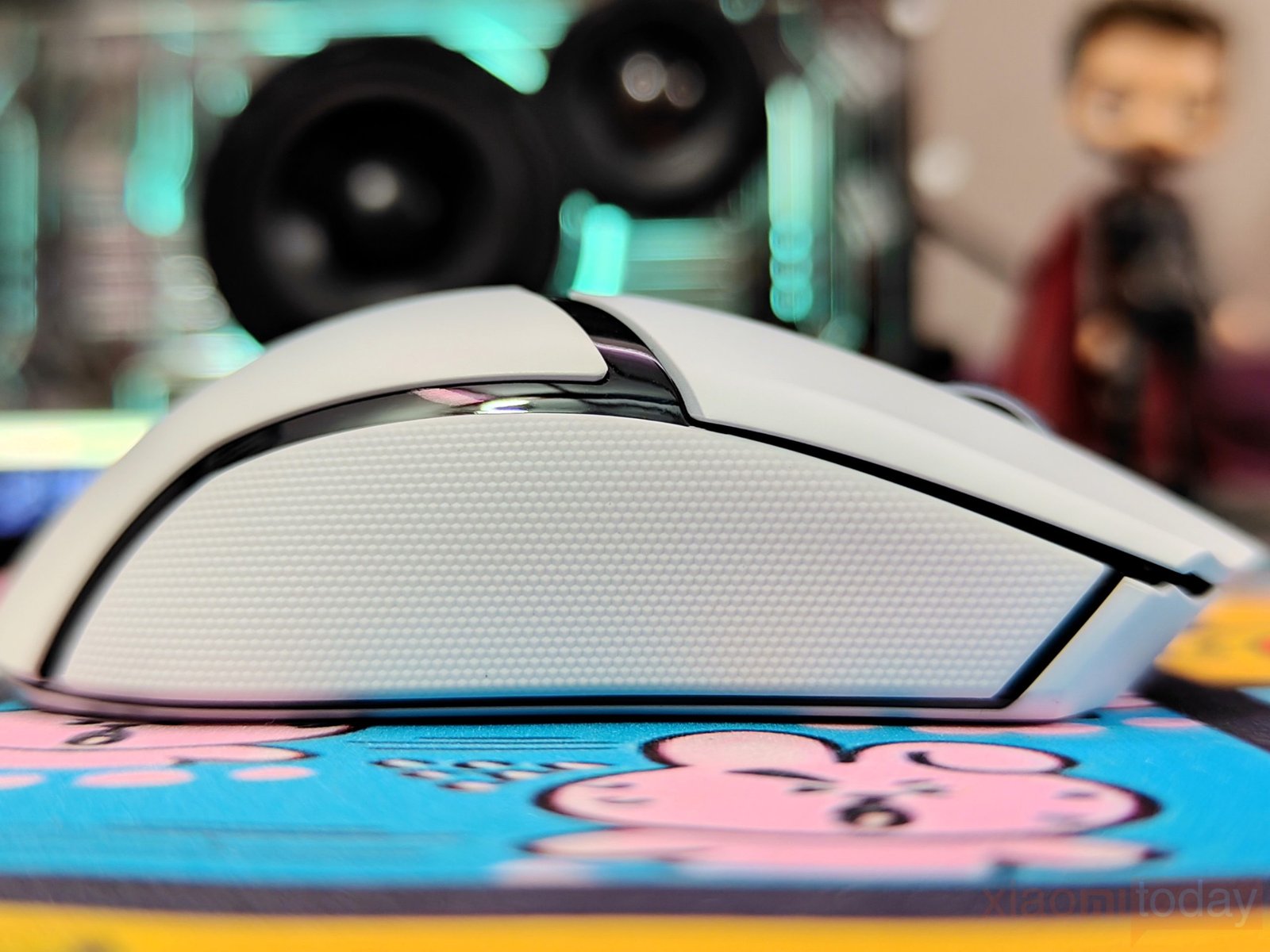
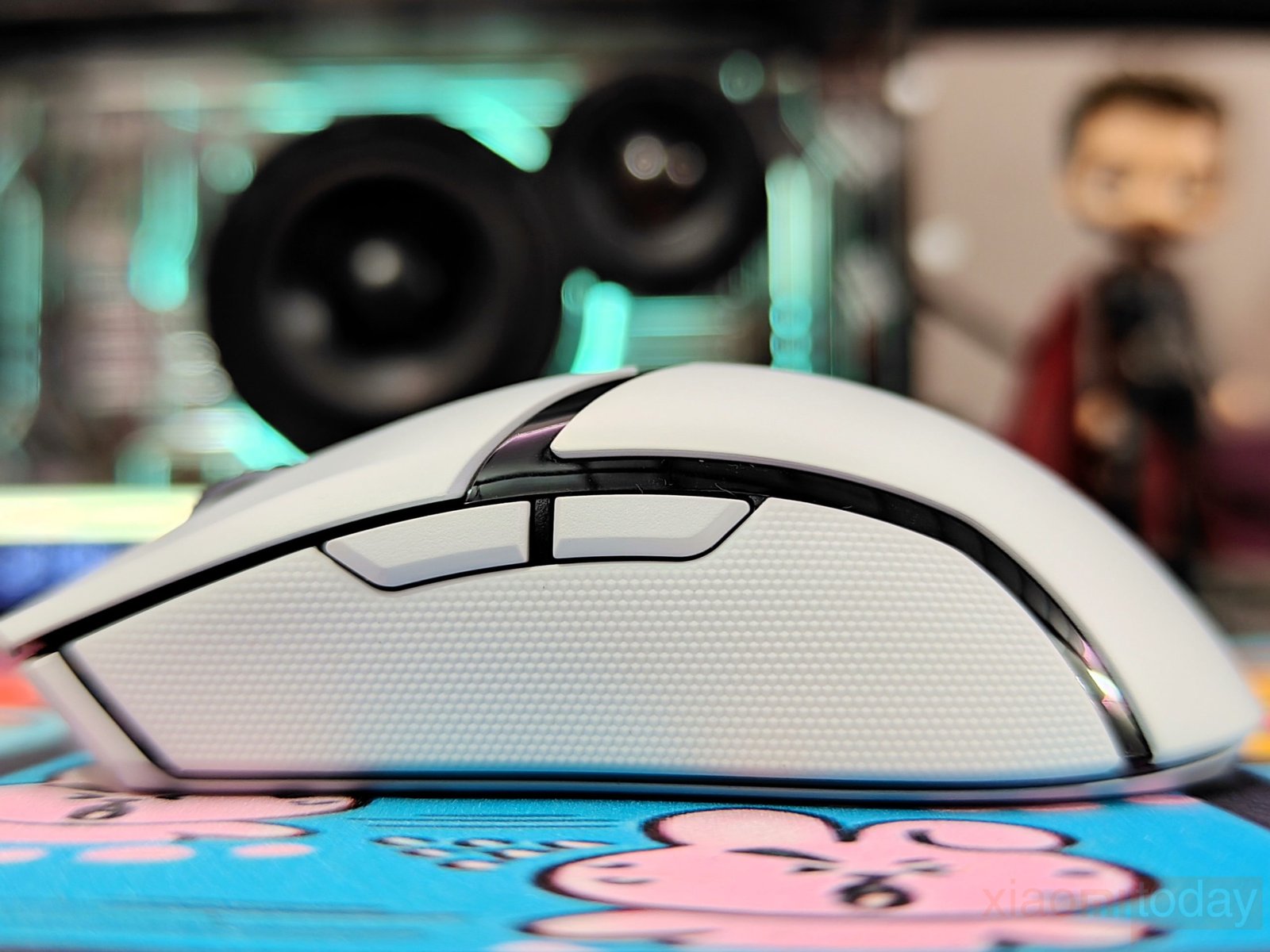
The Razer Cobra Pro features rubberized side grips on both sides to help maintain a secure hold during gaming. The textured surface provides extra grip when making quick movements or repositioning the mouse. On the left side, two programmable thumb buttons sit above the grip, within easy reach without requiring you to change your hand position. Both buttons can be customized through Razer Synapse to handle in-game commands, shortcuts, or macros. The right side has the same rubberized grip but no additional buttons, as the Cobra Pro is designed for right-handed use.
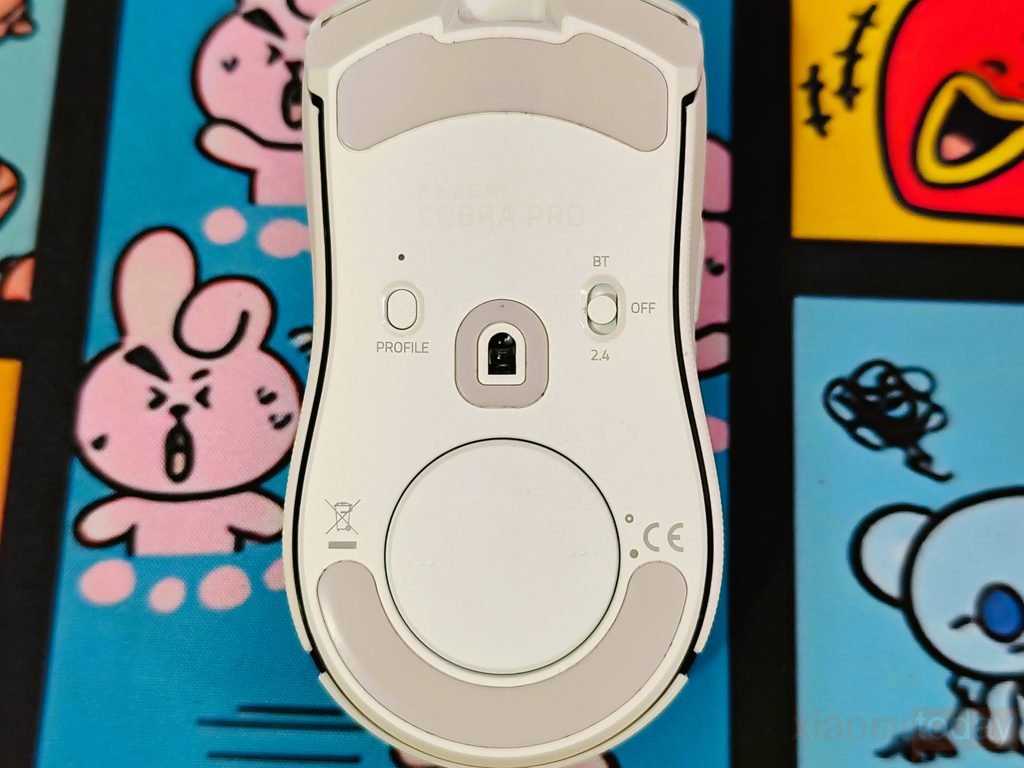
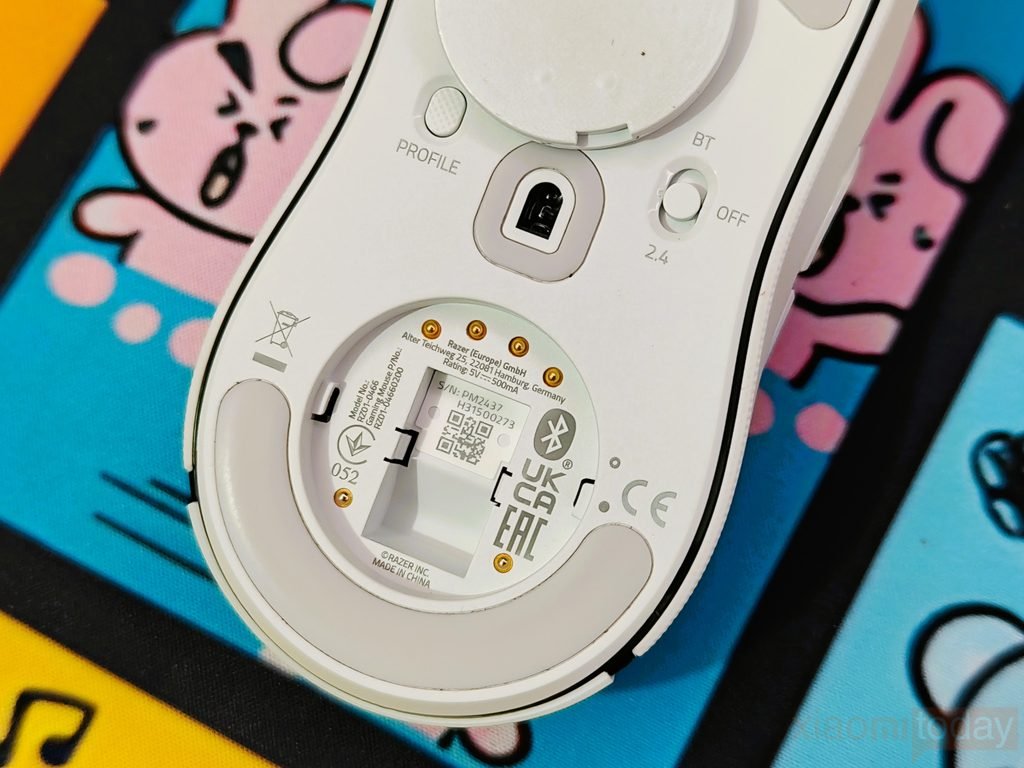
The underside of the Razer Cobra Pro houses the Focus Pro 30K Optical Sensor, a profile button, and a three-position switch for Bluetooth, power-off, and 2.4 GHz wireless connectivity. The sensor sits near the center of the base, while the profile button lets you switch between saved onboard profiles without opening Razer Synapse. The connection switch is clearly labelled, making it easy to select the mode you need. The base also features a removable circular cover for compatible wireless charging accessories, including the Razer Mouse Dock Pro and Wireless Charging Puck, both sold separately. The white finish continues across the bottom, keeping the design consistent with the rest of the mouse.
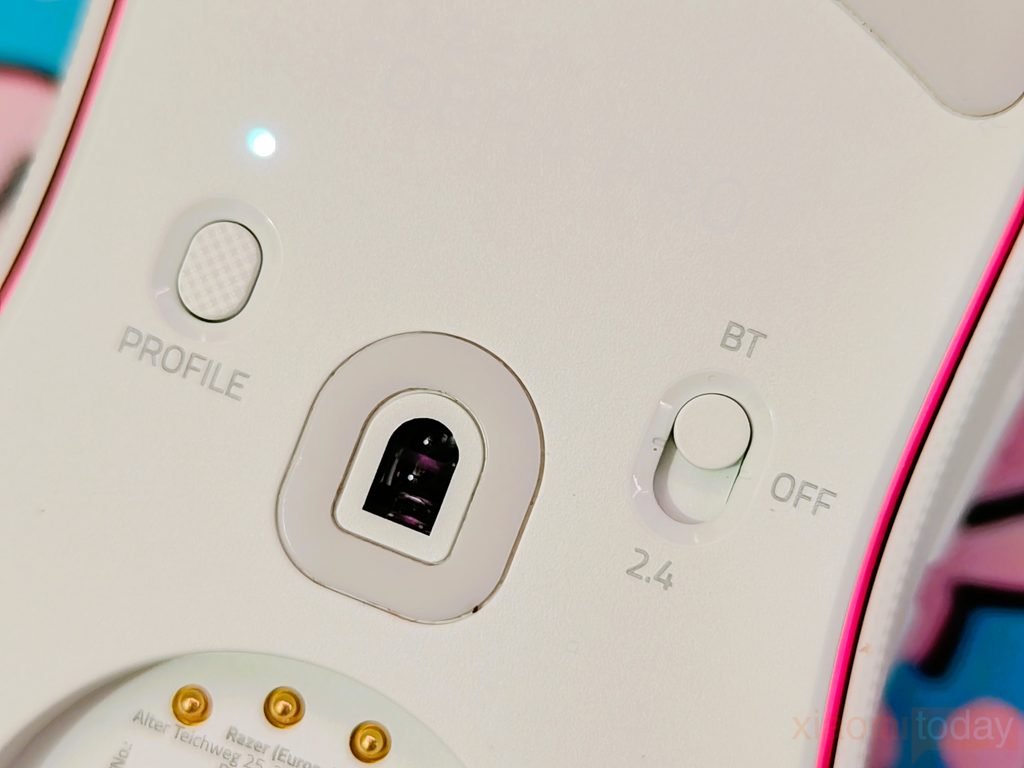
The Razer Focus Pro 30K Optical Sensor supports sensitivity up to 30,000 DPI, with a maximum tracking speed of 750 IPS and acceleration up to 70G. Razer also lists support for tracking on a wide range of surfaces, including glass under suitable conditions. Through Razer Synapse, users can adjust settings such as lift-off distance to suit their mouse pad and playing style. The PTFE mouse feet help the Cobra Pro glide across the surface with less friction, making it easier to reposition during gameplay. Combined with its 77-gram weight, the sensor and feet provide the tracking and movement control needed for gaming as well as everyday desktop use.
RGB Lighting
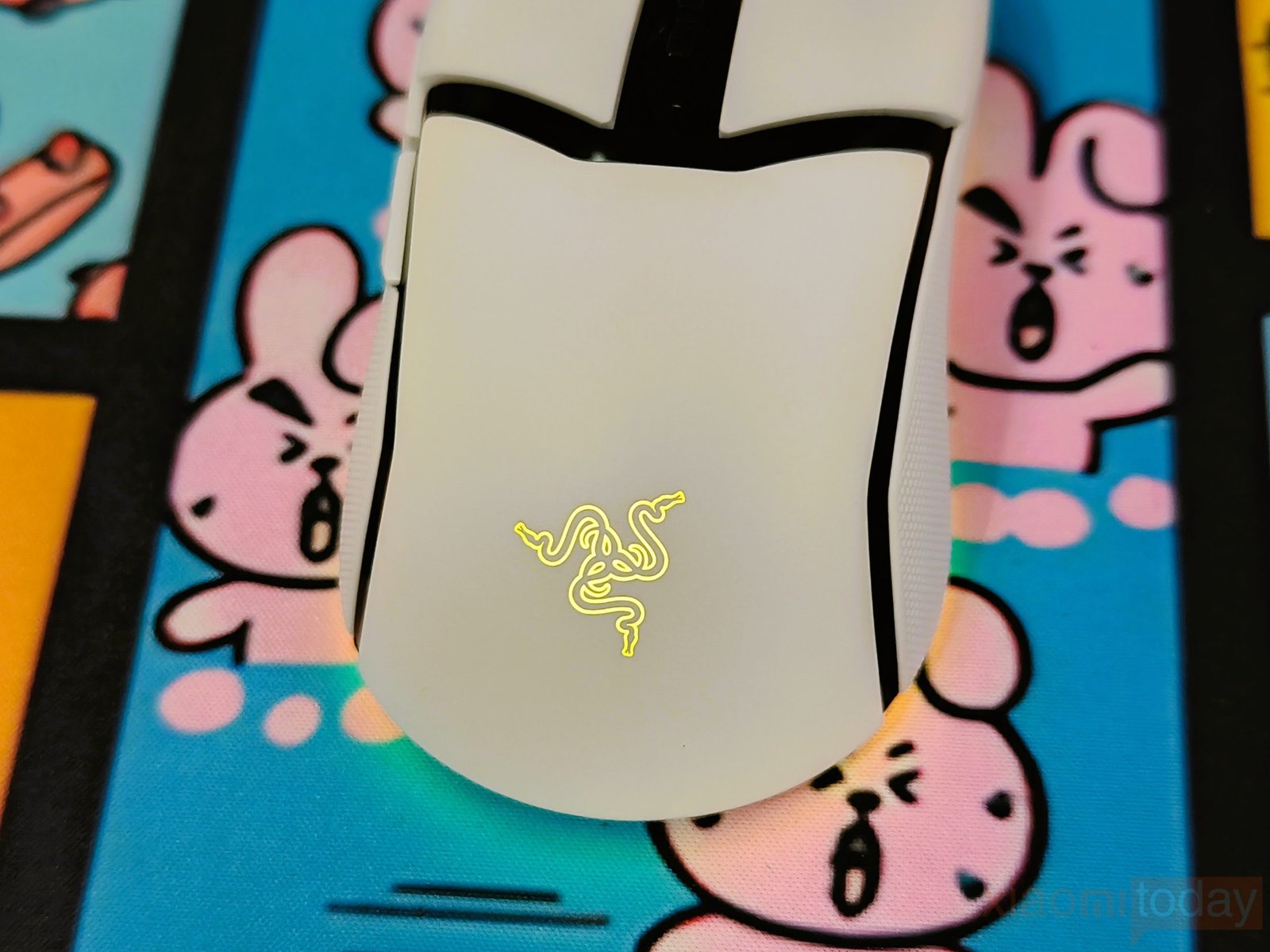
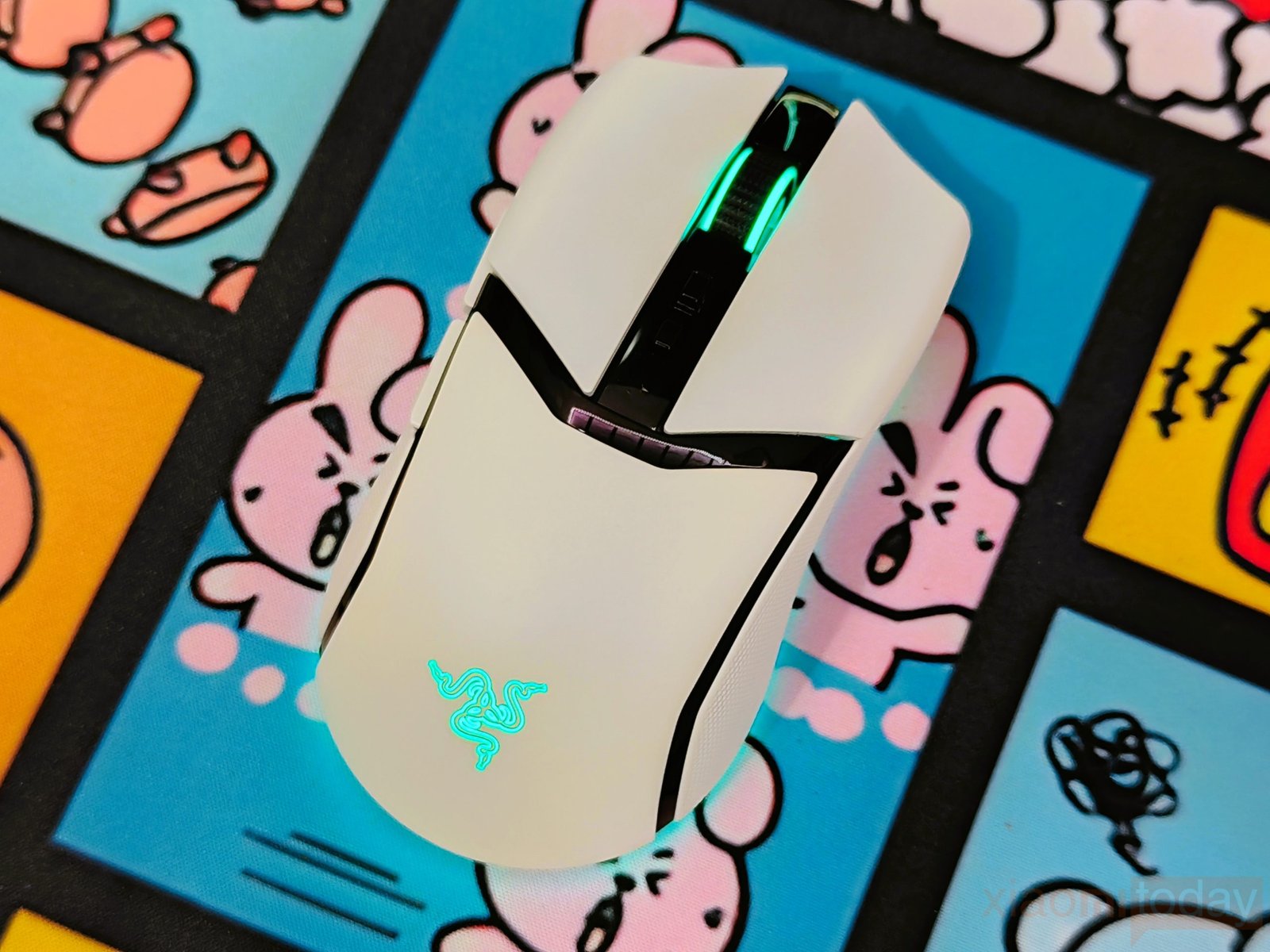
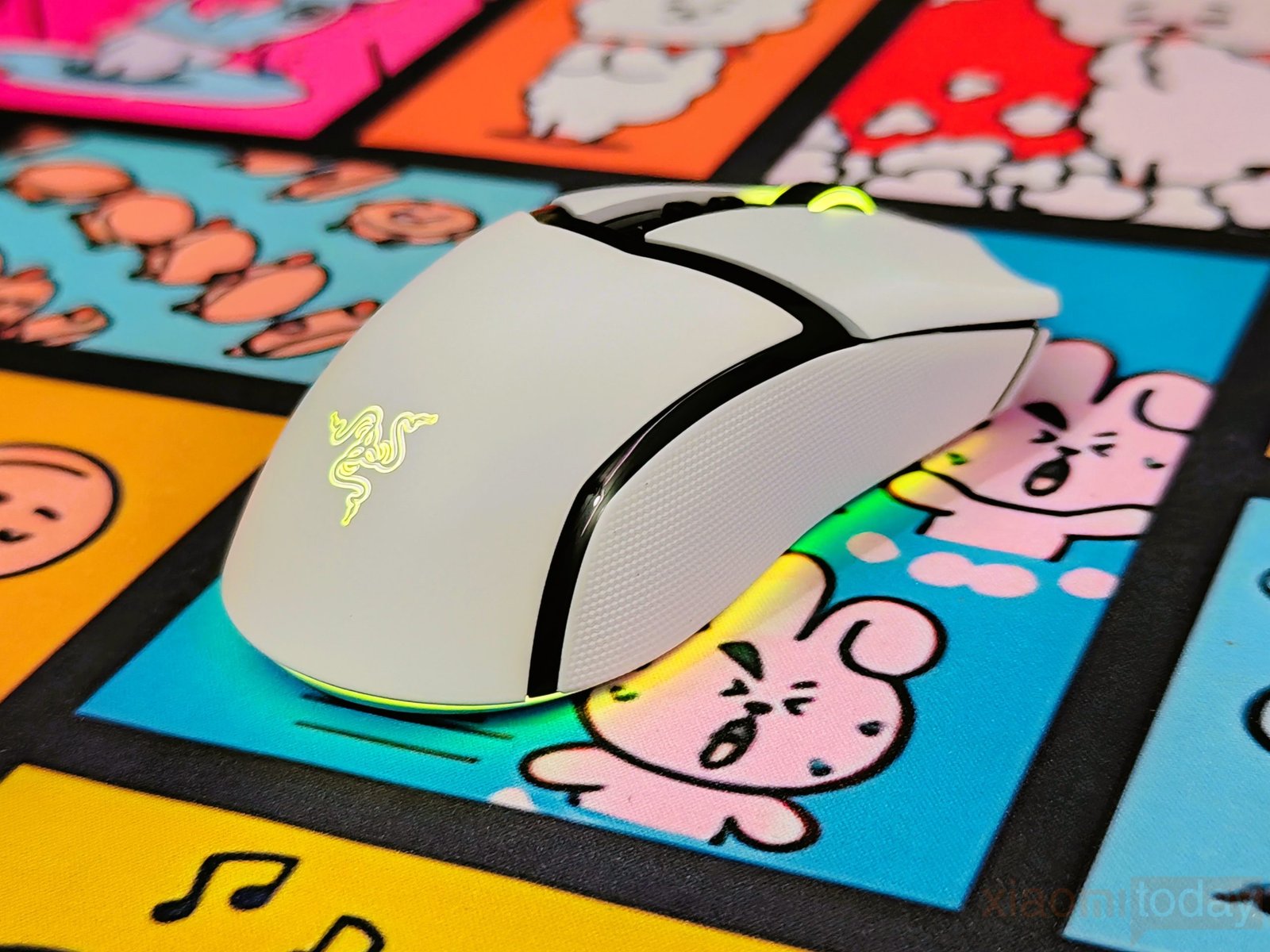
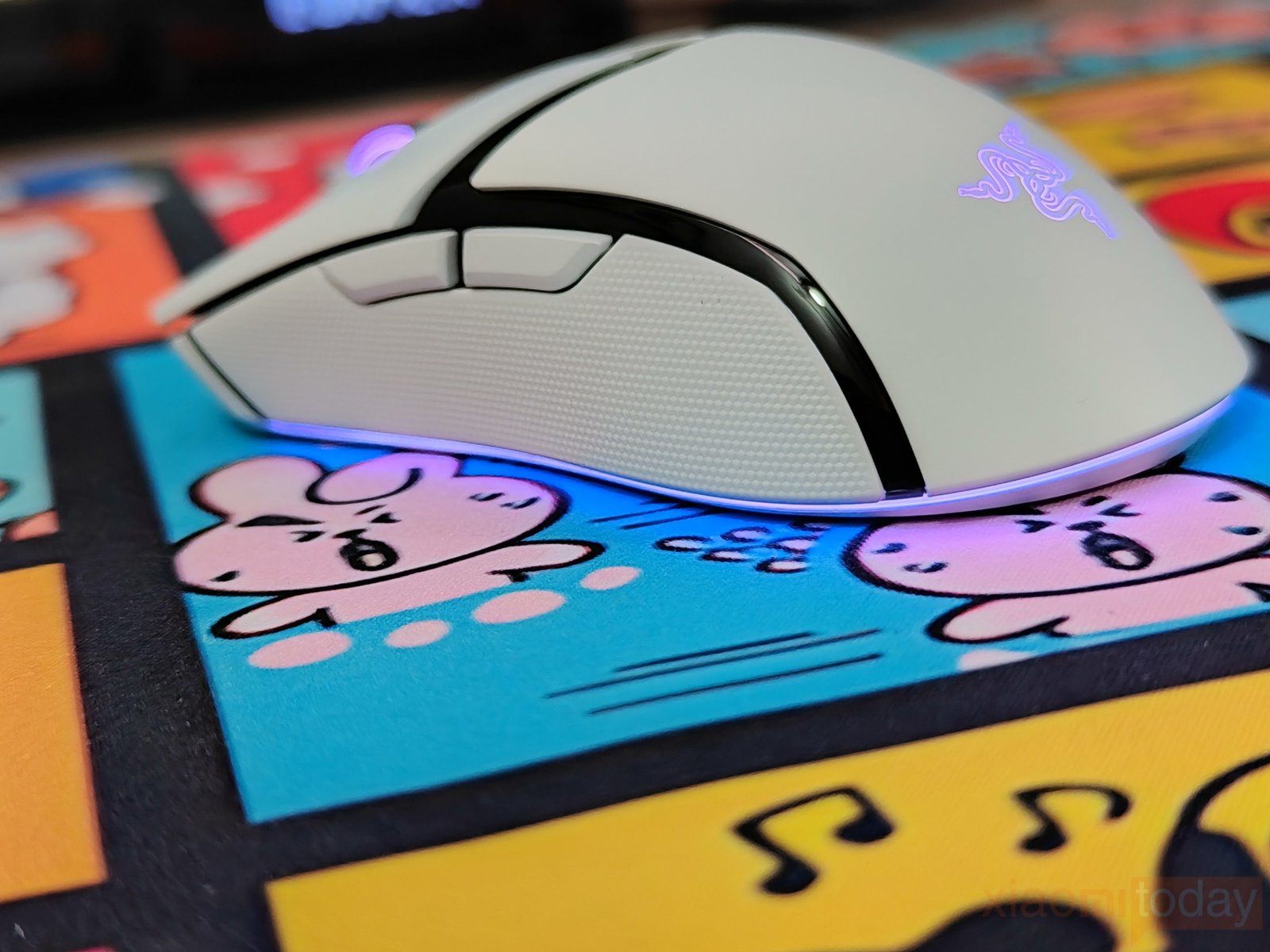
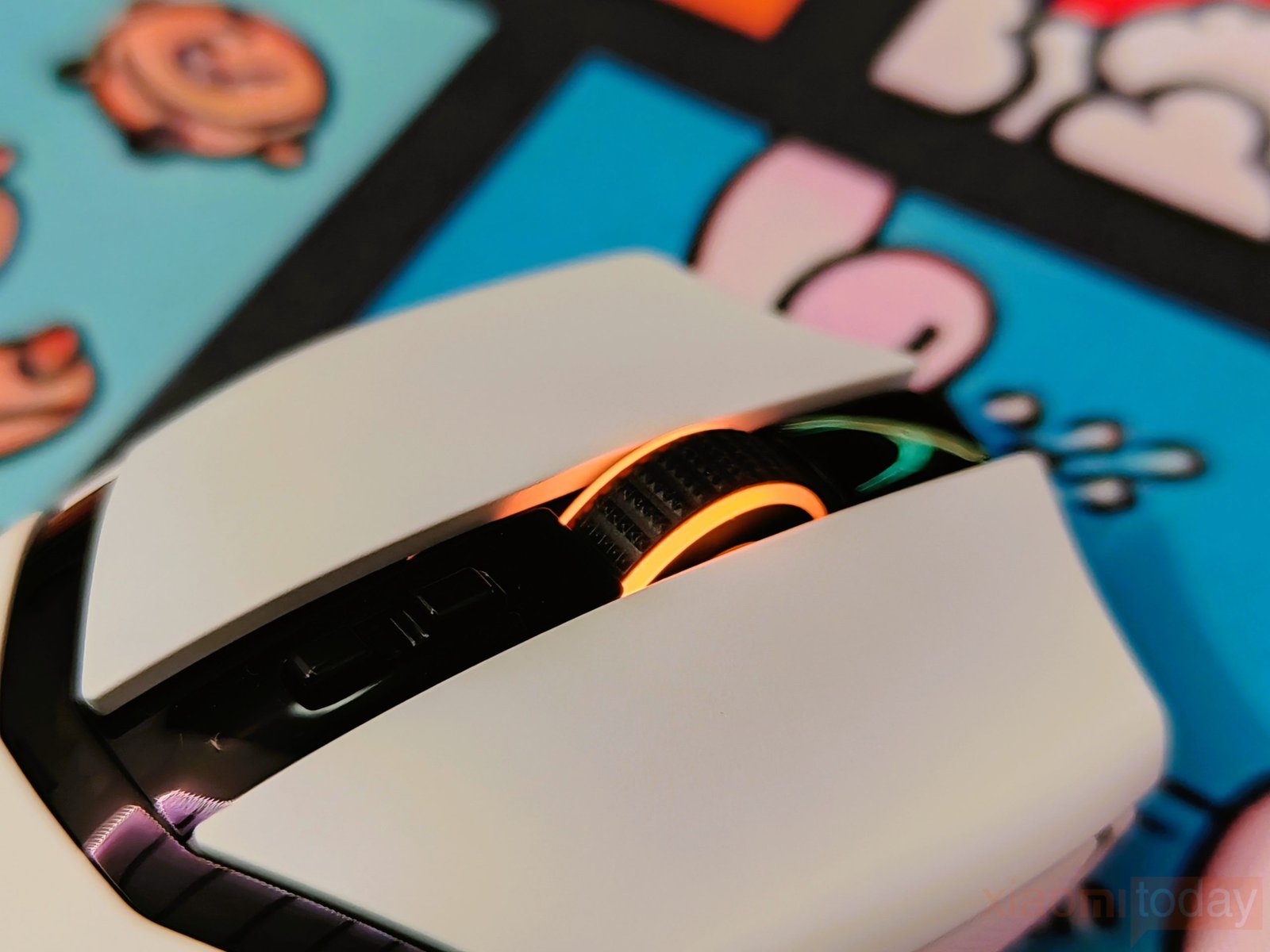
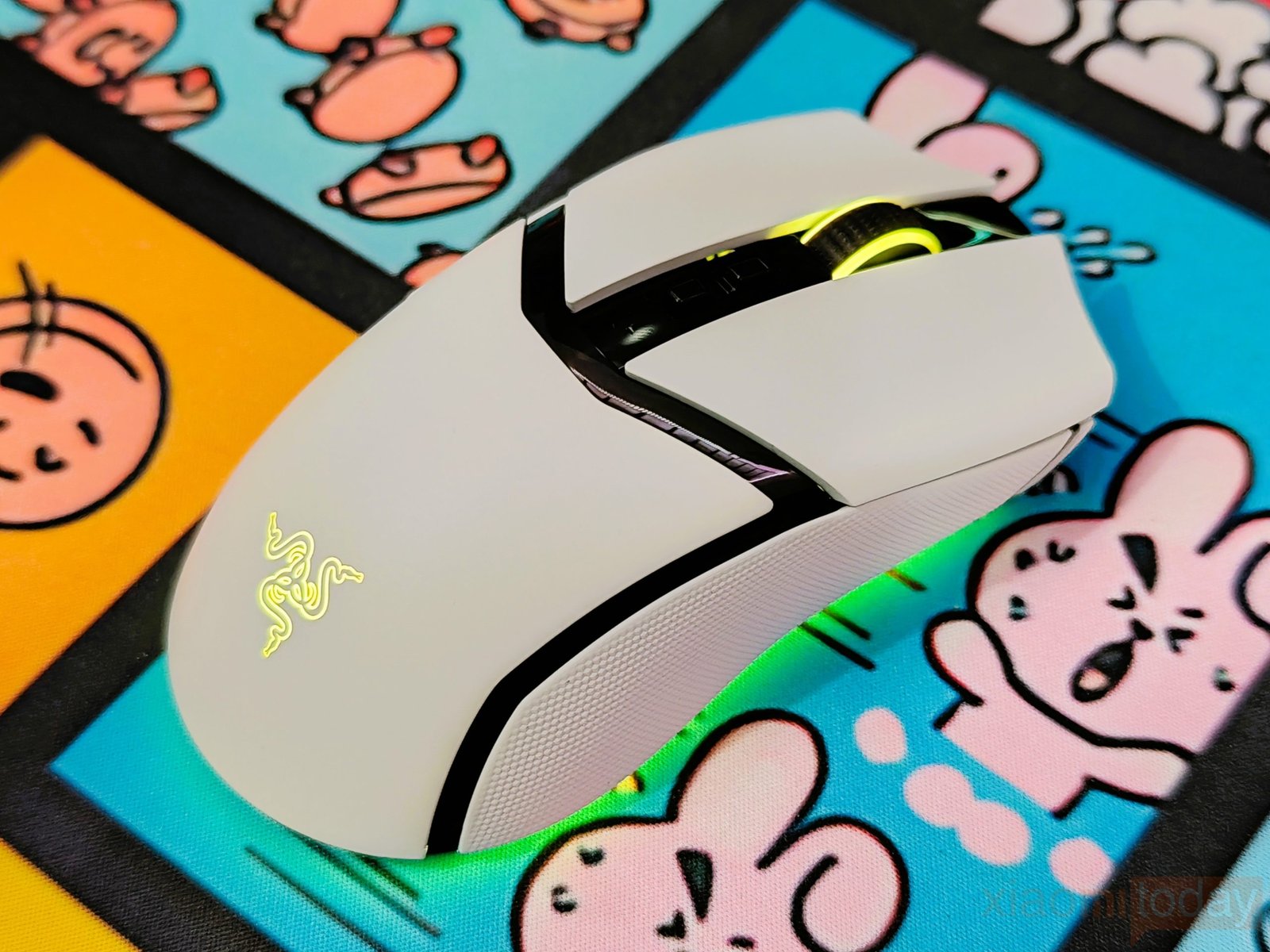
The Razer Cobra Pro comes with 11 Chroma RGB lighting zones, including illumination on the Razer logo, scroll wheel, and along the bottom edge. On the white version, the lighting stands out clearly against the light-colored shell. The bottom RGB strip adds a glow around the mouse on the mouse pad, while the logo and scroll wheel provide additional lighting from the top. As shown in our photos, the lighting can display different colors, including blue, green, purple, pink, and red.
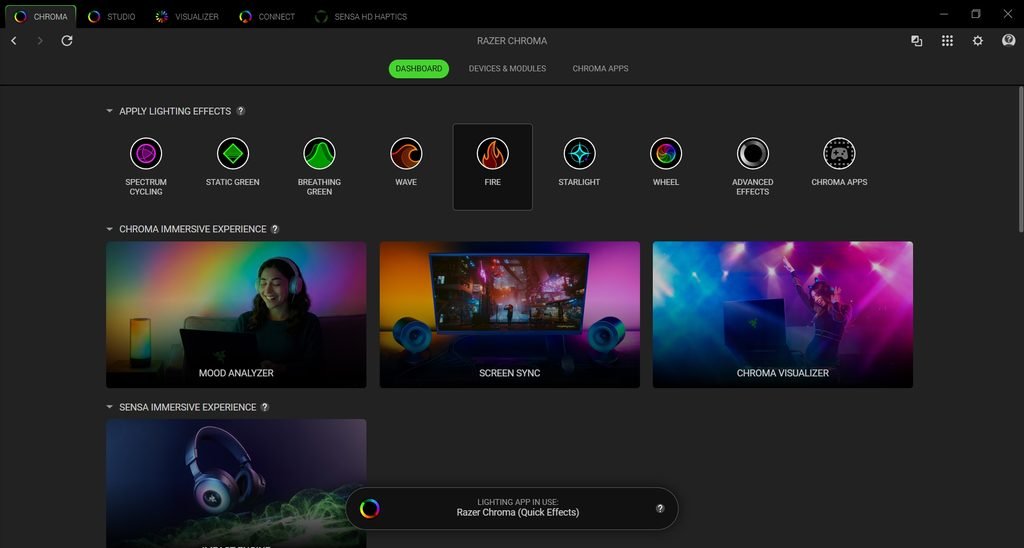
Razer Synapse lets users customize the Razer Cobra Pro RGB lighting with 16.8 million colors and a range of lighting effects. You can adjust the zones to match your gaming setup or use Razer Chroma integrations to synchronize the lighting with supported games and other compatible devices. Users who prefer a cleaner look can also reduce the lighting or turn it off. However, keeping all 11 RGB zones active can affect wireless battery life, so adjusting the brightness and effects may be useful if you want longer usage between charges.
Connectivity
The Razer Cobra Pro offers three connection options: USB wired, 2.4 GHz Razer HyperSpeed Wireless, and Bluetooth. This allows you to use the mouse with a gaming PC or laptop without being limited to a single connection type. Razer HyperSpeed Wireless is designed for low-latency gaming, providing responsive input for fast-paced titles. Bluetooth is useful for everyday work and laptop use, while the wired option lets you continue using the mouse while charging.
| Connection Mode | Setup | Recommended Use |
|---|---|---|
| USB Wired | Connect the mouse to your PC using the included USB Type-A to USB Type-C cable. | Gaming while charging and direct USB connectivity |
| 2.4 GHz HyperSpeed Wireless | Connect the wireless dongle to your PC using the included cable and USB adapter, then move the underside switch to the 2.4 GHz position. | Responsive gaming with low wireless latency |
| Bluetooth | Move the underside switch to Bluetooth, hold Mouse Button 5, the scroll wheel, and the right mouse button for three seconds, then select Cobra Pro in your device’s Bluetooth settings. | Wireless laptop use and everyday tasks |
For gaming, Razer HyperSpeed Wireless is the recommended option because it is designed to deliver low-latency input at speeds Razer claims are faster than other wireless technologies. The included dongle and adapter also let you position the receiver closer to the mouse. Bluetooth is convenient when you want to connect without occupying a USB port, while wired mode provides a direct connection and allows you to use the mouse during charging. The connection switch sits on the underside, so changing modes requires turning the mouse over. Once Bluetooth pairing is complete, the Cobra Pro can reconnect automatically when the device is within range and Bluetooth mode is selected.
Razer Synapse Software
During testing, Razer Synapse provided the settings needed to configure the Razer Cobra Pro for gaming and everyday use. The Customize tab lets you remap the mouse buttons, assign secondary functions through Hypershift, and adjust the controls to suit your preferences. In the Performance tab, you can set up to five DPI stages between 100 and 30,000 DPI and select a polling rate of up to 1,000 Hz in wired mode. This makes it easy to switch between sensitivity levels for different games without opening the settings each time.
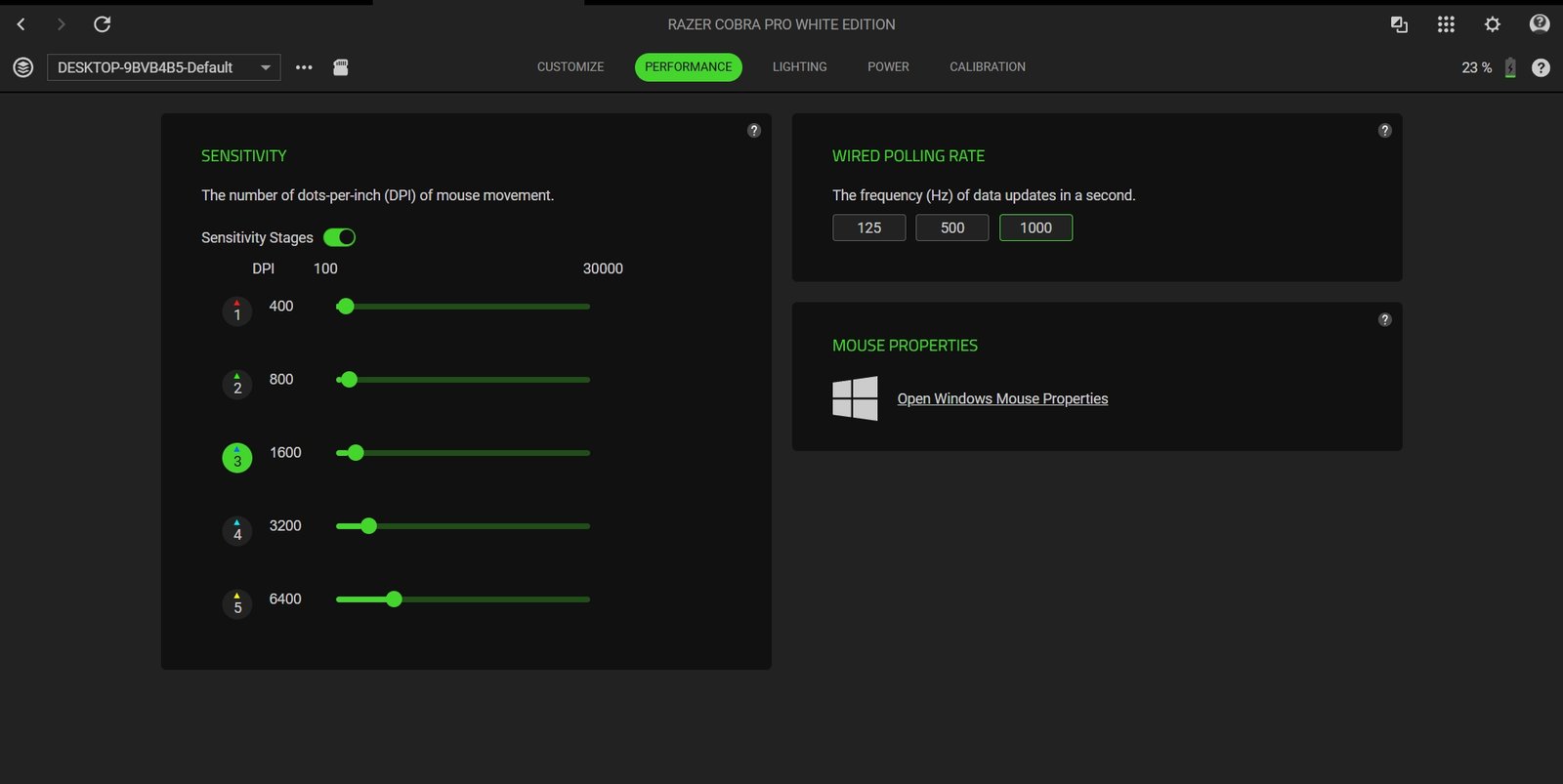
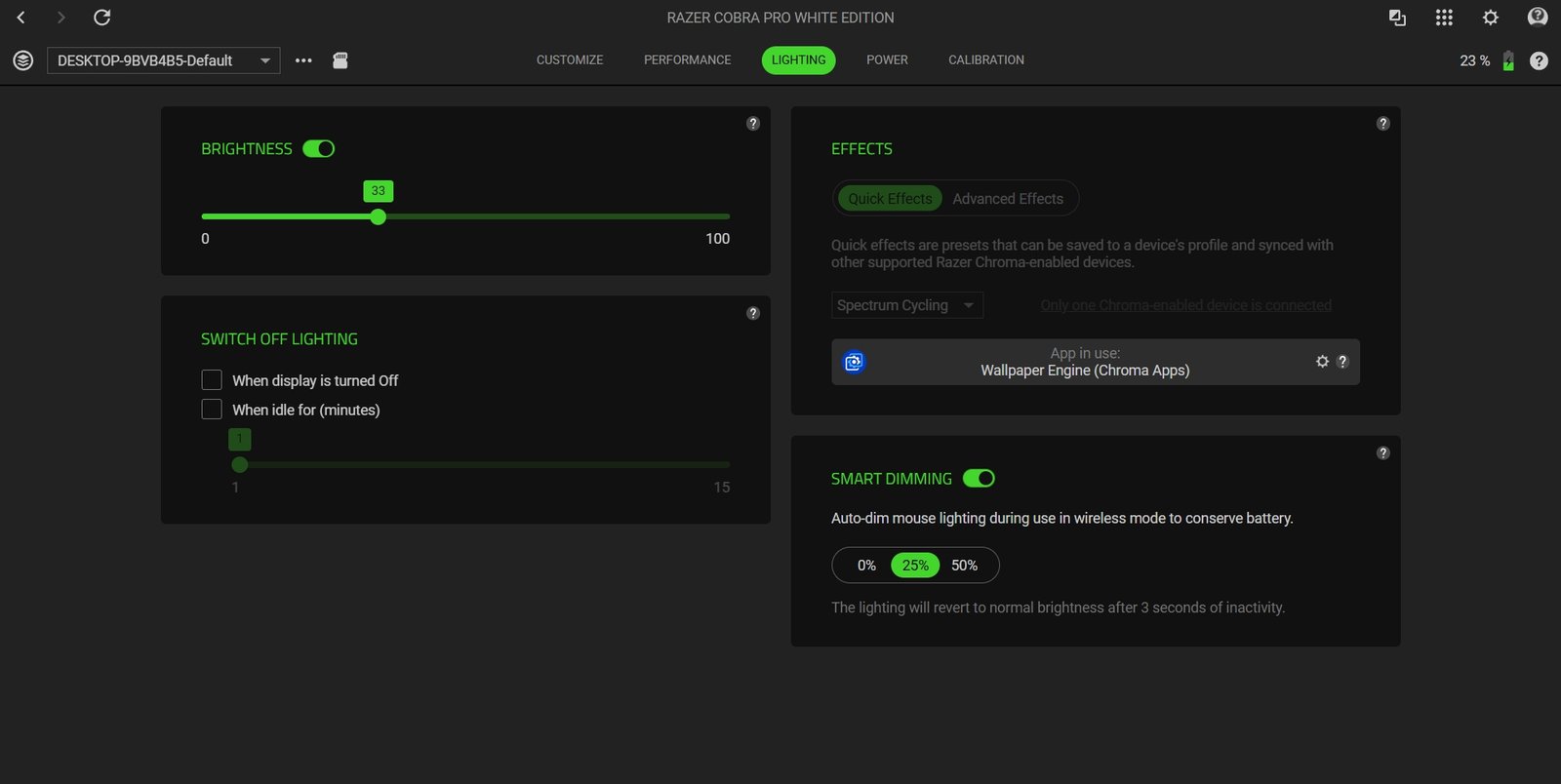
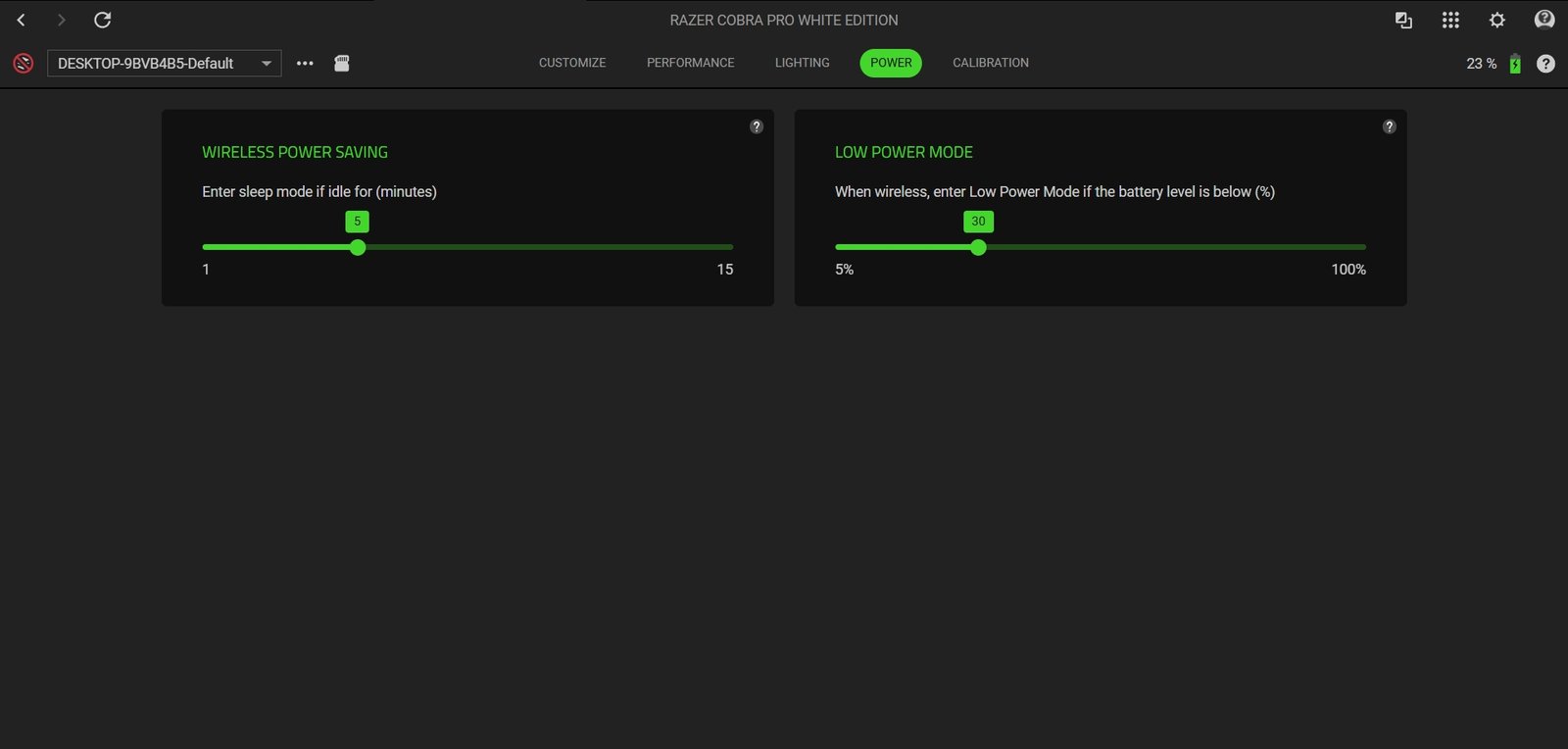
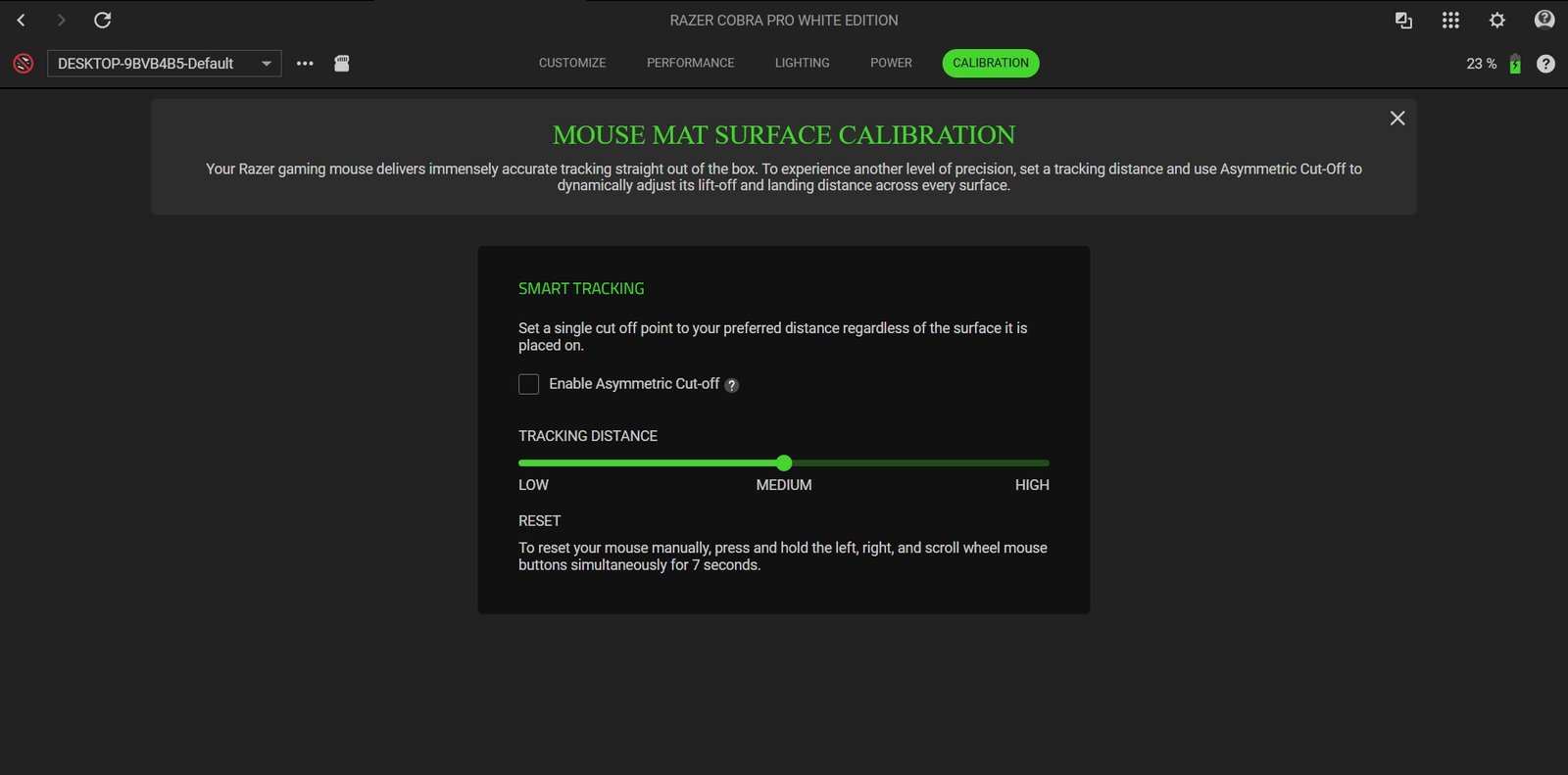
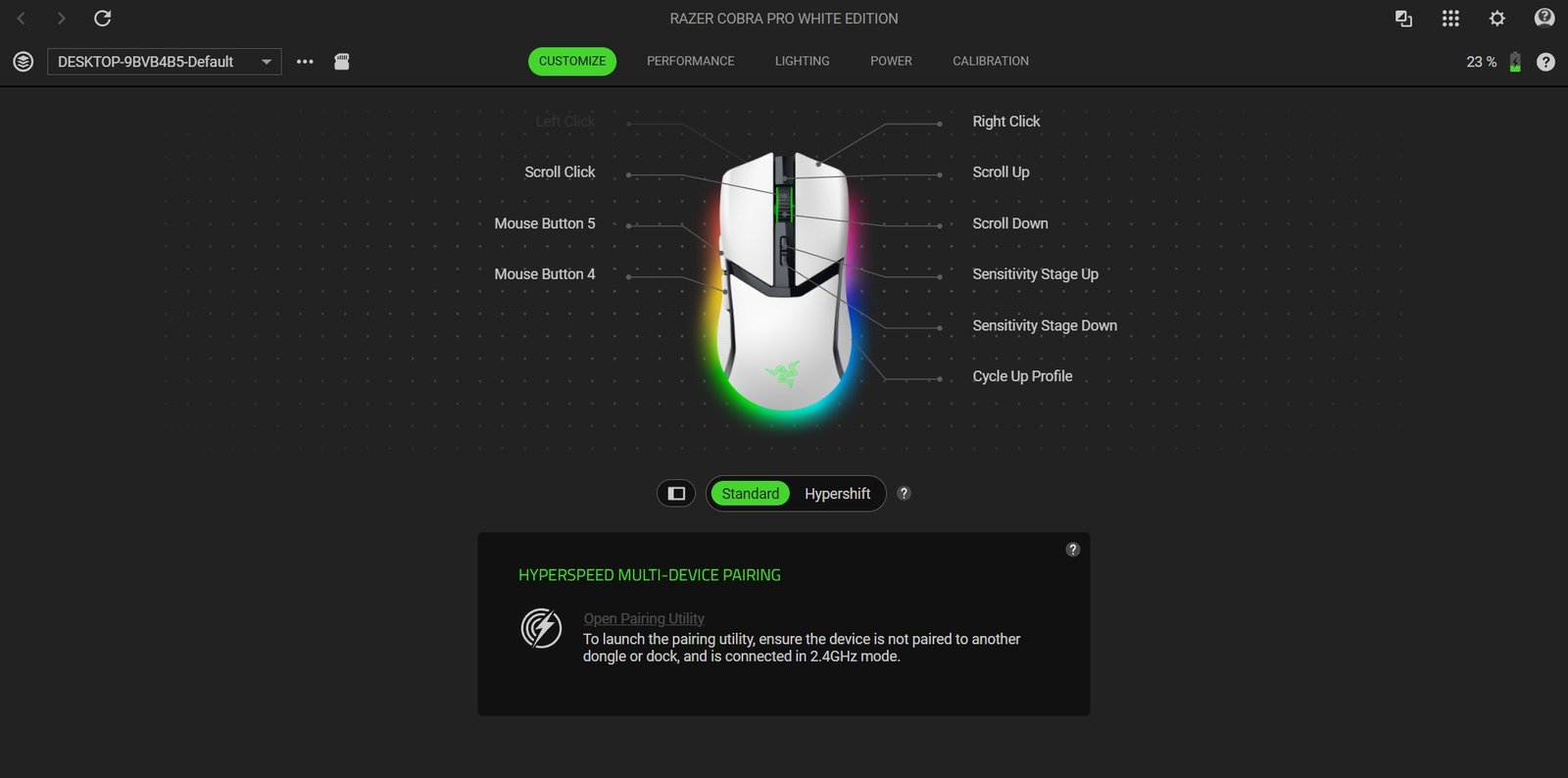
The Lighting tab handles the Razer Chroma RGB effects and brightness, with an option to reduce lighting during wireless use to save battery power. The Power tab lets you adjust the idle sleep timer and set the battery threshold for Low Power Mode. Under Calibration, you can configure the tracking distance and enable Asymmetric Cut-Off to adjust the lift-off and landing distances. Synapse also includes HyperSpeed Multi-Device Pairing for compatible devices. The software keeps these settings in one place, giving you control over the Razer Cobra Pro’s buttons, sensor, lighting, and power management.
Battery Life and Charging
The Razer Cobra Pro is rated for up to 100 hours of battery life over Razer HyperSpeed Wireless (2.4 GHz) and up to 170 hours over Bluetooth. These figures depend on the connection mode and usage, including RGB lighting settings. Bluetooth is a better choice when battery life is the priority, while HyperSpeed Wireless is more suitable for gaming. Razer Synapse also includes power management options that let you adjust the idle sleep timer and set the battery level for Low Power Mode.
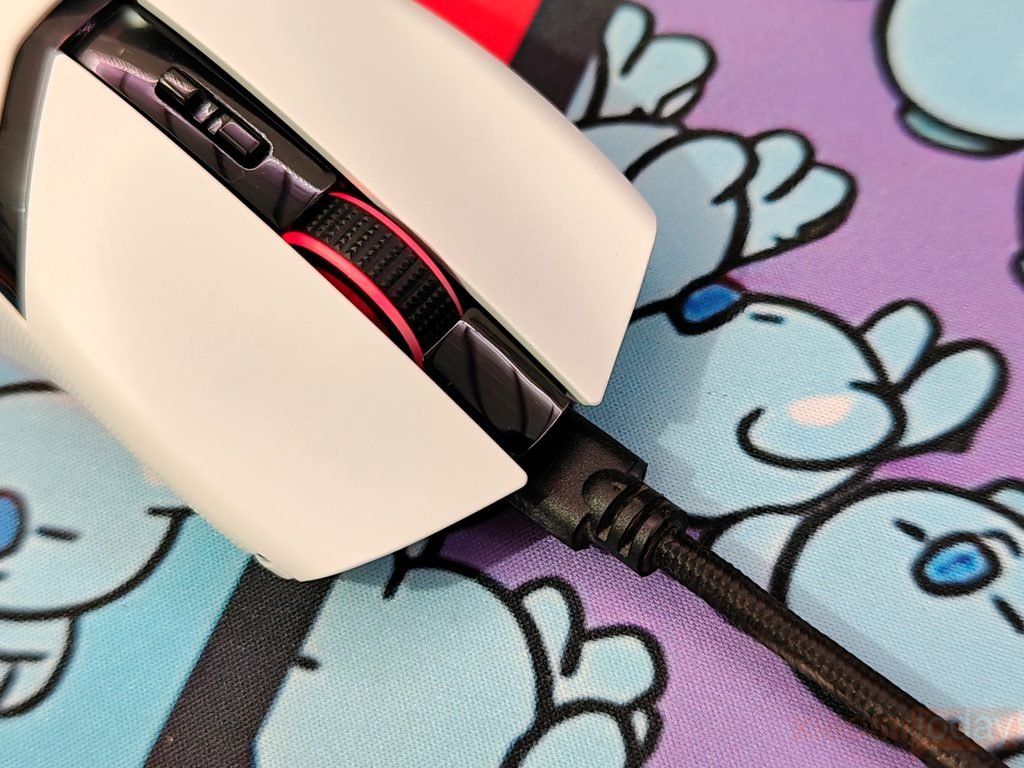
The Razer Cobra Pro charges through its front-mounted USB Type-C port using the included USB Type-A to USB Type-C cable. According to Razer, a full charge takes approximately four hours from an empty battery. You can continue using the mouse in wired mode while it charges, which is useful if the battery runs low during a gaming session. The mouse also provides a low-battery warning: when the charge drops below 5%, the scroll wheel flashes red at regular intervals. This gives you a clear indication that it is time to connect the charging cable.
Use Experience – Daily Work and Gaming
During daily use, the Razer Cobra Pro feels easy to handle thanks to its compact shape and 77-gram weight. Moving between browser tabs, editing documents, and working across multiple windows feels comfortable, with the mouse responding well to small adjustments and longer movements across the desk. Its curved body provides a natural resting position for the hand, while the rubberized side grips help keep it secure during use. The two thumb buttons are within easy reach and can be assigned to shortcuts, making them useful for everyday tasks such as navigating pages or handling frequently used commands. The smaller size may suit users with small to medium hands particularly well, although comfort will depend on individual grip style.
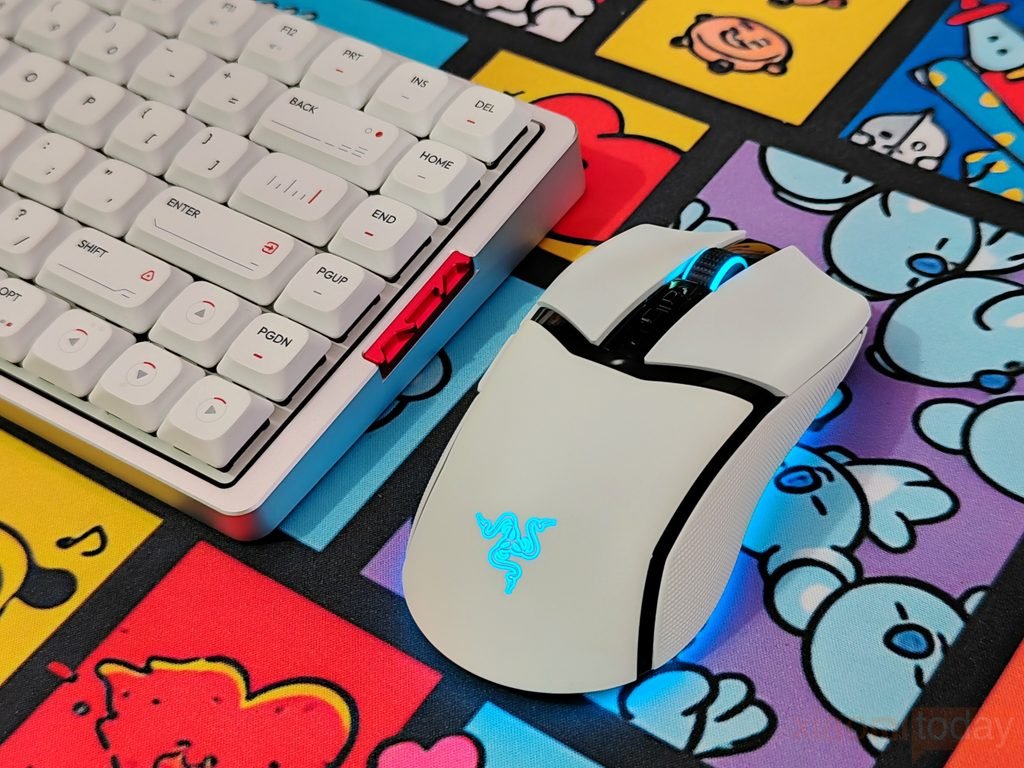
In gaming, the Razer Cobra Pro handles quick movements and repeated aiming adjustments well. Its Focus Pro 30K Optical Sensor offers a wide range of sensitivity settings, allowing users to find a level that suits their preferred games. During fast-paced gameplay, the 77-gram body makes it easier to reposition the mouse for quick turns, while the PTFE feet help it move smoothly across the mouse pad. The main buttons provide a defined click response for repeated actions, and the Gen-3 Optical Mouse Switches are rated for up to 90 million clicks. Their optical design also removes the need for traditional debounce delay, with Razer claiming an actuation time of 0.2 ms.
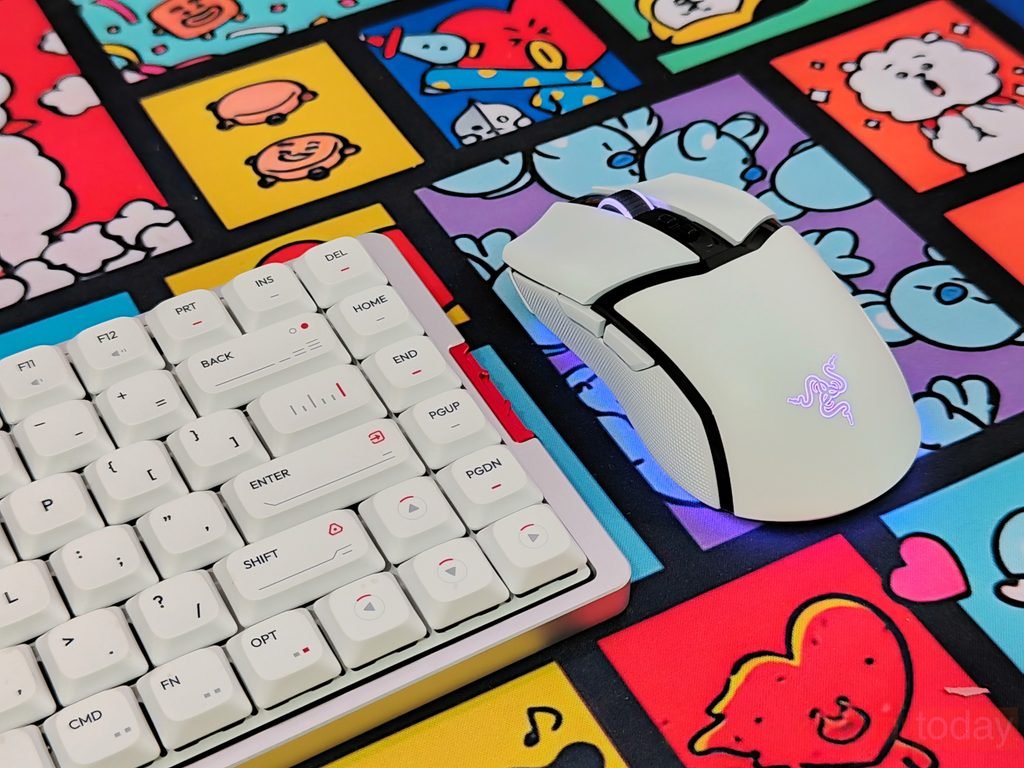
The Razer Cobra Pro’s compact shape works well for players who prefer controlled movements rather than a larger mouse that fills the hand. Its two programmable side buttons can be assigned to actions such as reloading, melee attacks, or switching equipment, depending on the game. In first-person shooters, the mouse feels suited to players who make frequent adjustments to their aim, while its programmable controls are useful in action games and other genres. The scroll wheel’s defined steps also help when selecting weapons or navigating in-game menus. Through Razer Synapse, users can adjust button assignments and sensitivity profiles to match different titles, so the mouse does not need to use the same configuration for every game.
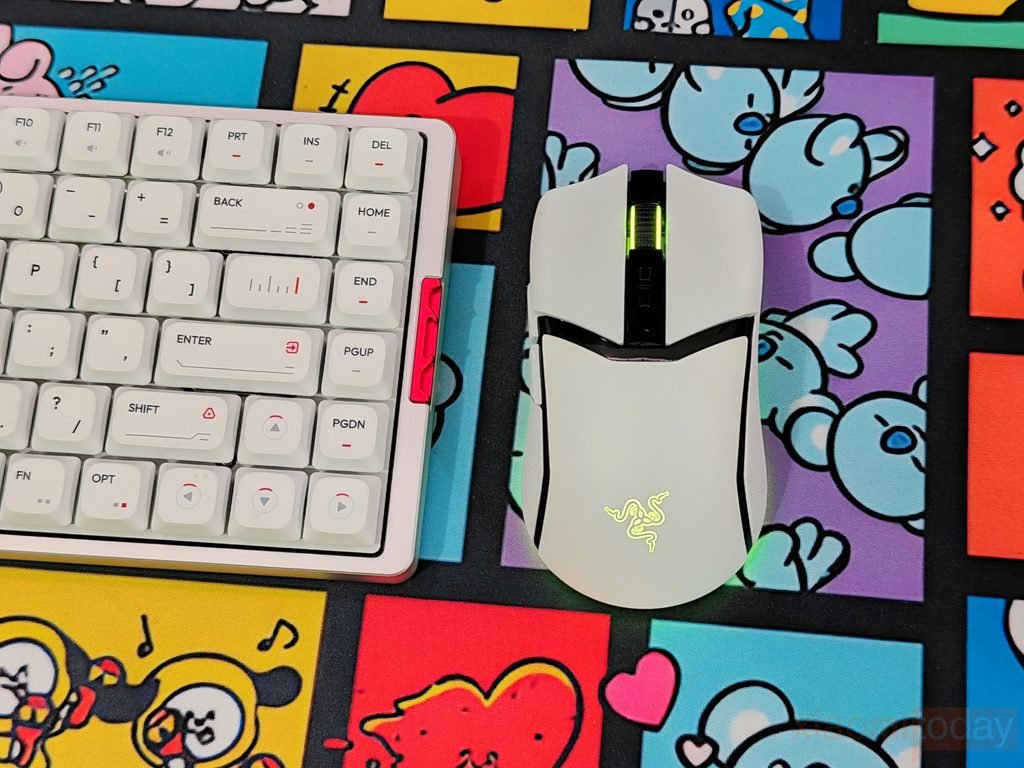
For general productivity, the Cobra Pro offers accurate cursor control and a size that is easy to manage during long periods at the desk. Its main buttons are comfortable to use for repeated clicks, and the scroll wheel provides clear feedback when moving through documents or web pages. The compact design is particularly appealing to users who prefer a lighter mouse for both work and gaming, although those with larger hands who use a full palm grip may want a bigger model. Overall, the Razer Cobra Pro delivers a balanced experience for everyday tasks and gaming, with its lightweight construction, adjustable sensor settings, and programmable controls making it adaptable to different uses.