The demand for premium mechanical keyboards continues to grow, and low-profile models have become a popular choice for users who want a slimmer design without giving up the feel of mechanical switches. They take up less space on the desk, are more comfortable for long typing sessions, and are easier to carry while still offering the responsiveness that many users expect for work and gaming.
The IQUNIX MQ80 is the company’s premium low-profile mechanical keyboard, built with a CNC-machined aluminum chassis and designed for both productivity and gaming. It combines hot-swappable Kailh POM switches, double-shot PBT keycaps, five layers of sound-dampening materials, and support for wired, Bluetooth, and 2.4GHz wireless connections. On paper, it brings together many of the features users look for in a high-end mechanical keyboard.
IQUNIX claims up to 350 hours of use on a single charge, reducing the need for frequent charging during everyday use. The keyboard also supports VIA, allowing users to remap keys, create macros, and customize RGB lighting without a complicated setup. Compatibility with both Windows and macOS makes it easy to switch between different systems.
I spent time using the IQUNIX MQ80 for writing, office work, web browsing, and gaming to see how it performs in everyday use. In this hands-on review, I’ll examine its design, build quality, typing experience, wireless performance, battery life, software features, and overall value to find out whether it deserves a place among the best premium low-profile mechanical keyboards available today.
Specifications
| Category | Specification |
|---|---|
| Model | MQ80 |
| Keyboard Type | Mechanical Keyboard |
| Layout | 80% (ANSI) |
| Key Count | 84 Keys |
| Dimensions | 321 × 124.5 × 27.5 mm |
| Front Height | 10.2 mm |
| Weight | 1180 g |
| Case Color | Shadow Black / Moonlight Silver |
| Case Material | CNC Aluminum |
| Surface Finish | Anodized & E-coating |
| Mounting Structure | Le-Tray Gasket |
| Plate Material | FR4 Gold-Plated Plate |
| PCB | Horizontal Cut PCB |
| Stabilizers | Plate-Mounted Stabilizers |
| Hot-Swappable | Yes |
| N-Key Rollover (NKRO) | Supported |
| Backlighting | 16 Million RGB Colors |
| Polling Rate | 1000Hz (USB-C & 2.4GHz), 125Hz (Bluetooth) |
| Connectivity | USB Type-C / 2.4GHz Wireless / Bluetooth 5.1 |
| Software Support | VIA |
| Battery Capacity | 4000mAh |
| Battery Life | Up to 350 Hours |
| Compatible Systems | Windows, macOS, iOS, Android |
| Sound Dampening | CR PCB Foam, IXPE Switch Pad, PET Switch Sheet, Poron Bottom Case Foam, IXPE Bottom Case Pad |
| Interface | USB Type-C |
| Warranty | 1 Year |
| Certification | TELEC: 219-256012 |
Unboxing
The IQUNIX MQ80 arrives in a khaki-colored outer shipping box that prioritizes protection over presentation. Similar to the MAGI96 Pro, the packaging uses a simple cardboard design that keeps the keyboard secure during shipping while avoiding unnecessary bulk.
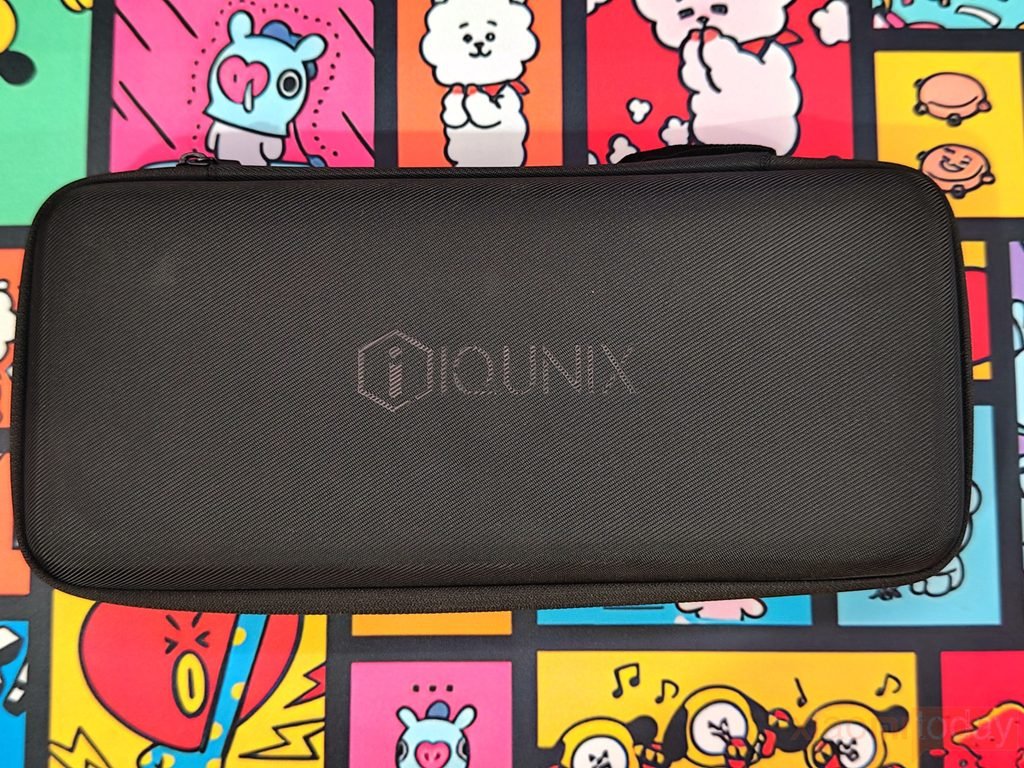
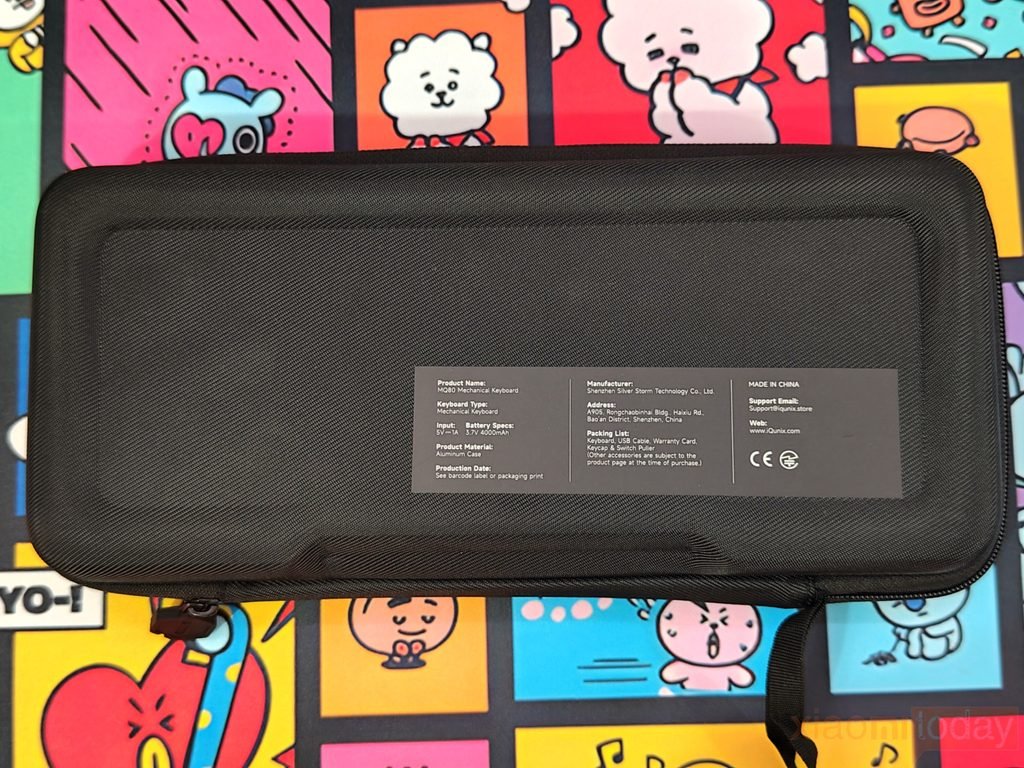
Instead of a traditional retail box, IQUNIX packages the MQ80 inside a premium hard-shell carrying case. This provides better protection during storage and transport while giving the keyboard a more premium presentation. The case features a durable fabric exterior with a rigid shell that resists pressure and helps protect the keyboard from accidental bumps.
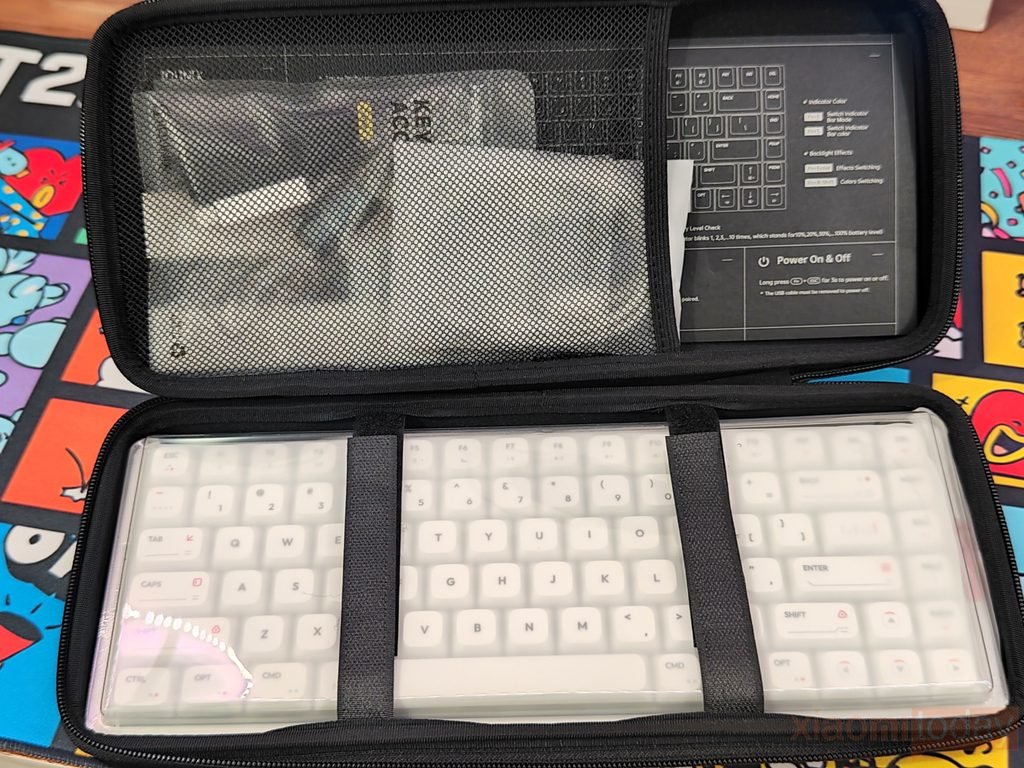
Dual heavy-duty zippers run smoothly around the case, while the reinforced carrying handle makes it easy to take the MQ80 between workspaces or when traveling. Opening the case reveals a clean interior layout where the keyboard is secured with elastic straps, and a large mesh pocket neatly stores all of the included accessories.
The retail package includes:
- 🔹IQUNIX MQ80 Keyboard
- 🔹Premium Hard-Shell Carrying Case
- 🔹Braided USB Type-C to Type-A Cable
- 🔹2.4GHz USB Receiver
- 🔹USB Adapter
- 🔹Dust Brush
- 🔹Keycap & Switch Puller
- 🔹Four Extra Keycaps
- 🔹User Manual
- 🔹IQUNIX Logo Sticker
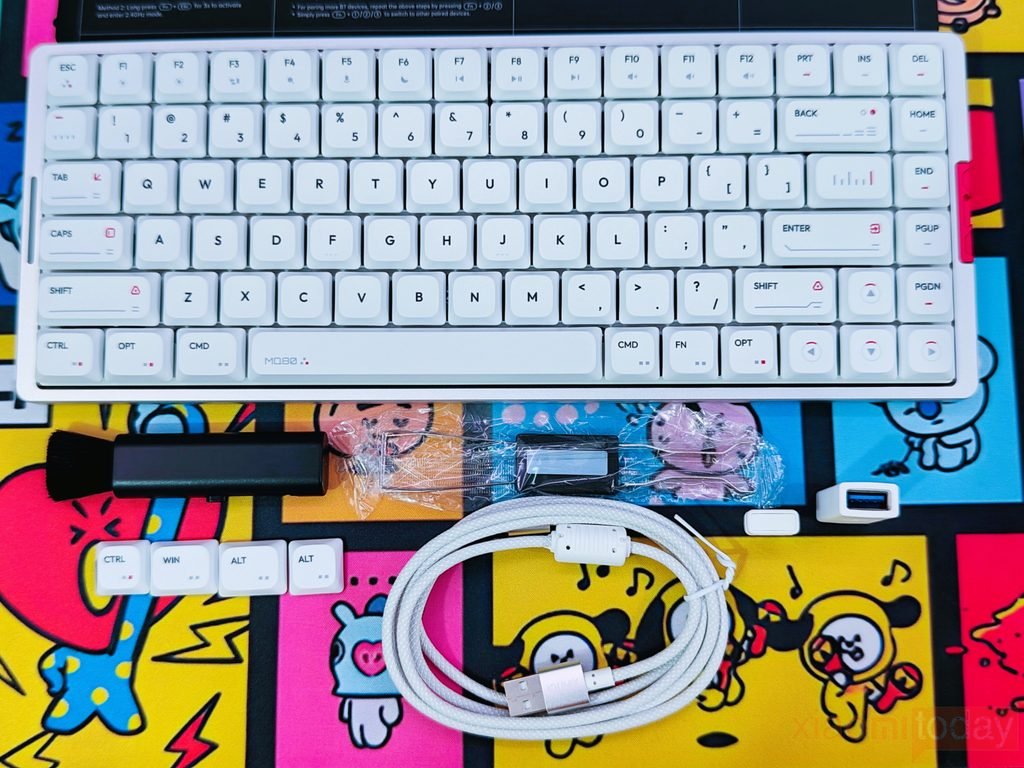
IQUNIX also includes a high-quality braided USB Type-C to Type-A cable. The braided sleeve gives the cable a durable finish while remaining flexible during daily use. Its coiled design helps reduce cable clutter on the desk, and both connectors feature reinforced ends to improve durability after repeated use.
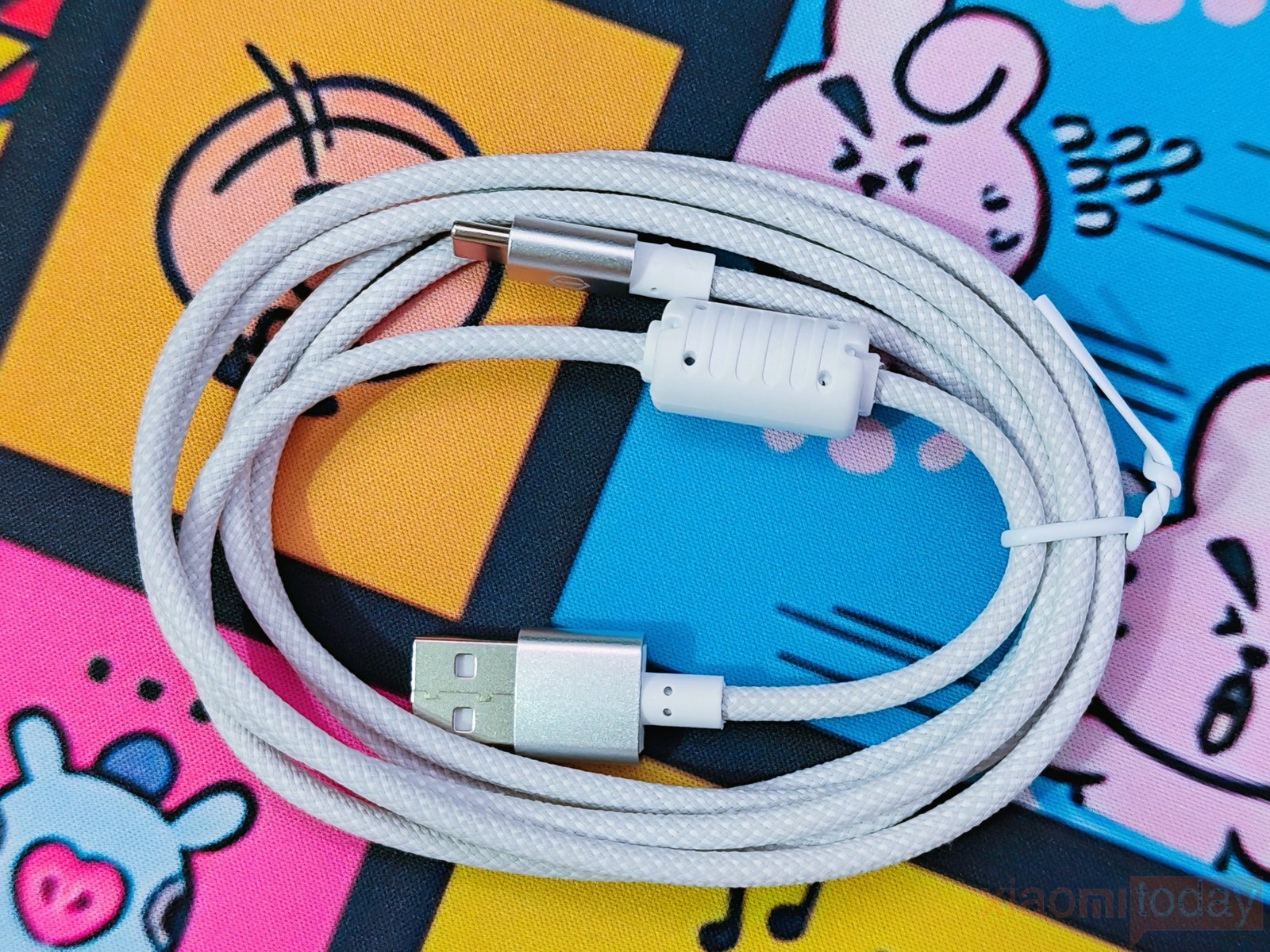
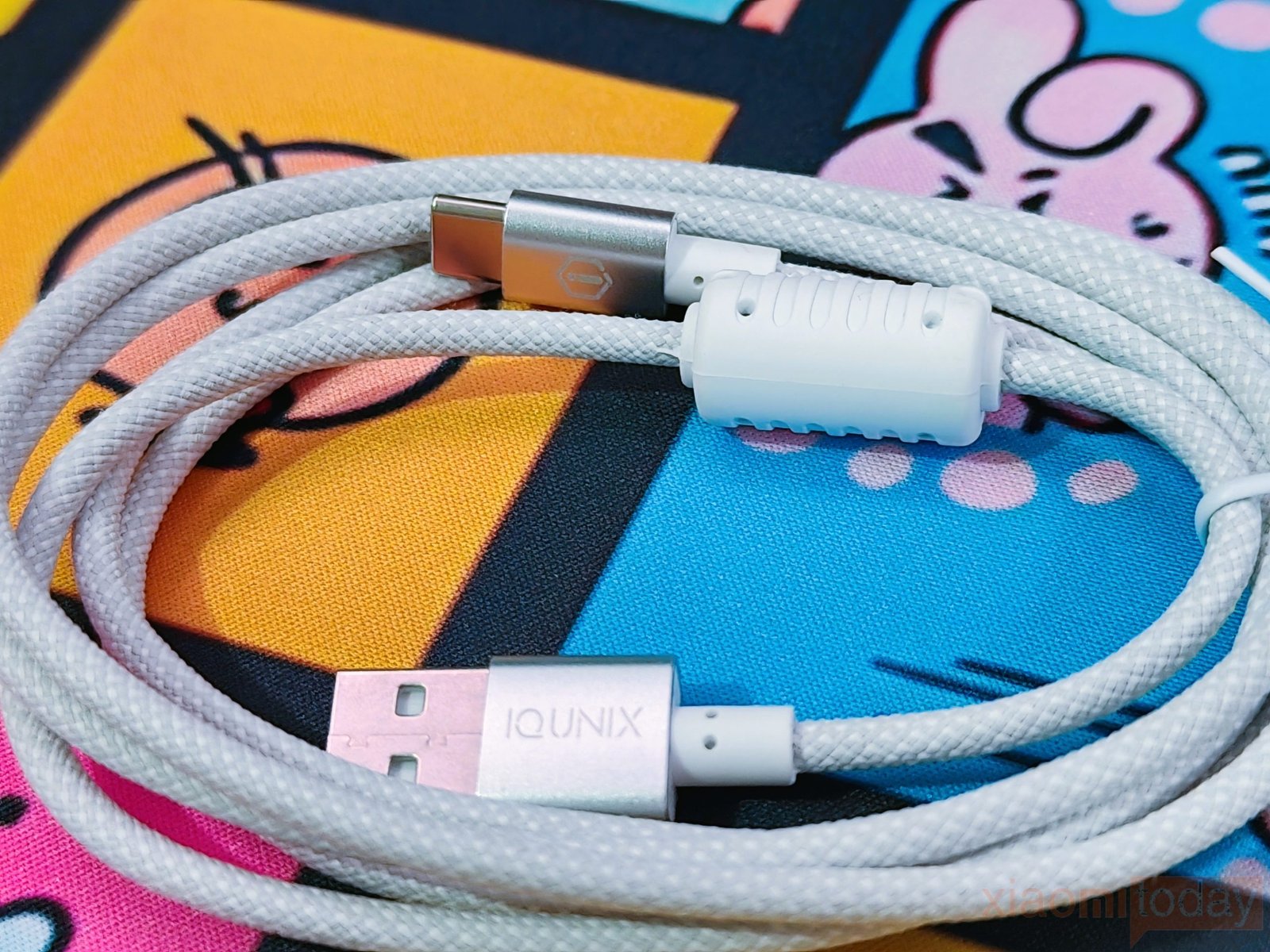
For this review, IQUNIX sent us the Moonlight Silver variant. It is also available in Shadow Black for users who prefer a darker finish.
Replacing the traditional retail box with a reusable carrying case is a practical decision. The case protects the keyboard during transport and can continue to be useful long after the initial unboxing. Combined with the complete accessory package, the MQ80 offers a premium unboxing experience that matches its positioning in the enthusiast mechanical keyboard market without relying on excessive packaging.
Design and Build Quality
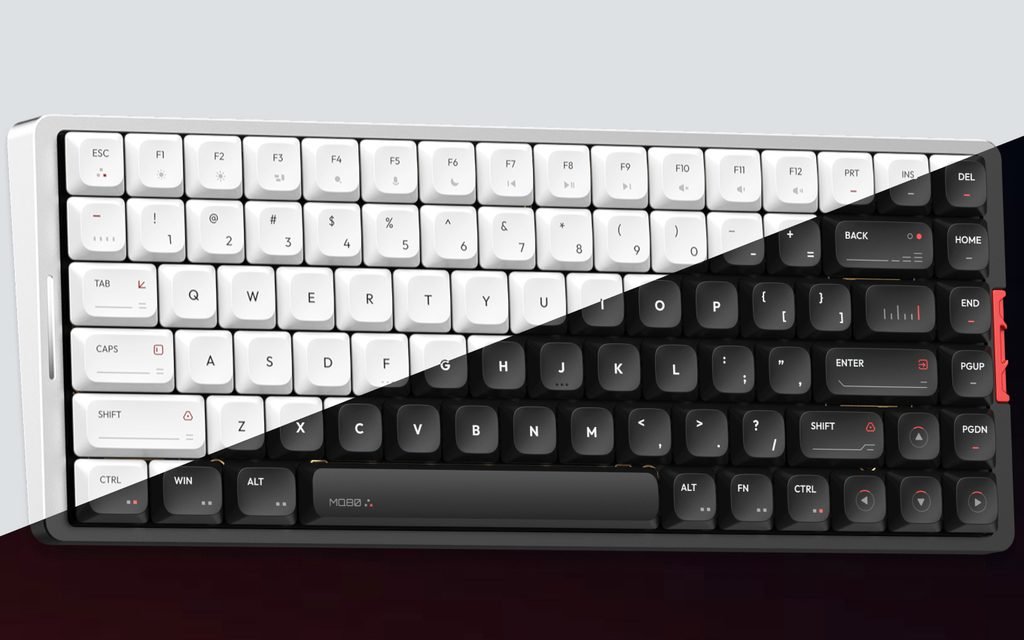
The IQUNIX MQ80 is designed for users who want the functionality of a full-size keyboard without occupying unnecessary desk space. It uses an 80% (TKL) layout, retaining the complete function row, dedicated arrow keys, and navigation cluster while removing the number pad. This layout provides a good balance for office work, programming, content creation, and gaming, allowing more room for mouse movement without sacrificing commonly used keys.
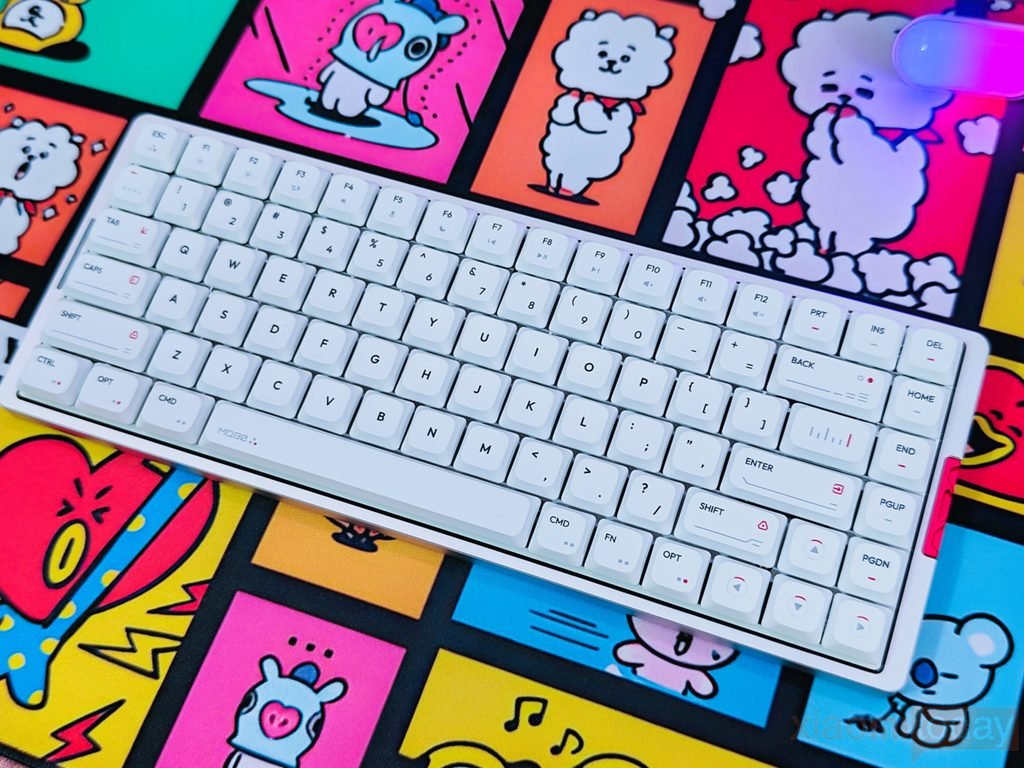
Our review unit is the Moonlight Silver version, which combines a silver aluminum chassis with white low-profile keycaps and subtle red accent details. The color combination gives the keyboard a clean, modern appearance that blends naturally into both professional workstations and gaming setups.
The first impression after lifting the keyboard is its weight and rigidity. Unlike many low-profile mechanical keyboards that rely on plastic construction, the MQ80 features a full CNC-machined aluminum chassis. Every visible part of the housing feels precisely machined, with smooth edges and tight panel alignment throughout. Applying pressure to any section of the frame reveals virtually no flex or creaking, reinforcing the solid construction expected from a premium mechanical keyboard.
IQUNIX applies a 180-grit anodized finish across the aluminum body. The surface has a fine matte texture that feels smooth without becoming slippery. It also does a good job of resisting fingerprints and minor marks during daily use, helping the keyboard maintain its clean appearance over time. The machining quality is equally impressive, with rounded corners, consistent edge finishing, and no visible imperfections around the frame.
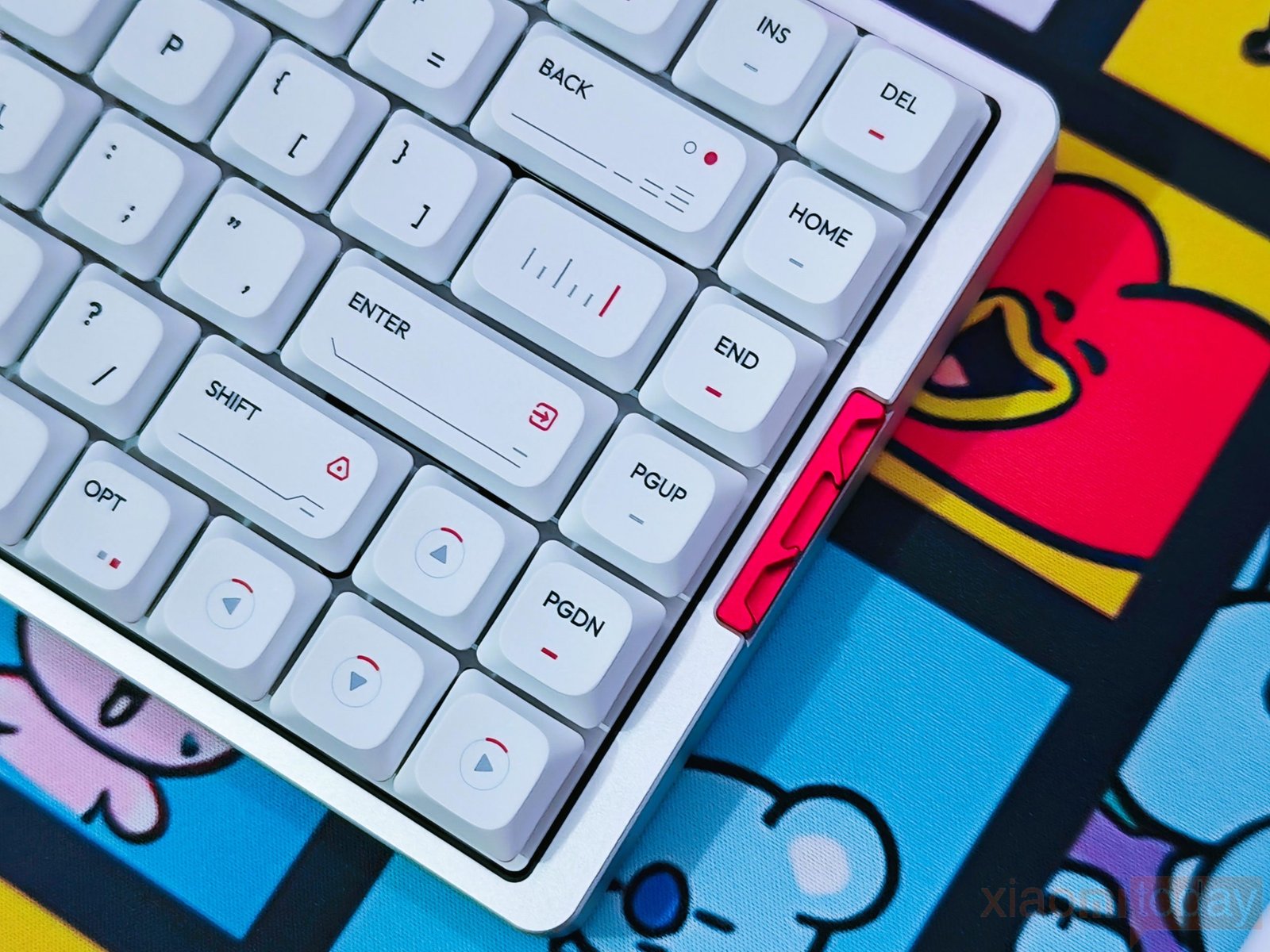
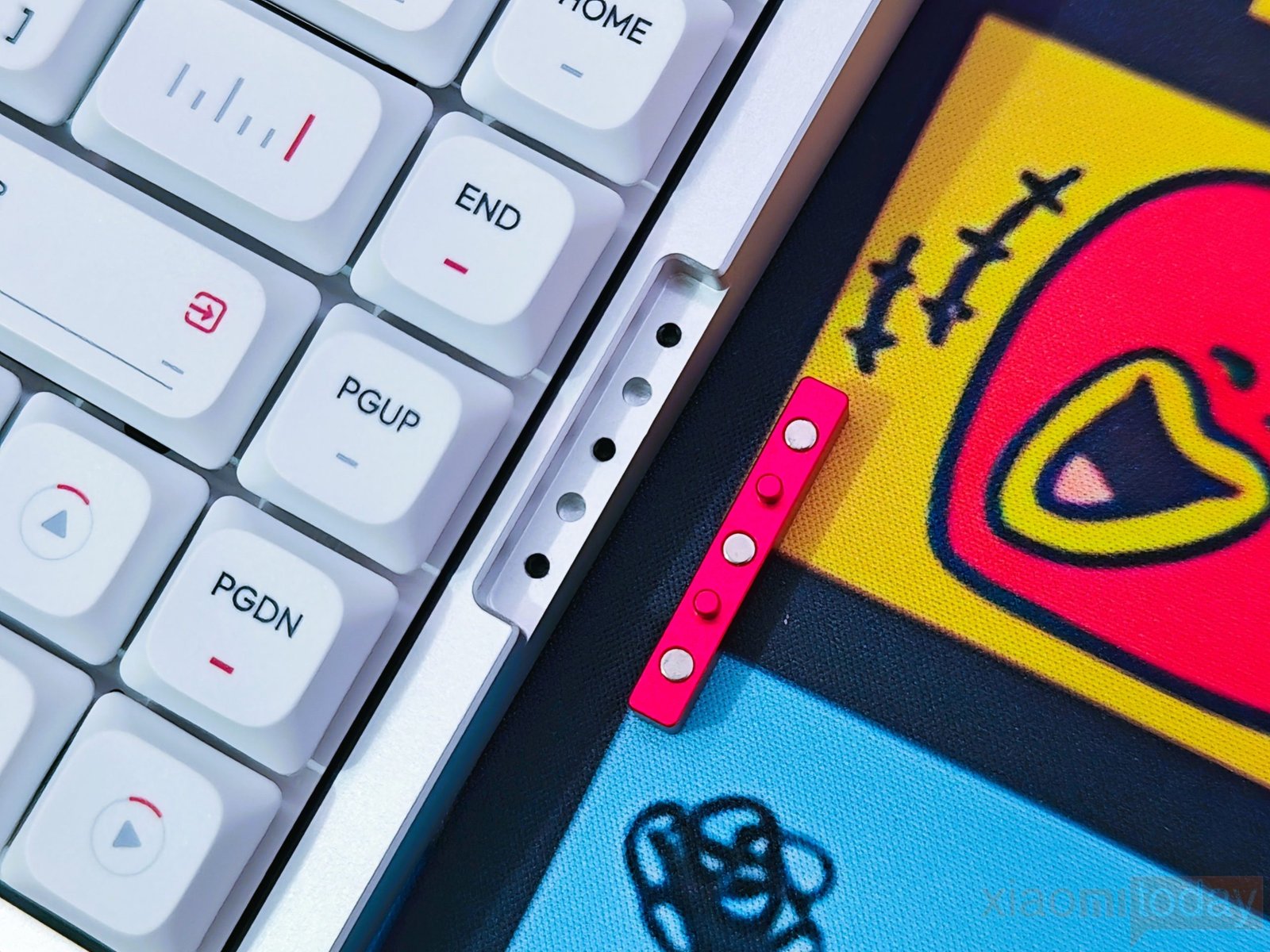
One design element that immediately catches the eye is the red aluminum accent insert positioned on the right side of the keyboard. Rather than relying on excessive branding or decorative patterns, IQUNIX uses this small metal insert to add contrast to the silver chassis. The result is a clean design that feels distinctive without becoming distracting.
The side profile highlights the keyboard’s low-profile construction. Despite using an aluminum chassis, the MQ80 maintains a slim appearance while preserving enough internal space for its gasket mounting structure. The combination of the compact body and low-profile keycaps gives the keyboard a refined look without making it appear overly thin.
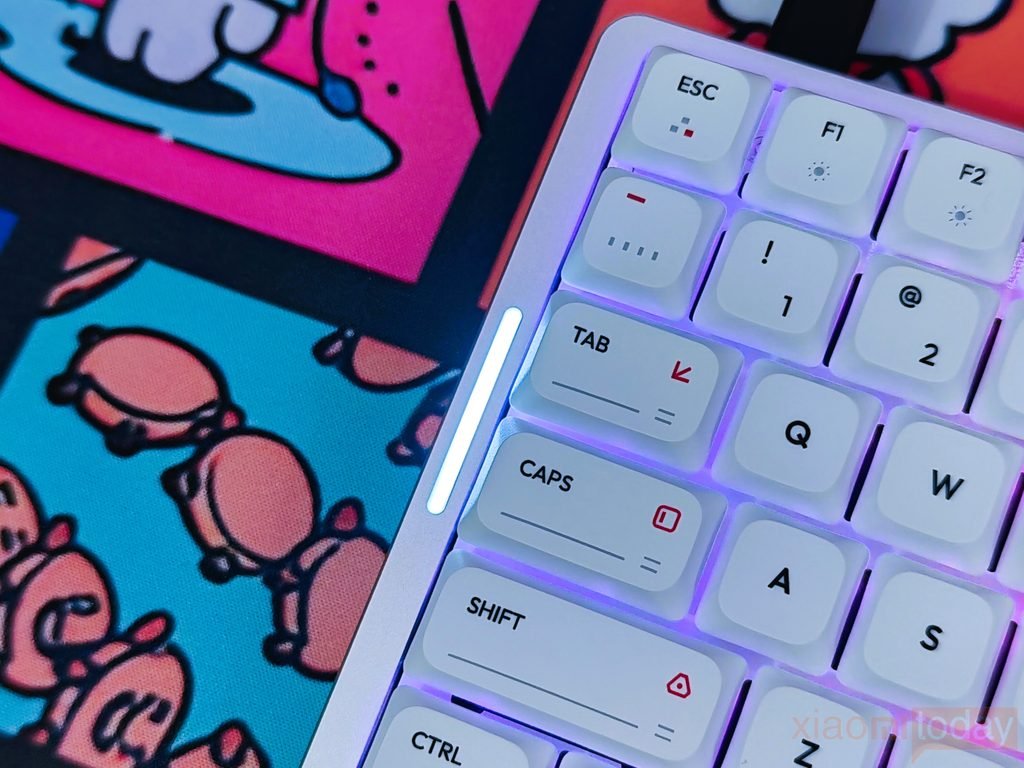
On the opposite side of the keyboard, IQUNIX integrates a vertical RGB light bar into the aluminum frame. The lighting is evenly diffused through the translucent window and serves as both a visual accent and a status indicator. The light remains visible without drawing unnecessary attention, making it suitable for both office environments and RGB-focused desktop setups.
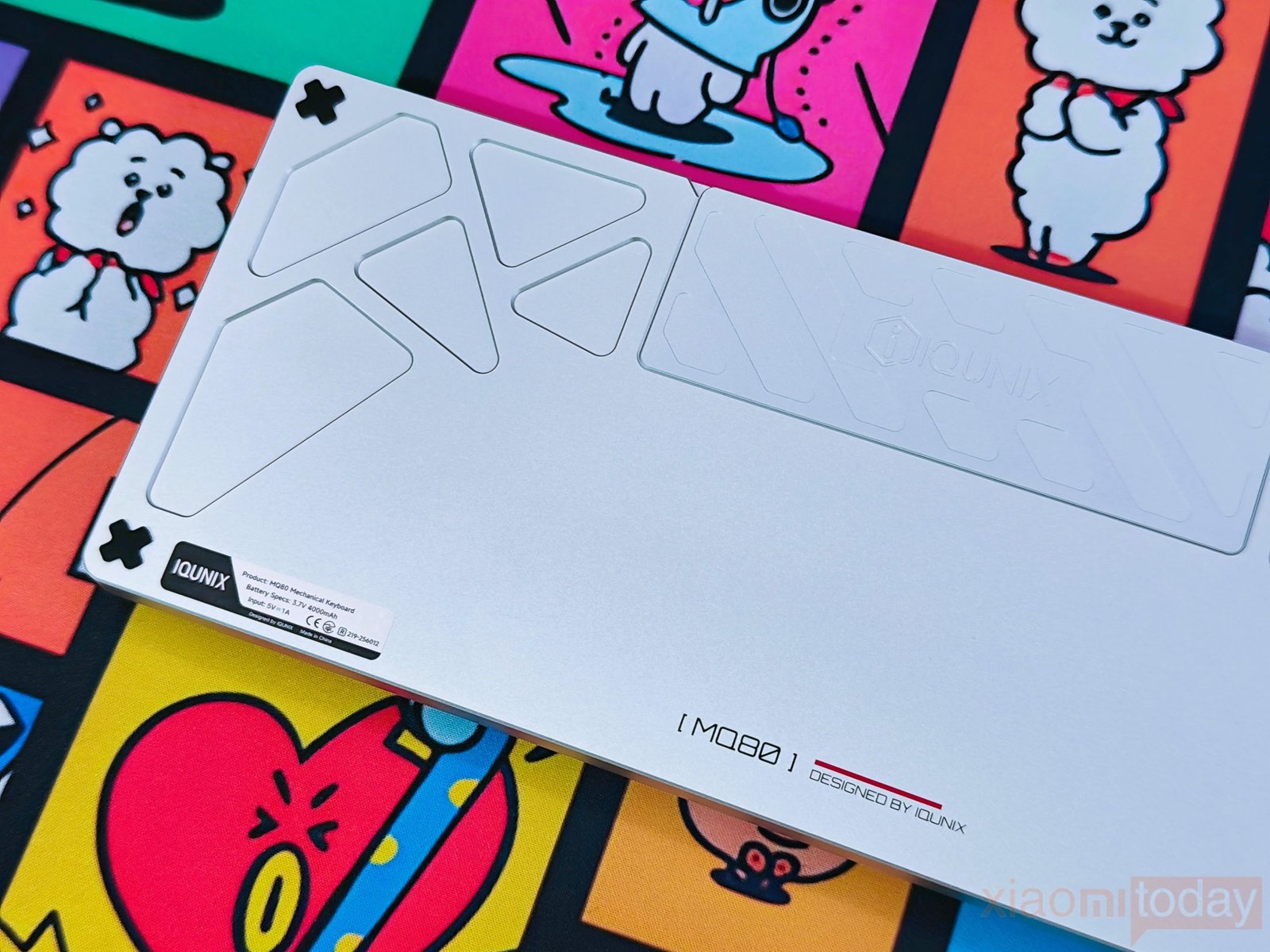
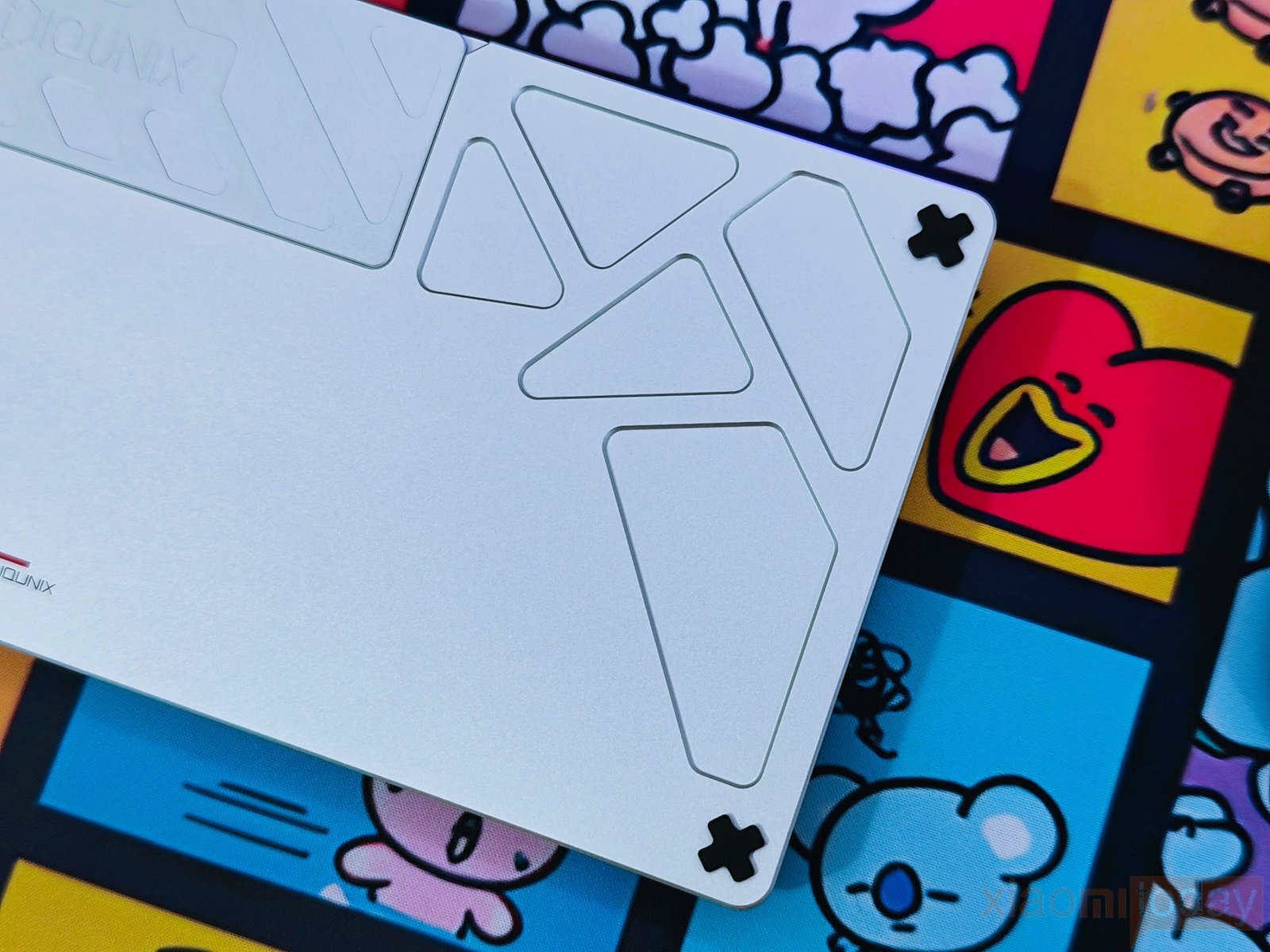
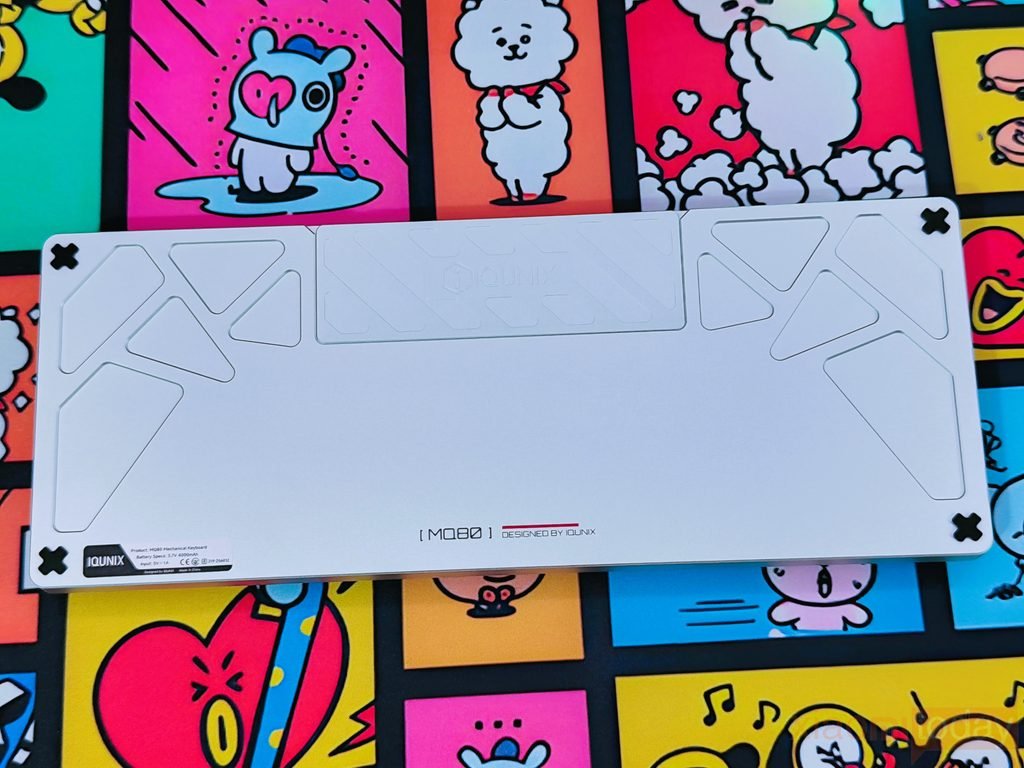
Turning the keyboard over reveals the same level of attention given to the top frame. The aluminum bottom panel features engraved geometric patterns surrounding the centered IQUNIX logo, adding texture without affecting the minimalist design. Four large rubber feet positioned near the corners provide excellent grip on wooden, glass, and mouse pad surfaces. Even during faster typing sessions, the keyboard stays firmly in place without sliding across the desk.
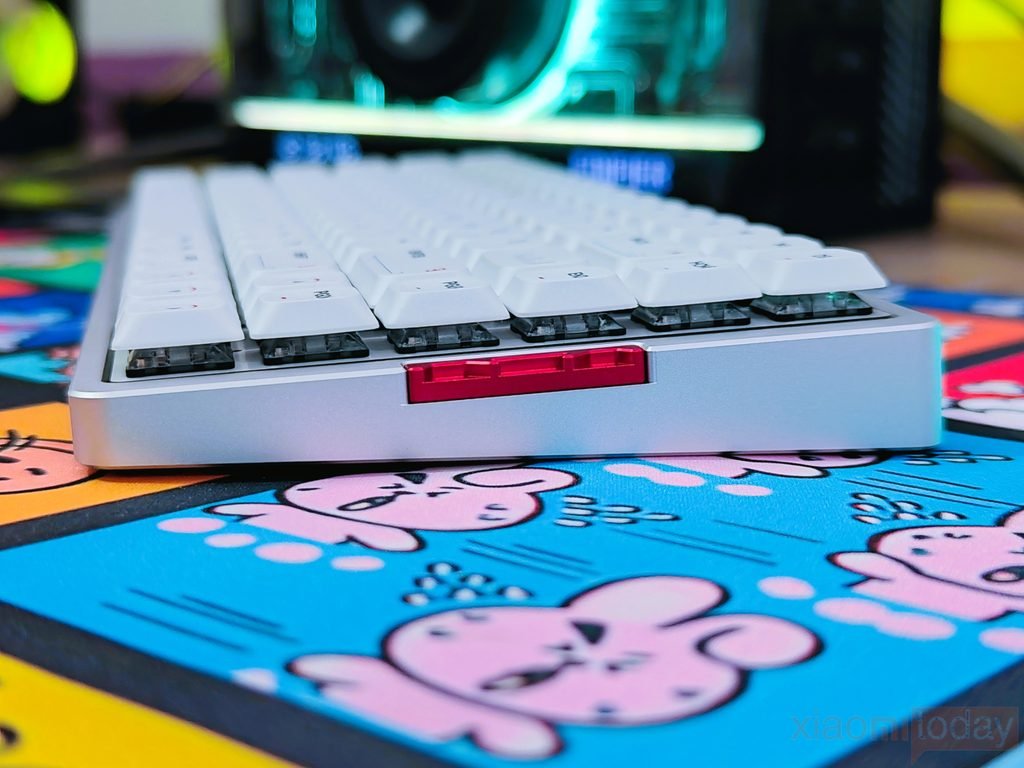
The MQ80 also benefits from a 10.2 mm front height, which is noticeably lower than many traditional mechanical keyboards. Combined with the low-profile keycaps, this creates a more natural wrist position during extended typing sessions. Users transitioning from laptops will likely feel comfortable almost immediately, while mechanical keyboard users may find they no longer need a wrist rest for everyday use.
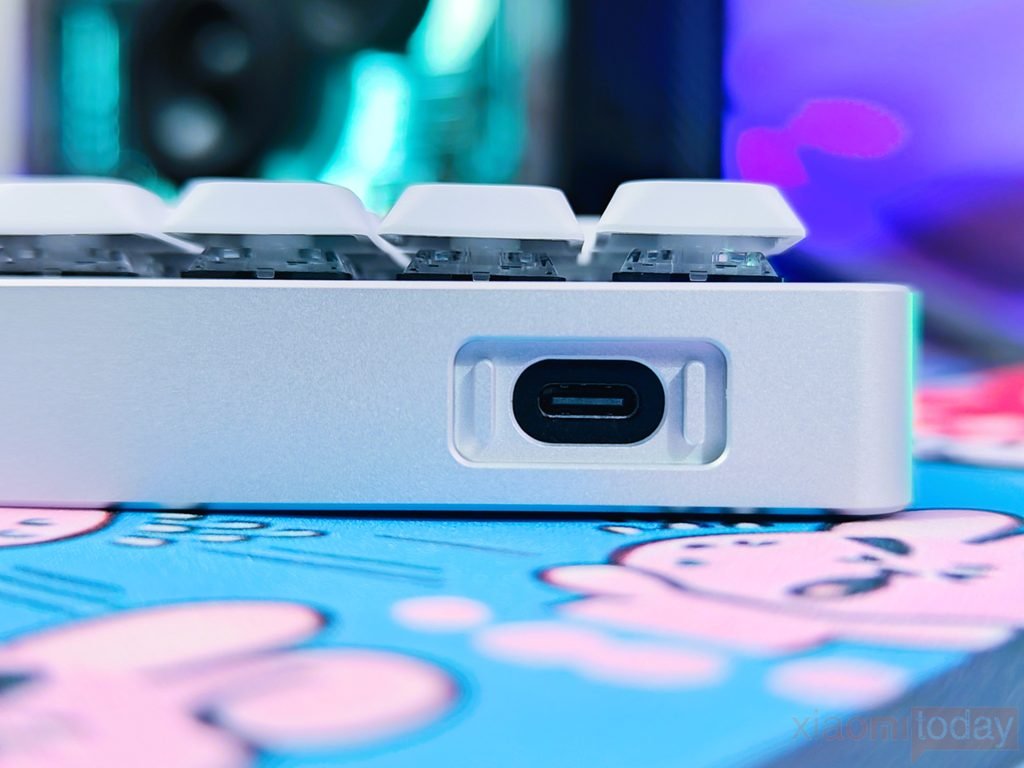
The USB Type-C port is located on the rear-right side of the chassis inside a recessed cutout. This design helps protect the connector from accidental impacts while keeping the cable aligned with the frame. The recessed port also contributes to the keyboard’s clean exterior by minimizing visual clutter.
Underneath the aluminum housing is where the MQ80 separates itself from many other low-profile mechanical keyboards. IQUNIX introduces its Le-Tray Gasket Mount, a mounting structure developed specifically for compact low-profile designs.
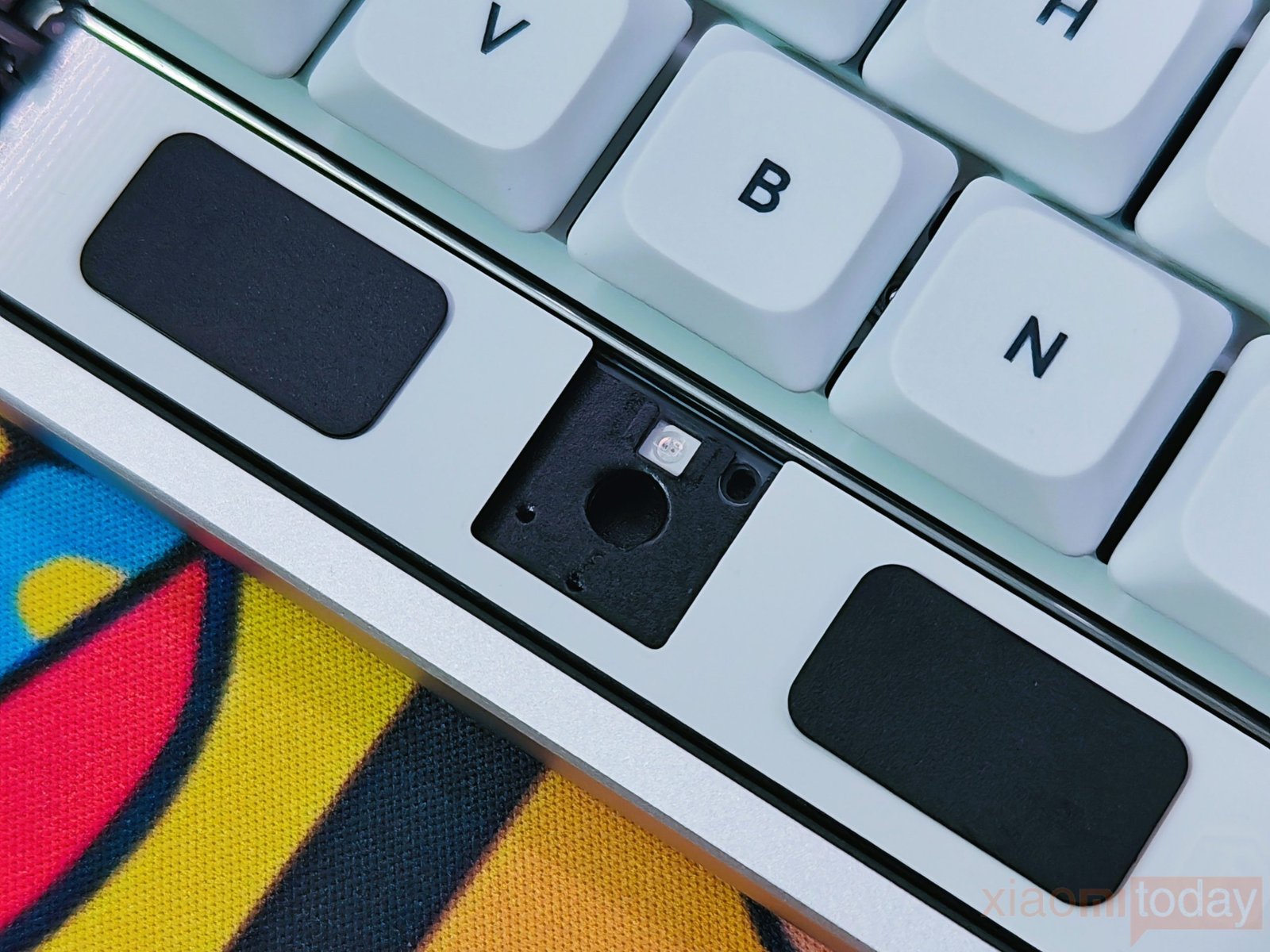
According to IQUNIX, this is the first implementation of its kind. Traditional low-profile keyboards often have limited internal space, which restricts plate movement and results in a firmer typing experience. The Le-Tray structure creates additional bottom-out space inside the chassis, allowing the plate to move more naturally during key presses.
During hands-on testing, the typing experience feels noticeably softer than many low-profile mechanical keyboards we have tested. Instead of producing a harsh bottom-out sensation, each keystroke has a slightly cushioned feel while maintaining consistent stability across the keyboard. The chassis remains firm throughout, showing that the softer typing experience comes from the mounting structure rather than frame flex.
IQUNIX also places considerable focus on keyboard acoustics. The MQ80 uses a layered internal construction designed to reduce unwanted resonance and vibration while creating a cleaner typing sound. The internal stack consists of:
- 🔹FR4 Gold-Plated Plate
- 🔹Horizontal-Cut PCB
- 🔹PCB Foam
- 🔹IXPE Switch Pad
- 🔹PET Switch Sheet
- 🔹Poron Bottom Case Foam
- 🔹IXPE Bottom Case Pad
To improve typing acoustics and reduce vibrations, the MQ80 uses a multi-layer internal design consisting of an FR4 gold-plated plate, horizontal-cut PCB, PCB foam, IXPE switch pad, PET switch sheet, Poron bottom case foam, and an IXPE bottom case pad. Larger keys are equipped with plate-mounted stabilizers, helping keep the Spacebar, Enter, Shift, and Backspace keys stable with minimal rattling.
Each layer plays a specific role in controlling vibration, reducing hollow noise, and improving the consistency of the typing feel across the keyboard. The FR4 plate provides a balanced level of rigidity, while the foam and IXPE layers help absorb excess vibration before it reaches the aluminum case.
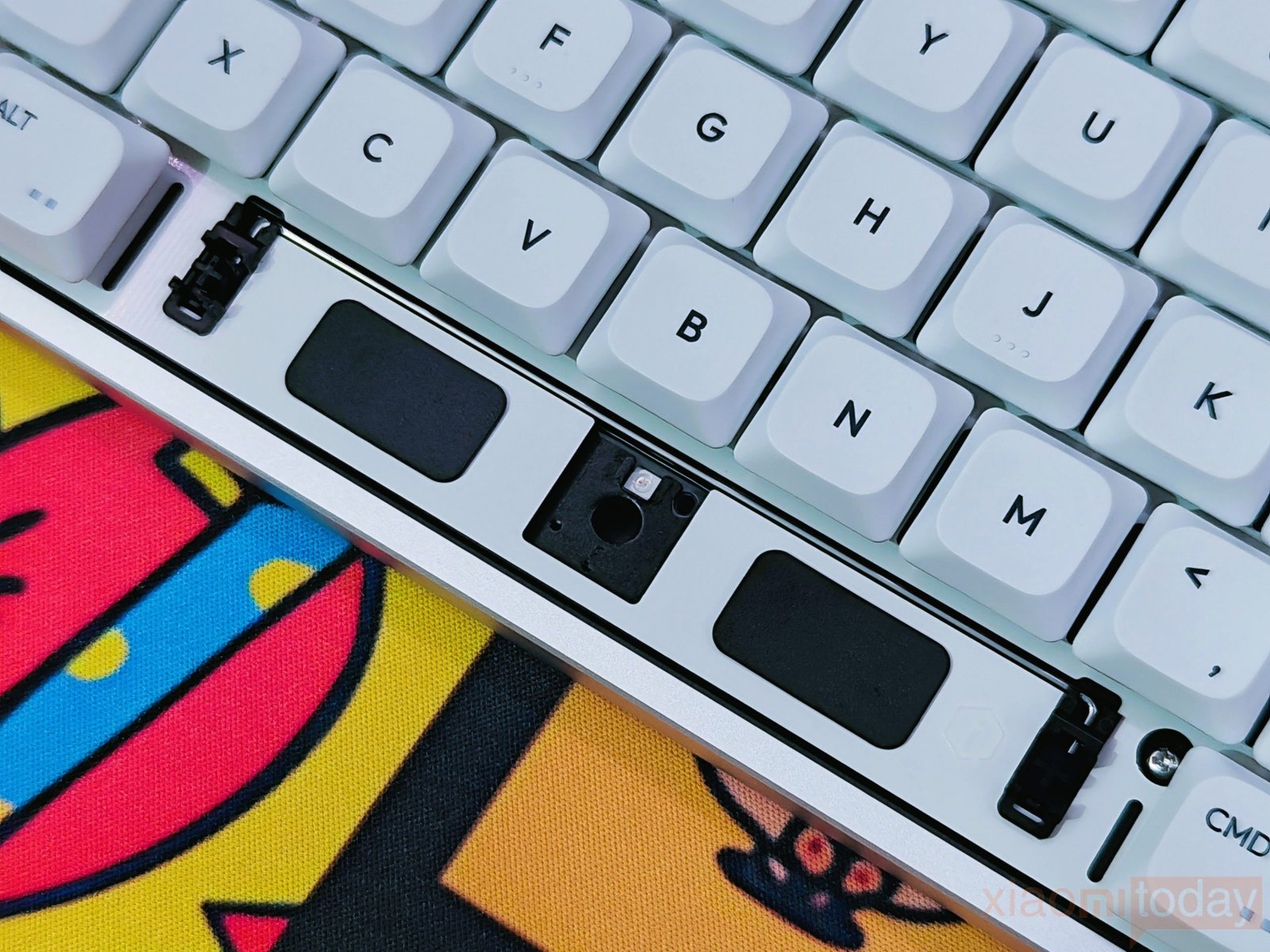
For the larger keys, including the Spacebar, Enter, Backspace, Shift, and modifiers, IQUNIX uses plate-mounted stabilizers. During testing, the stabilizers performed well, with very little rattling or unwanted movement. Larger keys maintain a consistent feel across their entire surface, contributing to a more refined typing experience.
Keycaps & RGB Lighting
The IQUNIX MQ80 ships with high-concentration PBT keycaps, a material widely preferred over ABS for its durability and resistance to everyday wear. Even after extended use, PBT keycaps are less likely to develop the glossy surface that commonly appears on ABS keycaps. This makes the MQ80 well-suited for users who spend long hours typing, coding, or gaming.
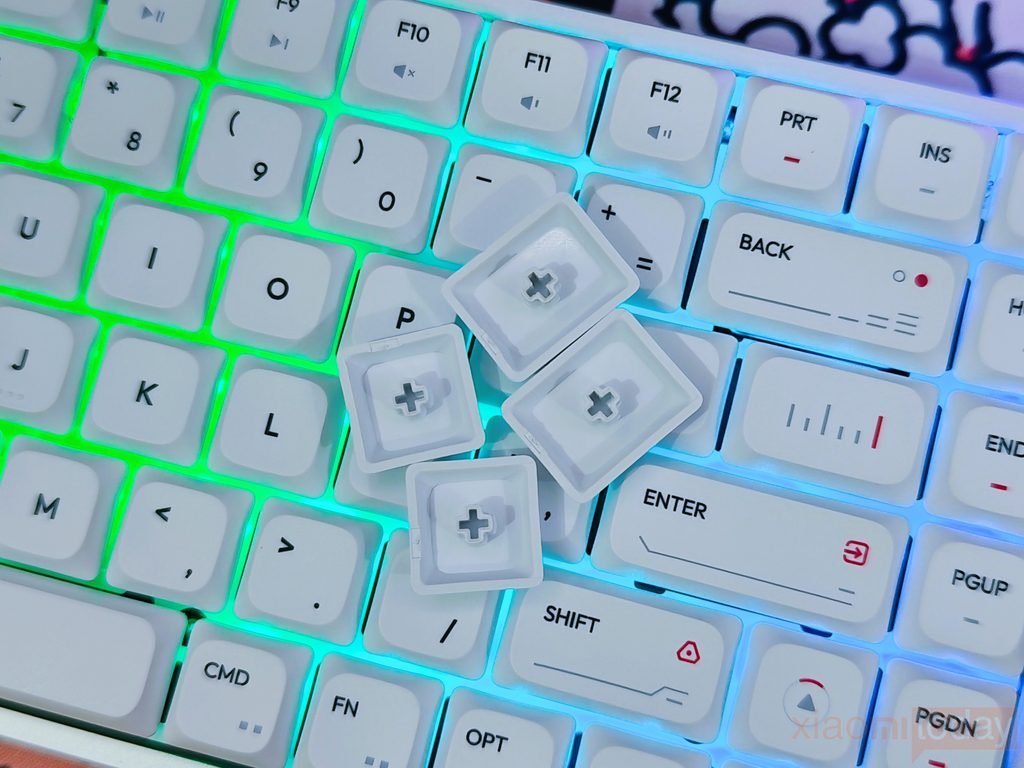
To further improve long-term usability, IQUNIX applies an anti-oil coating across the keycaps. During hands-on testing, the surface remained clean and retained its fine matte texture, even after several hours of continuous typing. The lightly textured finish also provides a comfortable grip, reducing finger slippage during fast typing sessions.
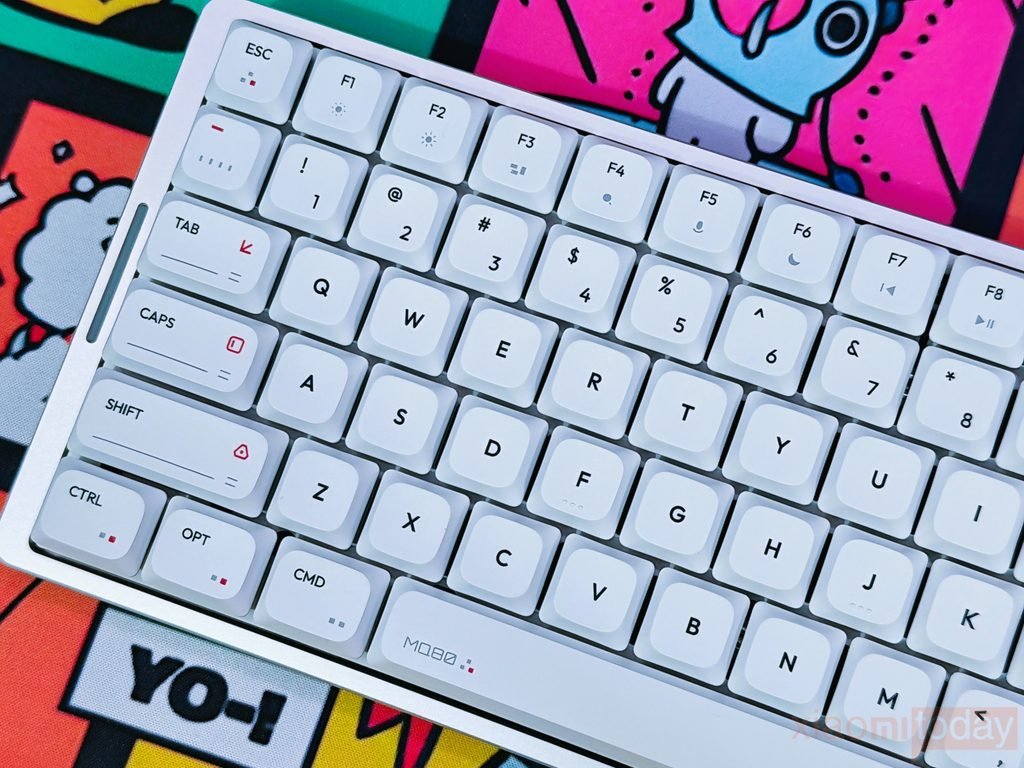
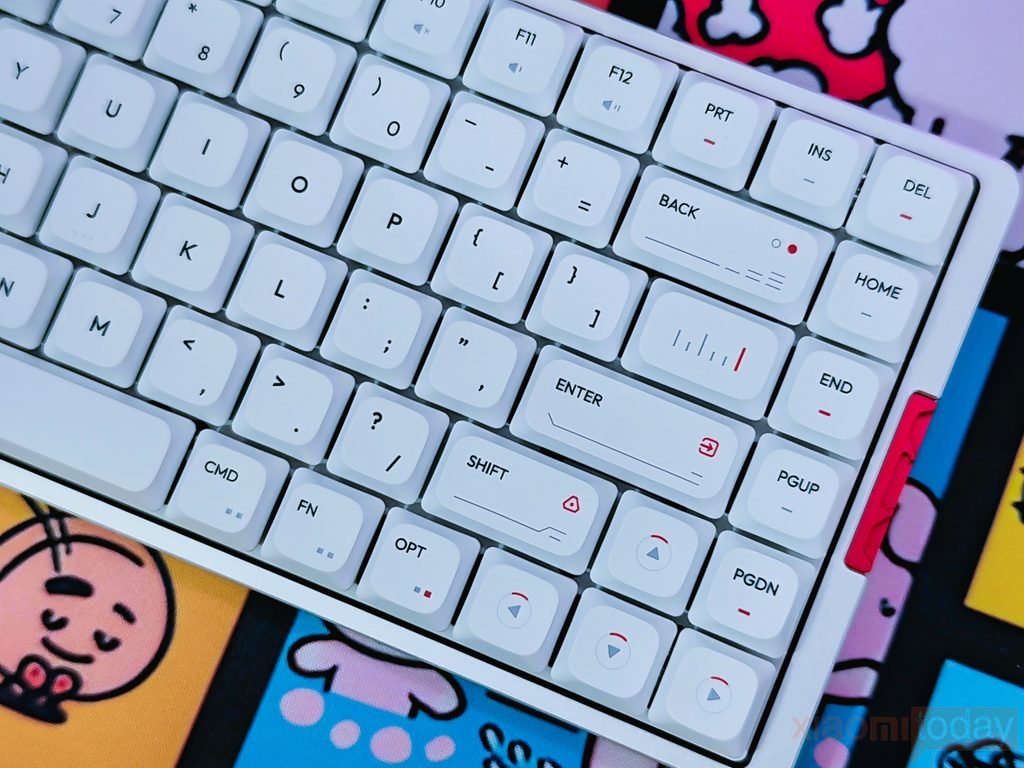
The legends are created using dye-sublimation printing, a process where the legends are infused into the keycap material rather than printed on the surface. This significantly improves durability, making the legends highly resistant to fading even after years of regular use. The black legends remain crisp and easy to read against the white keycaps, while the red accent symbols add a subtle touch of color without making the layout appear overly busy.
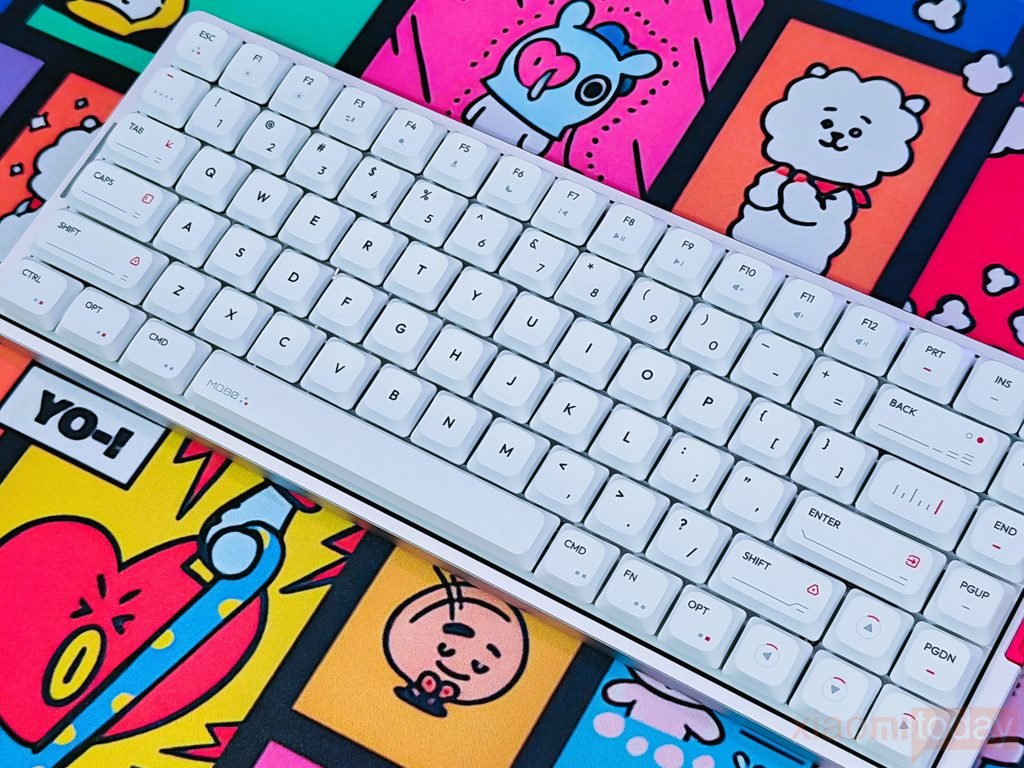
IQUNIX has also designed several modifier keys with custom graphics and minimalist accent markings. Keys such as Enter, Shift, Backspace, Caps Lock, and the Spacebar feature unique printed elements that give the keyboard its own identity while maintaining a clean overall appearance. These small design choices help separate the MQ80 from many low-profile mechanical keyboards that rely on plain keycap sets.
The keycaps are evenly molded, with consistent spacing and alignment across the entire keyboard. Larger keys sit level with the rest of the layout, and during testing, there were no noticeable fitment issues or loose keycaps. Combined with the low-profile switches, the sculpted keycaps provide a comfortable typing position that feels natural for both desktop users and those transitioning from laptop keyboards.
RGB Lighting
The IQUNIX MQ80 features per-key RGB backlighting with support for 16.8 million colors, allowing users to customize the keyboard’s appearance to match different desktop setups or personal preferences. Whether you prefer a single static color for work or animated lighting effects for gaming, the keyboard offers plenty of customization options.
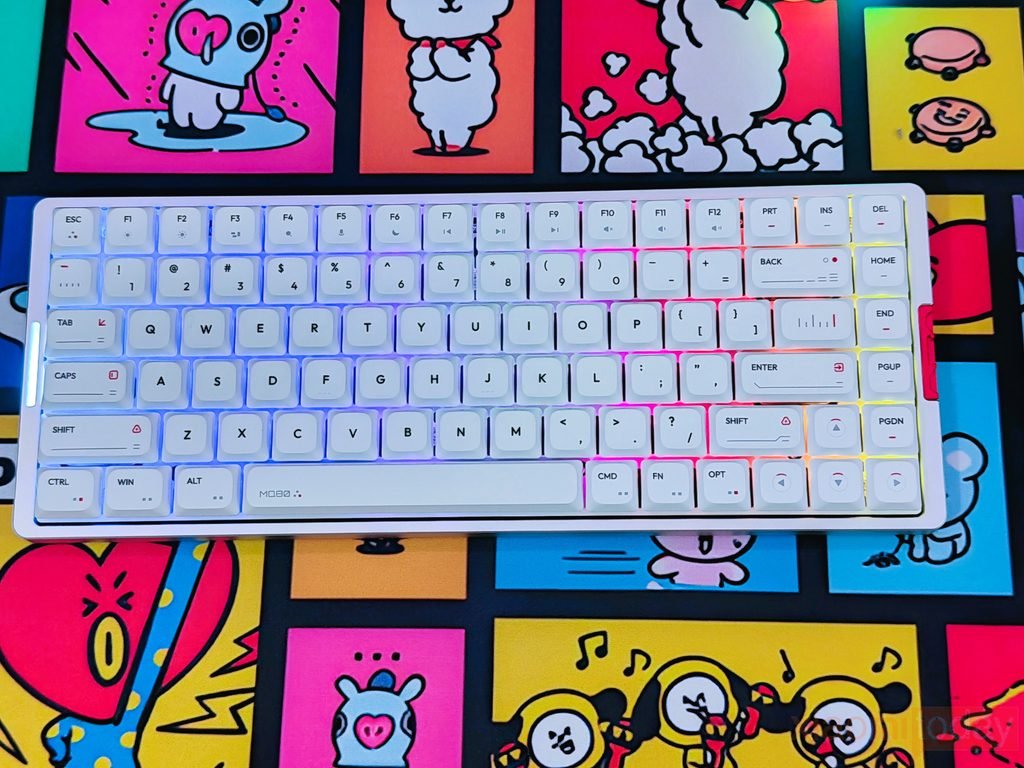
Since the MQ80 uses dye-sublimated PBT keycaps, the legends are not transparent. Instead of shining through the characters, the RGB lighting surrounds each switch, creating a soft underglow between the keys. This produces a cleaner appearance while avoiding excessive brightness, especially in darker environments.
RGB Backlight Controls
The MQ80 allows users to customize its RGB lighting directly from the keyboard. Brightness, lighting effects, animation speed, and colors can all be adjusted without opening the software.
| Function | Shortcut |
|---|---|
| Toggle Backlight On/Off | Fn + Z |
| Decrease Brightness | Fn + X |
| Increase Brightness | Fn + C |
| Slow Down Effect Speed | Fn + V |
| Speed Up Effect Speed | Fn + N |
| Cycle Through Backlight Effects | Fn + Enter |
| Switch Light Colors | Fn + Right Shift |
RGB Light Bar Controls
The MQ80 also includes a dedicated side RGB light bar, which can be customized independently from the main keyboard backlighting.
| Shortcut | Function |
|---|---|
| Fn + { | Change Indicator Bar Mode |
| Fn + } | Change Indicator Bar Color |
The keyboard includes multiple preset lighting modes, including static lighting, breathing effects, wave animations, ripple effects, reactive typing, and full-spectrum color cycling. Users can adjust brightness levels, animation speed, and lighting effects directly from the keyboard using function key shortcuts, while additional lighting customization is available through the IQUNIX software.
Gold Red Low-Profile Switches
The IQUNIX MQ80 is equipped with Kailh POM Gold Red Low-Profile Linear Switches, designed to deliver a fast and lightweight typing experience. These switches feature a 40±10gf actuation force, making them easy to press while reducing finger fatigue during extended typing or gaming sessions. Compared to conventional mechanical switches, the shorter 1.2±0.3mm pre-travel allows keystrokes to register earlier, while the 2.8±0.25mm total travel keeps each key press quick and responsive. During our hands-on testing, the switches felt consistently smooth across the entire keyboard. Rapid double taps and repeated keystrokes required very little effort, making the MQ80 equally comfortable for document editing, programming, and fast-paced gaming.
| Specification | Kailh POM Gold Red Low-Profile Switch |
|---|---|
| Switch Type | Linear |
| Stem Material | POM |
| Actuation Force | 40±10gf |
| Pre-travel | 1.2±0.3mm |
| Total Travel | 2.8±0.25mm |
| Rated Lifespan | 50 Million Keystrokes |
| Construction | Low-Profile |
| Claimed Smoothness | Up to 25% Smoother |
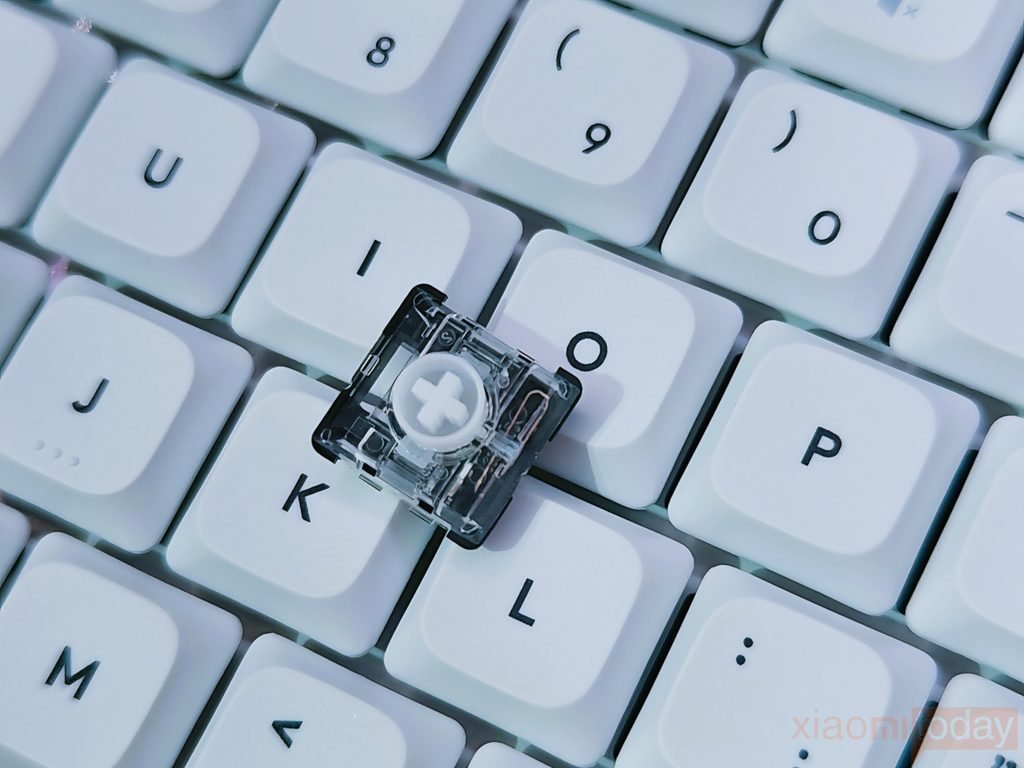
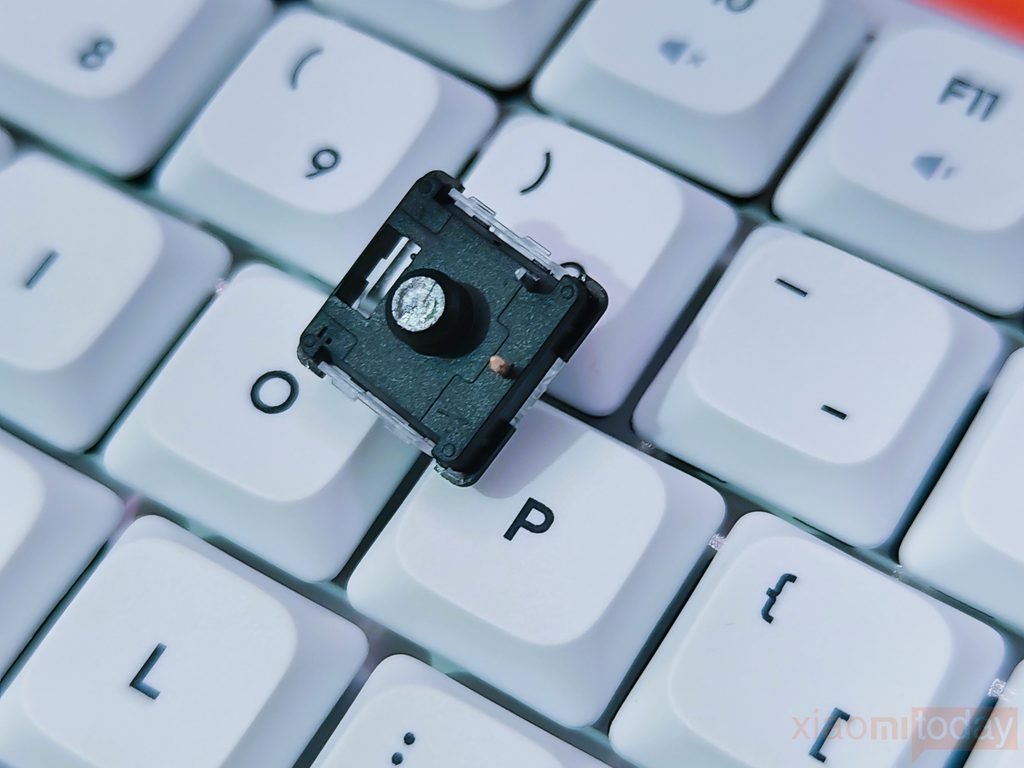
The switches use a POM (Polyoxymethylene) stem, a material known for its naturally low friction characteristics. IQUNIX states that the POM construction delivers up to 25% smoother keystrokes, and the typing experience reflects that claim with very little scratchiness or resistance during key presses. Combined with the MQ80’s Le-Tray Gasket Mount and layered acoustic design, the switches produce a clean linear feel with a soft bottom-out and a pleasant sound profile. Kailh rates these switches for 50 million keystrokes, providing long-term durability for everyday use. Users who prefer tactile feedback may want a different switch option, but for those looking for a light, smooth, and responsive low-profile linear switch, the Kailh POM Gold Red performs well throughout daily productivity tasks and gaming sessions.
Shortcut Keys
The IQUNIX MQ80 includes a comprehensive set of built-in shortcut keys, allowing users to control lighting, multimedia, connectivity, and system functions without installing additional software. Most daily adjustments can be made directly from the keyboard using simple Fn key combinations, making it easy to switch between devices or customize the keyboard while working or gaming.
For users who frequently move between different operating systems, the MQ80 offers a quick Windows and macOS layout switch. Pressing Fn + Tab instantly changes the keyboard layout between Windows and Mac without requiring software changes. The keyboard also includes a Windows Key Lock shortcut (Fn + Win), which is especially useful during gaming to prevent accidental interruptions. If needed, the keyboard can be restored to its factory configuration using Fn + Space, making troubleshooting quick and convenient.
Windows / macOS Shortcuts
| Shortcut | Function |
|---|---|
| Fn + Tab | Switch between Windows and macOS layout |
| Fn + Win | Lock / Unlock Windows key |
| Fn + Space | Restore factory default settings |
When switching to Mac Mode, the keyboard automatically remaps the modifier keys to match the macOS layout. The Left Windows key becomes Left Option, the Left Alt key becomes Command, and the Right Alt key becomes Right Command. IQUNIX also changes the default behavior of the function row, allowing F1–F12 to operate as standard function keys, while Fn + F1–F12 controls multimedia features, matching the behavior of Apple’s keyboards.
Multimedia & Keyboard Controls
The function row doubles as a multimedia control panel, allowing quick access to commonly used features without leaving the current application.
| Shortcut | Function |
|---|---|
| Fn + F1 | Screen Brightness – |
| Fn + F2 | Screen Brightness + |
| Fn + F5 | Microphone Mute |
| Fn + F6 | Sleep Mode |
| Fn + F7 | Previous Track |
| Fn + F8 | Play / Pause |
| Fn + F9 | Next Track |
| Fn + F10 | Volume Mute |
| Fn + F11 | Volume Down |
| Fn + F12 | Volume Up |
Power & Battery Shortcuts
Power management is handled using keyboard shortcuts, reducing the need for dedicated switches during normal use.
| Shortcut | Function |
|---|---|
| Fn + Esc (Hold 3 Seconds) | Power On / Off |
| Fn + B | Battery Level Check |
The battery indicator works by flashing the LED between 1 and 10 times, representing the remaining battery percentage in 10% increments. For example, five flashes indicate approximately 50% battery, while ten flashes indicate a full charge.
One point worth mentioning is that the USB cable must be disconnected before powering the keyboard off. IQUNIX also includes a separate hardware switch beneath the Caps Lock key, designed to completely cut power during long-term storage or transportation. This switch is intended for preserving battery life rather than resetting the keyboard.
The MQ80 offers a practical collection of shortcut keys that cover most everyday functions. From Windows and macOS switching to multimedia controls, RGB customization, battery monitoring, and power management, nearly every commonly used feature can be accessed directly from the keyboard without interrupting your workflow.
VIA Software
The IQUNIX MQ80 supports VIA, giving users complete control over key remapping without depending on large software packages running in the background. Every key on the keyboard can be reassigned, making it easy to customize the layout for gaming, programming, content creation, or general productivity. All changes are written directly to the keyboard’s onboard memory, so custom layouts remain available even after reconnecting the keyboard to another system.
During our hands-on testing, we remapped the Print Screen key to Insert, and the change was applied instantly. There was no delay or restart required, and the new mapping worked immediately. Since VIA stores the configuration inside the keyboard, there is no need to install software on every computer where the MQ80 is used.
The initial setup is slightly different from many other VIA-compatible keyboards. The MQ80 is not automatically detected after launching VIA. Users must first download the MQ80 JSON configuration file from the IQUNIX support page and manually import it through the Design tab. Because the Design tab is disabled by default, it must first be enabled from the VIA Settings menu before the JSON file can be loaded.
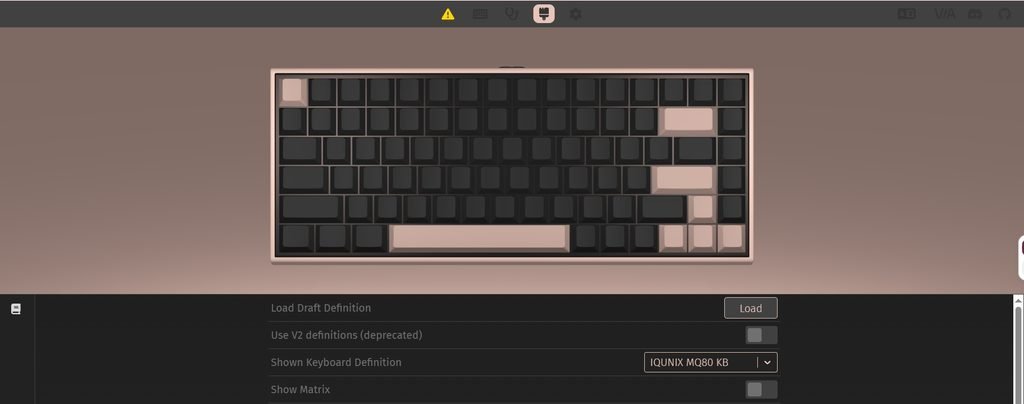
Once the JSON file has been imported, the keyboard is recognized correctly during future sessions, and the complete layout becomes available for editing. It is worth mentioning that VIA configuration only works while the keyboard is connected through the USB Type-C cable. During our testing, neither Bluetooth nor the 2.4GHz wireless mode allowed changes to be made inside VIA.
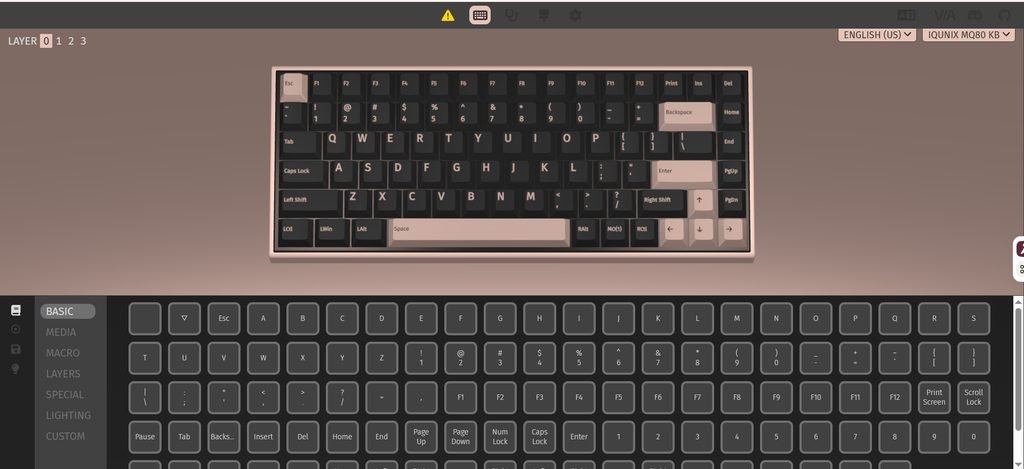
Beyond simple key remapping, VIA gives users access to advanced customization features. Multiple layers can be created, allowing a single key to perform different actions depending on the selected layer. Macros can also be assigned to automate repetitive tasks, making the MQ80 useful for applications such as Adobe Photoshop, Premiere Pro, Excel, Visual Studio, or other productivity software where custom shortcuts can improve workflow.
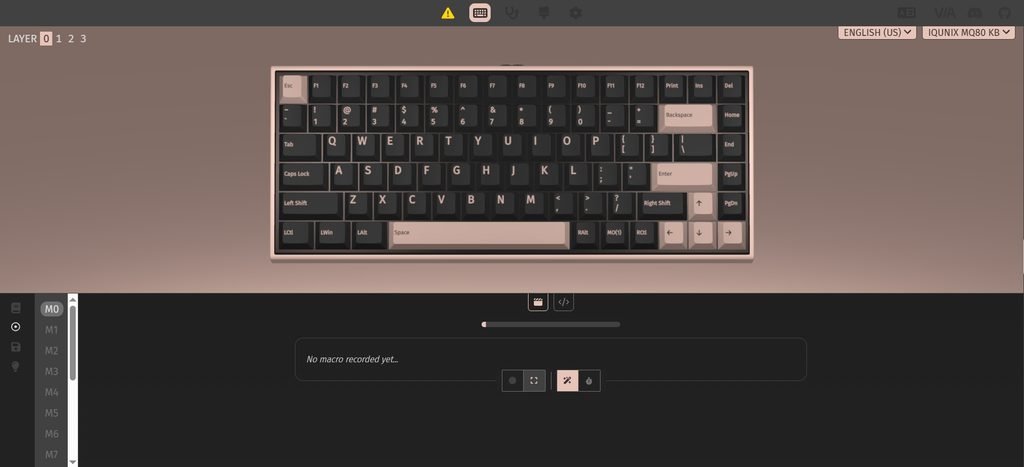
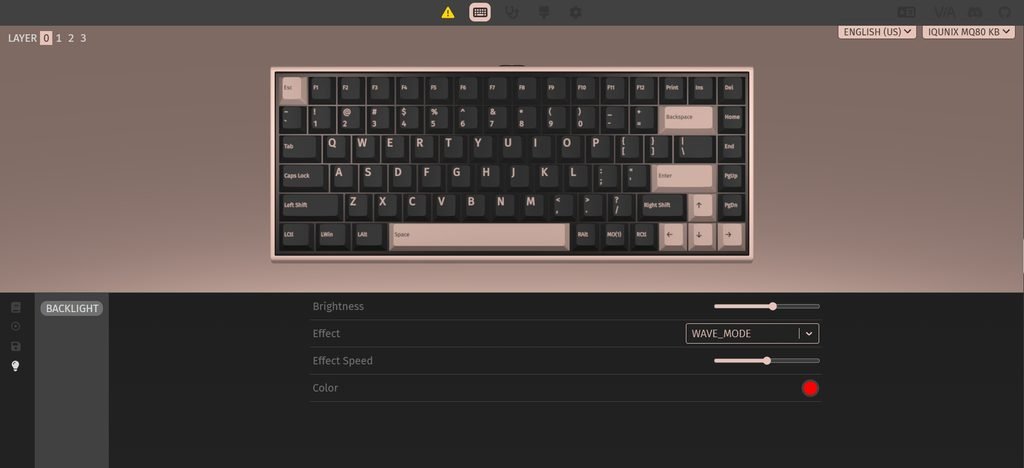
One feature we particularly liked during testing was VIA’s real-time editing. Every change is applied immediately, allowing users to test different layouts without restarting the keyboard. The interface is clean and organized, making it easy to locate key assignments, create layers, or record macros even for users who are using VIA for the first time.
Configuring macOS and Windows Layouts
The MQ80 also makes it easy to maintain separate layouts for macOS and Windows by using VIA’s layer system.
To configure Layer 0 for macOS, IQUNIX recommends the following changes:
- 🔹Remap Left Windows (LWin) to Left Alt (LAlt).
- 🔹Remap Left Alt (LAlt) to Left Windows (LWin).
- 🔹Remap Right Alt (RAlt) to Right Windows (RWin).
With this configuration, F1–F12 operate as standard function keys, while Fn + F1–F12 control multimedia functions, matching the behavior of Apple’s keyboards.
To create a dedicated Windows layout on Layer 2, follow these steps:
- On Layer 0, select a rarely used key, such as Right Ctrl, and assign it to TG(2).
- Configure Layer 2 with your preferred Windows key layout.
- Assign the same key on Layer 2 to TG(0) so pressing it switches back to Layer 0.
This setup allows users to move between macOS and Windows layouts without reconnecting the keyboard or loading separate profiles, making it especially useful for those who regularly use both operating systems.
VIA is one of the MQ80’s strongest software features. Although the first-time setup requires importing the JSON configuration file manually, the process only takes a few minutes. After that, users gain access to complete key remapping, macros, multiple programmable layers, and onboard profile storage, allowing the keyboard to be customized for almost any workflow.
Battery Performance
The IQUNIX MQ80 uses a 4000mAh battery, rated by IQUNIX for up to 350 hours with RGB lighting turned off. For my hands-on test, I used the keyboard mainly over 2.4GHz wireless, with RGB disabled, for around 5–6 hours of mixed typing and gaming per day. Under these conditions, the battery lasted several weeks before I needed to recharge it. The 350-hour figure is a manufacturer-rated maximum, so actual battery life will vary depending on wireless mode, lighting, and daily usage.
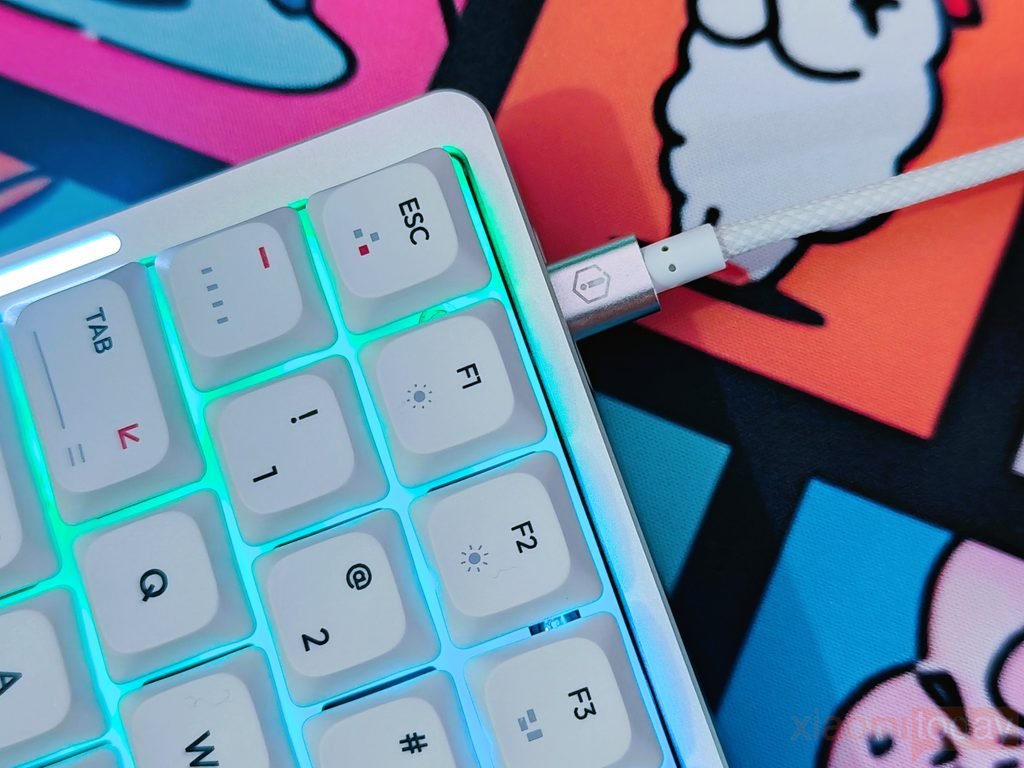
I also tested the MQ80 with RGB enabled, which resulted in noticeably faster battery drain. Charging through the included USB-C cable took roughly 3 hours for a full charge in my testing. The Fn + B shortcut can be used to check the remaining battery level, which is useful when using the keyboard wirelessly. For regular work and gaming, the 4000mAh battery provides enough runtime to keep charging to a minimum, particularly when RGB lighting is switched off.
Use Experience for Typing and Gaming
After using the IQUNIX MQ80 as my daily keyboard, the 10.2mm front height and low-profile design made the transition from a laptop-style keyboard fairly easy. The Kailh POM Gold Red Low-Profile Linear Switches have a light 40gf actuation force and 1.2mm actuation point, giving each key a quick, light feel. The 80% layout is also practical for everyday work, keeping the function row, arrow keys, and navigation controls while freeing up additional desk space for the mouse. I used the keyboard over both Bluetooth and 2.4GHz wireless, with stable connections throughout normal office work.
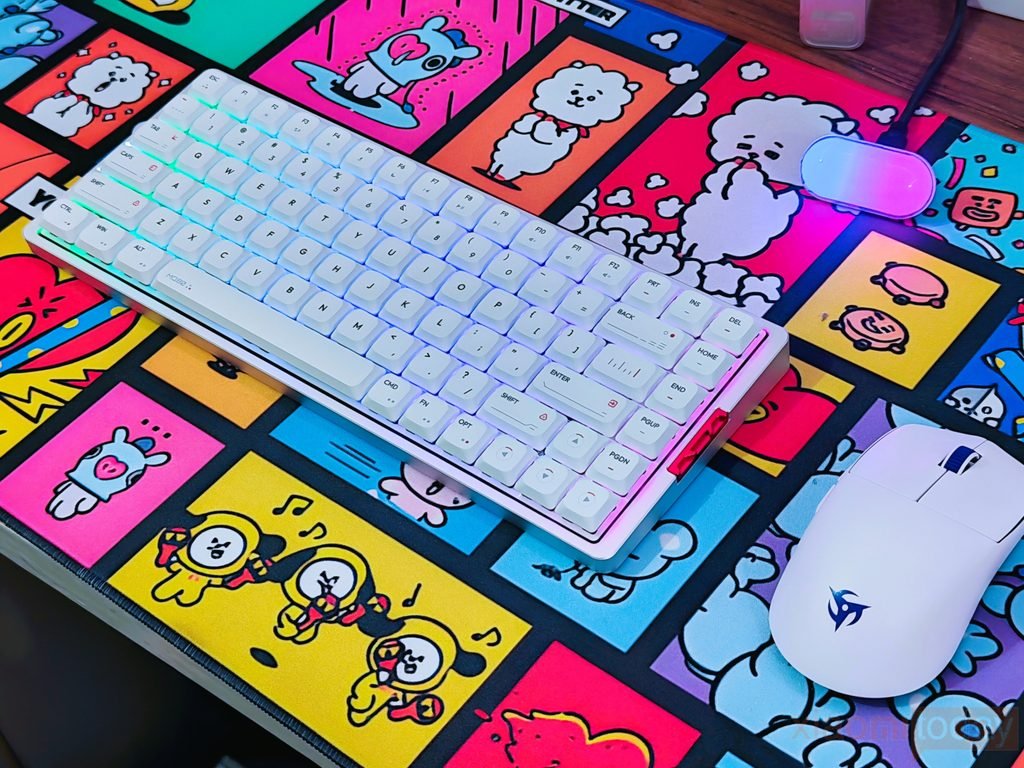
In games, the MQ80 worked well for movement-heavy titles. Both USB wired and 2.4GHz wireless modes support a 1000Hz polling rate, while the light linear switches made repeated presses easy during sprinting, strafing, crouching, and other movement actions. N-Key Rollover (NKRO) handled multiple simultaneous inputs without issues. The aluminum chassis and rubber feet also kept the keyboard securely planted during longer gaming sessions, and the 80% layout provided enough space for wider mouse movements.
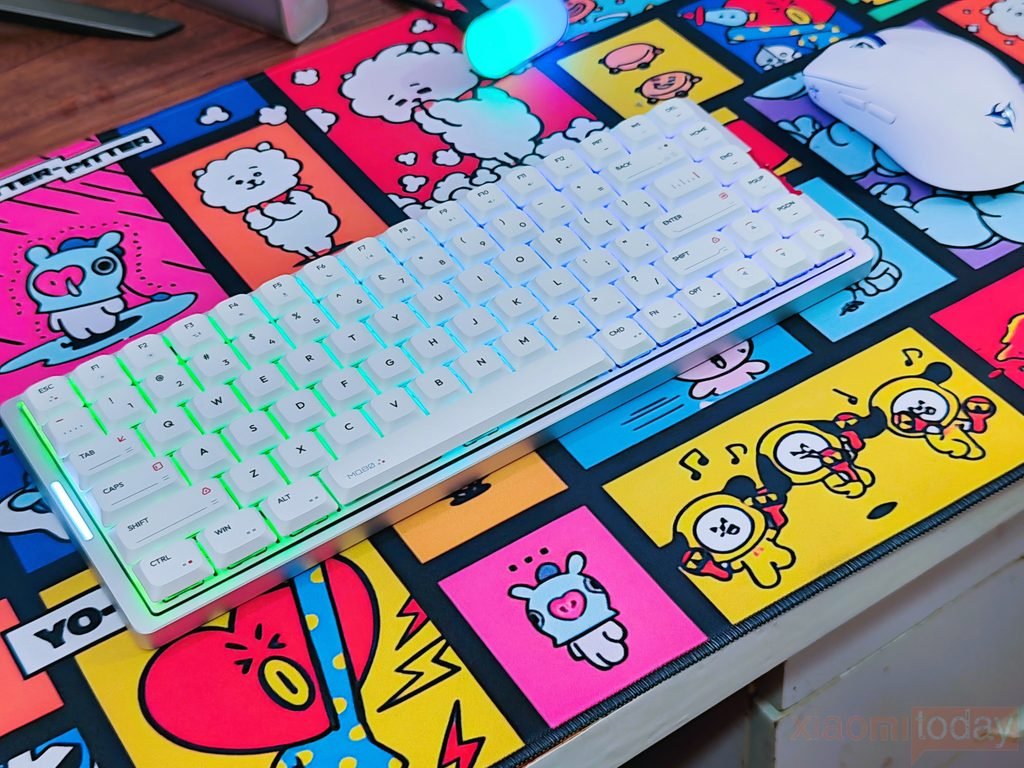
The keyboard’s acoustics are controlled better than I expected from an aluminum low-profile board. The Le-Tray Gasket Mount adds a small amount of movement at bottom-out, while the FR4 plate, PCB foam, IXPE switch pad, PET switch sheet, Poron bottom case foam, and IXPE bottom pad help limit internal vibration. The resulting sound is relatively clean, with little of the hollow resonance that can occur with metal cases. The Spacebar, Enter, Backspace, and Shift keys also remained stable with minimal rattle. After two weeks of use, the MQ80 proved to be a practical keyboard for switching between writing, general desktop work, and gaming.