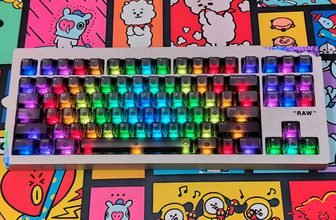
A Mechanical Keyboard with a small screen built into it sounds like the kind of feature that could be more useful in a product listing than on a desk. The Womier WK98 takes that idea and puts it into a 98% mechanical keyboard, keeping the number pad and navigation keys while leaving less space between the main key cluster and the edges. After spending time with the WK98, the screen is only one part of what makes this keyboard interesting. Its layout, wireless options, hot-swappable PCB, and large battery also play an important role in the overall experience.
The WK98 is built around a 98% layout, so it is considerably smaller than a traditional full-size keyboard without dropping the dedicated numpad. Womier also uses a gasket-mounted design, PBT keycaps, RGB lighting, and a rotary knob for volume and media control. The hot-swappable PCB supports both 3-pin and 5-pin mechanical switches, giving users the option to change the switches later without modifying the board.
The WK98 offers three connection options: USB Type-C, 2.4GHz wireless, and Bluetooth. This allows it to work with a desktop PC while also supporting multiple devices. Womier has also equipped the keyboard with an 8000mAh battery for extended use. The built-in display shows useful information and provides access to controls for battery status, connection mode, lighting, brightness, and volume.
For this Womier WK98 hands-on review, I used the keyboard for typing, general desktop work, and gaming to see where it fits compared with other enthusiast-focused mechanical keyboards. I’ll cover the build quality, layout, keycaps, switches, stabilizers, typing feel, gaming performance, wireless connectivity, display, RGB lighting, software, charging, and battery life. More importantly, I’ll look at whether the WK98’s compact full-size layout and built-in screen actually make it a better keyboard to live with every day.
Womier WK98 Specifications
| Specification | Details |
|---|---|
| Model | Womier WK98 |
| Total Keys | 100 keys + 1 mini display |
| Color | Blush Pink, Misty Candy, Milk Macaron, Gray, Ink Gradient, Candy Pink |
| Keycaps | MOA Contour Keycaps |
| Switch | Pink Switch |
| Material | Plastic with PBT keycaps |
| Connection | Wired / 2.4GHz Wireless / Bluetooth |
| Backlight | South-facing RGB LEDs |
| PCB | Full RGB, hot-swappable, 3/5-pin switch compatible |
| Hot-Swap Support | Mechanical switches |
| Mounting Style | Gasket-mounted |
| Interface | USB Type-C |
| Battery | 8000mAh |
| Operating Systems | Windows XP/7/8/10/11, Mac |
| Dimensions | 14 × 1.57 × 1.57 in |
Unboxing

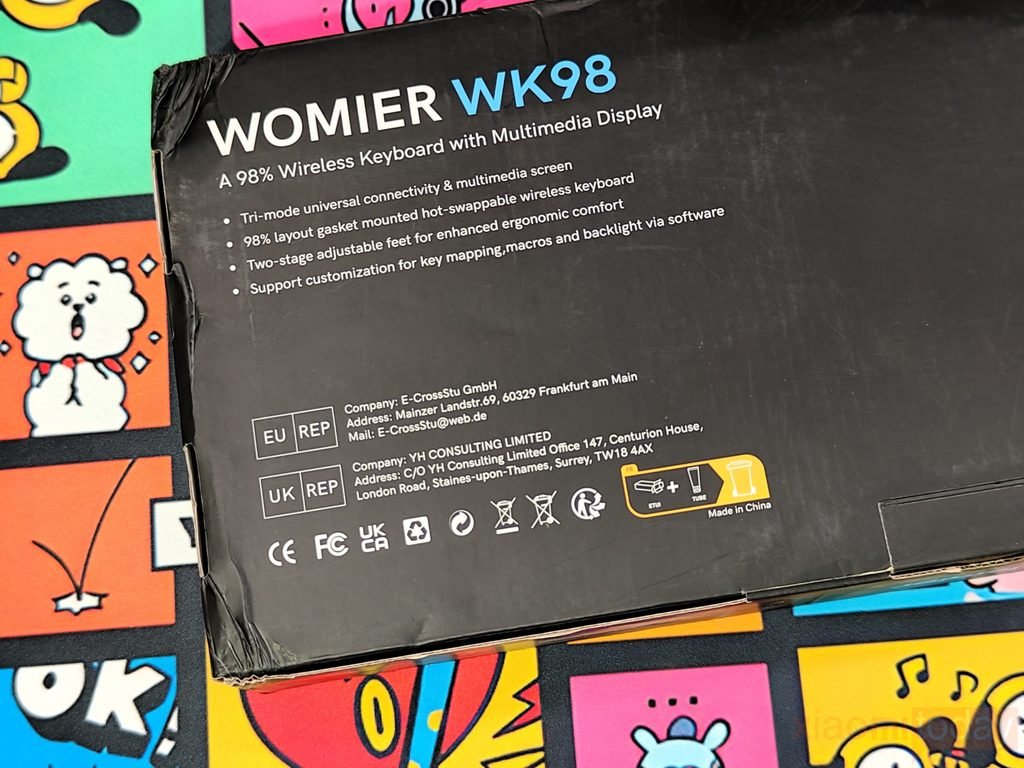
The Womier WK98 arrives in a large black box that keeps the packaging simple. The front has a line drawing of the keyboard, the Womier logo, and the WK98 name, along with a short description calling it a 98% wireless keyboard with a multimedia display. My review unit’s outer box had a few creases and marks from shipping, but there was no sign of damage to the keyboard. Once the lid is opened, the keyboard sits inside a fitted black cardboard tray and is covered with a protective sleeve. The packaging is basic, but it does a good job of keeping the keyboard in place during transit.
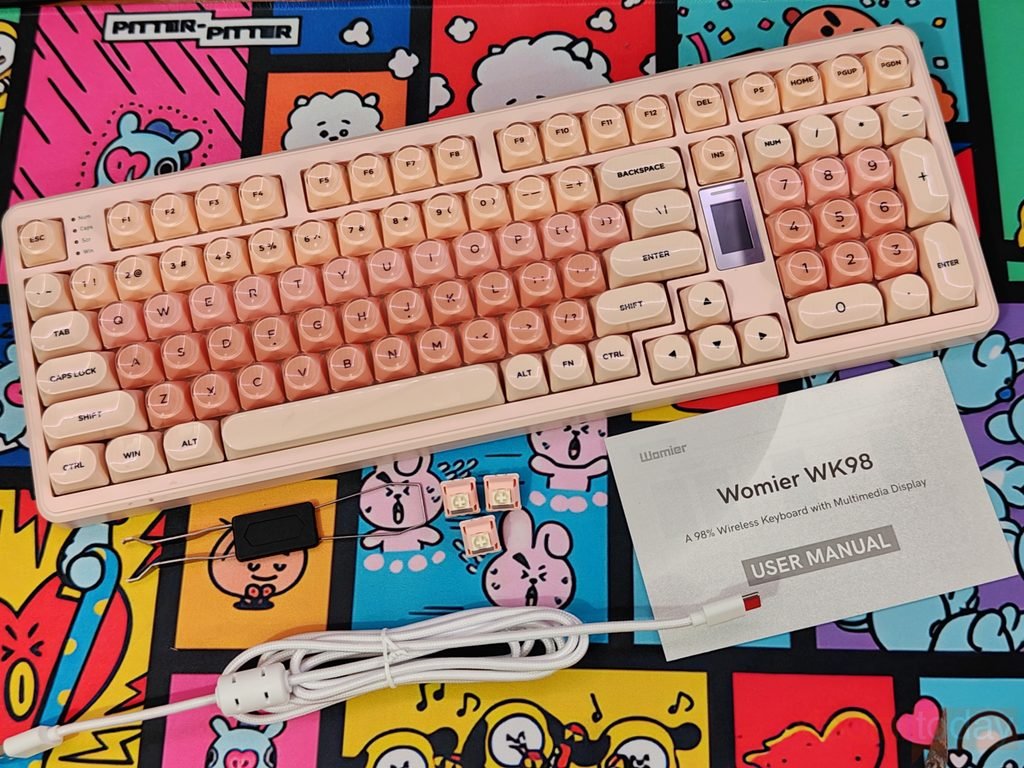
Womier includes the main accessories needed to use and maintain the WK98 wireless mechanical keyboard. The box contains the keyboard itself, a keycap and switch puller, a white braided USB-C to USB-A cable, three extra Pink Switches, and the user manual. The puller is useful for removing the keycaps and switches when making changes to the hot-swappable PCB, while the spare switches are handy replacements if one of the installed switches develops a problem. The included white cable can be used for wired mode as well as charging the keyboard.
Design and Build Quality
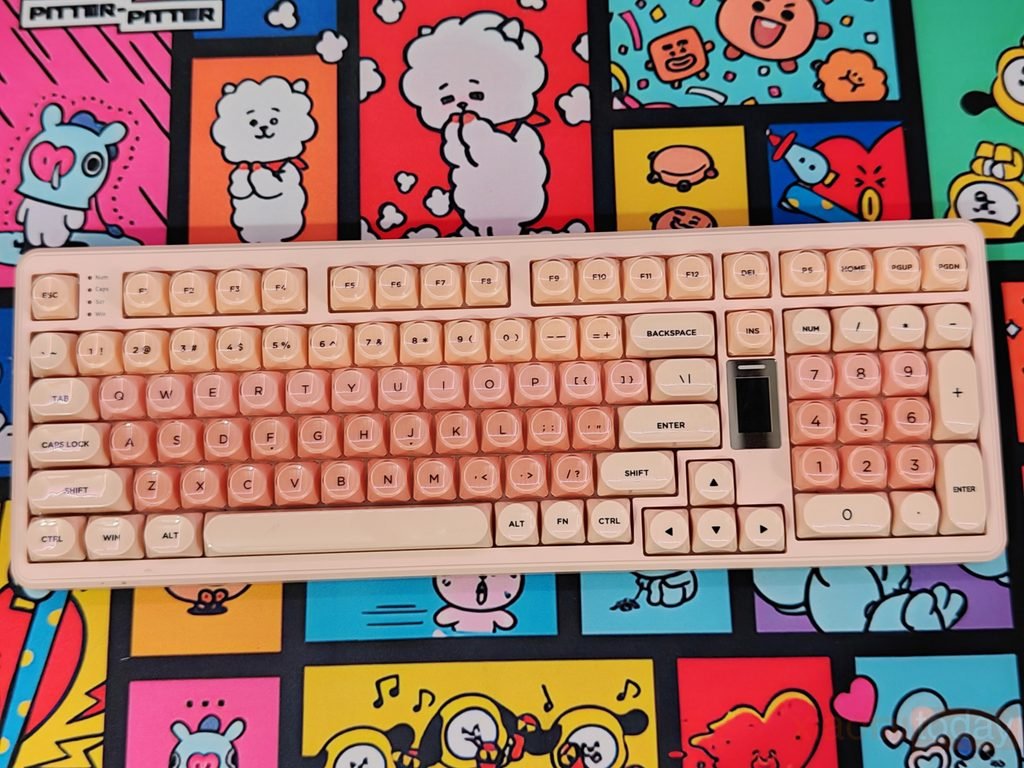
The Womier WK98 uses a 98% layout that keeps the dedicated number pad without taking up the same amount of desk space as a conventional full-size keyboard. It has 100 keys plus a mini color display, with the function row, navigation keys, arrow keys, and numpad fitted into a compact arrangement. The keyboard measures around 14 inches long and weighs about 1.4kg. Its plastic body feels sturdy on the desk, and the Blush Pink finish gives the keyboard a softer look than the black and gray designs commonly seen on gaming keyboards.
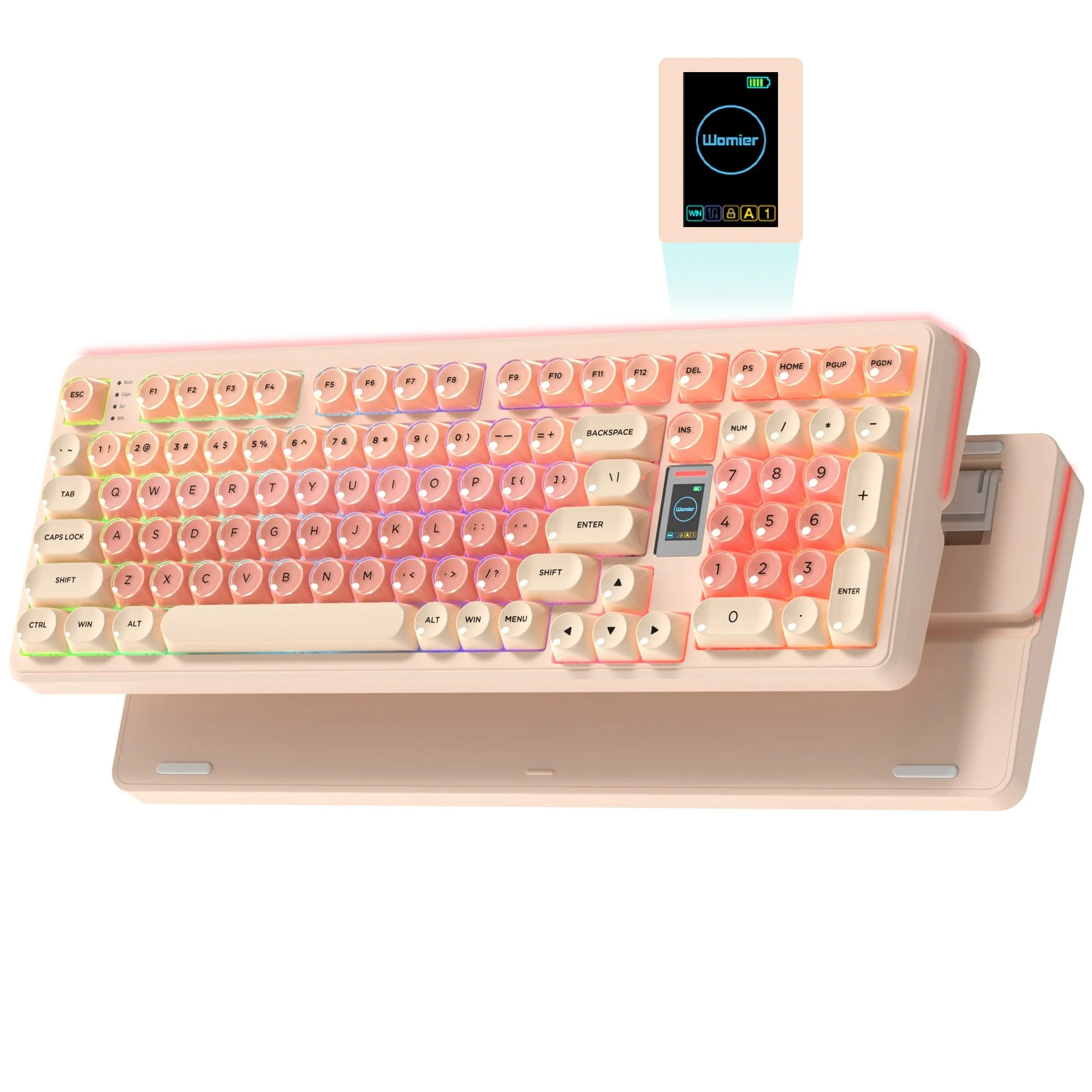
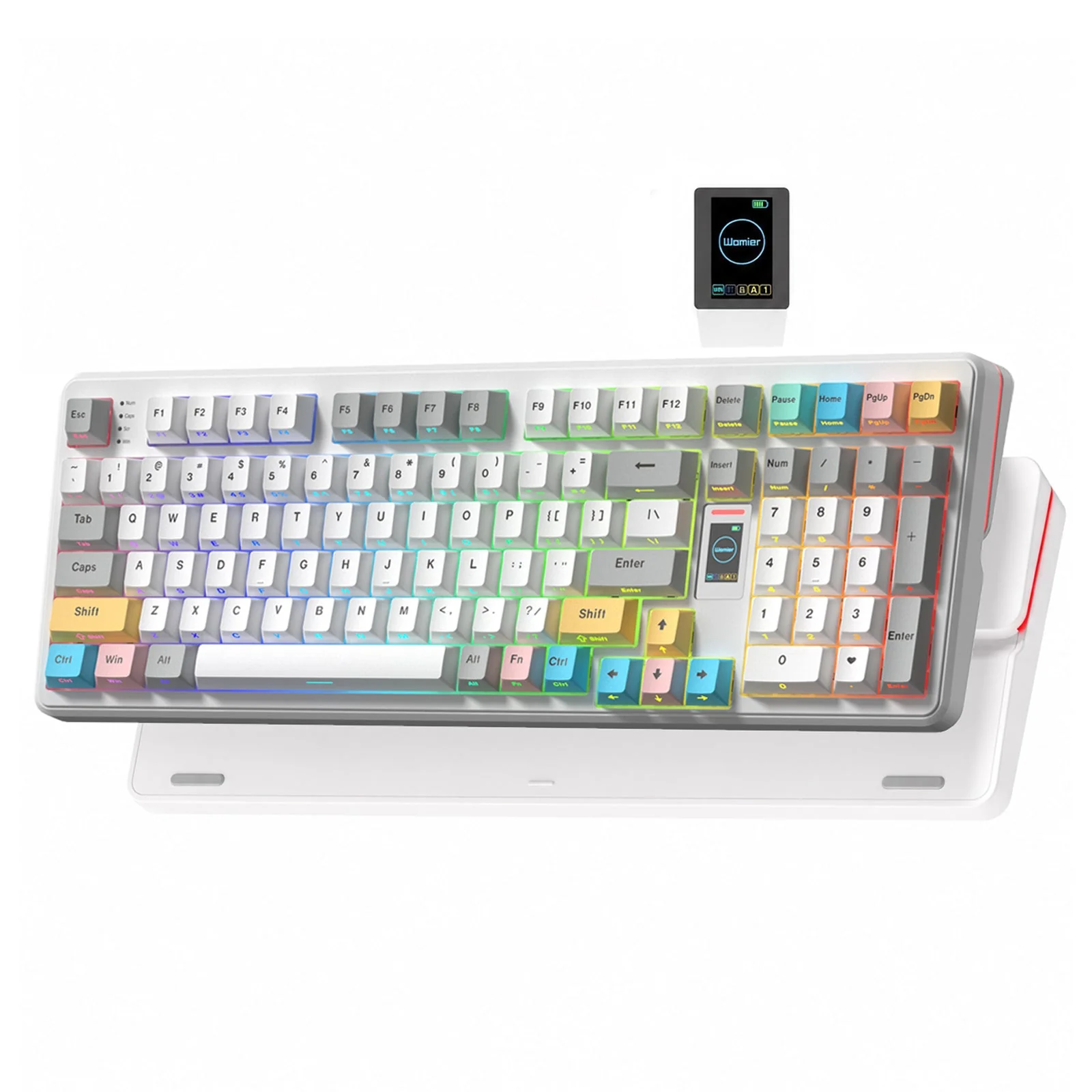
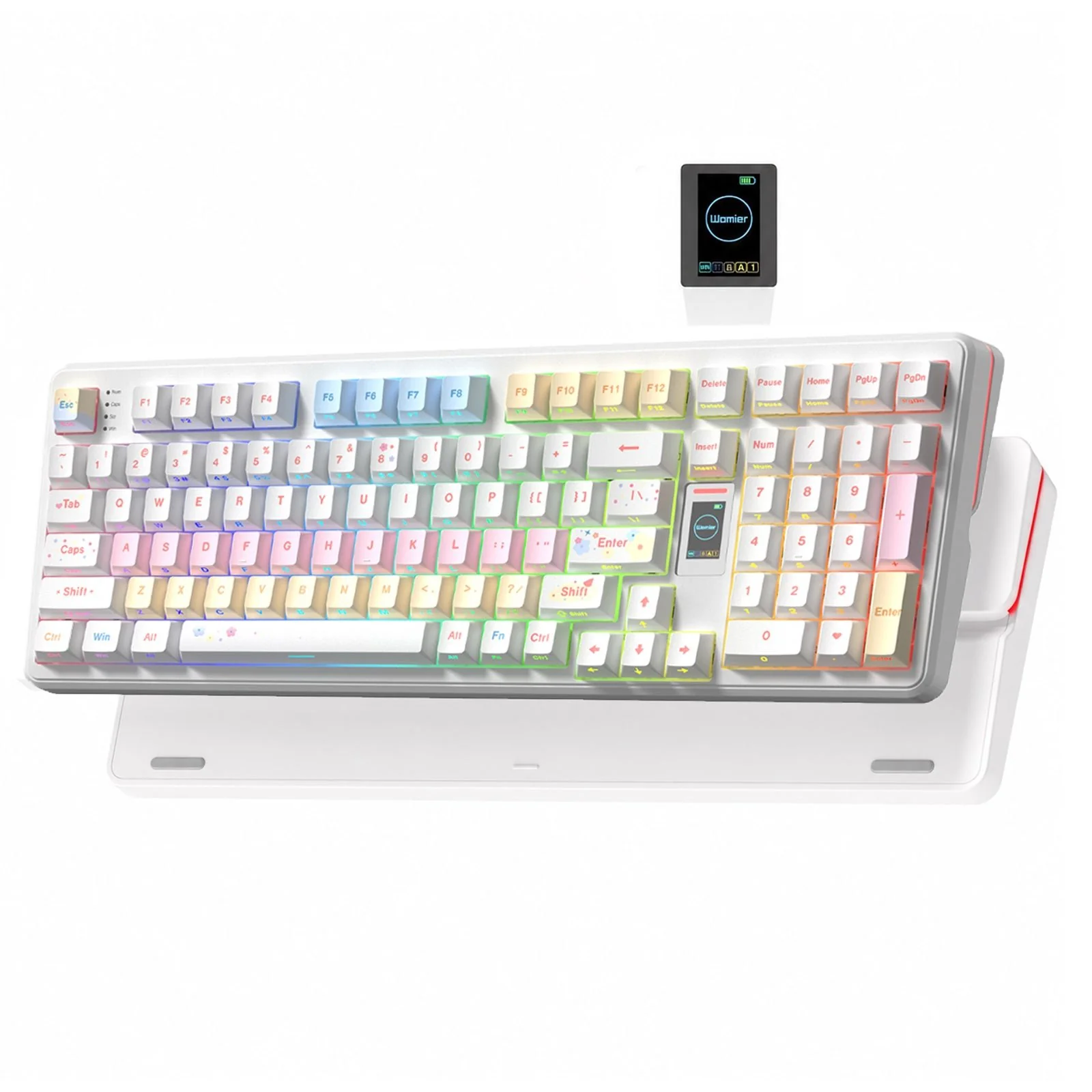
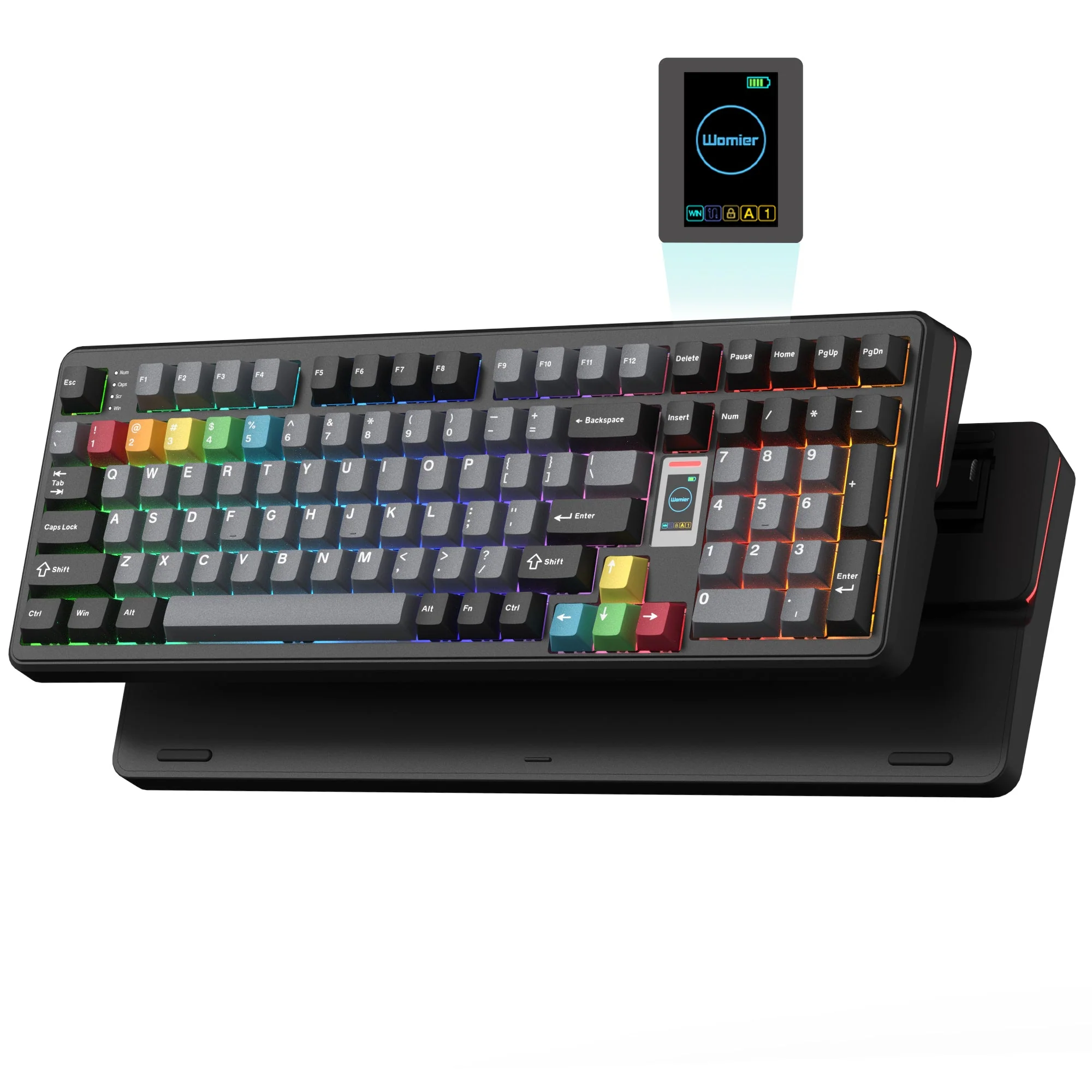
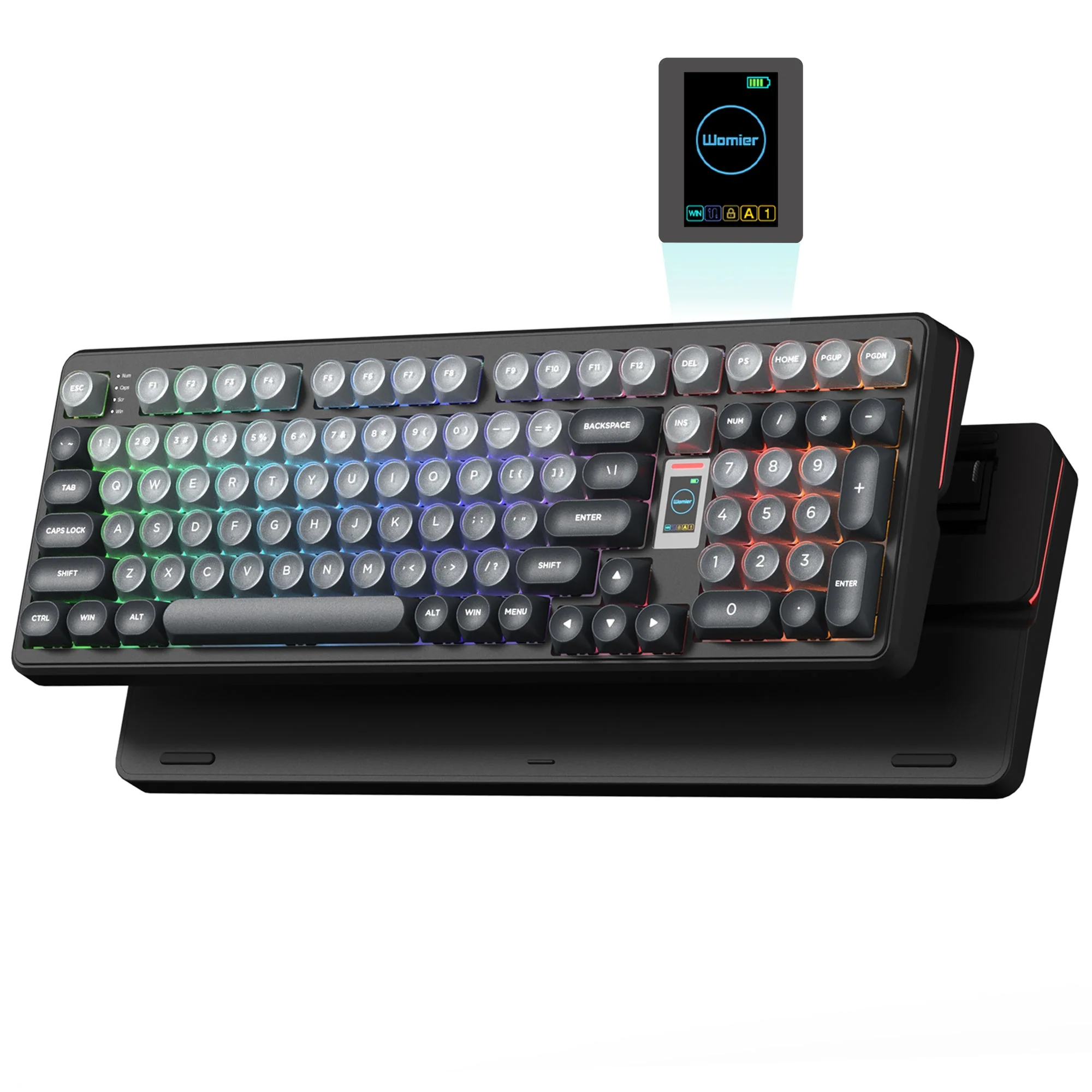
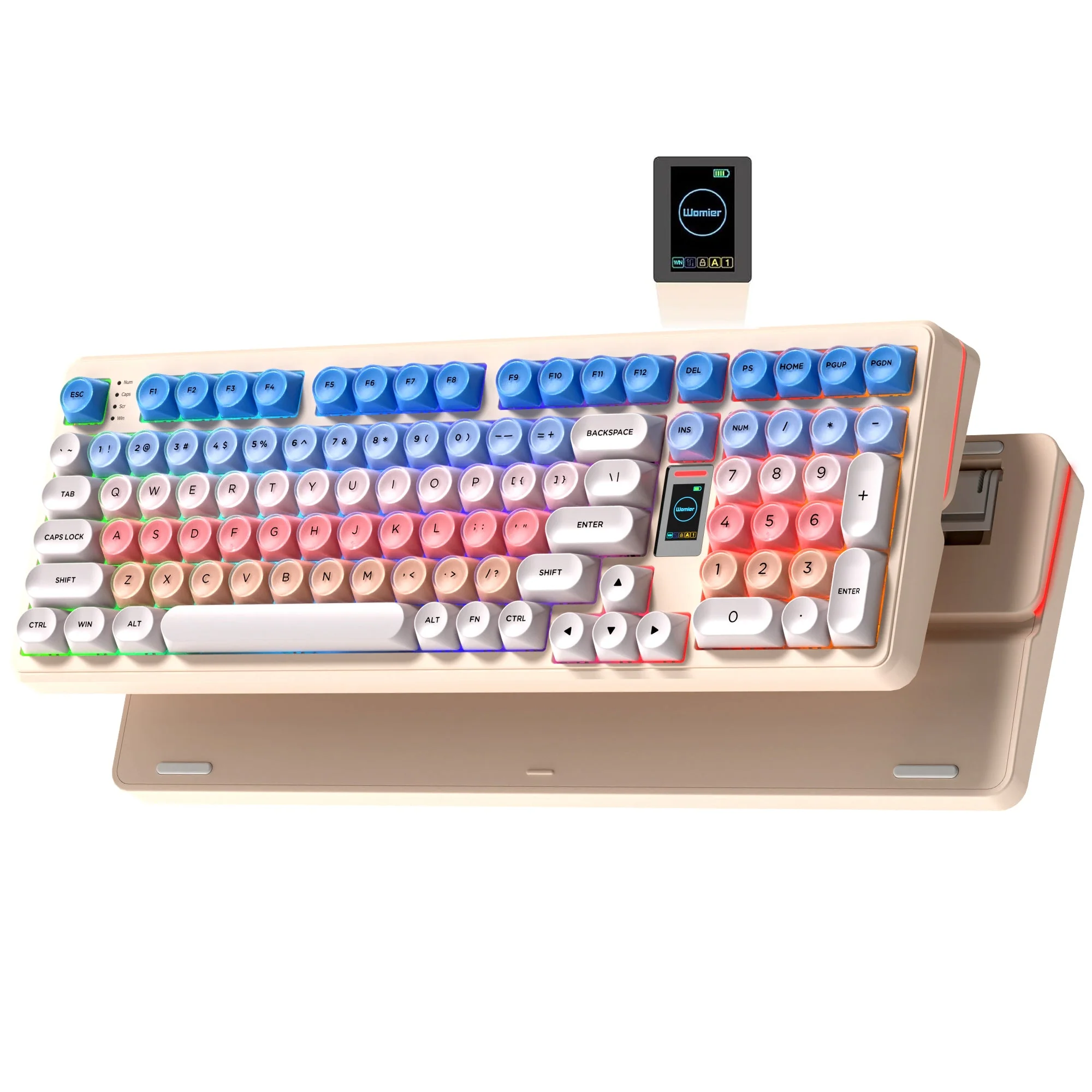
The layout is familiar, so moving from a full-size keyboard does not require much adjustment. The main typing section keeps the standard key arrangement, while the numpad sits on the right for quick access when working with numbers. Womier offers the WK98 in Blush Pink, Misty Candy, Milk Macaron, Gray, Ink Gradient, and Candy Pink. Our review unit is the Blush Pink version, which combines a light pink-and-white chassis with translucent crystal keycaps. The keycaps also let the RGB lighting show through the gaps, giving the keyboard a brighter appearance when the lights are switched on.
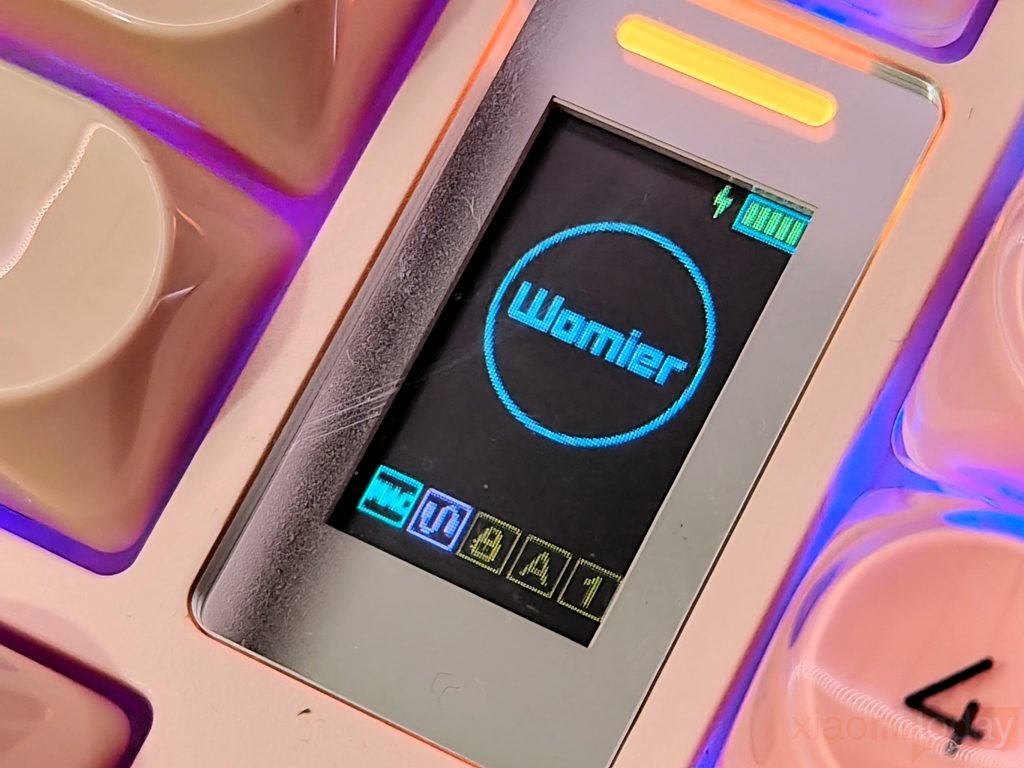
Between the main key area and numpad, Womier has fitted a mini color screen. It stays visible from the normal typing position and does not interfere with the surrounding keys. The screen displays keyboard information such as battery status and can be used for functions including RGB lighting, volume, and brightness controls. This means basic adjustments can be made directly from the keyboard instead of opening the companion software. A slim LED bar sits above the screen and works with the keyboard’s lighting.
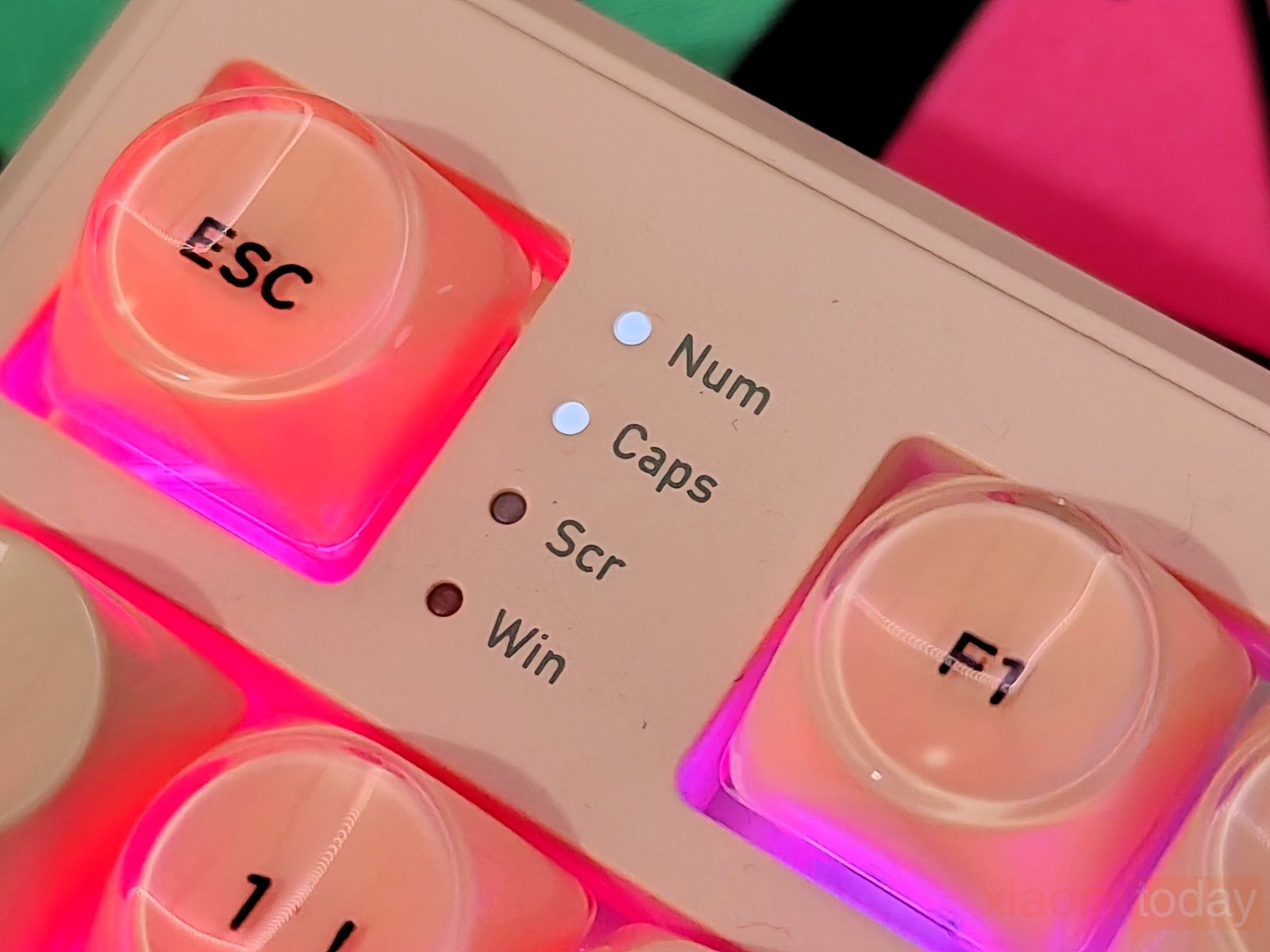

The WK98 also has four small status LEDs near the Esc and function keys for Num Lock, Caps Lock, Scroll Lock, and Win Lock. They are positioned where they can be checked quickly while typing. On the side of the keyboard, Womier has placed the USB-C port between two physical switches. One selects Mac or Windows mode, while the other switches between 2.4GHz, USB, and Bluetooth. The controls are clearly marked, making it easy to change the connection without using the software.
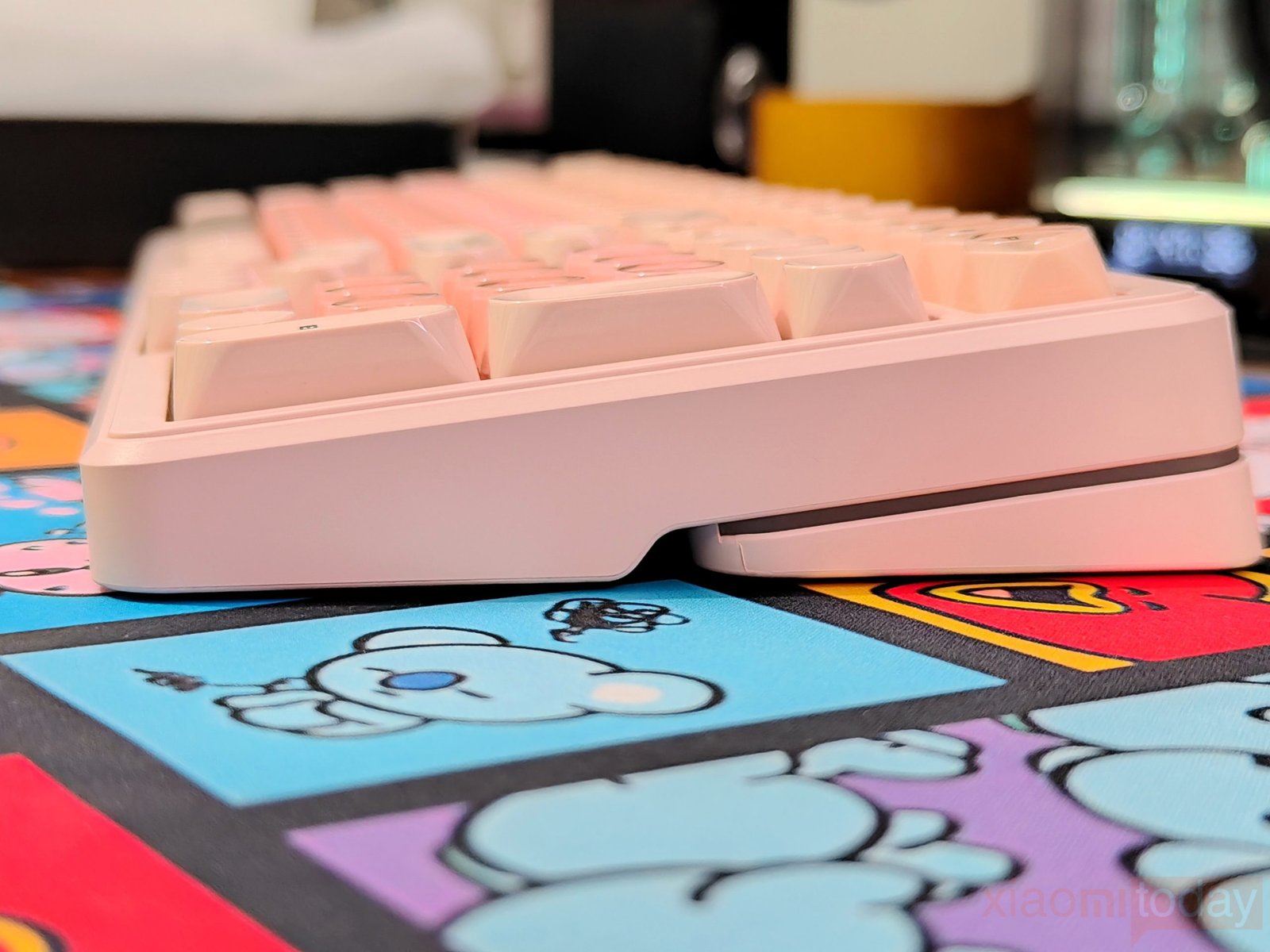
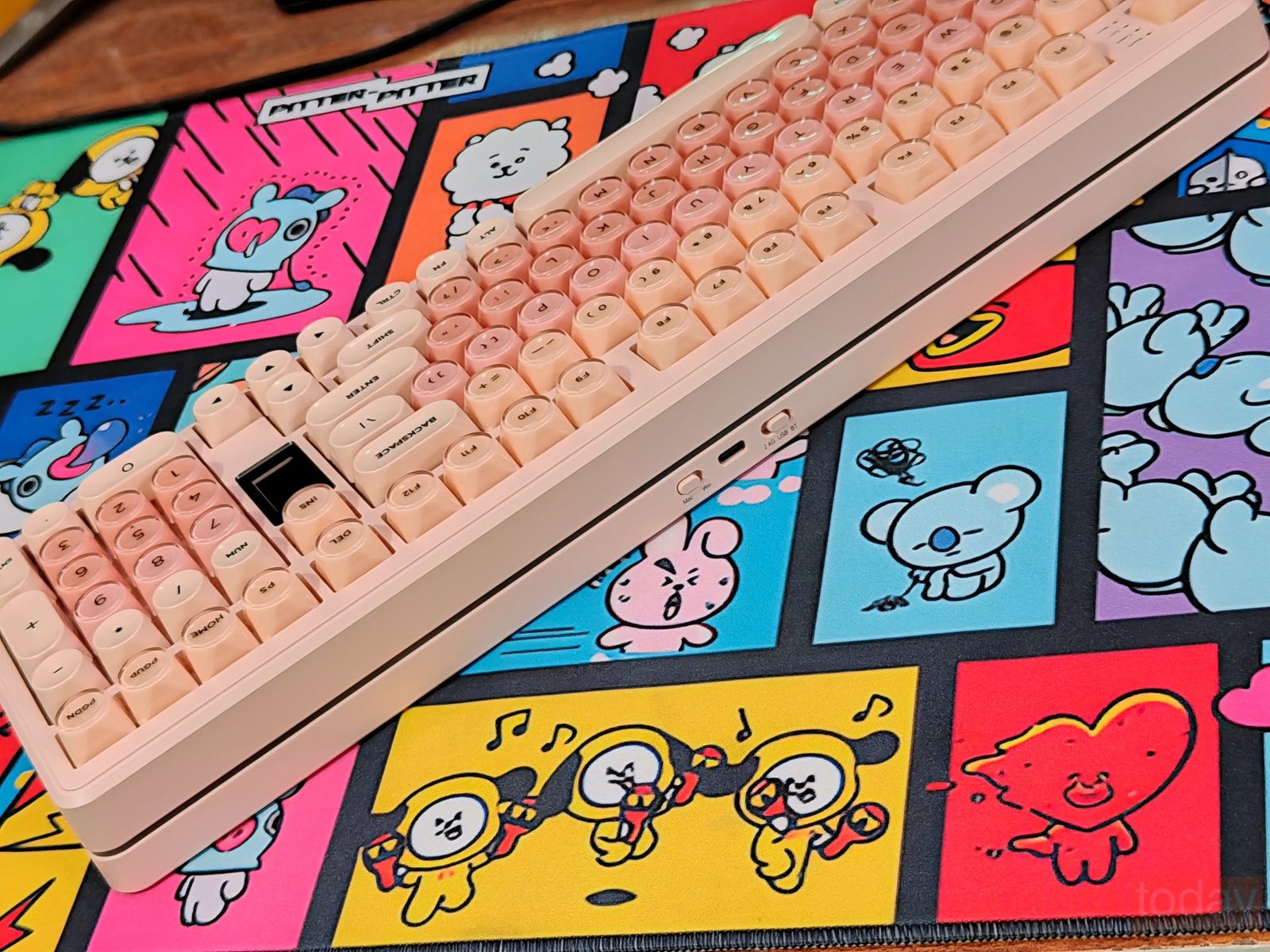
The Womier WK98 has RGB strips running around the sides and rear edge of the chassis, creating a glow underneath the keyboard. With the Blush Pink model and its translucent keycaps, the lighting is clearly visible around the edges and between the keys. The effect is more noticeable in a darker room, where the light spreads across the desk around the keyboard.
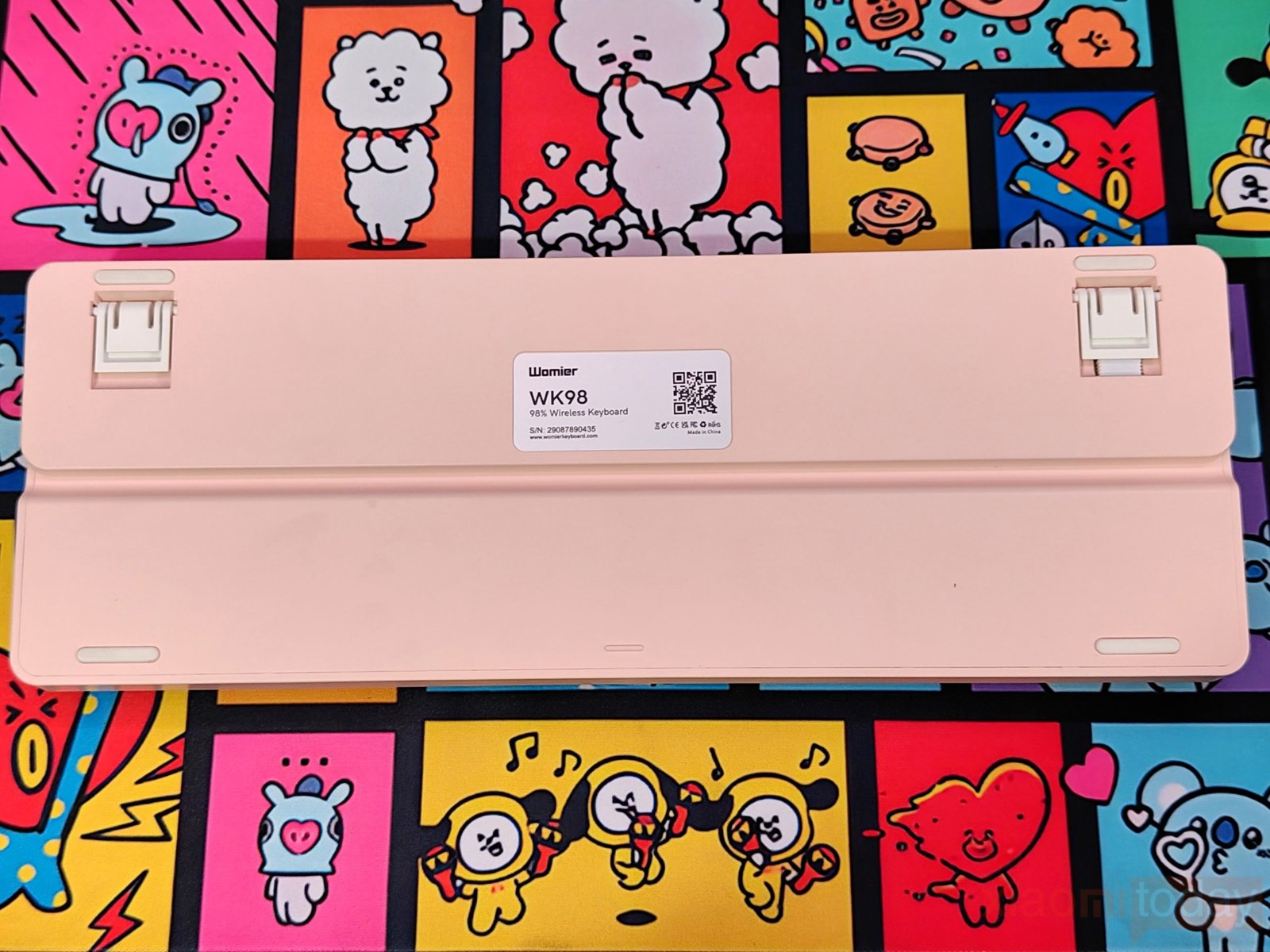
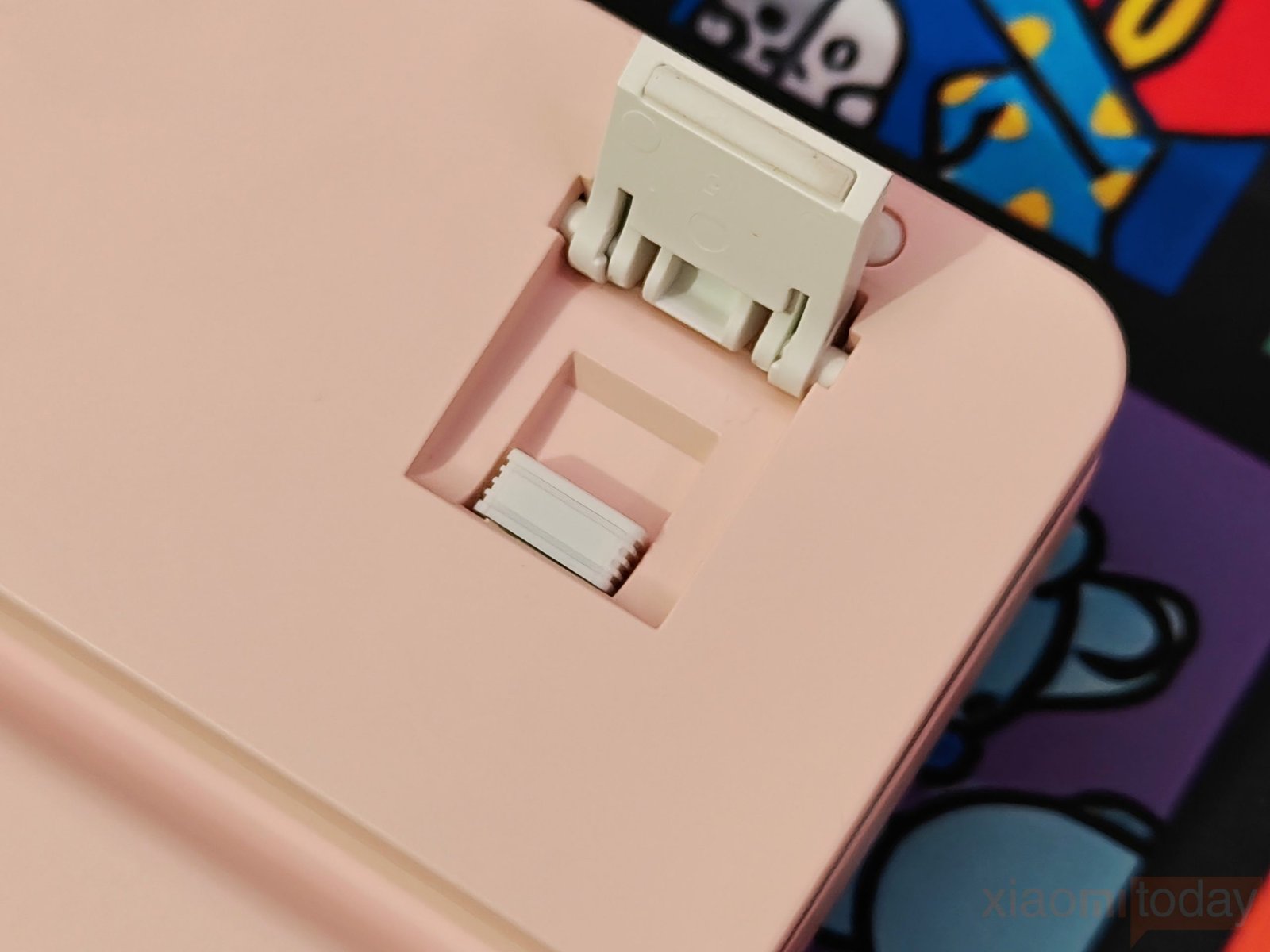
The underside has a clean plastic finish with four rubber feet to keep the keyboard in place, along with two fold-out feet for raising the typing angle. One of these folding feet also houses a storage compartment for the 2.4GHz wireless dongle. It gives the small receiver a dedicated place when the keyboard is being moved or used in another connection mode. A product label is placed in the center of the underside, while the rest of the base is kept fairly simple.

For a keyboard with a number pad, the Womier WK98 does a good job of keeping the layout manageable without removing keys that are useful for work. The solid plastic chassis, adjustable feet, rubber grips, built-in receiver storage, side RGB lighting, and mini display make the design practical for both a gaming desk and a daily work setup.
The Womier WK98 uses a gasket-mounted internal structure with several layers between the switches and the bottom of the case. Starting from the top, there is a positioning plate followed by PO sound-absorbing cotton, an IXPE switch bottom pad, a PET sound-effect pad, and the PCB. This layered setup gives the keyboard more material for controlling vibration and sound when the keys are pressed. It also keeps the switch plate from sitting directly against the hard plastic case, which helps give the typing experience a softer feel.
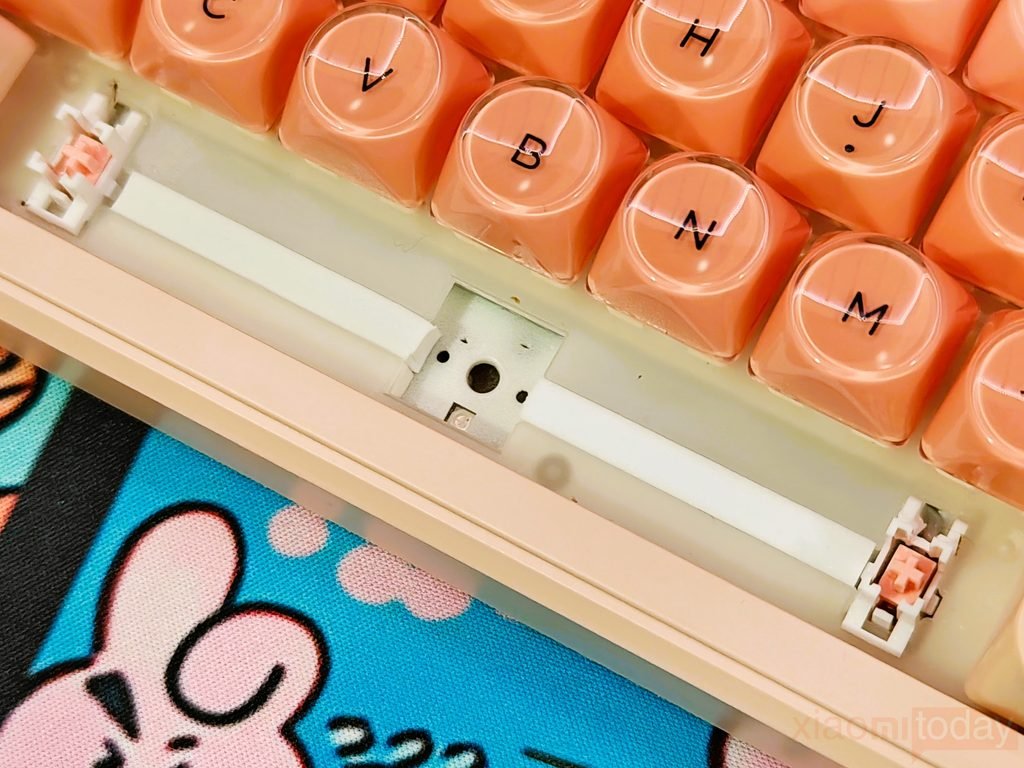
Under the PCB, Womier adds another PO bottom cotton layer and a silicone bottom pad before the bottom shell. The added layers are useful for reducing the hollow sound that can come from a plastic keyboard case, while the gasket construction allows some movement around the plate during typing. The WK98 therefore has more going on inside than its plastic exterior suggests, with the plate, foam layers, PCB, and silicone pad working together to control both sound and key feel.
Keycaps & RGB Lighting
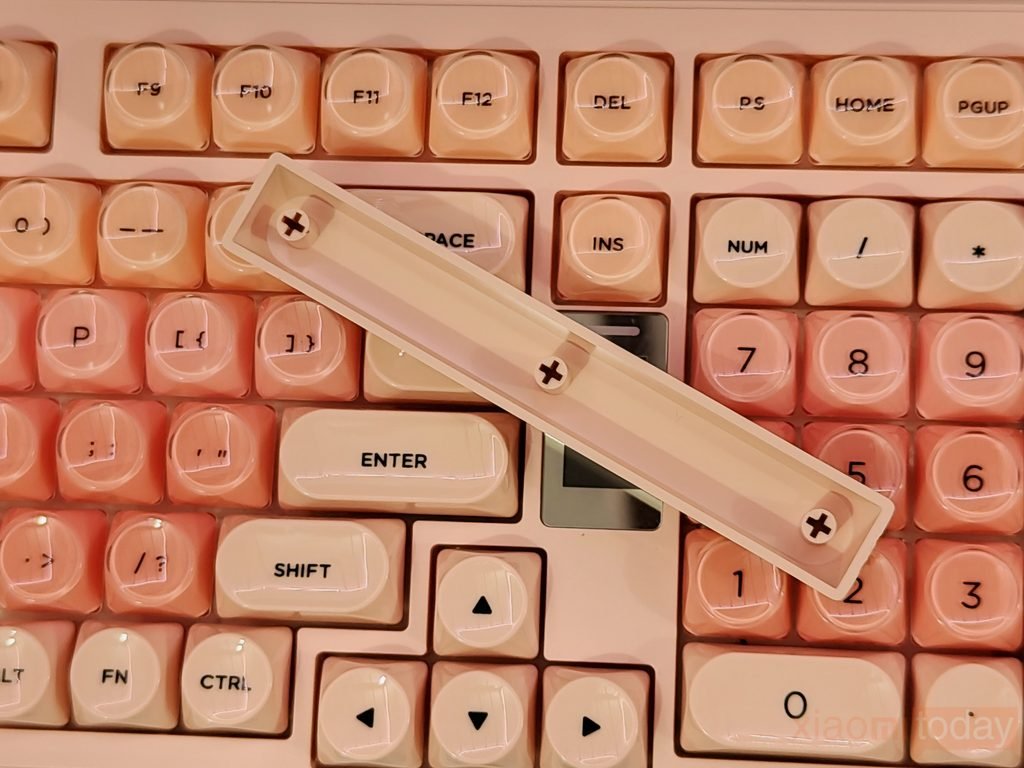
The Womier WK98 comes with PBT+PC dye-sublimation keycaps that combine a durable PBT base with a translucent PC layer. The keycaps have a crystal-style finish, which lets the RGB lighting pass through and spread around the keys. In the Blush Pink version, the pink translucent keys are paired with white modifier keys, giving the keyboard a clean color combination. The surface feels smooth during typing, while the PBT construction should hold up well against everyday wear and the shine that can develop on lower-quality keycaps.
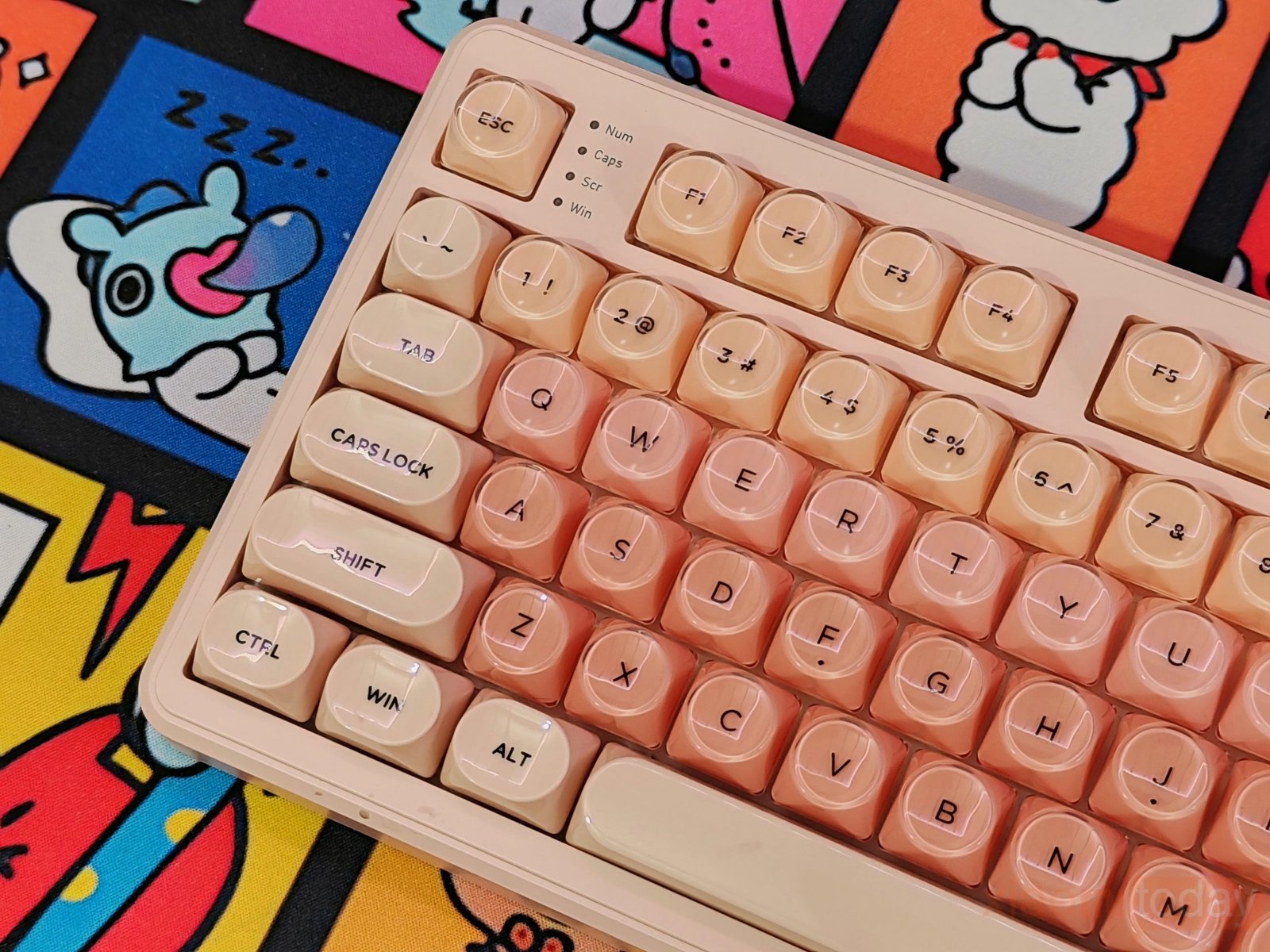
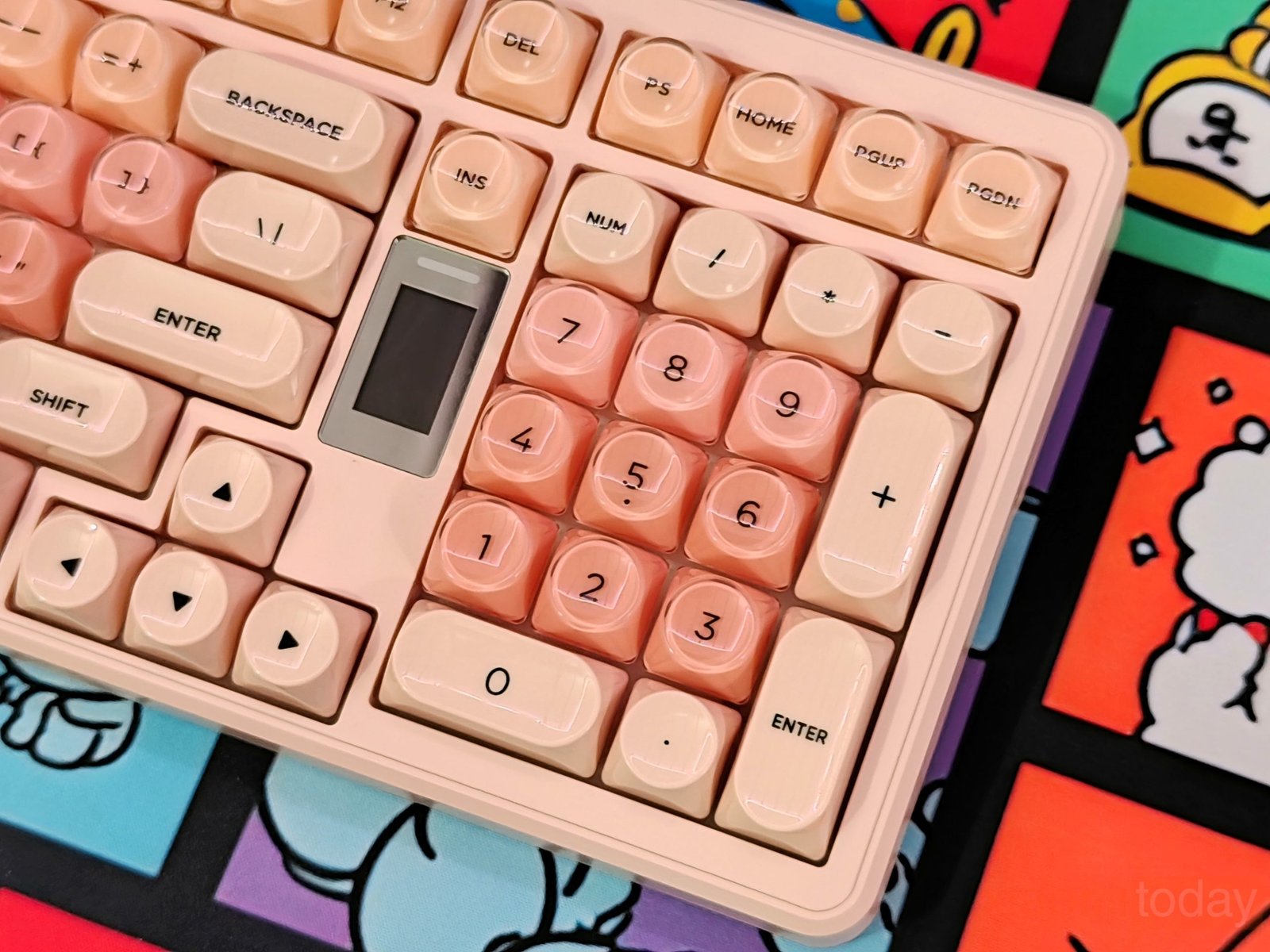
Womier uses Foundation MOA contour keycaps on the WK98. The keys have a rounded outer shape with a more defined inner surface that gives the fingertips a natural place to rest. I found the shape comfortable during longer typing sessions, and the wider surface makes it easier to move between keys without constantly adjusting your fingers. The MOA profile also gives the keyboard a different feel from standard keycap sets, while the translucent design works particularly well with the RGB backlight.
| Key Combination | Function |
|---|---|
| Fn + R_Shift | Switch the color of the light bar at the top of the screen |
| Fn + Home | Switch side light color |
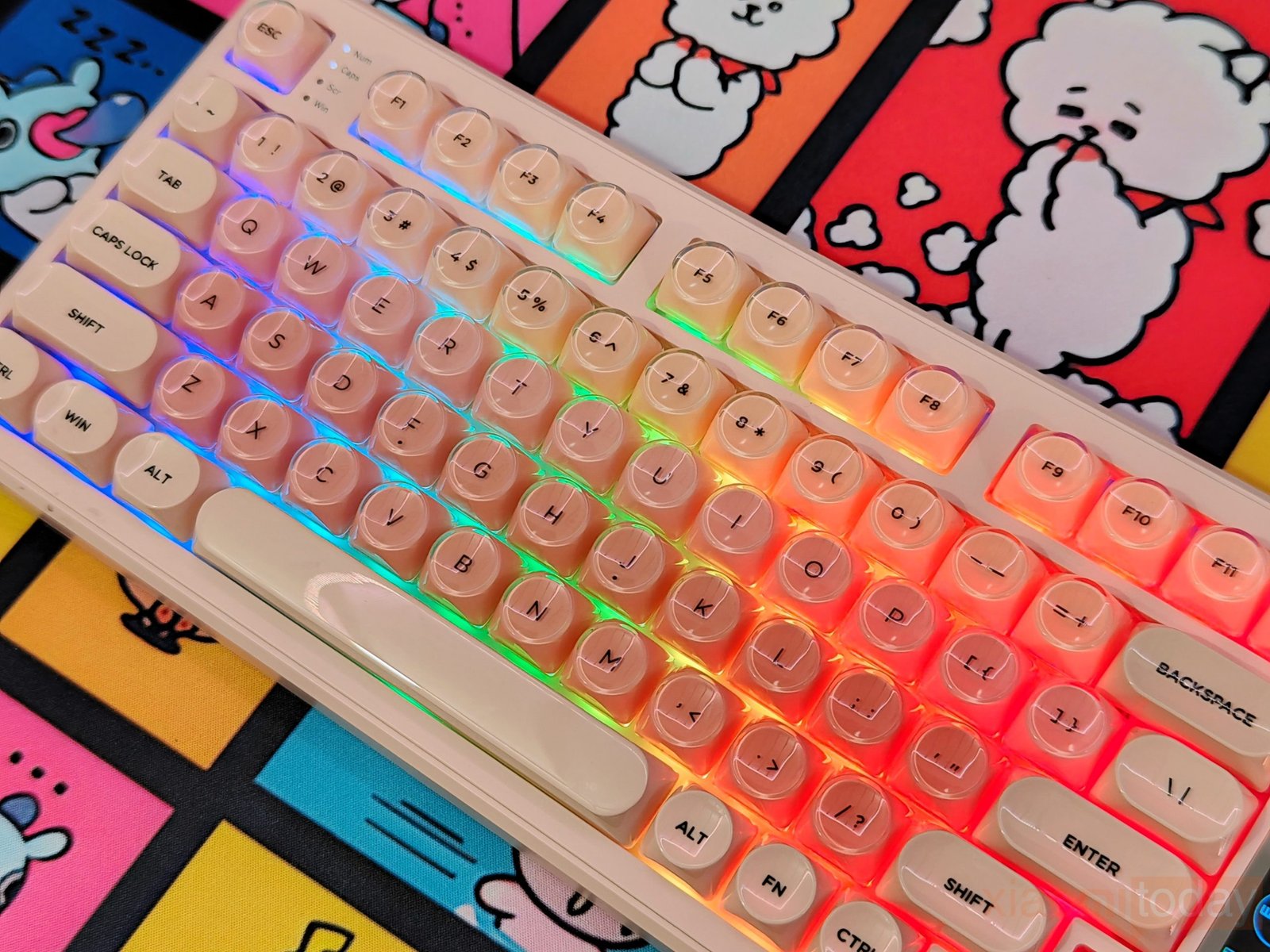
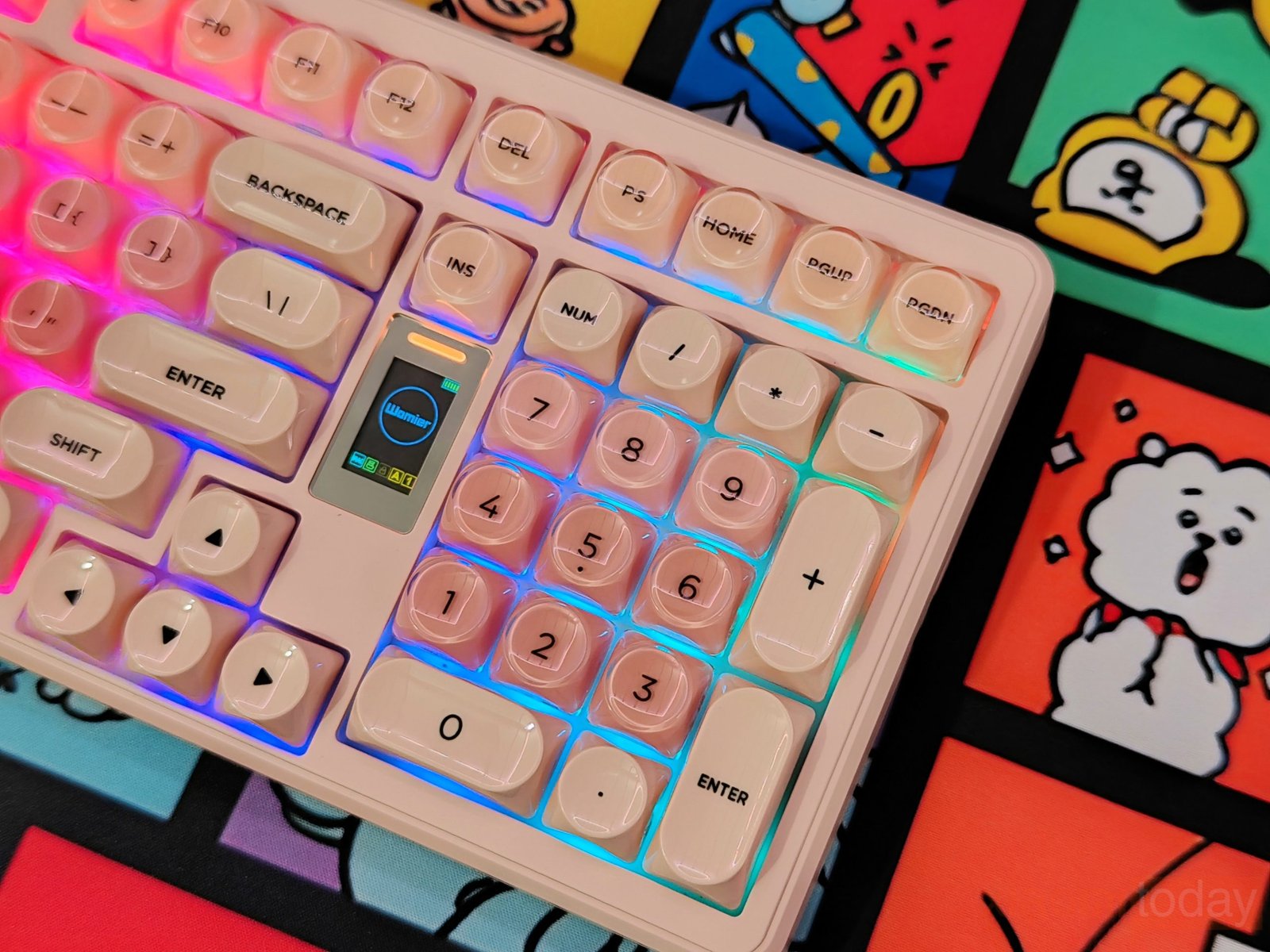
The RGB lighting supports 20 lighting effects, nine colors, six brightness levels, and five lighting-speed settings. The crystal-style keycaps allow the light to spread through the keys instead of keeping it limited to the area underneath them. Lighting controls can be adjusted from the keyboard, making it easy to change the color, brightness, or effect while using the WK98. The different brightness and speed levels are useful for switching between a softer setup for regular work and a brighter lighting effect for gaming.
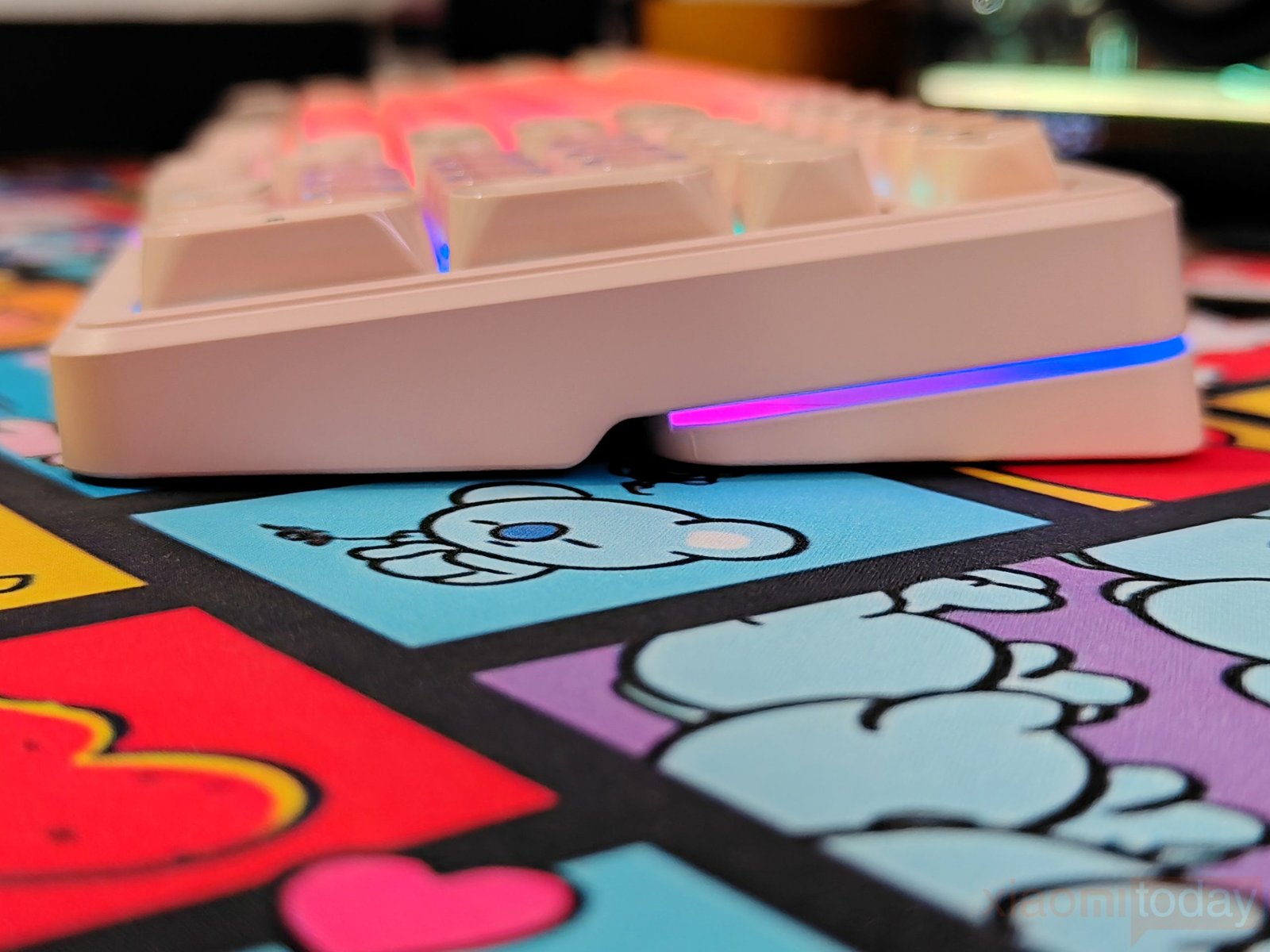
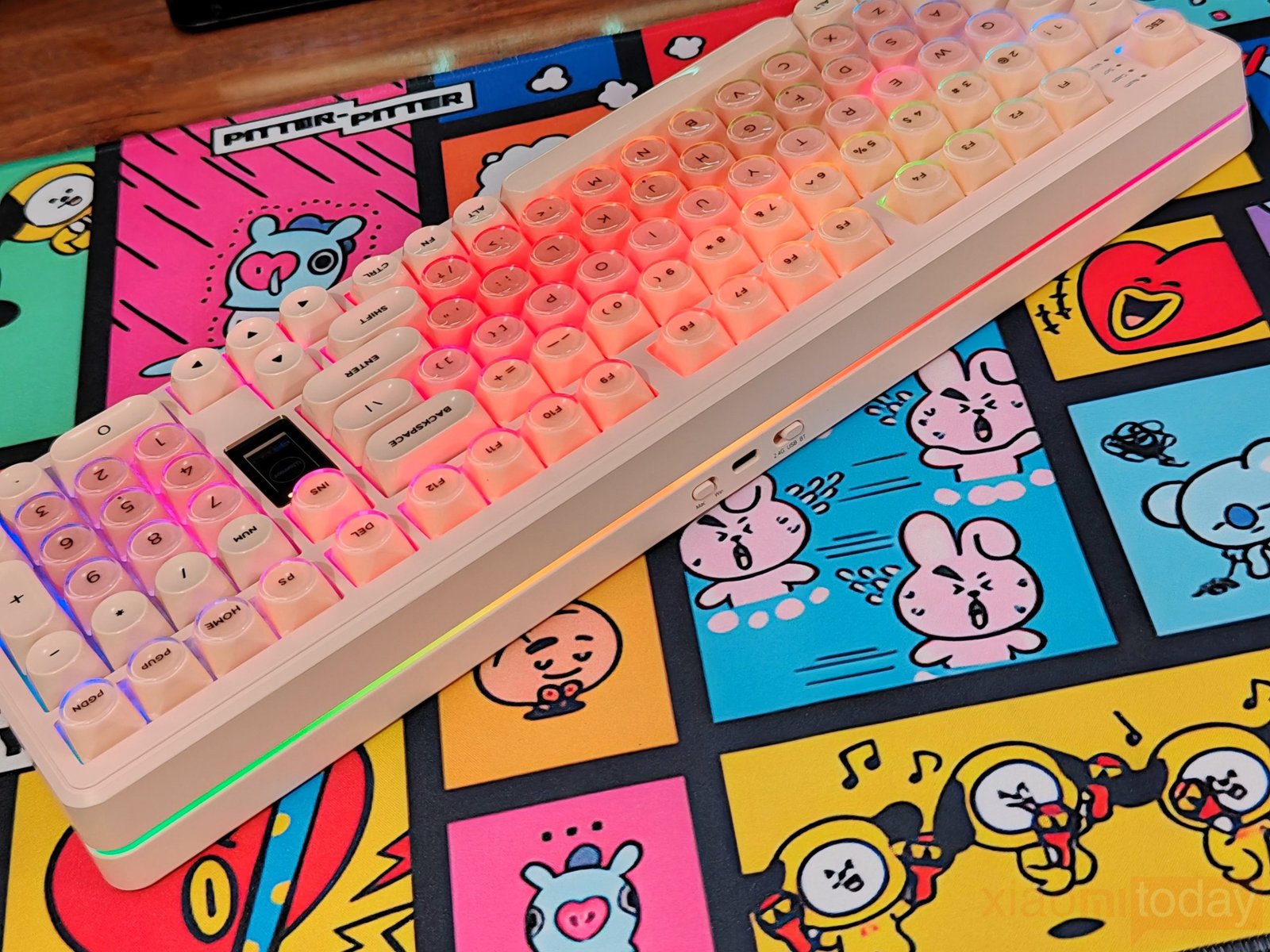
Womier also adds side ARGB light strips along the keyboard’s outer edge, including the front and rear sections of the case. These strips add lighting below the keyboard rather than only around the individual keys, and the effect is easy to see from the front and side. The pale Blush Pink case reflects some of the RGB light, giving the keyboard a soft glow across the desk. Combined with the translucent keycaps, the side ARGB lighting gives the WK98 a consistent RGB look without relying entirely on the key backlight.
Womier Pink Switch
The Womier WK98 uses custom Pink mechanical switches that come pre-lubed from the factory. They have a tactile feel, with an actuation force rated at 50±10gf and a tactile force of 60±10gf. The switches offer 4.0±0.5mm total travel with 2.0±0.6mm pre-travel, giving the keys a defined response without feeling too heavy during regular typing. In use, the Pink switches provide a smooth press with a clear tactile bump, making them a good fit for both typing and gaming. The factory lubrication also helps keep the keypresses consistent and reduces some of the roughness you can get from dry switches.
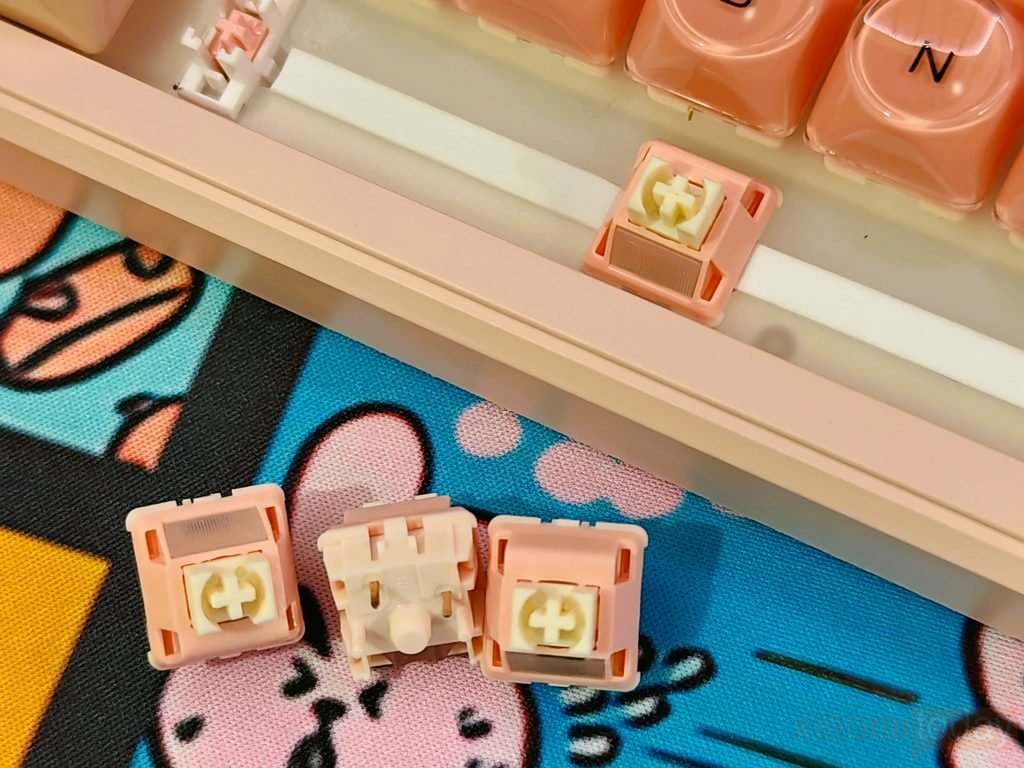
The keyboard uses hot-swappable sockets that support both 3-pin and 5-pin mechanical switches, so changing the switches does not require soldering. This is useful if you want to experiment with different switch types after using the included Pink switches for a while. You can swap them for a lighter linear switch, a different tactile switch, or another option that better suits your typing preference. The hot-swap design also makes the Womier WK98 easier to customize for users who are new to mechanical keyboards, while more experienced users can use it as a base for building a different typing setup.
Shortcut Keys
The Womier WK98 keeps its main controls on the function row and Fn layer, with separate shortcuts for Mac and Windows. From the keyboard, you can adjust screen brightness, control media playback and volume, take screenshots, switch between wireless modes, change the side RGB lighting, and control the mini display. The shortcut layout is easy to follow once you get familiar with the Fn combinations, and it means you can handle most daily controls without opening keyboard software.
| Mac System Functions | Windows System Functions | Fn Combination Keys |
|---|---|---|
| F1 — Screen Brightness – | Fn + F1 — Screen Brightness – | Fn + Esc — Hold 3s to reset keyboard |
| F2 — Screen Brightness + | Fn + F2 — Screen Brightness + | Fn + ← / → — Switch screen interface |
| F3 — Mission Control | Fn + F3 — Task View | Fn + Enter — Confirm selected function on display |
| F4 — Launchpad | Fn + F4 — My Computer | Fn + Q — 2.4GHz Mode |
| F5 — Search / Hold for Siri | Fn + F5 — Search | Fn + Home — Switch side-light color |
| F6 — Screenshot | Fn + F6 — Screenshot | Fn + R_Shift — Switch screen-top light bar color |
| F7 — Previous Track | Fn + F7 — Previous Track | Fn + Print — Scroll |
| F8 — Play / Pause | Fn + F8 — Play / Pause | Fn + W / E / R — Bluetooth Mode |
| F9 — Next Track | Fn + F9 — Next Track | Fn + Win — Lock / Unlock Win key |
| F10 — Mute | Fn + F10 — Mute | Fn + F1–F12 — F1–F12 functions |
| F11 — Volume – | Fn + F11 — Volume – | — |
| F12 — Volume + | Fn + F12 — Volume + | — |
Web-Based Driver
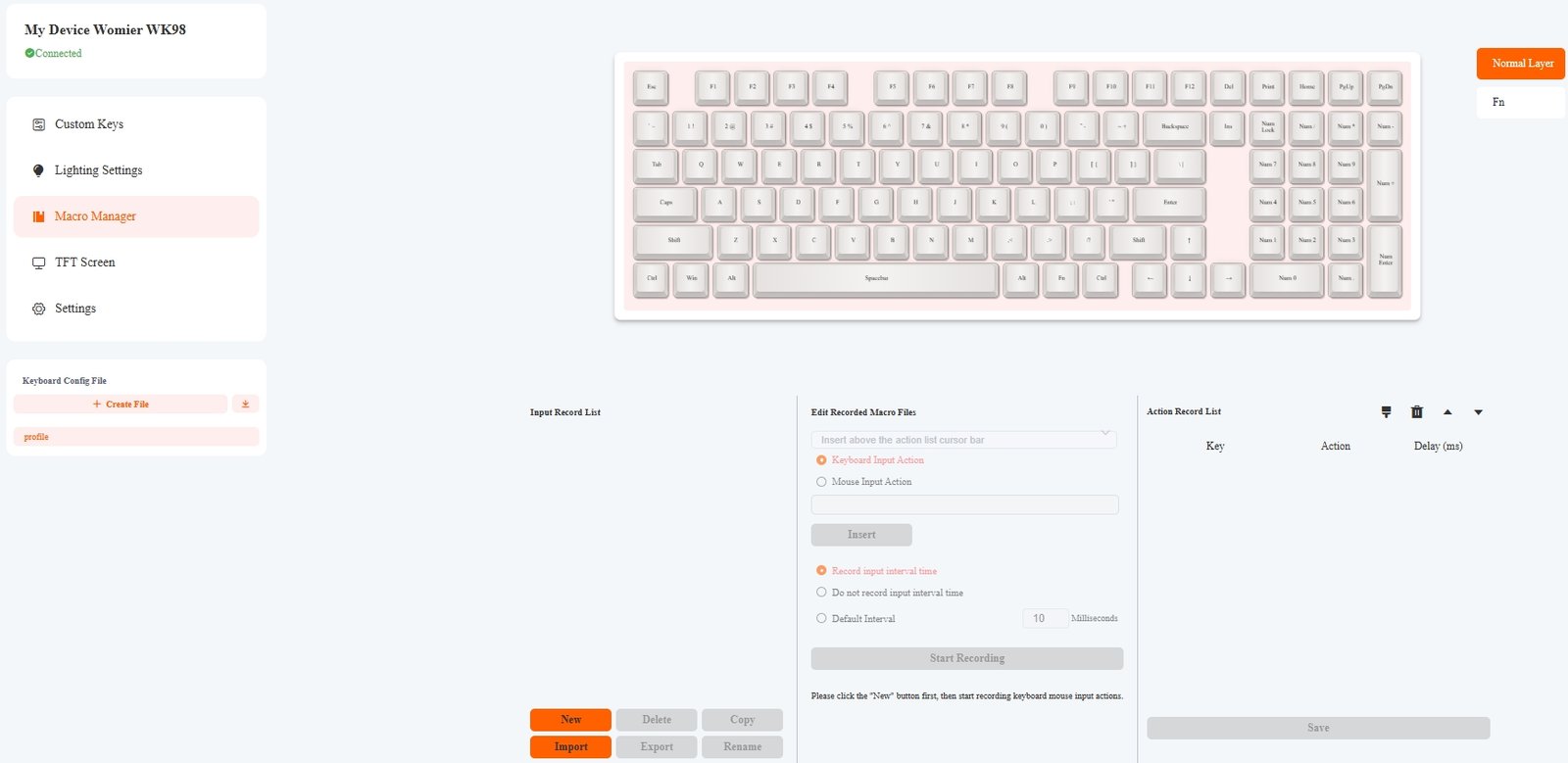
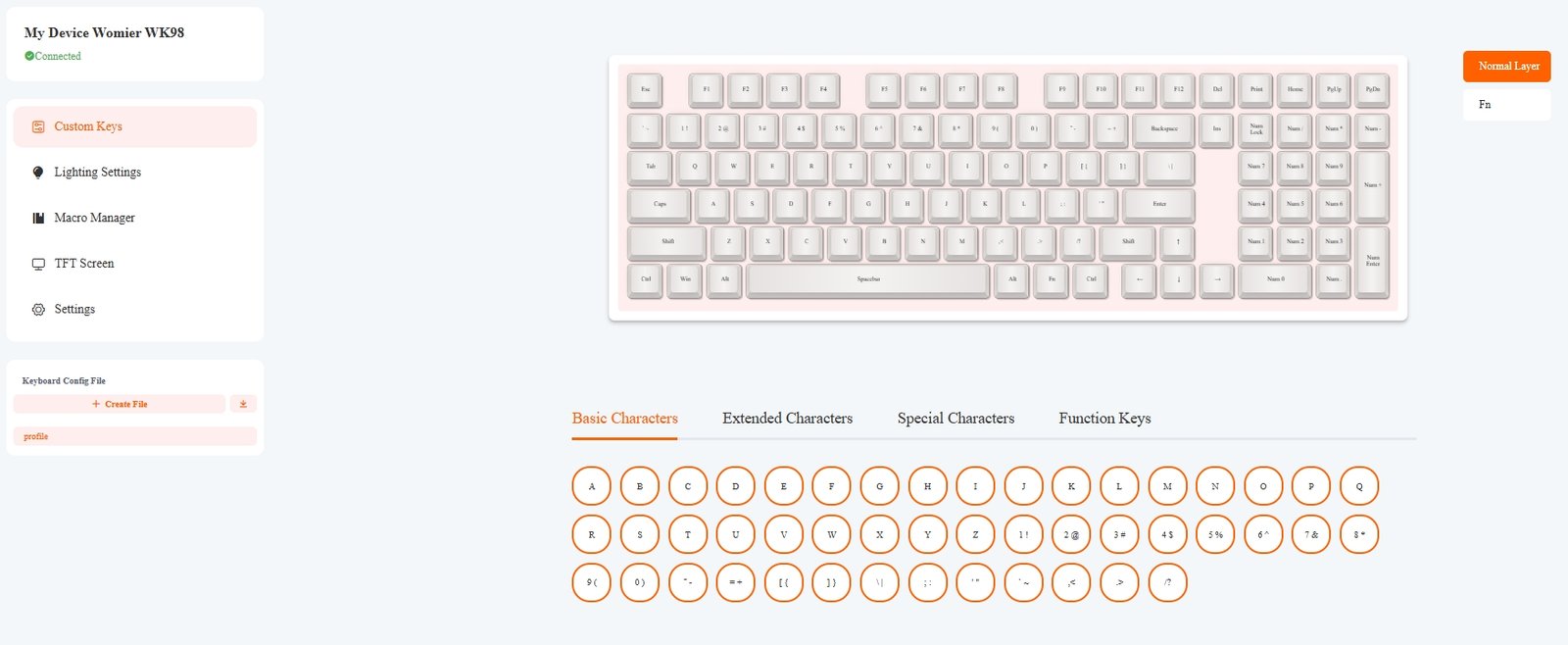
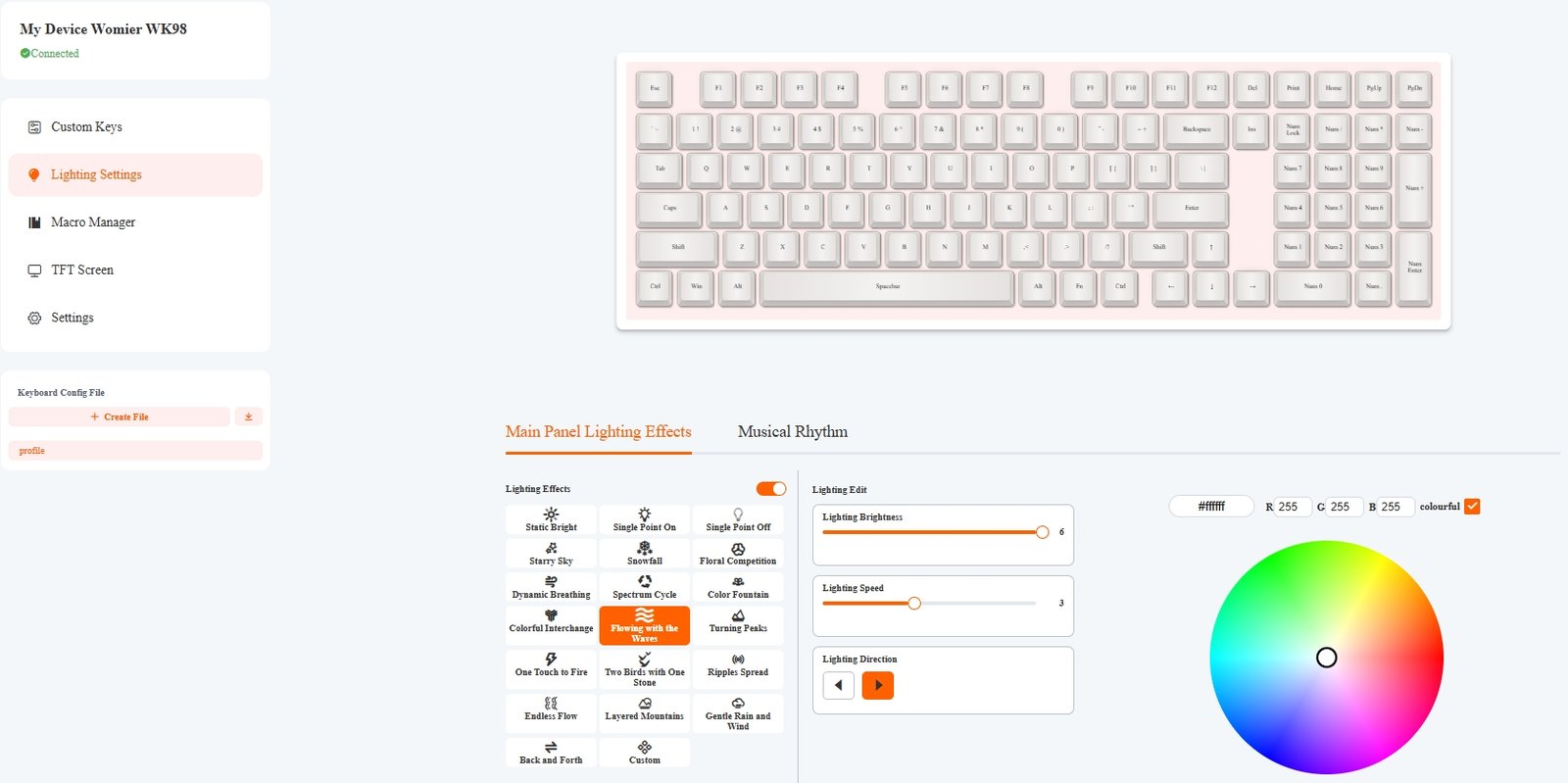
The Womier WK98 uses a web-based driver for configuring the keyboard without installing a traditional desktop application. After connecting the keyboard, the interface detects the WK98 and provides sections for Custom Keys, Lighting Settings, Macro Manager, TFT Screen, and Settings. The Custom Keys page lets you remap keys and configure the available layers, while the Lighting Settings section provides controls for RGB effects, colors, brightness, and lighting speed. The Macro Manager can record keyboard and mouse actions and gives you options to save, import, export, copy, delete, and rename macro profiles. During testing, having these controls in one place made it easier to change the keyboard settings instead of relying on multiple Fn shortcuts.
The TFT Screen section is used to customize the WK98’s built-in color display. You can preview the screen, import a GIF, edit the animation, and upload it directly to the keyboard. Womier supports GIFs with up to 255 frames and recommends a 160 × 96-pixel resolution. The display can show useful information such as the time, battery level, Windows/Mac mode, connection mode, Win Lock, Caps Lock, and Num Lock status. The software also provides screen controls for the RGB effect, color, brightness, speed, volume, and language, while the GIF editor includes basic tools for adjusting the uploaded animation before saving it to the keyboard.
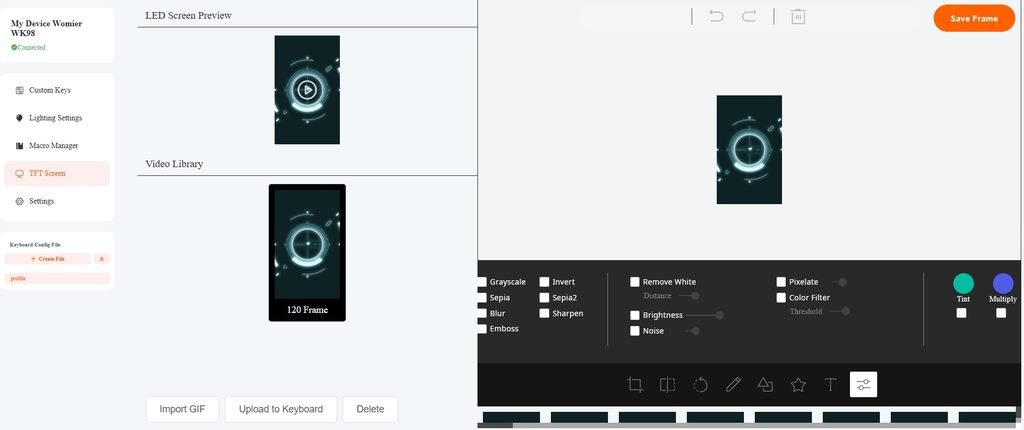
The web software also lets you customize the startup screen and upload GIF animations of up to 255 frames, with a recommended resolution of 160 × 96 pixels. During testing, the screen was useful for checking keyboard status and changing basic settings without opening the software every time.
Connectivity
The Womier WK98 gives you three ways to connect: 2.4GHz wireless, Bluetooth, and wired USB-C. A side-mounted switch lets you select 2.4G, USB, or BT, so changing connection modes does not require software. For 2.4GHz pairing, you can switch to 2.4G mode and use Fn + Q, while Bluetooth pairing is handled through Fn + W, E, or R. The keyboard also includes a dedicated Mac/Windows switch, which changes the function-key behavior for the selected operating system. For wired use, switching to USB mode and connecting a Type-C cable is all that is required.
| Connectivity Mode | Details |
|---|---|
| 2.4GHz Wireless | Connects through the included 2.4GHz receiver |
| Bluetooth | Bluetooth wireless connection with three pairing slots |
| Wired USB-C | Connects directly to a PC or Mac using a USB-C cable |
In my testing setup, the three connection methods make the Womier WK98 suitable for both desktop and multi-device use. The included 2.4GHz receiver can be stored inside the folding foot on the underside, keeping it with the keyboard when it is not plugged into a PC. Bluetooth provides three pairing slots, while the wired USB-C connection can be used when you want a direct connection. The keyboard supports Windows XP, 7, 8, 10, and 11, as well as macOS. In wireless mode, it also enters sleep mode after five minutes of inactivity to reduce battery drain.
Battery and Charging
The Womier WK98 is fitted with a large 8000mAh battery, which is useful considering the keyboard has wireless connectivity, RGB lighting, and a mini color display. It supports both 2.4GHz and Bluetooth in wireless mode, while the USB-C port handles wired use and charging. Battery consumption depends heavily on how the keyboard is configured, particularly the RGB brightness and display usage. With RGB lighting running at maximum brightness, the keyboard is rated for around 25 hours of use, while reducing the lighting should allow it to run for longer between charges.
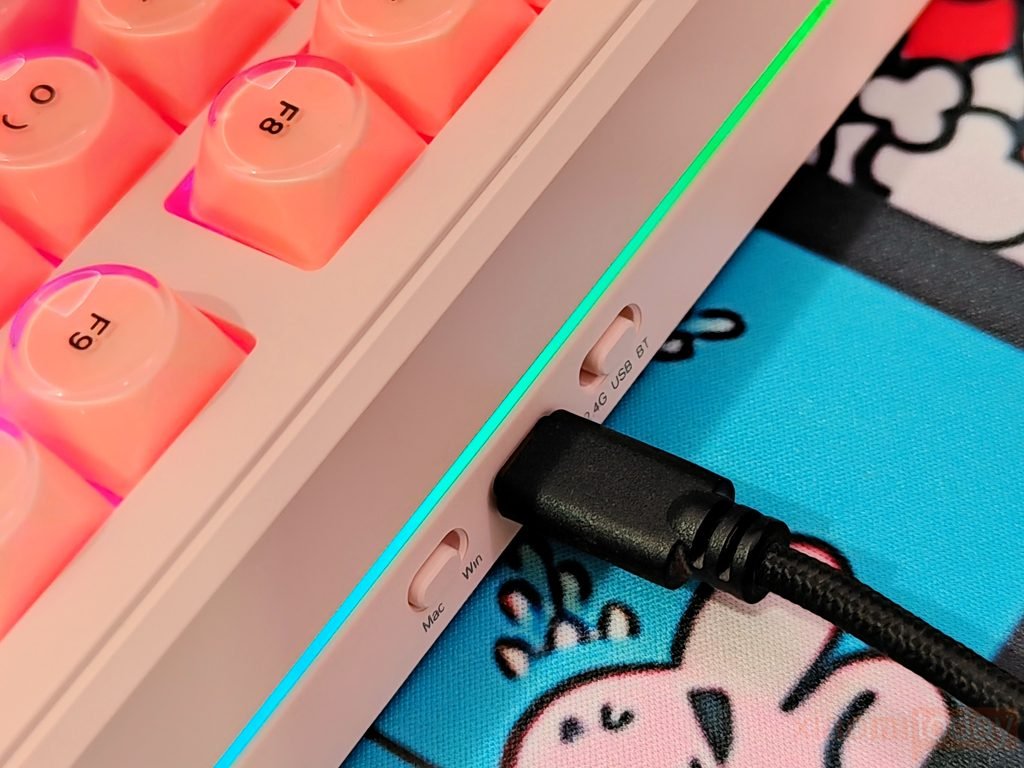
A full charge from 0% to 100% takes around 4 hours with a suitable USB-C power source. This figure is based on the stated battery capacity and charging behavior rather than a timed charge measurement from the review unit, so it should be treated as an approximate figure. The keyboard can also be used while charging through USB-C, which means you do not have to stop working or gaming when the battery runs low. During wireless use, the WK98 automatically enters sleep mode after five minutes of inactivity, helping reduce unnecessary battery drain.
Typing and Gaming Experience
After using the Womier WK98 for two weeks, I found the keyboard comfortable for everyday typing, browsing, and office work. The 98% layout keeps the dedicated numpad while taking up less desk space than a traditional full-size keyboard. The Foundation MOA keycaps give the fingertips a wider, rounded surface, and the Pink Switches provide a noticeable tactile bump without requiring too much force. During longer writing sessions, the keys remained comfortable, while the pre-lubed switches kept the movement smooth and consistent. The compact layout also did not take long to get used to, even when moving between the main keys, arrow keys, and numpad.
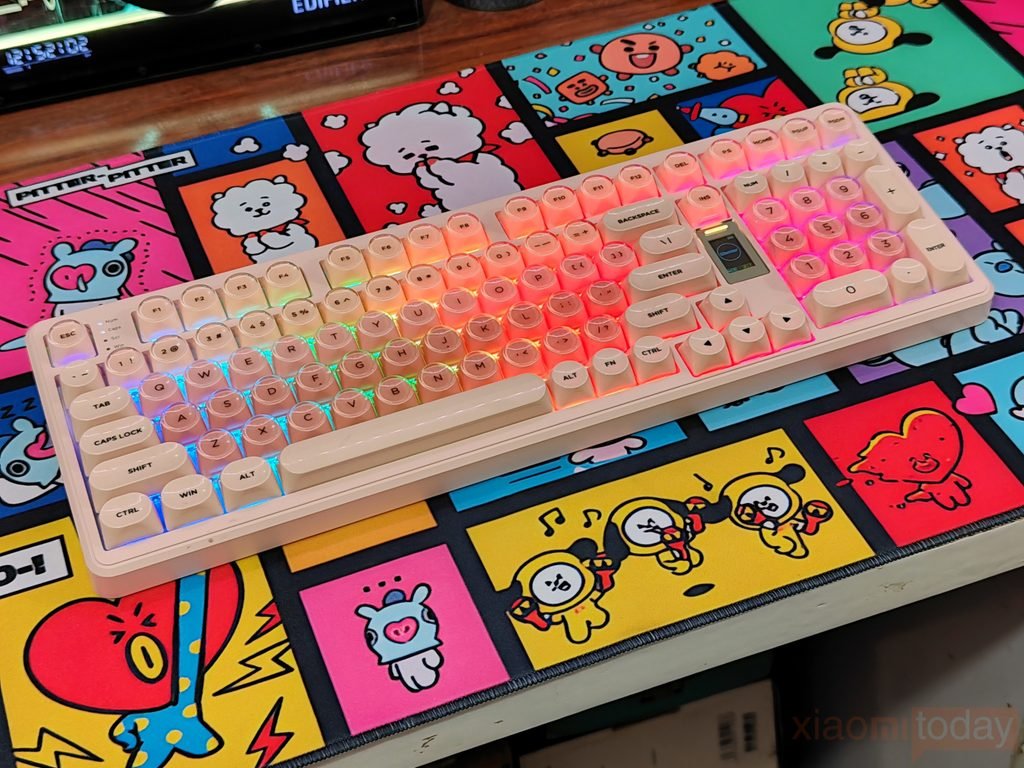
Gaming with the Womier WK98 was also a good experience. The Pink Switches have enough resistance to avoid unwanted presses, while their tactile response makes each keypress easy to feel during gameplay. I used the keyboard for different types of games during the testing period, and the 2.4GHz wireless connection handled gaming without making me want to switch back to a cable. The keyboard’s full function row and dedicated navigation keys are also useful outside gaming, especially when the same PC is used for work. For a 98% keyboard with a numpad, the WK98 leaves a reasonable amount of room for the mouse without making major changes to the familiar full-size layout.
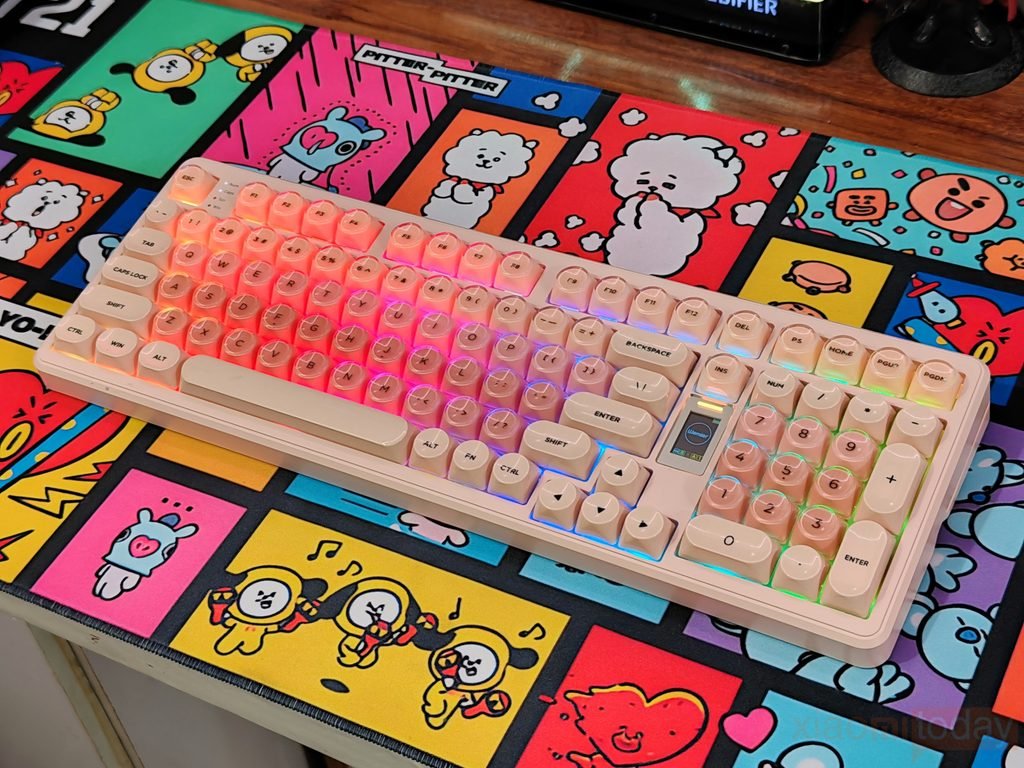
Over the two-week test, the Womier WK98 worked well as an everyday wireless mechanical keyboard. The mini TFT display was useful for checking battery level, connection mode, and lock status, while the built-in controls made it possible to change several settings without opening the web-based driver. The RGB lighting also adds plenty of flexibility, with the translucent keycaps spreading light across the main keys and the side ARGB strips providing a glow around the chassis. Battery life varied with RGB brightness and wireless use, but the 8000mAh battery meant I could use the keyboard wirelessly for extended periods without constantly reaching for the USB-C cable.