The Abxylute S8 Wireless Mobile Controller arrives at a time when mobile gaming continues to expand beyond casual titles. With cloud gaming services, remote play platforms, and console-quality games becoming more accessible on smartphones and tablets, players are increasingly looking for controllers that can deliver a familiar gaming experience across multiple devices. Priced at $45.99 during our review period, the Abxylute S8 aims to fill that role with support for Nintendo Switch 1 & 2, Android devices, iPhones, and tablets.
After spending some time with the controller, its console-inspired design immediately feels familiar. The ergonomic grip shape is designed for extended gaming sessions, while the expandable frame supports devices up to 216 mm wide. This gives users the flexibility to attach everything from compact smartphones to larger tablets without needing a separate controller for each device. At 256 grams, the S8 remains light enough for portable gaming without feeling fragile.
The hardware package includes full-size Hall effect joysticks and Hall effect triggers, which are becoming increasingly popular for their durability and consistent performance. Abxylute also includes a six-axis gyroscope, dual vibration motors, turbo functionality, and two programmable rear buttons. Through the ABXY Game app, users can customize button layouts, adjust trigger response, fine-tune vibration strength, and create touch mappings for games that do not offer native controller support.
Compatibility is one of the controller’s biggest strengths. The Abxylute S8 supports XInput, Nintendo Switch, PlayStation, HID, and mapping modes, allowing it to work across a wide range of devices and gaming platforms. Whether used for native mobile games, retro emulation, Xbox Remote Play, Steam Link, GeForce Now, or Xbox Game Pass, the controller is built to serve as a single solution for multiple gaming setups.
In this hands-on review, we take a closer look at its design, features, software experience, and overall gaming performance.
Specifications
| Category | Details |
|---|---|
| Product Name | Abxylute S8 Wireless Mobile Controller |
| Price | $45.99 (at time of review) |
| Compatible Devices | Nintendo Switch 1 & 2, Android smartphones, iPhones, iPads, tablets |
| Connectivity | Bluetooth 5.3 |
| Input Modes | XInput, NS, PS, HID, Mapping Mode |
| Joysticks | Hall-effect full-size analog sticks |
| Triggers | Hall-effect linear triggers |
| Gyroscope | Six-axis motion control |
| Vibration | Dual vibration motors (asymmetric feedback) |
| Rear Buttons | 2 programmable back buttons |
| Turbo Function | Supported |
| App Support | ABXY Game App (key mapping, sensitivity, vibration control, touch mapping) |
| Device Width Support | Up to 216 mm |
| Weight | 256 g |
| Battery Capacity | 1000 mAh |
| Charging | Fast charging supported |
| Layout | Standard ABXY layout |
| Firmware | OTA updates supported |
| Use Cases | Mobile gaming, cloud gaming, remote play, emulation |
Unboxing
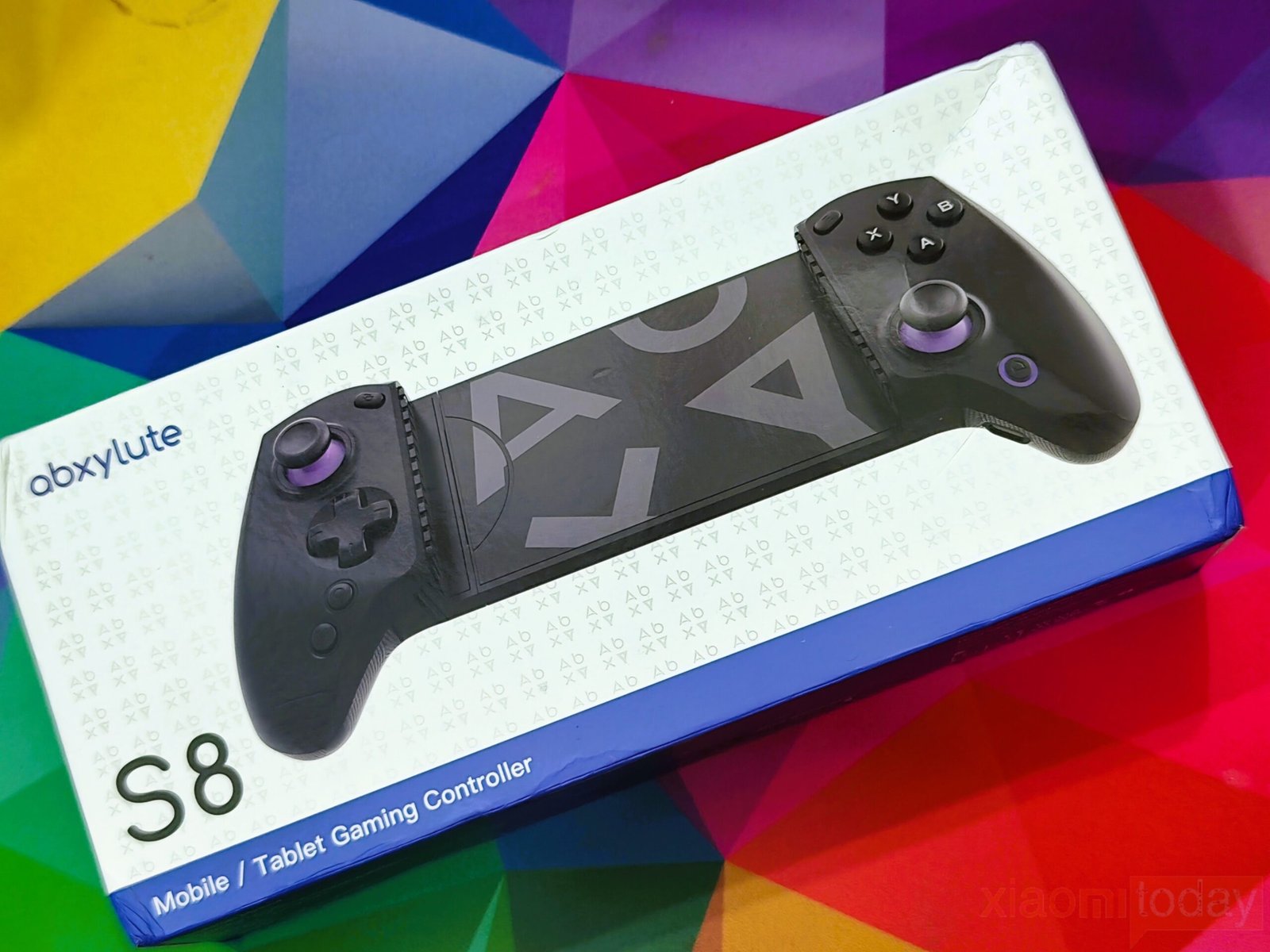
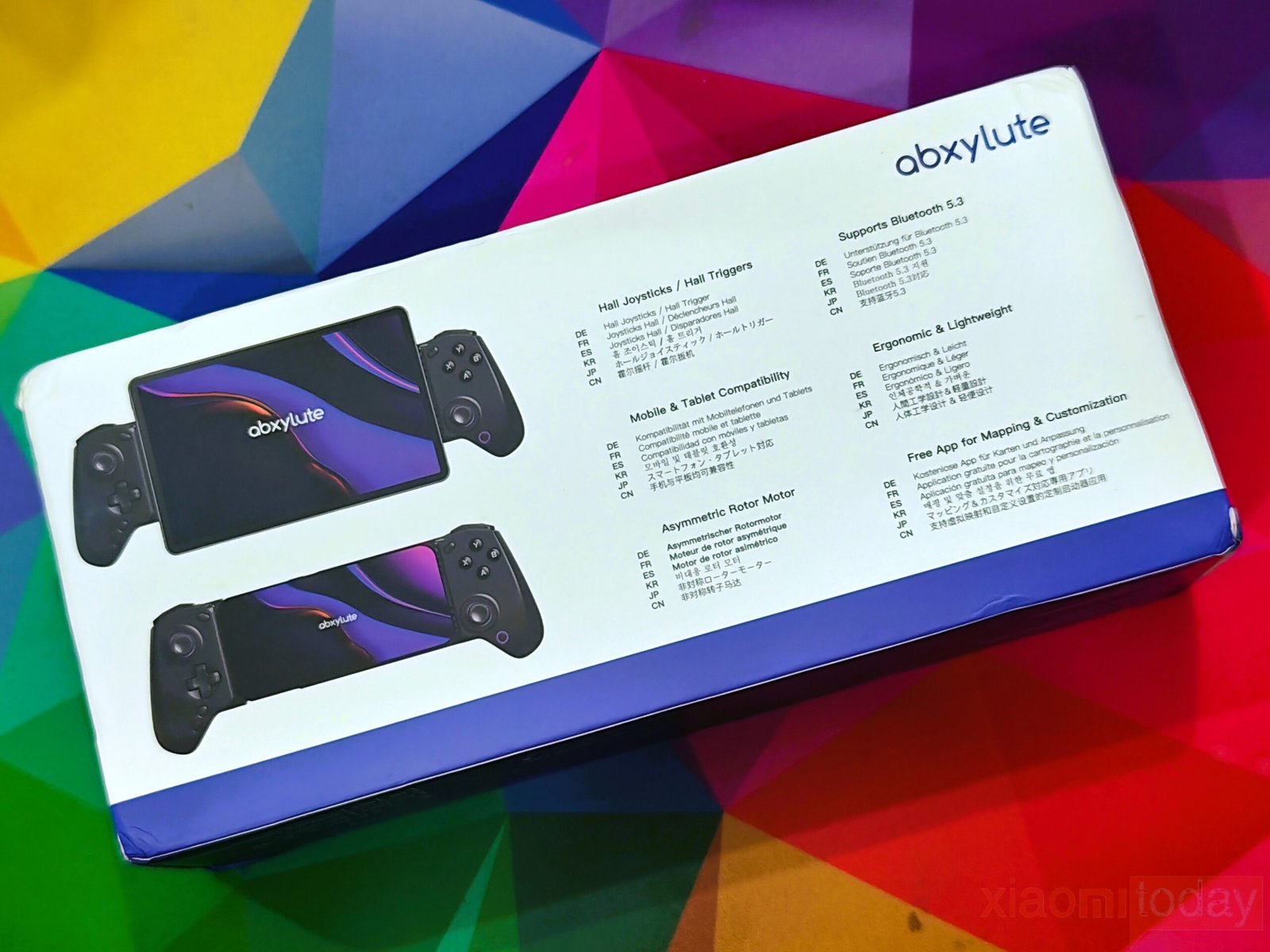
The abxylute S8 Wireless Mobile Controller arrives in a compact retail package with a clean white-and-blue color scheme. The front of the box features a full-size image of the controller mounted around a tablet, making its expandable design immediately recognizable. On the back, abxylute lists the controller’s key features, and companion app support for button mapping and customization.
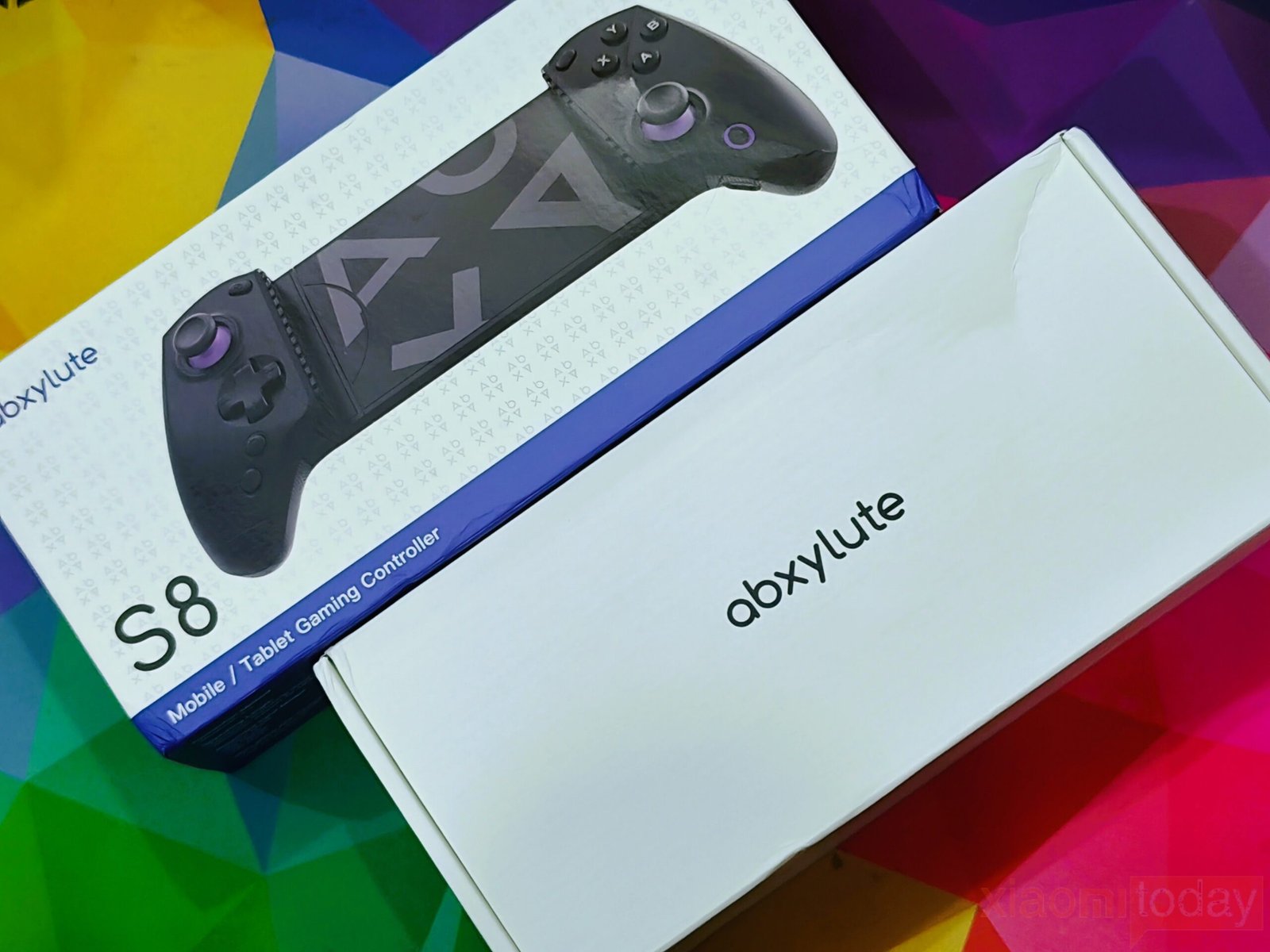
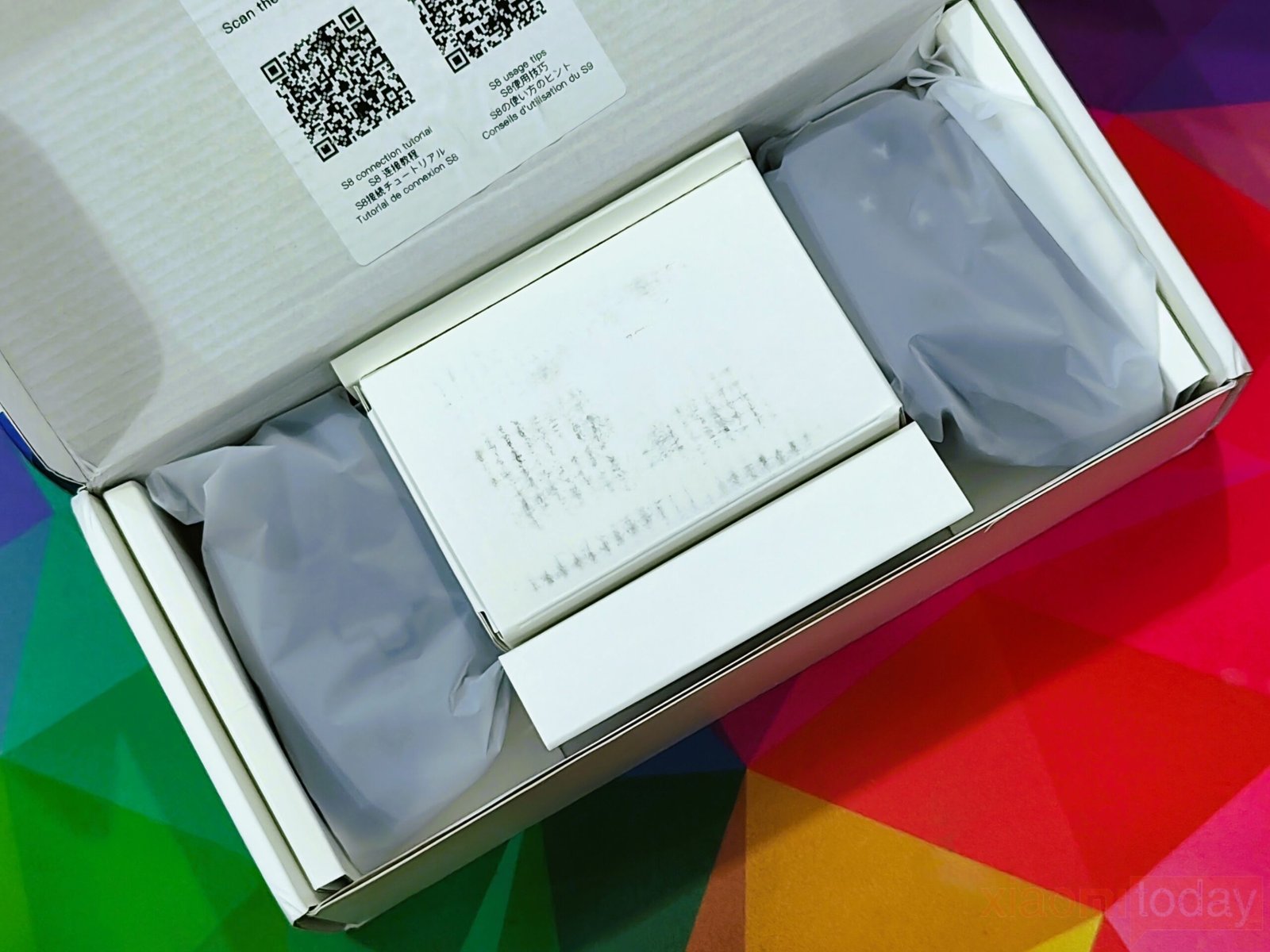
Removing the outer sleeve reveals a plain white inner box with the abxylute logo printed in the center. The presentation is clean and organized, with the controller and accessories packed securely inside dedicated compartments. Opening the lid reveals a quick-start card with QR codes that link to the online setup guide and user manual. The internal packaging keeps every item firmly in place, reducing the chance of movement during shipping.
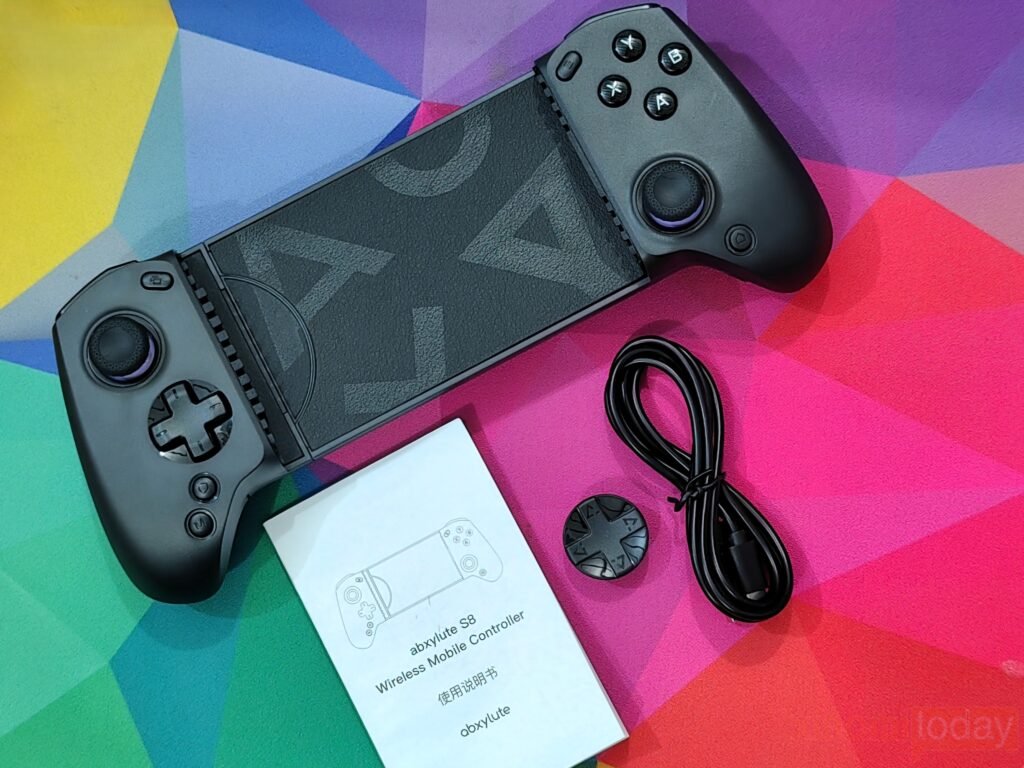
The box includes the abxylute S8 Wireless Mobile Controller, a detachable D-pad cap, a USB Type-C charging cable, and a printed user manual. Everything is packed securely, with enough protection to prevent movement during shipping.
Design
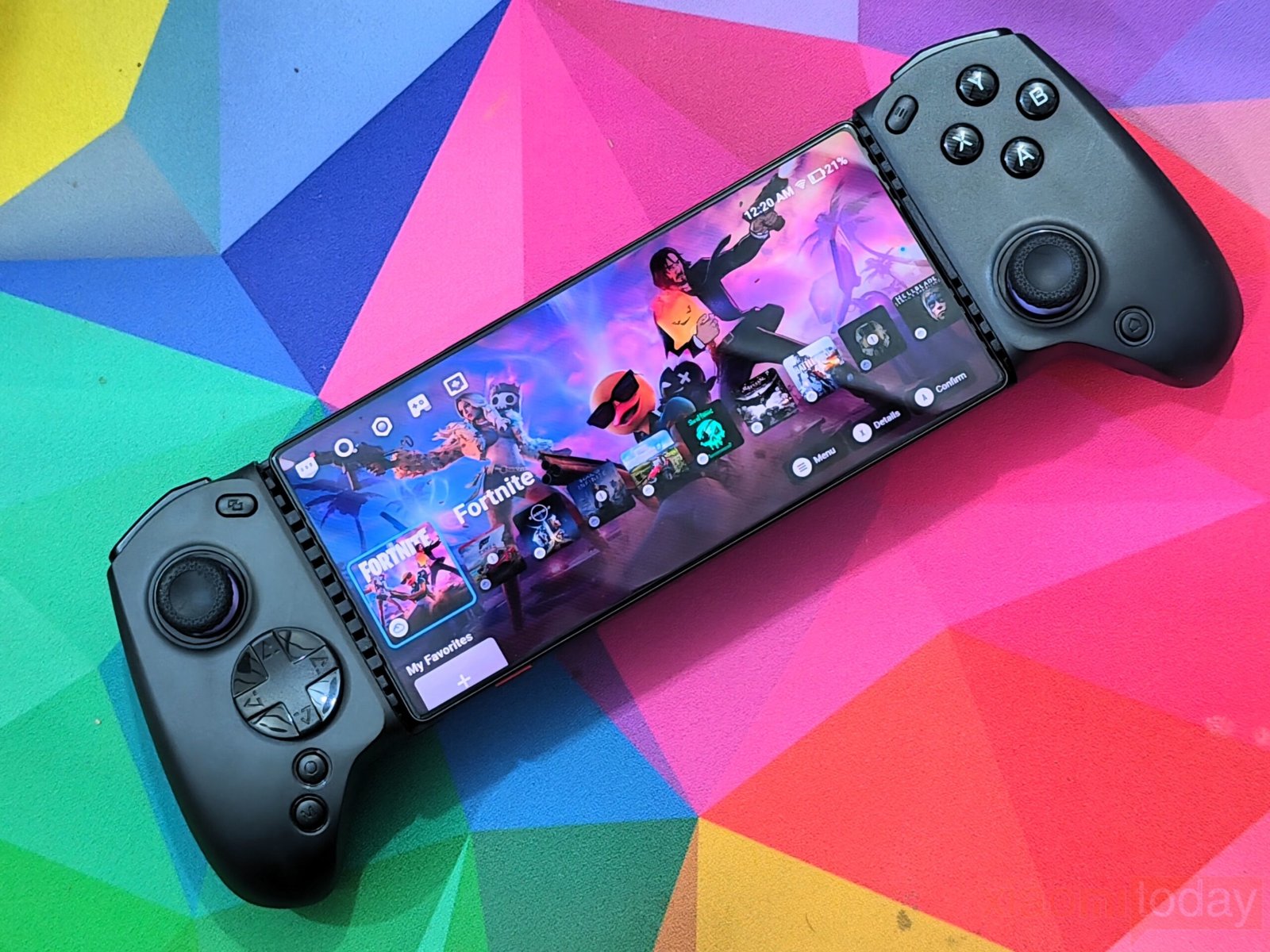
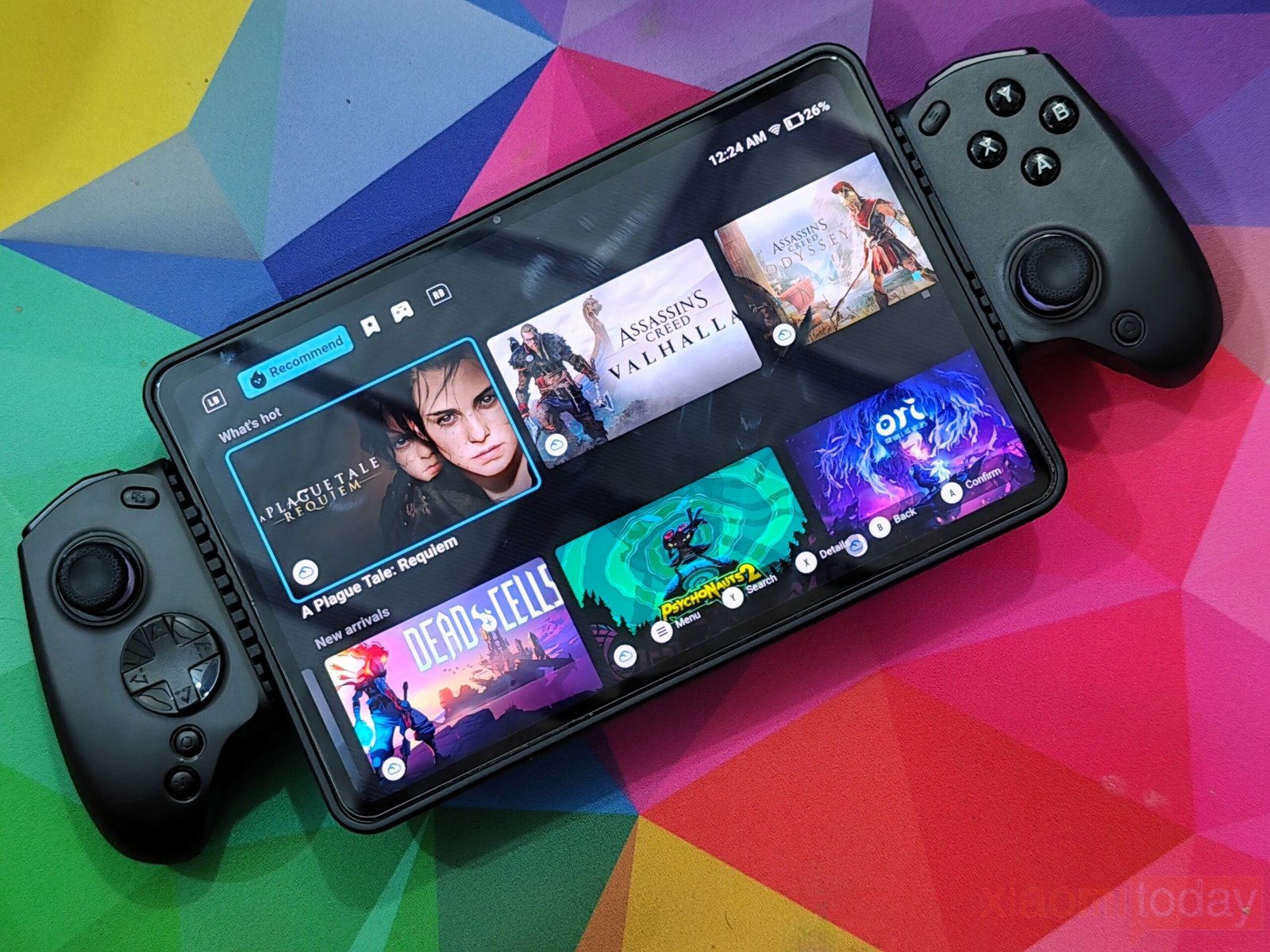
The abxylute S8 Wireless Mobile Controller features a clean and functional design built for both smartphones and tablets. Its telescopic frame extends up to 216mm, allowing it to support a wide range of devices without feeling loose when fully expanded. The sliding mechanism moves smoothly, while the center bridge provides enough tension to keep the installed device firmly in place during gameplay.
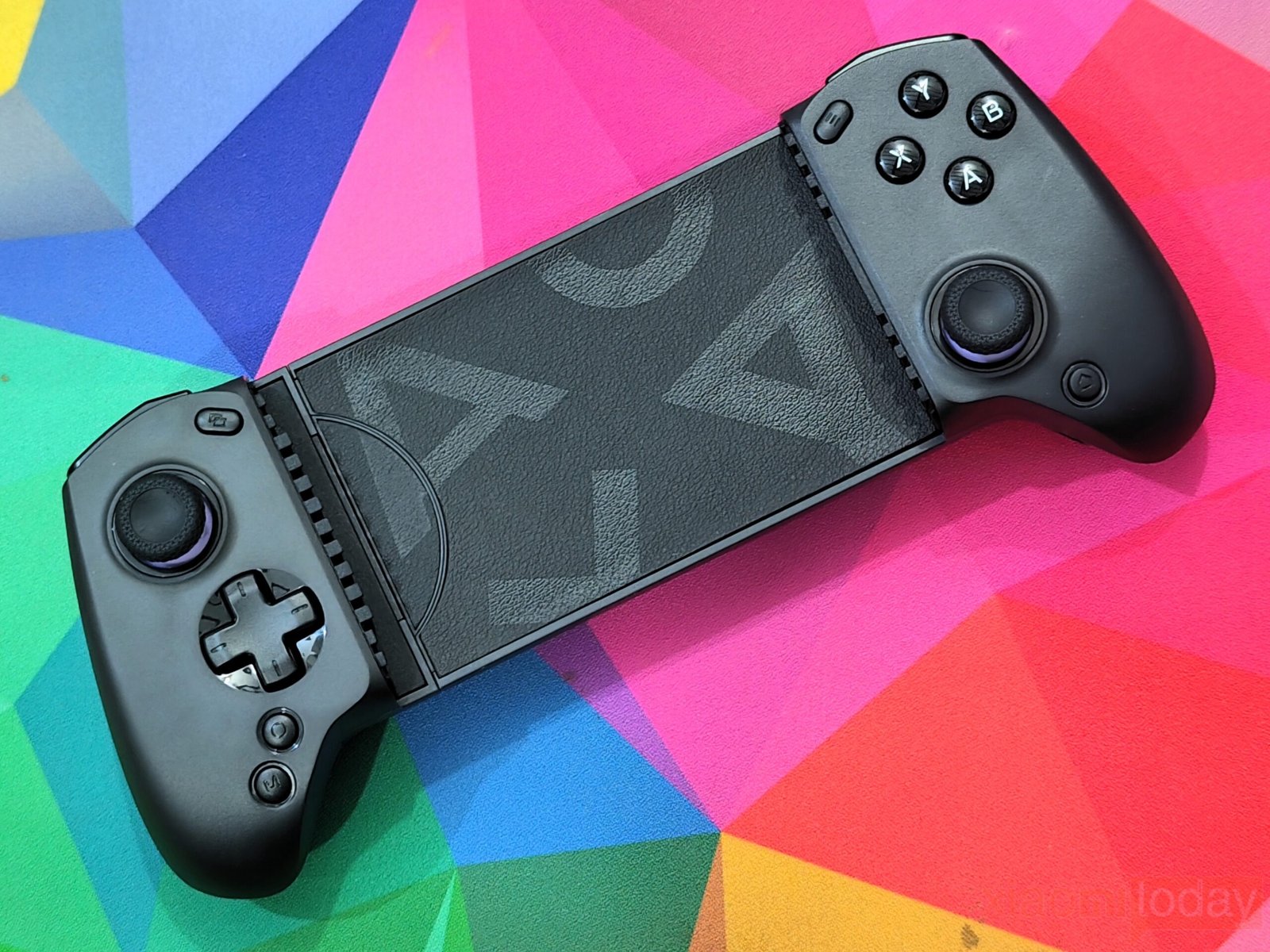
At 256g, the abxylute S8 feels well balanced in the hands. It is light enough for long gaming sessions while maintaining a solid feel that inspires confidence. The matte black finish gives the controller a simple, modern appearance and does a good job of hiding fingerprints and light smudges. Rounded grips and smooth contours make it comfortable to hold over extended periods.
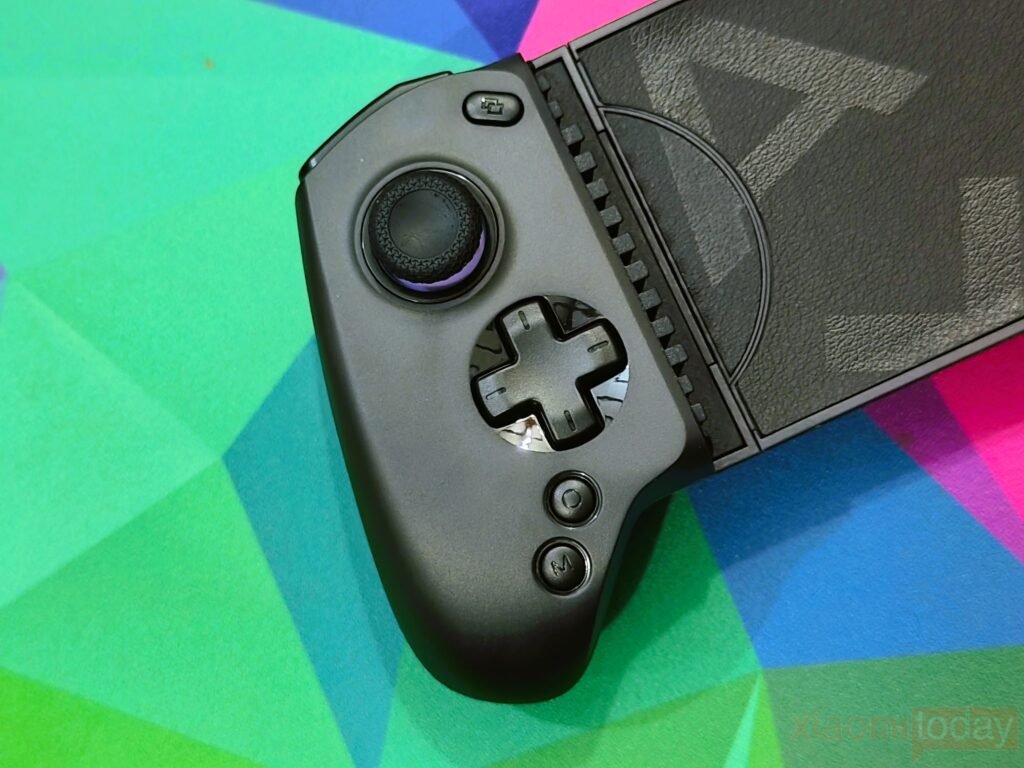
The left controller houses a full-size Hall-effect joystick with a textured thumb cap that offers excellent grip. Just below it sits a responsive cross-shaped D-pad, followed by the Select, Screenshot, and M buttons. All controls are positioned naturally, allowing quick access without forcing your fingers to stretch.
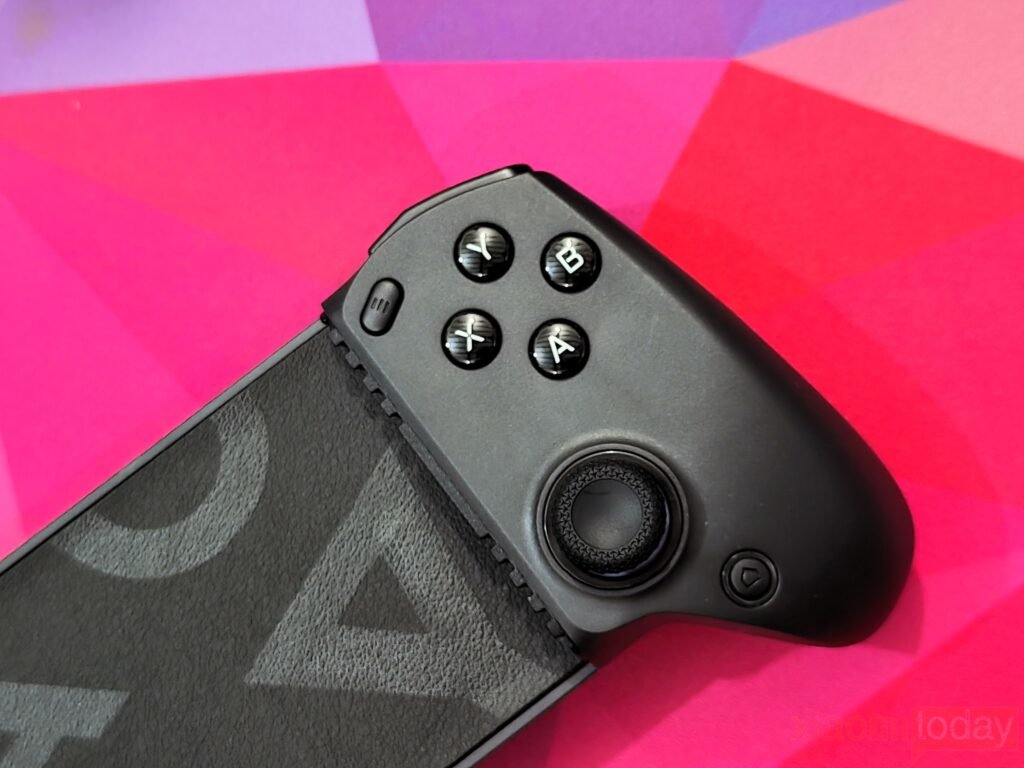
On the right side, the layout mirrors a modern console controller. A second Hall-effect joystick sits below the familiar ABXY buttons, with a subtle purple accent ring surrounding the stick. The face buttons provide a soft, consistent press and remain quiet during use, making repeated inputs comfortable in action and platform games.
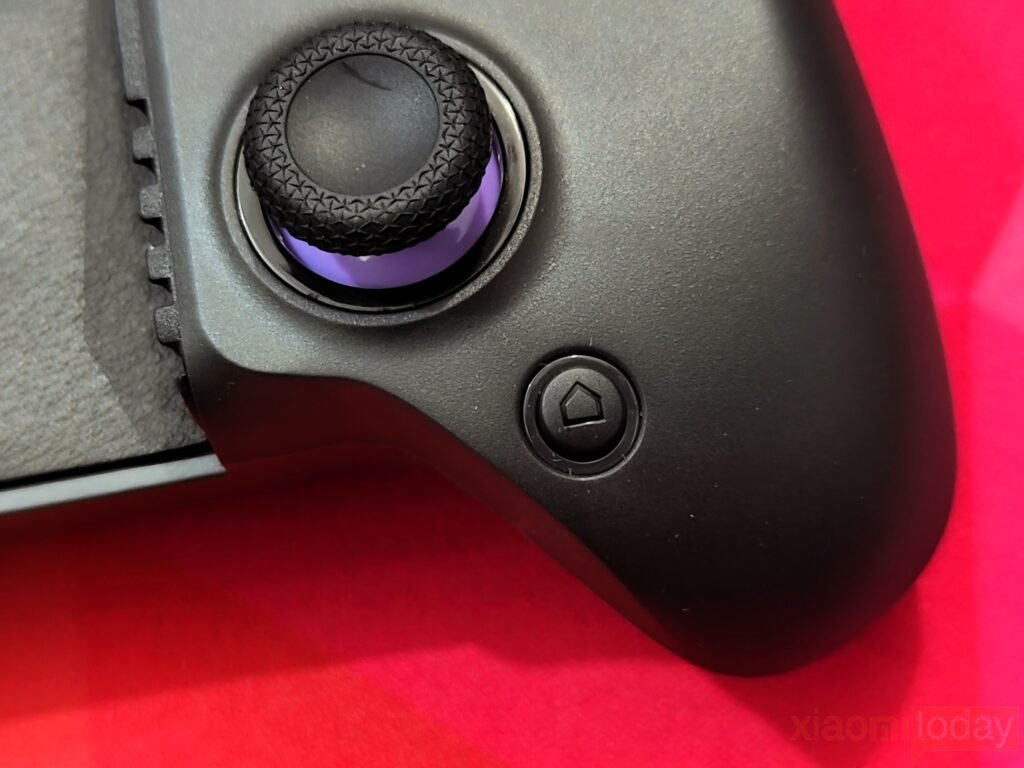
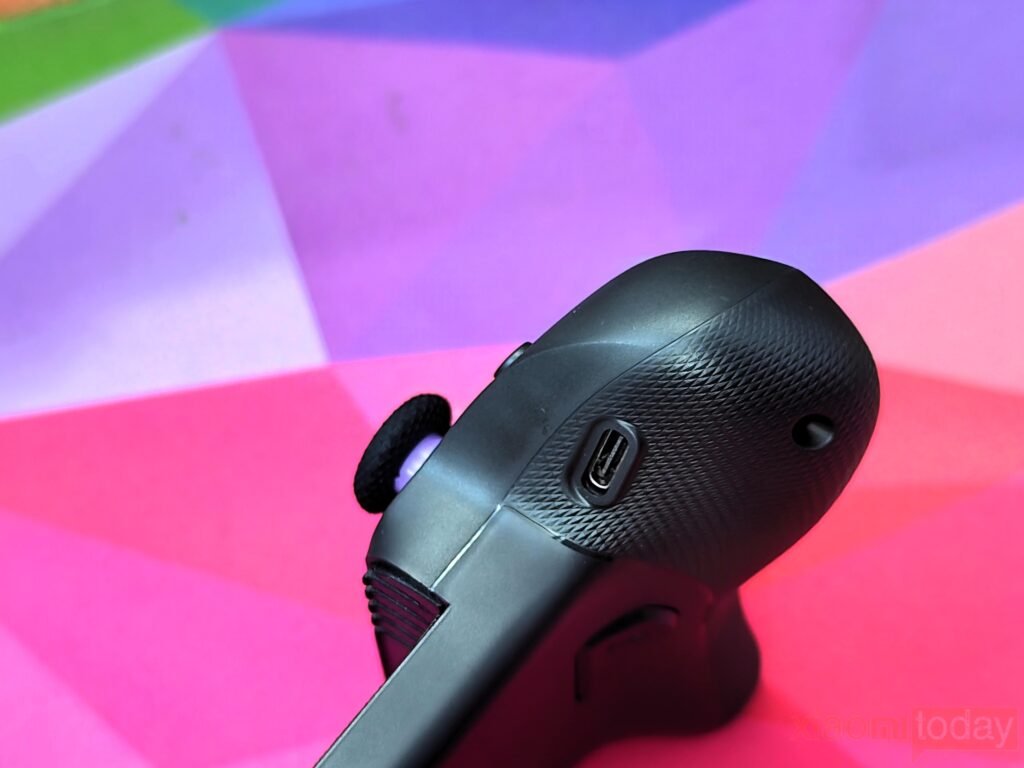
The Start button is positioned near the top of the right controller, while the Home button sits below the right joystick for easy access. A USB Type-C charging port is located along the bottom edge, making charging convenient without interfering with your grip during gameplay.
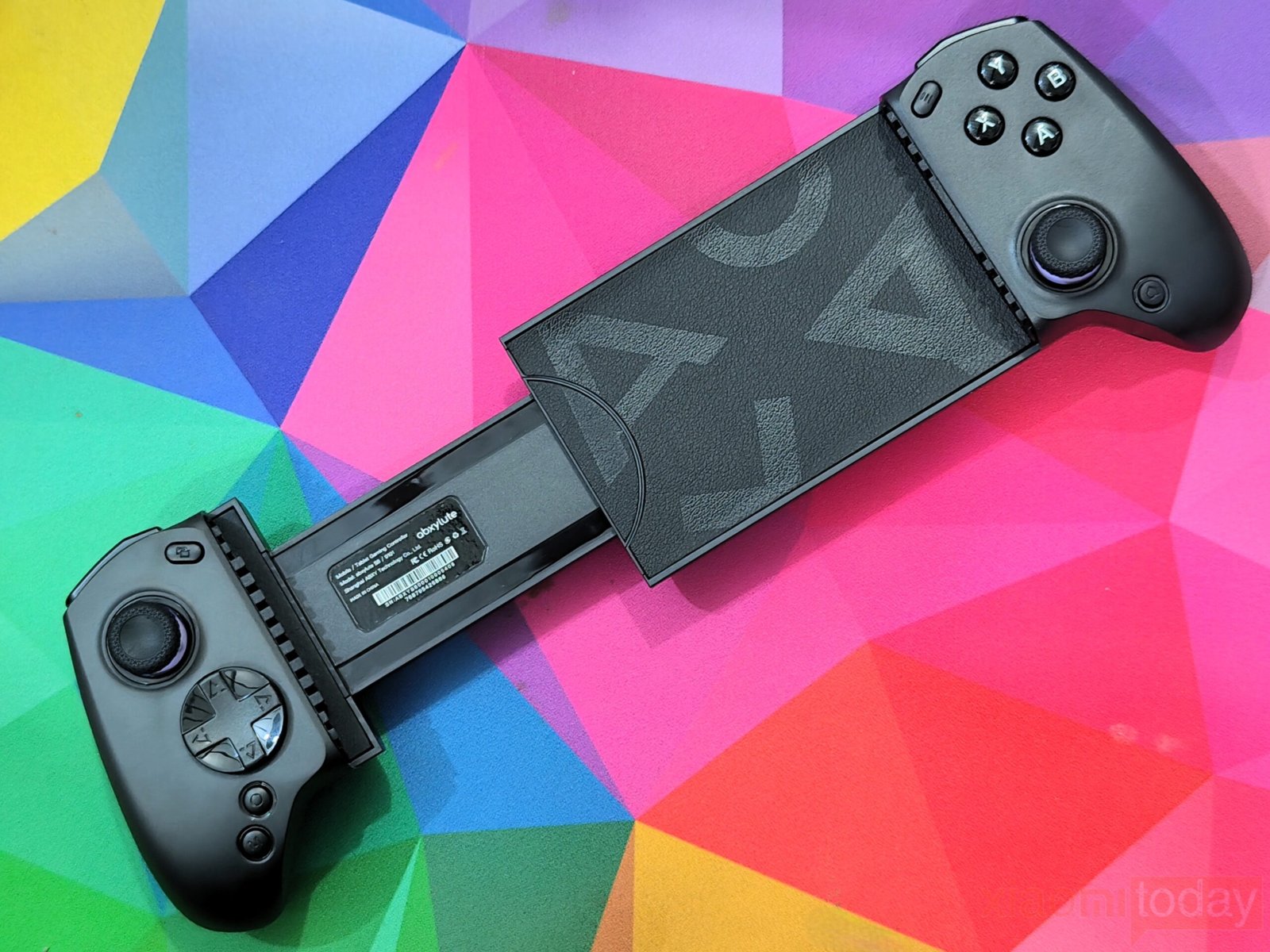
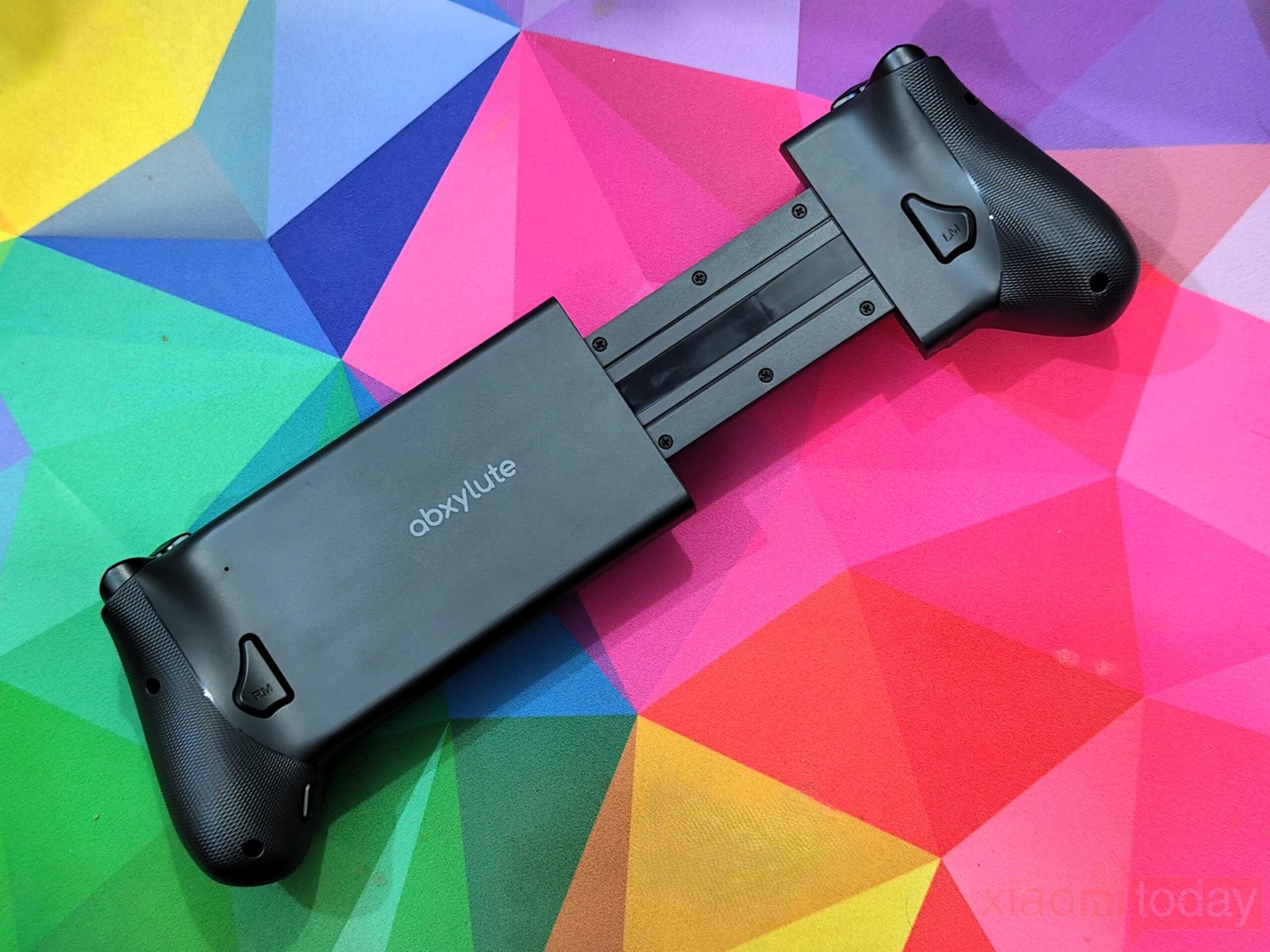
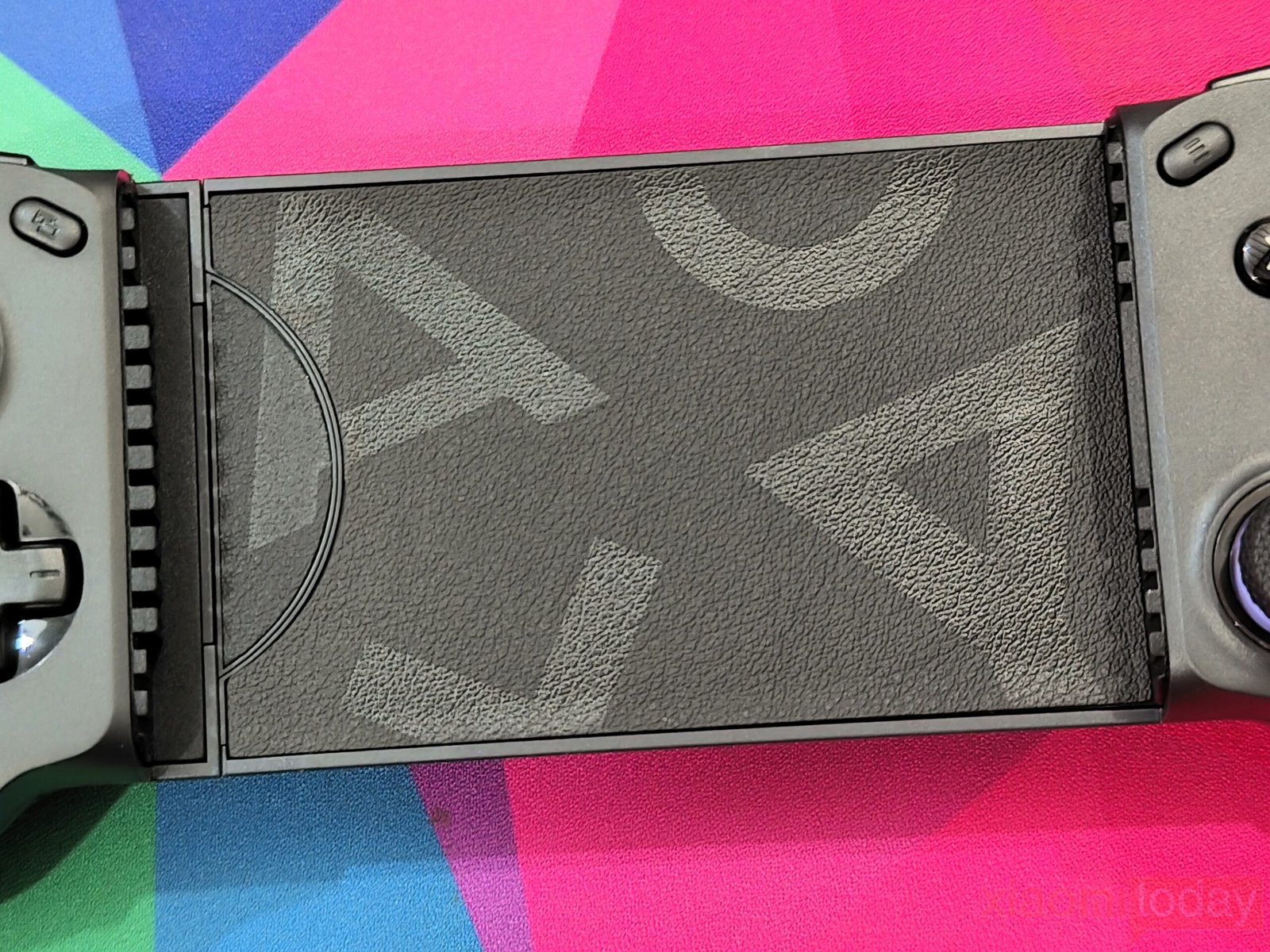
The center mounting area uses a lightly textured surface that helps prevent the phone or tablet from shifting while playing. The sliding rails guide the controller smoothly as it expands, and the mechanism remains stable throughout its adjustment range without noticeable flex.
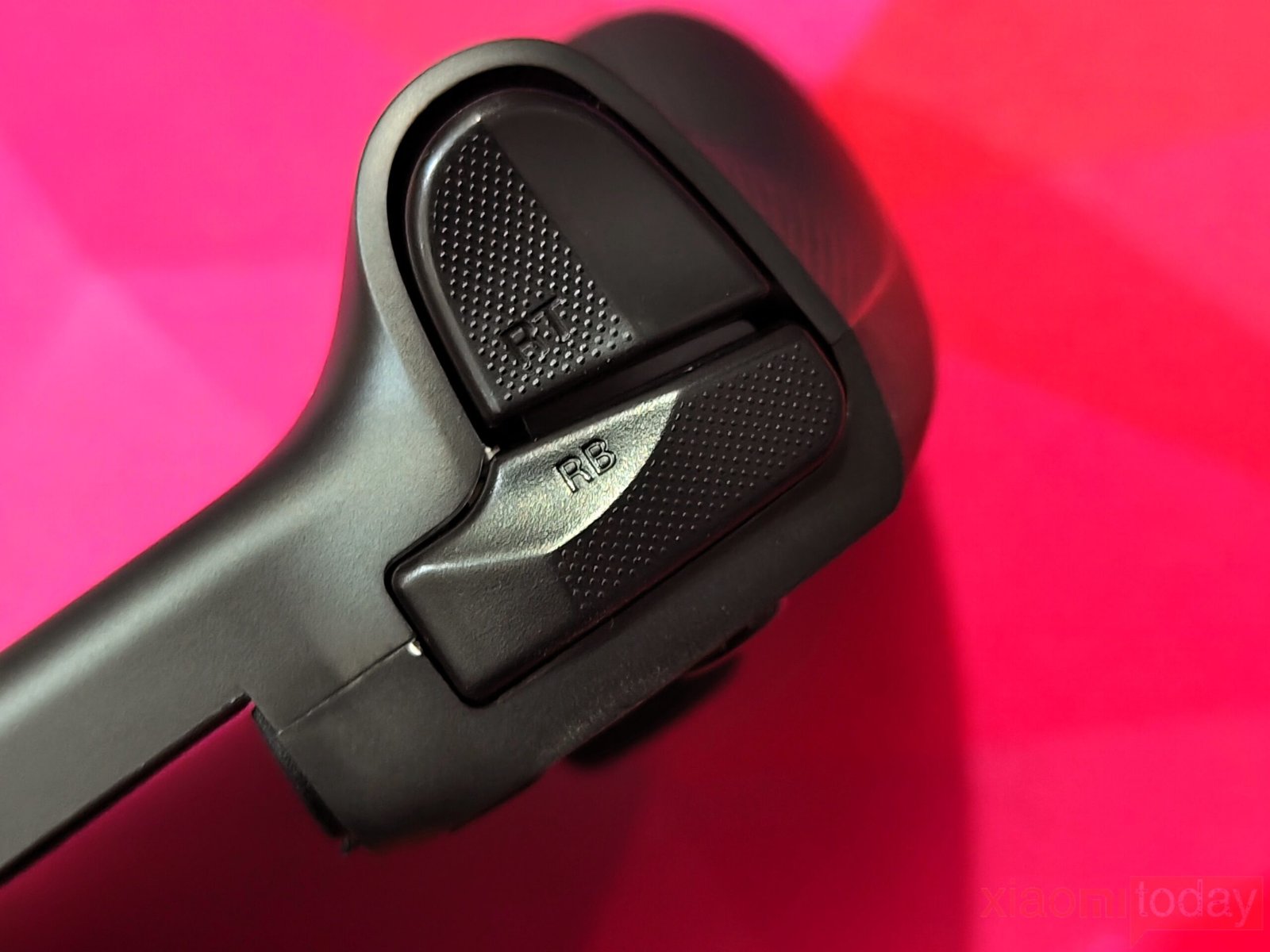
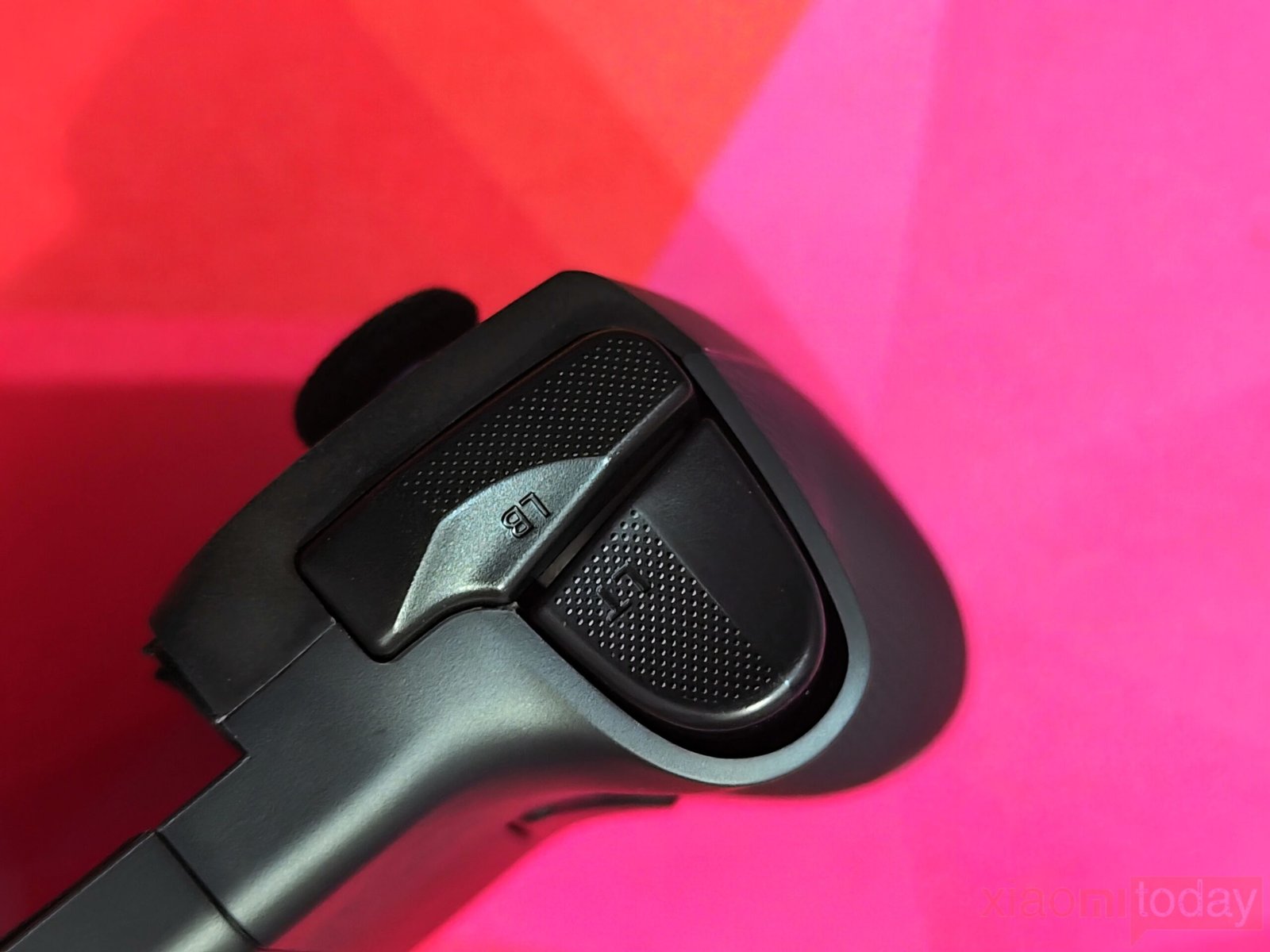
Across the top edge, the LB and RB bumpers are easy to reach and produce a crisp click. Beneath them are the Hall-effect linear LT and RT triggers, delivering smooth travel and accurate analog input. This makes the controller well-suited for racing games, shooters, and other titles where trigger precision can make a difference.
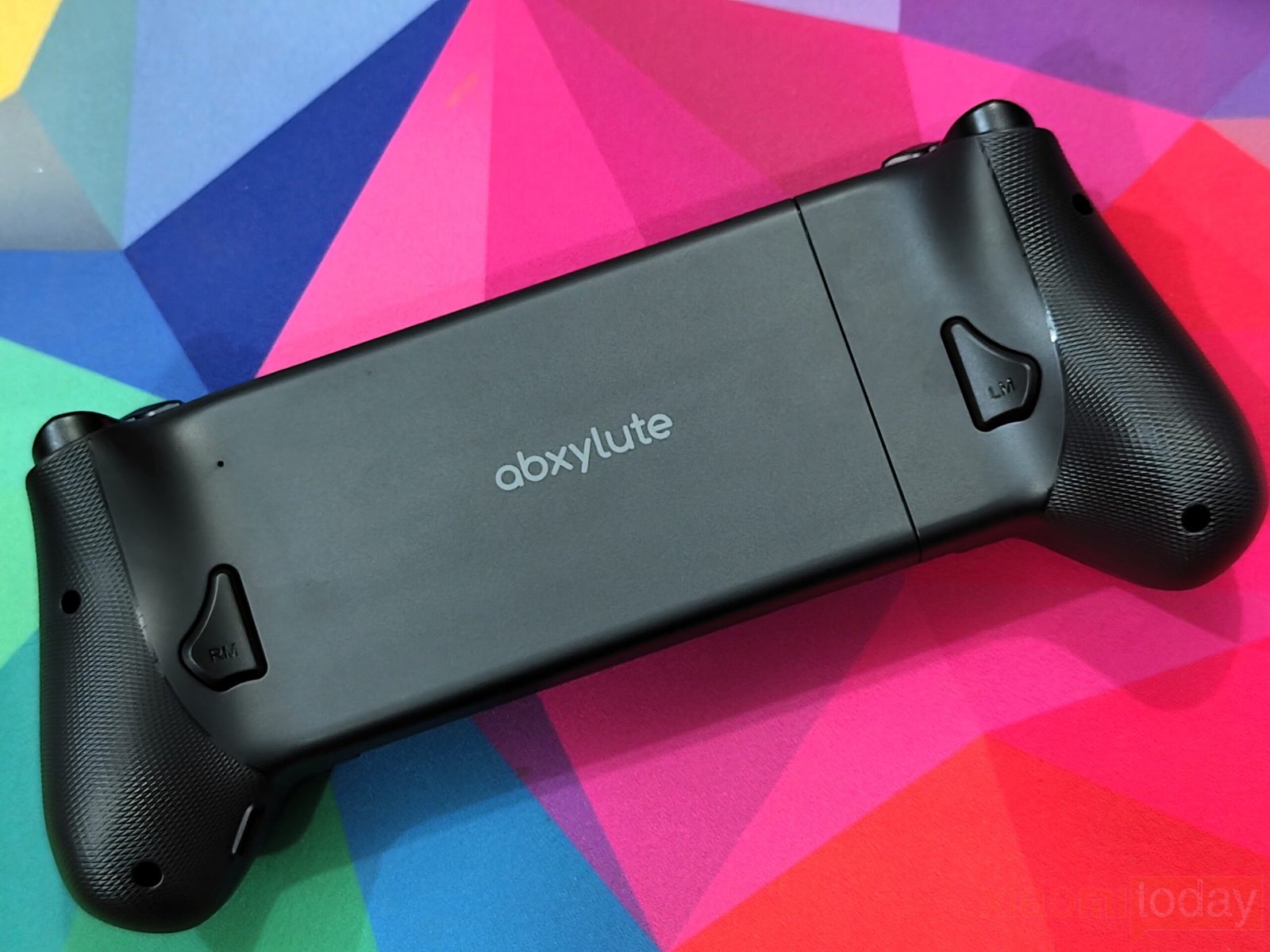
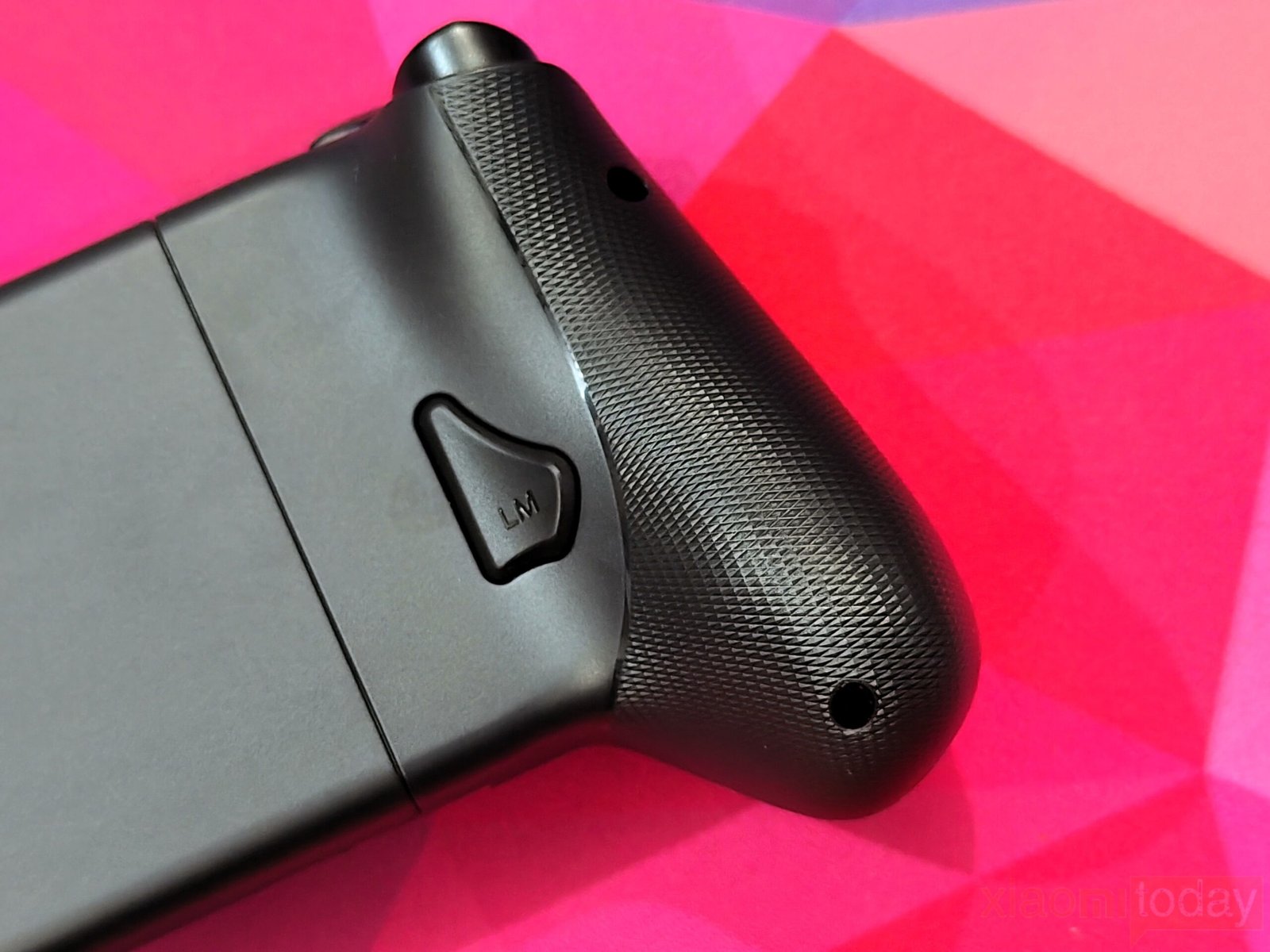
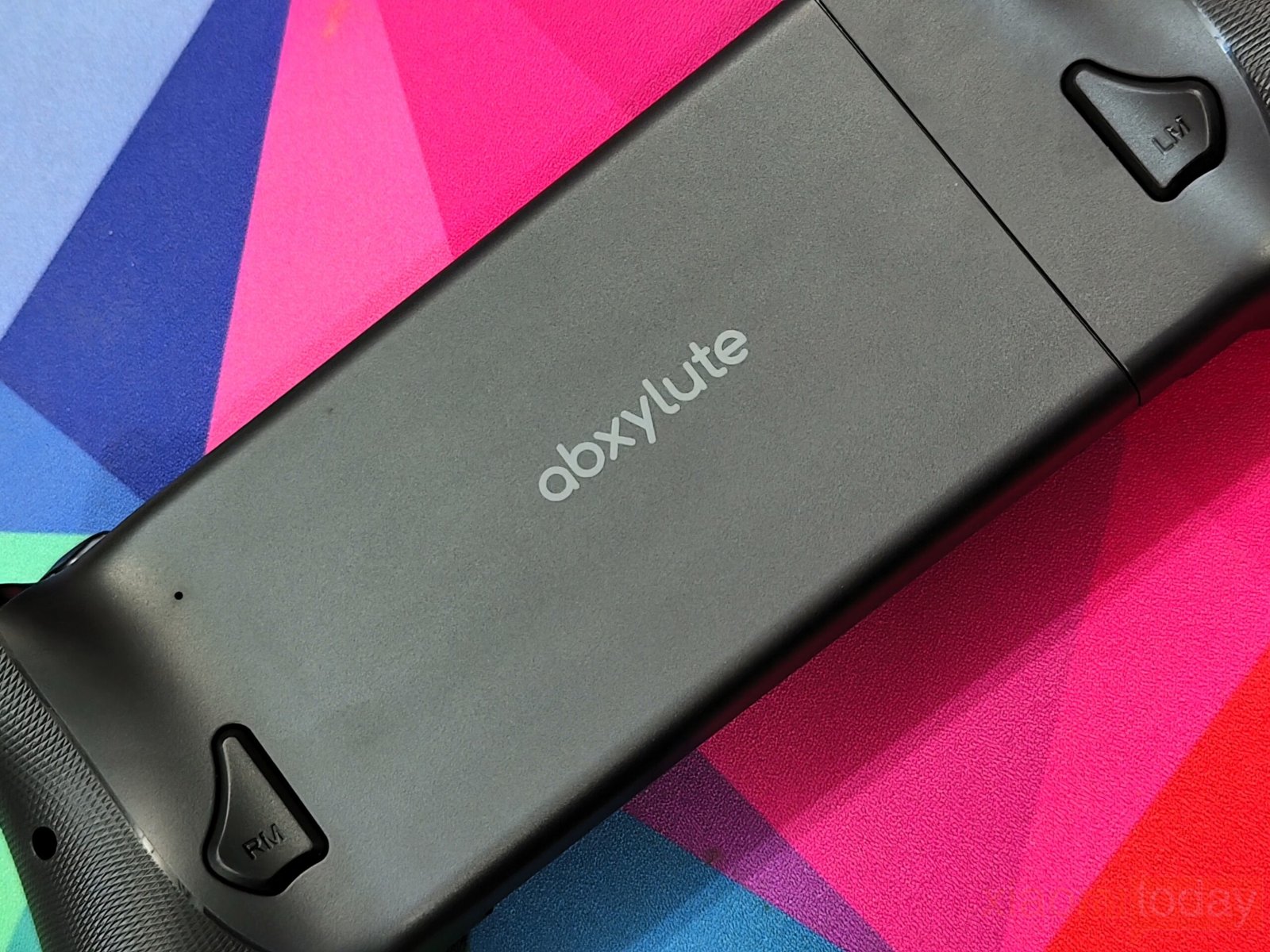
The rear of the controller includes two programmable buttons labeled LM and RM. Their placement allows them to be pressed naturally with your middle fingers without affecting your grip. Textured rear grips improve comfort and provide extra control during longer gaming sessions.
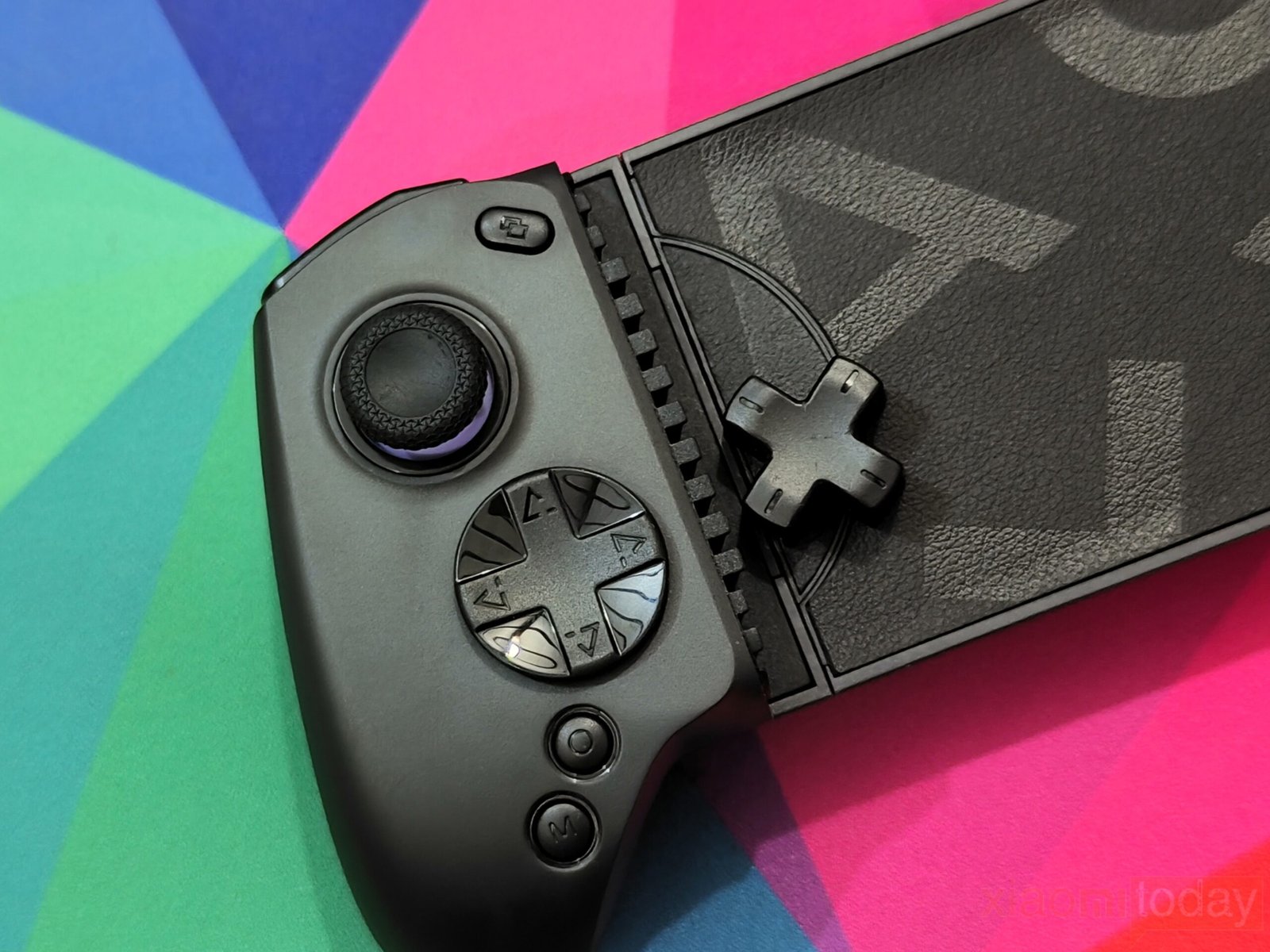
The abxylute S8 Wireless Mobile Controller also includes interchangeable D-pads. The standard cross-shaped D-pad is better suited for platformers and fighting games that require precise directional inputs, while the included circular D-pad offers smoother rolling movements for retro and arcade-style games. Replacing the D-pad is quick and requires only a few seconds.
Connectivity
The abxylute S8 Wireless Mobile Controller is equipped with Bluetooth 5.3, providing a fast and reliable wireless connection across supported devices. During hands-on testing, pairing was quick, and the controller maintained a stable connection without random disconnects. Once paired, the controller automatically reconnects to the last connected device when powered on, making it convenient for daily use. If no connection is established within 30 seconds, it powers off automatically to help preserve battery life.
Compatibility is a strong point of the abxylute S8. The controller supports Nintendo Switch, Nintendo Switch 2, Android smartphones, iPhones, tablets, and a PC test mode. Instead of relying on a single connection profile, it offers NS Mode, XInput Mode, PS Mode, and HID Mode, allowing it to work across different operating systems, cloud gaming services, remote play applications, and emulator platforms.
For Android devices, the available controller mode depends on the game or service being used. Native Android games with controller support work through HID Mode, XInput Mode, or PS Mode, while games without native controller support can be played using the built-in Mapping Mode. Emulator applications use NS Mode, while cloud gaming platforms such as Xbox Game Pass, GeForce NOW, Moonlight, and PXPlay/XBXPlay operate through XInput Mode or PS Mode. PS Remote Play is also supported through PS Mode, giving Android users plenty of flexibility.
| Gaming Scenario | Android Devices | iPhone / iPad | Recommended Mode |
|---|---|---|---|
| Local Games (Controller Supported) | ✔ | ✔ | HID Mode, XInput Mode, or PS Mode |
| Local Games (No Controller Support) | ✔ | ✘ | Mapping Mode |
| Emulator Games | ✔ | ✔ | NS Mode (Android), PS Mode (iOS) |
| Xbox Game Pass | ✔ | ✘ | XInput Mode |
| PS Remote Play | ✔ | ✔ | PS Mode |
| GeForce NOW | ✔ | ✔ | XInput Mode or PS Mode |
| Moonlight | ✔ | ✔ | XInput Mode or PS Mode |
| PXPlay / XBXPlay | ✔ | ✔ | XInput Mode or PS Mode |
| Nintendo Switch / Switch 2 | ✔ | N/A | NS Mode |
| PC (Testing Only) | ✔ | N/A | Direct PC Test Mode |
The controller offers similar compatibility on iPhone and iPad. Emulator applications use PS Mode, while services including PS Remote Play, GeForce NOW, Moonlight, and PXPlay/XBXPlay also support PS Mode or XInput Mode, depending on the application. This allows the controller to handle both local and cloud gaming without additional hardware or complicated setup procedures.
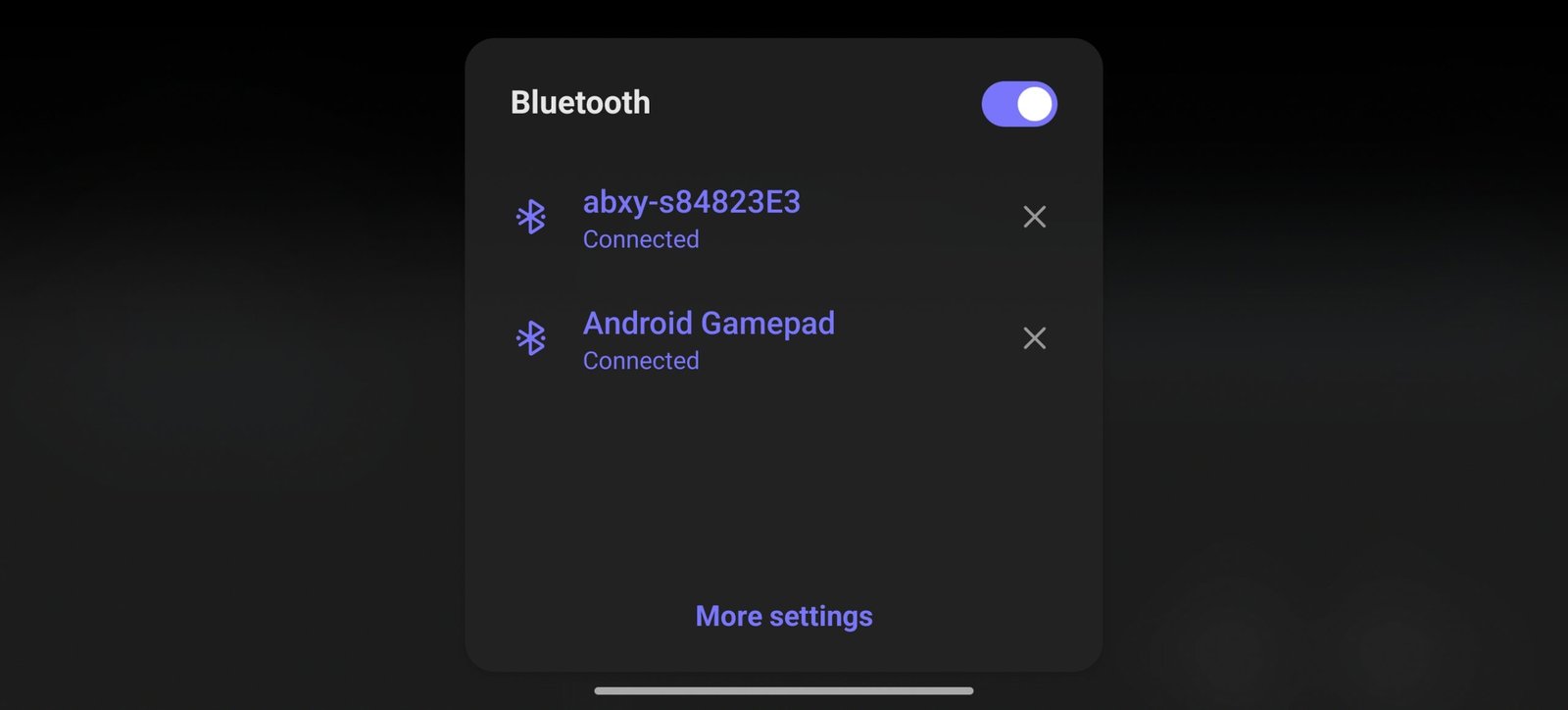
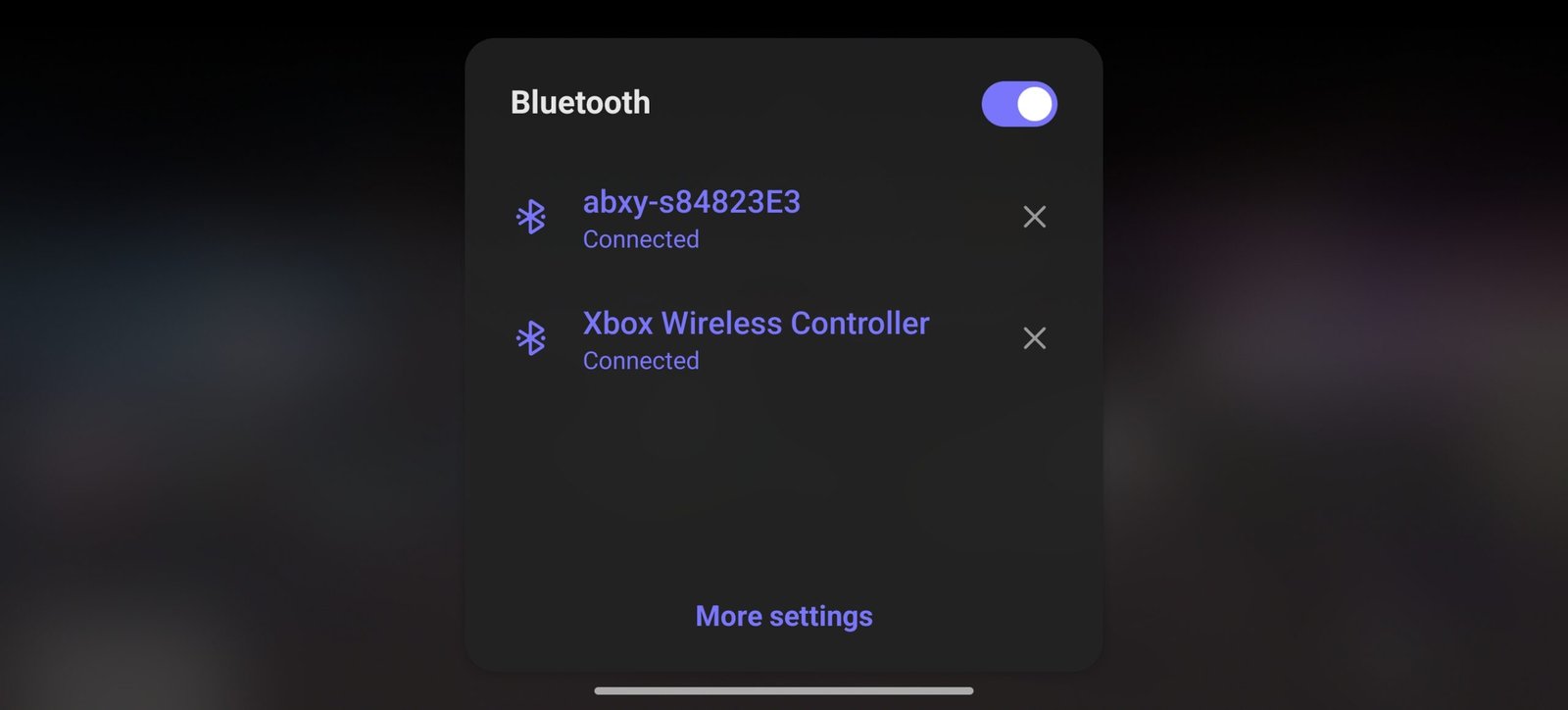
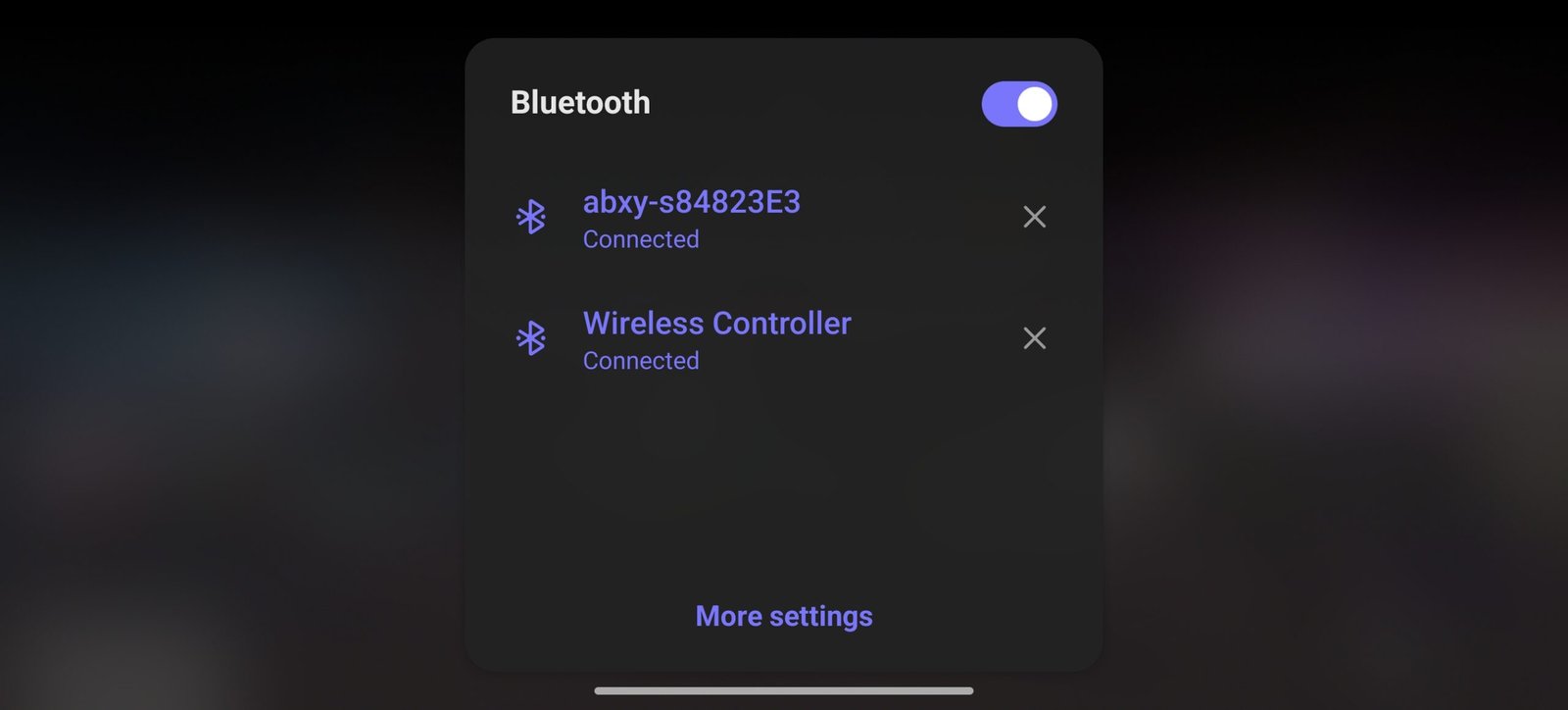
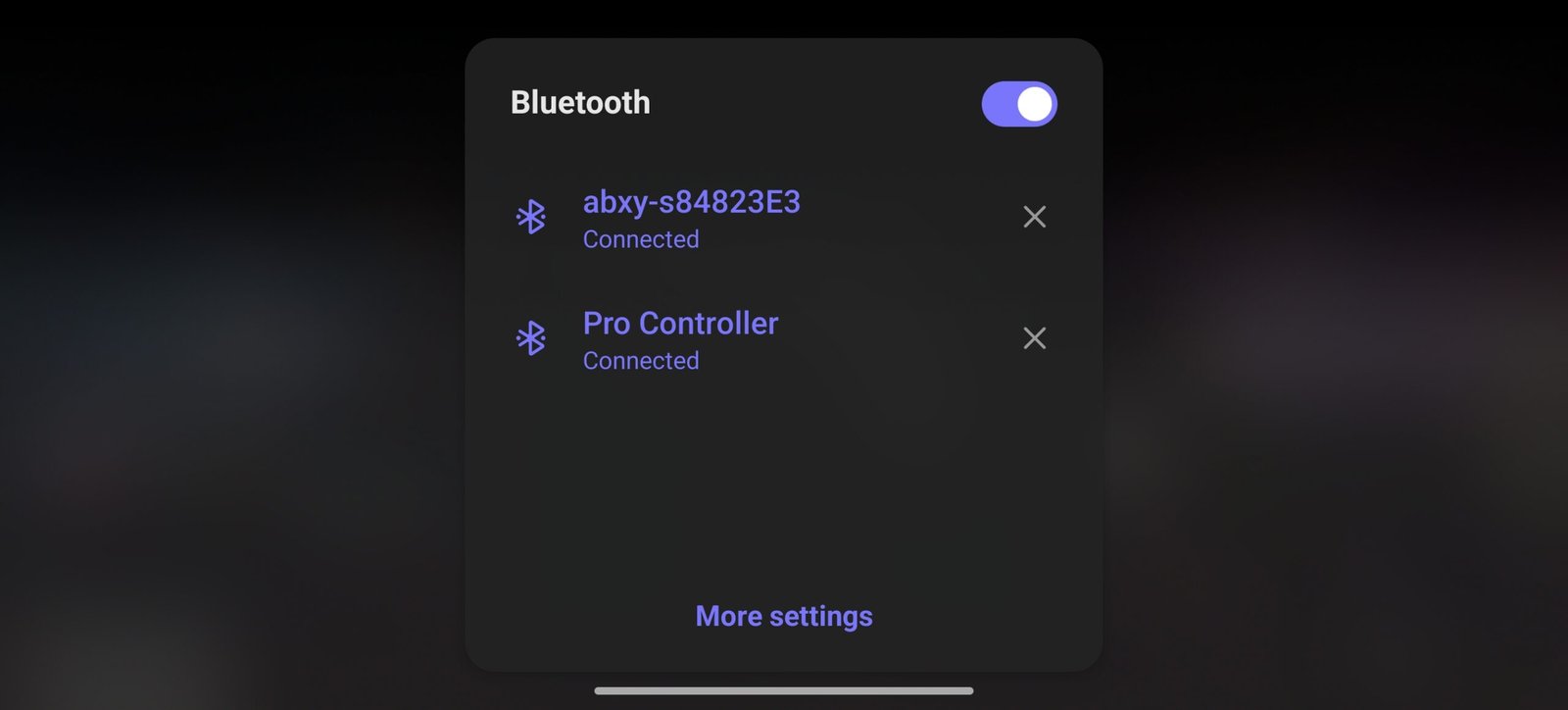
Switching between connection modes is simple. With the controller powered off, holding a face button while pressing the Home button activates the selected mode. Press Y + Home for NS Mode, X + Home for XInput Mode, B + Home for PS Mode, and A + Home for HID Mode. The Home button LED changes color for each mode, making it easy to identify the active profile before pairing.
| Connection Mode | Button Combination (Controller Off) | Bluetooth Name | Home LED Color | Recommended Use |
|---|---|---|---|---|
| NS Mode | Hold Y + Press Home | Pro Controller | Rose Red | Nintendo Switch, Nintendo Switch 2, Android emulators |
| XInput Mode | Hold X + Press Home | Xbox Wireless Controller | Blue | Xbox Game Pass, GeForce NOW, Moonlight, PXPlay/XBXPlay, Android games with XInput support |
| PS Mode | Hold B + Press Home | Wireless Controller | Purple | PS Remote Play, GeForce NOW, Moonlight, PXPlay/XBXPlay, iPhone/iPad gaming |
| HID Mode | Hold A + Press Home | Android Gamepad | Green | Native Android games with HID controller support |
Each connection mode is also detected with a different Bluetooth device name. NS Mode appears as Pro Controller, XInput Mode is identified as Xbox Wireless Controller, PS Mode is listed as Wireless Controller, and HID Mode appears as Android Gamepad. This makes the pairing process familiar across different platforms without requiring manual configuration.
Power management is equally simple. Pressing the Home button turns the controller on and immediately starts reconnecting using the previously selected mode. Holding the Home button for around ten seconds powers the controller off manually. Since the controller remembers the last paired device and connection mode, switching between gaming sessions takes very little effort.
| Function | Action |
|---|---|
| Power On | Press the Home button once. The controller reconnects using the last paired mode. |
| Power Off | Hold the Home button for approximately 10 seconds. |
| Auto Power Off | Shuts down automatically after 30 seconds if reconnection fails. |
During our hands-on use, Bluetooth performance remained stable across Android phones and tablets, with responsive inputs and consistent connectivity throughout extended gaming sessions. Input delay was not noticeable in native games, cloud gaming services, or emulators. Vibration support in XInput Mode and PS Mode on Android depends on the Android kernel used by each device, so the experience may vary between manufacturers.
Other Functions
The abxylute S8 Wireless Mobile Controller includes several built-in features that allow users to customize the controller without relying entirely on software. Most functions are activated through button combinations, while advanced settings can be adjusted through the abxylute mobile app. These options make it easier to adapt the controller for different game genres and personal preferences.
| Function | Operation | Details |
|---|---|---|
| Enable Turbo | Press M + Desired Button | Supports A, B, X, Y, LB, RB, LT, RT |
| Disable Turbo | Press M + Same Button | Turns Turbo off for that button |
| Clear All Turbo Settings | Hold M for 10 seconds | Removes Turbo from all assigned buttons |
| Turbo Speed | Hold M + Move Left Joystick | 5, 10, or 20 presses per second |
For games that benefit from repeated button presses, the controller supports Turbo Mode on the A, B, X, Y, LB, RB, LT, and RT buttons. Turbo is enabled by pressing the selected button together with the M button and can be disabled using the same shortcut. Holding the M button for around ten seconds clears all Turbo assignments. Users can also select between 5, 10, and 20 presses per second, allowing the Turbo speed to match different gameplay styles.
| Function | Operation | Available Levels |
|---|---|---|
| Adjust Vibration | Hold M + Press D-pad | 0%, 40%, 70%, 100% |
| Default Level | — | 70% |
| Memory | Yes | Saves the last selected vibration level |
The controller also allows vibration strength to be adjusted directly from the hardware. By holding the M button and using the directional pad, users can switch between 0%, 40%, 70%, and 100% vibration intensity. The selected level is stored in memory, so there is no need to configure it again after each gaming session. The default setting is 70%.
| Feature | Button Combination | Description |
|---|---|---|
| Joystick Mode | Hold LB + Select + M (2 sec) | Switch between Circular and Square joystick response |
| Default Mode | — | Circular |
| Quick Trigger | Hold M + LT + RT (2 sec) | Enables or disables Quick Trigger mode |
| Calibration | Hold RB + Start + Home (3 sec) | Calibrates both joysticks and Hall-effect triggers |
Joystick behavior can also be changed based on personal preference. The abxylute S8 supports both circular and square joystick response modes, making it suitable for different game types. Circular mode is enabled by default, while square mode can provide a different movement response in games that benefit from a more defined input range.
| Function | Button Combination | Description |
|---|---|---|
| Left Stick Gyroscope | Hold M + L3 (2 sec) | Enables or disables gyroscope simulation for the left stick |
| Right Stick Gyroscope | Hold M + R3 (2 sec) | Enables or disables gyroscope simulation for the right stick |
| Advanced Settings | abxylute Mobile App | Adjust sensitivity, compensation, and simulation settings |
For players who use motion controls, the controller offers Gyroscope Mapping for both analog sticks. This feature allows either joystick to simulate gyroscope movement after enabling it with the assigned button combination. Additional options, including gyroscope sensitivity and compensation, are available through the abxylute mobile app. Since this setting is disabled after the controller is powered off, it must be enabled again before use.
| Function | Operation | Description |
|---|---|---|
| Program Left Macro | Hold M + LM (2 sec) | Records a macro for the left rear button |
| Program Right Macro | Hold M + RM (2 sec) | Records a macro for the right rear button |
| Recordable Buttons | — | L3, R3, A, B, X, Y, LB, RB, LT, RT, D-pad, Select, Start |
| Clear Macro | Start recording, then press the same rear button again | Removes the assigned macro |
The two rear buttons (LM and RM) support Macro recording, allowing users to assign custom input sequences to each button. Face buttons, shoulder buttons, triggers, joystick clicks, the D-pad, and menu buttons can all be recorded as part of a macro. If a macro is no longer needed, it can be cleared directly from the controller without resetting other settings.
The Quick Trigger function reduces trigger travel on the LT and RT buttons, allowing faster input registration during gameplay. This can be useful in competitive shooters and racing games where quicker trigger response is preferred. The feature is activated using a hardware shortcut and automatically returns to its default state after the controller is turned off.
| Function | Button Combination | Description |
|---|---|---|
| Swap Left Stick & D-pad | Hold M + Select (2 sec) | Swaps joystick and D-pad functions |
| Factory Reset | Hold LM + RM + LB + Home (5 sec) | Restores all controller settings to default |
| Power On | Press Home | Reconnects using the last paired mode |
| Power Off | Hold Home (10 sec) | Turns the controller off |
Another useful function allows the left joystick and D-pad to exchange their input assignments. This can improve comfort in games that rely more on directional controls than analog movement. Like several temporary controller settings, the original layout is restored after the controller is powered off.
Maintenance functions are also built into the controller. Users can perform a joystick and trigger calibration through a dedicated hardware shortcut, helping maintain accurate input over time. If necessary, a full factory reset restores every setting to its default configuration, making it easy to start fresh after extensive customization.
| Controller Mode | Screenshot Button Function |
|---|---|
| NS Mode | Nintendo Switch Screenshot |
| PS Mode | Touchpad Click |
| XInput Mode | Not Supported |
| HID Mode | Android Screenshot Command (Device Dependent) |
The dedicated Screenshot button behaves differently depending on the selected connection mode. In Nintendo Switch Mode, it works as the standard screenshot button. In PS Mode, it functions as a touchpad click, while HID Mode uses the Android screenshot command on compatible devices. The button has no assigned function in XInput Mode, and Android screenshot support depends on the shortcut implementation provided by the device manufacturer.
Battery and Charging
The abxylute S8 Wireless Mobile Controller is equipped with a 1000mAh rechargeable battery, providing enough capacity for extended gaming sessions on smartphones, tablets, and the Nintendo Switch. During hands-on use, the controller comfortably handled long play sessions without requiring frequent charging. Actual battery life depends on factors such as vibration intensity, controller mode, and the type of games being played, but the battery capacity is well-suited for regular daily gaming.
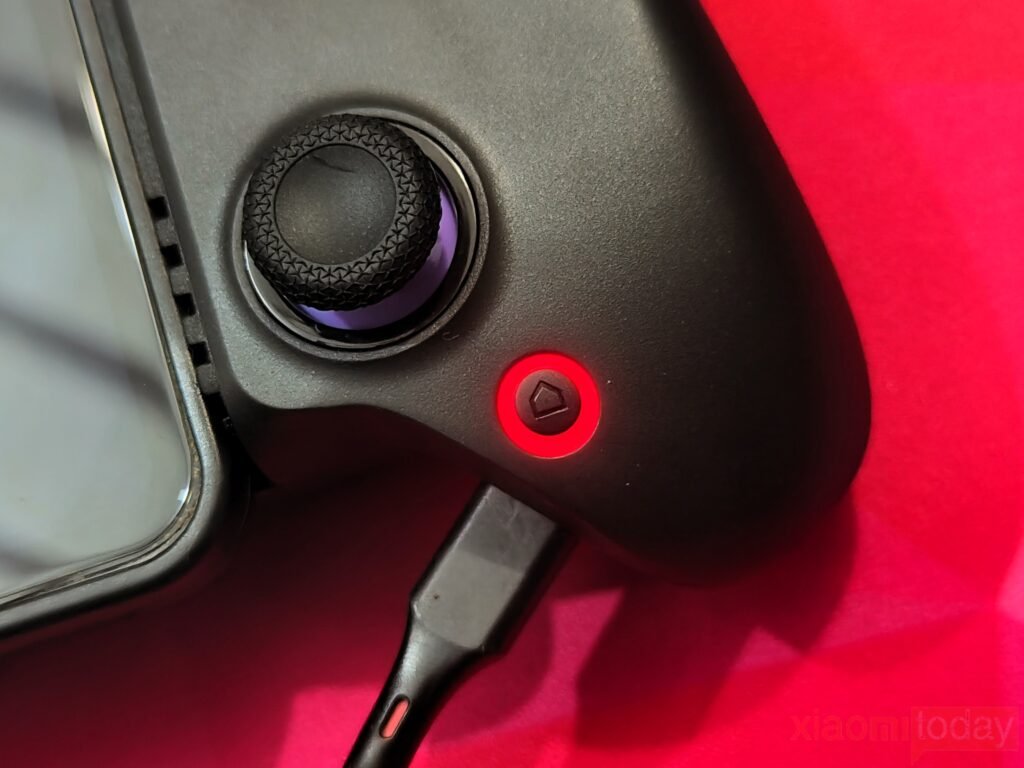
Charging is handled through the USB Type-C port located on the bottom of the controller. The abxylute S8 supports fast charging, allowing the battery to be recharged in less time before the next gaming session. Once charging is complete, the controller automatically enters sleep mode, helping reduce unnecessary power consumption when it is left connected to a charger.
| Function | LED Behavior | Description |
|---|---|---|
| Battery Level: 0%–25% | Home button flashes 1 time | Low battery level |
| Battery Level: 26%–50% | Home button flashes 2 times | Medium-low battery level |
| Battery Level: 51%–75% | Home button flashes 3 times | Medium-high battery level |
| Battery Level: 76%–100% | Home button flashes 4 times | High battery level |
| Charging | Home button flashes Red every 5 seconds | Battery is charging |
| Fully Charged | Home button flashes White every 10 seconds | Charging is complete |
| Power Saving | Automatically enters Sleep Mode | Activates after the battery is fully charged |
Battery status can be checked directly from the controller without opening the companion app. Holding the M button together with the Screenshot button for around two seconds displays the remaining battery level through the Home button LED. A single flash indicates 0–25% battery, two flashes represent 26–50%, three flashes indicate 51–75%, and four flashes show a battery level between 76% and 100%. The LED feedback is simple to understand and can be checked at any time.
The Home button LED also indicates the charging status. While charging, the LED flashes red every five seconds. Once the battery reaches full capacity, the indicator changes to a white flash every ten seconds before the controller automatically enters sleep mode. This allows users to confirm the charging progress without connecting the controller to a mobile application.
Abxylute App
The abxylute App expands the functionality of the S8 by providing a dedicated software hub for customization, controller management, and firmware updates. Available for both Android and iOS, the app connects quickly over Bluetooth and provides access to settings that would otherwise require multiple button combinations on the controller.
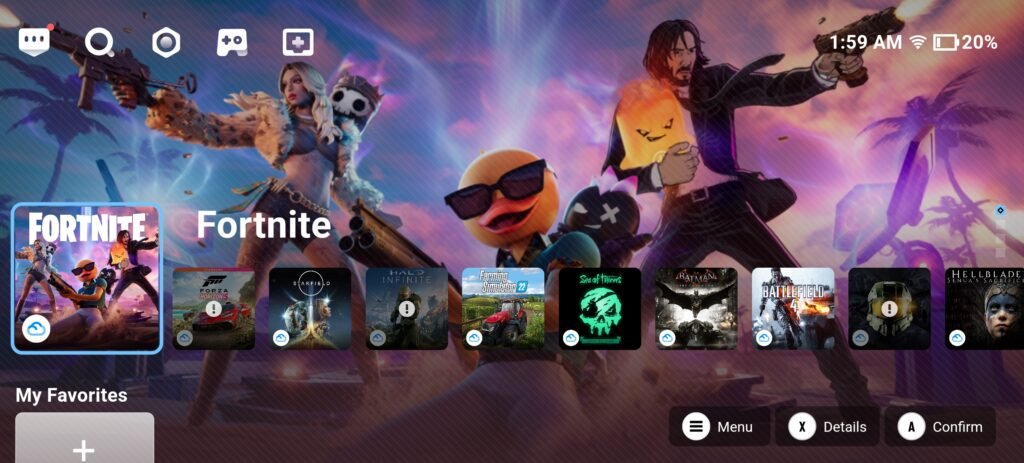
The home screen serves as a launcher for cloud gaming services, remote play applications, and installed games while also providing quick access to controller settings. The interface is clean, loads quickly, and keeps frequently used options within easy reach.
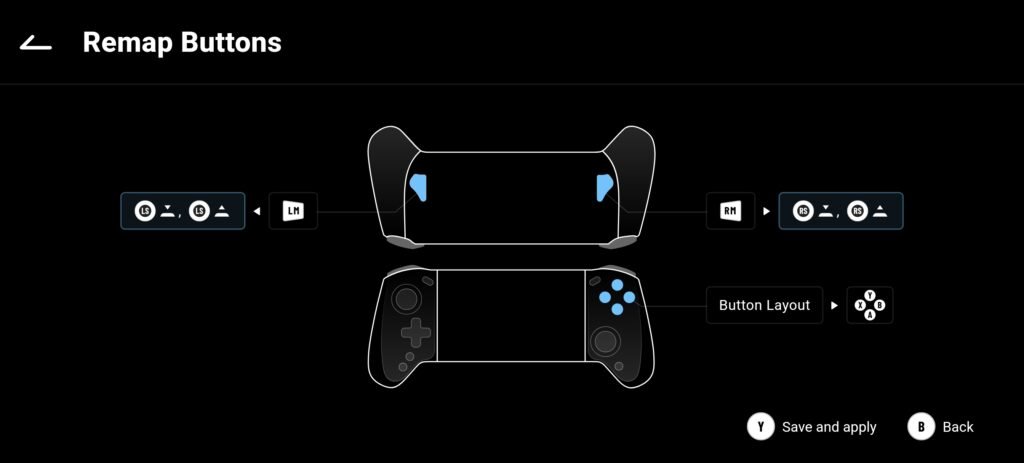
Button customization is one of the app’s strongest features. Every primary button, including the rear LM and RM buttons, can be remapped to match different gaming styles. The app also allows users to change the button layout, making it easier to switch between Nintendo Switch and Xbox-style controls without manually adapting during gameplay.
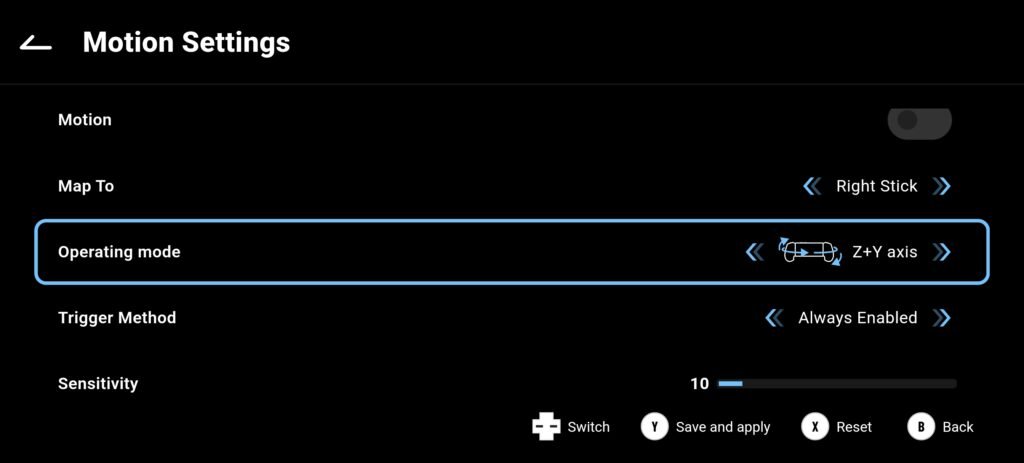
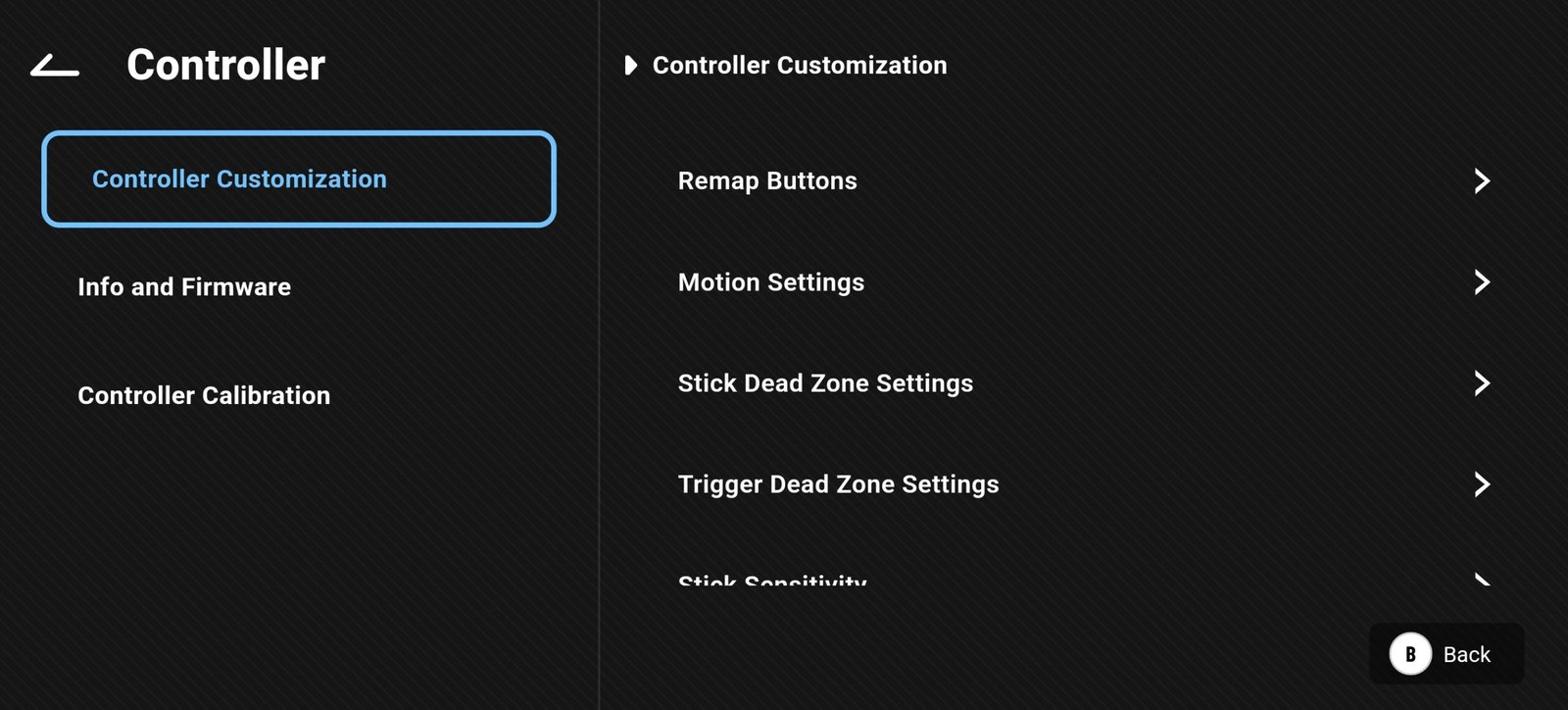
For players who use motion controls, the app includes detailed Motion Settings. Gyroscope input can be assigned to either analog stick, while sensitivity, activation method, and operating mode can all be adjusted. These settings are useful for shooters and games that benefit from gyro aiming.
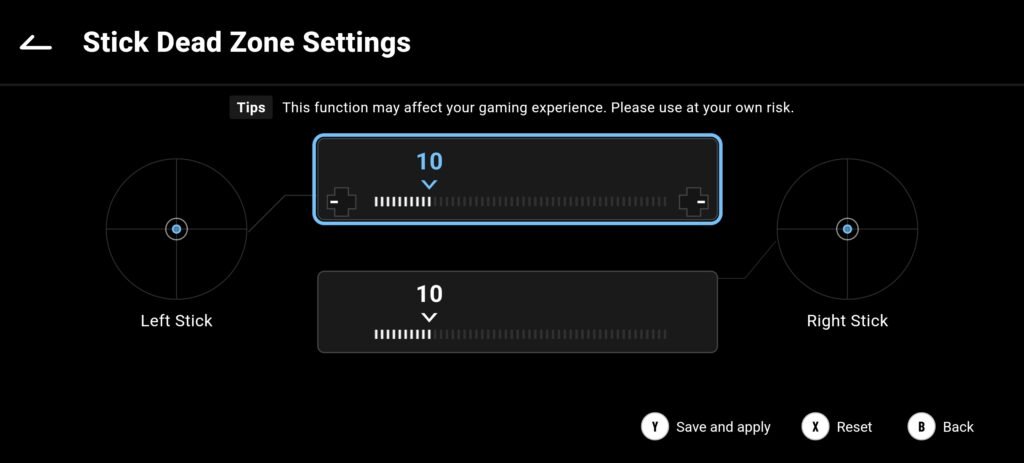
The Stick Dead Zone menu allows independent adjustment for both analog sticks. This helps reduce unwanted movement caused by small stick inputs or creates a more responsive feel, depending on personal preference. During testing, changes were applied immediately after saving.
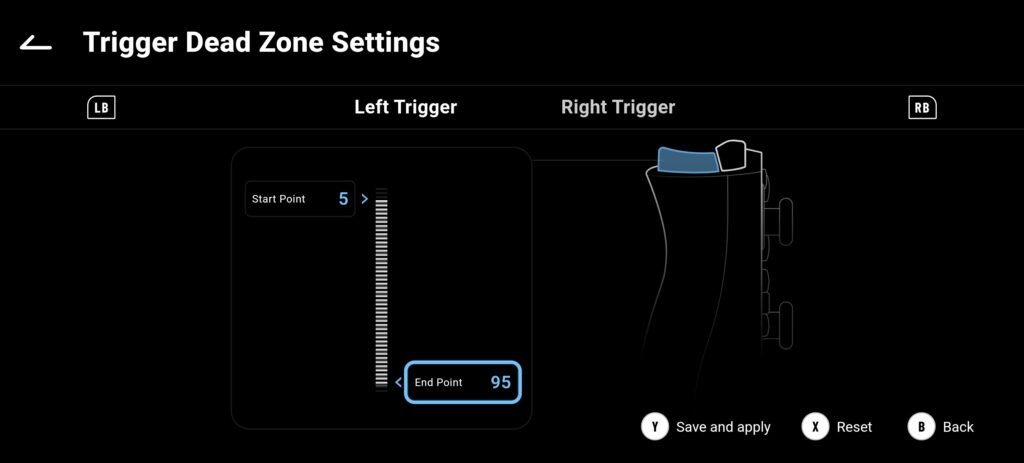
Hall Effect triggers can also be fine-tuned through the Trigger Dead Zone menu. Users can adjust both the start and end points of each trigger, allowing shorter trigger travel for faster response or a longer input range for games that require precise acceleration and braking.
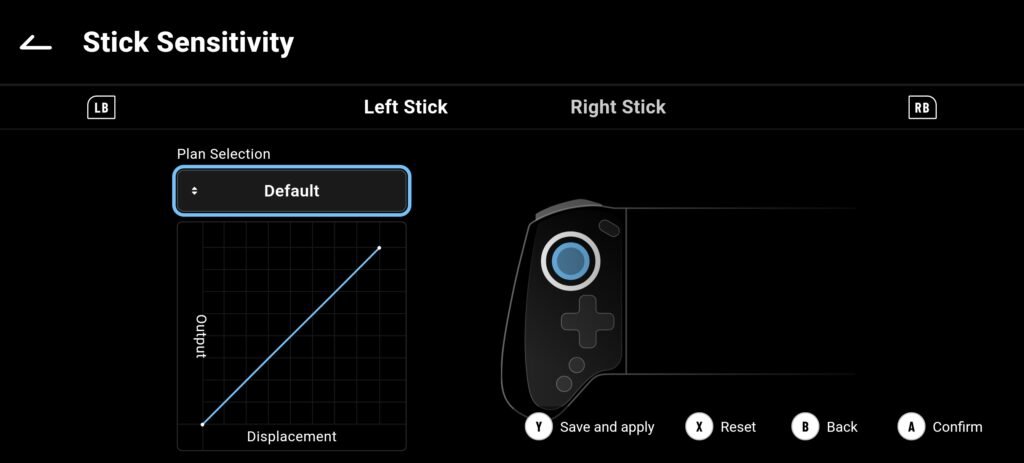
The app also provides Stick Sensitivity settings with multiple response profiles. Users can adjust how quickly the analog sticks react throughout their movement, making it easy to create different profiles for racing games, shooters, or general gameplay.
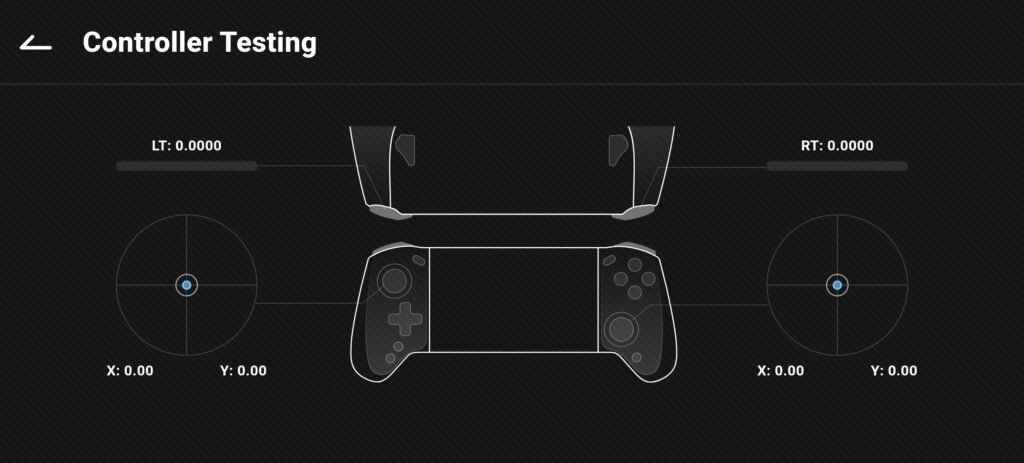
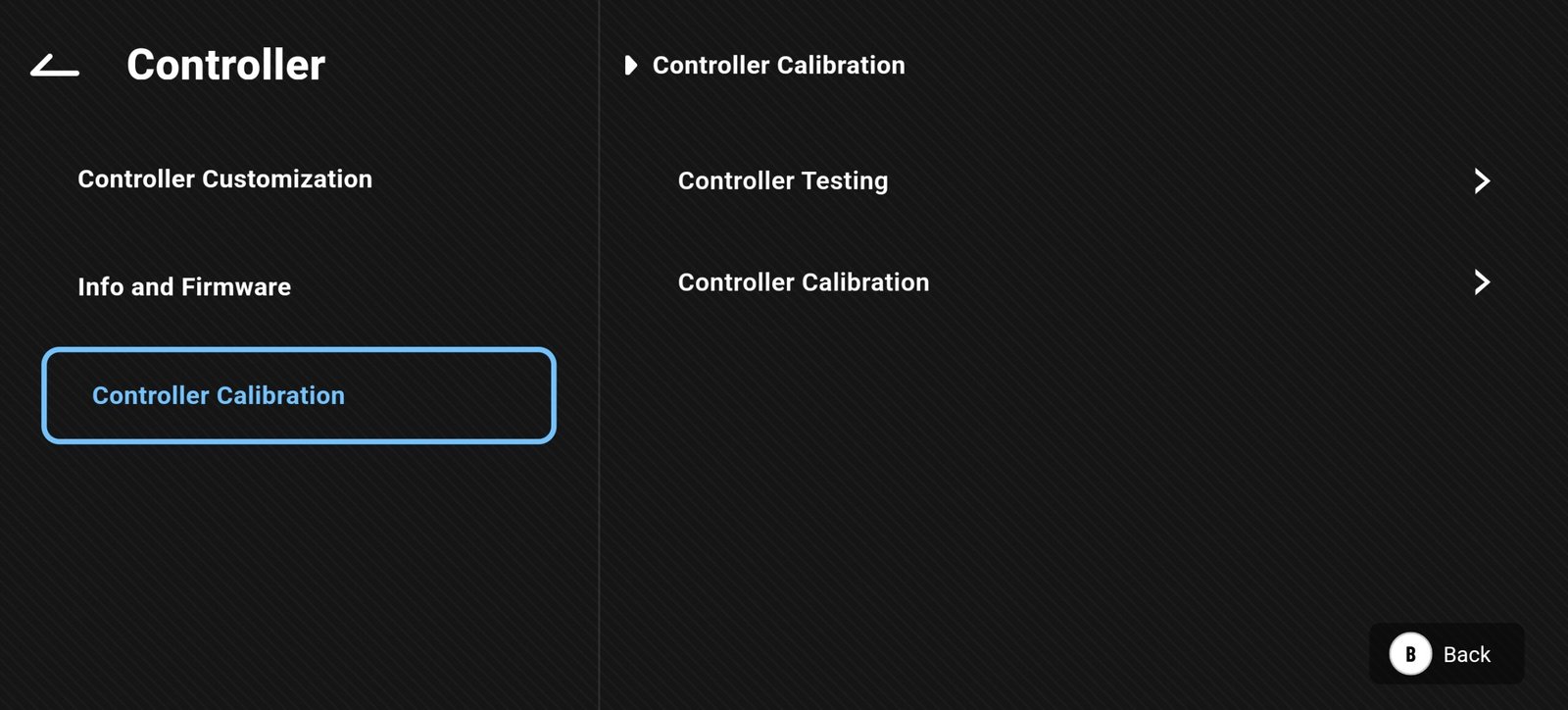
A built-in Controller Testing page displays live input from the analog sticks, triggers, and buttons in real time. This is useful for checking controller performance after changing settings or completing a calibration.
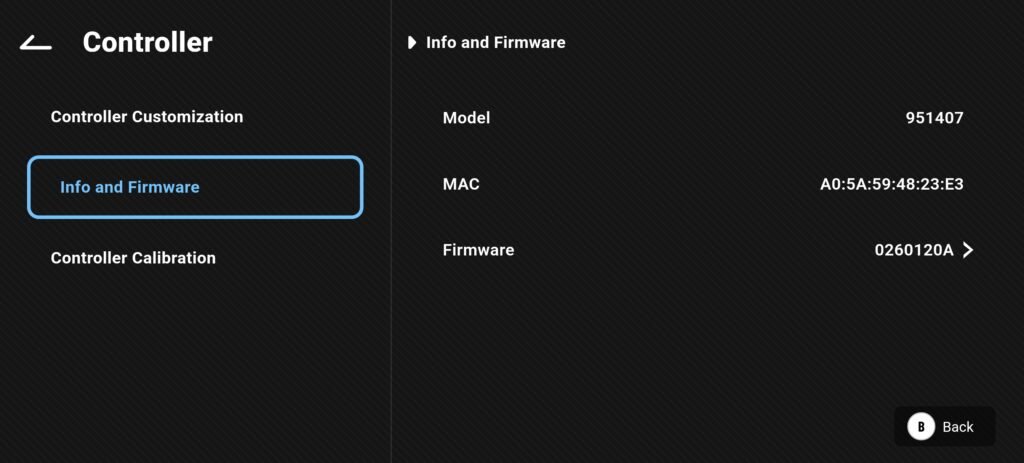
The Controller Information section displays the controller model, MAC address, and installed firmware version. Firmware updates can also be installed directly through the app, making future improvements and bug fixes easy to apply without connecting the controller to a PC.
Use Experience
We tested the abxylute S8 Wireless Mobile Controller across several gaming platforms, including Android smartphones, tablets, Nintendo Switch emulators, PC emulators, and cloud gaming services. Throughout the review period, the controller delivered consistent performance with stable Bluetooth connectivity and responsive controls. Its familiar console-style layout also made it easy to transition between different devices without requiring much adjustment.
Mobile Games
The abxylute S8 feels comfortable from the moment you start playing. Its full-size grip design distributes weight evenly, making long gaming sessions more comfortable than using touch controls alone. Even with larger smartphones installed, the controller remained balanced and secure.
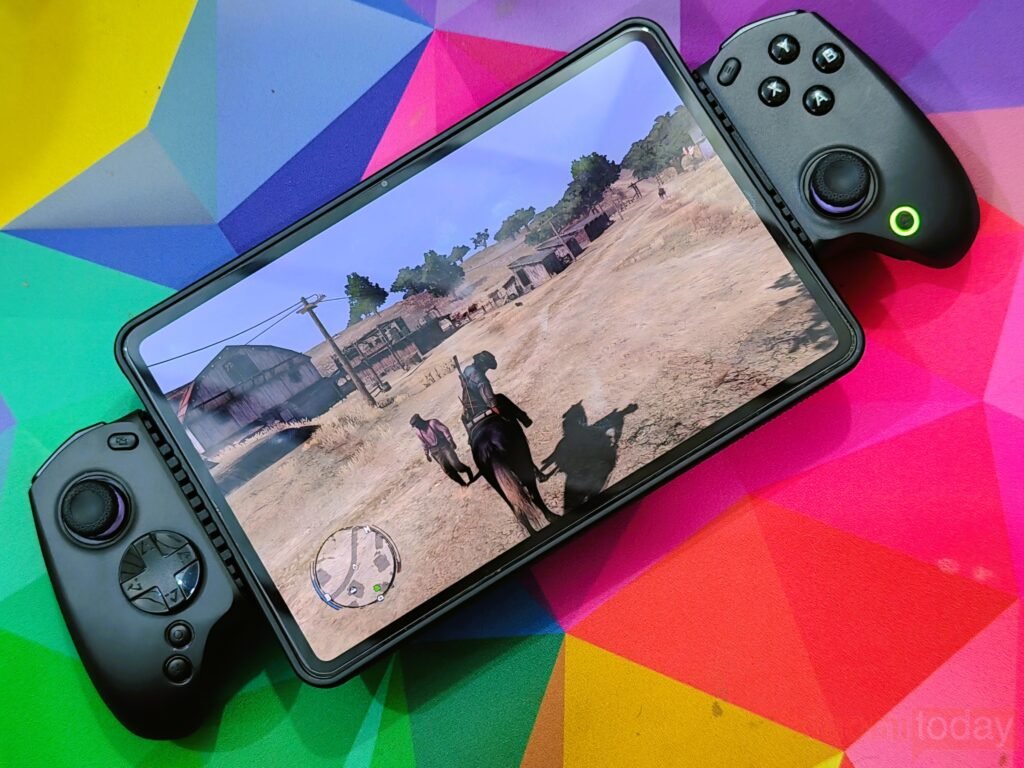
For games with native controller support, pairing was quick, and controls worked immediately after selecting the appropriate connection mode. Hall effect joysticks provided smooth movement with accurate directional control, while the Hall effect triggers offered precise analog input in racing games and shooters. Face buttons produced a soft, responsive click that felt consistent during repeated inputs.
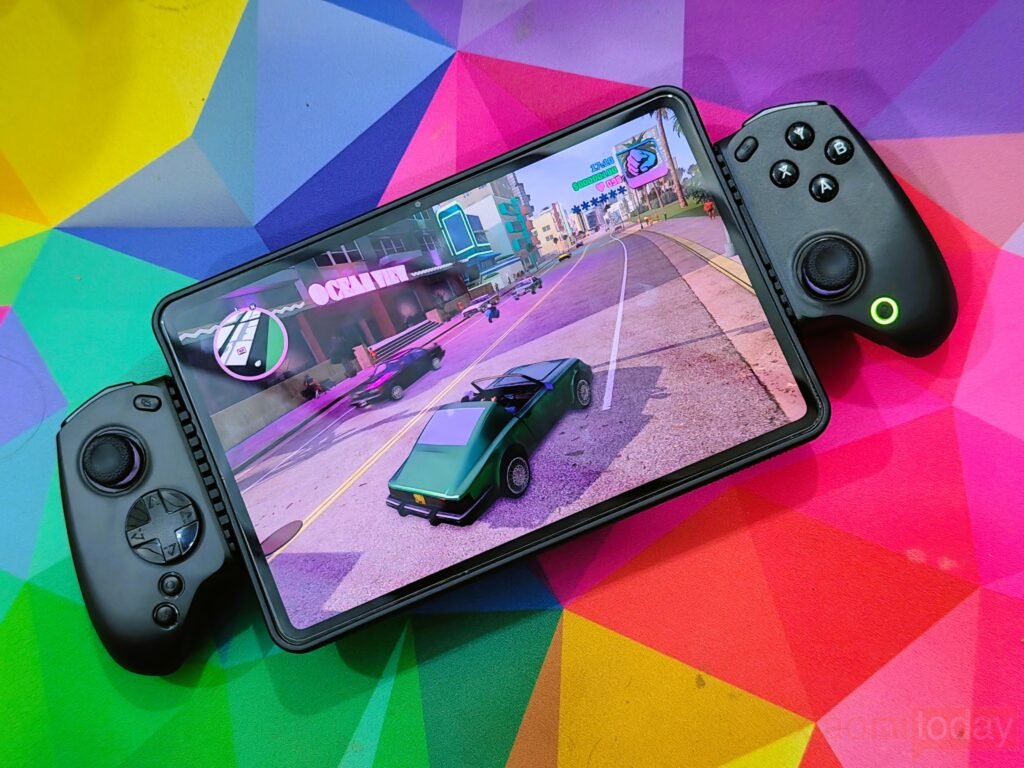
For titles without native controller support, the Mapping Mode inside the ABXY Game app allowed touch controls to be assigned to physical buttons. After creating a control profile, gameplay became much more comfortable than relying on touchscreen controls.
Nintendo Switch Games via Emulator
Nintendo Switch emulation on Android performed well using NS Mode. Popular emulator applications detected the controller without additional configuration, allowing gameplay to begin within minutes.
The familiar button layout translated naturally to Switch controls, and joystick accuracy remained consistent during platformers, racing games, and action titles. Motion control support is also available through the built-in six-axis gyroscope, giving compatible games additional functionality.
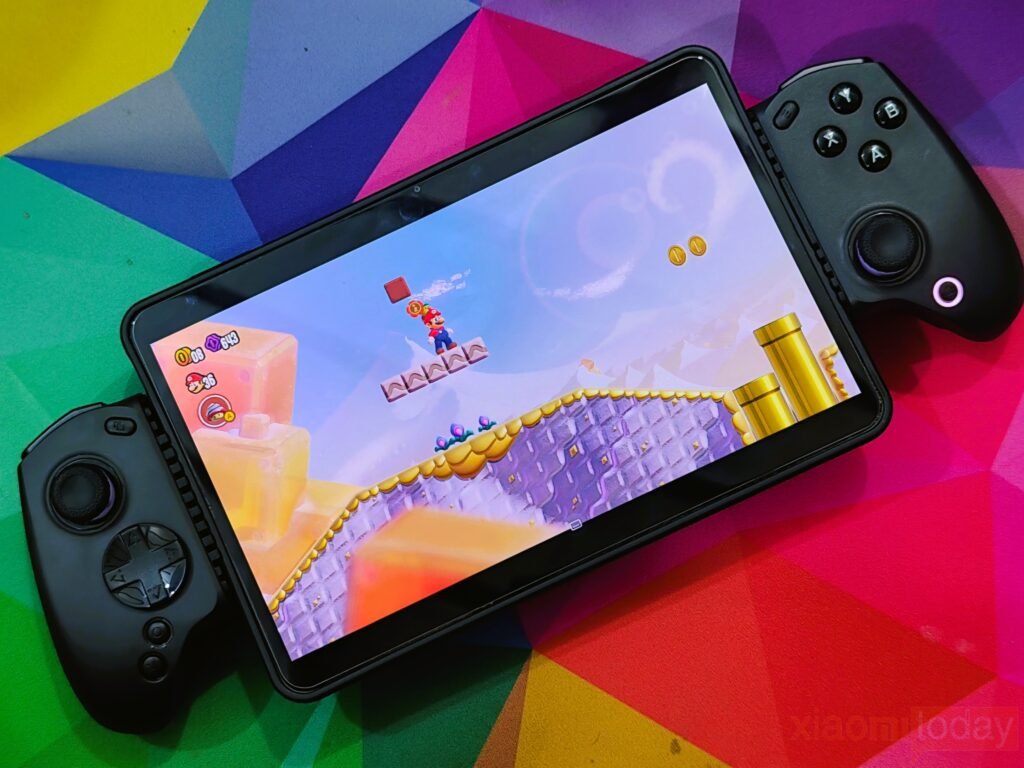
The interchangeable D-pad options also proved useful. The standard cross-shaped D-pad worked well for platform games, while the circular D-pad offered smoother directional movement for retro and arcade titles.
PC Games via Emulator
Although designed primarily for mobile devices, the controller also handled PC emulator testing without difficulty. Once connected, Windows recognized the controller, and most emulator software detected the inputs correctly.
The analog sticks remained accurate throughout testing, while Hall effect triggers delivered smooth analog control for games that support variable trigger input. Rear programmable buttons provided convenient shortcuts for emulator functions, reducing the need to reach for the keyboard during gameplay.
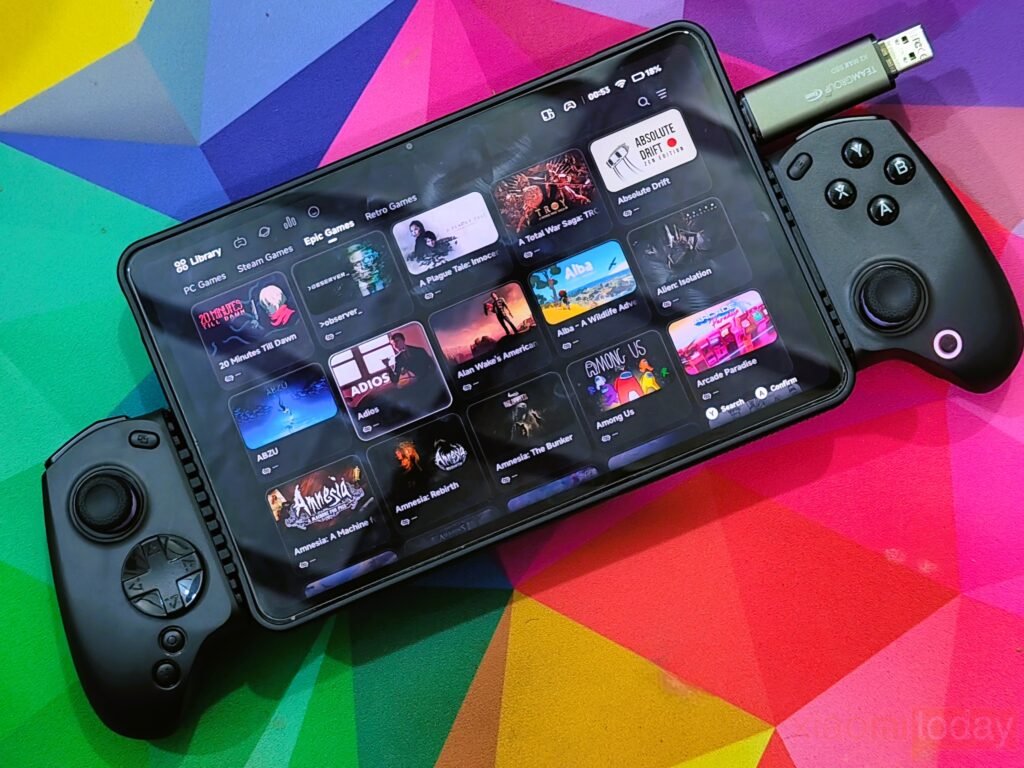
Customization through the companion app also helped fine-tune dead zones and trigger response before launching games, making it easy to adapt the controller to different emulator setups.
Cloud Gaming
Cloud gaming was one of the strongest use cases during our testing. The controller worked well with Xbox Game Pass, GeForce NOW, Moonlight, PXPlay, XBXPlay, and PS Remote Play after selecting the recommended connection mode.
Bluetooth performance remained stable throughout extended sessions, and input response felt responsive enough for action games, racing titles, and first-person shooters. As expected, overall responsiveness still depends on network quality, but the controller itself did not introduce noticeable input delay.
Automatic reconnection also made daily use more convenient. After powering on, the controller quickly connected to the previously paired device without repeating the pairing process.
Overall Experience
After spending time with the abxylute S8 across multiple gaming platforms, the controller proved to be a reliable option for players who frequently switch between smartphones, tablets, emulators, and cloud gaming services. The ergonomic design remains comfortable during extended sessions, Hall effect joysticks and triggers deliver accurate control, and Bluetooth 5.3 maintains a stable wireless connection.
The ABXY Game app adds useful customization without making the setup process complicated. Features such as button remapping, trigger adjustment, dead zone tuning, motion control settings, firmware updates, and controller diagnostics provide enough flexibility for both casual players and users who prefer to fine-tune their controls. Combined with broad platform compatibility and dependable wireless performance, the abxylute S8 offers a well-rounded gaming experience across a wide range of devices.
Conclusion