The compact keyboard market continues to evolve, yet it has reached a stage where many brands offer similar designs with only minor changes. Epomaker has taken a different route with the Carbon60 by introducing carbon fiber as the main material for the chassis, placing it in a fresh category within the 60% segment. It aims to offer a smaller footprint and reduced weight while keeping the feature set familiar to modern mechanical-keyboard users.
The Carbon60 arrives as a premium option in Epomaker’s lineup, combining a carbon-fiber body with tri-mode wireless connectivity, hot-swappable low-profile switches, and VIA support for customization. This approach targets users who want a compact keyboard that moves easily between home, office, and travel without sacrificing build quality or everyday usability. The sound profile leans toward a muted, controlled character that many users look for in a low-profile board.
Portability has often required users to compromise on structure or typing comfort. With the EPOMAKER Carbon60, the lighter frame does not feel flimsy, and during the first hands-on use, the reduced weight was easy to notice. It slips into a bag with little effort, and carrying it around during the day feels natural, which is not always the case with metal-framed compact keyboards.
While Carbon60 introduces a new material direction, it also brings certain limits, such as a higher price bracket and the lack of tilt feet or onboard storage for the wireless dongle. Even so, its build approach, battery efficiency, and programming flexibility give it a strong foundation for users who prioritize portability and a clean desk layout.
This review explores how well the Carbon60 delivers on its promise and whether Epomaker’s shift toward carbon fiber provides meaningful benefits in daily use.
Specifications
| Specification | Details |
|---|---|
| Brand | Epomaker |
| Model | Carbon60 |
| Layout | 60% ANSI US Layout |
| Number of Keys | 61 Keys |
| Connectivity | Type-C Cable, 2.4GHz, Bluetooth 5.0 |
| Compatibility | Mac / Windows / Linux |
| Battery | 3000mAh |
| Battery Life | 23.6 hours (Backlight on), 176.4 hours (Backlight off) |
| Case Material | Carbon Fiber |
| Front Height | 22.5mm |
| Back Height | 26.7mm |
| Flex-Cut | No Flex-Cut |
| Plate Material | Carbon Fiber |
| Sound Dampening | 3 layers: Sandwich Pad, Switch Pad, Bottom Foam |
| Keycaps Profile | DSA Low Profile |
| Keycaps Material | ABS Plastic |
| Keycaps Manufacturing | Double-Shot |
| Hot Swappable | Yes |
| RGB | South-facing, per-key RGB |
| Polling Rate | 1000Hz (USB, 2.4GHz), 125Hz (Bluetooth 5.0) |
| Latency | 4ms (USB), 10ms (2.4GHz), 22ms (Bluetooth 5.0) |
| Anti-Ghosting | N-Key Rollover (Win) / 6-Key Anti-Ghosting (Mac) |
| Keyboard Dimensions | 297 × 102.3 × 26.7 mm |
| Keyboard Weight | 0.5 kg |
Unboxing
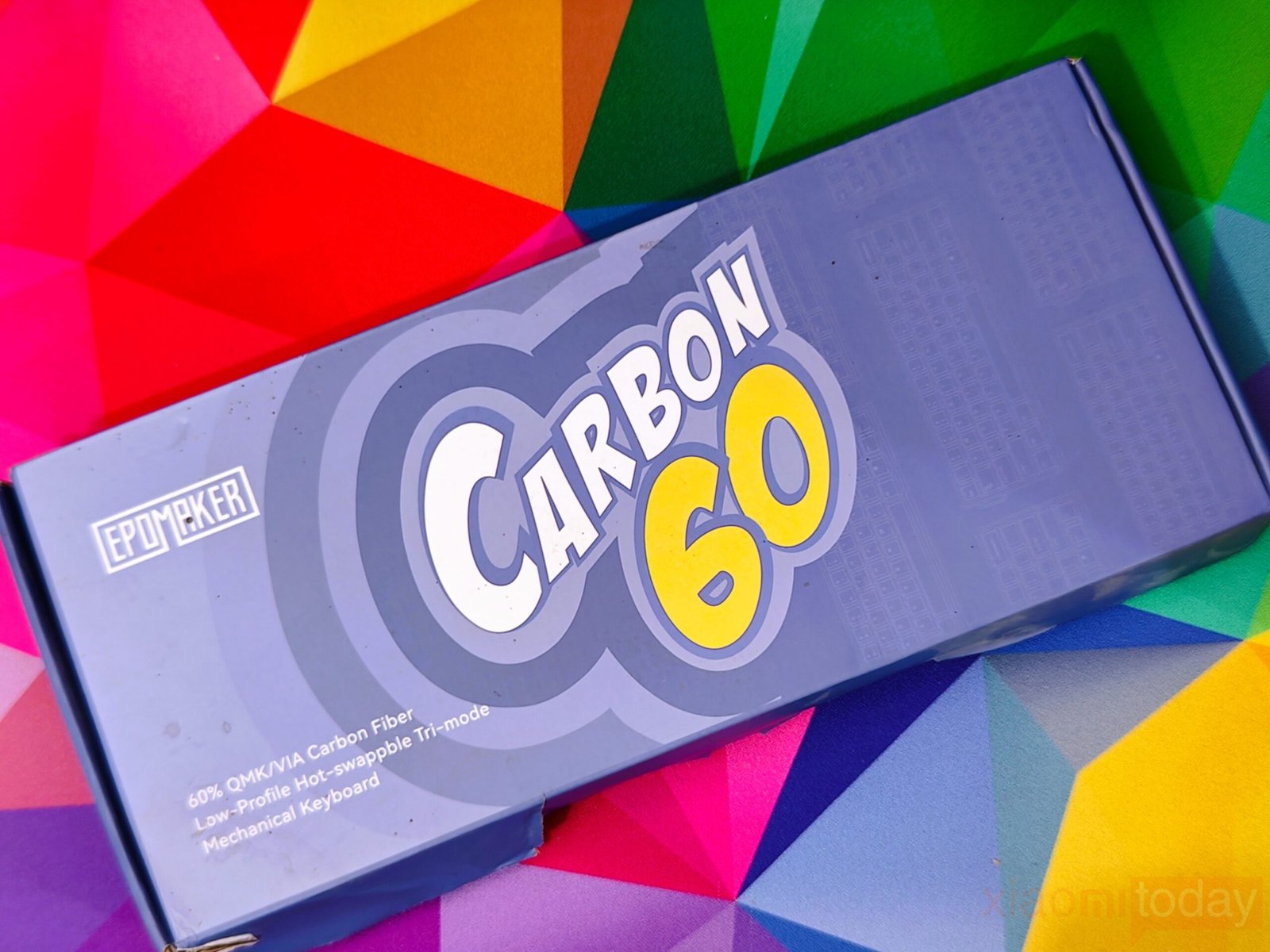
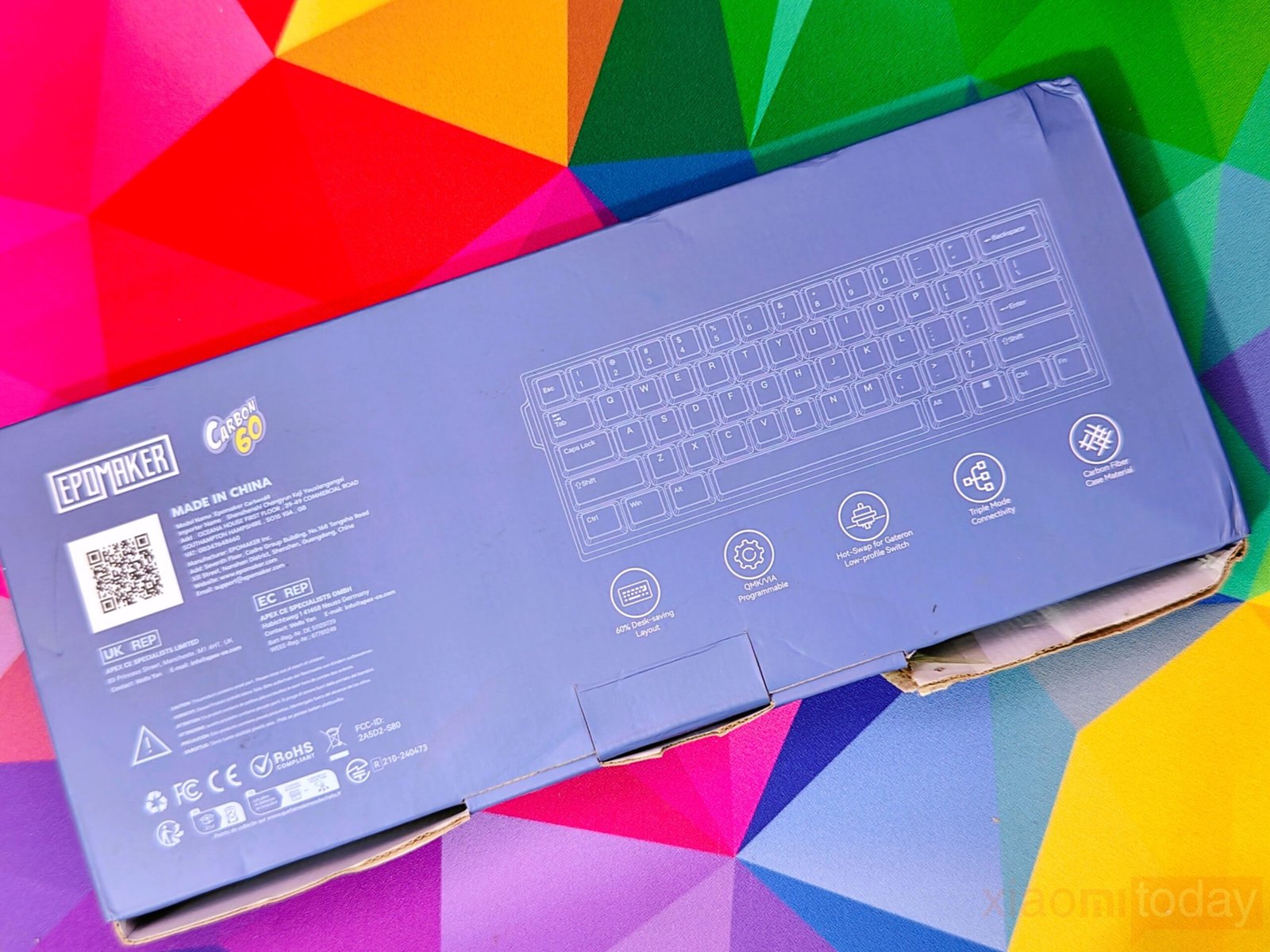
The EPOMAKER Carbon60 comes in a light blue box that immediately draws attention to its design and branding. The front features the “CARBON 60” name in white and yellow lettering, with the EPOMAKER logo neatly placed in the upper left corner. The back of the box features a clear, labeled diagram of the 60% keyboard layout. Below the diagram, several circular icons further elaborate on the features, including QMK/VIA Programmable, Hot-swap Low-profile Switch, Tri-mode Connectivity, and a Carbon Fiber Base Plate/Housing.
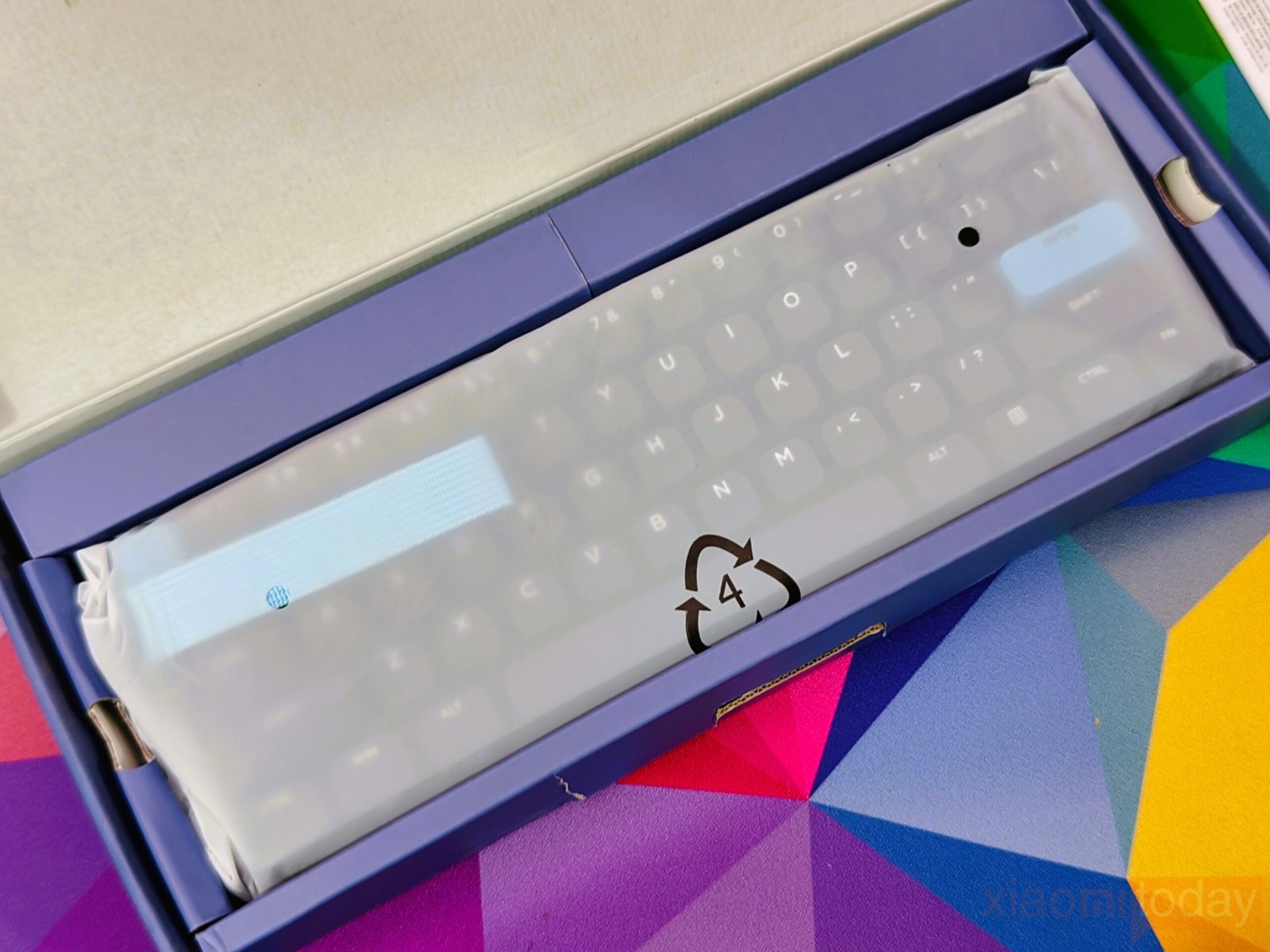
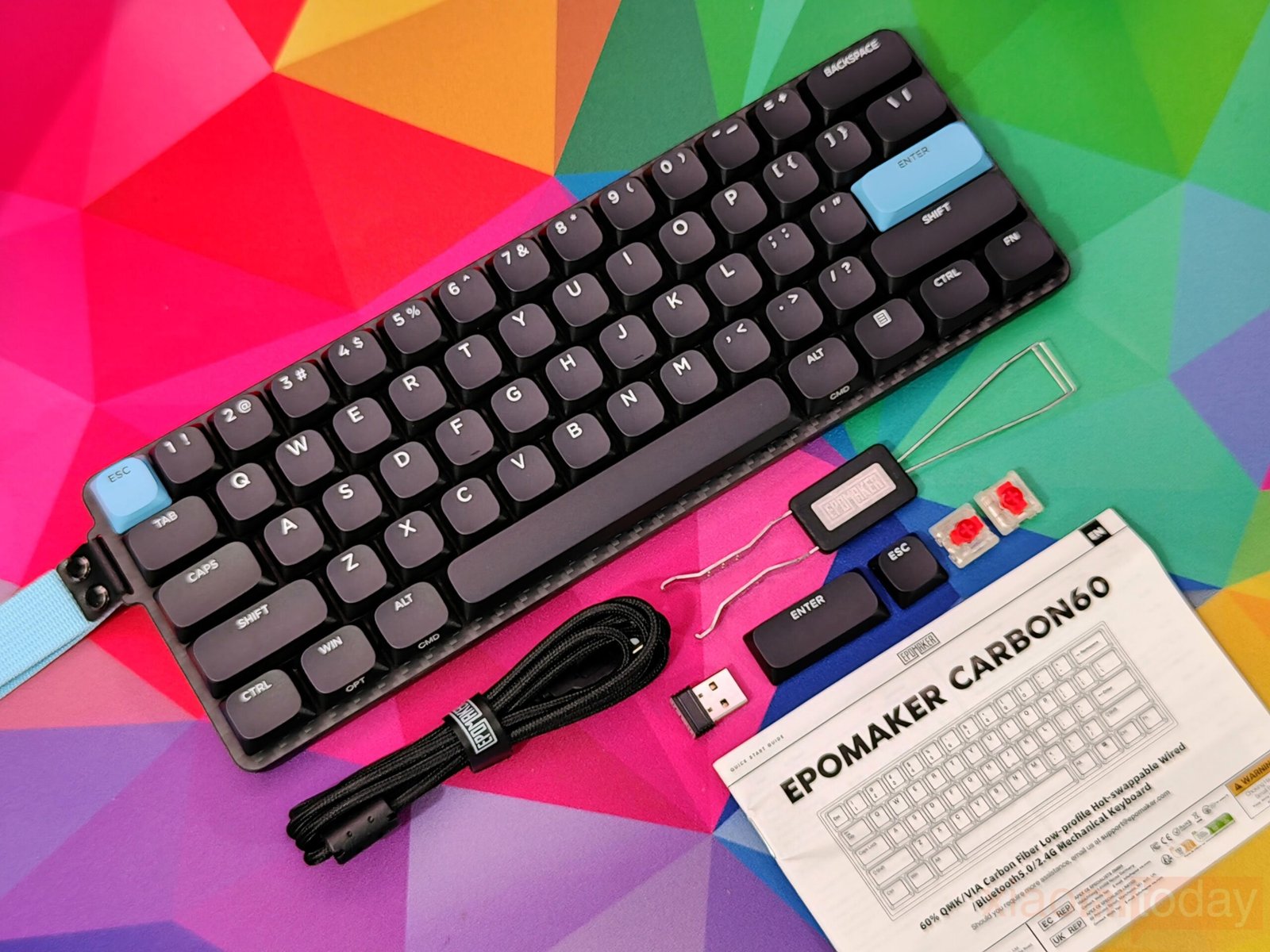
Opening the box, the ke is wrapped in a semi-translucent protective sleeve, sitting securely in its tray without any unnecessary extras. All included items are arranged neatly: a braided USB-C cable with a velcro strap, a 2.4 GHz dongle for wireless use, a metal keycap puller, two light-blue accent keycaps for Esc and Enter, and a small packet carrying two spare switches. The user manual covers the basics and helps you get started quickly. The overall setup feels practical and user-focused, giving a clear first impression of a compact keyboard designed for easy setup and regular use.
Design
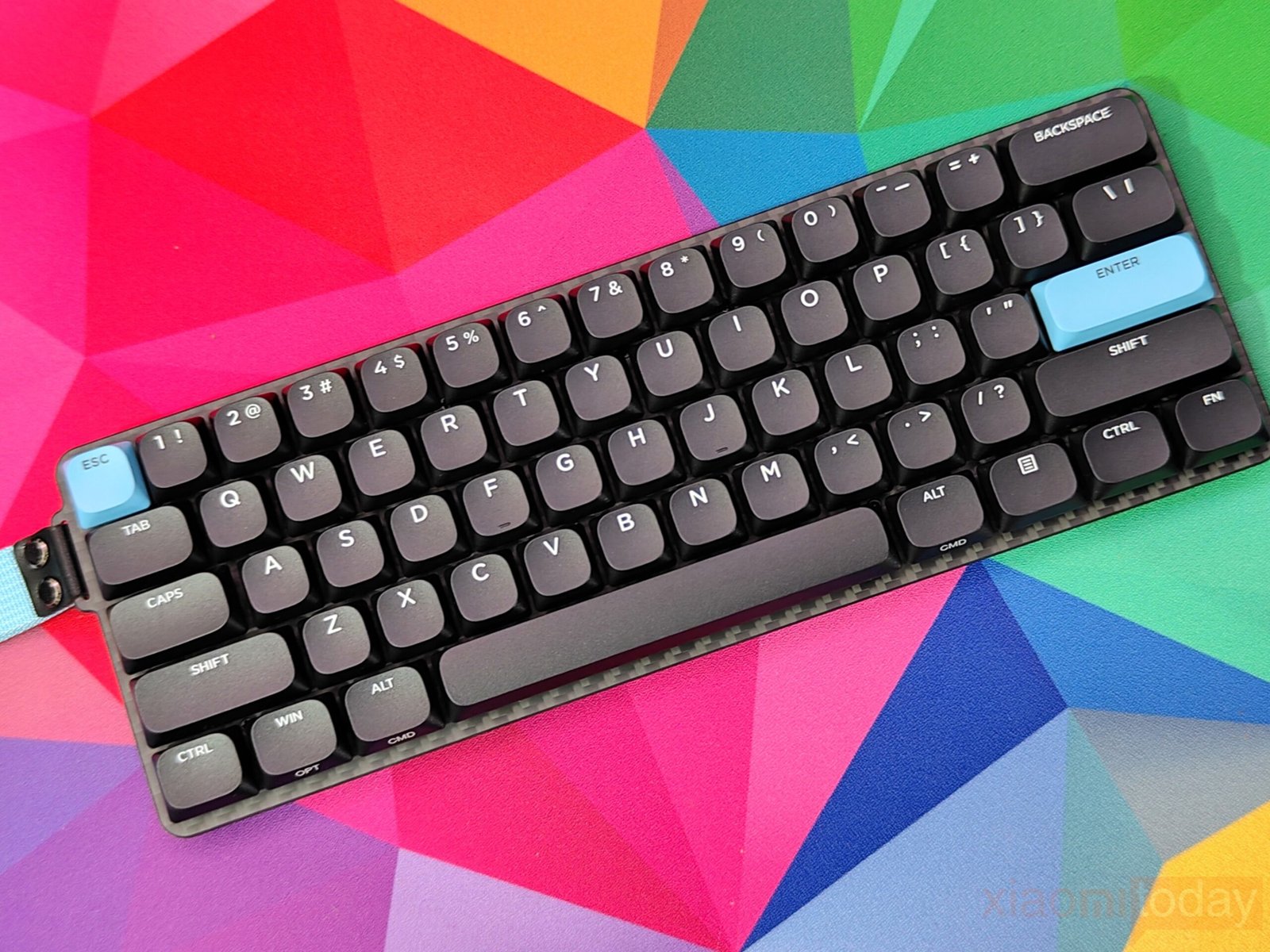
Handling the EPOMAKER Carbon60 for the first time gives a clear sense of what this compact board is designed to offer. The 61-key layout fits neatly into smaller desk spaces, making it easy to work or game without feeling cramped. Its carbon fiber case, matched with a clean spray-paint finish, delivers a modern look while keeping the build light and durable. During use, the frame shows minimal flex, which is impressive considering its 0.5 kg weight. Carrying it between setups feels effortless, and the compact body helps it slip into a backpack or drawer without fuss. At 297 × 102.3 × 26.7 mm, the Carbon60 maintains a balanced presence—small enough to manage comfortably yet solid enough to feel reliable in daily use.
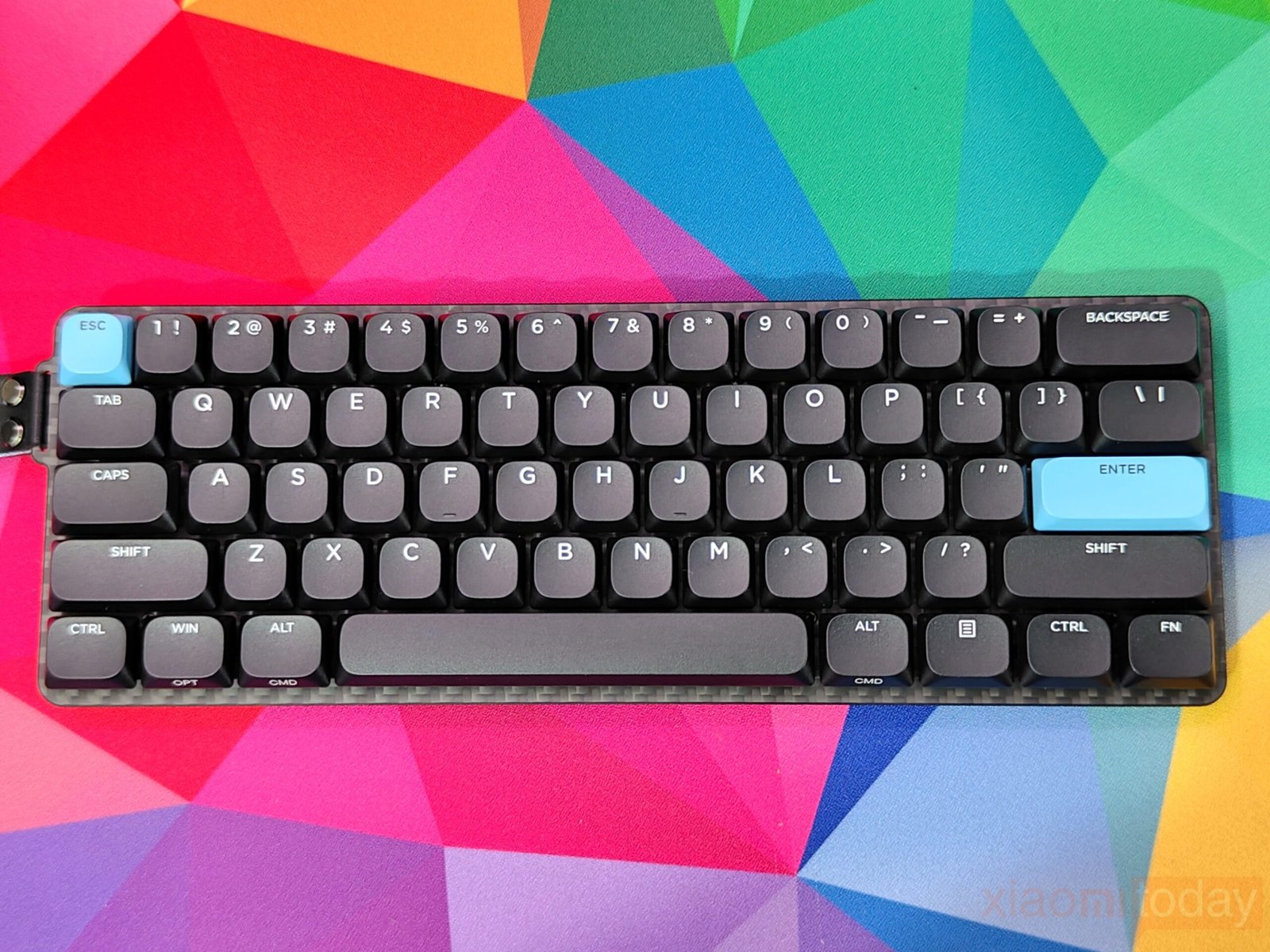
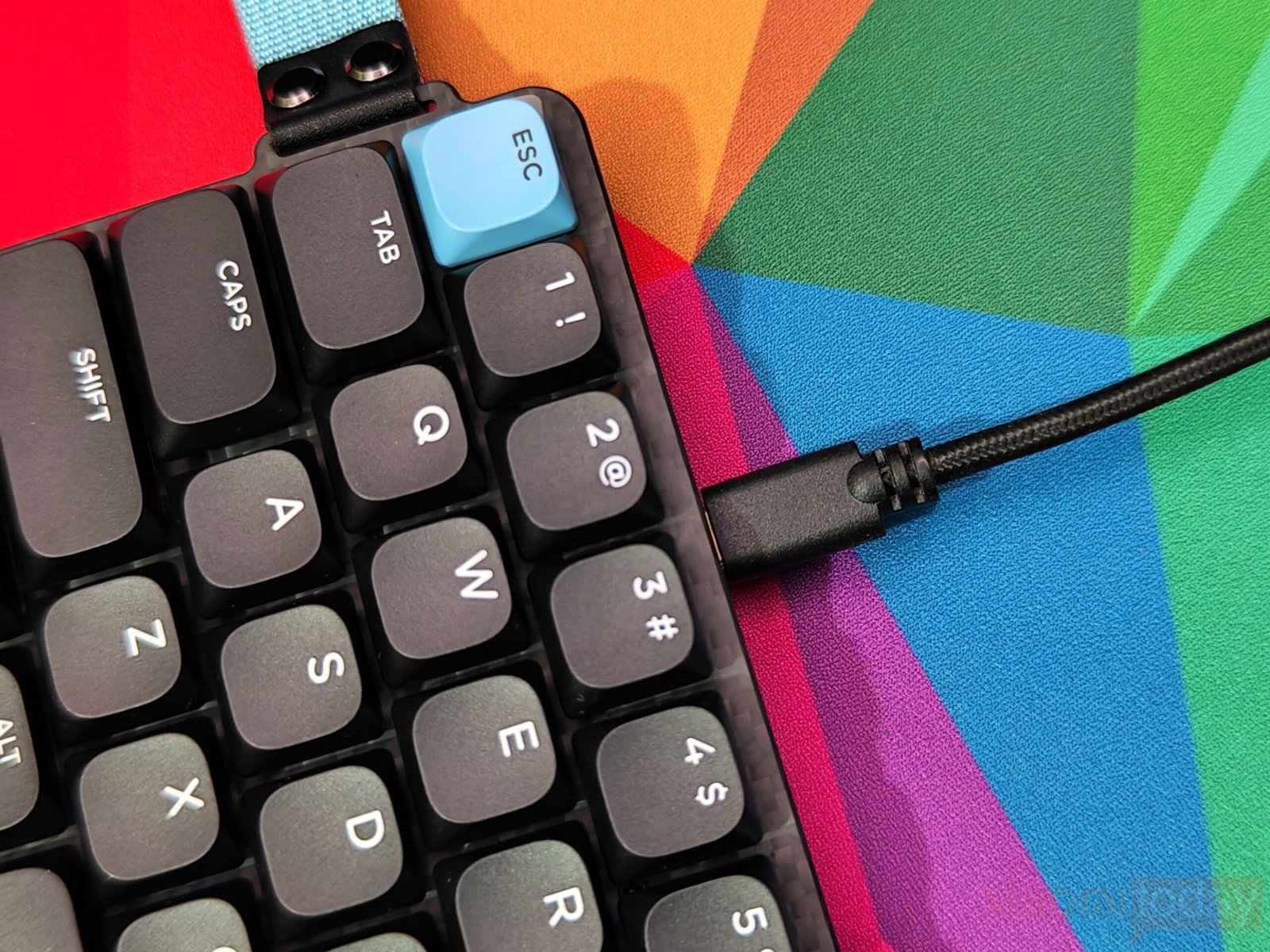
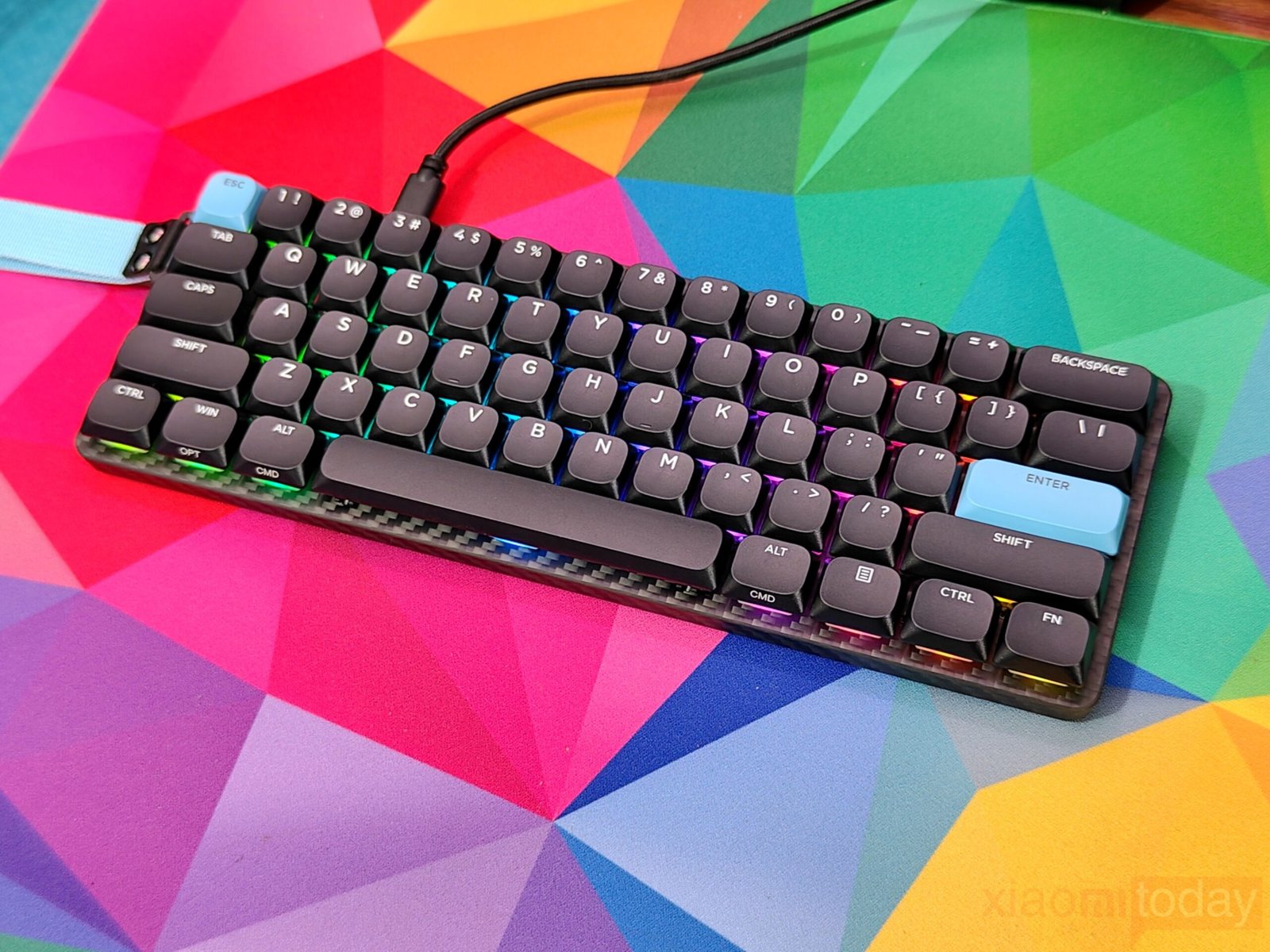
The Epomaker Carbon60 keeps a clean and compact look, comes with blue keycaps that bring a bit of contrast to its black layout. Its carbon fiber texture is noticeable across the back, sides, and the area beneath the keycaps, giving the keyboard a design that matches its name. The lightweight carbon fiber build also makes it easy to carry while still feeling steady on a desk.
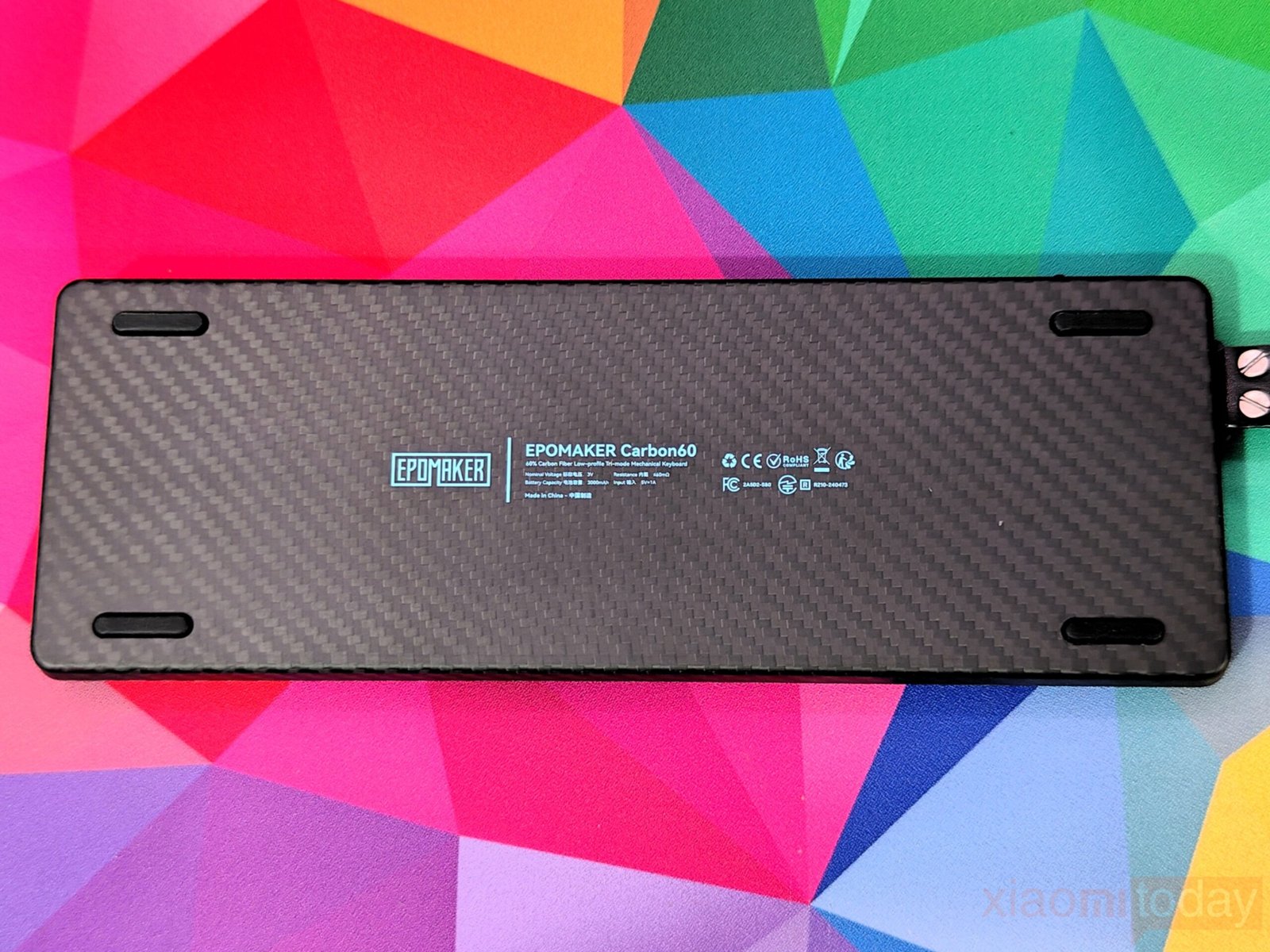
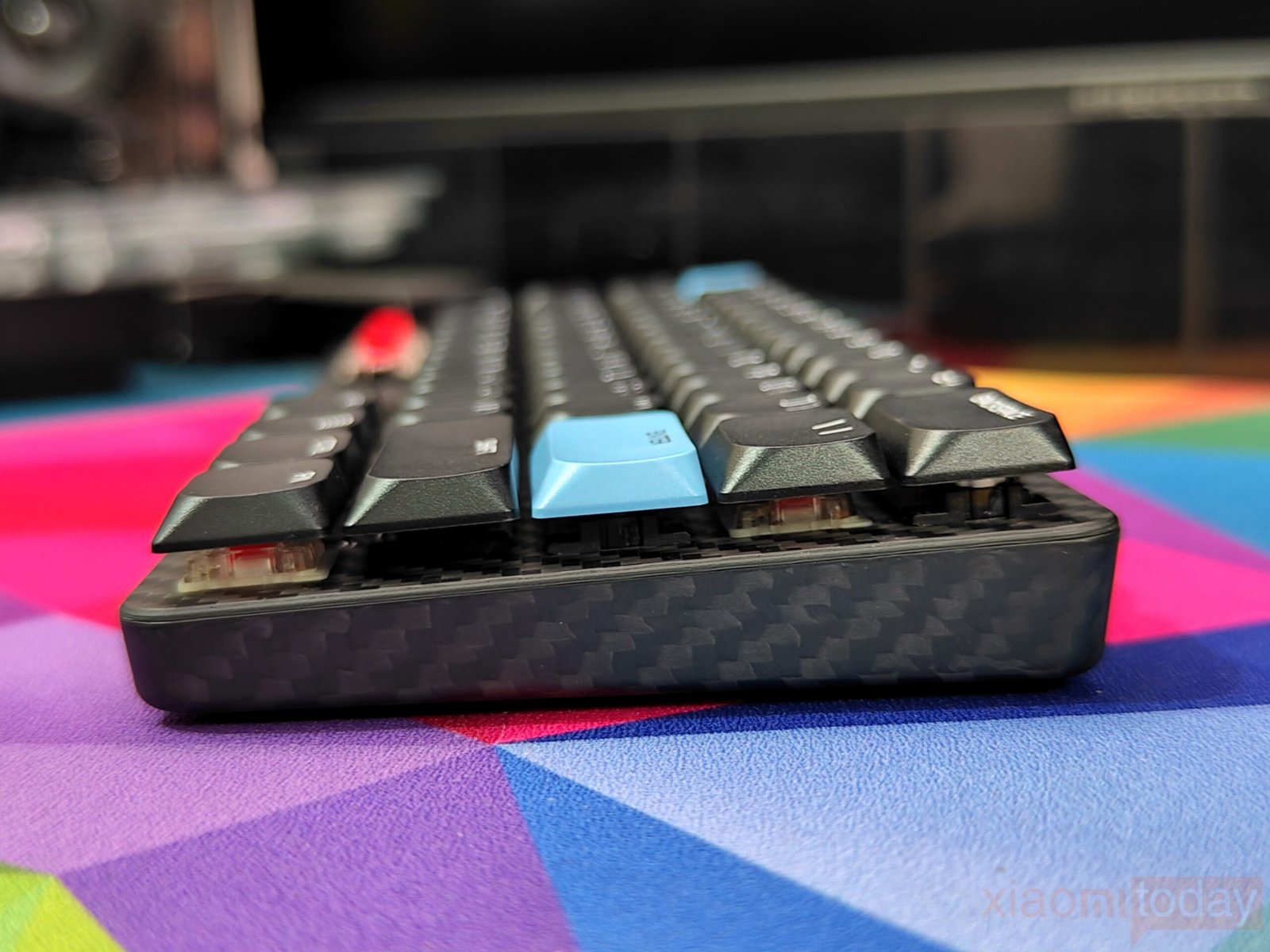
The same texture continues on the bottom, paired with blue text for a consistent finish. One drawback is the lack of adjustable feet, which may limit comfort for users who prefer a raised typing angle.
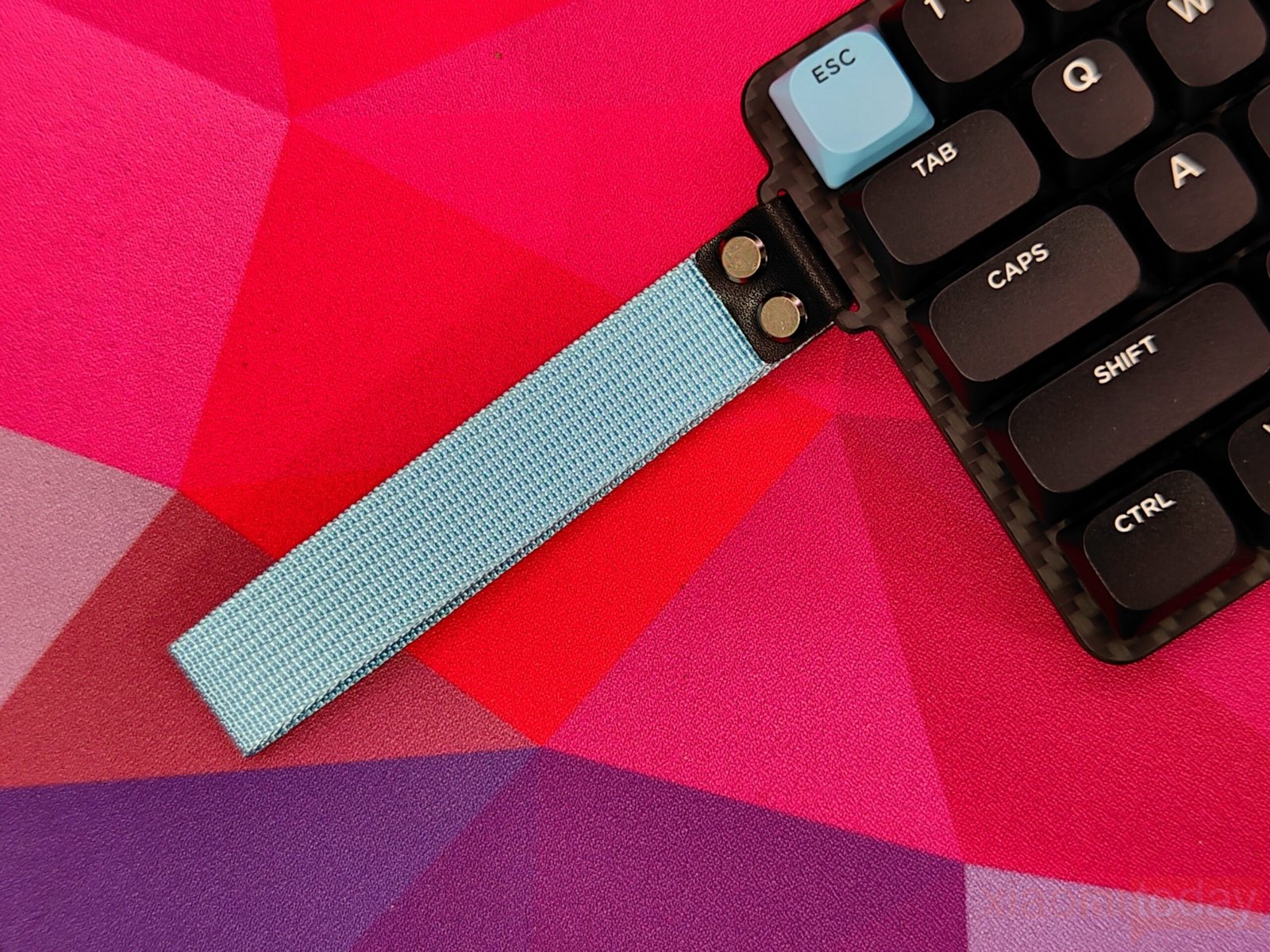
The Epomaker Carbon60 comes with a blue strap that gives the keyboard a distinct visual touch, though its practical use is limited. It can help with carrying or hanging the board, but it also adds extra bulk to the slim frame. Since the strap isn’t removable, placing it underneath causes the keyboard to sit unevenly, which may be distracting during daily use. It’s a design choice that some may appreciate for its look, while others might find it unnecessary.
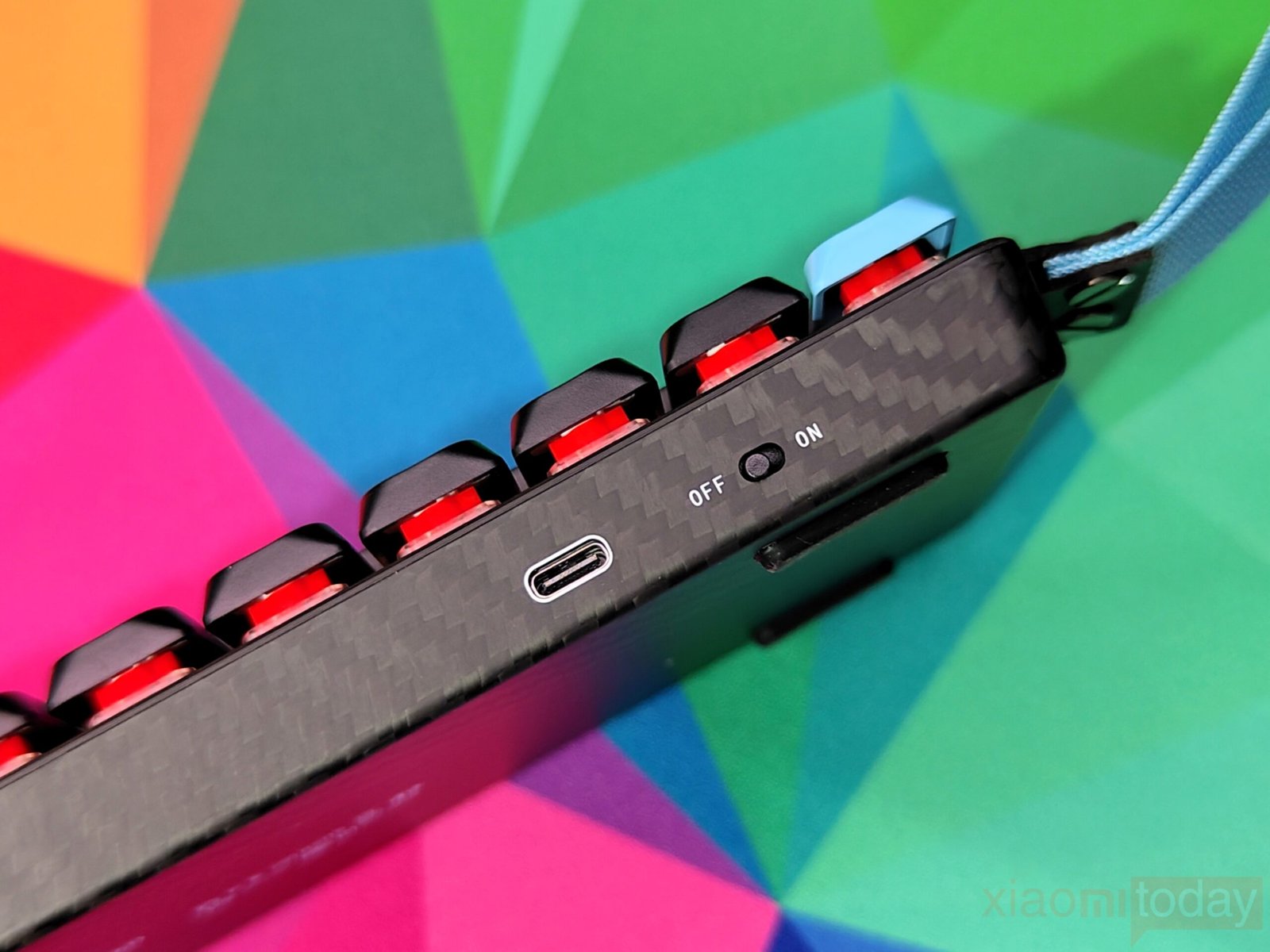
The Epomaker Carbon60 combines convenience and flexibility with multiple connection options. Its USB-C port sits on the side for easy wired use, while wireless support includes both Bluetooth and 2.4GHz modes. A simple toggle switch lets you switch between wired and wireless connections quickly, making it easy to use across different devices without interrupting workflow.
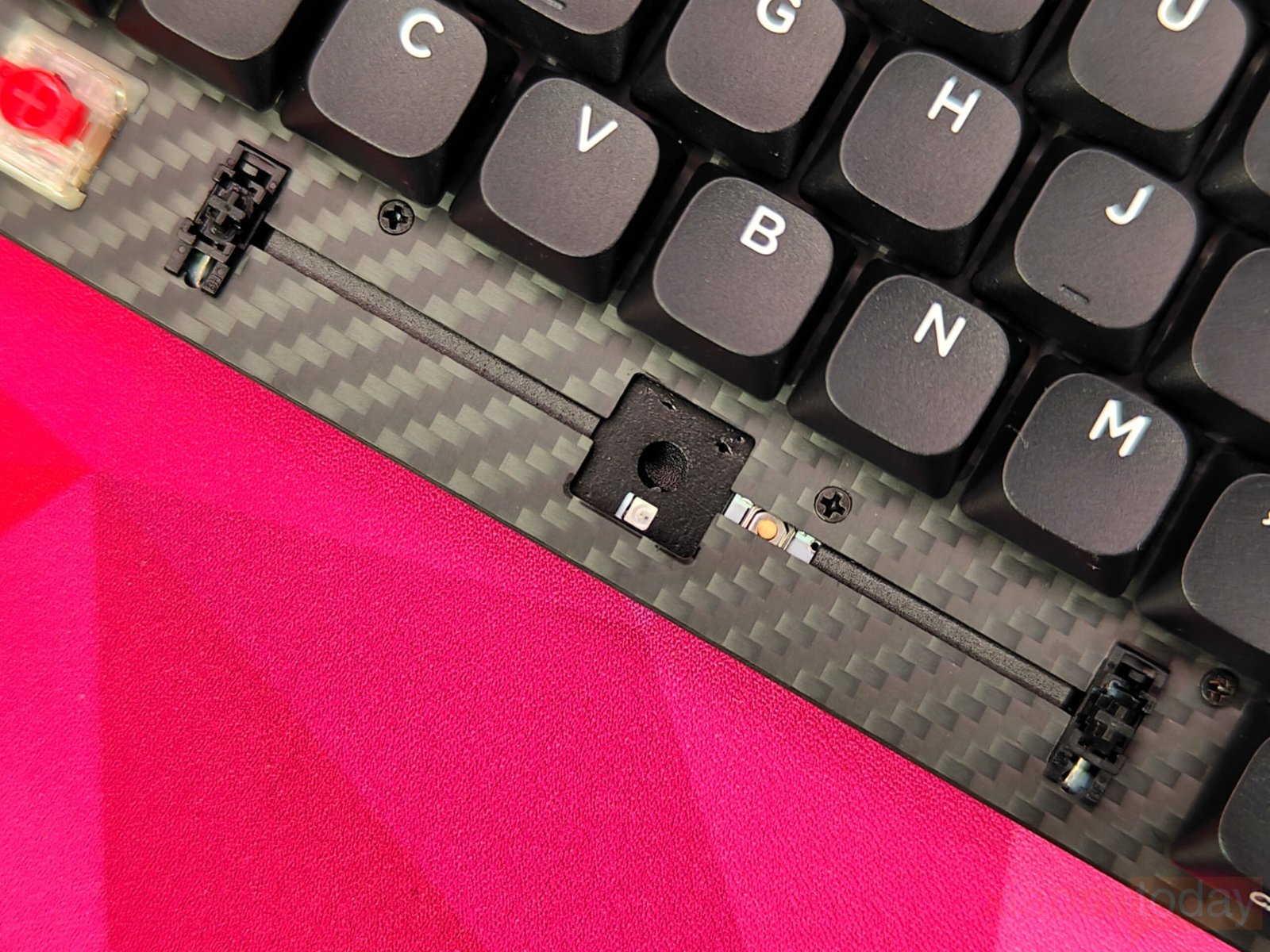
The Epomaker Carbon60 offers a solid typing experience with its carbon fiber plate and thoughtfully layered sound-dampening system. Without the Flex-Cut design, the keyboard feels sturdy under heavy keypresses, while the three-layer damping, sandwich pad, switch pad, and bottom foam effectively reduce noise and enhance overall feel. For users who spend long hours typing or gaming, the Carbon60 strikes a good balance between durability, comfort, and acoustic control, making it a versatile choice for both workstations and compact setups.
Keycaps & RGB Lighting
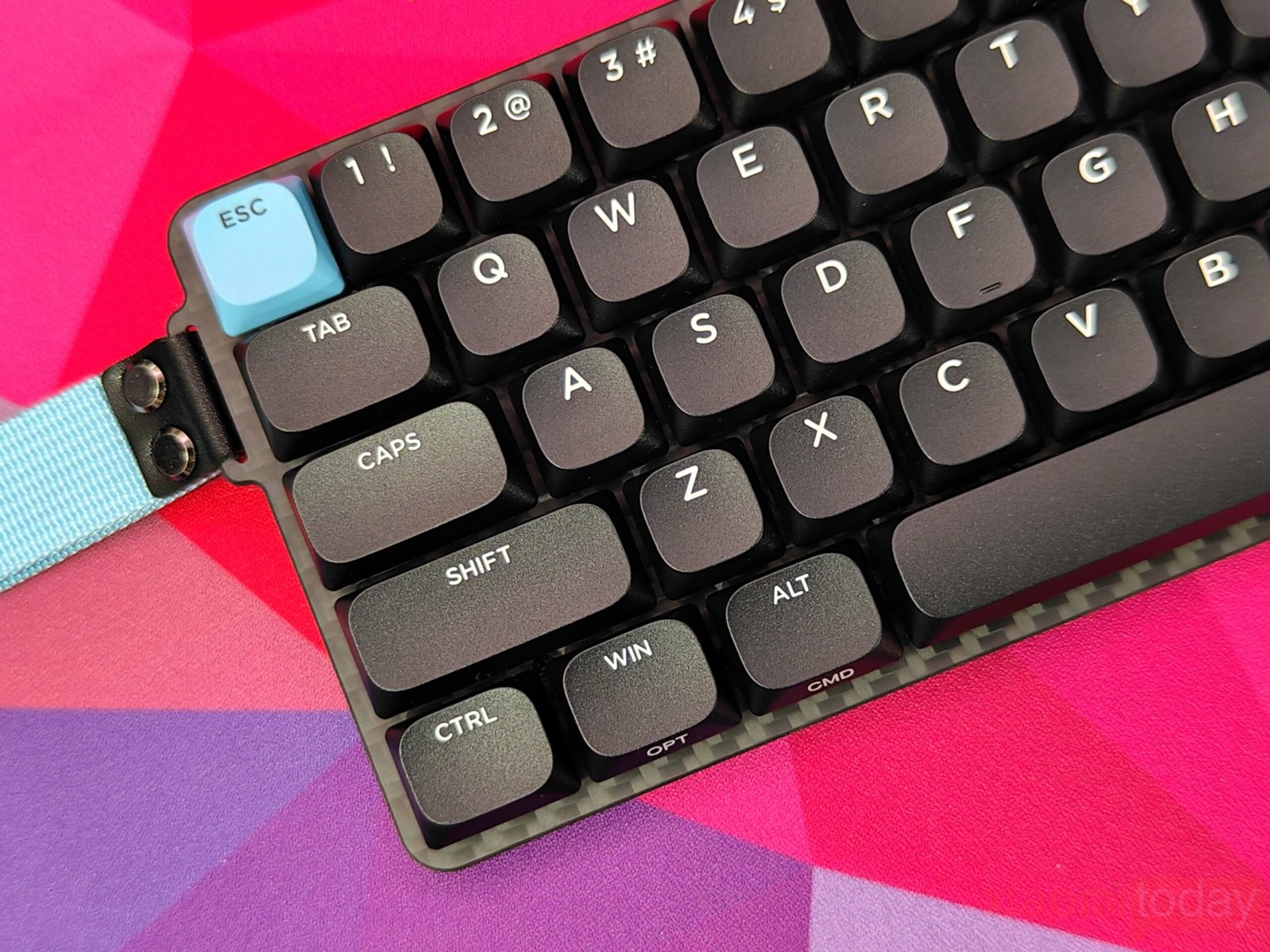
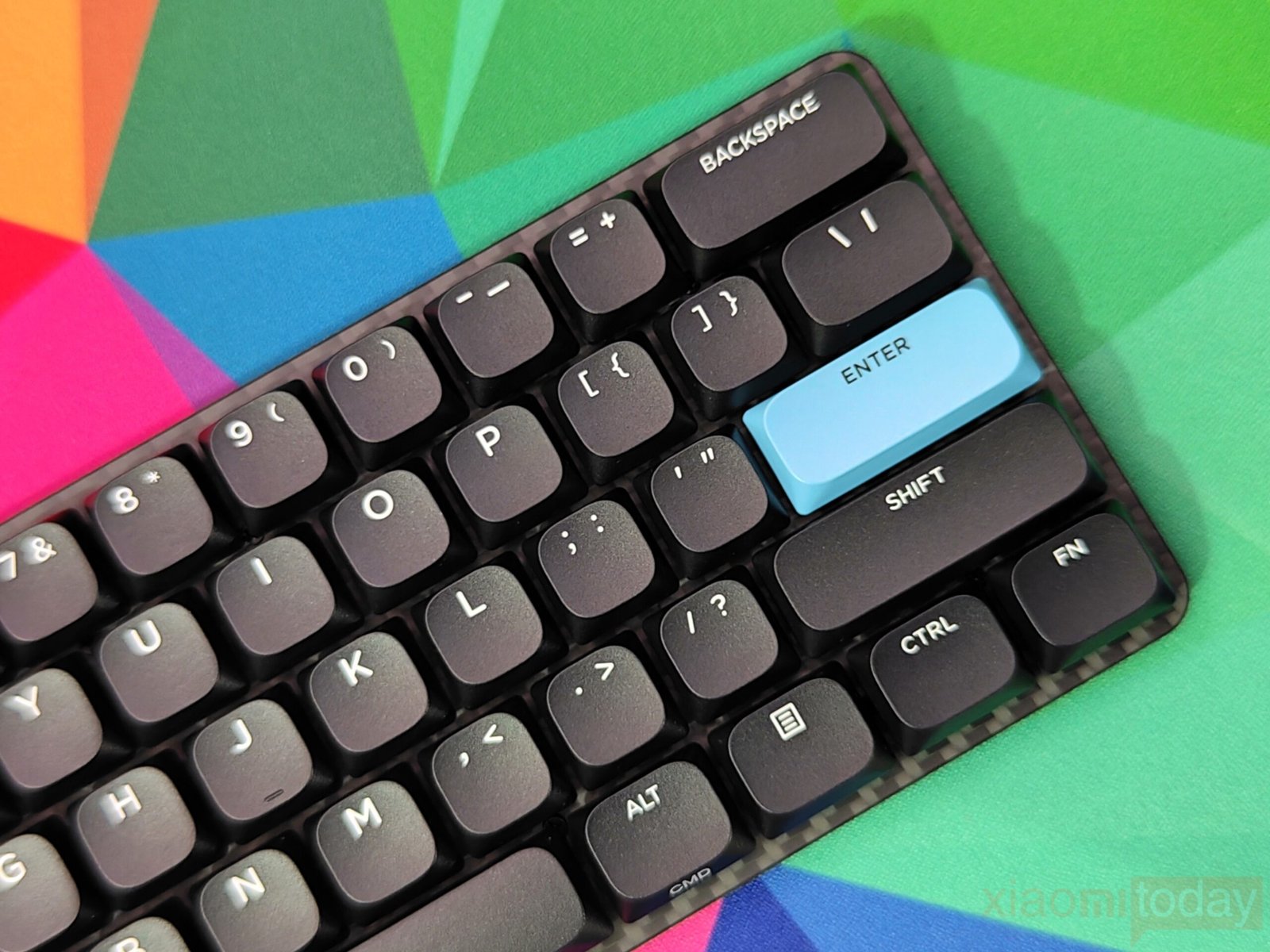
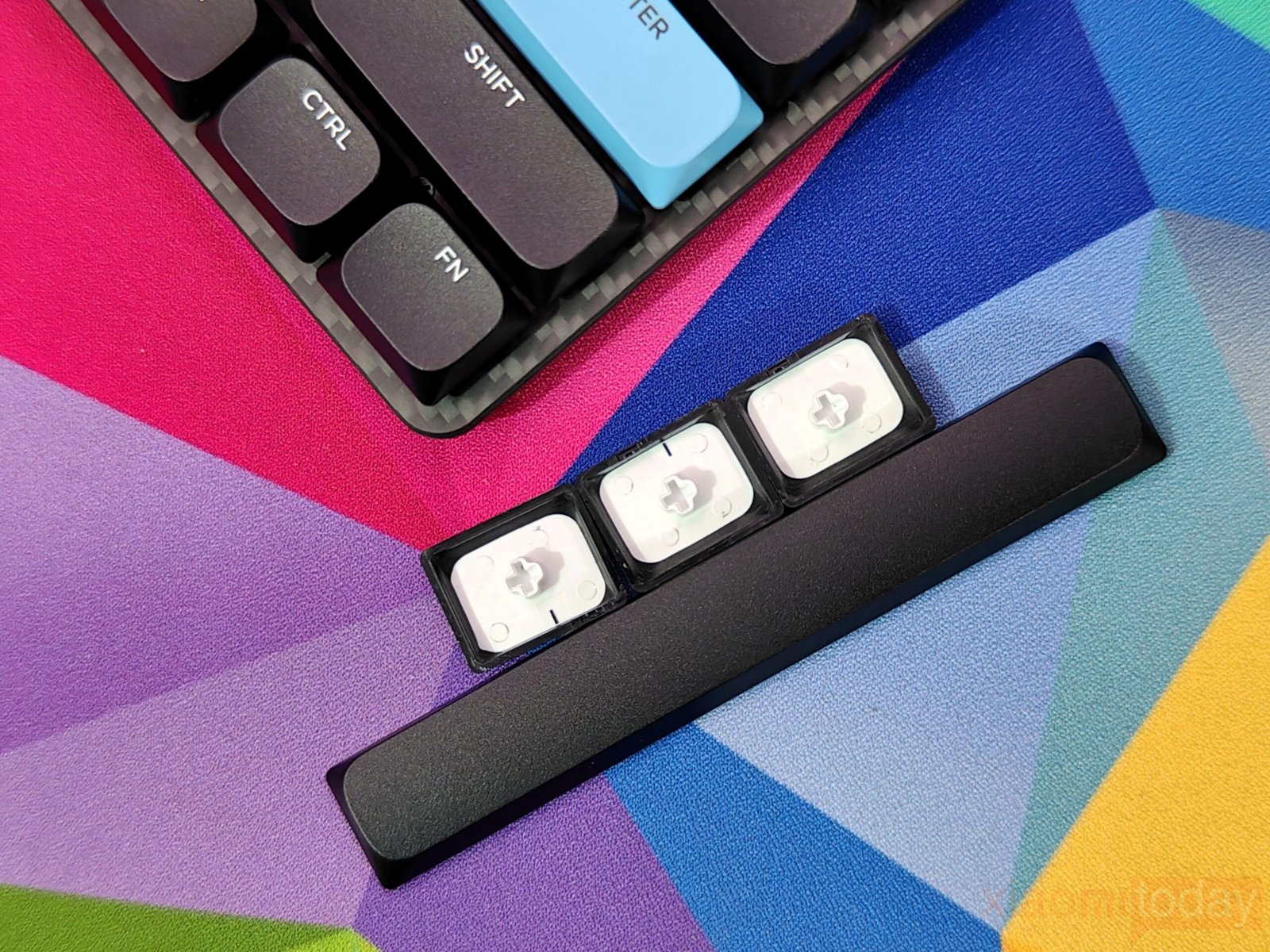
The Epomaker Carbon60 comes equipped with ABS plastic keycaps, which are lighter and more cost-effective than PBT options while still offering reliable performance. Its DSA low-profile double-shot keycaps provide a comfortable typing experience, with a smooth tactile response that makes extended sessions easier on the fingers. Each key has a large, centered legend for clear visibility, while Mac-specific keys are printed on the south-facing side. This design reduces top-key noise and keeps the Mac legends visible, showing attention to detail in both usability and ergonomics.
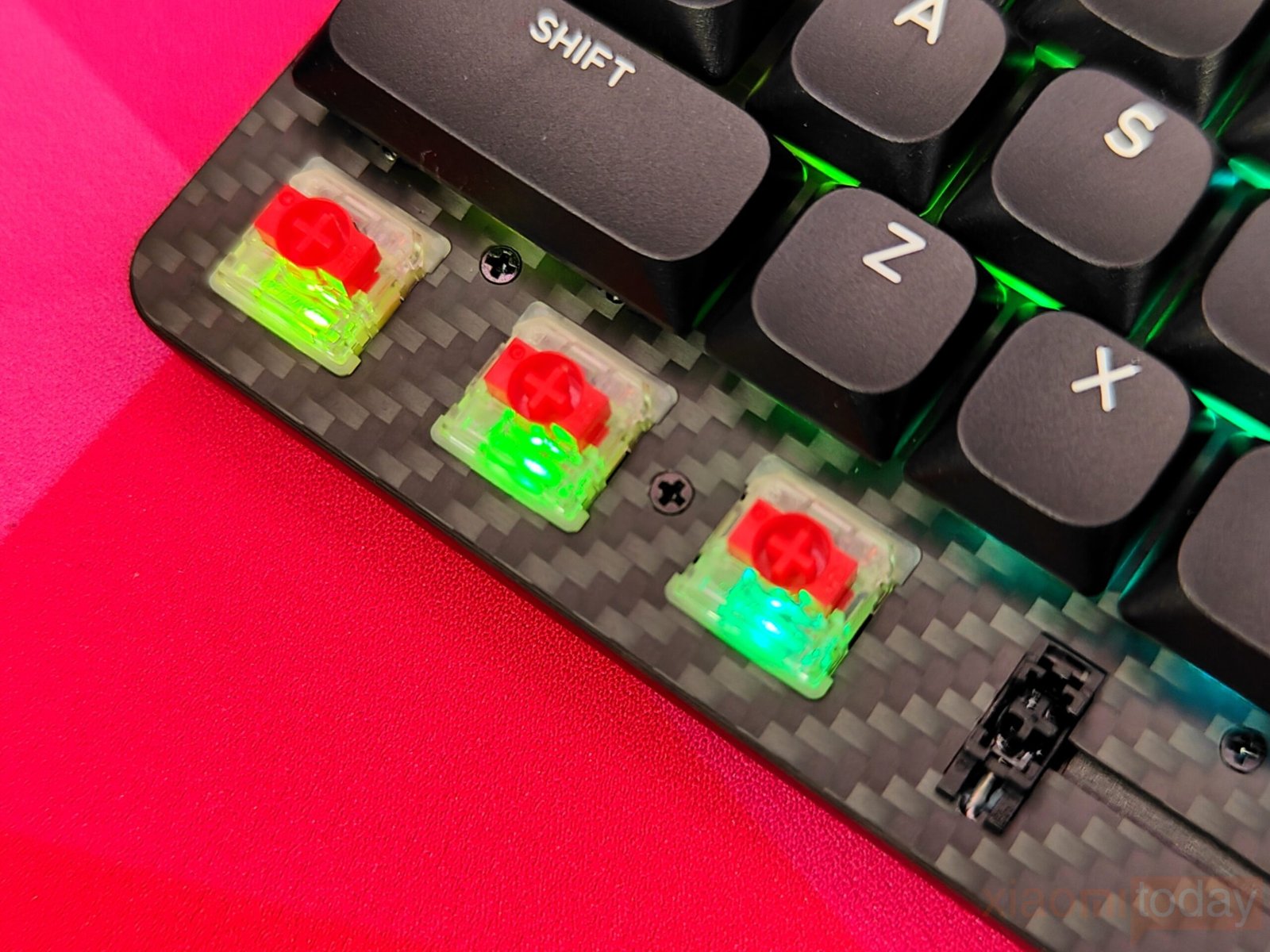
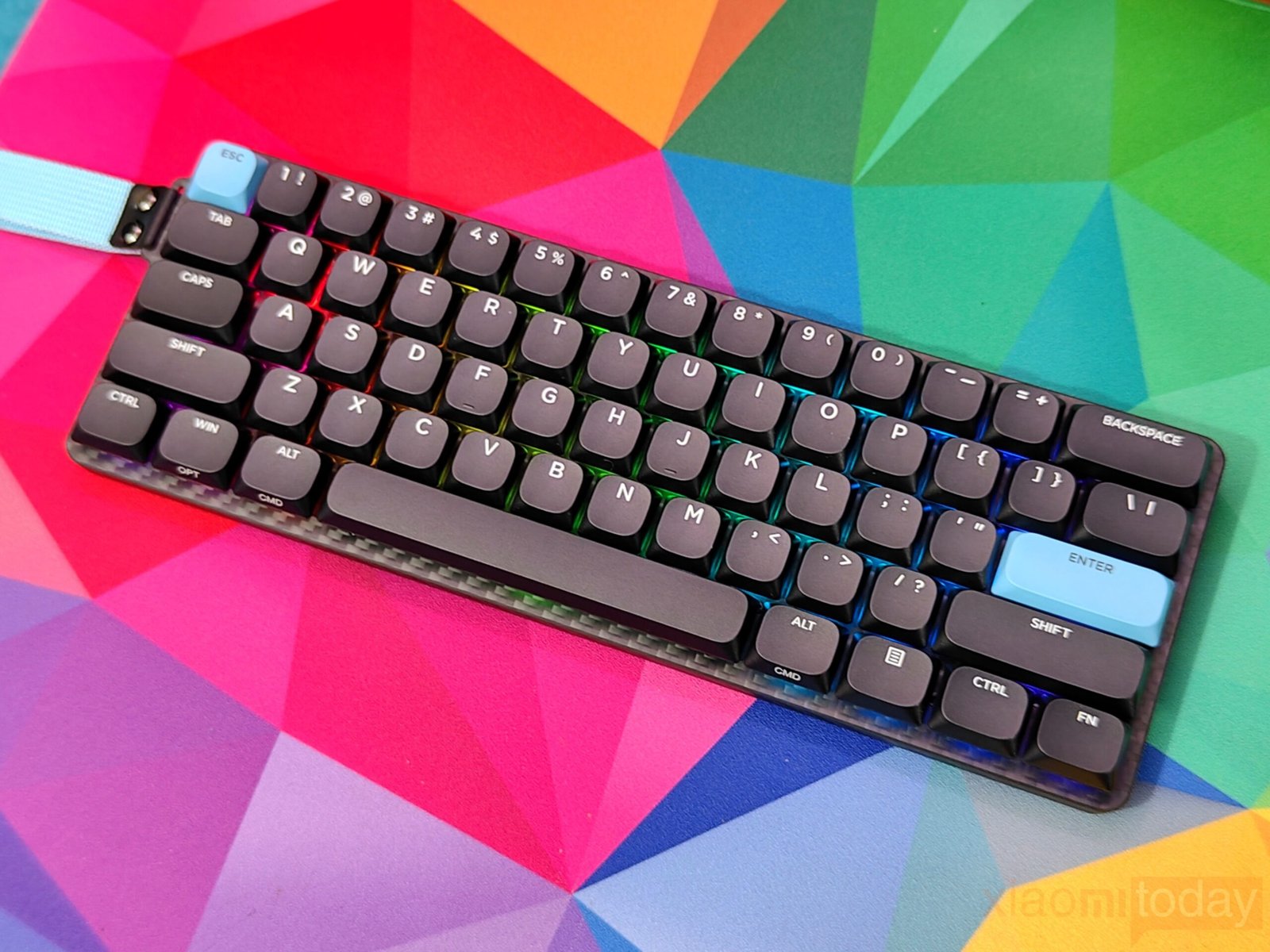
Per-key south-facing RGB lighting adds a practical customization option. Each key can be individually lit, making it easier to adjust the look of the keyboard while keeping legends visible. The south-facing layout ensures lighting enhances the keyboard’s appearance without overwhelming the user during typing. Together with the low-profile keycaps and thoughtful layout, the Carbon60 offers a typing experience that balances comfort, visibility, and personal preference.
| Shortcut | Function |
|---|---|
| **FN + ” ** | Backlight Brightness + |
| FN + ; : | Backlight Brightness – |
| FN + , < | Backlight Effect Speed – |
| FN + . > | Backlight Effect Speed + |
| FN + BACKSPACE | Turn On/Off Backlight |
| FN + |\ | Toggle Backlight Effect |
| FN + ENTER | Toggle Backlight Color |
Gateron Red Low Switch
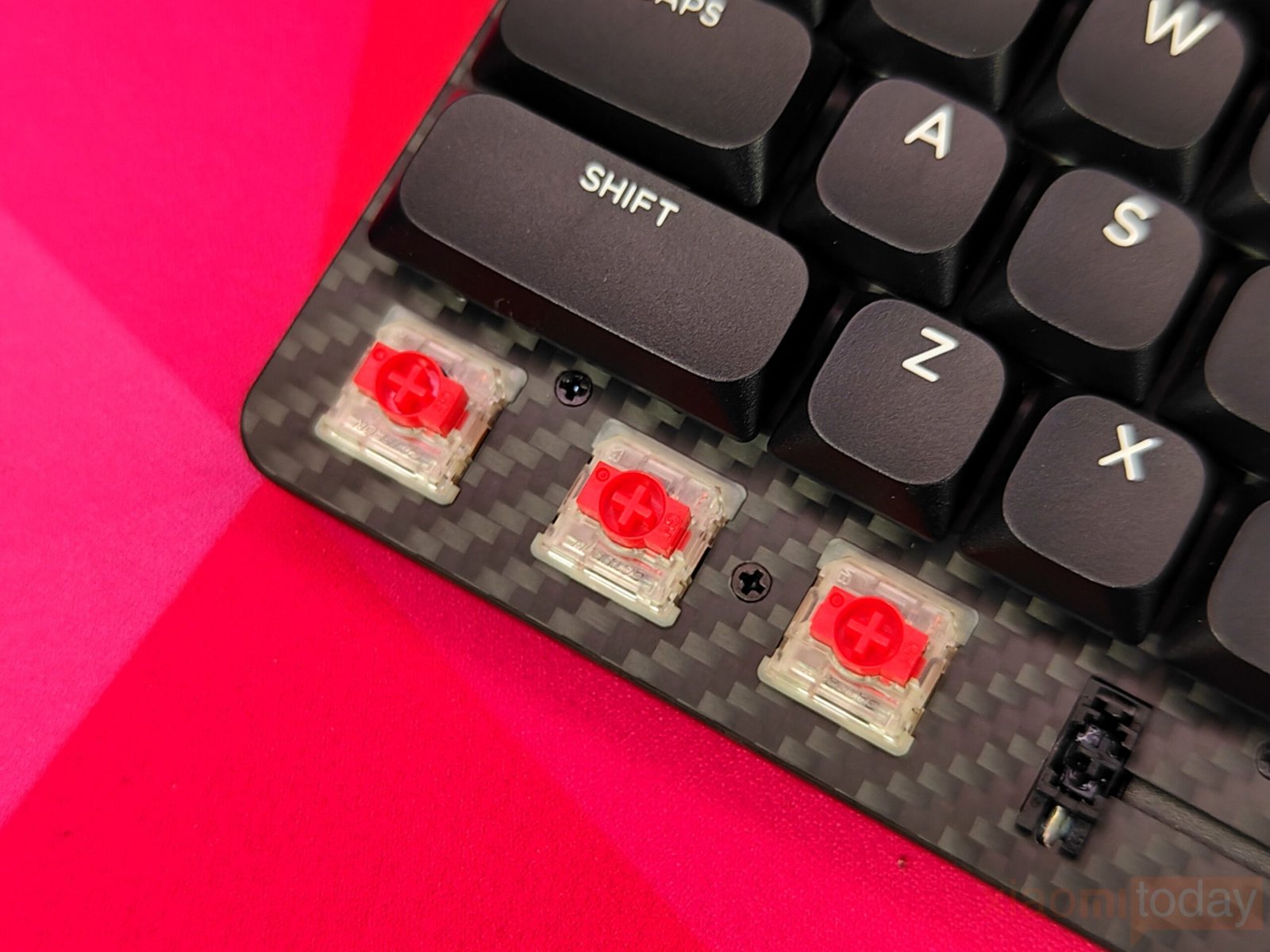
The Epomaker Carbon60 features two low-profile switch options, and our review unit comes with the Gateron Red Low-Profile switch. This linear switch provides a smooth keystroke with a 50±15 gf actuation force and 3.2mm total travel. Factory lubrication ensures consistent keypresses and reduces friction, making the keyboard quieter than traditional mechanical designs. This makes it suitable for shared spaces or environments where typing noise needs to be kept to a minimum.
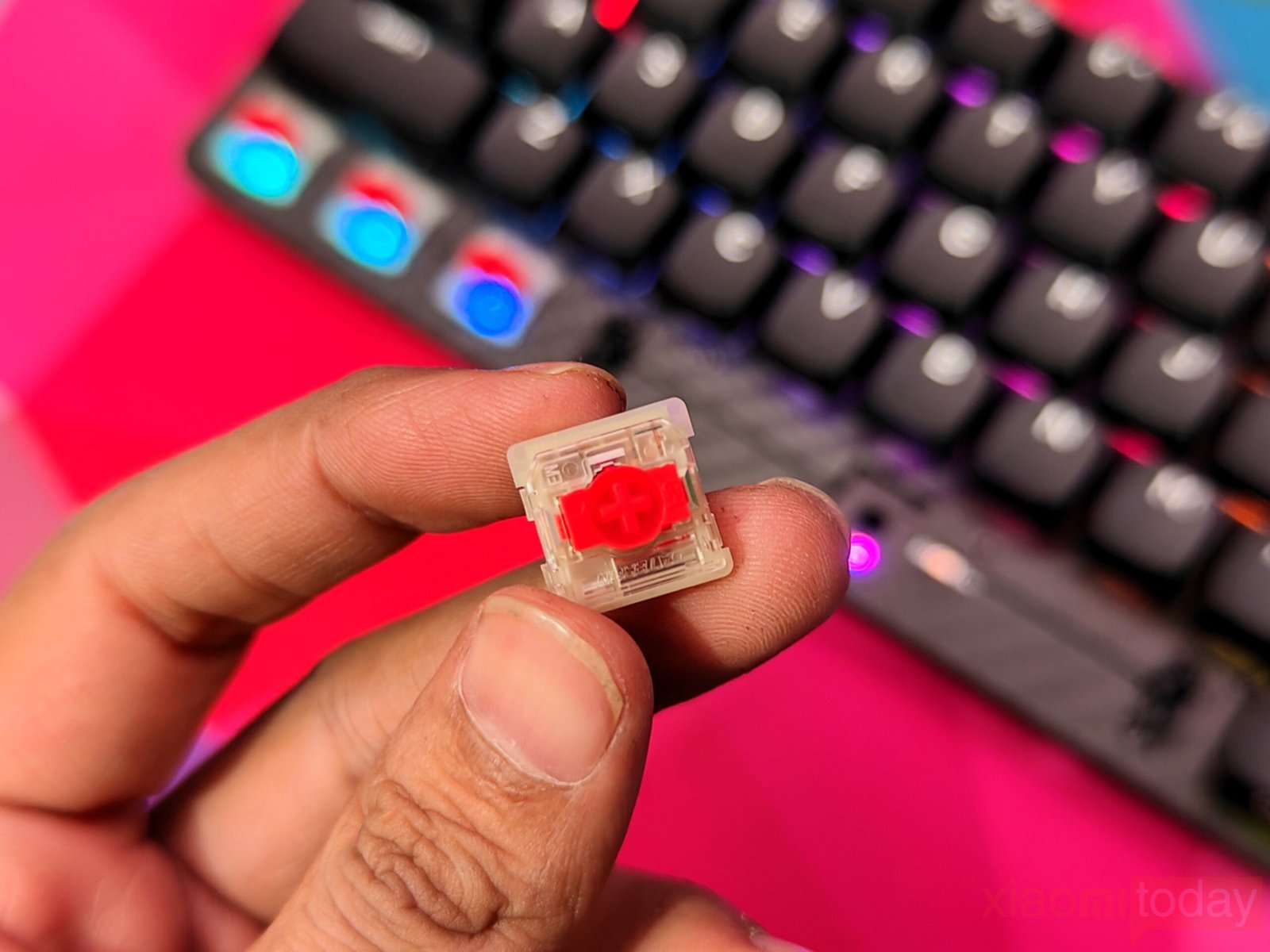
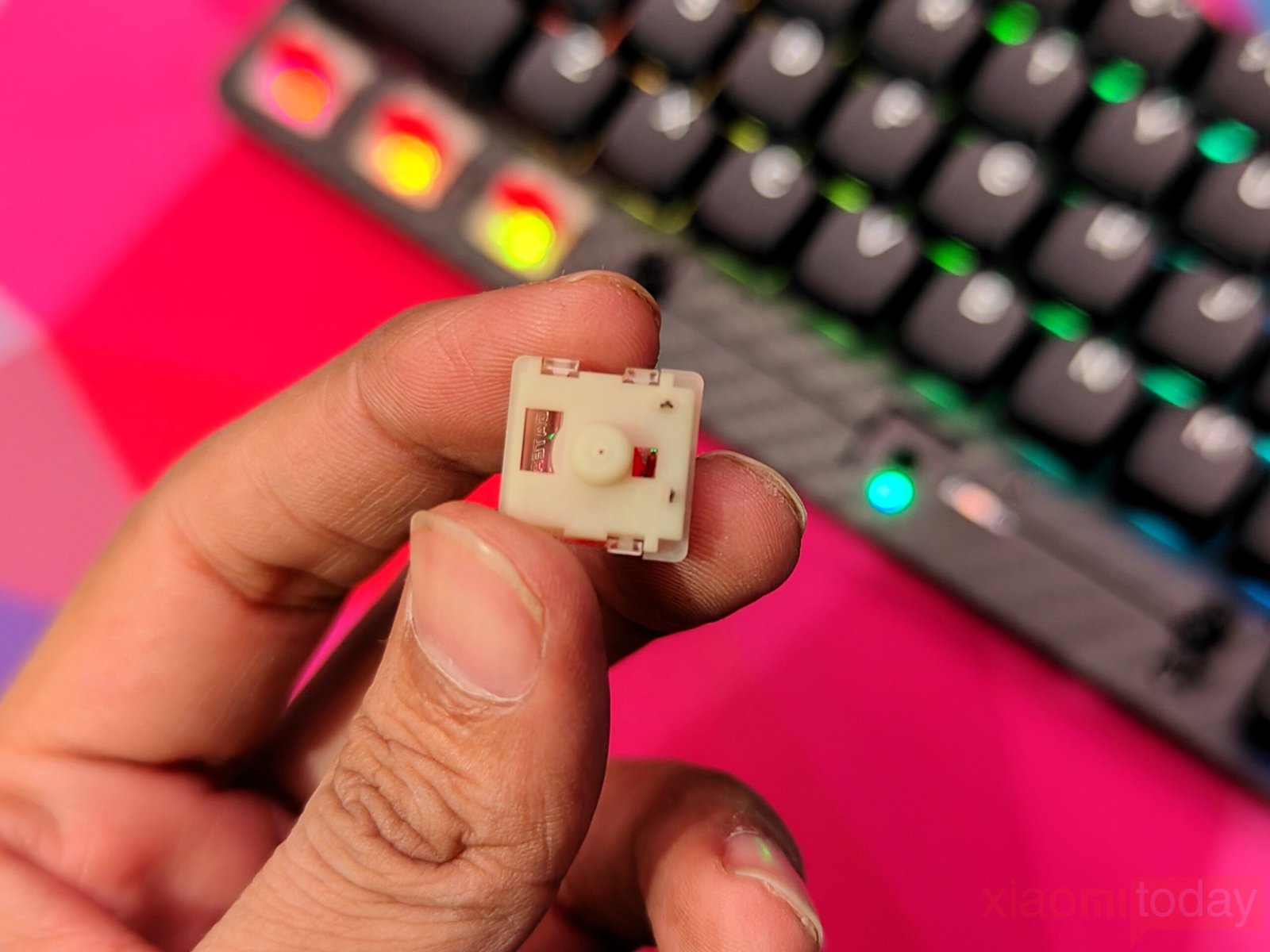
For those who prefer tactile feedback, the Carbon60 also supports the Gateron Low-Profile Brown switch. Both switches use POM stems, PC top housing, and Nylon PA66 bottom housing for durability while maintaining a slim design. The two-stage 13.5mm spring adds stability, ensuring comfortable typing over long sessions. Whether for work or casual use, these switches offer a balance of responsiveness and quiet operation.
| Specification | Gateron Low Red Switch 2.0 | Gateron Low Brown Switch 2.0 |
|---|---|---|
| Switch Type | 3-pin Linear | 3-pin Tactile |
| Operating Force | 50±15gf | 55±15gf |
| Bottom-out Force | 60±5gf | 60±5gf |
| Pre-travel | 1.7±0.4mm | 1.7±0.4mm |
| Total Travel | 3.2+0.2mm | 3.2+0.2mm |
| Stem | POM | POM |
| Top Housing | PC | PC |
| Bottom Housing | Nylon PA66 | Nylon PA66 |
| Spring | 13.5mm two-stage spring | 13.5mm two-stage spring |
| Factory Lubed | Yes | Yes |
The low-profile design of the Carbon60 makes it versatile for both productivity and gaming. The Red switches deliver smooth, silent keystrokes, while the Brown variant gives subtle tactile feedback. Combined with the compact 60% layout, the keyboard offers an efficient and comfortable typing experience without compromising on key feel or build quality.
Shortcut Keys and Secondary Functions
The Epomaker Carbon60 comes with a 61-key layout following the 60% ANSI US standard, which keeps the design compact while maintaining essential functionality. While dedicated arrow keys and a navigation cluster are absent, the keyboard provides access to these functions through the function (Fn) key. The number row doubles as the F-row when combined with Fn, allowing users to switch between number input and function keys quickly. This setup keeps the keyboard compact without compromising on everyday tasks or productivity.
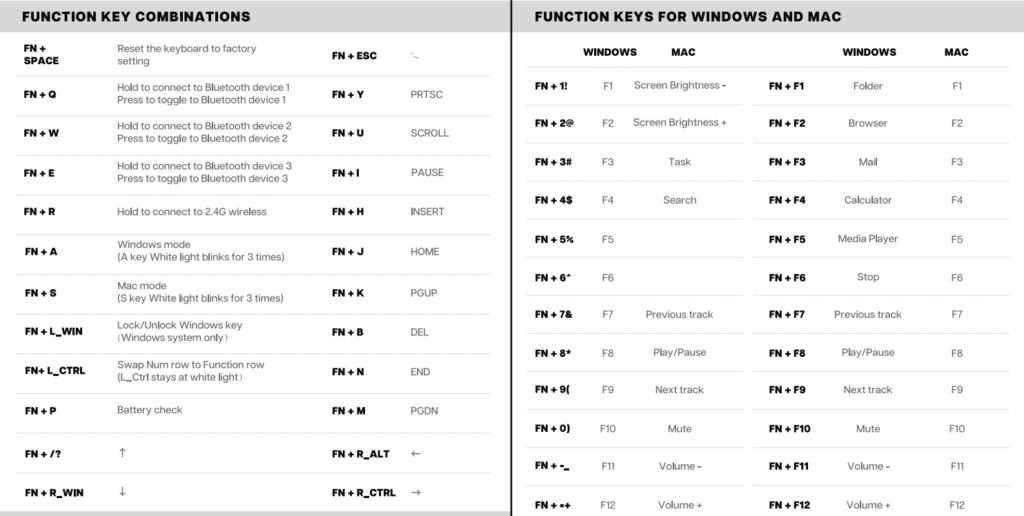
Secondary functions extend beyond navigation, offering media controls like volume adjustment, play/pause, and track skipping, all accessible through key combinations. Users can also perform system actions such as window management and application switching using the Fn key. Most of these shortcuts are listed in the user manual, making it easy to learn and reference them. Overall, the Carbon60 balances a small form factor with versatile functionality, ensuring that users can navigate, control media, and manage tasks efficiently without the need for extra keys.
Connectivity
The Epomaker Carbon60 offers three connection options: wired via USB Type-C, 2.4GHz wireless, and Bluetooth. Each method has its own benefits, letting users switch between devices or setups with ease.
Wired Mode
Connecting the keyboard with the USB Type-C cable provides the most responsive experience. Toggle the switch to the OFF position, plug the cable into the keyboard and your computer, and the T key lights up white for a few seconds to indicate a successful connection. Wired mode has a latency of 4ms, making it suitable for fast typing or gaming.
2.4GHz Wireless Mode
The included 2.4GHz dongle allows for a wireless setup. Toggle the switch to ON to enter wireless mode, then hold FN + R until the indicator flashes slowly. Plug the dongle into your device, and the light will stop flashing once connected. Latency in this mode is around 10ms, which works well for productivity tasks and casual gaming. Re-pairing the dongle can be done by holding FN + R for 3–5 seconds until the indicator flashes quickly. A limitation is the lack of a built-in storage slot for the dongle, which must be carried separately.
Bluetooth Mode
Bluetooth supports up to three device connections. Toggle the switch to ON, then hold FN + Q/W/E until the light flashes quickly. On your device, select “Carbon60-1,” “Carbon60-2,” or “Carbon60-3” to complete the pairing. The indicator stops flashing once connected, and pressing FN + Q/W/E briefly lets you switch between paired devices. Bluetooth latency is around 22ms, suitable for typing and office work.
The triple connectivity options make the Carbon60 flexible for different workflows, whether at a desk or on the go, though the missing dongle storage could be inconvenient for frequent travelers.
QMK/VIA Software
The Epomaker Carbon60 takes customization seriously with full support for QMK and VIA. Whether you’re gaming, coding, or handling daily productivity tasks, the keyboard can be tailored to fit your workflow and personal preferences.
QMK provides a reliable platform for creating custom layouts in wired mode. It works on both Windows and macOS and allows you to assign macros, remap keys, and optimize your setup for different use cases. This makes the Carbon60 flexible for a range of tasks, from fast typing to intensive gaming sessions.
VIA simplifies the process of personalization with its user-friendly interface. Connecting the Carbon60 to VIA is simple:
How to Connect to VIA:
- Download the latest VIA application for your system from the VIA GitHub Releases. Make sure to disable the “Use V2 definitions (deprecated)” option.
- Download the Carbon60 JSON file from Epomaker’s website and load it into VIA.
- Once loaded, the “Configure” tab displays the current layout and all programmable functions.
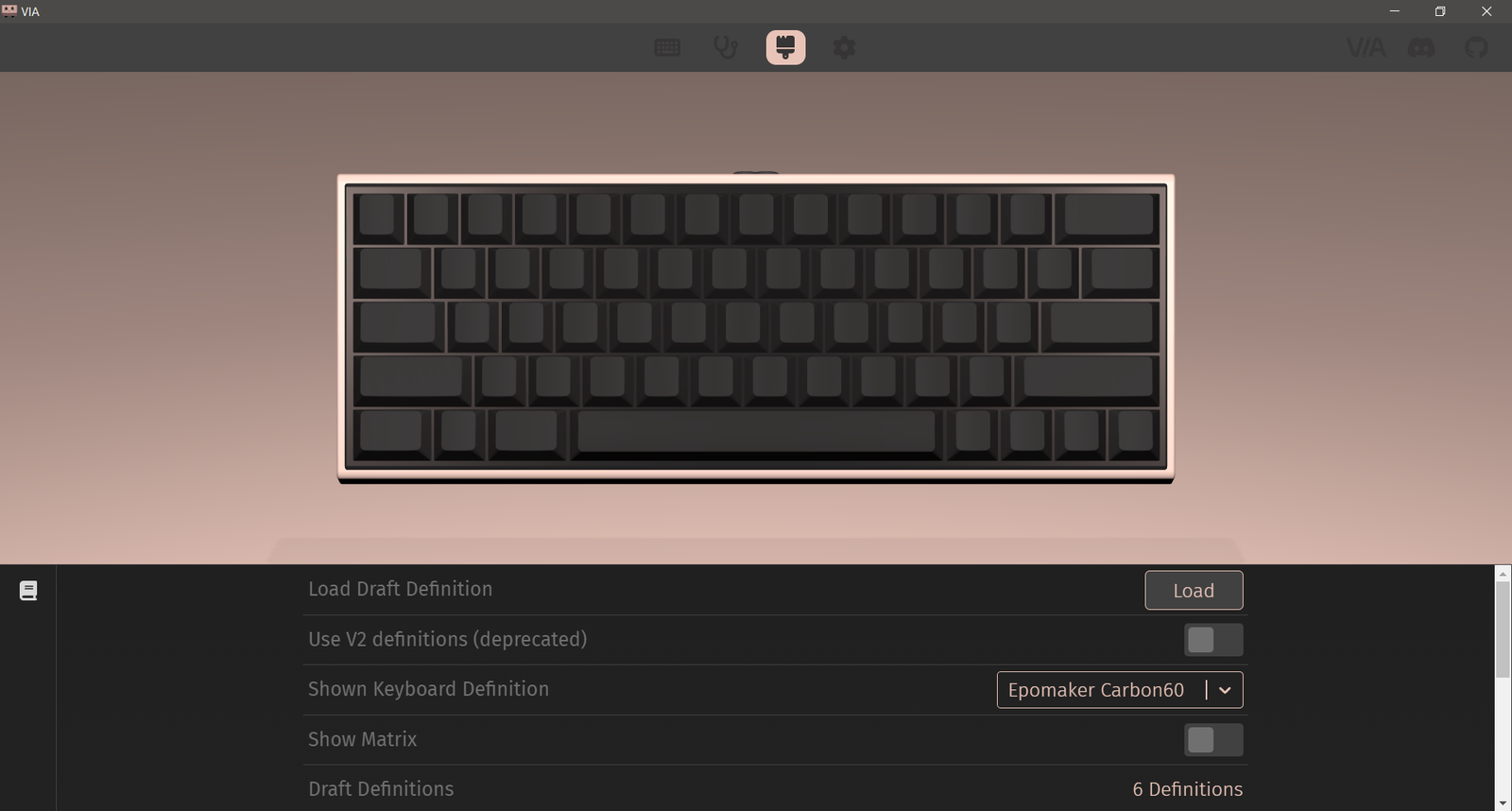
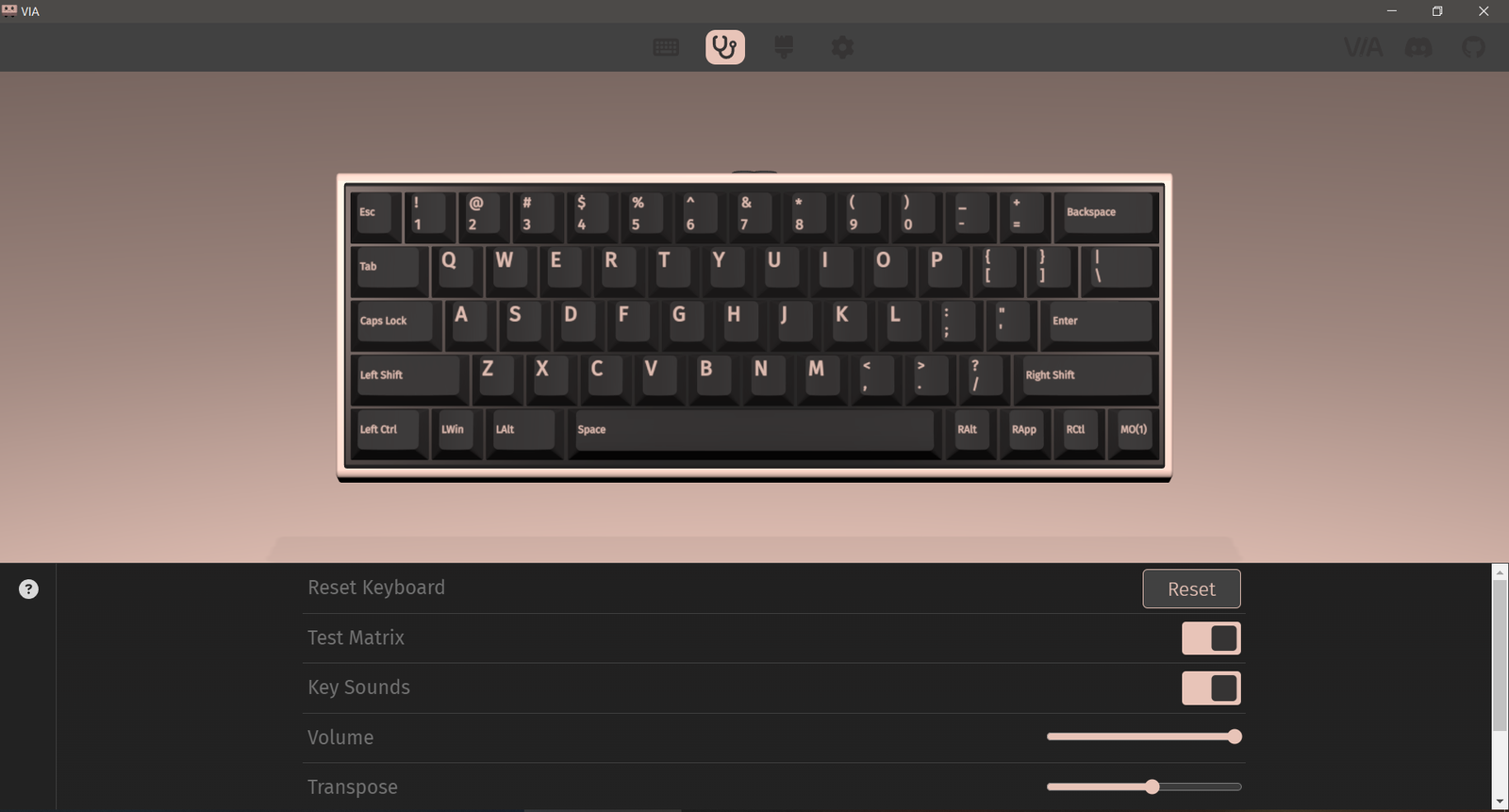
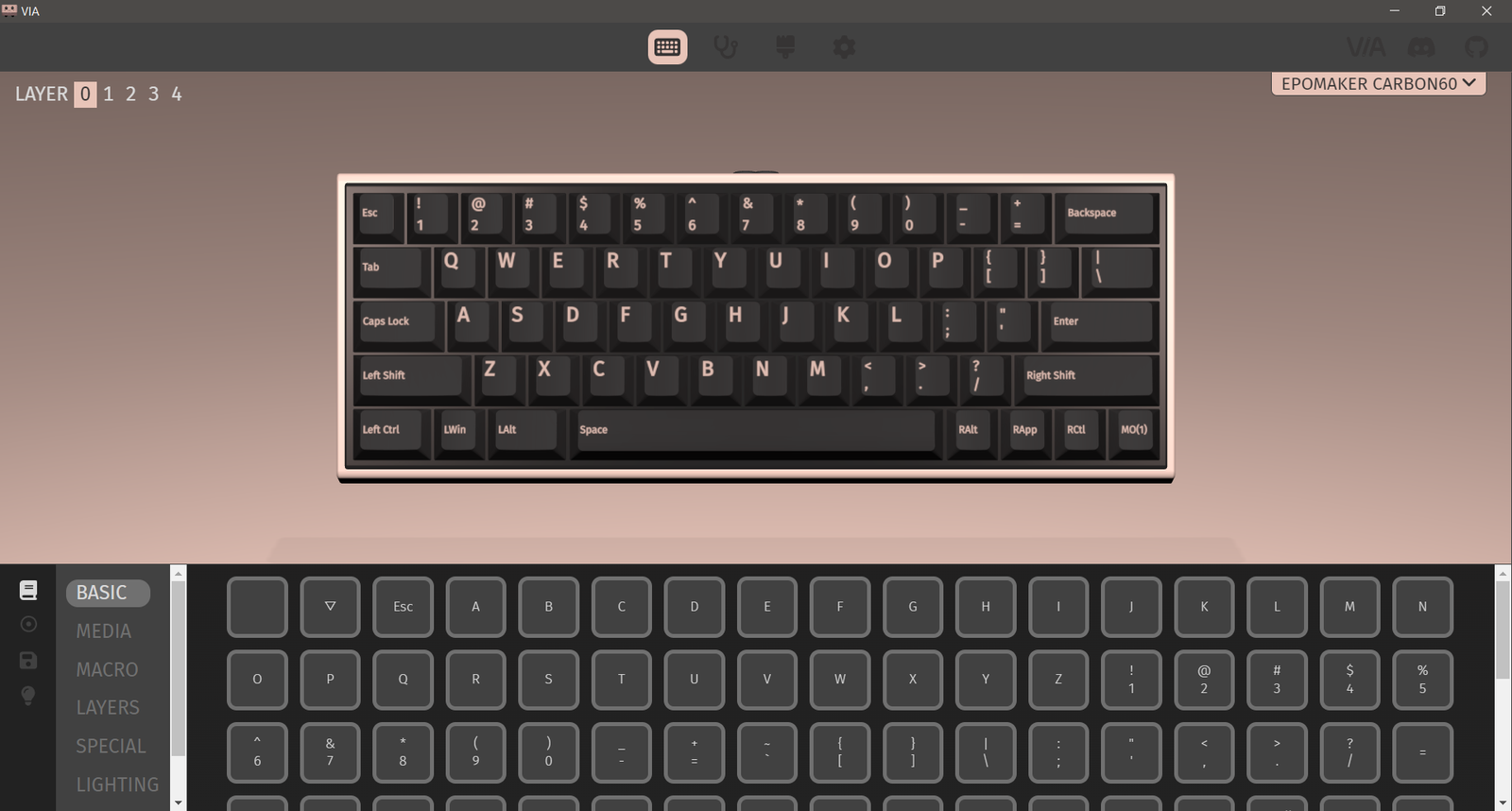
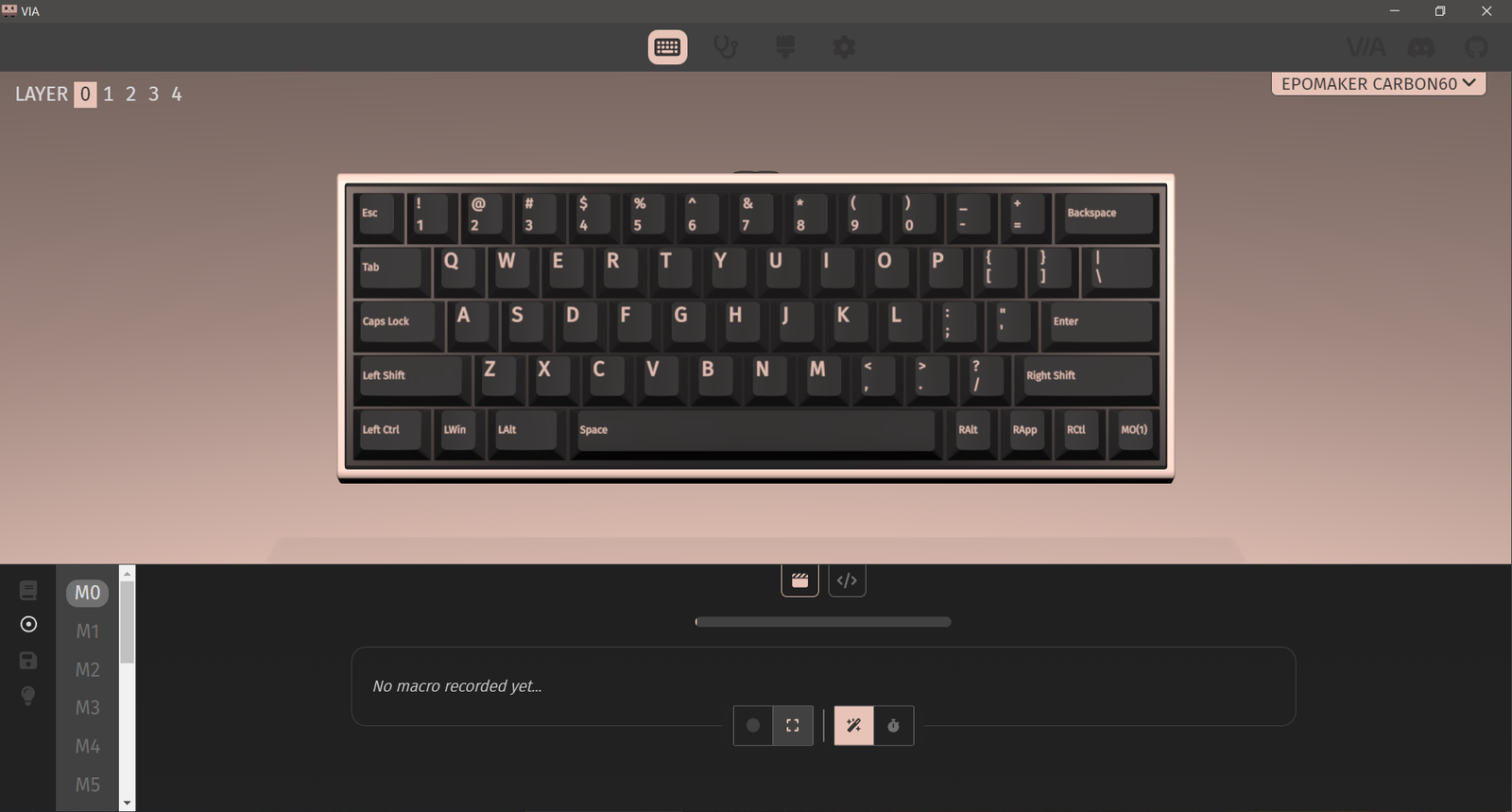
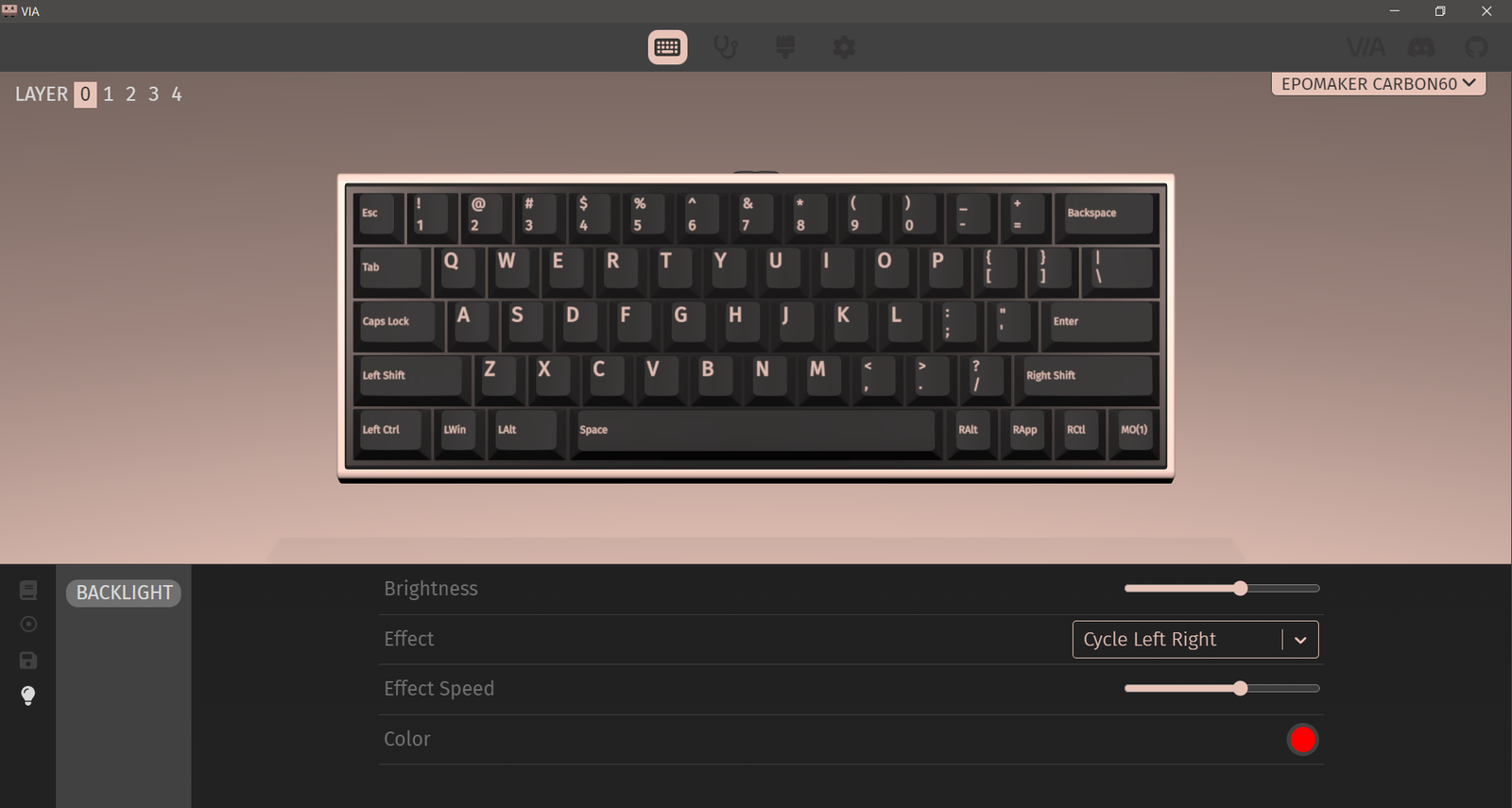
After loading the JSON file, VIA lets you make adjustments in real time. You can remap keys, set shortcuts, or modify RGB lighting without restarting the software. Changes are stored on the keyboard itself, so your custom setup remains whether you’re using wired or wireless mode. This is particularly useful for users who switch between devices or need different setups for work and play.
With QMK and VIA, the Carbon60 is more than just a compact 60% keyboard—it becomes a versatile tool that adapts to your needs, offering flexibility and control over every key.
Battery Performance
The Epomaker Carbon60 is equipped with a 3000mAh battery that delivers reliable performance for extended use. Officially, the keyboard provides up to 23.6 hours of usage with the backlight on and around 176 hours with the backlight off. During my testing, I was able to run the keyboard for nearly 26 hours with the backlight active, slightly surpassing the rated time. With the backlight turned off, the battery lasted even longer, making it suitable for long work sessions or gaming marathons.
Battery life is influenced by lighting settings. More complex or brighter RGB effects increase power consumption, while static or dimmed lighting helps conserve energy. The keyboard charges via wired or wireless connection, so it can be topped up while in use without restrictions.
Battery Check
The Carbon60 includes a handy FN+P battery indicator. Holding this combination lights up the number row in green to show the remaining battery level:
- 1! – 6^: approximately 60% charge
- 1! – 0): full 100% charge
This feature provides a quick and visual way to check battery levels without opening any software.
Battery and Charging Indicator
The FN key also communicates battery and connectivity status:
- Low battery: Red light blinks three times before returning to the current backlight effect
- Charging: Red light stays on for five seconds, then returns to the active backlight effect
- Fully charged: Reverts to the backlight effect in use
Pressing the FN key also lights up Q/W/E/R/T and A/S in white to indicate the current connection type and operating system, making it easy to confirm the keyboard’s status at a glance.
With these features, the Carbon60 offers practical battery monitoring and long-lasting performance, ensuring users can stay productive without frequent interruptions.
Use Experience
After using the Epomaker Carbon60 as my daily keyboard for two weeks, its practicality and build quality became clear. The carbon fiber chassis gives the keyboard a solid feel while keeping it light enough to carry between home, office, and travel setups without strain. Despite the 61-key layout, typing remained comfortable for extended sessions, and the keyboard maintained stability on different desk surfaces.
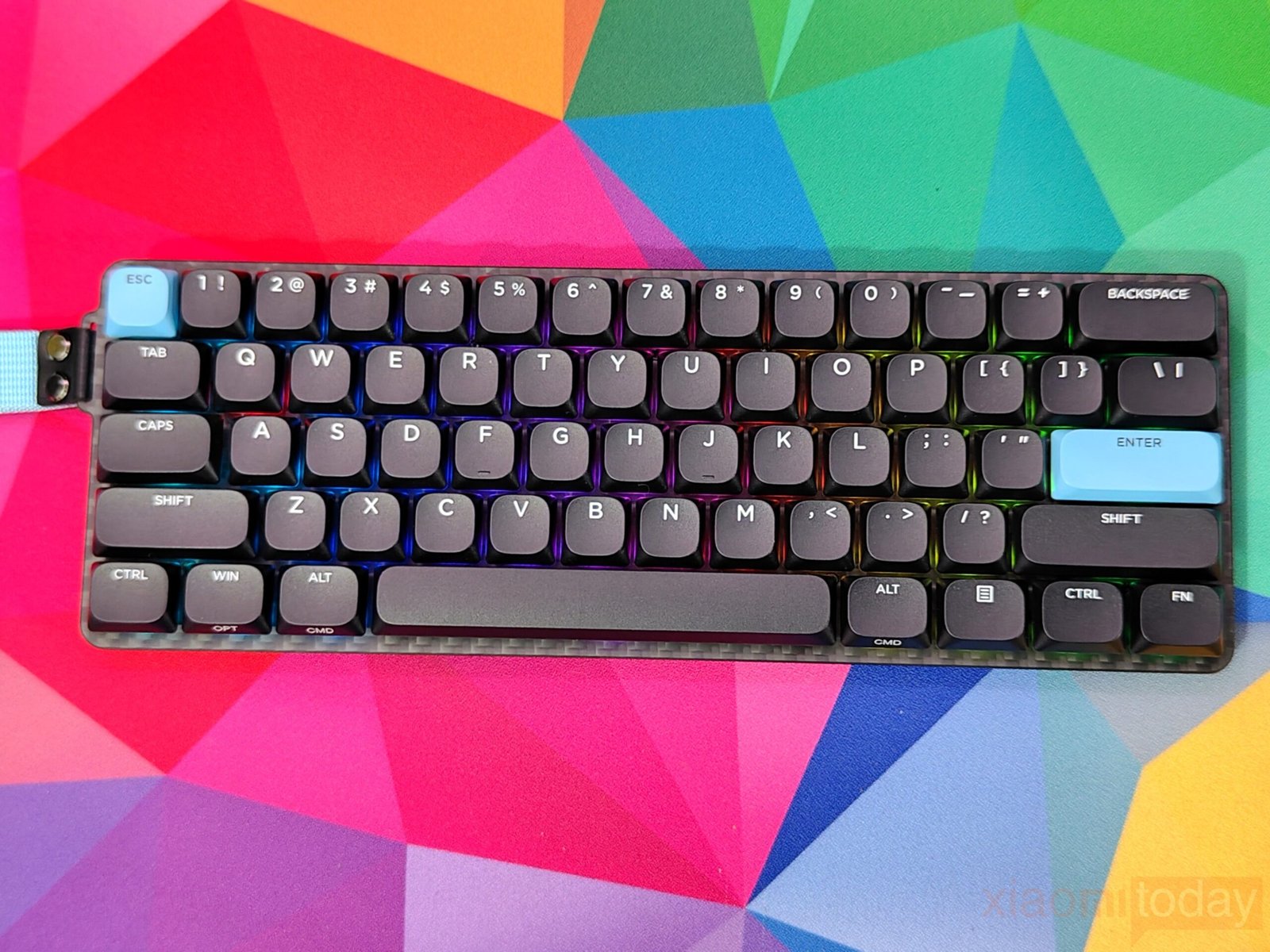
The Gateron Red low-profile switches provided a smooth and consistent typing experience. Keystrokes were light, responsive, and quiet, thanks in part to the factory lubrication and layered damping system. Long typing or gaming sessions were comfortable, with minimal finger fatigue and controlled noise levels, making it well-suited for shared workspaces.
Connectivity options were convenient in everyday use. I primarily used Bluetooth with mobile devices and 2.4GHz for the desktop, and switching between them was seamless using the Fn shortcuts. Wired mode offered the lowest latency for fast typing and gaming. The only minor drawback was the lack of a storage slot for the 2.4GHz dongle, which required careful handling when on the move.
Battery performance was strong. With moderate RGB settings, the keyboard lasted well over two weeks before needing a recharge. Checking the battery with the FN+P shortcut was quick and reliable, while USB-C charging allowed use during the process without interruption.
Customization through VIA software added practical flexibility. Key remapping, macro setup, and RGB adjustments were easy to implement and stored directly on the keyboard, allowing smooth transitions between wired and wireless use.
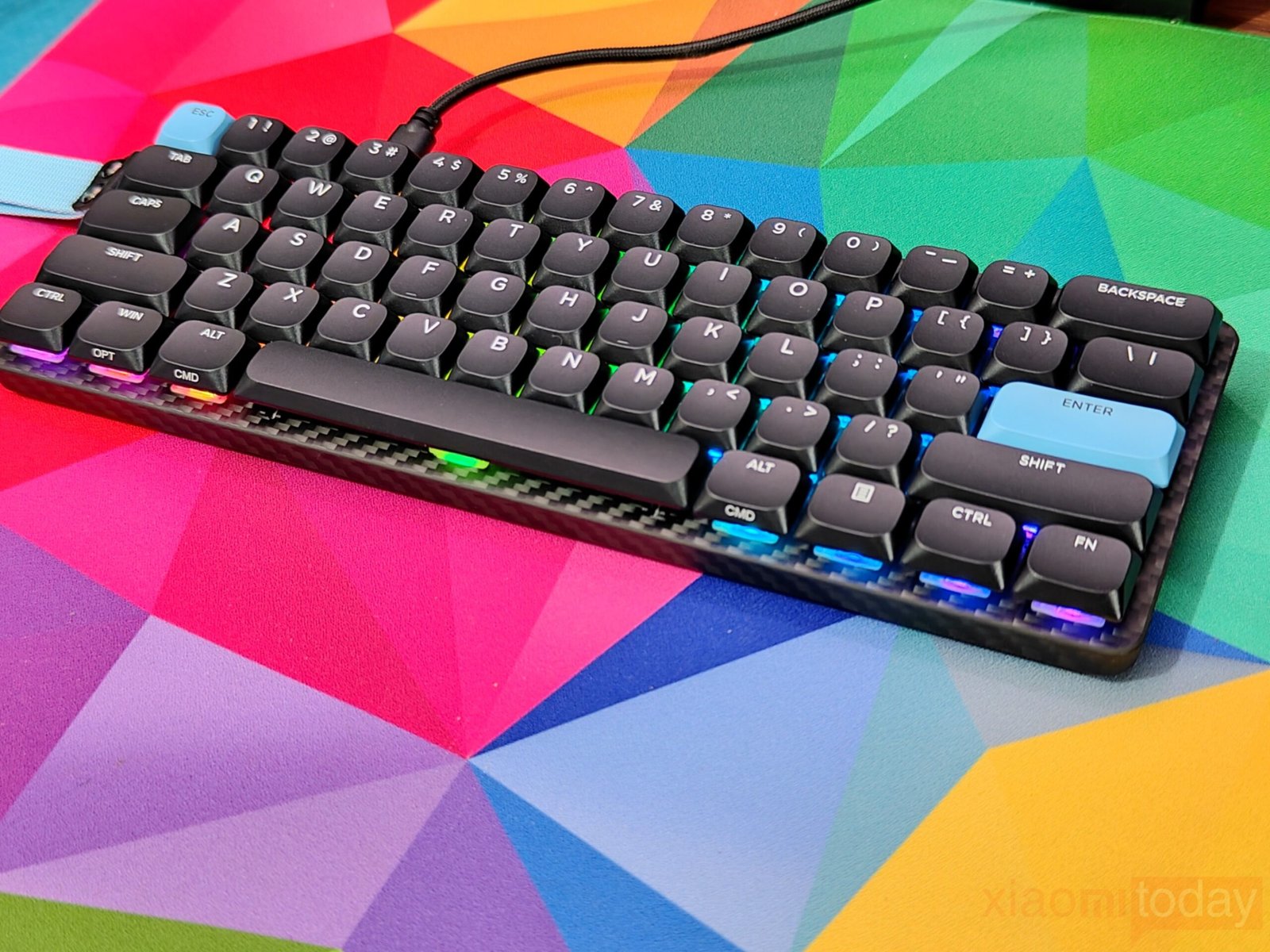
After two weeks, the Carbon60 proved to be a versatile and reliable keyboard. Its compact form, durable carbon fiber build, long battery life, and customizable functions make it suitable for work, gaming, and portable setups. Minor limitations like the fixed carrying strap and absence of adjustable feet were noticeable but did not affect daily usability for most tasks.
Conclusion
The EPOMAKER Carbon60 Keyboard is available now. For more information, visit the official EPOMAKER website. For detailed tech reviews, click here.