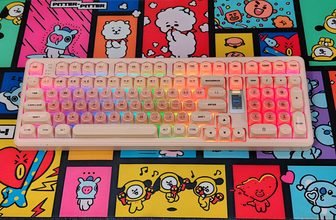
The EPOMAKER TH108 Pro brings the 100% keyboard layout back into regular use at a time when smaller boards dominate most desks. In daily typing and work tasks, the full 104-key setup still feels practical, especially for users who rely on a numpad for data entry, shortcuts, or extended productivity sessions. During hands-on use, the layout quickly feels natural, without requiring any adjustment period for those used to traditional keyboards.
Build quality is solid, with an ABS chassis paired with double-shot PBT keycaps in a Cherry profile. The keycaps feel stable under fast typing, and the spacing across the board keeps longer sessions comfortable. The inclusion of a small TFT display and a rotary knob adds extra control options, allowing quick access to media, lighting, and system information without opening software every time. It adds a useful function without making the design feel cluttered.
Connectivity is handled through tri-mode support, including USB-C wired, 2.4GHz wireless, and Bluetooth. Switching between devices works smoothly in testing, making it useful across a desktop, laptop, or mobile setup. The 10,000mAh battery holds charge well over several days of mixed use, even with RGB enabled. Input performance stays stable with a 1000Hz polling rate and full N-key rollover, while the Sea Salt Silent V2 switches deliver a smooth, low-noise typing experience suited for shared spaces or long office sessions.
Inside, the gasket-mounted structure combined with multiple sound-dampening layers gives each keystroke a softer landing compared to traditional rigid designs. The overall typing feel stays controlled, with reduced sharp noise during bottom-out. Hot-swappable 5-pin support adds flexibility for future switch changes.
After two weeks of daily use, the TH108 Pro comes across as a balanced full-size keyboard that keeps the classic layout while adding modern wireless features and customization options that fit everyday use without unnecessary complexity.
Specifications
| Specification | Details |
|---|---|
| Brand | EPOMAKER |
| Model | TH108 PRO Mechanical Gaming Keyboard |
| Layout | 100% Full-Size |
| Number of Keys | 104 Keys |
| Battery | 10,000mAh Rechargeable Battery |
| Connectivity | 2.4GHz Wireless, Bluetooth, USB-C Wired |
| Compatibility | Windows, macOS, Android |
| Keyboard Height (Front / Spacebar Side) | 28mm (with keycaps), 20mm (without keycaps) |
| Keyboard Height (Rear / ESC Side) | 42mm (with keycaps), 34mm (without keycaps) |
| Kickstand | 2-stage adjustable kickstand |
| Typing Angles | 6°, 8°, and 10.5° |
| Case Material | Thick ABS Plastic |
| Plate Material | PC (Polycarbonate) Plastic |
| Flex-Cut Design | Flex-cut PC plate and FR4 flex-cut PCB |
| Stabilizers | Plate-mounted, factory tuned (not compatible with PCB/screw-in stabilizers) |
| Mounting Structure | Gasket Mount |
| Sound Dampening | 5-layer sound dampening (PORON sandwich foam, IXPE switch pad, PET sound-enhancement layer, EPDM switch socket foam, bottom silicone) |
| Keycap Profile | Cherry Profile |
| Keycap Material | PBT Plastic |
| Keycap Manufacturing | Double-Shot |
| Switches | Factory-Lubed Mechanical Switches |
| Hot-Swappable | Yes, supports 5-pin mechanical switches |
| RGB Lighting | South-Facing Per-Key RGB LEDs |
| Polling Rate | 1000Hz (USB & 2.4GHz), 125Hz (Bluetooth) |
| Latency | 2ms (USB), 5ms (2.4GHz), 11ms (Bluetooth) |
| Anti-Ghosting | Yes, N-Key Rollover (NKRO) |
| Dimensions | 445 × 140 × 42 mm |
| Weight | 1.12 kg |
Unboxing
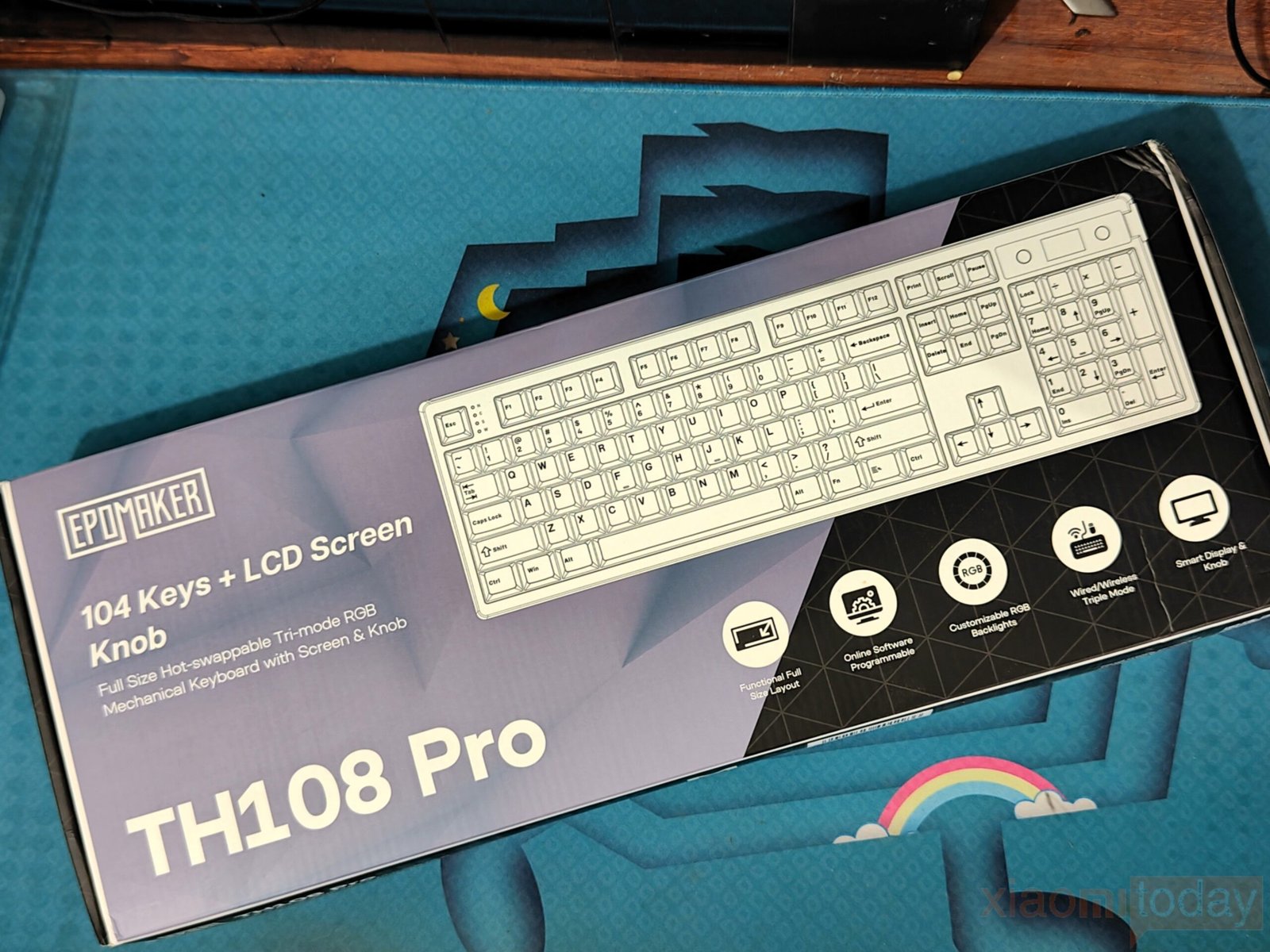
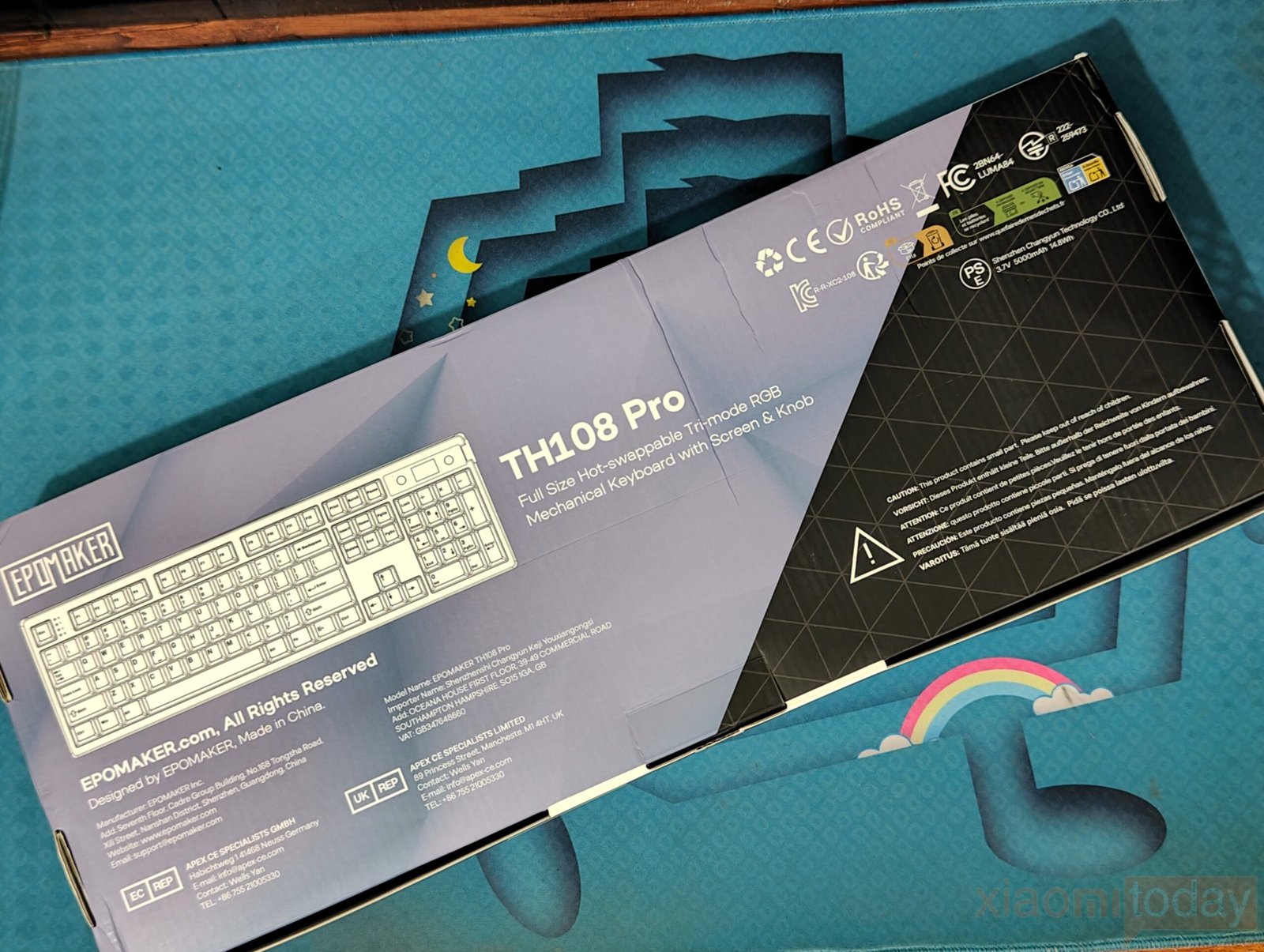
The EPOMAKER TH108 Pro ships in a compact retail box finished in a purple and black color scheme. On the front, the keyboard is shown with a clear layout preview alongside its main highlights, including the full-size 104-key design, integrated LCD screen with rotary knob, tri-mode connectivity, hot-swappable switch support, RGB lighting, and software customization features. The rear side keeps the presentation minimal, featuring a basic product illustration, model identification, and standard manufacturer and compliance details. It avoids heavy technical breakdowns, but still provides enough context to understand the keyboard’s core functionality before unboxing.
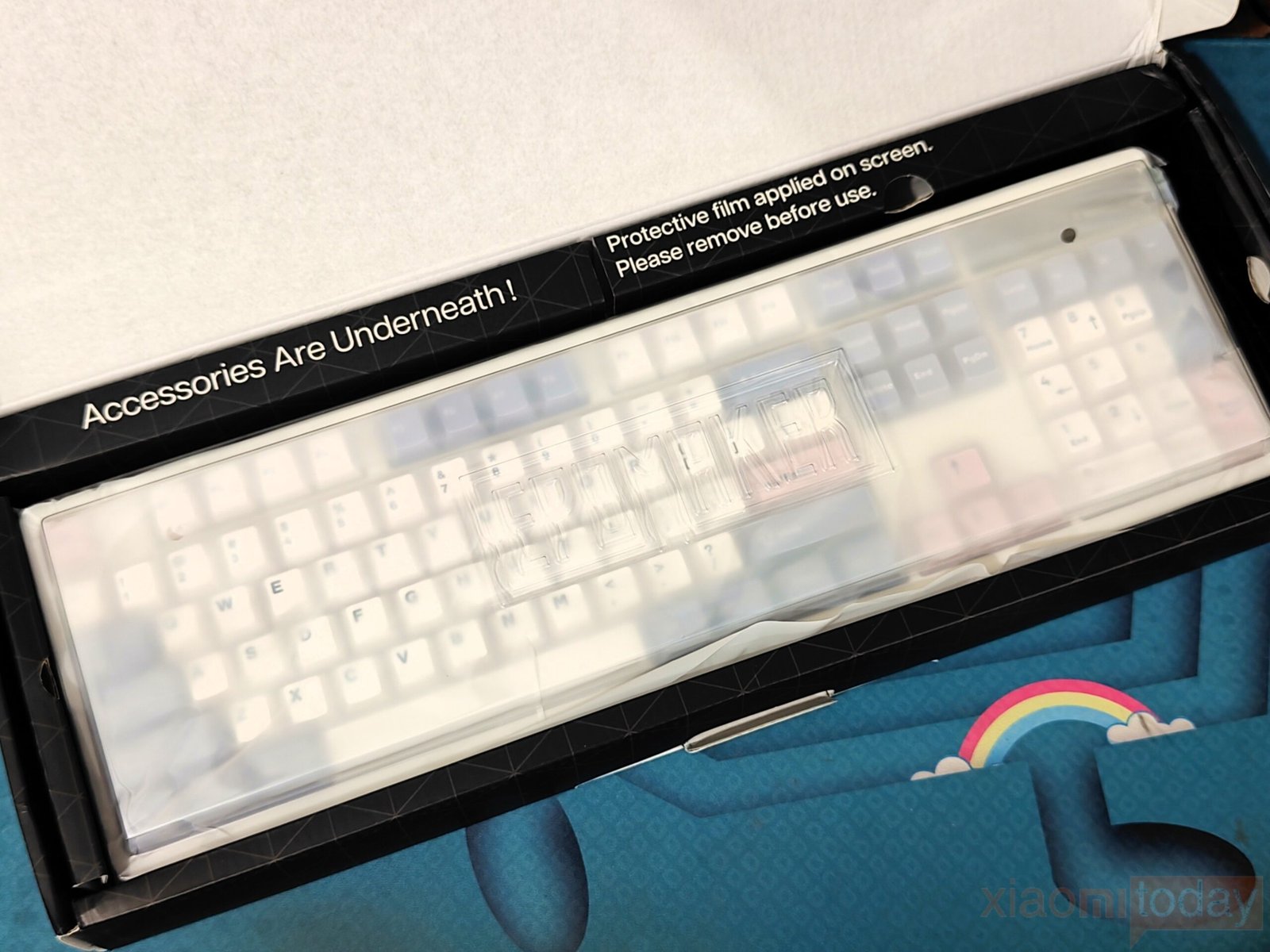
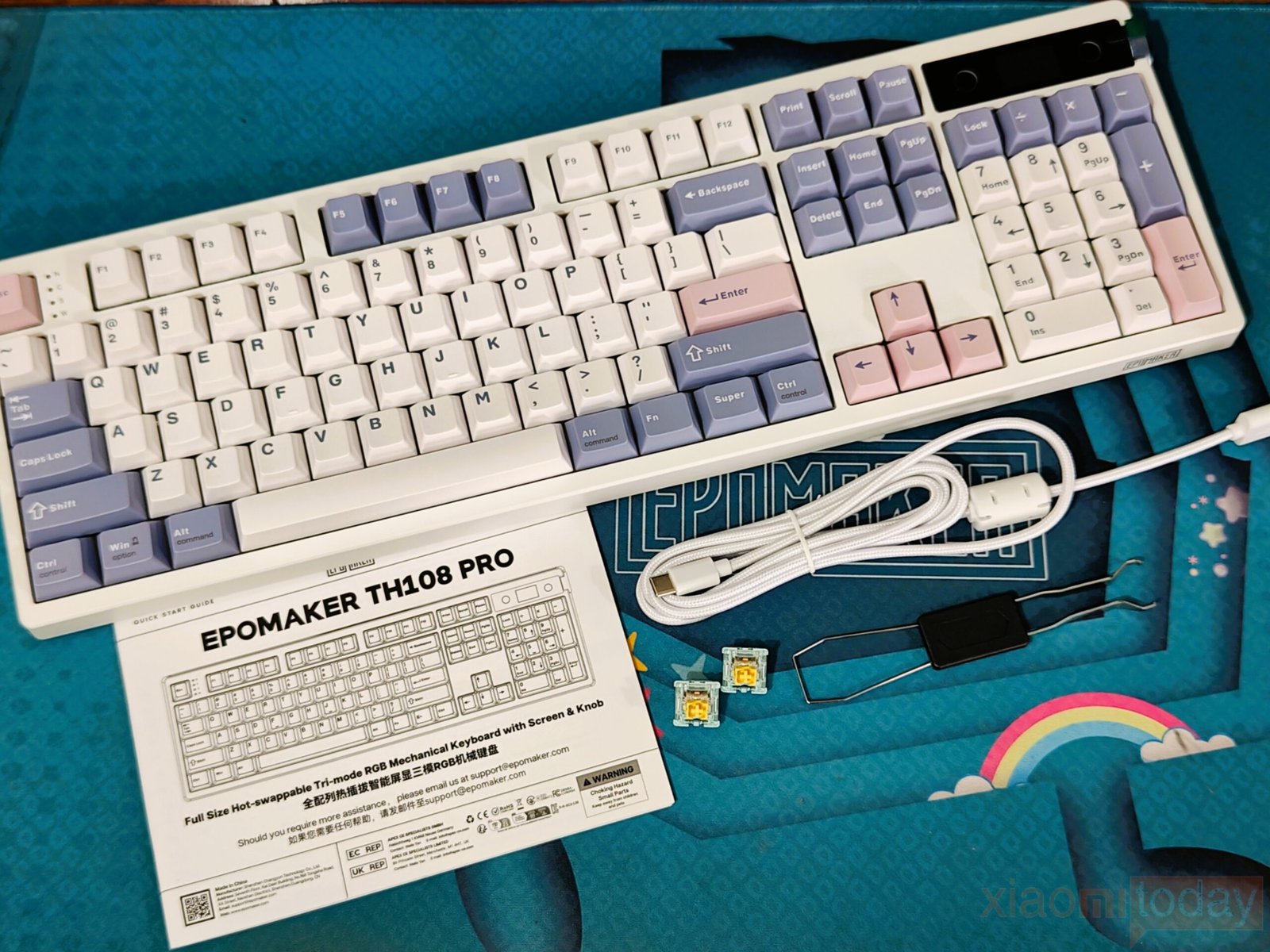
Inside the package, the keyboard is placed securely under a translucent dust cover, with a protective film applied over the LCD screen that needs to be removed before first use. EPOMAKER keeps the accessories organized along the main unit, ensuring everything stays firmly in place during shipping. The bundle includes the TH108 Pro keyboard, a detachable USB Type-C cable, a 2.4GHz wireless receiver, two spare mechanical switches, and a quick start guide. The overall packaging is well arranged, with each item properly secured and no excess material used.
Design

The EPOMAKER TH108 Pro uses a full-size 104-key layout, which makes it suitable for users who still depend on a dedicated number pad, function row, and full navigation cluster. Even with this complete layout, the keyboard does not feel oversized on the desk. The tight top and side framing reduces unused space around the edges, giving it a more compact footprint compared to many traditional full-size boards.
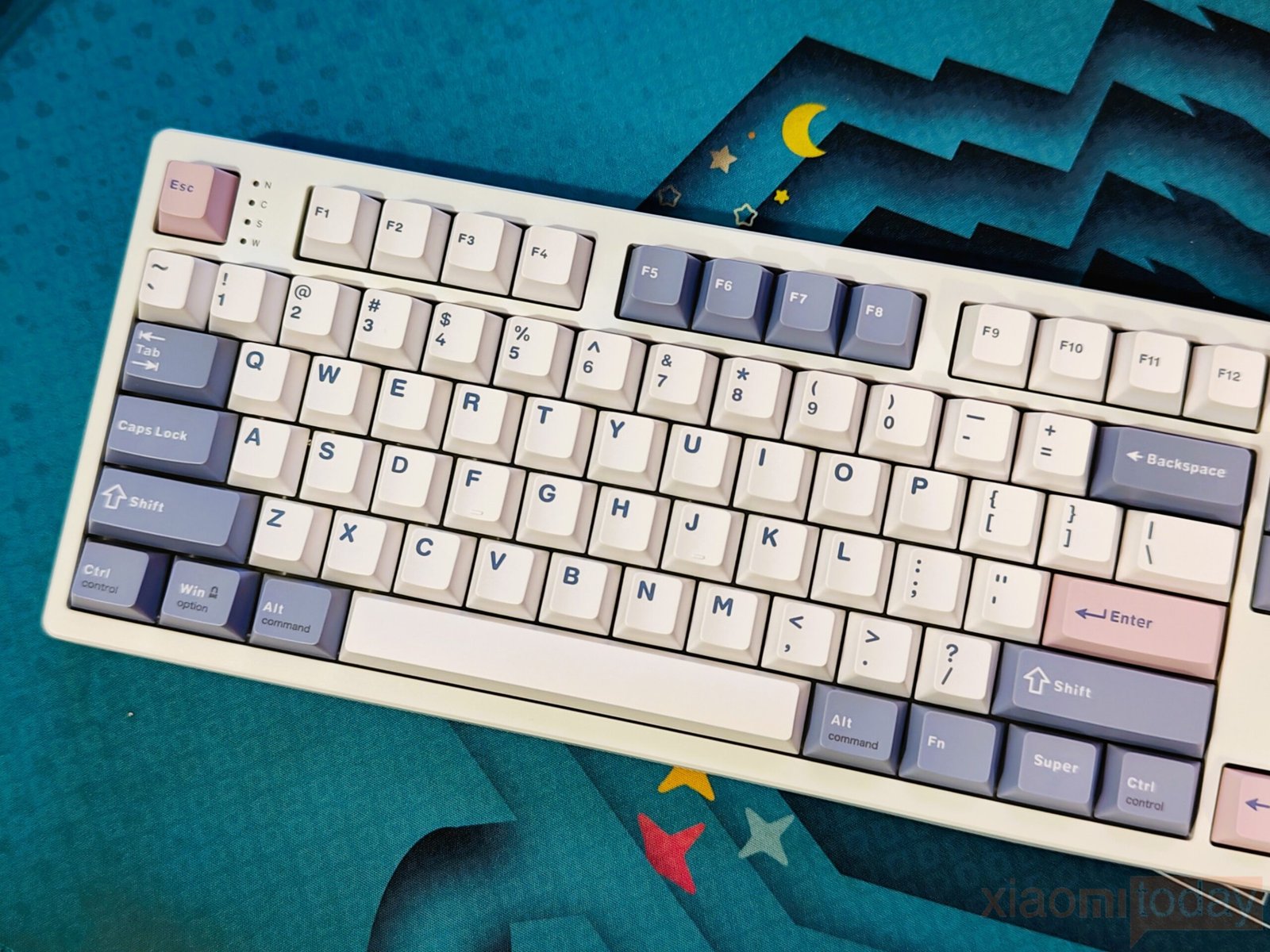
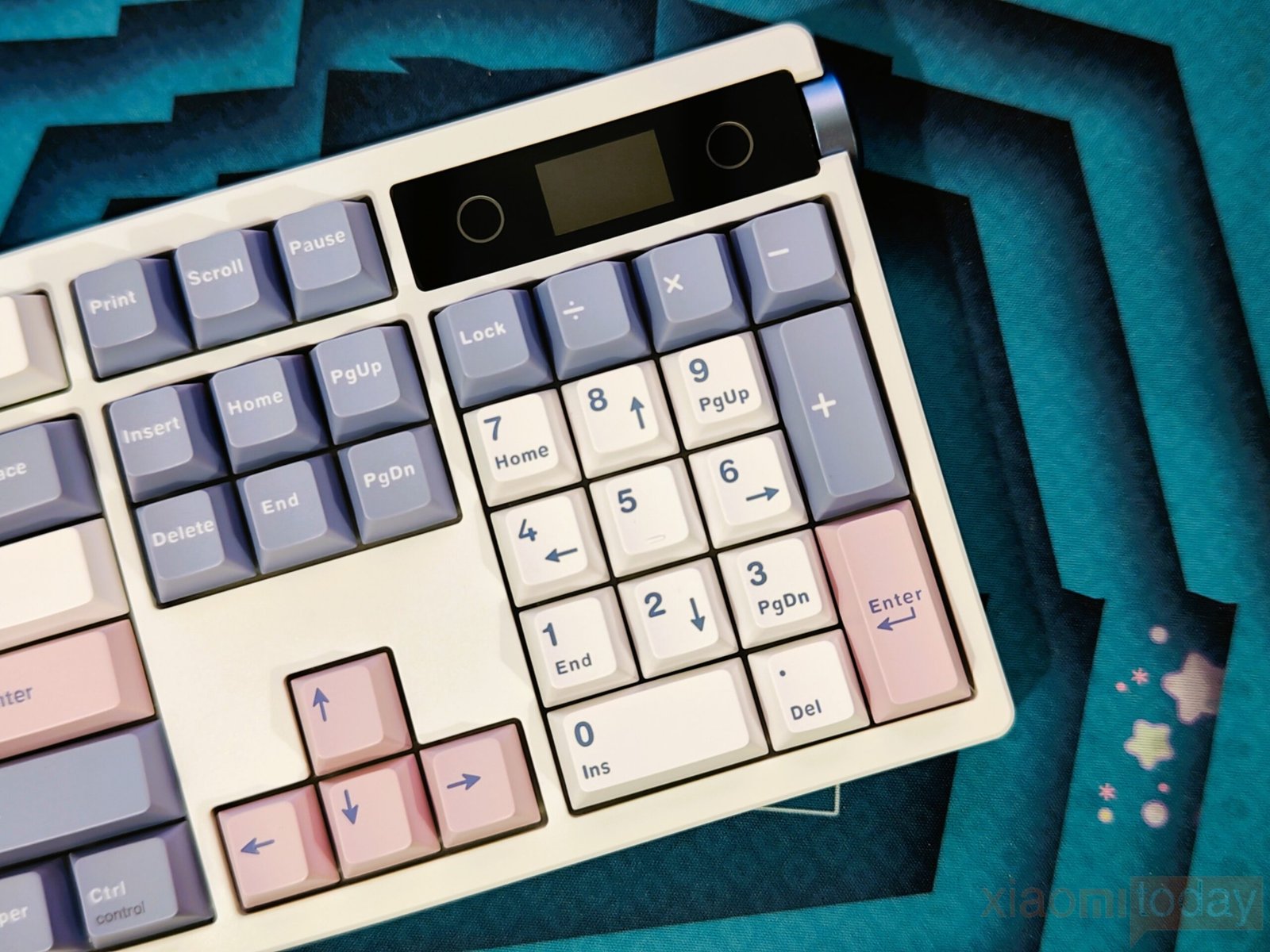
The keycaps follow a Cherry-profile design, which feels familiar for long typing sessions and everyday use. The legends are easy to read under normal lighting conditions and remain consistent across all key sections. EPOMAKER also adds light color differentiation between the function row, modifiers, arrow keys, and Enter key. This adds some visual structure to the layout without making it look overly busy or distracting.
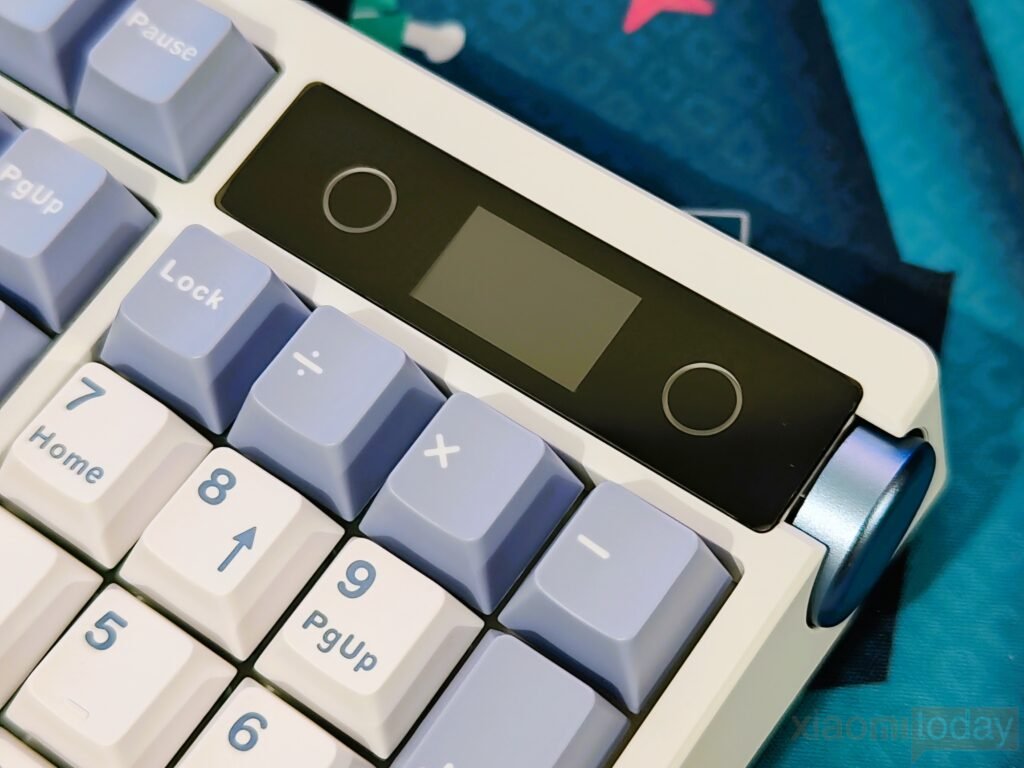
Above the numpad, the TH108 Pro places its control area, which includes a small LCD screen and a large rotary knob on the right edge. This section works as a central control hub for system settings, lighting adjustments, and connection information. The display can show useful details like battery level, time, connection mode, and custom images when paired with supported software, adding both function and visual feedback.
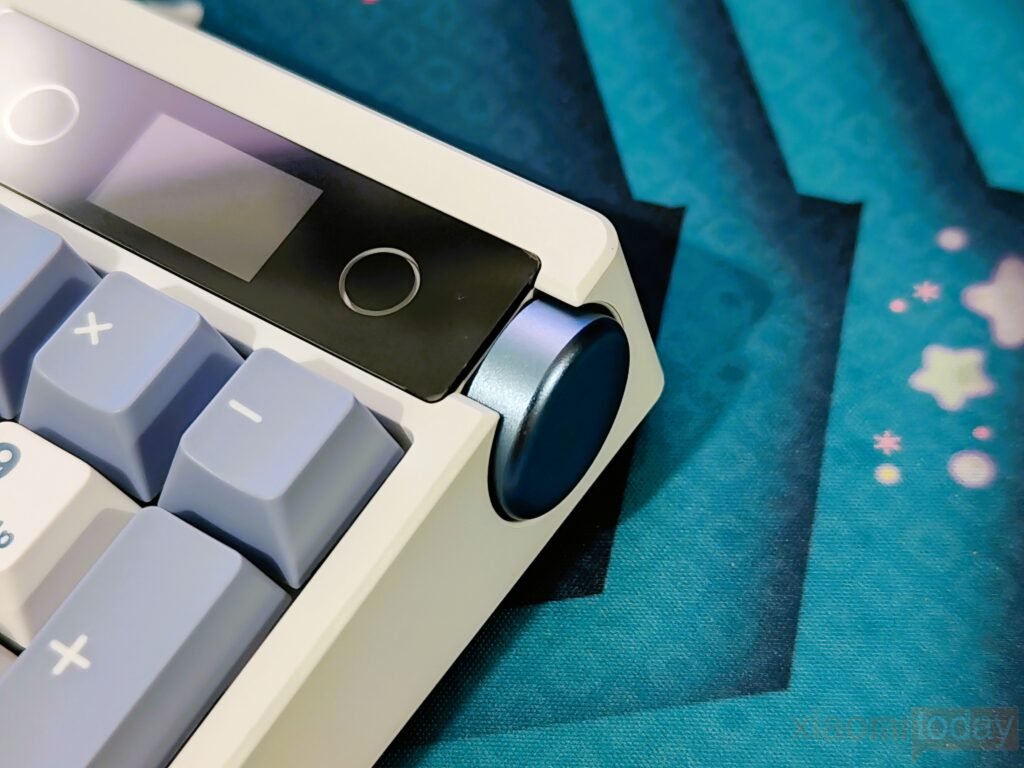
The rotary knob is made with a metal finish and has a larger size than typical volume dials. It offers clear step-by-step rotation feedback that helps with precise control, whether adjusting volume or navigating settings. Pressing it also registers input without inconsistency, and its placement keeps it easy to access without interfering with typing or reaching for other keys.
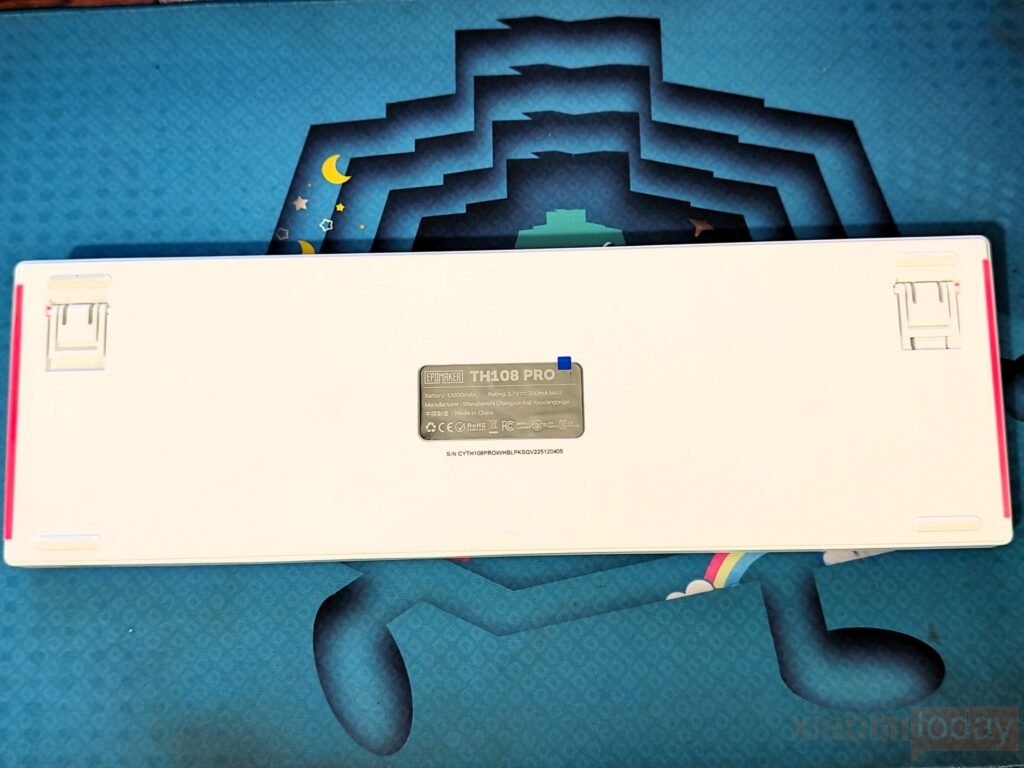
On the underside, the keyboard features a clean plastic base with four large rubber feet positioned at each corner for better grip on flat surfaces. The dual-stage kickstands allow two different typing angles, giving some flexibility depending on user preference. A small storage space for the wireless receiver is also included, which helps keep the dongle secure during transport.
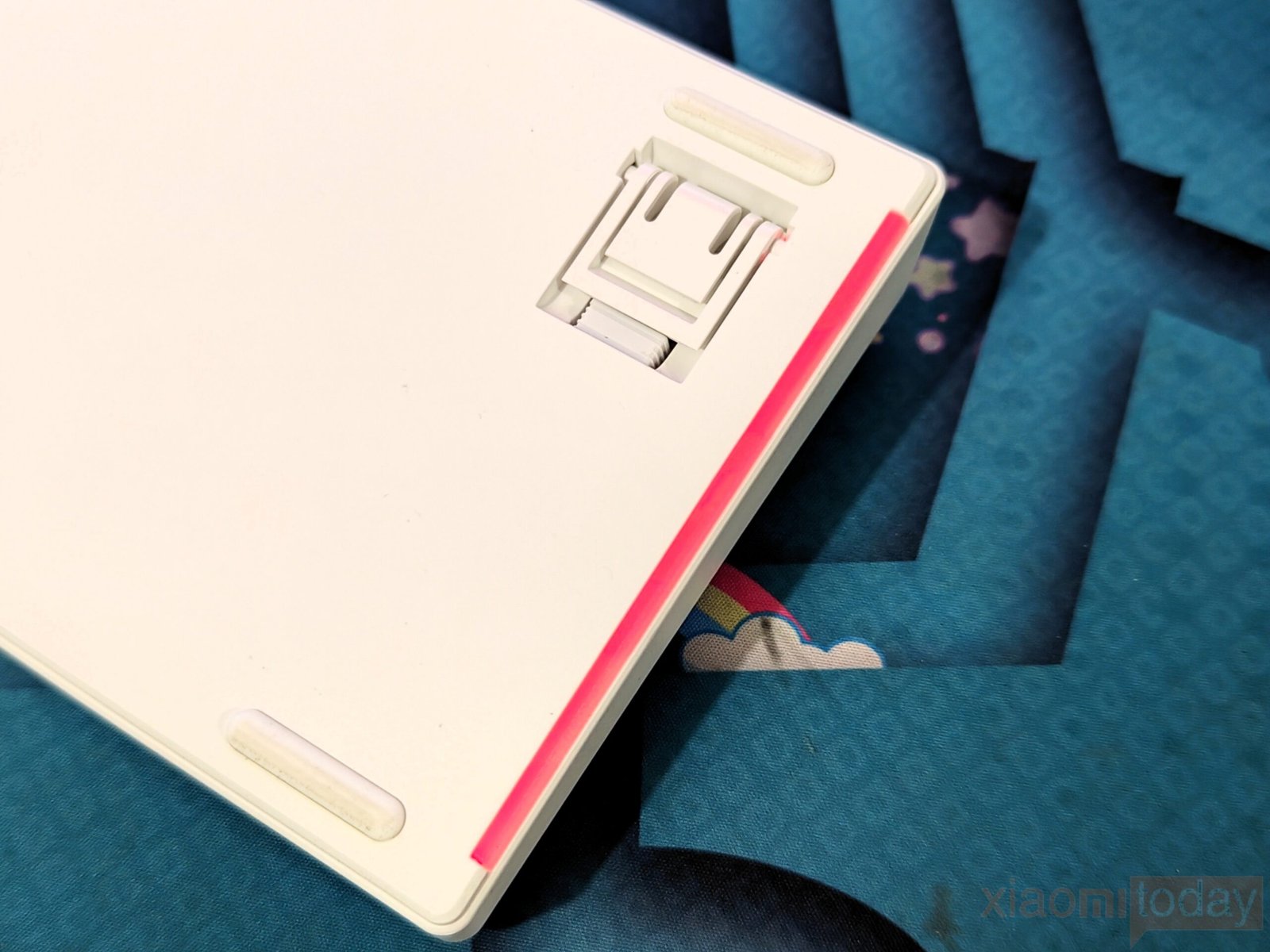
Side lighting is another design element present on the TH108 Pro. RGB strips run along both edges of the keyboard, creating a soft glow effect that complements the per-key lighting. The side illumination is visible from different angles and adds a bit of depth to the overall appearance. Users who prefer a more minimal look can disable it through software or onboard controls.
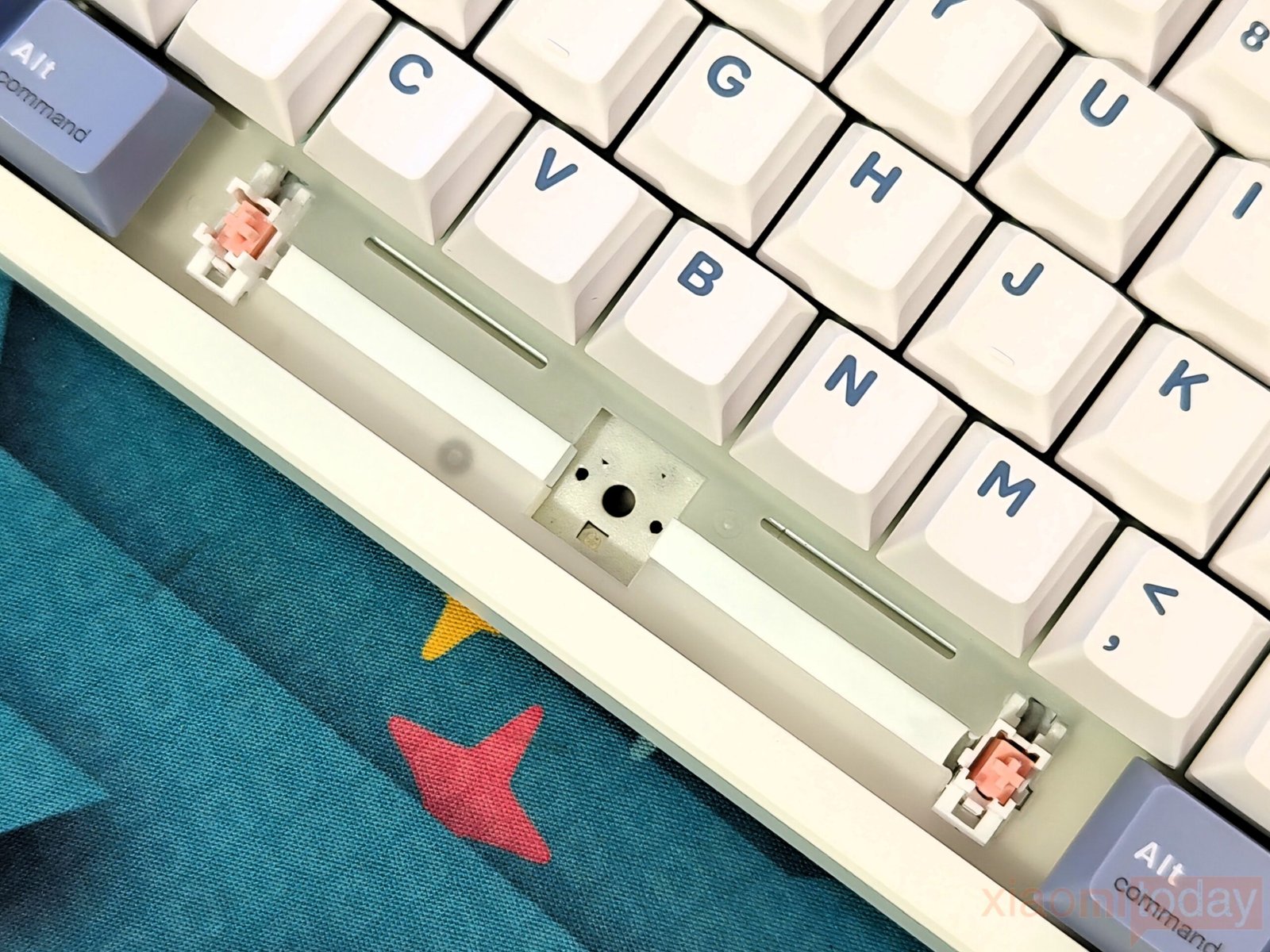
The EPOMAKER TH108 PRO combines a gasket-mounted structure with a carefully tuned five-layer acoustic package to improve both typing feel and sound. Inside the keyboard, a Poron sandwich foam, IXPE switch pad, PET sound-enhancement layer, EPDM switch socket foam, and bottom silicone pad work together to reduce unwanted vibrations throughout the case. The flexible PC plate complements this design by adding a slight amount of flex during bottom-out, giving each keystroke a softer and more controlled feel. Instead of producing a hollow or metallic sound, the keyboard maintains a deeper and more consistent typing profile across the entire layout.
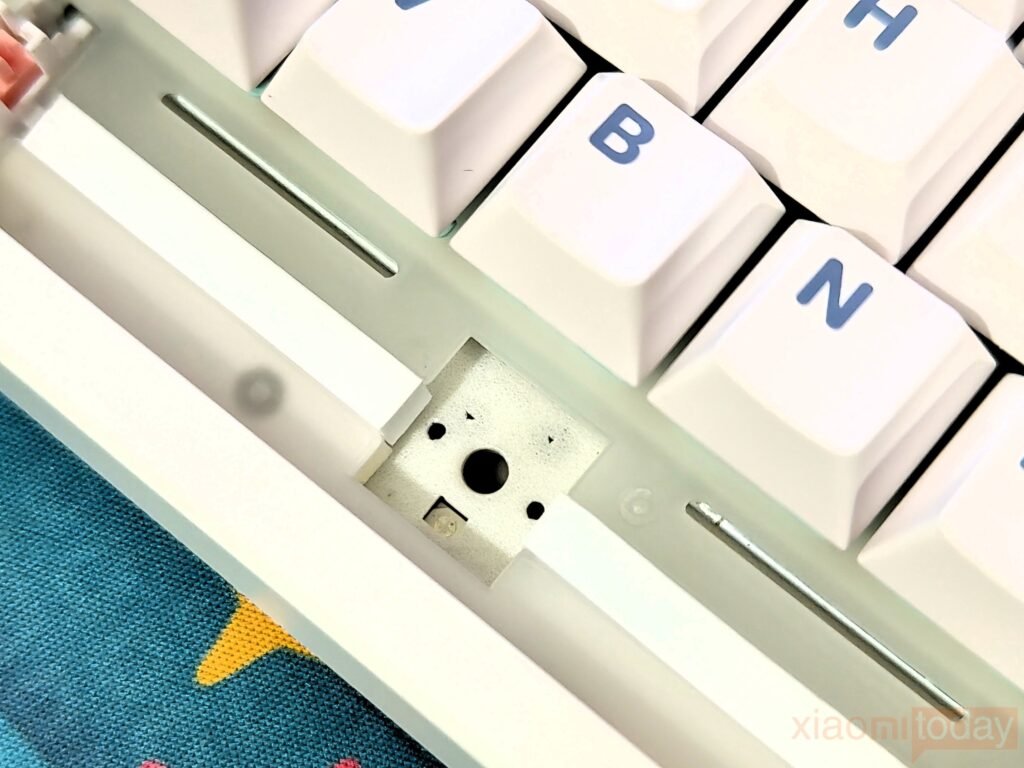
During testing, the layered construction noticeably reduced case resonance while keeping switch feedback crisp and satisfying. The IXPE pad adds a gentle character to each keystroke, while the Poron and silicone layers help absorb excess noise before it travels through the chassis. The result is a clean, creamy typing sound that many keyboard enthusiasts prefer, without requiring additional foam modifications or tuning. More importantly, the added cushioning helps reduce finger fatigue during extended typing sessions, making the TH108 PRO equally comfortable for everyday productivity and long gaming sessions.
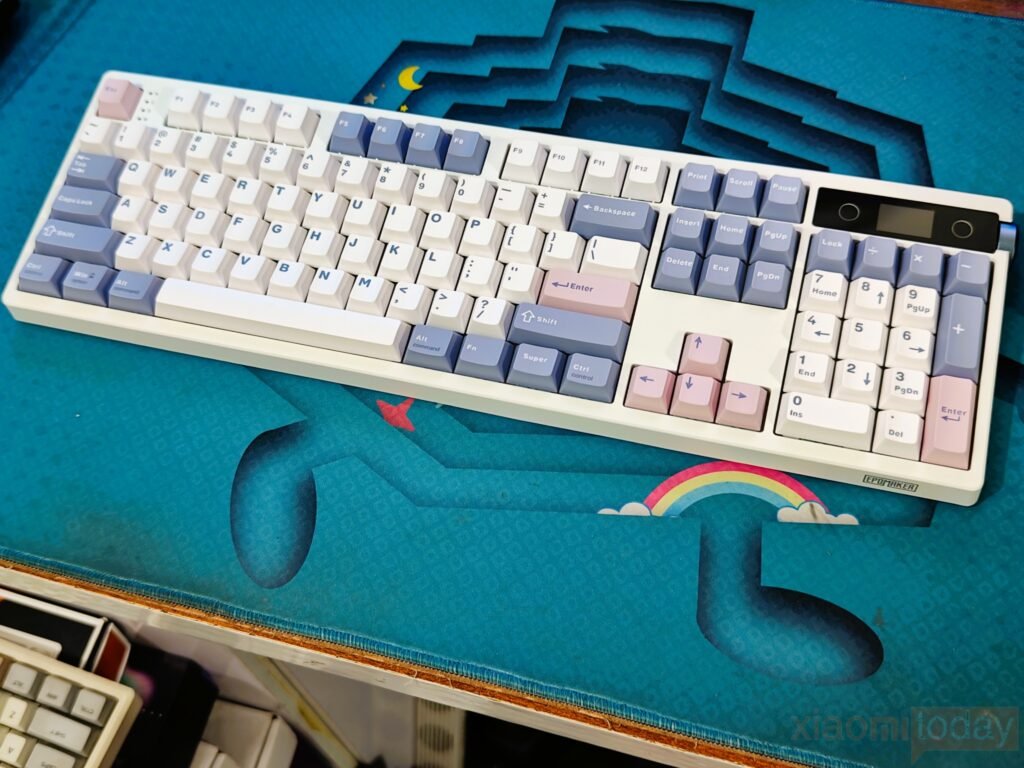
In terms of build quality, the chassis feels firm with limited flex during normal use. The structure maintains a good balance between durability and weight, allowing it to stay stable on the desk without feeling too heavy. Combined with the rubber feet and adjustable stands, the keyboard remains steady during long typing or gaming sessions.
Keycaps & RGB Lighting
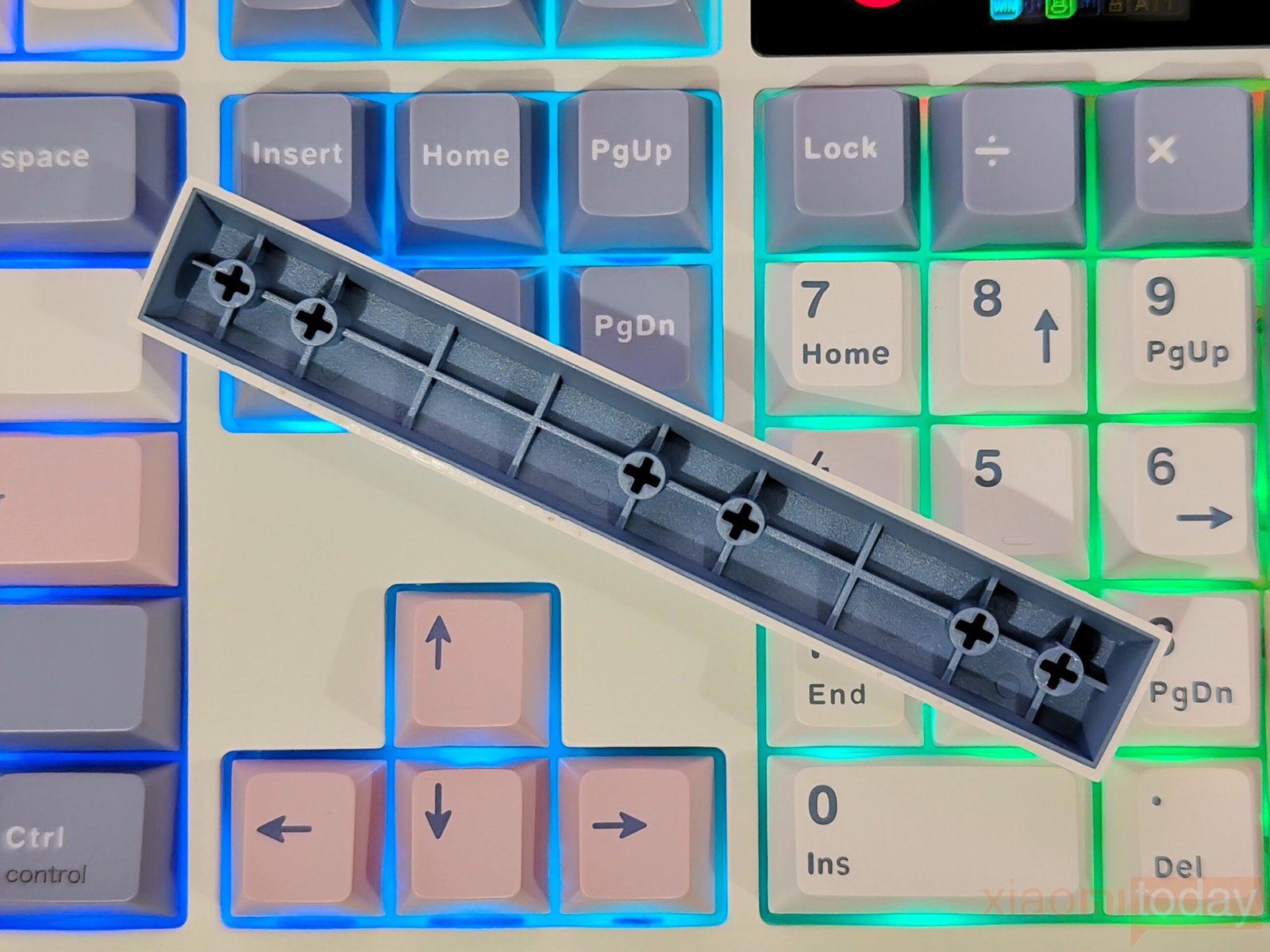
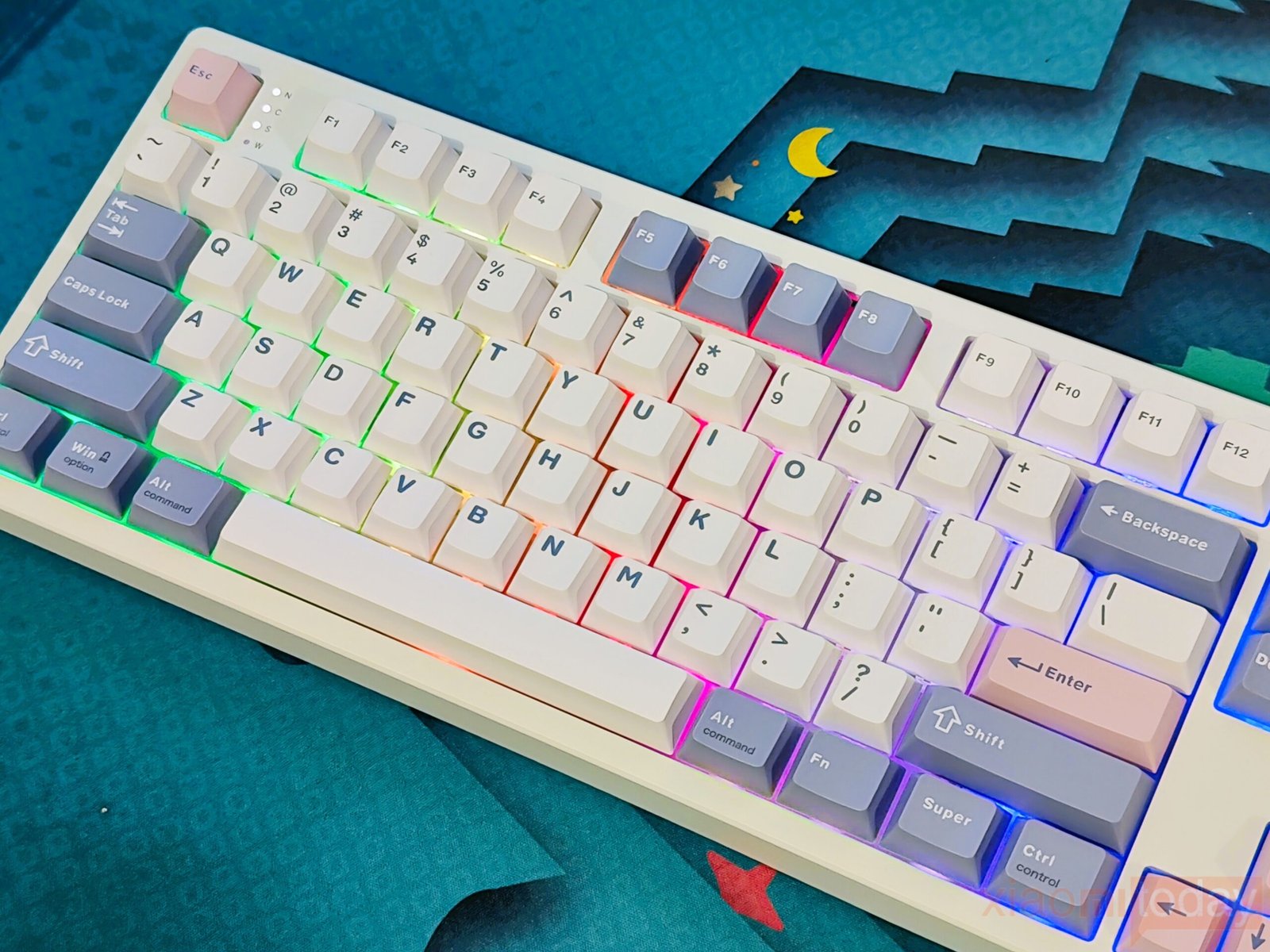
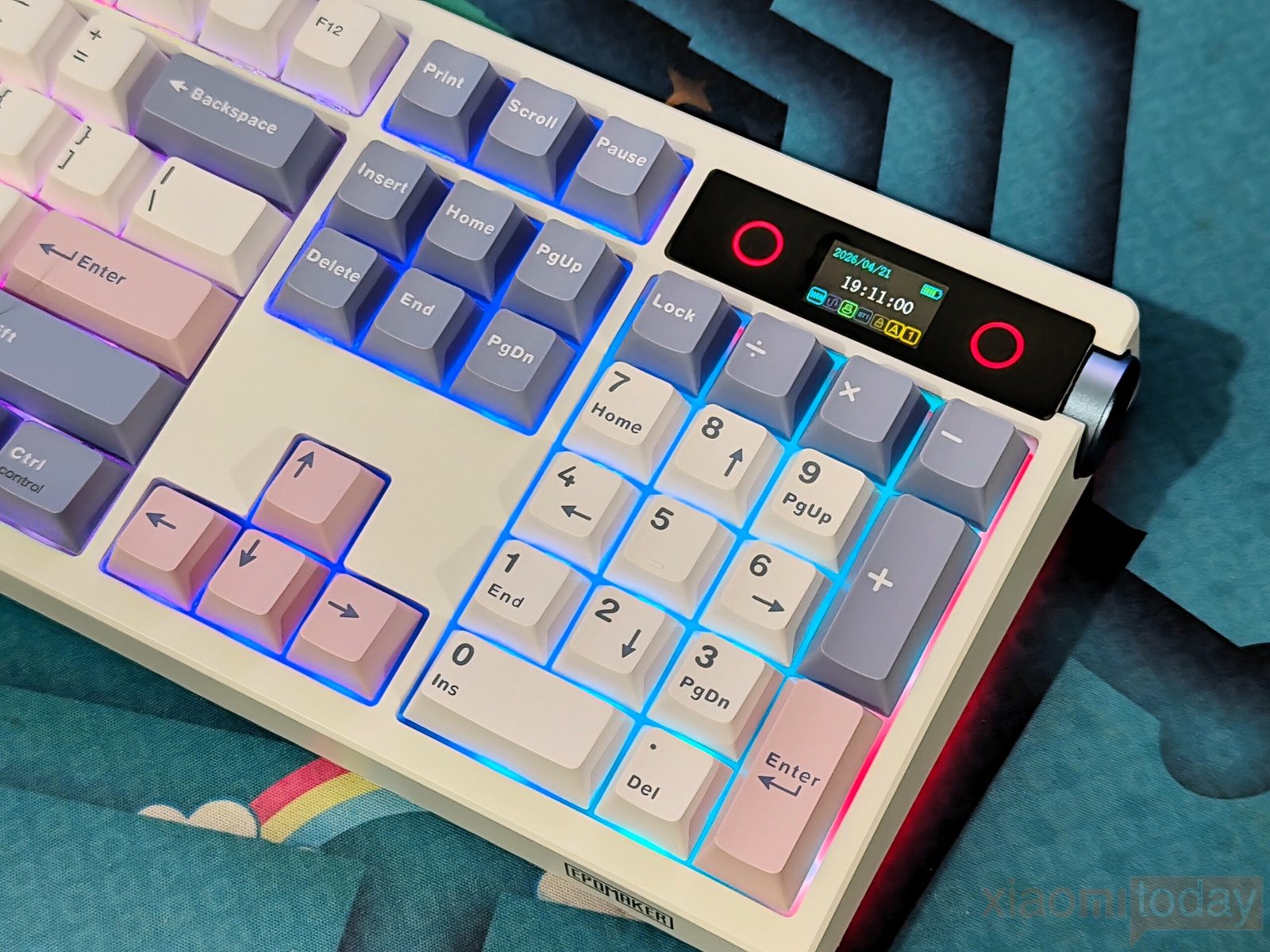
The EPOMAKER TH108 Pro comes equipped with 104 double-shot PBT keycaps that are designed for long-term use. Unlike printed legends, the double-shot construction keeps the characters from wearing away over time, even after heavy daily use. The PBT material has a lightly textured surface that offers a better grip than standard ABS keycaps and is less likely to develop a glossy finish. EPOMAKER has paired the white chassis with white, lavender, and pink Cherry-profile keycaps, giving the keyboard a clean appearance while maintaining a familiar typing experience for users coming from other mechanical keyboards.
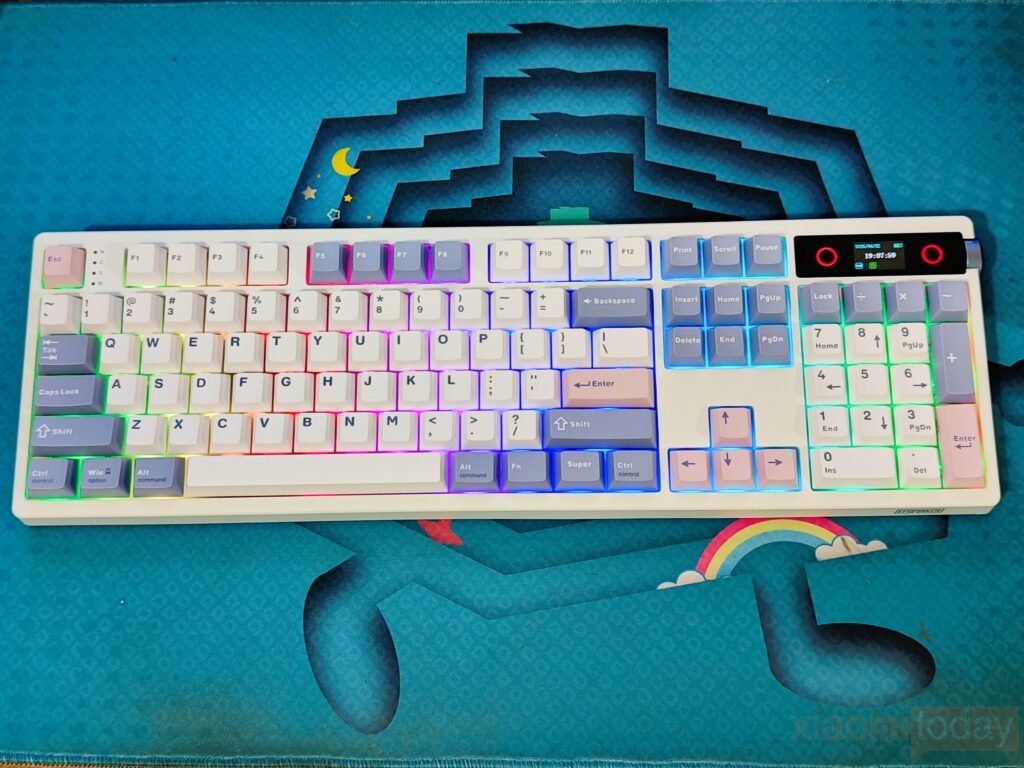
For lighting, the TH108 Pro features per-key RGB LEDs with multiple preset effects and customization options. Users can adjust brightness, colors, animation speed, and lighting modes using onboard shortcuts or the EPOMAKER software. The lighting is evenly distributed across the keyboard, making the legends easy to read in low-light environments.
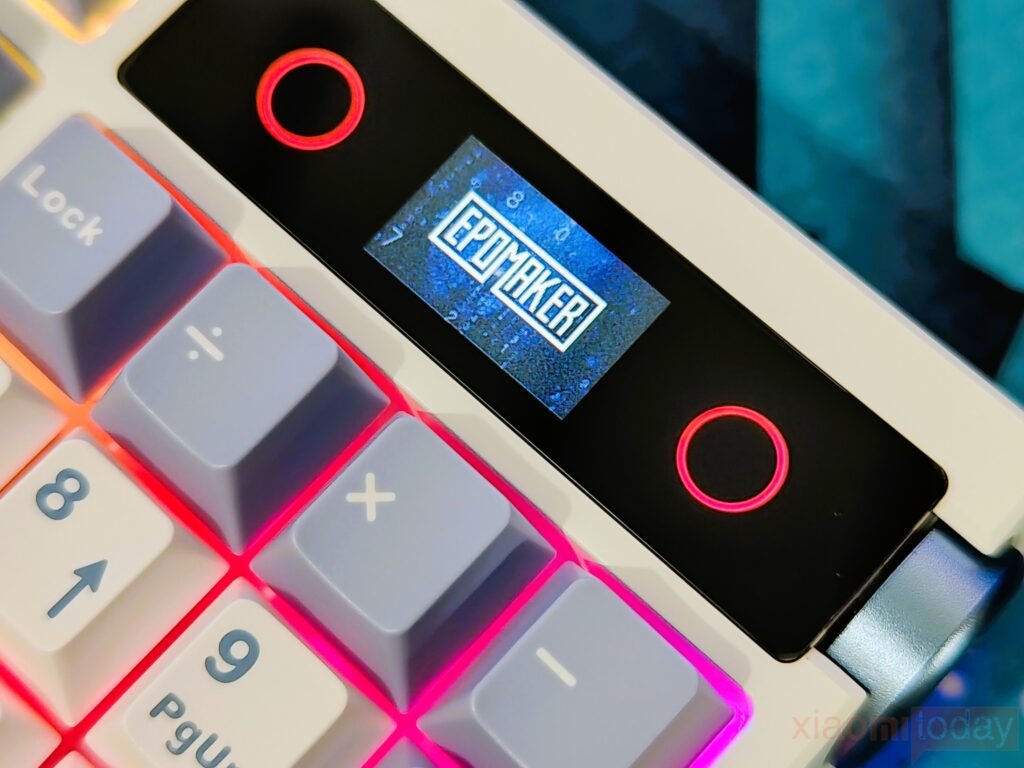
The RGB illumination also extends to the surrounding the LCD, creating a consistent look across the keyboard. The display itself can show useful information such as the time, battery level, connection mode, system status, and custom images or GIFs uploaded through the companion software.
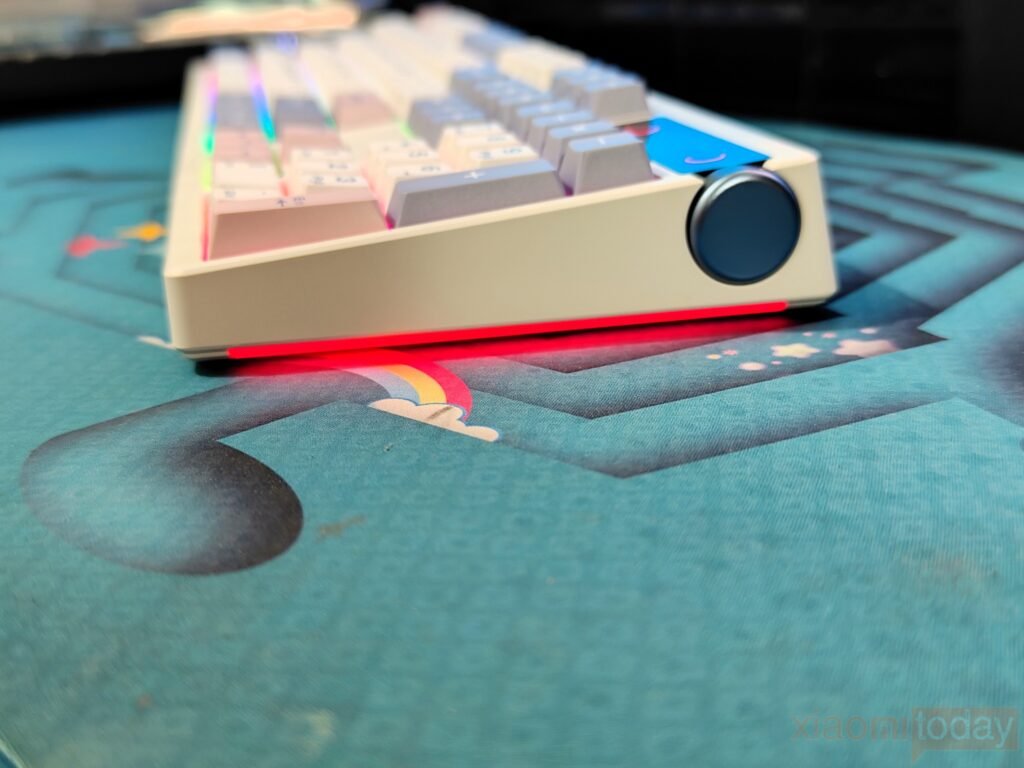
In addition to the per-key lighting, EPOMAKER has integrated RGB light bars along both sides of the keyboard. These side light strips produce an underglow effect that adds extra illumination around the edges without overpowering the main backlighting. The side lighting follows the selected RGB profile and can be adjusted or disabled independently through the software. Combined with the durable PBT keycaps, customizable RGB lighting, and functional LCD, the TH108 Pro offers a good balance between everyday usability and desktop customization.
EPOMAKER Sea Salt Silent V2 Switches
The EPOMAKER TH108 Pro is available with multiple switch options, and our review unit comes fitted with the EPOMAKER Sea Salt Silent V2 linear switches. These factory-lubed 5-pin switches are designed for users who prefer a quieter typing experience without sacrificing the smooth feel expected from a linear switch. According to EPOMAKER, the Sea Salt Silent V2 has a 45±5gf actuation force, 51±5gf bottom-out force, 1.8±0.4mm pre-travel, and 3.5±0.4mm total travel. During testing, the switches produced a soft, muted sound with smooth key movement from the beginning of the press to the bottom-out point, making them well-suited for offices, shared workspaces, and home environments where noise is a concern.
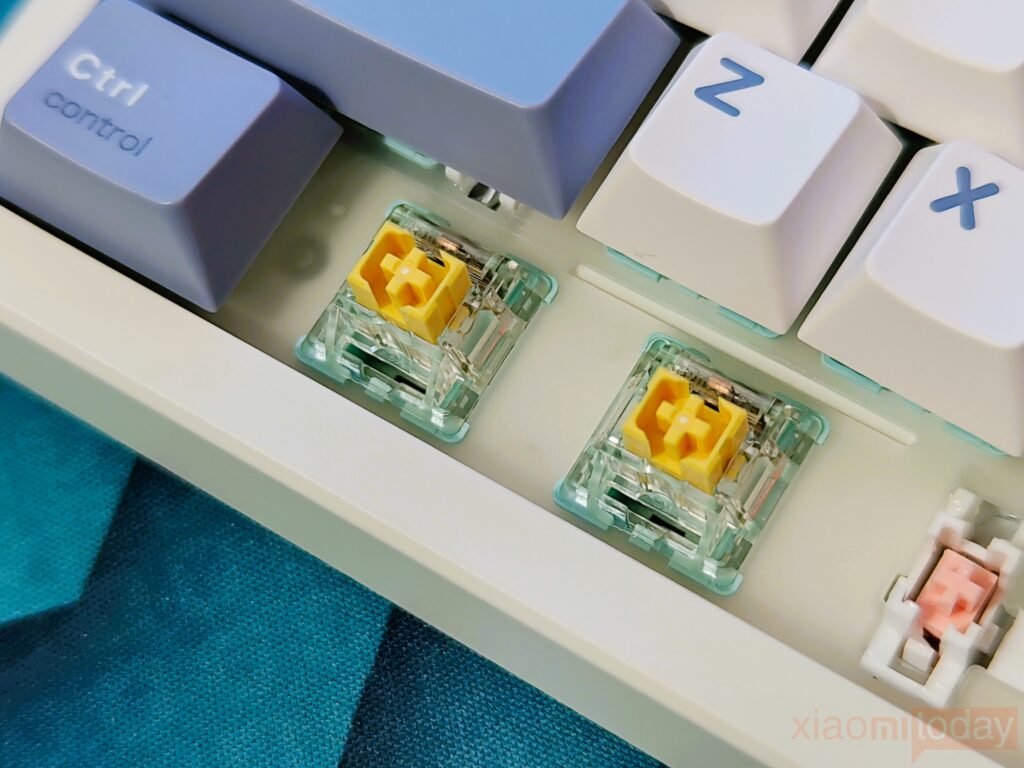
The TH108 Pro uses a hot-swappable PCB that supports both 3-pin and 5-pin mechanical switches, allowing users to change switches without soldering. This gives owners the flexibility to experiment with different switch types as their preferences change. EPOMAKER also offers the keyboard with its Creamy Jade switches for users who prefer a more traditional linear sound profile, while the Sea Salt Silent V2 focuses on reducing typing noise. The hot-swappable design also makes switch replacement simple if maintenance or future upgrades are required.
In daily use, the factory lubrication delivers consistent keystrokes with very little spring noise or scratchiness. Larger stabilized keys, including the spacebar, Enter, Backspace, and Shift keys, remain well balanced and produce a quieter sound than many stock mechanical keyboards in the same category. Combined with the keyboard’s web-based software for key remapping, macro creation, RGB customization, and function settings, the TH108 Pro provides enough flexibility for users who want to customize both the typing experience and keyboard layout without replacing the keyboard itself.
Smart LCD Screen
The EPOMAKER TH108 Pro separates itself from many full-size mechanical keyboards by integrating a 1.14-inch smart LCD into the top-right corner of the chassis. Instead of acting as a simple decorative element, the display provides useful information such as the current time, date, battery level, active connection mode, and operating system profile. During testing, the screen remained bright enough to read from a normal typing position, allowing quick access to essential information without opening the companion software.
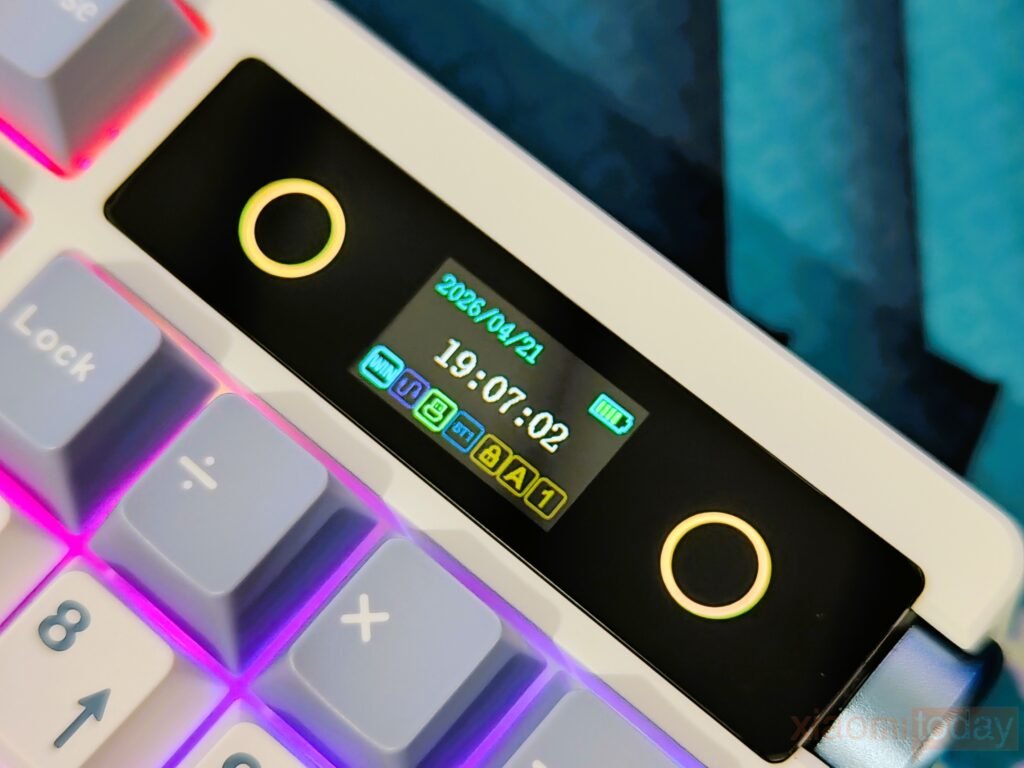
Through EPOMAKER’s Chrome-based web driver, available for both Windows and macOS, users can upload custom images and animated GIFs to personalize the keyboard. The interface also allows adjustments for RGB lighting effects, screen brightness, animation speed, language, and volume settings. The aluminum rotary knob works alongside the display, making it easy to navigate menus and change settings directly from the keyboard. Switching between volume control and screen navigation only requires a simple function shortcut, reducing the need to reach for the software during everyday use.
In daily use, the smart display feels like a practical addition rather than a feature included only for appearance. It gives quick access to frequently used settings while adding a level of personalization that extends beyond RGB lighting. Whether displaying system information, an animated GIF, or a custom logo, the LCD screen blends naturally into the keyboard’s design and adds functionality without changing the familiar layout of a full-size mechanical keyboard.
EPOMAKER TH108 PRO Online Driver
The EPOMAKER TH108 PRO uses a web-based driver instead of traditional desktop software, making it easy to access the keyboard’s settings without installing additional applications. Compatible with both Windows and macOS, the browser interface detected the keyboard quickly during testing and organized every feature into clearly labeled sections. From the main dashboard, users can access RGB lighting controls, key remapping, macro creation, TFT screen settings, and general system options.
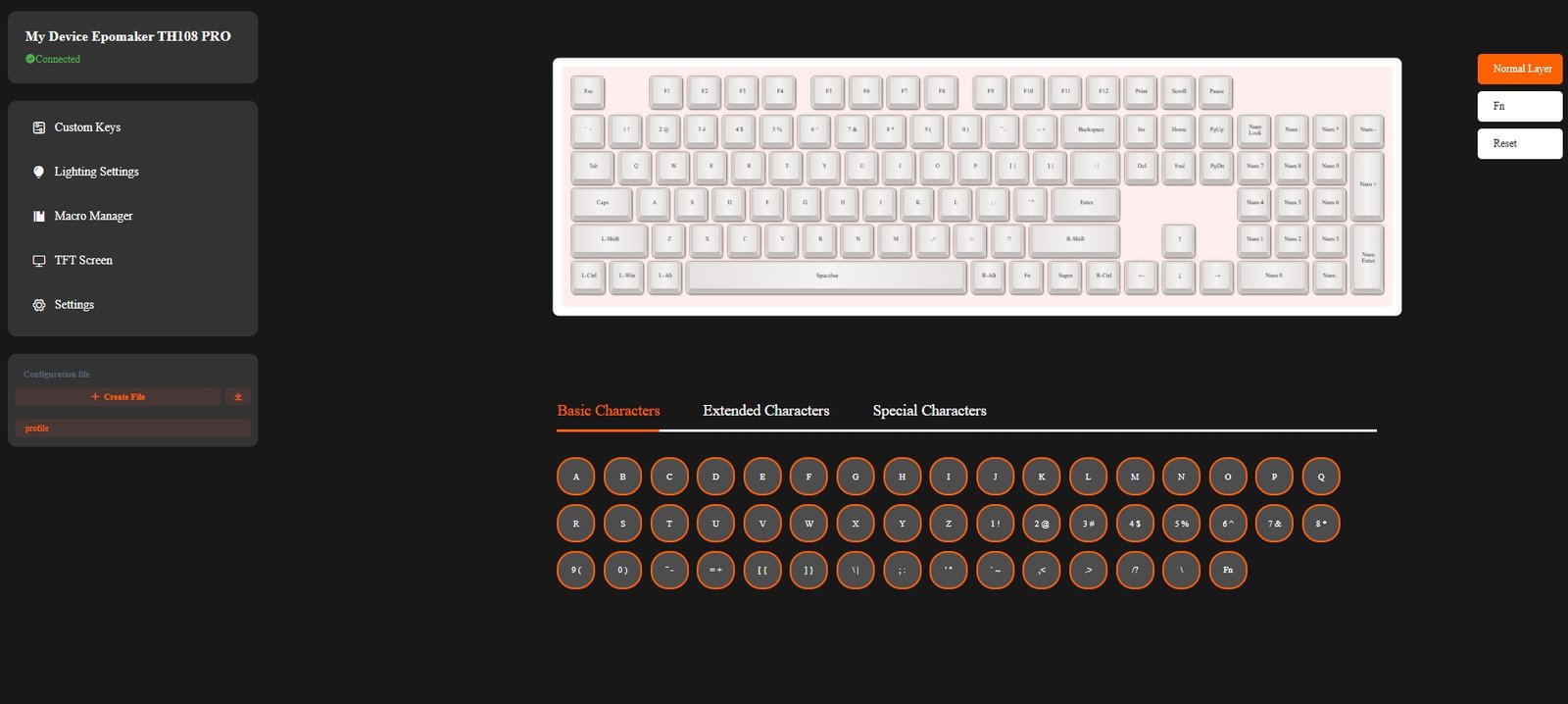
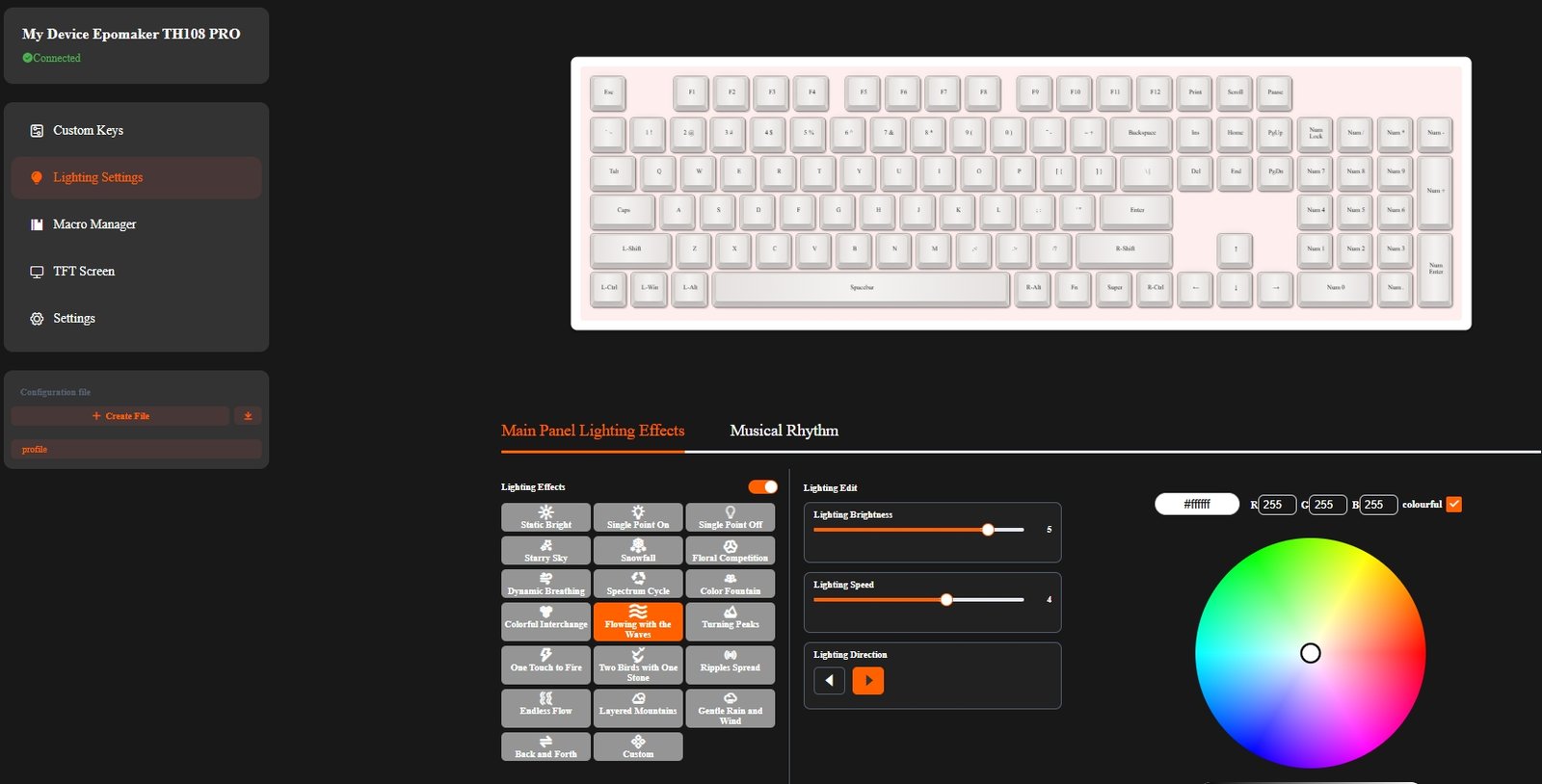
The customization options are comprehensive enough for both gaming and everyday use. Individual keys can be reassigned, custom macros can be recorded, and multiple profiles can be created for different applications or games. The RGB lighting menu provides controls for colors, effects, brightness, and animation speed, while the TFT screen section allows users to upload custom images or animated GIFs. Additional settings, including polling rate and sleep timer, can also be adjusted from the same interface.
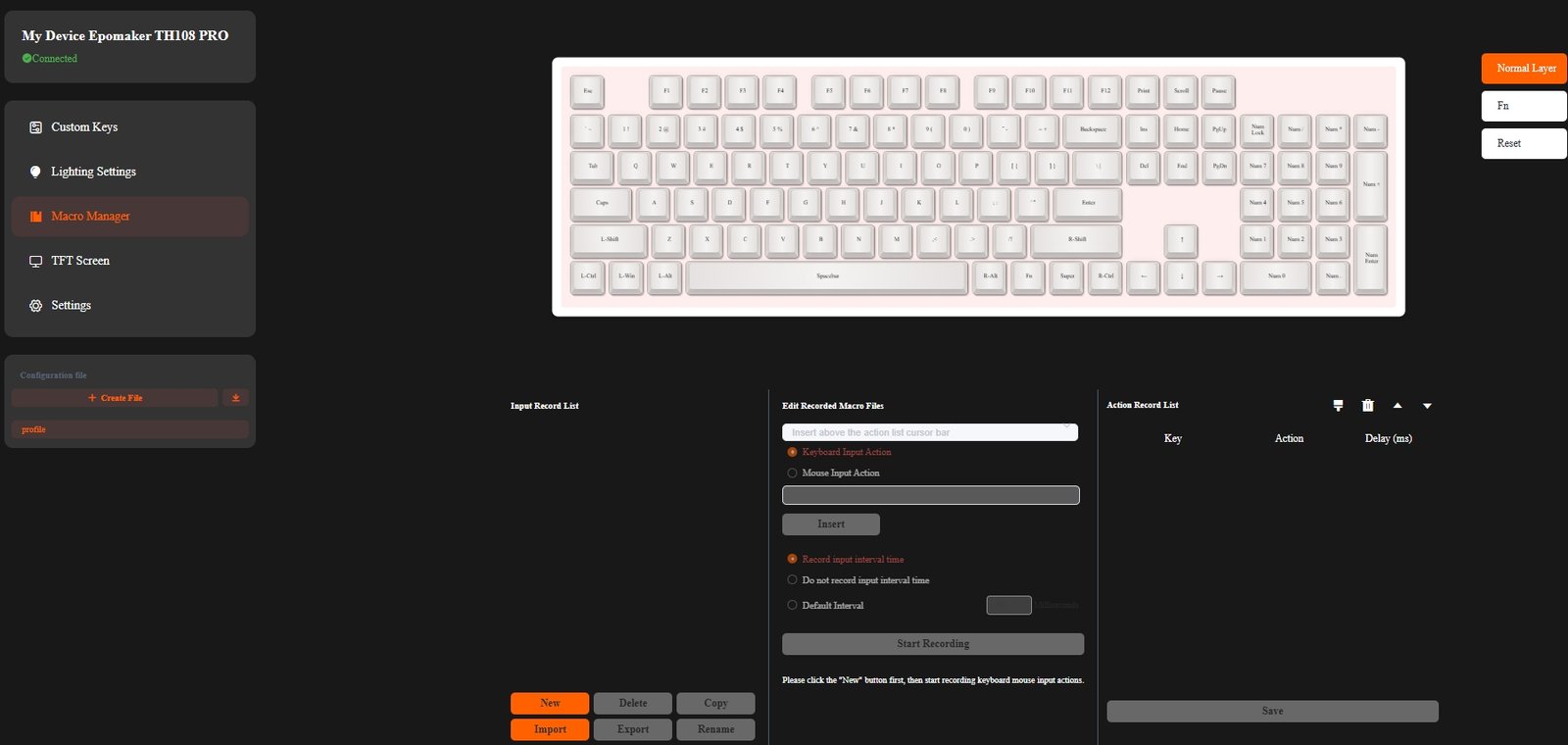
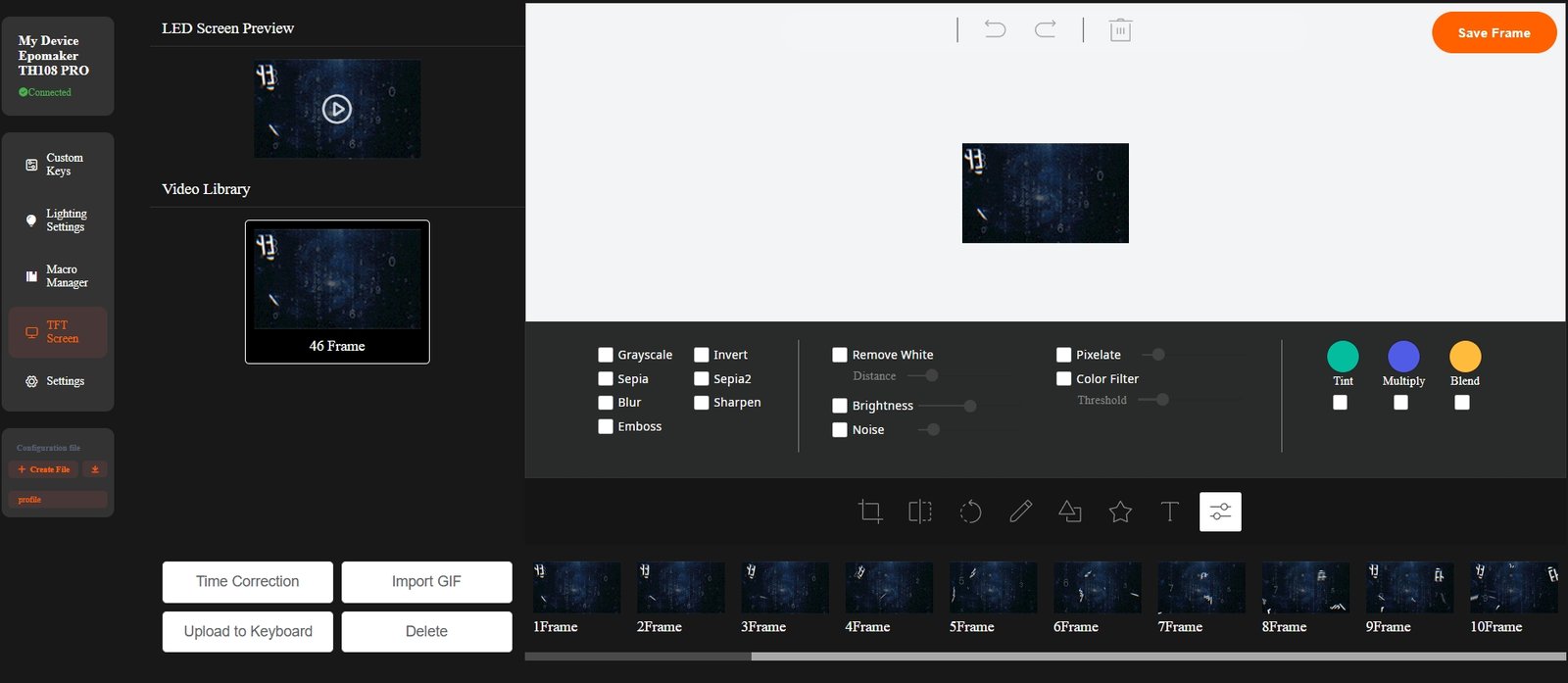
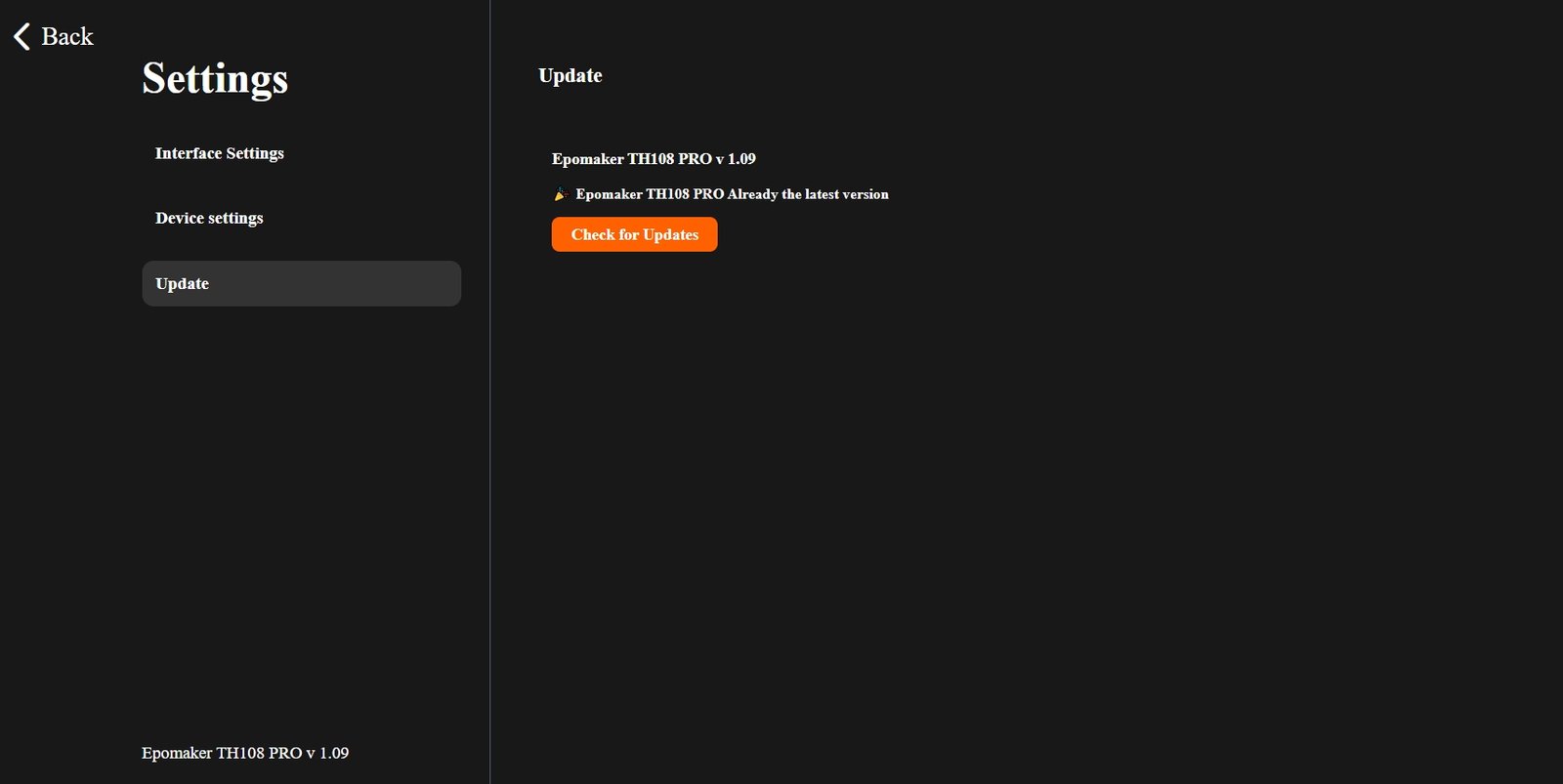
In daily use, the online driver proved reliable and easy to navigate. Changes were applied to the keyboard quickly, and there was no noticeable delay when updating lighting effects or display settings. The browser-based approach also means users can manage the TH108 PRO without downloading platform-specific software, making it a practical solution for those who frequently switch between Windows and macOS systems.
Connectivity
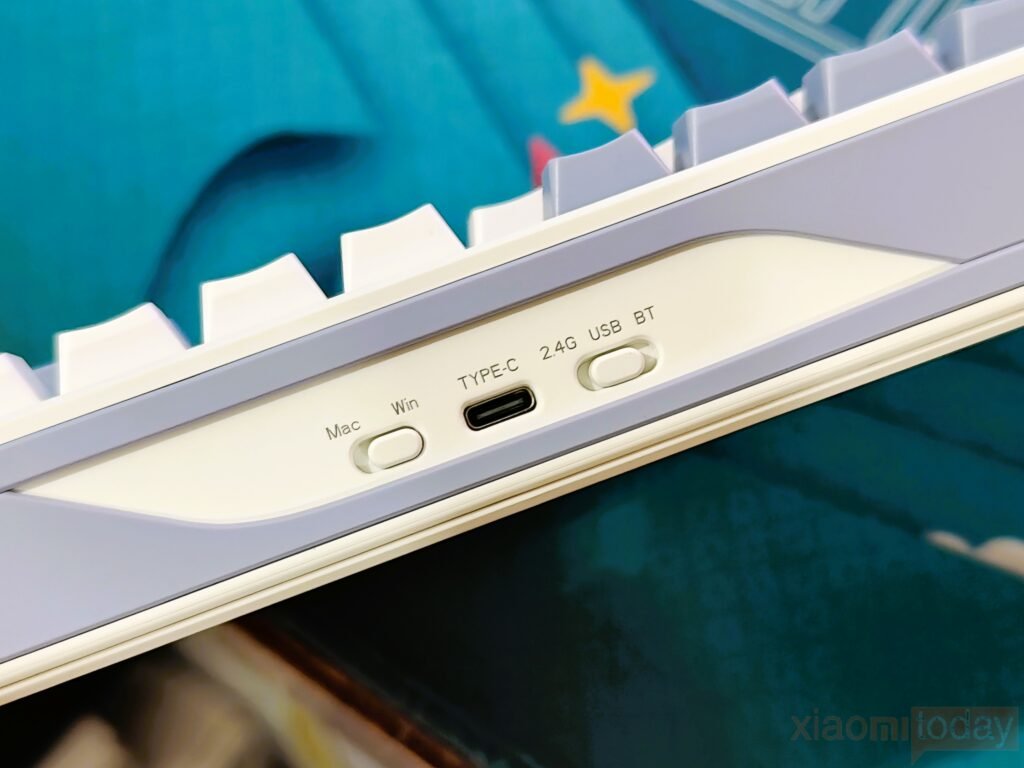
The EPOMAKER TH108 PRO offers tri-mode connectivity, giving users the flexibility to connect through USB-C wired, 2.4GHz wireless, or Bluetooth. A physical mode switch beside the USB-C port makes it easy to change between connection modes without entering software. During hands-on use, the keyboard connected quickly in each mode, while switching between previously paired devices was smooth and required only the designated function key shortcuts.
| Connection Mode | Polling Rate | Claimed Latency | Best For |
|---|---|---|---|
| USB-C Wired | 1000Hz | 2ms | Competitive gaming |
| 2.4GHz Wireless | 1000Hz | 5ms | Gaming & everyday use |
| Bluetooth | 125Hz | 11ms | Productivity & multi-device workflows |
For gaming, the USB-C wired and 2.4GHz wireless modes deliver the best performance. Both operate with a 1000Hz polling rate, with EPOMAKER rating the wired connection at 2ms latency and the 2.4GHz mode at 5ms latency. Bluetooth runs at a 125Hz polling rate with a claimed 11ms latency, making it a better fit for office work, web browsing, and general productivity. Pairing new devices is simple, and the keyboard can store multiple Bluetooth connections for users who regularly switch between different systems.
| Action | Steps |
|---|---|
| Pair a New Bluetooth Device | 1. Toggle the keyboard to BT/2.4G mode. 2. Press and hold Fn + Q/W/E until the selected key flashes rapidly. 3. Enable Bluetooth on your device and select EPOMAKER TH108 PRO from the available devices. |
| Connect via 2.4GHz Wireless | 1. Toggle the keyboard to BT/2.4G mode. 2. Insert the 2.4GHz USB receiver into your PC or laptop. 3. Press Fn + R to switch to the 2.4GHz wireless connection. |
| Reconnect to a Paired Bluetooth Device | 1. Toggle the keyboard to BT/2.4G mode. 2. Press Fn + Q, Fn + W, or Fn + E once to switch to the previously paired Bluetooth device. |
| Switch Between Devices | Use Fn + Q/W/E to switch between saved Bluetooth devices, or Fn + R to use the 2.4GHz wireless connection. |
The TH108 PRO also offers broad device compatibility. It supports Windows, macOS, Android, iOS, PlayStation, and Nintendo Switch, allowing the same keyboard to be used across desktops, laptops, tablets, smartphones, and gaming consoles. Dedicated Windows and Mac layouts further improve the experience for users working across different operating systems. Combined with its reliable wireless performance and multi-device support, the TH108 PRO is well-suited for both productivity and gaming setups.
Battery
The EPOMAKER TH108 PRO is equipped with a 10,000mAh rechargeable battery, which is larger than what is typically found in most wireless mechanical keyboards. The extra capacity is particularly useful for a full-size keyboard that combines wireless connectivity, per-key RGB lighting, and a built-in TFT display. According to EPOMAKER, the keyboard can provide up to 42 hours of use with both the RGB lighting and screen enabled, while disabling both extends the battery life to as much as 200 hours on a single charge.
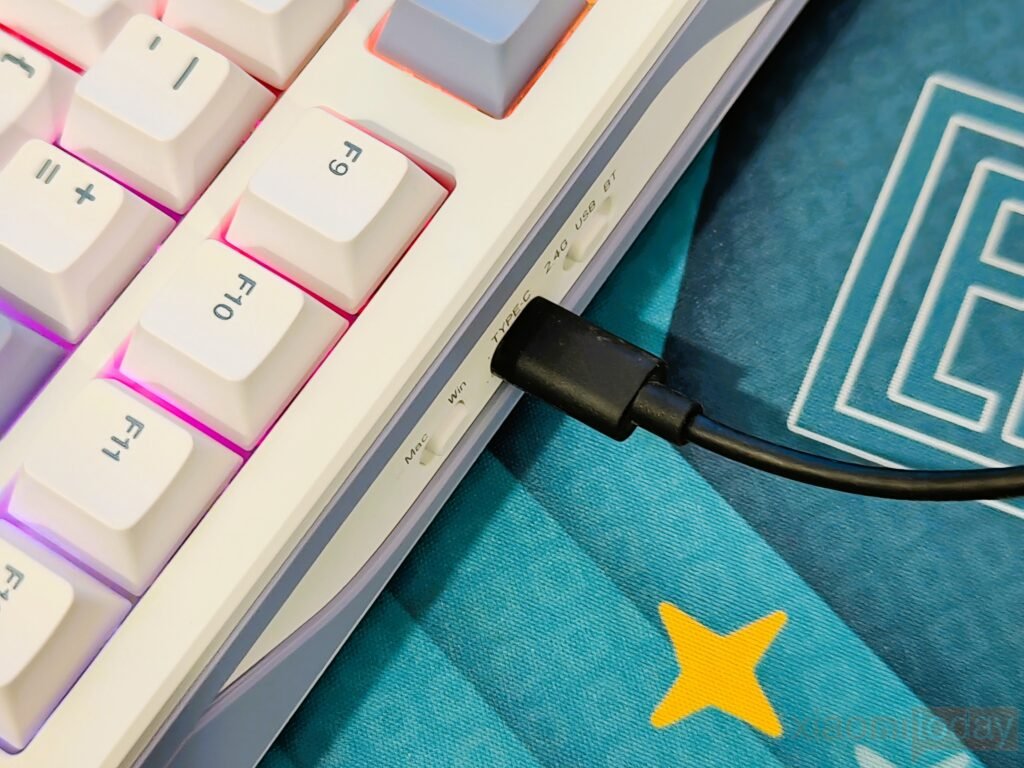
During everyday use, the large battery reduces the need to keep the keyboard connected to a charging cable. Even with lighting enabled, users can expect several days of gaming or office work before reaching for the USB-C cable. Those who prefer longer battery life can turn off the RGB lighting and display, making the TH108 PRO a practical option for workspaces where charging opportunities are limited.
Charging is handled through the USB-C port, and the keyboard remains fully usable while connected. This allows users to continue working or gaming without interruption when the battery runs low. Combined with Bluetooth, 2.4GHz wireless, and wired connectivity, the generous battery capacity complements the TH108 PRO’s multi-device design and helps deliver a more convenient wireless experience.
Use Experience
I used the EPOMAKER TH108 PRO as my primary keyboard for two weeks, covering everything from writing articles and editing documents to gaming and everyday browsing. Despite the growing popularity of compact layouts, the full-size 104-key design still offers clear advantages for productivity. The dedicated number pad, function row, and navigation keys remain easy to access, making the keyboard well-suited for users who spend long hours working with spreadsheets, creative applications, or large amounts of text. Throughout the testing period, the keyboard remained stable on the desk, and the adjustable kickstands made it easy to find a comfortable typing angle for extended sessions.
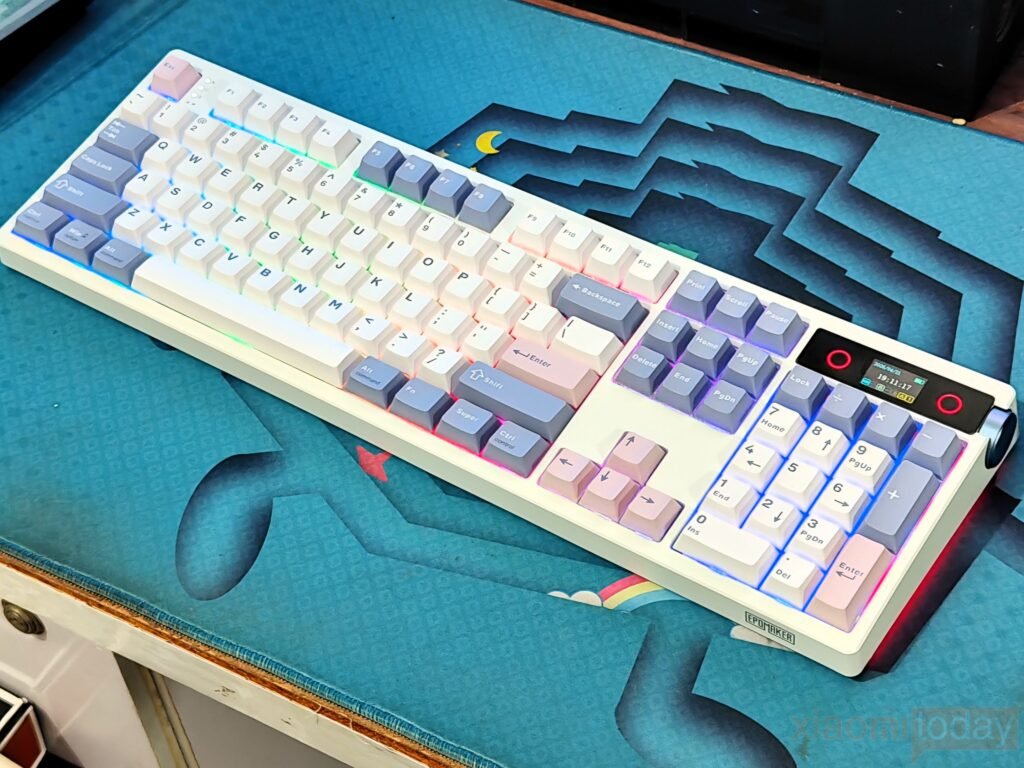
Our review unit came equipped with the EPOMAKER Sea Salt Silent V2 switches, and they provided a smooth and consistent typing experience from the first day of testing. The factory-lubed linear switches travel cleanly with very little resistance, while the Cherry-profile double-shot PBT keycaps offer a lightly textured surface that remains comfortable during long typing sessions. Larger keys, including the Spacebar, Enter, Shift, and Backspace, feel well stabilized with minimal movement, giving the keyboard a uniform feel across the entire layout. Whether typing at a normal pace or working through longer writing sessions, the TH108 PRO remained comfortable and predictable.
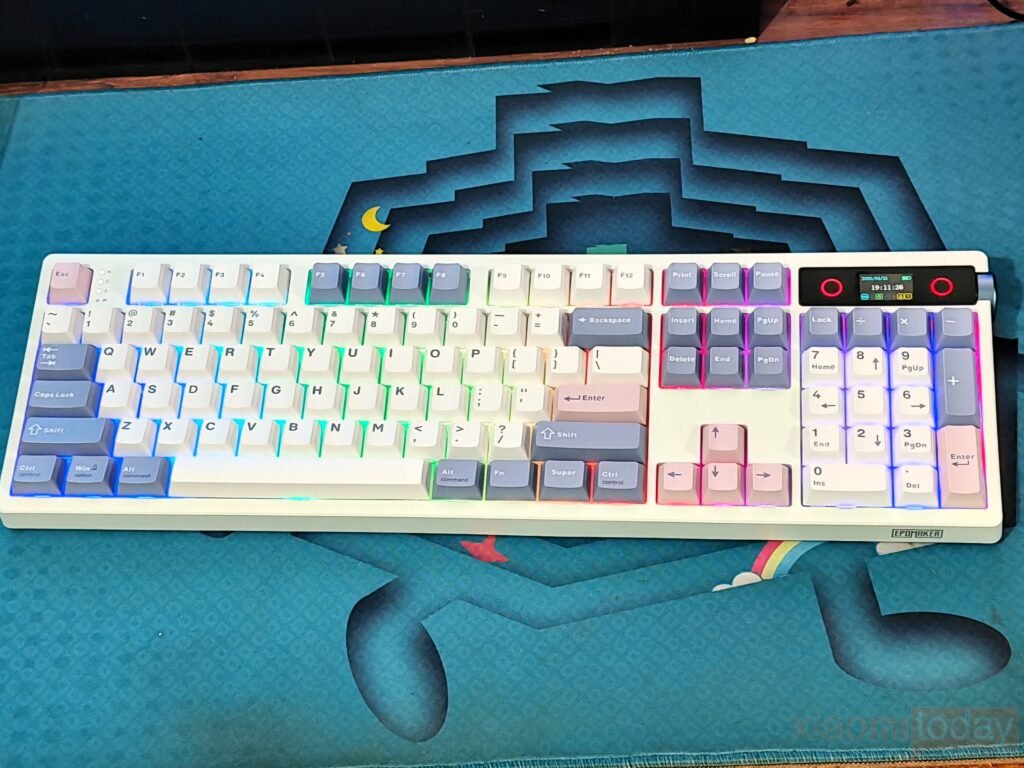
The typing sound is equally well controlled. The combination of the Sea Salt Silent V2 switches, gasket-mounted construction, and five-layer sound-dampening system produces a soft, muted acoustic profile that avoids the hollow sound often heard on stock mechanical keyboards. Bottom-out noise is reduced, and larger keys generate very little rattle, resulting in a consistent sound across the board. It is quiet enough for shared offices and home workspaces while still retaining the mechanical feedback that many users prefer over membrane keyboards.
Conclusion