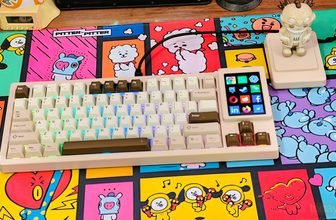
MCHOSE has introduced the Ace75, a wired Hall effect gaming keyboard designed for players who want fast input response, adjustable actuation, and a compact layout. It features an 8,000 Hz polling rate, a claimed latency of 0.08 ms, and support for Rapid Trigger. The Ace75 also includes several features for everyday use, making it an option for users who need a keyboard for both gaming and regular desktop work.
The MCHOSE Ace75 uses a 75% layout with a dedicated function row, arrow keys, and navigation keys. Its design includes a multifunction rotary knob on the side, a dedicated Rapid Trigger button, per-key RGB backlighting, and a Horizon RGB light bar. These features provide quick access to keyboard controls while keeping the overall layout compact. The keyboard also uses an aluminum positioning plate and several sound-dampening materials in its internal structure.
For gaming, the Ace75 supports adjustable actuation from 0.1 to 3.4 mm, along with Rapid Trigger, Dynamic Keystroke (DKS), Mod-Tap (MT), and SOCD. MCHOSE lists an adjustment precision of 0.001 mm and a scan rate of up to 256K. Users can configure the available functions through the MCHOSE M HUB web or desktop software. The dedicated button on the left side allows switching between up to three profiles, which is useful when changing settings for different games or everyday typing.
In this review, we’ll examine its build quality, typing experience, gaming performance, and software to see how well it performs in everyday use and fast-paced games.
MCHOSE Ace75 – Specifications
| Specification | Details |
|---|---|
| Model | MCHOSE Ace75 |
| Keyboard Type | Hall Effect Gaming Keyboard |
| Layout | 75% |
| Connectivity | Wired |
| Available Colors | Mecha Green, Navy Blue, Midnight Purple, Moon Rock Gray |
| Dimensions | 322 × 138 × 41 mm |
| Weight | Approx. 1,066.5 g |
| Polling Rate | Up to 8,000 Hz |
| Scan Rate | 256K |
| Latency | 0.08 ms (claimed) |
| Adjustment Precision | 0.001 mm |
| Actuation Range | 0.1–3.4 mm |
| Rapid Trigger Range | 0.001–3.4 mm |
| Switch Type | Magnetic Hall Effect |
| Switch Options | Berserker Magnetic, Royal Steed Magnetic |
| Keycaps | Opaque PBT / Translucent PC |
| Advanced Functions | RS, SOCD, DKS, MT, TGL, LT |
| Onboard Controls | Dedicated RT Button, Multifunction Knob |
| RGB Lighting | 16.8 Million Colors, Per-Key ARGB |
| Light Bar | Horizon RGB Light Bar |
| Lighting Effects | Music Rhythm 2.0, Aura Sync |
| Software | MCHOSE M HUB (Web & Desktop) |
| Hall Effect Solution | MCHOSE In-House Solution |
| Sensor | Custom Hall Effect Sensor |
| Positioning Plate | Aluminum |
| Internal Structure | Sandwich Foam, PO Switch Pad, PET Sound-Damping Pad, Bottom Foam, Silicone Bottom Pad |
| Kickstarter Starting Price | $109 |
| MSRP | $149 |
Unboxing
The MCHOSE Ace75 arrives in a rectangular retail box featuring a large image of the keyboard on the front, along with the model name and key specifications. We received the Moon Rock Grey and Navy Blue versions for this review.
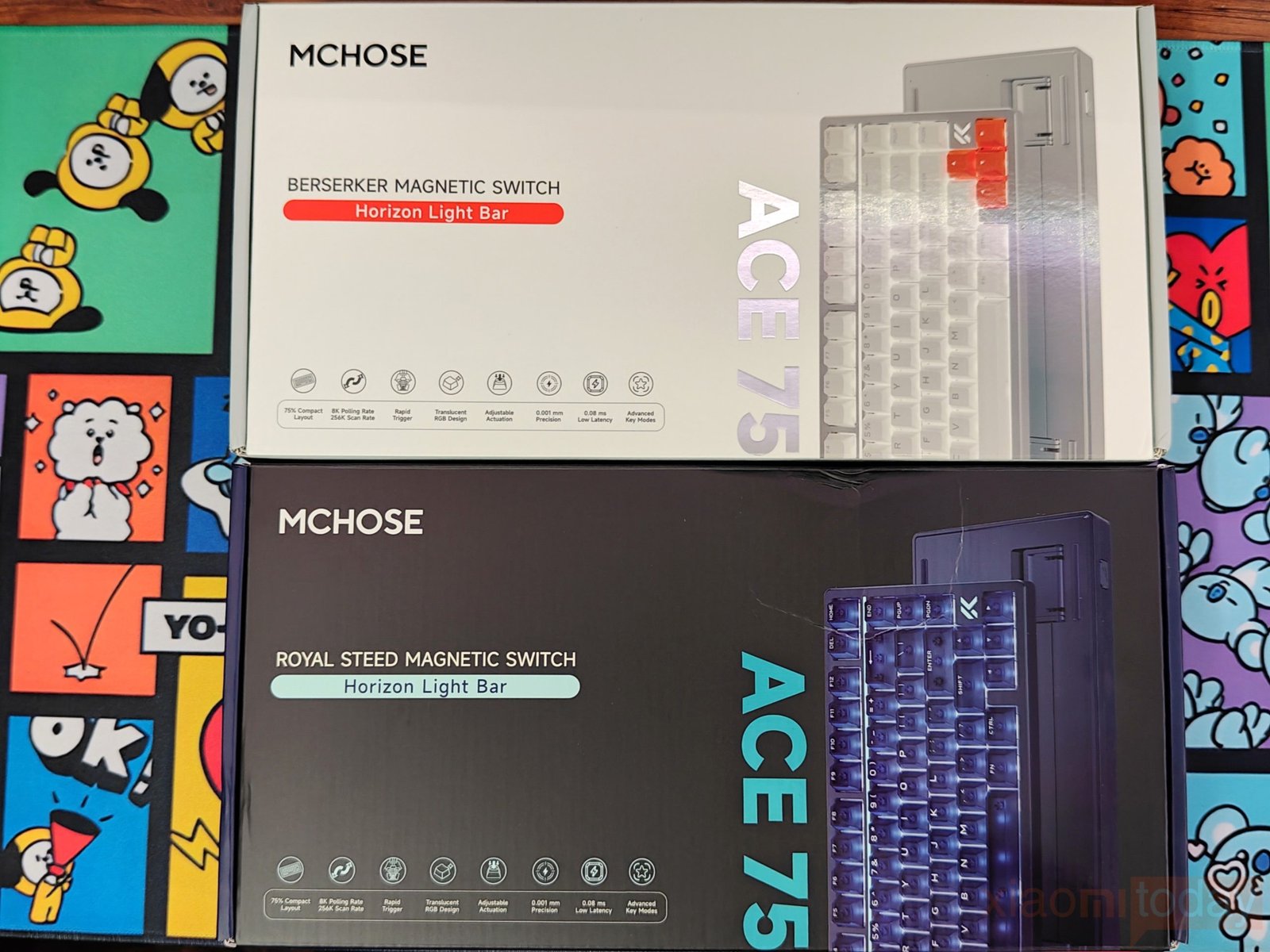
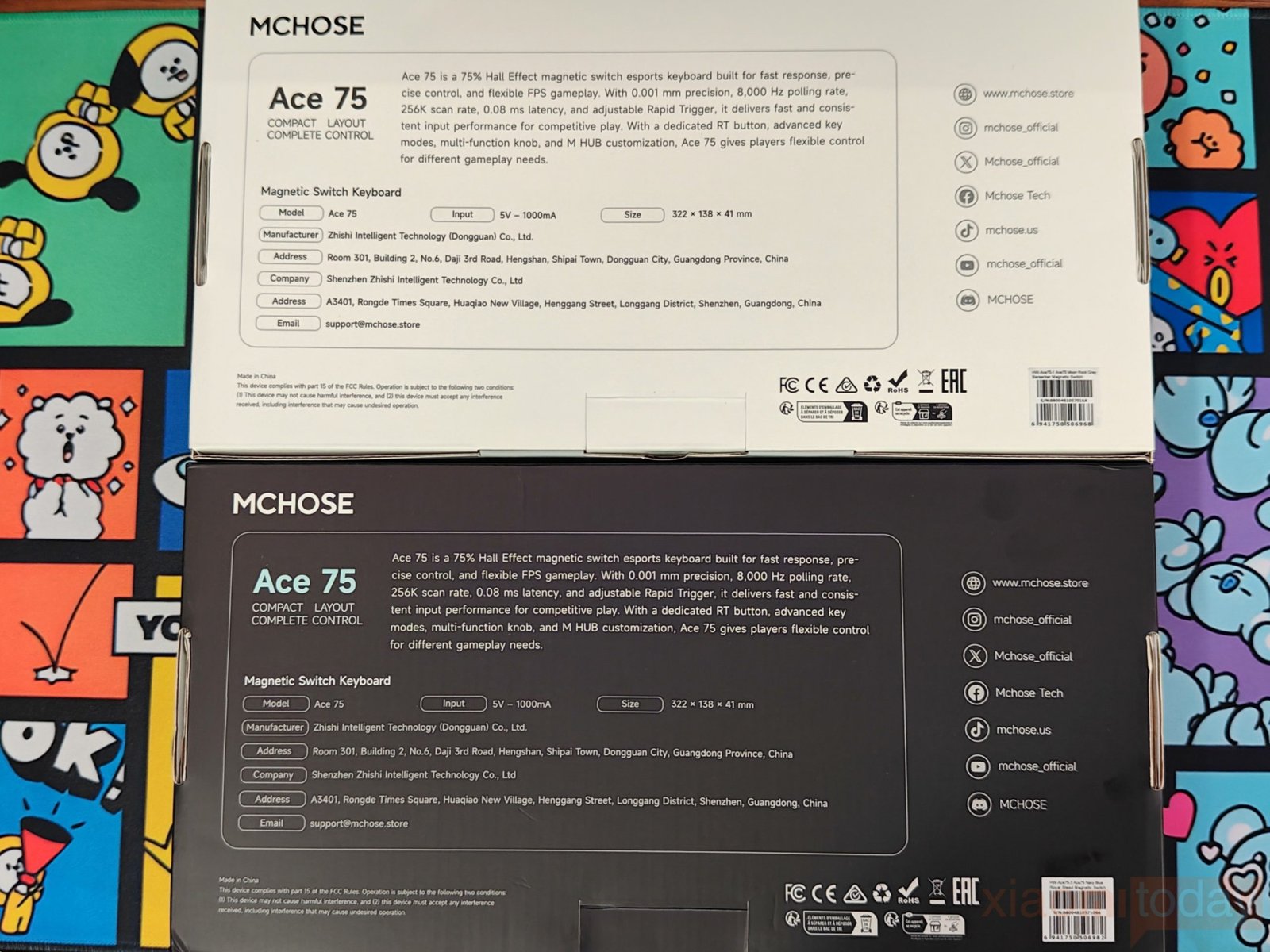
The packaging identifies the switch type fitted to each model: Berserker Magnetic Switches for the Moon Rock Grey version and Royal Steed Magnetic Switches for the Navy Blue version. It also lists features such as the 75% layout, 8,000 Hz polling rate, 256K scan rate, Rapid Trigger, adjustable actuation, and Horizon Light Bar. The back of the box provides a product description, power requirements, dimensions, manufacturer information, and regulatory details.
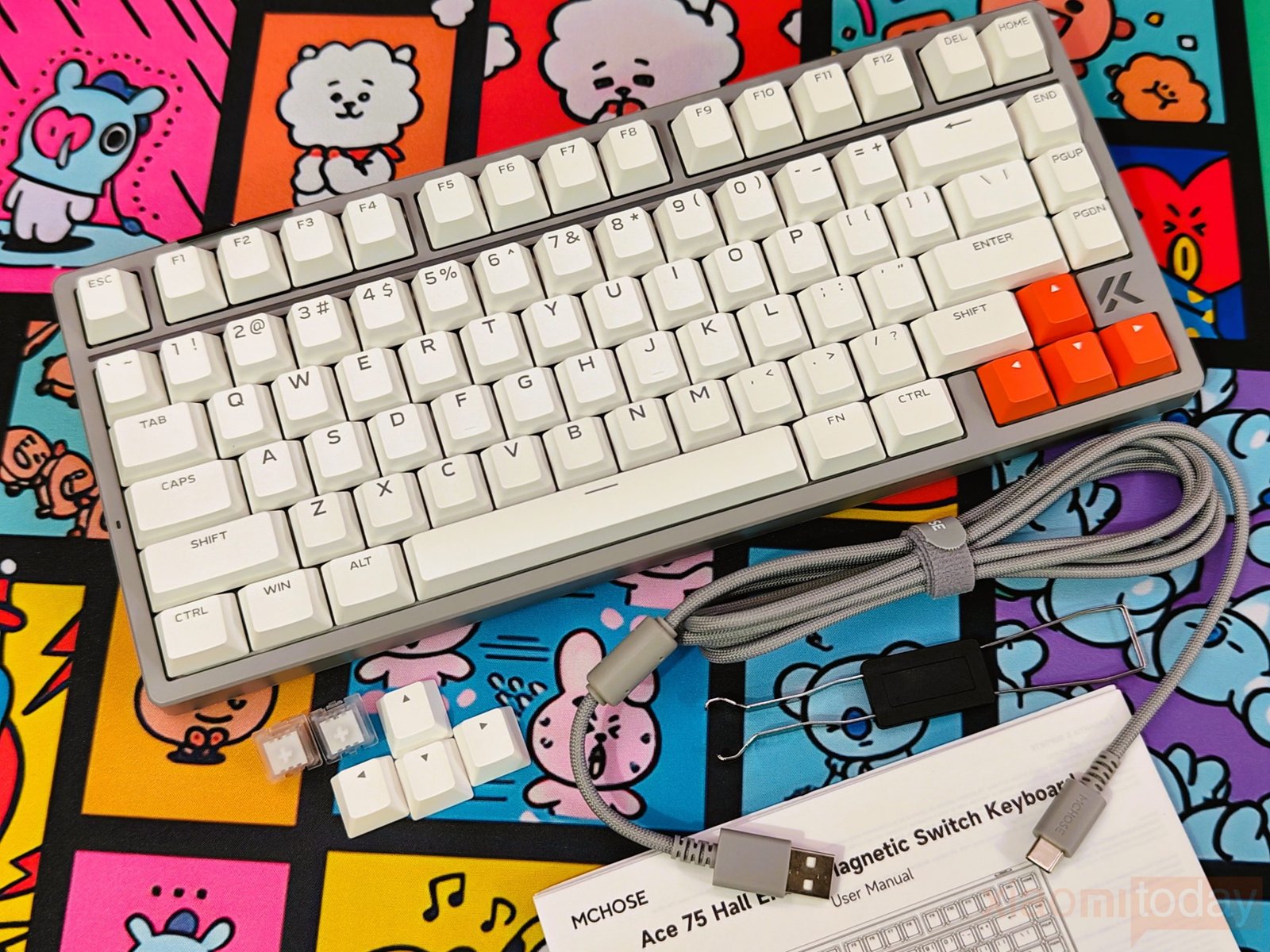
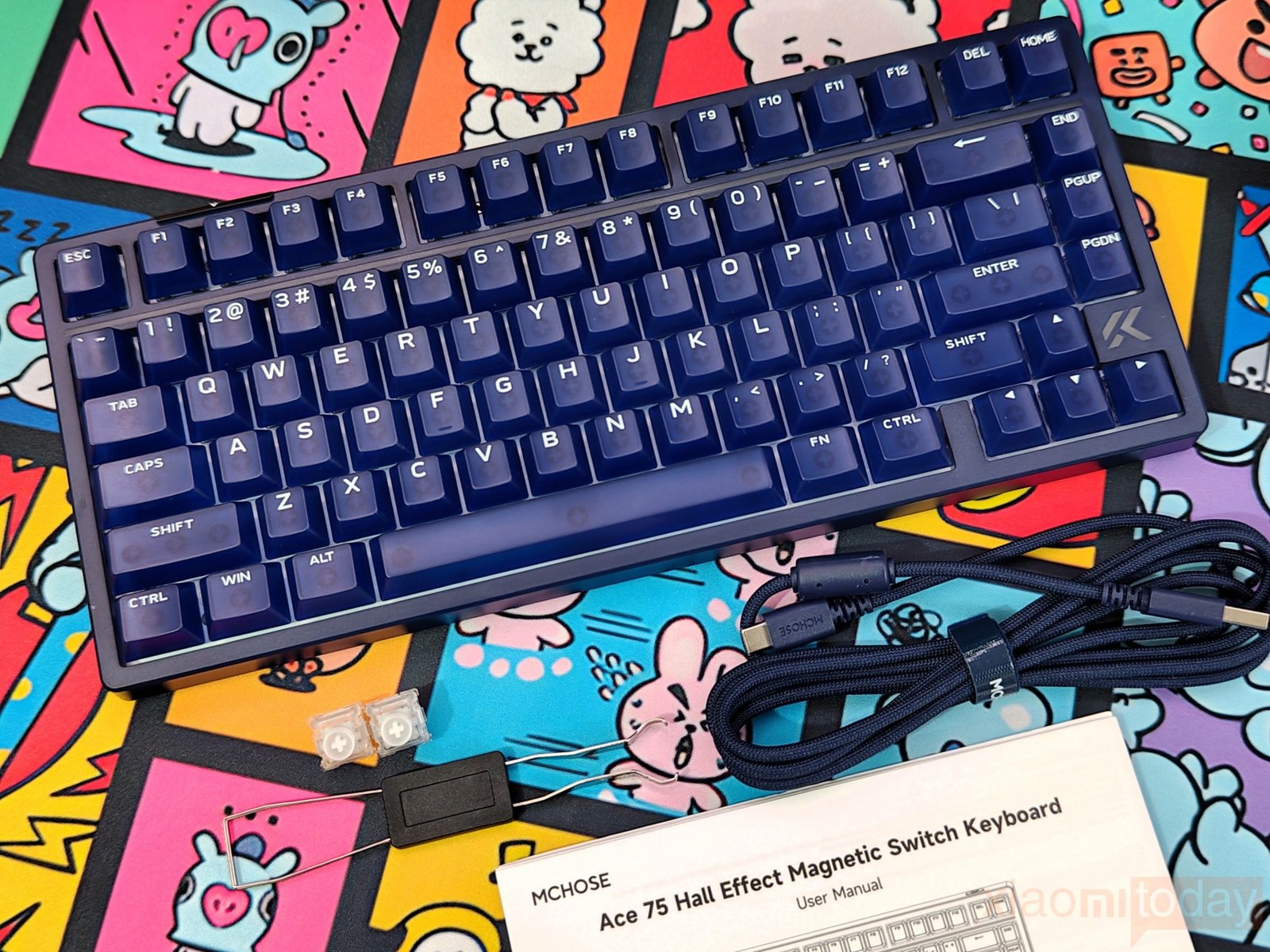
Opening the box reveals the MCHOSE Ace75 keyboard, a braided USB cable, a user manual, a keycap and switch puller, and two spare magnetic switches. The included accessories cover the basic requirements for setting up and maintaining the keyboard. The puller can be used to remove the keycaps for cleaning, while the spare switches provide replacements if needed. Both review samples include the same general set of accessories, with the cable color matching the respective keyboard.
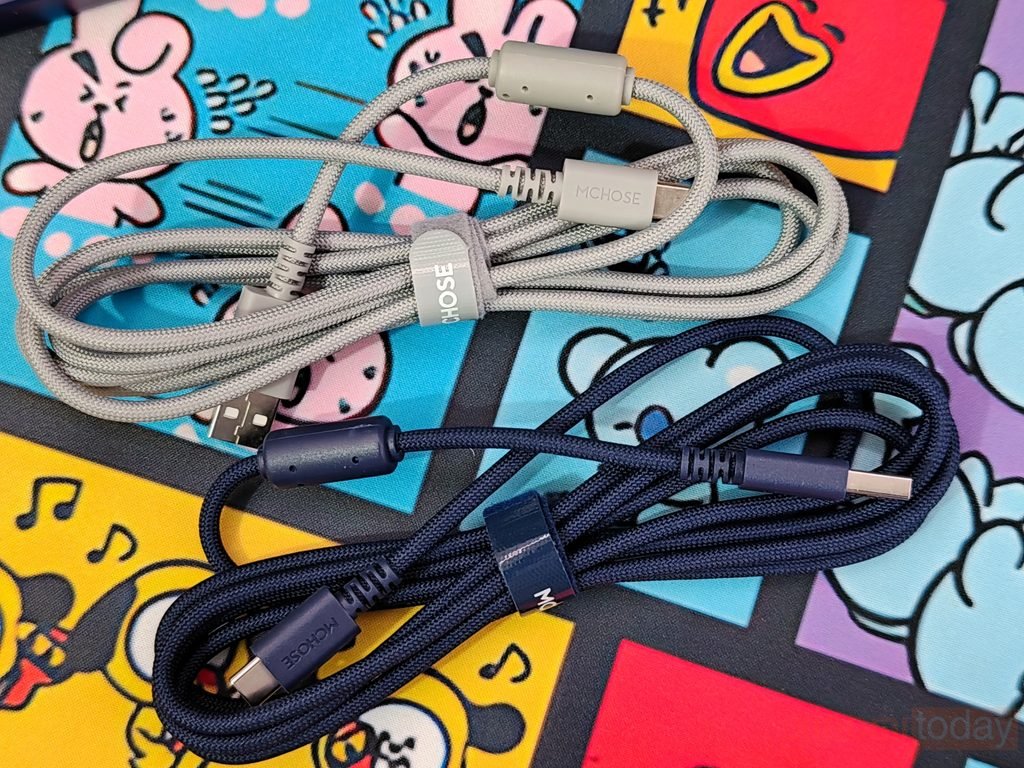
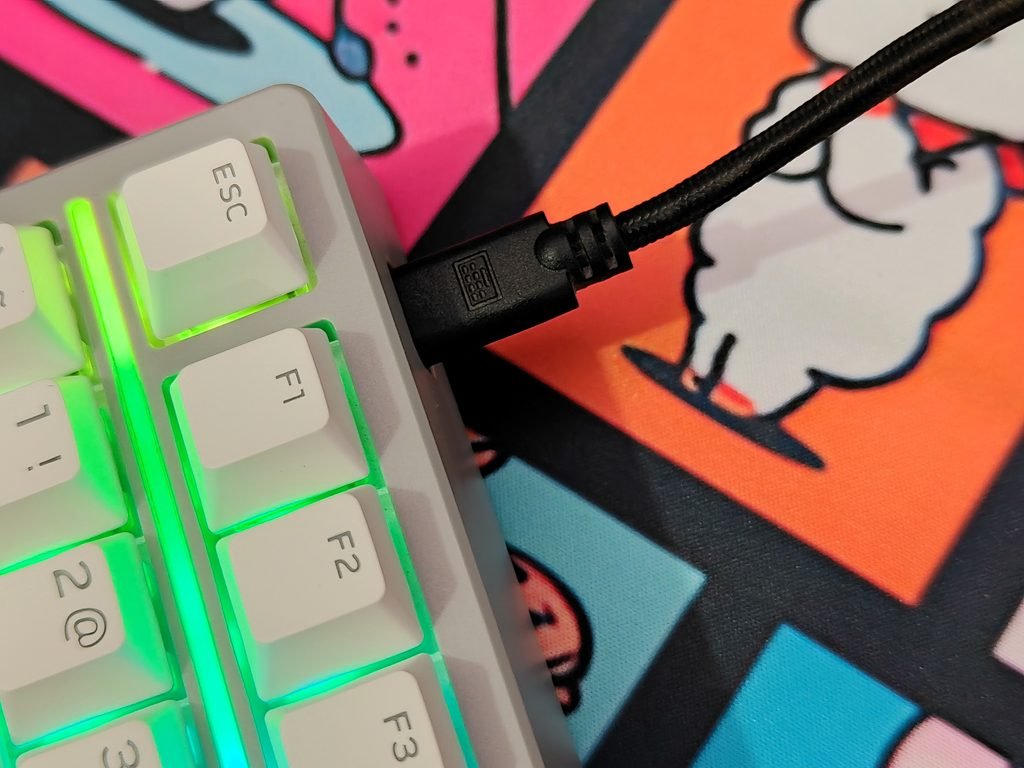
MCHOSE supplies a braided USB cable with USB-A and USB-C connectors. The Moon Rock Grey version comes with a light grey cable, while the Navy Blue model includes a dark blue one. Both cables have reinforced connector housings and an integrated hook-and-loop strap to keep them neatly coiled when stored. The braided covering helps protect the cable during daily use, and the matching colors complement each keyboard’s finish. As the MCHOSE Ace75 is a wired gaming keyboard, the included cable is used to connect it to a PC.
Design and Build Quality
The MCHOSE Ace75 is a wired Hall Effect gaming keyboard with a 75% layout that retains the function row, arrow keys, and essential navigation keys while taking up less desk space than a full-size keyboard. It measures 322 × 138 × 41 mm and weighs 1,066.5 g. The compact layout leaves more room for mouse movement, which is useful for gaming setups where desk space is limited. The case has a clean, angular design, with the MCHOSE logo positioned beside the arrow keys.
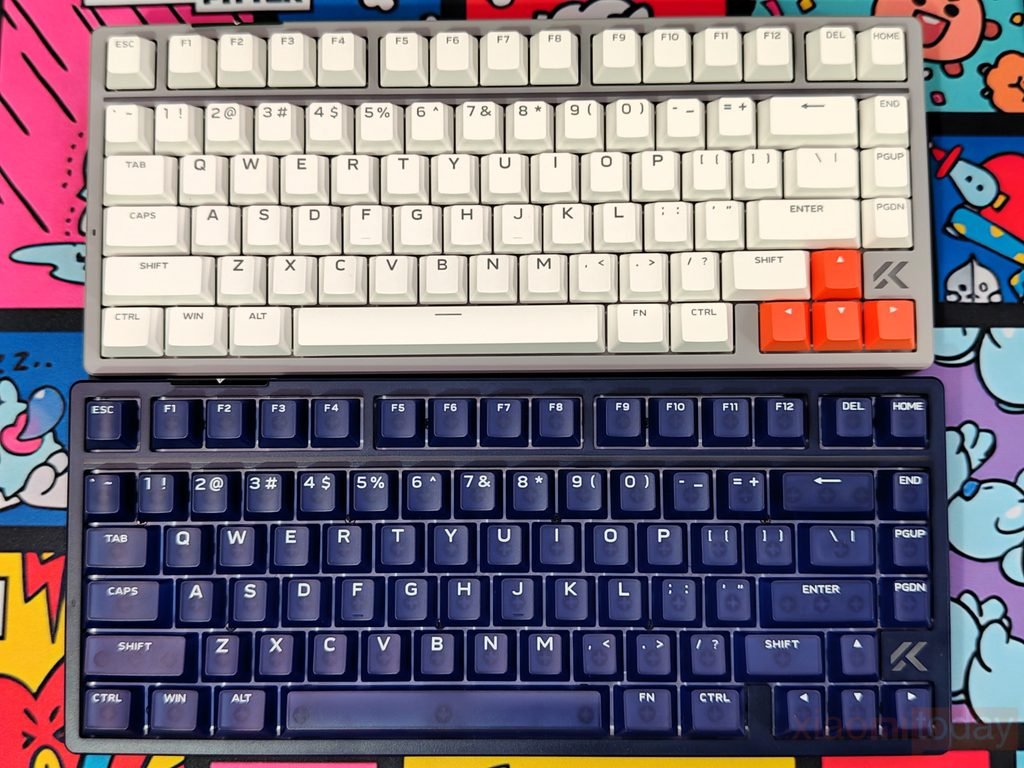
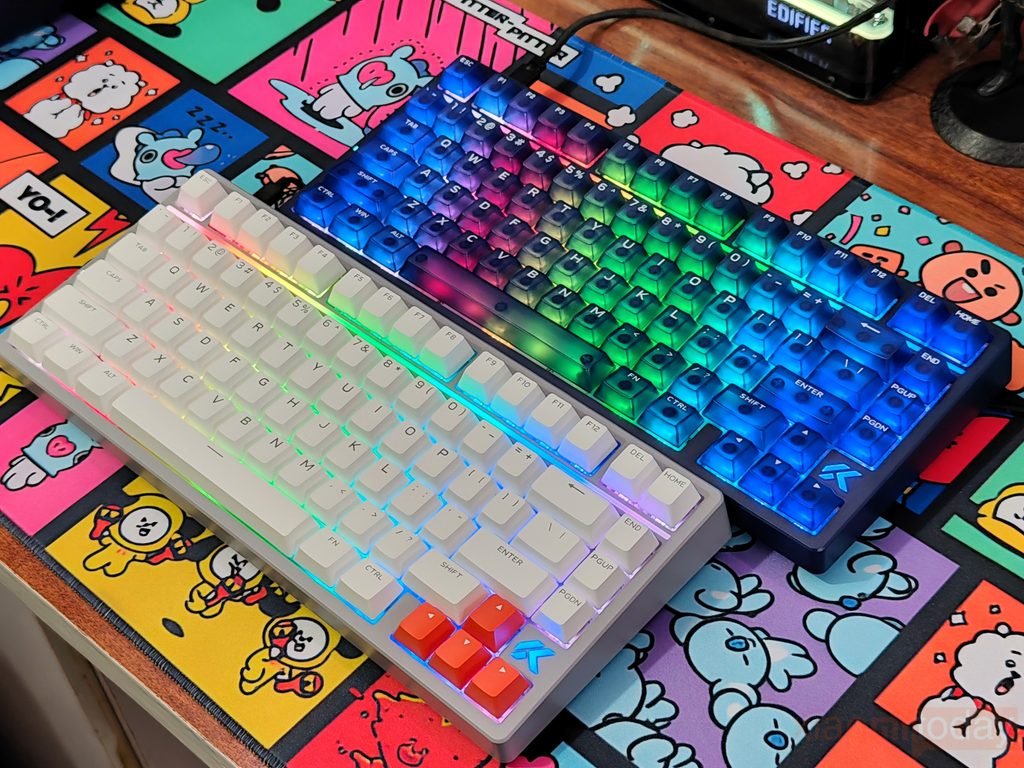
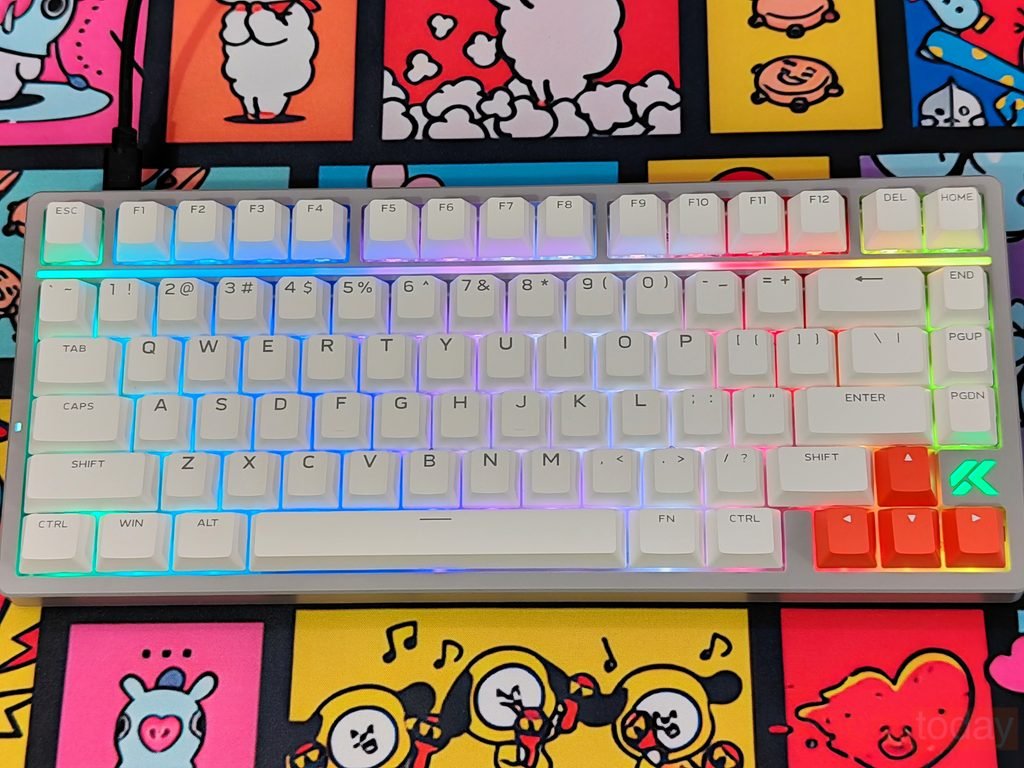
Our Moon Rock Grey sample features a grey case, off-white keycaps, and orange accent keys, while the Navy Blue version uses dark blue keycaps and a matching case. Both designs suit a gaming setup without looking out of place on a regular work desk.
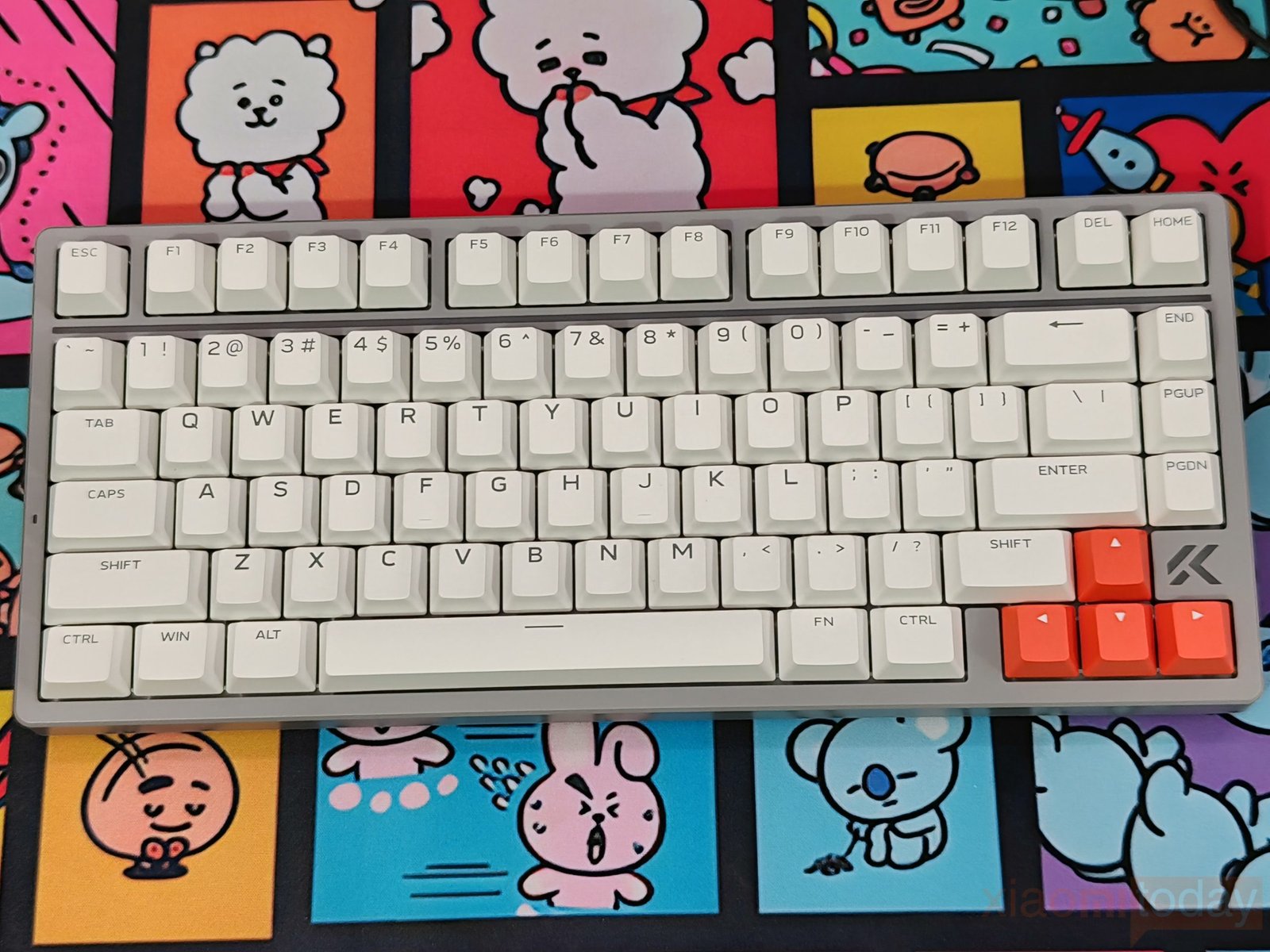
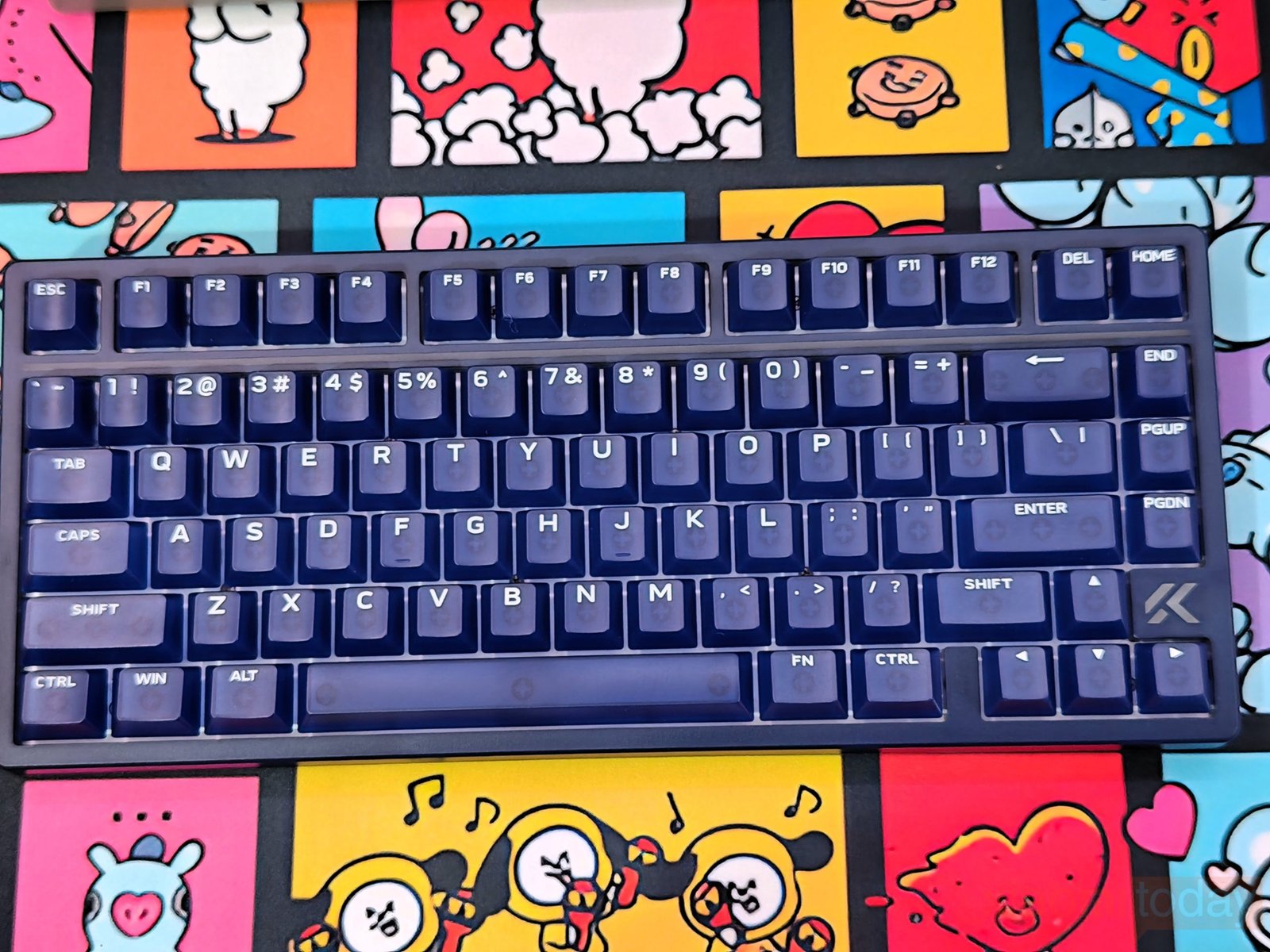
MCHOSE offers the Ace75 in four color options: Moon Rock Grey, Navy Blue, Mecha Green, and Midnight Purple. We received the Moon Rock Grey and Navy Blue versions for this review. Moon Rock Grey has a lighter appearance, with its grey case, pale keycaps, and orange accents, while Navy Blue uses a darker finish across the case and keycaps.
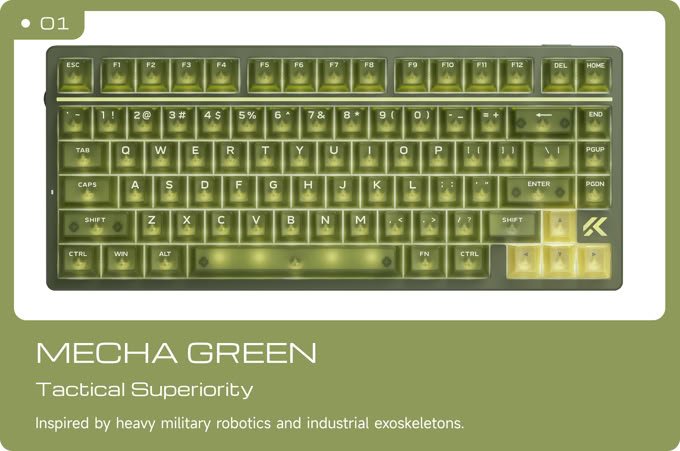
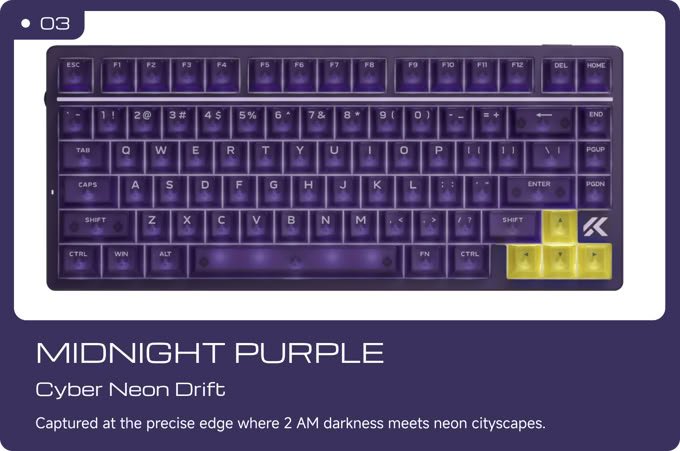
Mecha Green features an olive-green color scheme with translucent keycaps, whereas Midnight Purple combines a dark purple finish with yellow arrow keys. The translucent polycarbonate keycaps on the colored versions allow the RGB backlighting to show through, giving the keyboard a different appearance when the lighting is enabled. The four colorways offer a choice between a lighter, more understated look and darker designs with stronger gaming aesthetics.
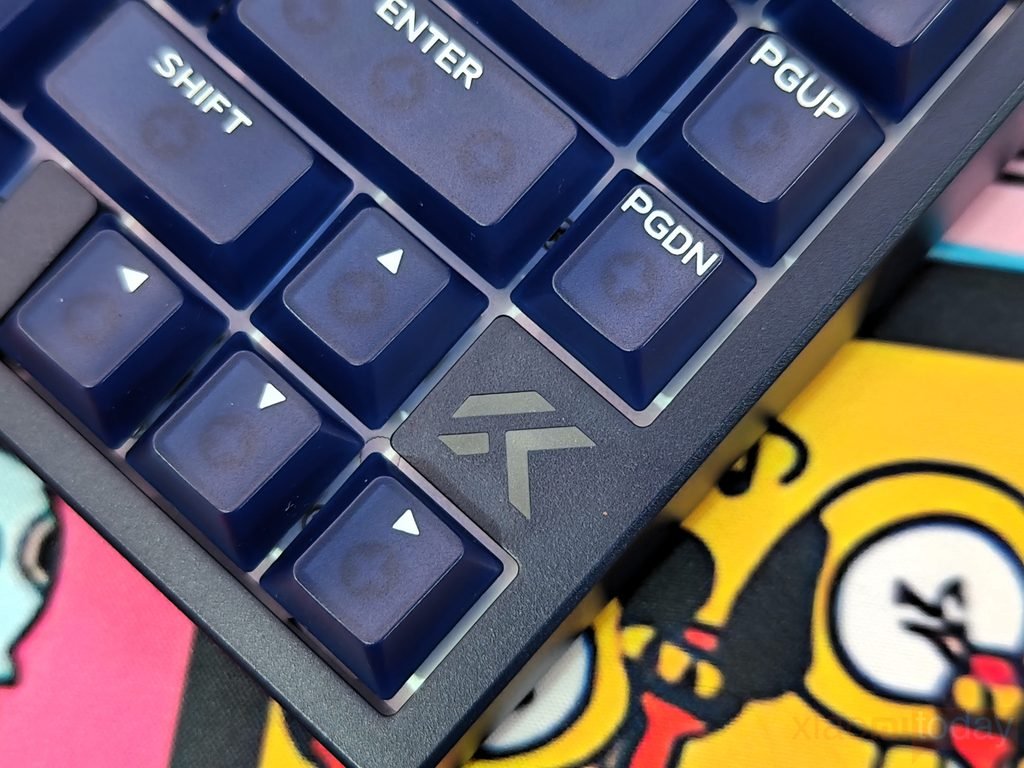
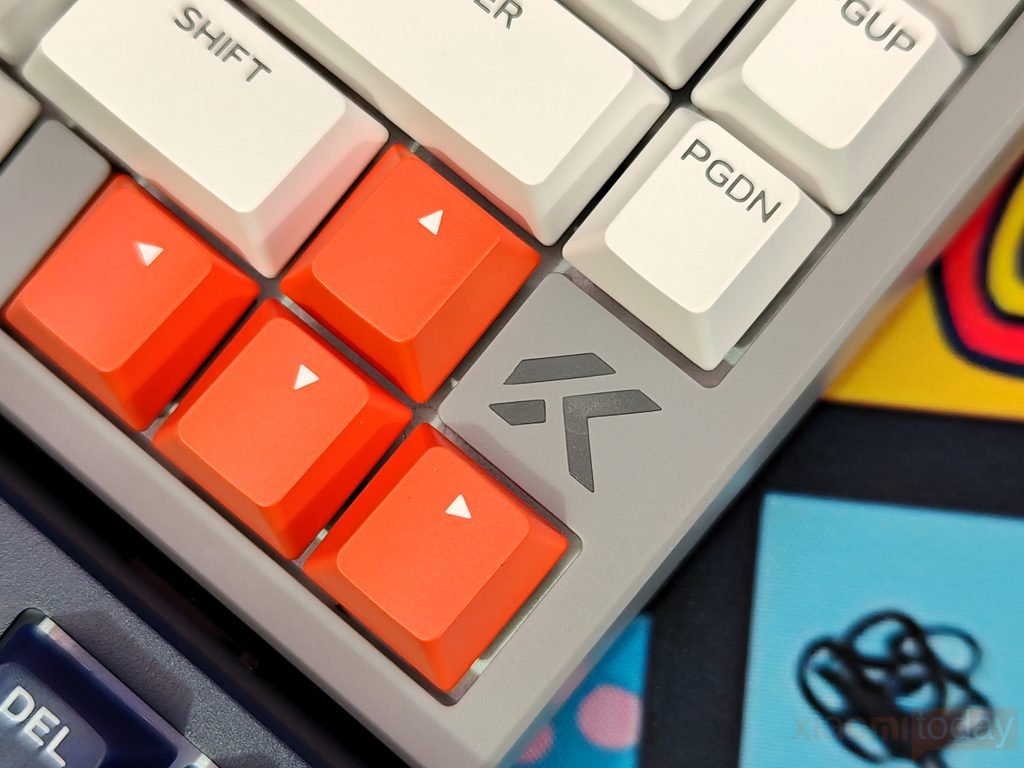
The Ace75 features the brand’s logo on a dedicated key beside the arrow cluster. The placement gives the keyboard a branded look without adding extra elements to the case. On the Moon Rock Grey version, the logo appears in dark grey against a lighter key, while the Navy Blue model uses a lighter logo on a dark blue key. Both versions keep the logo consistent with their respective color schemes. A small status indicator on the left edge of the keyboard, beside the Caps Lock area.
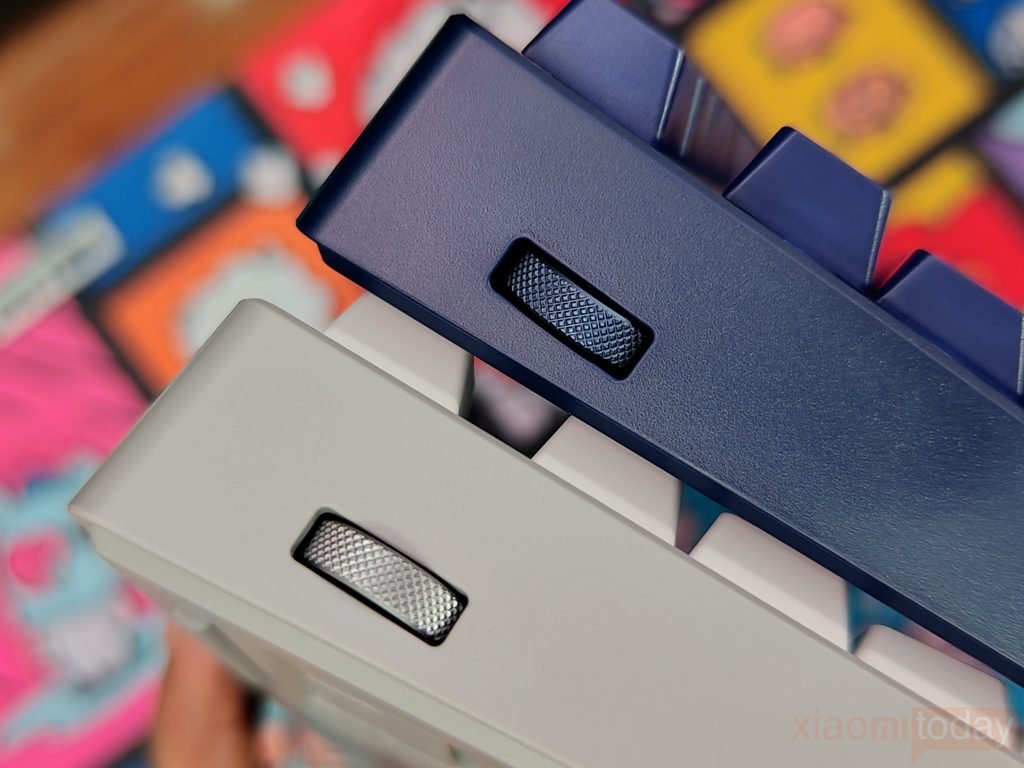
The Ace75 has a side-mounted volume wheel that lets you adjust system audio without reaching for keyboard shortcuts or opening software controls. The textured metal wheel sits in a recessed section of the case, making it easy to locate and use. Pressing the wheel also mutes the audio, giving you quick access to both volume adjustment and mute control. This is useful during gaming, as you can change the volume or silence the sound while keeping your right hand on the mouse and using your left hand to operate the control. The textured surface provides a firm grip, while its position on the keyboard keeps audio adjustments within easy reach.
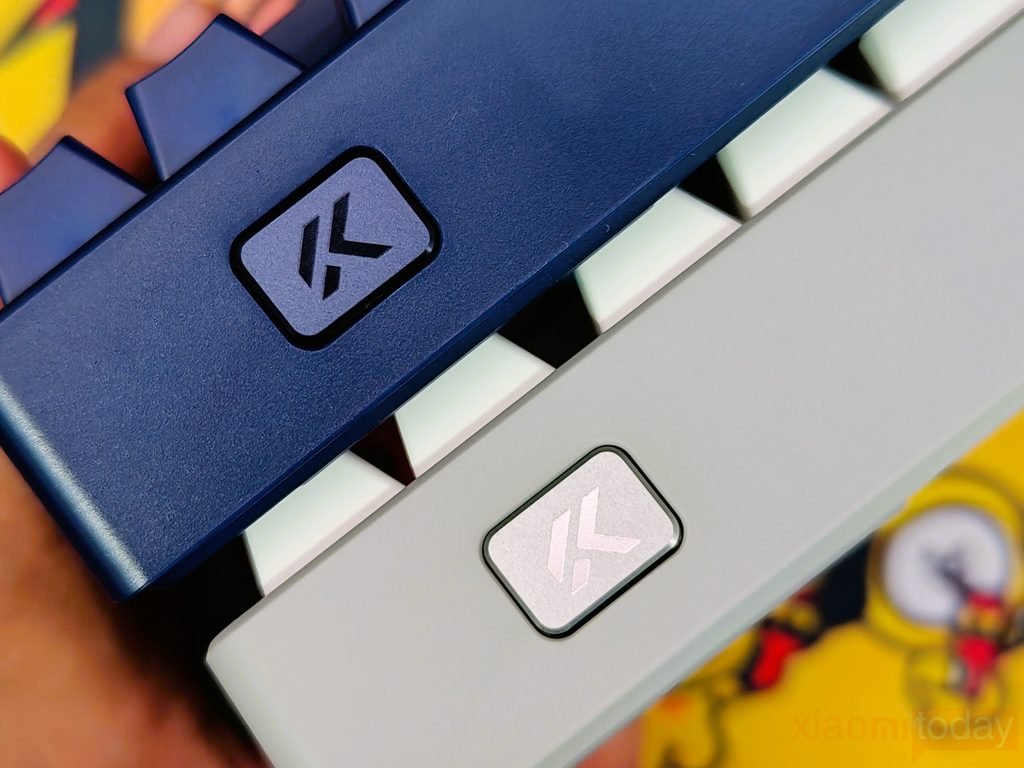
The Keyboard features a dedicated Rapid Trigger (RT) button on the top-right side, allowing users to switch between three onboard profiles without opening the MCHOSE M HUB software. Each profile can be configured for a different purpose, such as everyday typing, general gaming, or competitive FPS play. This makes it easier to change keyboard response settings depending on the task at hand. For example, you can use one profile for regular desktop work and switch to a gaming profile when playing a competitive shooter. The ability to change profiles directly from the keyboard saves time and makes the Ace75 more convenient for users who frequently switch between typing and gaming.
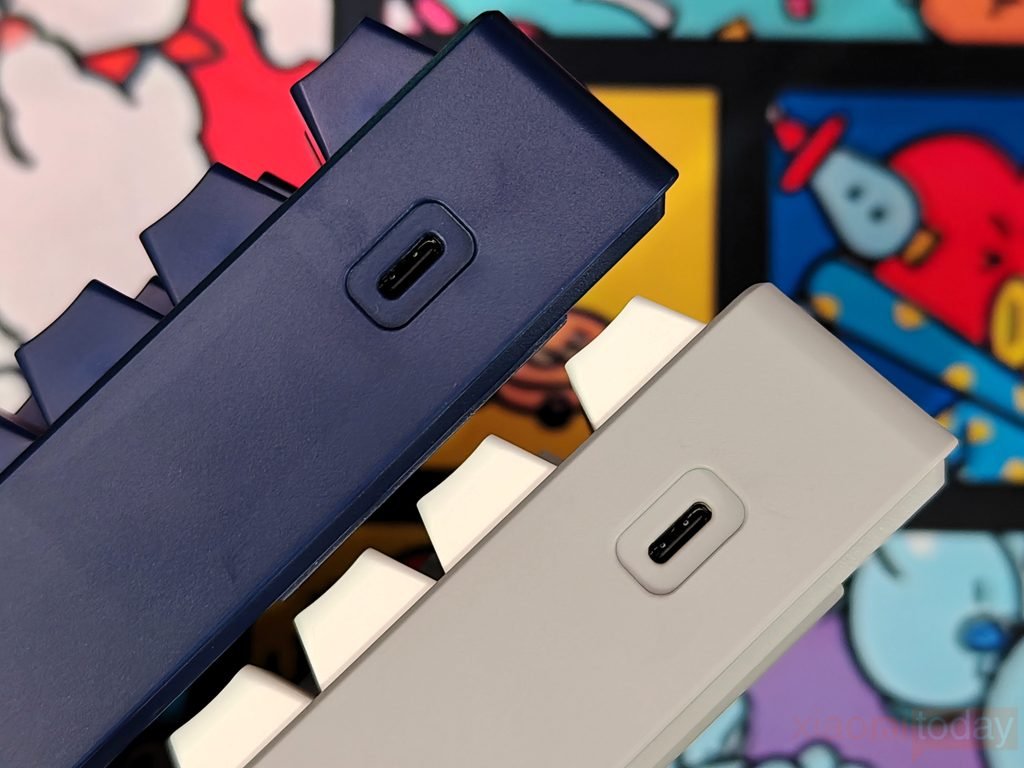
The Ace75 features a USB Type-C port on the top-left side of the keyboard for a wired connection to your PC. The port sits neatly within the case and connects to the included USB-C cable, keeping the setup clean and easy to manage. As a wired Hall Effect gaming keyboard, the Ace75 relies on this connection for operation and supports a polling rate of up to 8,000 Hz. The port’s position also makes cable routing convenient, depending on how your keyboard is arranged on the desk.
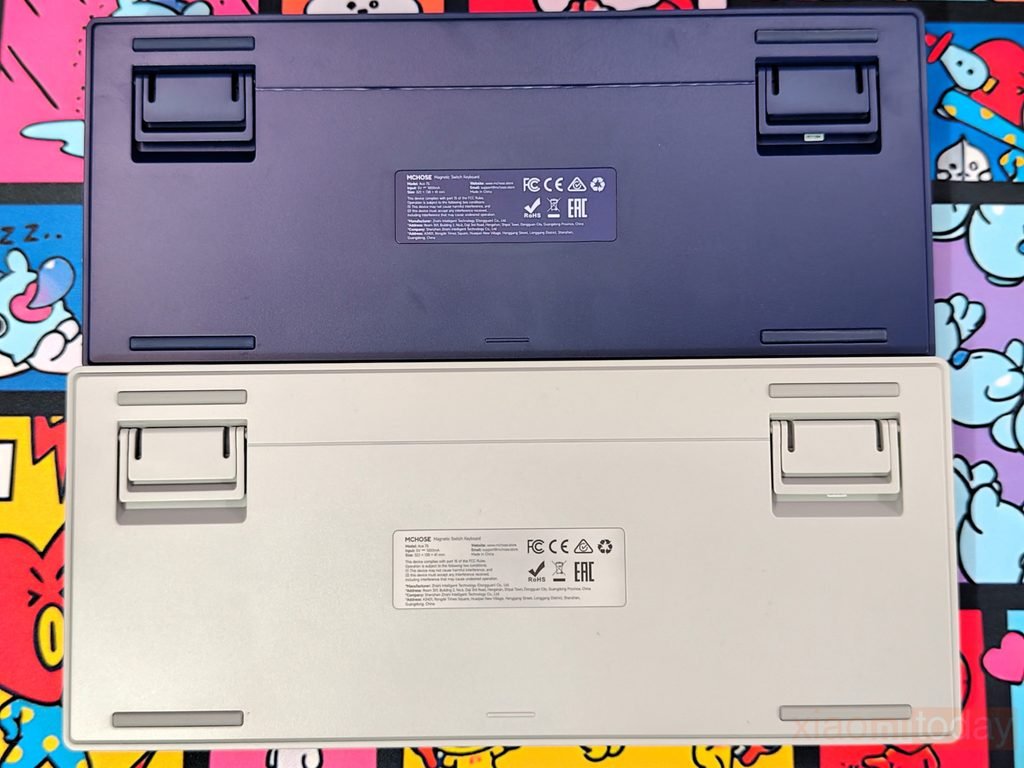
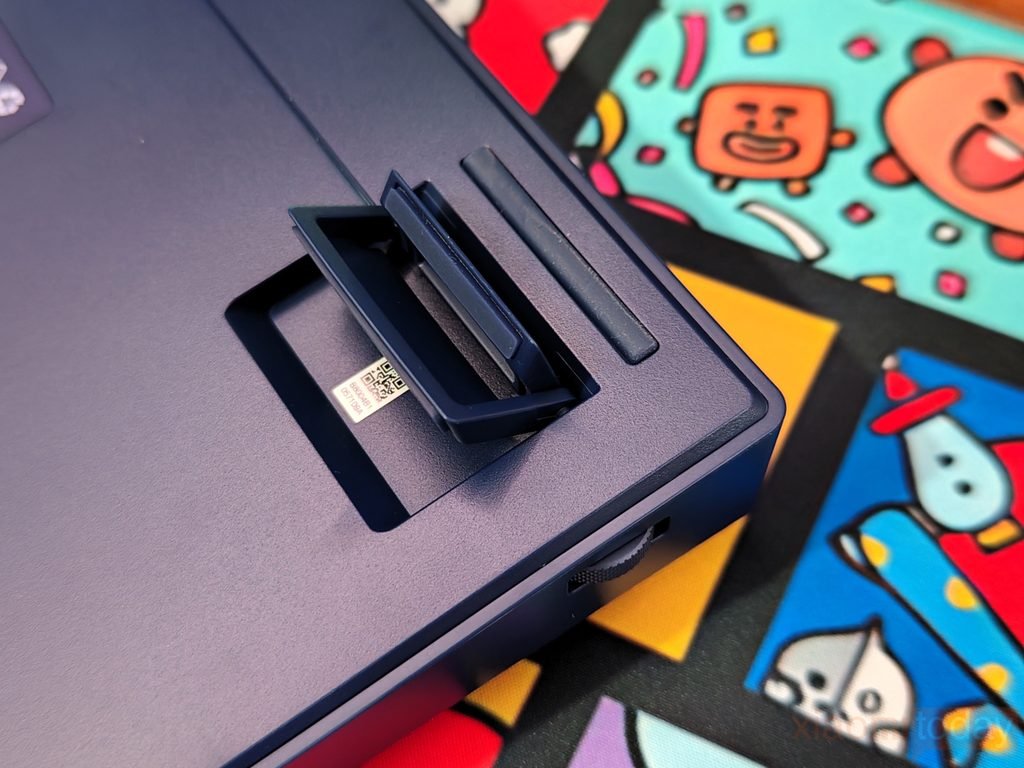
The underside of the keyboard has a clean layout with four rubber pads near the corners to help prevent the keyboard from sliding during use. It also features adjustable flip-out feet that let you change the typing angle to suit your preference. The feet fold into the base when not needed, keeping the keyboard flat when placed on a desk or packed away. A product label in the center provides the model and regulatory information, while the recessed sections around the feet keep the folding mechanism neatly integrated into the case. The overall underside design is practical, with the rubber pads and adjustable feet providing the support needed for everyday typing and gaming.
The Ace75 uses an aluminum positioning plate to support its magnetic switches and provide a firm internal structure. The plate sits beneath the key assembly and helps keep the switches properly positioned during typing and gaming. As a Hall Effect keyboard, the Ace75 uses magnetic sensing to register key presses, allowing features such as adjustable actuation and Rapid Trigger. The aluminum plate forms the base of this assembly, while the magnetic switches handle key detection and response.
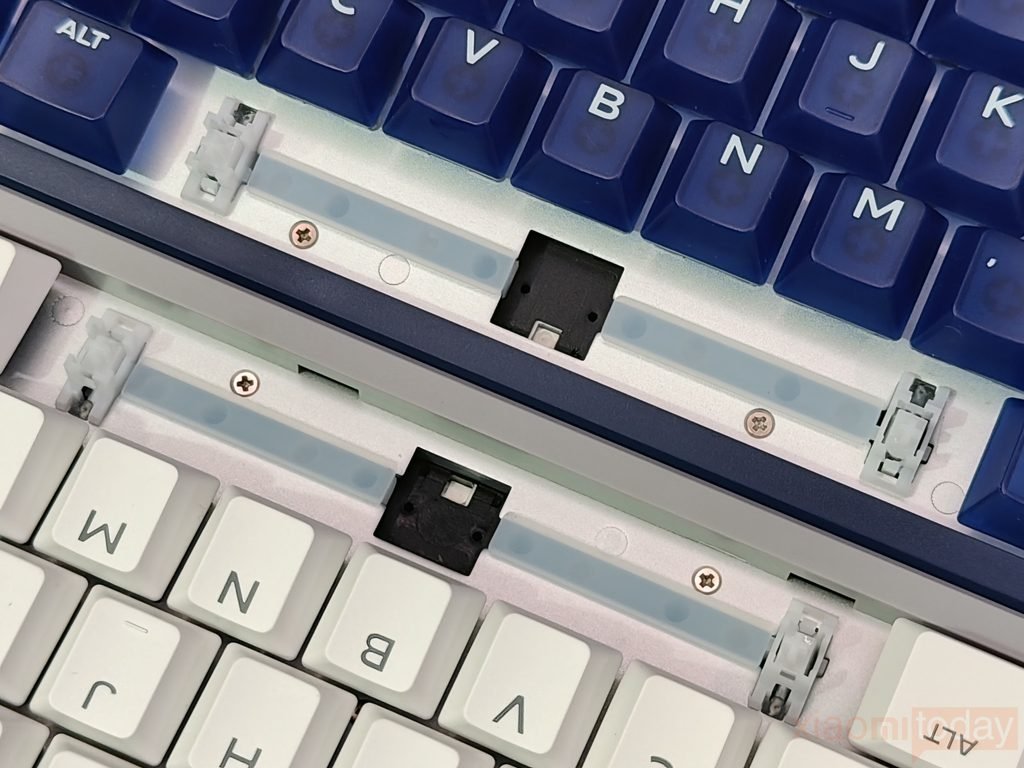
MCHOSE has fitted the Ace75 with several layers of sound-dampening material, including sandwich foam, a PO switch pad, a PET sound-damping pad, bottom foam, and a silicone bottom pad. These materials are designed to reduce internal resonance and vibrations produced when keys are pressed. The combination can affect the keyboard’s overall sound, although the final typing acoustics also depend on the switches, keycaps, and typing force. This layered construction is intended to keep unwanted case noise under control during everyday typing and gaming.
Keycaps & RGB Lighting
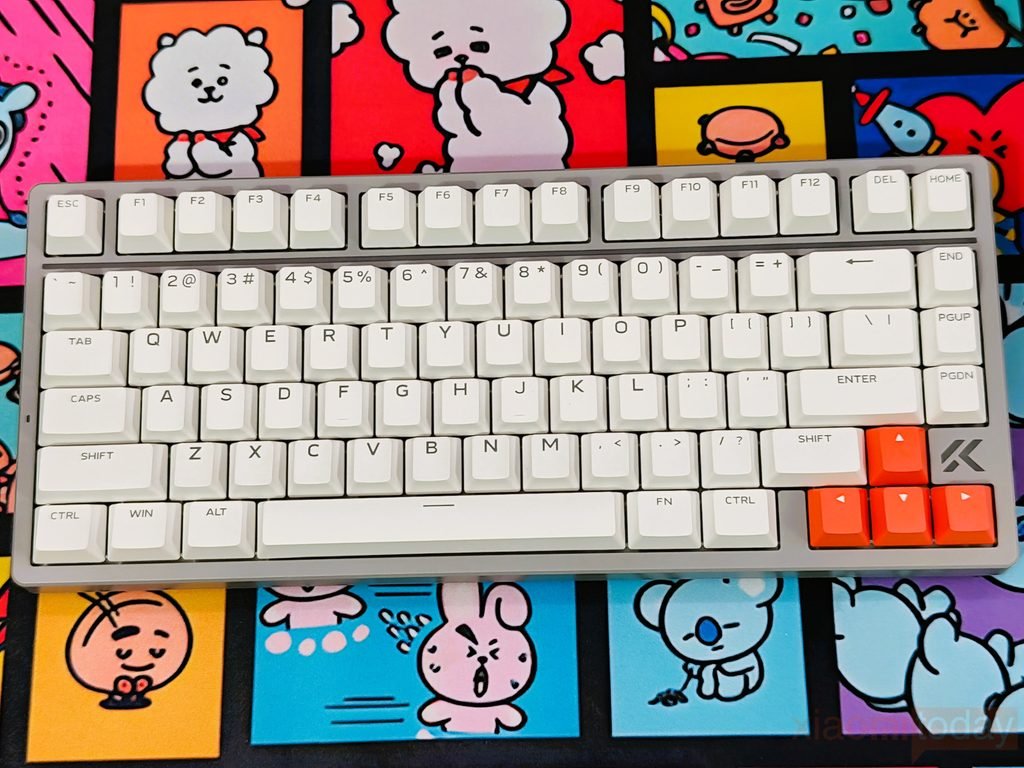
The MCHOSE Ace75 comes with different keycaps depending on the color variant. The Moon Rock Gray model uses opaque PBT keycaps, with a light gray finish and orange arrow keys that contrast with the rest of the layout. The legends are clearly printed, and the keycap profile feels familiar for everyday typing and gaming. PBT is also a practical choice for regular use, as it generally resists surface shine better than ABS plastic over time.
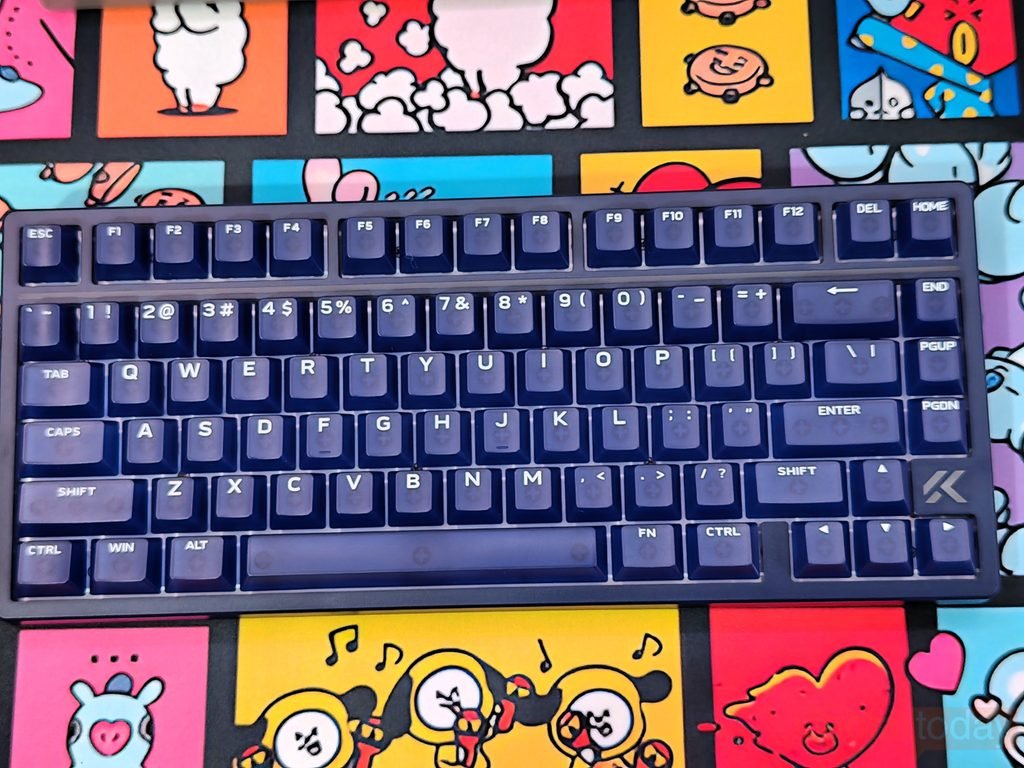
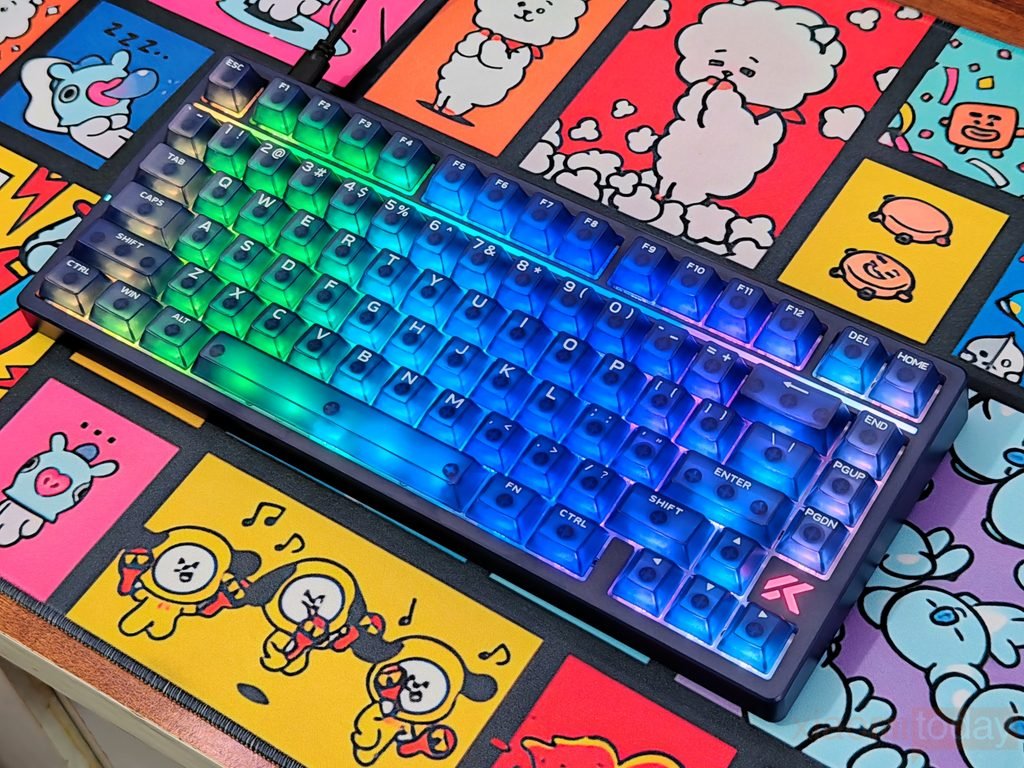
The Navy Blue version uses five-sided frosted translucent PC keycaps, giving it a different appearance from the Moon Rock Gray model. The translucent material lets RGB light pass through the keycaps and spread across their top and sides, creating a more even glow with fewer harsh hotspots. The dark blue finish looks particularly good with the backlighting switched on, while the Moon Rock Gray version has a cleaner, more understated appearance. Both designs give buyers a choice between opaque PBT keycaps and translucent PC keycaps without changing the keyboard’s compact 75% layout.
The MCHOSE Ace75 features south-facing RGB lighting that illuminates the keyboard from beneath the switches. The lighting works with the keycap design to create different effects depending on the color variant. On the Navy Blue model, the translucent PC keycaps allow more light to pass through, making the RGB effects more visible across the keys. The opaque PBT keycaps on the Moon Rock Gray version offer a more restrained look, with the lighting providing color around the keys rather than shining through the keycap material.
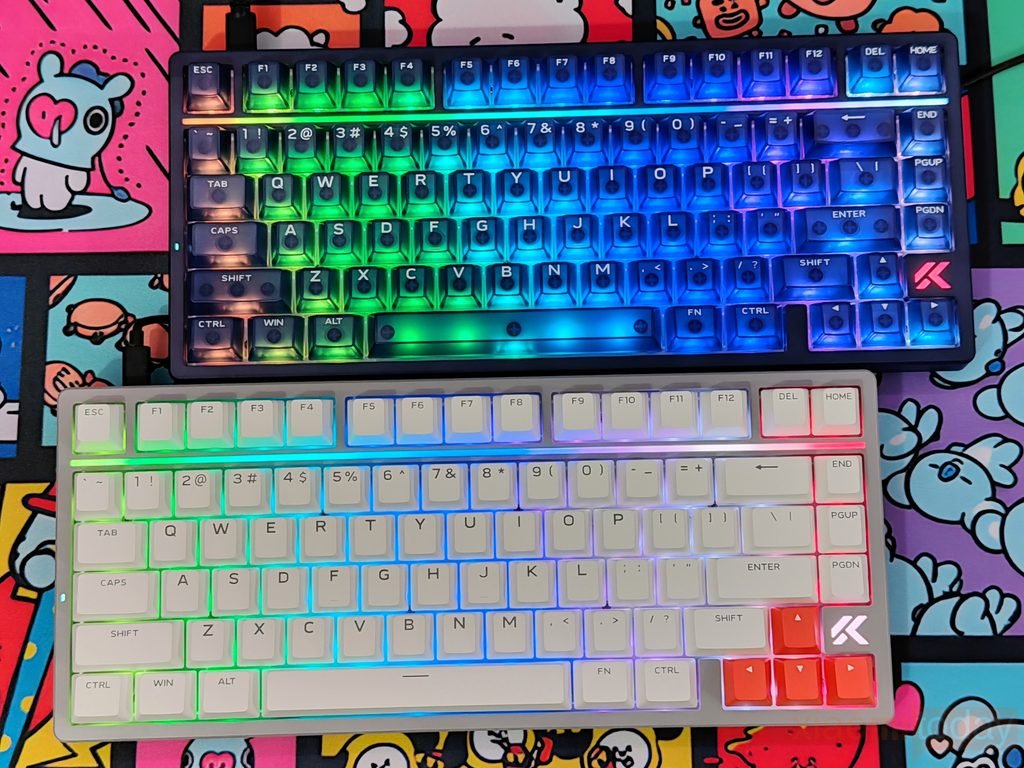
The keyboard also includes a full-length Horizon RGB Light Bar that runs across the chassis, extending the lighting beyond the main key area. It synchronizes with the keyboard’s backlighting to create a continuous band of color across the top of the board. As shown in the photos, the light bar adds more depth to the RGB effect without relying entirely on illuminated keycaps. Together, the south-facing RGB LEDs and Horizon Light Bar give the MCHOSE Ace75 a colorful gaming appearance while allowing the two color variants to maintain their own distinct styles.
Berserker & Royal Steed Magnetic Switches
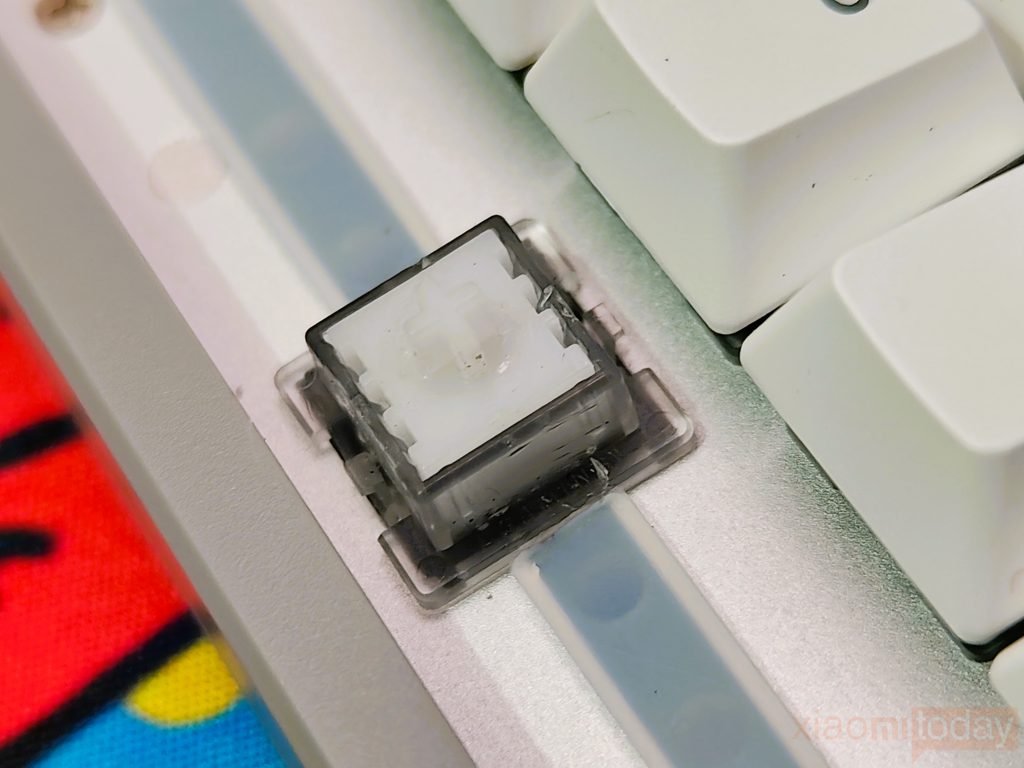
The MCHOSE Ace75 is available with two types of magnetic linear switches, depending on the color variant. The Moon Rock Gray review unit comes with Berserker Magnetic Switches, which have a rated operating force of 35 ± 8 gf and a total travel of 3.4 ± 0.2 mm. They are designed for light, smooth key presses, making them suitable for fast gaming inputs as well as everyday typing. The linear design provides a consistent press without a tactile bump, while the crisp bottom-out sound gives each keystroke a more defined finish.
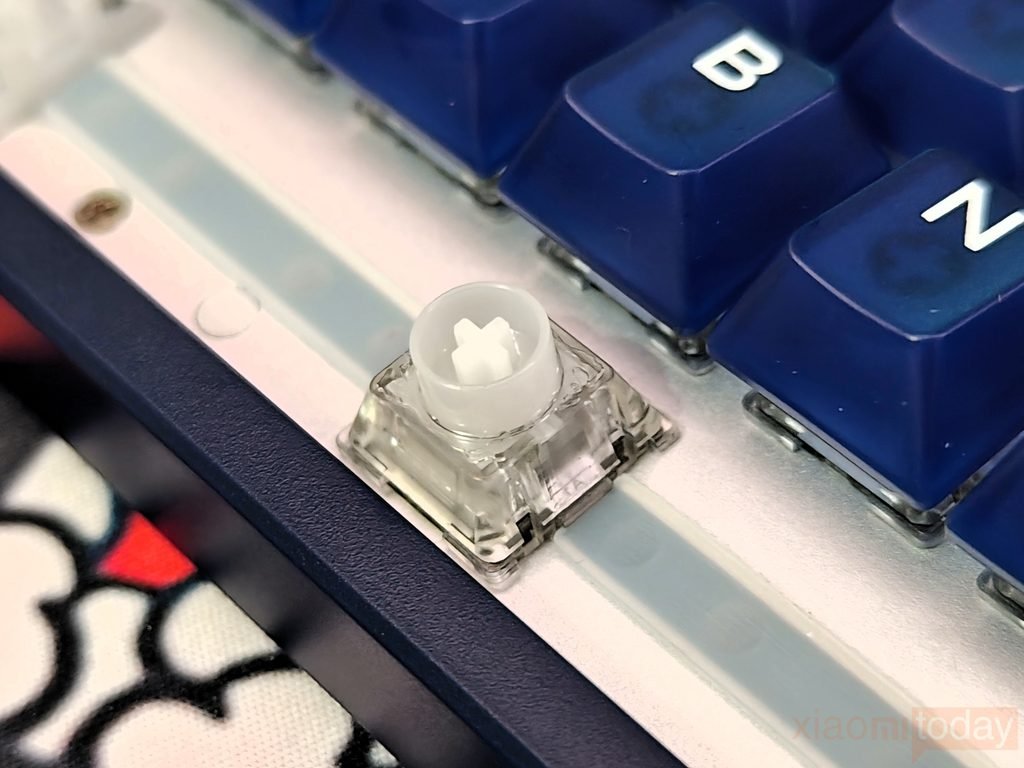
The Navy Blue review unit uses Royal Steed Magnetic Switches, which are also linear but have slightly different specifications. Their operating force is rated at 35 ± 10 gf, with a total travel of 3.45 ± 0.2 mm. Compared with the Berserker switches, the Royal Steed switches have a slightly longer total travel and a wider operating-force tolerance. MCHOSE describes their sound as softer and more pleasant, with a more substantial feel during use. Both switch types have a rated lifespan of 100 million keystrokes, making them suitable for extended gaming sessions and regular daily use.
| Specification | Berserker Magnetic Switch | Royal Steed Magnetic Switch |
|---|---|---|
| Available colors | Moon Rock Gray | Mecha Green, Navy Blue, Midnight Purple |
| Review unit | Moon Rock Gray | Navy Blue |
| Switch type | Linear magnetic | Linear magnetic |
| Operating force | 35 ± 8 gf | 35 ± 10 gf |
| Total travel | 3.4 ± 0.2 mm | 3.45 ± 0.2 mm |
| Rated lifespan | 100 million keystrokes | 100 million keystrokes |
| Sound profile | Crisp bottom-out sound | Soft, pleasant sound |
| Feel | Light, smooth, responsive | Smooth, slightly more substantial |
Since both options use magnetic switches, the MCHOSE Ace75 is built around magnetic input technology rather than conventional mechanical switch contacts. This makes the switch choice relevant to users who want a keyboard for gaming alongside everyday work. The Berserker switches focus on lighter, crisp-feeling presses, while the Royal Steed switches offer a softer sound and a slightly different typing feel. The specifications are close, so the main differences come down to key travel, force tolerance, and sound preference rather than a major change in the overall switch design.
Connectivity and Performance
The MCHOSE Ace75 uses a wired USB Type-C connection to communicate with a PC. It does not support Bluetooth or 2.4GHz wireless connectivity, so it is designed for users who keep their keyboard connected to a desktop gaming setup. The cable-based connection avoids the need to manage wireless pairing or battery life and provides a consistent link for the keyboard’s magnetic switches and rapid input features.
MCHOSE rates the Ace75 at an 8,000Hz polling rate, a 256K scan rate, and 0.08ms latency. The 8K polling rate allows the keyboard to report its input status up to 8,000 times per second, while the scan rate describes how frequently it checks the keys. These specifications are aimed at competitive players who want quick input registration in fast-paced games. Actual results can vary depending on the PC, game, and configuration, but the high polling rate and low claimed latency are intended to keep input response quick.
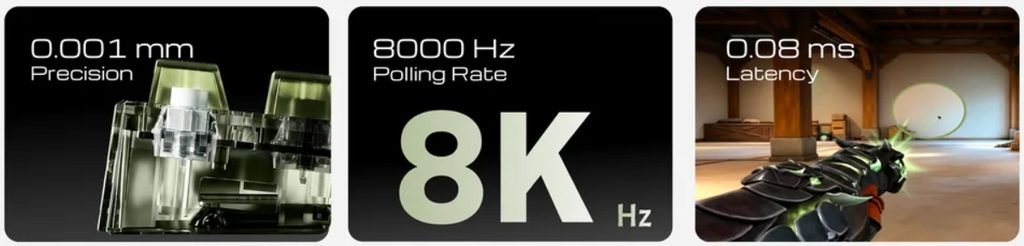
The Ace75 also supports Rapid Trigger, which allows keys to reset based on their movement rather than waiting for a fixed reset point. MCHOSE lists an adjustment precision of 0.001mm and a Rapid Trigger range of 0.001–3.4mm, giving users control over how quickly keys activate and reset. This can help with repeated movement inputs and rapid direction changes in FPS games. The settings can be adjusted to suit individual preferences, whether you prefer sensitive movement controls for competitive play or a less sensitive setup for everyday typing.
MCHOSE HUB Software
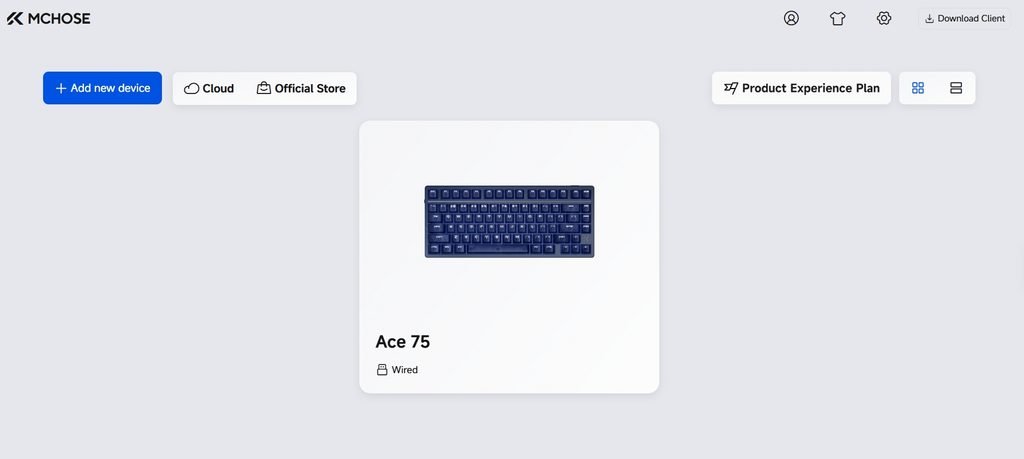
MCHOSE HUB is the configuration software for the MCHOSE Ace75 magnetic gaming keyboard. It gives users control over RGB lighting, key assignments, actuation distance, Rapid Trigger, and other performance settings. The browser-based driver works with Chrome, Microsoft Edge, and Opera, so there is no need to install a separate application for supported devices. Settings can be saved before closing the browser. For Windows users, the dedicated M HUB application is also available for Windows 10 and newer, with support for audio devices that are not compatible with the web driver.
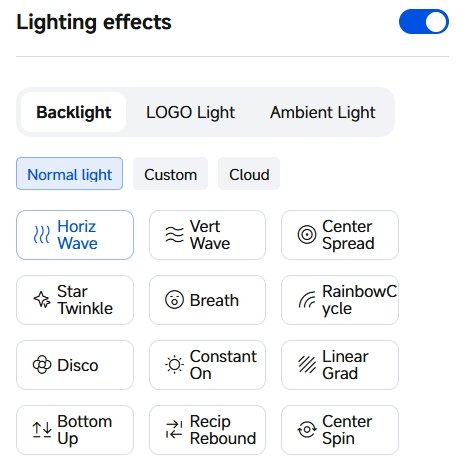
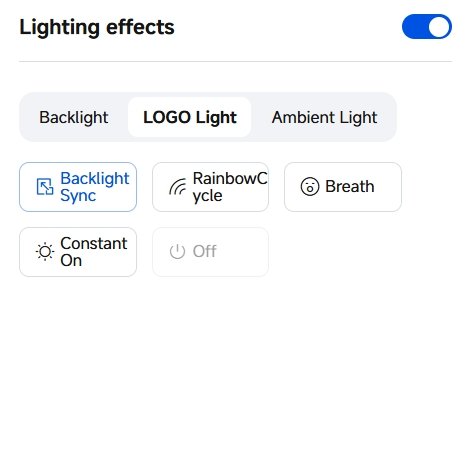
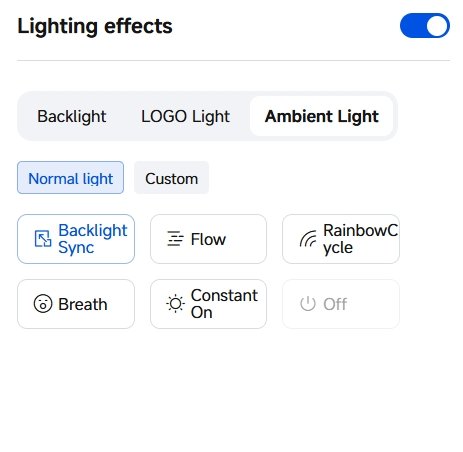
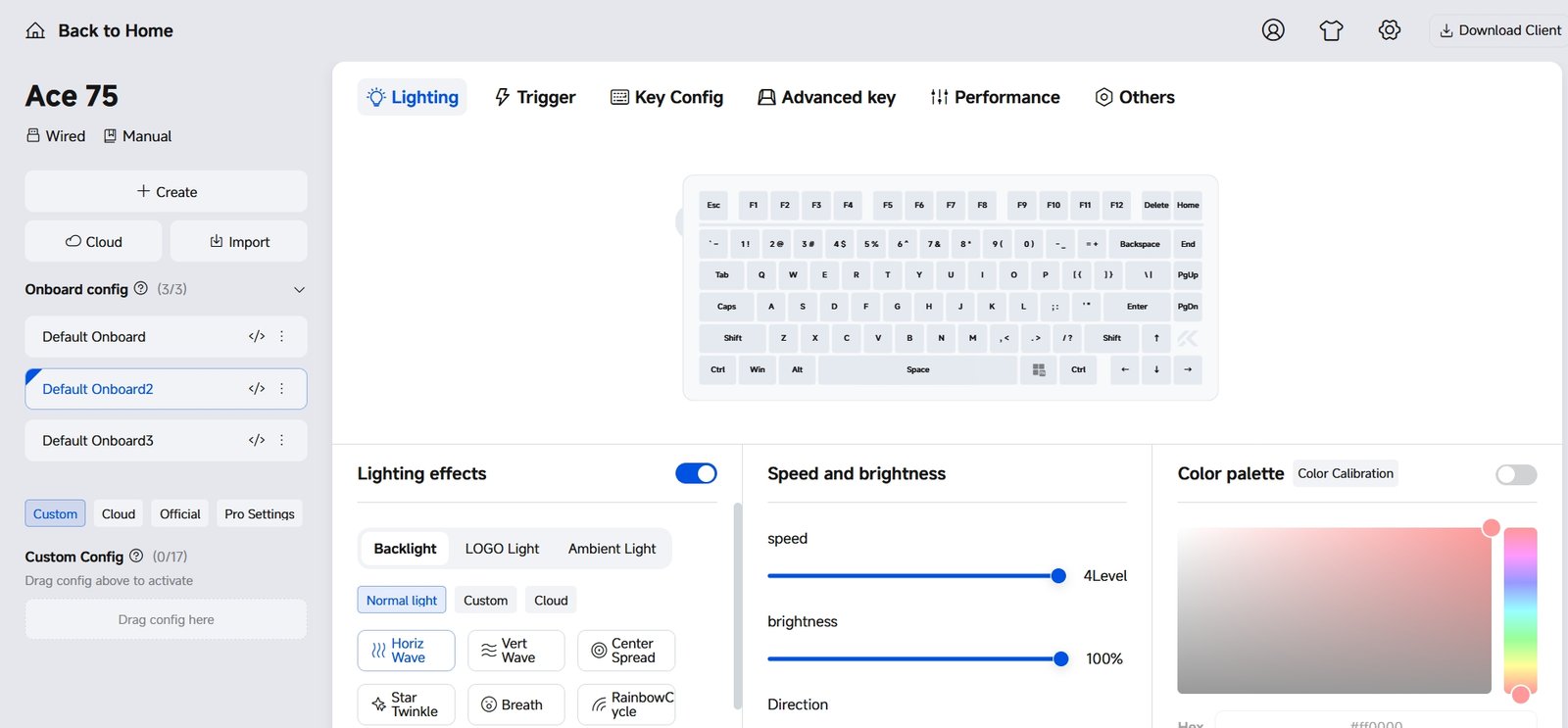
The Lighting section lets users customise the Ace75’s RGB backlighting, logo lighting, and ambient lighting. Several effects are available, including Rainbow Cycle, Breathing, Horizontal Wave, Vertical Wave, Star Twinkle, and Constant On. You can adjust brightness, animation speed, direction, and colours to suit your desk setup. Whether you prefer a single colour for everyday use or moving RGB effects while gaming, the software provides enough options to change the keyboard’s appearance.
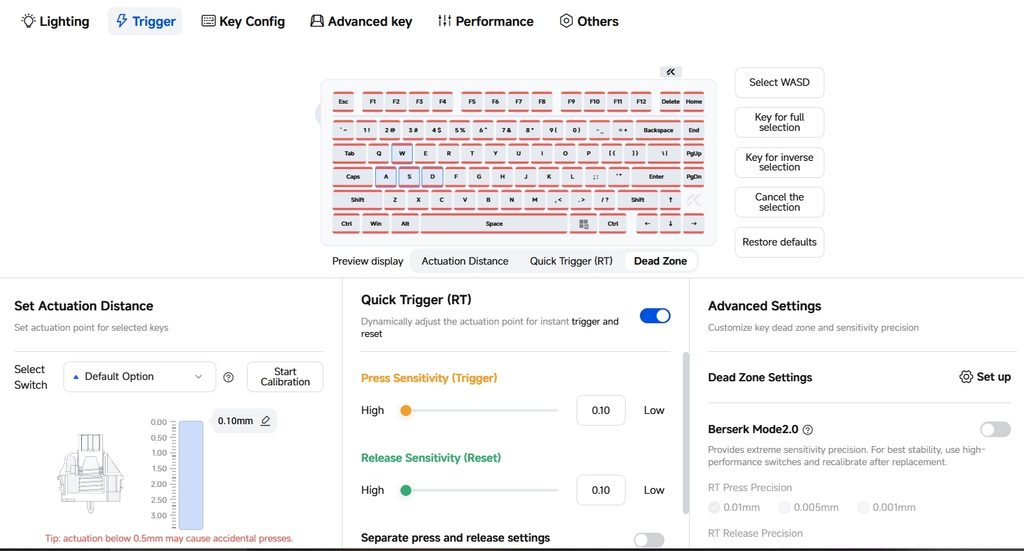
The Trigger section handles the Ace75’s Hall Effect switch settings. Users can adjust the actuation distance for individual keys or selected groups, which is useful when setting up WASD keys for competitive games. Rapid Trigger allows the press and release sensitivity to be adjusted, while the advanced controls provide dead-zone settings for more precise input tuning. These adjustments let you decide how far a key needs to travel before registering a press and how quickly it can reset for another input.
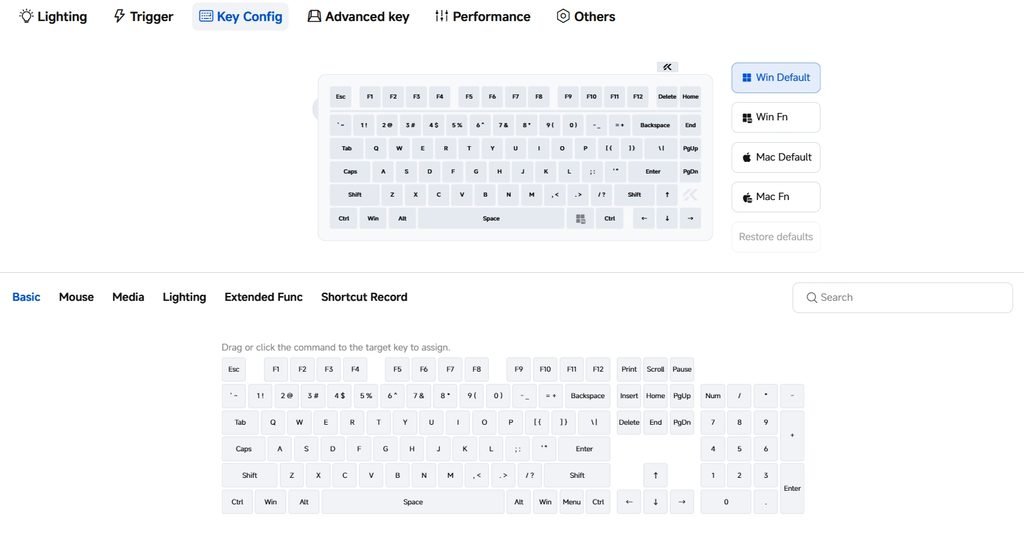
Under Key Config, users can change key assignments and switch between Windows and macOS layouts. The software supports basic commands, mouse functions, media controls, lighting shortcuts, and other key assignments.
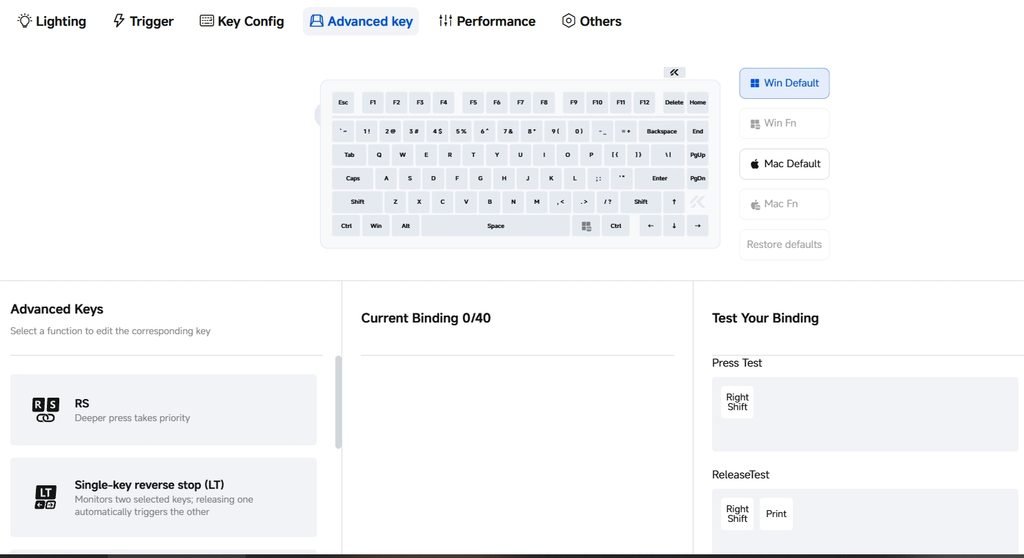
The Advanced Key section includes Dynamic Keystroke (DKS), which can trigger different actions at different press depths, along with Mod-Tap and Toggle functions. These options give users more control over individual keys, particularly in games where several actions need to be assigned to a smaller number of keys.
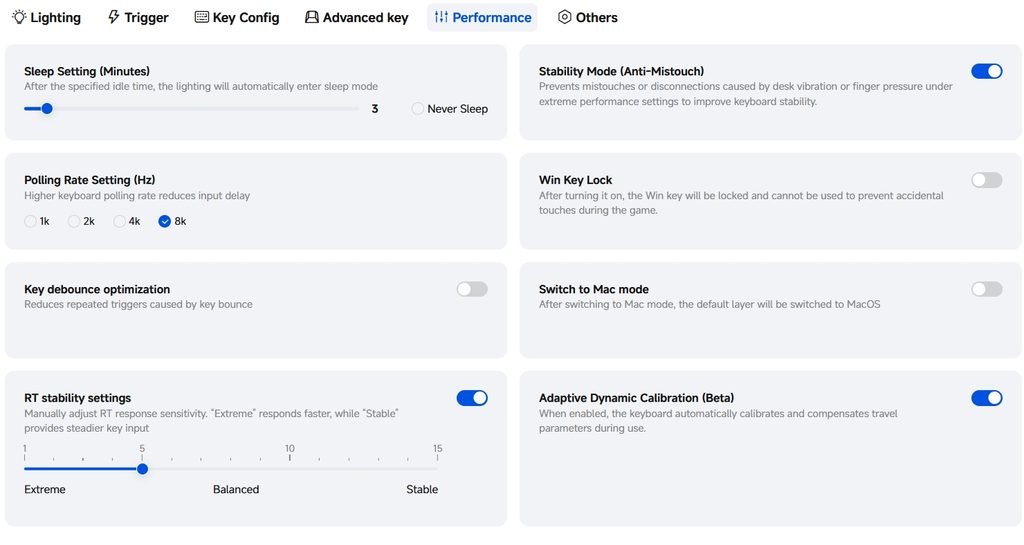
The Performance section includes polling-rate options of 1,000Hz, 2,000Hz, 4,000Hz, and 8,000Hz. Users can also configure the sleep timer, Windows key lock, key debounce optimisation, and Rapid Trigger stability. Adaptive Dynamic Calibration is available as a beta feature, designed to adjust and compensate for key travel parameters during use. These settings allow users to balance fast input response with stable operation according to their preferences.
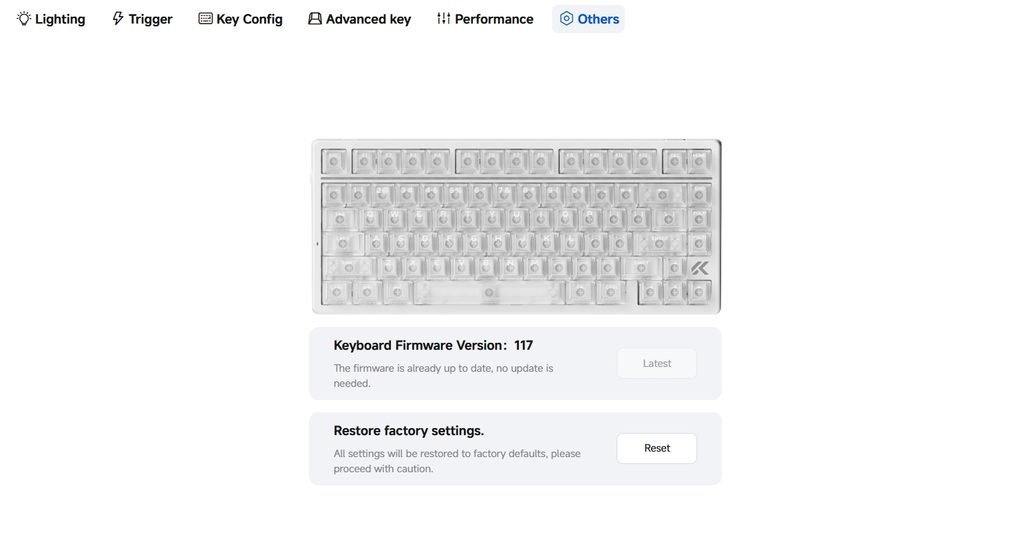
Finally, the Others section displays the installed firmware version and the latest version detected by MCHOSE HUB. Users can upgrade the keyboard’s firmware or restore factory settings from the same page. Overall, MCHOSE HUB provides the controls needed to get the most out of the Ace75, from basic RGB customisation to detailed magnetic switch tuning. New users may need some time to understand the different trigger settings, but the range of adjustments makes the software useful for both everyday typing and competitive gaming.
Use Experience – Daily Work and Gaming
During two weeks of using the MCHOSE Ace75 for work and gaming, its compact 75% layout proved easy to fit into a daily desktop setup. The dedicated function row, arrow keys, and navigation keys made switching between writing, browsing, and general office tasks comfortable. It also leaves more room for mouse movement than a full-size keyboard, which is useful when playing games that require frequent, wide mouse movements. The wired design means there is no battery to charge, although the USB cable needs to be routed around the desk.
For typing, the linear magnetic switches offer a smooth press without a tactile bump. The Berserker switches in the Moon Rock Gray version have a lighter, crisp feel, while the Royal Steed switches in the Navy Blue model produce a softer sound and feel slightly more substantial. Both work well for regular typing, but the preferred option will depend on how much resistance and sound you like from a keyboard. The layout is also practical for editing documents and navigating windows, although anyone who regularly uses a numeric keypad will need to keep a separate one nearby.
In competitive games such as Counter-Strike 2, Valorant, and Apex Legends, the adjustable actuation and Rapid Trigger controls give the Ace75 more flexibility than a conventional gaming keyboard. Rapid Trigger is particularly useful for repeated movement inputs, as a key can reset based on its movement rather than having to return to a fixed reset point. This helps when making quick direction changes or adjusting movement during a firefight.
The results depend on how the keyboard is configured, however. Very sensitive settings can register unintended inputs, so spending time adjusting actuation and reset behaviour is worthwhile. The dedicated RT button also makes it easier to switch between three onboard profiles without opening the software.
For single-player games such as Cyberpunk 2077, Red Dead Redemption 2, and Elden Ring, the Ace75 provides comfortable controls for movement, combat, and exploration. These games do not always require the most aggressive Rapid Trigger settings, so a slightly less sensitive configuration can make movement feel more controlled. The volume wheel is useful for adjusting audio without interrupting gameplay, while the RGB lighting can be toned down for a cleaner desk setup.
After two weeks, the Ace75 proved capable of handling both daily work and different styles of gaming. Its main appeal is the ability to adjust key response to suit the task, though users who prefer a plug-and-play keyboard may find the range of settings takes time to learn.