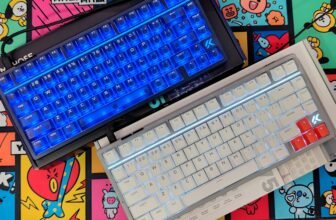
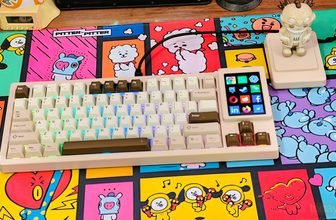
Hall Effect keyboards have become a common choice for competitive gaming, especially for players who want adjustable actuation and Rapid Trigger. The Dry Studio Battleye 75 HE R2 follows that formula but takes a different approach to the overall design. It combines a compact 75% layout with WS Diamond HE switches, 8K polling, a carbon fiber plate, and a 1.7-inch touchscreen for controlling and viewing keyboard settings.
The keyboard comes from DRY STUDIO, a brand established in Tokyo in 2023 by Angry Miao product designer Stan Fu. DRY STUDIO works with designers from different backgrounds and uses AngryMiao‘s manufacturing experience and technology to develop keyboards with more freedom in design. The Battleye 75 HE R2 is one of the products where this approach is easy to see, with its gaming-focused hardware packed into a compact custom-style keyboard.
For the Battleye 75 HE R2, DRY STUDIO says the keyboard was tested with JXG Esports and 61 professional Valorant and Delta Force players during a seven-month development period. Their feedback was used to adjust areas such as the keyboard’s size, touchscreen controls, and Hall Effect performance. On paper, the result is a keyboard built primarily around competitive gaming rather than wireless convenience or general-purpose features.
The Battleye 75 HE R2 uses WS Diamond HE switches with 3.5mm total travel, 35gf actuation force, and 45gf bottom-out force. It supports an 8K polling rate, Rapid Trigger, adjustable actuation, Snap Tap, SOCD, Rappy Snappy, DKS, macros, and other Hall Effect functions. The keyboard is wired-only through USB Type-C, which is not surprising considering its focus on low-latency gaming.
The 75% layout keeps the function row and arrow keys while taking up considerably less desk space than a full-size keyboard. The built-in 1.7-inch 60Hz touchscreen can also be used to switch between different profiles and adjust settings without relying entirely on the software.
In this hands-on review, I’ll look at the Dry Studio Battleye 75 HE R2 from a practical perspective, including its build quality, layout, keycaps, switches, typing feel, gaming performance, Rapid Trigger controls, touchscreen, software, sound, and everyday use.
Specifications
| Specification | Details |
|---|---|
| Keyboard Type | Hall Effect Gaming Keyboard |
| Layout | 75% |
| Footprint | 60% |
| Switches | WS Diamond HE Magnetic Switches |
| Switch Type | Hall Effect / Magnetic |
| Total Travel | 3.5mm |
| Actuation Force | 35gf |
| Bottom-Out Force | 45gf |
| Rapid Trigger Accuracy | 0.001mm |
| Polling Rate | Up to 8,000Hz |
| Single-Key Scan Rate | 256K |
| Claimed Latency | 0.1ms |
| Display | 1.7-inch LCD Touchscreen |
| Display Refresh Rate | 60Hz |
| Screen Features | Magnetic flux visualization, RT actuation, HE settings, profiles, custom nameplate |
| Profiles / Modes | Battle, Valorant, Typing, Custom |
| Mode Switching | 0.97 seconds |
| Software | Driverless Web Interface |
| Software Features | Key Mapping, Snap Tap, SOCD, Rappy Snappy, DKS, Macros |
| Plate | Carbon Fiber |
| Internal Layers | 6-layer custom internal structure |
| Dampening | Poron Foam, Custom Switch Pads, PET Film, EPDM Bottom Dampening |
| Keycaps | Translucent PC |
| RGB Lighting | Yes, Customizable |
| Frame Options | Damascus-patterned Aluminum / Carbon Fiber with Silver Accents |
| Connectivity | Wired USB |
| Target Use | Competitive FPS Gaming, Work, Typing |
Unboxing
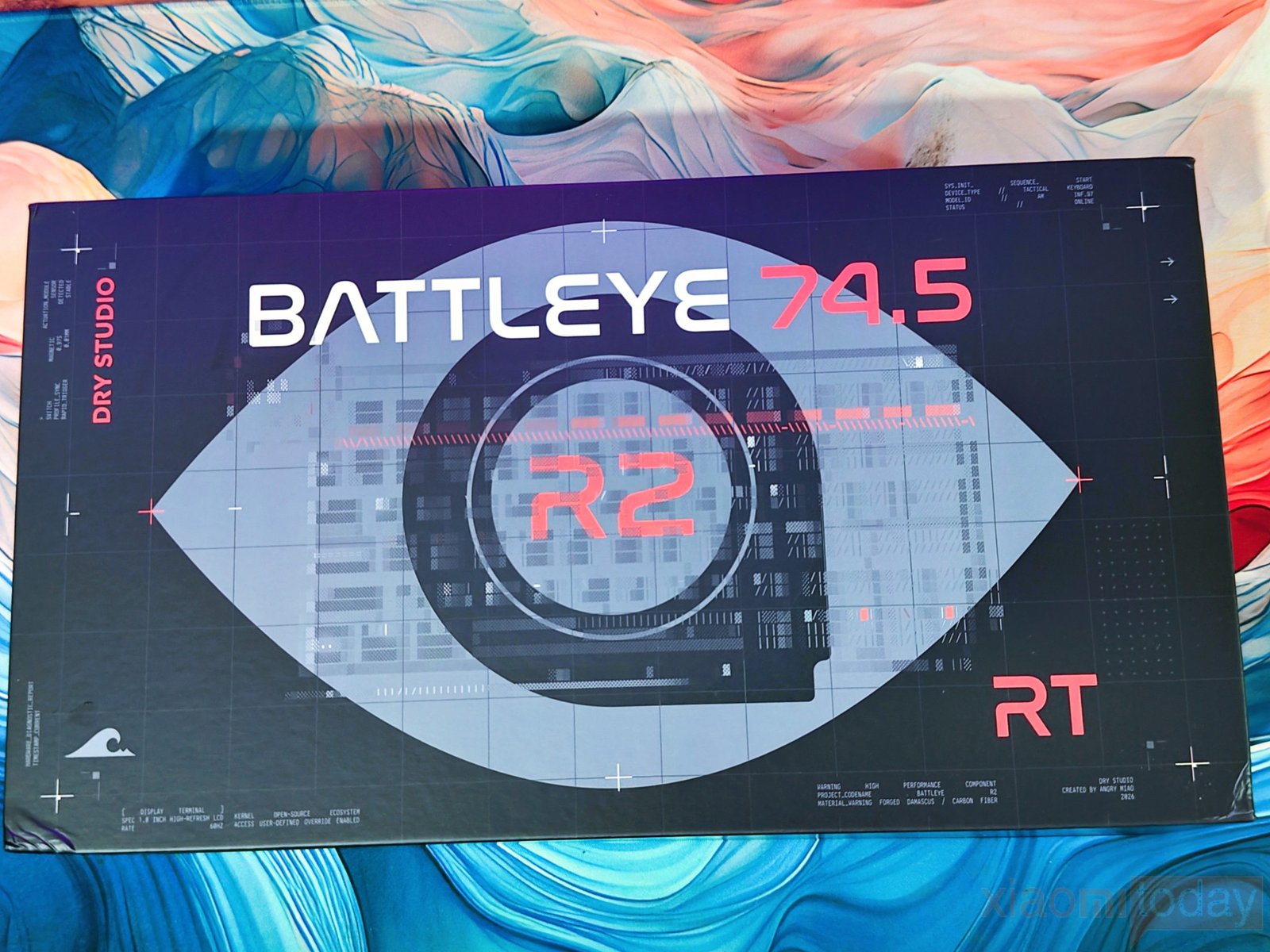
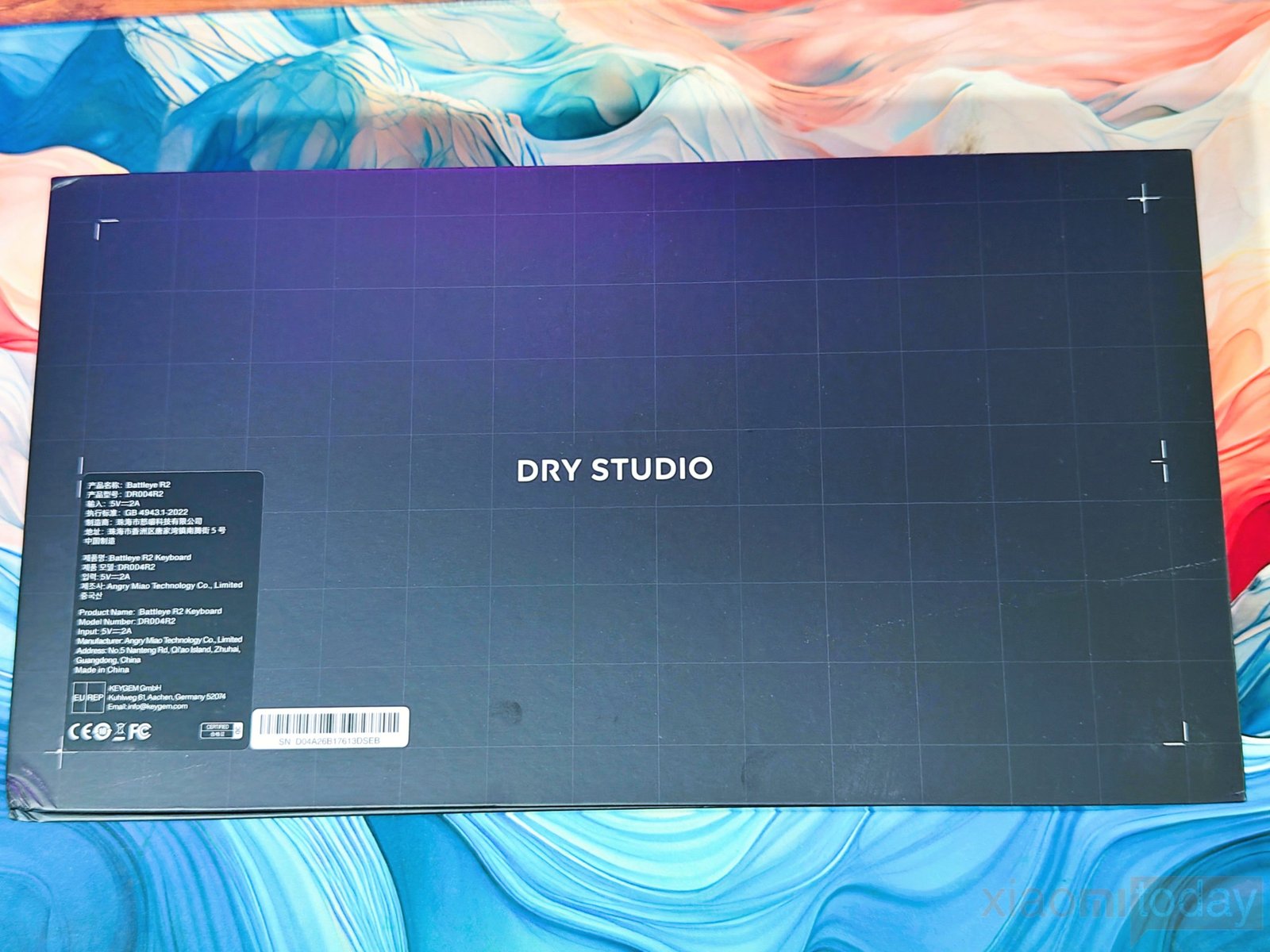
The Dry Studio Battleye 75 HE R2 comes in a large black retail box with a technical, blueprint-style design. The front of the box carries a large BATTLEYE 74.5 R2 graphic along with DRY STUDIO branding, while smaller text highlights details, and we got Damascus versions. The back is much simpler, with a centered DRY STUDIO logo and a product label in the lower-left corner containing the model and manufacturer information.
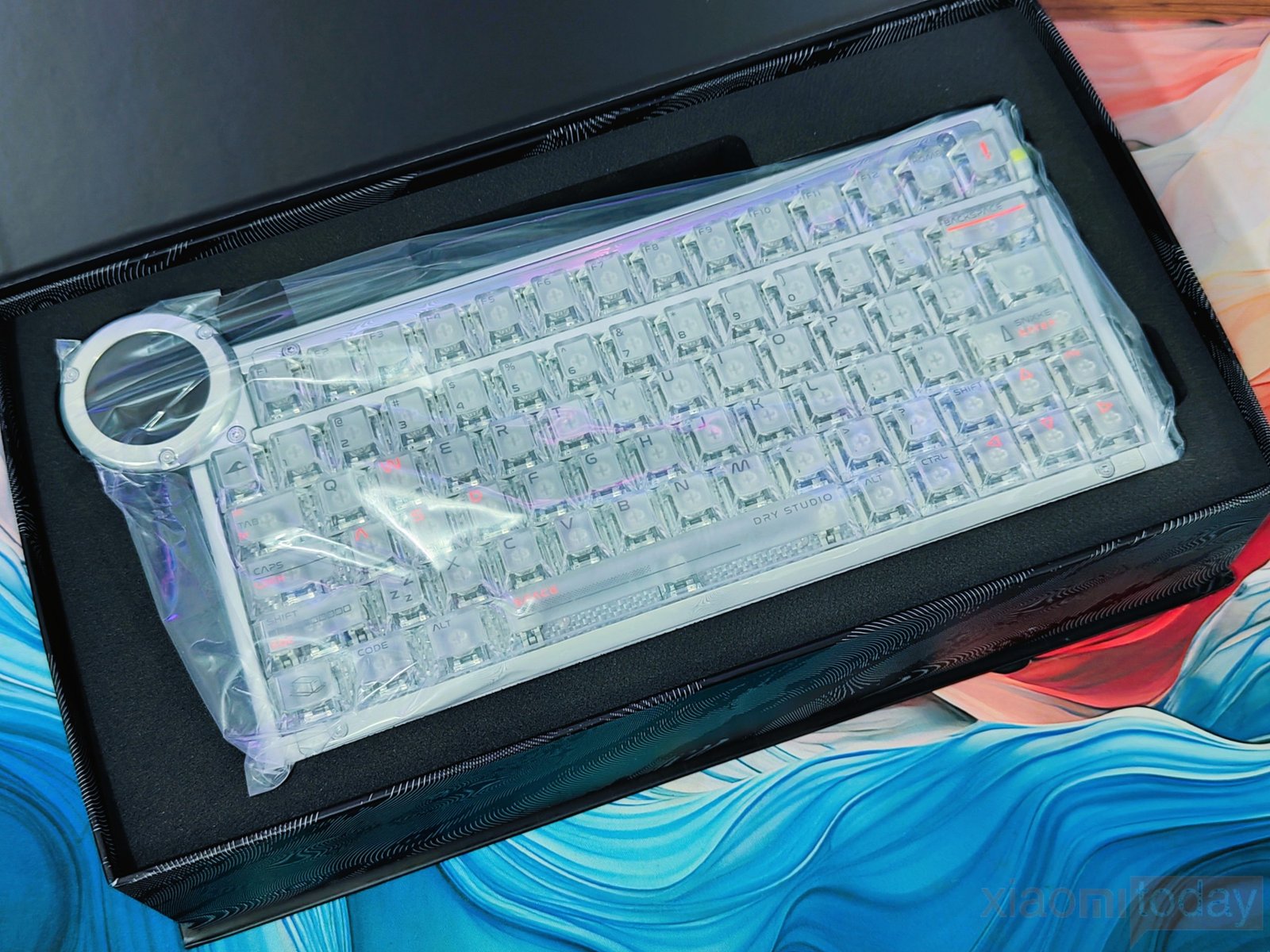
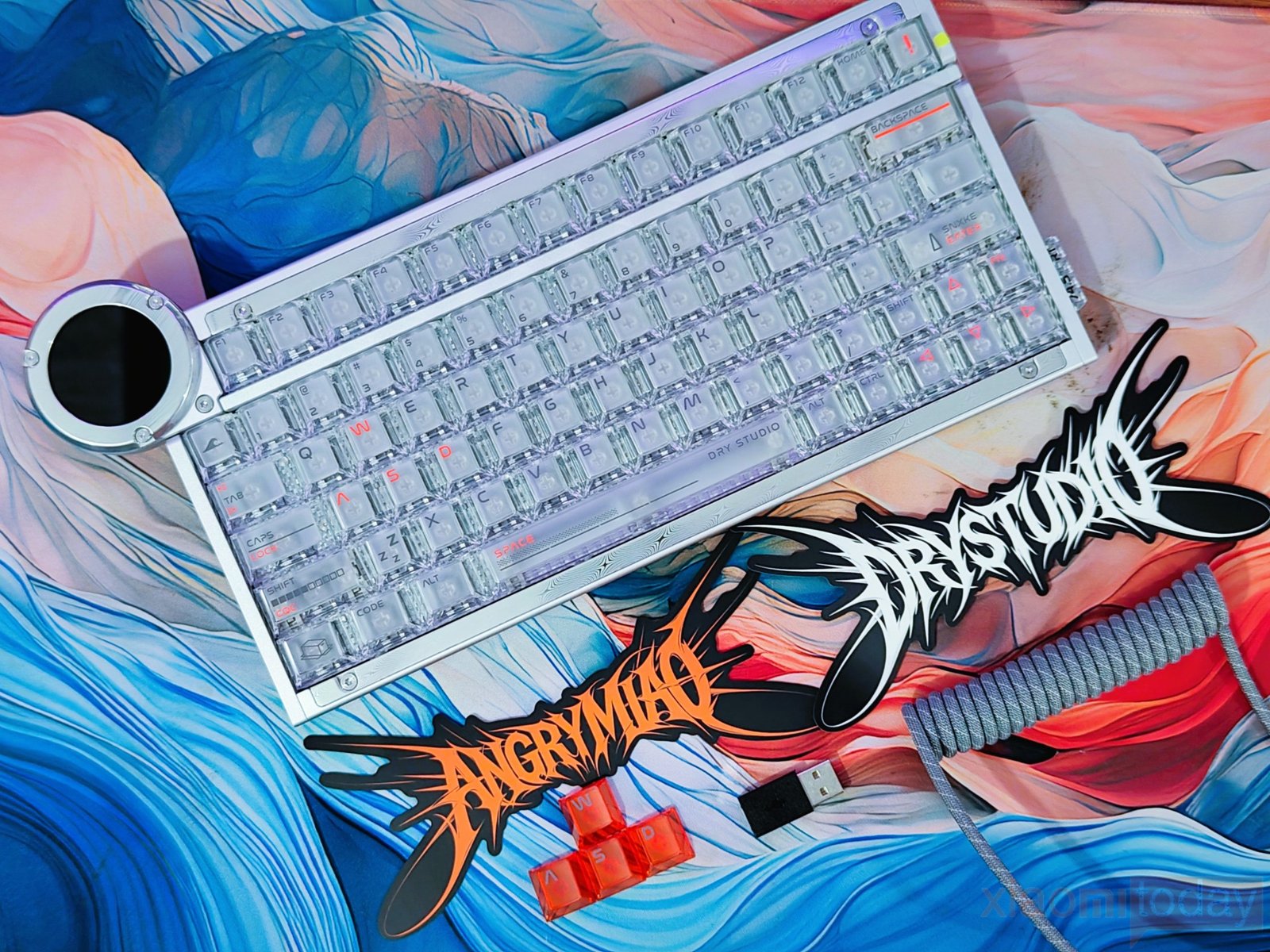
Inside, the Battleye 75 HE R2 is protected by a thick foam insert and a clear plastic cover. The keyboard is placed securely in the center. The package includes a coiled USB cable, USB adapter, replacement orange keycaps, and Angry Miao and DRY STUDIO brand stickers. Everything is packed into the box without leaving the keyboard loose during transport. After removing the protective materials, the Battleye 75 HE R2 is ready to connect and test, with the included accessories covering the basic setup requirements.
Design and Build Quality
The Dry Studio Battleye 75 HE R2 is available in two versions: Damascus (White) and Carbon Silver (Black). Both use an aluminum alloy body, but the materials and finish give each version a different look. The Damascus edition combines aluminum with Damascus-patterned components, while the Carbon Silver version uses aluminum with carbon fiber components and pure silver accents.
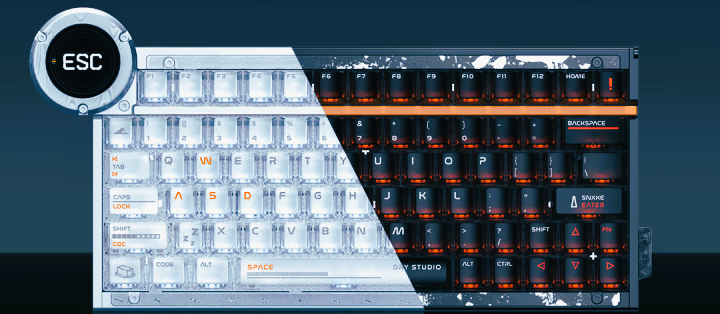
Our review unit is the Damascus (White) version, finished with anodized aluminum. DRY STUDIO says the Damascus design takes inspiration from The Boss in Metal Gear Solid 3: Snake Eater, with the flowing metal pattern matching the white combat suit and lily-field theme.
The Carbon Silver version takes inspiration from Naked Snake, using deep anodized black aluminum, forged carbon fiber, and silver accents. In terms of size, the keyboard measures about 296 mm in width, making it noticeably shorter than a typical 75% board, while the complete unit weighs 1.338 kg. That weight is easy to notice when you first pick it up, and it gives the Battleye 75 HE R2 a very solid feel on the desk.
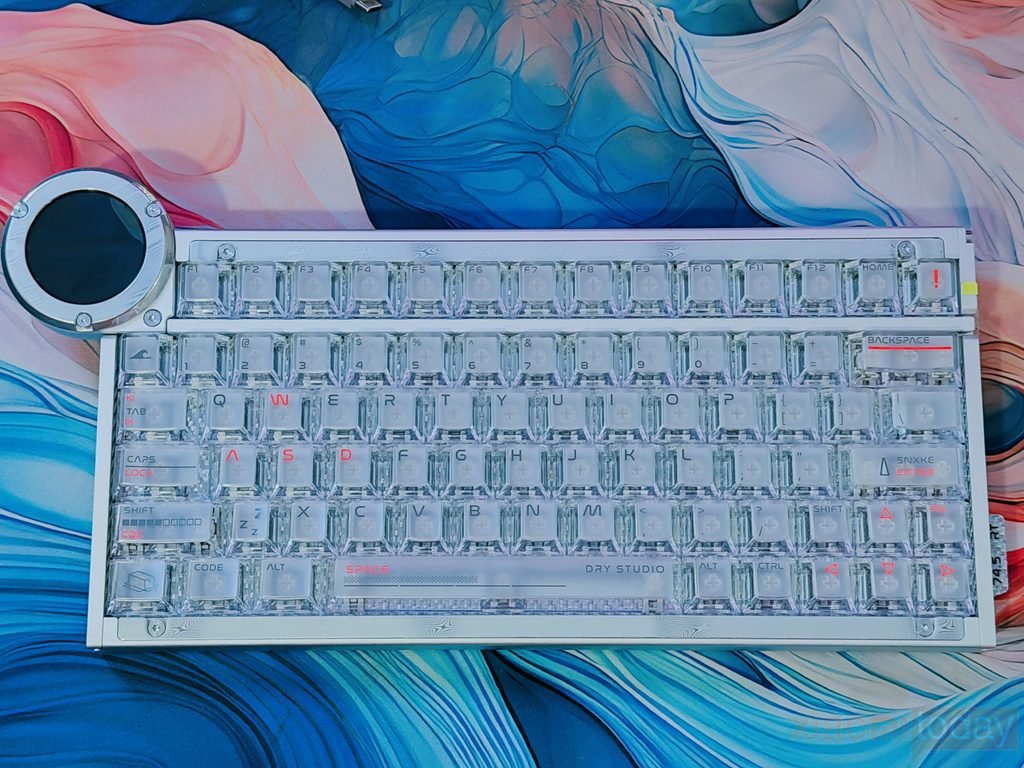
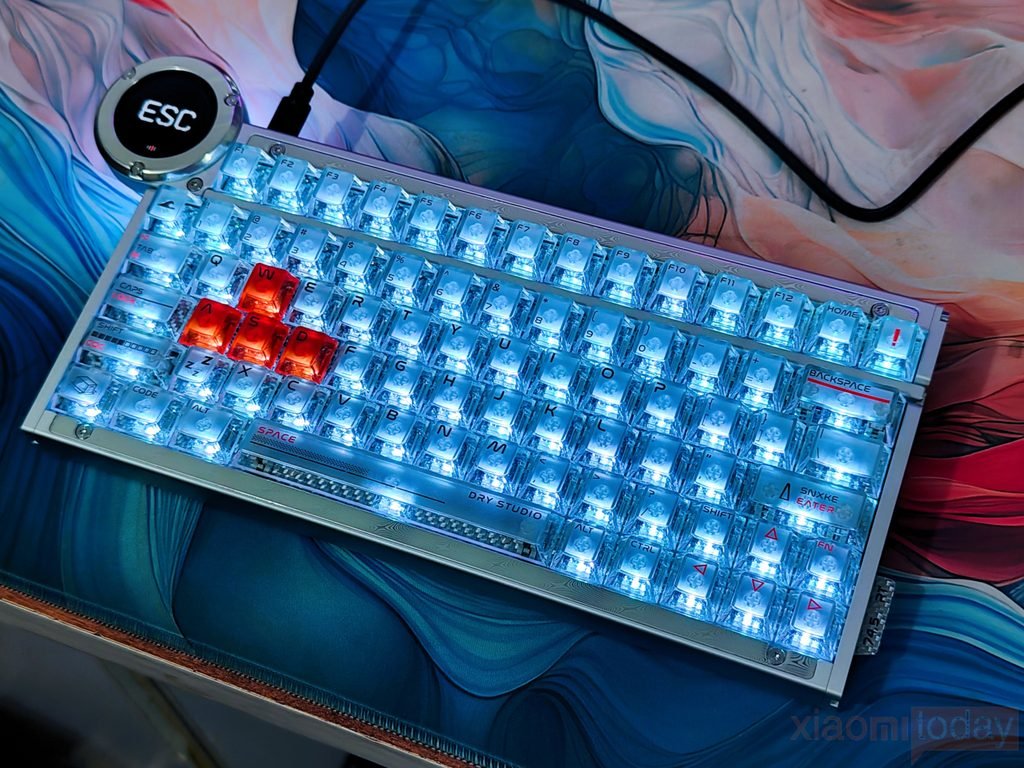
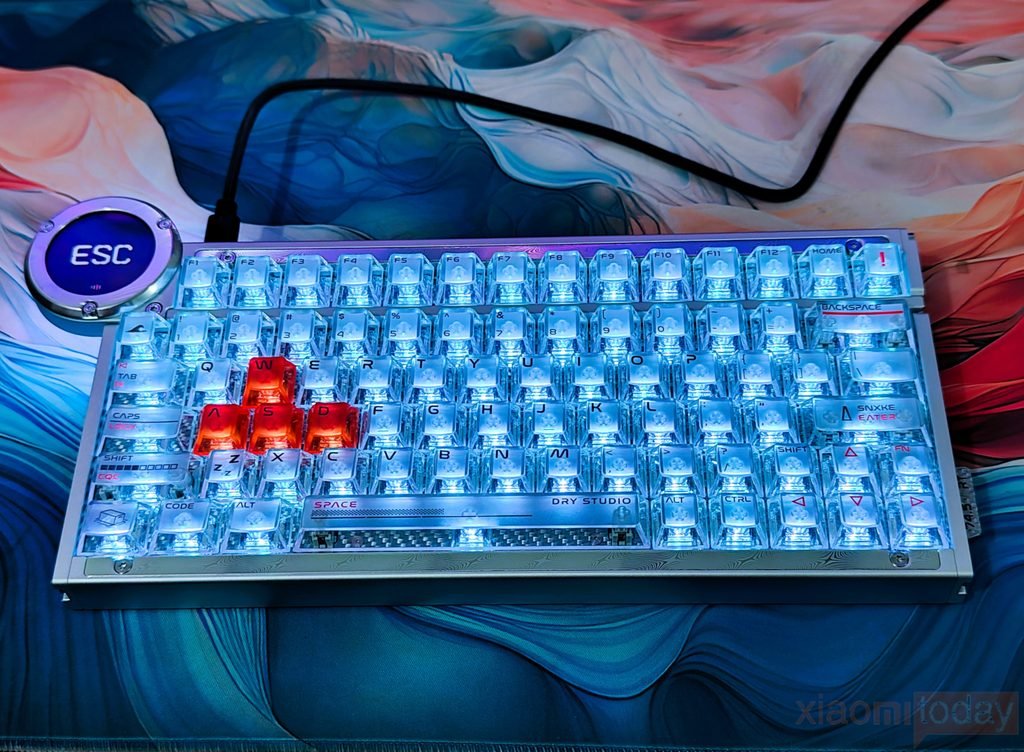
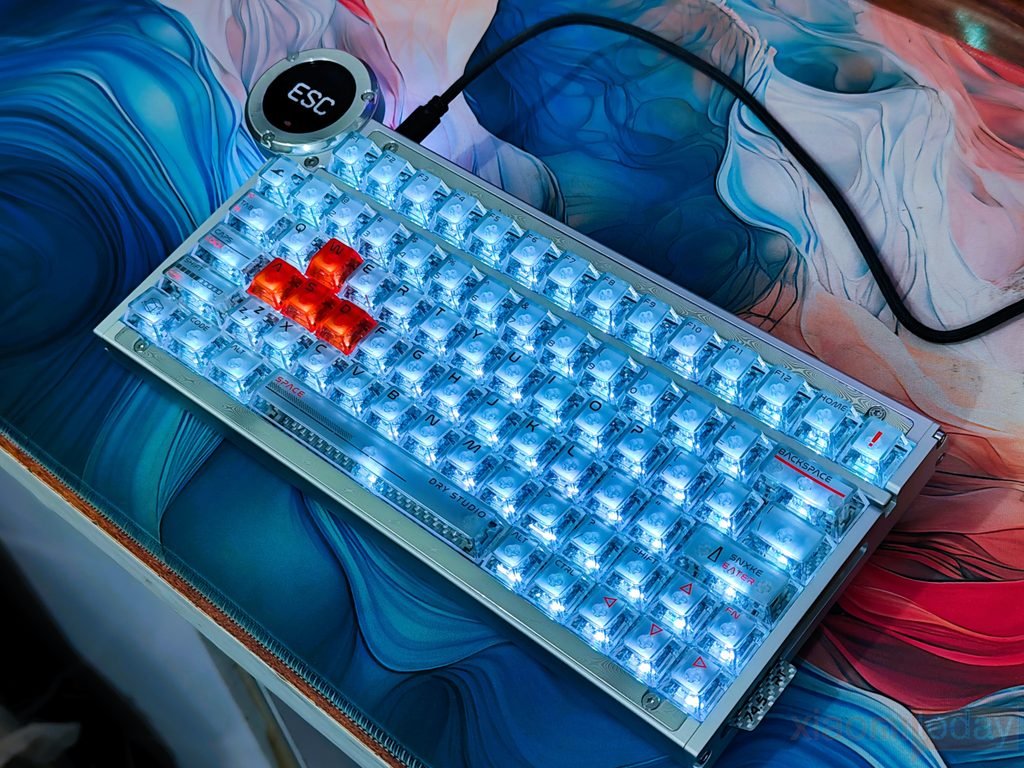
From the top, the Battleye 75 HE R2 has a very different appearance from a conventional gaming keyboard. The white anodized aluminum frame surrounds the translucent keycaps, while the exposed mounting screws and patterned metal sections give the board a more industrial look. The compact 75% layout retains the F-row, arrow keys, and other essential controls without taking up the width of a regular 75% keyboard.
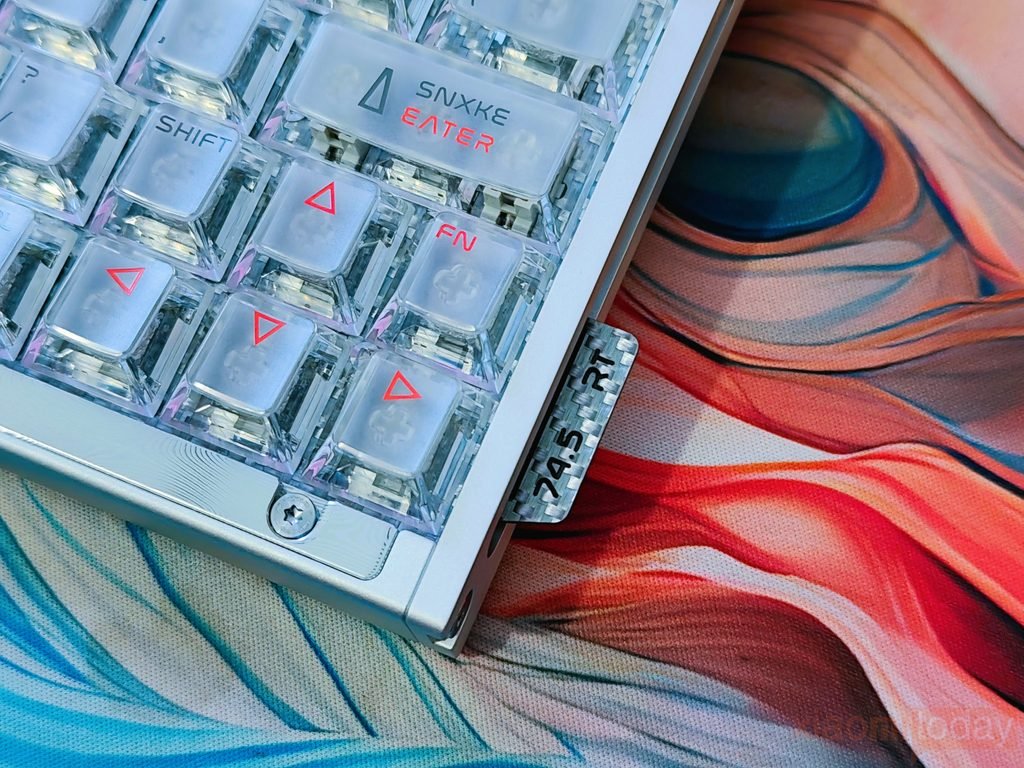
DRY STUDIO achieves this by fitting the layout into what it describes as a compact 60% footprint, leaving more room for mouse movement. A small “74.5 RT” marking on the right side also reinforces the keyboard’s Rapid Trigger-focused design.
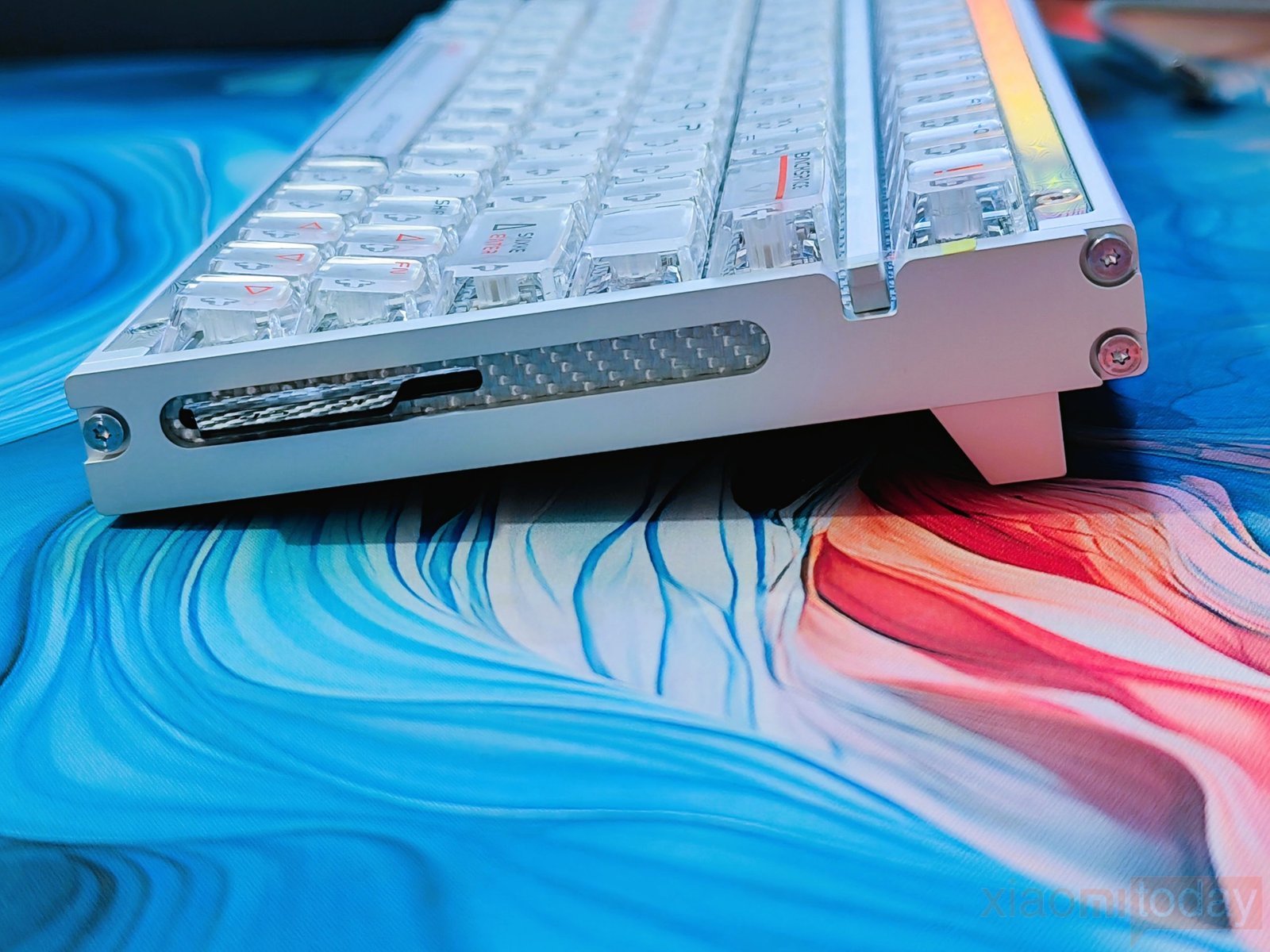
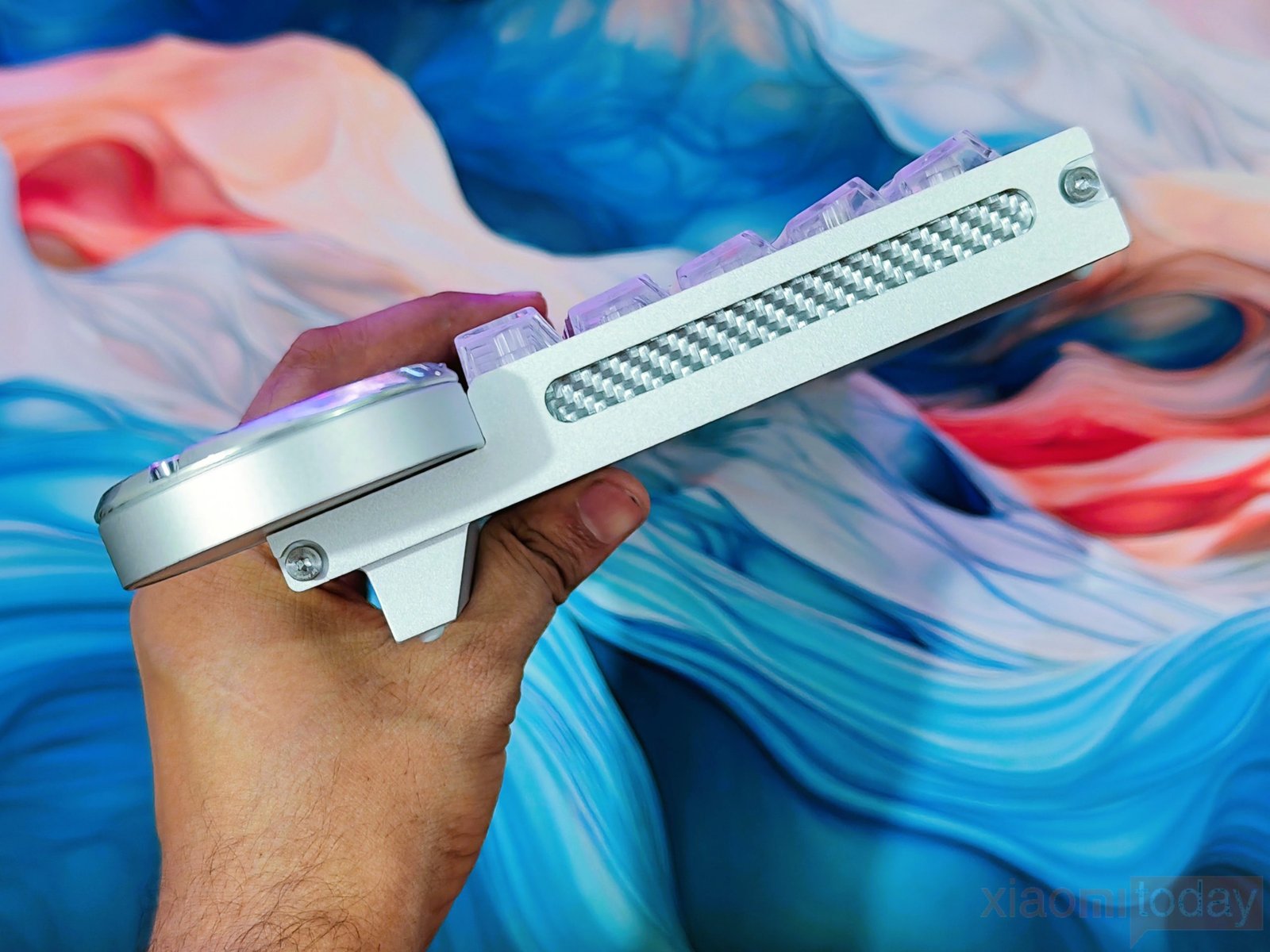
Looking around the sides, the Battleye 75 HE R2 has a relatively low and clean profile, with the aluminum frame extending around the keyboard and the carbon fiber components visible through the side opening. The exposed carbon fiber section adds some contrast to the white body and also ties into the keyboard’s carbon fiber plate. The screws are visible on the frame, including around the large circular screen housing, and they are used as part of the overall design rather than hidden away.
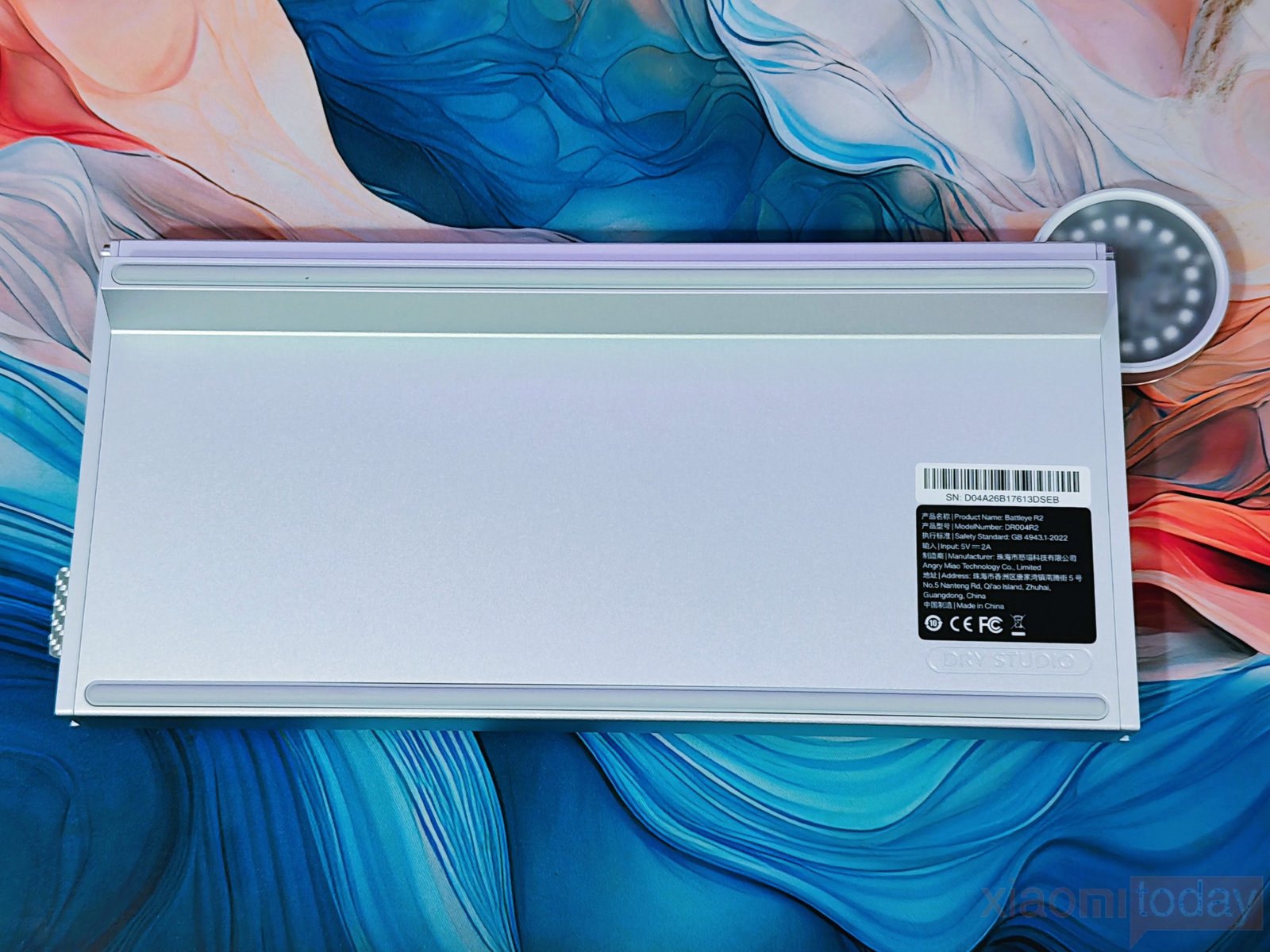
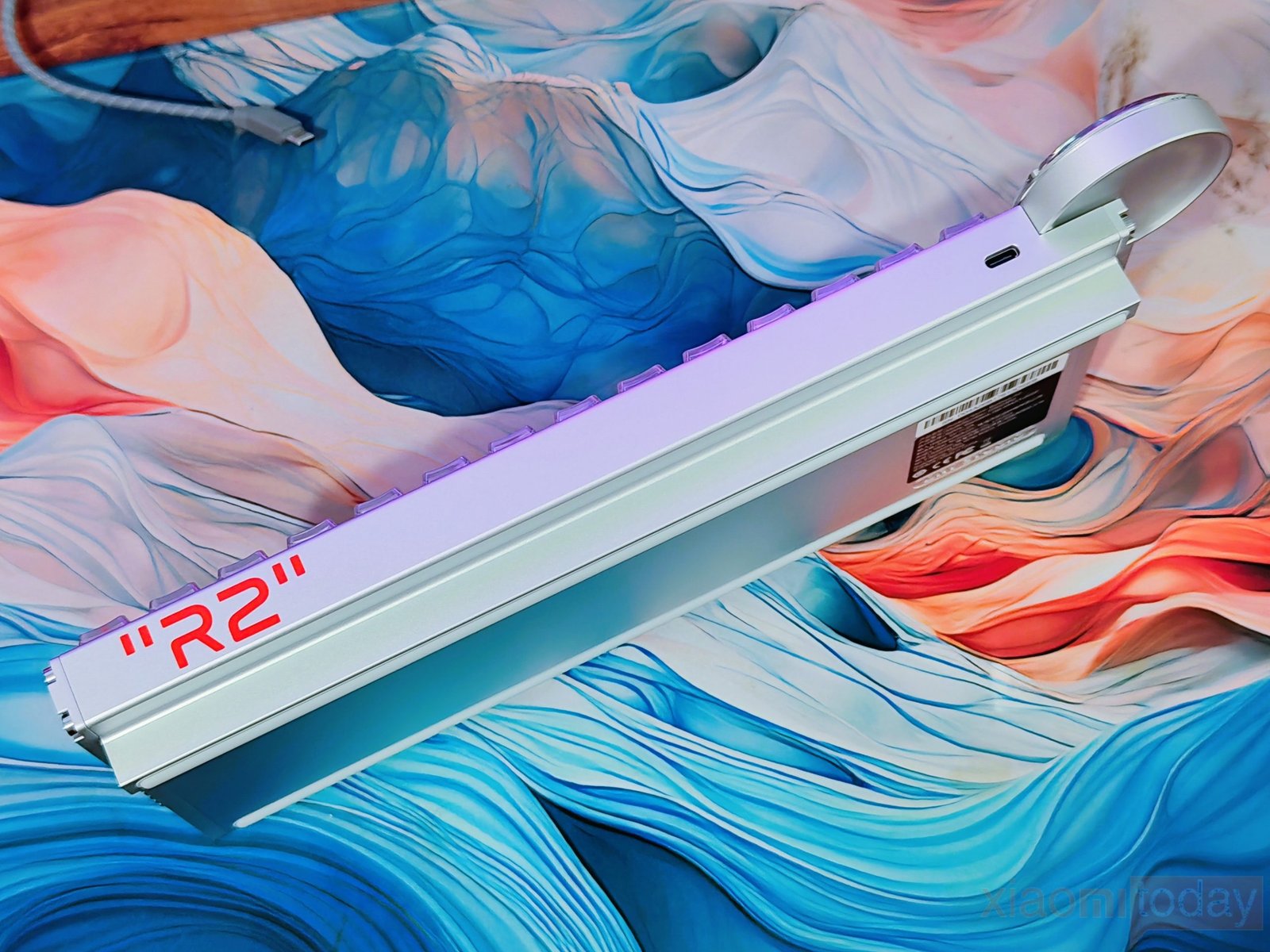
On the rear edge, DRY STUDIO has kept the USB Type-C port in a recessed position, while the bottom panel uses a simple aluminum surface with the product label and DRY STUDIO branding. The underside continues the same clean approach, with a flat aluminum panel and long rubber strips that help keep the keyboard from moving around on the desk. The feet raise the rear of the keyboard for a more comfortable typing angle. There is no need for a wireless battery compartment because the Battleye 75 HE R2 is a wired-only keyboard, with USB Type-C used for connectivity.
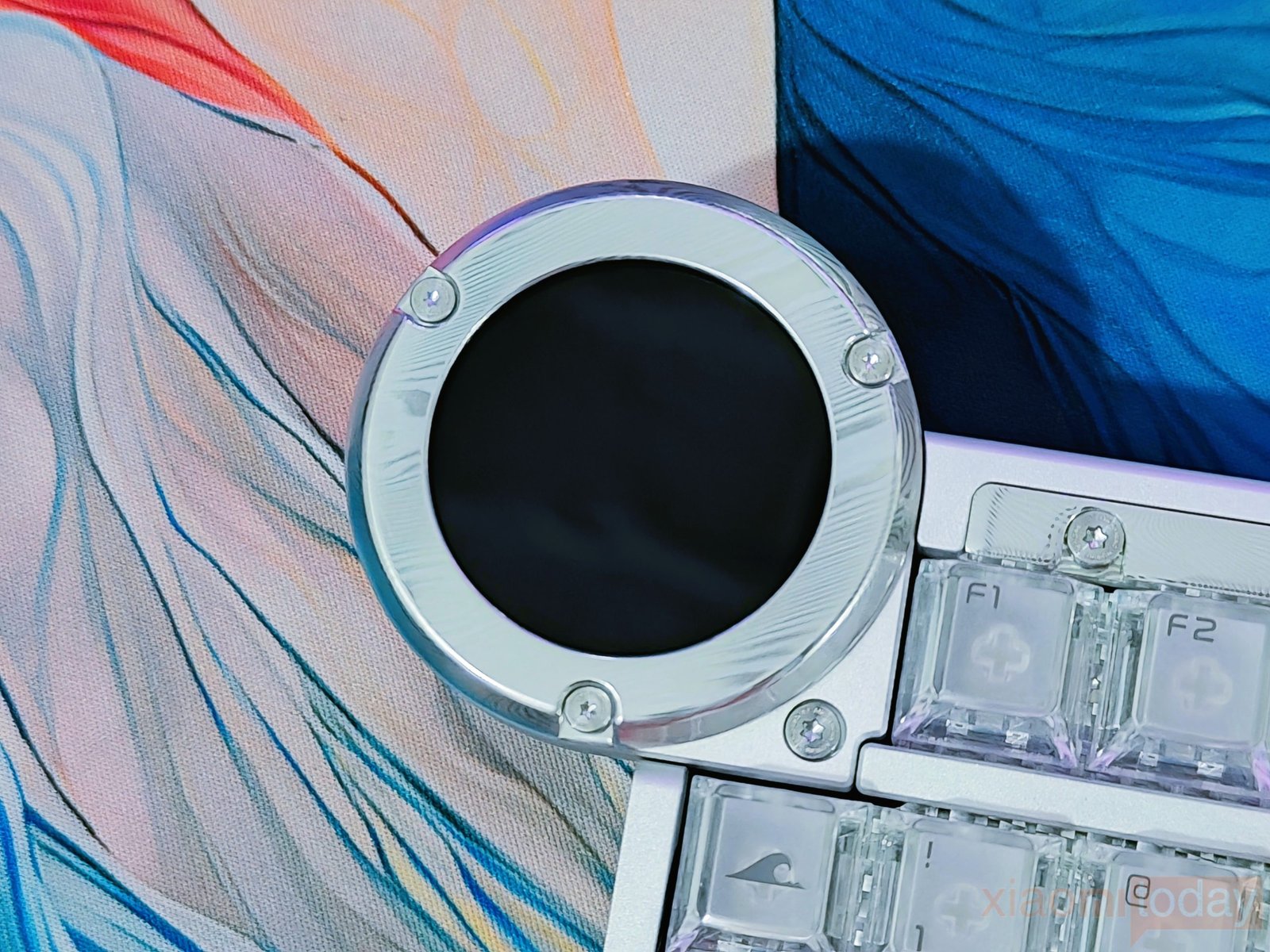
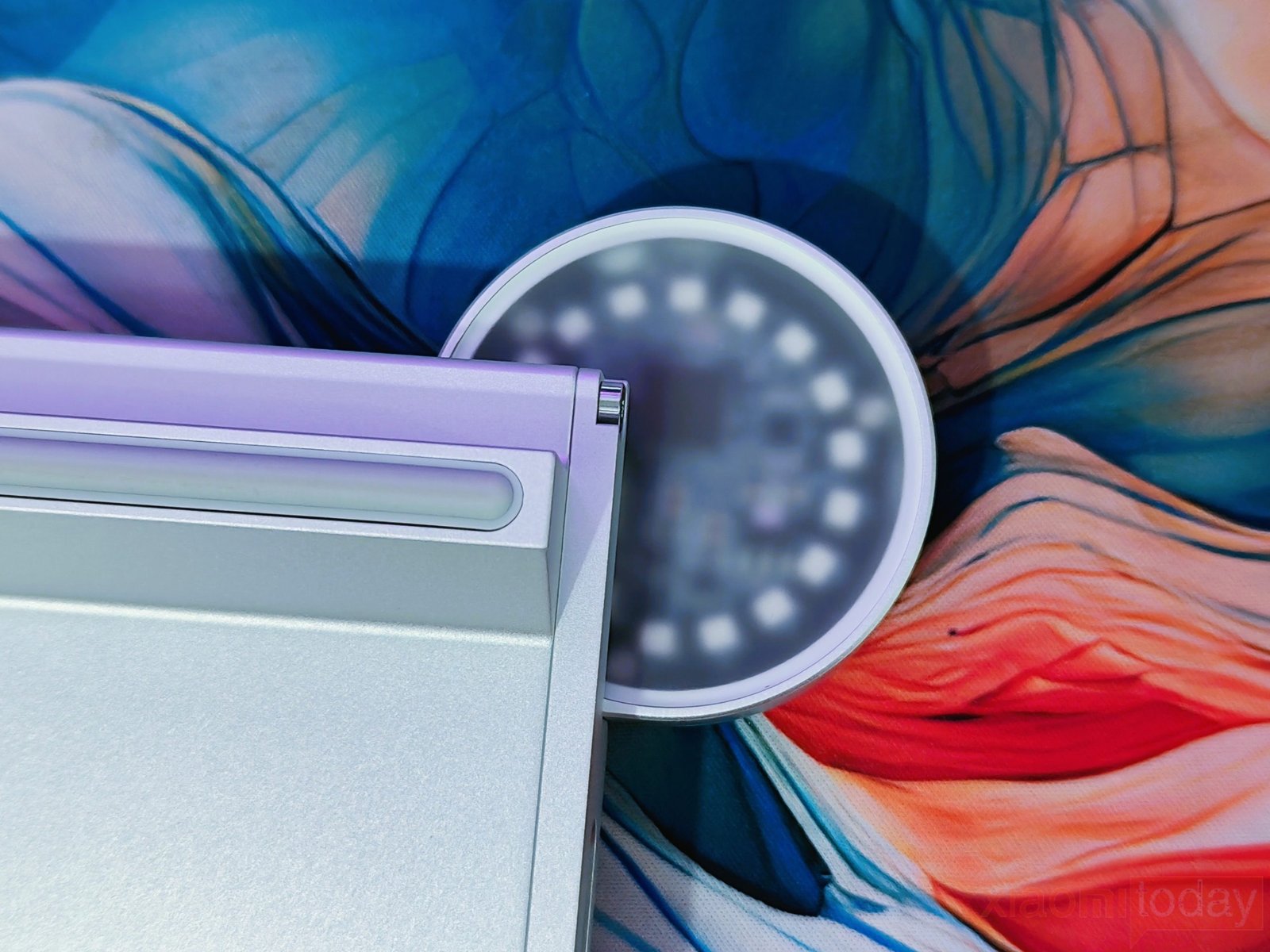
The large circular display housing in the upper-left corner is also part of the keyboard’s design rather than a separate accessory. It sits slightly outside the main keyboard frame and gives the Battleye 75 HE R2 its unusual shape. The circular 1.7-inch 60Hz LCD touchscreen is perhaps the most unusual part of the Battleye 75 HE R2. Its black display is surrounded by a machined aluminum ring secured with visible screws, and looking from the rear, the display housing continues as a separate rounded module attached to the main aluminum frame. Its white plastic outer shell is designed to diffuse and display the keyboard’s ARGB lighting, with the RGB components visible through the housing rather than being made from metal.
The Dry Studio Battleye 75 HE R2 uses a six-layer internal design built around a carbon fiber plate and PCBA. The carbon fiber plate provides a firm mounting surface for the Hall Effect switches while retaining a small amount of flex when the keys are pressed. Below it, DRY STUDIO adds Poron foam, custom switch pads, PET film, and EPDM bottom dampening. These layers help reduce the impact from bottoming out and control vibration inside the aluminum chassis. In use, the keyboard feels firm without being excessively hard, which works well for both fast gaming inputs and regular typing.
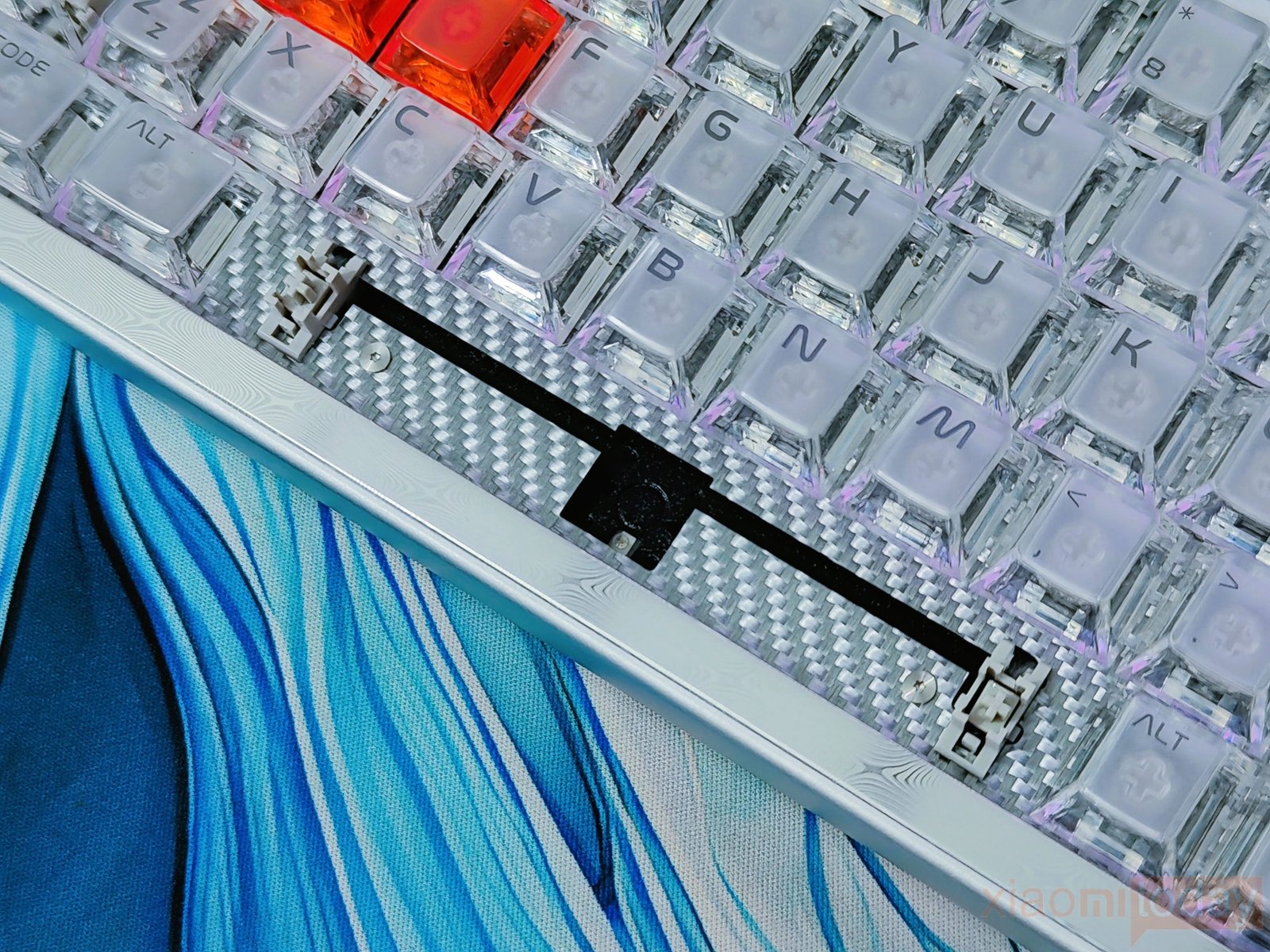
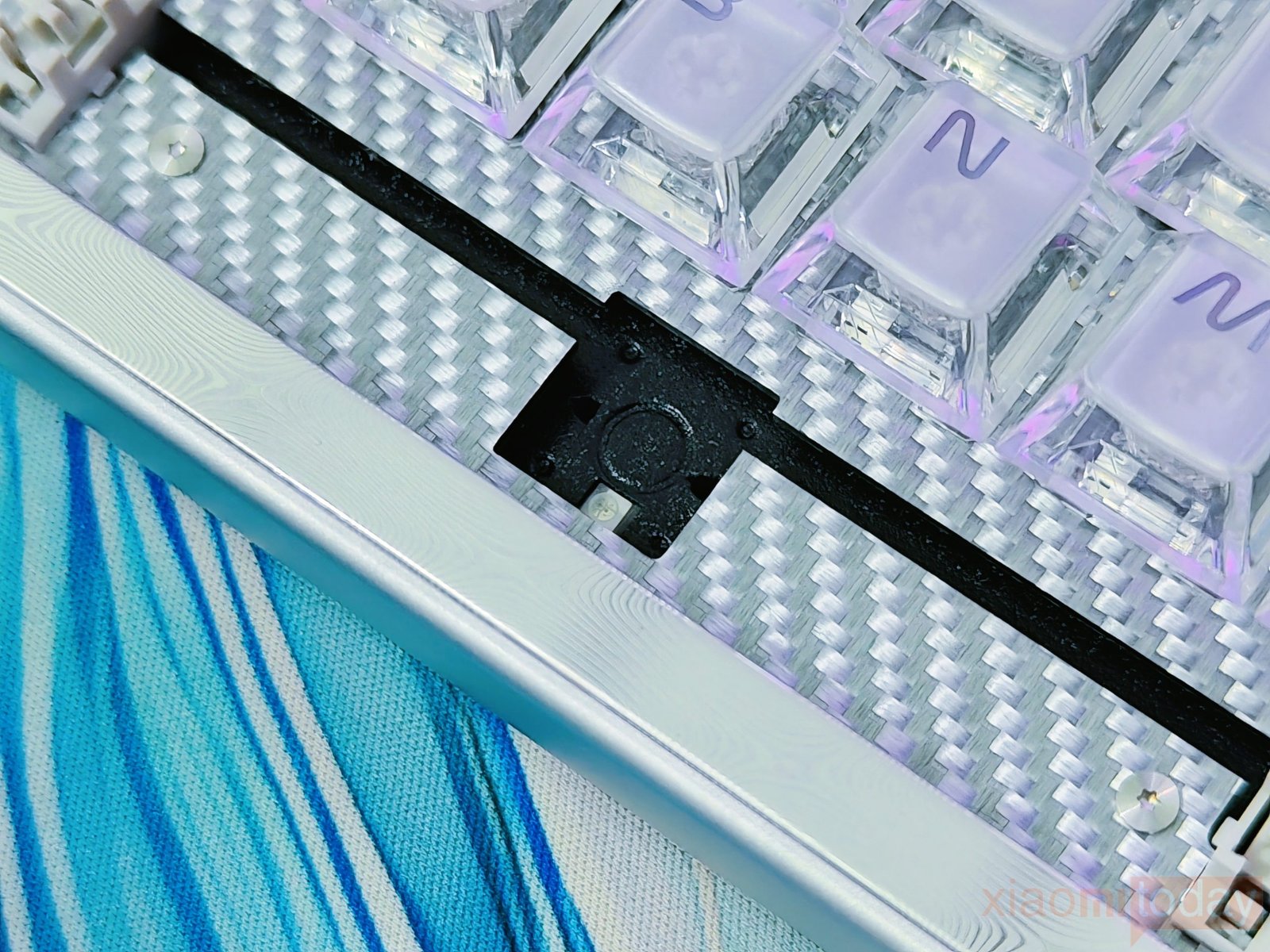
The layered construction also affects the Battleye 75 HE R2 sound profile. The carbon fiber plate combined with the foam and dampening materials produces a deeper and fuller sound than you would normally expect from a performance-focused Hall Effect keyboard. At the same time, the internal structure keeps the switches properly supported for Rapid Trigger operation. This gives the keyboard a more comfortable typing feel during longer sessions while maintaining the responsive character expected from a Hall Effect gaming keyboard.
1.7-Inch 60Hz High-Res Touchscreen
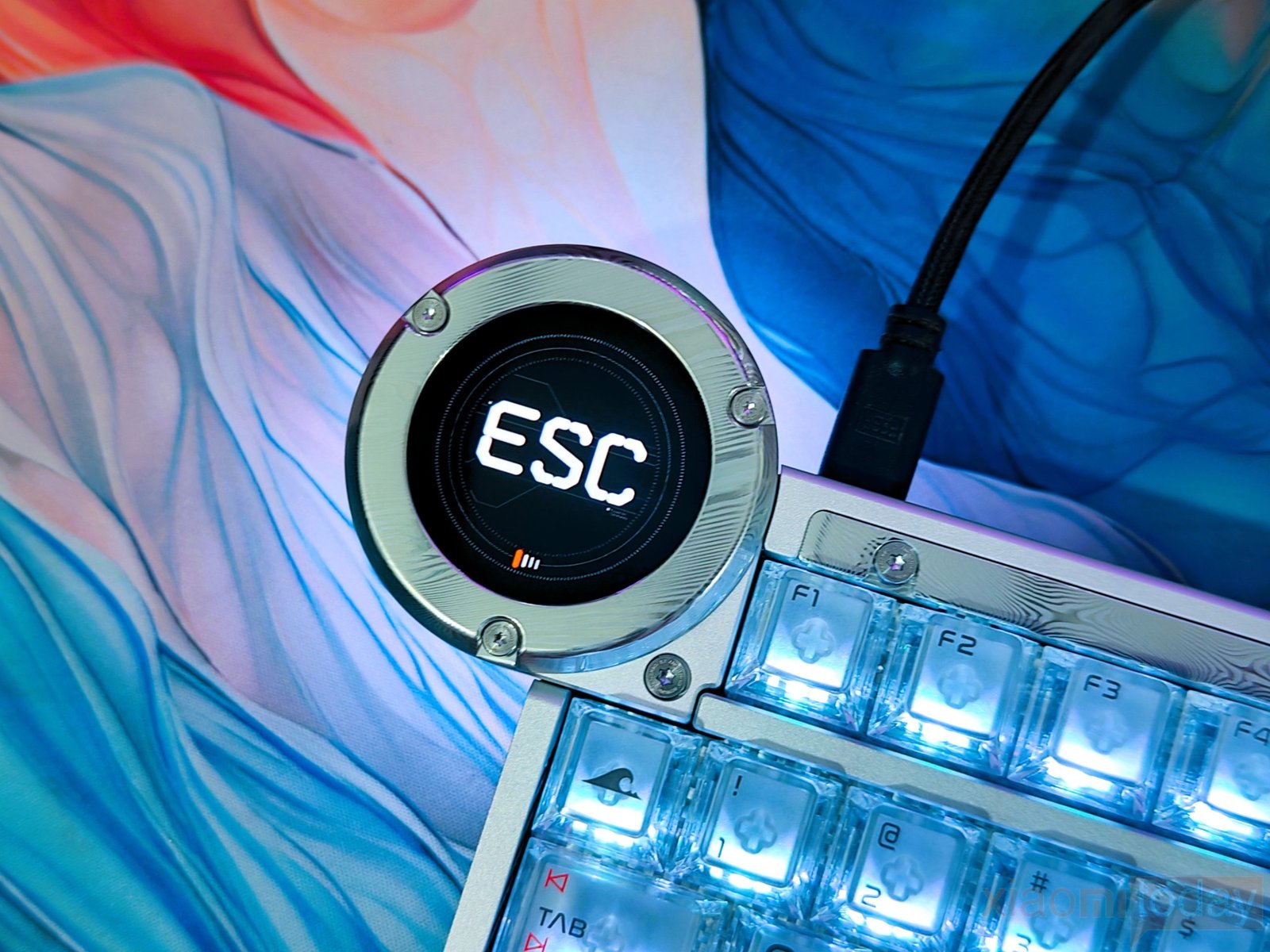
The Dry Studio Battleye 75 HE R2 uses a circular 1.7-inch 60Hz high-resolution LCD Touchscreen mounted on the left side of the keyboard. The display is housed in a separate aluminum ring with visible screws, matching the construction of the main chassis. It shows the active onboard profile, key settings, Rapid Trigger actuation distance, and other Hall Effect settings. This means you can check the current configuration directly from the keyboard instead of opening the software every time you want to see the active settings.
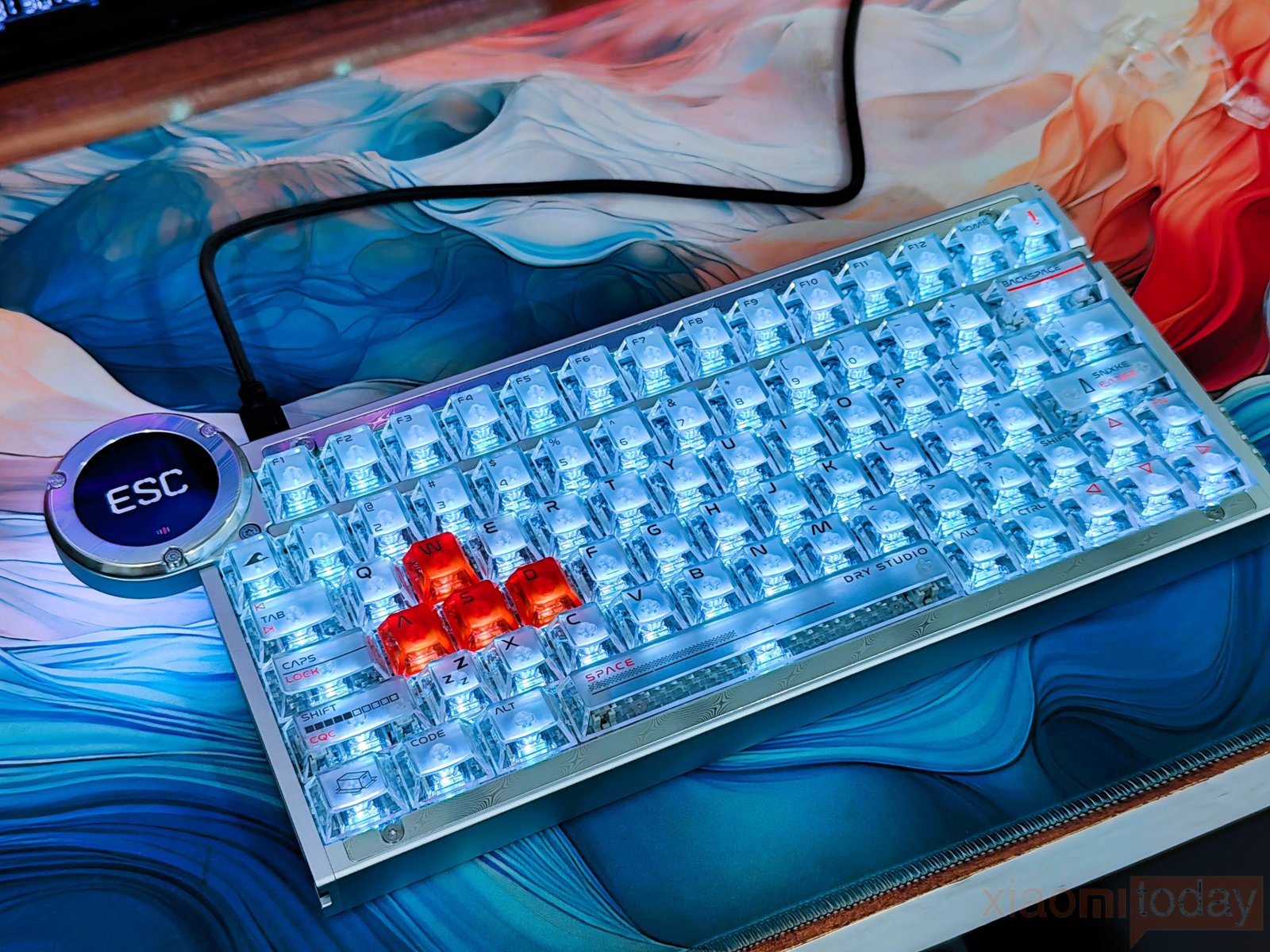
The touchscreen also handles profile switching between Battle, Valorant, Typing, and Custom modes. DRY STUDIO claims that the Battleye 75 HE R2 can switch between these four profiles in as little as 0.97 seconds. The touch interface makes changing profiles simple, especially when moving between gaming and regular typing. For example, you can keep a more aggressive Rapid Trigger setup for FPS games and switch to a different configuration for typing without using software or keyboard shortcuts.
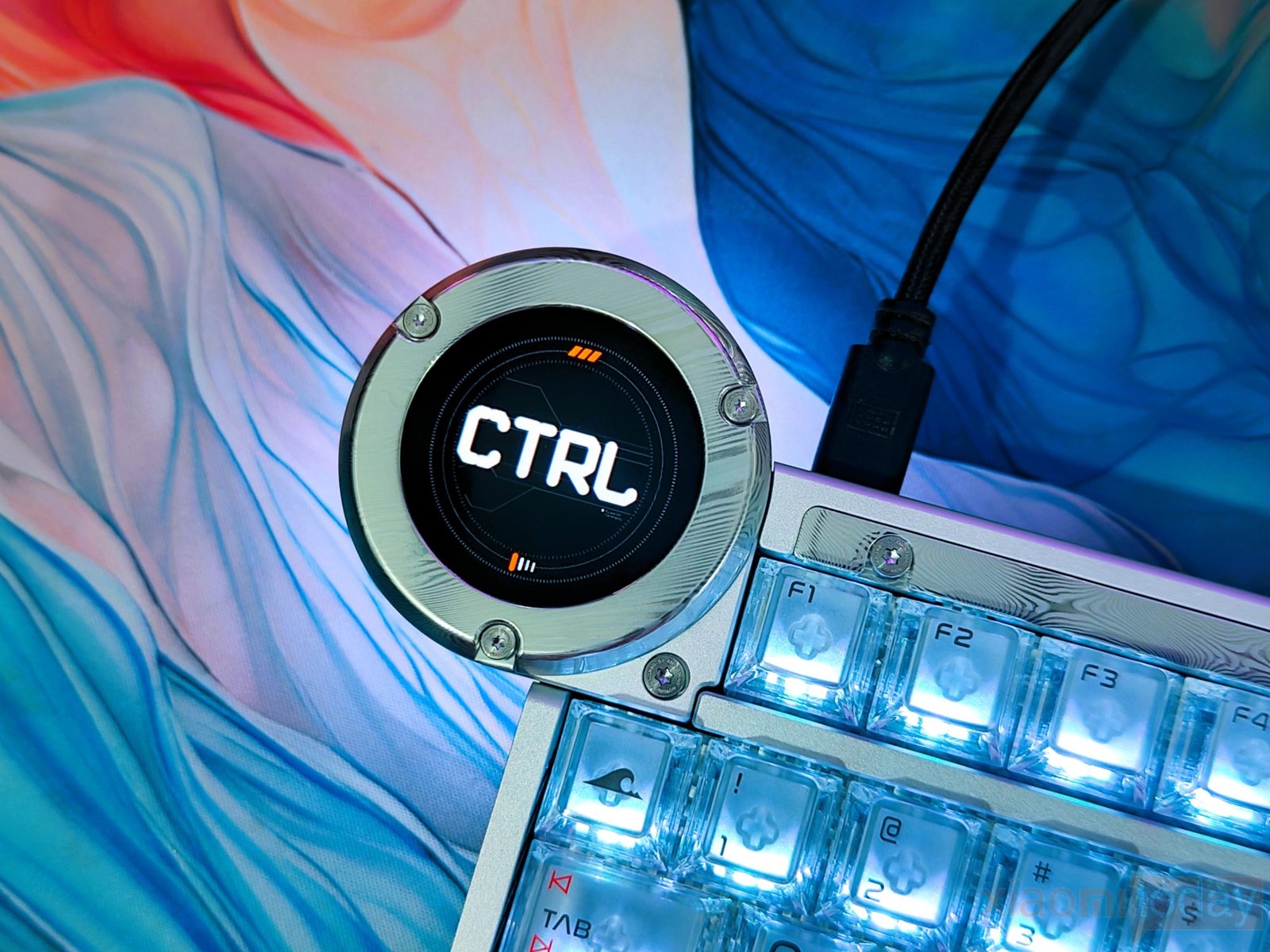
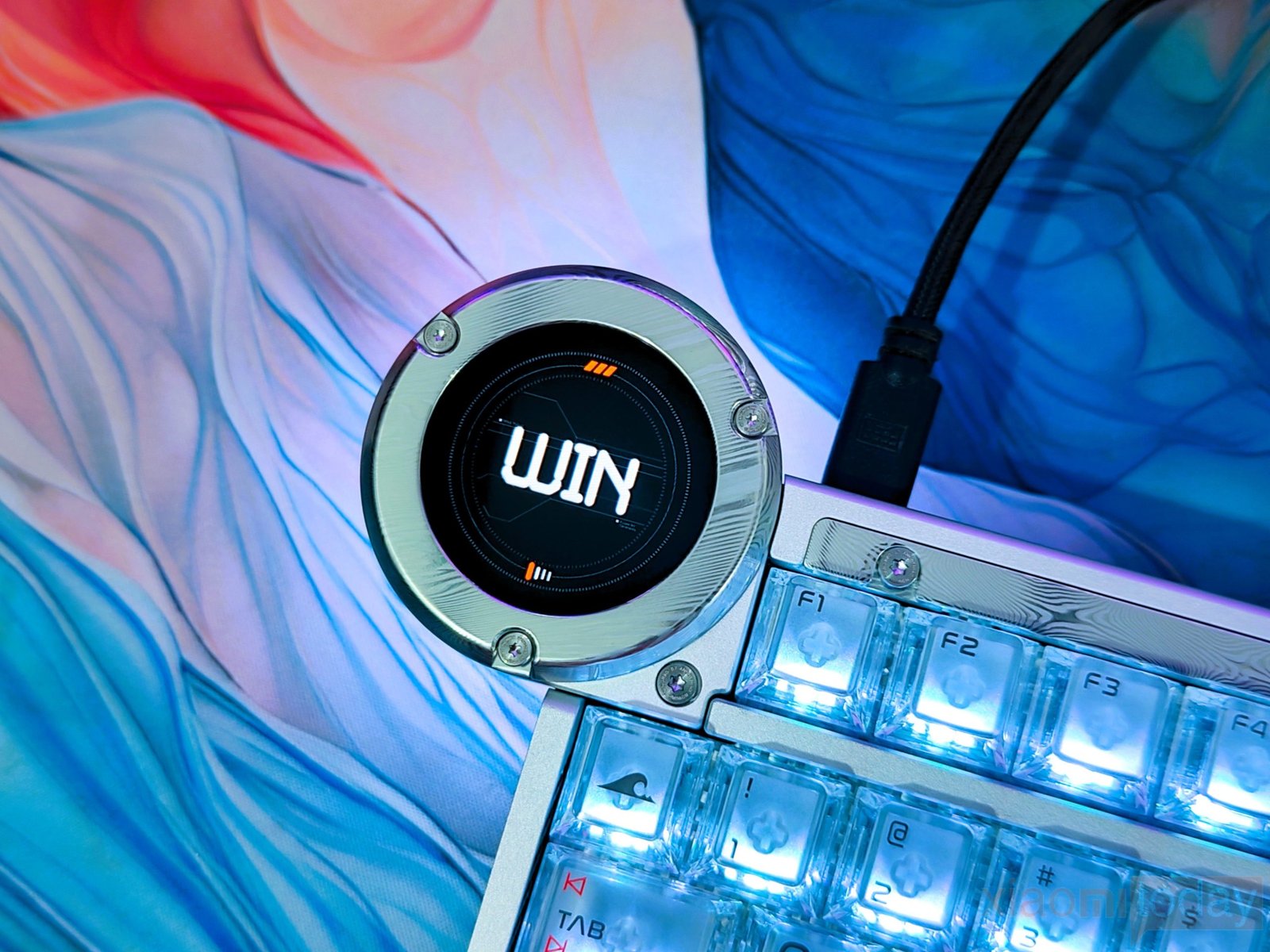
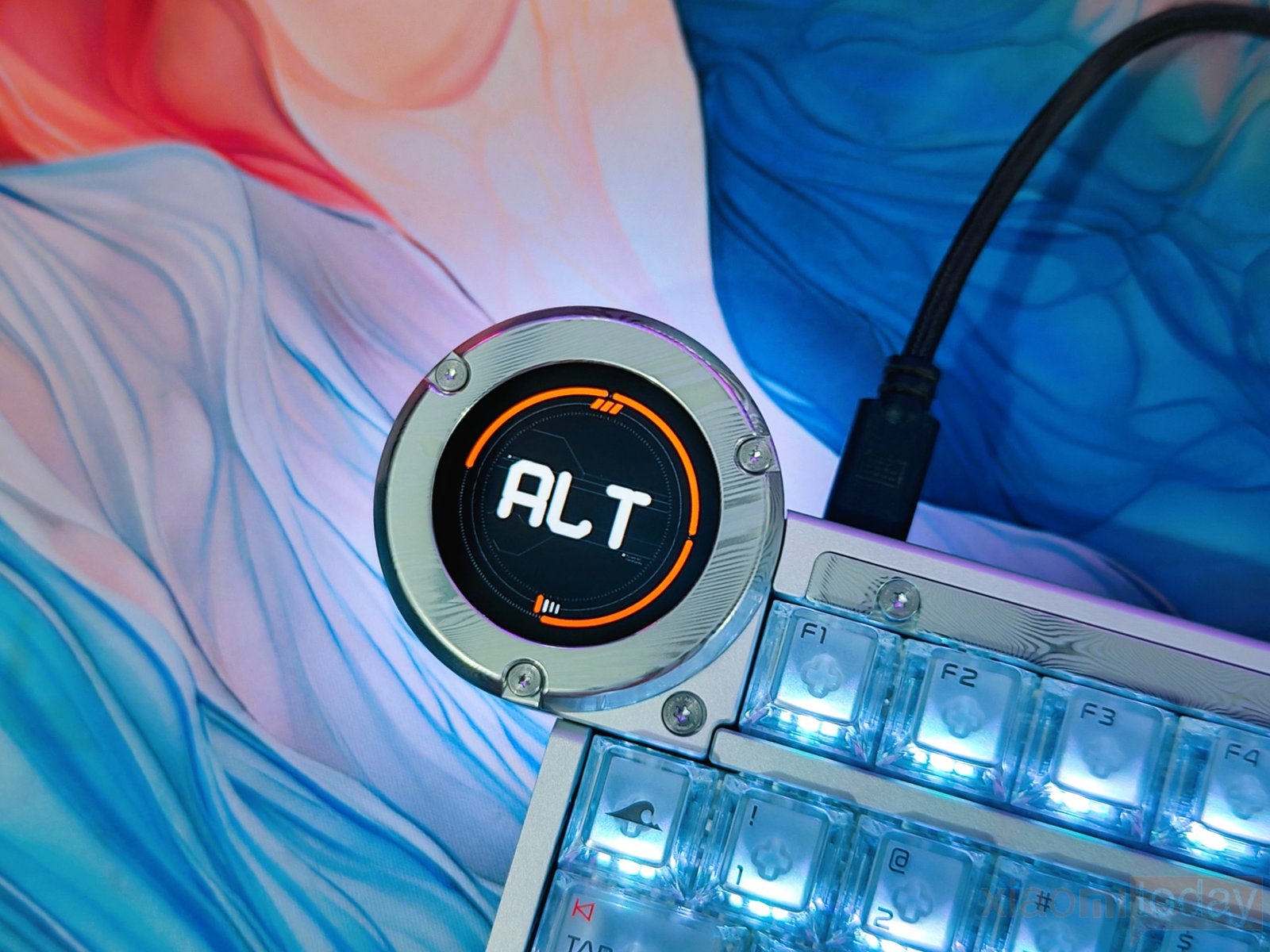
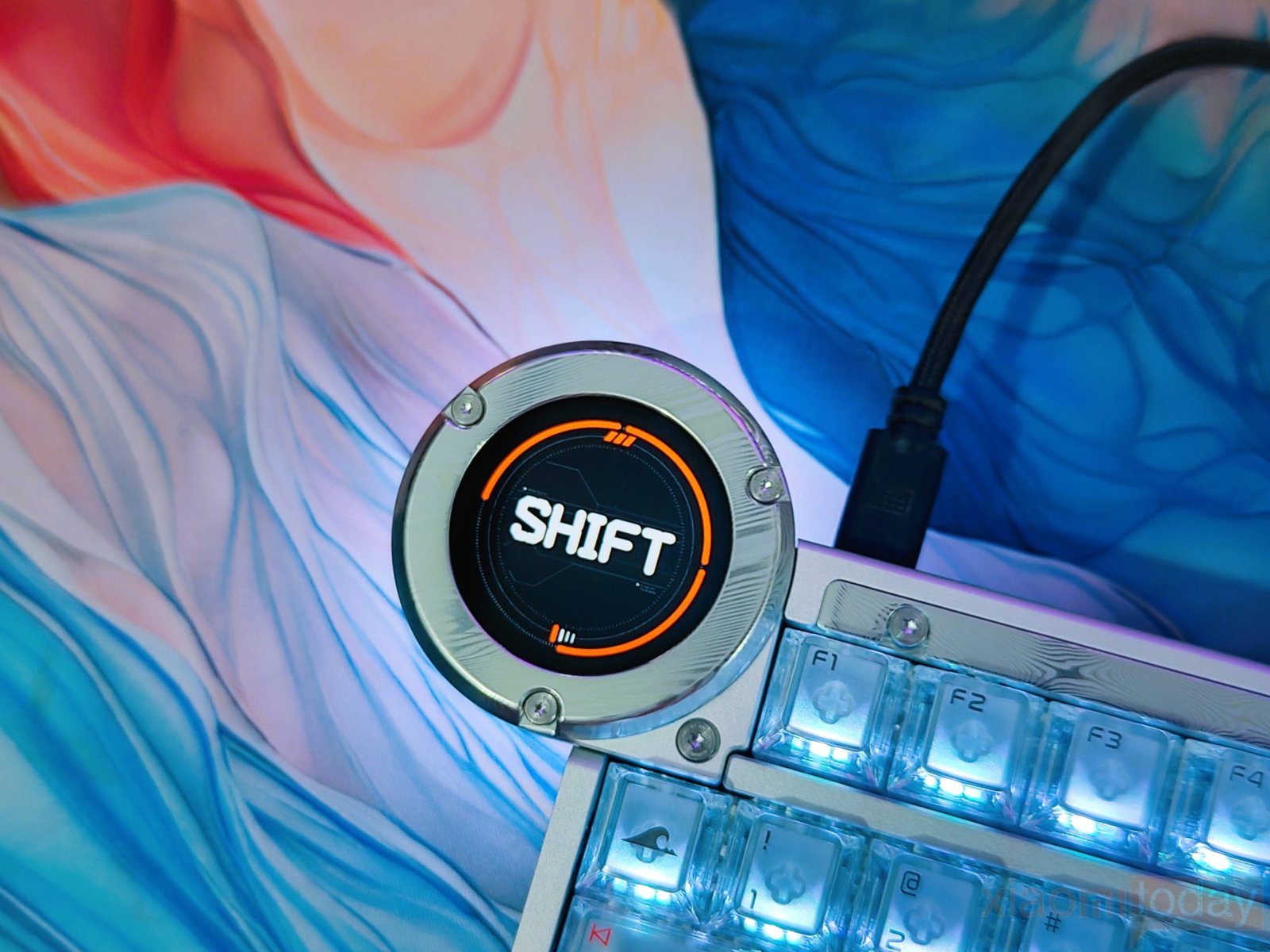
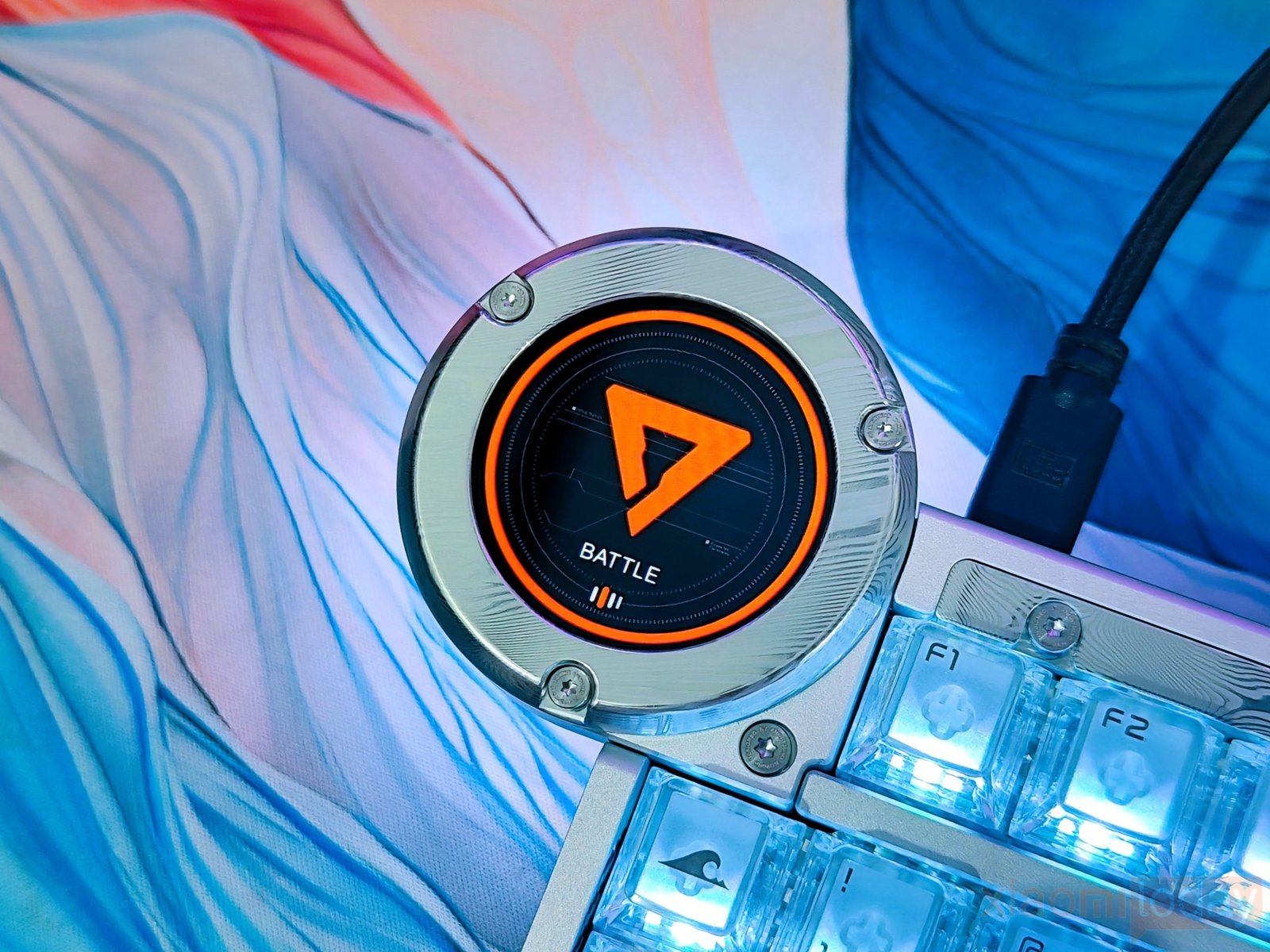
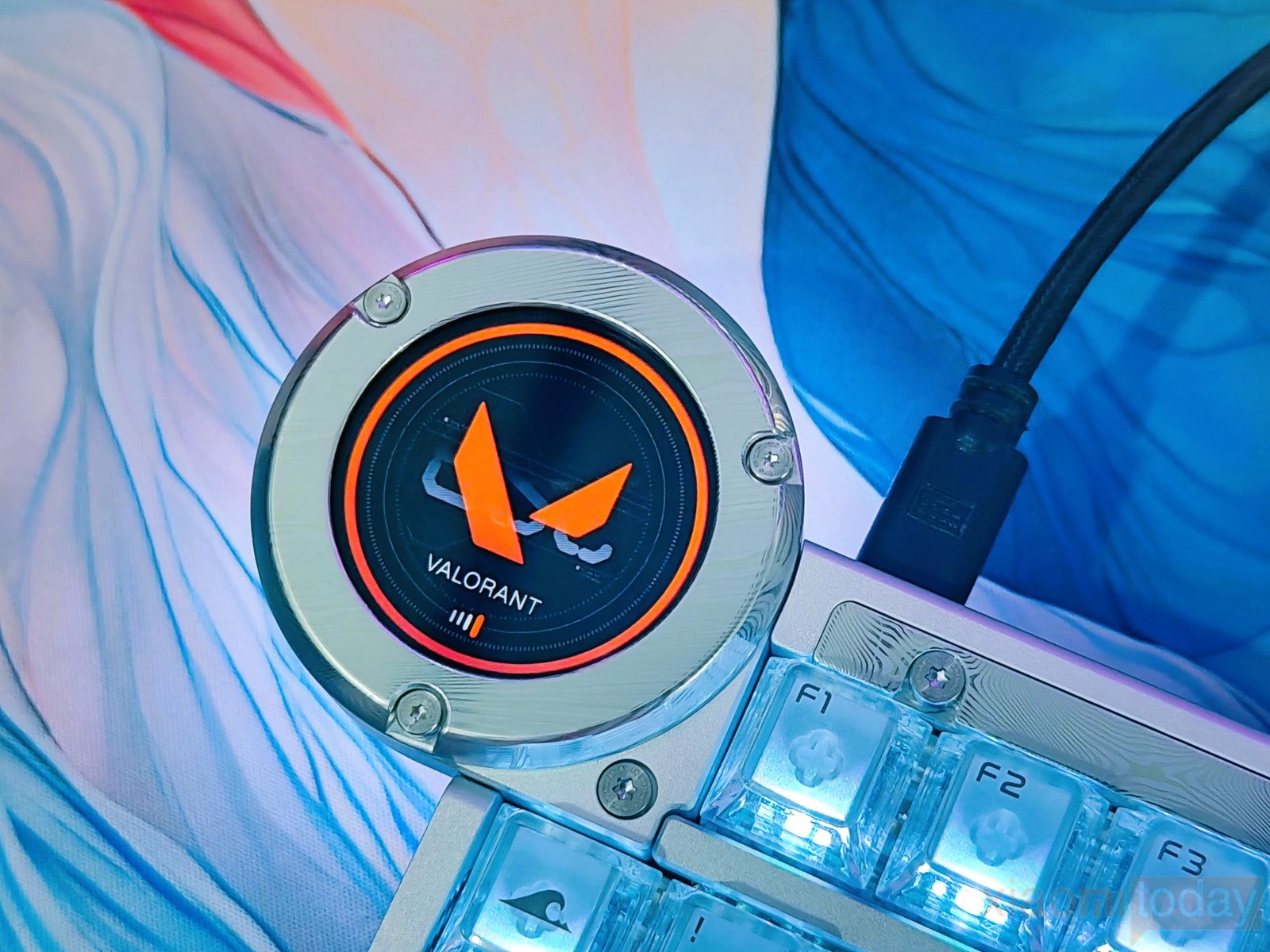
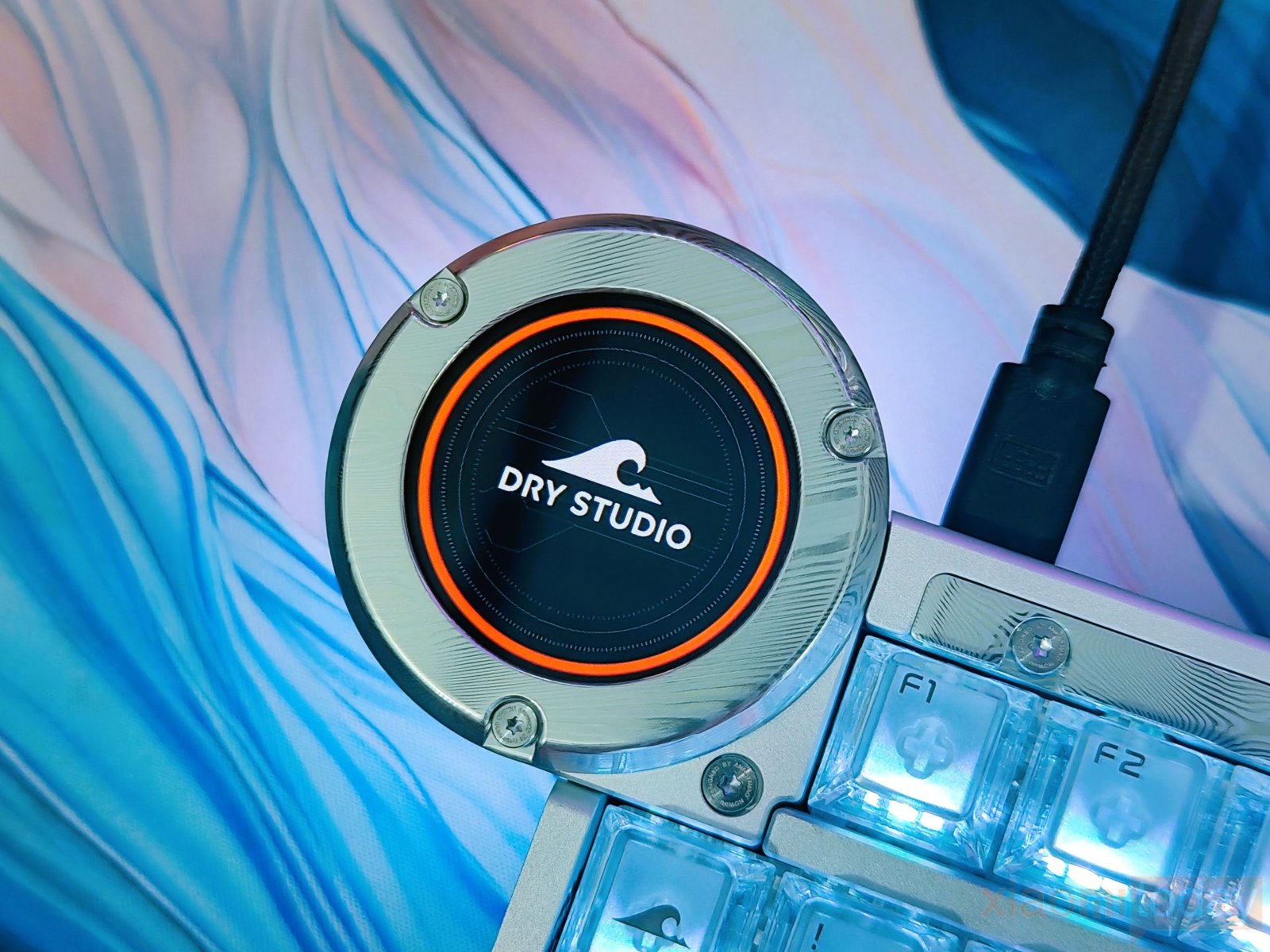
DRY STUDIO also gives the display a customization option by turning it into a digital nameplate. Users can change the displayed text, wallpapers, icons, themes, and individual key graphics. The upgraded display chipset handles these elements while the 60Hz panel keeps movement and animations reasonably smooth. In daily use, the screen is more than a decorative feature, as it provides quick access to keyboard information while also giving users a way to personalize the Battleye 75 HE R2.
Keycaps & RGB Lighting
The Battleye 75 HE R2 uses translucent keycaps that allow the RGB lighting to shine through the sides and around the legends. The slightly frosted surface keeps the lighting from looking too harsh, while the clear construction also exposes the Hall Effect switches underneath. The legends are easy to read, and several larger keys feature custom markings that match the keyboard’s Dry Studio design. The spacebar carries the DRY STUDIO branding, while the Enter, Shift, Tab, and Caps Lock keys use their own printed layouts.
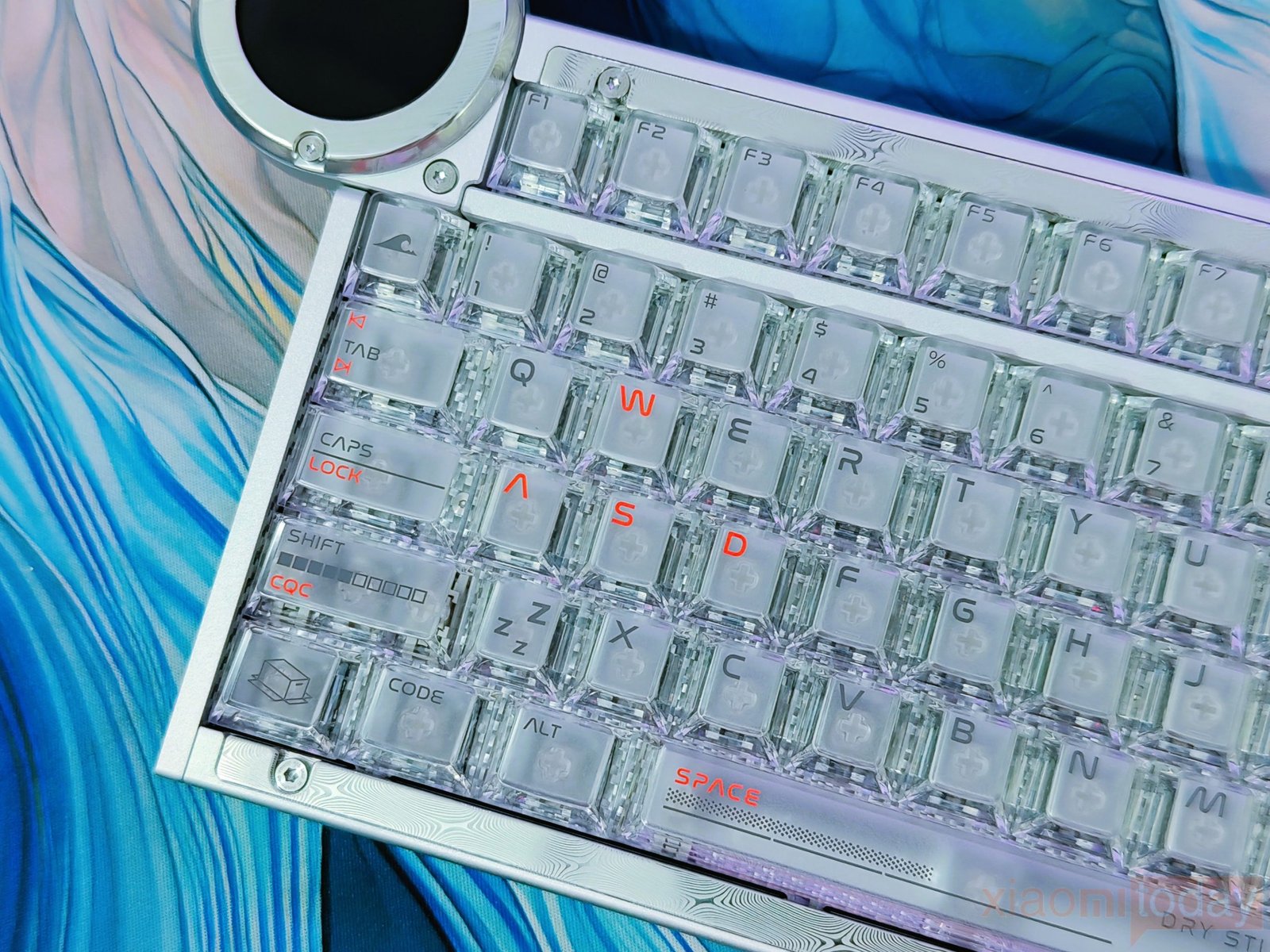
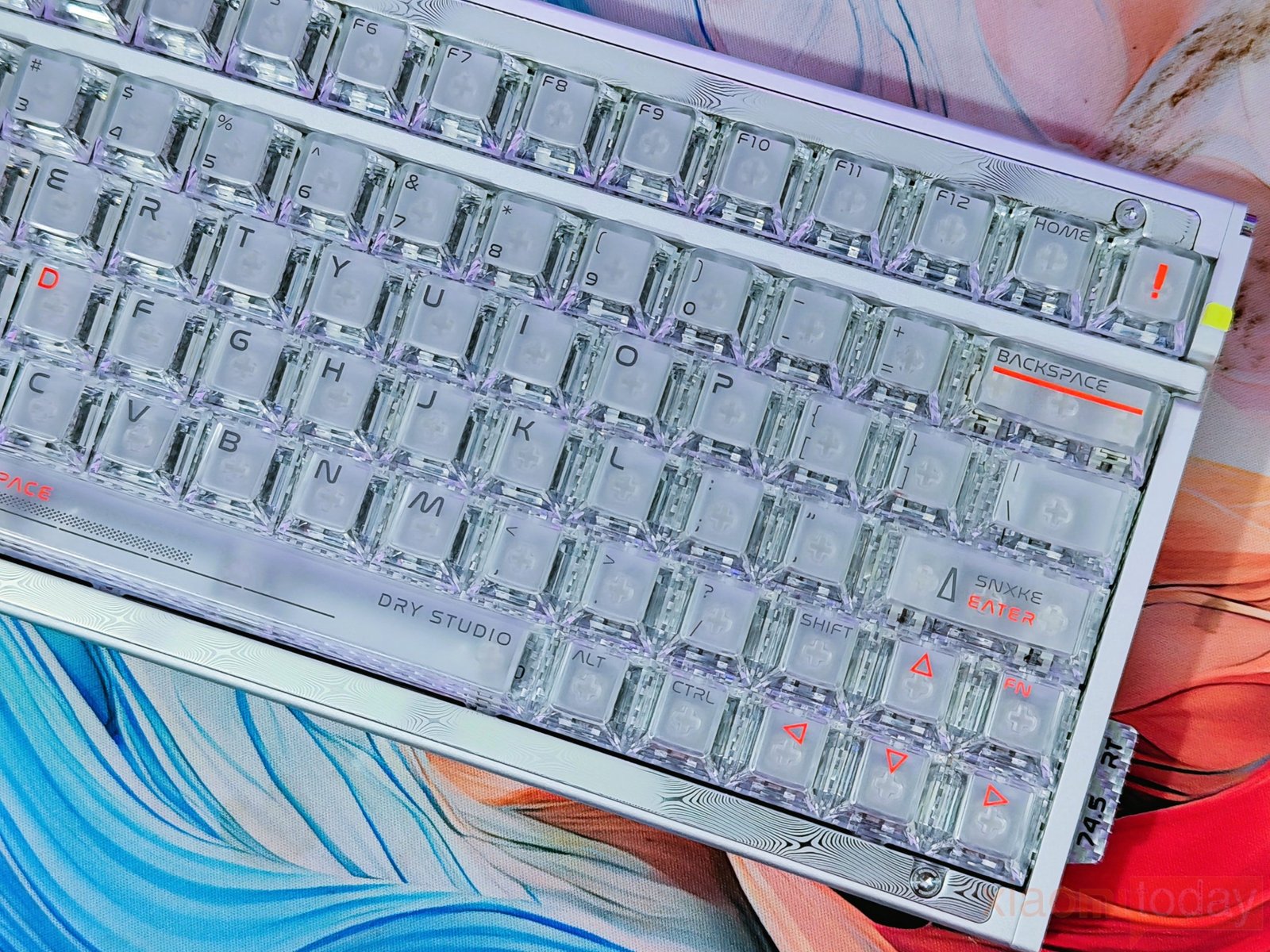
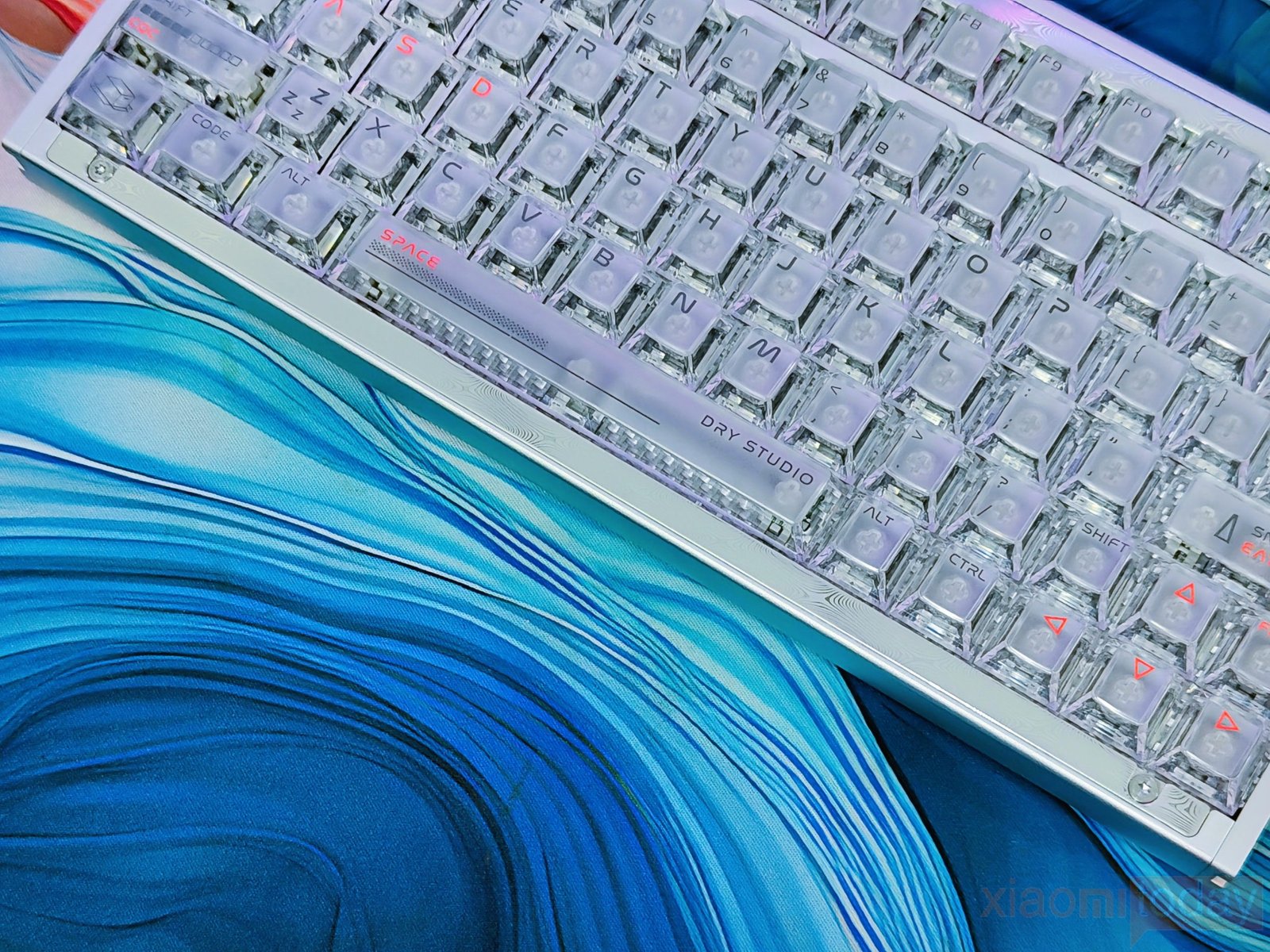
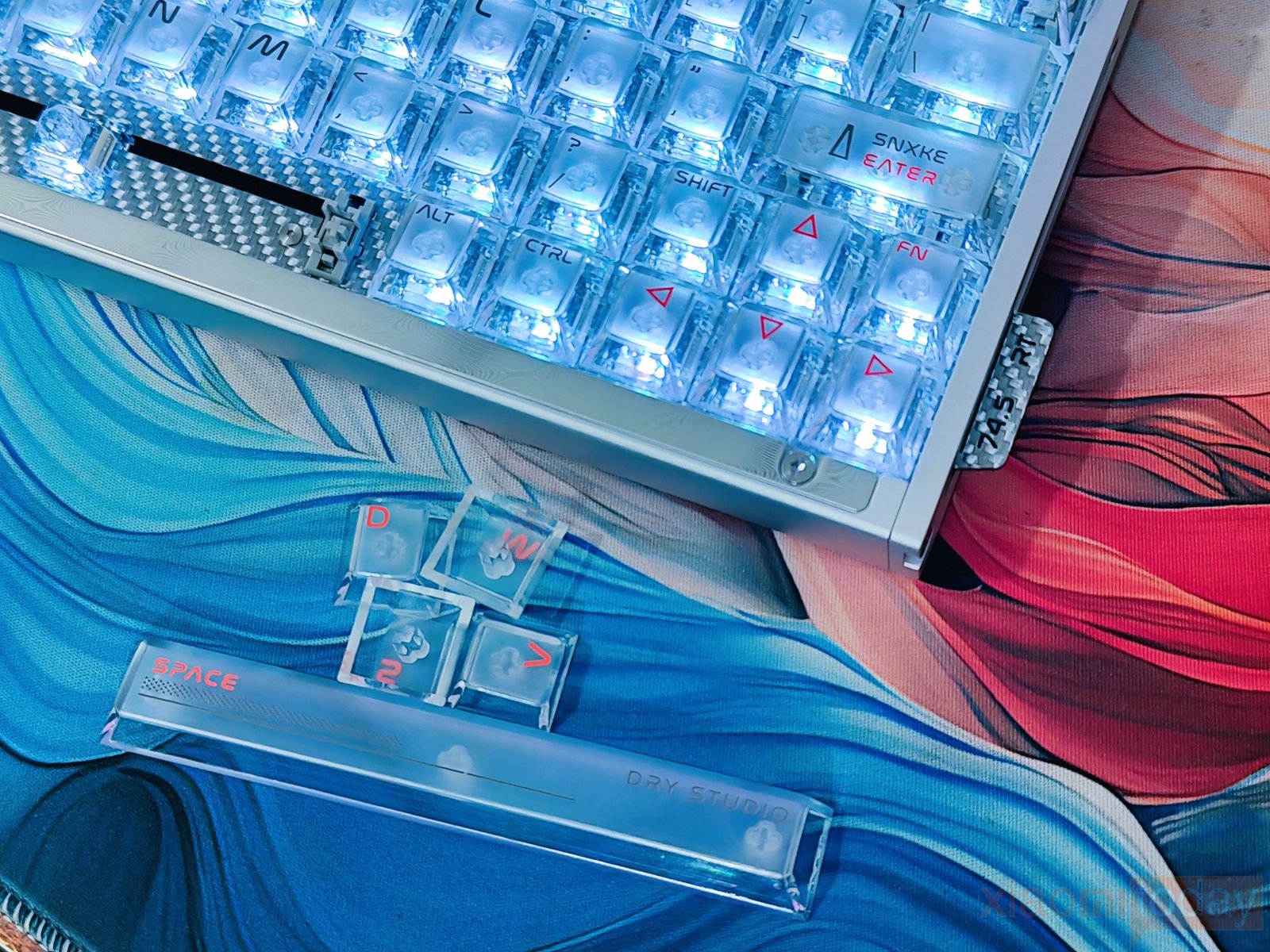
During use, the keycaps provide a clean surface for both gaming and regular typing. The separate styling around the WASD keys is useful for FPS gaming, as these keys can be highlighted easily when the RGB is enabled. The transparent construction also works well with the keyboard’s internal lighting, giving the entire board a more open appearance than a standard opaque keycap set.
The RGB lighting on the Battleye 75 HE R2 is clearly visible through the translucent keycaps and exposed switch housings. The LEDs produce strong illumination across the board, with the clear sides of each keycap helping spread the light around the switches. During testing, the keyboard could be used with a single blue or red lighting effect, while multicolor lighting can also be applied across the rows for a more colorful setup. The circular touchscreen module also features RGB lighting along its lower edge, giving the display area a soft glow that matches the keyboard’s main lighting.
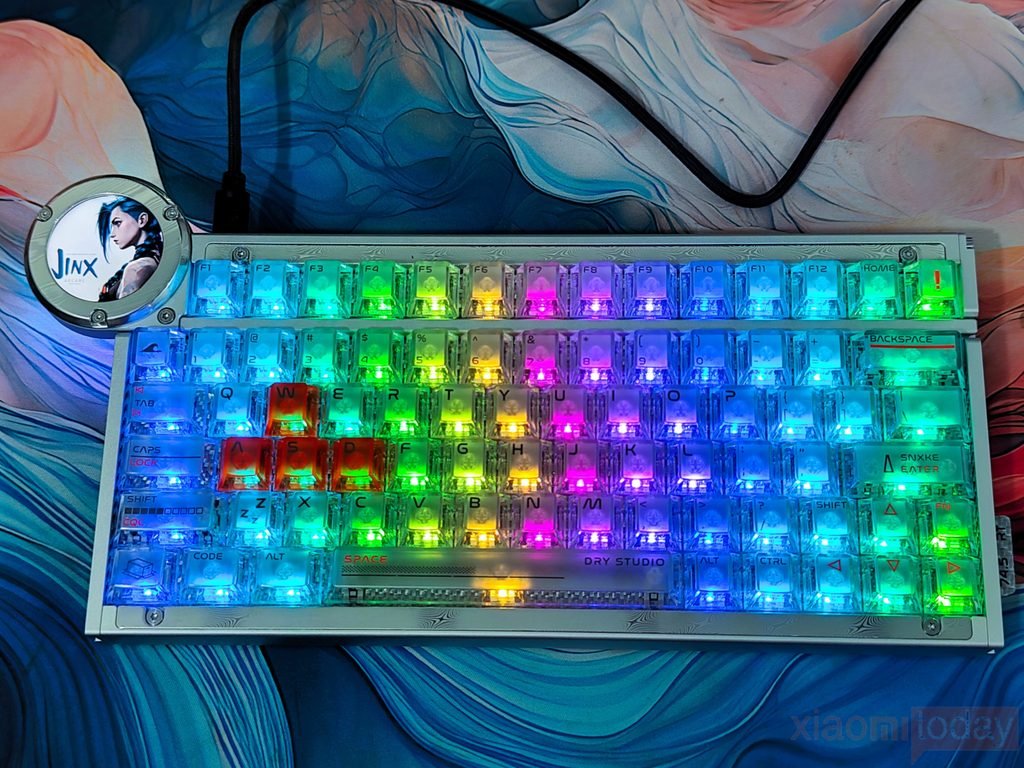
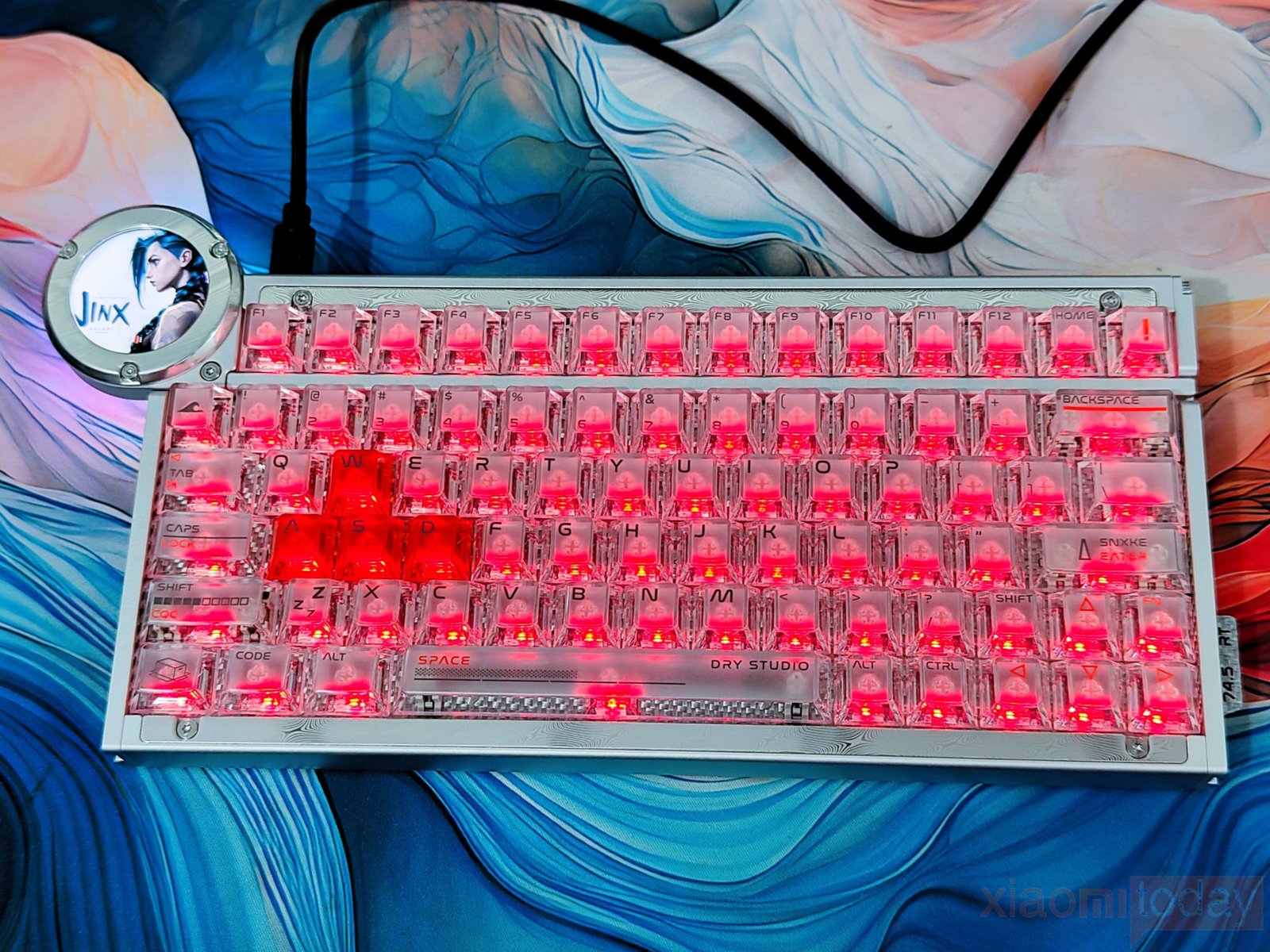
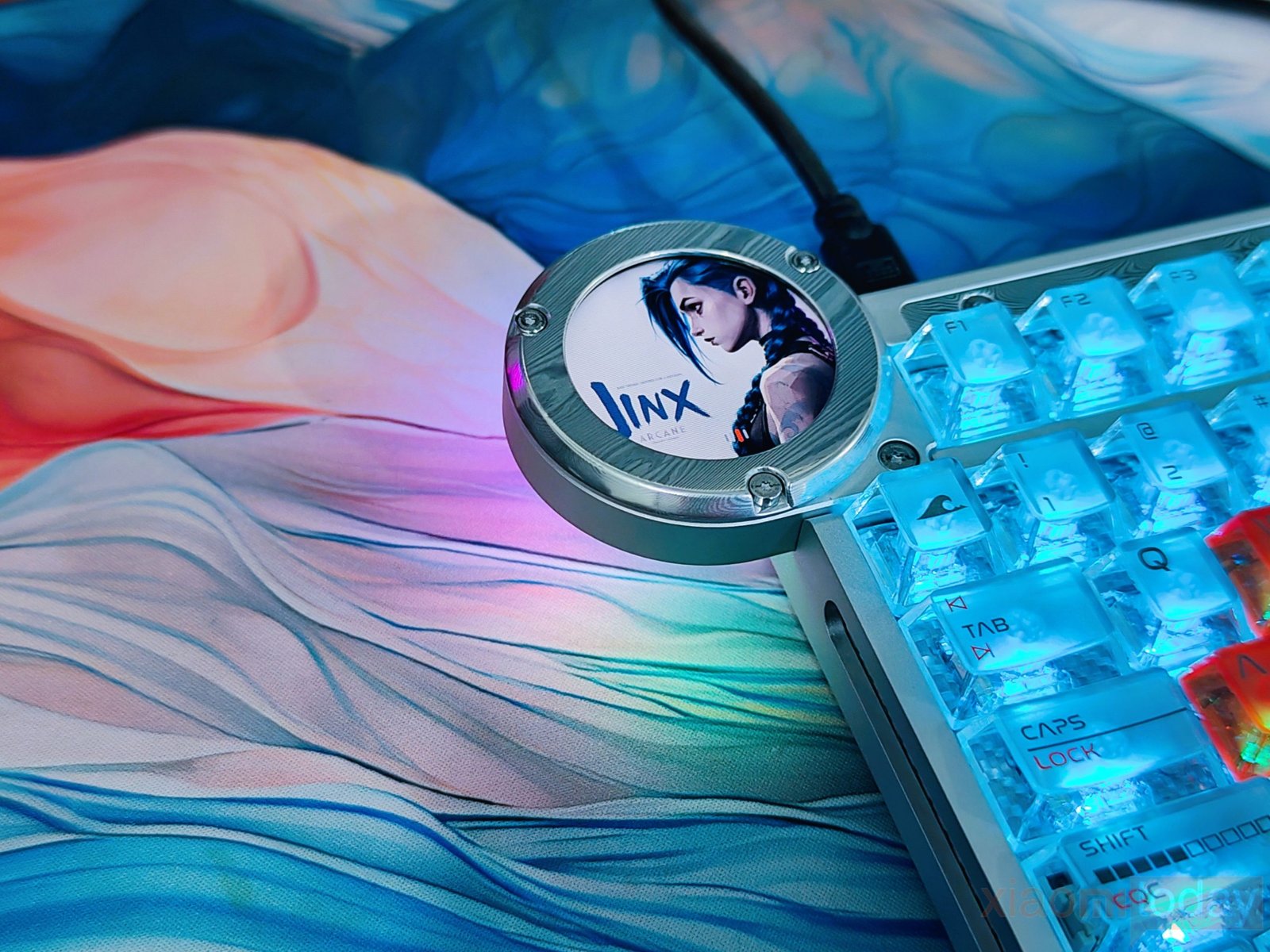
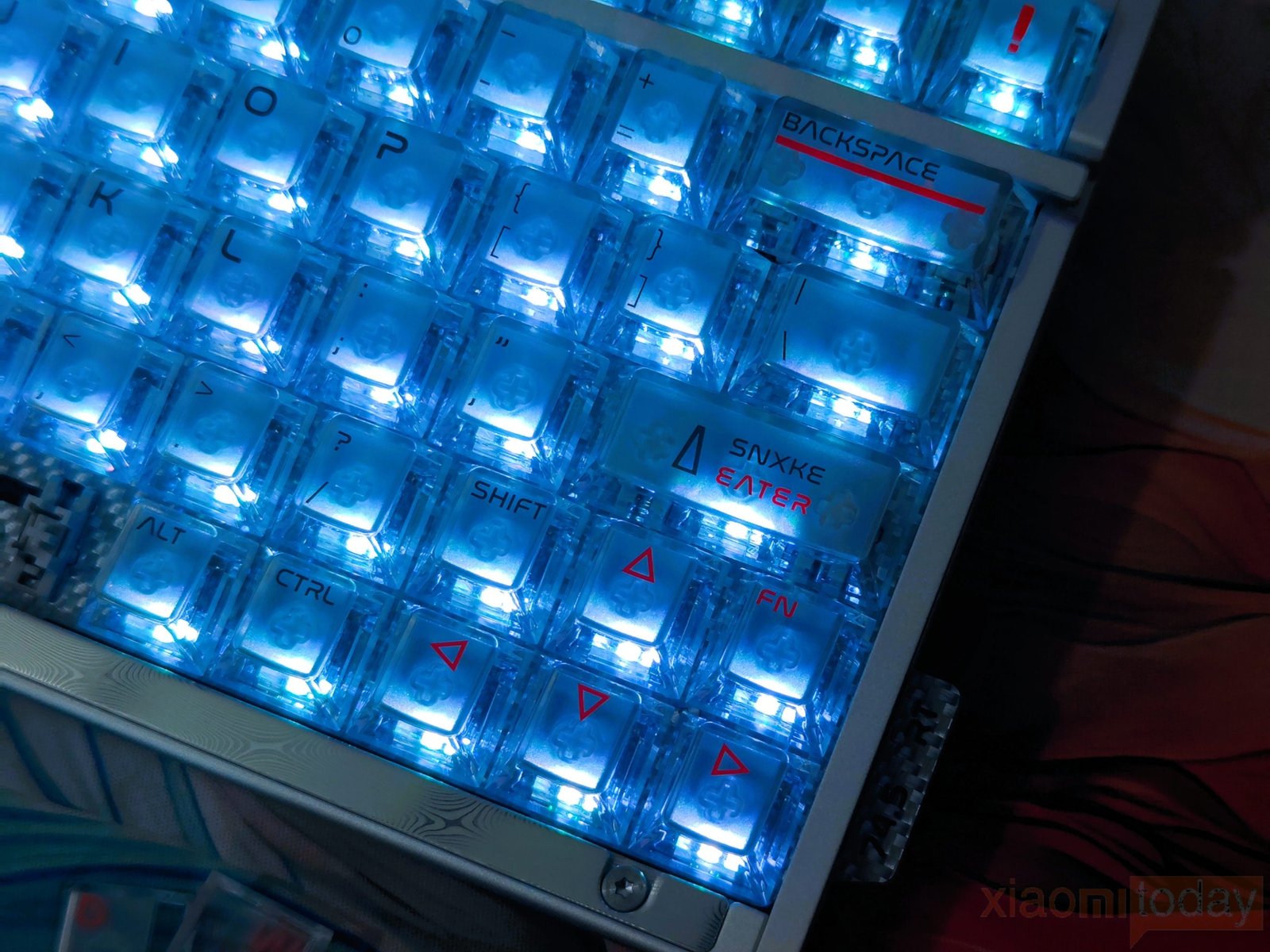
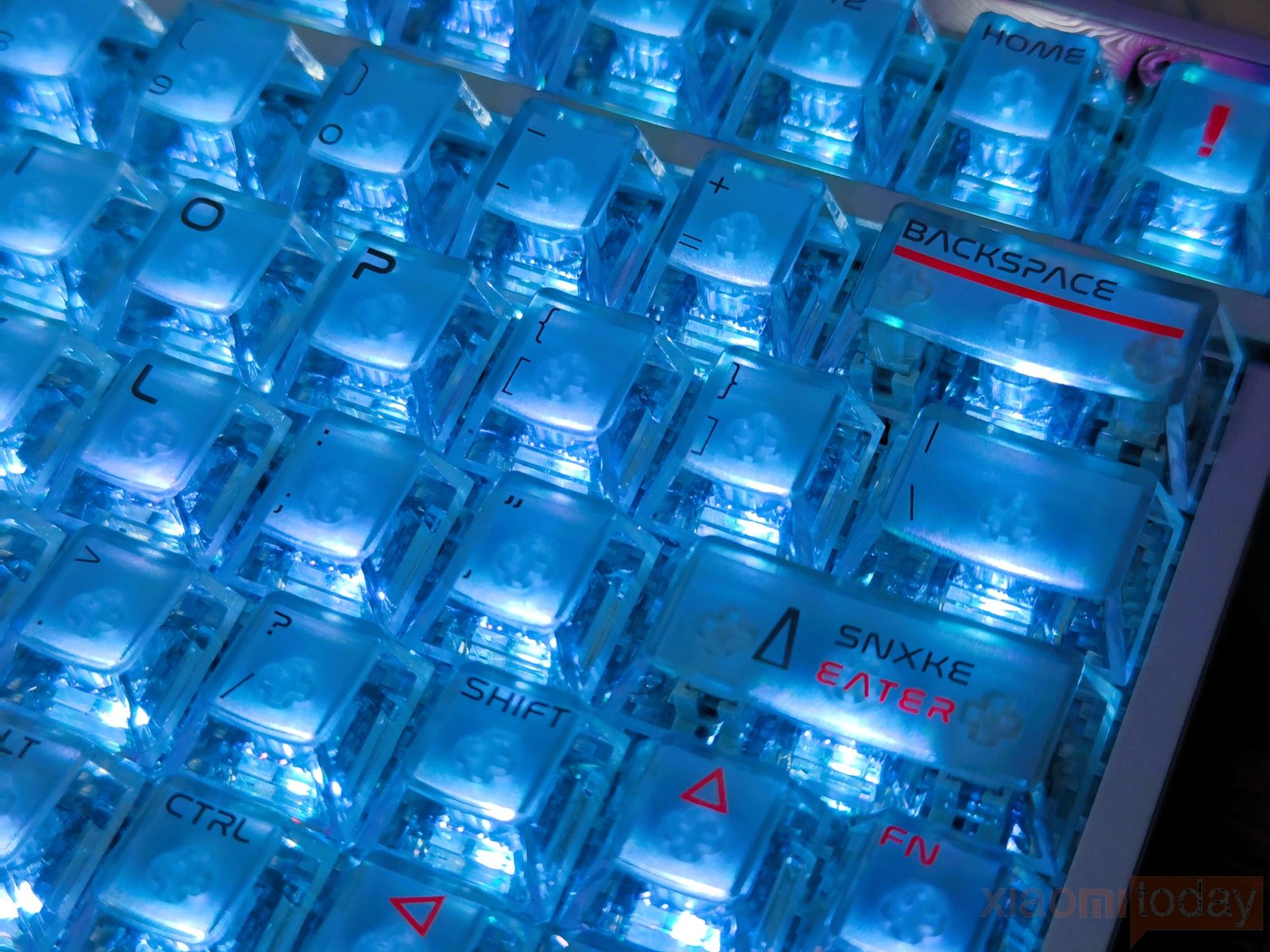
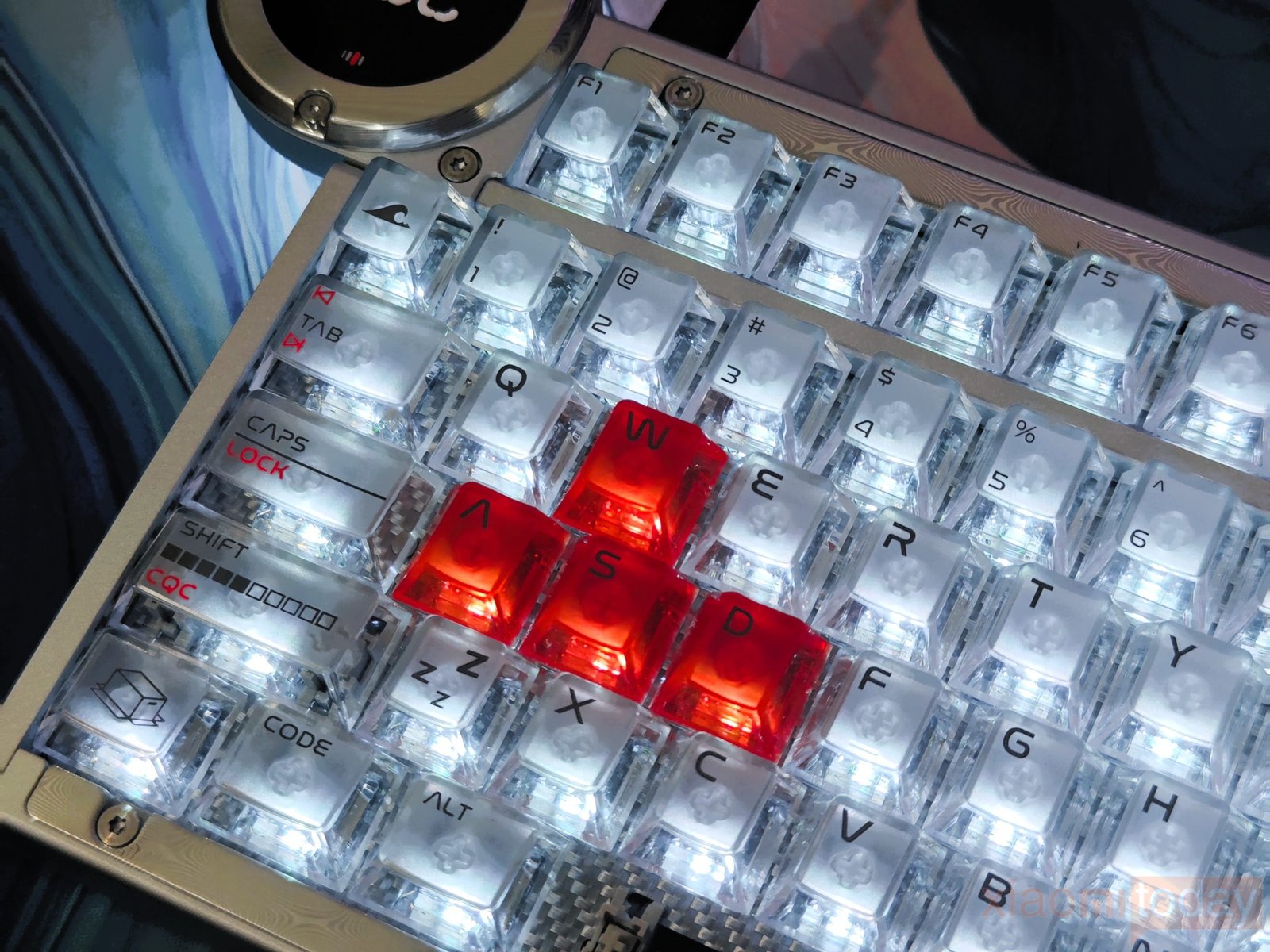
Per-key lighting also makes the RGB system useful beyond decoration. Specific keys can be given different colors, such as the W, A, S, and D cluster shown in the images, while the rest of the keyboard uses a separate lighting color. This makes the important gaming keys easier to locate and gives users more control over the overall RGB layout. The lighting is particularly effective in darker environments, where the transparent keycaps and exposed switches create a bright, even glow across the keyboard.
WS Diamond HE Switches (Angry Miao Custom Edition)
The Battleye 75 HE R2 comes with WS Diamond HE Switches (Angry Miao Custom Edition), developed by Angry Miao and Wuque Studio. These Hall Effect switches use magnetic sensing instead of traditional mechanical contacts and are tuned for gaming. They have 3.5mm of total travel, a 35gf actuation force, and a 45gf bottom-out force. The 35gf actuation is fairly light, so the keys do not require much force to register, while the longer travel keeps them suitable for everyday typing as well as gaming.
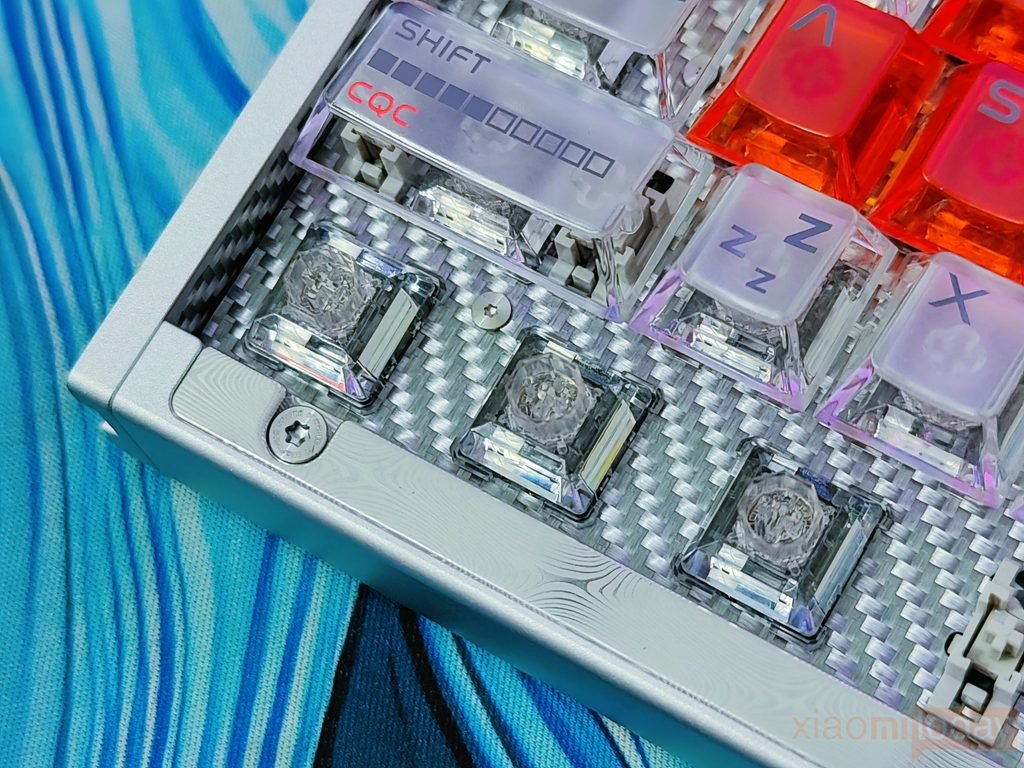
The switches also have a quick return after each press, which works well with the keyboard’s Rapid Trigger system. This is especially useful for FPS games where movement keys are pressed and released repeatedly. Since the switches use Hall Effect sensing, the actuation point can be adjusted through the keyboard’s software instead of being fixed like a conventional mechanical switch. This gives the Battleye 75 HE R2 more control over key response while keeping the overall typing feel consistent.
Connectivity: Wired Mode Only
The Battleye 75 HE R2 is designed as a wired-only gaming keyboard, using a USB Type-C connection for communication with the PC. There is no Bluetooth or 2.4GHz wireless mode, which keeps the setup simple for users who mainly play at a desk. The wired connection also suits the keyboard’s Hall Effect system, allowing its high polling rate and fast input processing to work without relying on a wireless link.
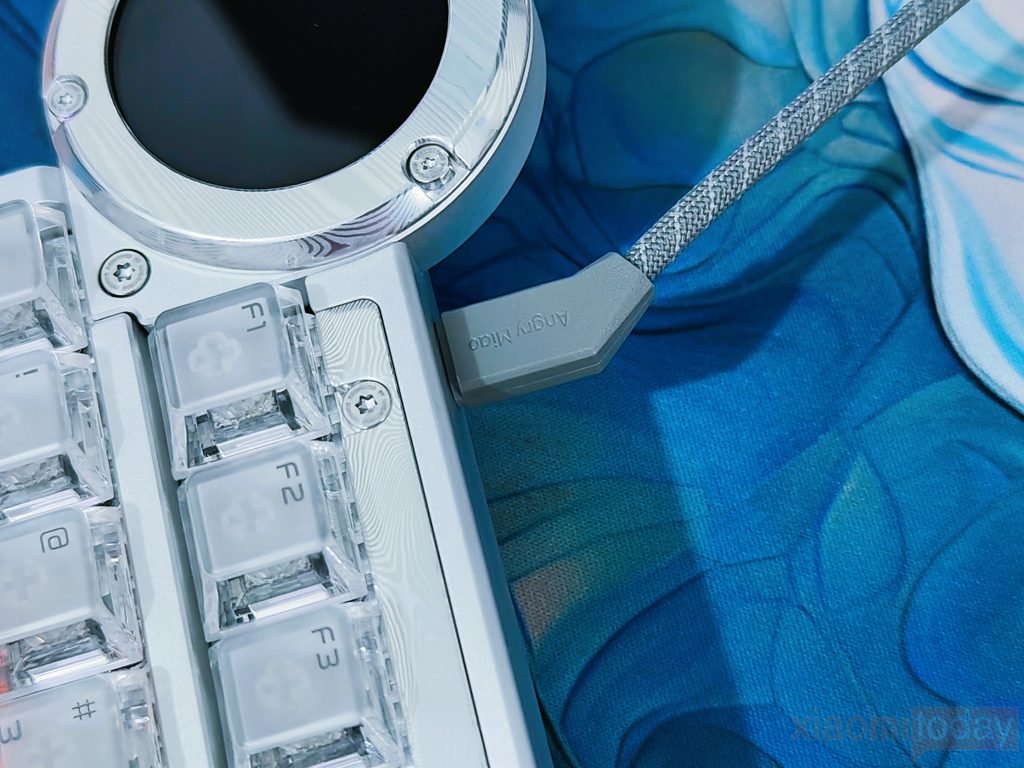
For FPS gaming, the combination of 8K polling, 256K single-key scanning, 0.1ms latency, and 0.001mm Rapid Trigger accuracy is intended to keep key input and resets as quick as possible. The Rapid Trigger settings can be adjusted to control how early a key activates and how quickly it resets after release. This is particularly useful for movement keys such as W, A, S, and D, where quick repeated inputs can make a difference during fast-paced gameplay.
DRY STUDIO Web Driver
The DRY STUDIO Web Driver is used through a web browser, so there is no separate desktop application to install. After connecting the Battleye 75 HE R2 over USB Type-C, the driver detects the keyboard and provides access to its main settings. The layout is shown on screen, allowing individual keys to be selected for remapping and Hall Effect adjustments. From the same interface, you can manage actuation distance, Rapid Trigger, Snap Tap, SOCD, Rappy Snappy, DKS, and macros, making it possible to set up the keyboard for different games and everyday typing.
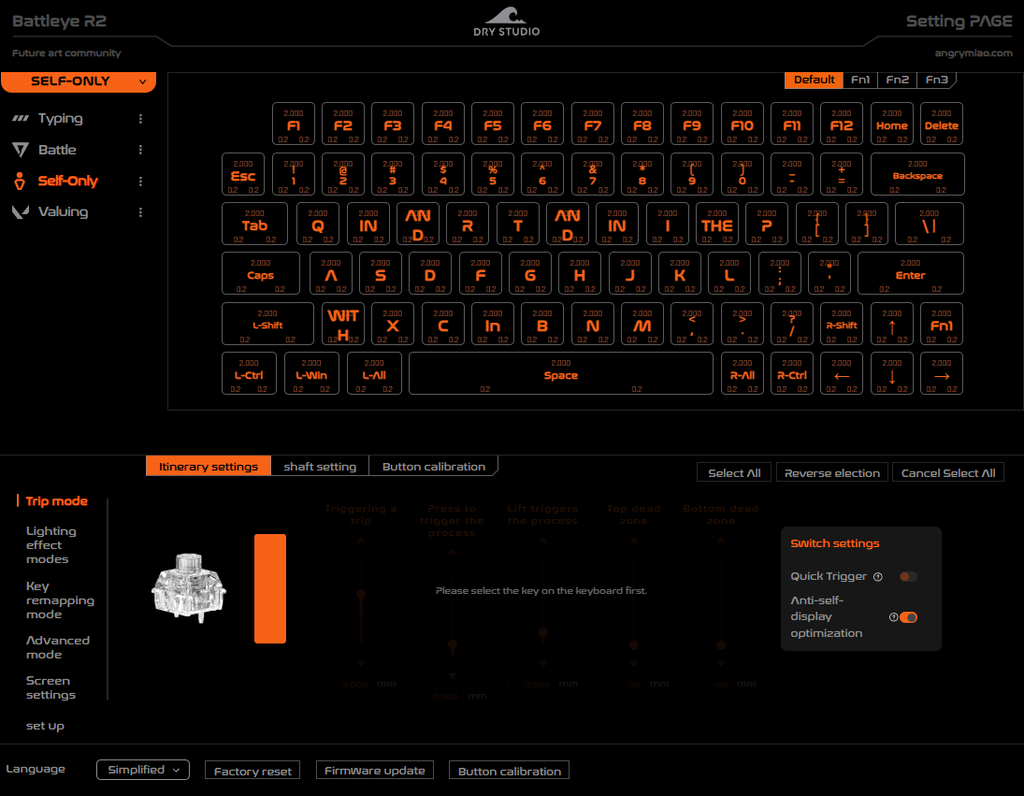
The Travel Mode section provides the controls needed for the Hall Effect switches. After selecting a key, you can adjust its triggering and release points, as well as the top and bottom dead zones. Quick Trigger can also be enabled from this section. The driver includes button calibration and firmware update options at the bottom, which are useful when setting up the keyboard for the first time or after making changes. Since each key can be configured separately, the actuation settings can be kept different for movement keys and regular typing keys.
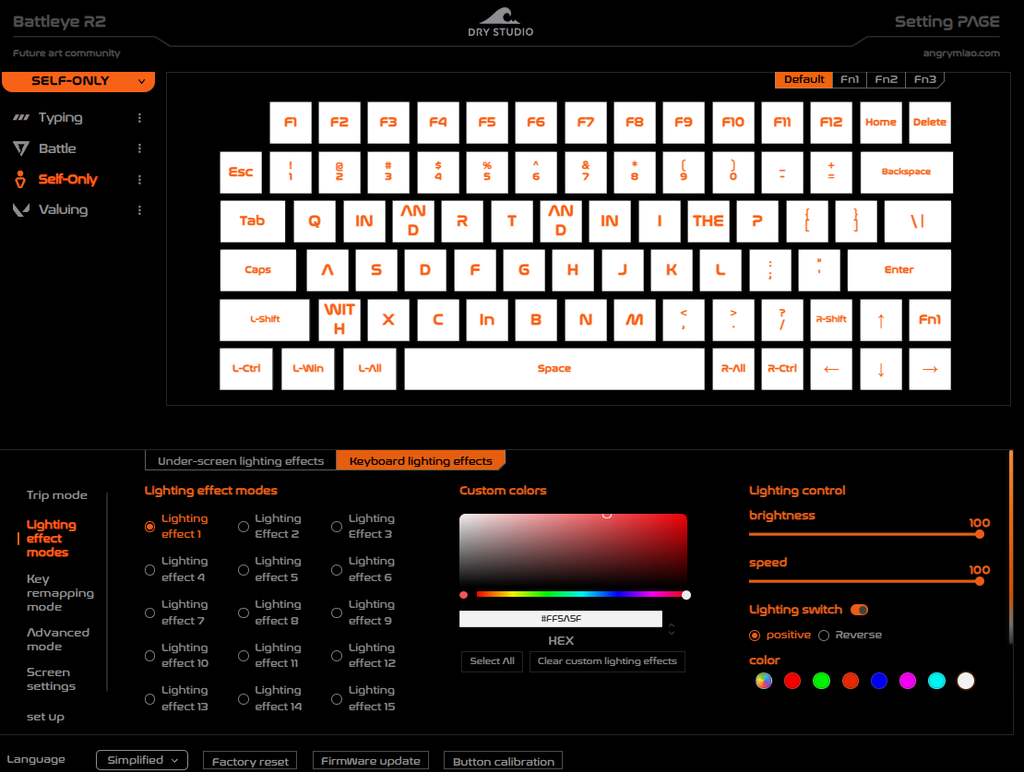
RGB settings are also handled through the web driver. There are multiple lighting effects, custom color controls, brightness and speed adjustments, and options for selecting individual keys. This makes it possible to highlight the WASD area for FPS games or use a single lighting color across the board. The controls are easy to understand once the keyboard layout is selected, and changes can be applied without going through a separate configuration utility.
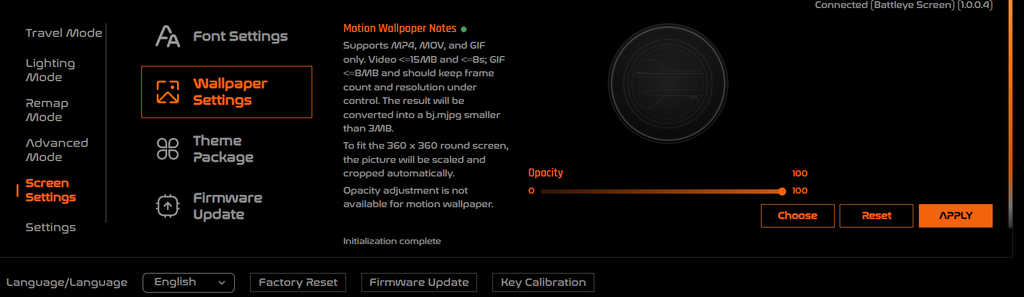
The driver also provides control over the 1.7-inch circular touchscreen. Under Screen Settings, users can change wallpapers, themes, and other display content. The software supports MP4, MOV, and GIF motion wallpapers, with limits shown directly in the interface for file size, duration, and GIF frame count. Images are automatically scaled and cropped to fit the 360 × 360 round display.

A dedicated graphics chip handles the screen content, which allows the display to run without taking the main processing resources away from the keyboard’s other functions.
Use Experience – Daily Work and Gaming
I used the DRY STUDIO Battleye 75 HE R2 as my main keyboard for around two weeks, covering regular writing, web browsing, editing, and gaming. Coming from larger mechanical keyboards, the compact 75% layout took very little time to get used to. The function row, arrow keys, and navigation controls are still present, while the shorter width leaves more room for the mouse. The 35gf WS Diamond HE switches are also light enough for long typing sessions. I could type for several hours without feeling that the keys required much effort, although the light actuation does take a little time to get used to if you normally use heavier switches.
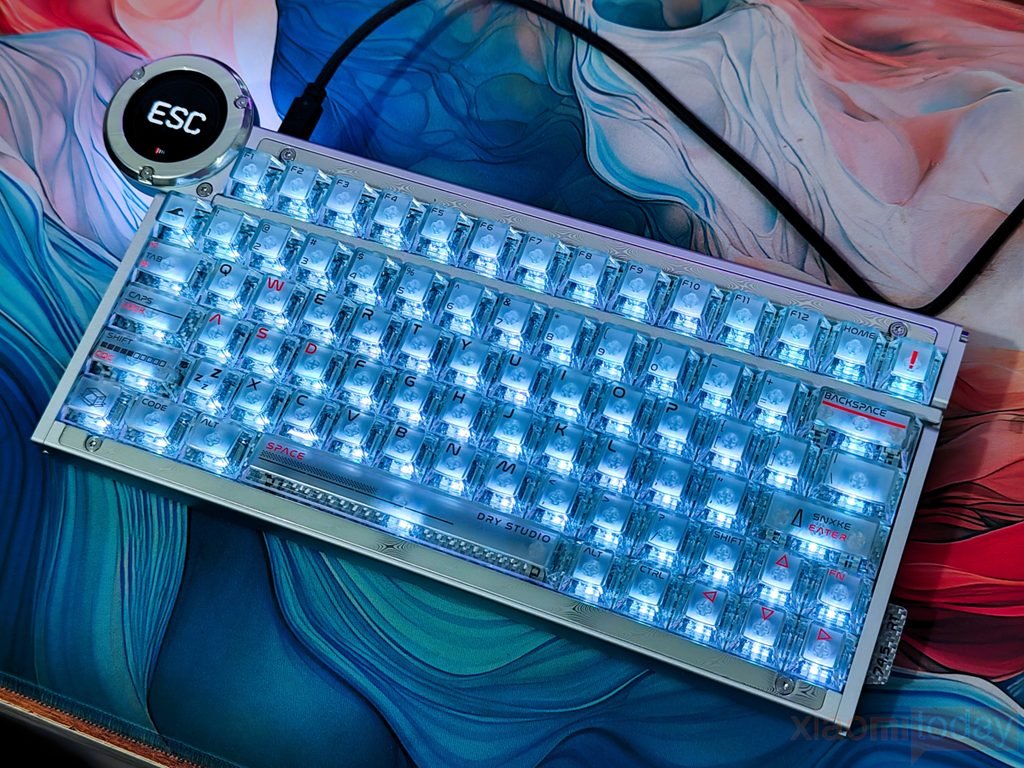
For daily work, I kept the actuation settings at a more moderate level instead of using an aggressive Rapid Trigger configuration. This made the keyboard easier to use for documents, emails, browsing, and general writing. The 3.5mm travel gives the keys enough movement to feel like a regular mechanical keyboard, while the Hall Effect sensing allows the actuation point to be changed when needed. The carbon fiber plate and internal dampening also help here, as the keys do not feel overly hard when bottoming out. The deeper sound from the layered construction was comfortable during longer typing sessions and did not have the sharp, hollow character I have experienced with some gaming-focused keyboards.
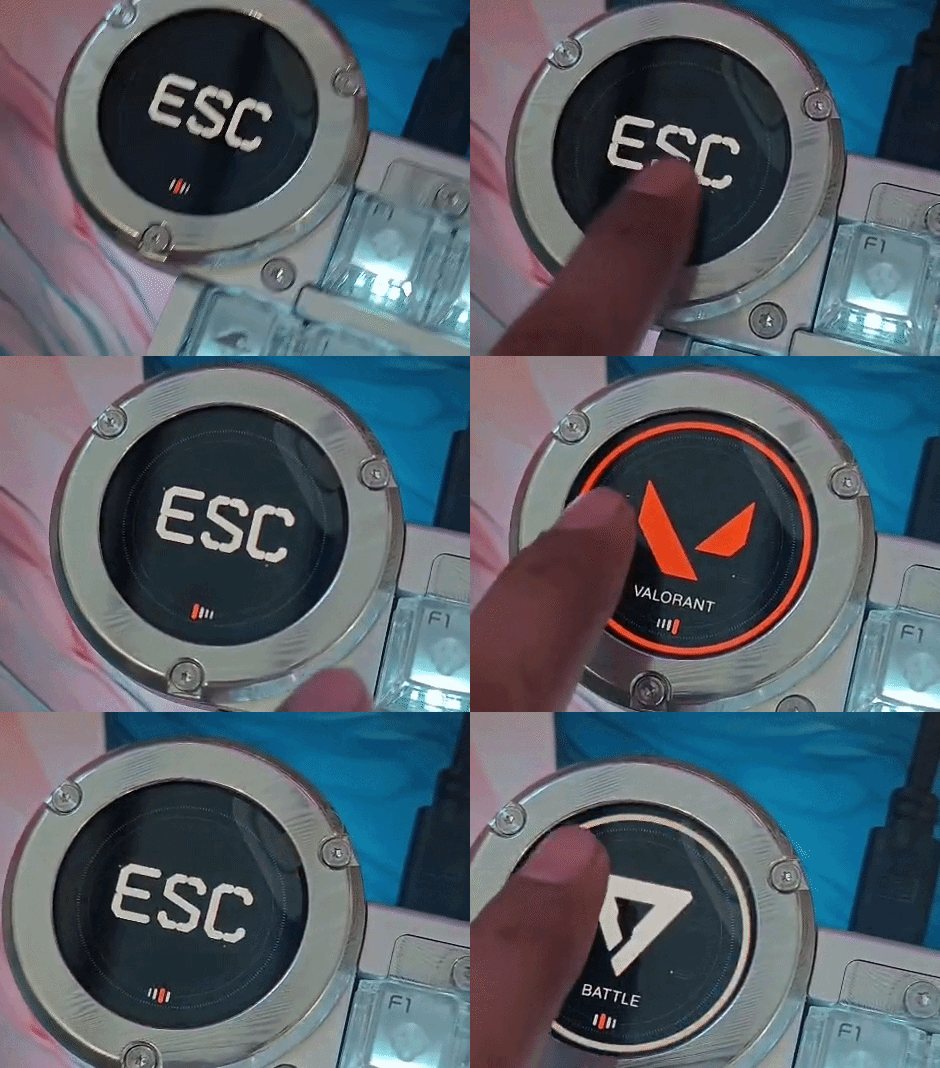
After several days, the touchscreen became more useful than I initially expected. I normally kept the Typing profile for work and used the touchscreen to check or change the active configuration. Switching to a gaming profile before launching a game was quick, and I did not need to open the web driver every time.
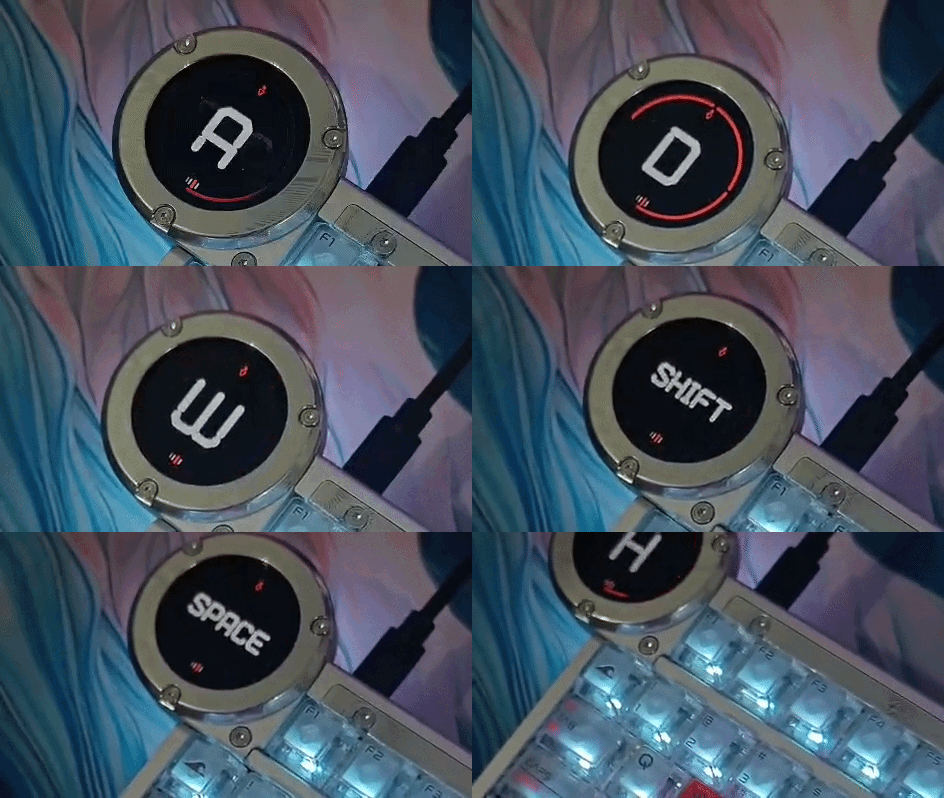
The circular display also remained easy to read from my normal seating position. Its 60Hz refresh rate is useful when using animated wallpapers, while the ability to customize the screen with wallpapers, themes, and icons gives it more purpose than simply showing a static logo.
For gaming, most of my testing focused on FPS titles because this is where the Battleye 75 HE R2 makes the most sense. I used a lower actuation point and Rapid Trigger on the W, A, S, and D keys, while leaving the rest of the keyboard at settings that were more suitable for normal key presses. The difference is most noticeable when repeatedly changing direction. Releasing a movement key and pressing another one feels very quick because the reset point can be configured independently from the traditional fixed actuation behavior of a mechanical switch.
During the two weeks, I also spent time adjusting the Rapid Trigger settings rather than simply using the most sensitive option. With an extremely short trigger distance, small movements of the fingers can register as an input, which is not always useful during normal gameplay. After some testing, I found a slightly less aggressive setting easier to control while still providing the fast response expected from a Hall Effect keyboard. This is one of the better parts of the Battleye 75 HE R2: the settings can be changed for individual keys, so there is no need to use the same actuation behavior across the entire keyboard.
The 8K polling rate and 256K single-key scanning are aimed at competitive gaming, but their practical benefit depends on the rest of the system and the game being played. What I noticed more consistently was the adjustable actuation and Rapid Trigger behavior. Movement keys respond quickly and reset without requiring the key to travel back to its original position. This made the keyboard feel particularly well suited to games where quick strafing and repeated movement inputs are important. The light 35gf switch force also helped during long gaming sessions, as repeated presses required very little effort.
I also tested the other Hall Effect features available through the DRY STUDIO Web Driver, including Snap Tap, SOCD, Rappy Snappy, DKS, and macros. These controls are more useful for users who want to build specific game profiles rather than for general typing. The ability to save different settings means I could keep a simple typing configuration and then move to a more aggressive FPS setup without changing every key manually. The web driver does take some time to understand because there are many settings available, but once the main actuation and Rapid Trigger controls are configured, daily adjustments are fairly easy.
One thing I appreciated during the two weeks was the keyboard’s physical stability. At 1.338 kg, the Battleye 75 HE R2 stays firmly on the desk, and the rubber feet prevent unwanted movement during fast gaming. The compact body also works well with a low mouse sensitivity setup because there is more free space around the keyboard. The wired USB Type-C connection means there is no battery to manage or wireless connection to reconnect, although users looking for a wireless keyboard will need to consider that the Battleye 75 HE R2 is strictly designed for wired use.
After two weeks, the Battleye 75 HE R2 proved to be just as usable for daily work as it is for gaming, provided the Hall Effect settings are configured correctly. Its WS Diamond HE switches are light and fast, the 75% layout saves desk space, and the carbon fiber-based internal construction gives the board a firm but comfortable feel. For gaming, Rapid Trigger and adjustable actuation are the features I used most, while the touchscreen and web driver made switching between work and gaming profiles easier. The keyboard is clearly built around competitive gaming, but its typing feel and compact layout make it practical enough to use as a daily keyboard as well.
Conclusion