Apple’s Mac mini M4 is one of the most capable compact desktops available today, offering impressive performance in a small footprint. While it includes a good selection of built-in ports, many users eventually need additional USB connections, access to removable storage, or faster external storage for larger projects. That’s where a dedicated docking station becomes a practical addition to the setup.
The UGREEN Mac mini M4 Docking Station with NVMe SSD is designed to expand both connectivity and storage without changing the clean appearance of Apple’s desktop. It combines an 11-in-1 USB hub with a built-in M.2 NVMe SSD enclosure that supports up to 8TB of storage and up to 10 Gbps transfer speeds. The dock also provides multiple USB-A and USB-C data ports, SD and microSD card readers, and a dedicated USB-C power input, making it suitable for creators, developers, photographers, and everyday users who connect several peripherals.
In this hands-on review, we’ll take a closer look at the dock’s design, build quality, features, and day-to-day usability with the Mac mini M4. We’ll also examine its storage expansion, port layout, thermal design, and overall experience to determine whether it offers good value for users looking to add more flexibility to Apple’s compact desktop.
Specifications
| Specification | Details |
|---|---|
| Brand | UGREEN |
| Model | CM841A |
| Product | Mac mini M4/M4 Pro 11-in-1 Docking Station with NVMe SSD |
| Compatibility | Apple Mac mini M4 / Mac mini M4 Pro |
| Dock Type | 11-in-1 USB-C Docking Station |
| Host Connection | USB-C (Integrated 4cm Cable) |
| Storage Expansion | M.2 NVMe SSD Enclosure |
| Supported SSD Capacity | Up to 8TB |
| Supported SSD Sizes | M.2 2230, 2242, 2260, 2280 |
| SSD Interface | PCIe NVMe |
| SSD Transfer Speed | Up to 10Gbps |
| USB-A Ports (10Gbps) | 3 × USB-A |
| USB-A Ports (5Gbps) | 2 × USB-A |
| USB-C Ports (10Gbps) | 2 × USB-C (Data Only) |
| Card Reader | SD & microSD (TF) |
| Card Reader Speed | Up to 104MB/s (Simultaneous SD & microSD Support) |
| Power Input | USB-C (5V Power Supply Input) |
| Wi-Fi Shielding | Conductive shielding to reduce 5GHz Wi-Fi interference |
| Power Button Access | Bottom groove for Mac mini power button |
| Construction | Aluminum Alloy |
| Base Protection | Anti-slip Silicone Pads |
| Integrated Cable Length | 4cm |
| Plug & Play | Yes |
| Color | Silver |
Unboxing
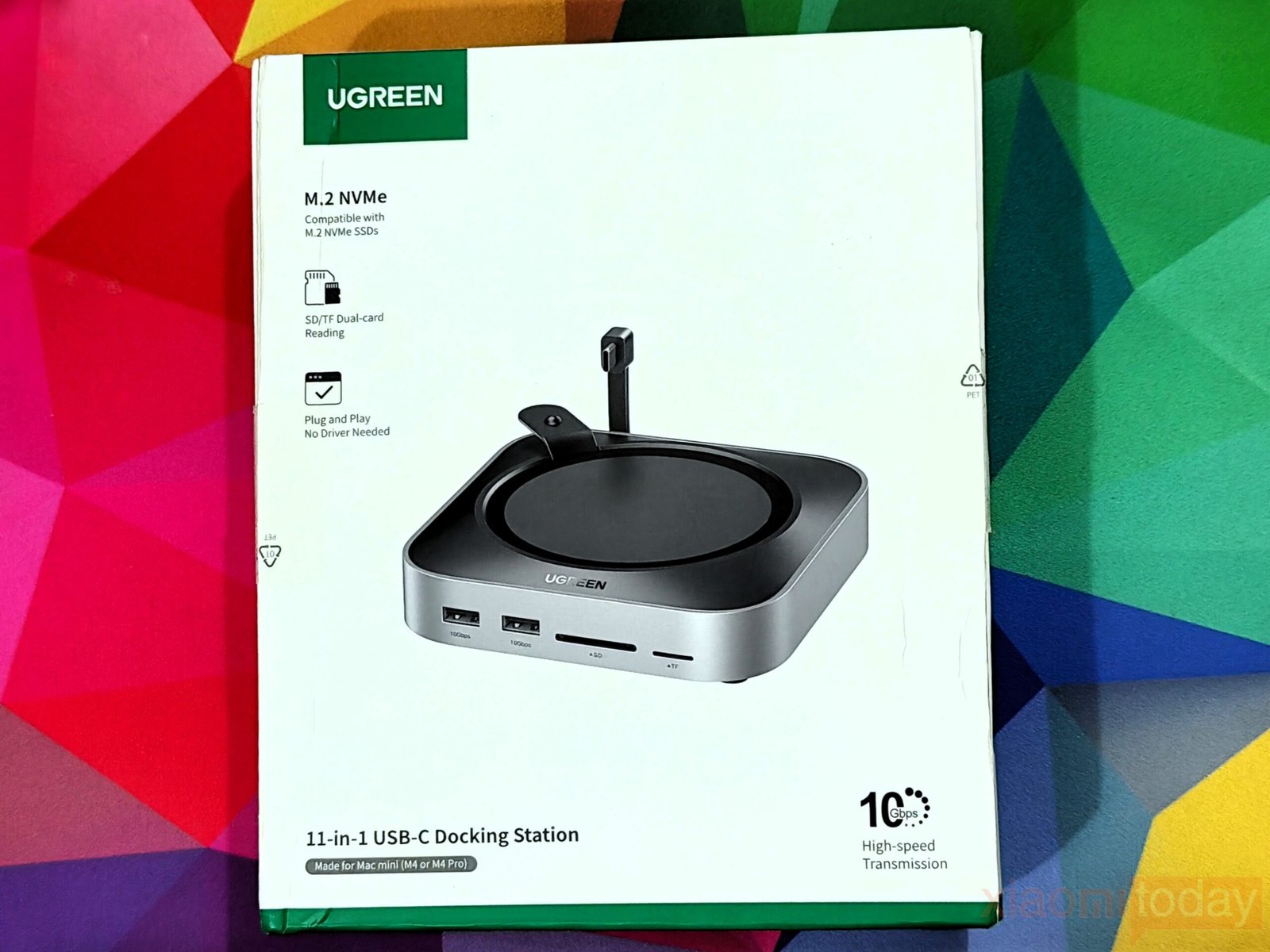
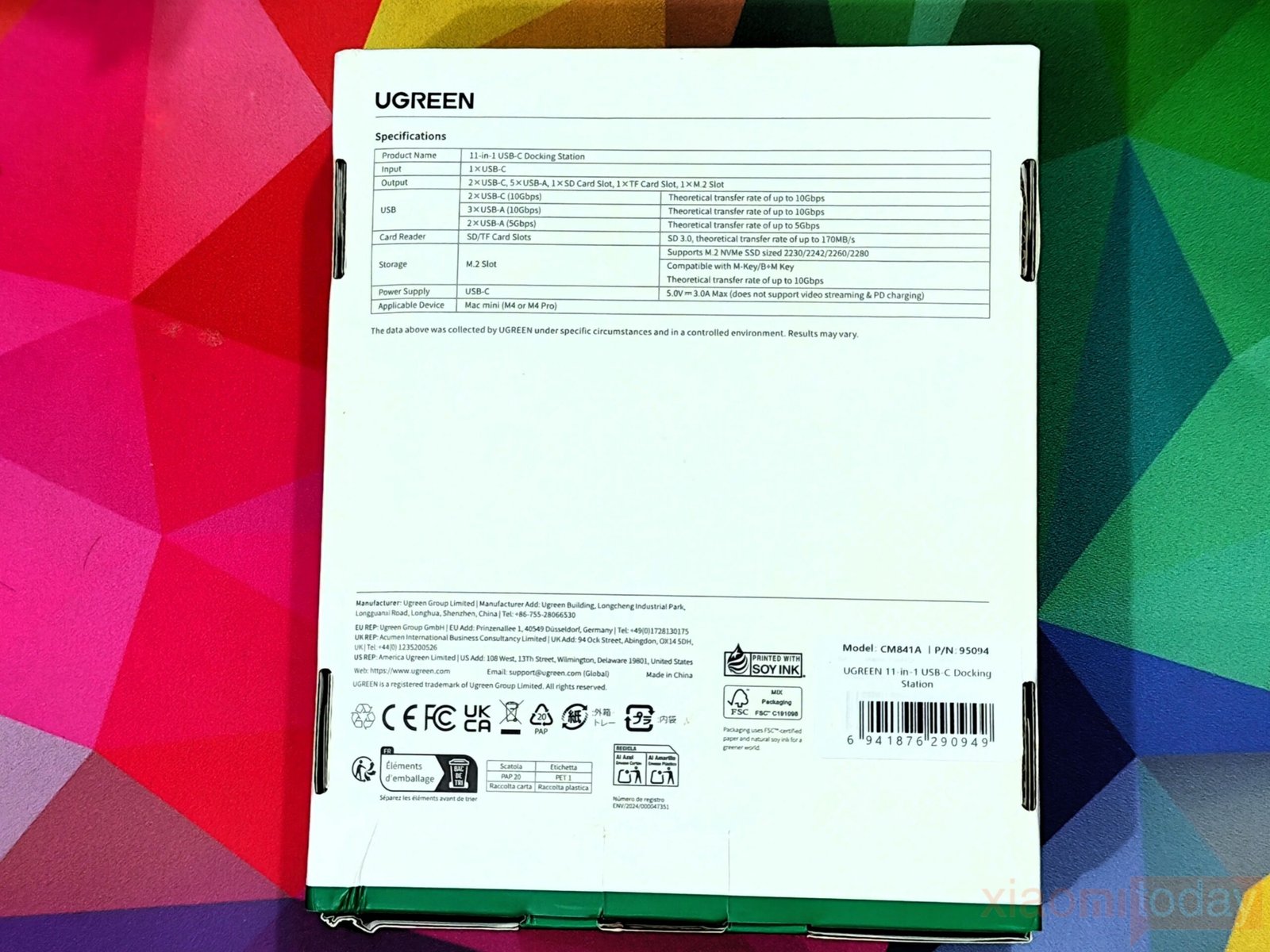
The UGREEN Mac mini M4 Docking Station comes in a compact white retail box with a clean design that reflects the product inside. The front of the package features a large image of the dock alongside its key features. Around the back, UGREEN provides a detailed specifications table covering the available ports, supported SSD form factors, transfer speeds, power input, and Mac mini M4/M4 Pro compatibility, making it easy to check the hardware before opening the box.
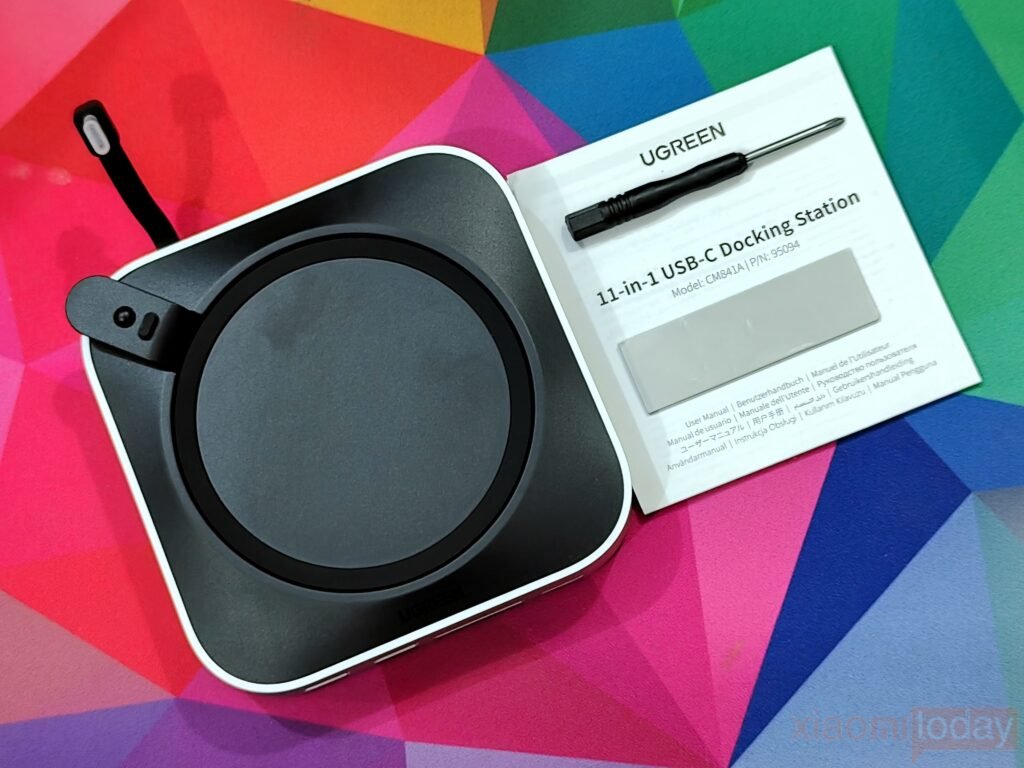
Opening the package reveals the UGREEN Mac mini M4 Docking Station, a screwdriver for installing an M.2 NVMe SSD, a thermal pad for improved SSD cooling, and a user manual. The dock also features a permanently attached 4cm USB-C cable that connects directly to the Mac mini, helping maintain a clean and organized setup. An M.2 NVMe SSD is not included, allowing users to install the storage capacity that best suits their requirements.
Design and Build Quality
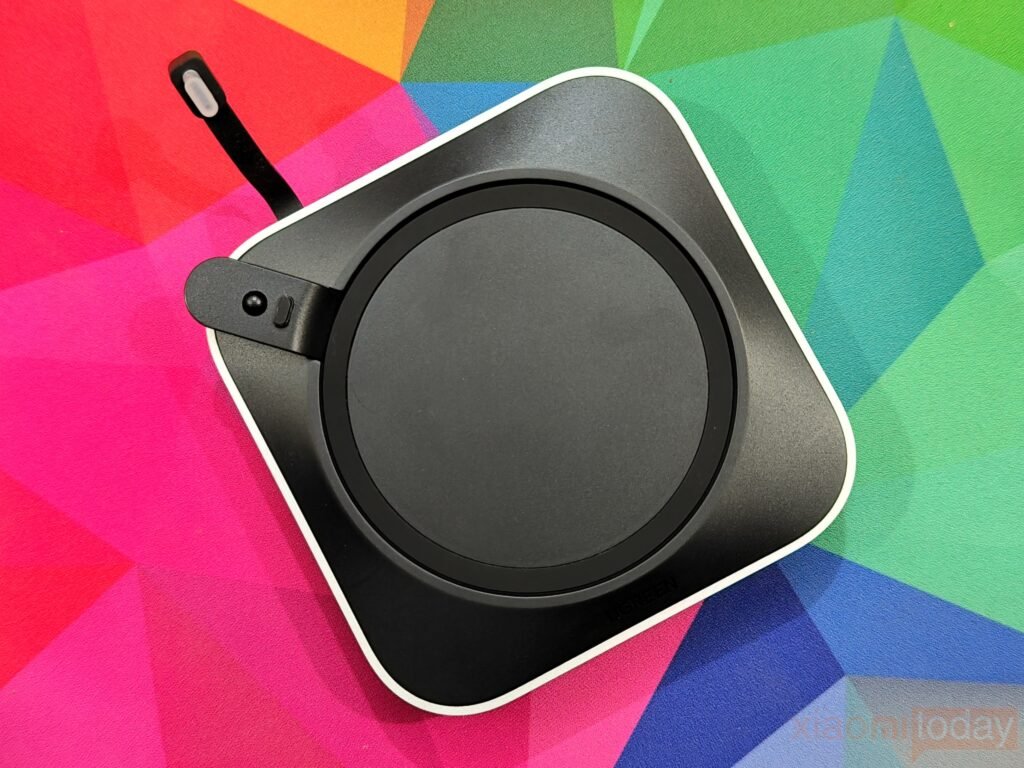
The UGREEN Mac Mini M4 Dock closely follows Apple’s design language, making it look like it was built alongside the computer rather than added later. Its 127 × 127 × 20.6 mm dimensions match the Mac mini M4 almost perfectly, allowing the system to sit naturally on top without increasing the desktop footprint. The aluminum enclosure carries a finish that complements Apple’s silver chassis, while the rounded edges and clean exterior give the dock a refined appearance.
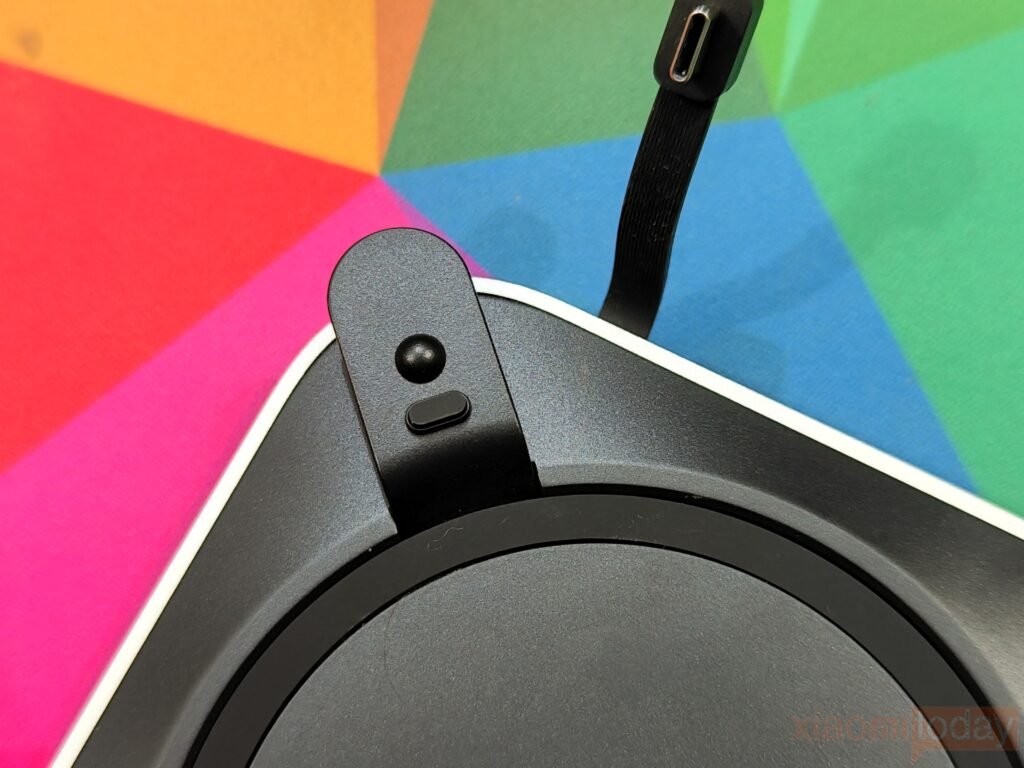
UGREEN has also addressed one of the biggest design changes in the Mac mini M4 by adding a built-in power button lever. Since the Mac mini’s power button is now located on the underside, users normally have to lift the computer to switch it on. The mechanical lever transfers the button press directly to the Mac mini, making powering on the system much more convenient while keeping the computer in place.
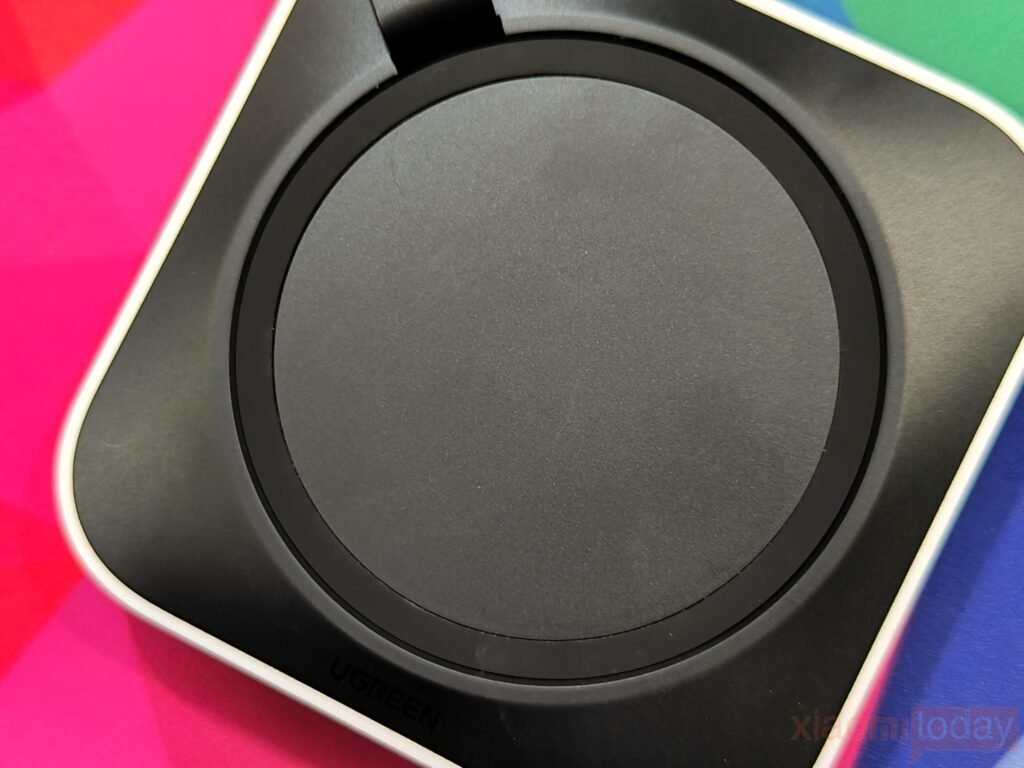
The top of the dock features a recessed circular platform that keeps the Mac mini centered and stable during use. A soft protective surface helps prevent scratches on the bottom of the computer, while the raised outer ring keeps it properly aligned. Large silicone feet underneath provide a secure grip on the desk and reduce movement when connecting or removing cables.
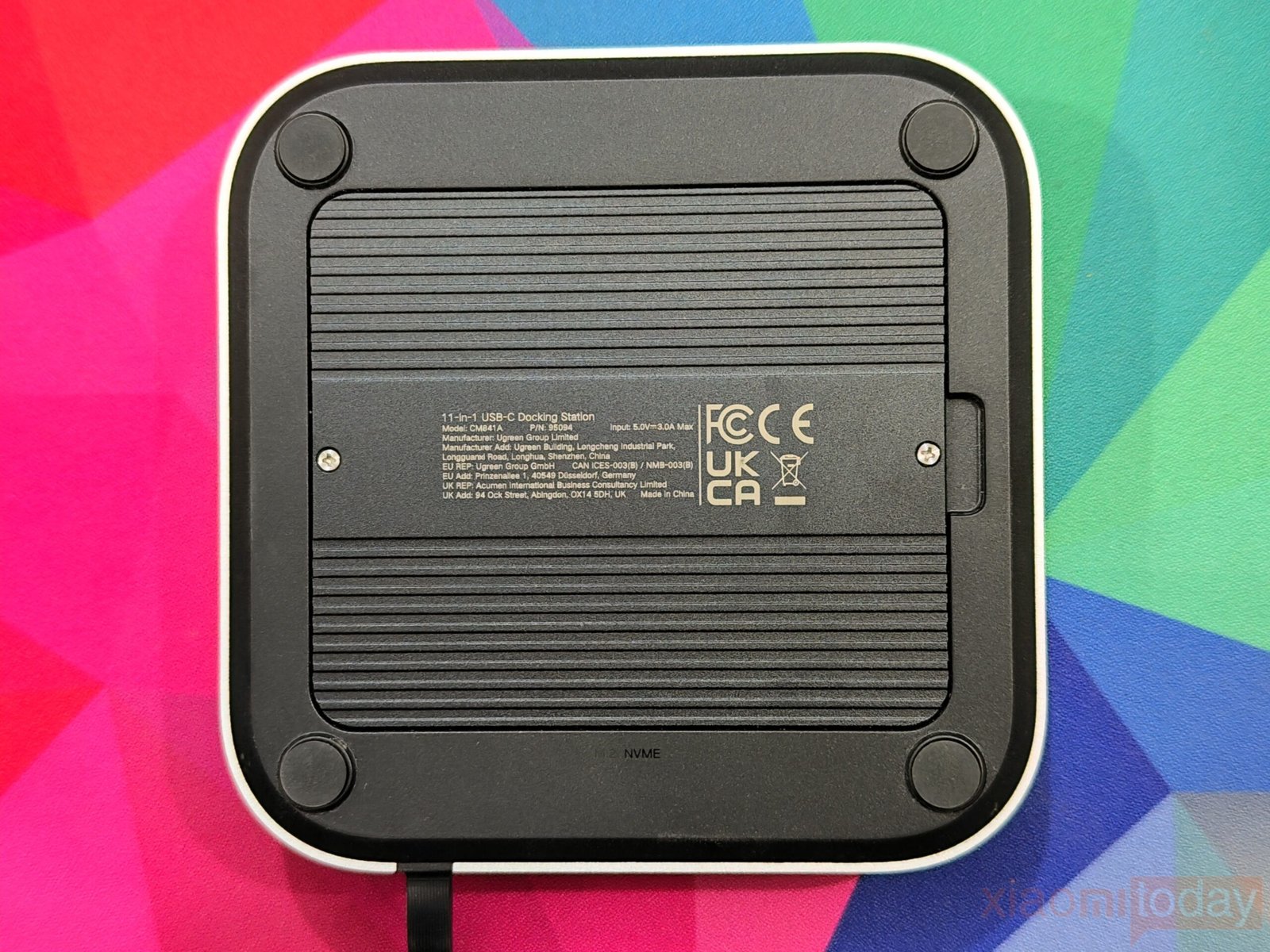
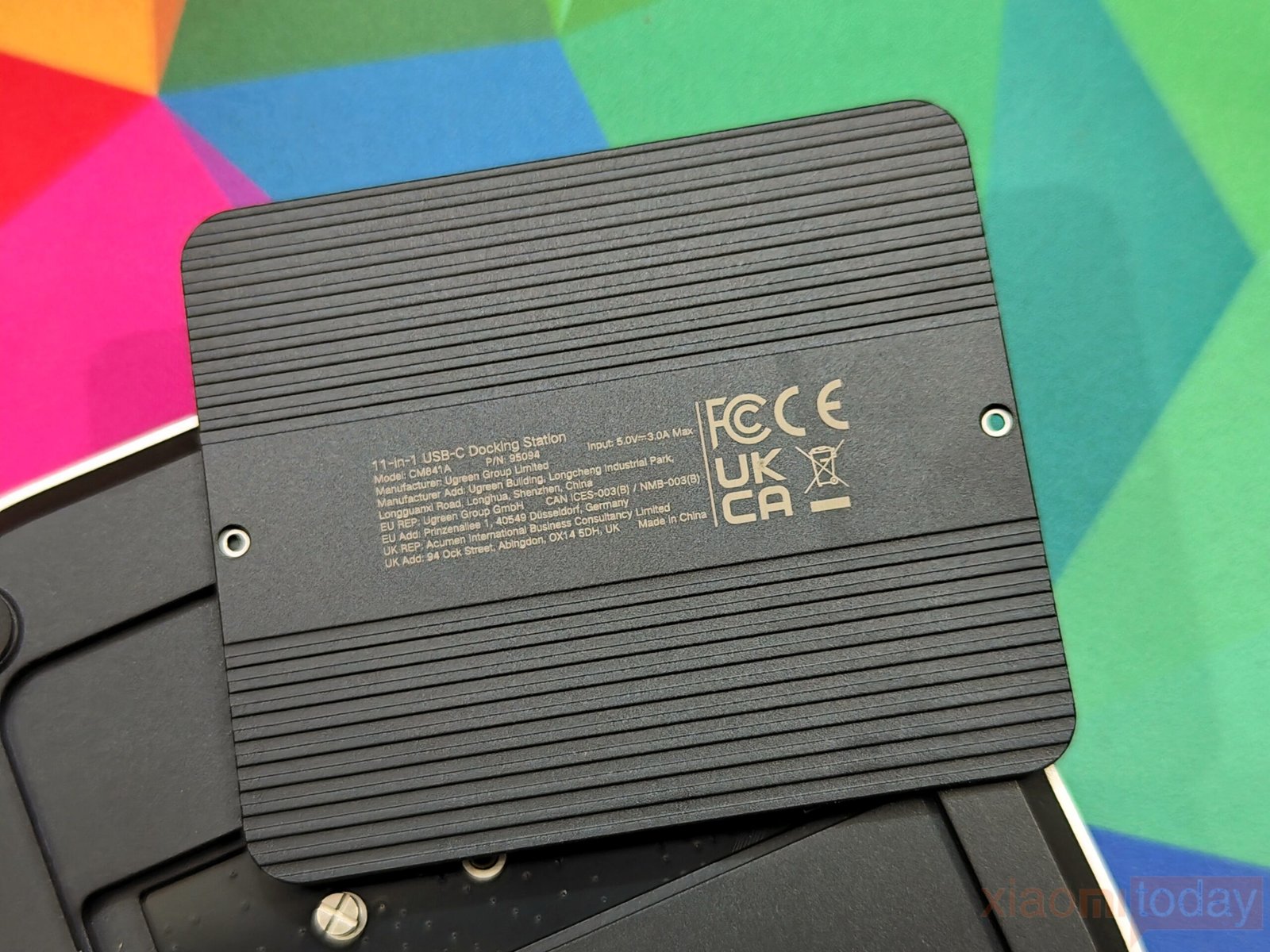
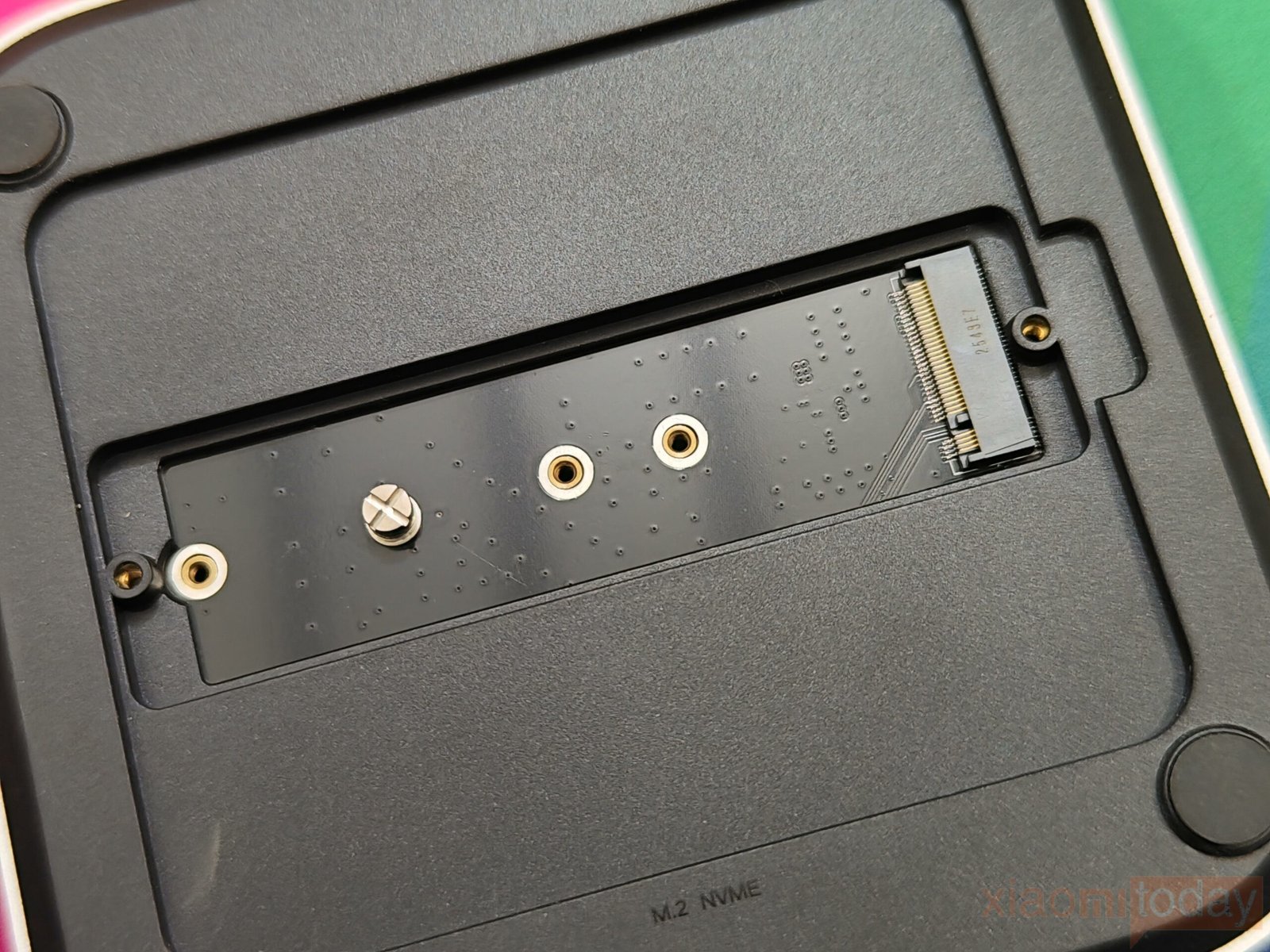
Removing the bottom panel reveals the integrated M.2 NVMe SSD compartment. The SSD is covered by a removable aluminum plate that gives the dock a more premium feel while also serving as a passive heat spreader. The cover fits precisely once reinstalled, and accessing the storage slot for upgrades or replacements is a quick process without affecting the dock’s compact design.
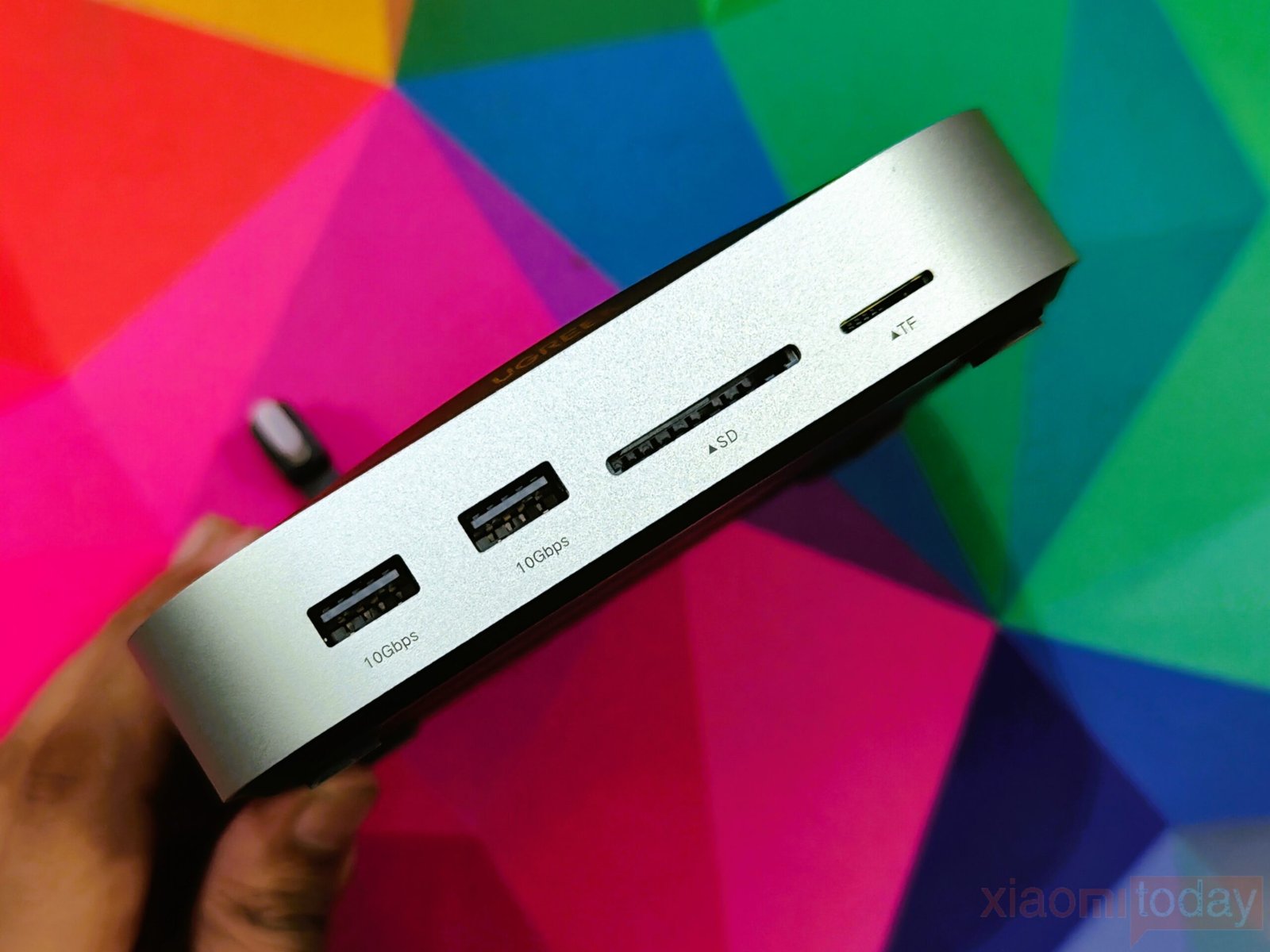
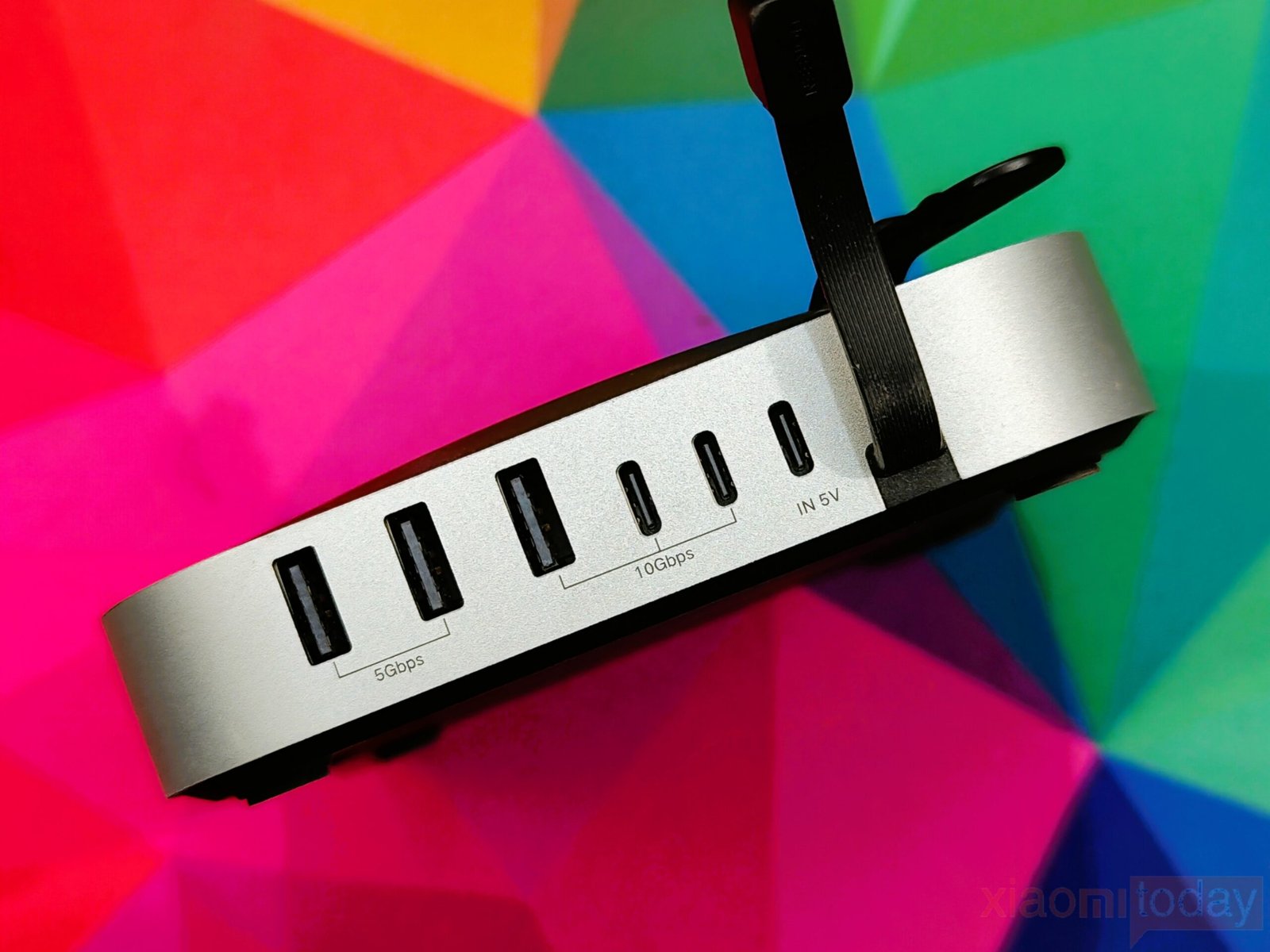
The front edge houses the ports that are likely to be used most often, including two 10Gbps USB-A ports, a full-size SD card reader, and a microSD card reader. The remaining ports are placed on the rear, allowing permanent connections to stay out of sight and helping keep cables organized behind the Mac mini.
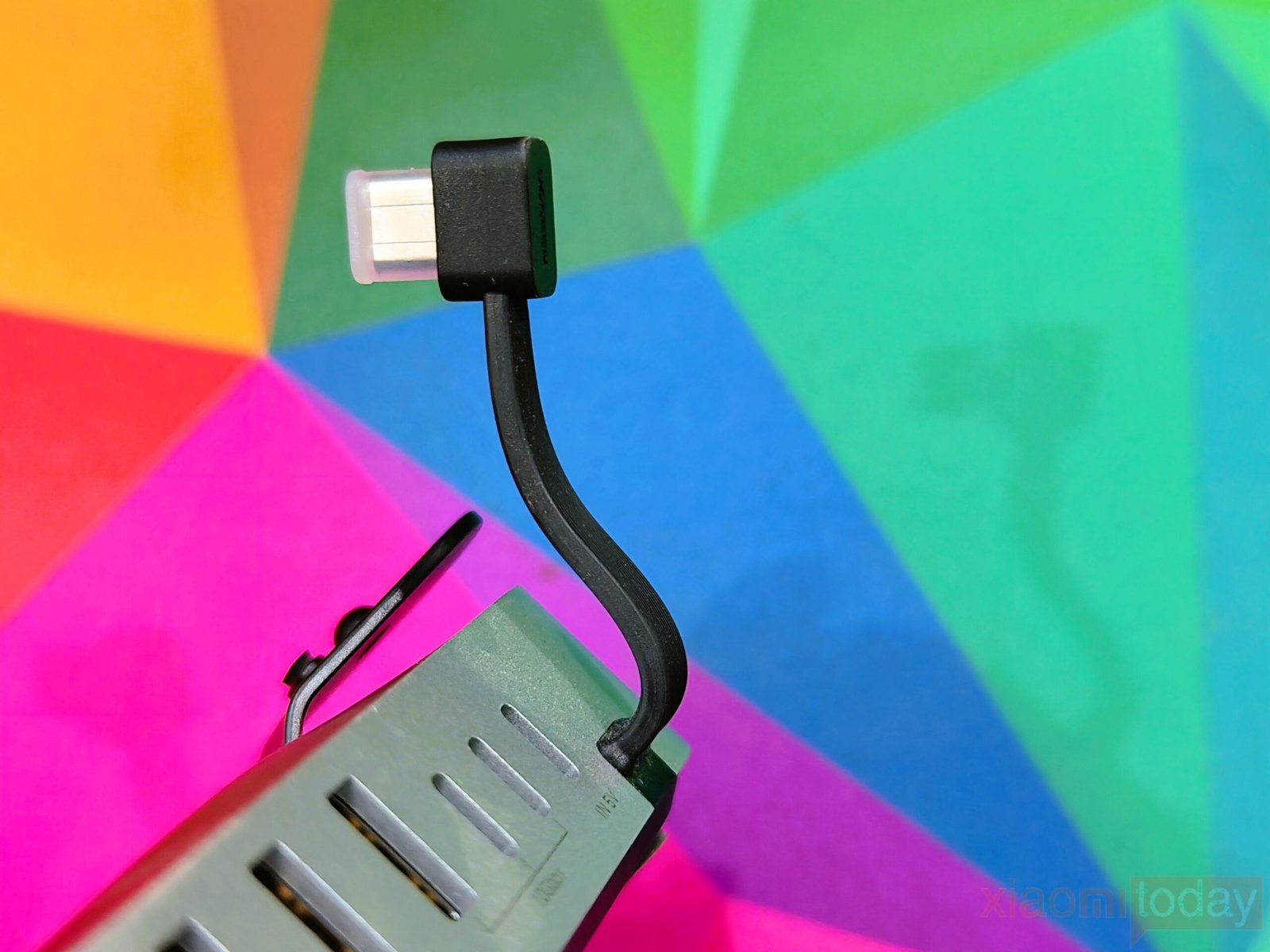
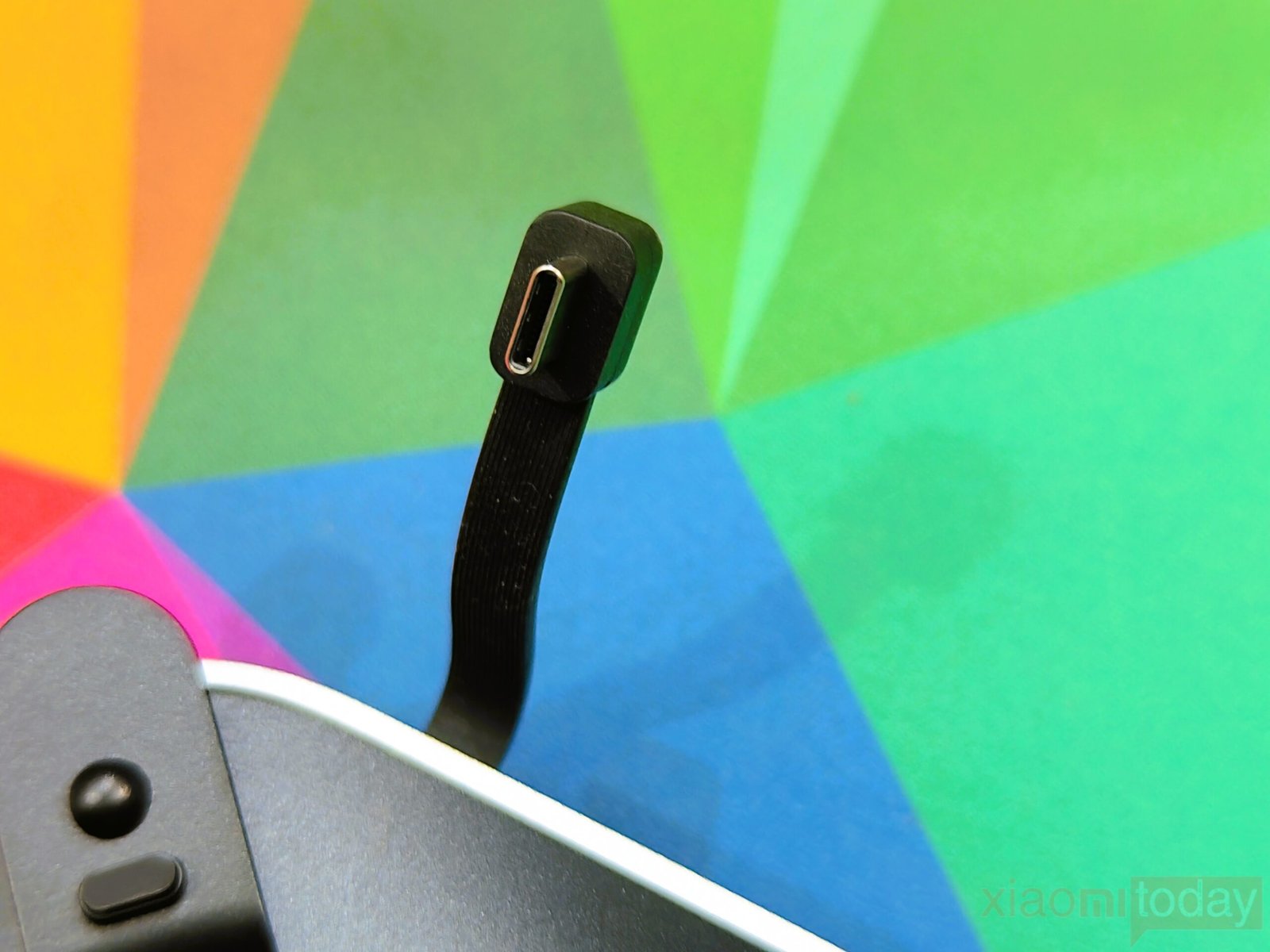
Connection to the computer is handled by a fixed 4cm USB-C cable. Its short length keeps excess cable off the desk while providing enough flexibility for installation. Once connected, the cable remains mostly hidden, contributing to a cleaner overall setup.
Build quality is solid throughout. The aluminum chassis feels rigid, the port alignment is accurate, and there is very little flex anywhere on the enclosure. The integrated power button mechanism operates consistently, while the removable aluminum SSD cover fits securely without gaps or rattles. Combined with its Mac mini-inspired design and practical layout, the dock feels like a natural extension of Apple’s compact desktop rather than a separate accessory.
Ports and Connectivity
The UGREEN Mac Mini M4 Dock expands the Mac mini with 11 ports, giving users more options for connecting storage devices, peripherals, and removable media without relying on additional adapters. The port layout is well planned, placing frequently used connections on the front while keeping permanent cables out of sight on the rear.
The front panel includes two USB-A 3.2 Gen 2 ports, both rated for transfer speeds of up to 10Gbps. Alongside them are full-size SD and microSD card readers that support UHS-I cards with transfer speeds of up to 170MB/s. This layout makes it easy to plug in portable storage or transfer photos and videos without reaching behind the Mac mini.
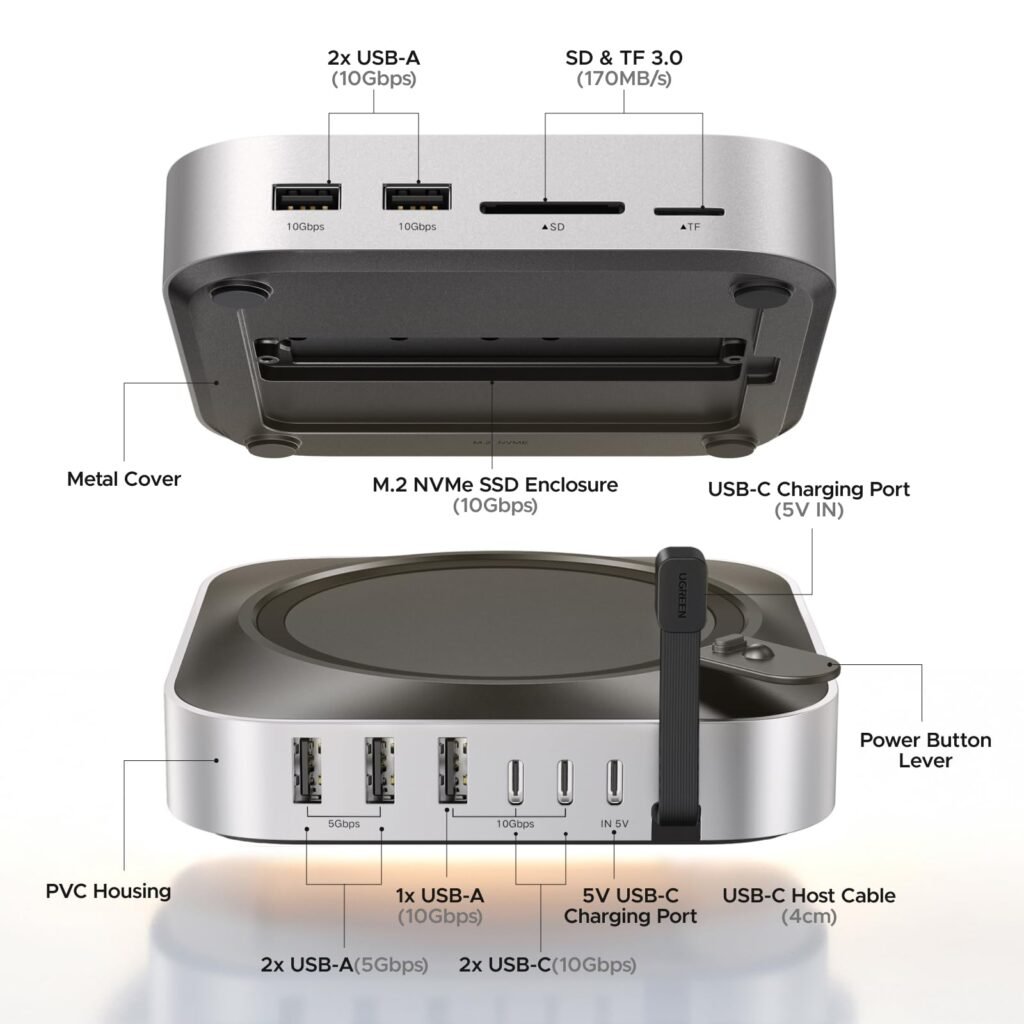
Moving to the rear, the dock provides one additional USB-A 3.2 Gen 2 port with 10Gbps bandwidth, two USB-A 3.0 ports operating at 5Gbps, and two USB-C 3.2 Gen 2 ports capable of up to 10Gbps. These rear-facing ports are well-suited for devices that typically remain connected, including external SSDs, keyboards, mice, printers, audio interfaces, and other desktop accessories.
The 10Gbps USB ports provide enough bandwidth for transferring large video projects, high-resolution photo libraries, and other sizable files between compatible storage devices. The 5Gbps USB-A ports remain suitable for accessories that do not require higher transfer speeds, helping reserve the faster ports for demanding workloads.
Power can be supplied directly through the Mac mini’s USB-C connection for basic peripherals, while the dedicated USB-C power input supports an optional 5V external adapter when multiple USB devices are connected. This helps provide stable power for bus-powered accessories during heavier workloads. As expected, the USB-C power input is designed only to power the dock and does not support video output or USB Power Delivery passthrough.
| Front Panel | Rear Panel |
|---|---|
| 2 × USB-A 3.2 Gen 2 (10Gbps) | 1 × USB-A 3.2 Gen 2 (10Gbps) |
| 1 × SD Card Reader (UHS-I) | 2 × USB-A 3.0 (5Gbps) |
| 1 × microSD (TF) Card Reader (UHS-I) | 2 × USB-C 3.2 Gen 2 (10Gbps) |
| — | 1 × USB-C Power Input (5V/3A) |
| — | Integrated USB-C Host Cable (to Mac mini) |
Overall, the port selection covers the needs of most Mac mini users. Fast USB connectivity, front-facing memory card readers, and a practical front-and-rear layout make the dock easy to use while keeping the workspace clean and organized.
M.2 NVMe SSD Storage Expansion
Beyond expanding the Mac mini’s I/O, the UGREEN dock also functions as an external M.2 NVMe SSD enclosure. It supports 2230, 2242, 2260, and 2280 NVMe SSDs with capacities of up to 8TB, giving users an easy way to add high-capacity storage without occupying additional desk space. The SSD is sold separately, allowing users to choose the capacity and brand that best suit their requirements.
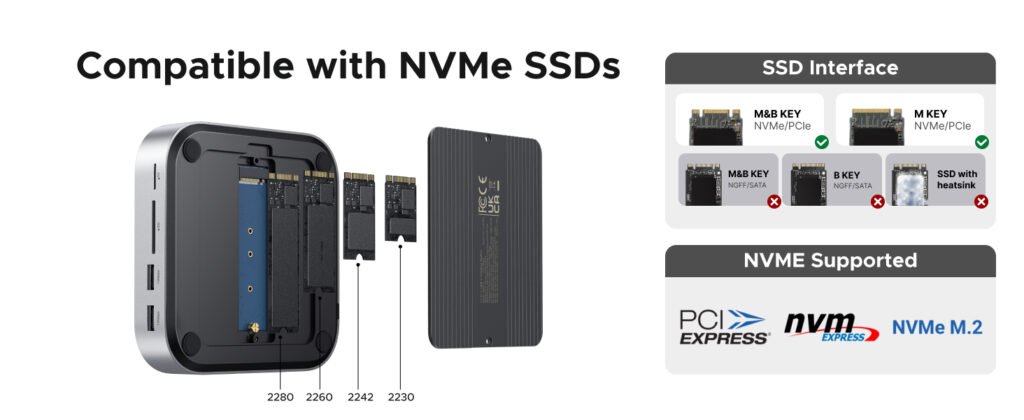
The enclosure operates over a USB 3.2 Gen 2 interface, providing transfer speeds of up to 10Gbps. While this does not reach the performance of the Mac mini’s internal PCIe SSD, it is more than capable of handling large photo libraries, video projects, backups, virtual machines, and other storage-intensive workloads.
Installing an SSD is a simple process. First, disconnect the dock from the Mac mini, turn it over, and remove the screws securing the aluminum bottom cover. Once the cover is removed, loosen the SSD retention screw inside the enclosure.
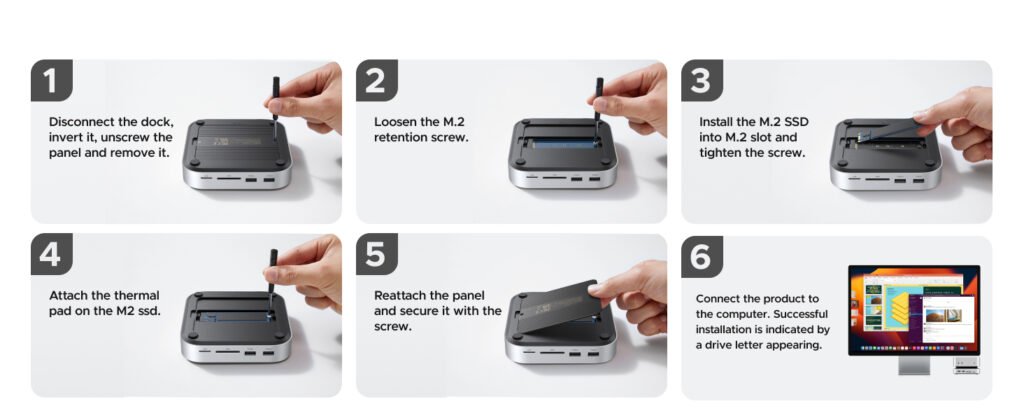
Next, insert the M.2 NVMe SSD into the connector at a slight angle until it is fully seated. Press the drive down and secure it using the retention screw provided. Before reinstalling the cover, place the included thermal pad on top of the SSD to improve heat transfer between the drive and the aluminum cover during extended file transfers.
After that, reinstall the aluminum cover, tighten the screws, and reconnect the dock to the Mac mini. If the SSD is being used for the first time, macOS will detect the drive, and it can be initialized and formatted through Disk Utility before it is ready for use.
| Step | Installation Process |
|---|---|
| 1. Remove the Bottom Cover | Disconnect the dock from the Mac mini, turn it upside down, remove the screws, and lift off the aluminum bottom cover. |
| 2. Remove the Retention Screw | Unscrew the M.2 SSD retention screw inside the storage bay and keep it aside. |
| 3. Install the SSD | Insert the M.2 NVMe SSD into the slot at a slight angle, then press it down and secure it using the retention screw. |
| 4. Apply the Thermal Pad | Place the included thermal pad on top of the installed SSD to improve heat transfer. |
| 5. Reinstall the Cover | Position the aluminum cover back in place and tighten the screws securely. |
| 6. Connect and Initialize | Reconnect the dock to the Mac mini. If the SSD is new, initialize and format it using Disk Utility before storing data. |
The installation process takes only a few minutes and requires nothing more than a small screwdriver. The removable aluminum cover also makes future SSD upgrades or replacements easy, allowing users to expand storage whenever their needs change.
Speed and Performance
The UGREEN Mac Mini M4 Dock features a built-in M.2 NVMe SSD enclosure that connects through a USB 3.2 Gen 2 (10Gbps) interface. While modern PCIe Gen4 and Gen5 SSDs can deliver sequential speeds well above 7,000MB/s, the enclosure is limited by the 10Gbps USB connection. In real-world use, users can expect transfer speeds of around 1,000MB/s, which is close to the maximum bandwidth available over this interface.
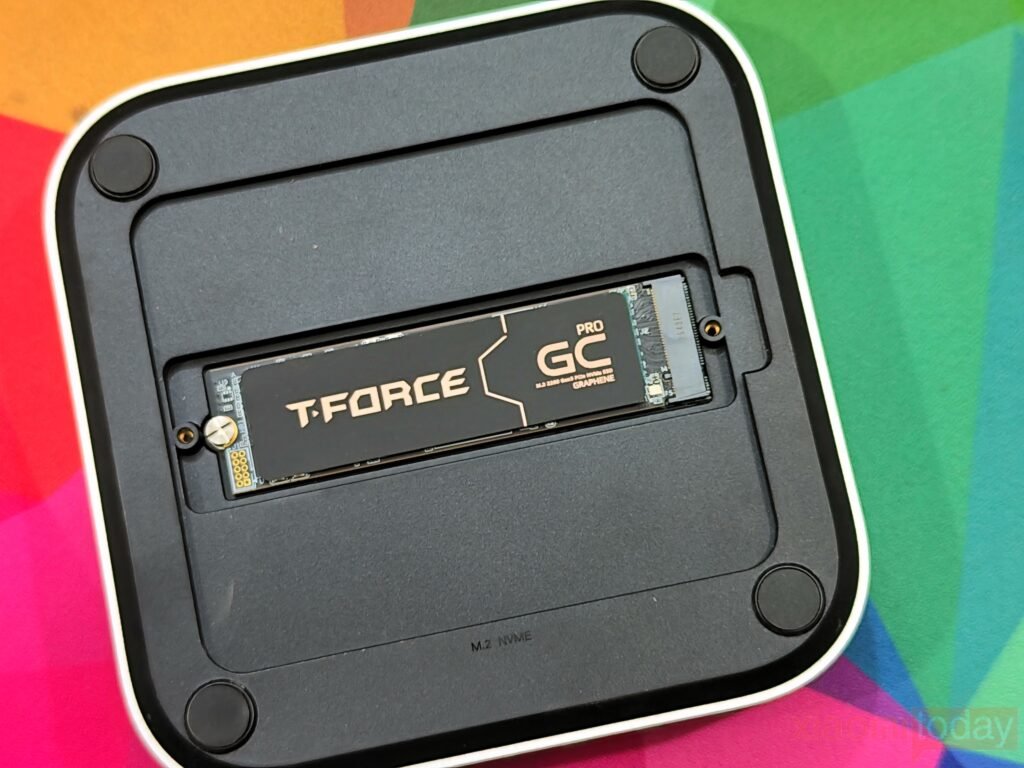
For testing, we installed a TEAMGROUP T-FORCE GC Pro 2TB PCIe Gen5 SSD, as Gen3 and Gen4 SSDs were not available at the time of testing. Even with a high-performance drive, the enclosure consistently reached the practical limits of a 10Gbps USB connection.
CrystalDiskMark recorded 1,042MB/s read and 1,047MB/s write in sequential testing. Single-queue sequential performance reached 712MB/s read and 724MB/s write, while 4K random performance measured 117MB/s read and 137MB/s write at Q32T1. Lower queue depth results came in at 22MB/s read and 47MB/s write. These numbers remained stable throughout repeated benchmark runs and extended file copy tests, showing that the dock maintains consistent performance during long transfers.
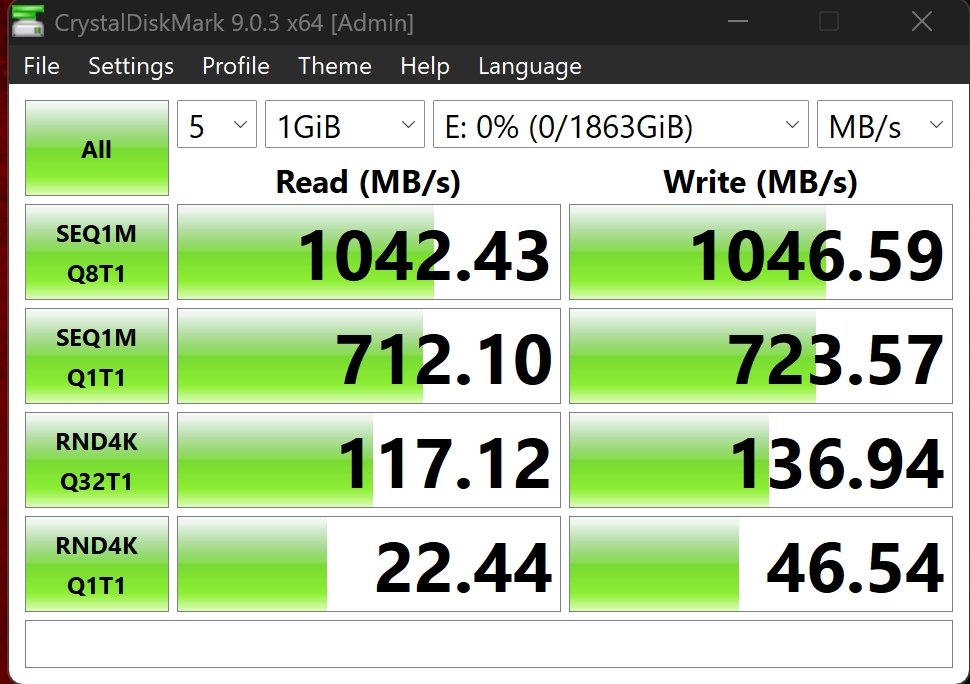
This level of performance is more than enough for everyday workloads. Copying large video files takes only a few moments, photo libraries open quickly, Time Machine backups finish much faster than with external hard drives, and editing Full HD or 4K video directly from the SSD is smooth. Since the USB interface is already the limiting factor, buying an expensive flagship PCIe Gen4 or Gen5 SSD offers little real-world benefit. A quality mid-range NVMe SSD delivers nearly the same experience in this enclosure.
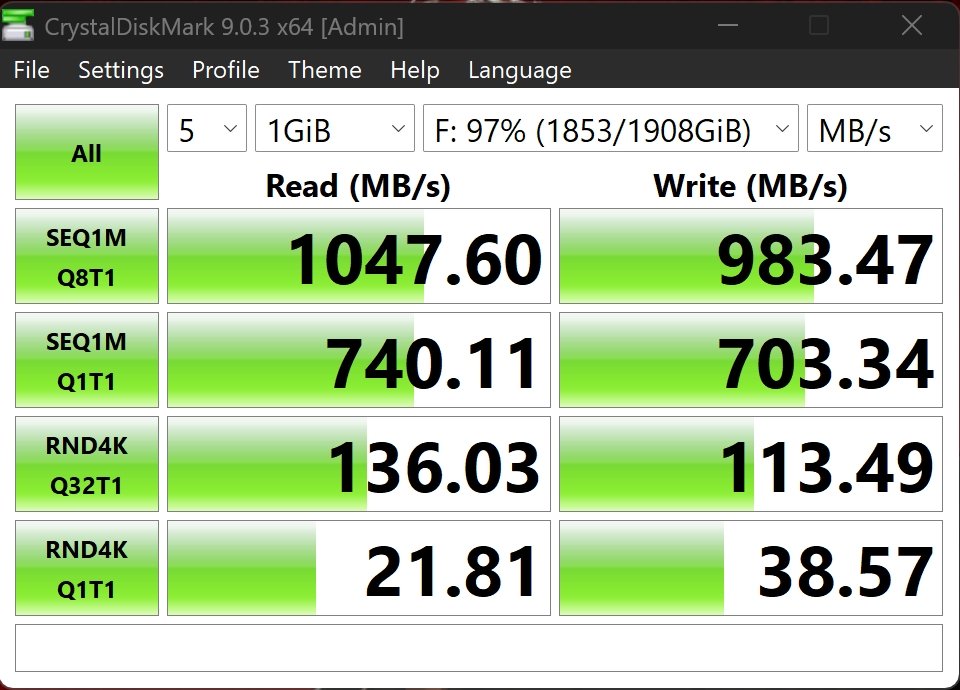
The dock’s USB-C data port produced similar results during testing. Sequential speeds reached 1,048MB/s read and 983MB/s write, while single-queue testing measured 740MB/s read and 703MB/s write. Random 4K performance reached 136MB/s read and 113MB/s write, making the USB-C port a good choice for external SSDs and other high-speed storage devices.
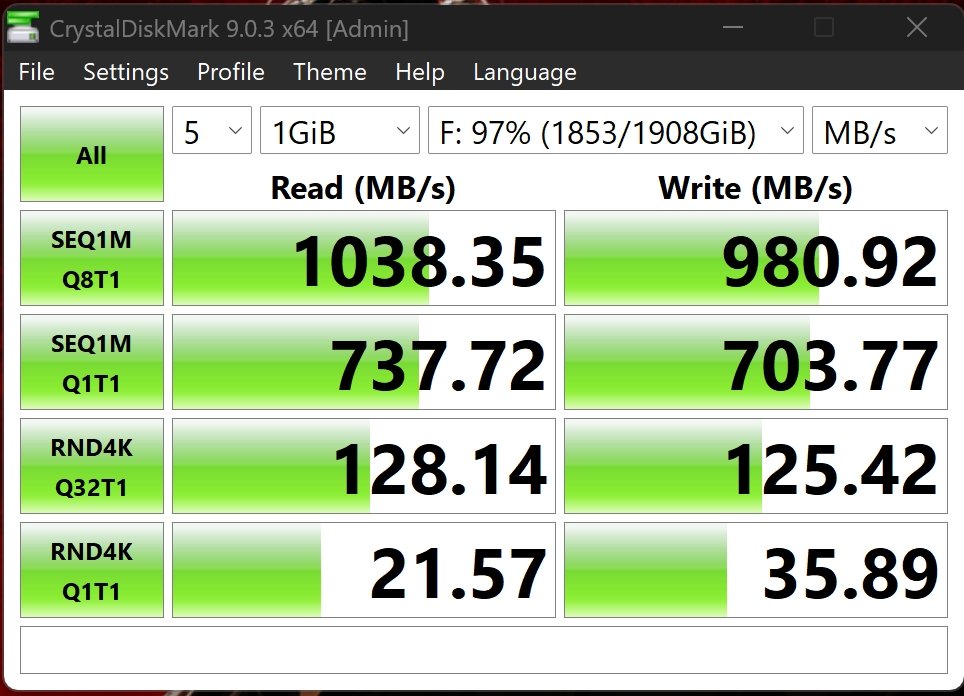
Testing the USB-A port showed almost identical performance. CrystalDiskMark reported 1,038MB/s read and 981MB/s write in sequential transfers, with 738MB/s read and 704MB/s write during single-queue testing. Random 4K performance reached 128MB/s read and 125MB/s write, confirming that both 10Gbps USB ports provide nearly the same transfer speeds in daily use.
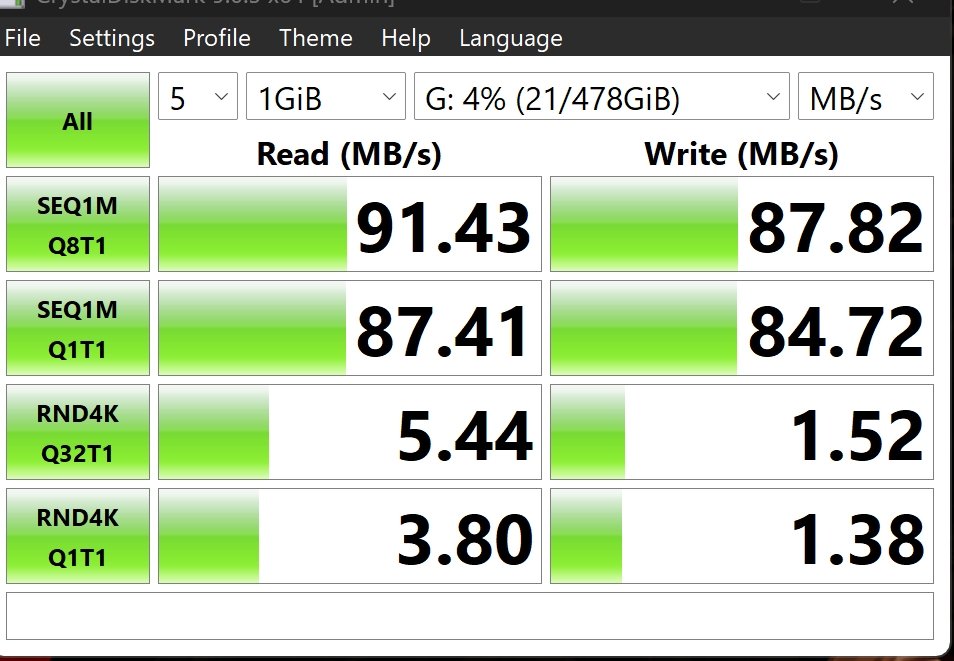
The integrated SD and microSD card readers support the UHS-I standard, which has a maximum interface speed of 104MB/s. Using a SanDisk Extreme UHS-I memory card, the SD card slot delivered 91MB/s read and 88MB/s write, matching the expected performance of UHS-I media. This is fast enough for importing RAW photos, transferring 4K video clips, and handling everyday photography tasks.
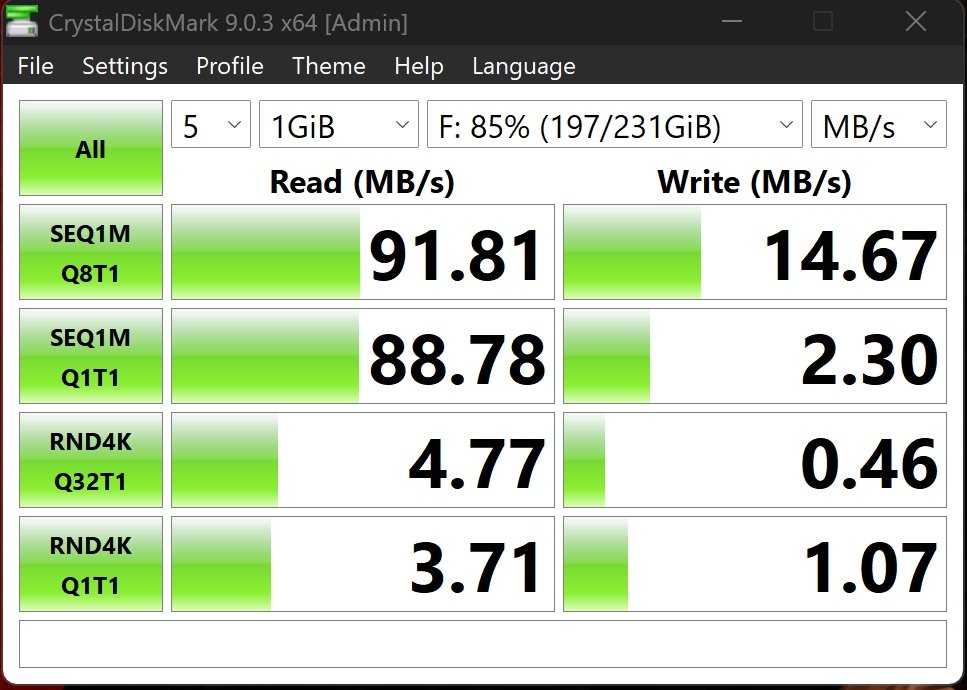
The microSD card reader reached 92MB/s read during testing, while write speed measured 15MB/s. The lower write result is largely determined by the memory card itself rather than the card reader. Read performance remained close to the maximum speed offered by the UHS-I interface.
Users should also know that the dock does not support the faster UHS-II standard. UHS-II SD and microSD cards work without any compatibility issues, but they operate at UHS-I speeds, so faster cards do not provide higher transfer rates.
Across all of our testing, the UGREEN Mac Mini M4 Dock delivered reliable and consistent performance. The built-in SSD enclosure reaches the limits of its 10Gbps interface, while both USB-C and USB-A ports provide excellent speeds for external storage. The UHS-I card readers also perform as expected, making the dock a practical solution for everyday productivity, content creation, backups, and large file transfers.
Conclusion