Over the past few years, IQUNIX has continued to expand its portfolio with frequent releases that focus on design consistency and reliable build quality. A notable aspect of the brand’s approach is its continued support for layouts tailored for Apple users, making its keyboards a practical option for those working across macOS and Windows systems. This attention to cross-platform usability has helped position IQUNIX as a recognizable name among enthusiasts seeking premium construction without sacrificing compatibility.
Following the growing demand for thinner mechanical keyboards, IQUNIX has introduced the MAGI Series, available in 65%, 75%, and 96% layouts, each offered in Standard and Pro variants. Rather than treating low-profile keyboards as simple alternatives to laptop-style typing, the company aims to deliver a full mechanical experience in a slimmer form factor.
The IQUNIX MAGI96 Pro represents the largest configuration in the lineup, combining a compact 96% layout with a dedicated number pad. This design keeps essential keys within reach while reducing desk space compared to a traditional full-size keyboard, making it suitable for productivity-focused setups.
The MAGI96 Pro features a CNC-machined aluminum chassis designed to provide a rigid and durable structure. Its low-profile construction maintains an ultra-slim front height that supports a more natural wrist angle during extended typing sessions. IQUNIX has tuned its low-profile mechanical switches to deliver smooth keystrokes with controlled acoustics, producing a softer typing sound that fits shared work environments. A 4000mAh battery is rated for long usage between charges, while VIA compatibility enables flexible key remapping and lighting customization without relying on locked software ecosystems.
This hands-on review examines how the MAGI96 Pro performs in daily use, covering typing feel, build quality, wireless stability, and whether its low-profile design offers practical advantages over traditional mechanical keyboards in both work and gaming scenarios.
Specifications
| Specification | Magi65 / Magi65 Pro | Magi75 / Magi75 Pro | Magi96 / Magi96 Pro |
|---|---|---|---|
| Layout | 65% (ANSI) | 80% | 96% |
| Structure | Le-Tray | Le-Tray | Le-Tray |
| Case Material | CNC Aluminum Case | CNC Aluminum Case | CNC Aluminum Case |
| Craft | Anodized & E-coating | Anodized & E-coating | Anodized & E-coating |
| Keycaps Material | PBT + Anti-Oil Coating | PBT + Anti-Oil Coating | PBT + Anti-Oil Coating |
| Switch | Gold Red Switch | Gold Red Switch | Gold Red Switch |
| Key Count | 68 | 84 | 100 |
| Interface | USB Type-C | USB Type-C | USB Type-C |
| Battery Capacity | 3000mAh (3.7V) | 4000mAh (3.7V) | 4000mAh (3.7V) |
| Rated Input Power | 5V-1A | 5V-1A | 5V-1A |
| Battery Type | Li-ion Polymer Batteries | Li-ion Polymer Batteries | Li-ion Polymer Batteries |
| RGB Backlit | 16-Million-Color Modules | 16-Million-Color Modules | 16-Million-Color Modules |
| Operating Systems | Windows / macOS / iOS / Android | Windows / macOS / iOS / Android | Windows / macOS / iOS / Android |
| Connection | Bluetooth 5.1 / 2.4GHz / USB-C (3 devices) | Bluetooth 5.1 / 2.4GHz / USB-C (3 devices) | Bluetooth 5.1 / 2.4GHz / USB-C (3 devices) |
| Larger Keys Style | Plate-Mounted Stabilizer | Plate-Mounted Stabilizer | Plate-Mounted Stabilizer |
| Hot Swappable | Support | Support | Support |
| Dynamic Keystrokes | Not Support | Not Support | Not Support |
| N-Key Rollover | Support | Support | Support |
| Per-Key RGB | No Support | No Support | No Support |
| Full Remap | Support | Support | Support |
| Warranty | 1 Year | 1 Year | 1 Year |
| Weight | 900g / 1030g | 947g / 1110g | 1144g / 1296g |
| Dimensions | MG65: 318×108×11mm MG65 Pro: 357×108×11mm | MG75: 316.7×126.15×11.25mm MG75 Pro: 355.7×126.15×11.25mm | MG96: 373.85×126.15×11.25mm MG96 Pro: 412.85×126.16×11.31mm |
| Case Color | Shadow Black / Ochre White | – | – |
| Software | VIA | – | – |
| Silence Configuration | FR4 Plate, Foam layers (multi-layer setup) | – | – |
Unboxing

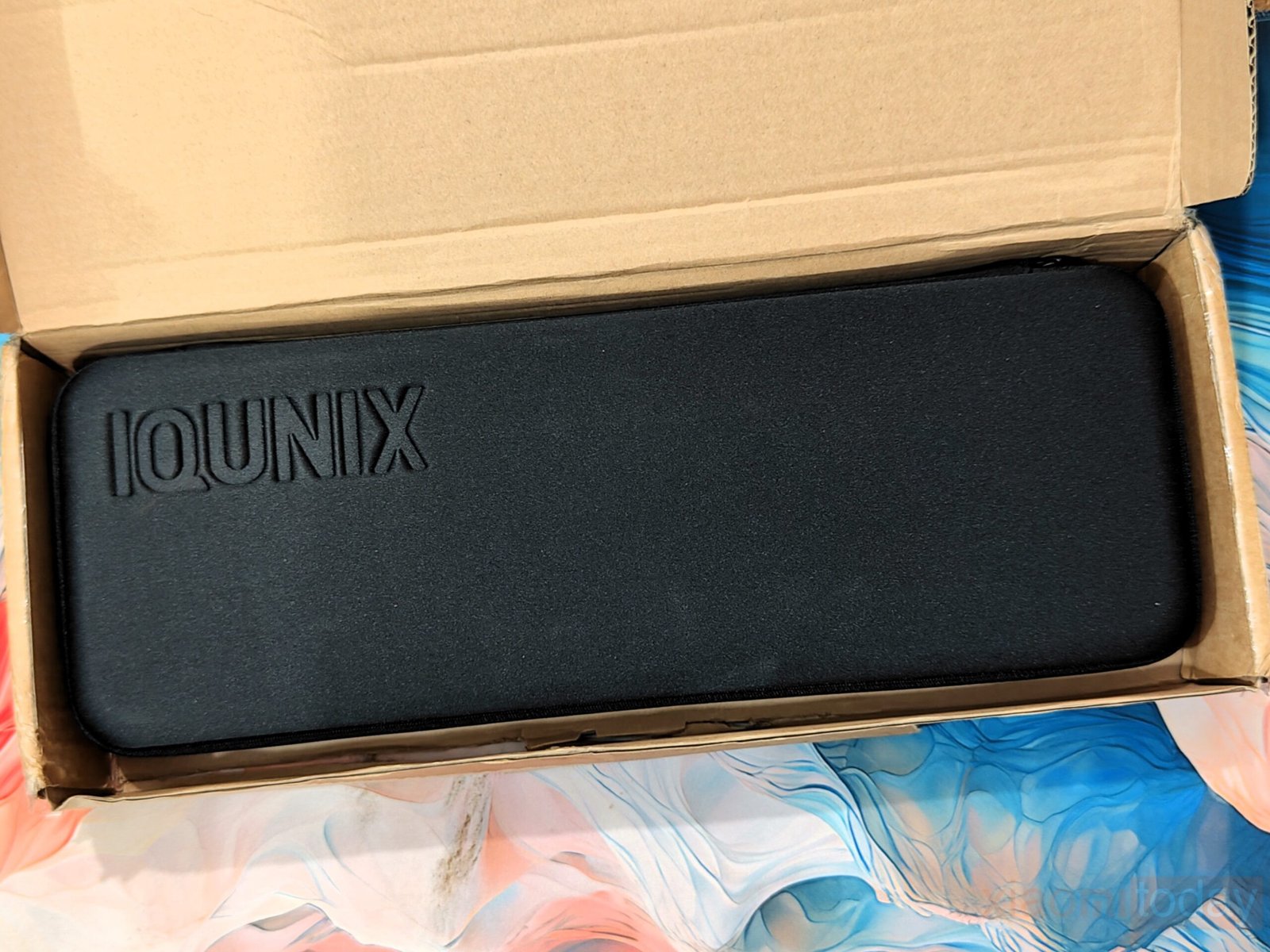
The MAGI96 Pro ships in a khaki outer box that focuses on protection rather than presentation. It’s a simple cardboard package, but it keeps the contents secure during transit without adding unnecessary bulk.
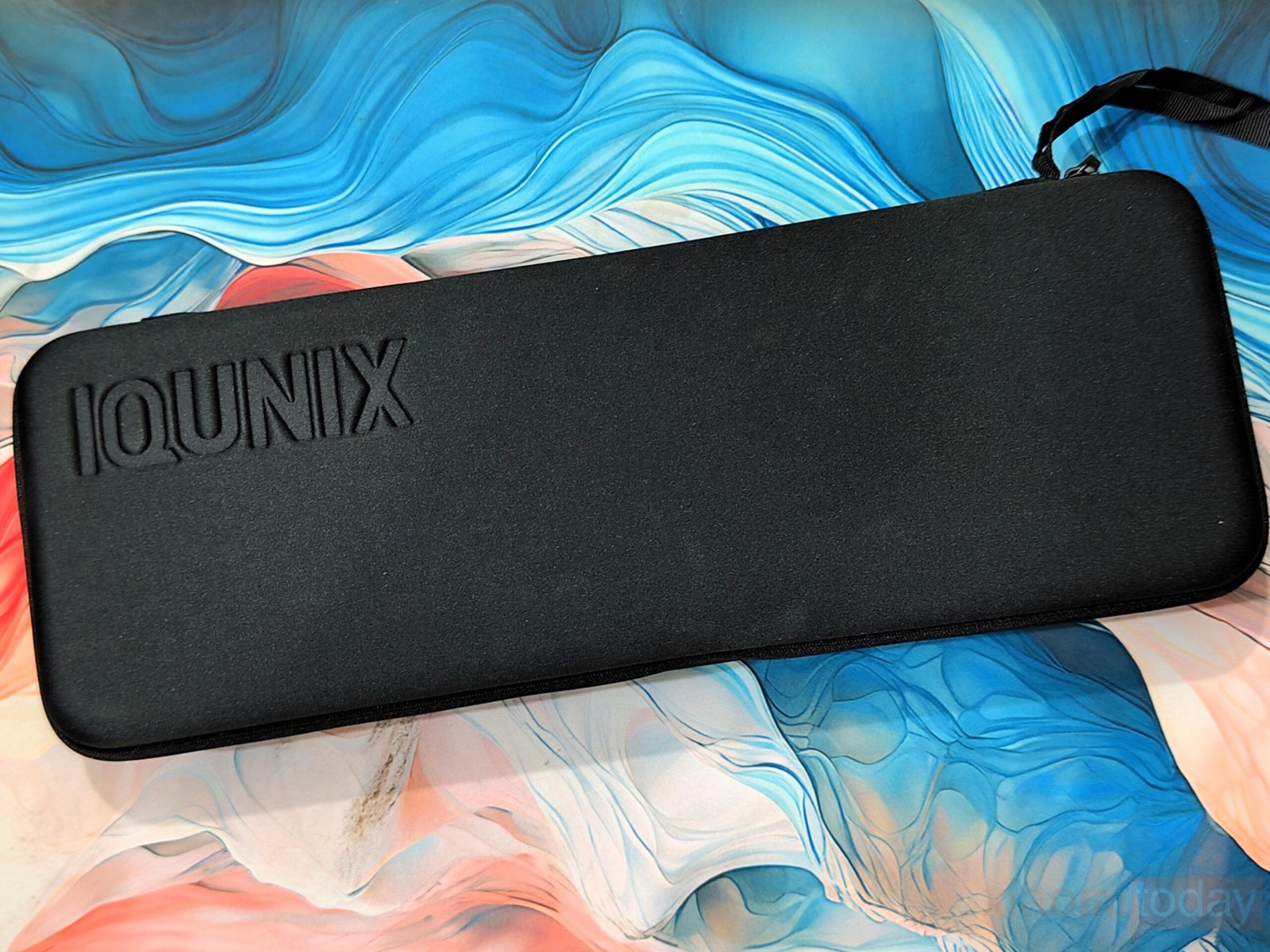
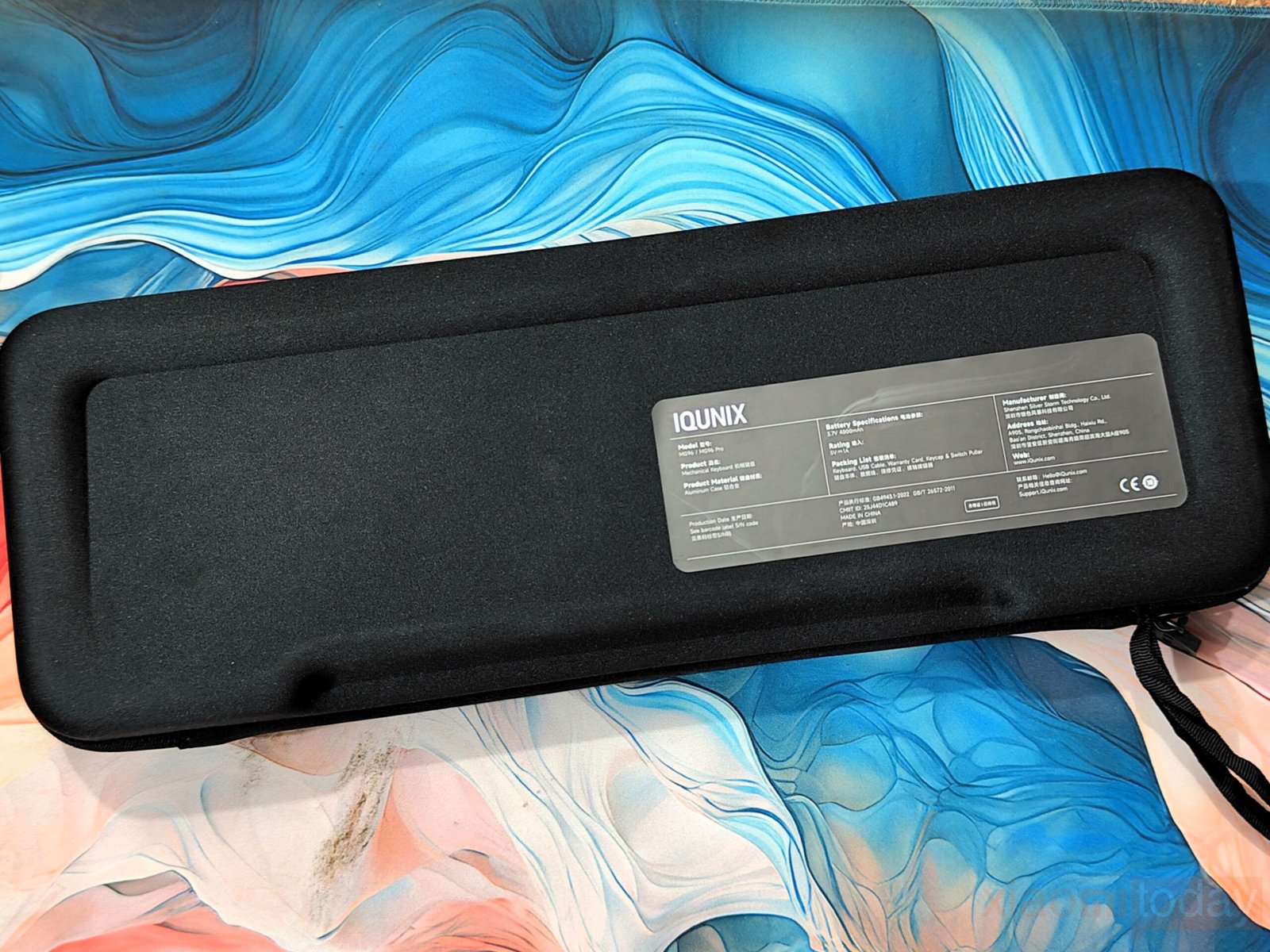
Once opened, the usual inner retail box is replaced with a hard-shell carrying case. This choice immediately sets a different tone compared to typical keyboard packaging. The case feels solid in hand, with a rigid structure that holds its shape well. It’s wrapped in a clean fabric finish and uses dual heavy-duty zippers that glide smoothly. A reinforced handle sits on the top edge, making it practical for carrying the keyboard between setups or locations.
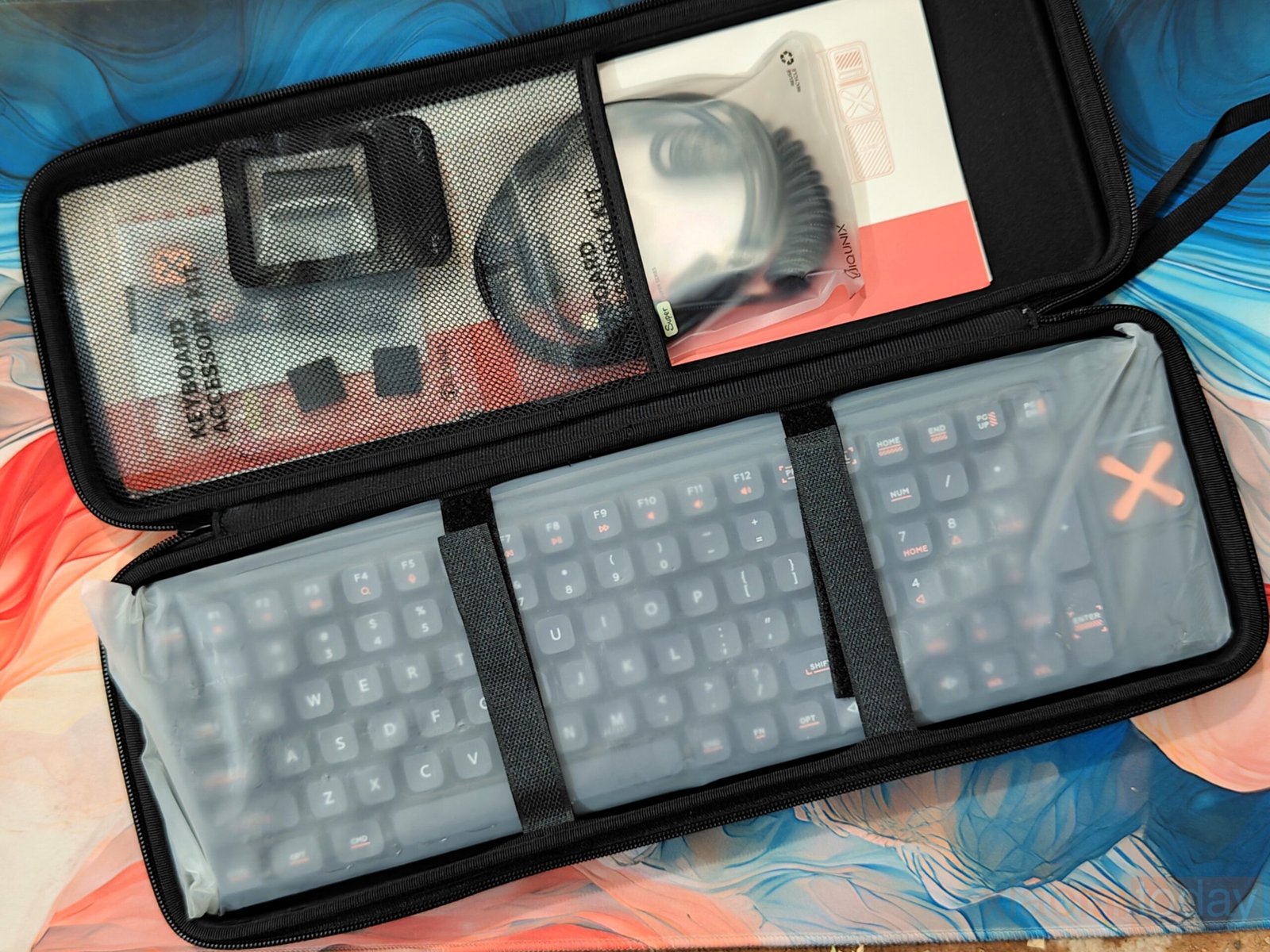
Inside, the layout is neatly arranged. The keyboard sits securely in a padded compartment, while a protective flap separates it from the accessories. This prevents any contact that could lead to scratches during transport. Small internal pockets help keep cables and smaller items in place, which adds to the overall usability of the case.
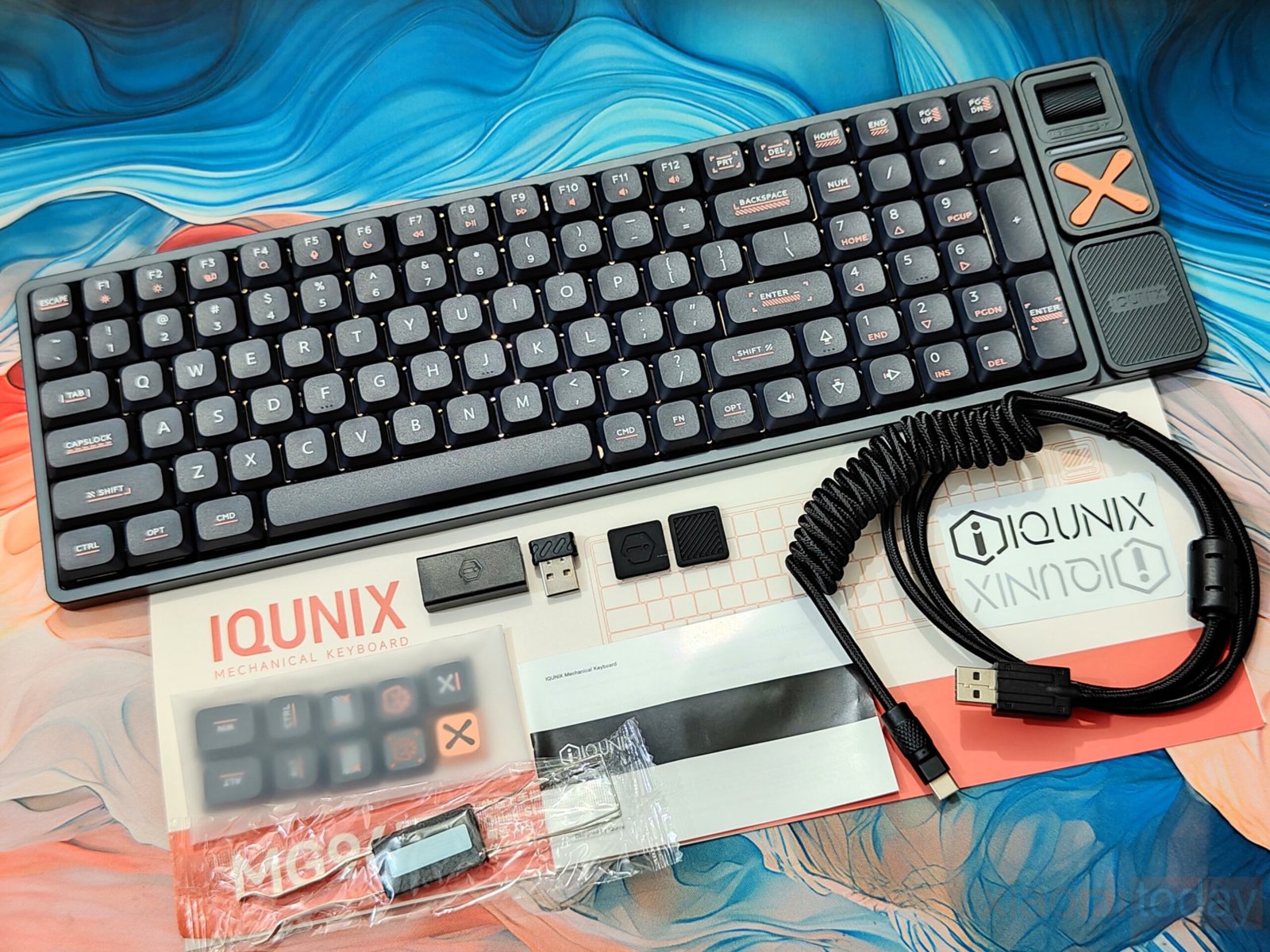
The accessory bundle is generous and covers everything needed to get started. Alongside the pre-assembled keyboard, you get a premium USB-C to USB-A cable and a USB-C female to USB-A female adapter for added flexibility. The 2.4GHz USB receiver is tucked away neatly behind a magnetic cover on the keyboard itself, so it’s less likely to get misplaced. For customization, the package includes 10 extra keycaps—eight PBT and two metal options—along with a switch puller. There are also two silicone switch blockers (plate plugs) for unused sockets. A small set of extras, like a sticker and documentation, rounds things out.
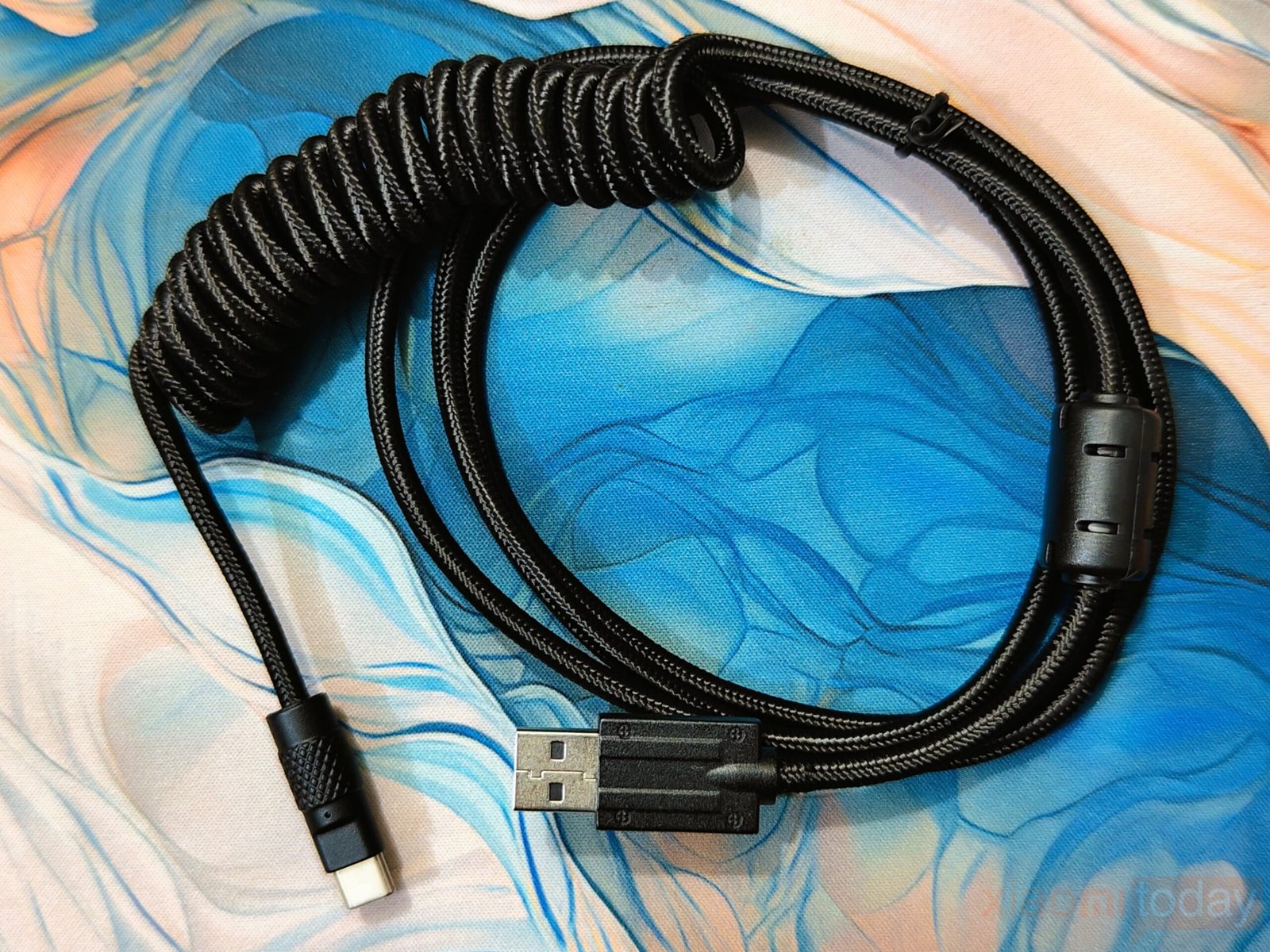
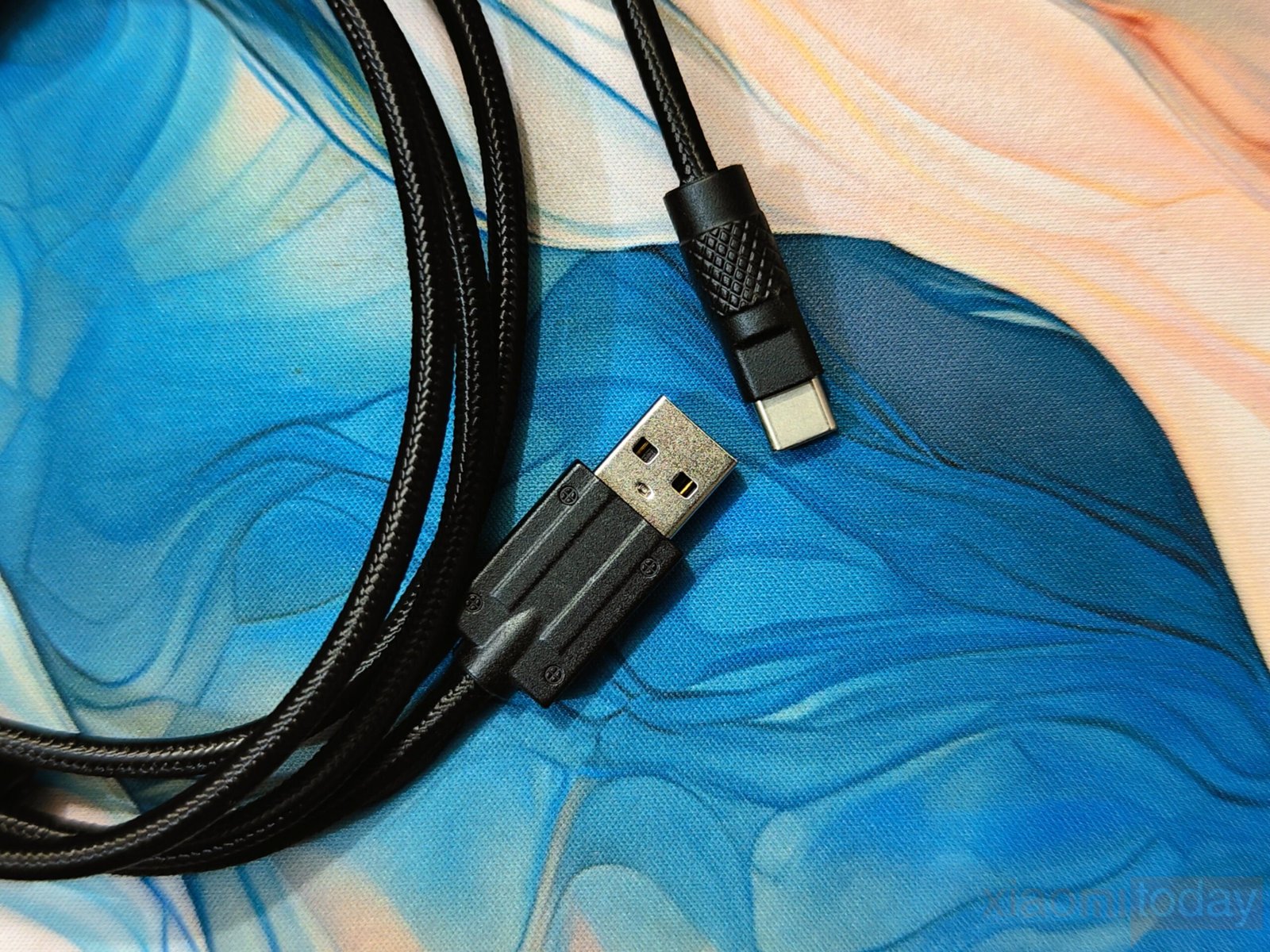
A high-quality coiled USB-C to USB-A cable is included. It comes with a durable, braided exterior that enhances its strength and flexibility while providing a premium feel. The coiled design helps to minimize tangling, offering a neat and organized solution for cable management, especially for setups where you may need to move the cable around frequently. At both ends of the cable, you’ll find well-built connectors with reinforced tips for added durability.
The inclusion of a hard-shell carrying case instead of a standard box adds practical value, especially for users who travel with their gear. Combined with the accessory set, the MAGI96 Pro delivers a well-rounded unboxing experience that matches its positioning in the higher-end segment without relying on excessive packaging.
Design and Build Quality
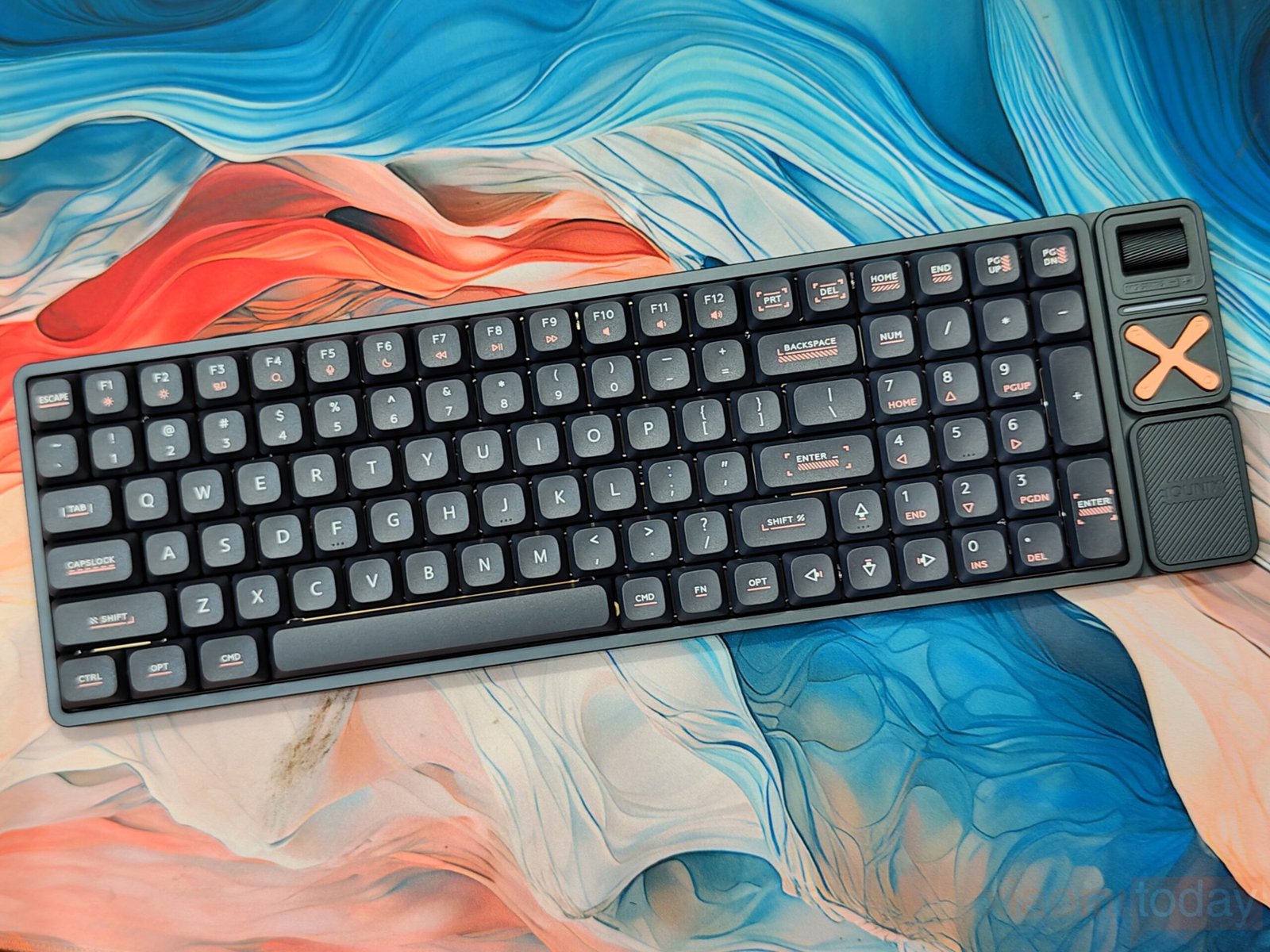
The IQUNIX Magi96 Pro uses a full aluminum alloy chassis with precise CNC machining that gives the keyboard a solid and refined feel. The Black / Shadow Black ANSI (US) version reviewed here keeps the look simple, with smooth edges and an even finish across the entire frame. IQUNIX also offers Creamy / Ochre White (off-white) color options and ISO layouts for users who prefer a lighter appearance or regional key format.
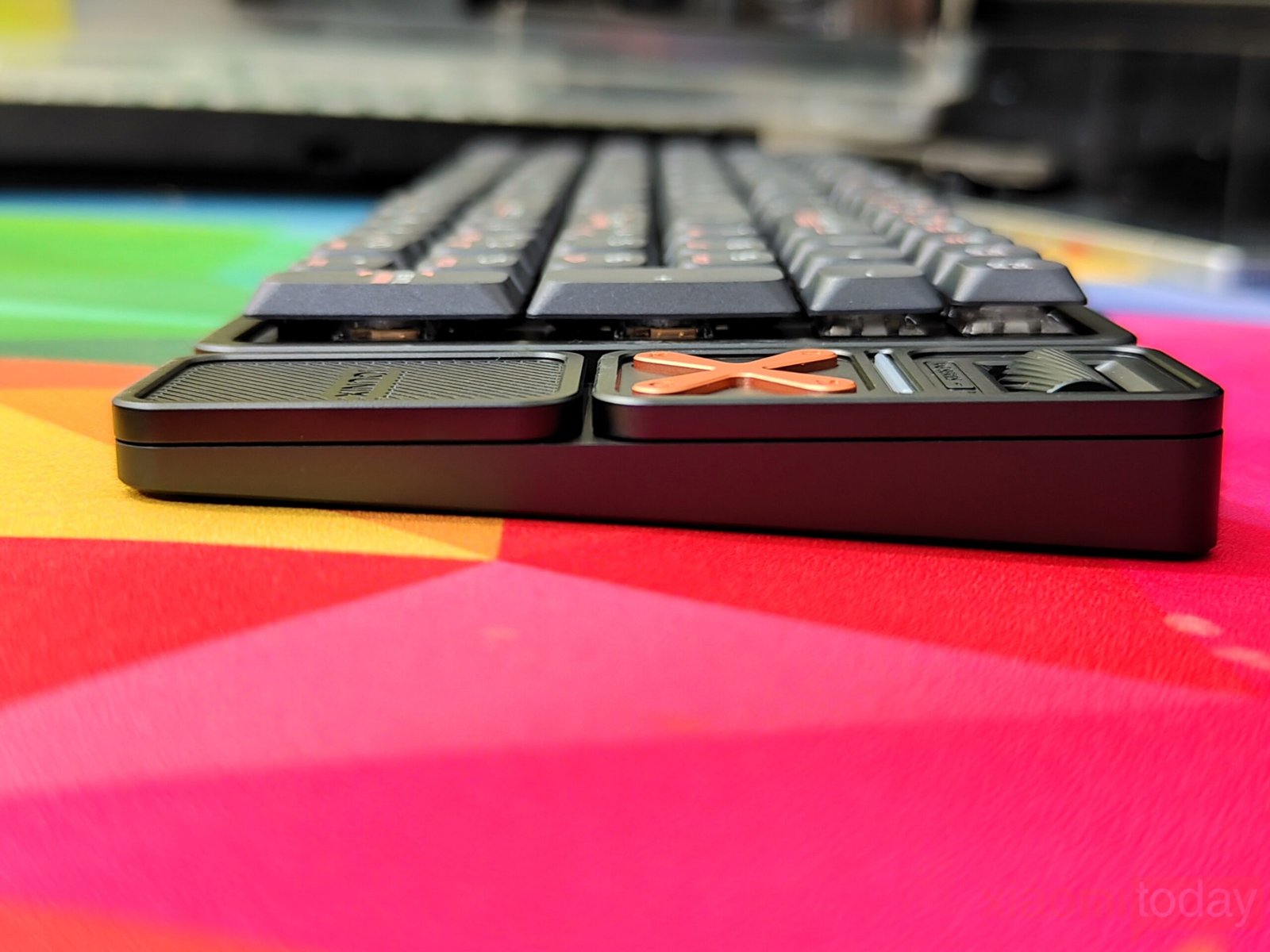
The aluminum shell is carefully polished, resulting in a smooth surface without rough edges or visible inconsistencies. Its unibody construction feels dense and stable, with no noticeable flex during normal use. The rigid frame contributes to a controlled typing sound that leans toward a clean, muted thock. Despite the metal construction, the keyboard maintains a slim profile with a 0.43-inch (11mm) front height. Combined with low-profile keycaps, the typing angle feels natural and comfortable during long sessions of writing, data entry, or general productivity work.
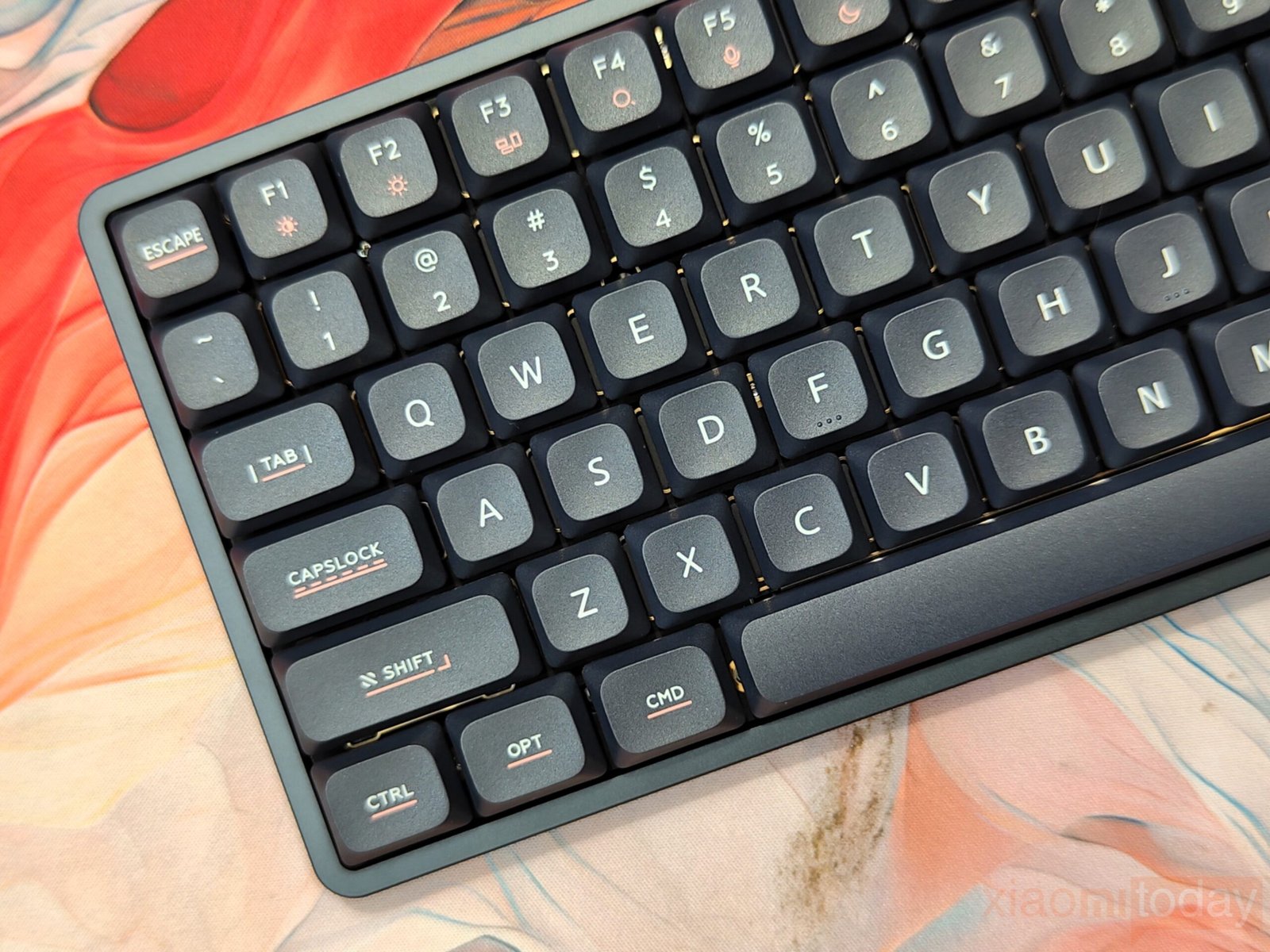
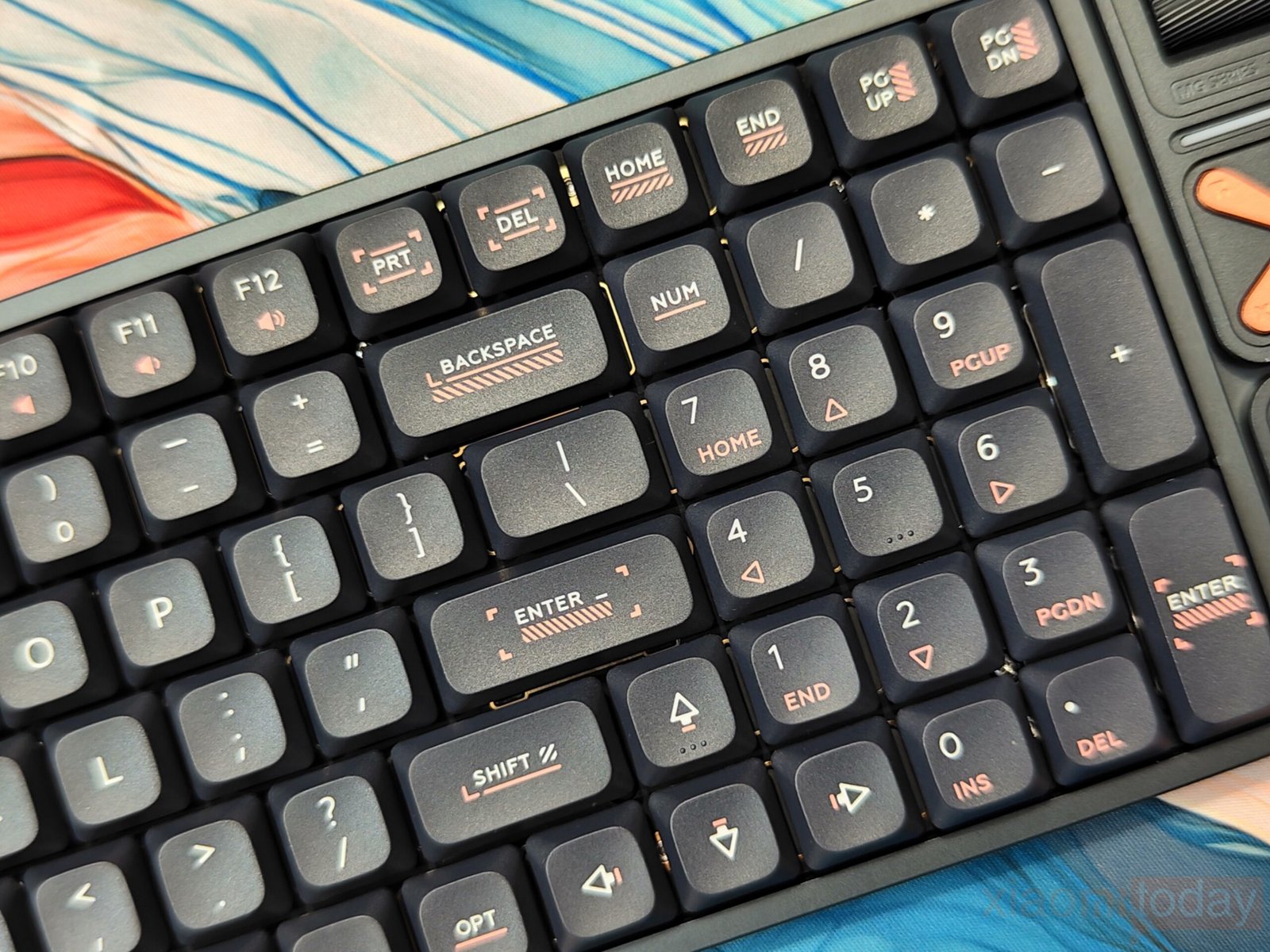
The 96% layout keeps full functionality, including a dedicated numpad, while reducing overall size compared to a traditional full-size keyboard. Essential keys remain within easy reach, making the layout practical for work-focused setups where desk space is limited but a number pad is still required.
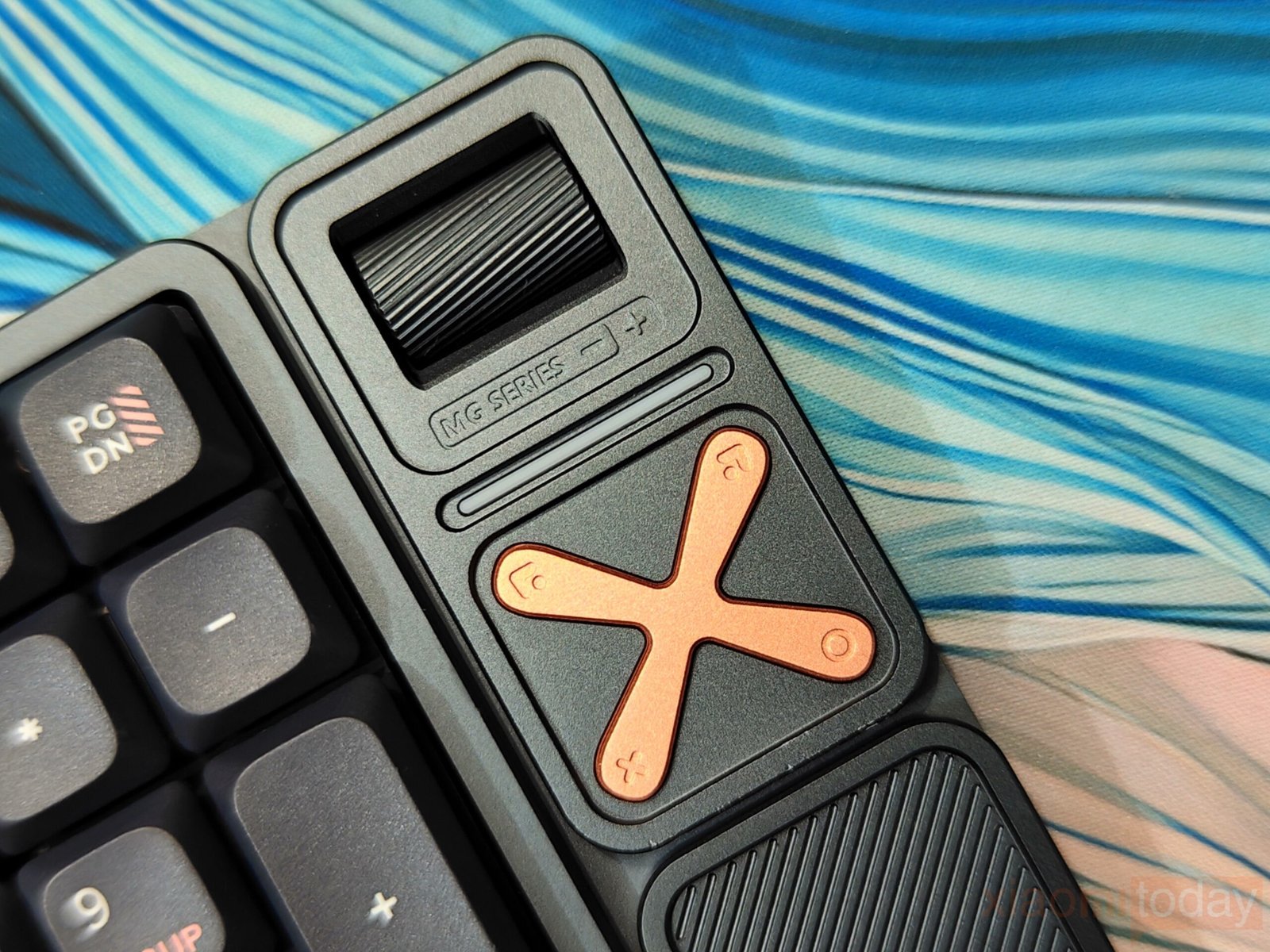
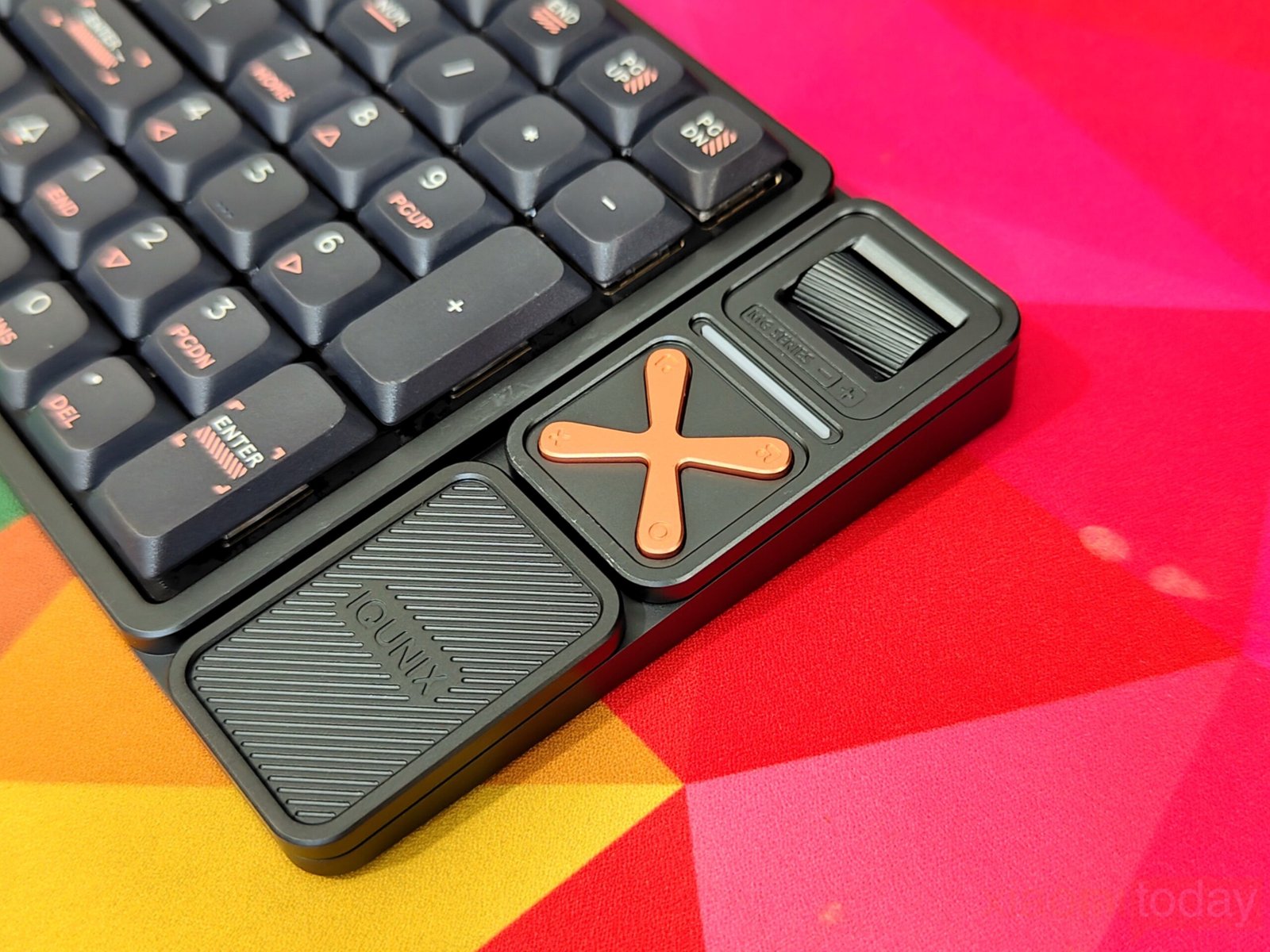
On the right side panel, IQUNIX integrates physical media controls that blend into the aluminum frame. The metal volume roller uses a knurled texture that provides good grip along with clear step feedback when adjusting sound levels. Below this area sits an X-shaped metal control pad with four directional inputs and a central mute function. These buttons use firm membrane-style switches, offering consistent tactile response. Through VIA software, the X cluster can also be reassigned for macros or shortcuts, which can be useful for workflow customization.
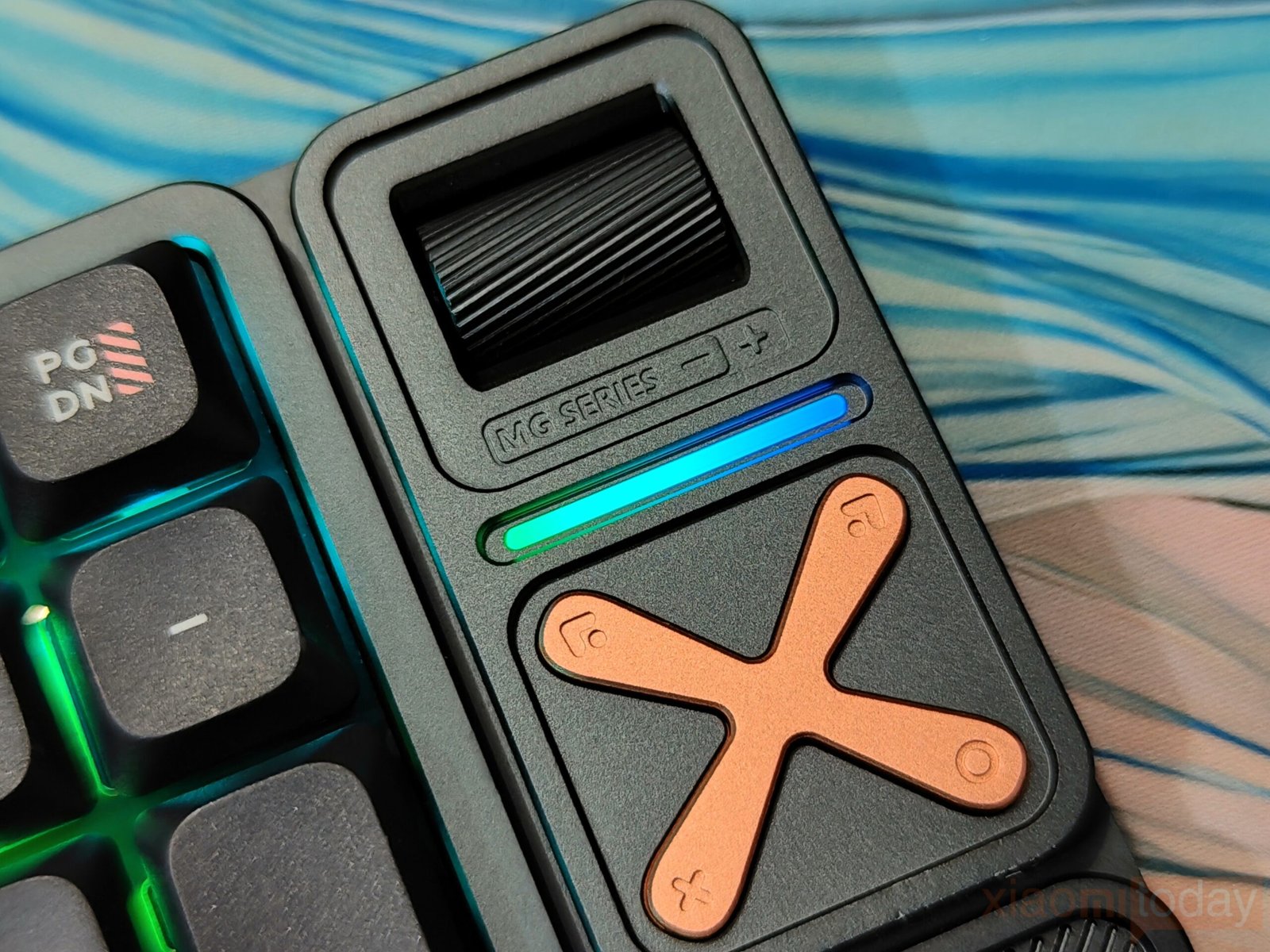
Just below the volume knob, an RGB light strip adds a subtle visual accent that complements the keyboard’s modern styling without becoming distracting.
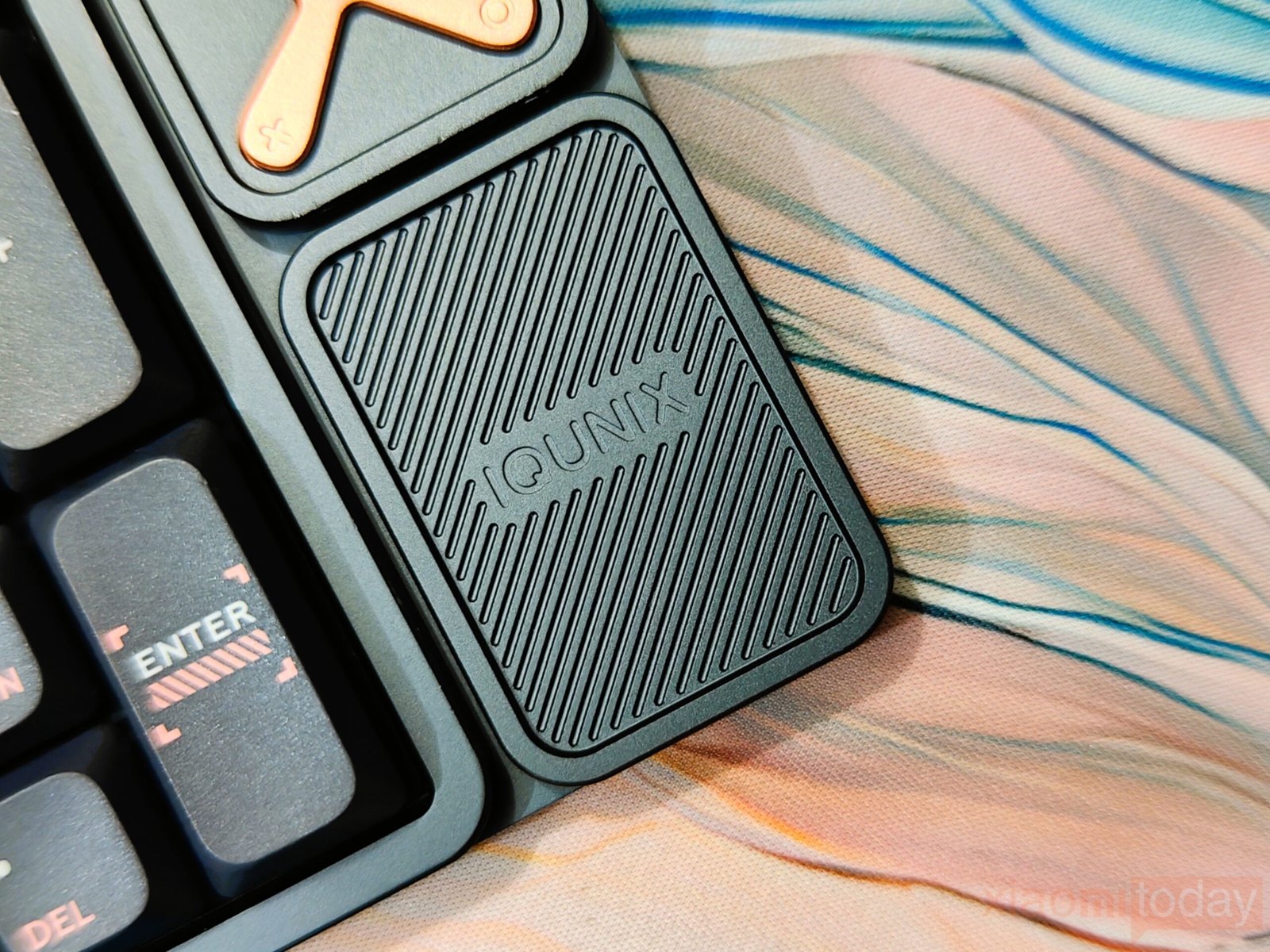
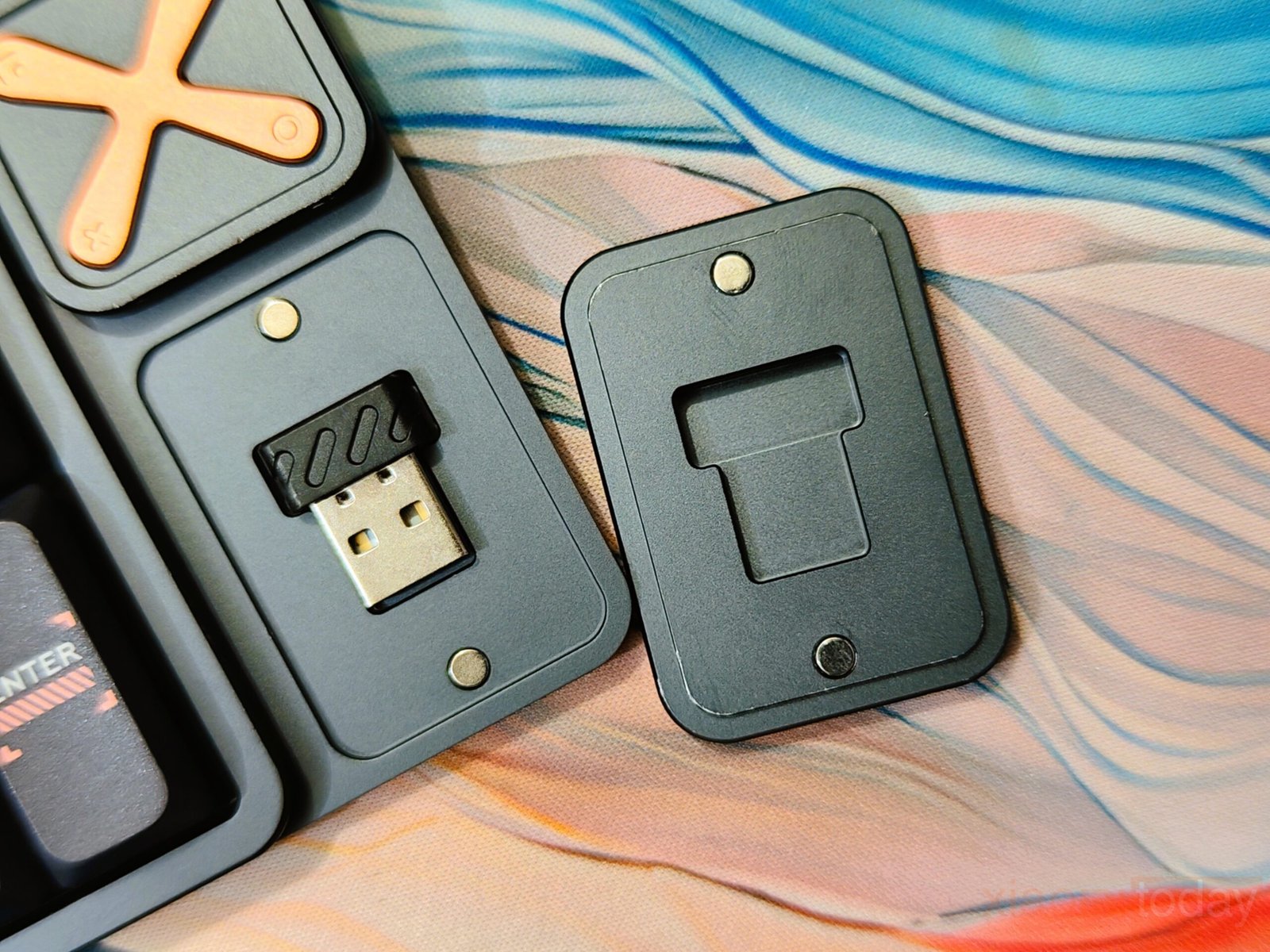
There is also a dedicated storage compartment for the 2.4GHz wireless receiver located in the lower-right section of the chassis. This small addition helps prevent the dongle from being misplaced when switching between wired and wireless use.
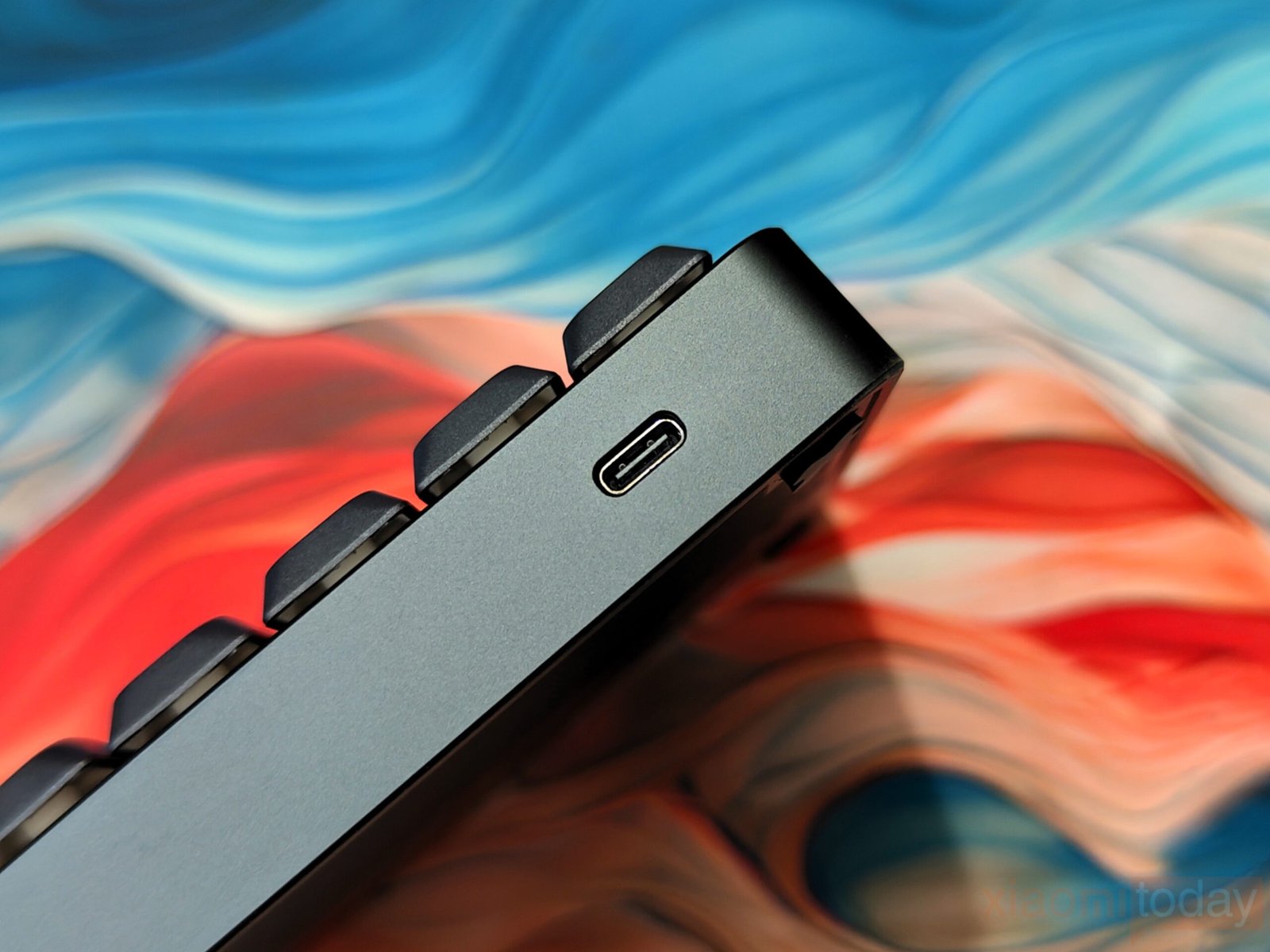
The exterior remains clean, with only a single USB Type-C port visible and no external switches interrupting the design. One minor drawback is the placement of the power control. The power control is hidden beneath the Esc key and requires holding Fn + Esc for several seconds to turn the keyboard on or off. While this keeps the exterior minimal, the keyboard may occasionally wake when stored inside a bag.
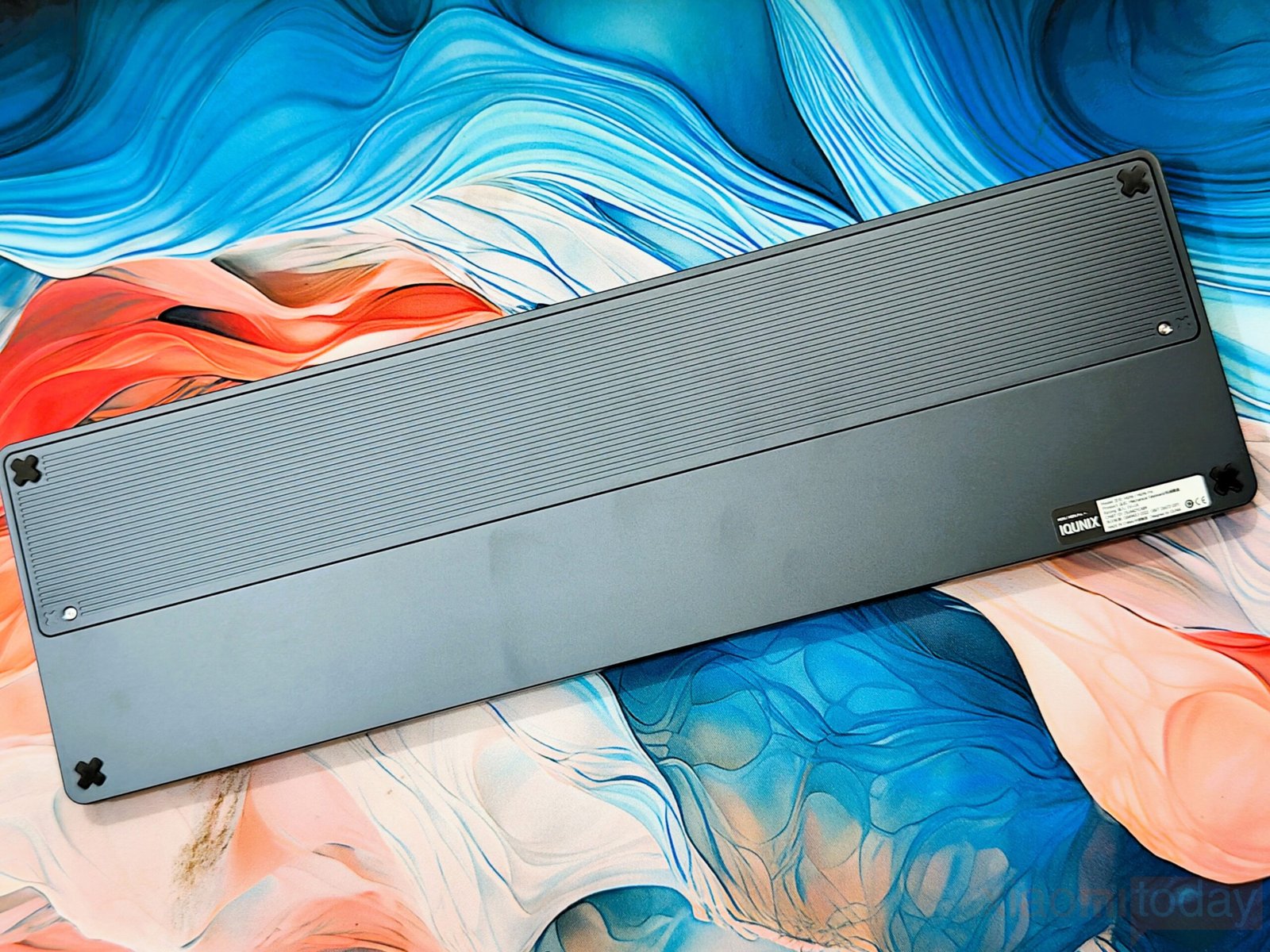
The underside continues the same visual theme with four X-shaped anti-slip rubber pads that help keep the keyboard stable on the desk surface. The battery compartment cover uses brushed aluminum and is secured with well-fitted screws that match the overall construction quality.
The internal structure is designed with a clear focus on typing comfort and sound control rather than simply adding layers for specification value. The FR4 plate provides a firmer base compared to polycarbonate, giving each keystroke a stable and predictable response. This helps maintain consistency across the board, especially during longer typing sessions where excessive softness can become distracting. The flex-cut PCB introduces a controlled amount of flex, softening the bottom-out slightly without making the typing feel overly elastic or unstable.
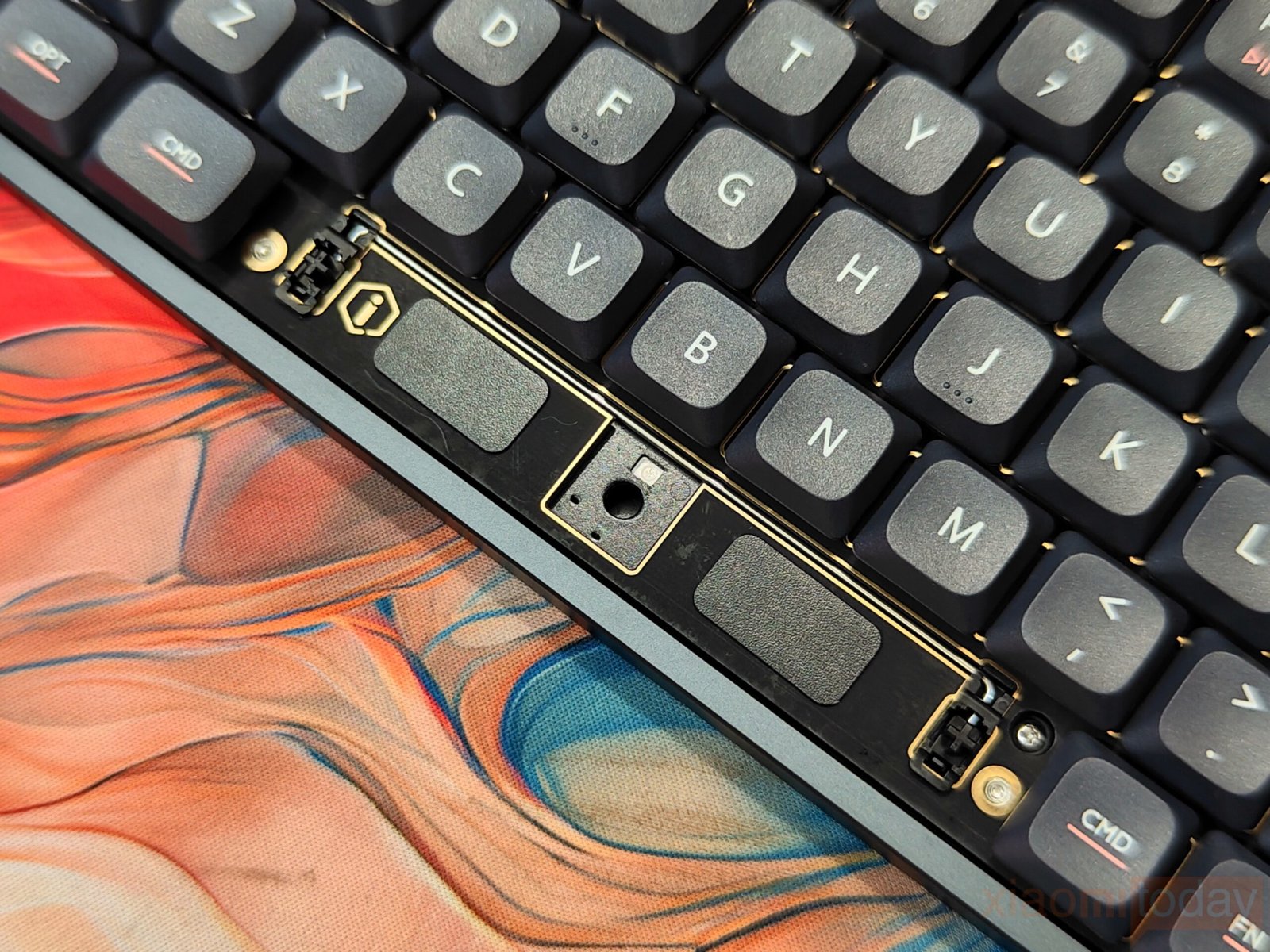
Acoustic tuning is handled through a multi-layer dampening arrangement that works cohesively to shape the overall sound profile. Poron foam placed around the PCB and bottom case reduces higher-pitched noise, helping prevent the sharp or thin tone sometimes associated with metal keyboards. The IXPE switch pad adds a mild, crisp edge to each keypress, keeping the sound defined without becoming harsh. Additional PET and foam layers help fill out the acoustic space inside the chassis, reducing hollowness and producing a deeper, more rounded tone.
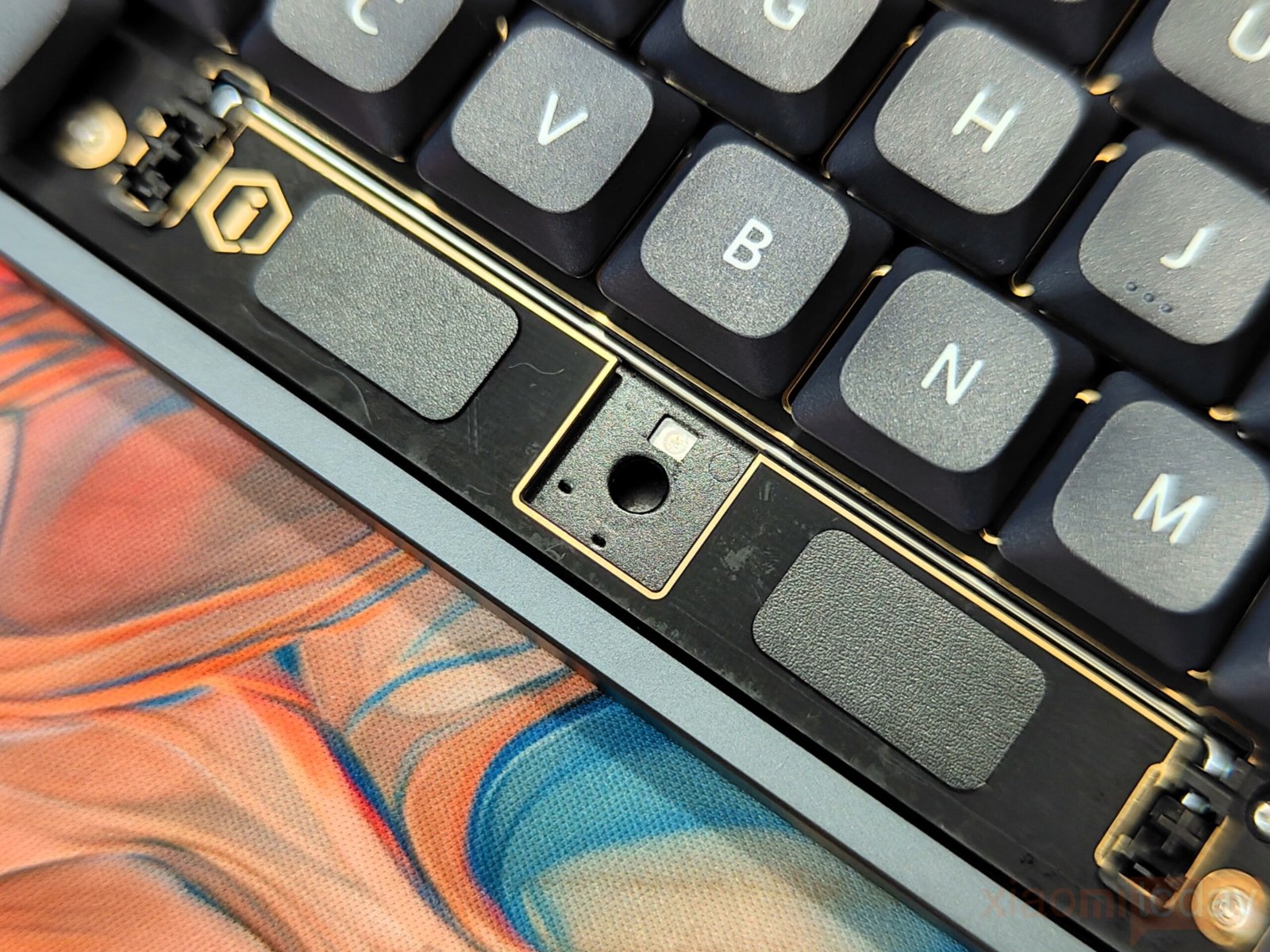
The aluminum case plays an important role in maintaining structural rigidity while also contributing to the overall sound character. Its solid construction avoids unwanted metallic resonance or case ping, which can occur in less refined implementations. Combined with the gasket-mounted design and dampening ring, the typing feel remains balanced across the keyboard. Keypresses feel cushioned on impact, controlled in return, and consistent across different areas of the board, delivering a typing experience that feels carefully tuned rather than artificially adjusted.
Keycaps & RGB Lighting
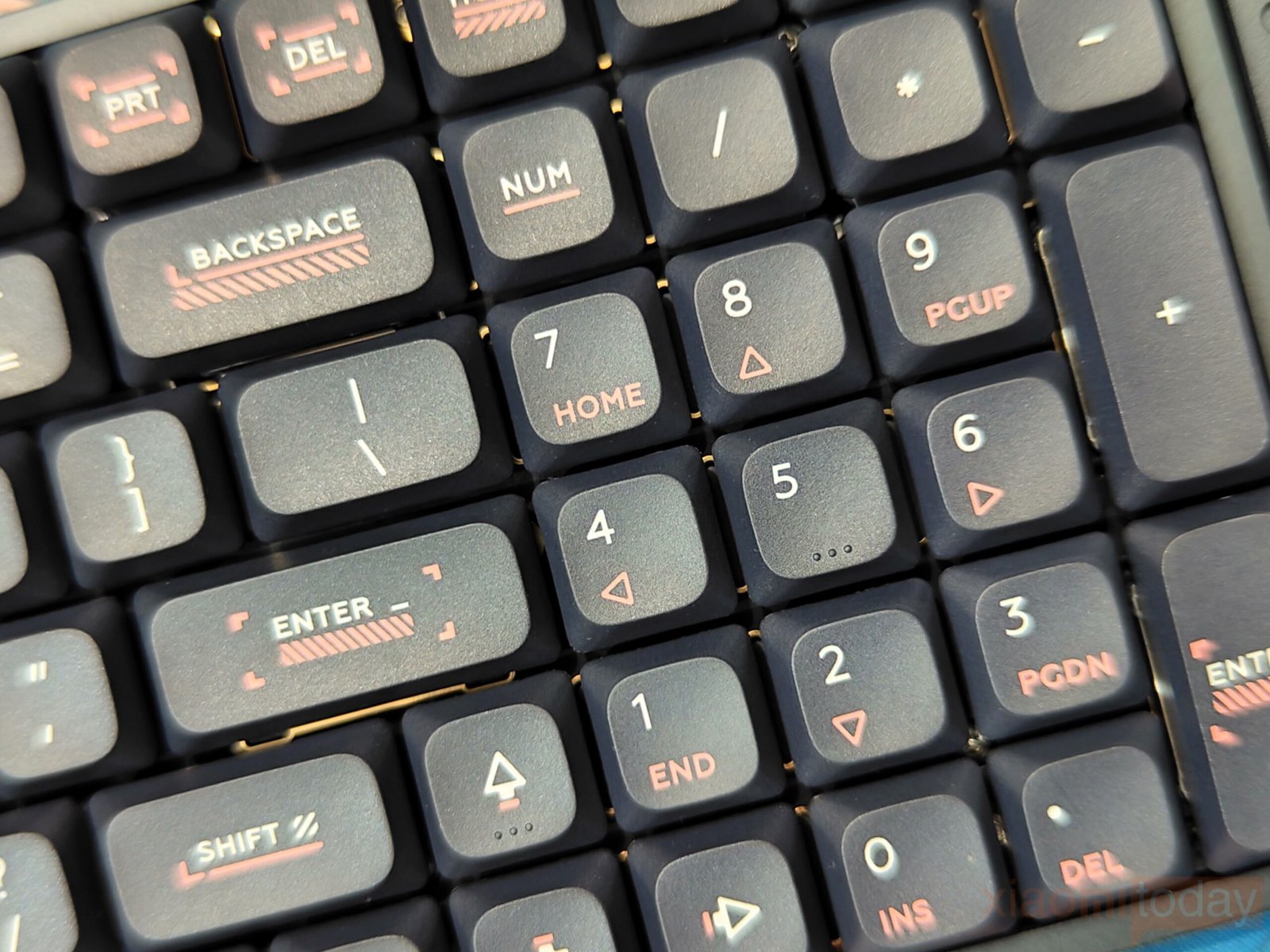
IQUNIX has equipped the Magi96 Pro with high-purity PBT keycaps, and the difference is noticeable from the first use. The surface has a fine texture with a light grip, which helps maintain control during long typing sessions. Thanks to the anti-oil coating, the keycaps stay clean and resist the greasy shine that often appears on ABS sets over time. The legends are well-defined and remain intact with regular use, making the board suitable for daily work without worrying about wear.
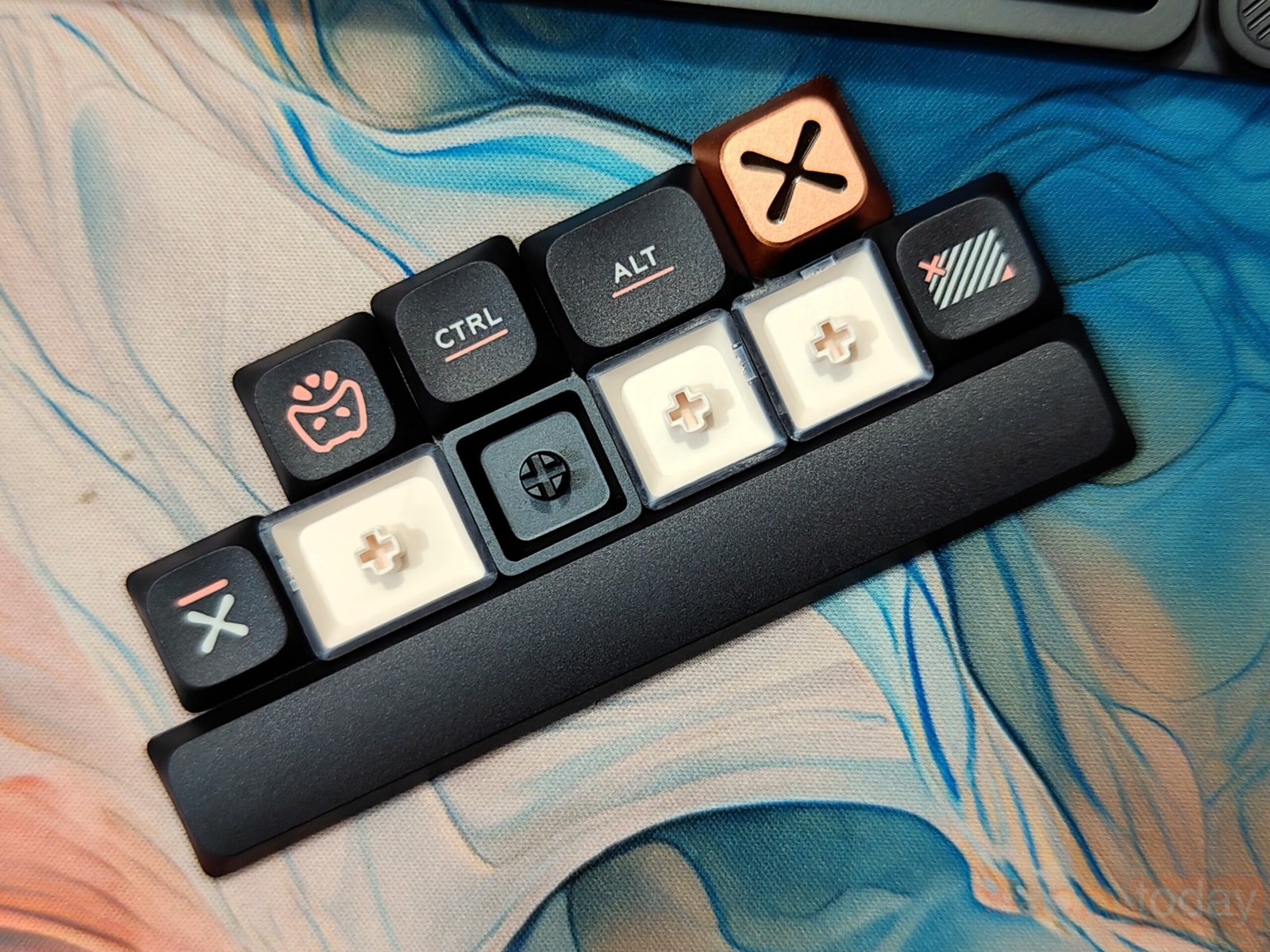
These keycaps are designed for low-profile switches, so the overall typing feel remains stable and consistent. However, they are not shine-through, which means the RGB lighting does not pass through the legends. Instead, the keyboard uses edge lighting, creating a soft halo around each key. The effect looks clean and subtle, though it may feel a bit understated for users who prefer brighter, more visible lighting.
Out of the box, the keyboard comes with a macOS layout, which is still uncommon in this segment. IQUNIX includes Windows-specific keycaps in the package, allowing users to switch layouts without extra cost. This small detail makes the keyboard more flexible, especially for users working across different systems.

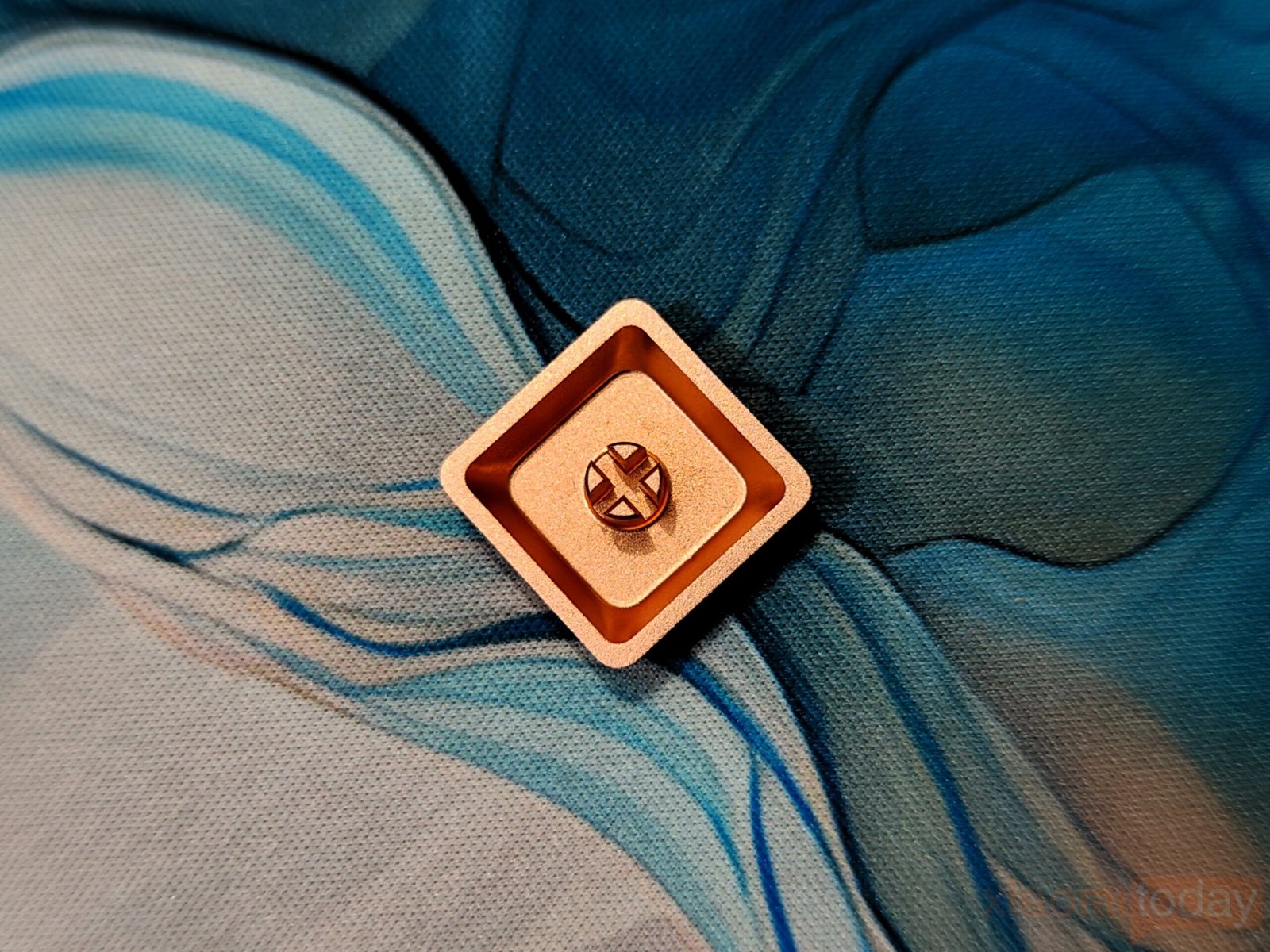
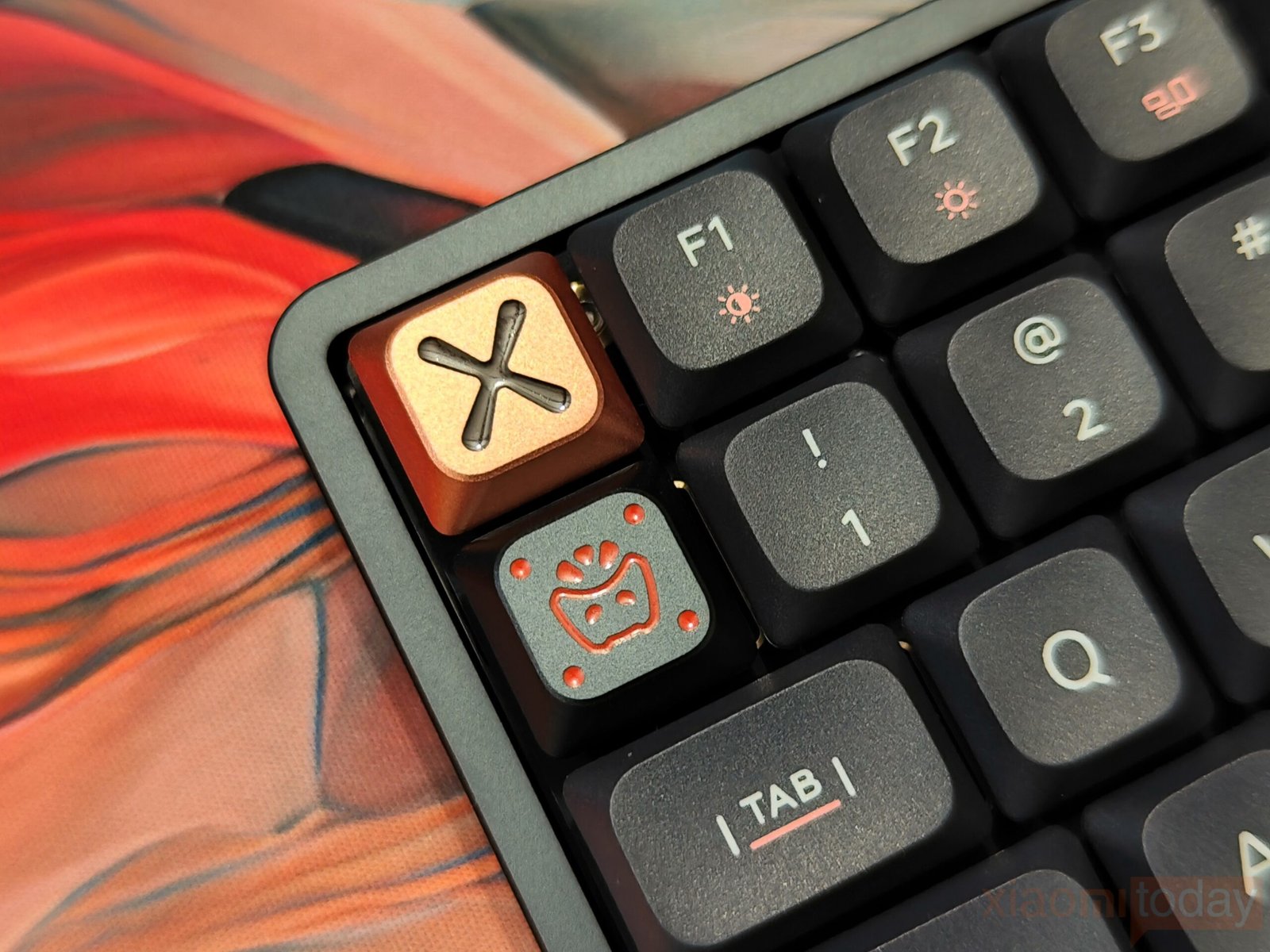
There are also two full-metal keycaps included, which can be used for keys like ESC or swapped in based on personal preference. They add a bit of weight and a different tactile feel, along with a slight visual contrast compared to the rest of the board.
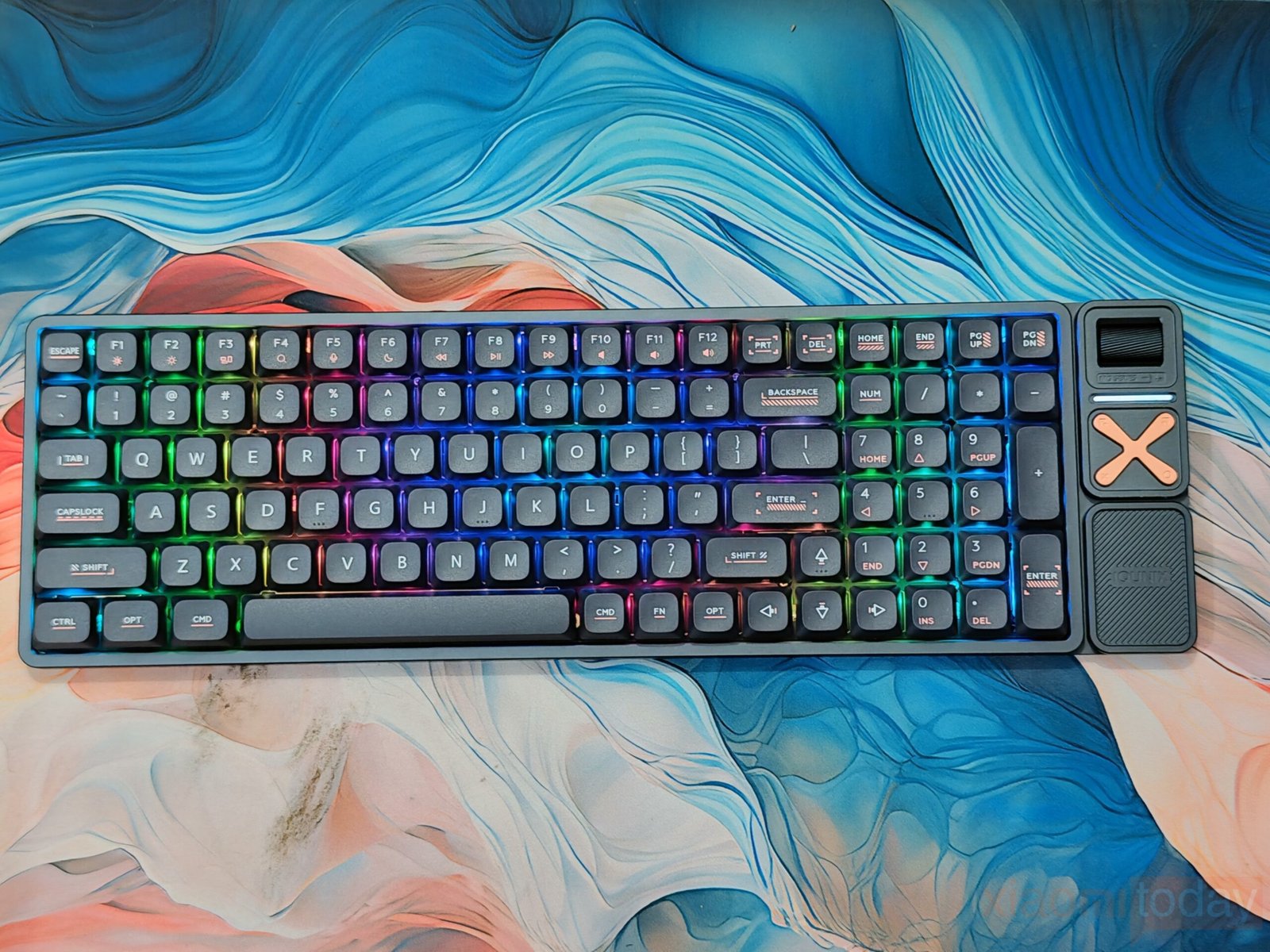
On the RGB side, the Magi96 Pro supports multiple lighting modes along with five levels of brightness adjustment. Controls can be accessed through key combinations, and software support is available for users who want more customization. The lighting leans toward a softer tone, avoiding harsh glare while still adding some character to the setup. It doesn’t aim to be flashy, but it fits well with the overall design and keeps the focus on usability.
Gold Red Low-Profile Switches
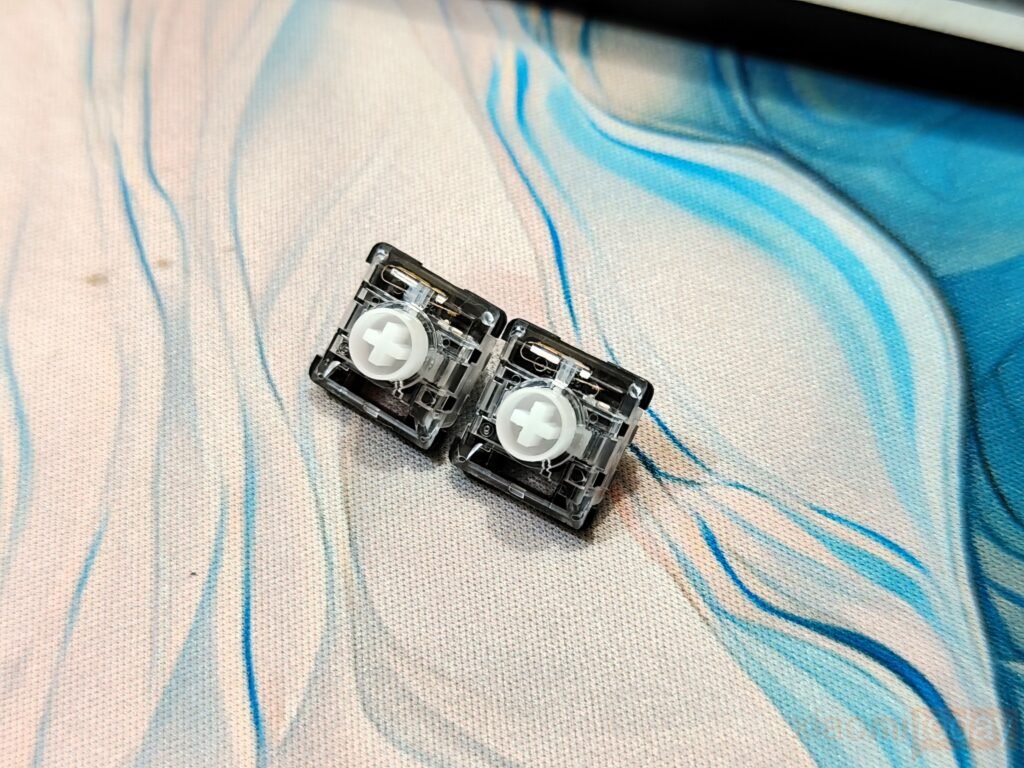
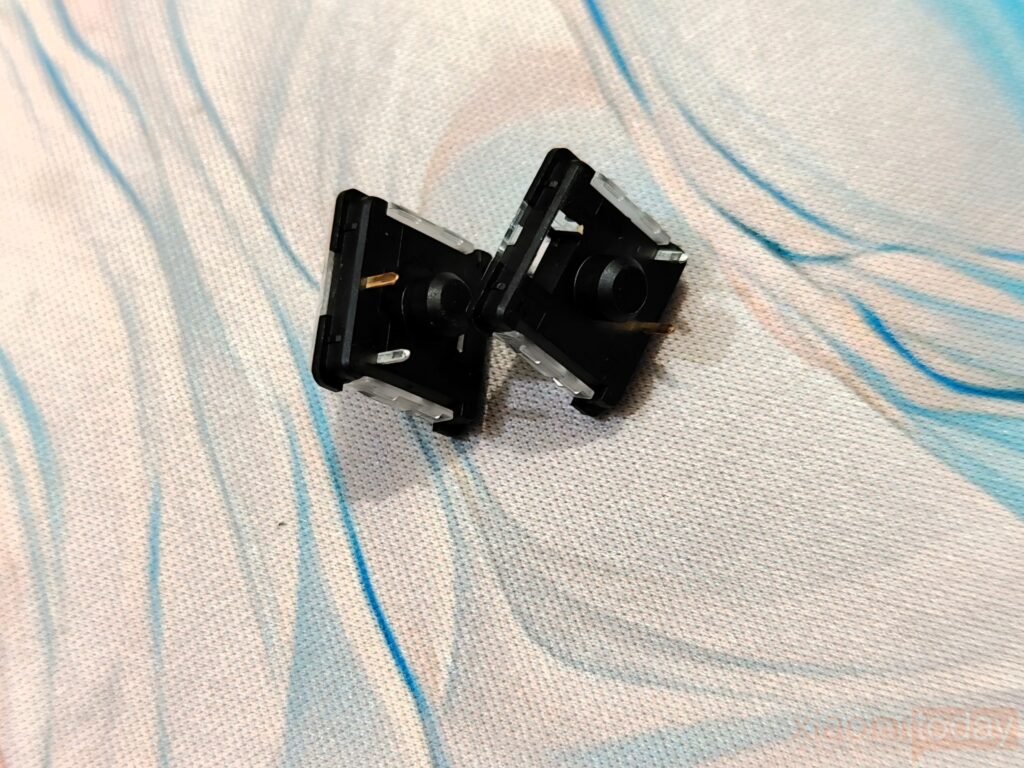
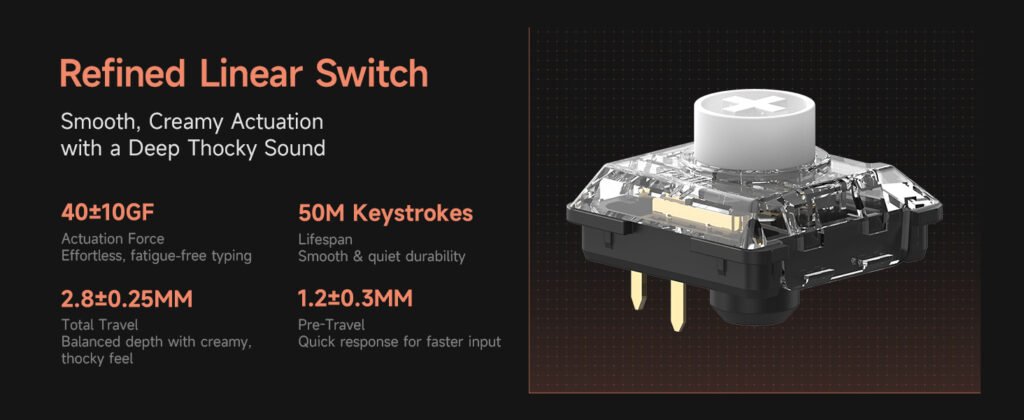
The IQUNIX Magi96 Pro uses Gold Red low-profile switches with a light 40+10gf actuation, designed for smooth and precise typing. Keystrokes feel effortless, reducing fatigue during extended typing sessions or focused work, while the short pre-travel of 1.2±0.30mm makes each keypress responsive without being overly sensitive.
| Specification | Details |
|---|---|
| Operating Force | 40+10gf |
| Pre-Travel | 1.2±0.30mm |
| Total Travel | 2.8±0.25mm |
| Lifespan | 50 million actuations |
In practice, the switches are quiet and consistent, with the smoothness improving slightly after a short break-in period, as is common with POM stems. The clear top housings allow RGB lighting to shine through well, though the keycaps themselves don’t shine through, so lighting serves more for ambiance than key visibility.
The sound profile is generally muted, lending a professional feel to typing, though a few keys produce slightly deeper tones. Stabilizers are solid across most larger keys, with only the Enter and Backspace showing minor ticking, which can be easily fixed with a small amount of lubrication.
Shortcut Keys
The IQUNIX Magi96 Pro keeps most functions accessible through FN key combinations, so you can handle connectivity, lighting, and system tasks directly from the keyboard. Switching between devices, adjusting RGB settings, or checking battery level is quick and intuitive, making the keyboard practical for both work and gaming.
| Shortcut | Function |
|---|---|
| FN + ESC (hold 3s) | Power On / Off |
| FN + ESC (hold 3s) | Enter 2.4GHz pairing mode |
| FN + 1 (hold 3s) | Bluetooth pairing (Device 1) |
| FN + 2 (hold 3s) | Bluetooth pairing (Device 2) |
| FN + 3 (hold 3s) | Bluetooth pairing (Device 3) |
| FN + 1 / 2 / 3 | Switch between paired Bluetooth devices |
| FN + 4 | Switch to 2.4GHz mode |
| FN + 4 (hold 3s) | Re-pair 2.4GHz receiver |
| FN + Z (UK) / FN + Y (DE) | Backlight On / Off |
| FN + X | Brightness Down |
| FN + C | Brightness Up |
| FN + V | Speed Down |
| FN + N | Speed Up |
| FN + Enter | Switch lighting effects |
| FN + Shift | Change backlight color |
| FN + { / [ / ; (UK/US) | Switch lighting strip effect (Pro) |
| FN + Ü (DE) | Switch lighting strip effect (Pro) |
| FN + } / ] / ; (UK/US) | Change lighting strip color (Pro) |
| FN + * + ~ (DE) | Change lighting strip color (Pro) |
| FN + B | Check battery level |
Note: The keyboard cannot be powered off while connected via cable.
All the essential controls are covered in this table, letting you manage device connections, lighting, and system utilities without opening software. Switching between Bluetooth devices is fast, the 2.4GHz mode provides low-latency performance for gaming, and RGB settings can be adjusted quickly to suit your setup.
Connectivity
The Magi96 Pro offers flexible connection options, supporting USB-C wired, 2.4GHz wireless, and Bluetooth 5.1. This makes it easy to switch between multiple devices, whether on Windows, macOS, iOS, or Android. Performance is consistent across all modes, with a 1000Hz polling rate for wired and 2.4GHz connections, and 125Hz over Bluetooth, ensuring accurate and responsive typing in every scenario.
For a direct, low-latency connection, plug in the USB-C cable. The keyboard immediately enters wired mode, which is ideal for gaming, intensive typing, or any task where responsiveness matters.
To connect via 2.4GHz, long-press FN + ESC for 3 seconds to enter pairing mode. Insert the included receiver to complete the connection. If you need to re-pair, short-press FN + 4, then long-press both keys for 3 seconds until the indicator flashes rapidly, and plug in the receiver.
The Magi96 Pro supports up to three Bluetooth devices. To pair a device, short-press FN + 1, then long-press both keys for 3 seconds until the indicator flashes. Select [IQUNIX MGT5 BT] on your device to pair. Repeat with FN + 2 or FN + 3 to add more devices. Switching between paired devices is simple—just press FN + 1/2/3.
With these options, the Magi96 Pro is well-suited for multitasking across devices, offering reliable performance whether at your desk or on the move.
VIA Software
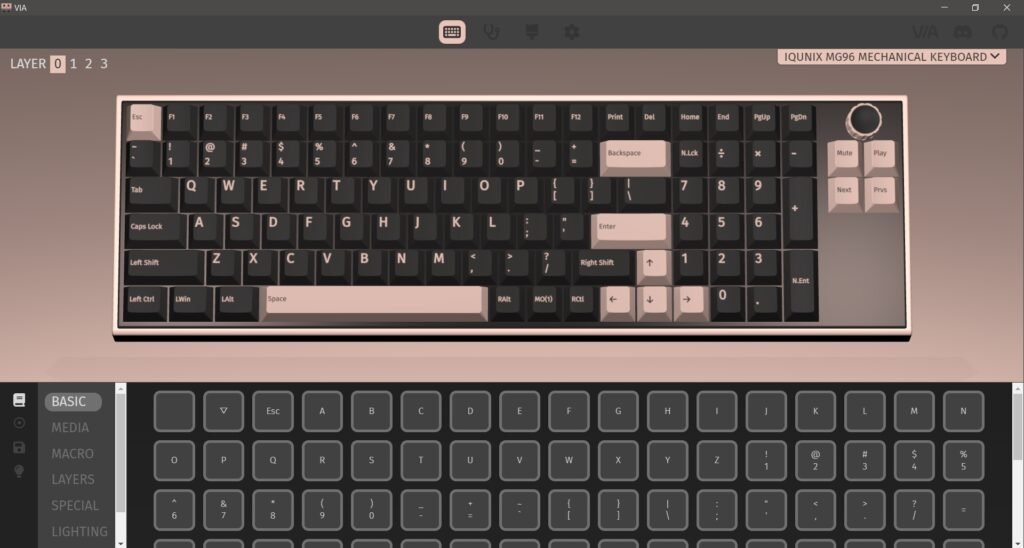
The IQUNIX Magi96 Pro supports VIA, which gives full control over key mapping without relying on heavy background software. In practice, this means every key on the board can be reassigned to suit personal needs. During testing, I replaced the Print Screen key with an Insert key, and the change worked exactly as expected. Adjustments apply instantly, and once saved, they remain stored on the keyboard.
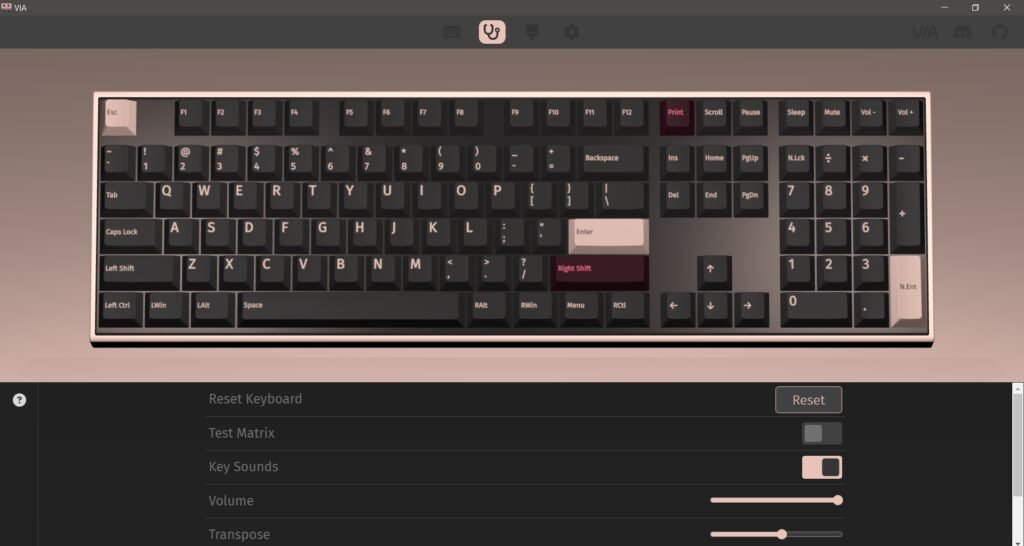
The setup process takes a bit of effort the first time. VIA does not detect the Magi96 Pro out of the box, so you need to download the JSON file from IQUNIX’s website and load it manually through the Design tab in VIA. This tab is hidden by default, so it needs to be enabled before use. After completing this step once, the keyboard is recognized normally in future sessions. It’s also worth noting that the keyboard must be connected via USB for VIA to work. Wireless modes, including Bluetooth, did not allow configuration for my use.
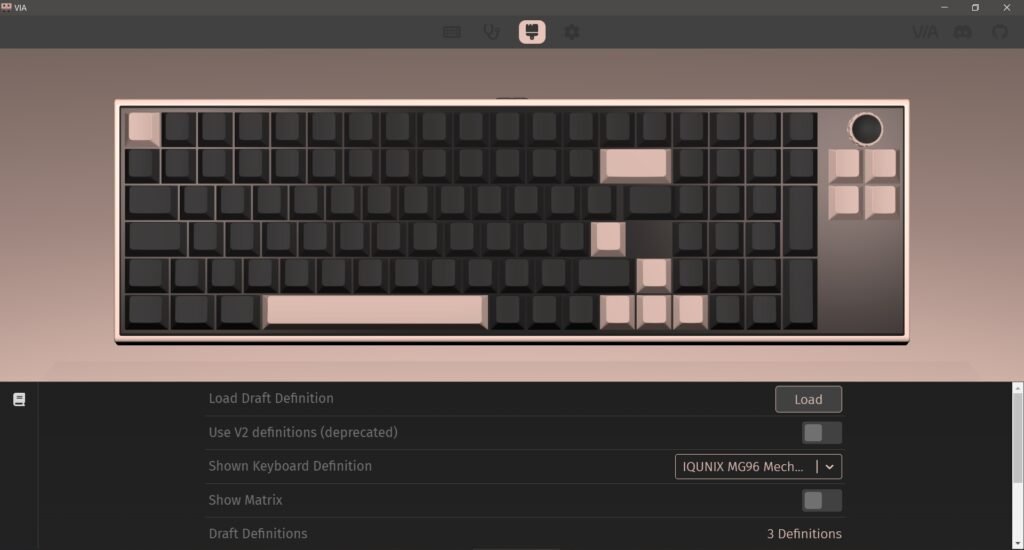
With everything configured, VIA offers a flexible layout system. You can create multiple layers, assign different functions to the same key, and set up macros for repeated actions. This can be useful for productivity tasks, especially if the numpad is not used in a traditional way. Remapping those keys into shortcuts or commands can improve workflow depending on the use case.
Battery Performance
The IQUNIX Magi96 Pro is equipped with a 4000mAh battery, and in day-to-day use, it proves to be dependable. IQUNIX claims up to 500 hours in Bluetooth mode with the backlight turned off, which is achievable if you keep the lighting disabled and use the keyboard mainly for general tasks. In a typical setup, though, most users will have RGB enabled, and that naturally brings the runtime down to a more realistic range.
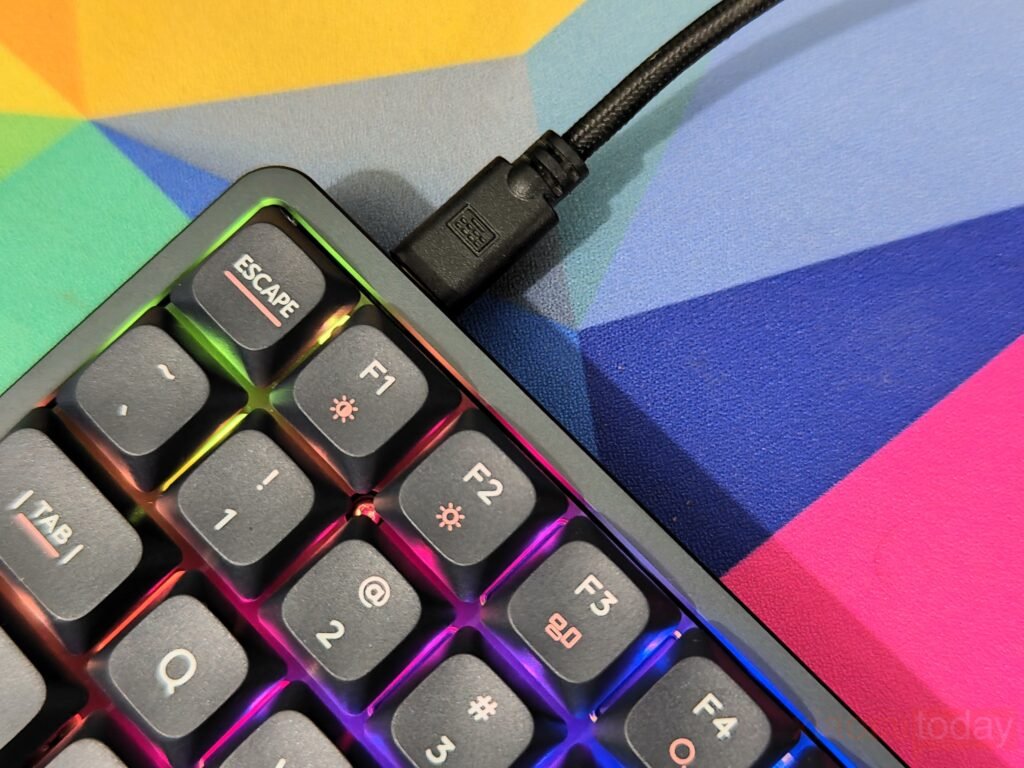
During testing, I used the keyboard mostly in Bluetooth mode with RGB lighting active, and it easily lasted a few days on a single charge. This included a mix of typing, browsing, and some light gaming. The keyboard also helps manage power on its own—when left idle, the backlight switches off automatically, which reduces unnecessary drain and helps stretch battery life without any manual input.
Charging isn’t something you’ll need to think about often. Even with regular use, the battery holds up long enough that plugging it in becomes more of a weekly routine rather than a daily one. For users who prefer wired mode, the keyboard can be used while charging, so there’s no downtime involved.
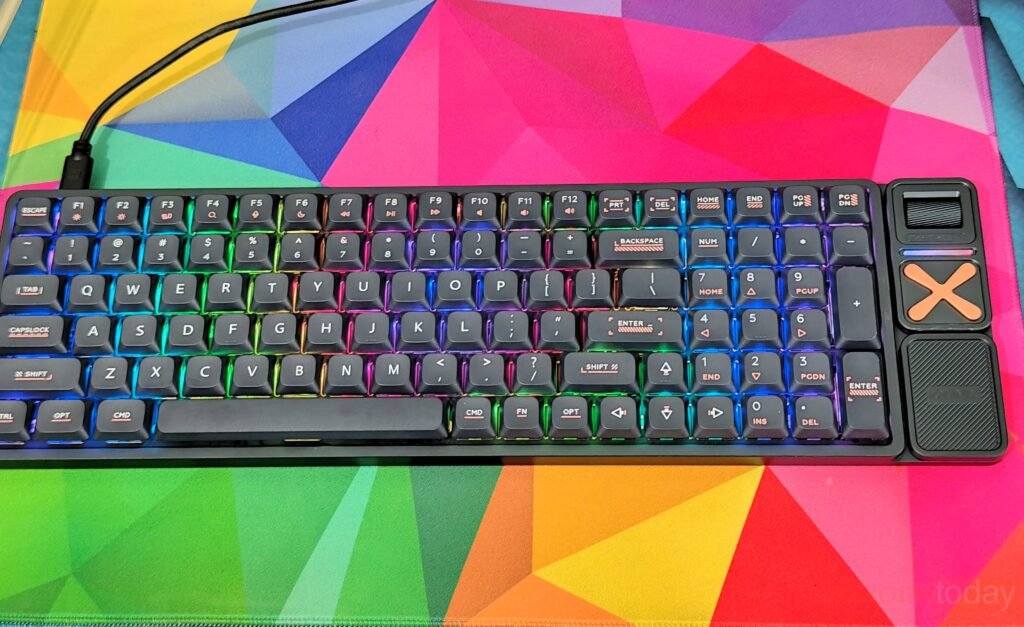
IQUNIX has also included a simple battery status check. Pressing FN + B triggers the Caps Lock LED to blink and indicate the remaining charge level. It’s not the most detailed system, but it does the job once you learn how to read it. When the battery runs low, the keyboard disables RGB lighting to conserve power, allowing you to continue using it for longer before needing a recharge. Overall, battery performance is consistent and well-suited for both work and casual use.
USE Experience
After two weeks of daily use, the IQUNIX MAGI96 Pro settles into a comfortable routine. The low-profile design feels natural after a short adjustment period, especially for users coming from traditional mechanical keyboards. The reduced height improves wrist positioning, making long typing sessions easier to manage without extra accessories. The 96% layout proves practical in real-world use, keeping the numpad within reach while saving desk space. It works well for productivity tasks like writing, data entry, and general multitasking, where both compactness and full functionality matter.
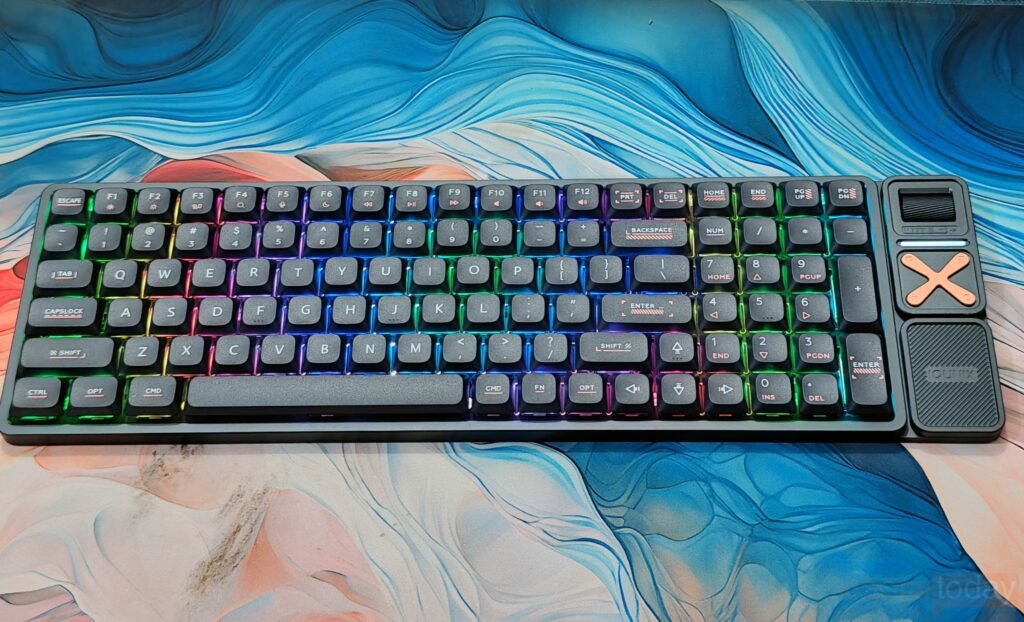
The Gold Red low-profile switches are tuned for smooth and light keystrokes. Typing feels effortless, which helps during extended sessions, and the shorter travel distance improves speed without feeling overly sensitive. The sound profile remains controlled and quiet, making it suitable for shared workspaces. Stabilizers perform consistently across most keys, though a slight ticking on a few larger keys can still be noticed. It’s a minor detail that doesn’t interfere with regular use but is worth noting for users who pay close attention to acoustics.
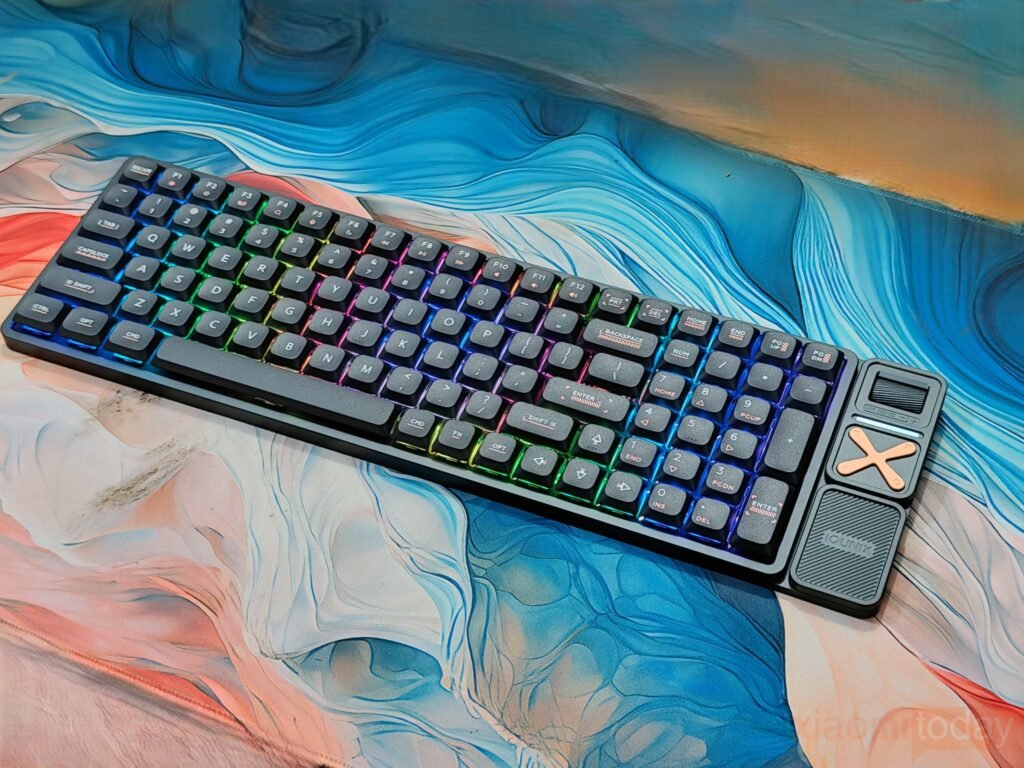
In terms of connectivity, the keyboard performs reliably across all modes. The 2.4GHz connection delivers responsive input that works well for gaming and fast typing, while Bluetooth is better suited for switching between multiple devices. Moving between a laptop, tablet, and phone is quick and stable using the built-in shortcuts. Wired mode remains the most dependable option, especially when using VIA for key remapping. Once configured, the ability to customize layouts and assign macros adds flexibility for both work and personal use.
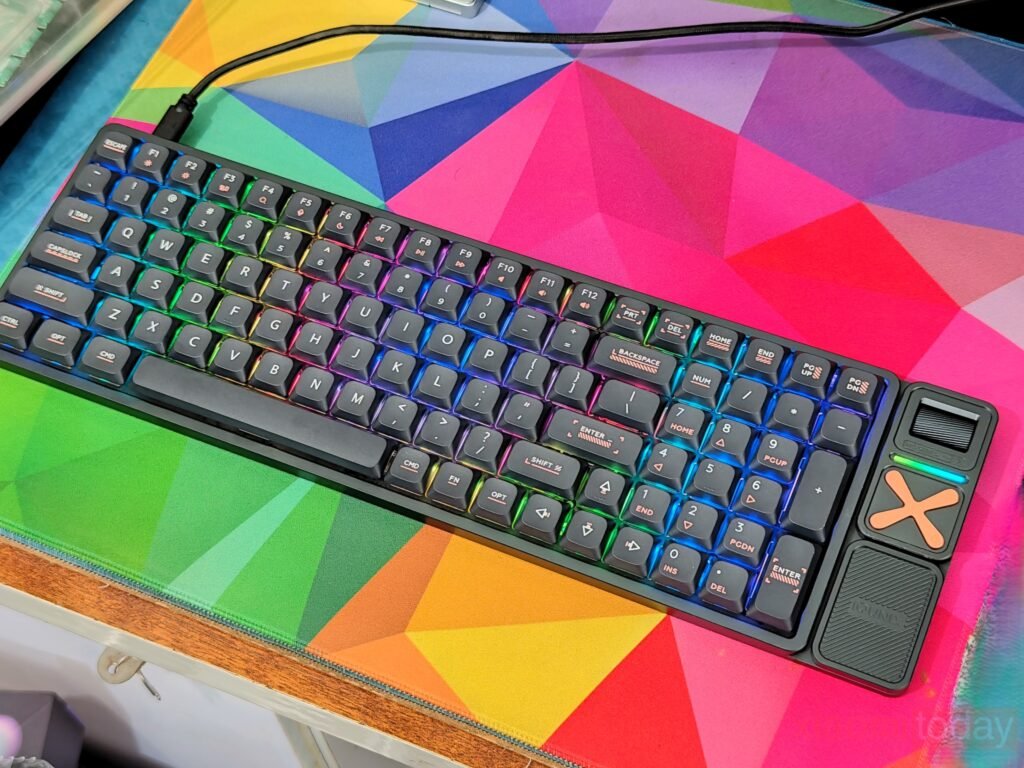
Build quality holds up well over time, with the aluminum chassis maintaining a solid feel and the PBT keycaps retaining their texture after extended use. The side controls, including the volume roller and programmable function cluster, become more useful as they are integrated into daily workflows. Battery life is consistent with regular use, lasting several days with RGB enabled, and the automatic sleep function helps reduce unnecessary drain. Overall, the MAGI96 Pro offers a balanced experience that focuses on usability, comfort, and reliable performance in a slim mechanical keyboard format.