EPOMAKER continues to expand its mechanical keyboard lineup with products aimed at users who want premium features without spending a premium price. The TH80 V2 Pro is a compact 75% mechanical keyboard that combines wireless connectivity, a programmable knob, an integrated LCD screen, and customizable RGB lighting in a space-saving layout. It is designed for users who need a keyboard that can handle both productivity and gaming while taking up less desk space than a traditional full-size model.
For this hands-on review, I tested the EPOMAKER TH80 V2 Pro equipped with Sea Salt Silent V2 switches, though the keyboard is also available with Creamy Jade switches for those who prefer a different typing feel. The LCD and rotary knob combination provides quick access to settings while also enabling users to personalize the keyboard with custom images and GIFs. The gasket-mounted structure also stands out, delivering a softer and more controlled typing experience.
Connectivity options include wired USB-C, Bluetooth, and 2.4GHz wireless modes, making the keyboard suitable for multi-device setups. Powering everything is a large 10,000mAh battery, which is considerably larger than what is typically found in keyboards within this price range.
At the time of review, the EPOMAKER TH80 V2 Pro keyboard is available for $70.19, placing it in a highly competitive segment where features, build quality, and overall user experience play a major role in determining value. In this review, we’ll take a closer look at its design, features, typing performance, and overall value.
Specifications
| Specification | EPOMAKER TH80 V2 Pro |
|---|---|
| Brand | EPOMAKER |
| Model | TH80 V2 PRO |
| Layout | 75% ANSI US Layout |
| Number of Keys | 78 Keys + 1 Knob |
| Screen | LCD Screen |
| Connectivity | Tri-Mode Wireless (2.4GHz / Bluetooth / USB Wired) |
| Compatibility | Windows / macOS |
| Color Options | Black (Review Unit), White, Pink |
| Switch Options | EPOMAKER Creamy Jade Switch, EPOMAKER Sea Salt Silent V2 Switch (Review Unit) |
| Front Height | 18.5 mm |
| Back Height | 32.5 mm |
| Typing Angle | 2-Stage Adjustable |
| Case Material | ABS Plastic |
| Plate Material | PC (Polycarbonate) |
| Flex-Cut | Yes |
| Stabilizers | Plate-Mounted Stabilizers |
| Mounting Structure | Gasket Mount |
| Sound Dampening | 5-Layer Dampening System (Noise-Absorbing Foam, Switch Pad, Sound Enhancement Pad, Switch Socket Pad, Bottom Silicone) |
| Keycap Profile | Cherry Profile |
| Keycap Material | PBT Plastic |
| Keycap Manufacturing | Double-Shot |
| Switch Support | 3-Pin / 5-Pin Mechanical Switches |
| Hot-Swappable | Yes, Hot-Swappable PCB |
| RGB Lighting | Yes |
| Anti-Ghosting | Yes |
| Dimensions (L × W × H) | 323 × 141 × 47 mm |
| Weight | 0.95 kg |
Unboxing
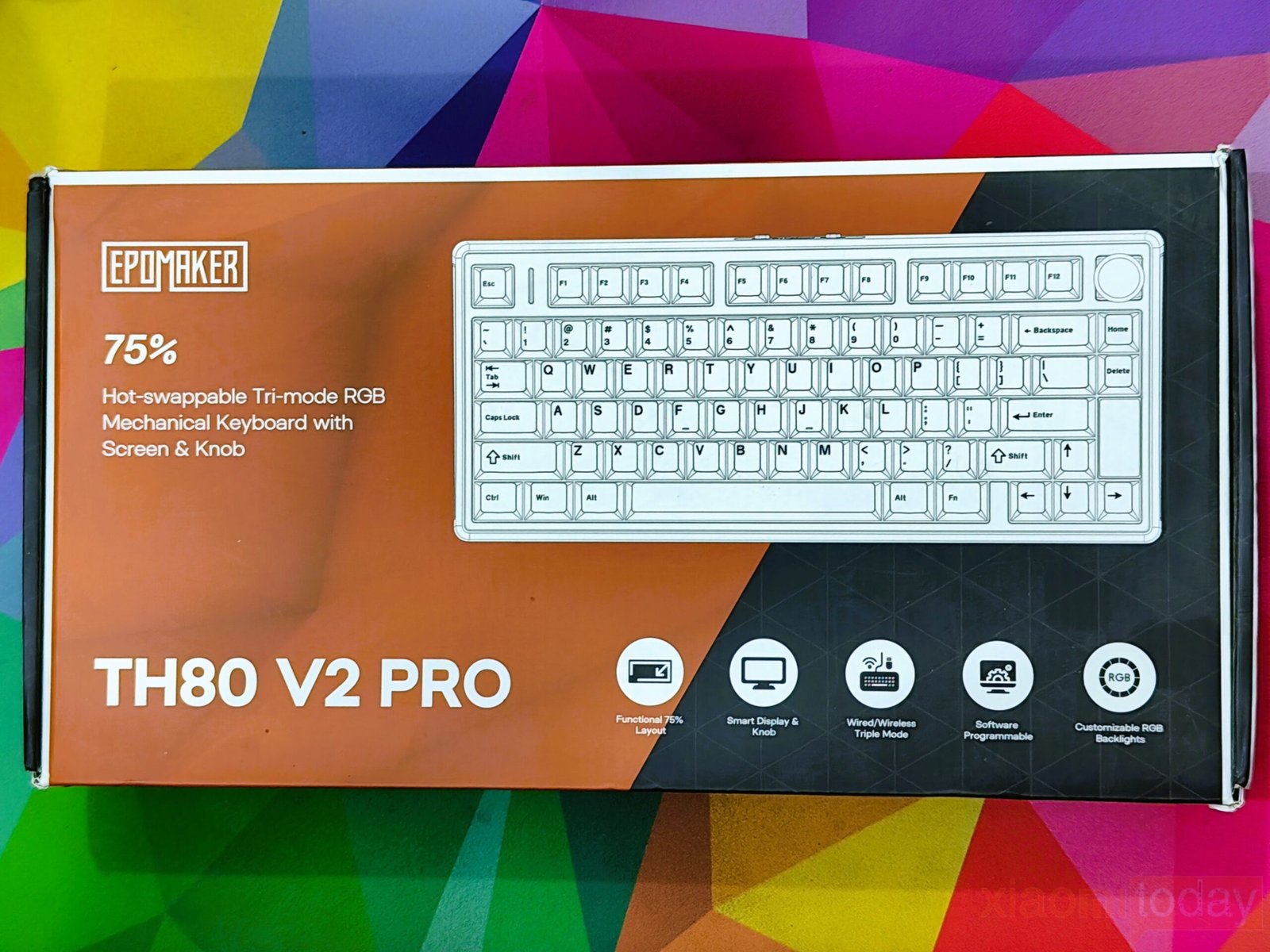
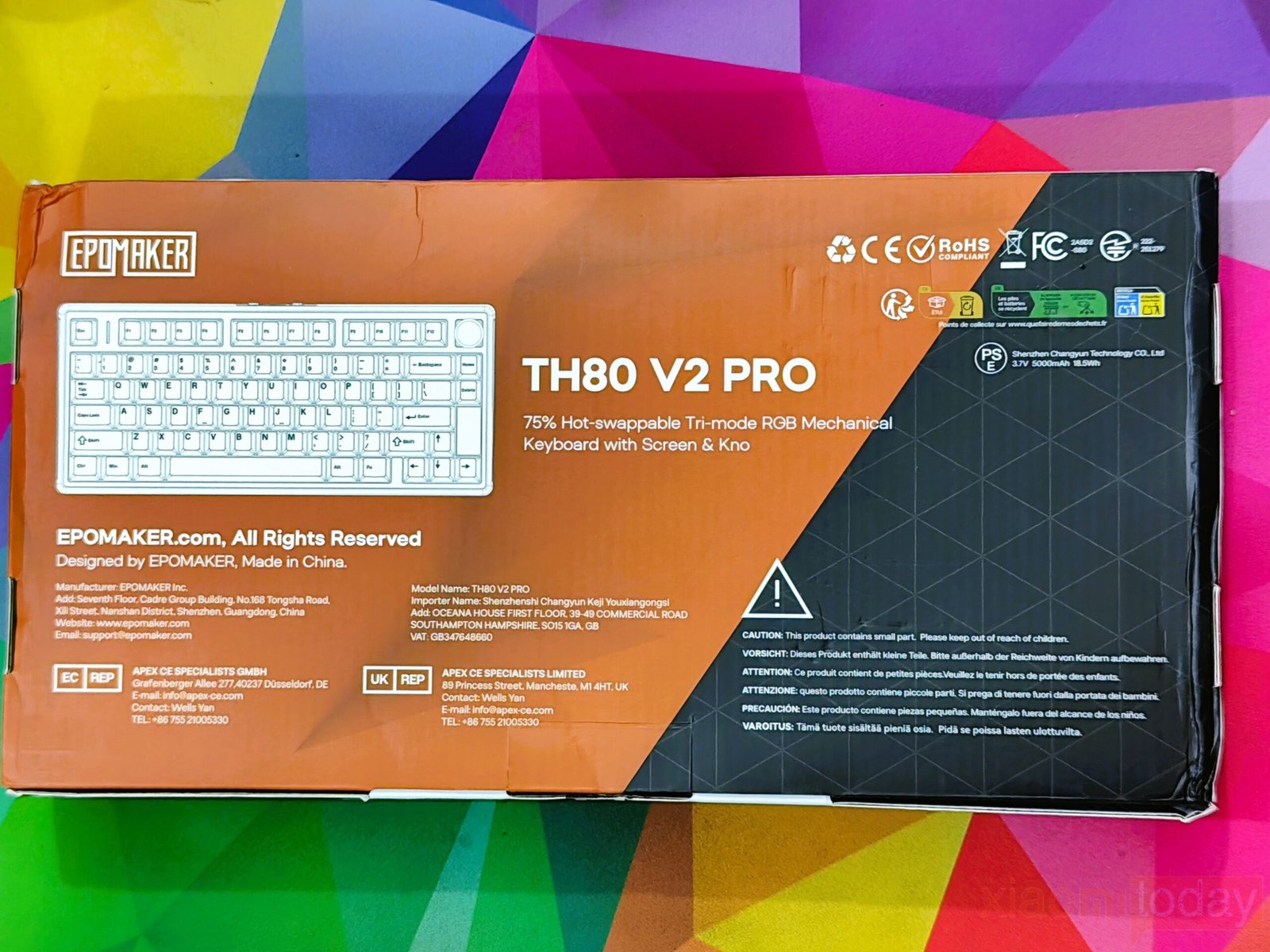
The EPOMAKER TH80 V2 Pro comes in a compact retail package that clearly presents the keyboard and its main features. The front of the box highlights the 75% layout, hot-swappable switches, tri-mode connectivity, RGB lighting, programmable software, and the built-in display with a rotary knob. On the back, the packaging includes a product illustration, manufacturer details, compliance markings, and basic product information. The design is clean and informative without being cluttered, making it easy to identify the keyboard’s key features before opening the box.
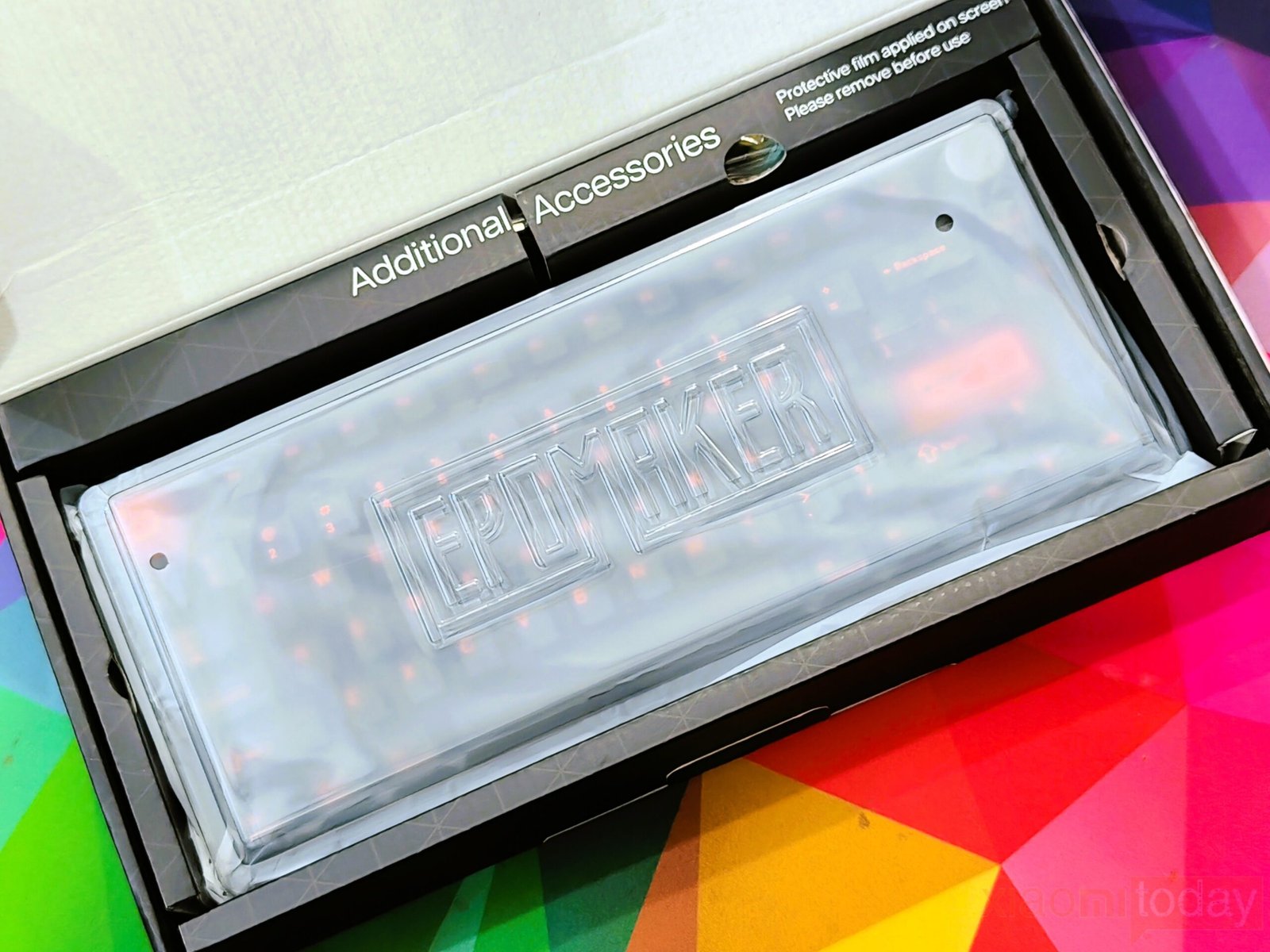
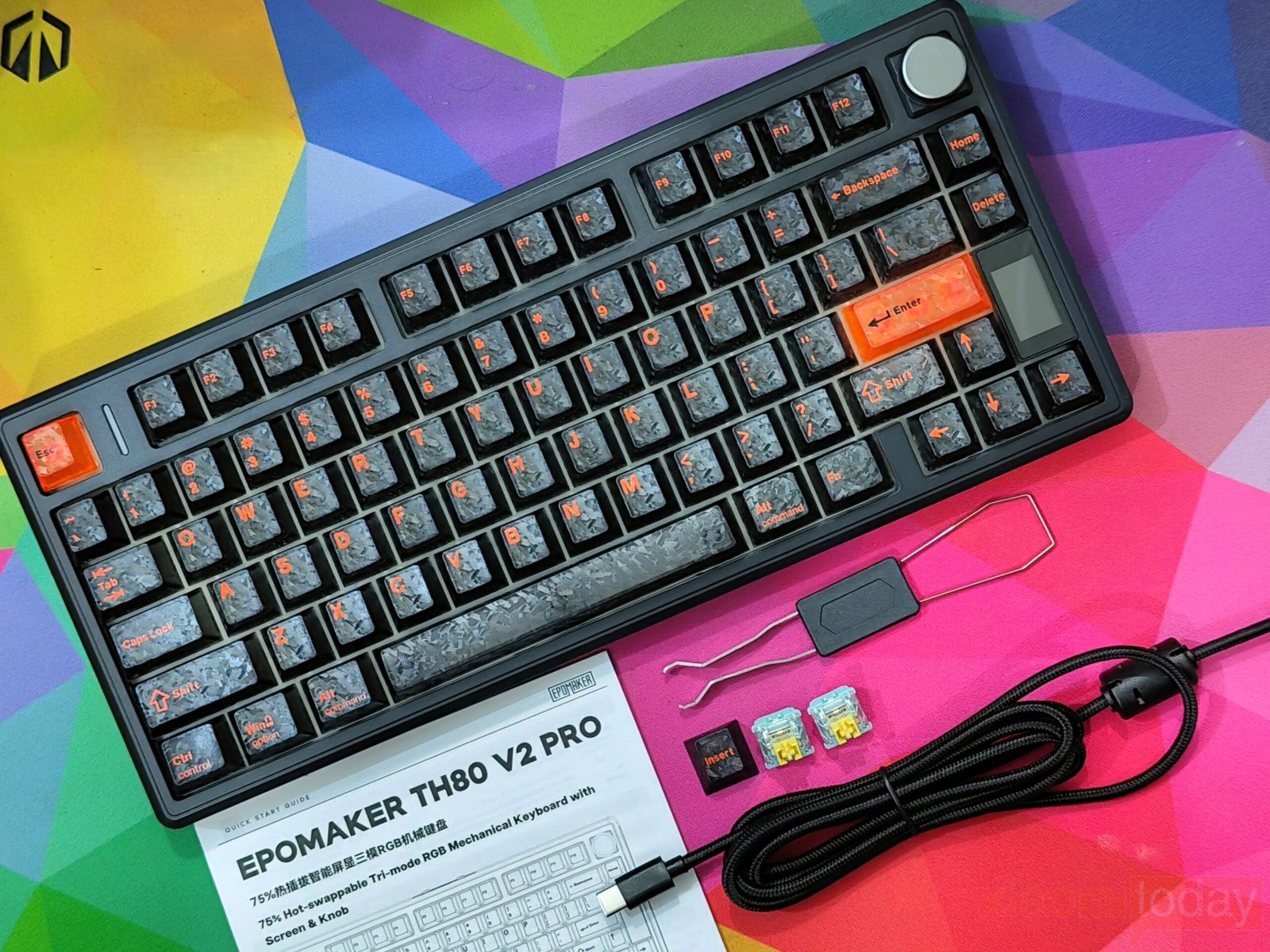
Inside the package, the keyboard is protected by a plastic dust cover and sits securely inside a molded tray to prevent movement during shipping. A separate compartment holds the included accessories, keeping everything organized. The box includes the EPOMAKER TH80 V2 Pro keyboard, a braided USB Type-C cable, a combined keycap and switch puller, several spare mechanical switches, a spare “Insert” keycap for replacing the rotary knob, and a printed user manual. The included accessories are practical and provide everything needed to get started, while the extra switches are useful for replacing a damaged switch or trying a different typing feel.
Design
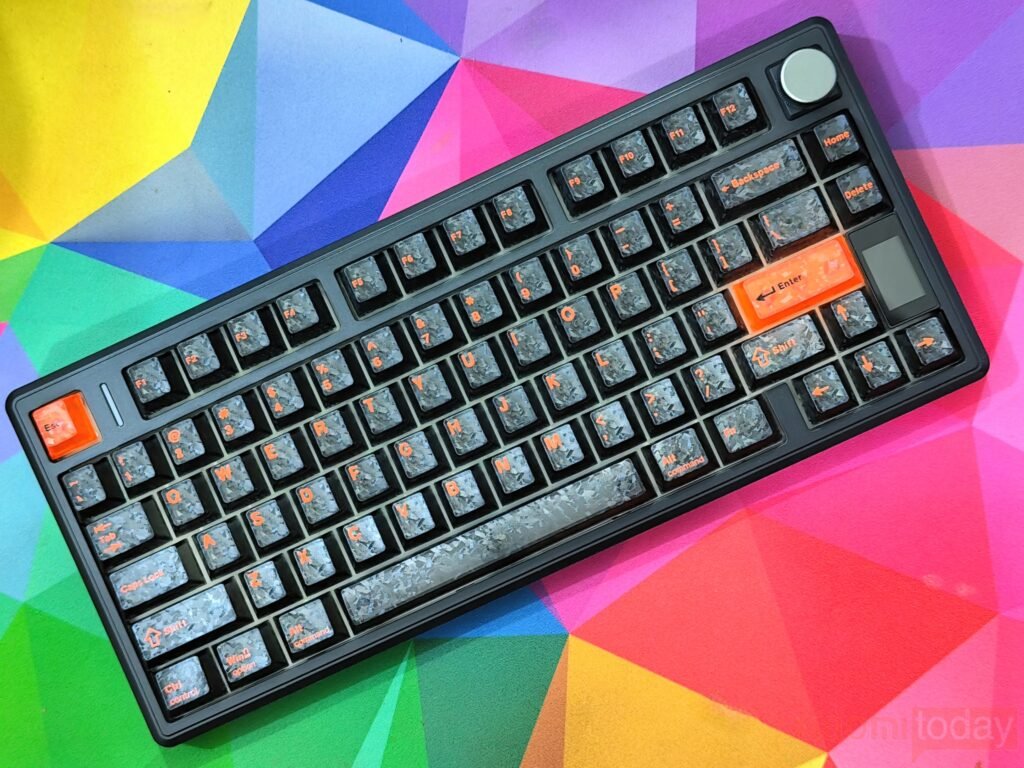
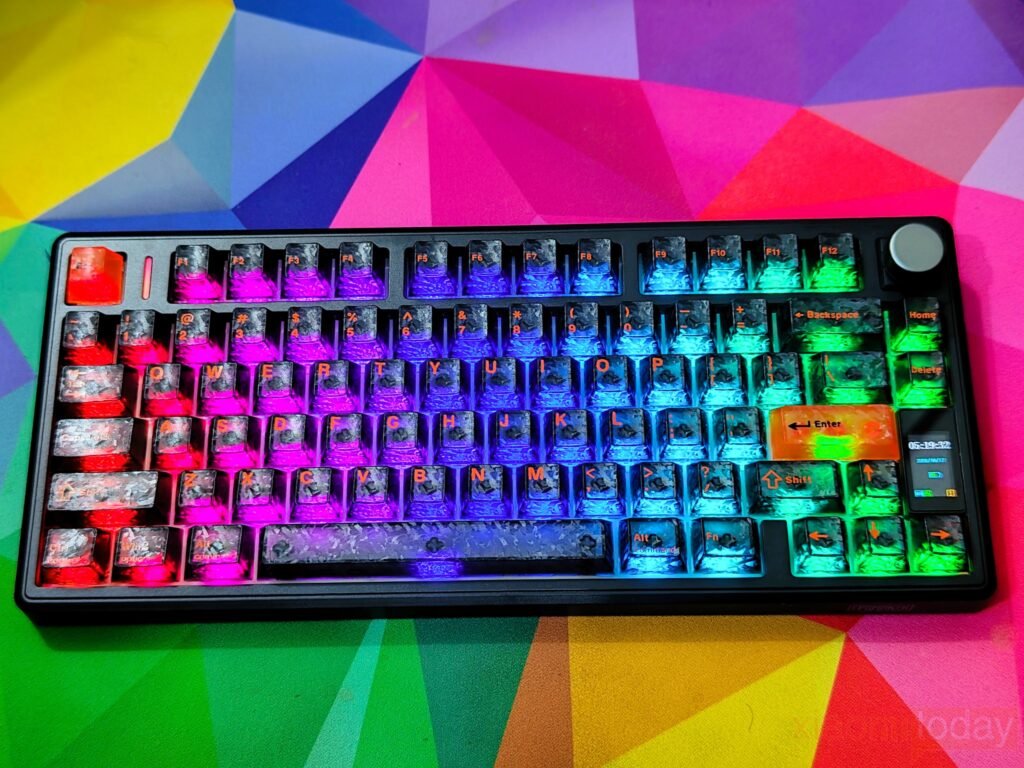
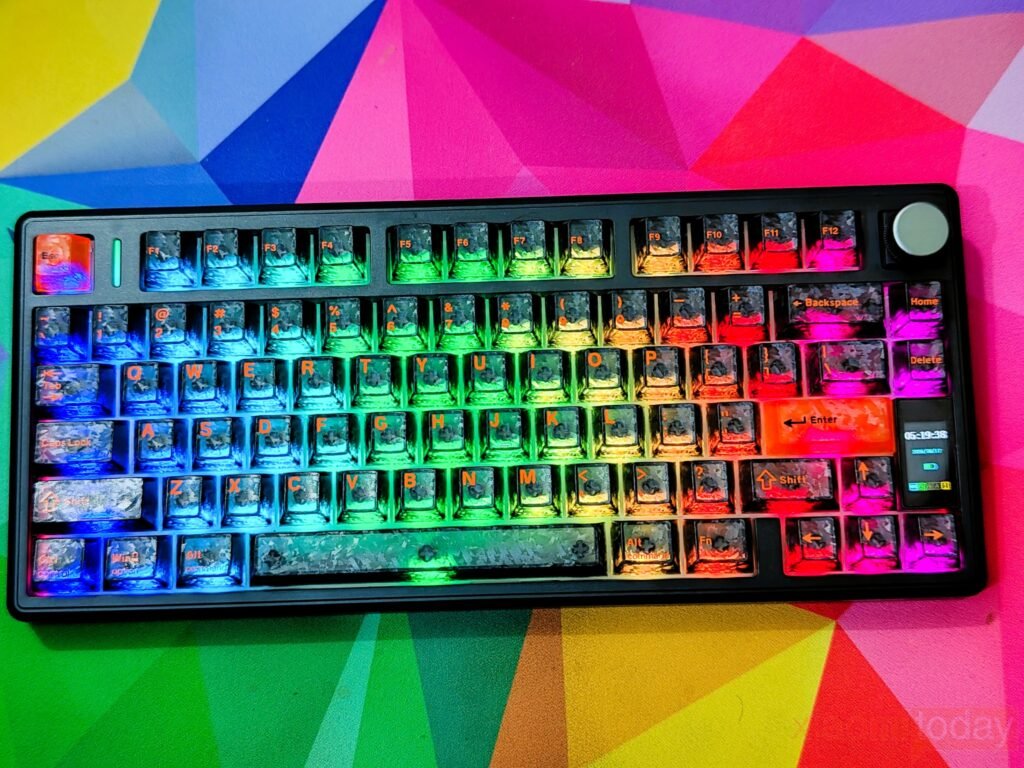
The EPOMAKER TH80 V2 Pro uses a 75% ANSI layout that keeps the function row while removing the dedicated number pad to reduce its overall size. The arrow keys sit directly beside the right Shift key without any gap, allowing the keyboard to take up less desk space and leave more room for mouse movement. Despite its compact footprint, the layout remains familiar, making the transition from a full-size keyboard relatively easy. The chassis is made of plastic, but it feels solid with good rigidity and no noticeable flex during normal use.
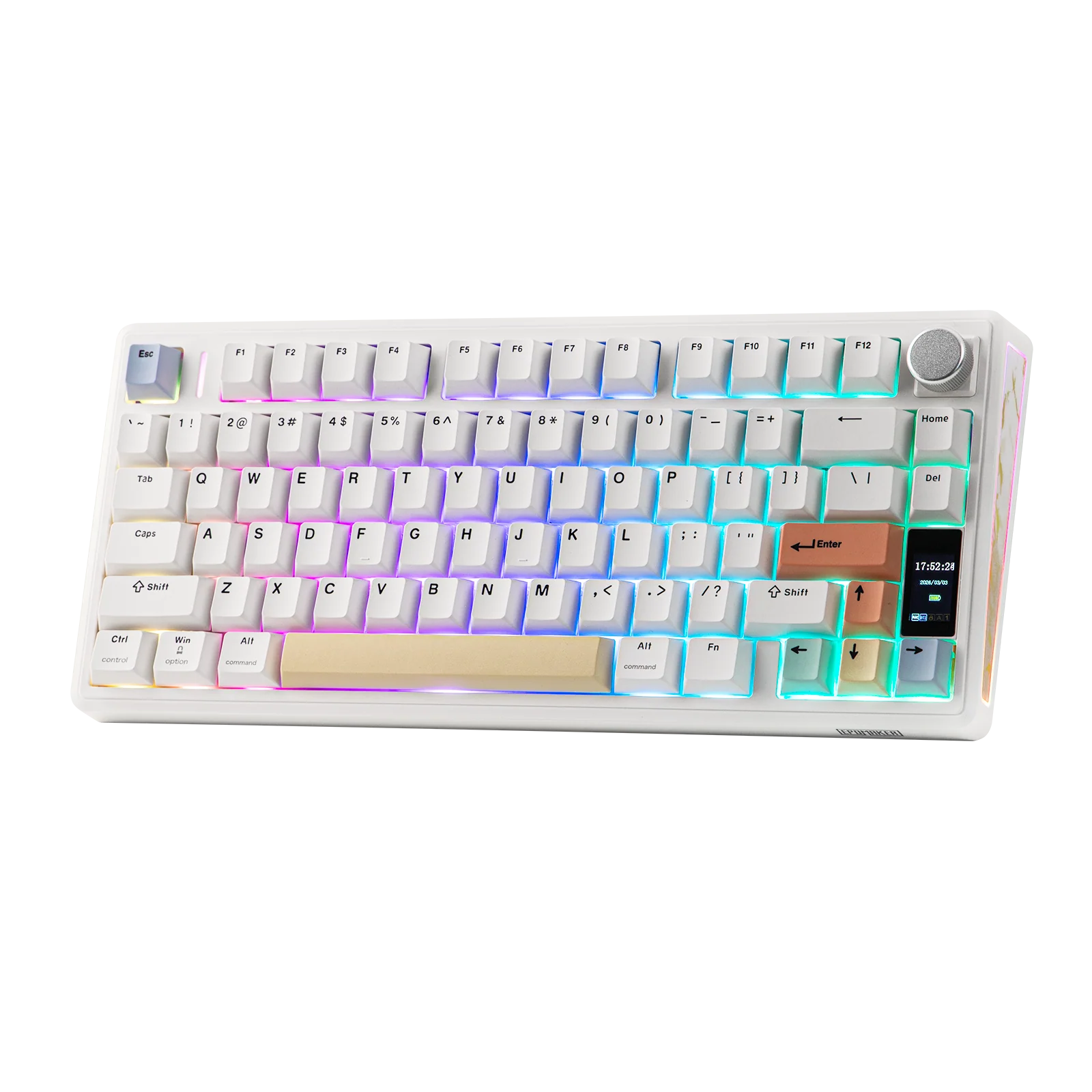
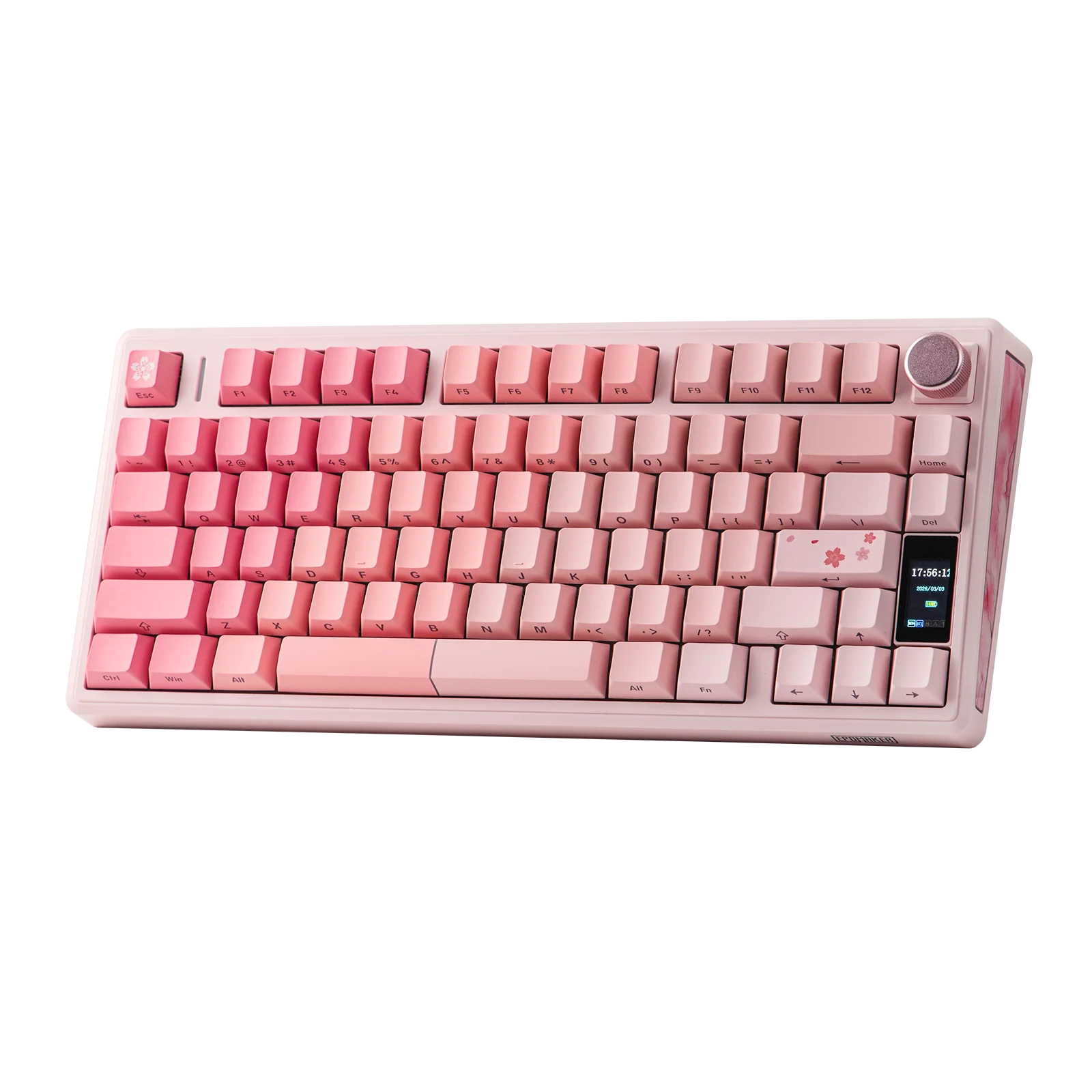
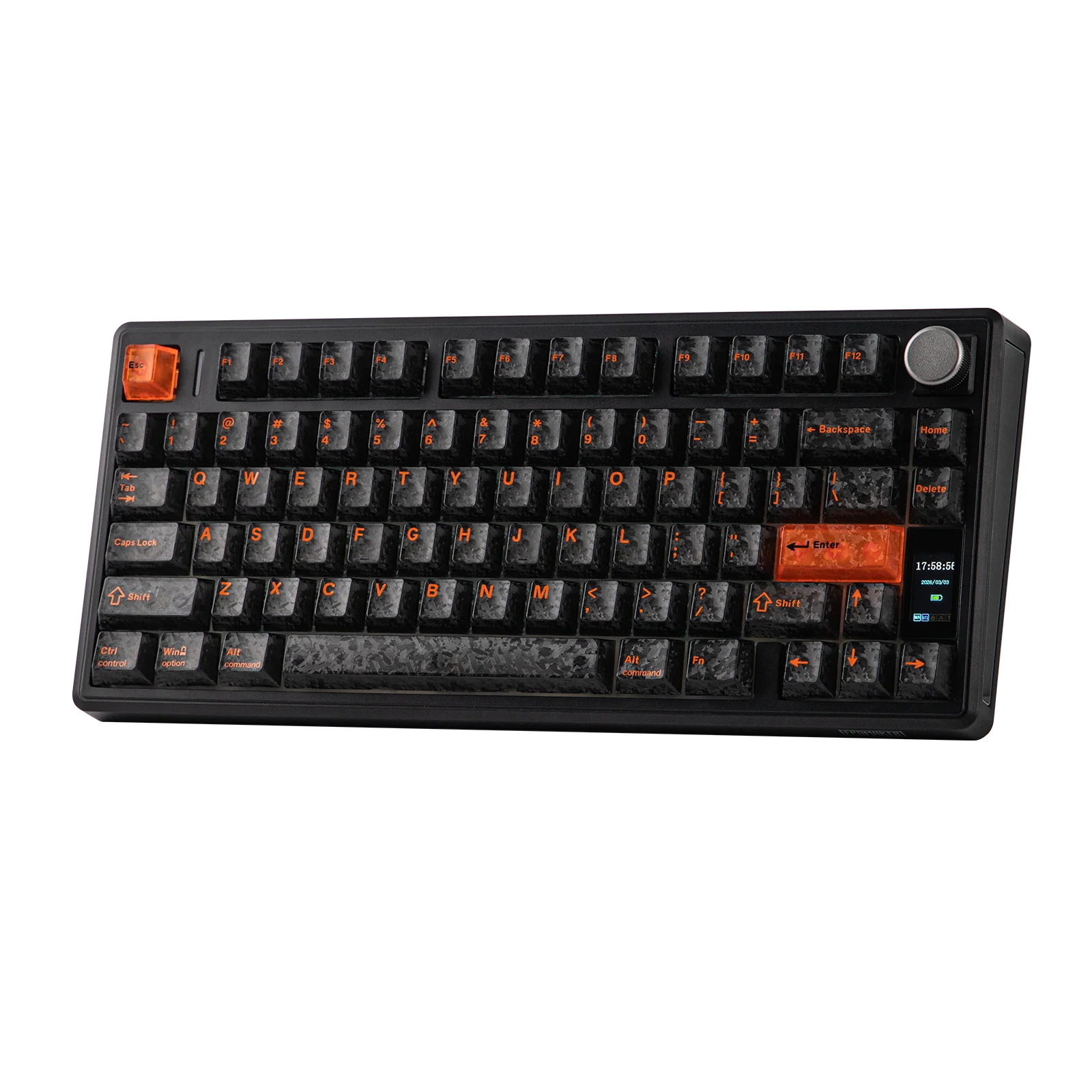
EPOMAKER offers the TH80 V2 Pro in three color options, each with a different appearance. The white version has a soft pastel color scheme that fits well in both office and home setups. The pink version uses side-printed legends instead of top-printed keycaps, giving it a cleaner look, although top legends are generally easier to read during daily use. The black version reviewed here uses textured keycaps and matching decorative side panels. The textured finish gives the keyboard a different look, but it also makes dust and fingerprints more visible compared to the other color options.
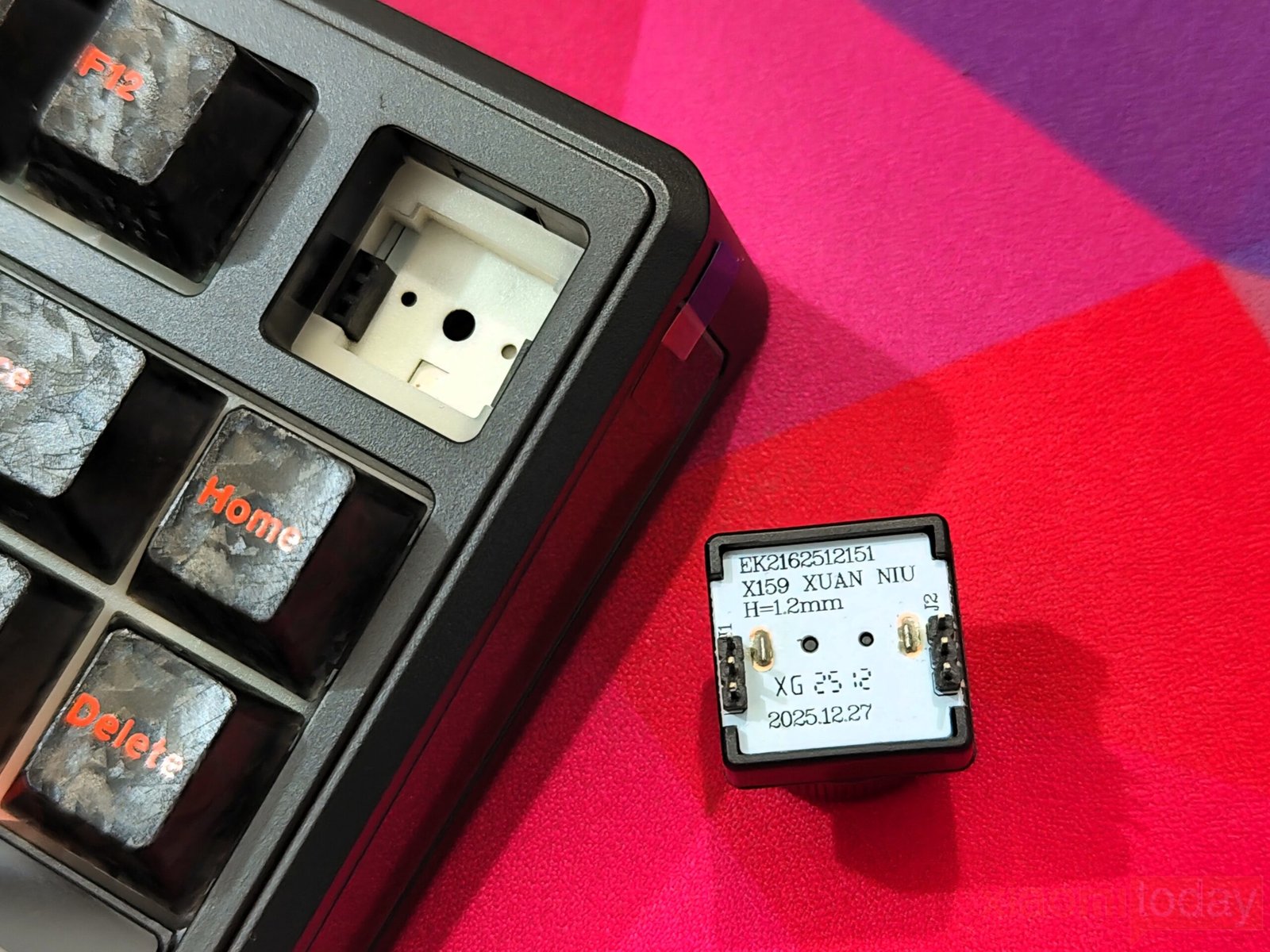
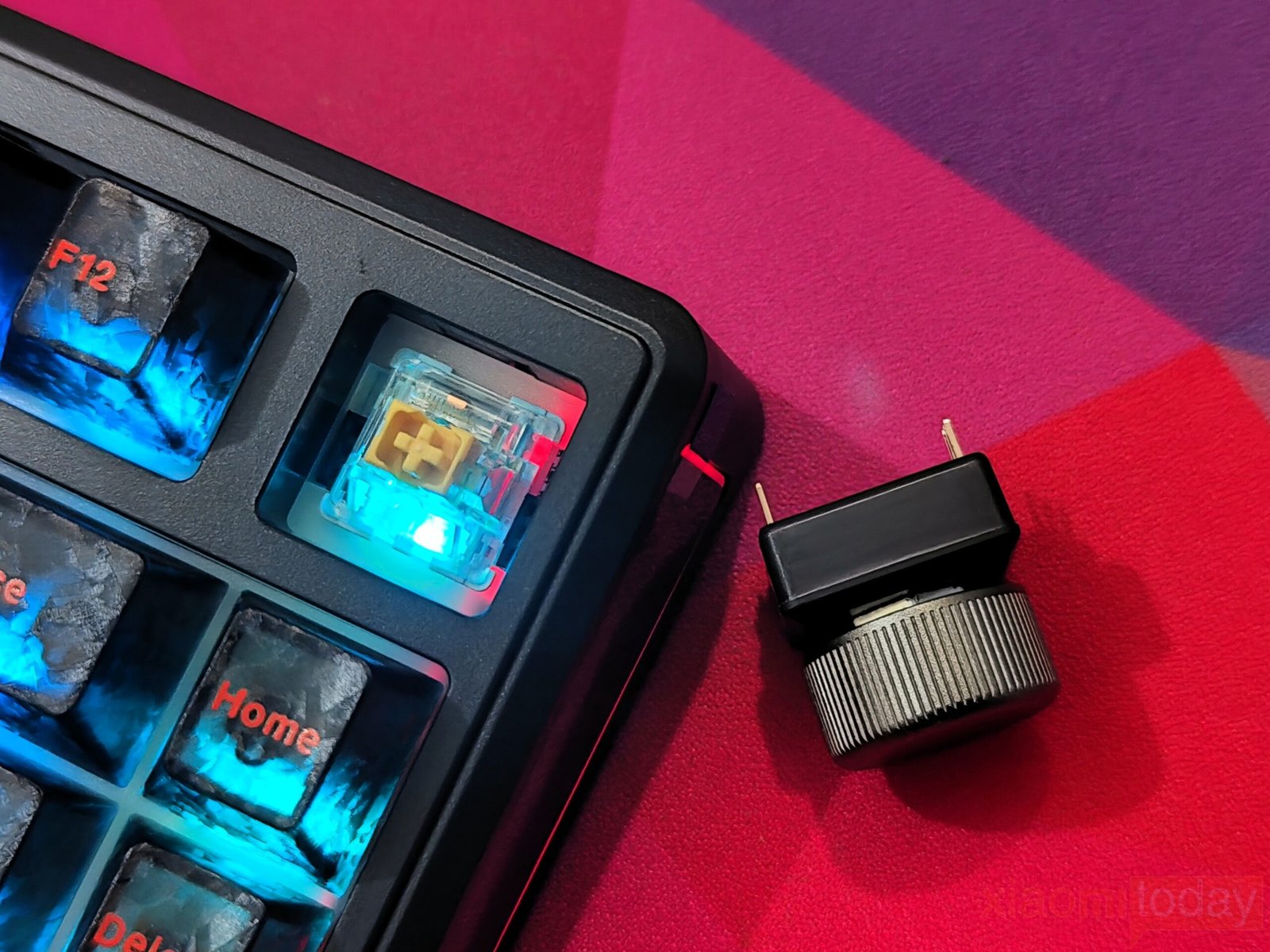
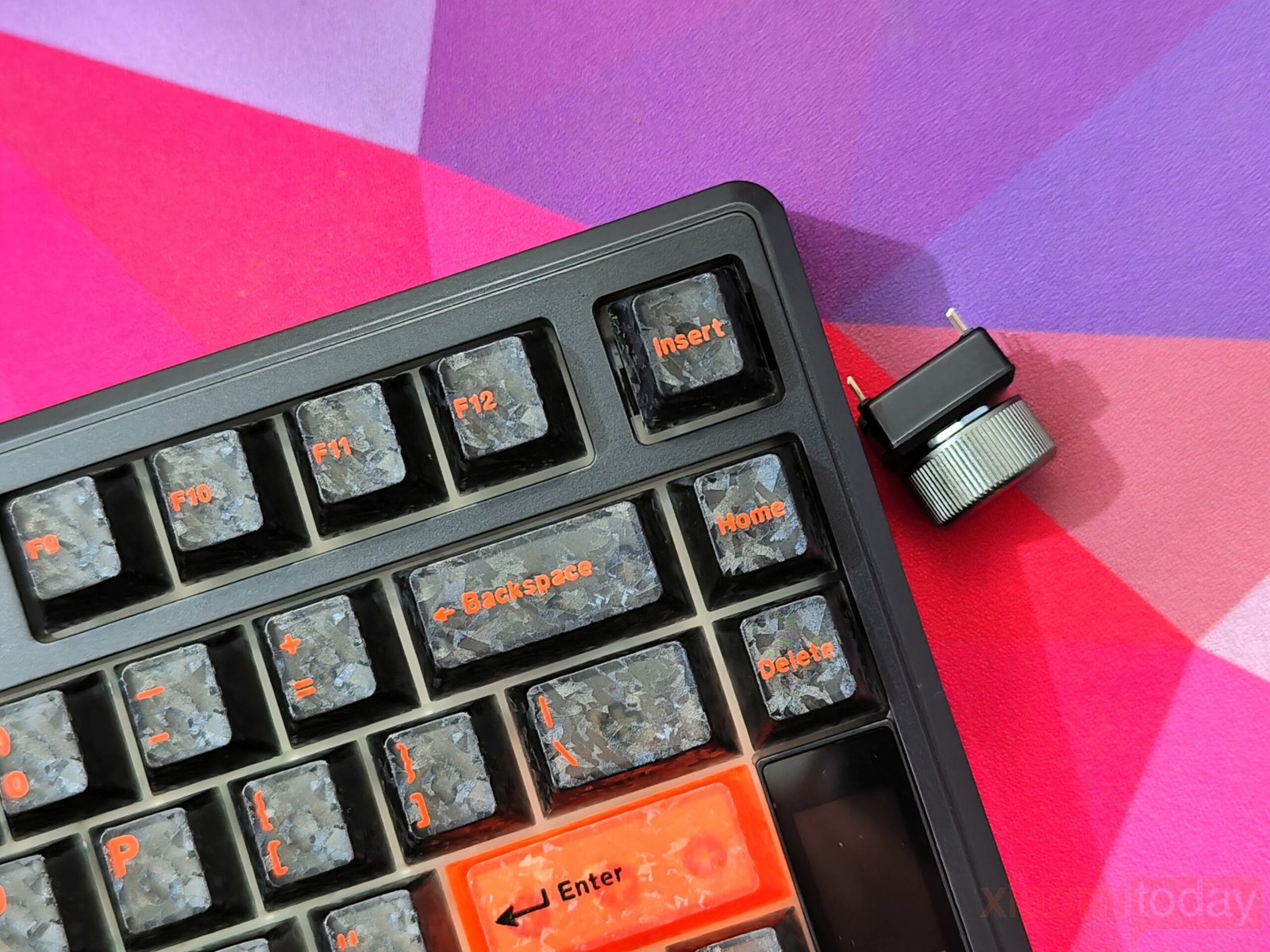
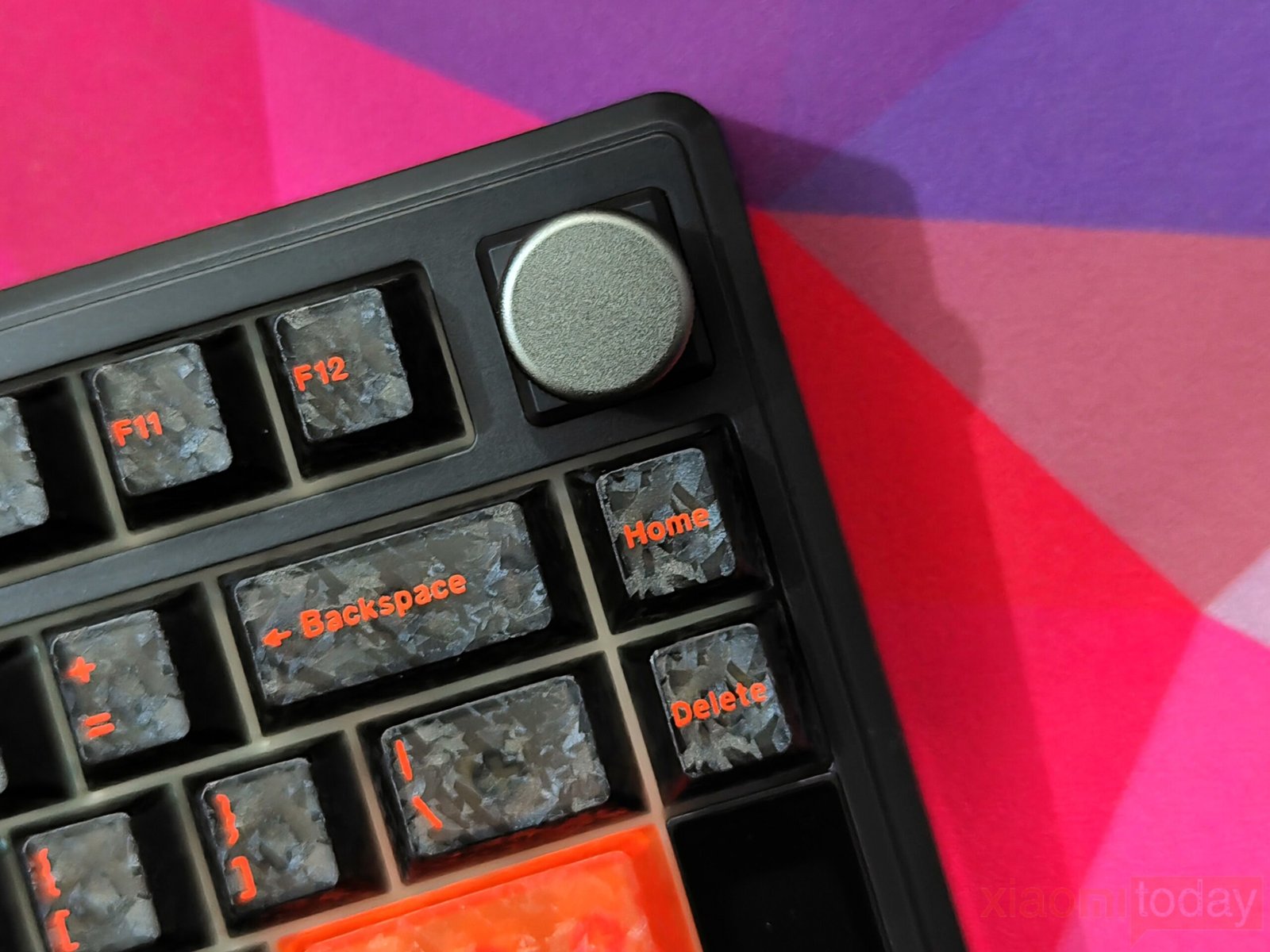
A metal rotary knob is installed in the top-right corner and can be used to adjust system volume or interact with the built-in display. Users who prefer a conventional layout can remove the knob and install the included Insert keycap instead. Since the knob module is hot-swappable, changing between the two configurations only takes a few seconds. Through the software, the knob can also be assigned to media controls, shortcuts, or custom macros.
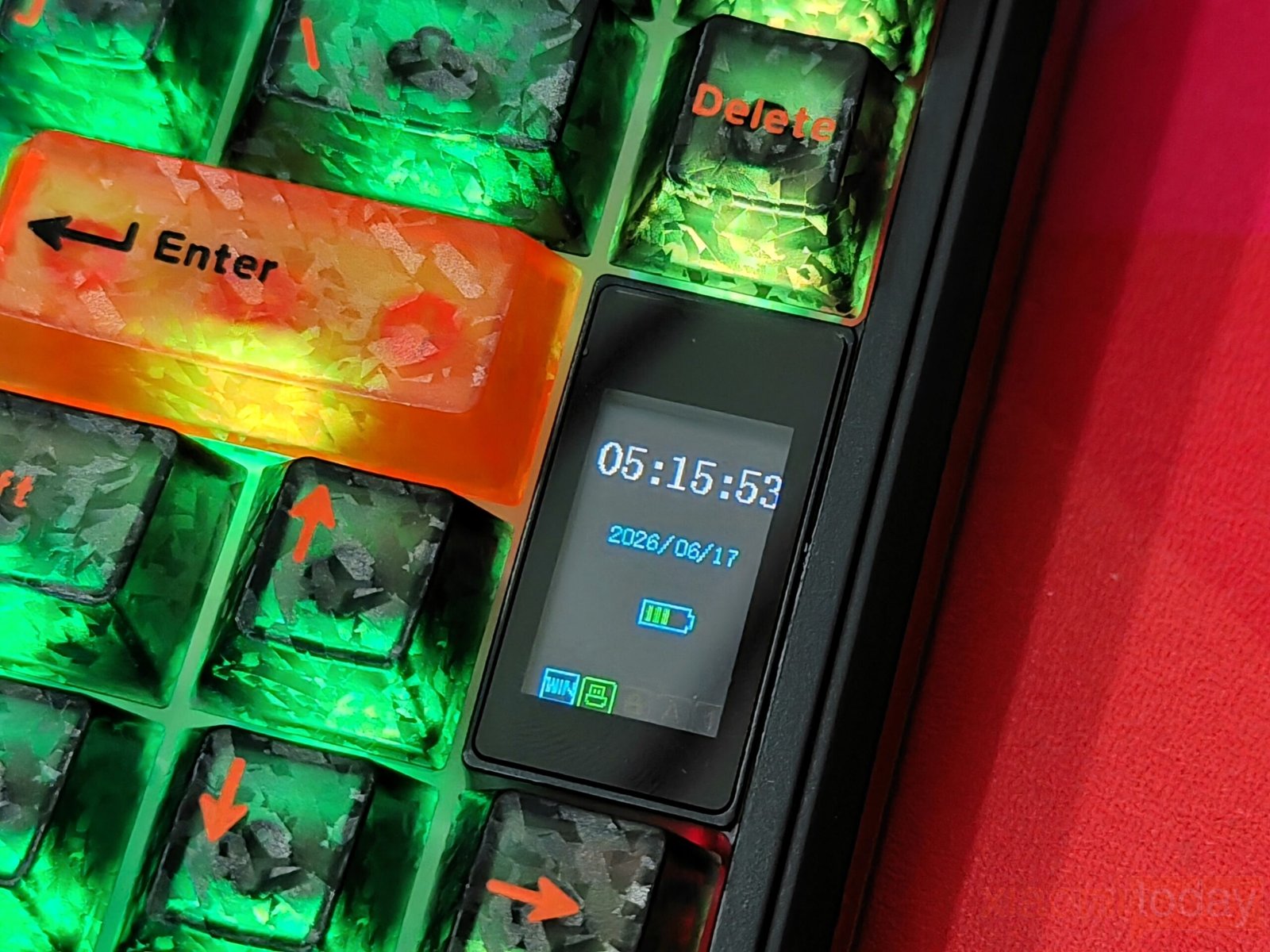
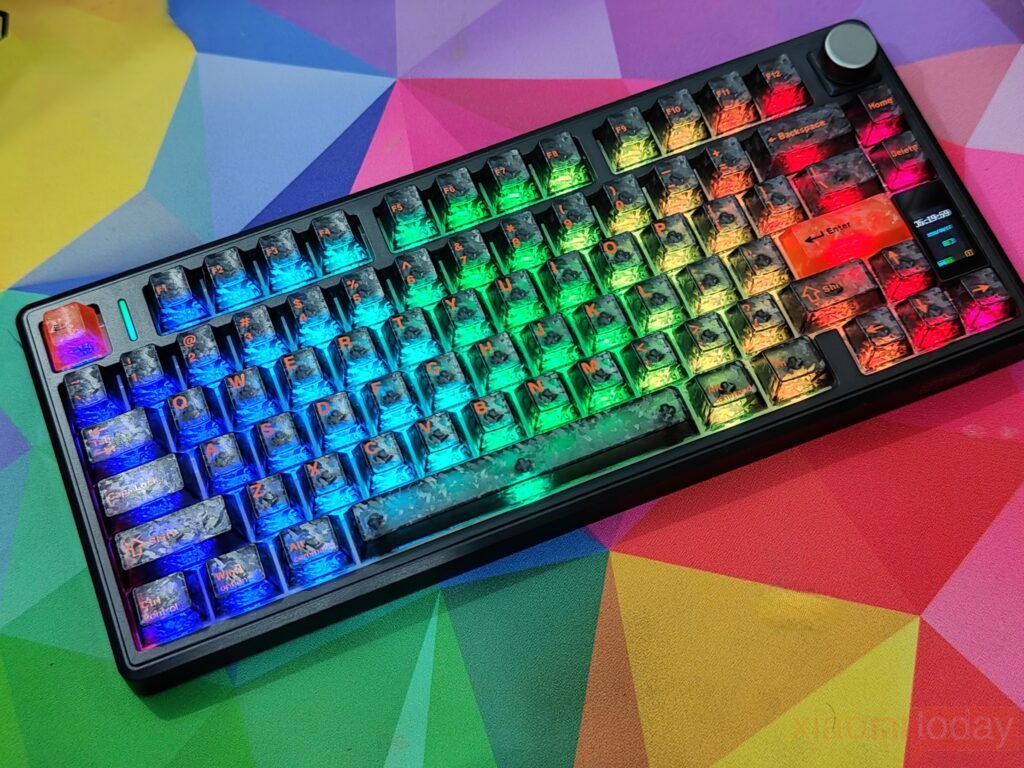
Beside the arrow keys is a slim vertical display that provides useful system information without increasing the keyboard’s size. It shows the current time, date, battery level, connection mode, and active operating system profile. The display is easy to read indoors and works together with the rotary knob for basic settings and navigation. While it is not intended to replace the desktop software, it offers quick access to frequently used information directly from the keyboard.
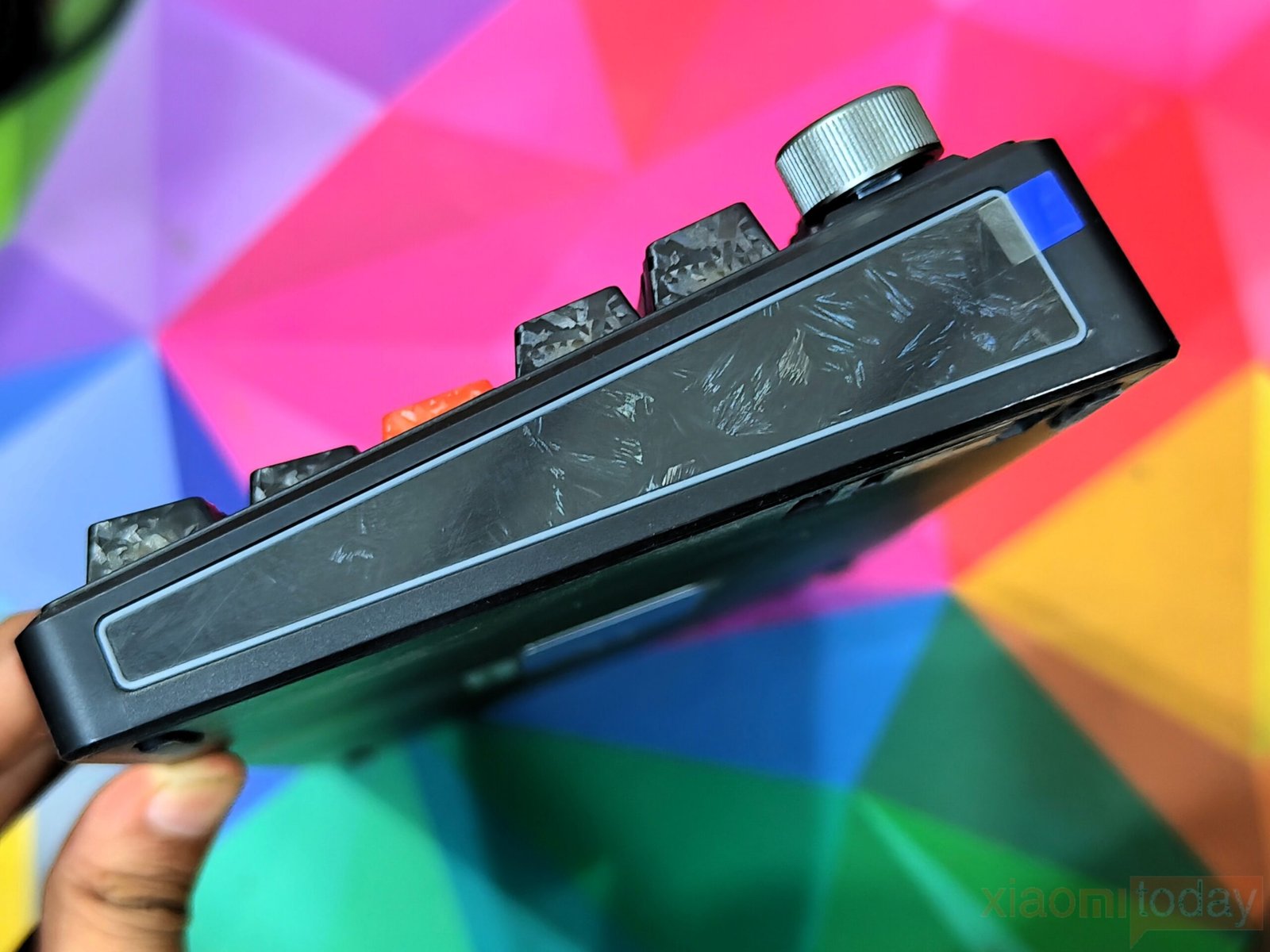
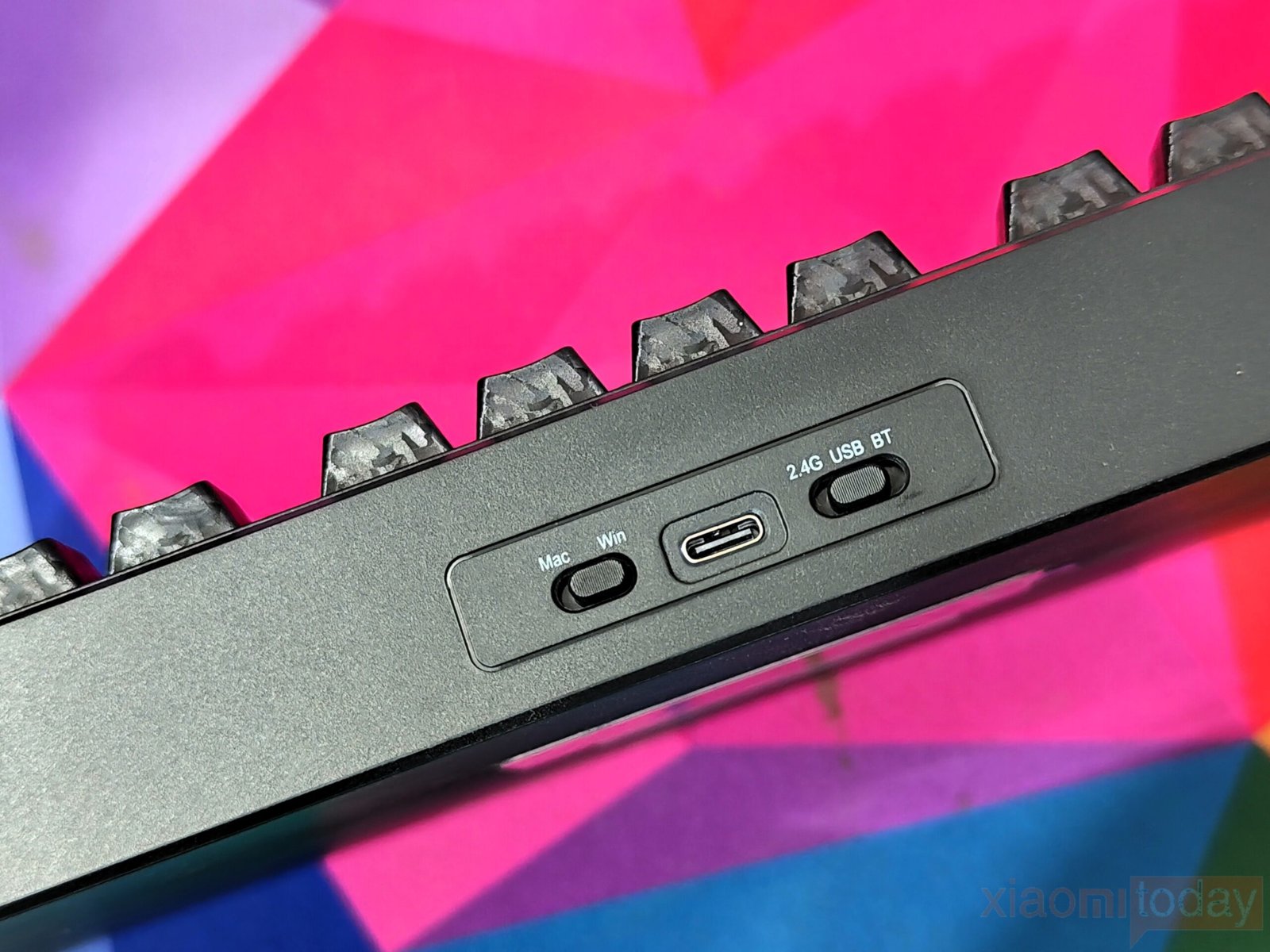
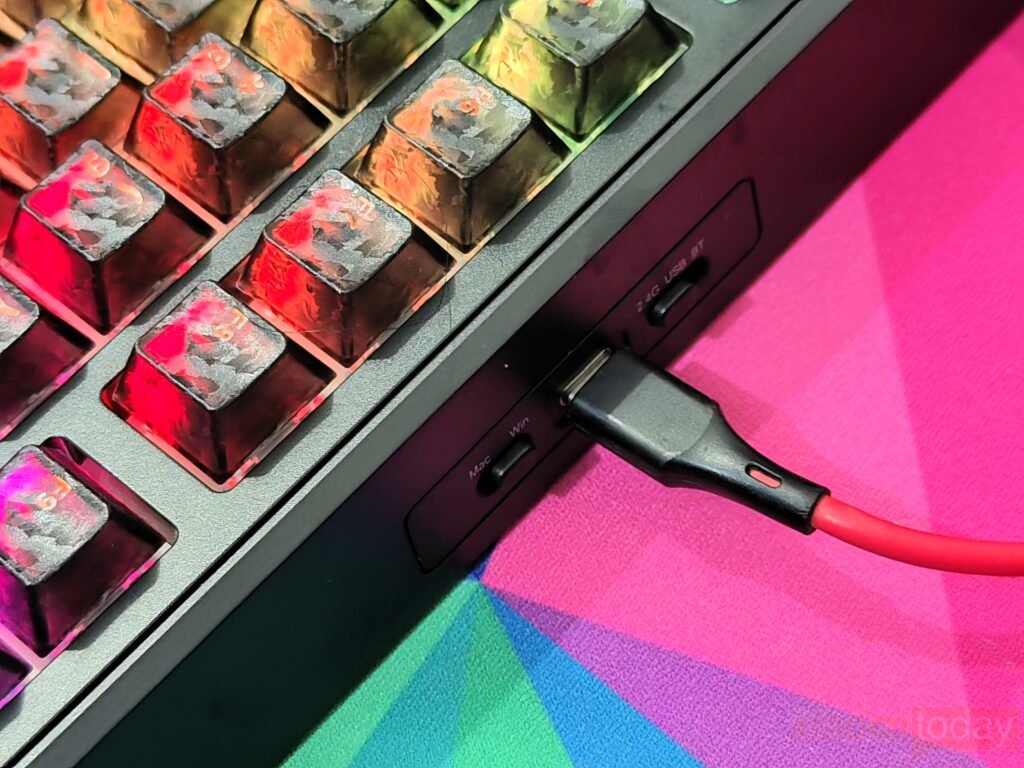
The left and right sides of the case feature decorative textured panels that match the black keycaps, giving the keyboard a consistent appearance. Around the back, the USB Type-C port is positioned between two hardware switches. One switch changes between Windows and macOS layouts, while the other selects USB, Bluetooth, or 2.4GHz wireless mode. Their location keeps them easy to access while reducing the chance of accidentally changing modes.
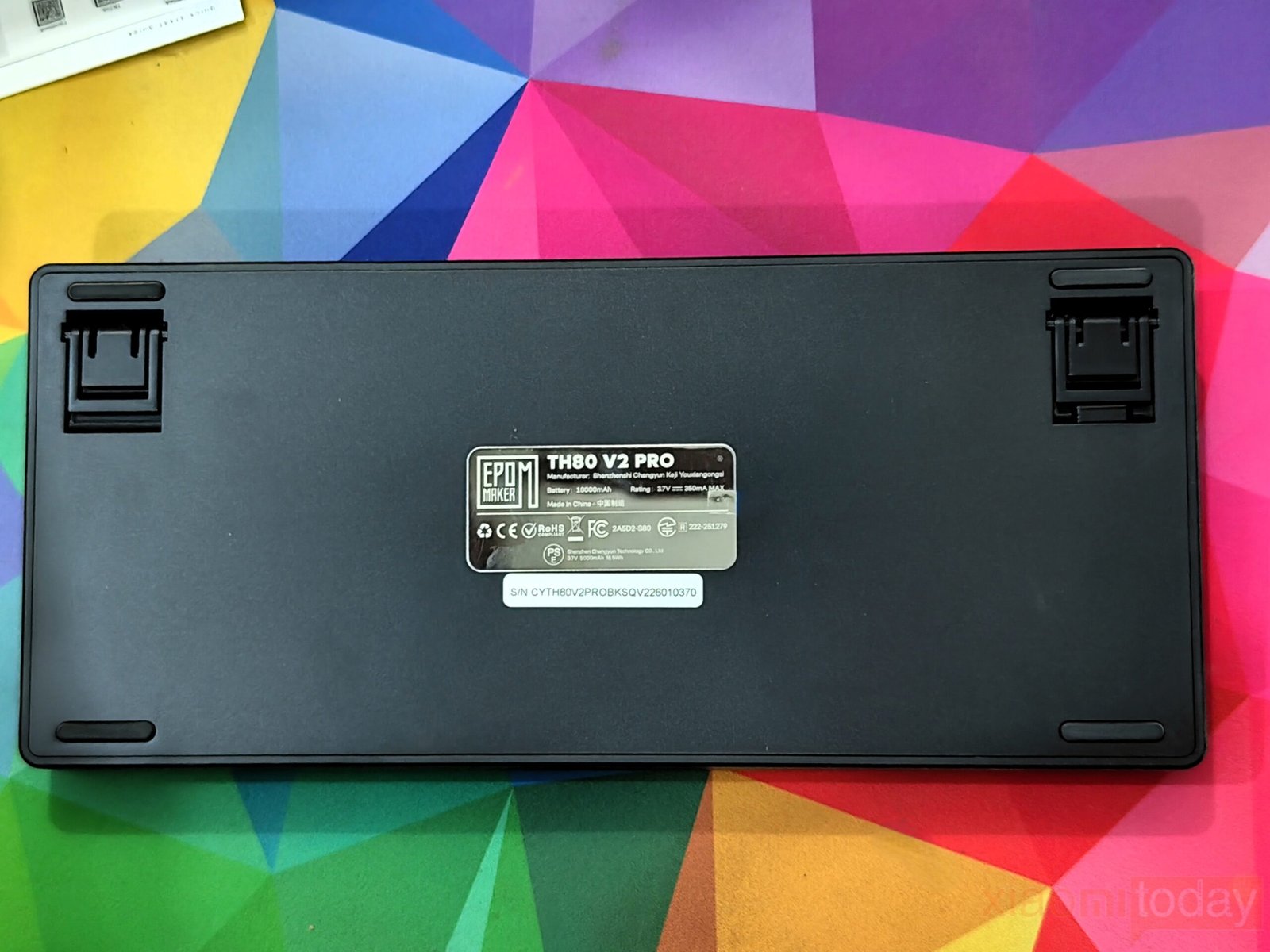
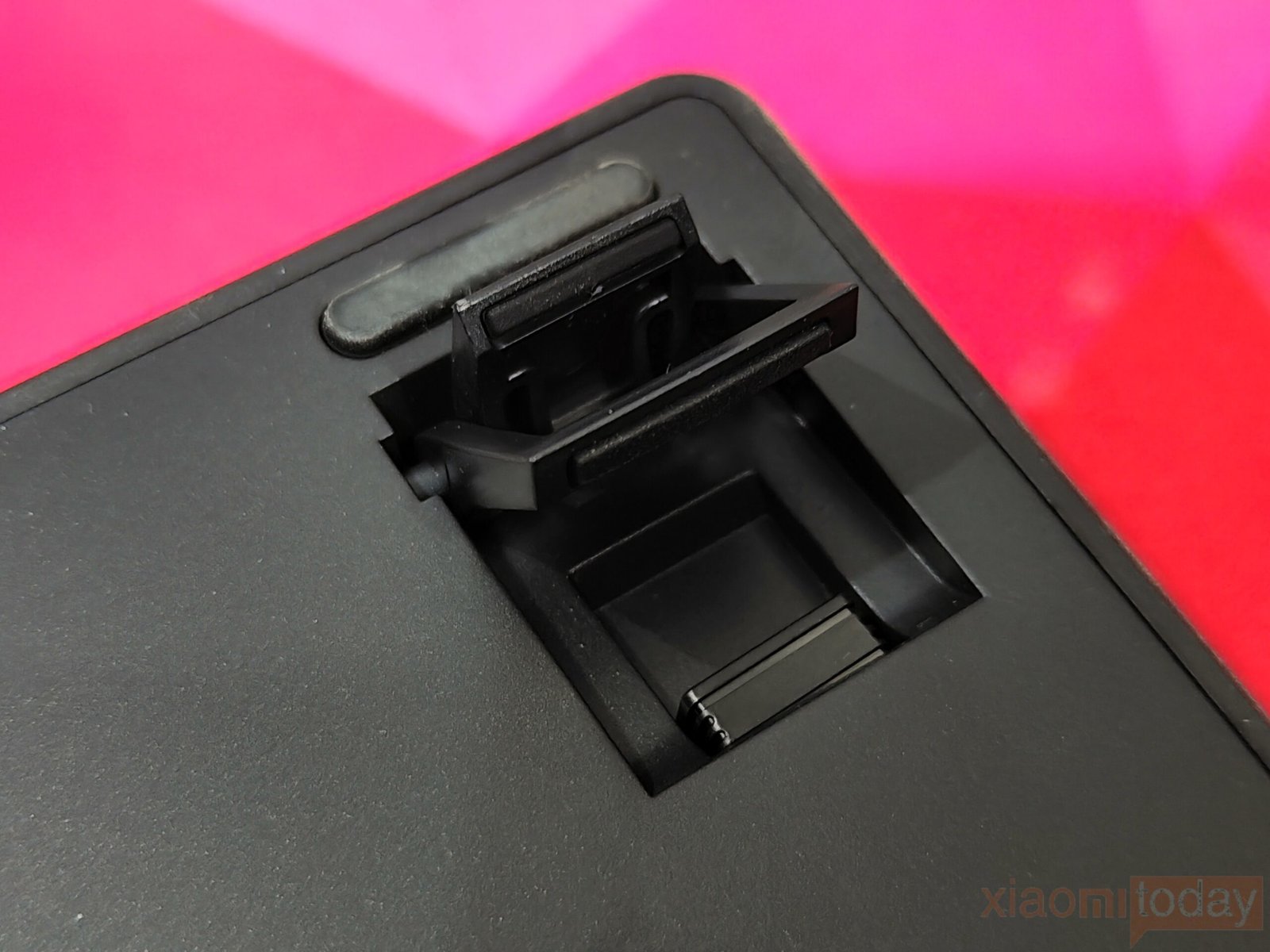
The underside has a clean design with four rubber feet and two-stage adjustable kickstands for changing the typing angle. The keyboard remains stable on the desk, and the rubber feet provide enough grip to prevent unwanted movement during typing or gaming. A product information plate is placed in the center, while the wireless receiver is stored inside a dedicated compartment for convenient transport.
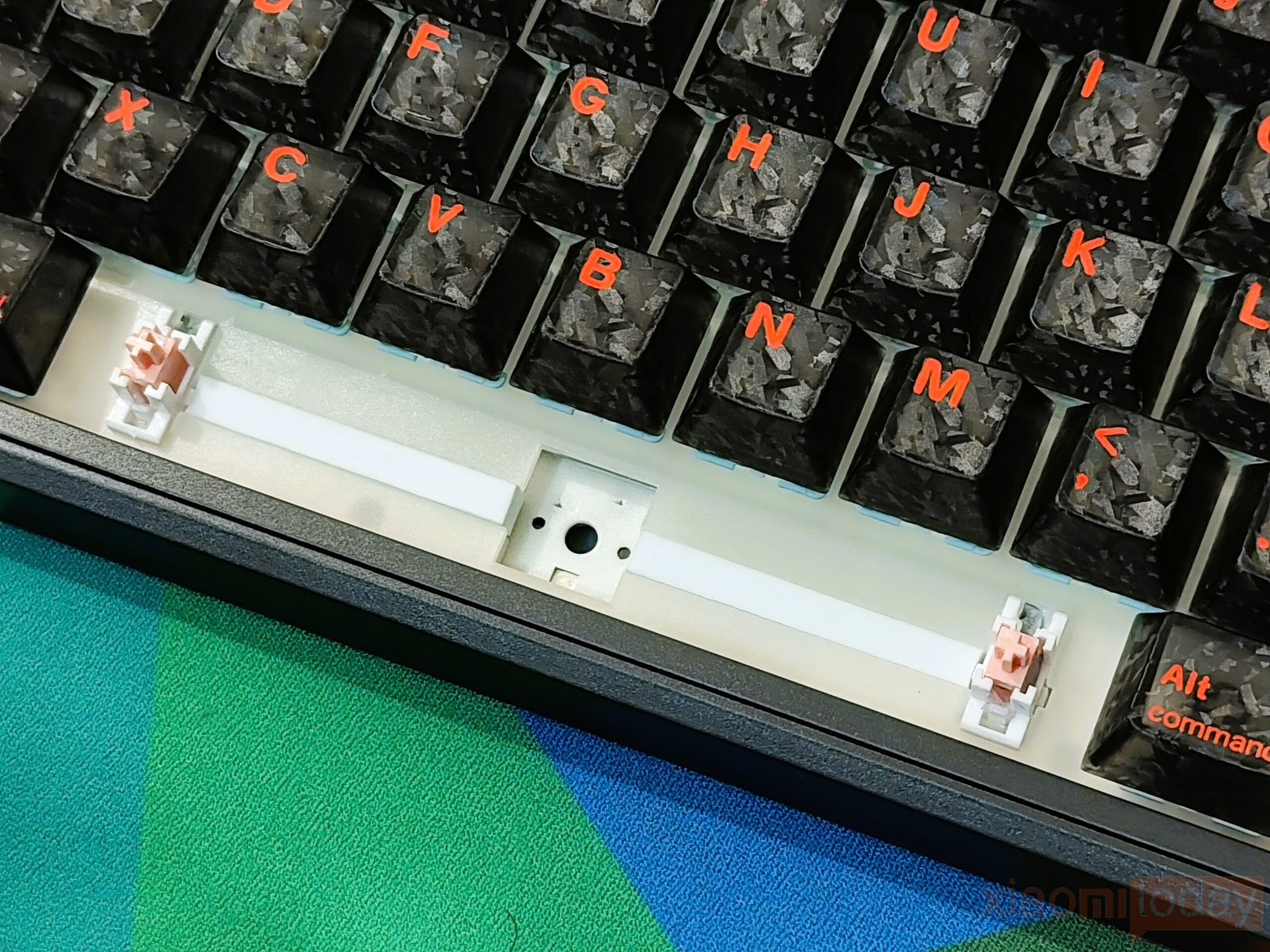
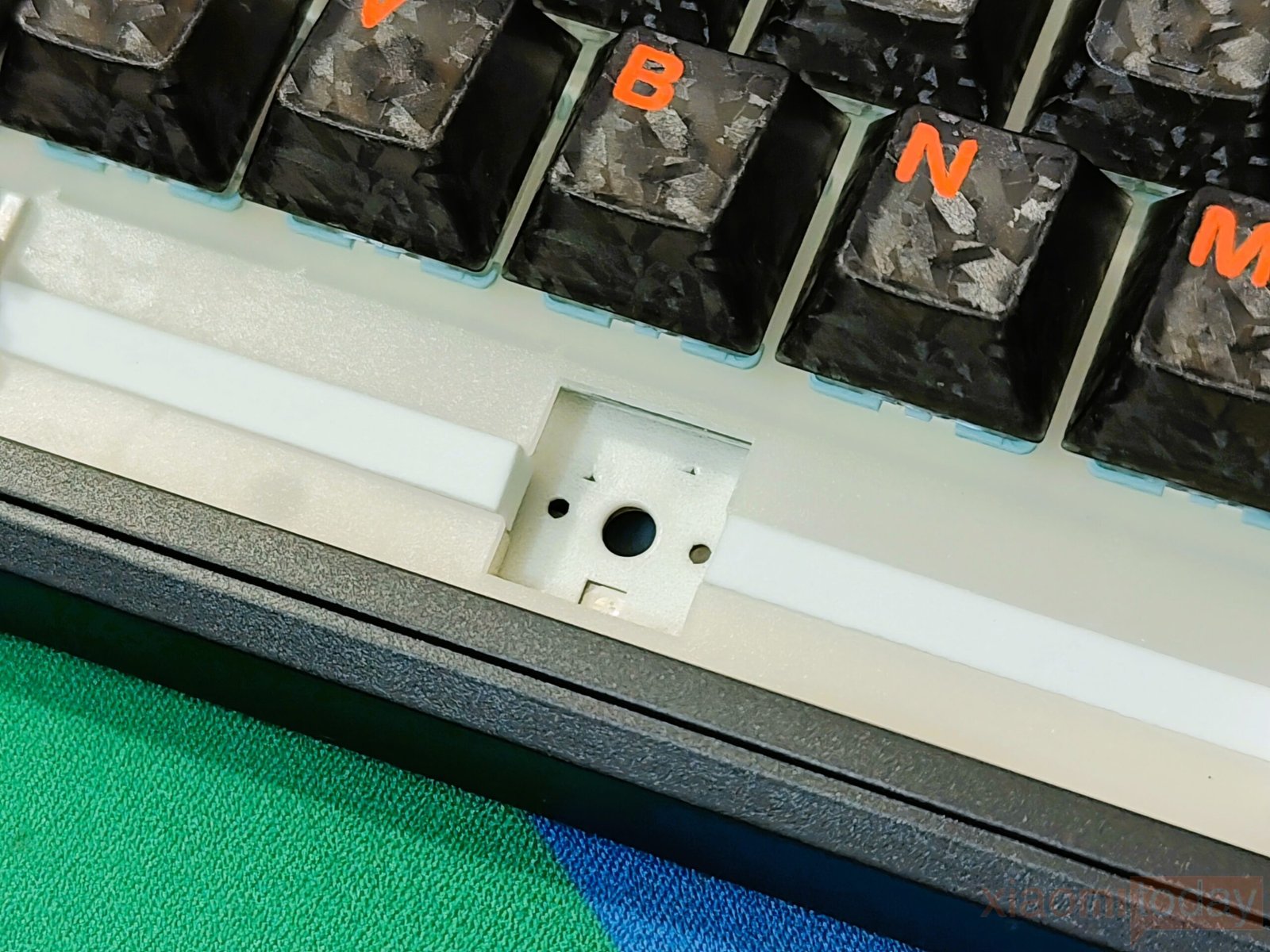
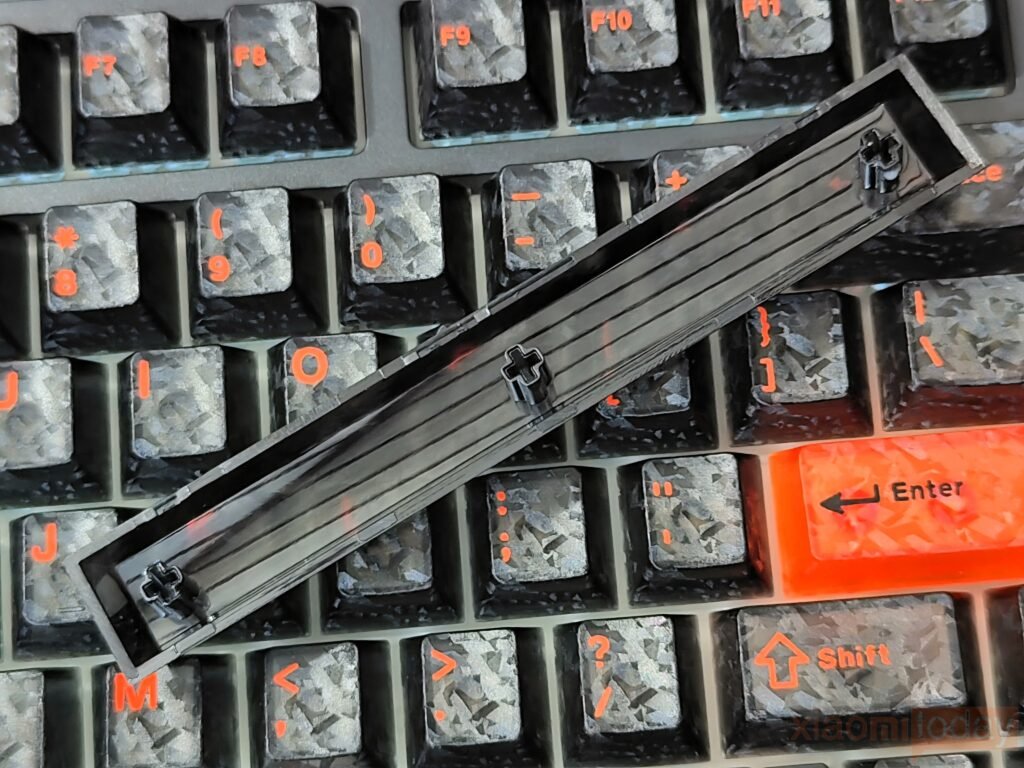
Inside, the TH80 V2 Pro uses a gasket-mounted structure with several sound-dampening layers, including PORON foam, IXPE foam, EPDM foam, silicone, and a PET pad. This combination helps reduce hollow noise and stabilizes each keystroke. The flex-cut plate and PCB provide a slightly softer typing feel, while the hot-swappable PCB supports both 3-pin and 5-pin mechanical switches, making future switch replacements simple. Whether used for work, gaming, or everyday typing, the keyboard offers a comfortable typing experience with plenty of room for customization.
Keycaps & RGB Lighting
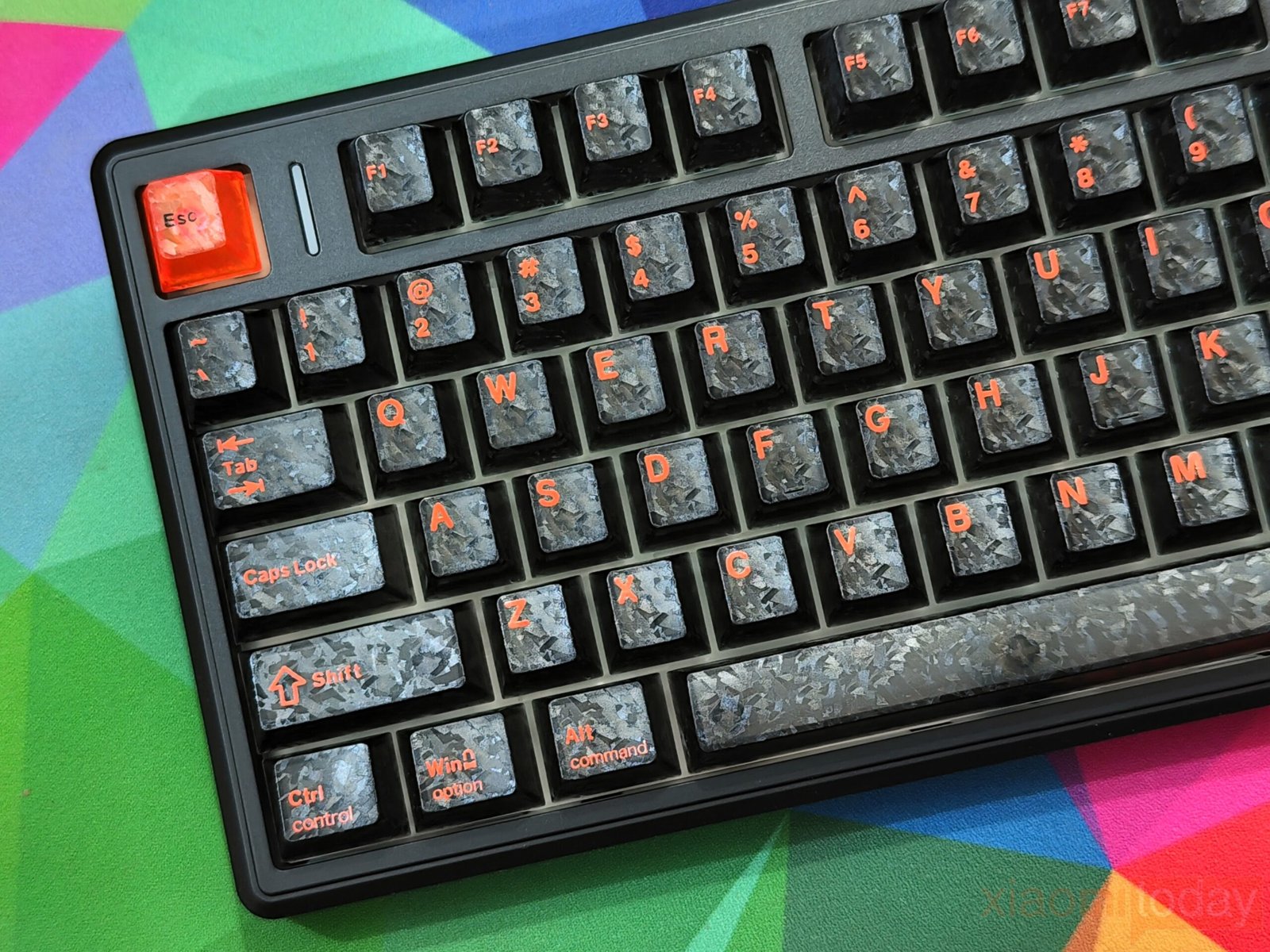
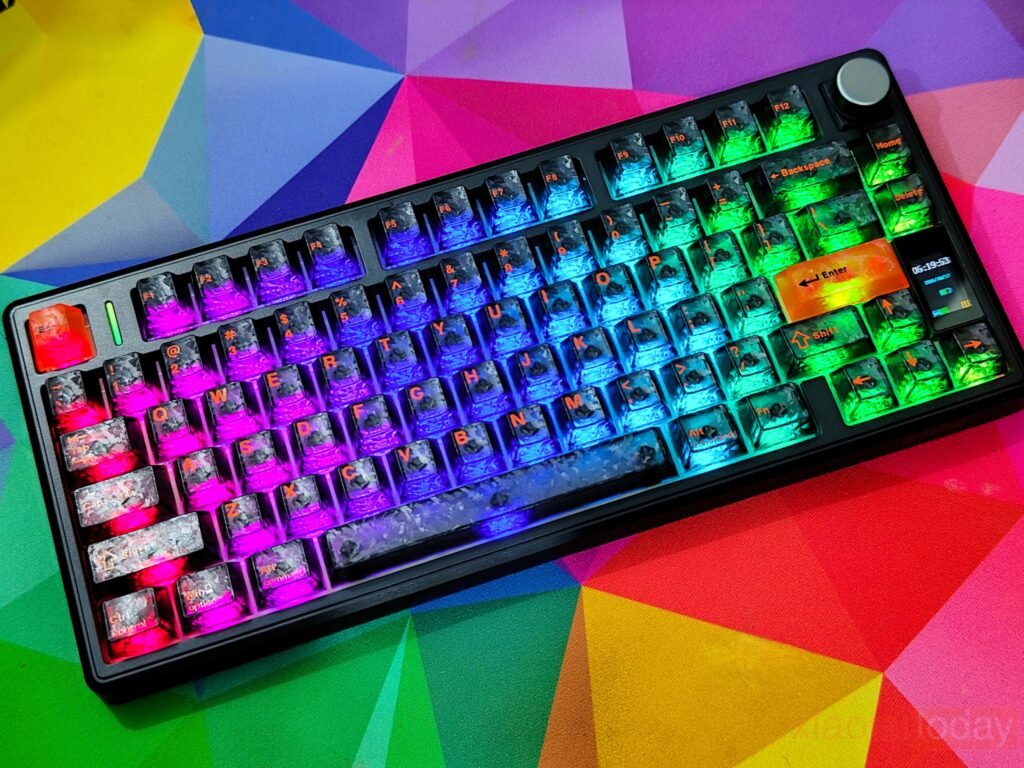
The EPOMAKER TH80 V2 Pro comes with Cherry-profile keycaps that offer a familiar typing height and comfortable finger positioning. The black version reviewed here uses a marble-inspired pattern with bright orange legends that give the keyboard a unique appearance. The legends are easy to read under normal lighting, while the textured finish adds extra visual detail. Compared to the white and pink versions, the black color option has a bolder design, although the textured surface tends to show dust and fingerprints more easily.
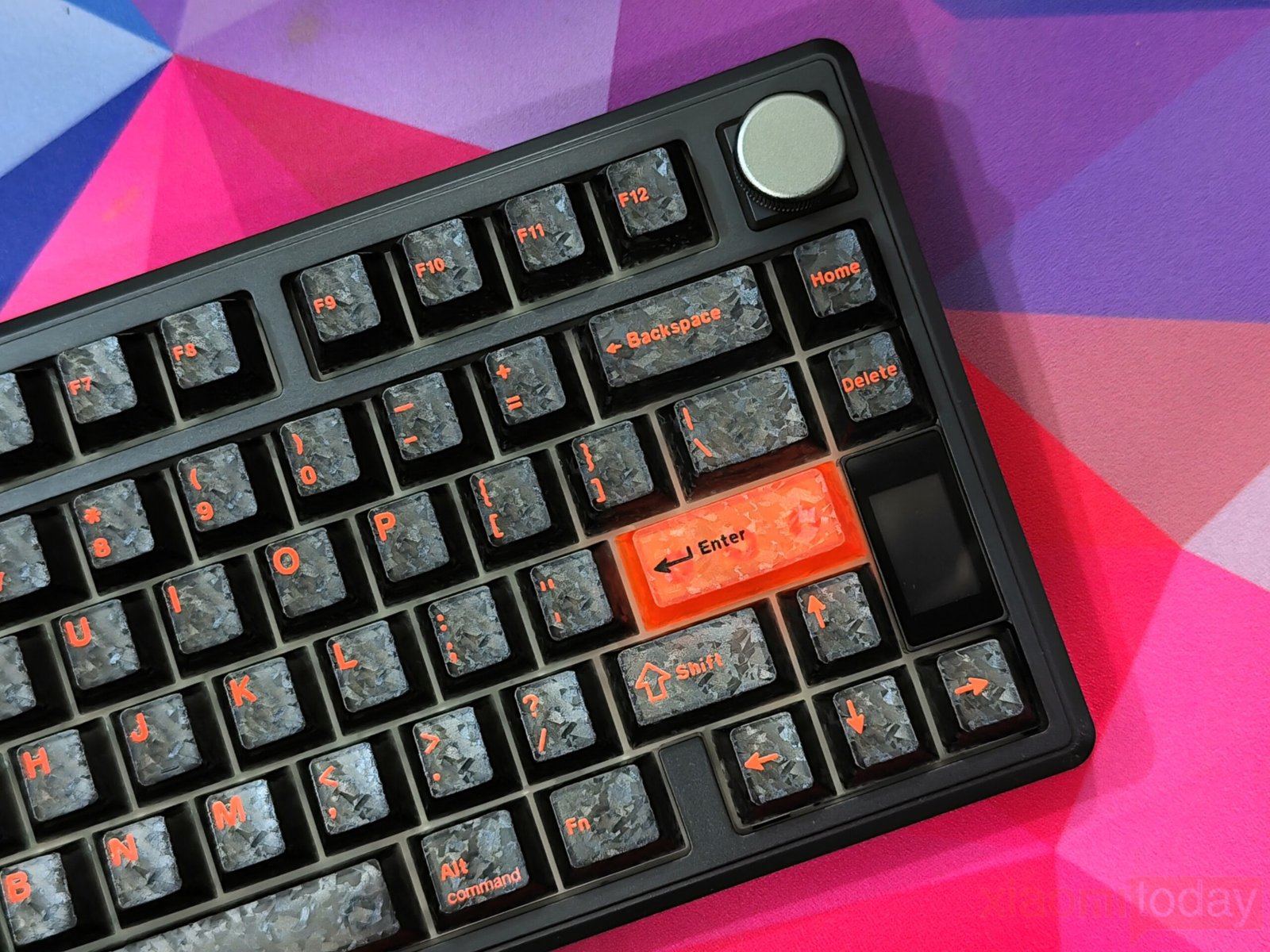
The keycaps have a lightly textured finish that provides a good grip during long typing sessions. Instead of traditional shine-through legends, the translucent lower section of each keycap allows RGB lighting to spread around the switch housing. This creates a softer lighting effect while keeping the printed legends clear and readable. The overall keycap quality is good, with consistent printing and no visible manufacturing issues on the review sample.
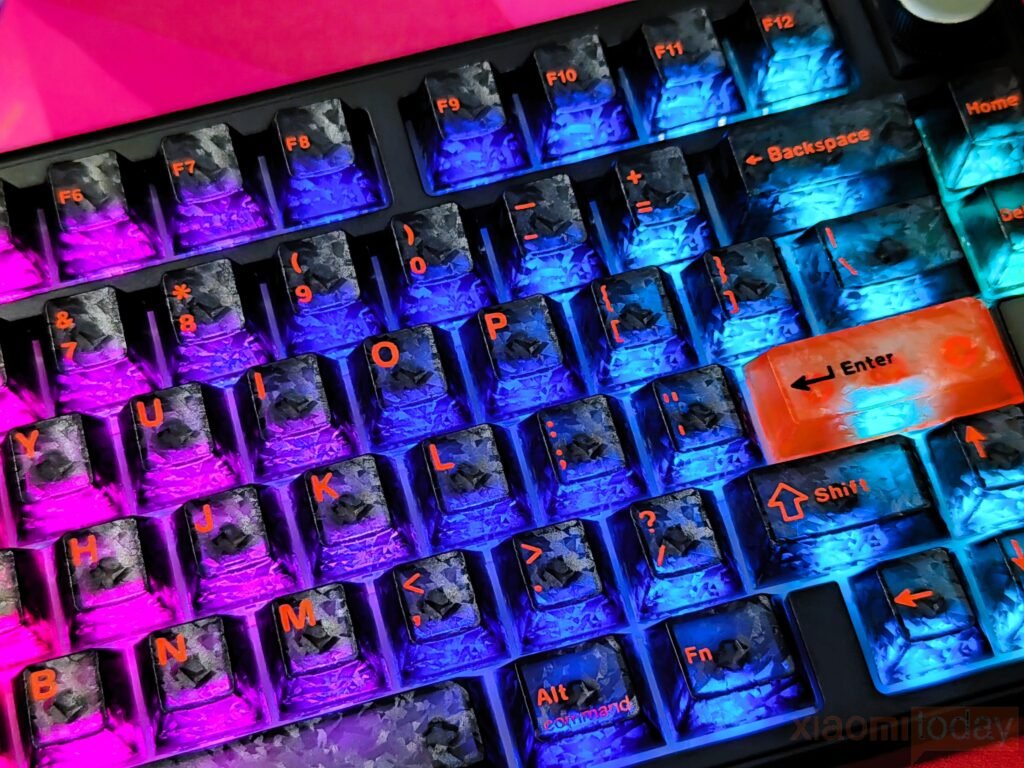
For lighting, the TH80 V2 Pro uses south-facing RGB LEDs with multiple lighting effects, adjustable brightness, and a wide range of color options. The illumination is evenly distributed across the keyboard, and the translucent keycaps help create a smooth glow around each switch. Users can change lighting modes directly from the keyboard or use the EPOMAKER software for additional customization.
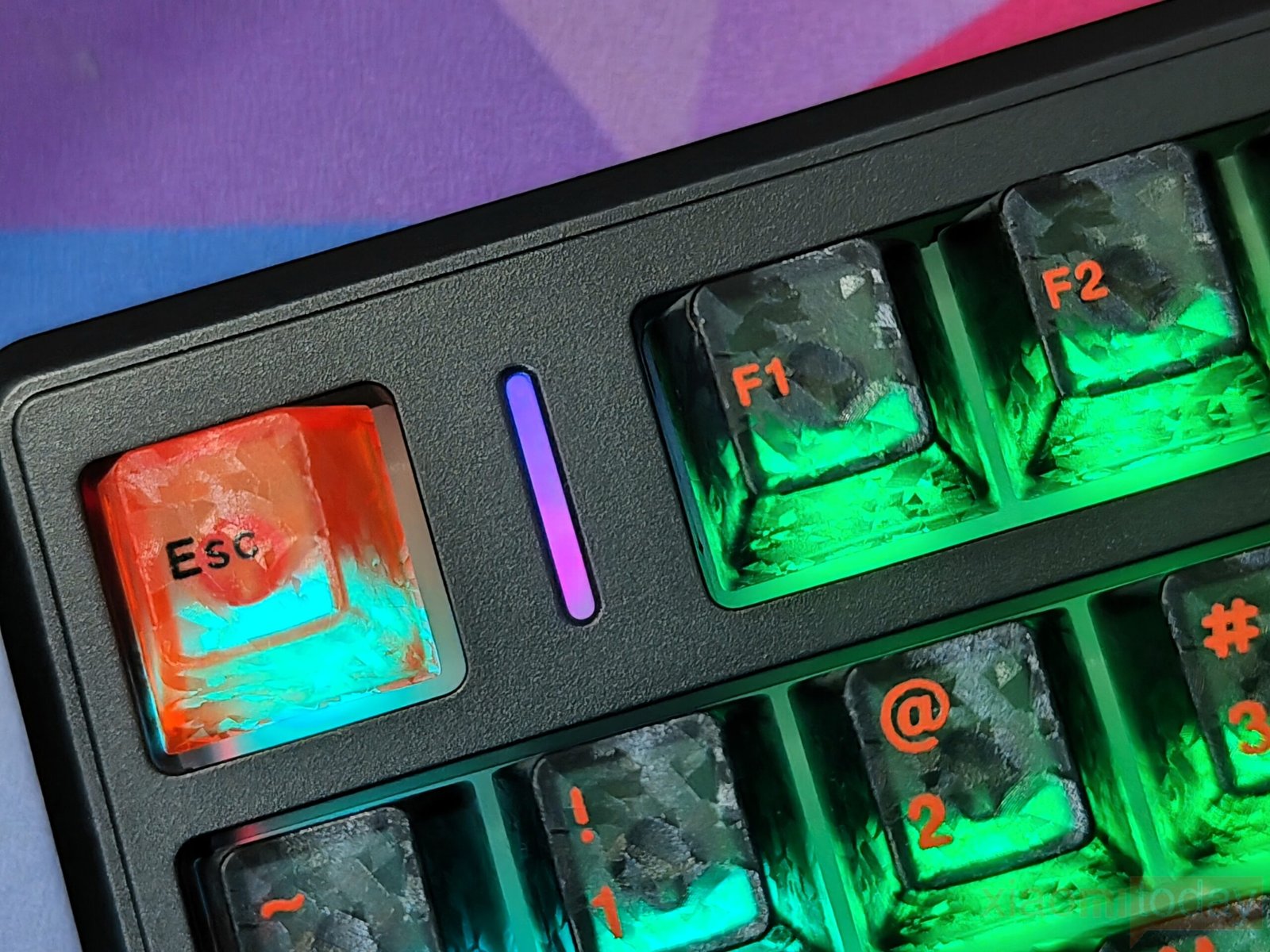
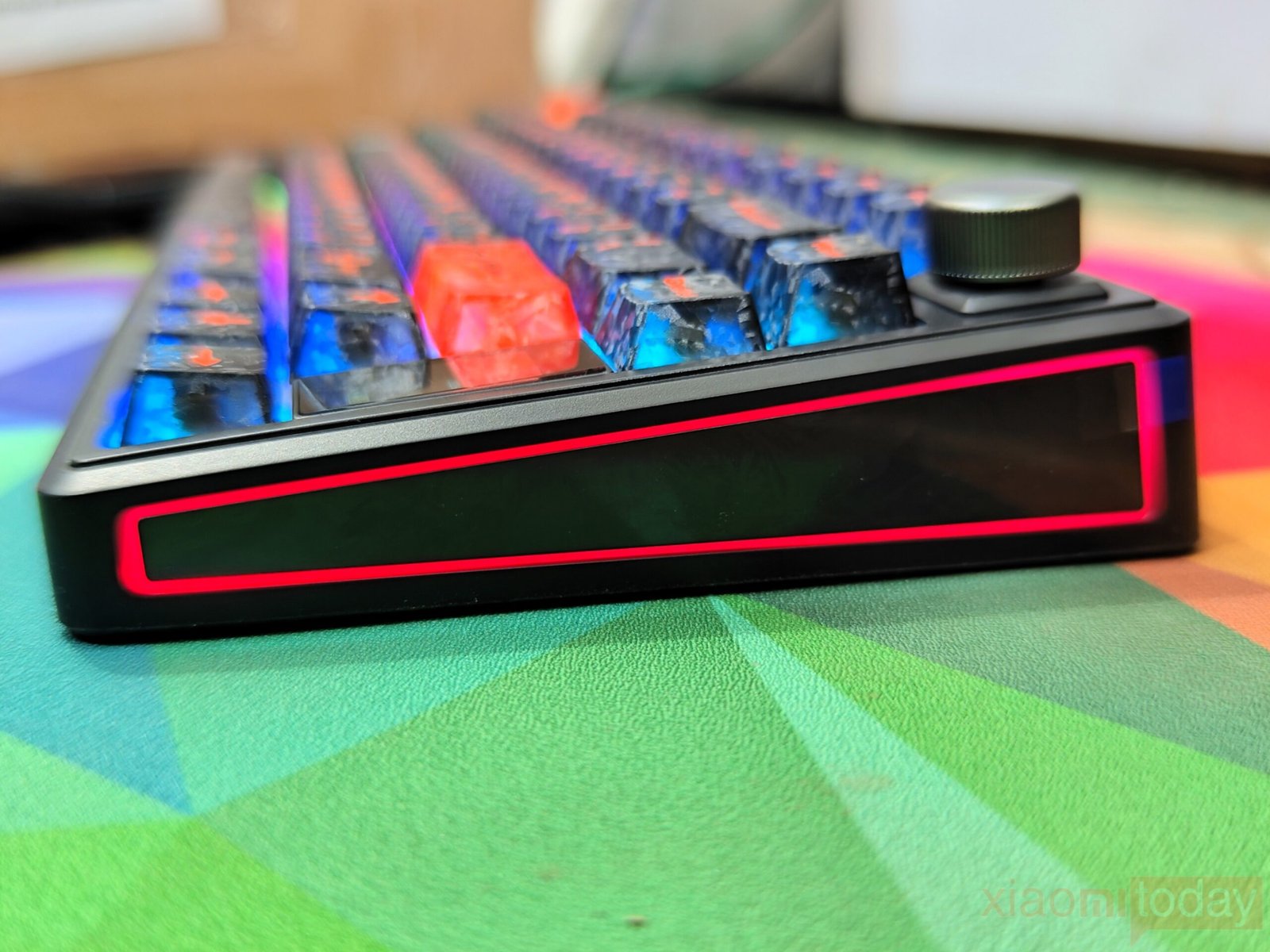
The keyboard also includes extra RGB lighting beyond the keys. A vertical light bar beside the Escape key acts as a status indicator, while RGB light strips are integrated into both side panels. These lighting zones create a soft ambient glow around the keyboard without becoming distracting. Brightness, colors, and lighting effects can be adjusted independently, allowing users to match the keyboard with the rest of their setup.
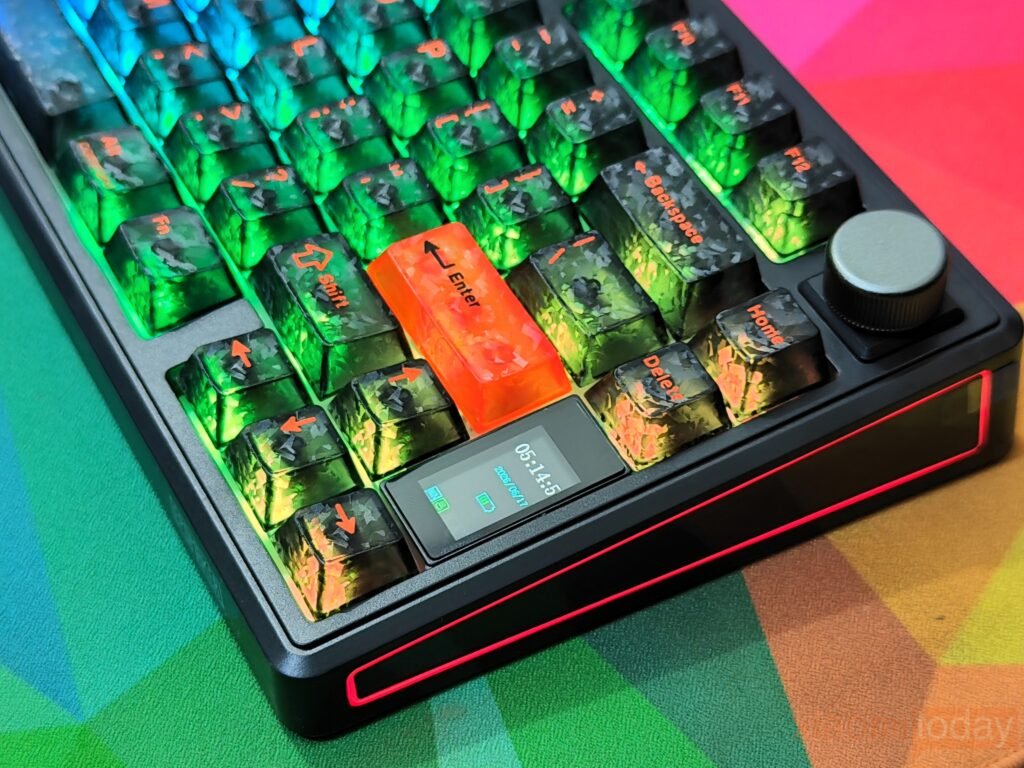
The combination of per-key RGB lighting, the illuminated side panels, and the front light bar gives the TH80 V2 Pro a modern appearance while offering plenty of customization options. Users who prefer a cleaner look can reduce the brightness or disable individual lighting zones, while those who enjoy RGB effects have a wide selection of presets and color combinations to choose from.
EPOMAKER Sea Salt Silent V2 Switches
The EPOMAKER TH80 V2 Pro reviewed here comes equipped with the EPOMAKER Sea Salt Silent V2 mechanical switches. These are factory pre-lubed, 5-pin linear switches designed for users who want smooth key presses with minimal noise. Since the keyboard features a hot-swappable PCB, replacing the switches is quick and easy without soldering. It supports both 3-pin and 5-pin mechanical switches, giving users plenty of upgrade options in the future.
The Sea Salt Silent V2 switch has a 45±5gf actuation force and a 51±5gf bottom-out force, offering a light but controlled typing feel. It features a 1.8±0.4mm pre-travel and 3.5±0.4mm total travel, allowing keys to register quickly while maintaining consistent movement throughout the keystroke. Factory lubrication helps reduce friction, resulting in smoother operation right out of the box.
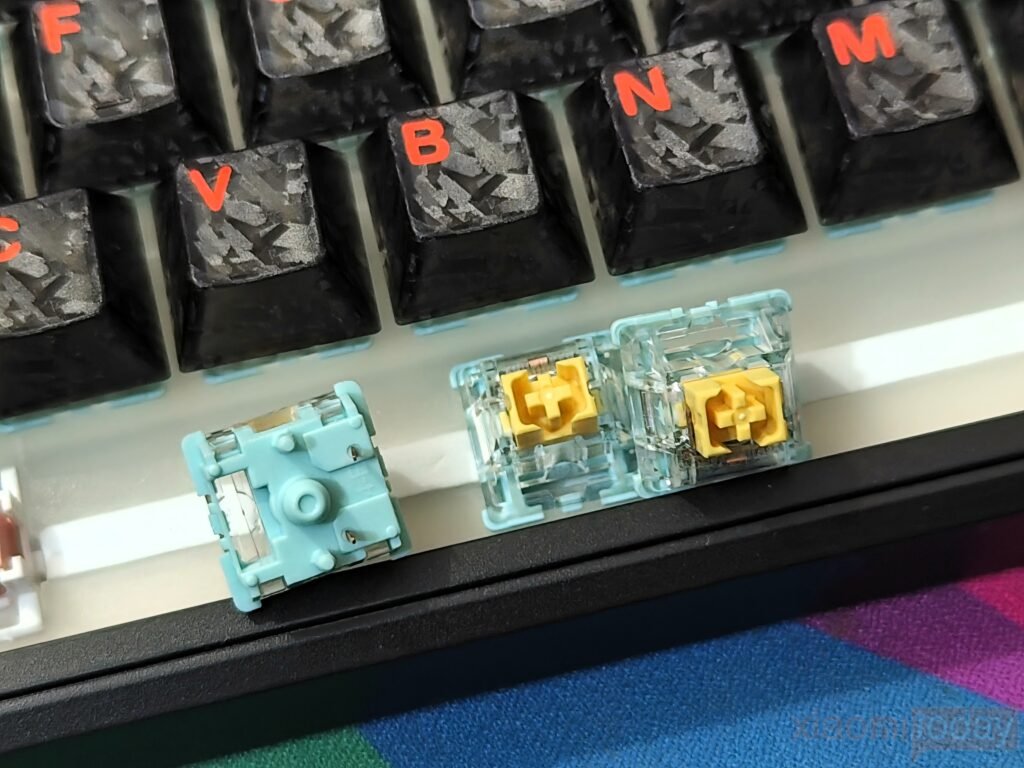
To reduce typing noise, the Sea Salt Silent V2 uses built-in silicone dampening that softens both the downward and return movement of each key press. The result is a quieter typing experience than standard linear switches, making it suitable for offices, shared workspaces, classrooms, or late-night use. Even with the lower sound level, the switches maintain a stable and consistent feel without feeling overly soft or mushy.
| Specification | EPOMAKER Sea Salt Silent V2 | EPOMAKER Creamy Jade |
|---|---|---|
| Switch Type | Linear Silent | Linear |
| Mount | 5-Pin Mechanical | 5-Pin Mechanical |
| Factory Lubed | Yes | Yes |
| Actuation Force | 45 ± 5gf | 45 ± 5gf |
| Bottom-Out Force | 51 ± 5gf | 50 ± 5gf |
| Pre-Travel | 1.8 ± 0.4mm | 2.0 ± 0.4mm |
| Total Travel | 3.5 ± 0.4mm | 3.6 ± 0.4mm |
| Sound Profile | Quiet, muted | Deeper, more pronounced |
| Typing Feel | Smooth, silent linear | Smooth, linear with a fuller sound |
| Best For | Offices, shared workspaces, late-night use | Gaming enthusiasts, users who prefer a deeper typing sound |
| Hot-Swappable | Yes (3-pin & 5-pin compatible keyboard) | Yes (3-pin & 5-pin compatible keyboard) |
The keyboard’s internal construction also contributes to the overall typing experience. The gasket-mounted design is combined with multiple sound-dampening materials, including PORON foam, IXPE foam, EPDM foam, silicone, and a PET pad. These layers help reduce unwanted vibrations and hollow noise while giving the keyboard a more refined acoustic profile. The flex-cut plate and PCB provide a slightly cushioned feel that makes long typing sessions more comfortable.
For users who prefer a more audible typing experience, EPOMAKER also offers the TH80 V2 Pro with Creamy Jade linear switches. This version features a 45±5gf actuation force, 50±5gf bottom-out force, 2.0±0.4mm pre-travel, and 3.6±0.4mm total travel. Both switch options deliver smooth linear operation, but the Sea Salt Silent V2 is better suited for quiet environments, while the Creamy Jade version produces a deeper and more noticeable typing sound.
EPOMAKER TH80 V2 Pro Online Driver
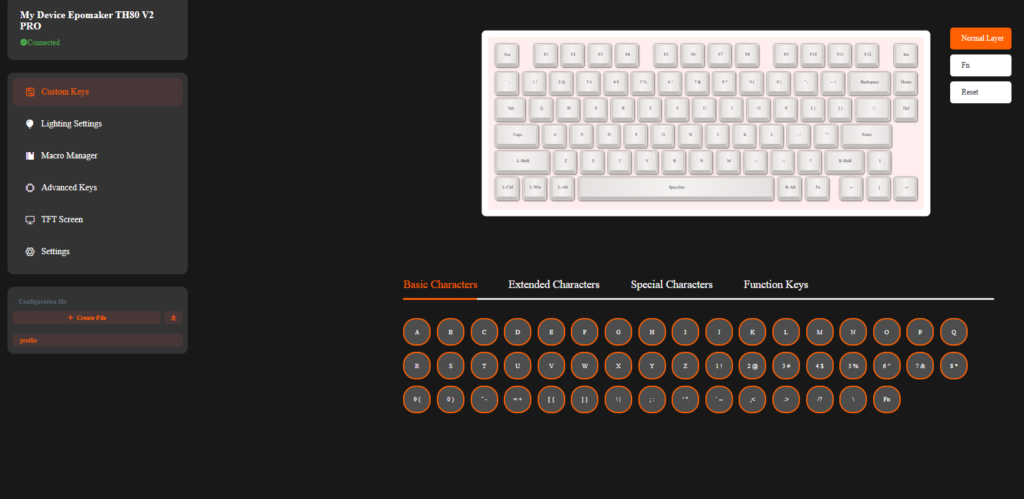
The EPOMAKER TH80 V2 Pro uses a browser-based driver instead of a traditional desktop application, allowing users to customize the keyboard without installing additional software. The online driver is compatible with both Windows and macOS, making it convenient for users who regularly switch between operating systems. During testing, the keyboard was detected quickly, and the interface loaded without any issues. The layout is clean, with separate sections for key mapping, RGB lighting, macros, TFT display settings, and system preferences.
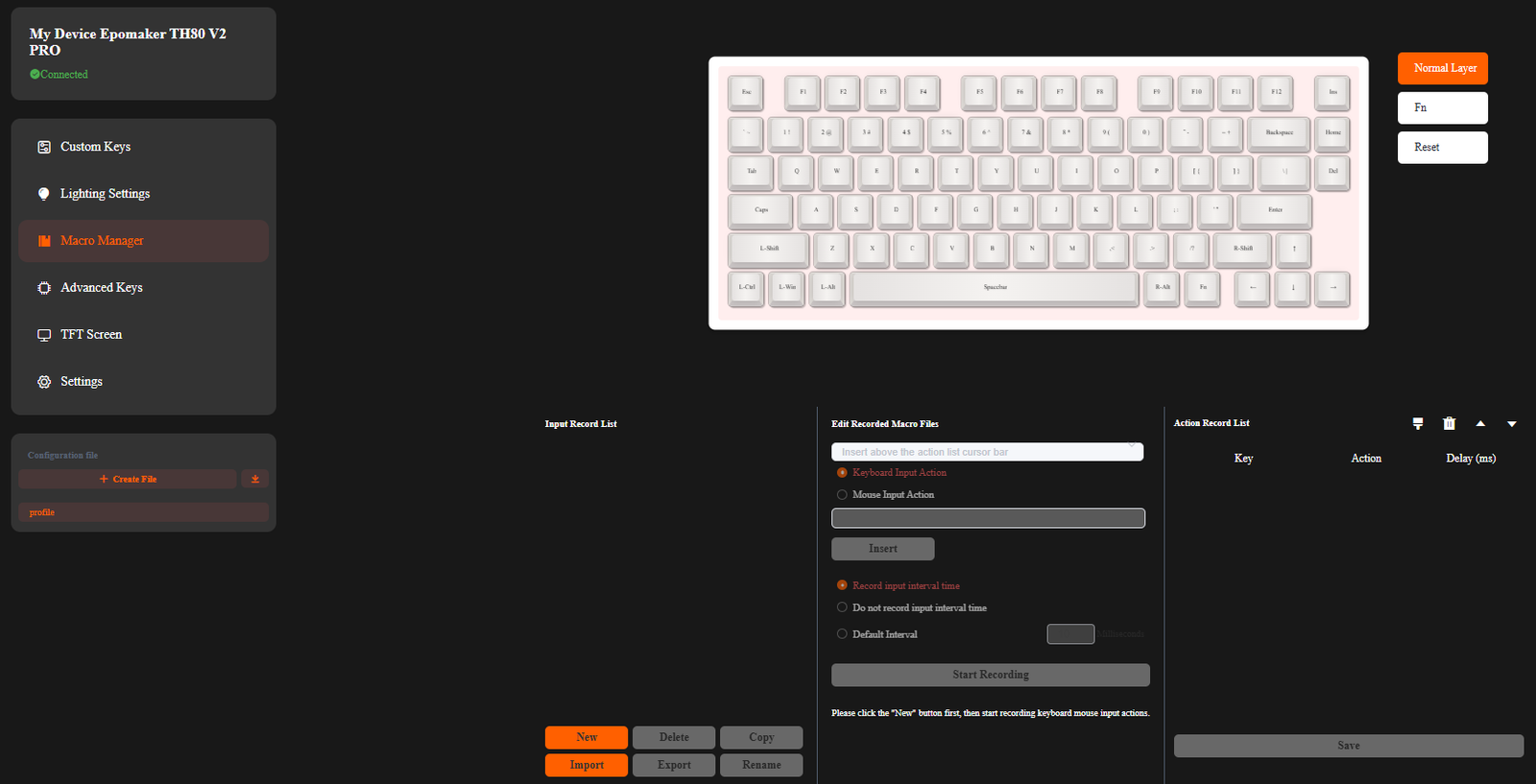
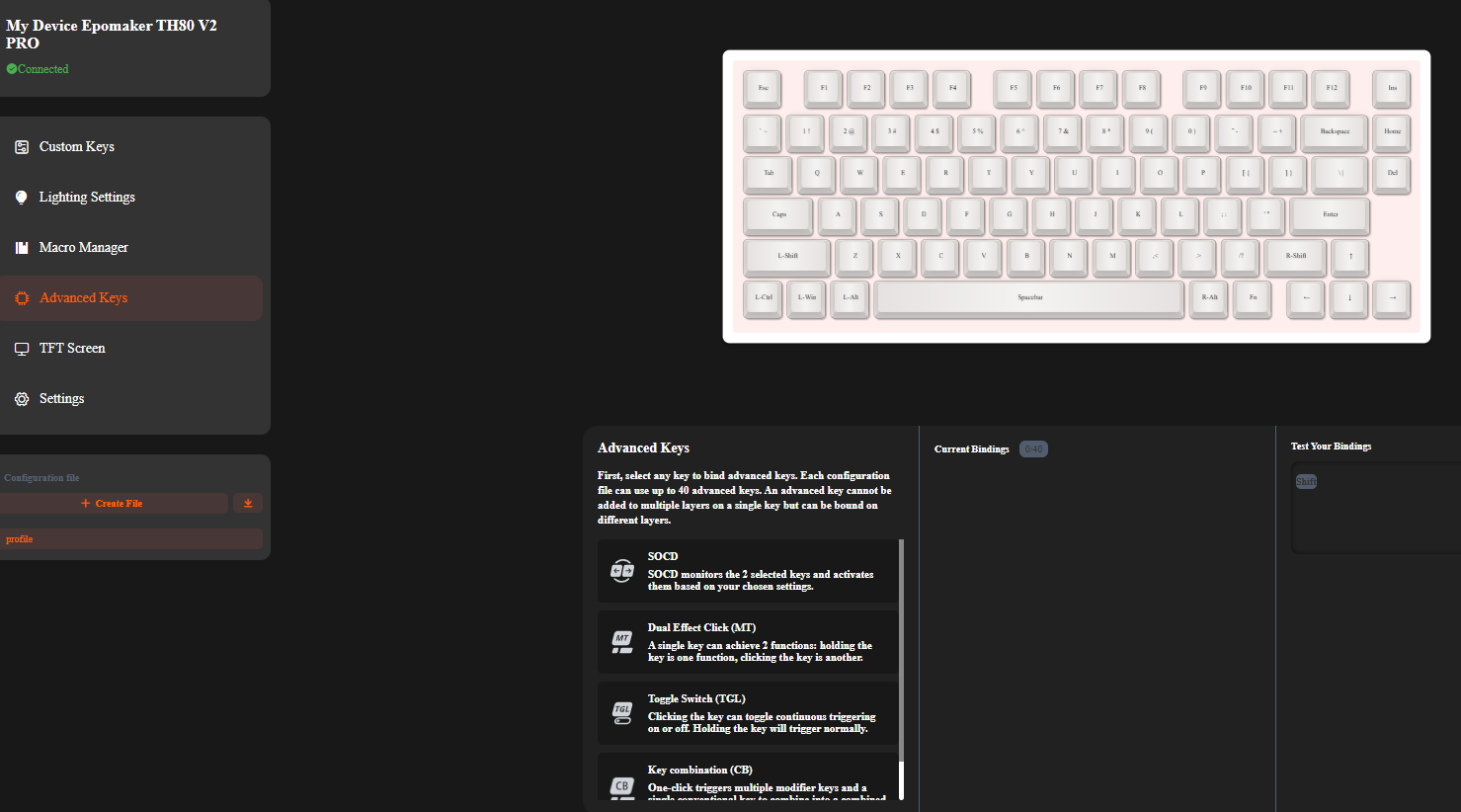
The key mapping menu offers full customization across the keyboard. Every key can be reassigned, while additional layers can be created for different tasks or applications. Macro support is also available, allowing users to record and assign complex key combinations to improve productivity or simplify in-game commands. Multiple profiles can be saved, making it easy to switch between different configurations whenever needed.
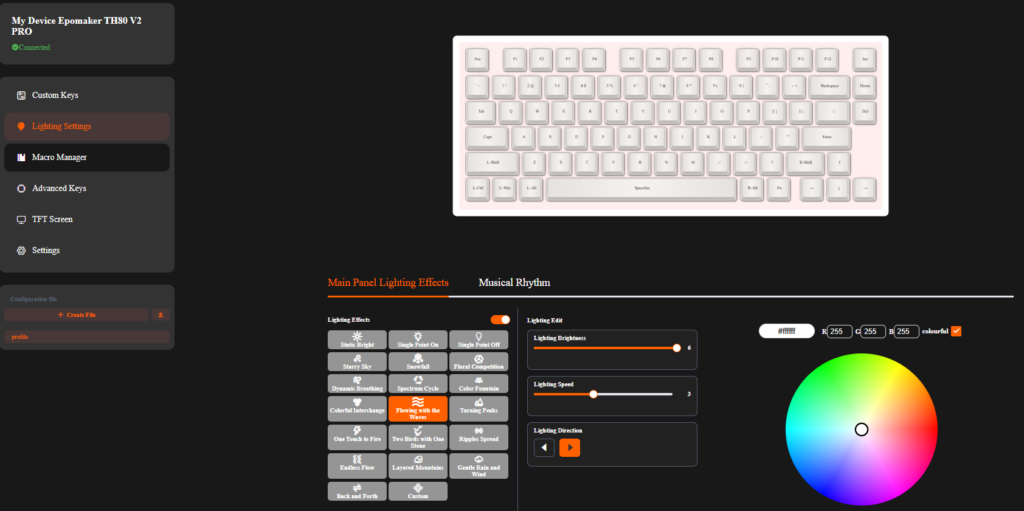
RGB lighting settings are grouped into a dedicated section where users can adjust lighting effects, colors, brightness, animation speed, and direction. The software also provides control over the keyboard’s additional RGB zones, including the side lighting. Changes are applied within a few seconds, allowing users to preview different lighting effects without noticeable delays.
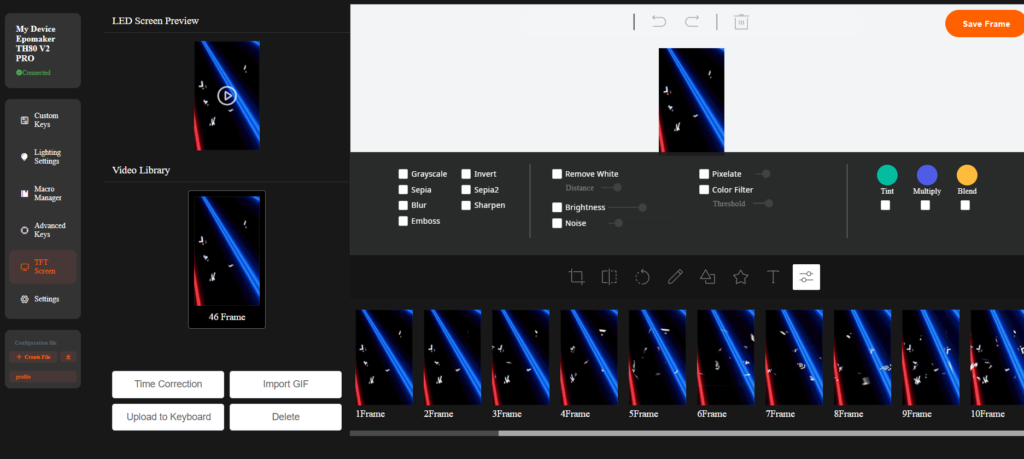
The built-in TFT display can also be customized through the online driver. Users can upload static images or animated GIFs to personalize the screen, while other display options can be configured from the same menu. The display works together with the rotary knob, allowing users to access basic functions and information directly from the keyboard without relying on the software after the initial setup.’
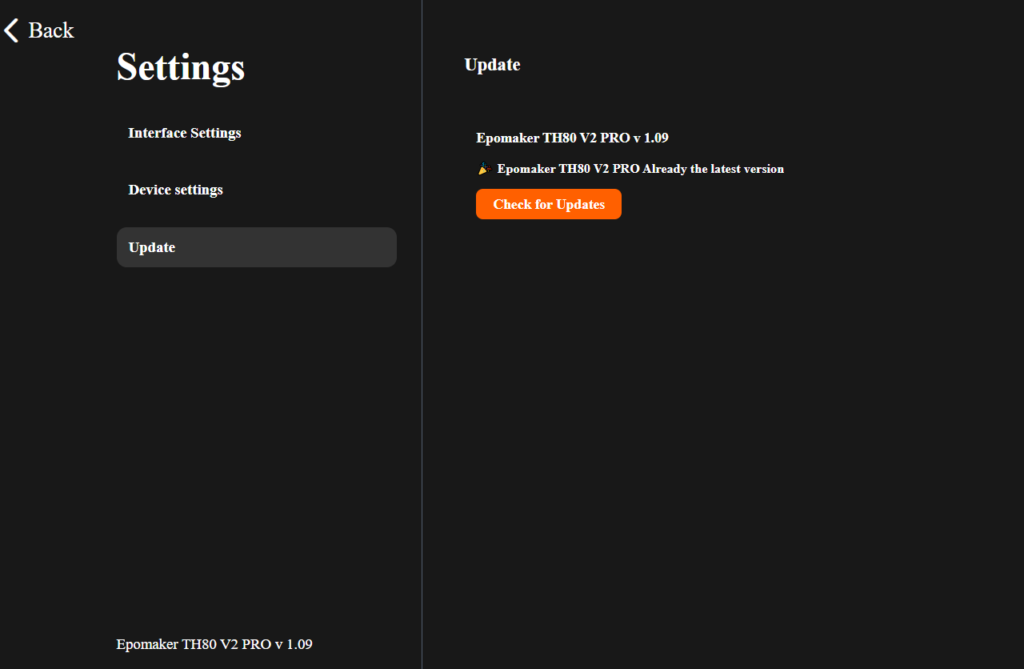
The driver also includes several system settings, such as polling rate, debounce time, sleep timer, and operating system selection. Throughout testing, the web-based interface remained responsive, and every setting was applied without connection issues. Since the software runs entirely through a supported web browser, the same features are available on both Windows and macOS, providing a consistent experience across different platforms.
Connectivity
The EPOMAKER TH80 V2 Pro offers three connection modes, including USB Type-C wired, 2.4GHz wireless, and Bluetooth, making it compatible with a wide range of devices. It works with Windows, macOS, Android, and iOS, allowing users to move between desktops, laptops, tablets, and smartphones with minimal effort. Dedicated hardware switches on the back of the keyboard are used to select the connection mode and change between Windows and macOS layouts, eliminating the need to adjust these settings through software.
| Action | Steps |
|---|---|
| First-Time Bluetooth Pairing | 1. Switch the keyboard to Bluetooth mode. 2. Hold Fn + Q/W/E until the LED flashes rapidly. 3. Select the keyboard from your device’s Bluetooth menu. |
| First-Time 2.4GHz Pairing | 1. Switch the keyboard to 2.4GHz mode. 2. Hold Fn + R until the LED flashes rapidly. 3. Plug the USB receiver into your PC to complete pairing. |
| Reconnect to a Paired Bluetooth Device | 1. Switch to Bluetooth mode. 2. Press Fn + Q, Fn + W, or Fn + E once to switch to the desired paired device. |
| Reconnect to the 2.4GHz Receiver | 1. Switch to 2.4GHz mode. 2. Press Fn + R once to reconnect to the paired USB receiver. |
The keyboard supports connections with up to five devices at the same time. Four Bluetooth profiles can be paired using the Fn + Q/W/E/R shortcuts, while the 2.4GHz USB receiver serves as the fifth connection. Once paired, switching between connected devices only requires pressing the corresponding shortcut key. During testing, reconnection was quick, and the keyboard remembered previously paired devices without requiring the pairing process to be repeated.
| Performance Specification | Polling Rate | Best For |
|---|---|---|
| Wired Polling Rate | 1000Hz | Competitive gaming, esports, lowest input latency |
| 2.4GHz Wireless Polling Rate | 1000Hz | Wireless gaming, fast response, everyday productivity |
| Bluetooth Polling Rate | 125Hz | Office work, web browsing, tablets, smartphones, longer battery life |
| Claimed Wireless Latency (2.4GHz) | Up to 2ms | Fast-paced gaming and low-latency wireless perform |
Performance remains consistent across all connection modes. Both the wired USB connection and the 2.4GHz wireless mode operate at a 1000Hz polling rate, making them suitable for gaming as well as everyday productivity. EPOMAKER also claims up to 2ms latency in 2.4GHz mode, helping reduce input delay during fast-paced games. Bluetooth operates at 125Hz, which is more than adequate for web browsing, office work, and general daily use while consuming less power.
The TH80 V2 Pro also supports full N-key rollover (NKRO) and anti-ghosting, allowing every key press to register accurately even when multiple keys are pressed simultaneously. This benefits both gamers and fast typists who regularly use several key combinations.
Another useful feature is the keyboard’s onboard memory, which stores custom key mappings, macros, and other settings directly on the device. This means personalized configurations remain available even when switching between different computers or operating systems. Combined with EPOMAKER’s browser-based configuration software, the TH80 V2 Pro provides a flexible connectivity experience without requiring separate software installations for each platform.
Battery Life
The EPOMAKER TH80 V2 Pro is powered by a 10,000mAh rechargeable battery, giving it one of the largest battery capacities available in a compact wireless mechanical keyboard. The large battery allows the keyboard to operate for extended periods across wired, Bluetooth, and 2.4GHz wireless modes, reducing the need for frequent charging during daily use.
EPOMAKER rates the keyboard for more than 200 hours of wireless use, although actual battery life depends on connection mode, RGB brightness, and usage habits. With RGB lighting enabled throughout the day, the keyboard typically lasts around three to four days before requiring a recharge. Turning the lighting off or using RGB only when needed can extend battery life to several weeks under mixed usage.
Charging is handled through the USB Type-C port, and the keyboard supports play-and-charge, allowing it to remain fully functional while connected to a charging cable. This makes it possible to continue working or gaming without waiting for the battery to recharge.
Battery status can be checked directly from the keyboard without opening the software. Pressing Fn + Enter temporarily disables the backlight, while the number keys display the remaining battery level in 10% increments. For example, if keys 1 through 7 are illuminated, the remaining battery level is approximately 70%. This function is available only when the keyboard is operating in wireless mode.
When the battery becomes low, the Left Ctrl key flashes red as a charging reminder. Once the USB cable is connected, the warning indicator returns to the normal lighting effect, making it easy to see when charging has started.
Use Experience
I used the EPOMAKER TH80 V2 Pro as my primary keyboard for two weeks, covering a mix of office work, content writing, web browsing, photo editing, and gaming. The 75% layout felt familiar after only a short adjustment period. Although it removes the dedicated number pad, the function row and navigation keys remain available, making it suitable for both productivity and entertainment. The compact size also frees up additional desk space for mouse movement, which is particularly useful when playing FPS games.
The review unit came with EPOMAKER Sea Salt Silent V2 switches, and they performed well during long typing sessions. The factory lubrication provides smooth key travel, while the 45gf actuation force keeps each key press light without feeling overly sensitive. Combined with the Cherry-profile PBT keycaps and gasket-mounted structure, the keyboard remains comfortable during extended use. I spent several hours each day writing articles and editing documents without experiencing noticeable finger fatigue.
Typing acoustics are well controlled. The Sea Salt Silent V2 switches produce a soft and muted sound, while the internal foam layers help reduce case resonance and unwanted vibrations. The result is a clean typing sound with very little spring noise or echo. This makes the keyboard well-suited for shared offices, classrooms, or home environments where lower noise levels are preferred. Users who enjoy a deeper and more noticeable typing sound may prefer the Creamy Jade switch option instead.
Gaming performance was equally reliable throughout the review period. I tested the keyboard in competitive first-person shooters, racing games, and several casual titles using both wired and 2.4GHz wireless connections. The 1000Hz polling rate delivered responsive input, and I did not experience missed keystrokes, connection drops, or noticeable input delay. Full N-key rollover also worked as expected, allowing multiple key presses to register correctly during fast gameplay.
The rotary knob and built-in display became useful during everyday use. Volume adjustments could be made quickly without interrupting work, while the display provided instant access to battery status, connection mode, date, and time. Uploading custom images and animated GIFs through the browser-based software was simple, giving the display a more personal touch without affecting performance.
Wireless connectivity remained stable across multiple devices. I regularly switched between a desktop PC, a laptop, and a tablet using the built-in Bluetooth profiles and 2.4GHz receiver. Reconnection was fast, and the keyboard remembered previously paired devices without requiring them to be paired again. The browser-based software also performed reliably, allowing changes to key mappings, RGB lighting, macros, and display settings without installing dedicated desktop software.
Battery performance met expectations throughout the review. The 10,000mAh battery comfortably handled several days of use with RGB lighting enabled for a few hours each day. Reducing the lighting brightness or turning RGB off extends battery life even further, making frequent charging unnecessary.
After two weeks of daily use, the EPOMAKER TH80 V2 Pro proved to be a well-balanced mechanical keyboard for both work and gaming. It combines a comfortable typing experience, quiet switches, stable wireless performance, useful customization options, and long battery life in a compact 75% layout. For users looking for a feature-rich wireless mechanical keyboard without moving into a higher price range, it offers a good balance between functionality, comfort, and value.
Conclusion