The Razer BlackShark V3 Pro is a wireless gaming headset built for players who want a balance of comfort, sound quality, and competitive gaming performance. This version comes with a special NiKo colorway, created in collaboration with professional Counter-Strike player Nikola “NiKo” Kovač. Razer has kept the familiar BlackShark design while adding features aimed at long gaming sessions, including lightweight construction, pivoting ear cups, and dual-layer memory foam cushions.
For sound, the BlackShark V3 Pro (Niko Edition) uses 50mm TriForce Gen 2 drivers and supports THX Spatial Audio 7.1.4 on Windows 11. The headset uses Razer HyperSpeed Wireless Gen 2 for its 2.4GHz connection and also supports Bluetooth, USB, and 3.5mm connectivity. Razer claims up to 70 hours of battery life, making it suitable for extended gaming sessions without having to recharge the headset frequently.
The BlackShark V3 Pro comes with a detachable 12mm Razer HyperClear full-band microphone designed to improve voice clarity while reducing background noise. The headset also features active hybrid noise cancellation, while settings and microphone adjustments can be managed through Razer Synapse or the Razer mobile app. A configurable scroll wheel adds quick access to headset controls during gaming.
The BlackShark V3 Pro also includes adjustable pivoting ear cups, magnetic swappable plates, and support for four connection methods. With its combination of wireless performance, 50mm drivers, noise cancellation, a detachable microphone, and long battery life, Razer has packed plenty into this headset.
In this review, we will test its comfort, sound quality, microphone performance, wireless connection, battery life, software, and overall gaming experience.
Specifications
| Specification | Razer BlackShark V3 Pro NiKo Edition |
|---|---|
| Headset Type | Wireless Esports Gaming Headset |
| Connectivity | 2.4 GHz Wireless / Bluetooth 5.3 / USB Wired / 3.5 mm |
| Wireless Technology | Razer HyperSpeed Wireless Gen-2 |
| 2.4 GHz Latency | As low as 10 ms |
| Drivers | Razer TriForce Bio-Cellulose 50 mm Drivers Gen-2 |
| Frequency Response | 12 Hz – 28 kHz |
| Impedance | 32 Ω @ 1 kHz |
| Sensitivity | 108 dB SPL/mW @ 1 kHz |
| Ear Cup Size | 66 × 45 mm |
| Ear Cushions | Dual-Layered FlowKnit Memory Foam |
| Microphone | Detachable Razer HyperClear Full Band 12 mm |
| Microphone Frequency Response | 20 Hz – 20 kHz |
| Microphone SNR | ≥68 dB |
| Microphone Sensitivity | -42 ± 3 dBV/Pa @ 1 kHz |
| Microphone Pickup Pattern | Unidirectional |
| Active Noise Cancellation | Hybrid ANC |
| ANC Levels | 4 adjustable levels |
| Bluetooth Codec | AAC, SBC |
| Simultaneous Audio | 2.4 GHz + Bluetooth |
| Battery Life | Up to 70 hours via 2.4 GHz |
| Controls | Volume, Mic Mute, ANC, SmartSwitch, Game/Chat Balance |
| THX Spatial Audio | Windows 11, Version 23H2 or newer |
| Software | Razer Synapse / Razer Audio App |
| Weight | Approx. 367g |
| Compatibility | PC, Mac, Consoles, Smartphones, Tablets & Handheld Gaming Devices |
Unboxing
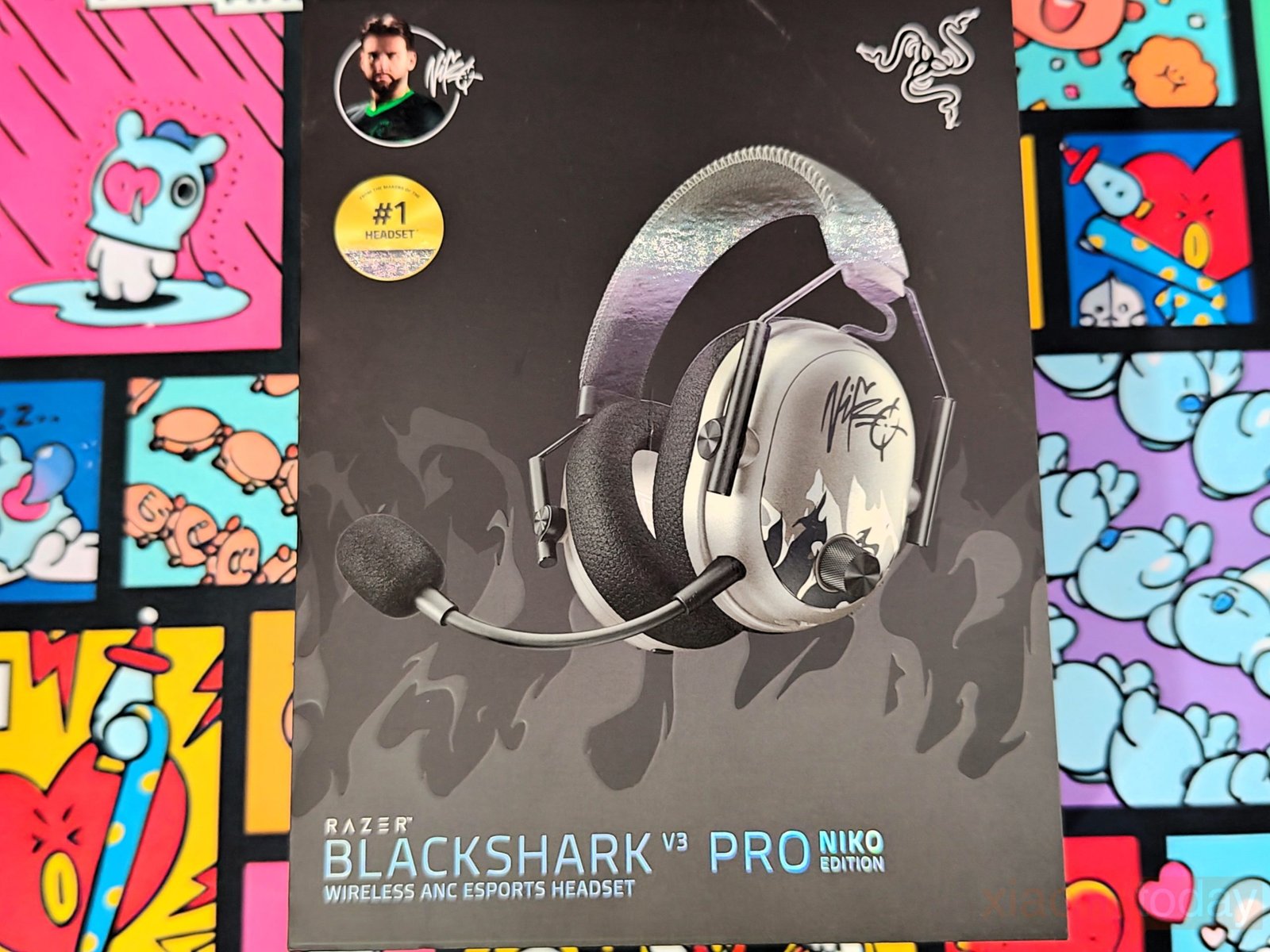
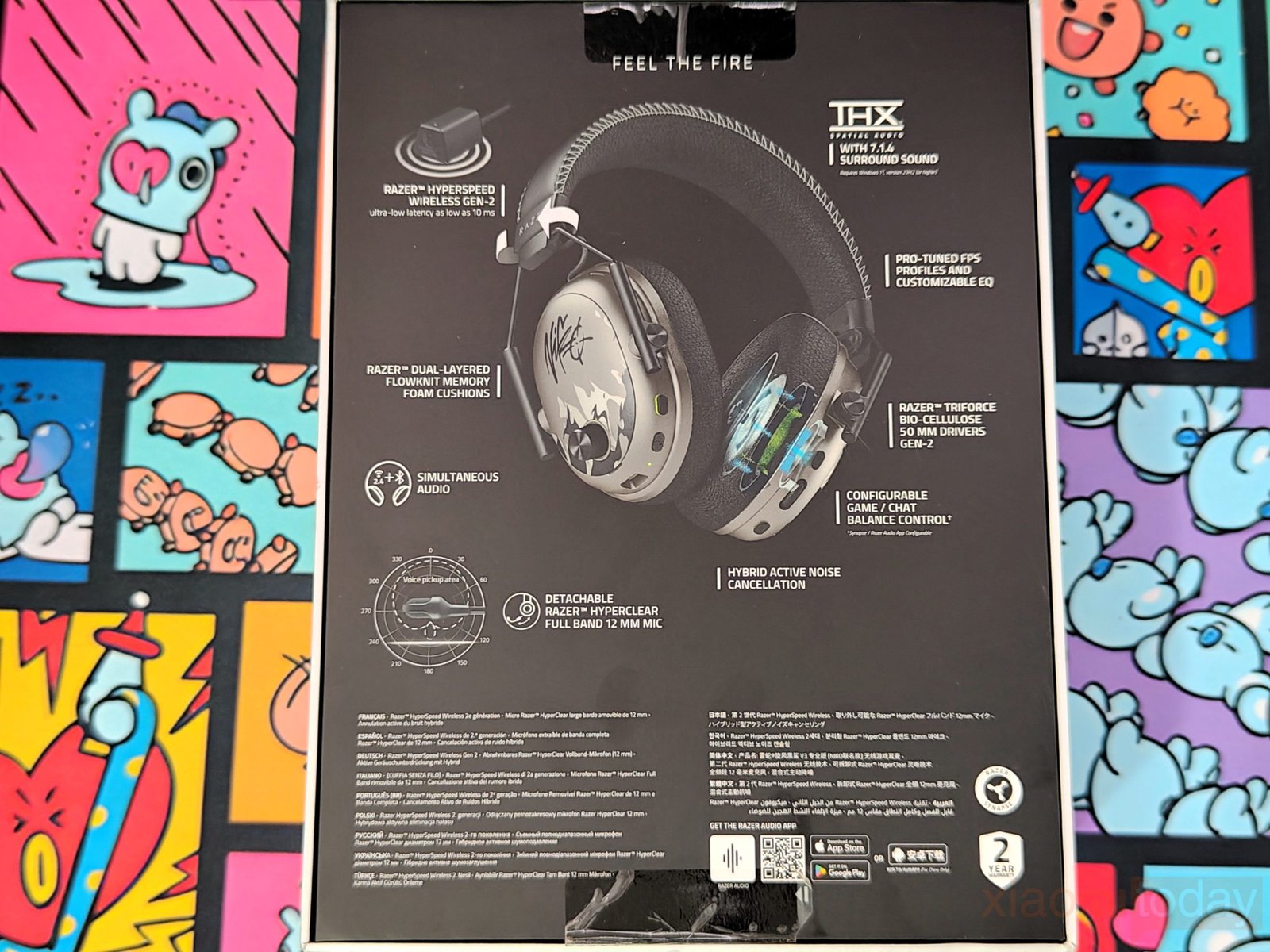


The Razer BlackShark V3 Pro NiKo Edition comes in a black box with NiKo’s signature design across the packaging. The front shows the headset in its silver and black finish, along with NiKo’s signature and Razer branding. The back of the box lists the main features, including Razer HyperSpeed Wireless Gen-2, THX Spatial Audio 7.1.4, 50mm TriForce Bio-Cellulose Gen-2 drivers, hybrid active noise cancellation, dual-layer FlowKnit memory foam cushions, and the detachable 12mm HyperClear microphone. The side panels carry more information about the NiKo Collection, including his signature, collection details, and other NiKo Edition Razer products. The flame pattern used throughout the packaging also matches the design of the headset.
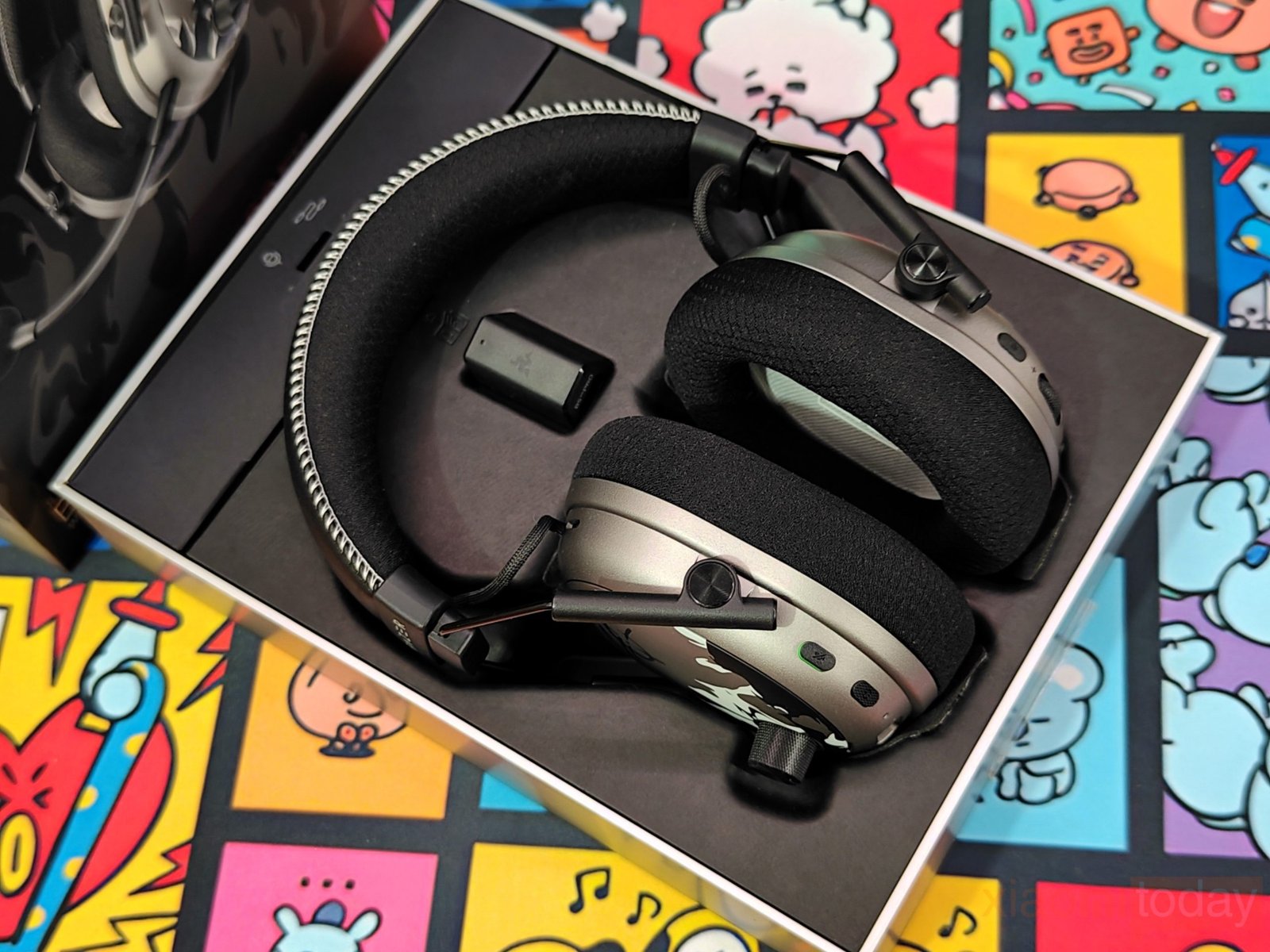
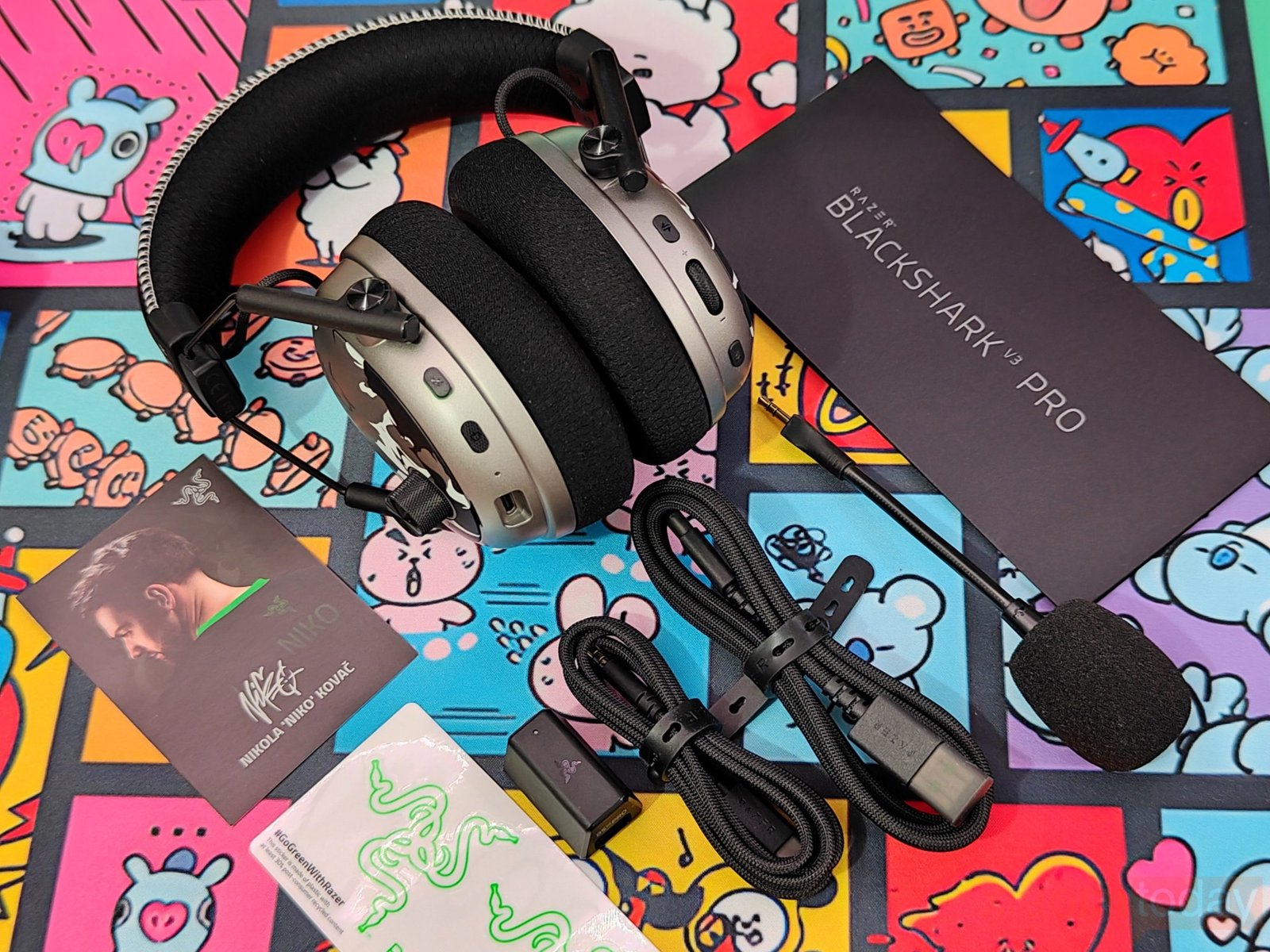
Inside the box, the Razer BlackShark V3 Pro NiKo Edition sits in a molded tray with the ear cups facing upward. The HyperSpeed Wireless Gen-2 USB dongle is placed in the upper section, while the cables and microphone are packed separately underneath. The box includes the Razer HyperClear Full Band 12mm detachable microphone, USB Type-A to USB Type-C cable, and 3.5mm TRRS analog-to-USB-C converter cable. Everything is packed securely, and the headset is held firmly in place during transport.
Design and Build Quality
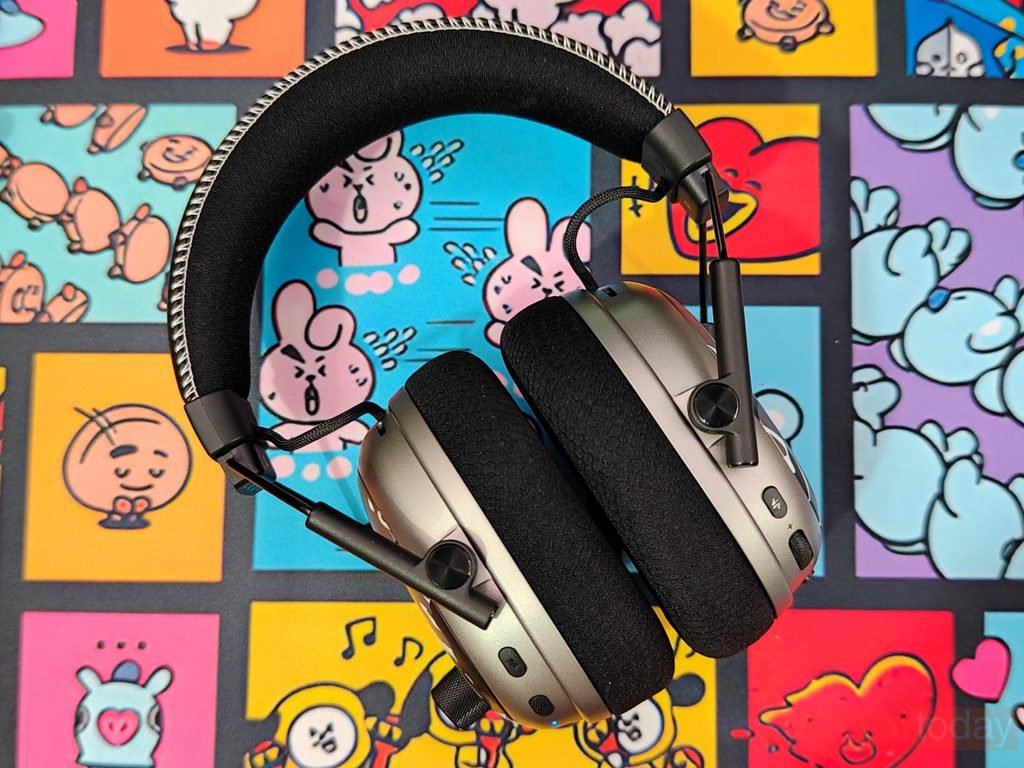
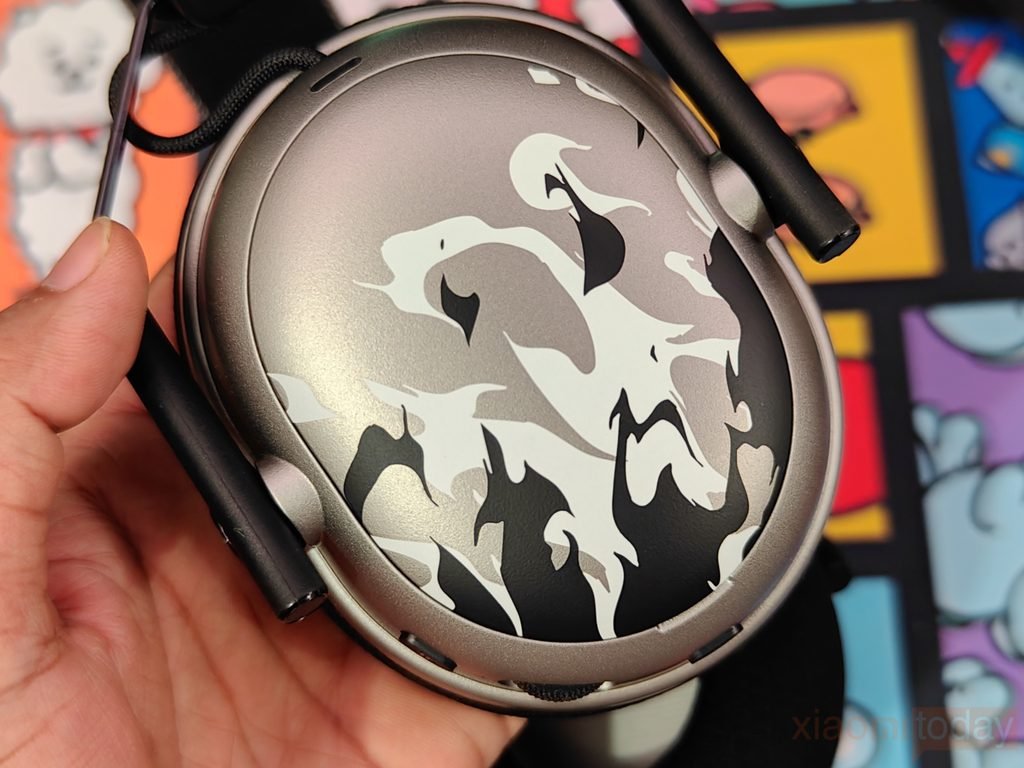
The Razer BlackShark V3 Pro NiKo Edition uses the same familiar gaming headset shape as the BlackShark series, but the NiKo Edition gets a different finish with a silver, black, and white camouflage pattern on the earcups. NiKo’s signature is printed across the outer panels, giving the headset its own look. The silver finish also contrasts well with the black headband, ear cushions, microphone, and metal support arms.
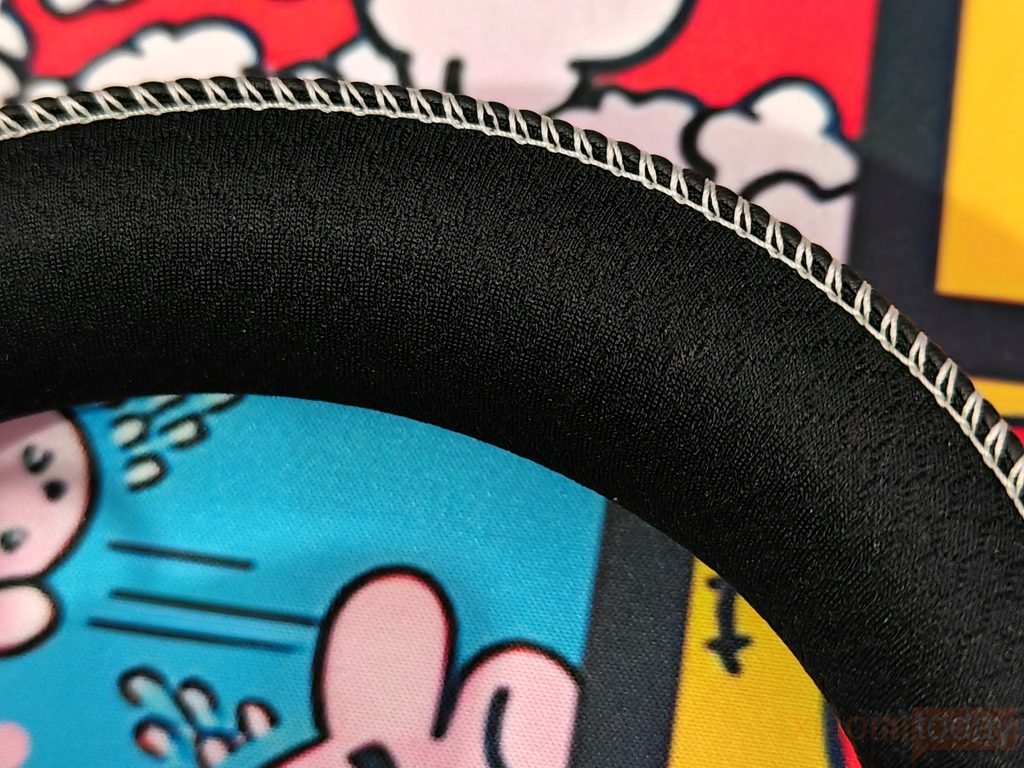
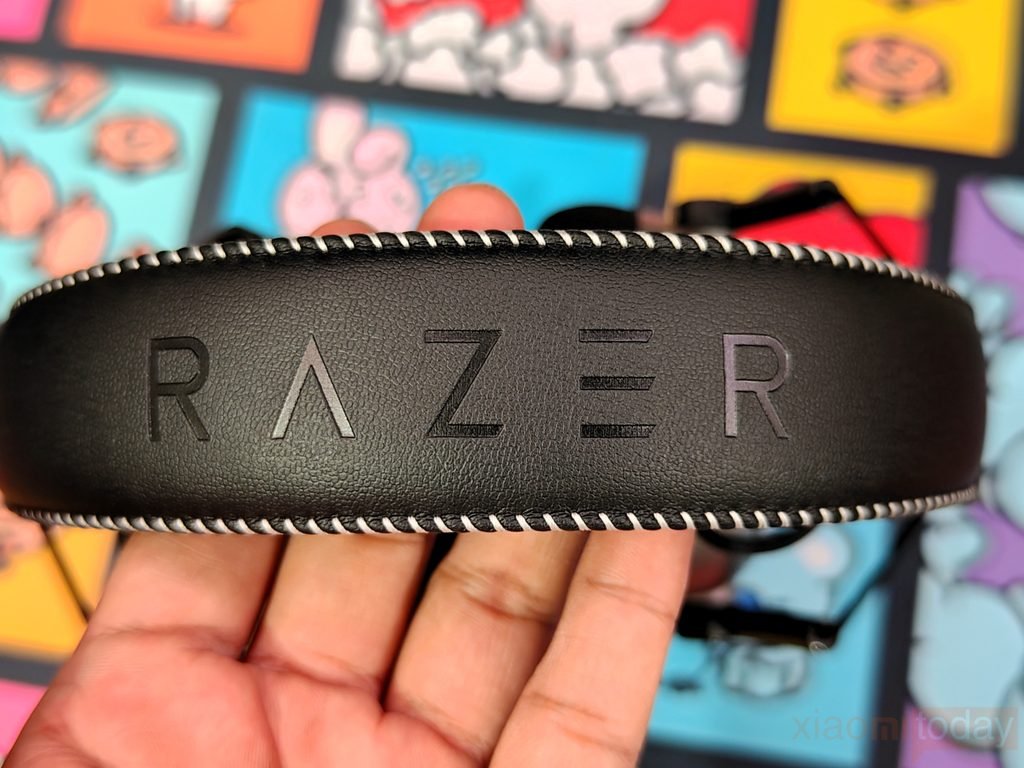
The headband is covered with black leatherette and has white stitching running around the edges. The stitching is clean and gives the headband a more finished look. Padding underneath the headband is soft and provides enough cushioning for longer gaming sessions. The frame has some flexibility, so the headset does not feel overly rigid when adjusting it to the head.
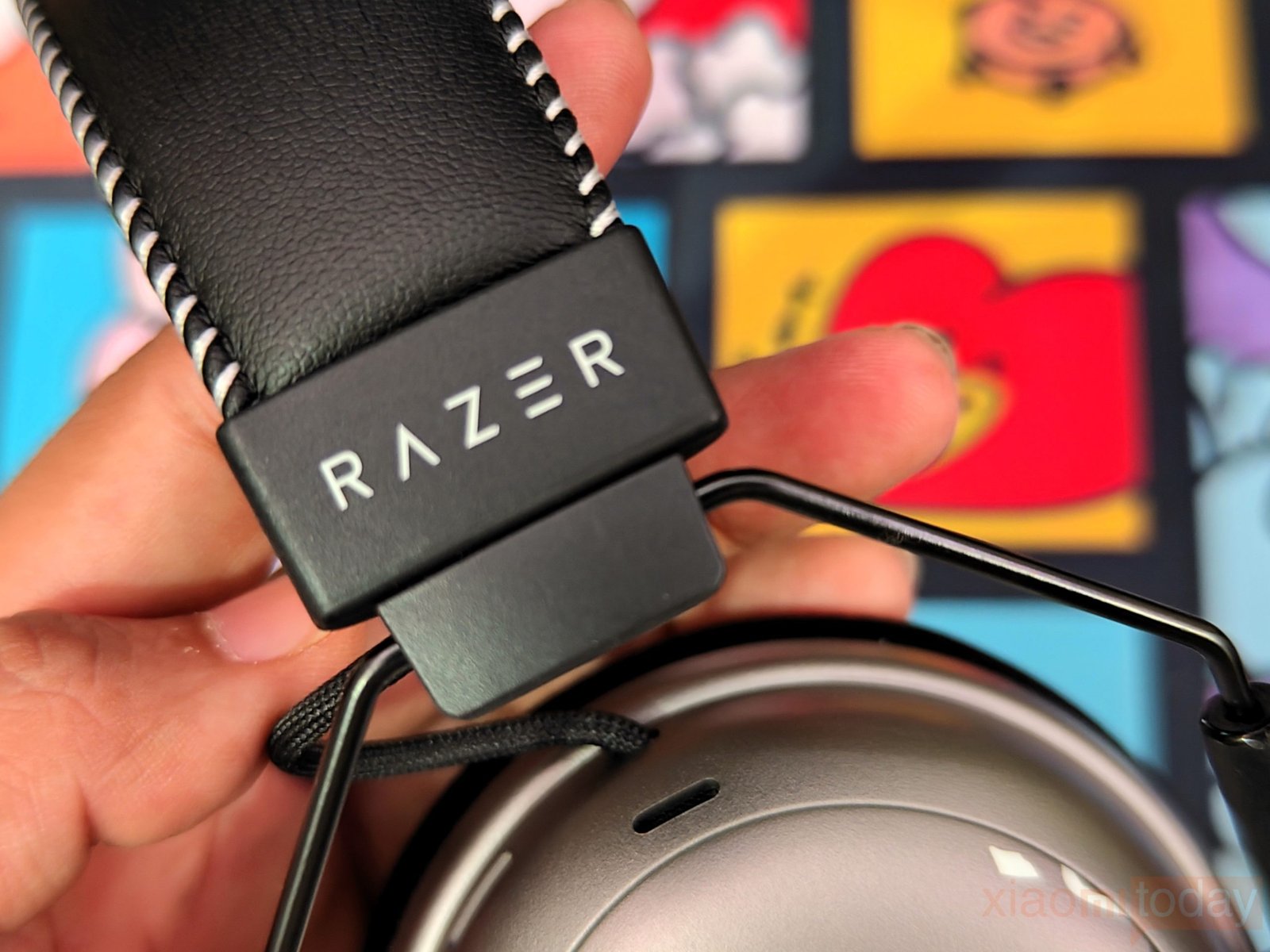
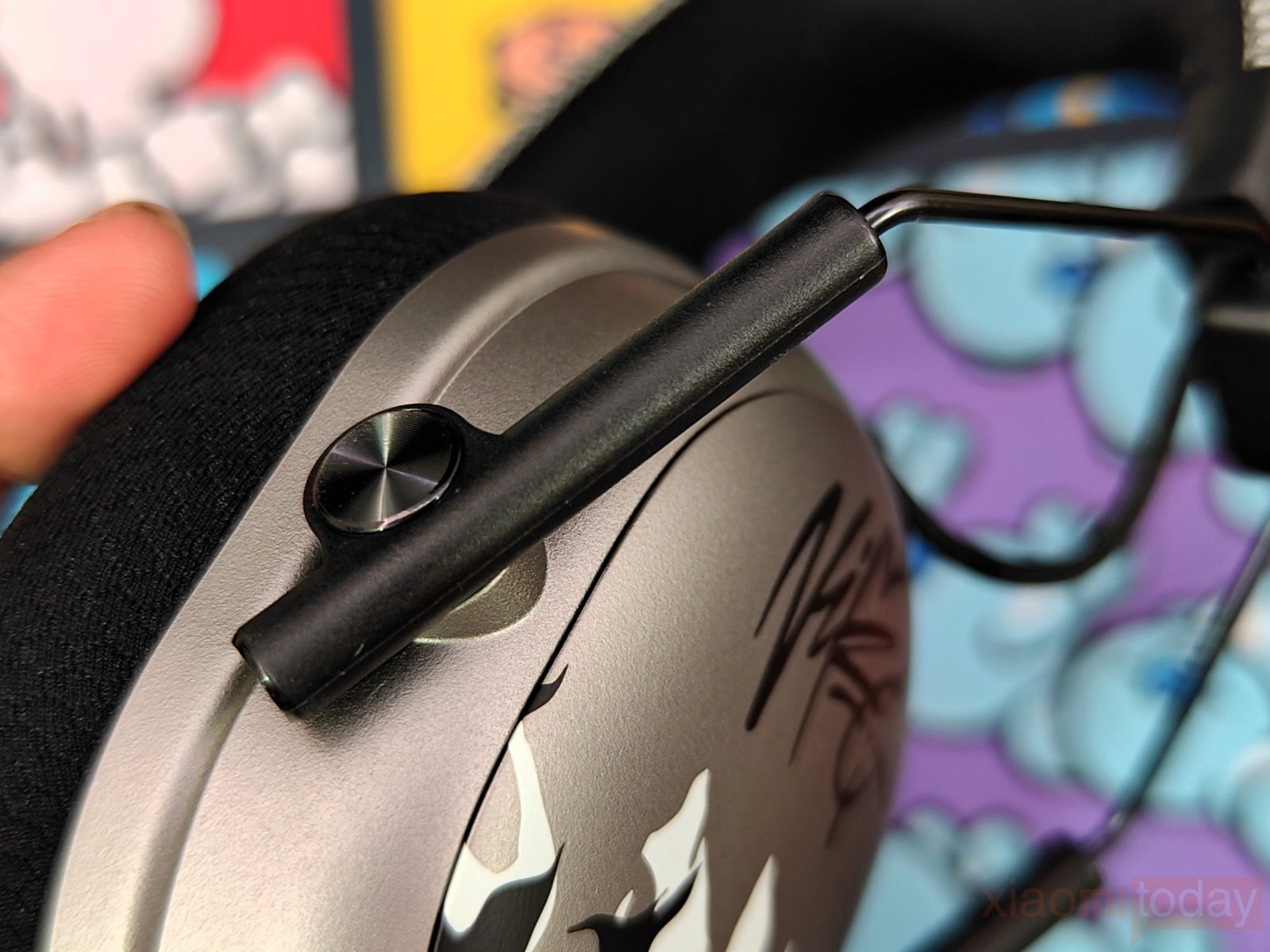
The BlackShark V3 Pro NiKo Edition uses metal support arms on both sides of the headband. These arms connect to the earcups through swivel joints, allowing the cups to move and sit more naturally around the ears. The earcups also have enough movement for easier storage. During handling, the frame feels firm without making the headset unnecessarily heavy.
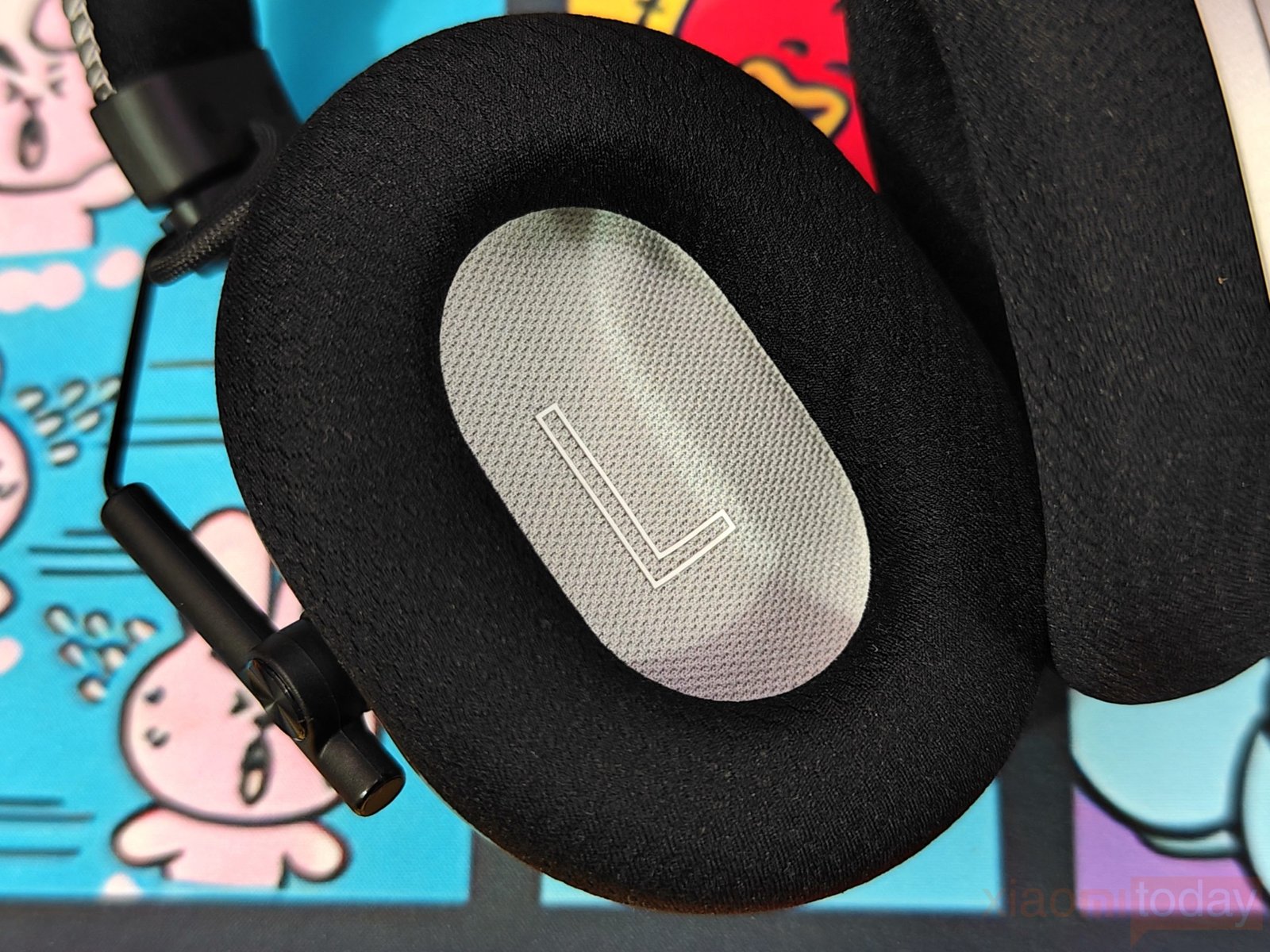
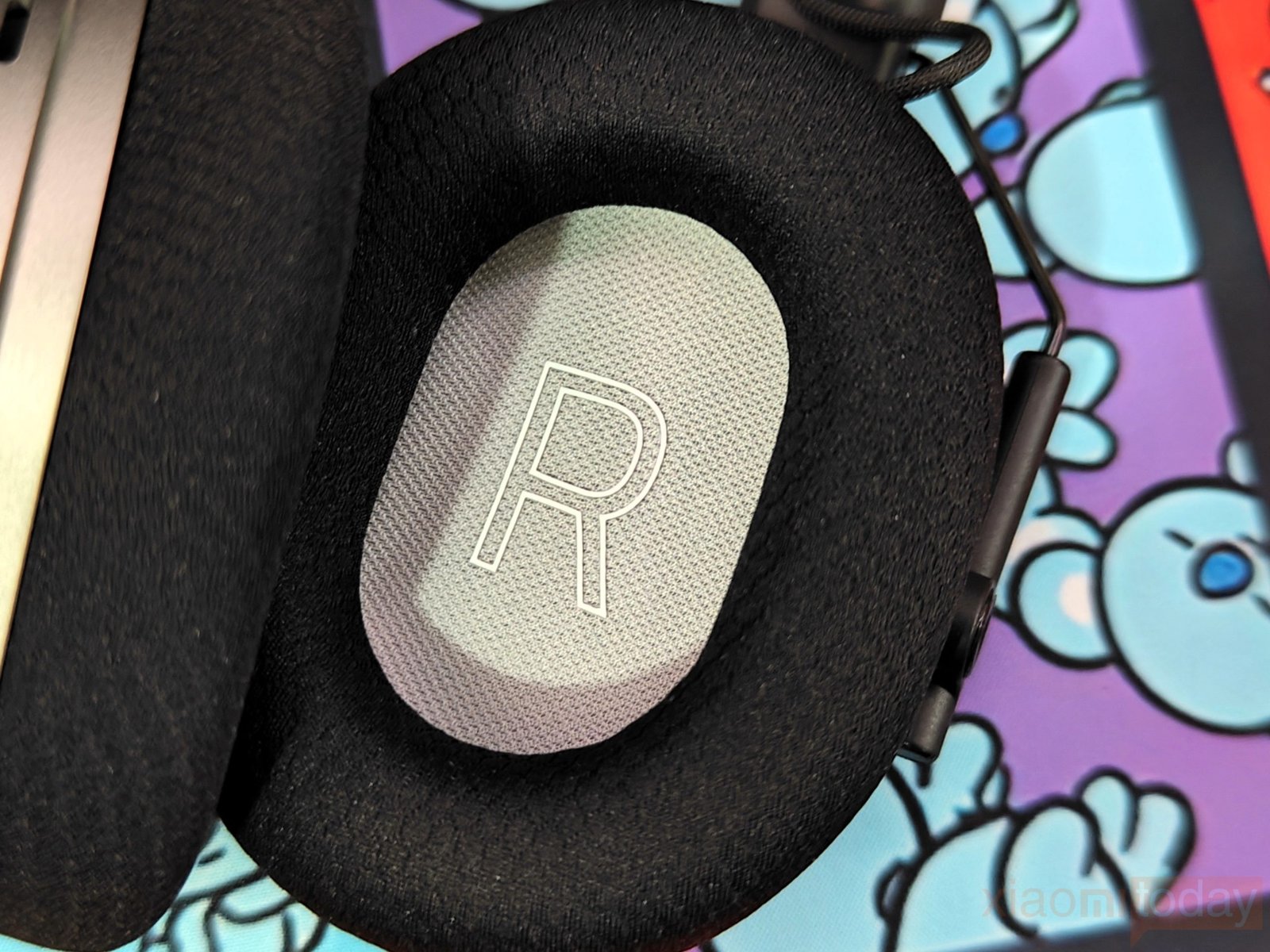
Razer has used large memory-foam ear cushions covered with a soft fabric material. The cushions are thick and have enough depth to keep the ears away from the drivers. The fabric also feels softer against the skin than a full leatherette covering, which should help when wearing the headset for several hours. The large earcups provide good coverage around the ears and help create a proper seal.
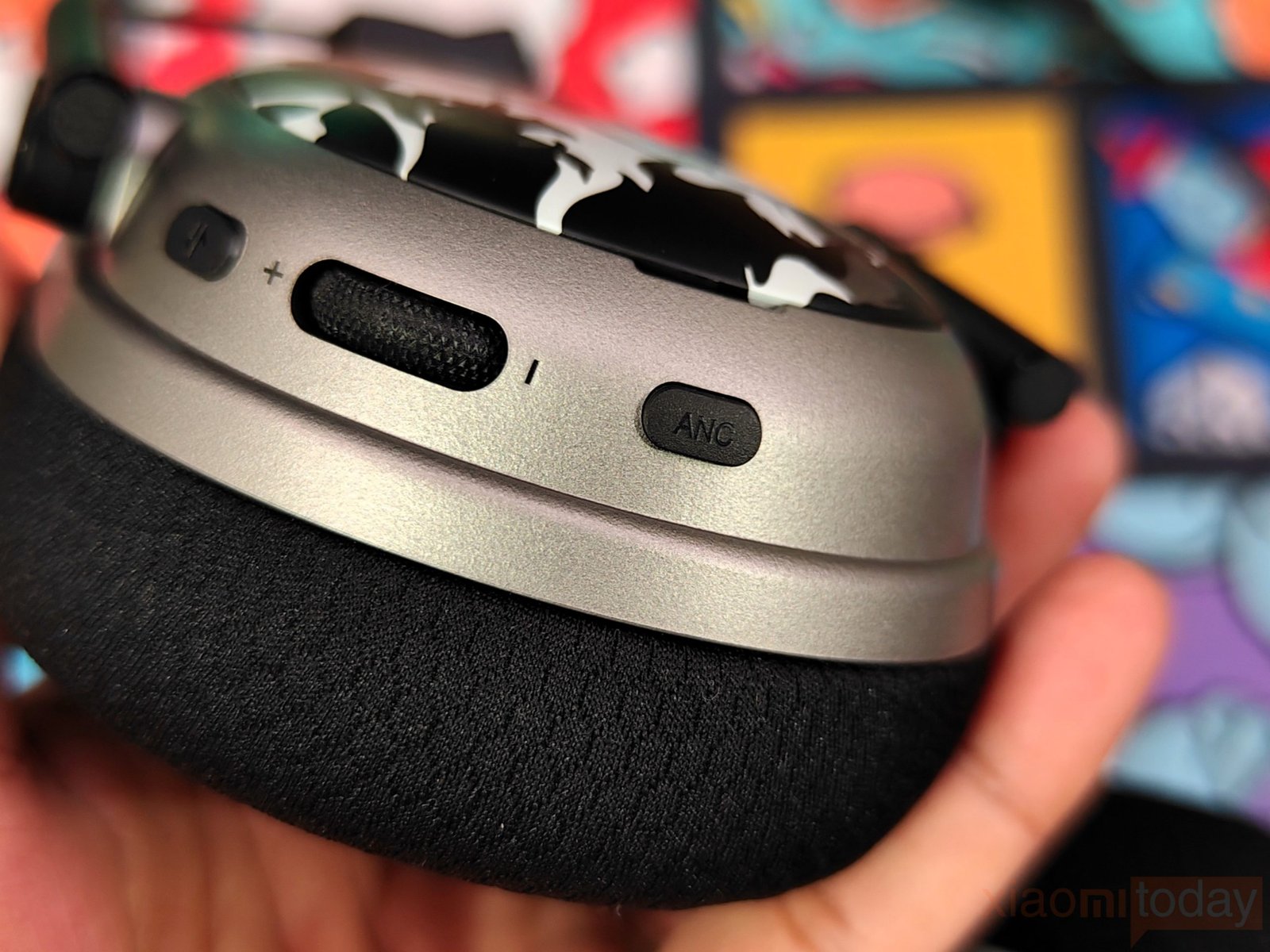
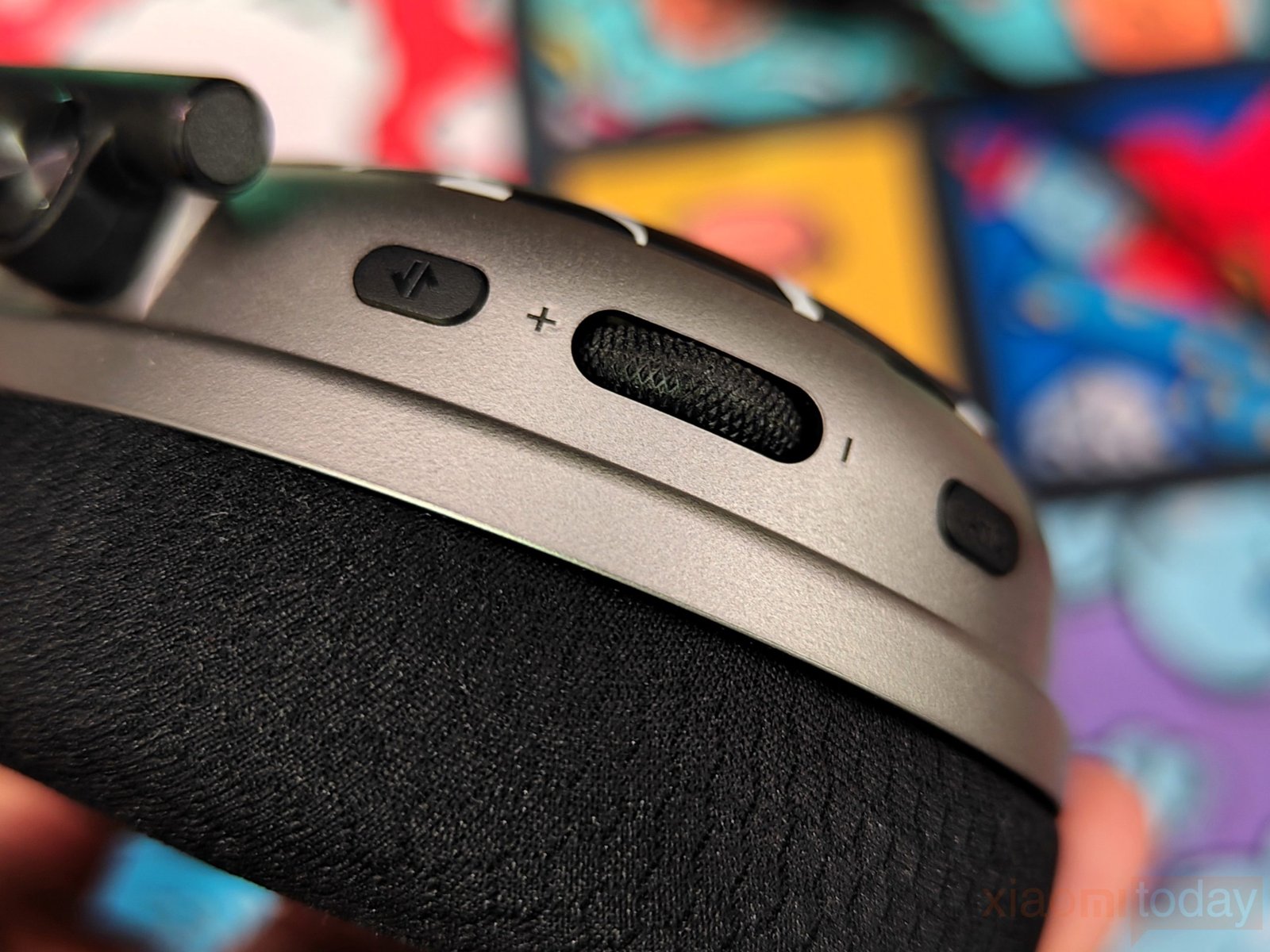
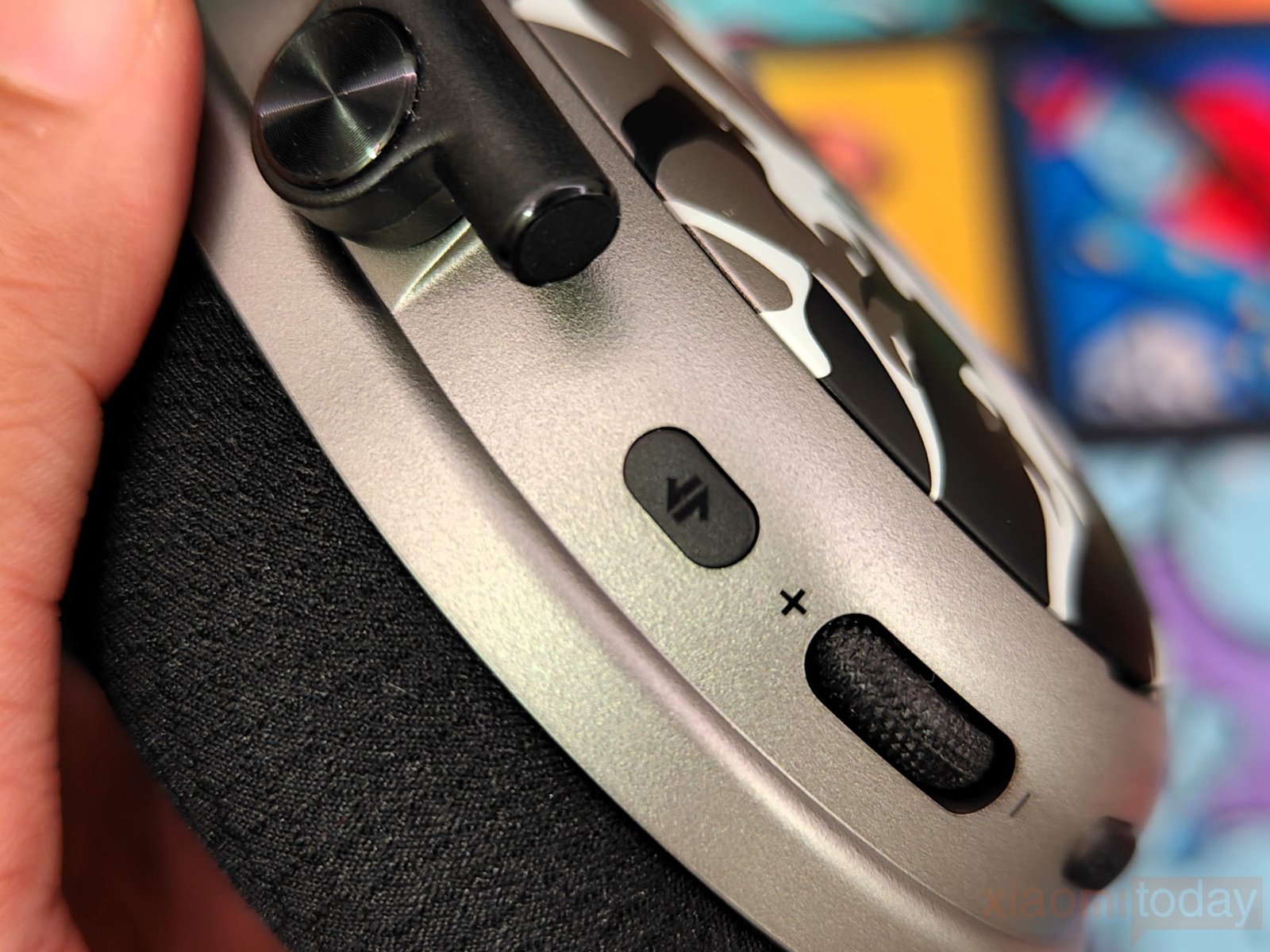
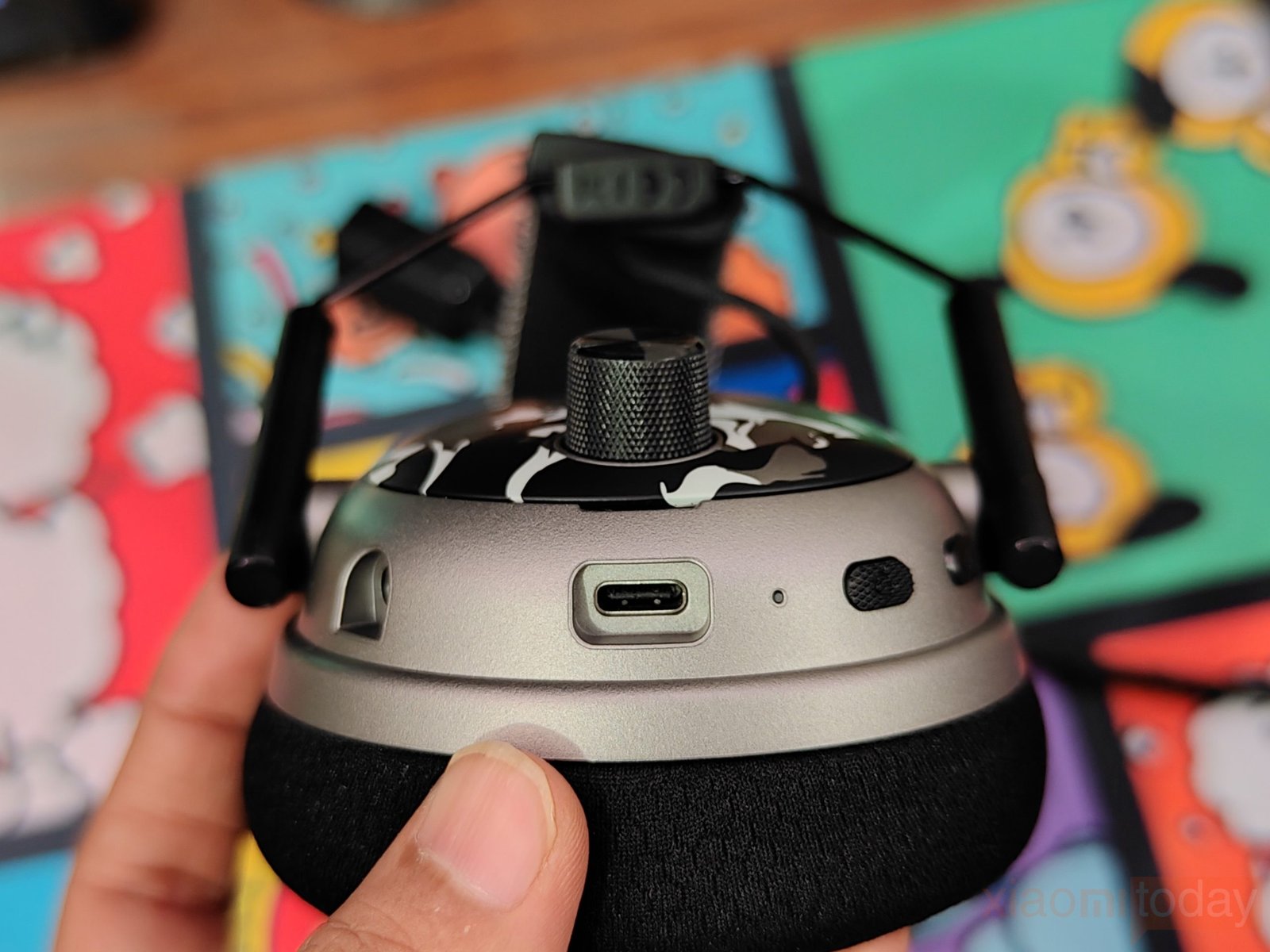
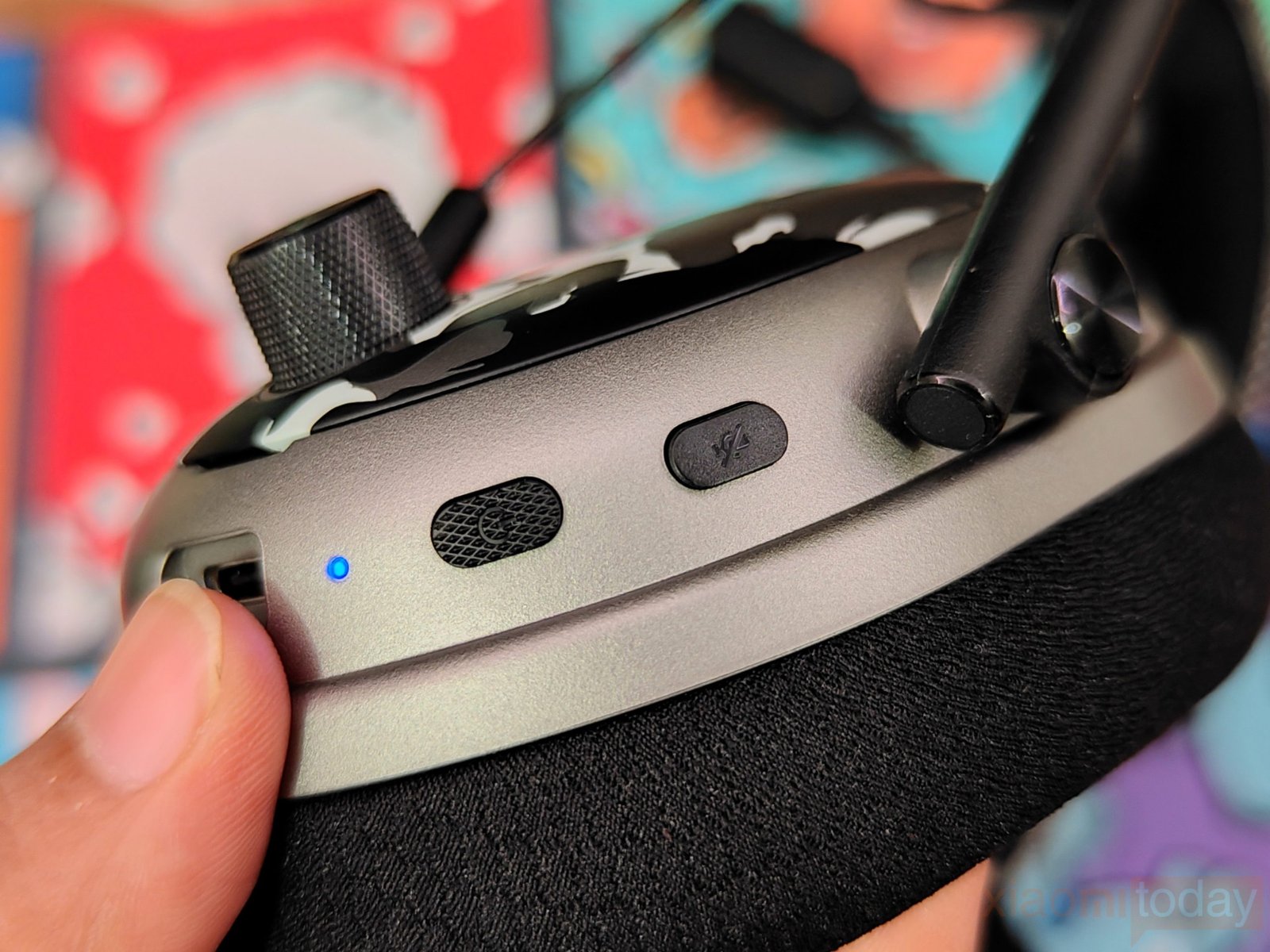
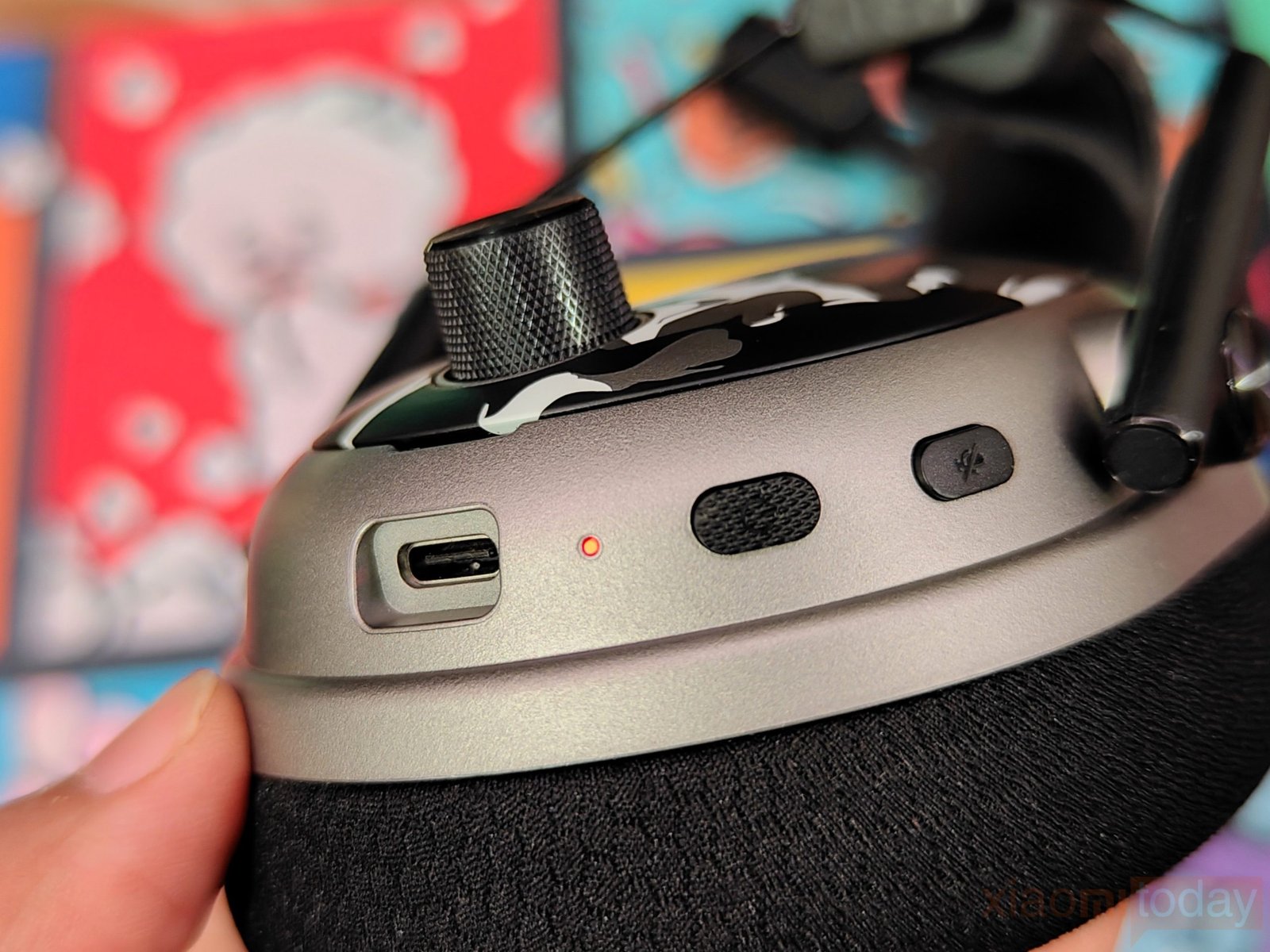
The controls are placed around the earcups and are easy to reach while wearing the headset. The textured volume wheel is particularly easy to operate, and the physical buttons have enough separation to identify them without taking the headset off. The USB-C port and 3.5mm connection are also positioned around the earcup area, keeping the main controls within easy reach.
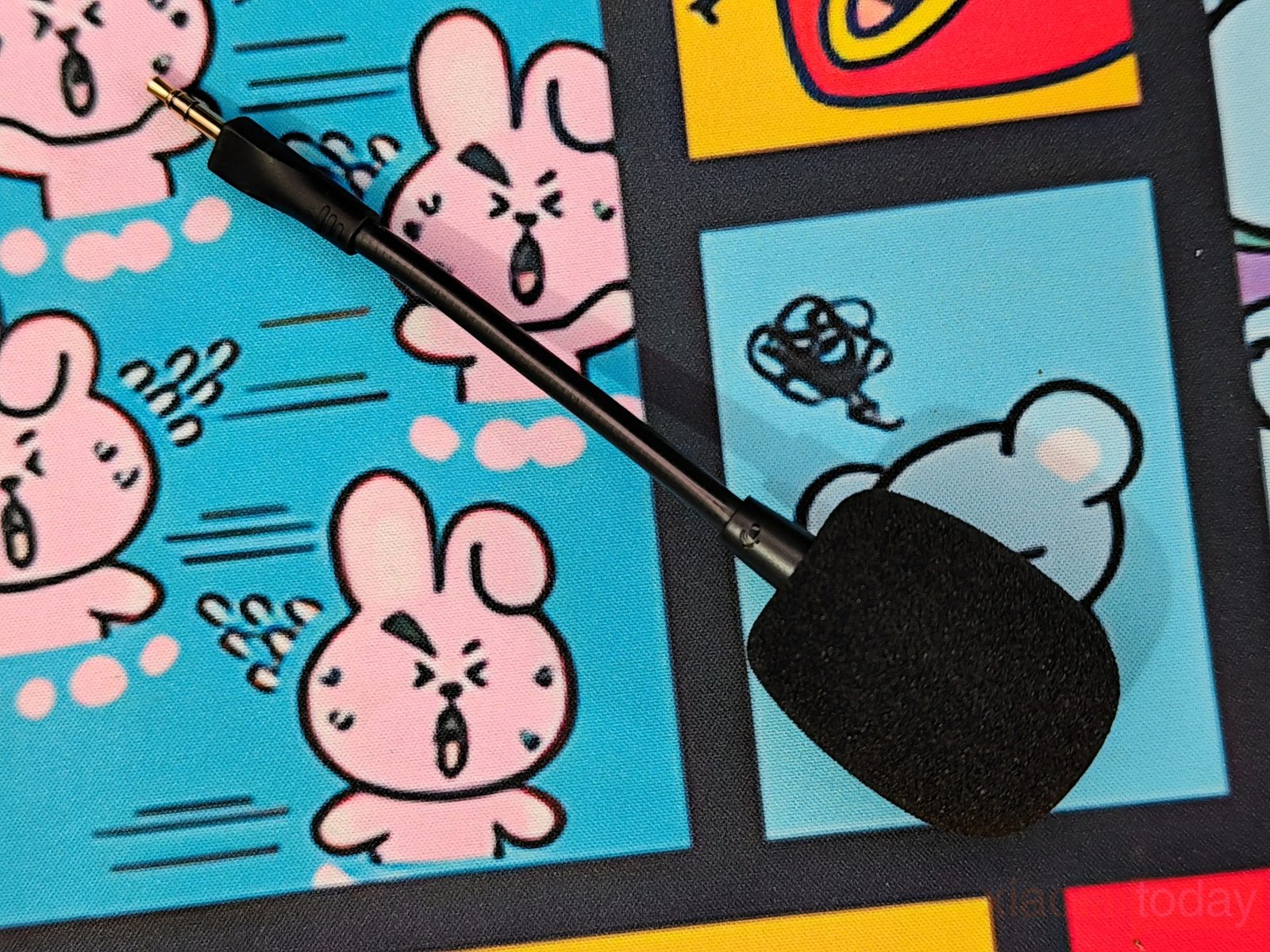
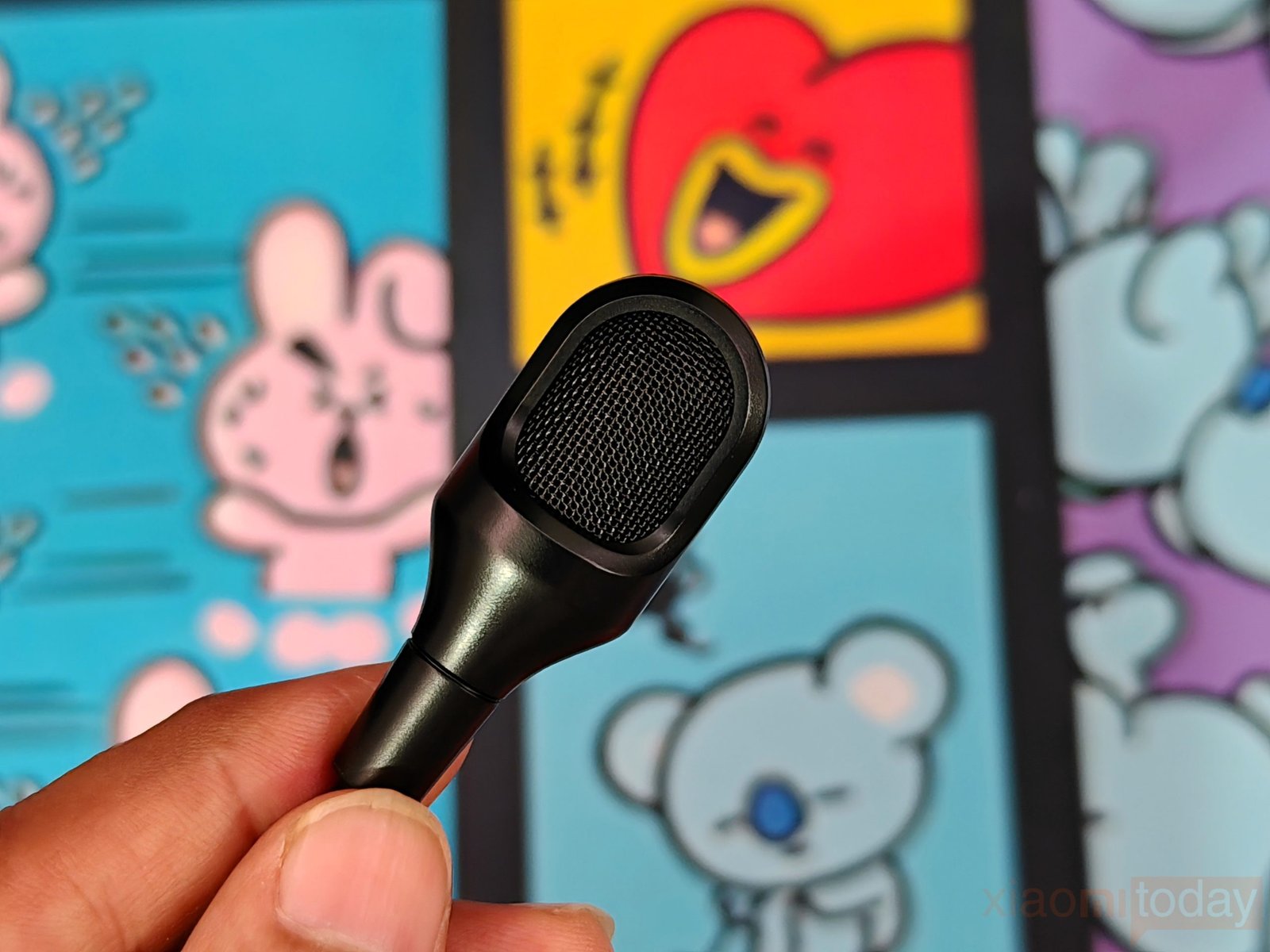
The detachable microphone connects to the earcup and uses a flexible boom that can be moved into position. The microphone has a removable foam cover, while the connection point sits neatly within the earcup housing. A small green indicator is also visible beside the controls when the headset is powered on.
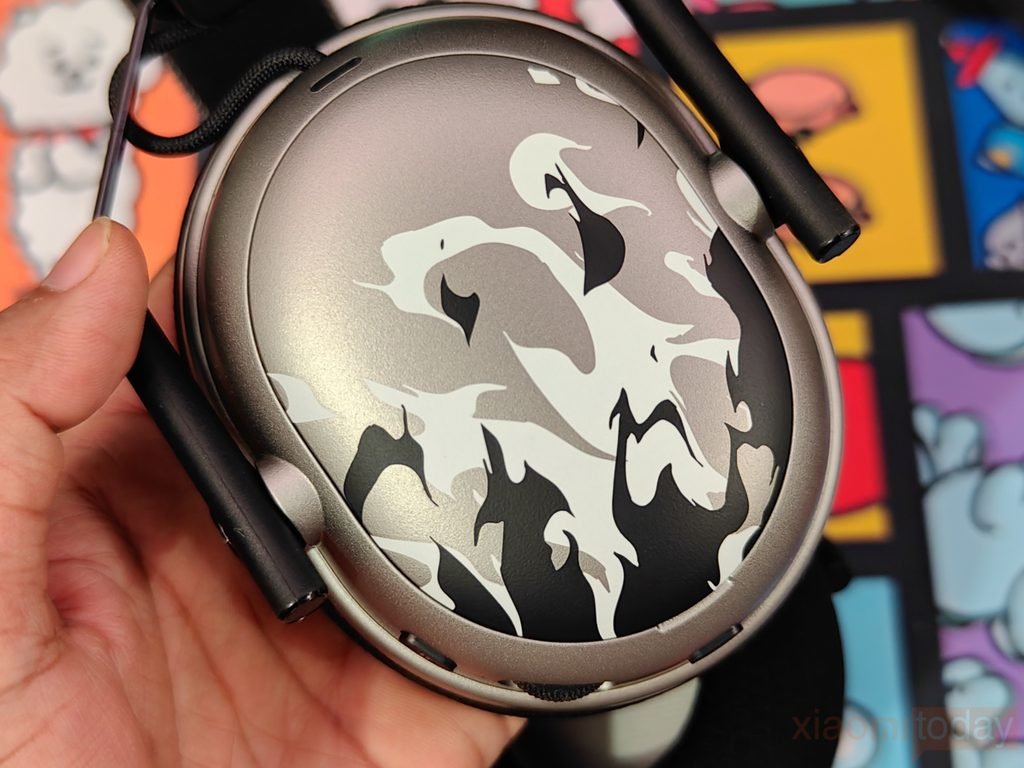
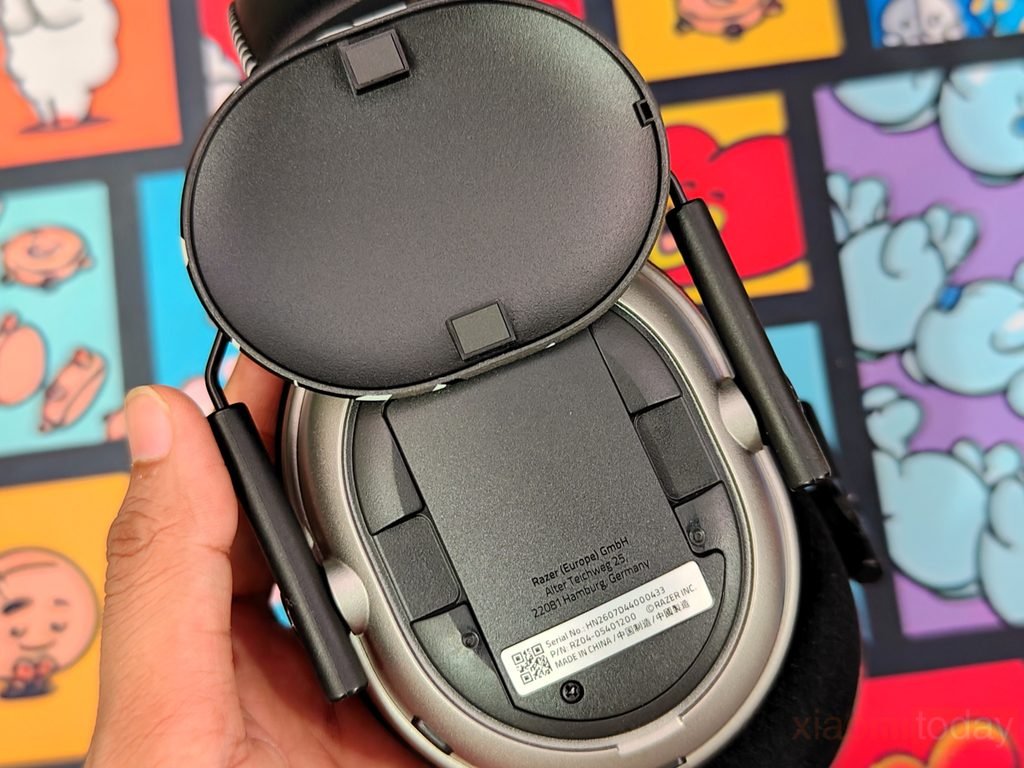
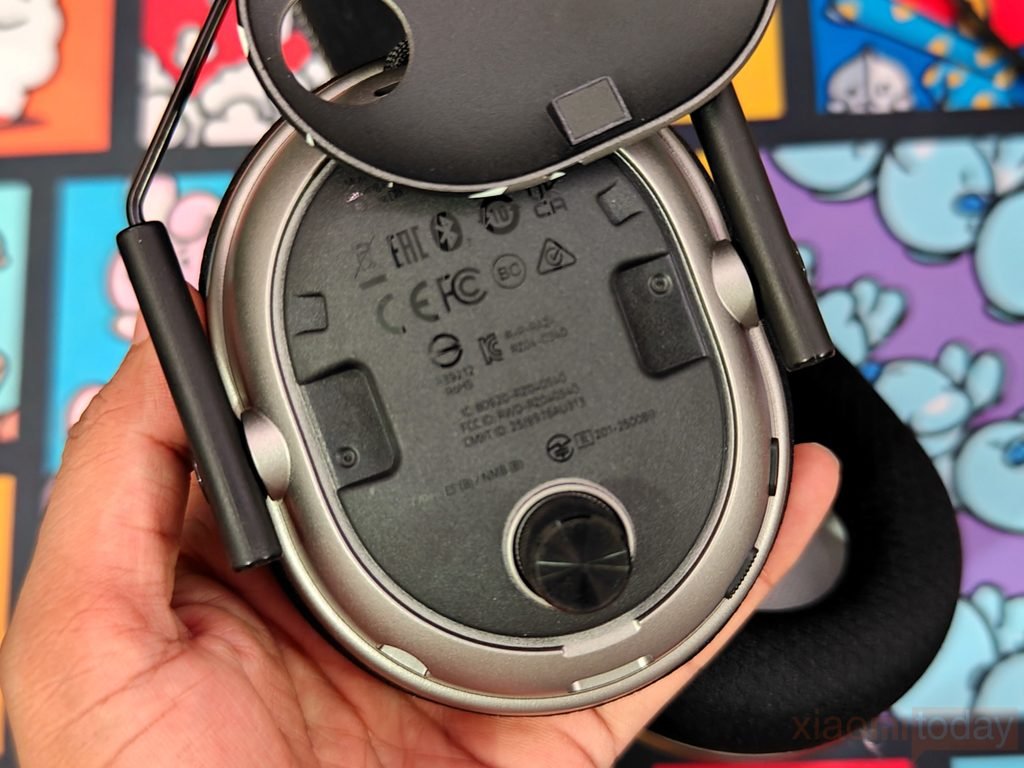
The NiKo Edition also has removable outer earcup panels. Removing a panel exposes the mounting area underneath, while the silver NiKo artwork panel itself is shaped specifically for the earcup. The rear of the panel includes mounting points that keep it securely attached when installed. This design also makes the special-edition artwork feel integrated into the headset rather than simply being a sticker or surface print.
From the close-up shots, the Razer BlackShark V3 Pro NiKo Edition build quality looks well finished. The metal frame, flexible swivel mechanism, padded headband, large fabric-covered ear cushions, detachable microphone, and removable earcup panels all work together to create a headset that feels suitable for everyday gaming. The NiKo graphics give it a different appearance, while the overall construction remains practical for regular use.
HyperSpeed Wireless Gen-2 USB Dongle Design
The Razer HyperSpeed Wireless Gen-2 USB Dongle is a small, compact receiver designed to sit beside your gaming PC without taking up much desk space. It uses a black rectangular body with slightly rounded edges, while the textured surface carries the HyperSpeed Wireless Gen-2 branding. The Razer logo is placed on the side, keeping the overall design clean and consistent with the BlackShark V3 Pro NiKo Edition.
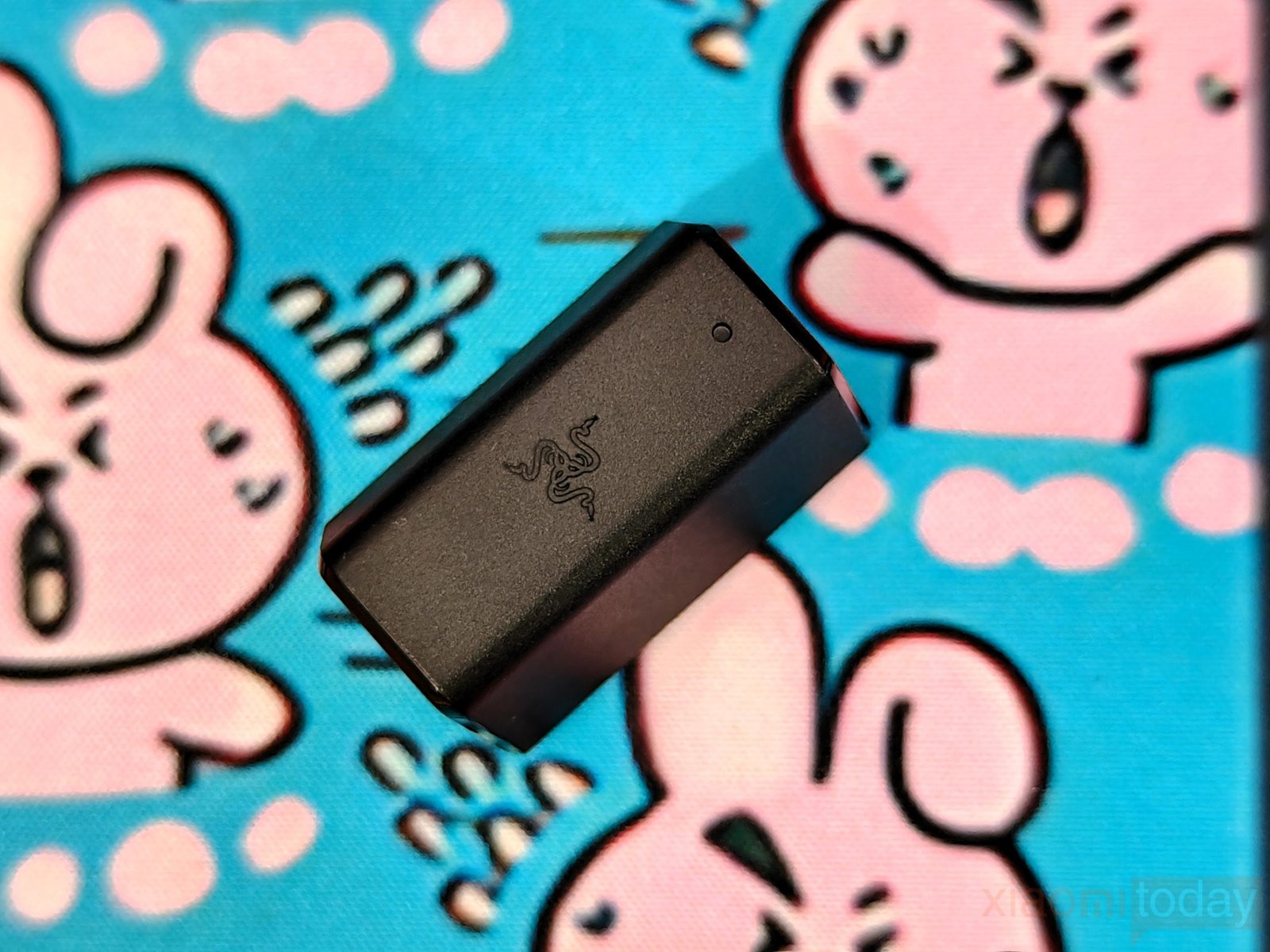
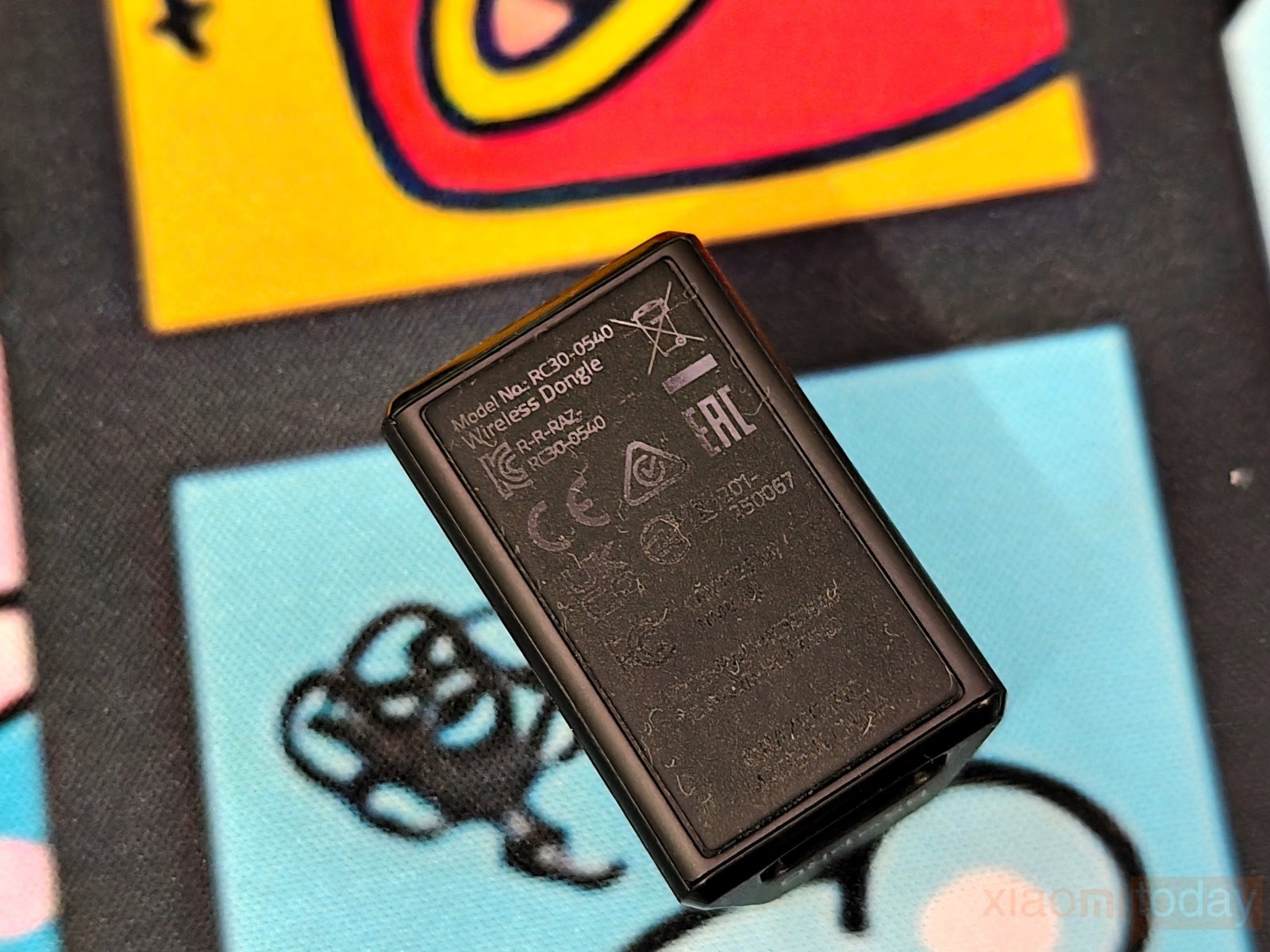
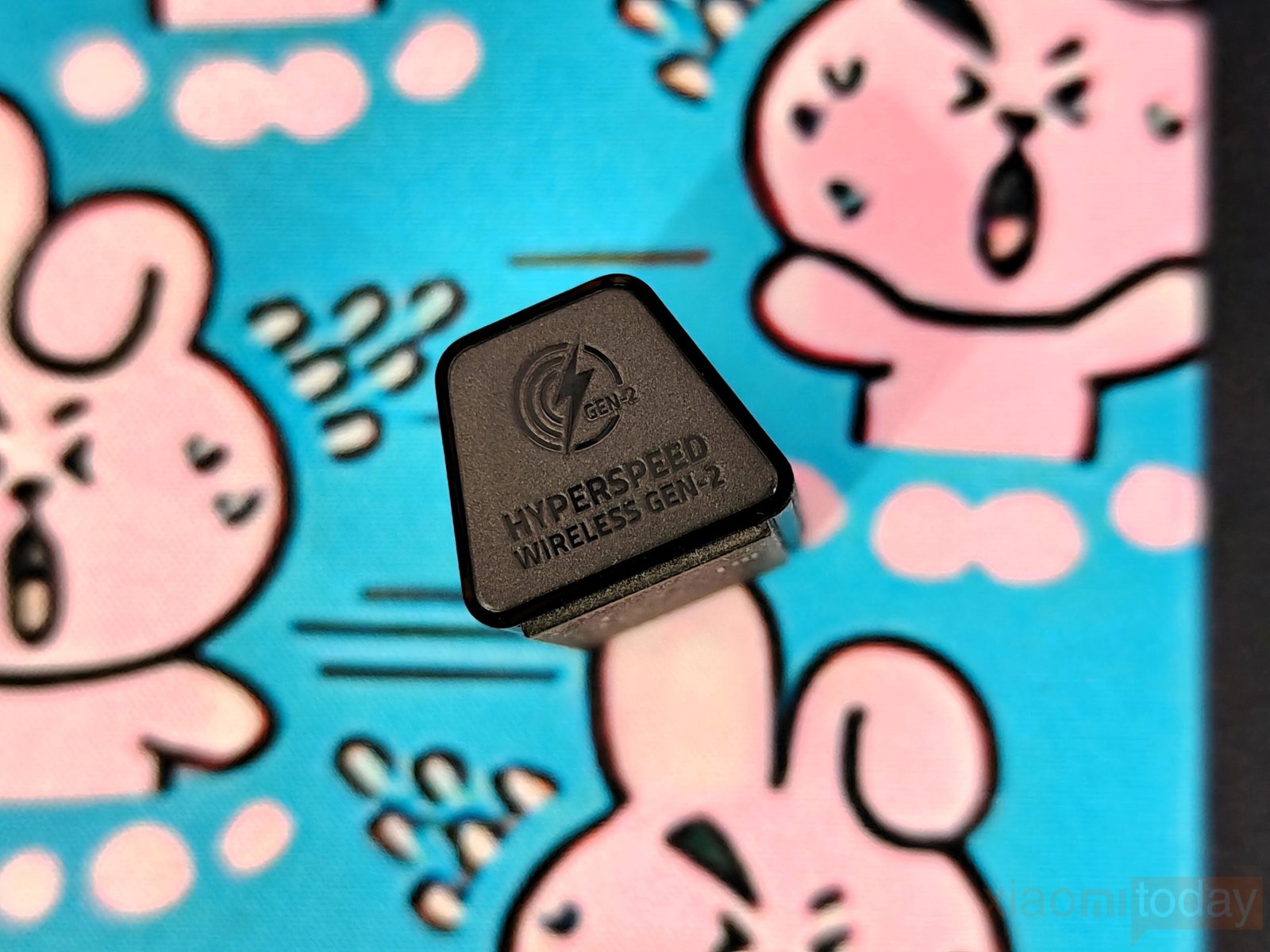
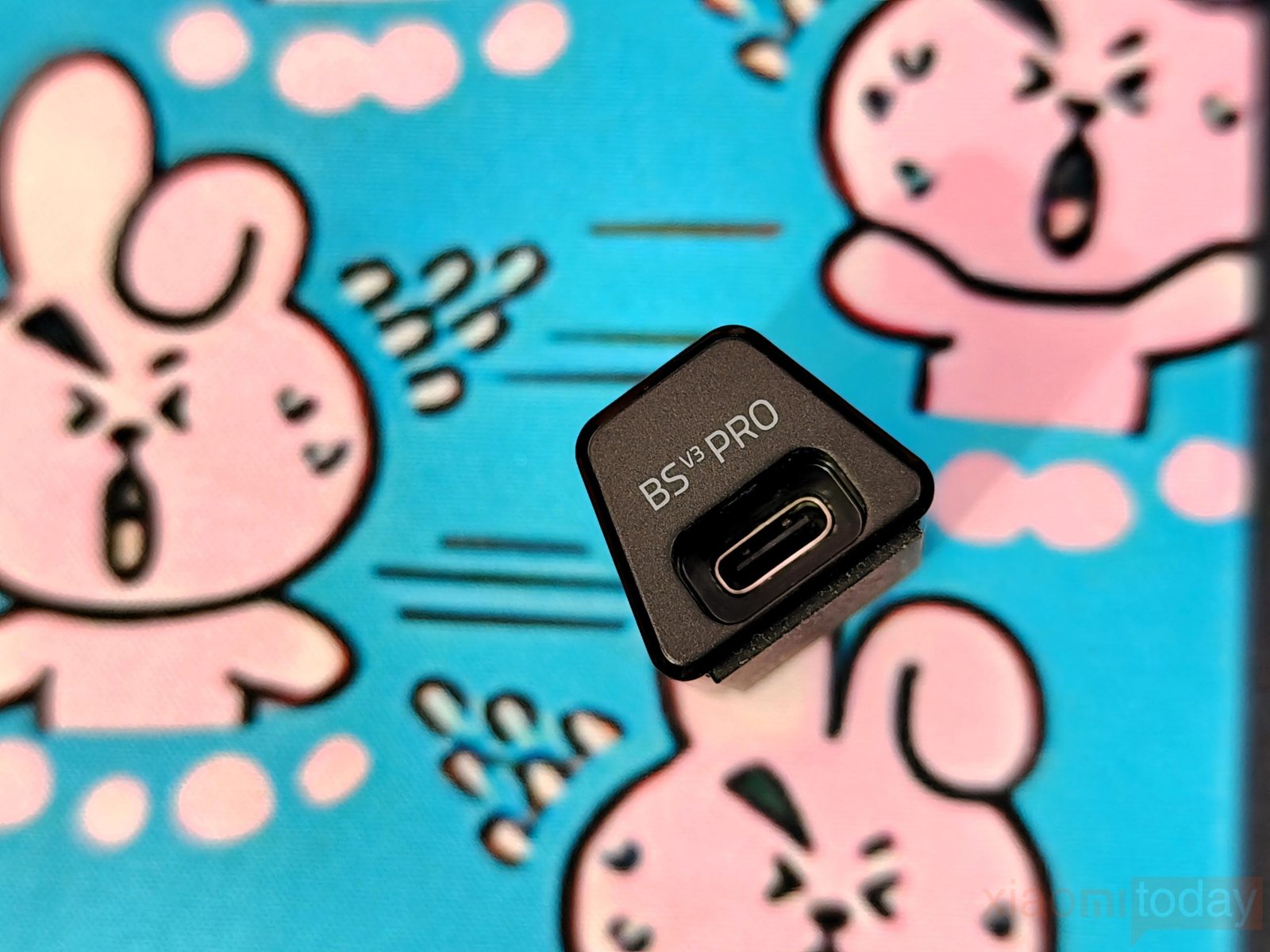
The dongle has a USB Type-C port on one side, with the BS V3 PRO marking indicating its connection with the headset. A small status LED is also built into the body and lights up green during operation. On the underside, Razer has included the regulatory information and model number RC30-0540. Its small size makes it easy to leave connected to a desktop PC or laptop without getting in the way.
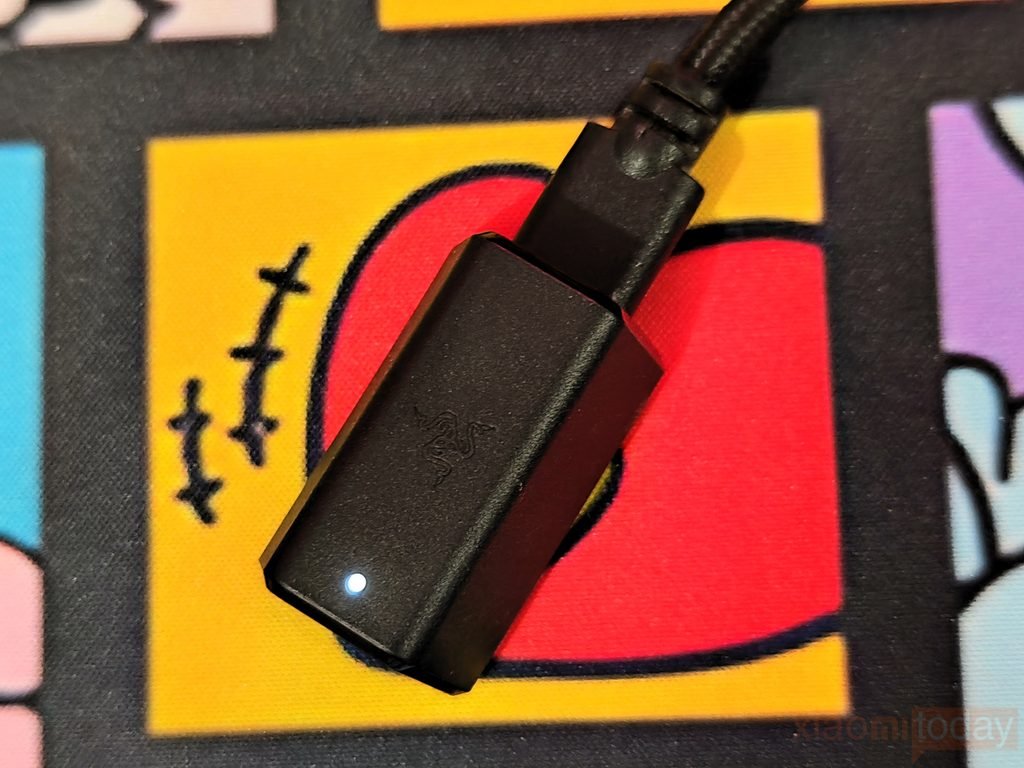
The dongle is the wireless link between the Razer BlackShark V3 Pro NiKo Edition and the PC, using Razer’s HyperSpeed Wireless Gen-2 technology. Razer rates the headset’s wireless audio response at 10 ms, compared with 15 ms for its previous-generation HyperSpeed Wireless technology. This is aimed at keeping game audio responsive during competitive play, where even a small delay can affect how quickly you react to footsteps or gunfire. Razer also supports multi-device connectivity on select HyperSpeed peripherals, although that feature depends on the specific supported devices rather than the dongle alone.
Features
The Razer BlackShark V3 Pro NiKo Edition comes with Razer HyperSpeed Wireless Gen-2, which is designed for low-latency wireless gaming with latency as low as 10 ms. The connection is aimed at keeping audio delay to a minimum, which is useful in competitive FPS games where footsteps, gunfire, reloads, and other sound cues need to reach the player quickly. The headset can be used wirelessly without giving up the quick response expected from a gaming headset.
For audio, Razer has fitted the BlackShark V3 Pro with TriForce Bio-Cellulose 50 mm Gen-2 drivers. The drivers use a bio-cellulose diaphragm and are tuned for clearer sound and better positional audio. This is paired with THX Spatial Audio, which provides 7.1.4 surround sound and a wider soundstage. In games that make good use of positional audio, the wider presentation helps with judging the direction of footsteps, gunfire, and other sounds around the player.
The Hybrid Active Noise Cancellation system works with the headset’s earcup isolation and memory-foam cushions to reduce outside noise. This is useful when gaming in a room where there is background conversation, fans, or other sounds. Razer also includes FPS profiles and customizable EQ settings, with a CS2 profile tuned for NiKo. You can use the preset when playing Counter-Strike 2 or adjust the EQ yourself depending on the game, music, or other content.
HyperClear Full Band 12 mm Microphone
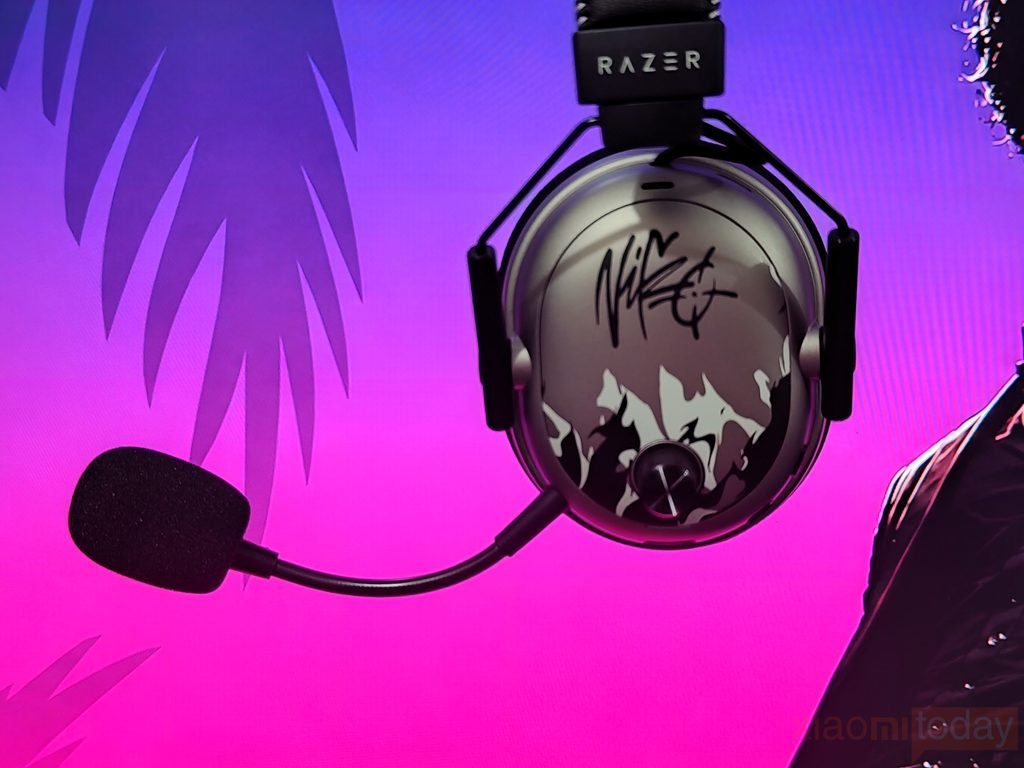
The Razer HyperClear Full Band 12 mm microphone is detachable and uses a 12 mm capsule with a unidirectional pickup pattern. It is designed to focus on the user’s voice while reducing some of the surrounding background noise. The flexible boom can be moved closer to the mouth for voice chat, while the included foam cover helps reduce unwanted breath and wind noise. For gaming sessions, the microphone provides a practical setup for team chat, Discord calls, and in-game communication without taking up much space around the face.
Connectivity
The Razer BlackShark V3 Pro NiKo Edition gives you several ways to connect, making it suitable for PC, console, and mobile use. You can use 2.4 GHz HyperSpeed Wireless, Bluetooth, USB, or 3.5 mm, depending on the device and how you want to use the headset. For gaming, the 2.4 GHz connection is the main wireless option, while Bluetooth is useful for phones, tablets, and laptops. Razer also supports using 2.4 GHz and Bluetooth audio at the same time, which is useful when you want game audio on one device and phone audio on another.
| Mode | Connection | Best Use |
|---|---|---|
| 2.4 GHz Wireless | HyperSpeed Wireless Gen-2 USB dongle | PC and console gaming |
| Bluetooth | Wireless Bluetooth connection | Mobile devices, tablets, laptops |
| Simultaneous Audio | 2.4 GHz + Bluetooth | Gaming while staying connected to a phone |
| USB | USB Type-C to USB | PC and wired gaming |
| 3.5 mm | Analog wired connection | Compatible devices and consoles |
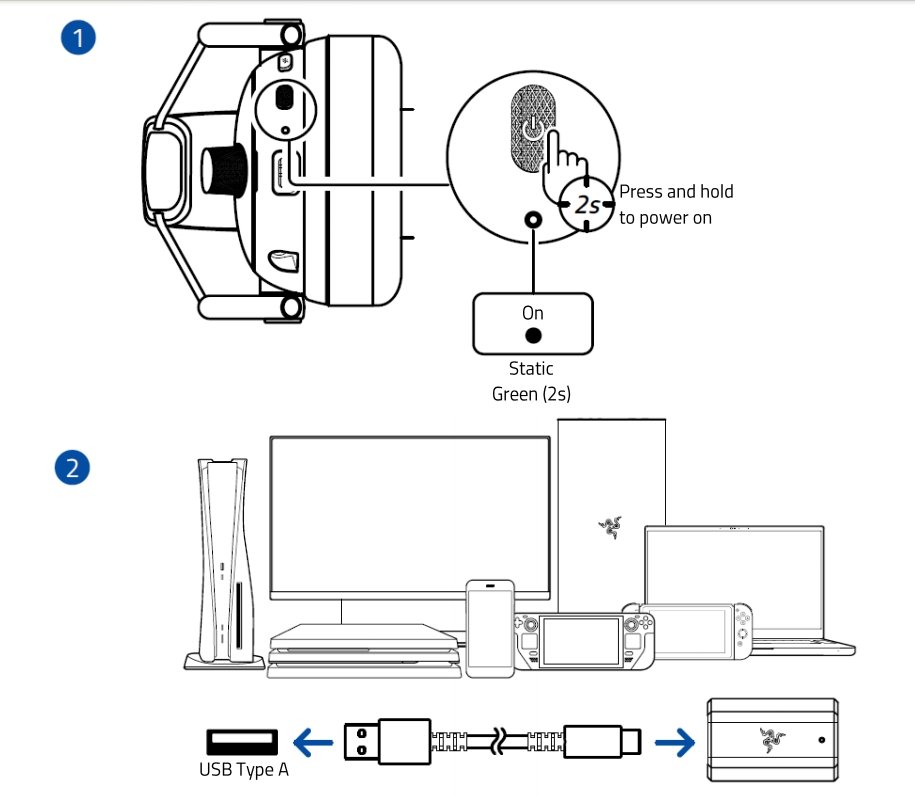
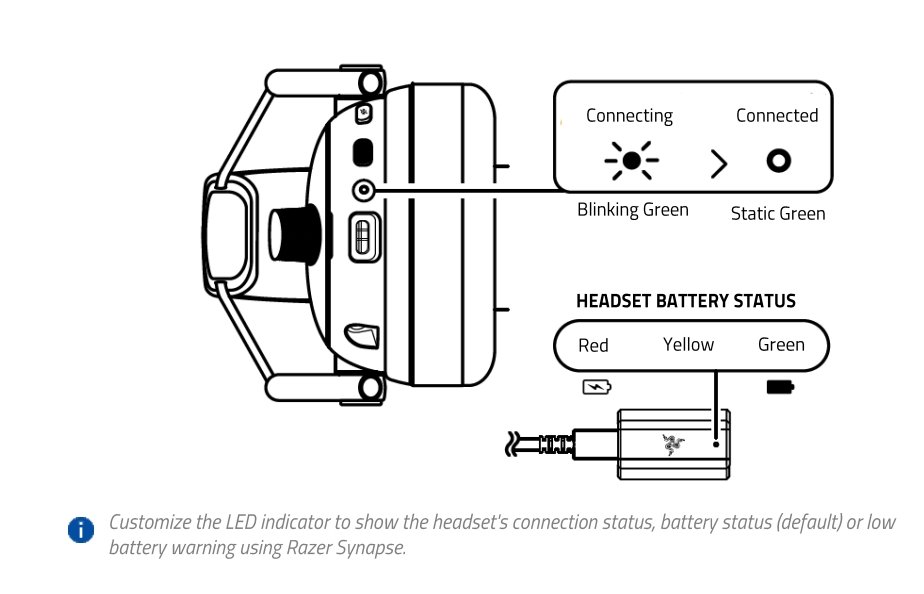
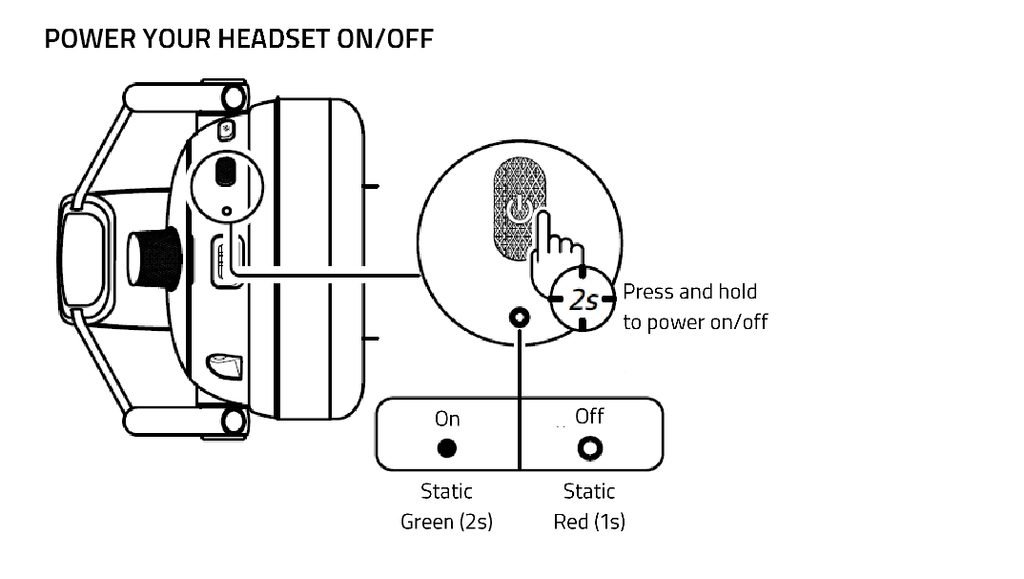
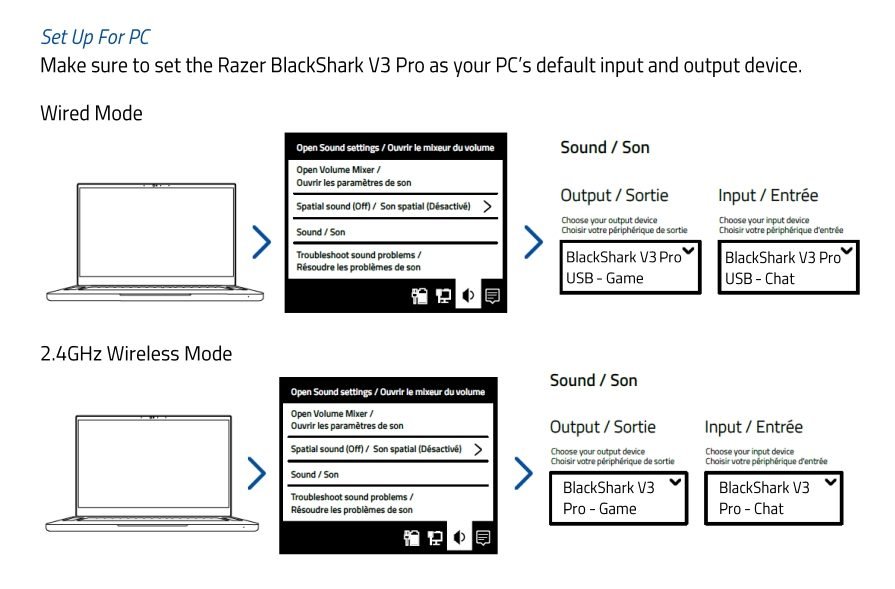
The 2.4 GHz wireless mode uses the included HyperSpeed Wireless Gen-2 USB dongle. Connect the dongle to the PC or compatible console, then press and hold the headset’s power button for around two seconds. The LED flashes green while connecting and changes to solid green once the connection is established. On PC, Windows detects the headset for game and chat audio, while Razer Synapse provides access to EQ and other headset settings.
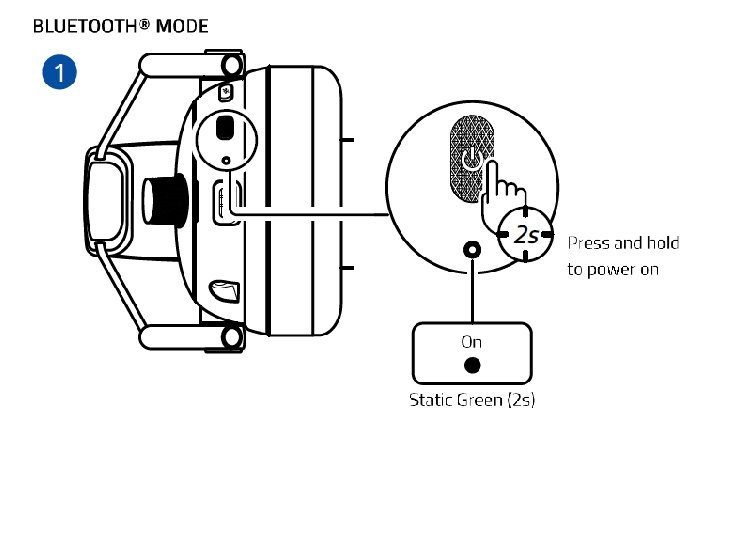
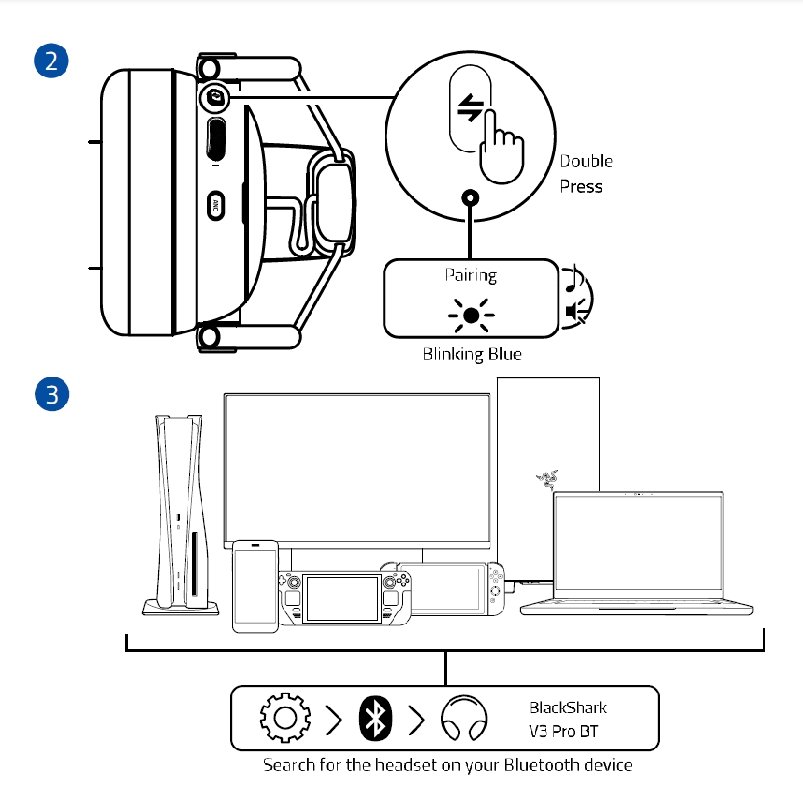
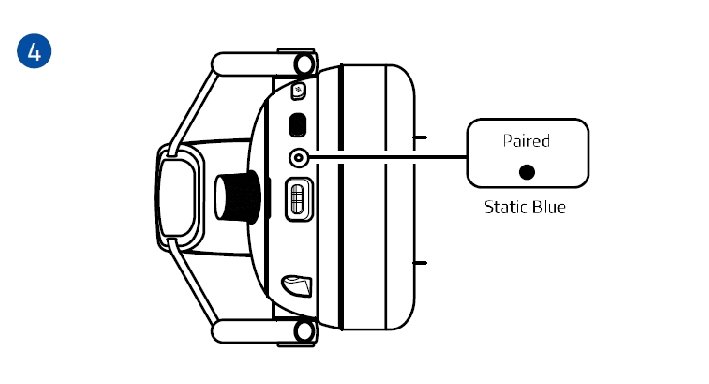
Bluetooth pairing is handled directly from the headset. After turning it on, enter Bluetooth pairing mode and select BlackShark V3 Pro BT from the device’s Bluetooth menu. This makes Bluetooth a convenient option for mobile devices and laptops when the wireless dongle is not required.
The headset also supports Simultaneous Audio. After connecting it to both 2.4 GHz wireless and Bluetooth, double-press the SmartSwitch button to activate the combined mode. This allows you to hear audio from both connections at the same time—for example, game audio over 2.4 GHz while remaining connected to your phone via Bluetooth. The LED indicates the active mode with green for 2.4 GHz, blue for Bluetooth, and white for Simultaneous Audio.
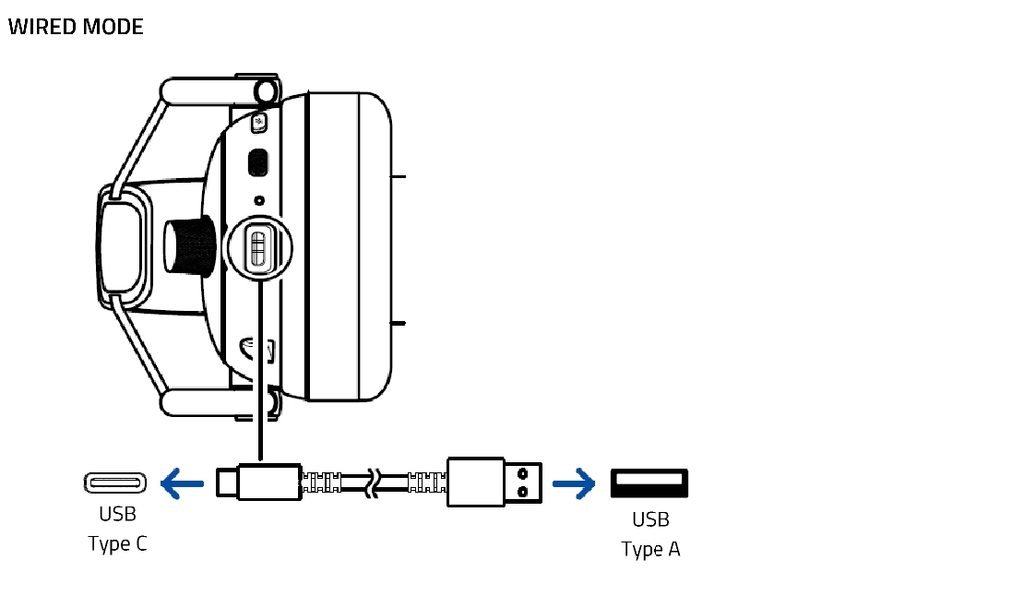
For wired use, the headset has a USB Type-C port and supports a 3.5 mm connection through the supplied cable. USB is useful when connecting directly to a PC, while 3.5 mm provides a traditional wired option for compatible devices. This also gives you a way to keep using the headset when you do not want to rely on a wireless connection. Razer lists USB and 3.5 mm alongside its 2.4 GHz and Bluetooth options as the four connection modes of the BlackShark V3 Pro NiKo Edition.
| Connection | Steps |
|---|---|
| 2.4 GHz | 1. Connect the wireless dongle → 2. Hold the power button for about 2 seconds → 3. Wait for the green LED → 4. Select BlackShark V3 Pro as the audio device. |
| Bluetooth | 1. Turn on the headset → 2. Enter Bluetooth pairing mode → 3. Open Bluetooth settings → 4. Select BlackShark V3 Pro BT. |
| Simultaneous Audio | 1. Pair 2.4 GHz → 2. Pair Bluetooth → 3. Double-press SmartSwitch → 4. Use both audio sources together. |
| USB | 1. Connect USB-C to the headset → 2. Connect USB-A to the PC → 3. Select the BlackShark V3 Pro Game/Chat devices in Windows. |
| 3.5 mm | 1. Connect the supplied converter cable → 2. Plug the 3.5 mm end into the compatible device → 3. Select the headset if required. |
For a gaming headset, the BlackShark V3 Pro NiKo Edition connectivity is easy to work with in daily use. The 2.4 GHz mode is the natural choice for gaming, Bluetooth handles mobile devices, Simultaneous Audio lets both wireless connections work together, and USB or 3.5 mm provide wired alternatives when needed.
Razer Synapse PC App
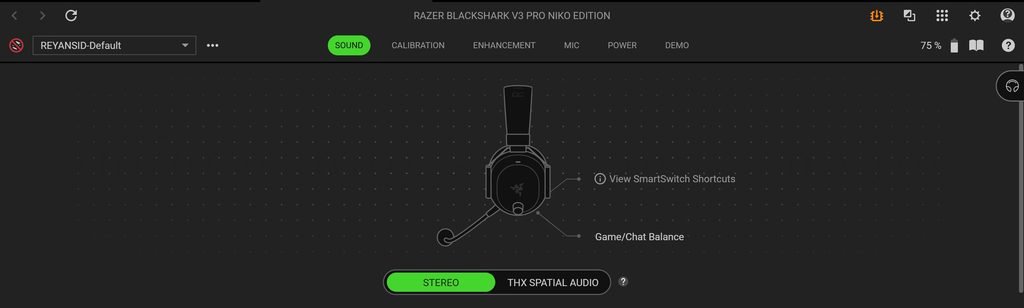
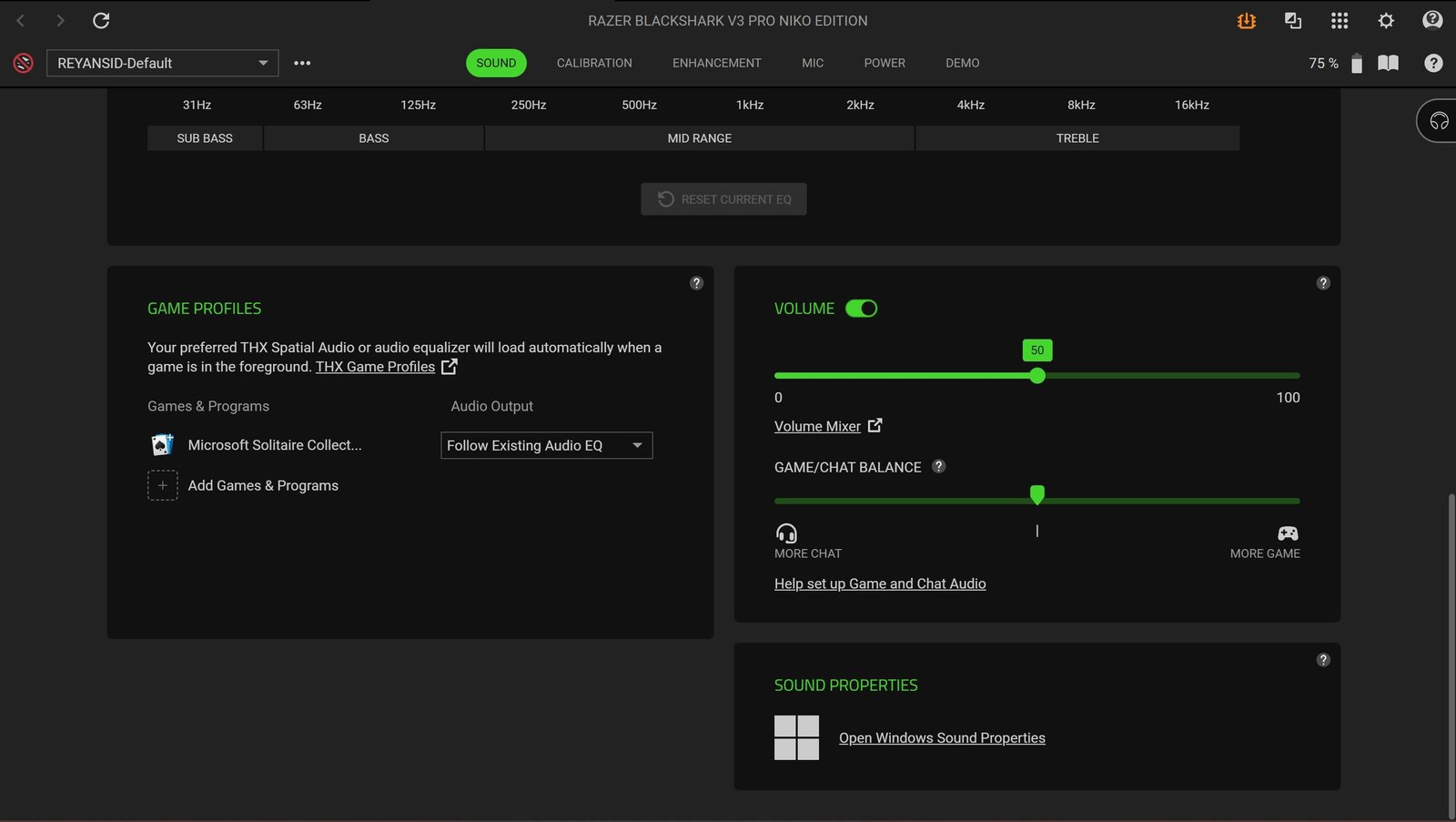
The Razer Synapse 4 software gives the Razer BlackShark V3 Pro NiKo Edition a wide range of audio and headset controls on PC. The main Sound page lets you switch between Stereo and THX Spatial Audio, adjust the EQ, and choose from Default, Game, Movie, Music, and CS2 · NiKo presets. The 10-band equalizer can also be adjusted manually if you want to change the sound to your preference. Synapse can save these EQ settings directly to the headset, while Game Profiles can automatically apply a selected EQ or THX Spatial Audio setting when a supported game is running. The Game/Chat Balance control is also available from this page.
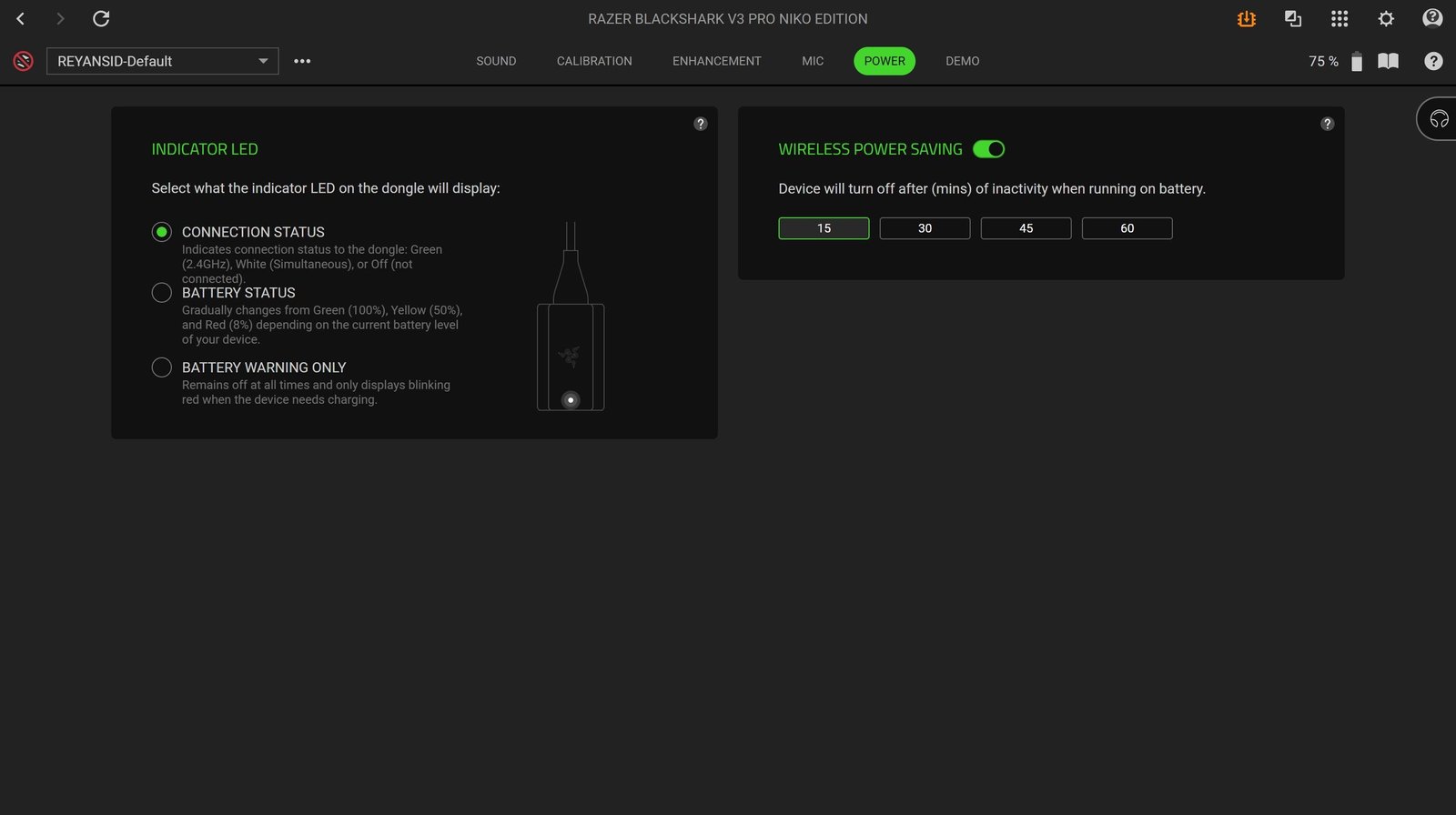
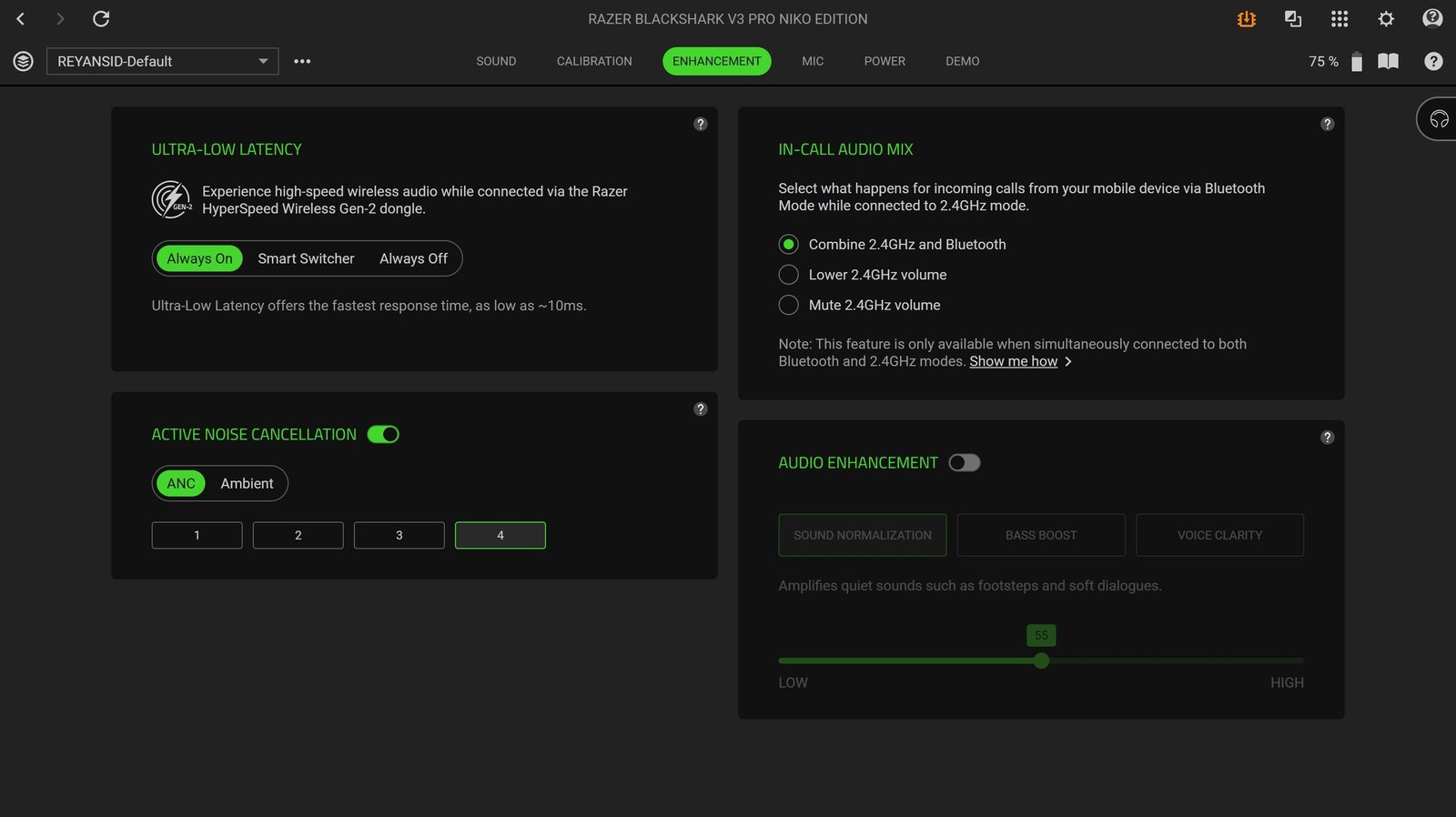
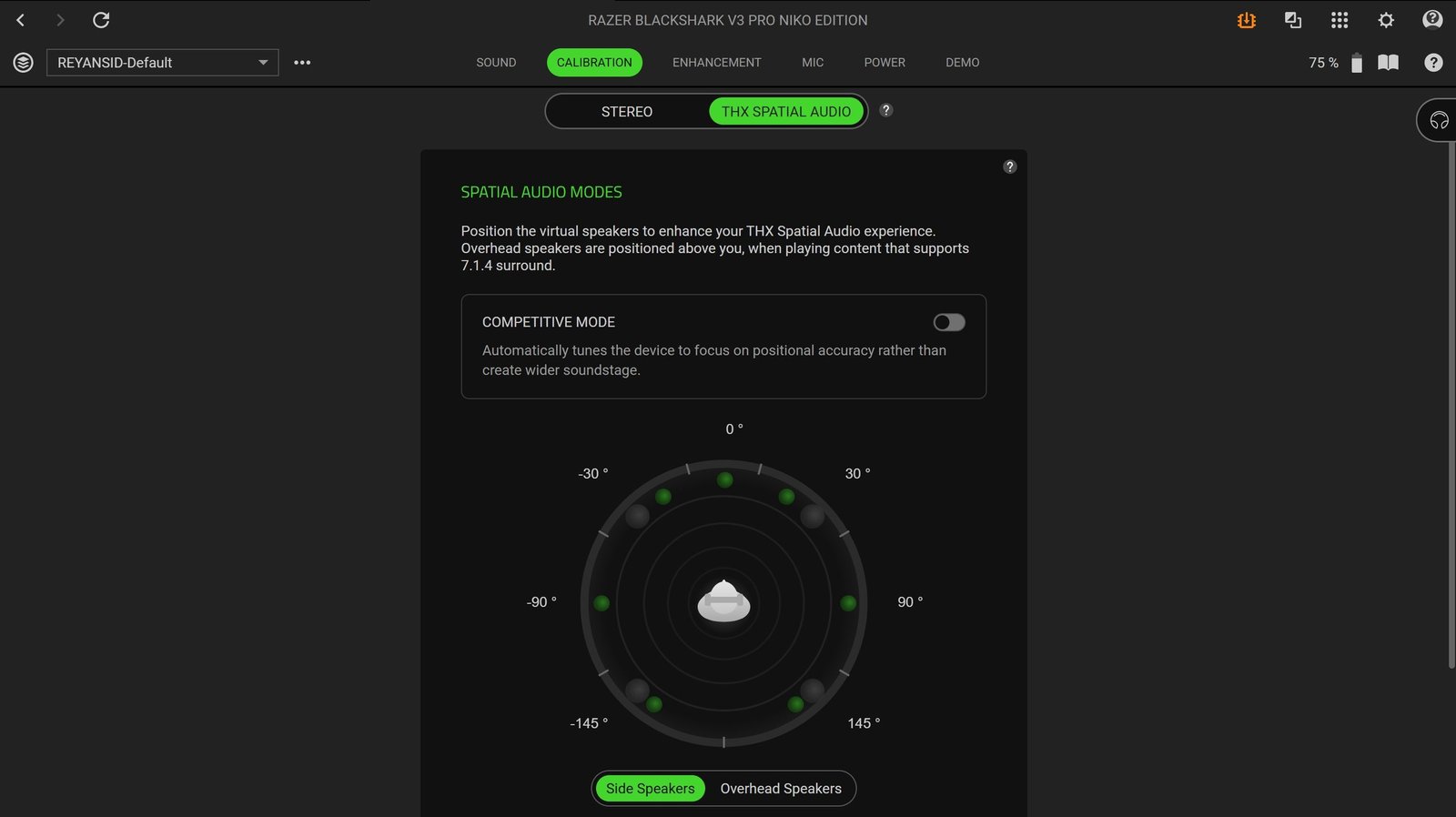
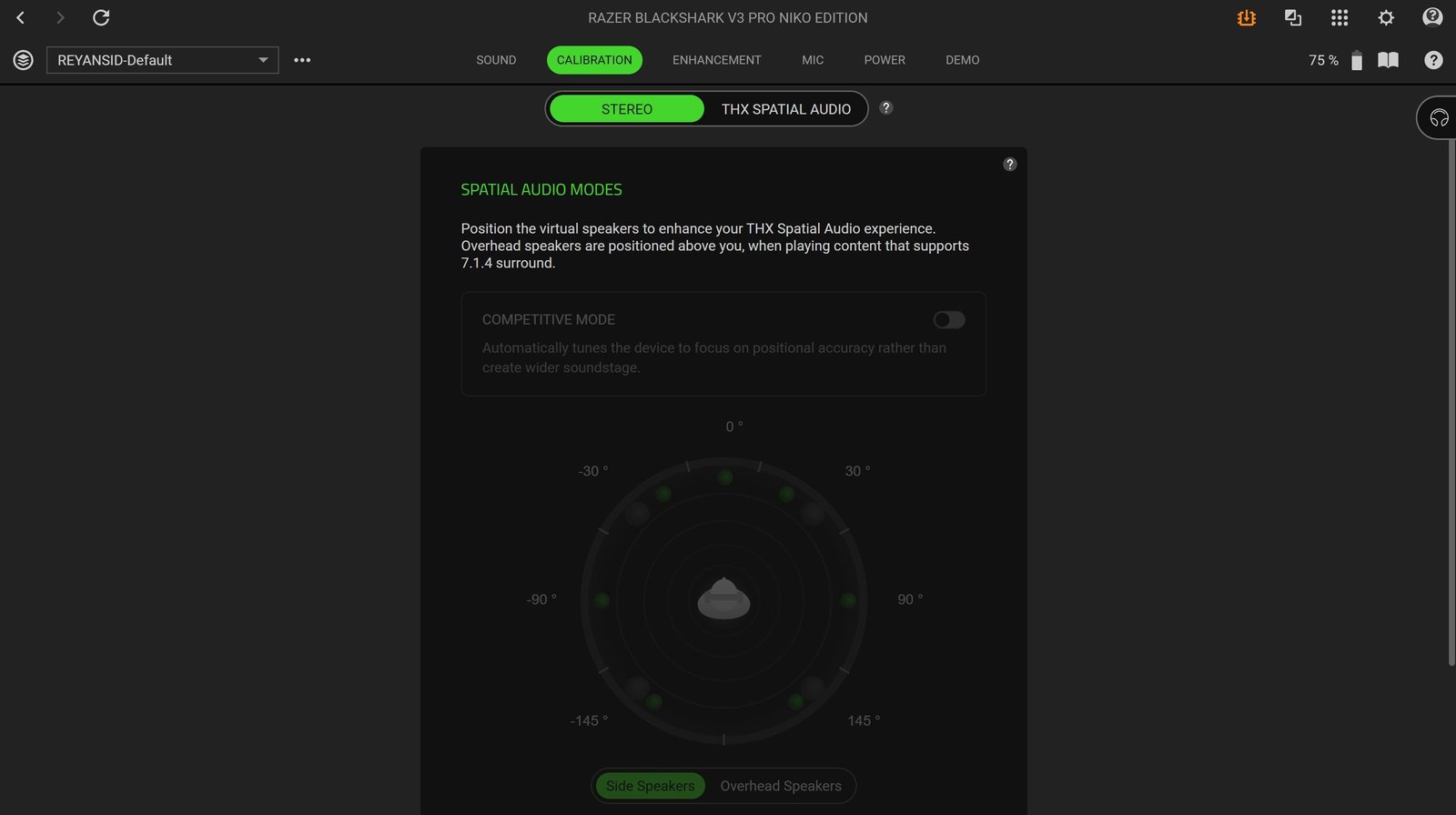
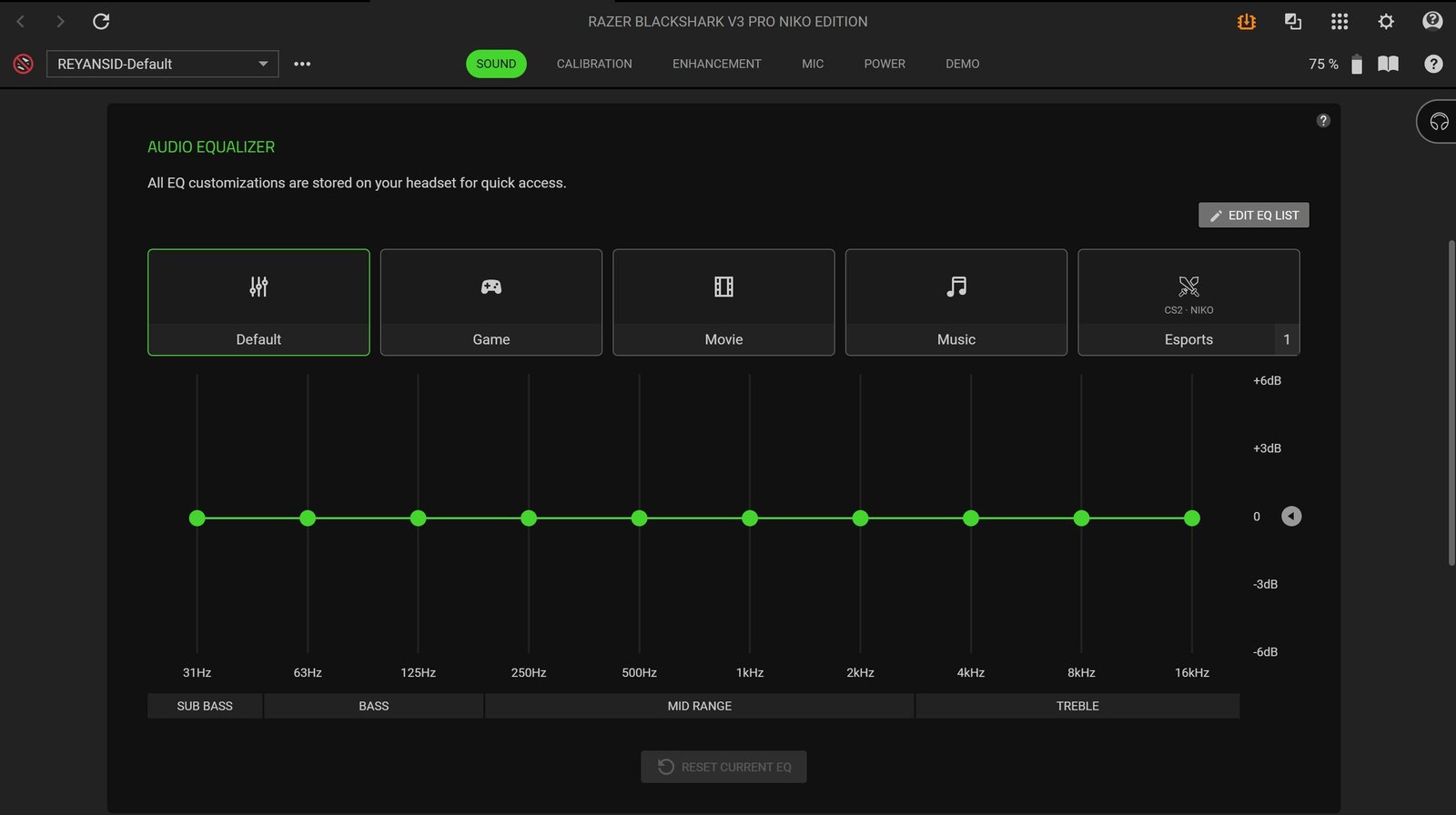
The Calibration page is where you can adjust the THX Spatial Audio presentation. It provides virtual speaker positioning for the side and overhead channels when using supported 7.1.4 content. There is also a Competitive Mode that focuses on positional accuracy instead of creating a wider soundstage. Under Enhancement, you can control Ultra-Low Latency, with options for Always On, Smart Switcher, or Always Off. The same section includes four levels of Hybrid ANC, Ambient mode, and In-Call Audio Mix for handling Bluetooth calls while the headset is connected over 2.4GHz. The Power section lets you change the indicator LED behavior and set wireless power saving to 15, 30, 45, or 60 minutes.
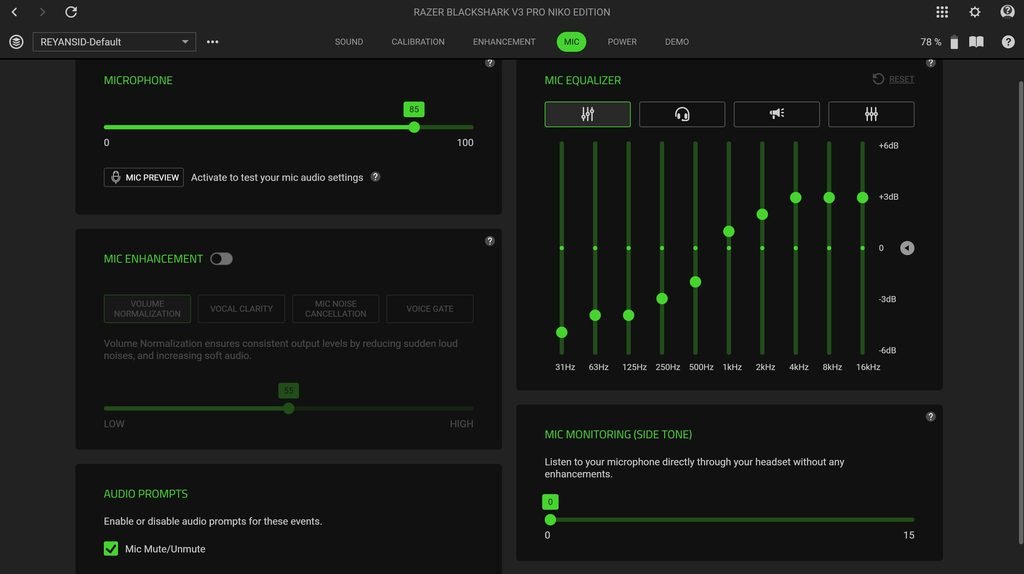
The Mic section provides controls for microphone volume, Mic Preview, microphone EQ, Mic Enhancement, and Mic Monitoring. The Mic EQ includes Default, Esports, Broadcast, and Flat presets, with a 10-band equalizer for manual adjustments. Mic Enhancement offers Volume Normalization, Vocal Clarity, Mic Noise Cancellation, and Voice Gate, while the Mic Monitoring slider controls how much of your own voice you hear through the headset.
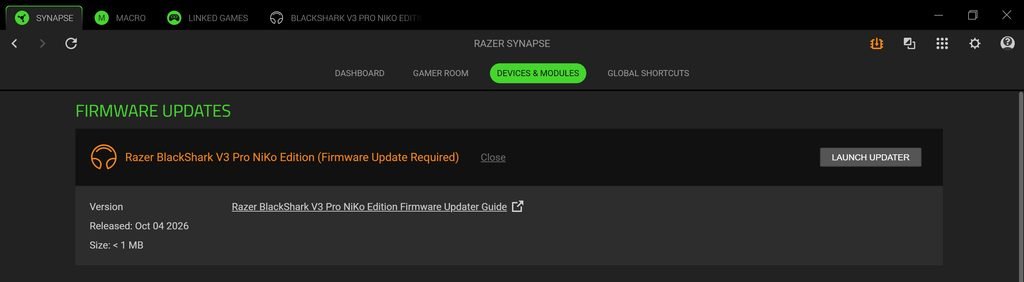
Synapse also handles firmware updates, and the software showed a firmware update for the BlackShark V3 Pro NiKo Edition in my setup.
Razer Audio Mobile App
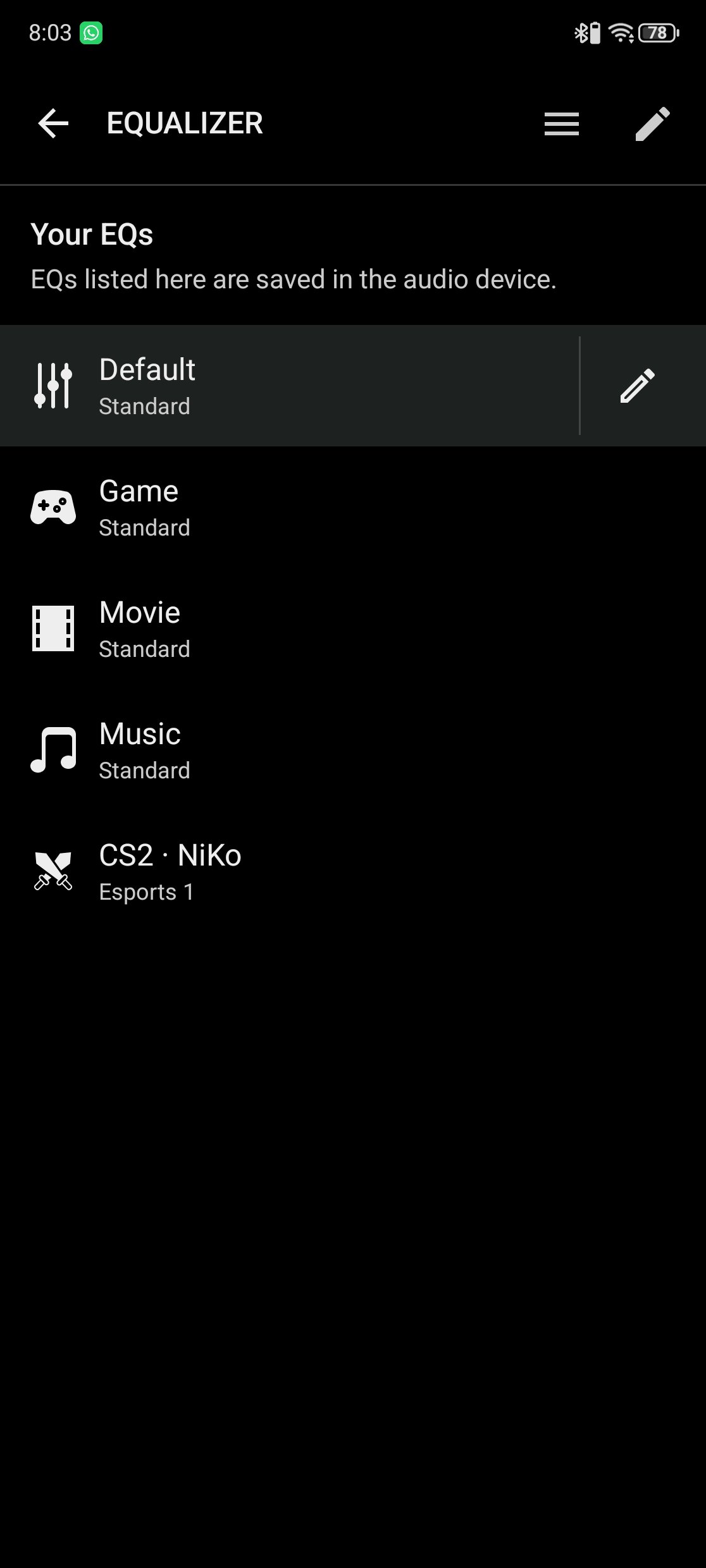
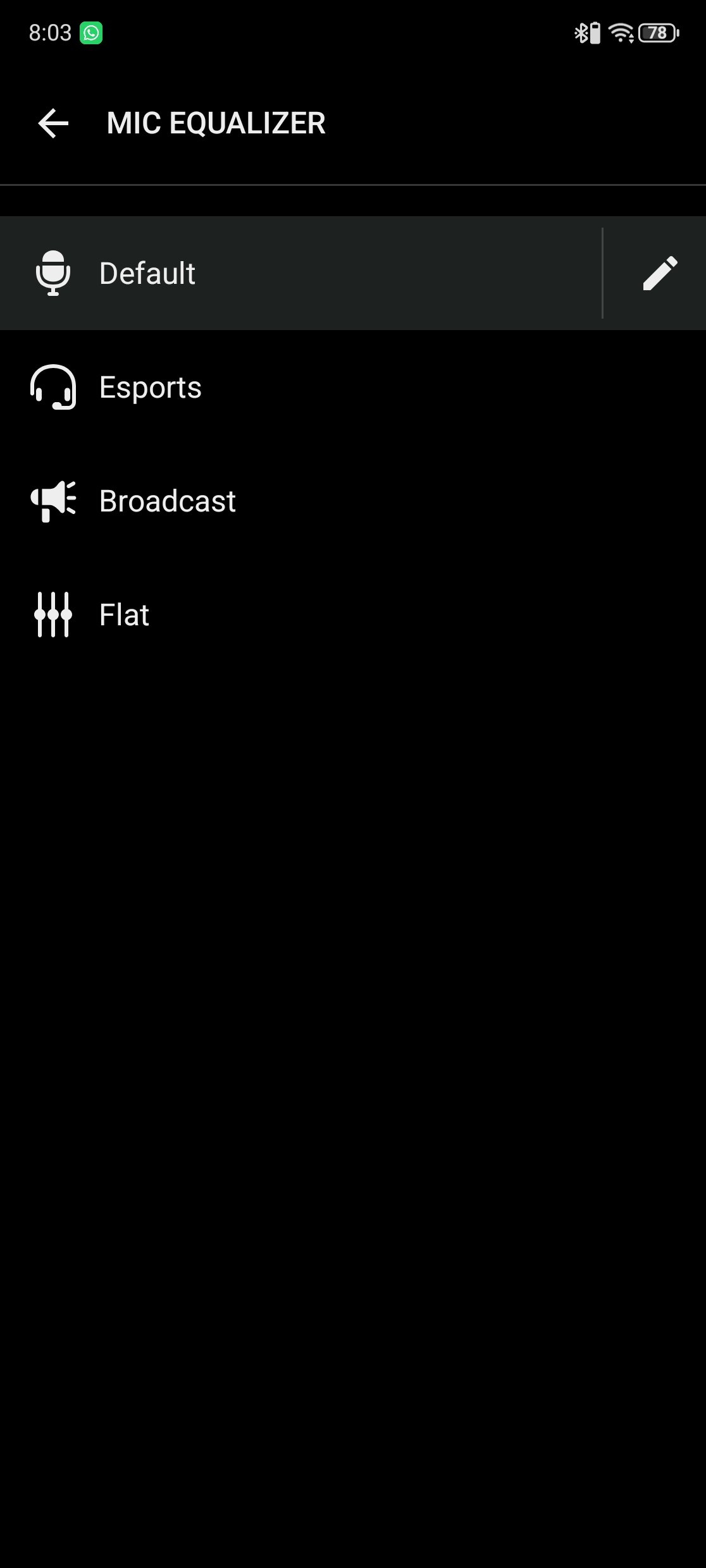
The Razer Audio app brings many of the BlackShark V3 Pro NiKo Edition’s controls to a smartphone. The main device screen shows the headset battery level and provides quick access to ANC, Equalizer, Mic Equalizer, Mic Monitoring, Bluetooth Gaming Mode, Ultra-Low Latency, In-Call Audio Mix, and the Configurable Roller. The EQ page includes Default, Game, Movie, Music, and CS2 · NiKo profiles, while the microphone section has Default, Esports, Broadcast, and Flat presets. These settings are saved on the audio device, so you can make changes in the app without opening Synapse on a PC.
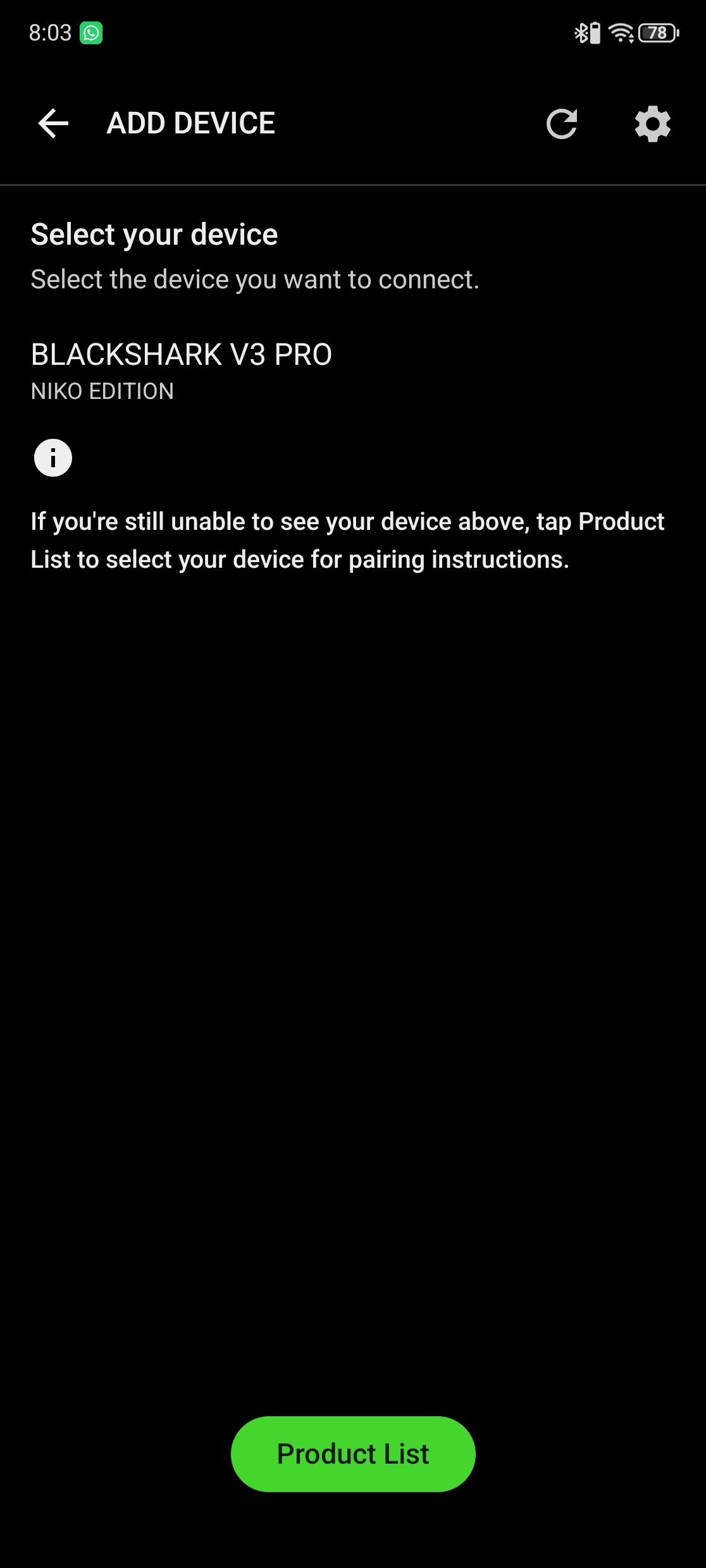
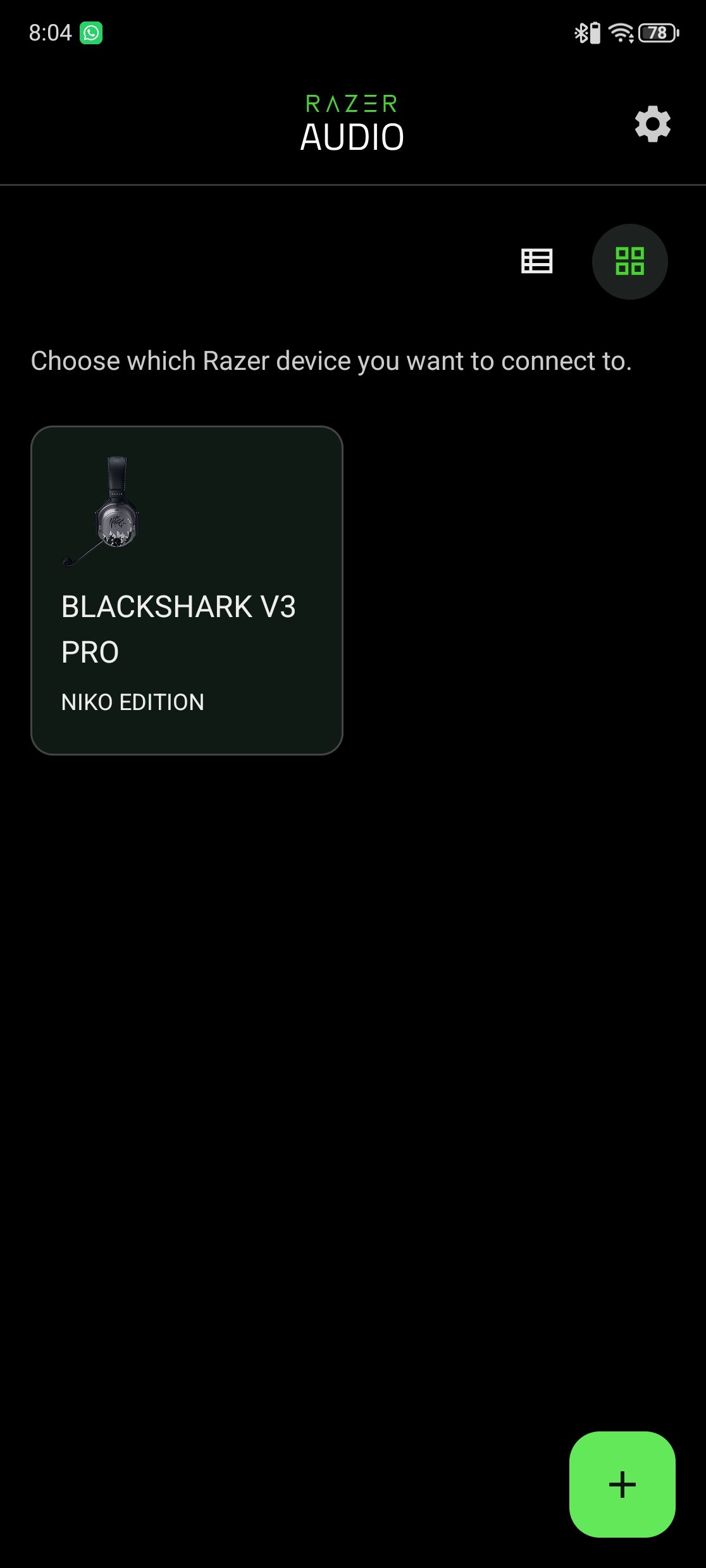
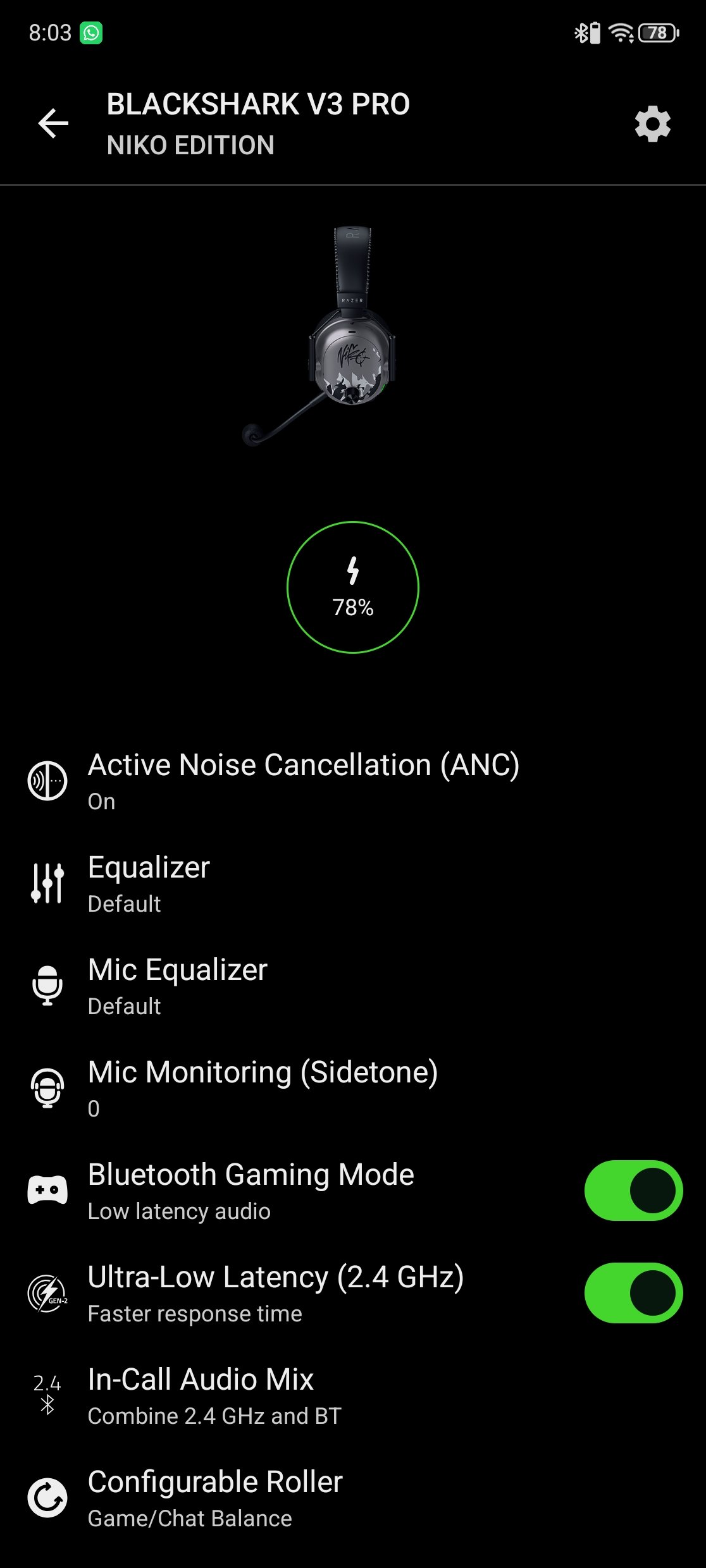
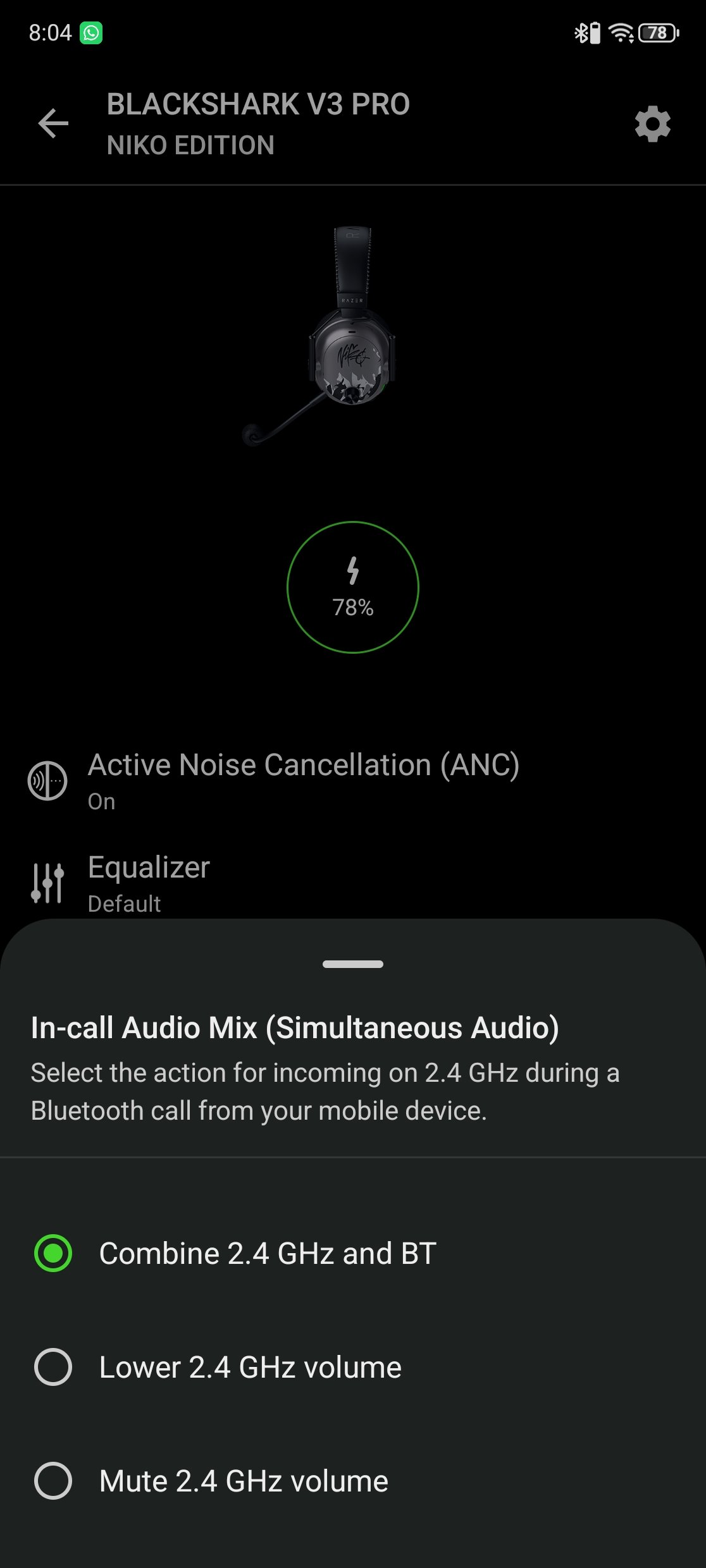
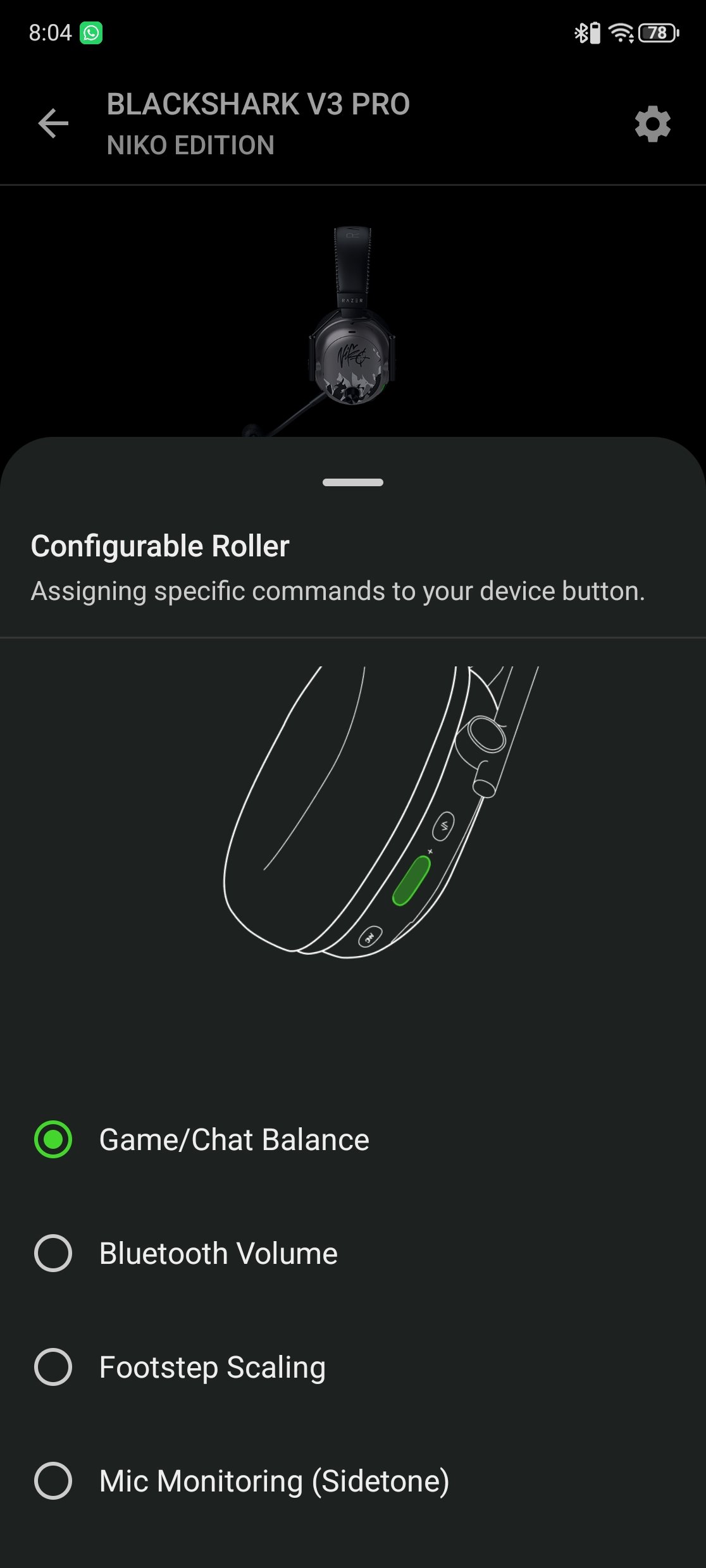
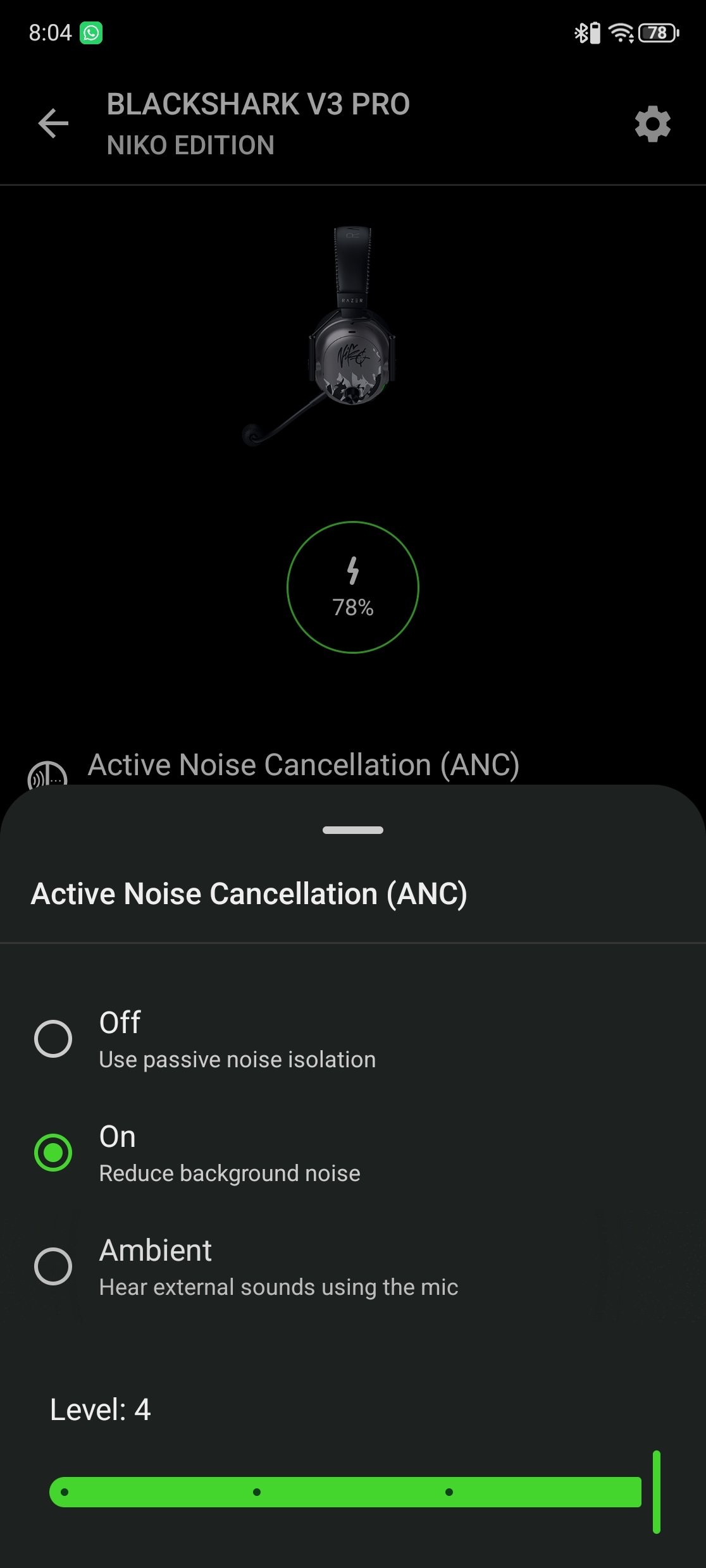
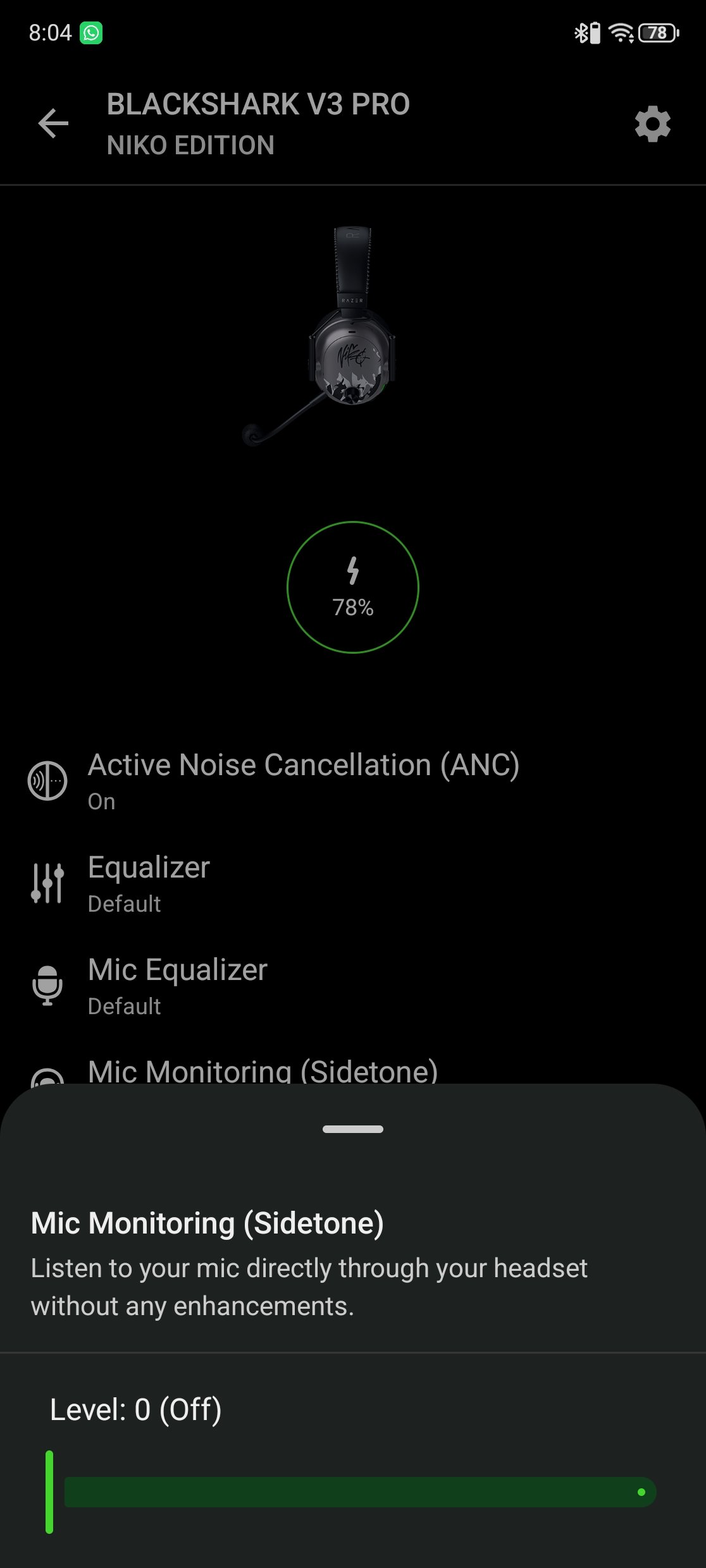
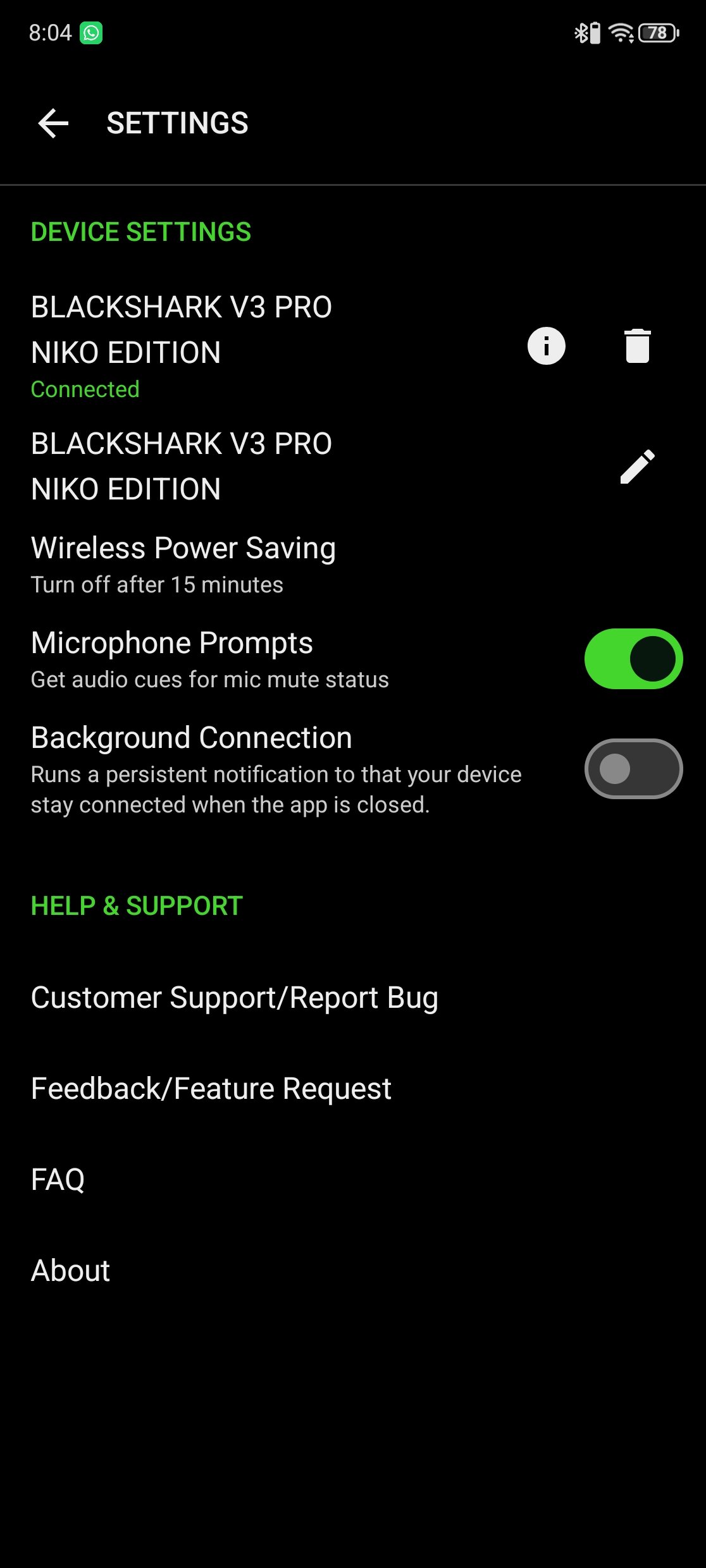
The app also lets you switch between ANC, Ambient, and Off, with four ANC levels available. The Configurable Roller can be assigned to Game/Chat Balance, Bluetooth Volume, Footstep Scaling, or Mic Monitoring. In-Call Audio Mix provides three choices for handling 2.4GHz audio during a Bluetooth call: combine both sources, lower the 2.4GHz volume, or mute it. You can also enable Bluetooth Gaming Mode and Ultra-Low Latency for 2.4GHz from the phone. For anyone using the BlackShark V3 Pro NiKo Edition with both a PC and smartphone, the Razer Audio app covers the settings you are most likely to change away from the desktop.
Sound and Gaming Experience
I spent two weeks using the Razer BlackShark V3 Pro NiKo Edition to get a better idea of its comfort, sound quality, and performance in different games. The large FlowKnit memory foam ear cushions sit comfortably around the ears, and the padded headband helps during longer gaming sessions. The ear cups can swivel to adjust the fit, while the fabric covering feels soft against the skin. At around 367g, it is not the lightest wireless gaming headset, but the cushioning helps keep it comfortable over several hours of use. The fit will vary from person to person, although I had enough room to adjust the headband and ear cups to suit my preference.
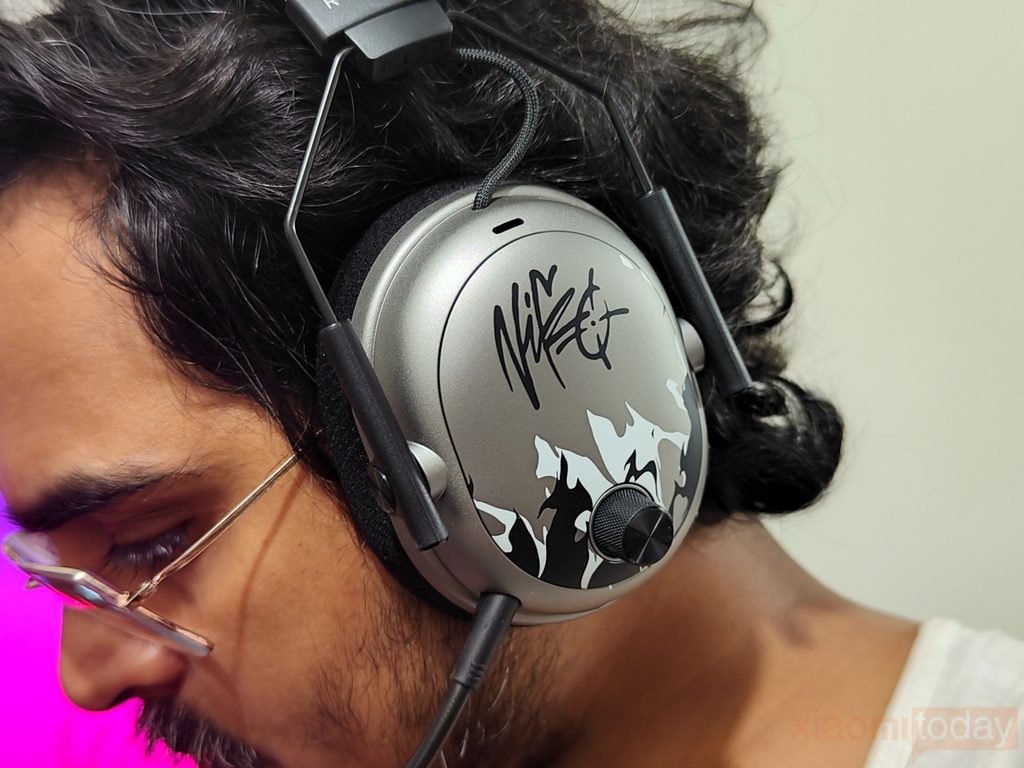
For competitive gaming, I tried the headset with Counter-Strike 2, Valorant, and Call of Duty: Warzone. Footsteps, gunfire, and reload sounds are important in these games, and the 50mm TriForce Bio-Cellulose Gen-2 drivers deliver the detail needed to follow the action. The CS2 · NiKo EQ preset is worth trying in Counter-Strike 2, especially if you prefer a profile designed around competitive play. THX Spatial Audio offers another option on PC, while Competitive Mode is designed to prioritize positional accuracy. The results depend on the game’s audio mix and your settings, so I recommend trying both stereo and spatial audio to see which works better for you.
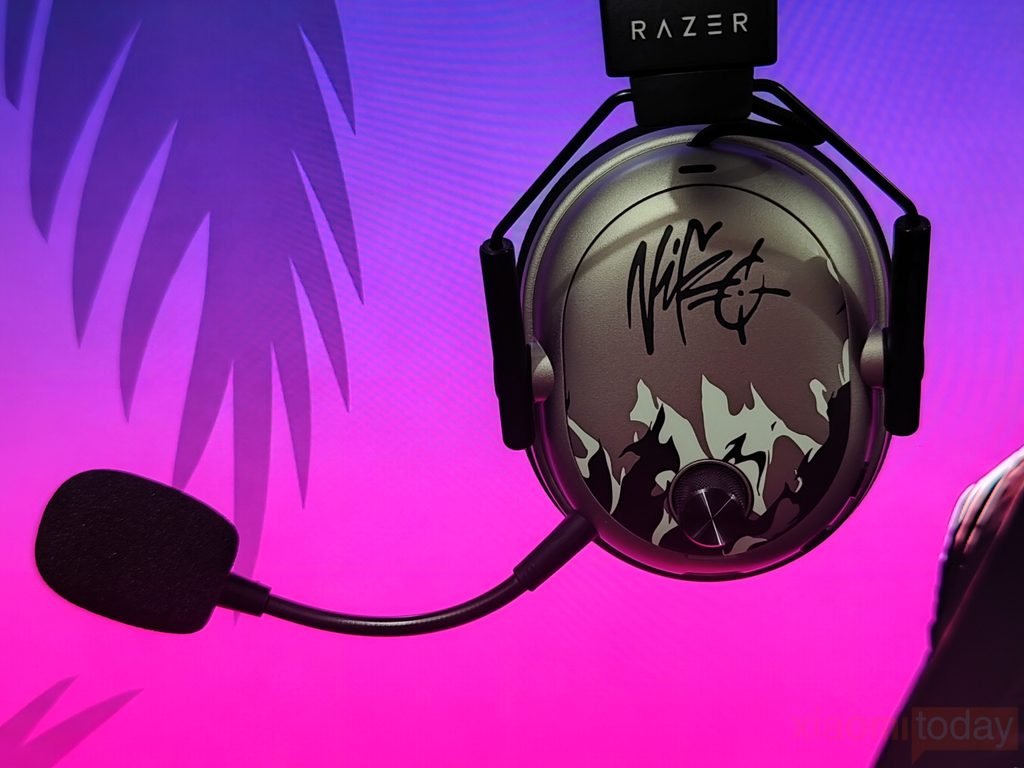
The BlackShark V3 Pro NiKo Edition also handles single-player games well. In Cyberpunk 2077, dialogue, music, traffic, and combat create a varied soundscape, while Forza Horizon 5 puts more focus on engine sounds, road noise, and the soundtrack. The 50mm drivers provide a full presentation across these different types of audio, and the EQ options in Razer Synapse let you adjust the sound to suit each game. Stereo works well when I want a direct presentation, while THX Spatial Audio can provide a wider sense of space in supported PC games. Neither mode is the right choice for every title, so having both available is useful.
The 2.4GHz HyperSpeed Wireless Gen-2 connection is the mode I would choose for PC gaming, particularly in fast-paced shooters. Razer specifies audio latency as low as 10ms, and the wireless dongle keeps the headset connected without a cable running to the PC. The detachable 12mm HyperClear microphone is easy to position for team chat, while Hybrid Active Noise Cancellation helps reduce surrounding noise during gaming. Ambient mode is available when you need to hear what is happening around you. The physical controls also make it easier to adjust volume and access headset functions without leaving a game. After two weeks of use, the BlackShark V3 Pro NiKo Edition proved versatile enough for competitive FPS titles, open-world games, and everyday listening, with plenty of audio settings to suit different preferences.