Microsoft has begun expanding its Xbox Full Screen Experience (FSE) to additional Windows handheld gaming devices, widening access beyond the ASUS ROG Xbox Ally and ROG Ally X. The update is available to users running Windows 11 build 26220.7051 in the Dev or Beta channel, introducing a new option under Settings > Gaming > Full Screen Experience.
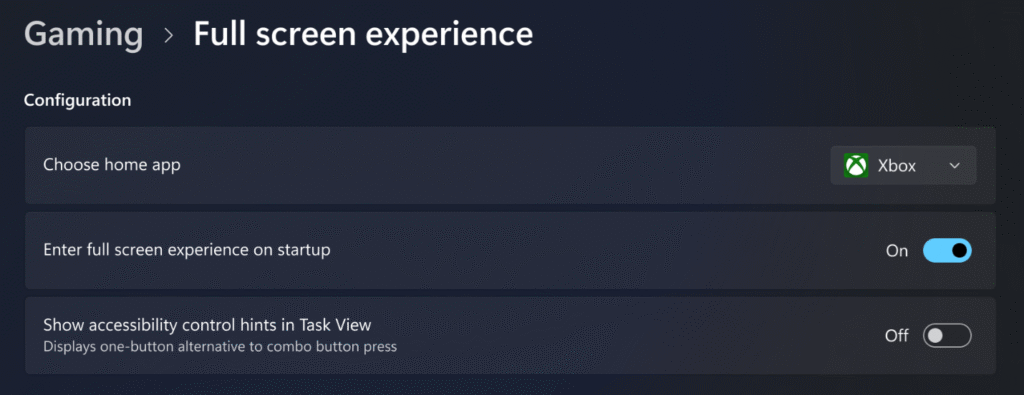
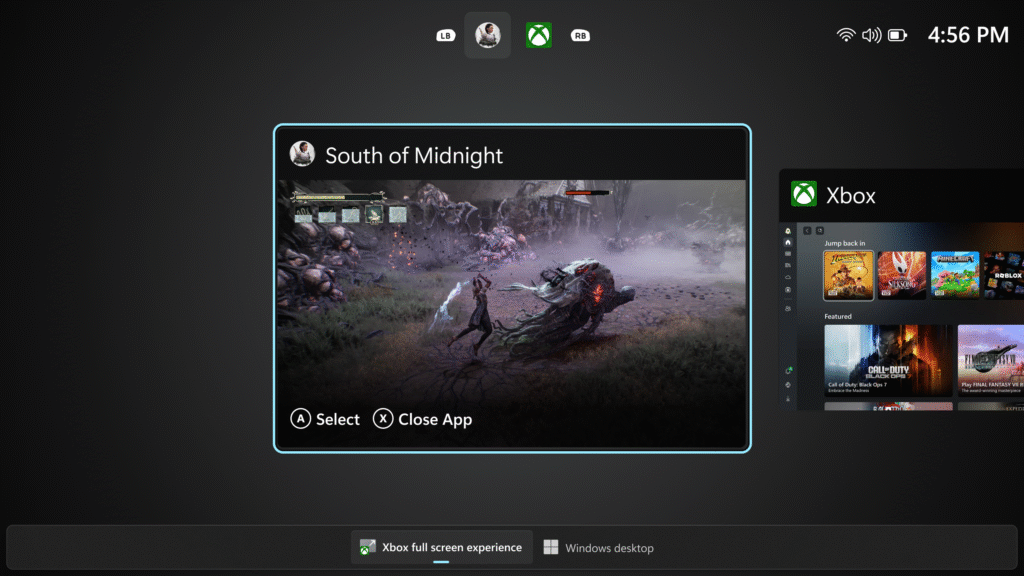
The Xbox Full Screen Experience transforms the way games are launched and displayed on portable Windows systems. When activated, the Xbox PC app can take over the entire screen during startup, hiding the desktop and minimizing background activity. This gives the device a console-like environment where the focus remains entirely on games rather than typical desktop functions.
The interface design is clean and functional. Game tiles fill the display, and all navigation is handled with a game controller. Standard Windows elements such as the taskbar and file explorer are hidden to help maintain immersion and improve responsiveness. Microsoft also confirmed that this mode temporarily pauses background maintenance activities and mutes notifications to avoid interruptions and maintain stable frame performance. Players can return to the desktop environment through Task View or Game Bar whenever they need to perform non-gaming tasks.
This update aligns with Microsoft’s ongoing strategy to unify its gaming platforms. The company is reportedly developing its next-generation Xbox hardware with deeper integration between console and PC systems. The introduction of FSE on handheld PCs is viewed as part of this direction, as it bridges the interface gap between Xbox consoles and Windows gaming devices.
At present, the official rollout remains limited. The ASUS ROG Ally and Ally X retain priority access, while the MSI Claw has joined the preview phase. Other handheld manufacturers are expected to receive FSE support in upcoming updates. Microsoft has not confirmed a specific release timeline for general availability.
Enthusiasts who want to test the feature on unsupported hardware can manually enable it using a registry tweak. By creating a DWORD32 value named DeviceForm with a value of 2e in the registry path HKEY_LOCAL_MACHINE\SOFTWARE\Microsoft\Windows NT\CurrentVersion\OEM, users can trigger the feature manually. However, Microsoft cautions that this method is unofficial and not covered by support.
Microsoft is collecting user feedback through the Feedback Hub under Gaming and Xbox > Gaming Handhelds to refine the feature and address compatibility issues. The company’s expansion of FSE demonstrates a continued focus on enhancing the handheld gaming experience within the Windows ecosystem.
As handheld gaming PCs become increasingly popular, features like Xbox Full Screen Experience could help deliver a more unified and efficient interface for players using Windows-based systems.