For users with compact keyboards, a dedicated numpad can make daily tasks more efficient. The Epomaker EK21 brings a 20-key hot-swappable numeric keypad to the table, combining portability, durability, and functionality in a compact form factor. Priced around $40, it offers an accessible option for professionals and gamers who need extra input without taking up desk space.
During hands-on testing, the EK21 impressed with its triple-mode connectivity, allowing quick switching between USB-C, Bluetooth, and 2.4GHz wireless. The gasket-mounted design with dampening layers provides a softer typing experience, while thick PBT keycaps and an aluminum knob add to the tactile feel and overall sturdiness. For data entry, gaming macros, or creative shortcuts, this numpad integrates smoothly with a variety of setups.
This review examines how well the EPOMAKER EK21 delivers on everyday use. We’ll look at build quality, typing feel, battery life, and customization options to see if it lives up to its promise as a functional, compact numeric keypad. By the end, readers will have a clear view of its strengths, potential limitations, and whether it fits seamlessly into their workflow.
Specifications
| Specification | Details |
|---|---|
| Brand | EPOMAKER |
| Model | EK21 VIA Numpad |
| Layout | 20% |
| Number of Keys | 20 Keys + 1 Knob |
| Battery | 1000mAh |
| Connectivity | 2.4GHz Wireless / Bluetooth / USB Wired |
| Case Material | ABS Plastic |
| Plate Material | PC |
| Flex-Cut | Yes — both PCB and plate are flex-cut |
| Stabilizers | Plate-mounted, pre-lubed, finely tuned |
| Mounting Structure | Gasket-Mount |
| Sound Dampening | 3-layer foam (bottom & sandwich Poron foam + IXPE switch pad) |
| Keycaps Profile | Cherry Profile |
| Keycaps Material | PBT |
| Keycaps Technique | Dye-sub |
| Switch Type | Lubed mechanical switches, 5-pin linear |
| Hot-Swappable | Yes — compatible with 3/5-pin switches |
| RGB | Dynamic RGB Backlight |
| Polling Rate | 1000Hz (Wired/2.4GHz), 125Hz (Bluetooth) |
| Anti-Ghosting | NKRO support |
| Compatibility | macOS / Windows / Android |
| Dimensions | 93 × 138 × 29 mm |
| Weight | 0.2 kg |
Unboxing
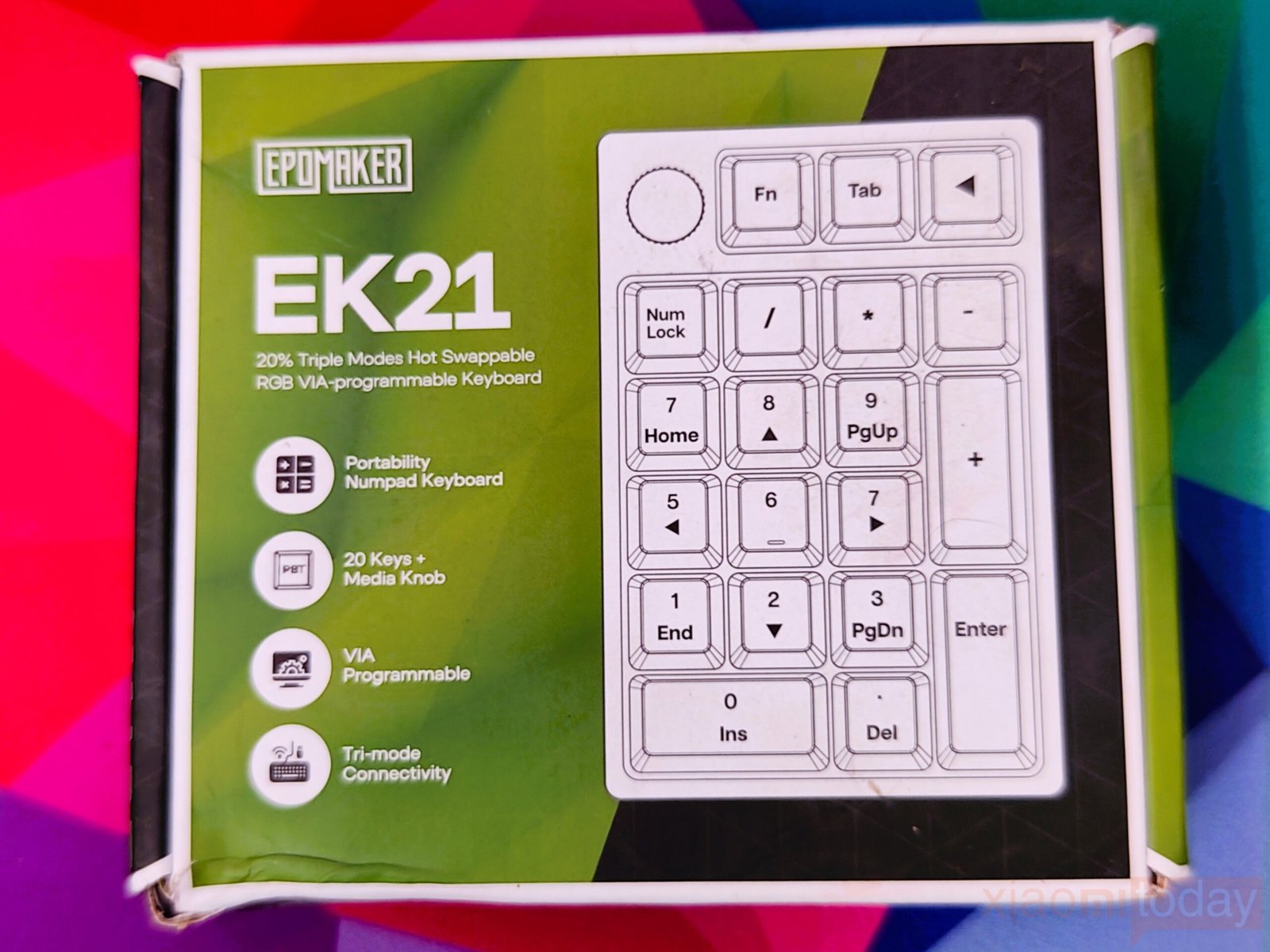
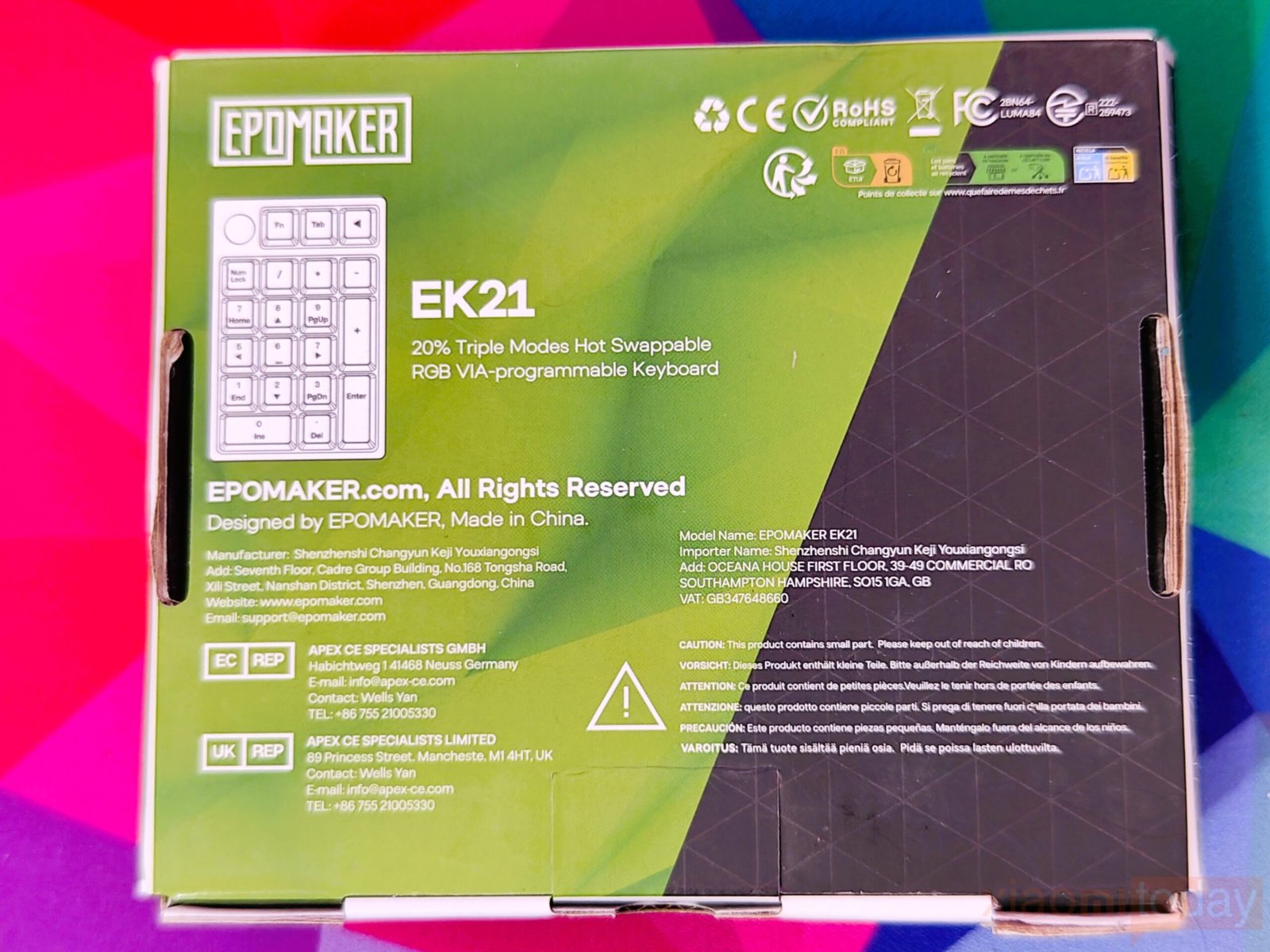
The EPOMAKER EK21 keyboard comes in packaging designed to clearly present its features and layout. The front of the box highlights the EK21 model and describes it as a 20% Triple Mode Hot-Swappable RGB VIA-Programmable Keyboard. A clear visual shows the 20-key layout with the media knob, while icons outline key features such as portability, programmability, and tri-mode connectivity. The back of the box provides compliance, corporate, and cautionary information in a simple, organized format.
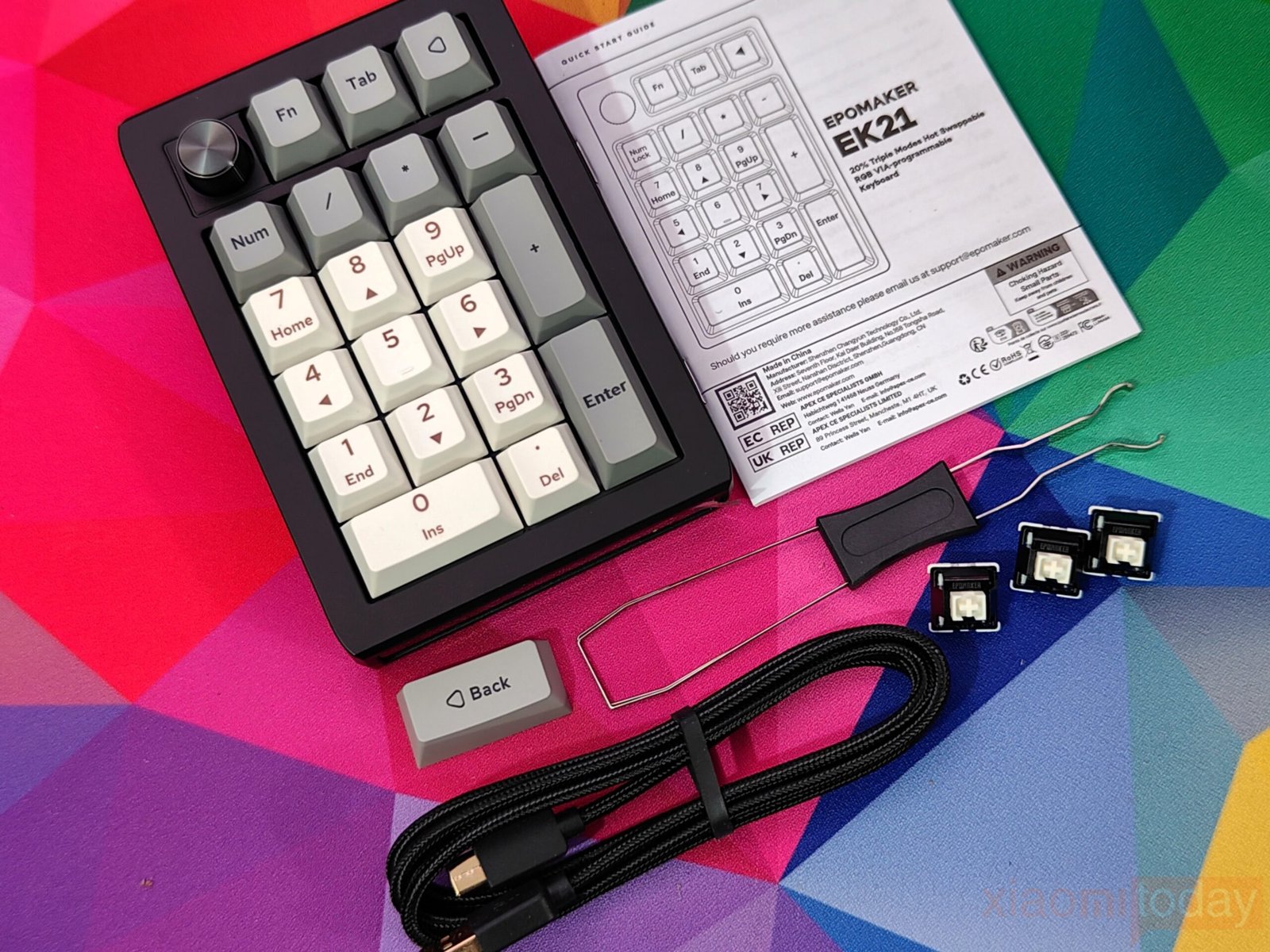
The EPOMAKER EK21 package includes the numpad, a 2-in-1 keycap and switch puller, and an extra “Back” keycap for customization. It also comes with a 1.8-meter detachable USB-A-to-C braided cable and a 2.4GHz wireless dongle, offering both wired and wireless connection options. A multilingual manual provides clear setup instructions, ensuring users can start using the keyboard immediately.
Design
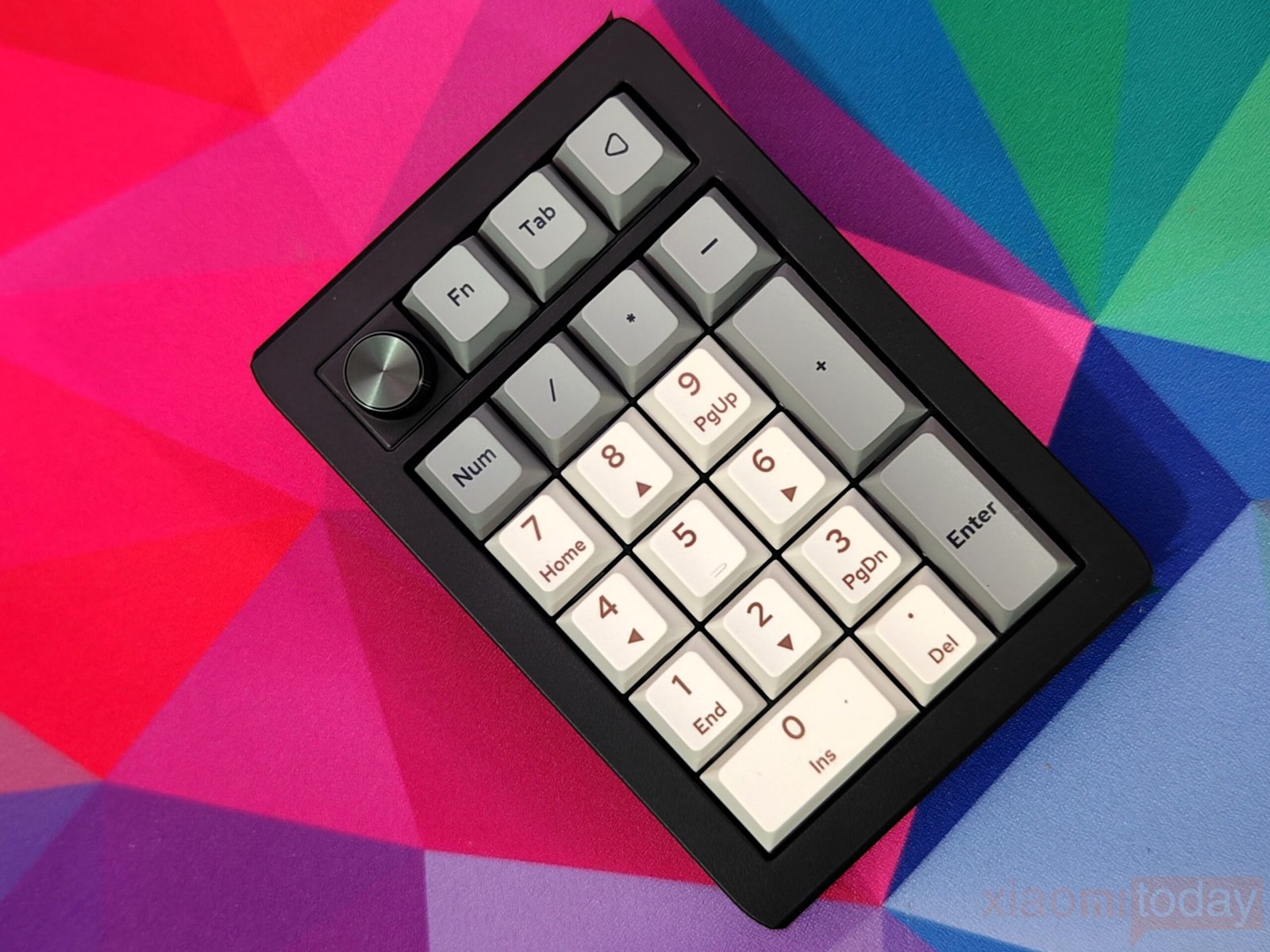
The Epomaker EK21 offers reliable build quality for its price range, featuring a plastic body with a clean, polished finish. It comes in two color options: Retro White and Black Silver, with the Black Silver testing unit providing a subtle contrast between the dark keys and the metallic knob. Despite its lightweight 200g frame, the numpad feels solid and well-constructed. Its compact 20-key layout, paired with a hot-swappable design and an aluminum alloy knob, combines functionality with a refined appearance, making it suitable for both productivity and gaming setups.
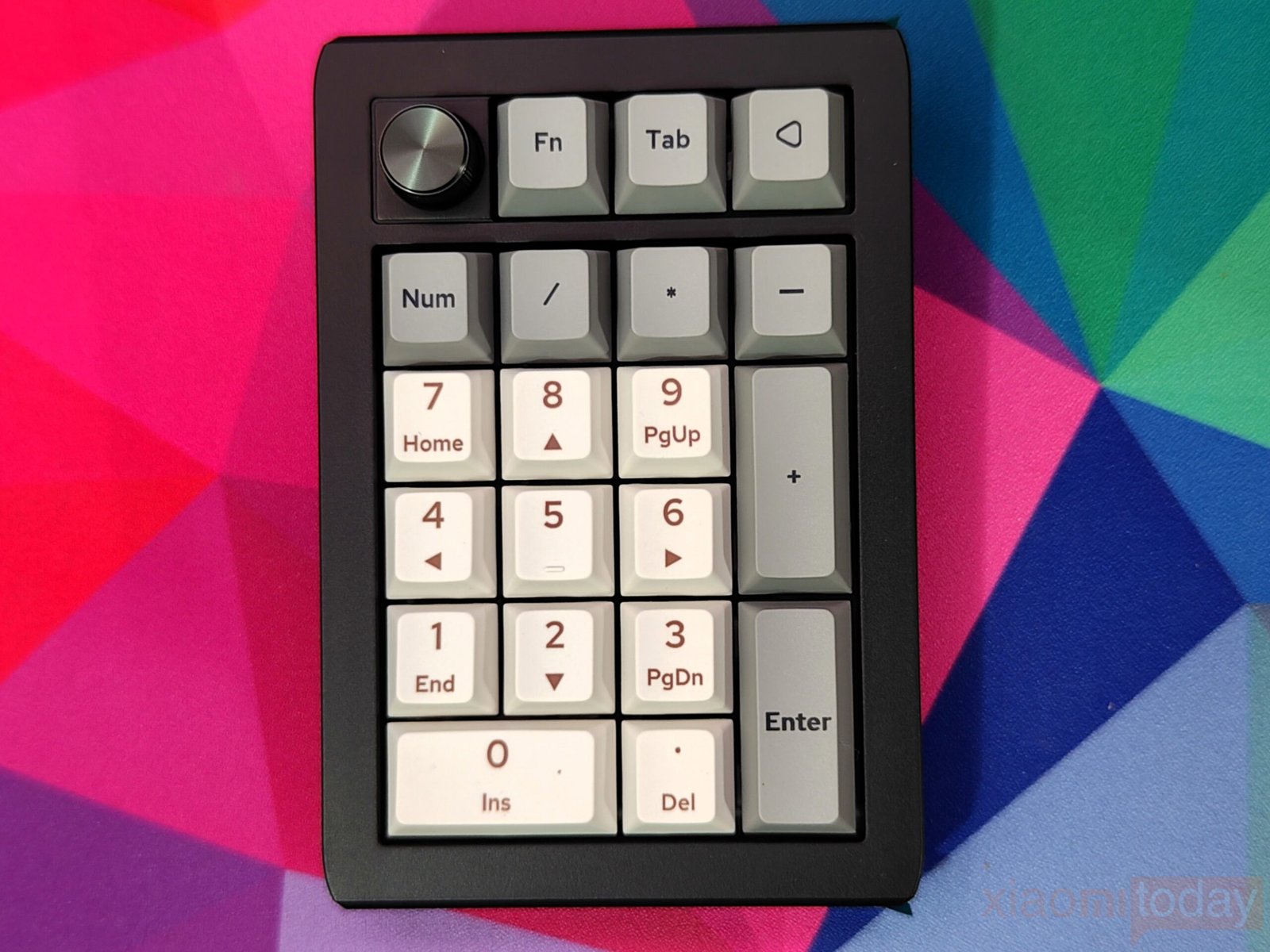
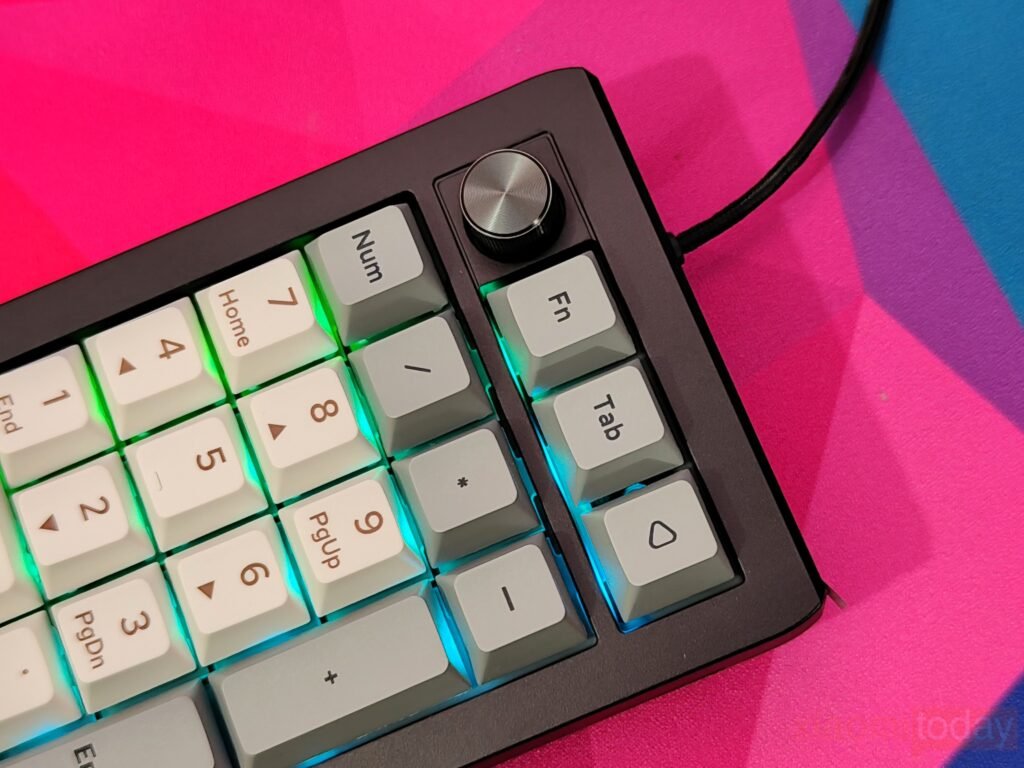
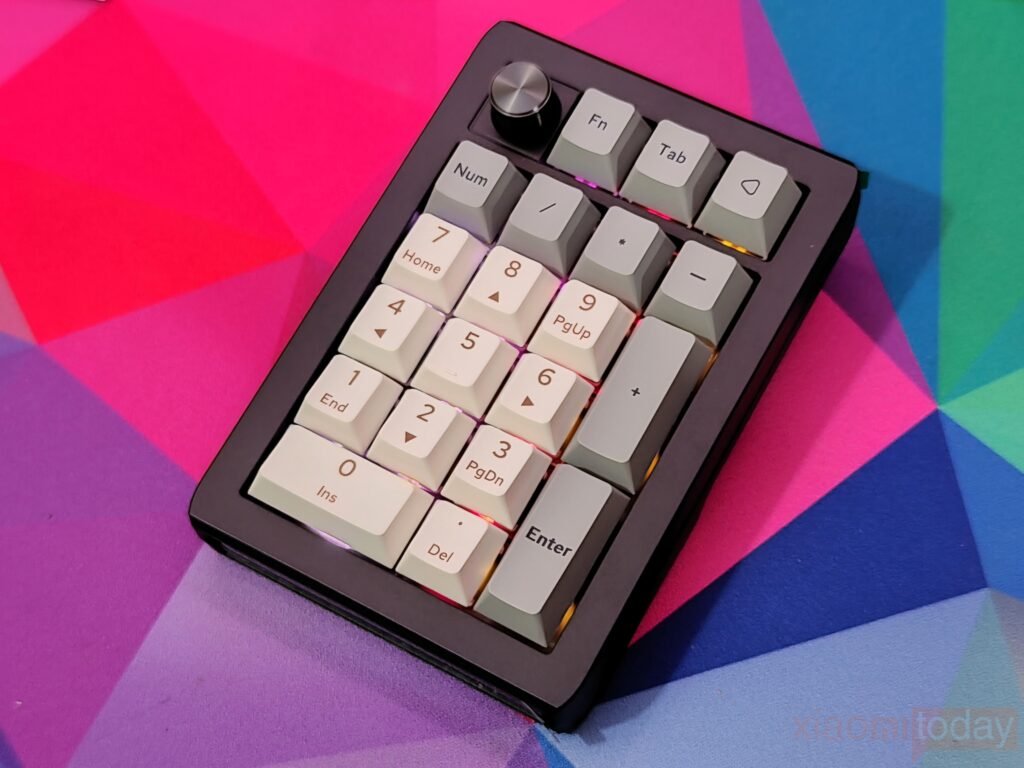
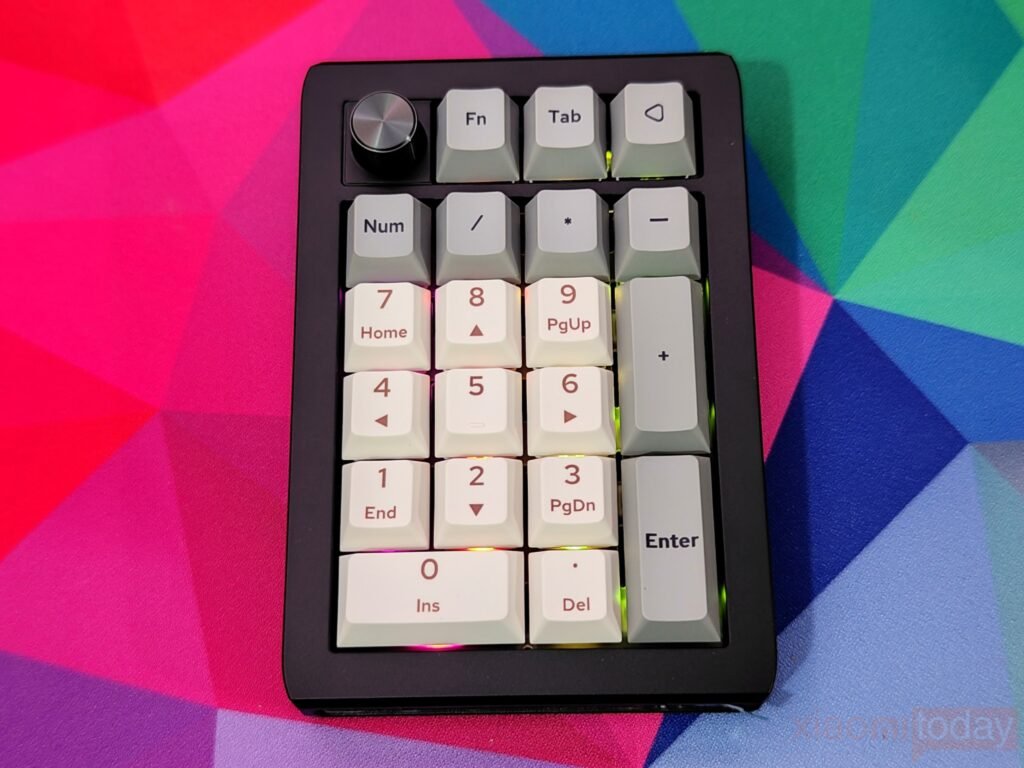
The keyboard features a mix of light and dark keycaps that create a clean, organized look while making it easy to locate keys during work. The 3 x 4 numeric grid, along with the ‘0’ key, uses bright white keycaps that guide the eye for faster and more accurate number entry. Functional keys like ‘Num’, ‘/’, ‘*’, ‘-‘, ‘+’, and ‘Enter’ are in a darker gray, offering clear visual separation that helps reduce mistakes and improves overall navigation.
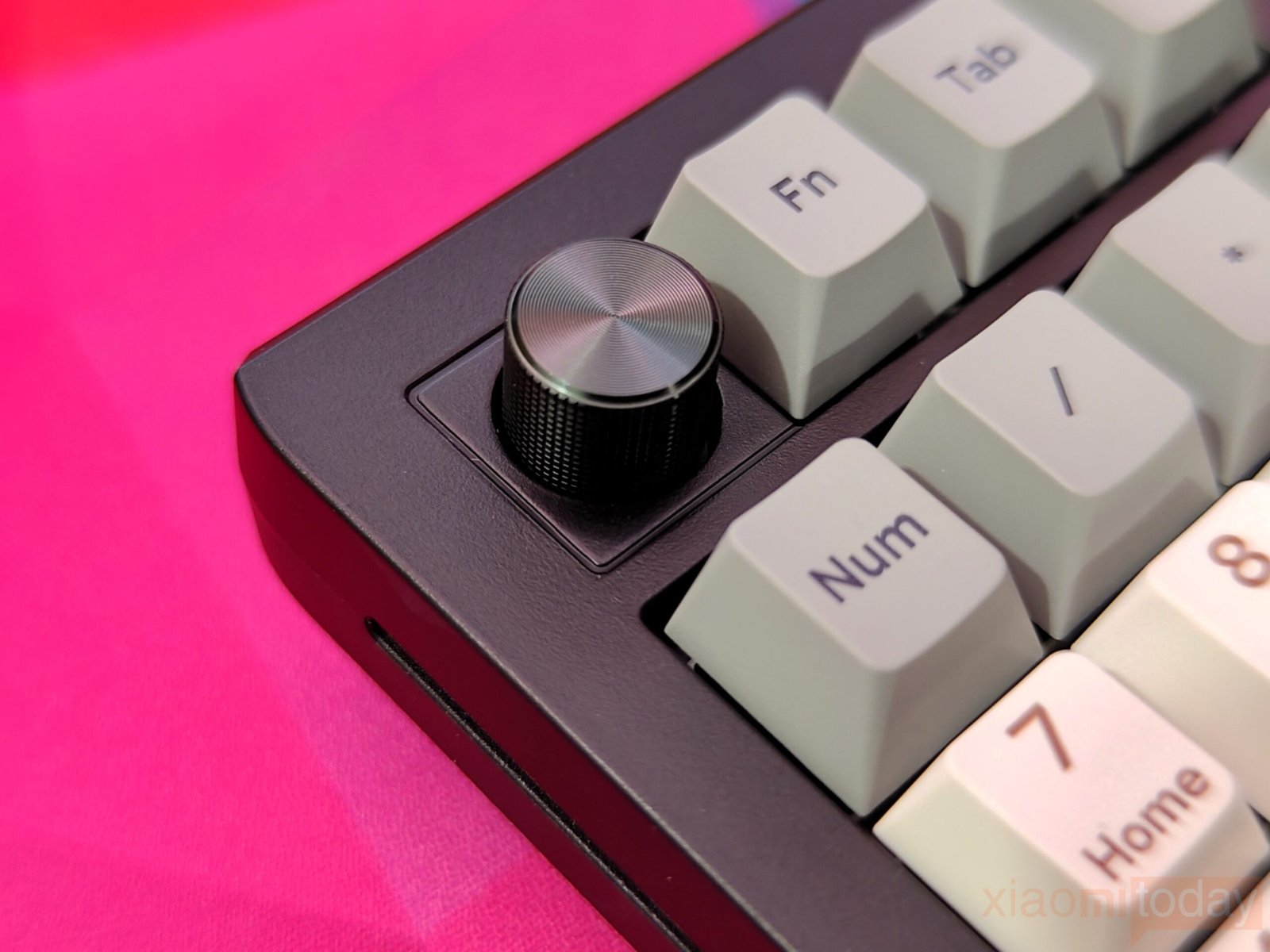
The EK21 numpad includes a rotary knob in the upper-left corner, designed for smooth and precise control. Built from aluminum alloy, it allows easy volume adjustments and can be customized with VIA software to suit your workflow. The knob combines functionality with a refined design, adding a practical and polished element to the numpad.
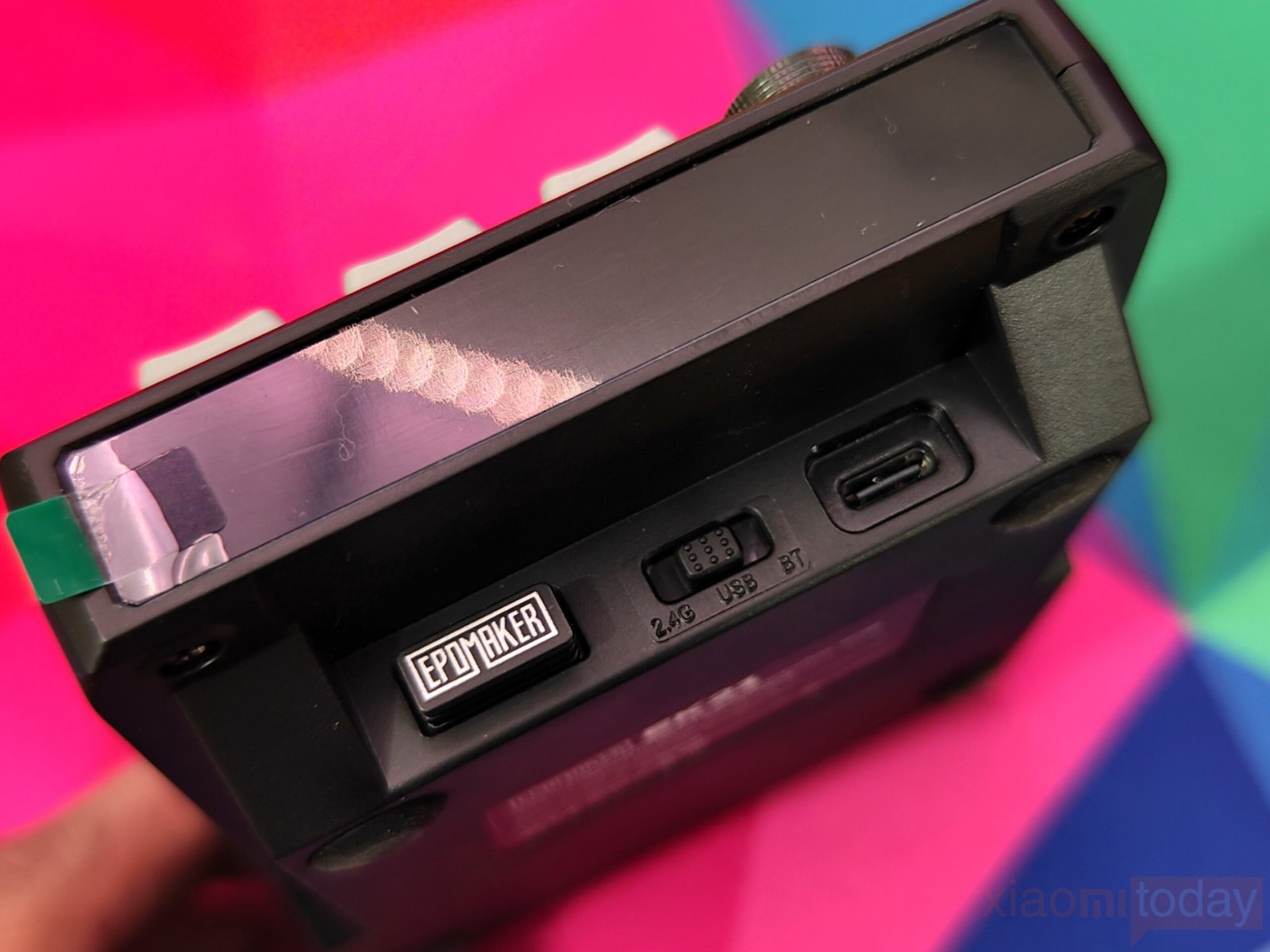
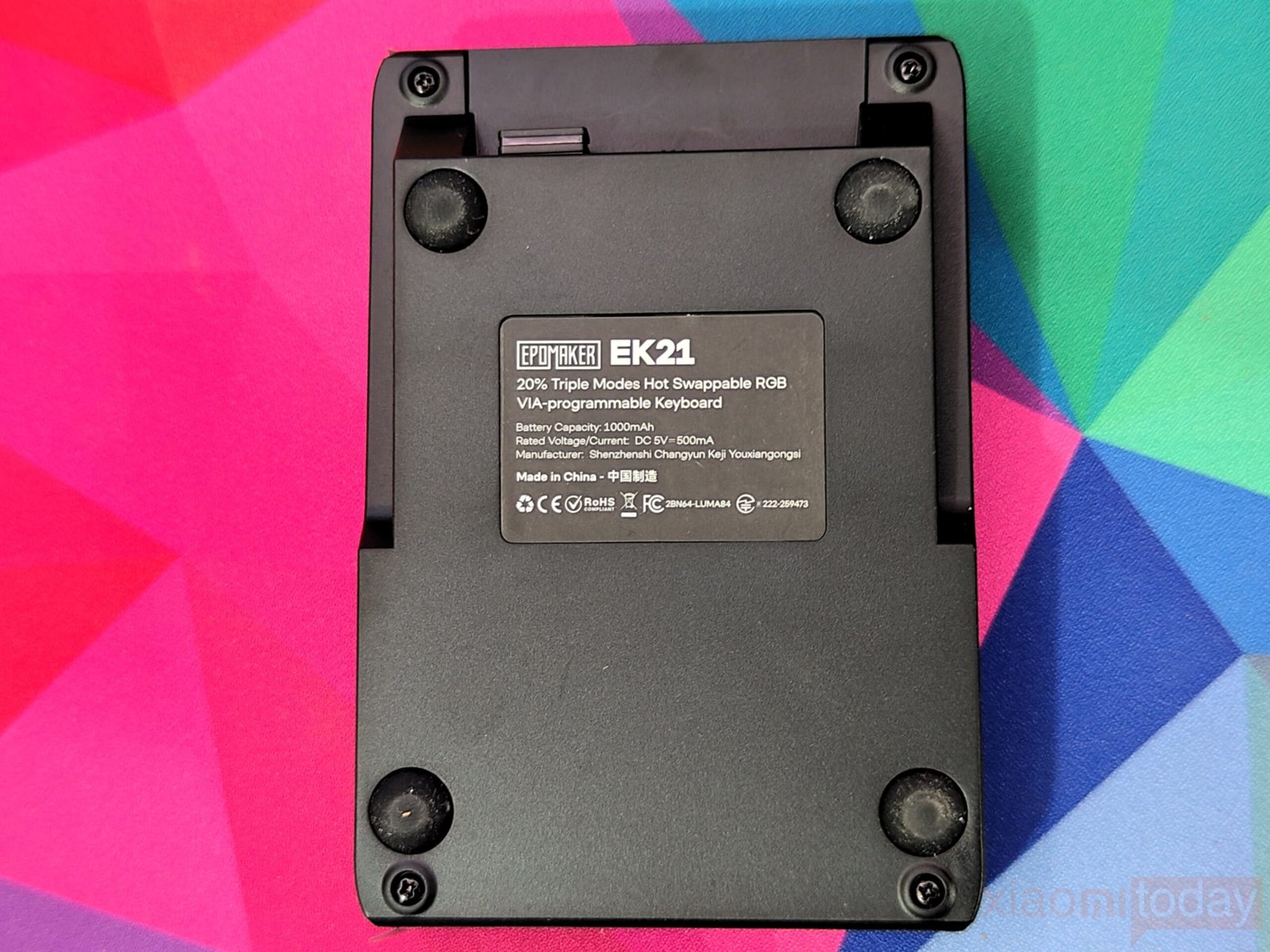
The top of the numpad houses a USB-C port, a slot for the 2.4GHz dongle, and a mode/power switch, keeping all essential controls accessible. Side accents and a protective film maintain a clean, new appearance, while the bottom features a solid chassis with rubber feet for stability. A clear product label provides key information at a glance. The overall layout feels organized and durable, making it well-suited for daily use and extended typing sessions.
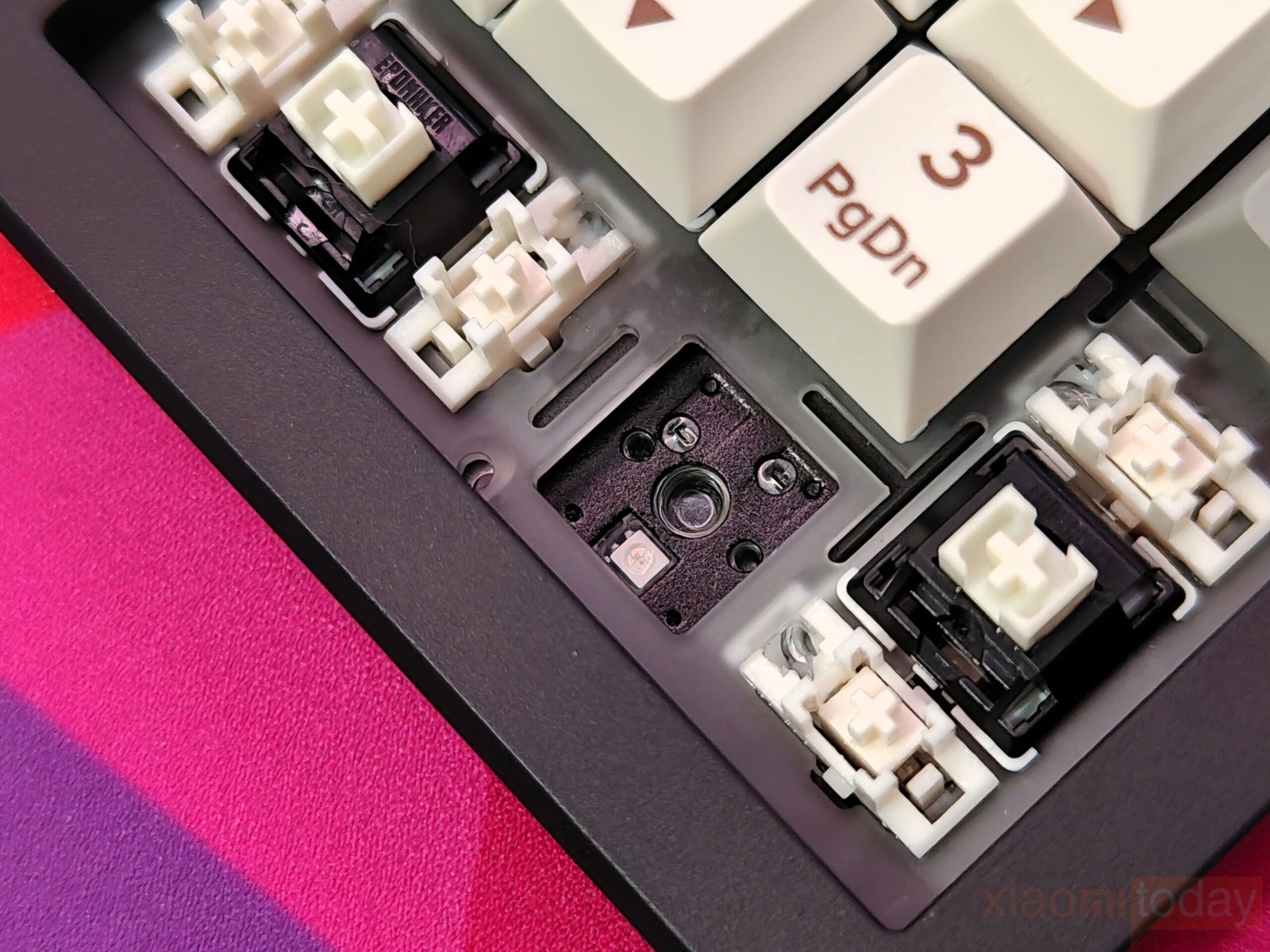
The EK21 keyboard is designed with comfort and usability in mind. Its Poron bottom layer, paired with sandwich foam and an IXPE switch pad, delivers a cushioned typing experience that eases finger strain during long sessions. The combination also helps minimize typing noise, creating a quieter workspace. With this thoughtful build, the EK21 ensures precise, smooth keystrokes, making it well-suited for both work and extended gaming sessions.
Keycaps & RGB Lighting
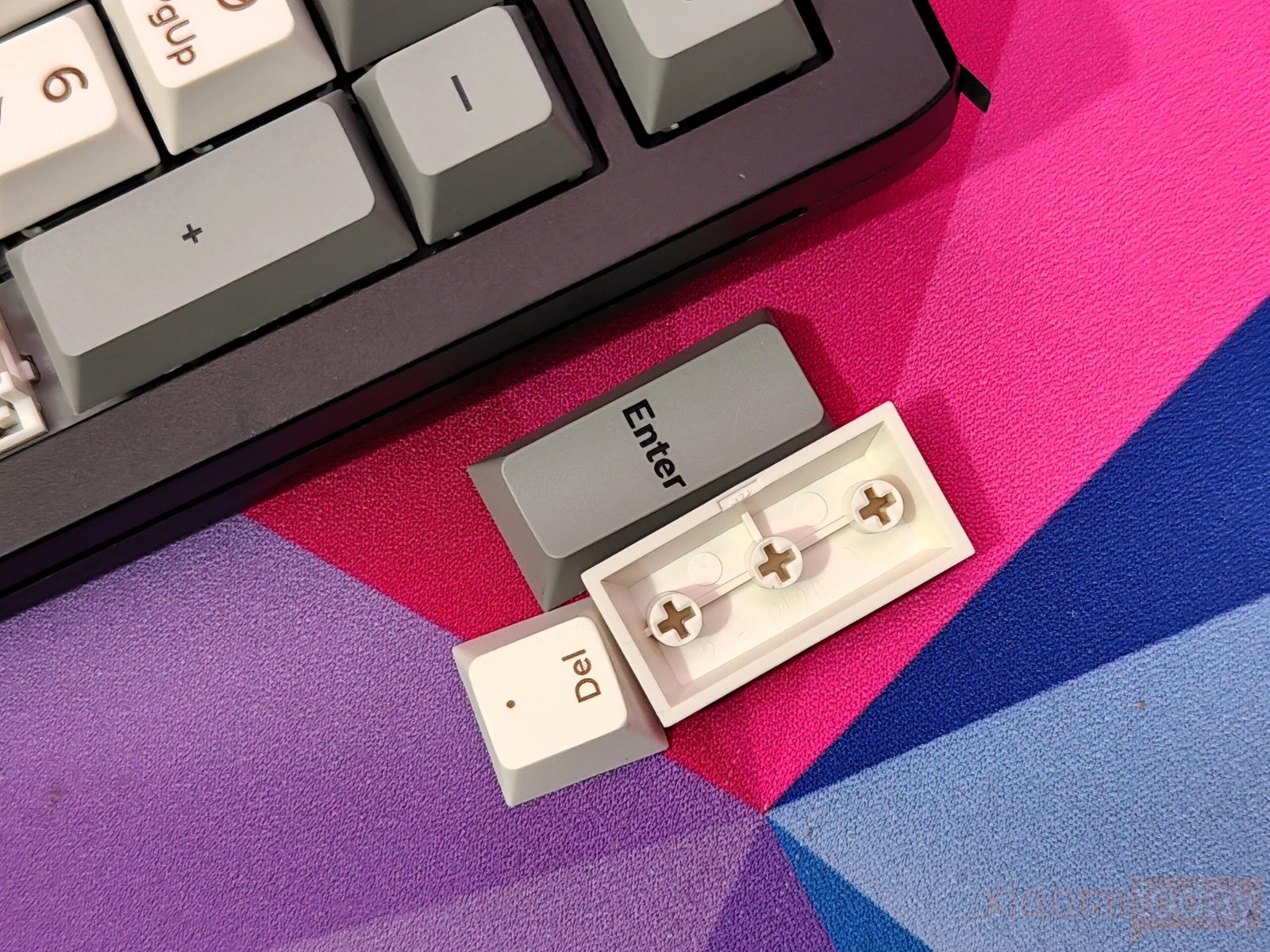
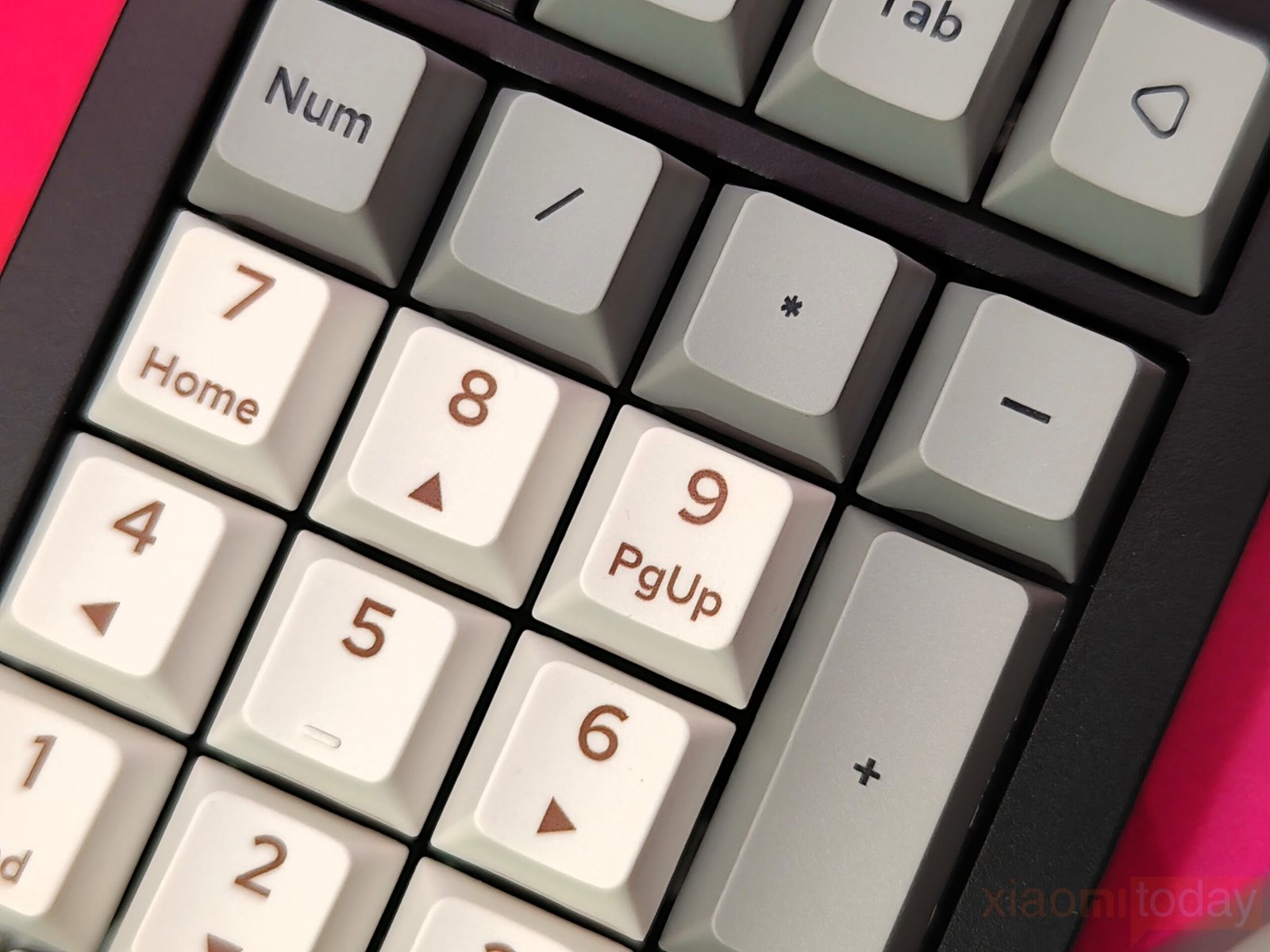
The EK21 comes with PBT keycaps in a Cherry profile, offering durability and resistance to oils while keeping legends clear over time. The cream-colored number keys paired with dark legends, and function keys featuring black fonts on dark grey, create a subtle two-tone look. Each key has a lightly textured surface that improves grip, making typing more comfortable during long sessions. The full aluminum knob at the top left feels solid and smooth, designed for precise control. By default, it adjusts volume but can be reprogrammed through VIA for custom functions, adding flexibility for both work and gaming setups.
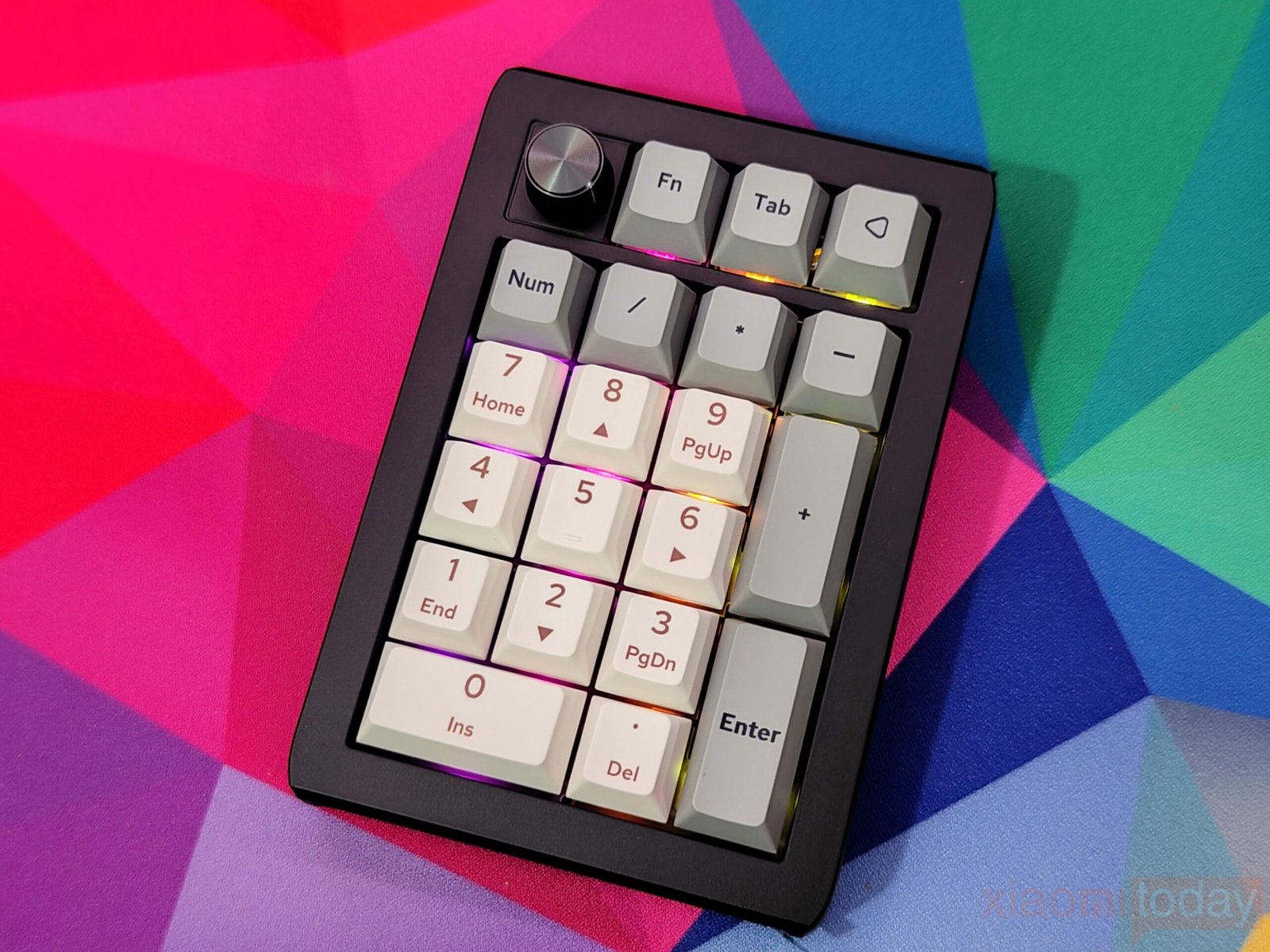
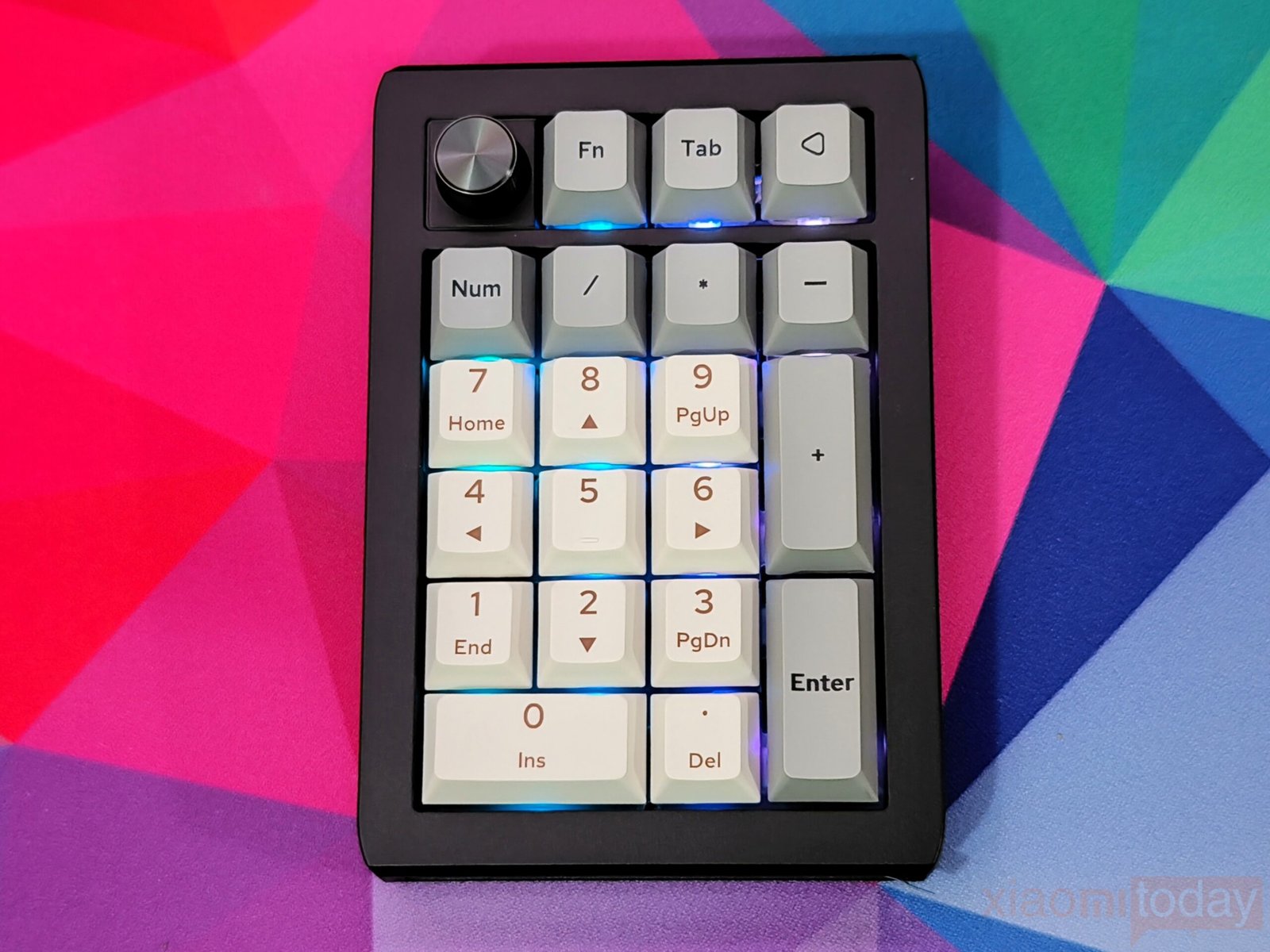
South-facing RGB LEDs deliver vibrant lighting with multiple presets. The illumination is bright enough for low-light environments without being overpowering, making keys easy to locate. Combined with durable keycaps and a responsive control knob, the EK21 provides a practical and visually appealing typing experience that suits both productivity and casual use.
EPOMAKER Zebra Switch
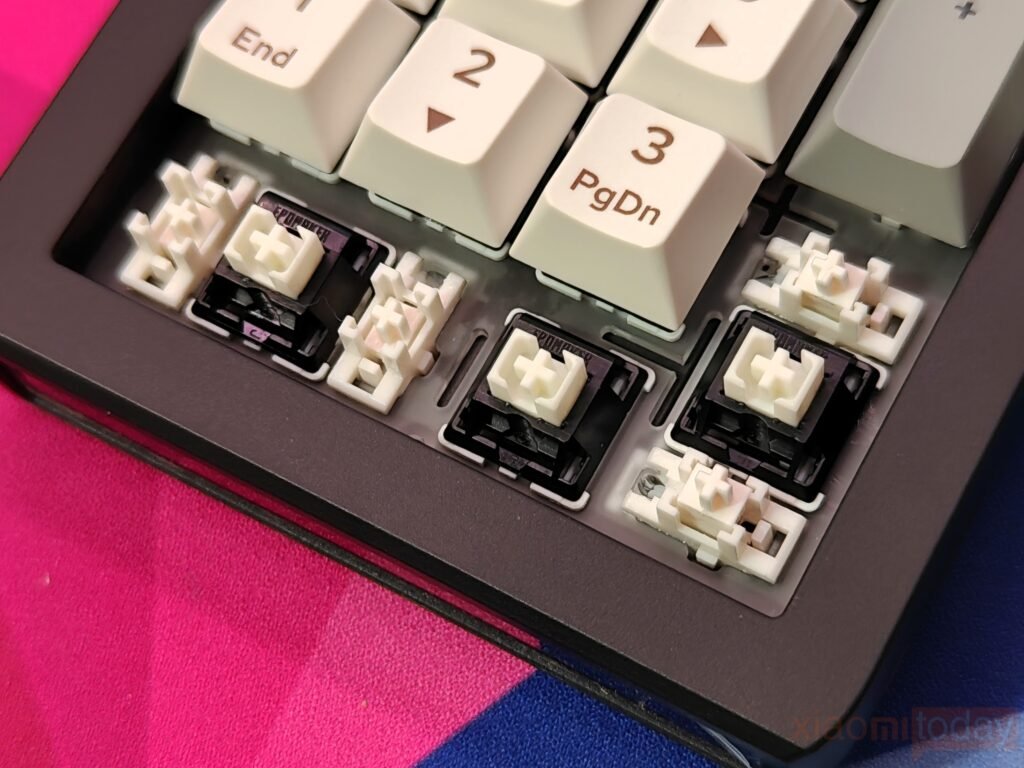
The EK21 numpad supports hot-swappable 3-pin and 5-pin mechanical switches, making it easy to customize without soldering. Epomaker provides two pre-lubed switch options for different typing preferences:
- Epomaker Zebra – smooth linear feel with slightly firmer feedback
- Epomaker Wisteria V2 – lighter, creamy feel for softer keypresses
| Specification | EPOMAKER Zebra Switch | EPOMAKER Wisteria Linear Switch |
|---|---|---|
| Switch Name | EPOMAKER Zebra Switch | EPOMAKER Wisteria Linear Switch |
| Switch Type | 5-pin Linear, Factory Lubed | 5-pin Linear, Factory Lubed |
| Trigger Force | 40±3 gf | 45±3 gf |
| Bottom-out Force | 45±5 gf | 62±5 gf |
| Pre-Travel | 1.8±0.3 mm | 2.0±0.3 mm |
| Total Travel | 3.8 mm | Yes, Wisteria Switch has a Light Diffuser |
| Material (Top Case) | PC | — |
| Material (Bottom Case) | Nylon | — |
| Stem | POM | — |
| Life Span | 5,000,000 | 5,000,000 |
| Light Diffuser | No Light Diffuser | Yes, Wisteria Switch has Light Diffuser |
Both switches pair well with the gasket-mounted design, producing a satisfying sound and responsive typing experience. Our review unit comes equipped with the Epomaker Zebra switches, which deliver consistent performance for both typing and number entry.
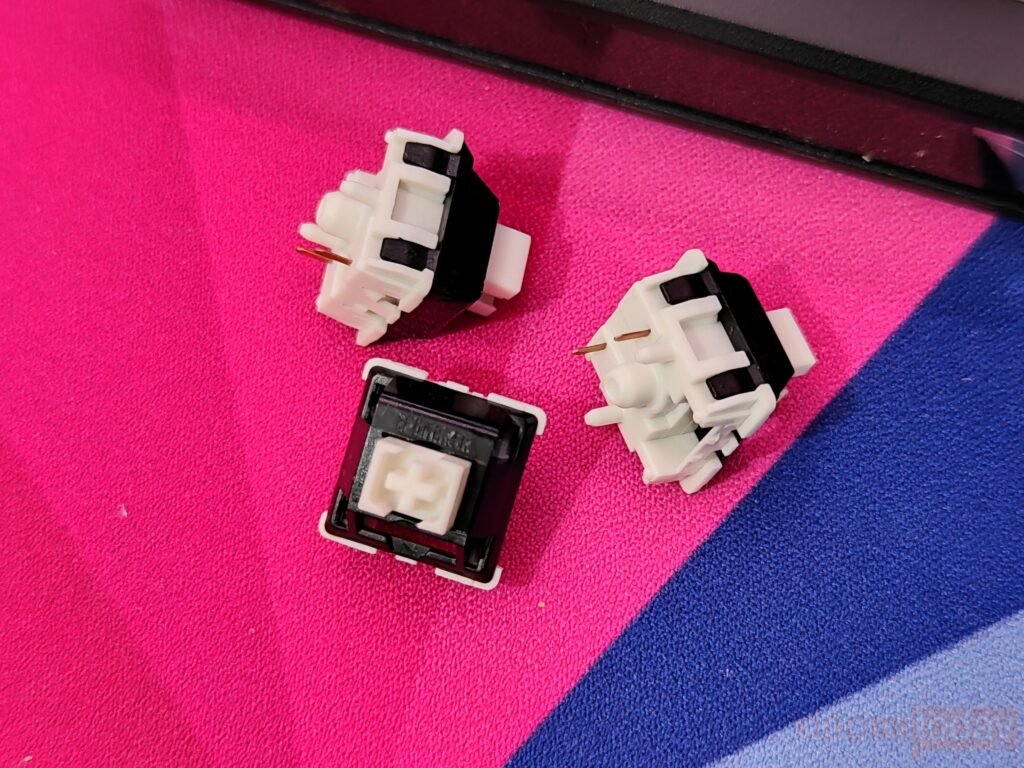
The Zebra switches use a 5-pin linear design with factory lubrication, featuring a trigger force of 40±3 gf, bottom-out force of 45±5 gf, pre-travel of 1.8±0.3 mm, and total travel of 3.8 mm. The stem is made of POM, the top case is PC, and the bottom case is nylon, with a lifespan rated at 5 million keystrokes. Although these switches do not include a light diffuser, the typing experience remains smooth, quiet, and responsive thanks to the gasket-mounted structure.
Function Key Combinations
The EPOMAKER EK21 uses a compact 20-key layout with a range of function key combinations to extend its usability. By holding the Fn key, users can access secondary commands such as media controls, backlight settings, and custom shortcuts. This setup allows for quick navigation between layers and efficient access to essential functions, making the keyboard practical for both typing and multitasking in a limited space. The EK21 balances a small footprint with versatile controls, ensuring users can manage common tasks without needing extra keys.
| Key Combination | Function |
|---|---|
| FN + 0 (Hold 3s) | Reset the numpad |
| FN + 1 | Short press: Switch to BT1 Long press: Pair devices |
| FN + 2 | Short press: Switch to BT2 Long press: Pair devices |
| FN + 3 | Short press: Switch to BT3 Long press: Pair devices |
| FN + 4 | Short press: Switch to 2.4G mode Long press: Pair devices |
| FN + 5 | Backlight Saturation + |
| FN + 6 | Backlight Saturation – |
| FN + 7 | Backlight Speed – |
| FN + 8 | Backlight Speed + |
| FN + 9 | Toggle Win/Mac system |
| FN + / | Battery check |
| FN + + | Backlight Brightness + |
| FN + – | Backlight Brightness – |
| FN + / | Backlight Hue – |
| FN + * | Backlight Hue + |
| FN + Enter | Toggle Backlight Effect |
Connectivity
The EK21 numpad supports three connection modes, making it easy to use across Windows, macOS, Android, and tablets. It can be connected via USB-C for wired use, 2.4GHz wireless with the included dongle, or Bluetooth 5.0 with up to three paired devices. Switching between modes is simple, and the detachable cable adds convenience for both desktop and portable setups.
Wired Mode
To use the numpad in wired mode, toggle the switch to the middle position. The EK21 will automatically enter wired mode, and the battery charges while plugged in. Avoid using a separate charger, as the USB connection handles charging directly.
Bluetooth 5.0
For Bluetooth pairing, toggle the switch to the BT side and hold Fn+1/2/3 for 3–5 seconds until the indicator flashes blue. On your device, select Epomaker EK21-1/2/3 to complete the connection. The indicator stops flashing when the numpad is connected. You can switch between the three paired devices by pressing Fn+1/2/3.
2.4GHz Wireless
For low-latency wireless operation, toggle the switch to the 2.4GHz side and hold Fn+4 for 3–5 seconds until the light bar flashes green. Insert the included dongle into your device to establish the connection. The indicator will stop flashing once pairing is successful, ensuring stable wireless performance.
With these options, the EK21 offers flexible connectivity for both stationary and mobile setups, covering most use cases for productivity and general use.
QMK/VIA Software
The addition of VIA support gives the EPOMAKER EK21 a practical edge for users who want deeper control over their numpad. VIA’s interface makes it easy to manage key functions, set up layers, and assign macros that match your daily workflow. The layout editor is clean and familiar, offering a clear view of each key and its assigned action. Whether you’re handling frequent data entries or building shortcuts for creative software, the EK21 adapts well to different use cases.
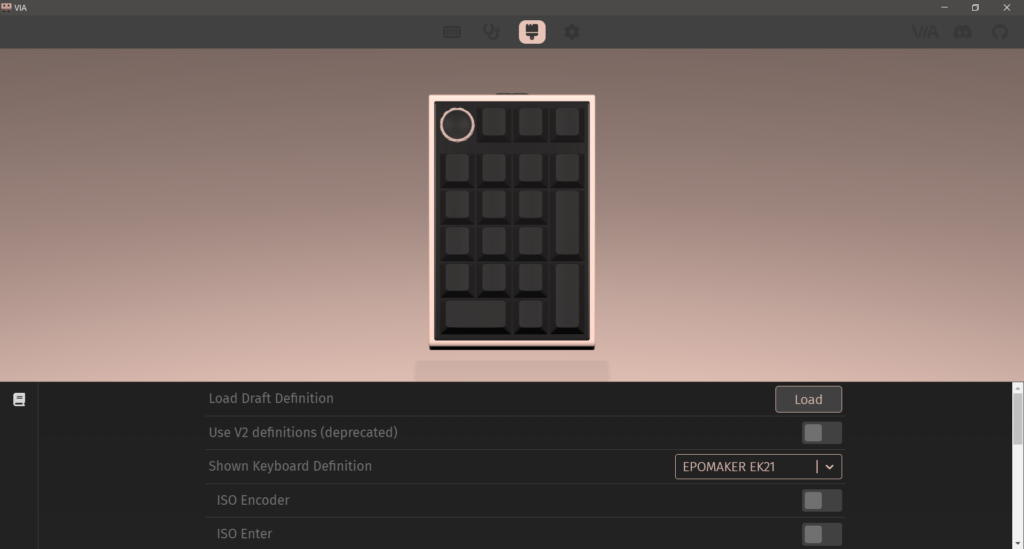
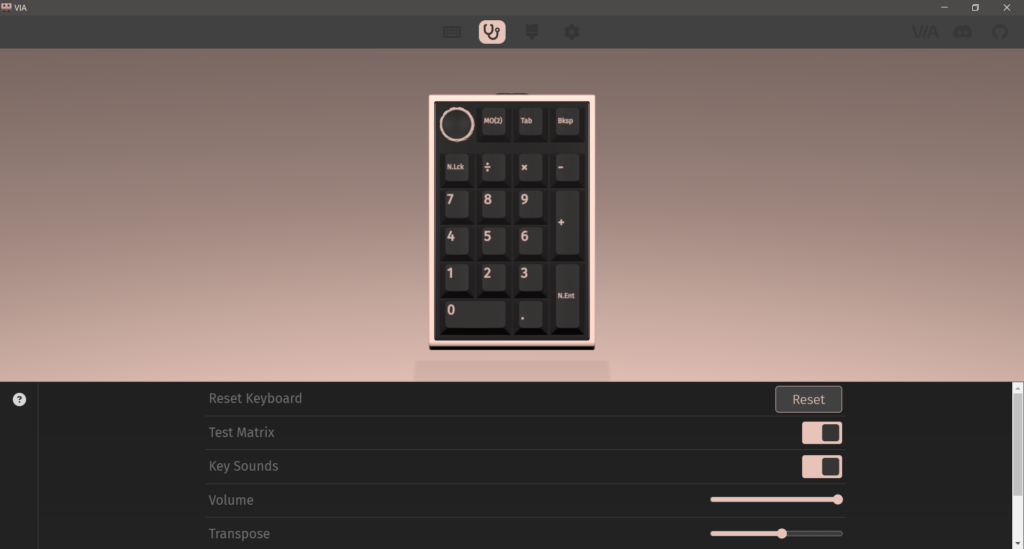
Getting VIA up and running is a quick process. Download the latest version from the official GitHub page, enable the “Use V2 definitions (deprecated)” setting, and then import the EK21 JSON file from Epomaker’s support page. Once the file loads, the configuration tab presents the full layout and available functions. You can adjust keys, add shortcuts, or refine layers as needed, and the changes take effect right away.
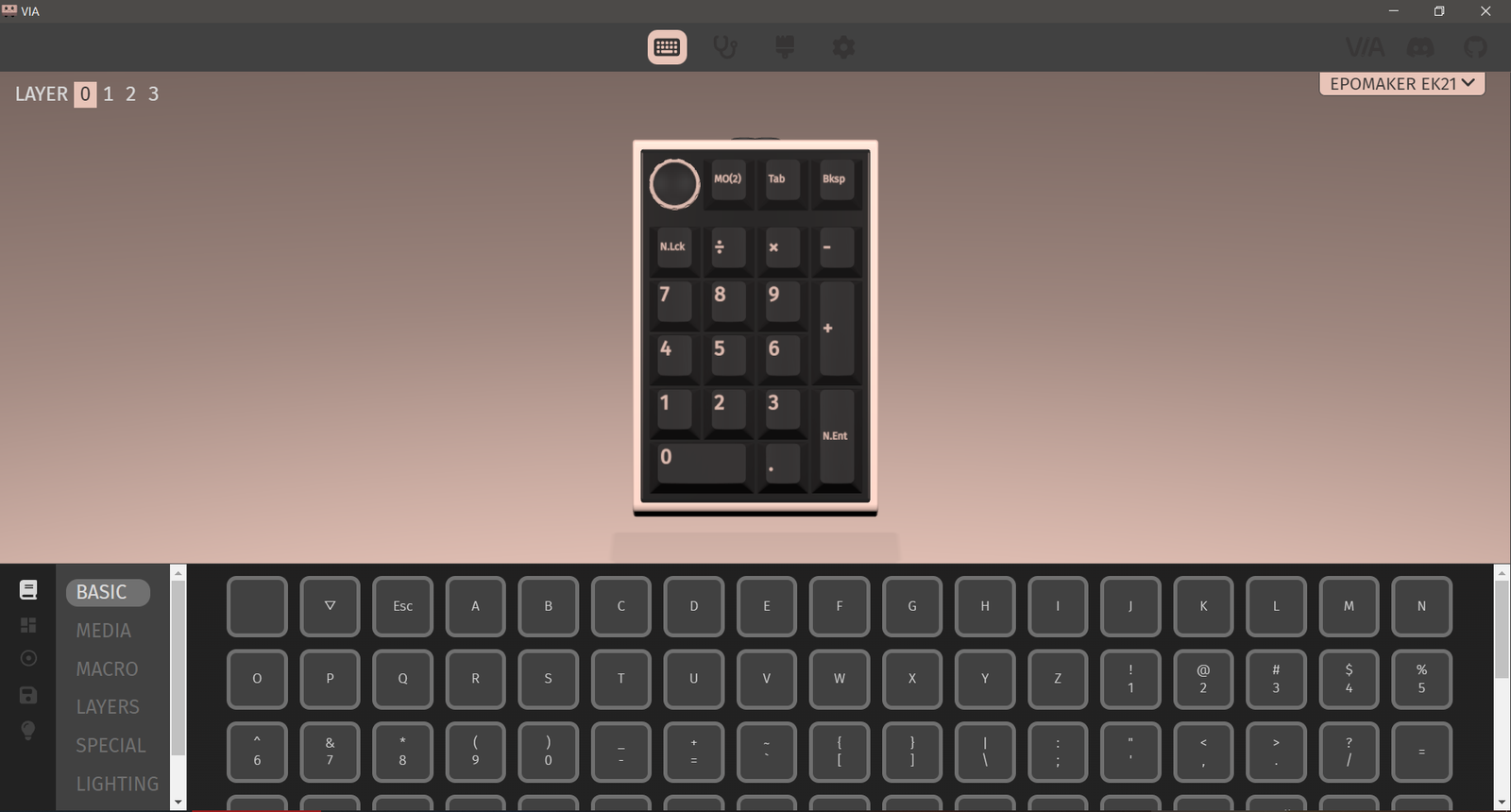
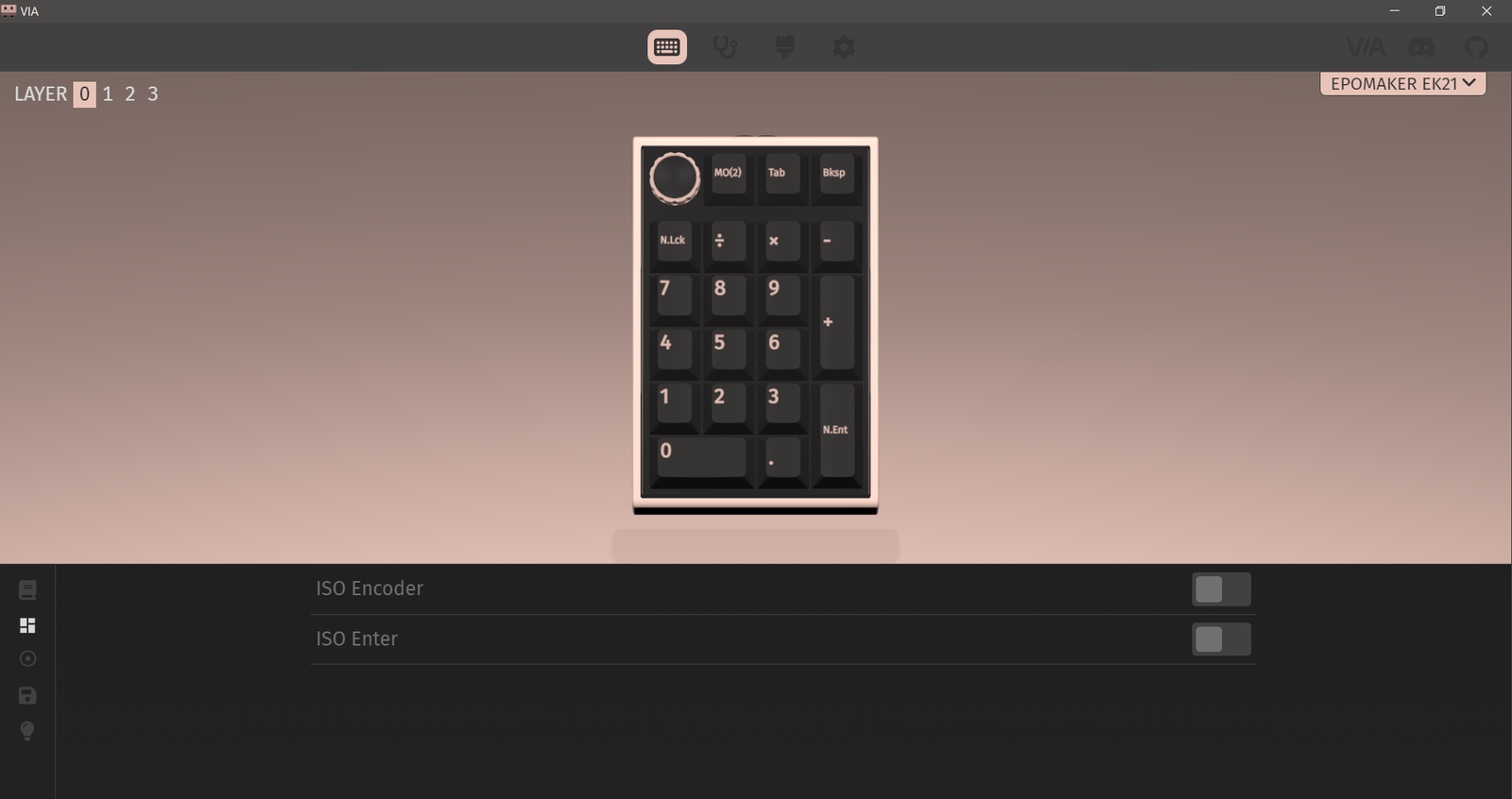
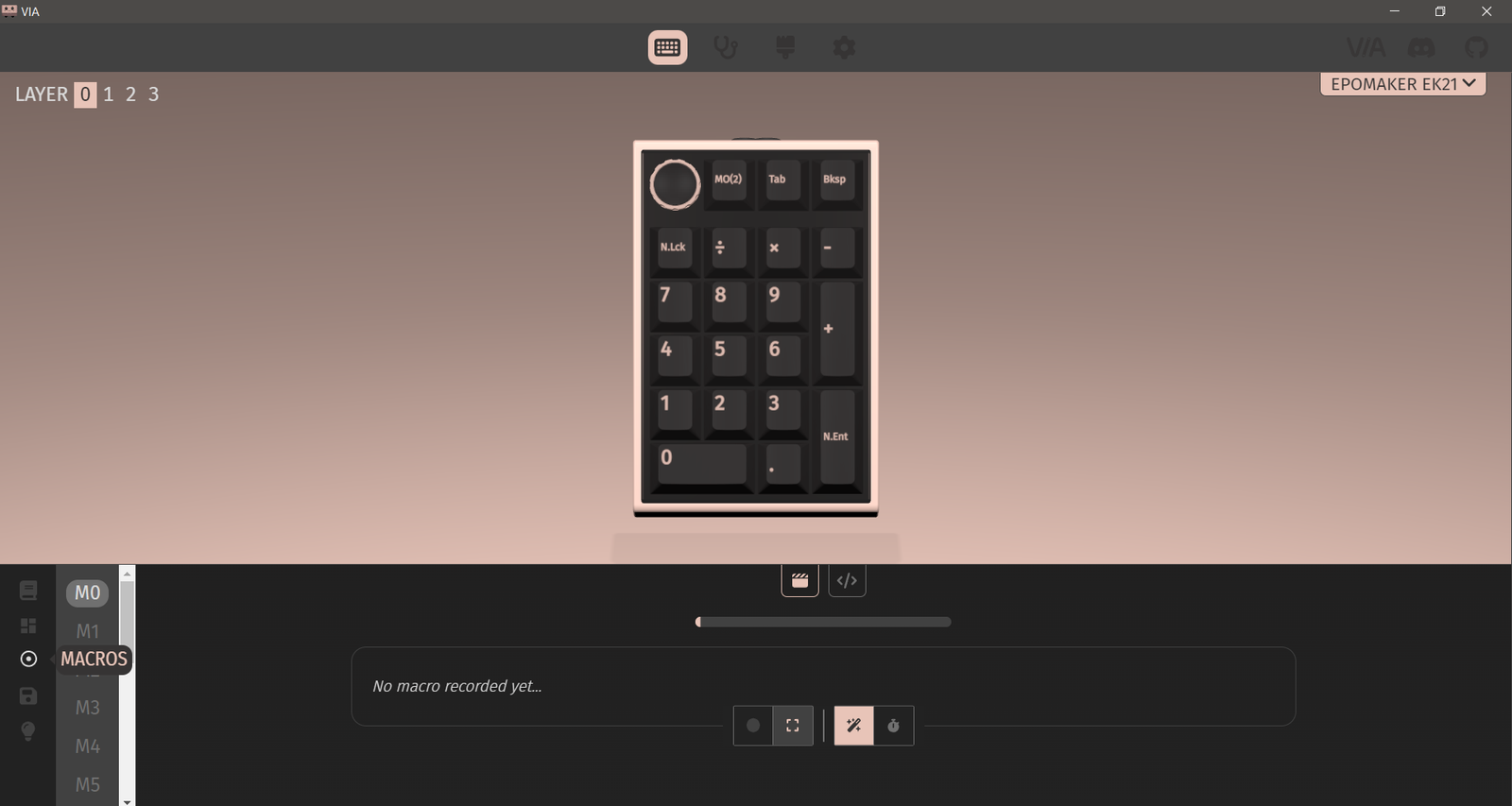
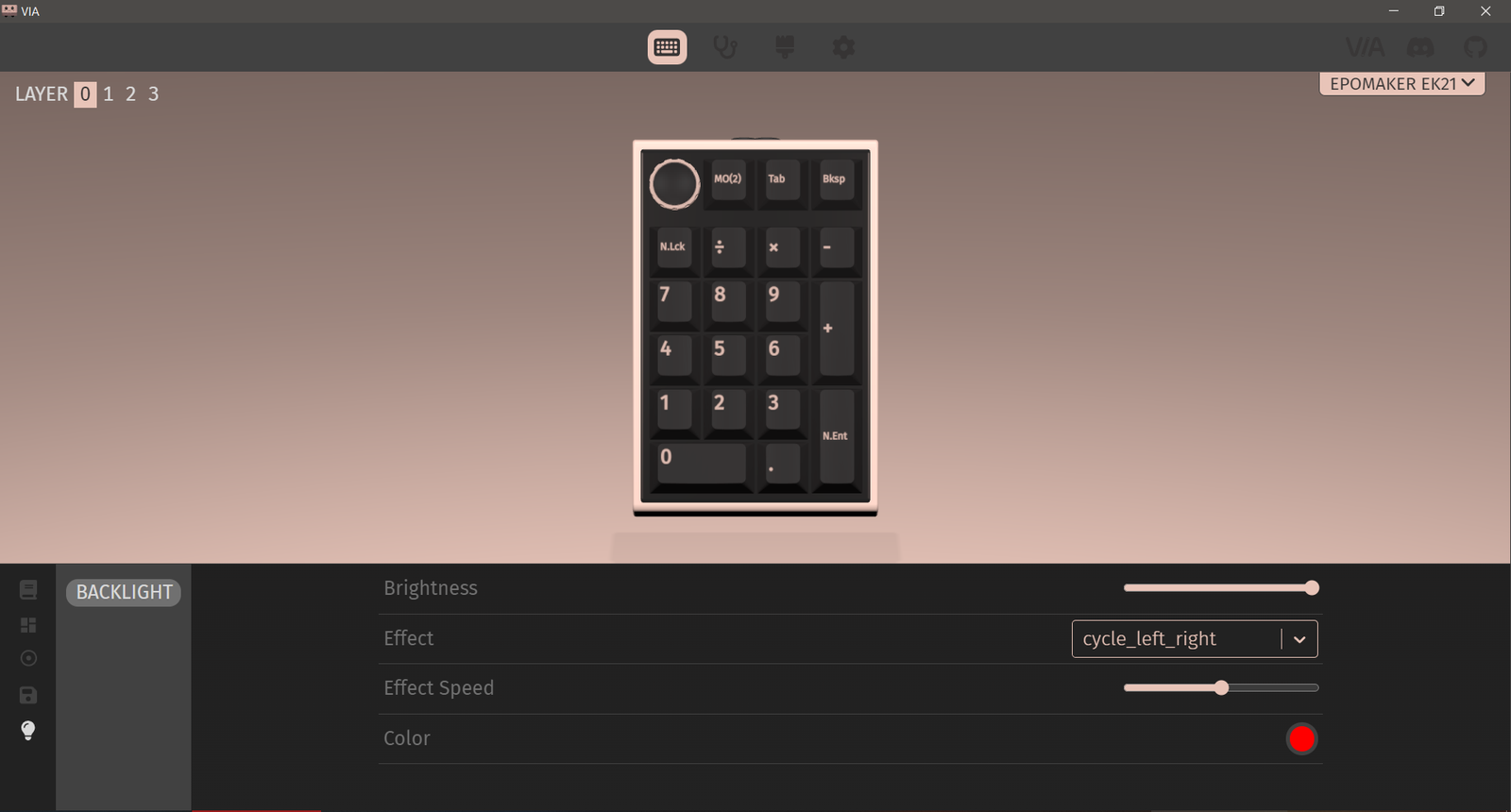
After the JSON file is active, VIA allows real-time edits without restarting the software. You can remap keys, create macros, and adjust RGB lighting with immediate feedback. All settings are saved to the EK21’s onboard memory, ensuring your custom layout stays consistent in both wired and wireless modes. This is helpful for users who move between devices or need dedicated profiles for work and gaming. The overall VIA experience complements the EK21’s compact design, giving it flexibility that fits a wide range of tasks.
How to Enter DFU (DEVICE FIRMWARE UPDATE) Mode
Entering DFU mode on this keyboard is a simple but important step for users who plan to update the firmware or load custom layouts. After disconnecting the keyboard, hold the FN key and reconnect the cable to activate DFU mode, which is confirmed when QMK Toolbox shows “Device connected.” It’s best to keep only one keyboard connected during this process to prevent conflicts, and avoiding any movement or key presses ensures the update runs without interruption.
Battery Performance
The EPOMAKER EK21 Numpad delivers reliable battery endurance with its 1000mAh capacity, offering enough power for extended use across wireless setups. With RGB lighting enabled, it can run through several days of regular activity before needing a recharge. Turning off the lighting provides a noticeable boost in longevity, making it suitable for users who prefer longer intervals between charges. Recharging via USB-C is quick, and the numpad remains usable in wired mode during charging.
During everyday testing, the performance remained consistent across different wireless modes. Using 2.4 GHz for a couple of hours each day with RGB active kept the battery drain predictable. Switching to Bluetooth while disabling the backlight can nearly double the total usage time, giving users flexibility to prioritize either visuals or efficiency. This makes the EK21 a dependable option for work desks, portable setups, and multi-device workflows.
EPOMAKER includes a clear battery check function for monitoring charge levels. Holding FN +. turns off the backlight and lights up keys 0–9 to represent battery percentage in 10% steps. The indicator system is equally easy to read: a flashing red Fn key signals low battery, a solid red Fn key during wired use confirms charging, and a green Fn key indicates a full charge. These cues make it simple to keep track of power status throughout daily use.
Use Experience
Using the Epomaker EK21 consistently for two weeks gave a clear picture of how it performs in daily tasks. When paired with compact keyboards, the numpad filled an important gap, especially during frequent number entry or spreadsheet work. Its lightweight frame made it easy to reposition around the desk, and the 20-key layout remained comfortable during long sessions. The aluminum knob proved practical for quick volume changes, offering smooth control that blended well into regular use. Even after extended hours, the overall structure felt reliable, showing no wobble or loose keys.
The typing feel stayed consistent throughout the testing period. The gasket-mounted structure, combined with the pre-lubed Zebra switches, resulted in soft, cushioned keystrokes that helped reduce fatigue. The sound profile leaned toward the quieter side, making it suitable for office and late-night environments. The PBT keycaps kept their texture without collecting shine, and the legends stayed crisp during everyday tasks. RGB lighting was bright enough for low-light environments and contributed to easy key visibility without being disruptive.
Connectivity performance was steady across all three modes. The 2.4GHz wireless connection worked well during tasks that required quick input, maintaining responsive behavior close to wired use. Bluetooth switching between a laptop and tablet was smooth, with fast reconnection times after sleep mode. The battery held up well with mixed use; with RGB set to medium brightness for a few hours a day, the numpad lasted over a week before requiring a recharge. Turning off the lighting extended usage significantly. VIA software added meaningful flexibility, allowing custom shortcuts for productivity apps and editing tools, which helped the EK21 adapt to different workflows over the two-week period.