Epomaker has long been known for its keyboards, but the company is now expanding its lineup with the CarbonX Mouse, a new flagship mouse aimed at both gamers and professionals. The CarbonX brings together lightweight engineering, advanced sensors, and versatile connectivity in a single package. With a carbon fiber shell that weighs just 50 grams, it is designed for comfort and control during long hours of use while keeping a solid and durable structure.
The CarbonX uses a PAW3950 sensor and Nordic MCU, capable of an 8,000 Hz polling rate for rapid input response and smooth cursor tracking. It features Omron optical switches on the main buttons, ensuring crisp and consistent clicks during long sessions. The mouse supports tri-mode connectivity, offering wired, 2.4GHz wireless, and Bluetooth options for flexibility across multiple devices. Epomaker’s choice to include online customization through its web-based software makes adjustments simple without requiring extra downloads.
After two weeks of daily use across gaming and work, the CarbonX shows that Epomaker’s experience in peripheral design extends smoothly into the mouse category. It performs well across different surfaces, maintains stable wireless performance, and feels balanced in hand. The CarbonX marks a strong entry into the gaming mouse market, combining performance, comfort, and reliability in a clean and lightweight design.
Specifications
| Specification | Details |
|---|---|
| Model | EPOMAKER Carbon X |
| Case Material | Carbon Fiber Shell |
| Connection | Tri-Modes (2.4GHz Wireless, Bluetooth, and USB-A to USB-C Cable) |
| DPI | 7 stages adjustable at 400, 800, 1600, 2400, 3200, 5000, and 30000 |
| IPS (Inches per Second) | 750 IPS |
| Acceleration | 50g |
| CPI | 30000 |
| FPS | 20000 |
| Sensor | PAW3950 |
| LOD (Lift-off Distance) | 0.7mm, 1mm, 2mm |
| Polling Rate & Report Rate (2.4G or USB Mode) | Default 1000Hz (7-stage adjustable at 125Hz, 250Hz, 500Hz, 1000Hz, 2000Hz, 4000Hz, 8000Hz) |
| Polling Rate / Report Rate (Bluetooth Mode) | 125Hz |
| Latency (Cable) | 0.35ms |
| Latency (Bluetooth 3.0 / 5.0) | 10ms |
| Latency (Wireless 2.4G) | 0.4ms |
| Battery | 300mAh |
| Compatible OS | Windows / Mac / Linux |
| Software | Online software (recommended to use a Chrome-based browser for full functionality; other browsers may have compatibility issues) |
| Size | 11.8 × 6.22 × 3.96 cm |
| Weight | About 50g |
Unboxing
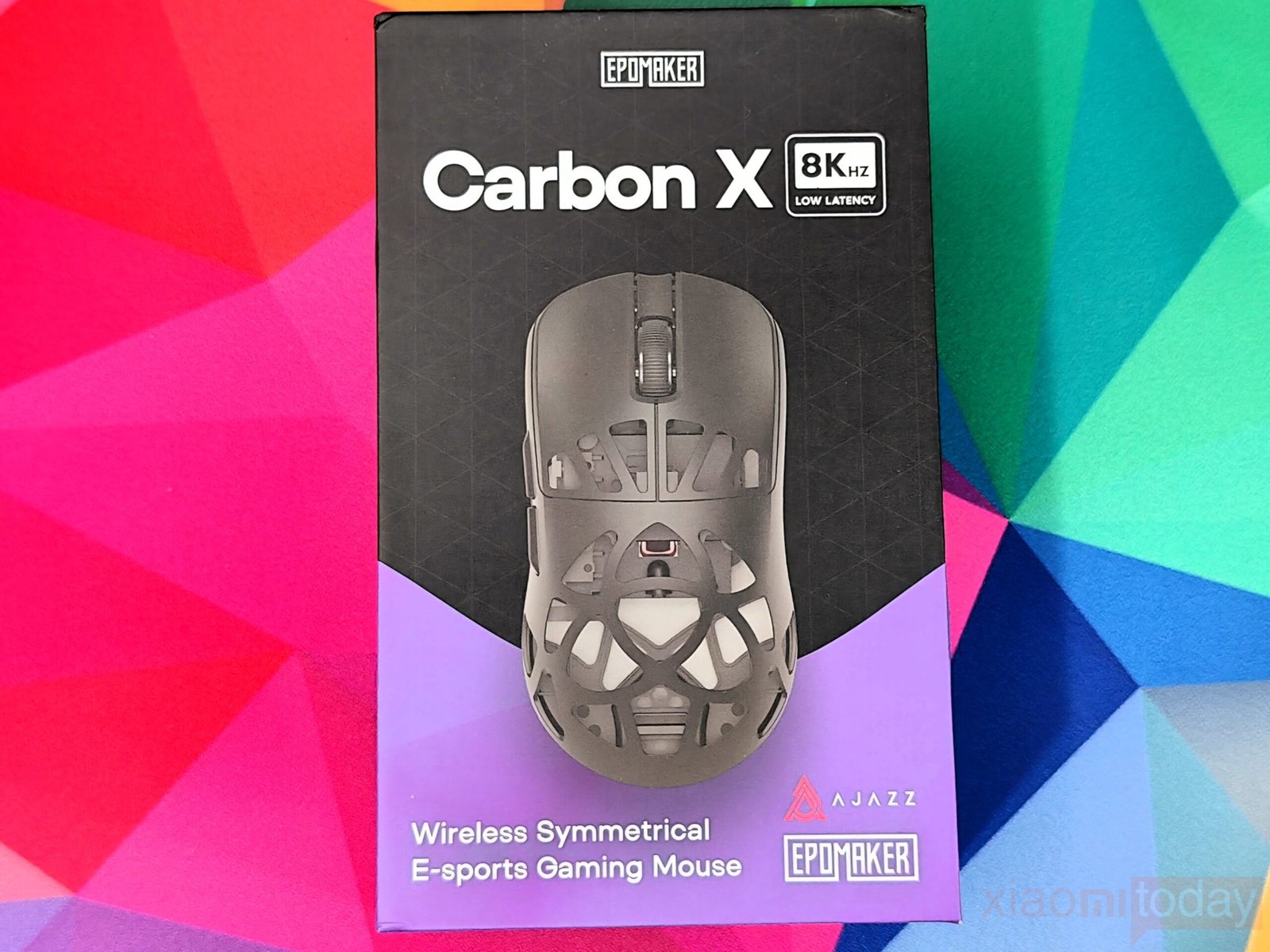
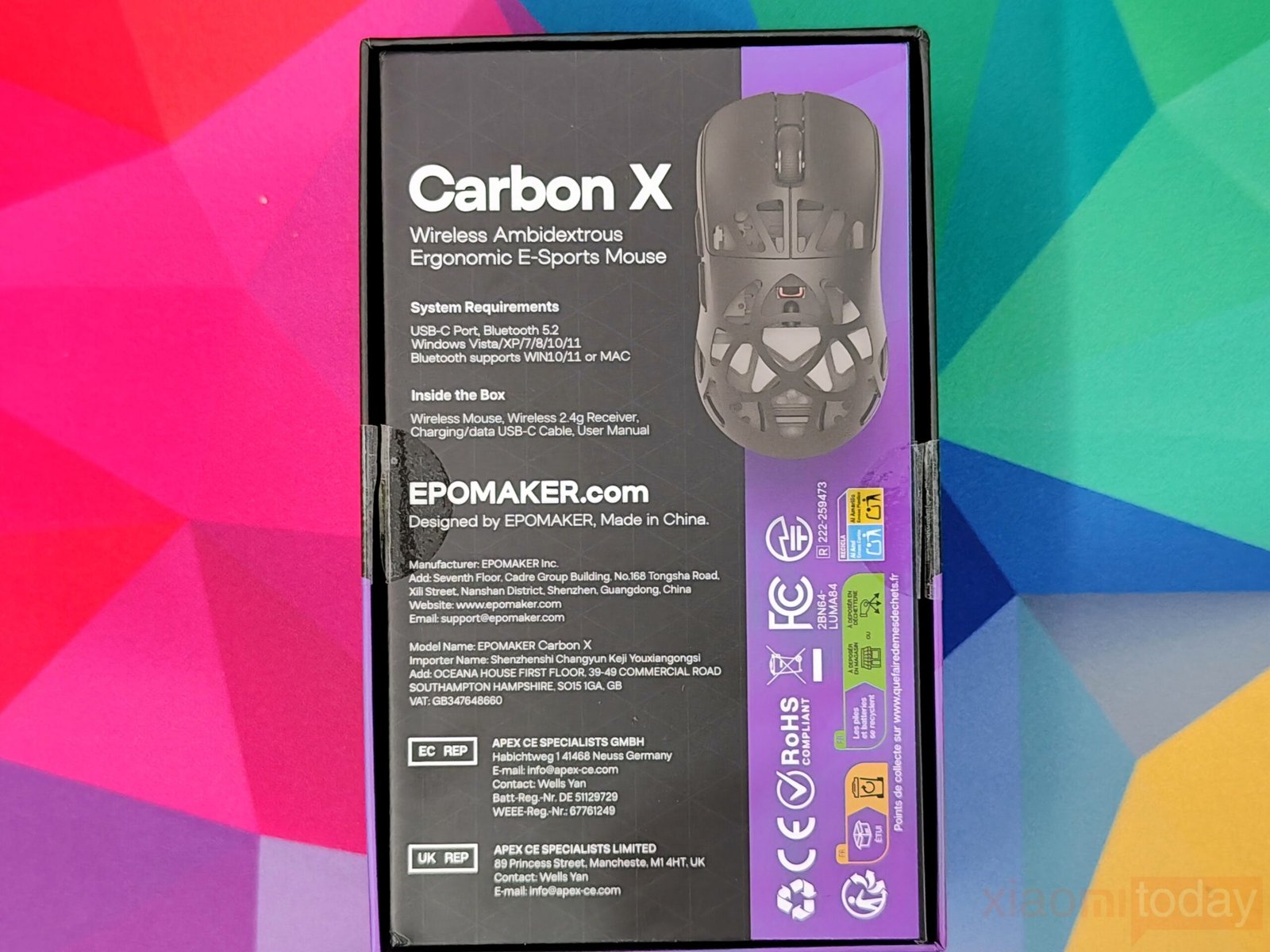
The Epomaker Carbon X 8KHz box has a clean look with the mouse image at the center and the “8KHz Low Latency” badge highlighting its performance focus. The white “Carbon X” text and dual Epomaker and Ajazz logos give it a professional touch, while the purple strip adds a bit of color. On the back, the box shows the mouse design, system requirements, and package contents.
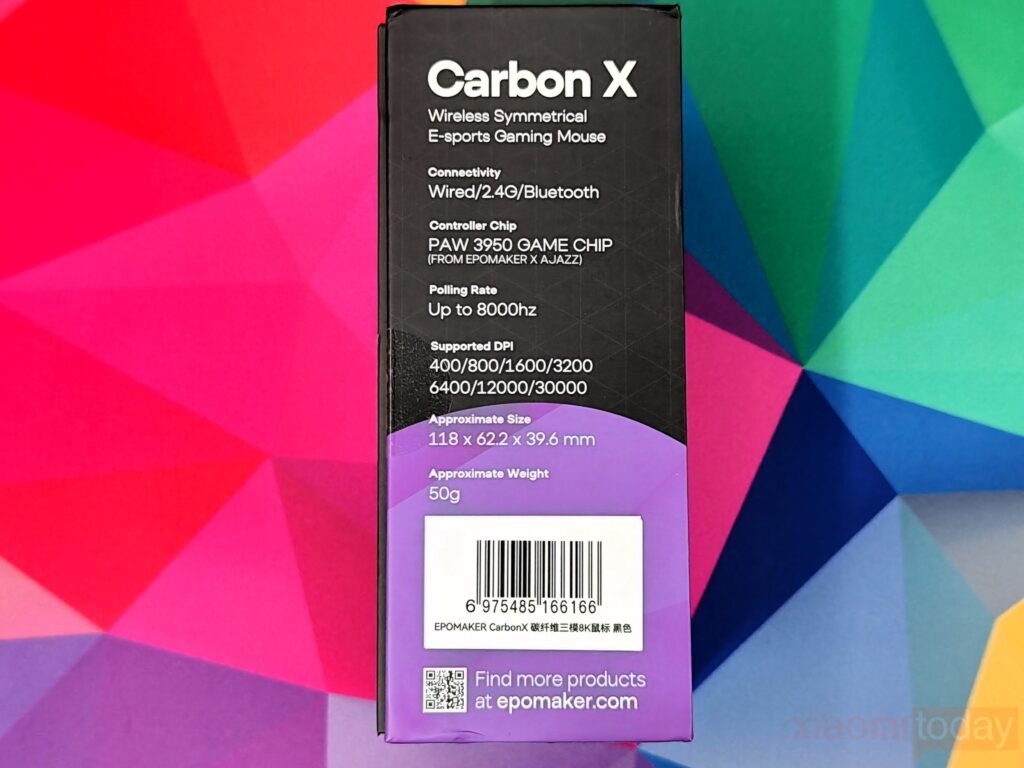

The right side lists connectivity options—wired, 2.4G, and Bluetooth—along with the PAW 3950 sensor co-developed by Epomaker and Ajazz. It also mentions the 50g carbon fiber build and 7-speed DPI adjustment. A “PLAY GAME WIN” graphic with a QR code adds a lively touch. The left side shows core specs, including an 8000Hz polling rate, 400–30,000 DPI range, and 118 x 62.2 x 39.6 mm dimensions, giving a quick overview of the mouse’s features.
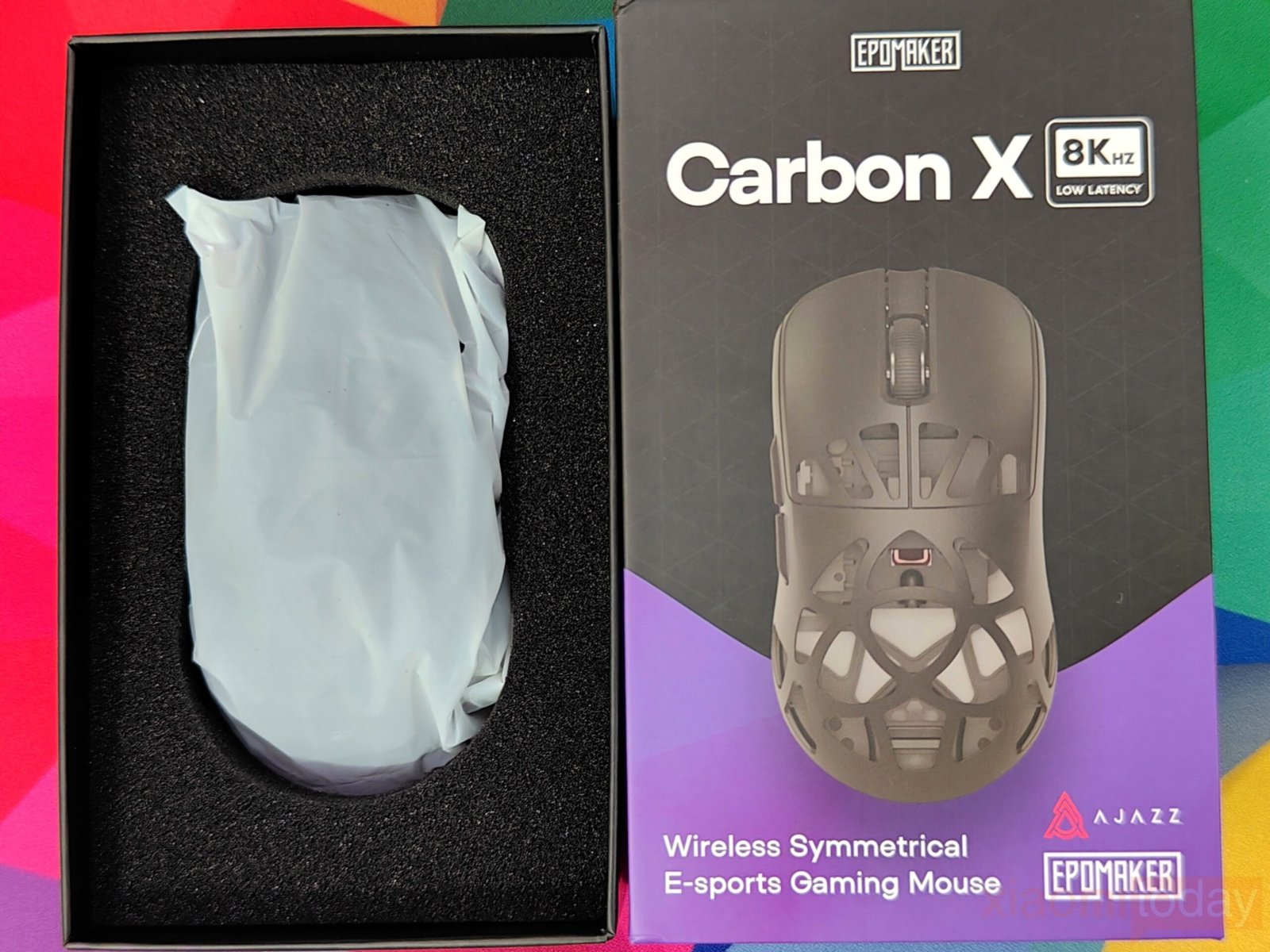
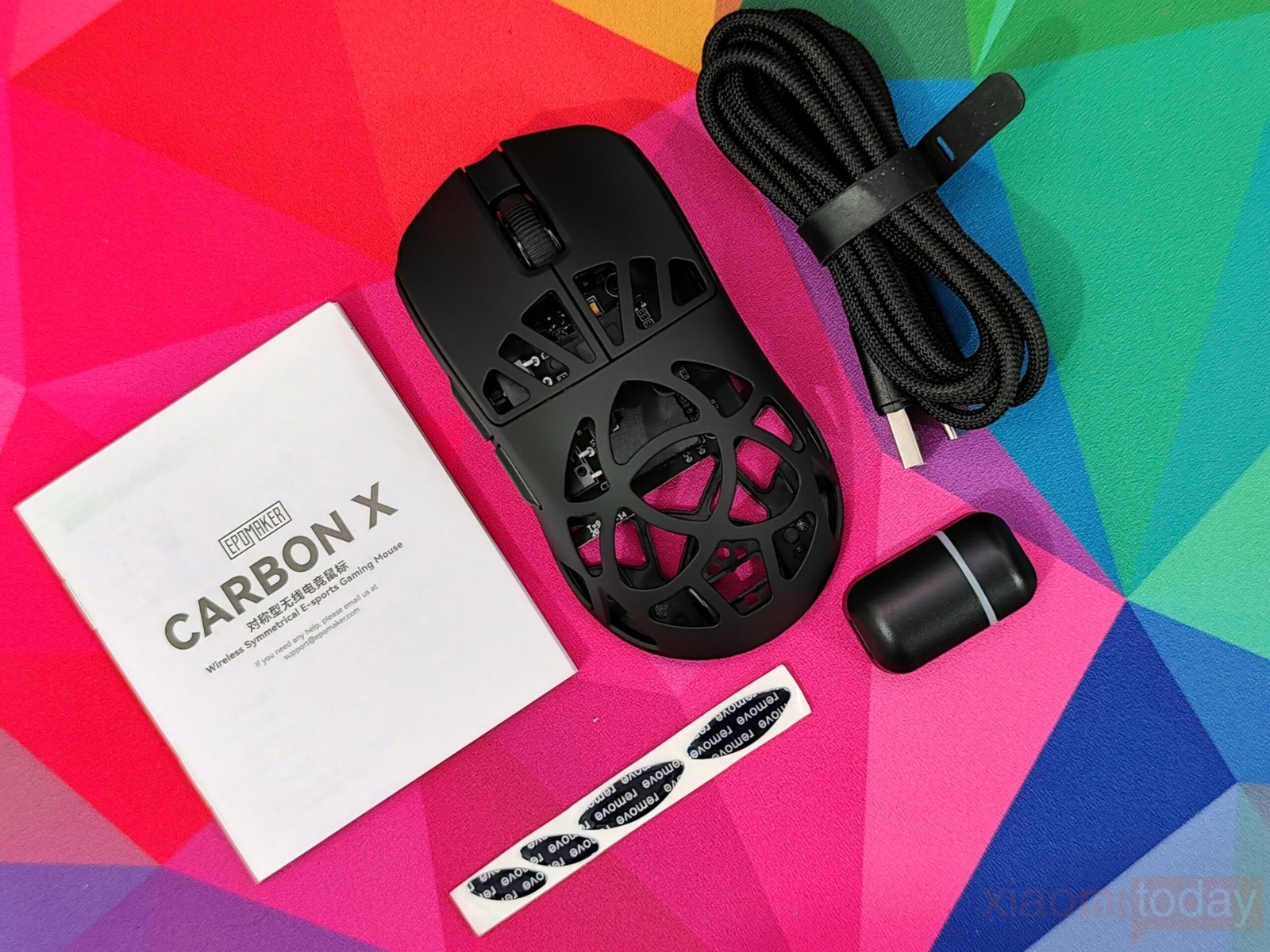
Inside the box, the Epomaker Carbon X mouse is packed in a plastic sleeve with foam for protection. It comes with a 2.4GHz 8KHz receiver, a Type-A to USB-C cable, spare skates, and a user manual. The packaging keeps everything secure and well-organized, showing good attention to detail.
Design
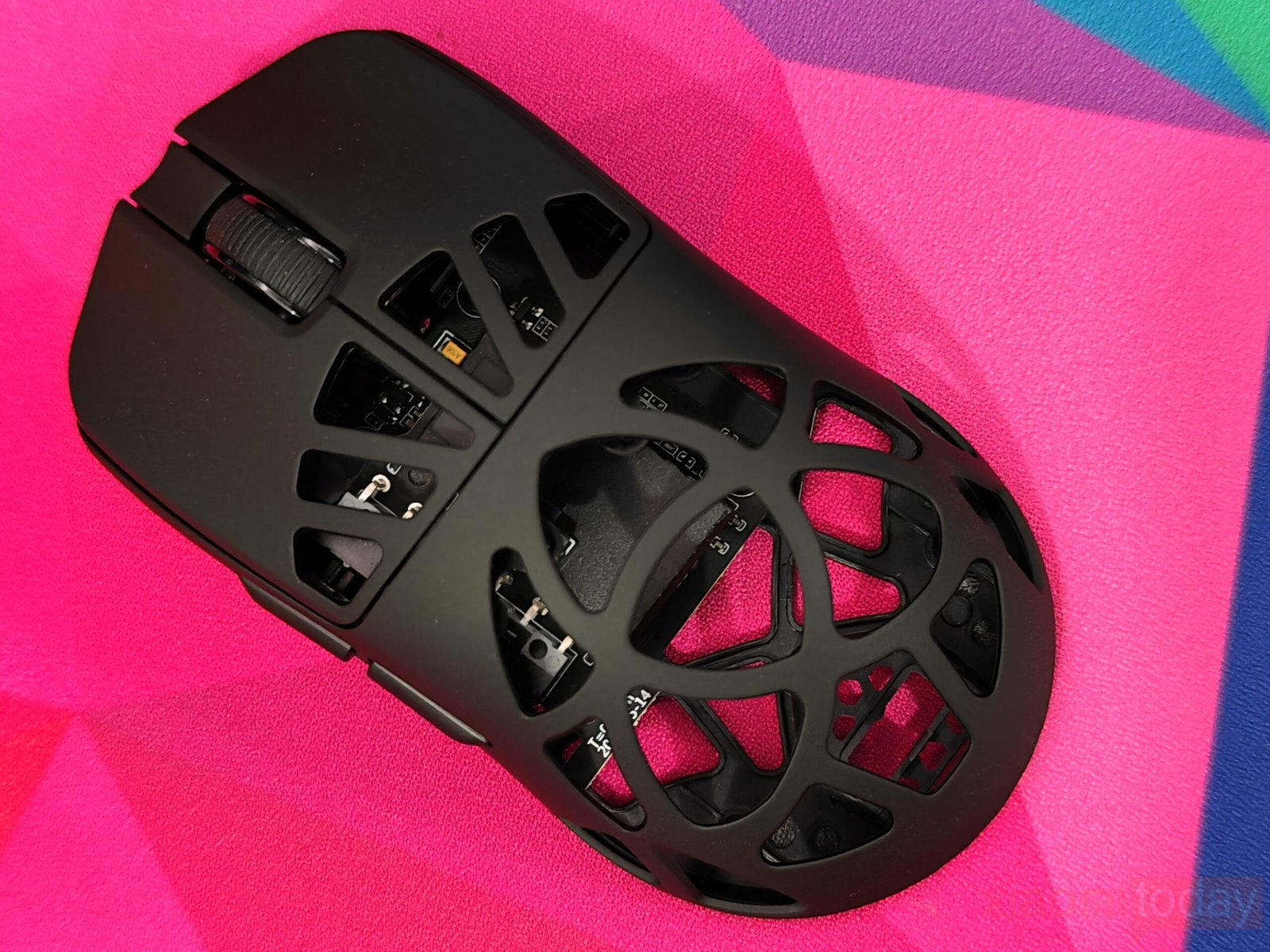
The CarbonX mouse focuses on comfort and control with a design that feels natural in use. Weighing around 50 grams and measuring 11.8 x 6.22 x 3.96 cm, it features a lightweight frame built around an open lattice shell that shows parts of the PCB and switches inside. The carbon fiber material gives it strength while keeping the body light, and the smooth black surface offers a pleasant grip during long sessions. Its shape supports the hand well, helping to reduce strain and maintain accuracy over time. This makes the Carbon X suitable for users who spend long hours gaming or working, where consistent movement and comfort matter most.
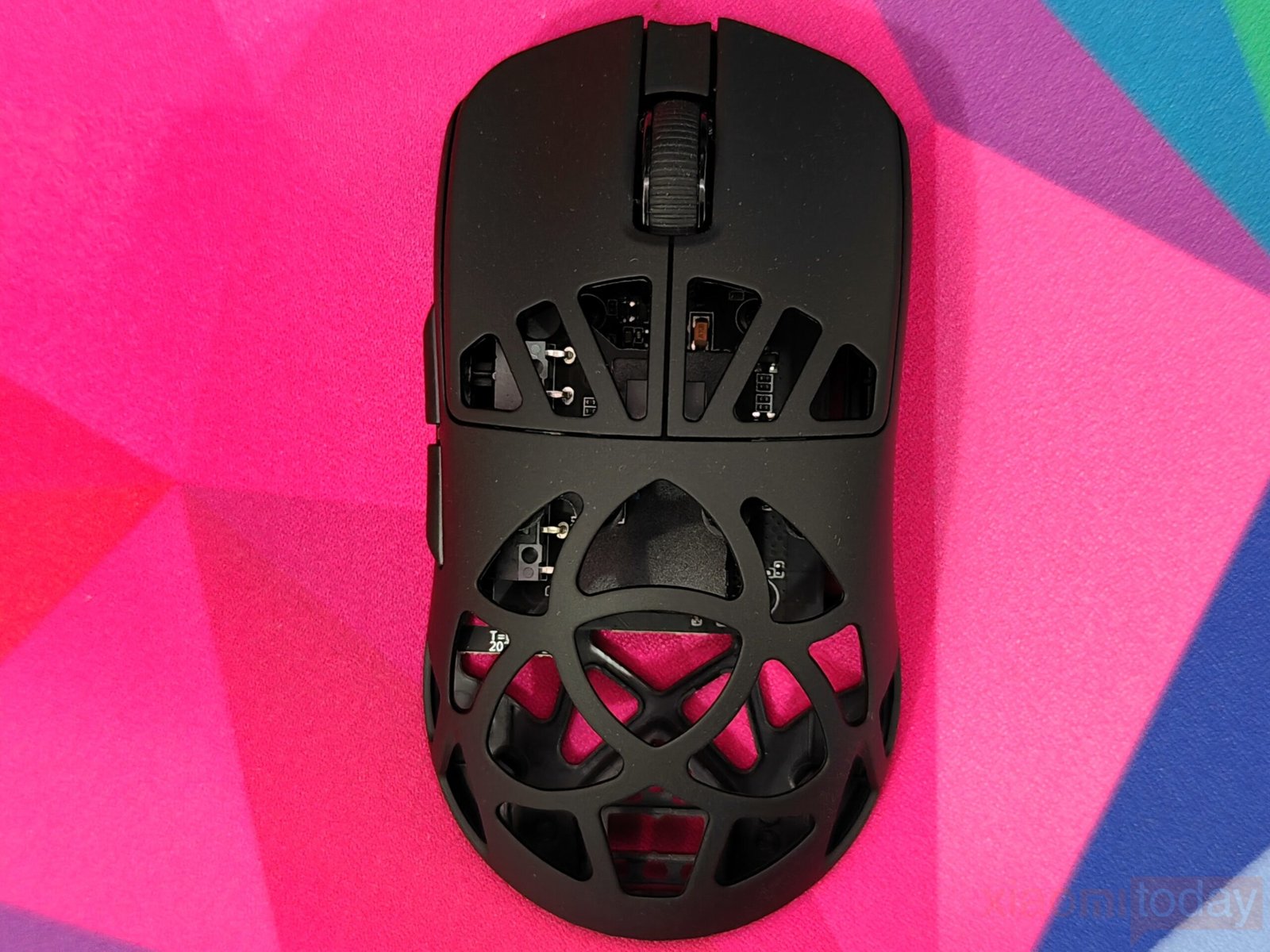
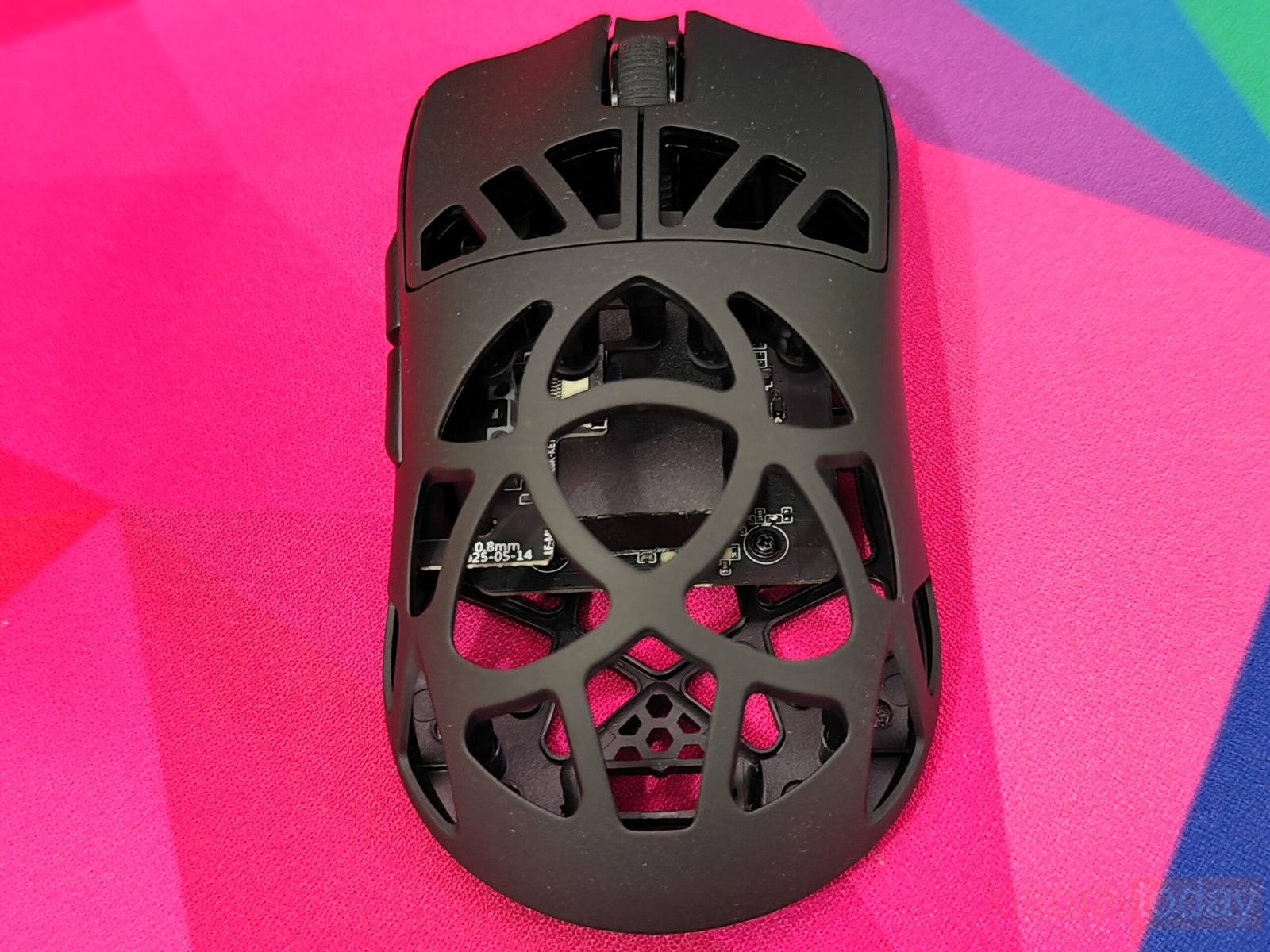
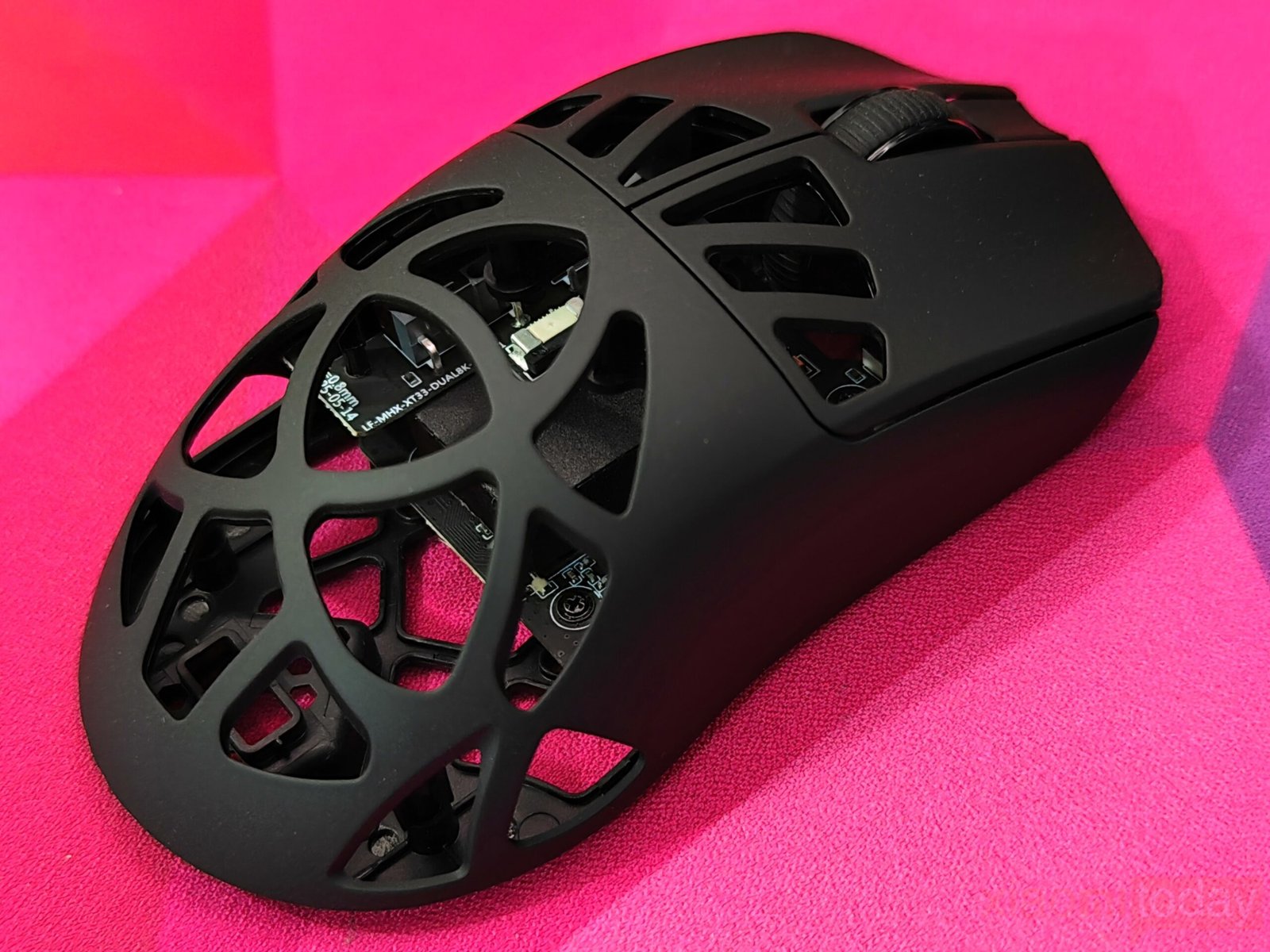
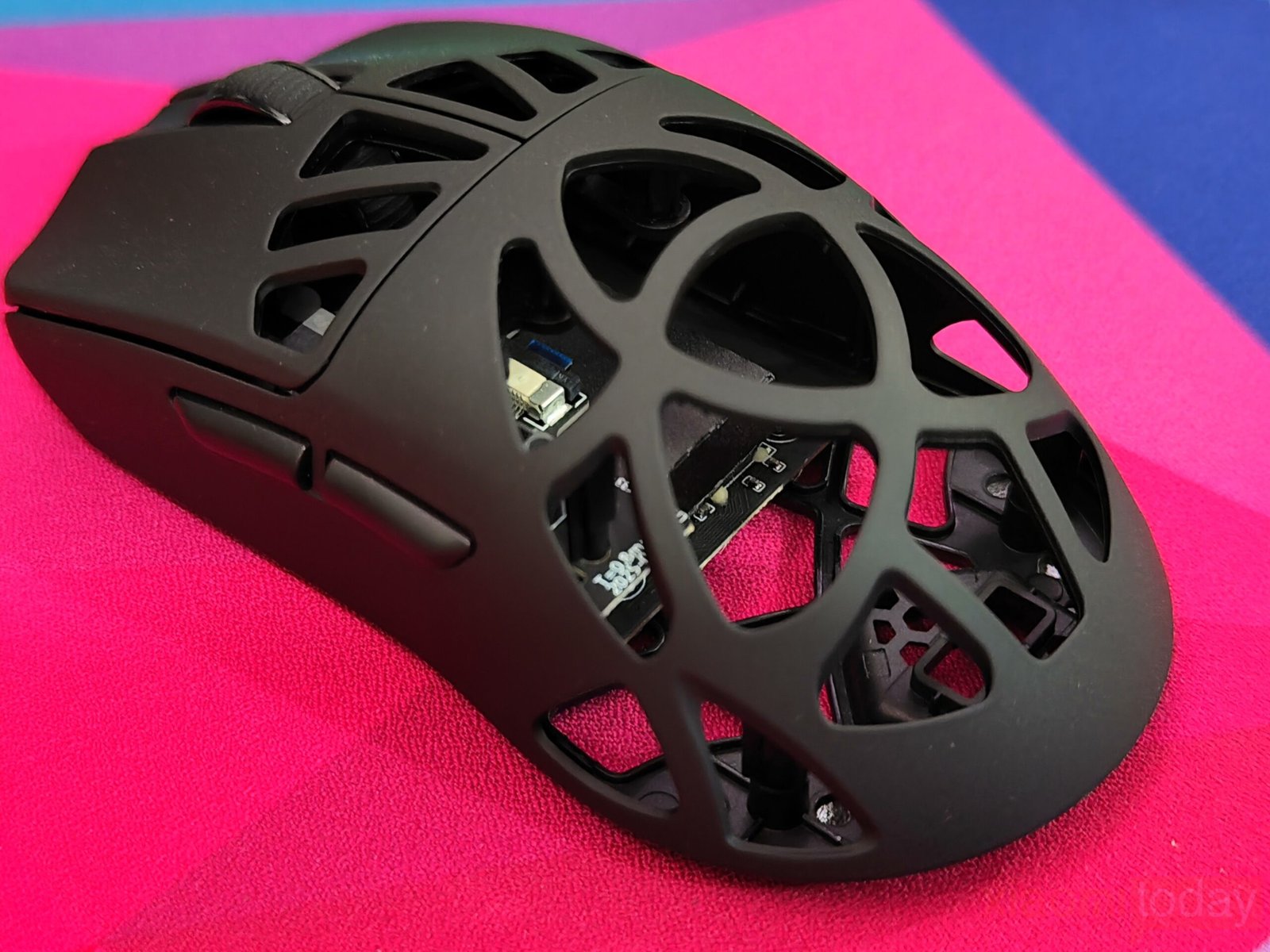
The mouse is designed with comfort and usability in mind, featuring an ergonomic shape that fits naturally in the hand. Its slightly asymmetrical form supports a relaxed grip, making it suitable for long hours of use. The upper shell has a lattice-style pattern with multiple cutouts that help reduce weight without affecting durability. Textured grips on both sides improve handling and control, offering a firm hold for the thumb and ring finger. The scroll wheel sits neatly in the center with a textured surface for accurate scrolling, while the side buttons are placed for easy access during use. With its lightweight frame and balanced design, the mouse provides a comfortable experience for different grip styles, whether palm, claw, or fingertip.
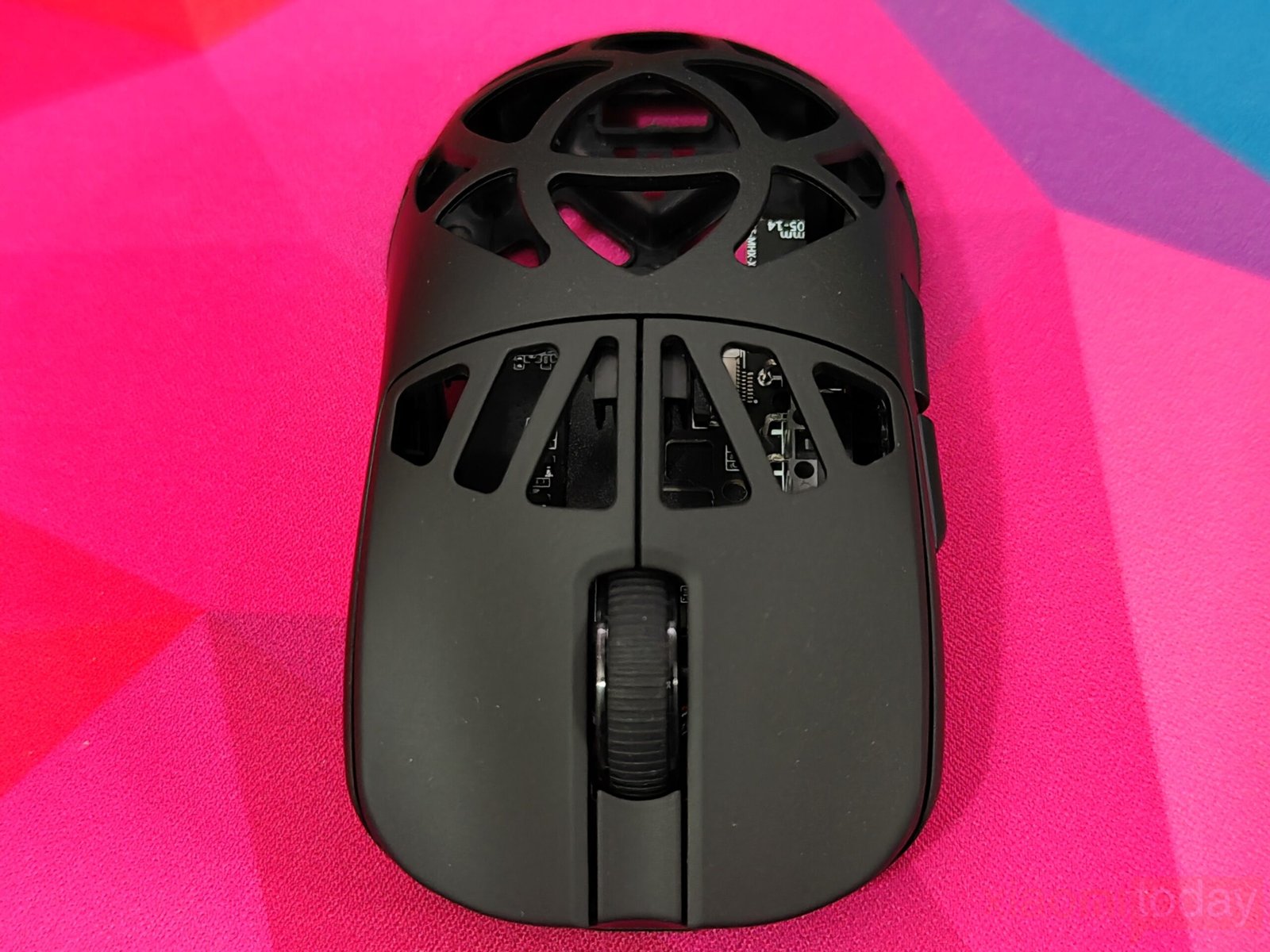
The left and right buttons use a honeycomb shell design that keeps the mouse light while improving ventilation during long sessions. Its curved shape slopes gently toward the front, allowing a natural finger position that helps reduce strain over time. The mouse uses Omron optical switches, though the specific model isn’t mentioned. In daily use, the clicks feel quick and well-tuned, with almost no pre-travel. Each press delivers a clean, tactile response with a balanced level of resistance, giving a consistent and comfortable feel for gaming or regular use.
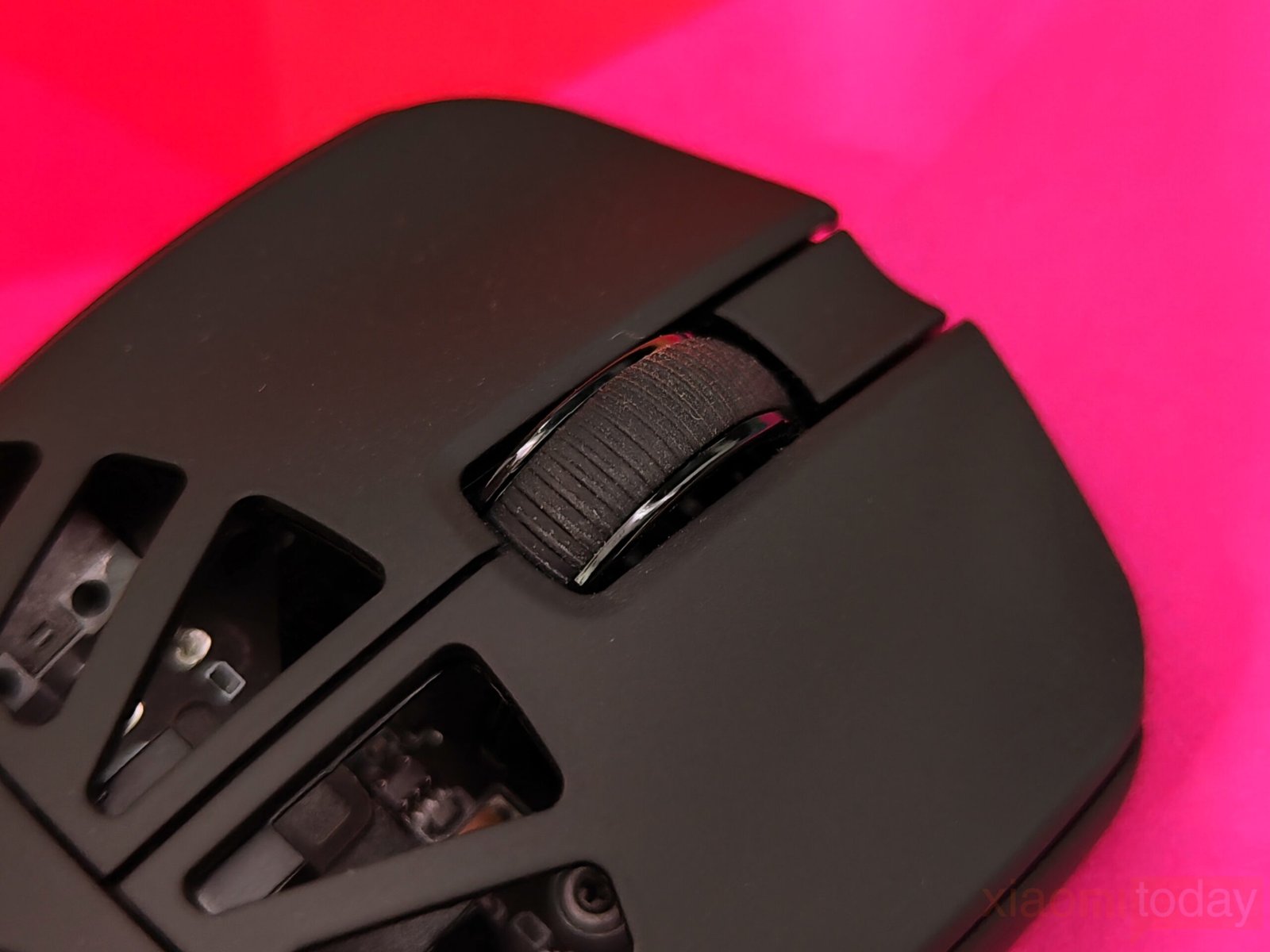
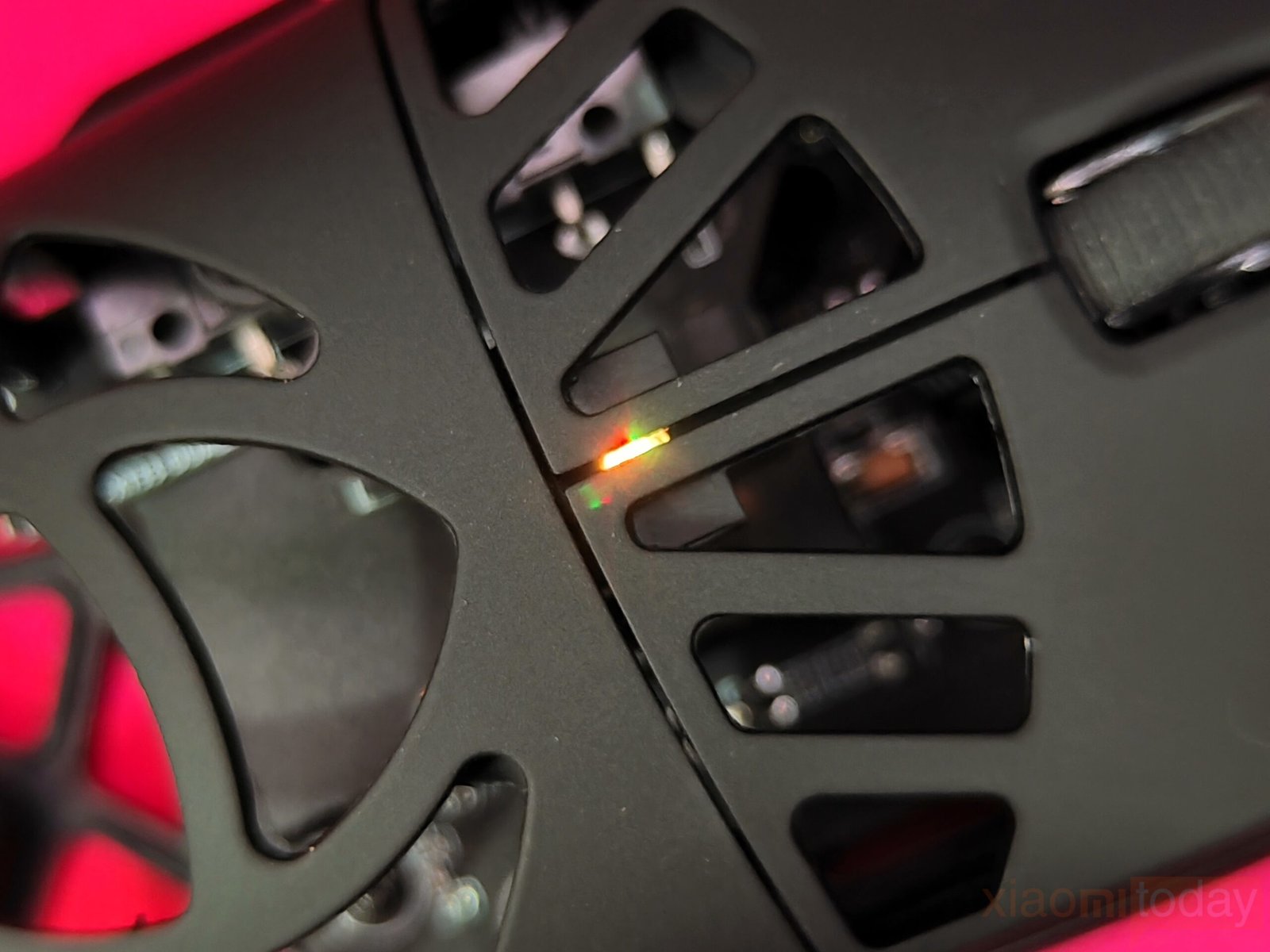
The CarbonX Mouse uses a rubberized scroll wheel with horizontal ridges that provide a firm grip and a consistent feel while scrolling. It moves smoothly with a balanced level of resistance, making it comfortable to use for long sessions. The wheel is supported by a well-calibrated micro-switch that gives a crisp click response without accidental inputs. At the center, an LED indicator can be seen through the honeycomb shell, showing power, battery status, and wireless connection in a simple, practical way.
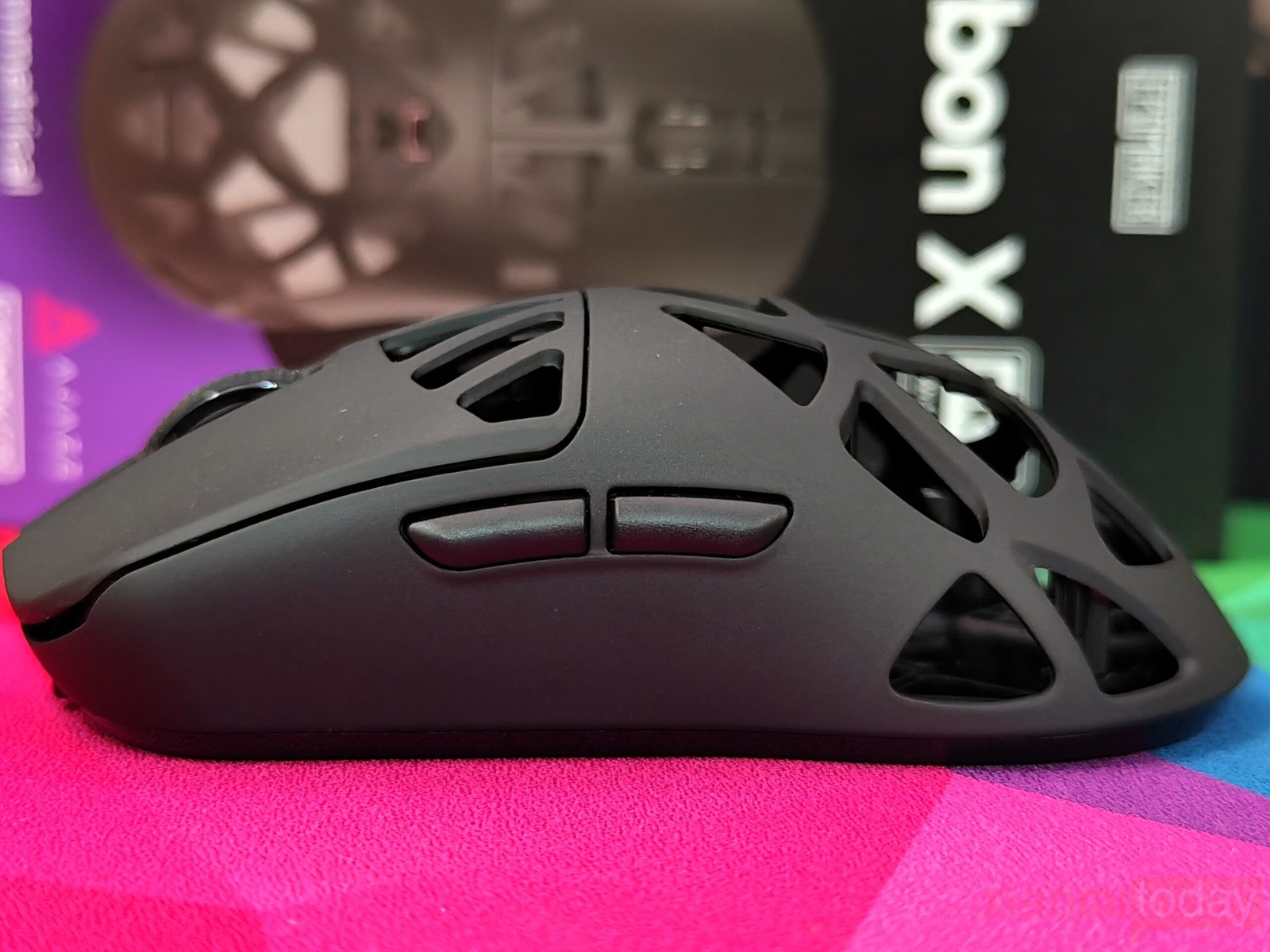
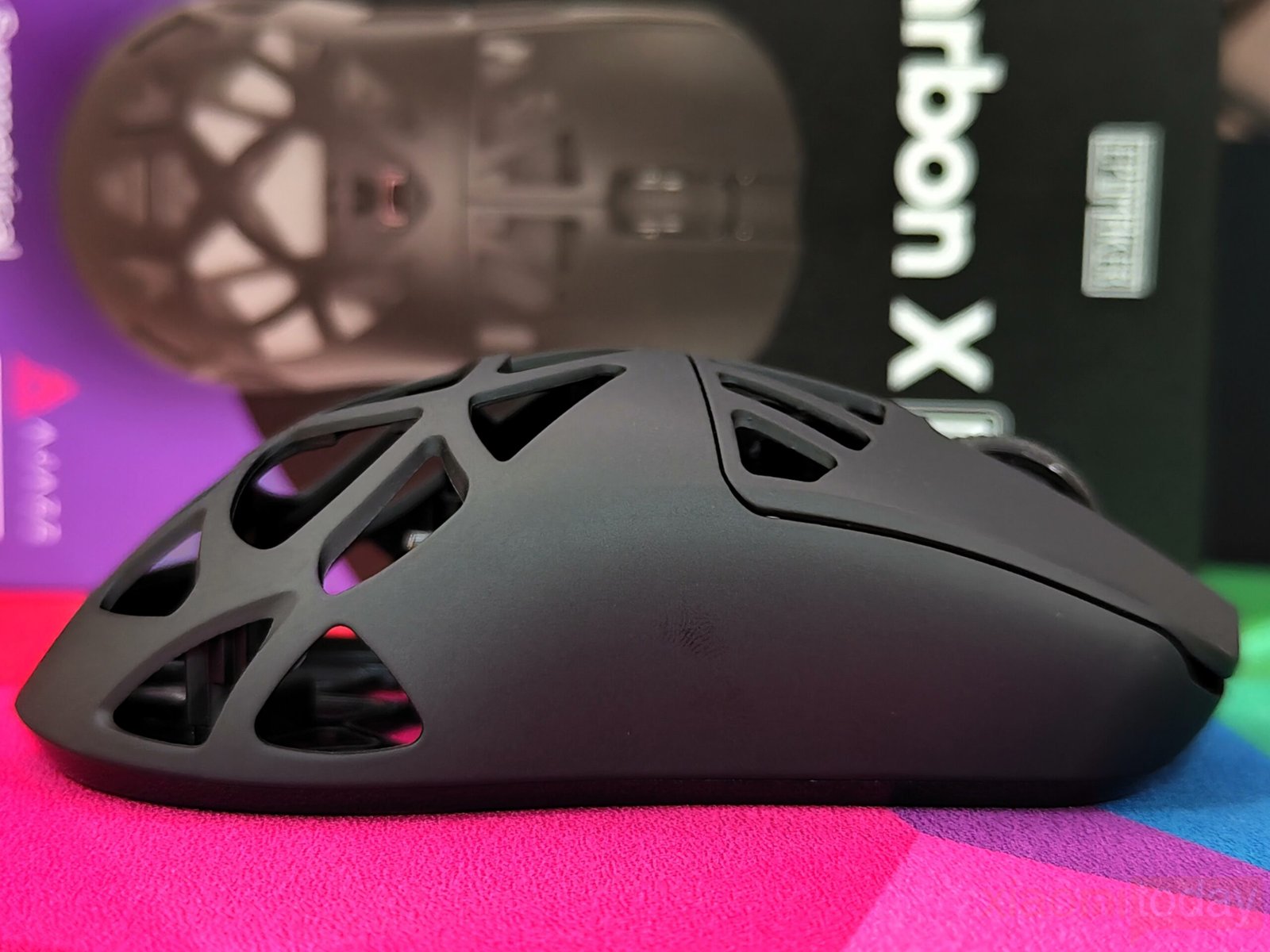
The left side of the mouse includes two side buttons placed within easy reach of the thumb. They are slightly raised, offering a firm and responsive click. The matte black finish matches the rest of the body, keeping the design simple and uniform. Toward the lower section, a honeycomb pattern improves grip and helps keep the mouse light. The curved shape of the panel allows the thumb to rest naturally, adding comfort and control during long hours of use.
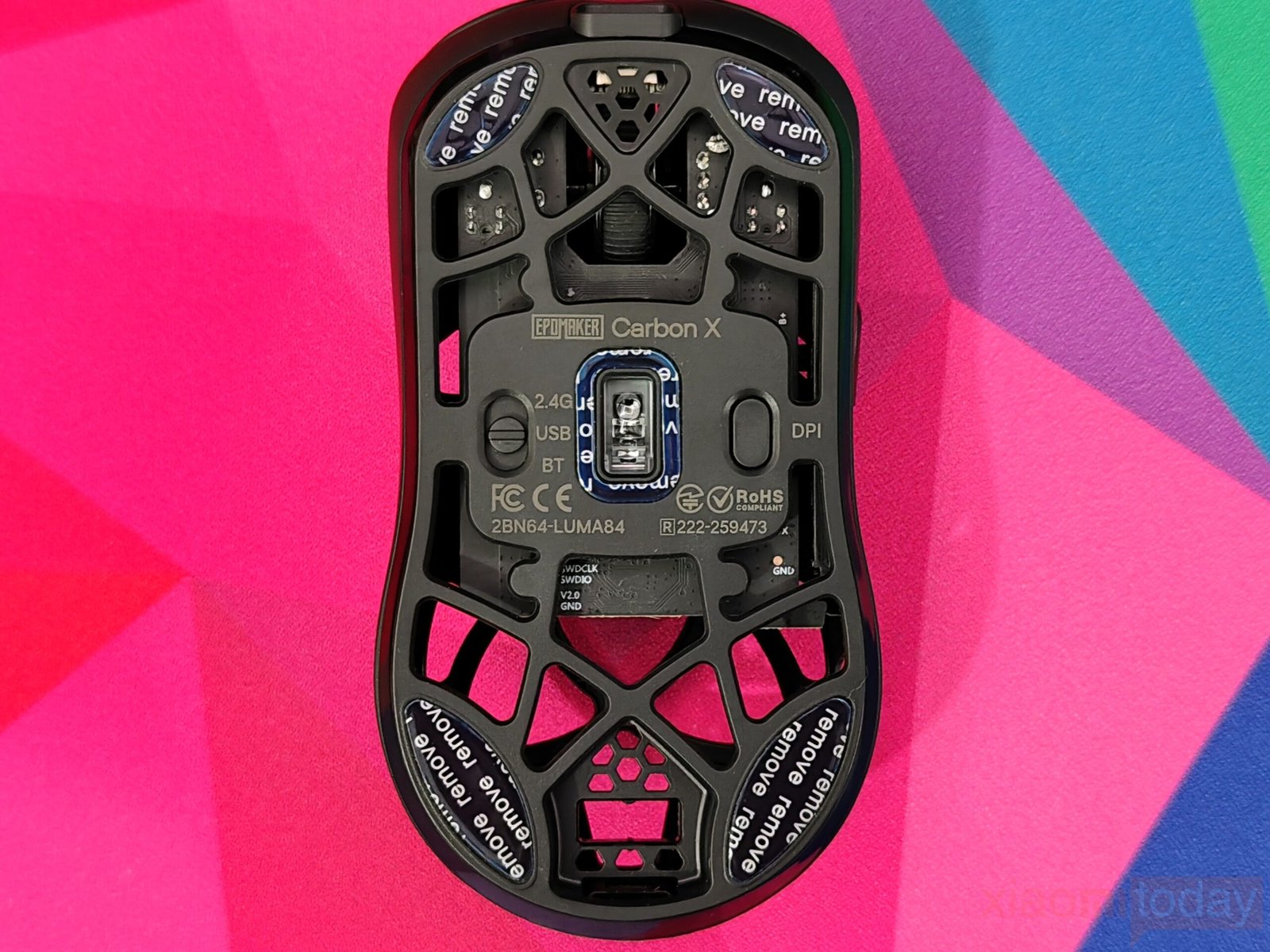
The bottom of the EPOMAKER Carbon X also uses a honeycomb shell that helps keep the mouse light and improves airflow. In the center, the optical sensor is placed for steady tracking, with clearly marked options for 2.4GHz wireless, Bluetooth, and USB modes around it. Each corner has PTFE skates that allow smooth movement on different types of mousepads.
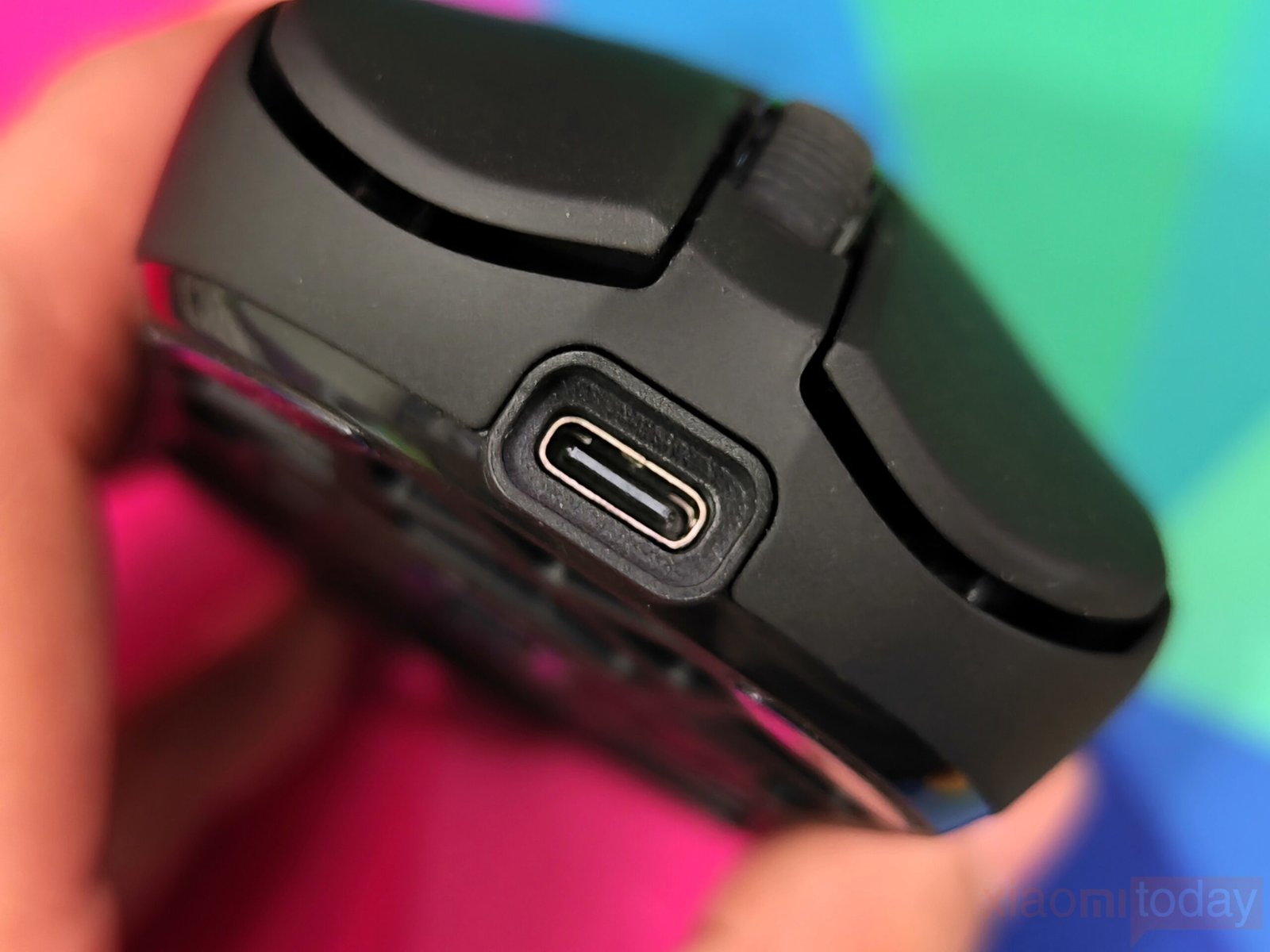
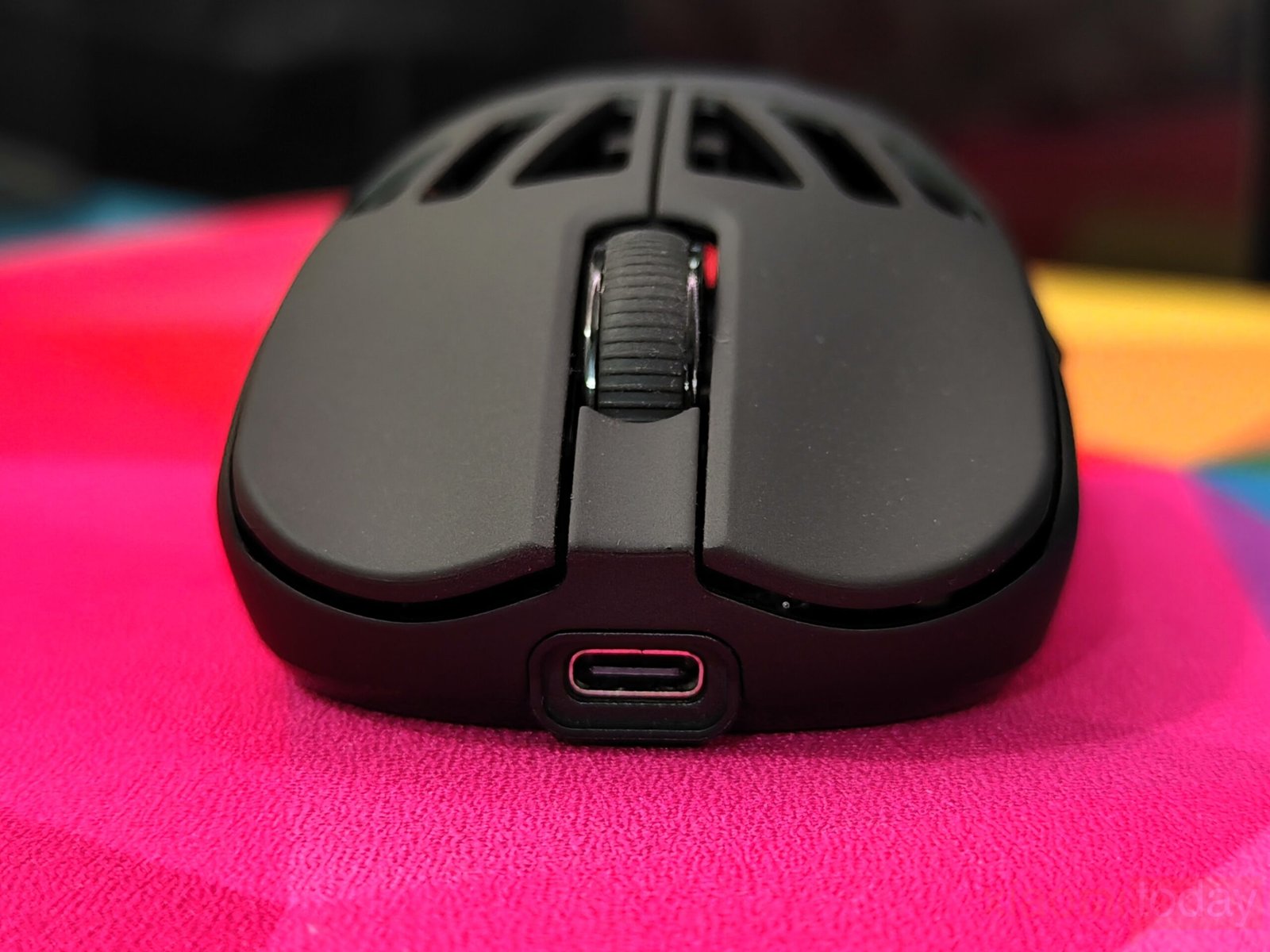
The USB Type-C port on the top allows the mouse to be charged easily while in use. When plugged in, it automatically switches to wired mode and activates the full 8000 Hz polling rate, ensuring quick and consistent response during use.
Epomaker’s 2.4GHz 8kHz Dongle
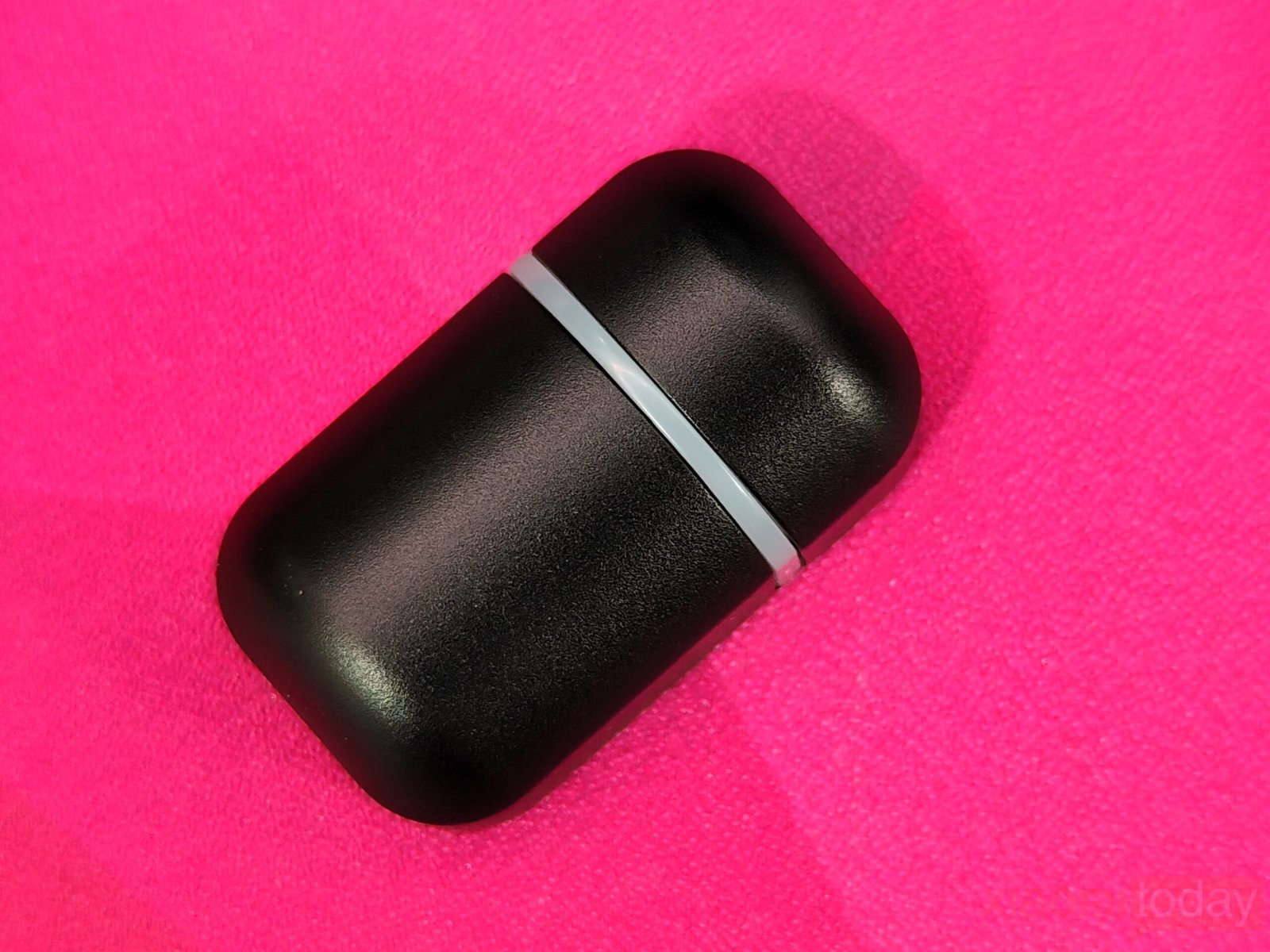
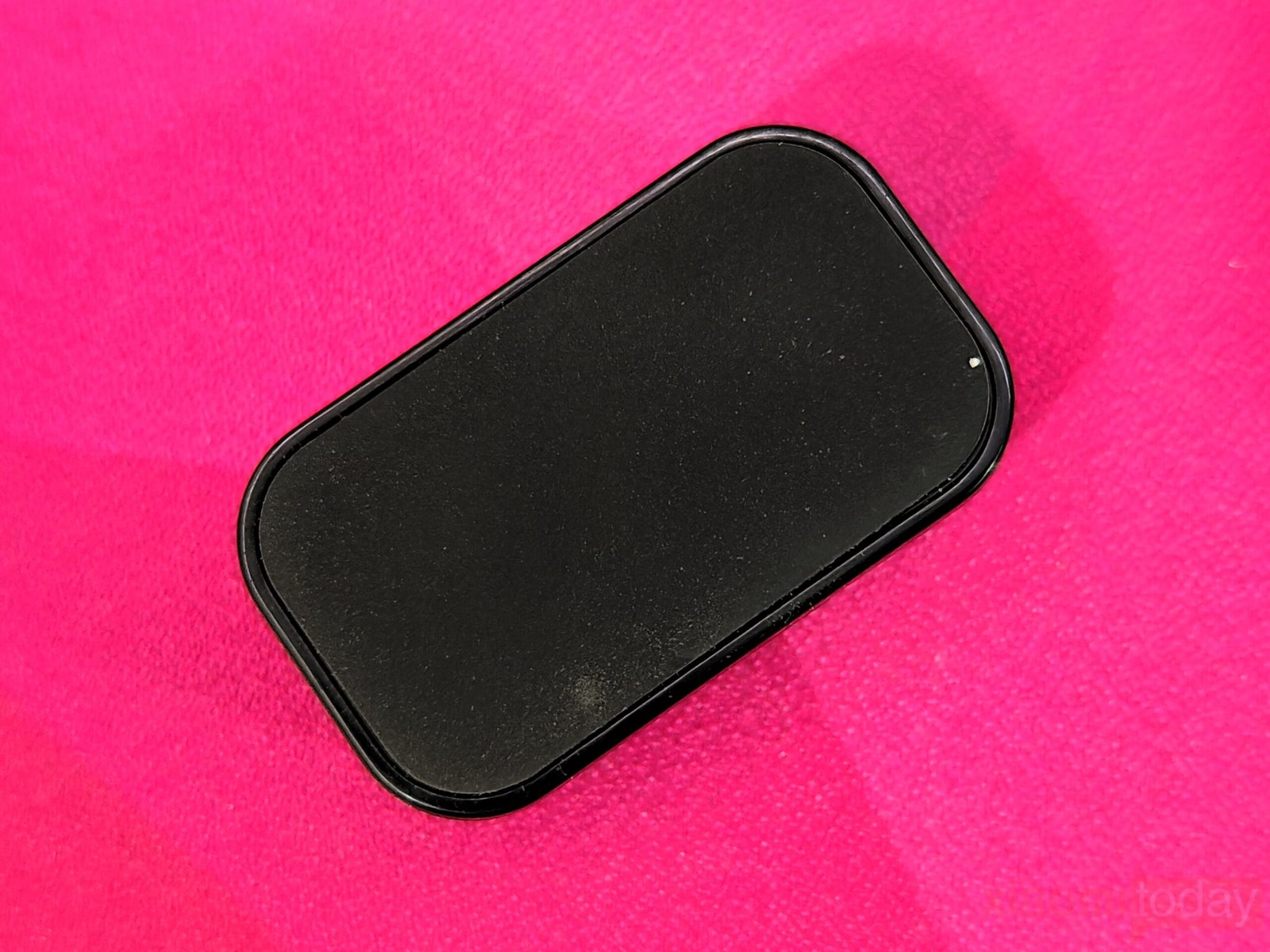
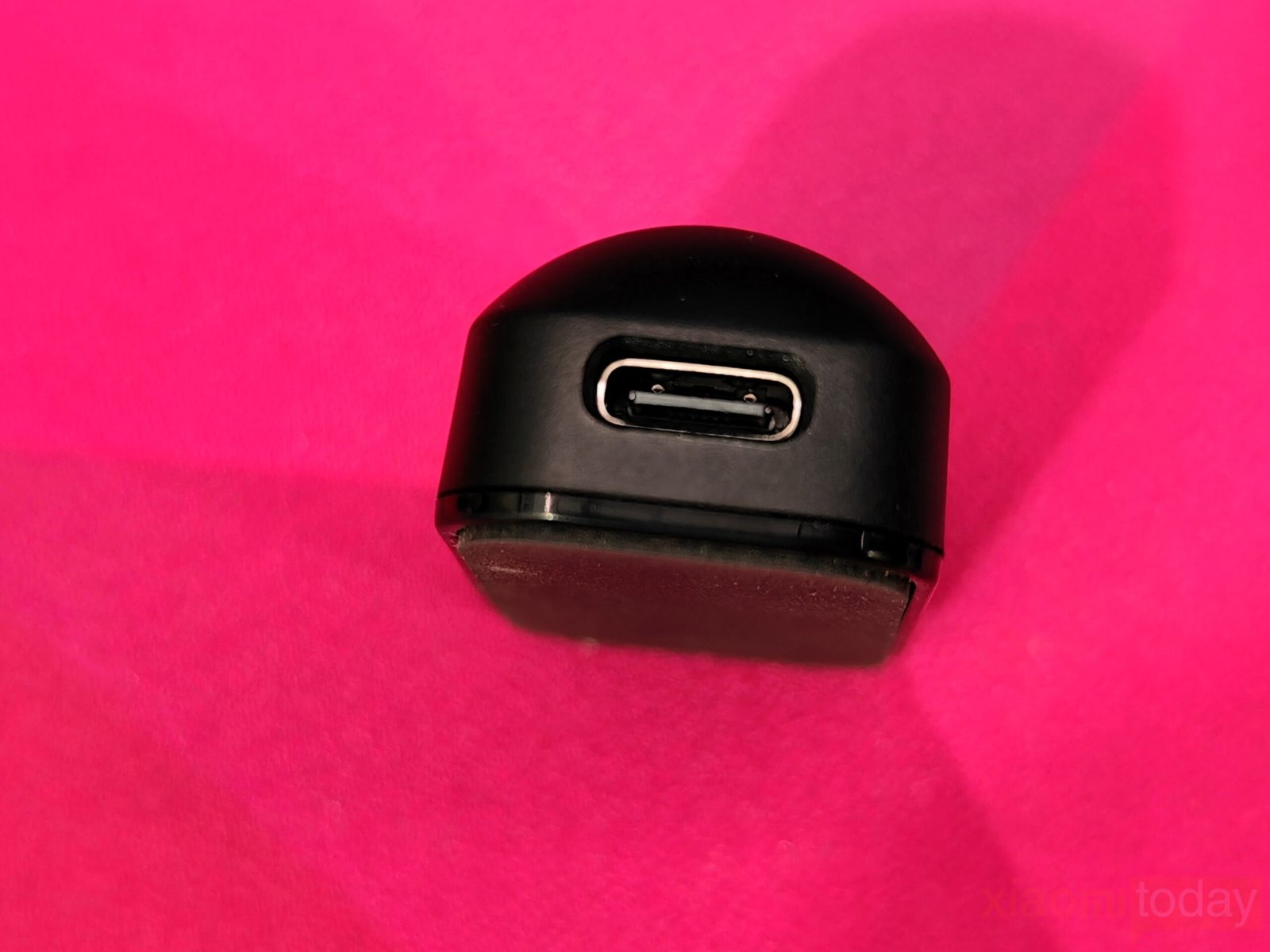
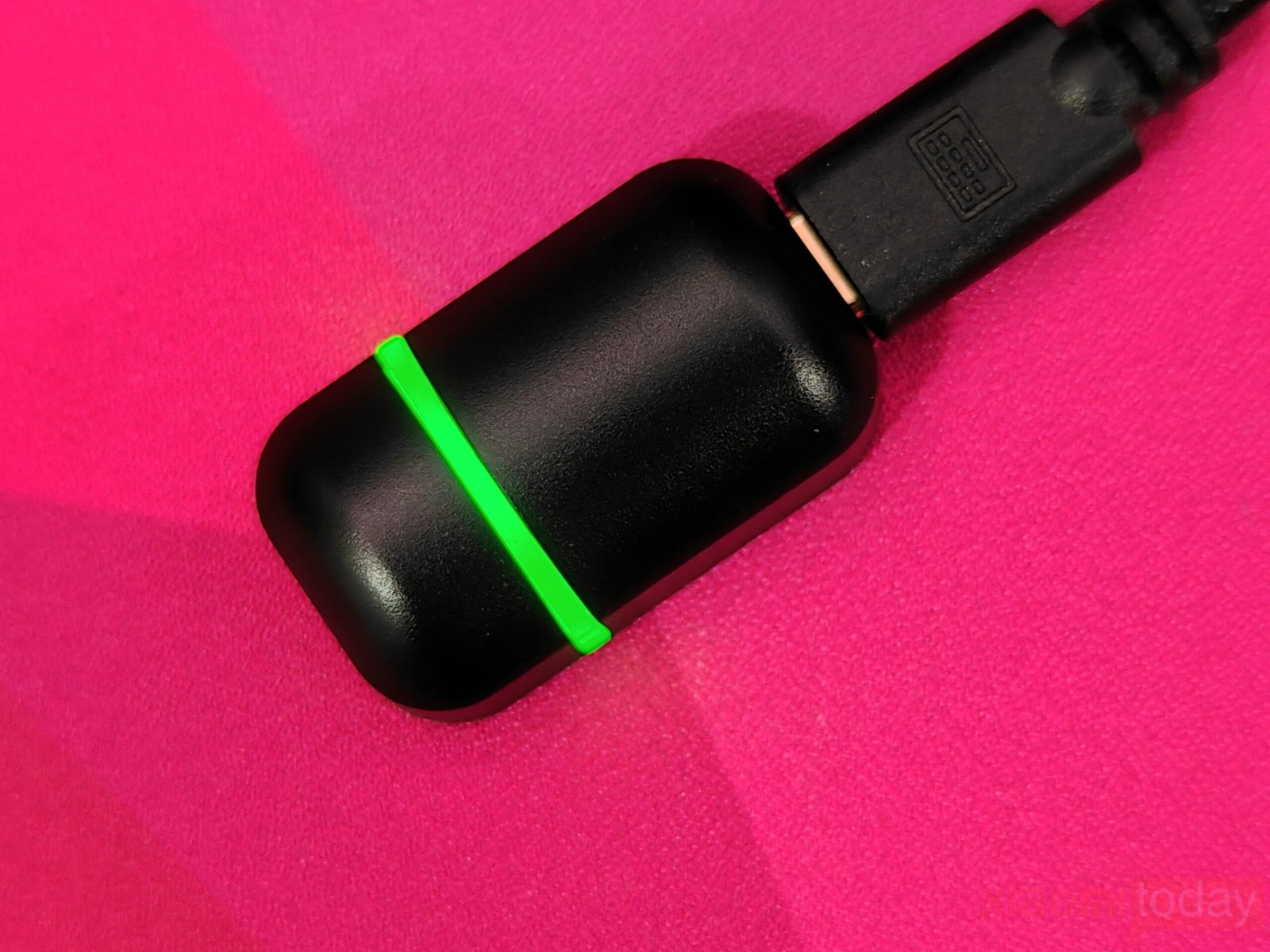
Epomaker’s 2.4GHz 8kHz dongle has a compact, well-built design made from matte black plastic with smooth edges that give it a refined feel. It’s about the size of a regular thumb drive, making it easy to carry and keeping desk space uncluttered. A subtle RGB ring around the center adds a bit of character and blends well with the overall look. The USB-C port on one end connects through a detachable USB-A to USB-C cable, allowing users to place the dongle closer to their setup for better reception and reduced signal drop.
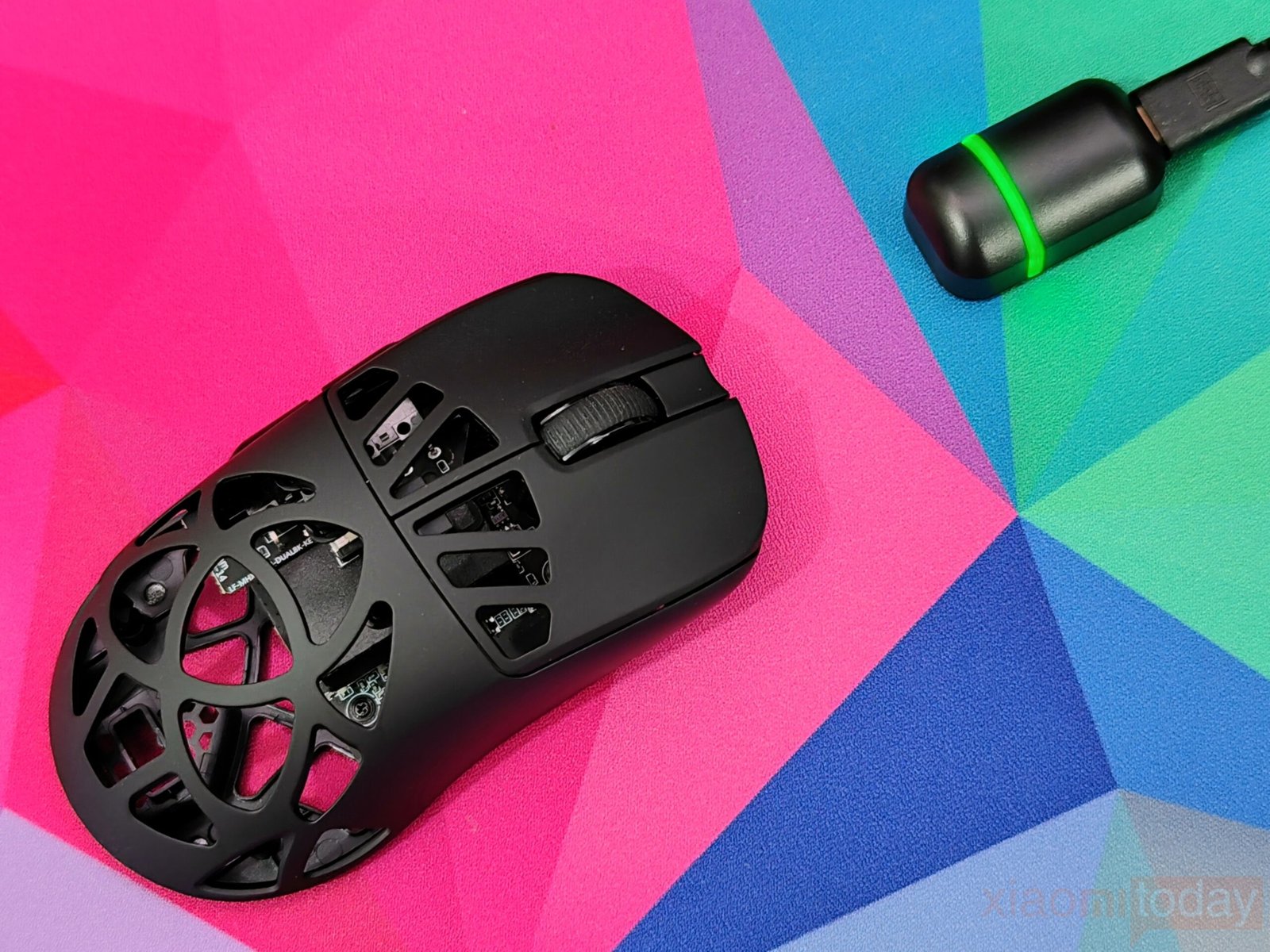
When the dongle connects, a soft green LED ring lights up, showing that it’s active and ready to connect. It offers adjustable polling rates up to 8000Hz, giving players a smoother and more responsive experience during fast movements. In 2.4GHz wireless or USB mode, the polling rate starts at 1000Hz by default but can be increased through the companion software for faster response. This allows for consistent motion tracking without lag or stutter. In wired mode, the latency drops to just 0.35 ms, delivering precise and quick input feedback that helps maintain control during intense gaming sessions.
Features and Performance
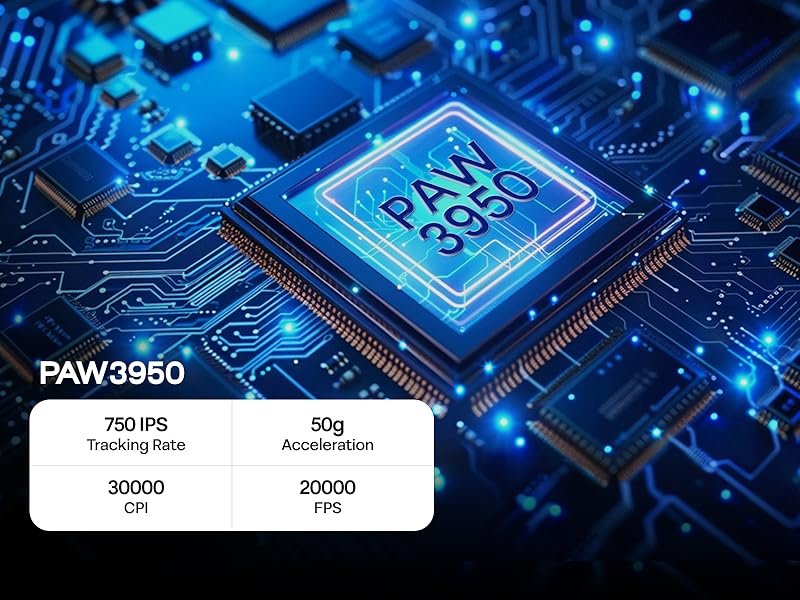
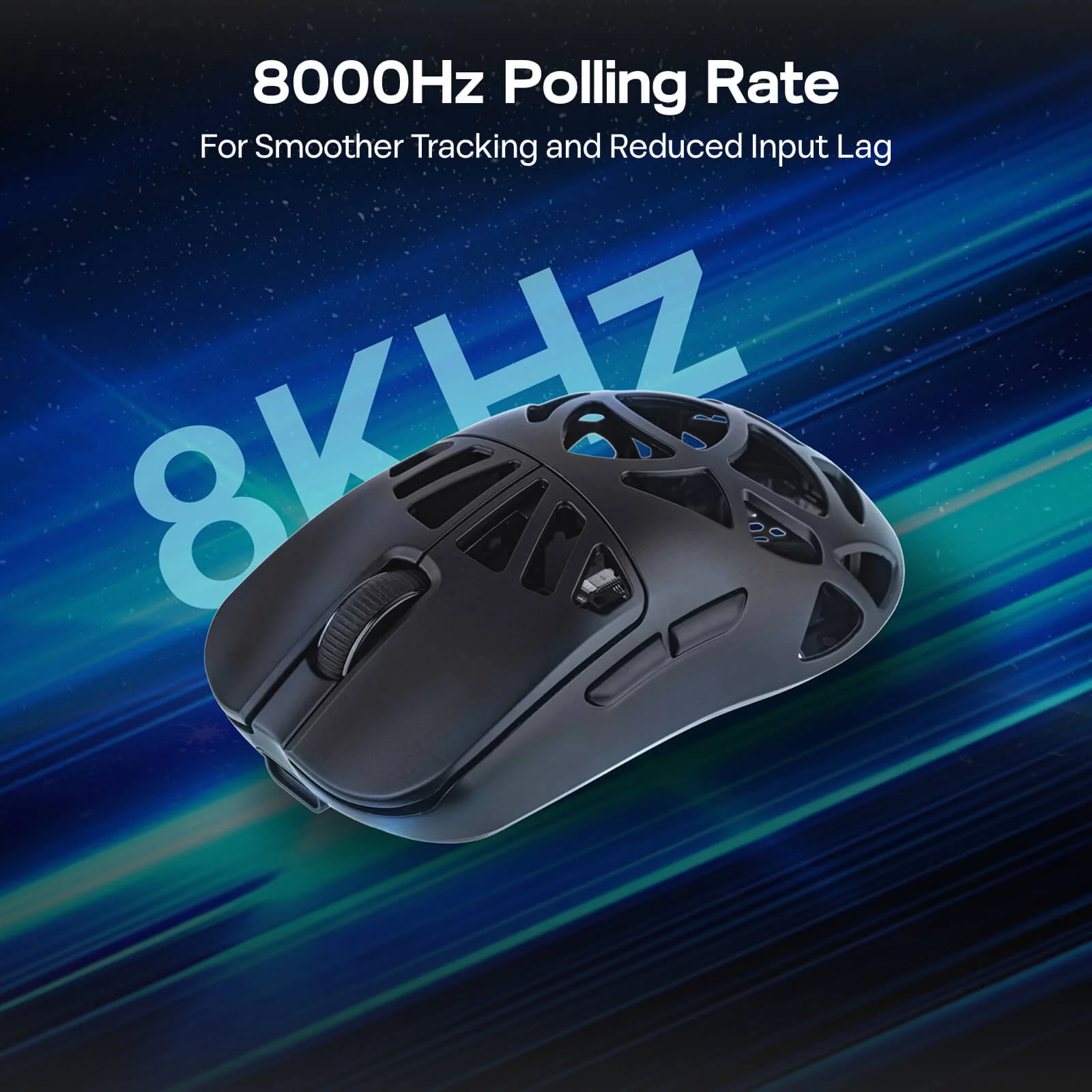
The EPOMAKER CarbonX Wireless Gaming Mouse is built to deliver smooth and reliable tracking across different types of games. It uses the PAW3950 optical sensor, known for its accurate and consistent response, without any artificial smoothing or delay. This helps maintain a natural connection between hand movement and on-screen action, whether it’s steady aiming in FPS titles or quick cursor adjustments during regular desktop work.
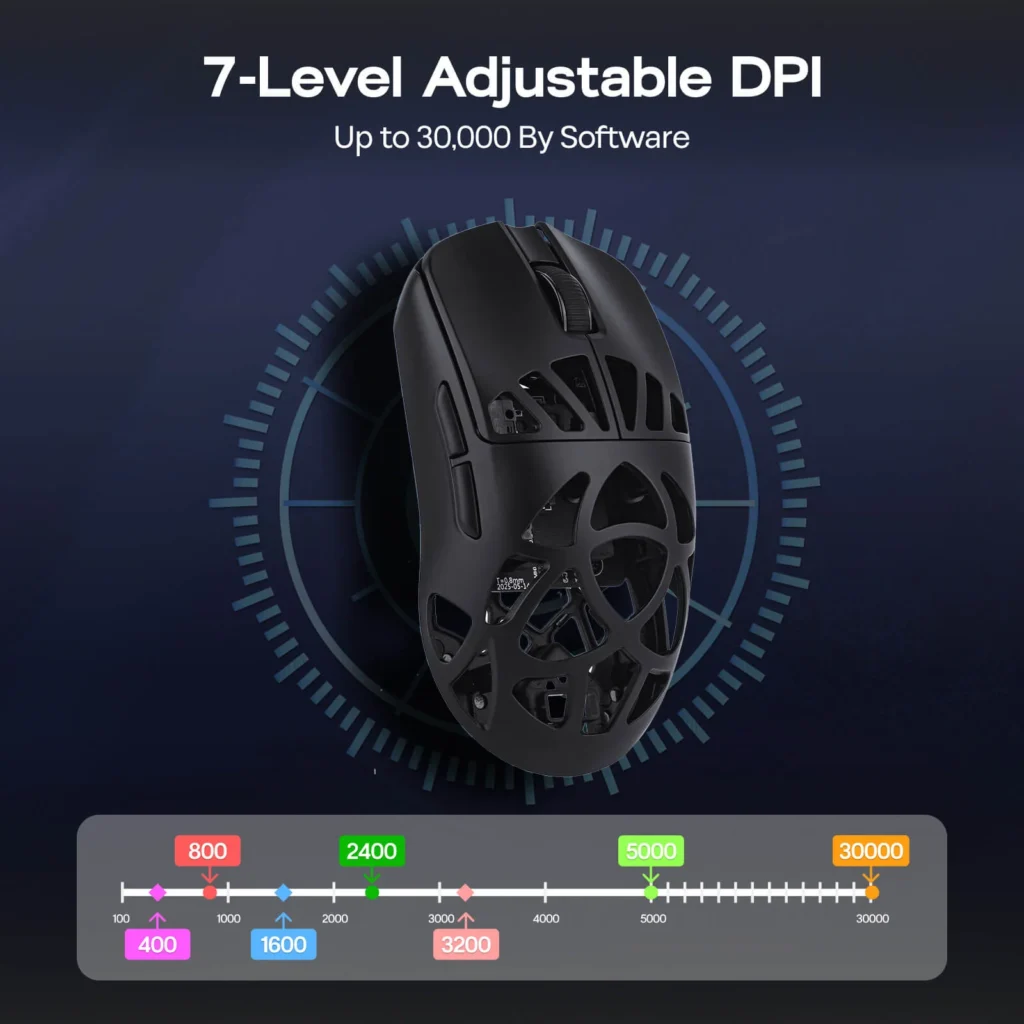
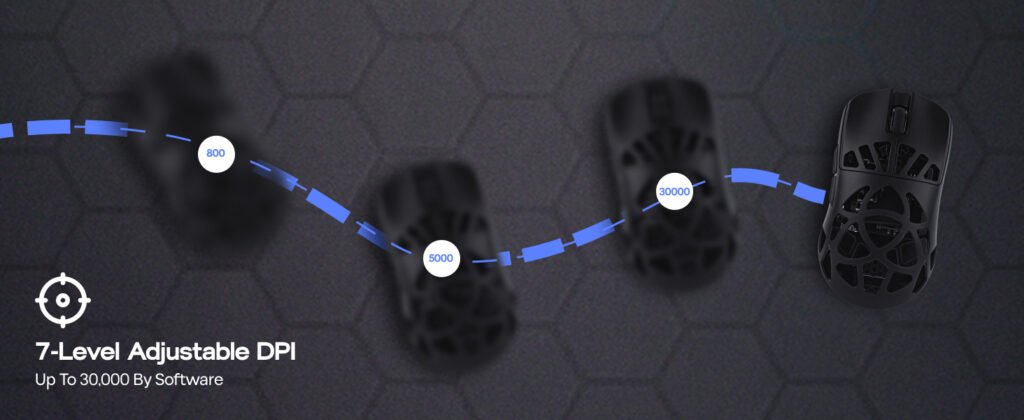
The mouse supports a DPI range from 400 to 30,000, split into seven preset levels—400, 800, 1600, 2400, 3200, 5000, and 30,000 DPI. These levels can be adjusted depending on the task or game. Lower DPI settings work well for precise aiming, while higher levels are useful for faster map navigation or quick multitasking. Switching between them is simple, allowing players to fine-tune their sensitivity at any time.
With a tracking speed of 750 IPS and acceleration up to 50g, the CarbonX keeps up with fast, sudden movements without losing signal or skipping. The 20,000 FPS capture rate ensures that each movement is registered instantly, reducing the chance of input lag or tracking errors during intense gameplay. The Lift-Off Distance (LOD) can be adjusted between 0.7mm, 1mm, and 2mm. This lets users choose how high they can lift the mouse before it stops tracking. A lower setting is ideal for competitive play, while a slightly higher one offers better control for general use.
Connectivity
The mouse offers three connection options—2.4GHz wireless, Bluetooth, and wired USB-C. This design makes it easy to use across different devices and systems, including Windows, macOS, and Linux. It also works with popular gaming consoles such as PlayStation 4, PlayStation 5, Xbox, and Nintendo Switch, giving users flexibility in both work and play.
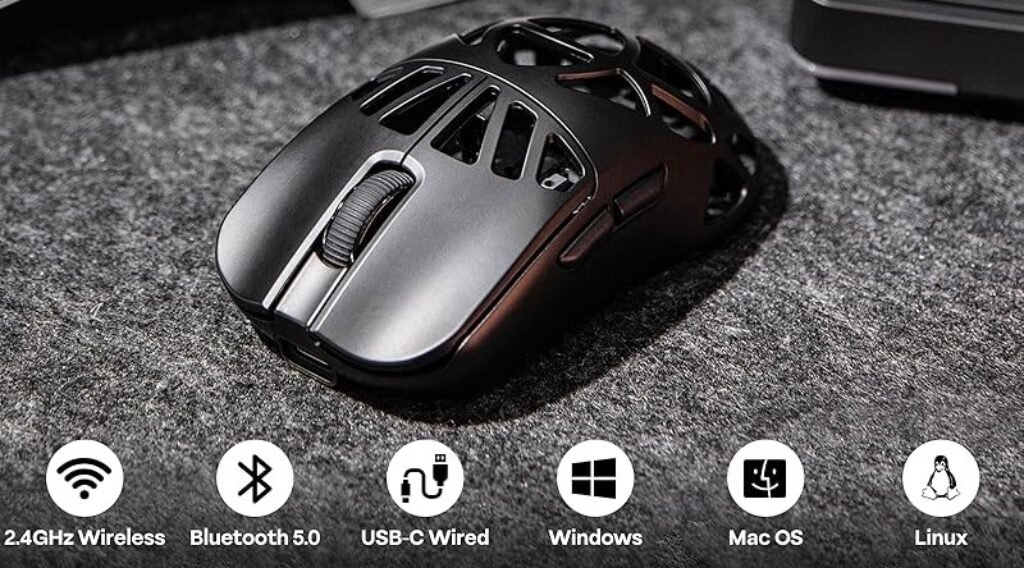
A small switch on the back lets you move between modes quickly. In wired mode, the mouse connects through a USB-C cable, providing a direct connection while charging the built-in battery at the same time.
For 2.4GHz mode, move the switch to the top position. The indicator will blink as it connects. Plug the included USB receiver into your computer, and the mouse will pair automatically. This mode offers stable wireless performance that’s well suited for gaming or regular use.
In Bluetooth mode, move the switch to the bottom position. Hold the left button, scroll wheel, and right button for three seconds until the blue light flashes. Select “Carbon X Mouse” from your Bluetooth list, and when the light stops flashing, the pairing is complete.
It’s important to charge the mouse through a computer USB port only. Using a wall adapter may damage the battery.
With these three connection options, the mouse adapts well to different setups—whether used at a desk, on a laptop, or with a console—providing reliable operation across multiple platforms.
EPOMAKER CarbonX’s Online Software

The EPOMAKER CarbonX takes a different path for customization. Instead of using a desktop program, it runs entirely through a browser-based configurator. This system works much like the VIA software popular in the custom keyboard community. The main advantage is convenience—you don’t need to install anything or keep extra software running in the background. For a mouse focused on speed and responsiveness, this setup helps keep the system clean and light. To use it, the mouse needs to be connected through USB, and from there, you can open the Control HUB WEB on the EPOMAKER website to begin adjusting settings.
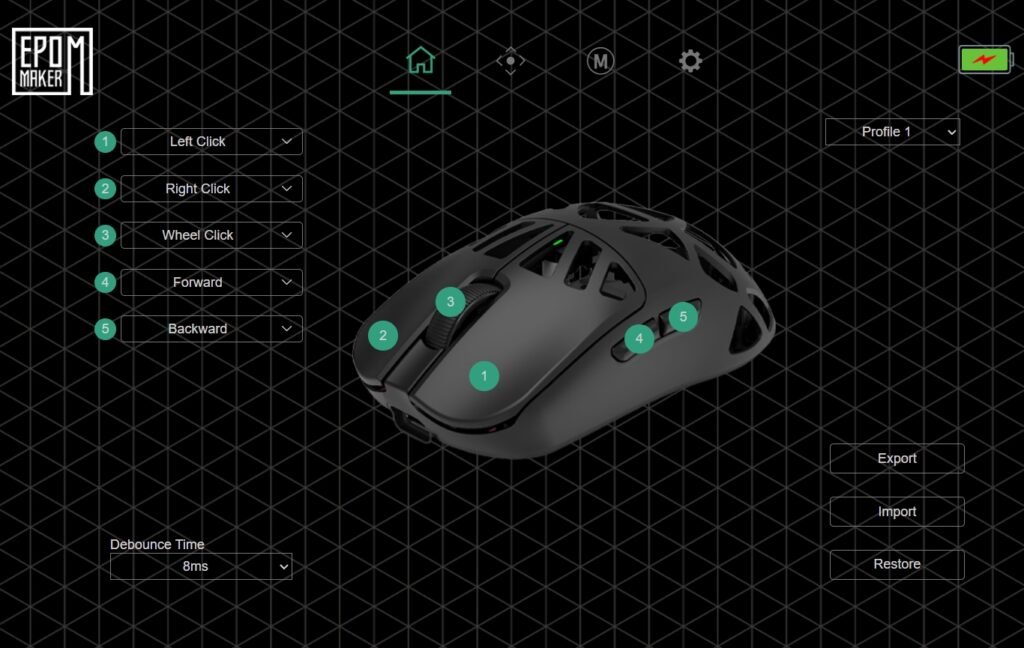
The layout of the configurator is simple and functional, featuring a dark background with a grid pattern. The top bar includes several tabs: Home, Aiming, Macros, Buttons, and Device Info. It covers all the key functions without feeling cluttered. In the Buttons tab, users can remap controls using a 3D model of the CarbonX with numbered button indicators. The left click is fixed, but other buttons can be assigned to different commands, such as media functions, shortcuts, or custom macros. The debounce setting, which starts at 8ms by default, can be adjusted to fine-tune click behavior. Multiple profiles can also be created and saved, with options to export or import them when switching between setups.
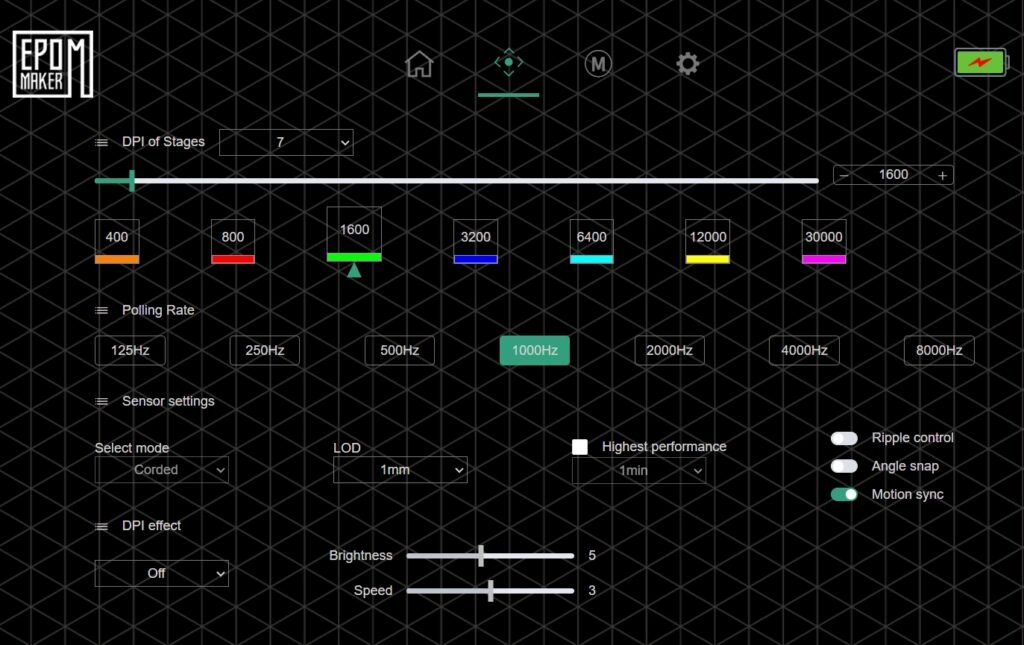
The Aiming section handles sensor and performance adjustments. Up to seven DPI levels can be configured, ranging from 400 to 30,000 DPI, with quick changes available through a slider. The polling rate can be set between 125Hz and 8,000Hz when connected by wire or 2.4GHz wireless, while Bluetooth mode stays at 125Hz. Even when using the higher polling rate, power efficiency remains consistent. Additional settings include lift-off distance (0.7mm, 1mm, or 2mm), ripple control, angle snapping, and motion sync to keep tracking stable. If the CarbonX model includes lighting, basic options for brightness and speed are available here as well.
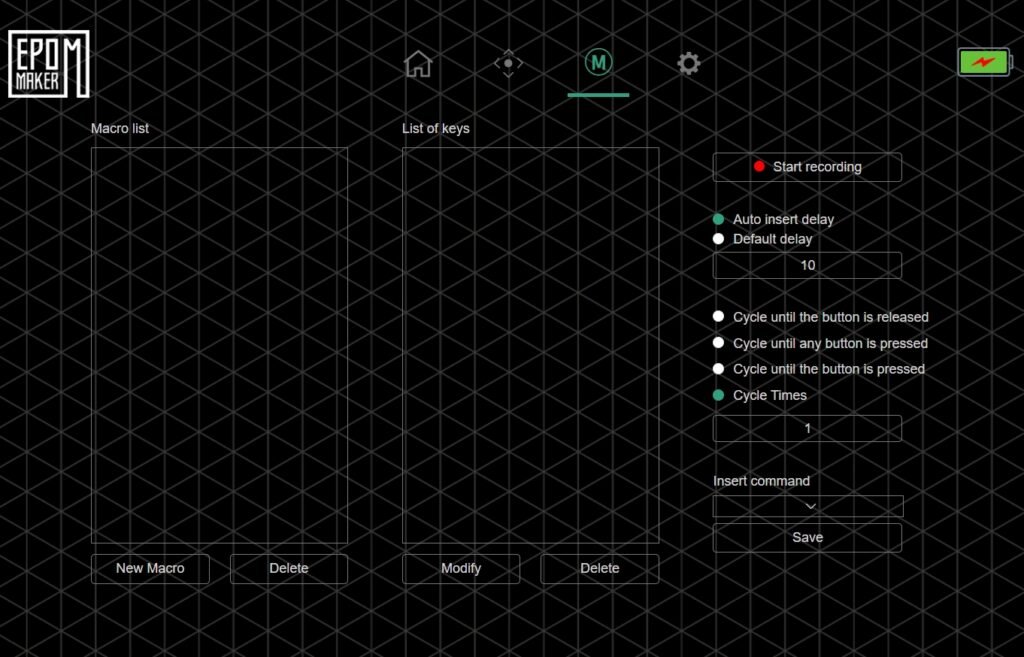
The Macro Editor section is designed for recording and managing key sequences. Users can record actions, add delays, and decide how often a macro repeats. It’s useful for repetitive tasks in games or applications.
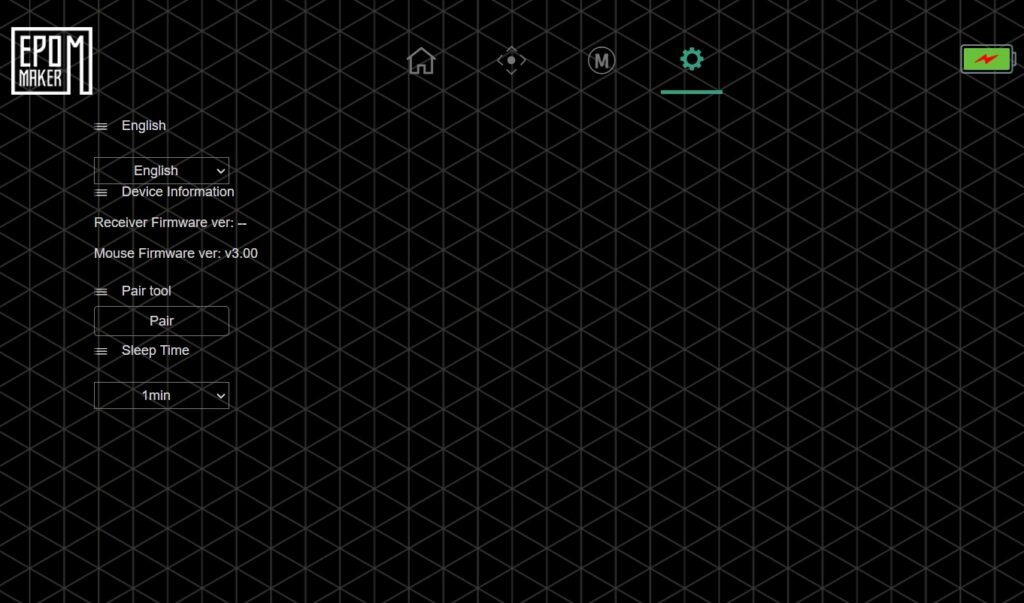
Finally, the Device Info tab shows firmware versions, receiver pairing, and power management settings. All adjustments are stored directly in CarbonX’s onboard memory, so they remain active even after unplugging the mouse.
Overall, the EPOMAKER CarbonX’s web configurator provides a clean and efficient way to customize the mouse without extra software, balancing ease of use with the essential tools needed for performance tuning.
Battery and Charging
The CarbonX uses a 300mAh rechargeable battery, smaller than what some other wireless mice, like the Epomaker Click Mouse, include. Even so, it performs well during everyday use. In testing, it managed around three to five days on a single charge, even when running at an 8K polling rate. For a compact and lightweight mouse, this battery life is practical, allowing long gaming sessions or office use without frequent charging.
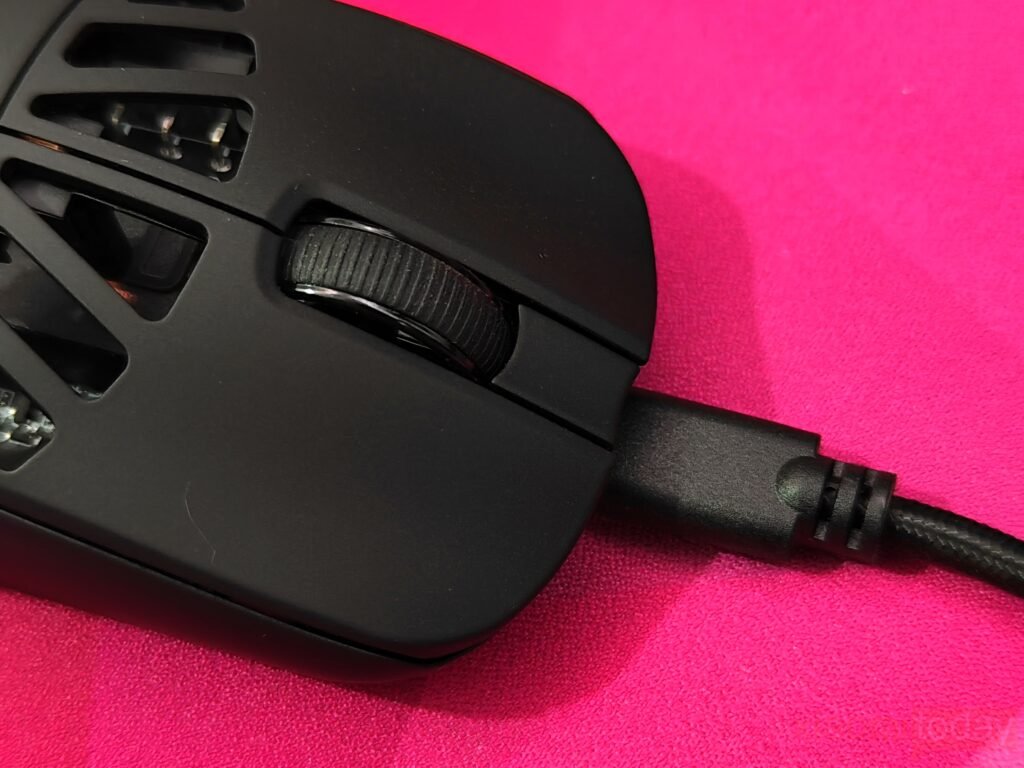
Charging is done through a USB-C port and takes about two hours from empty to full. The process is simple and doesn’t require any extra steps. The CarbonX offers a good balance of power and efficiency, providing enough runtime for both gaming and general desktop tasks without running out of charge unexpectedly.
Battery status is easy to check through the indicator light. A blinking yellow light signals low battery, while a steady yellow light means it’s charging. Once the light turns off, the battery is fully charged. It’s a clear and useful system that keeps users aware of the battery condition at a glance.
Use Experience – Daily Work and Gaming
During two weeks of regular use, the Epomaker CarbonX performed well in both office work and gaming sessions. The 50g carbon fiber frame felt light and balanced, allowing long hours of use without strain. Its textured sides provided a stable grip, while the smooth surface supported easy control during precise movements. For daily tasks such as browsing, editing, and multitasking, the mouse responded quickly with no input delay. Switching between 2.4GHz wireless and Bluetooth modes worked smoothly, and reconnection after sleep was instant, which made it practical for daily use.
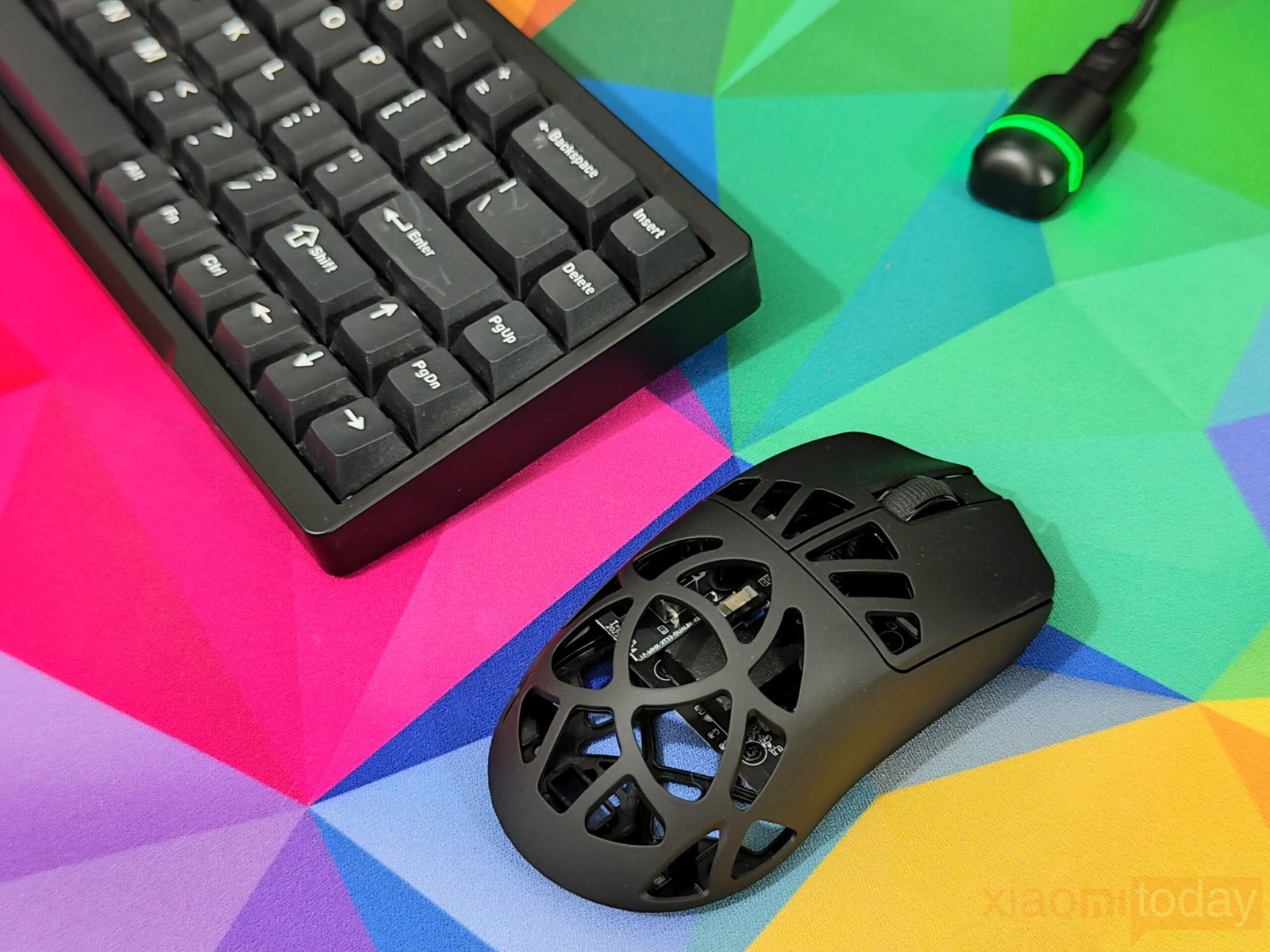
In office work, the PAW3950 sensor delivered accurate and steady tracking across different surfaces, including mousepads and bare desks. The 8,000 Hz polling rate gave a smooth and consistent motion, which was useful for design adjustments and quick navigation. The Omron optical switches provided clean and firm clicks that felt reliable over long hours. The mouse lasted several days on a single charge and could continue working in wired mode while charging, which added convenience during extended use.
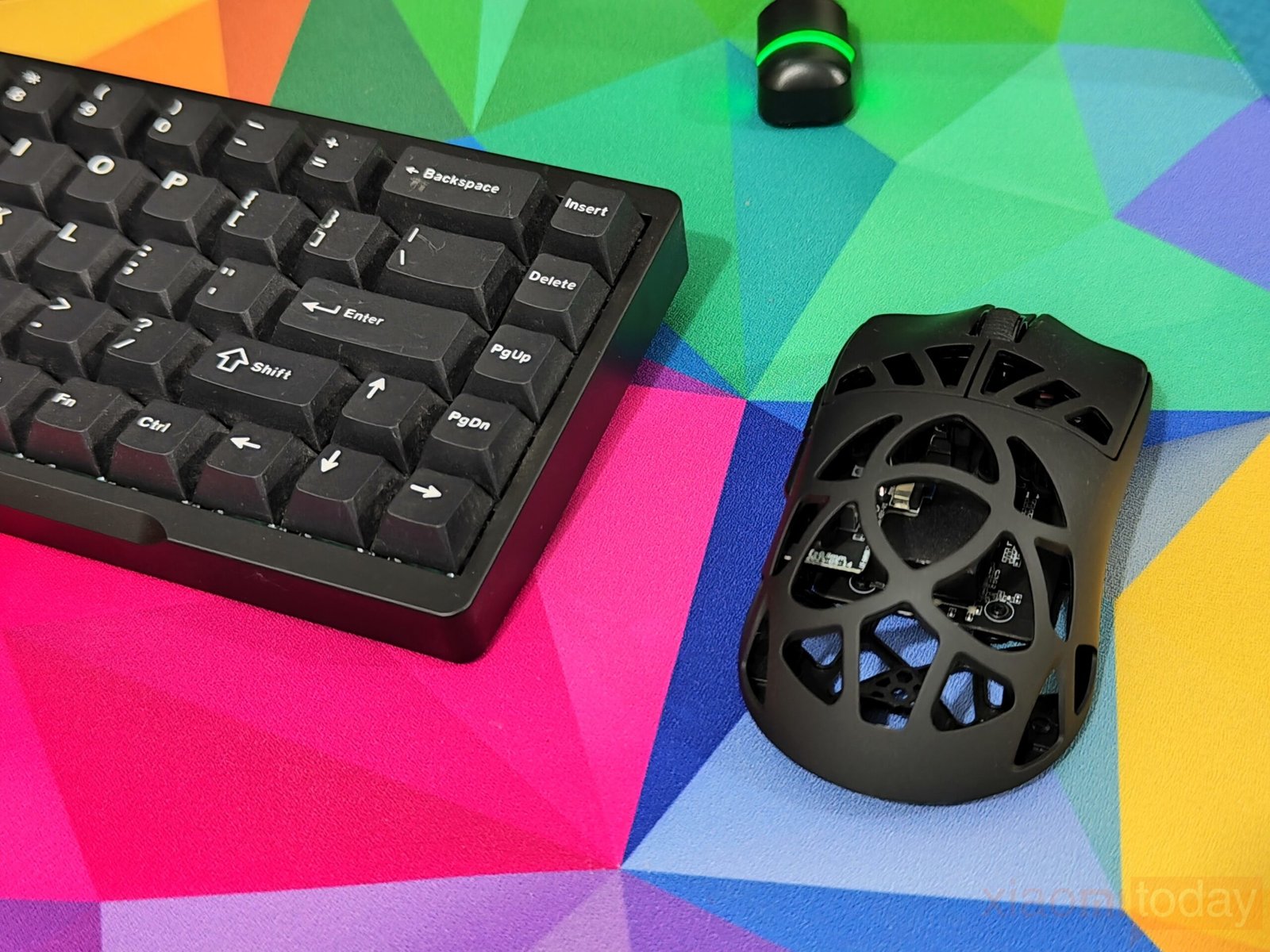
Gaming performance during the testing period was consistent and precise. The CarbonX kept up well with fast-paced FPS and MOBA titles, offering good control and smooth movement. Its lift-off distance made it easy to reposition quickly, and the PTFE skates glided evenly on both hard and soft pads. The 8K polling rate gave responsive input, especially during quick reflex moments in games. Wireless performance remained steady throughout, without noticeable lag or connection drops. Adjusting DPI settings through the web configurator was simple and effective, allowing sensitivity changes to match each game.
Battery life proved sufficient for mixed use, lasting around four days on average with moderate gaming and constant 2.4GHz use. While the 300mAh cell isn’t large, it charges quickly and can be used in wired mode without interrupting work or gameplay. The honeycomb shell kept the surface cool, even during long sessions, while the ergonomic contour supported various grip styles comfortably.
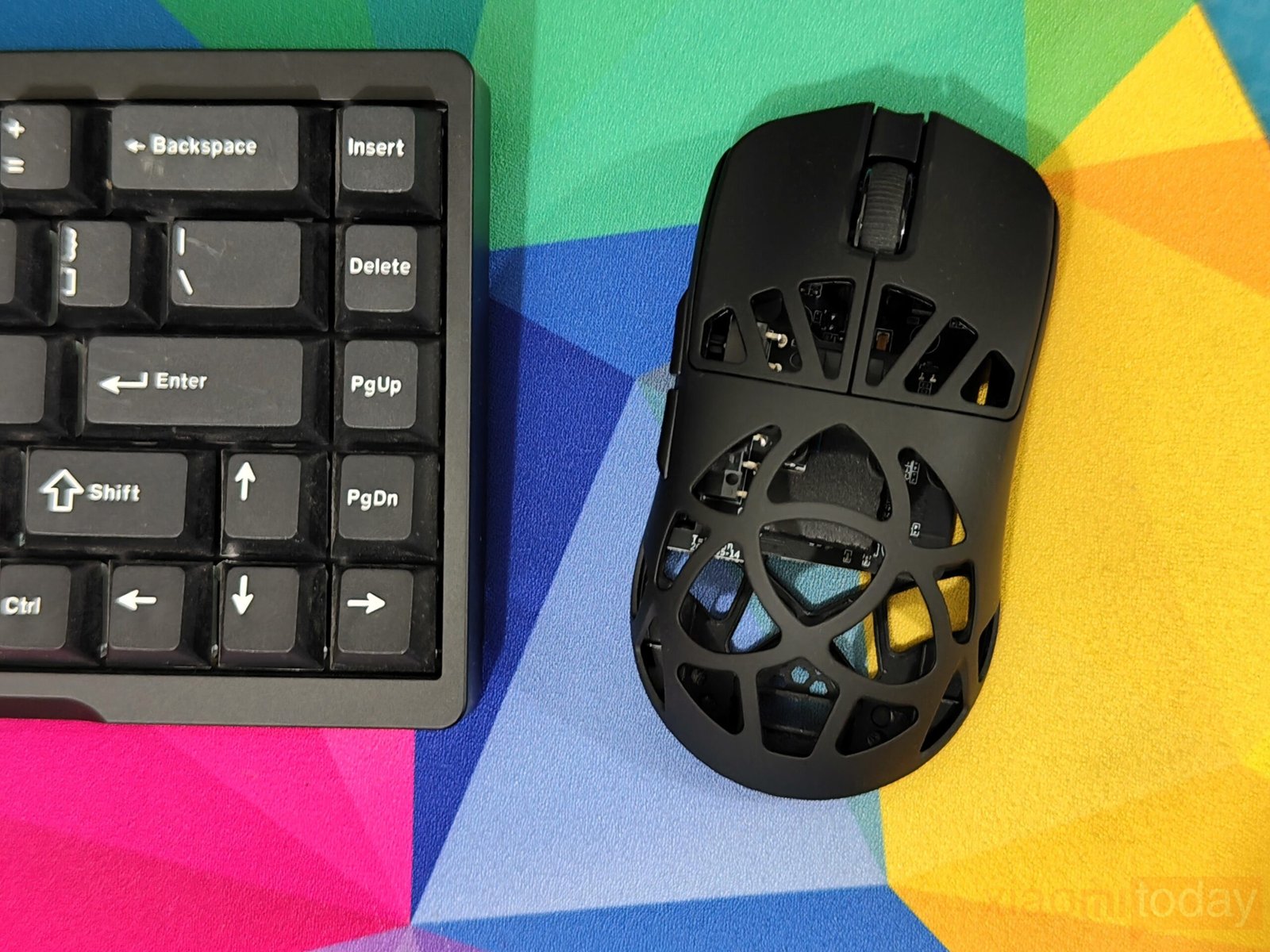
After two weeks, the CarbonX proved to be a capable mouse for both gaming and daily work. Its lightweight, accurate sensor, and reliable switches made it comfortable and dependable for different tasks. Whether used for productivity or gaming, it handled both with ease. Epomaker’s design approach brought a balanced mix of comfort, control, and adaptability, making the CarbonX a strong first step for the brand in the mouse market.
Conclusion
The EPOMAKER CarbonX Mouse is available now. For more information, visit the official Epomaker website. For detailed tech reviews, click here.