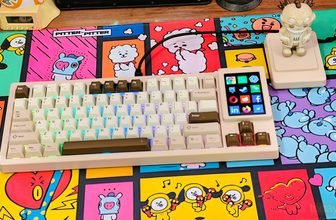
Womier continues to focus on compact keyboards that fit both gaming and everyday use, and the SK75 has remained one of its more consistent designs. With the Womier SK75 TMR, the layout and overall design stay familiar, but the internal changes shift the experience in a different direction. This version introduces support for magnetic switches, bringing new input behavior while keeping the same 75% footprint.
Instead of relying on traditional contact-based switches, the SK75 TMR uses TMR (Tunneling Magnetoresistance) sensing. Each keypress is detected via magnetic changes, enabling adjustable actuation and faster reset. In use, this makes the key response feel more controlled, especially when the rapid trigger is enabled. Womier lists a 0.125 ms response time and up to 8000 Hz polling in both wired and wireless modes, aiming to keep input latency low across different connection types.
The keyboard itself keeps a solid build. The CNC aluminum case adds weight and stability, and the double-shot PBT keycaps hold up well during extended typing. Hot-swap support is included, so both magnetic and standard switches can be used without much effort. Wireless support covers 2.4 GHz, Bluetooth, and USB-C, and the 8000 mAh battery is sized for longer sessions without frequent charging.
This hands-on review looks at how the SK75 TMR performs in regular use. That includes typing comfort, consistency across adjustable actuation settings, wireless stability across devices, and whether magnetic switches provide a noticeable benefit compared to a typical mechanical keyboard in both work and gaming scenarios.
Specifications
| Category | Details |
|---|---|
| Model | Womier SK75 TMR |
| Total Keys | 81 Keys |
| Layout | ANSI 75% |
| Color Option | Black |
| Keycaps | Cherry Profile, Double-shot PBT |
| Case Material | Aluminum |
| Plate Material | FR4 (Non Flex-Cut) |
| External Weight Design | Chroma Mirror |
| Mounting Style | Top Mount |
| Switch Options | Outemu Tea Magnetic Switch / Womier Void Magnetic Switch |
| Hot-Swap Support | Yes (Supports Magnetic & Mechanical, mix & match) |
| PCB | 1.6mm FR4, Full RGB, Hotswap, No Flex Cuts, 3/5 Pin Compatible |
| Backlight | South-facing RGB LEDs |
| Connection Types | Wired / 2.4GHz Wireless / Bluetooth |
| Polling Rate | Up to 8000Hz (Wired/Wireless/Bluetooth) |
| Latency (Wired) | 0.125 ms |
| Adjustable Accuracy | 0.01 mm |
| Actuation Range | 0.1 mm – 3.5 mm |
| Battery Capacity | 8000 mAh |
| Interface | USB Type-C |
| Compatibility | Windows / macOS |
| Keyboard Weight | 2000 ± 20 g |
| Dimensions | 321 × 140 × 38 (47) mm |
Unboxing
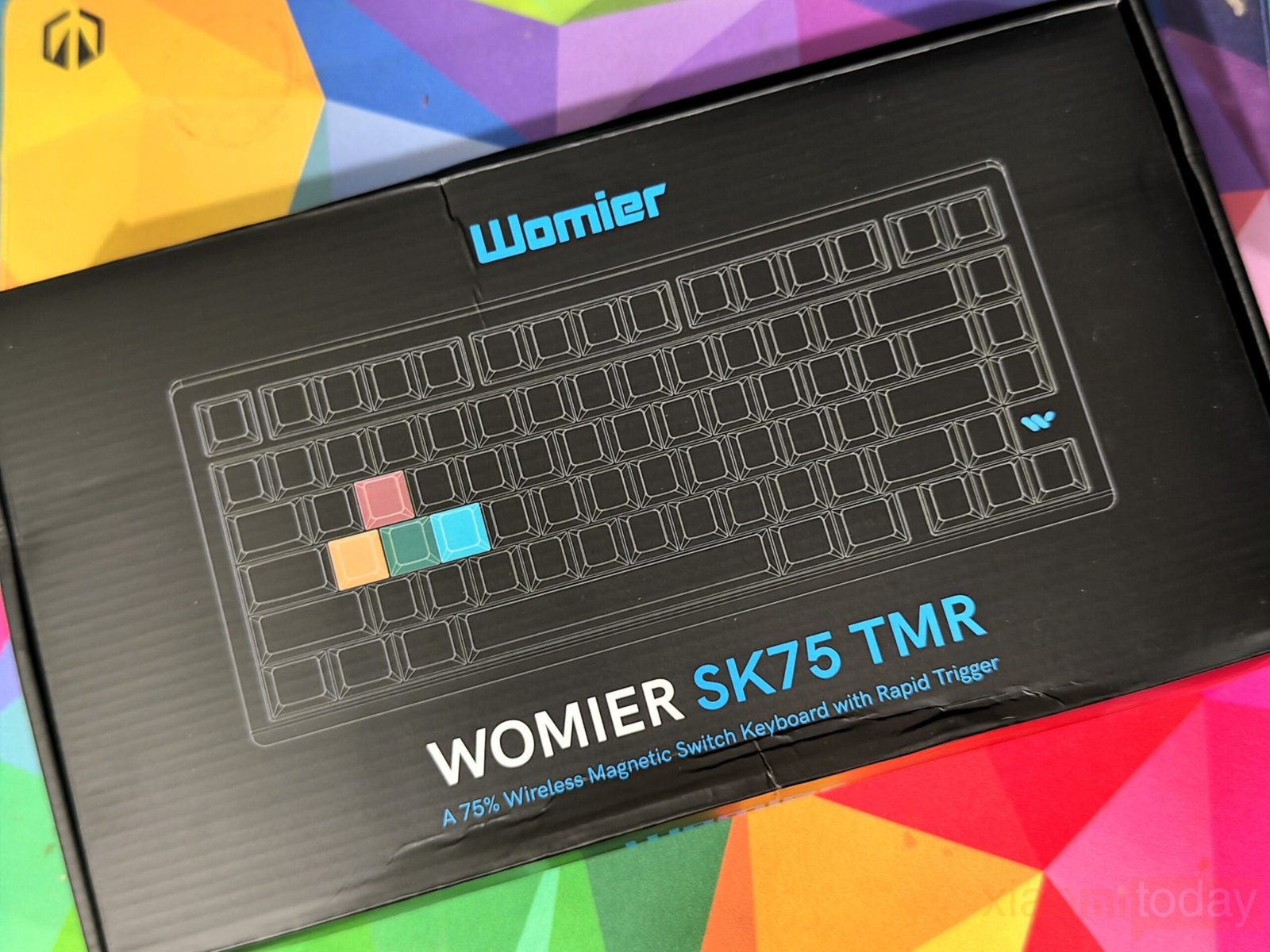
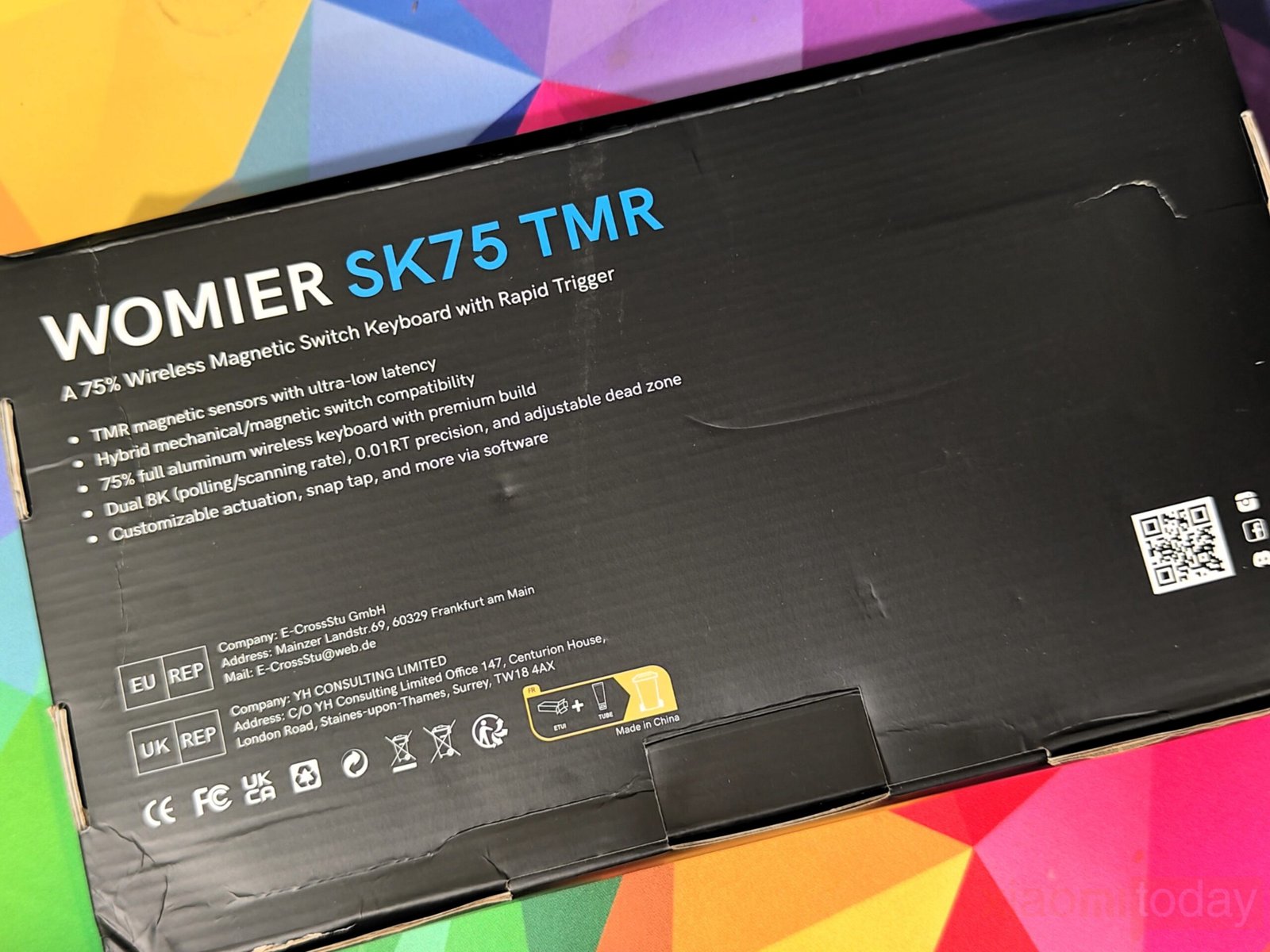
The Womier SK75 TMR comes in a compact black box with a minimal design. The front highlights the keyboard layout and model name, while the back lists key features like TMR magnetic sensors, rapid trigger support, and wireless connectivity.
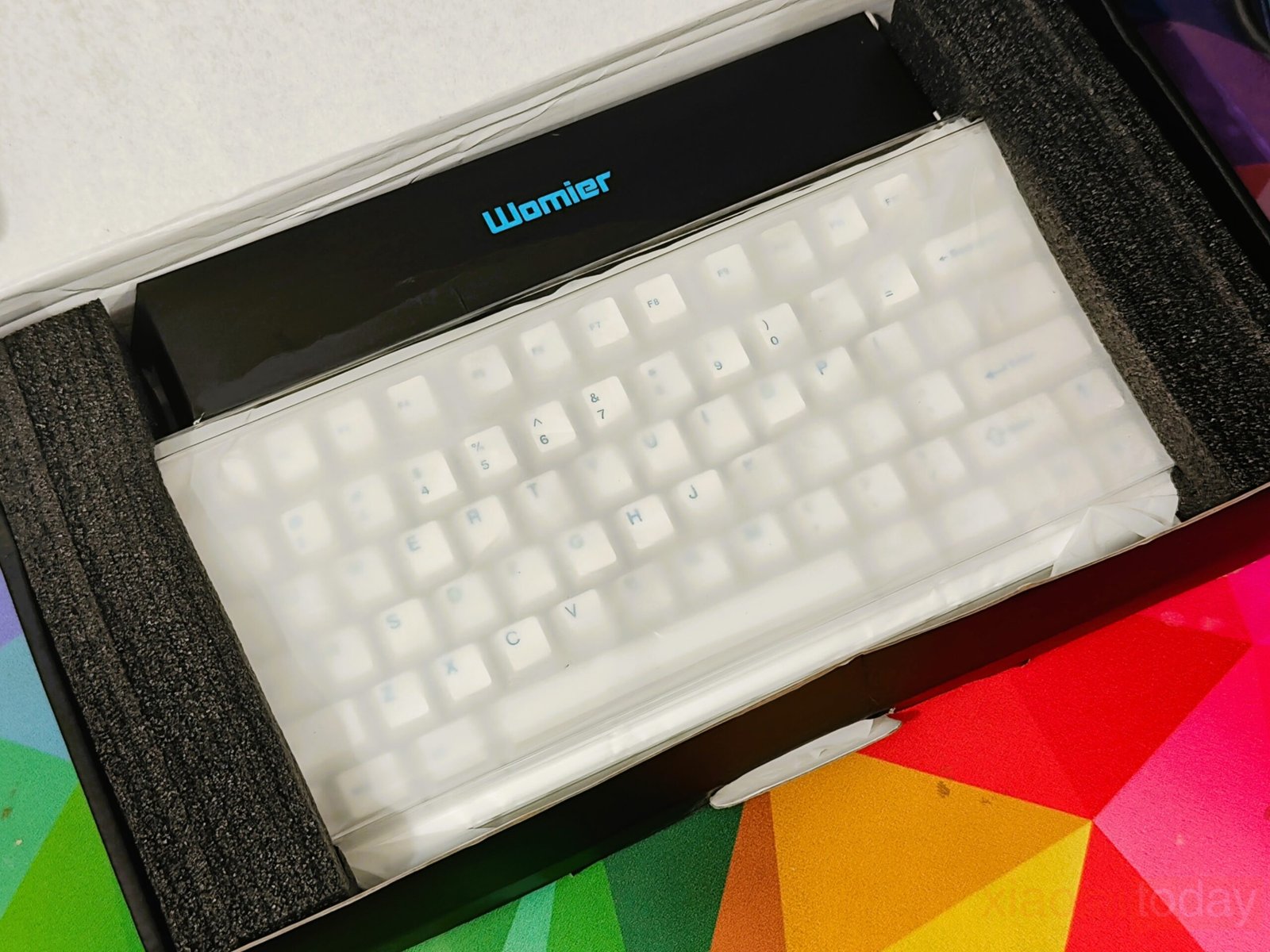
Inside, the keyboard is held securely between dense foam inserts. This keeps everything in place during shipping and avoids any unnecessary movement. The board itself is covered with a soft protective sleeve, which helps prevent scratches right out of the box. The internal layout is clean, and each accessory has its own space.
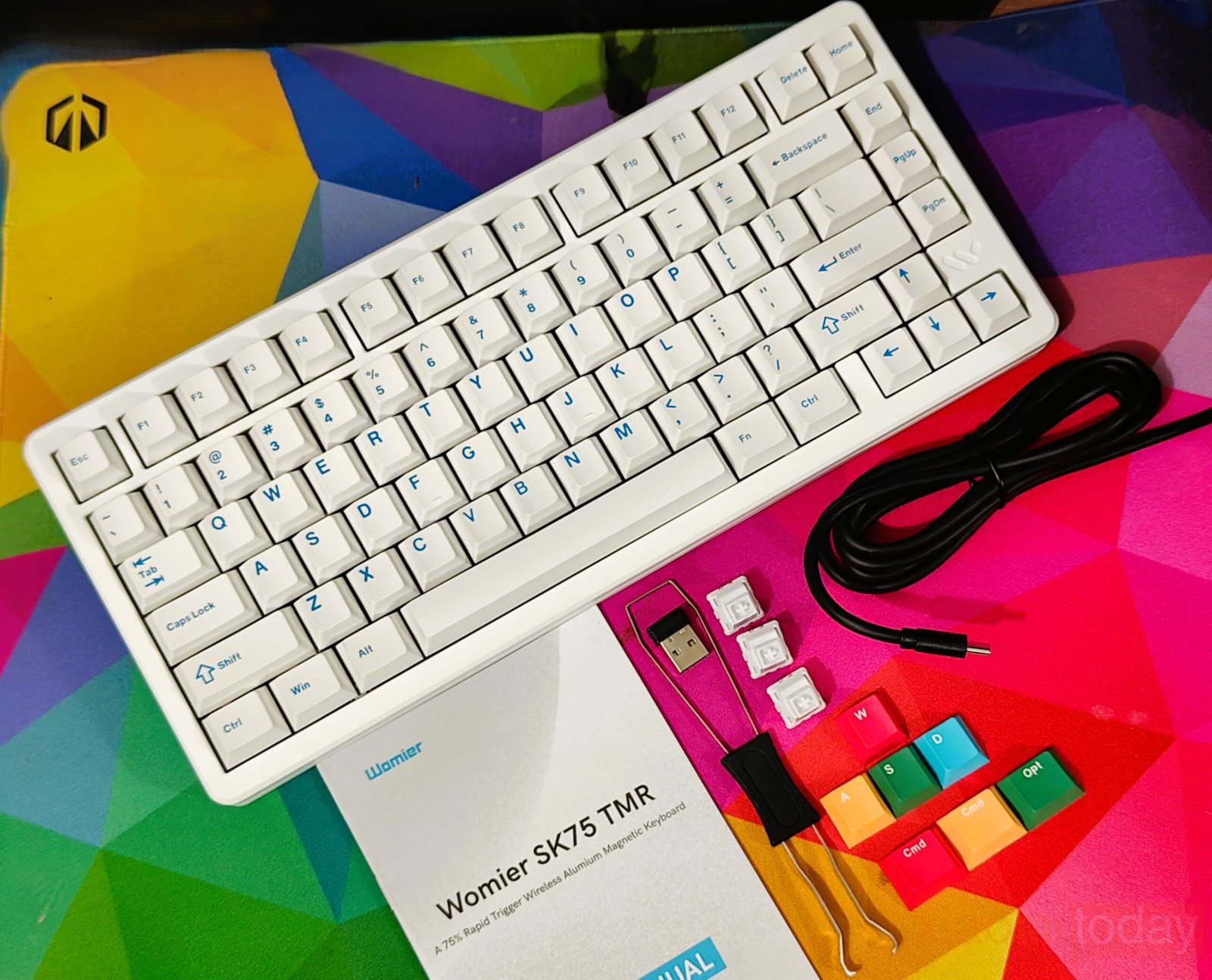
Womier includes a useful set of accessories that covers both setup and basic customization. Nothing feels missing here, especially for users who like to swap parts or fine-tune their typing experience.
Box Contents
- 1× SK75 TMR Keyboard
- 1× USB-A to USB Type-C Cable
- 1× 2-in-1 Keycap & Switch Puller
- 1× 2.4GHz Wireless Dongle
- Extra Keycaps
- Extra 3× Stock Switches
- User Manual
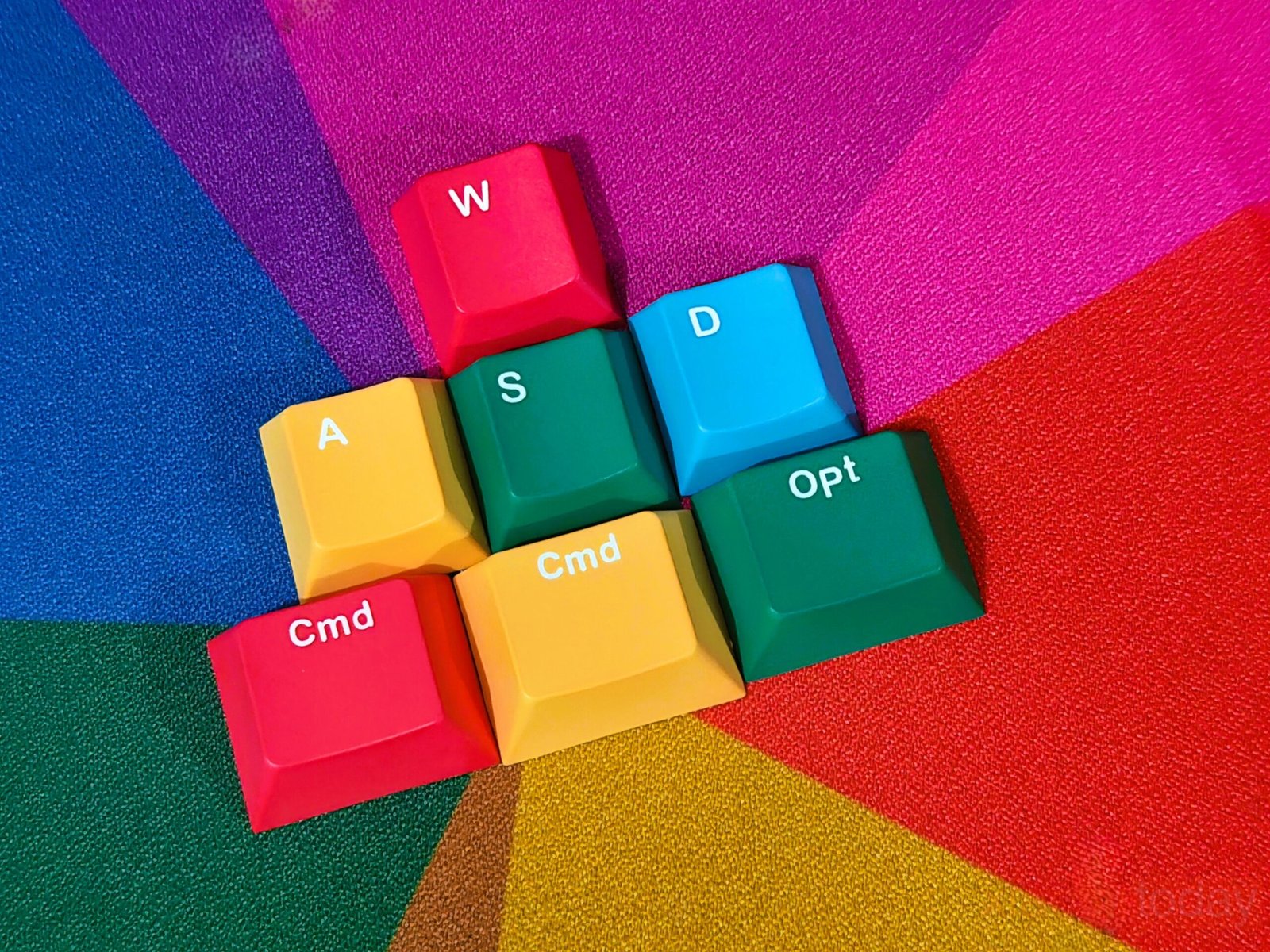
The inclusion of extra switches and keycaps is a nice touch, especially for a keyboard aimed at enthusiasts. Womier also includes Mac-specific function keys and extra keycaps for both Windows and macOS, making switching between platforms easier. The 2-in-1 puller tool is also handy, making it easy to remove keycaps or switches without needing additional tools.
Design and Build Quality
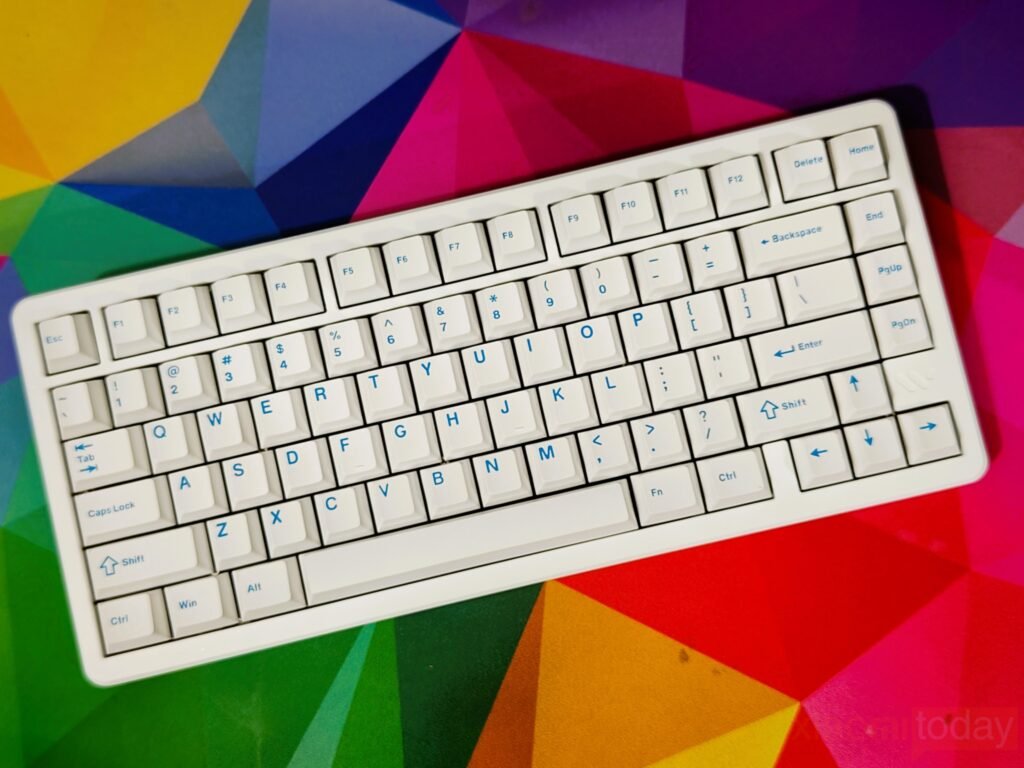
The Womier SK75 TMR keeps its priorities clear, focusing on build quality and a practical layout rather than adding features that don’t add much to daily use. Its 75% form factor makes efficient use of space while retaining dedicated arrow keys and navigation controls, making it suitable for both work and general use. The CNC-machined aluminum chassis gives the keyboard a solid, weighty feel, coming in at close to 2kg. This added weight helps keep the board stable on the desk, while the thicker casing contributes to a more consistent and slightly deeper keystroke feel.
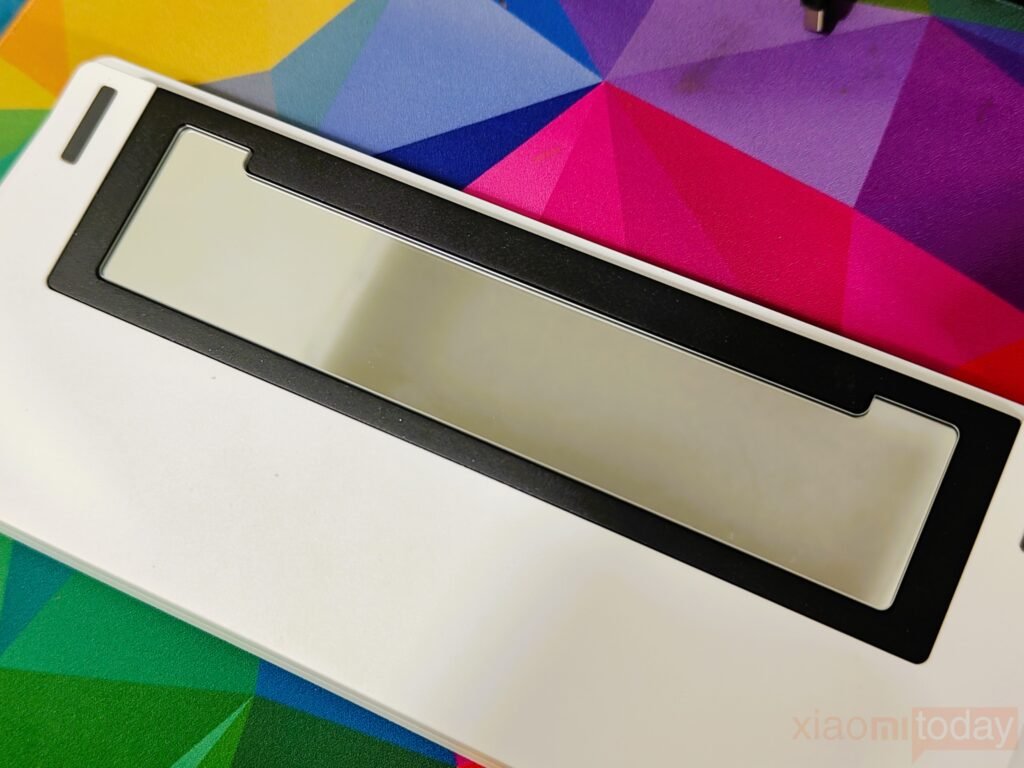
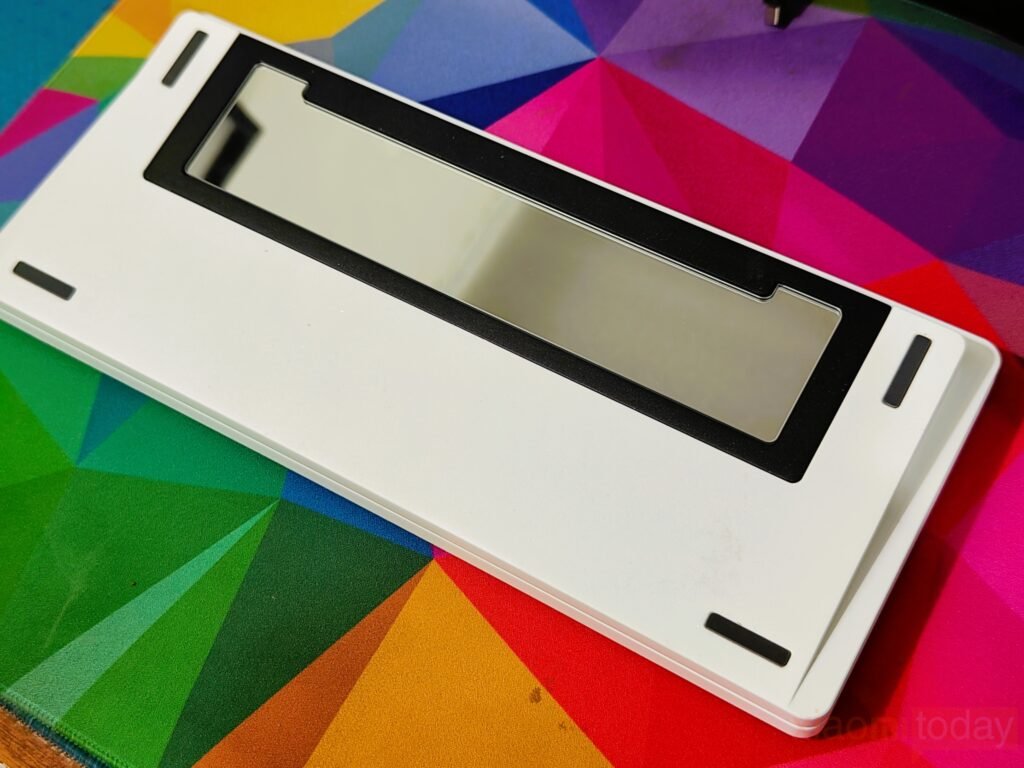
The overall design remains clean, with a few subtle elements that add character without going too far. The glass-finish metal counterweight on the underside introduces a bit of contrast, especially on the white unit, and the mirror finish provides a mild reflective accent. While adjustable feet are not included, the preset typing angle is slightly raised and feels comfortable after some time. Available in black and white, the SK75 TMR delivers a solid typing base with a focus on materials, stability, and day-to-day usability.
Measuring 321 × 140 × 47 mm, the keyboard aligns with what you’d expect from a 75% layout, keeping the overall footprint compact without sacrificing key spacing. The more noticeable change comes from its height and typing angle, which are higher than those of many mainstream boards.
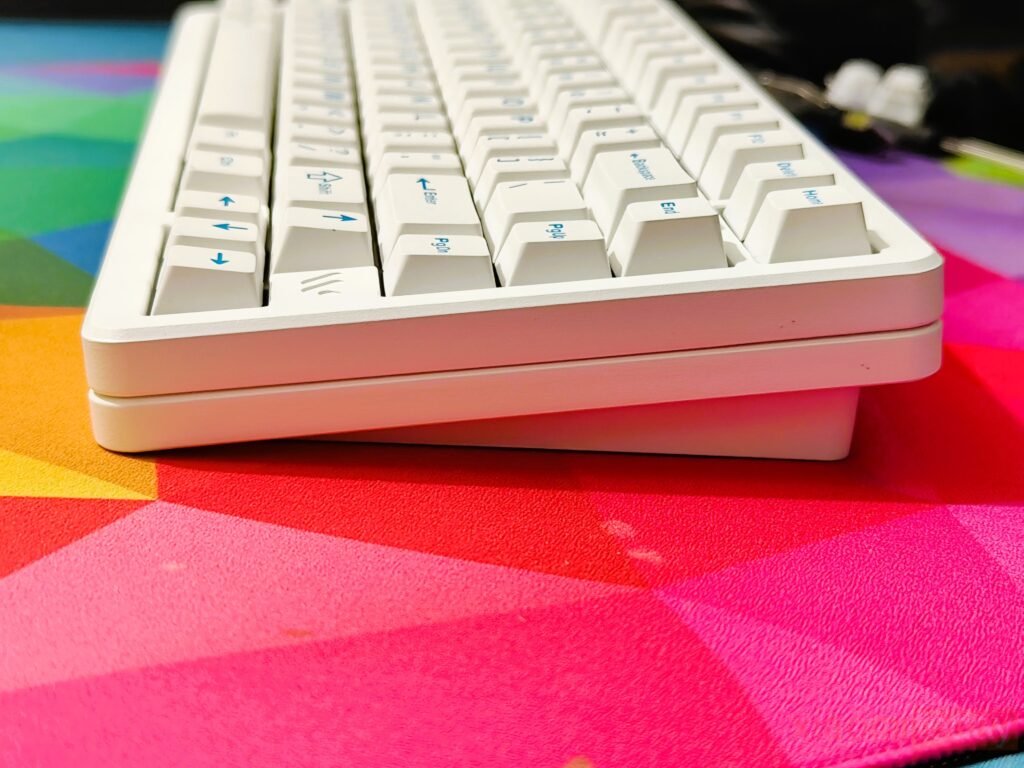
This can feel slightly unfamiliar at first, especially for users coming from slimmer designs or those who prefer typing with the feet closed. After a few days of regular use, the transition feels more natural. The elevated profile and steeper angle can help with wrist positioning over longer sessions, making the typing experience more comfortable once you’ve adapted.
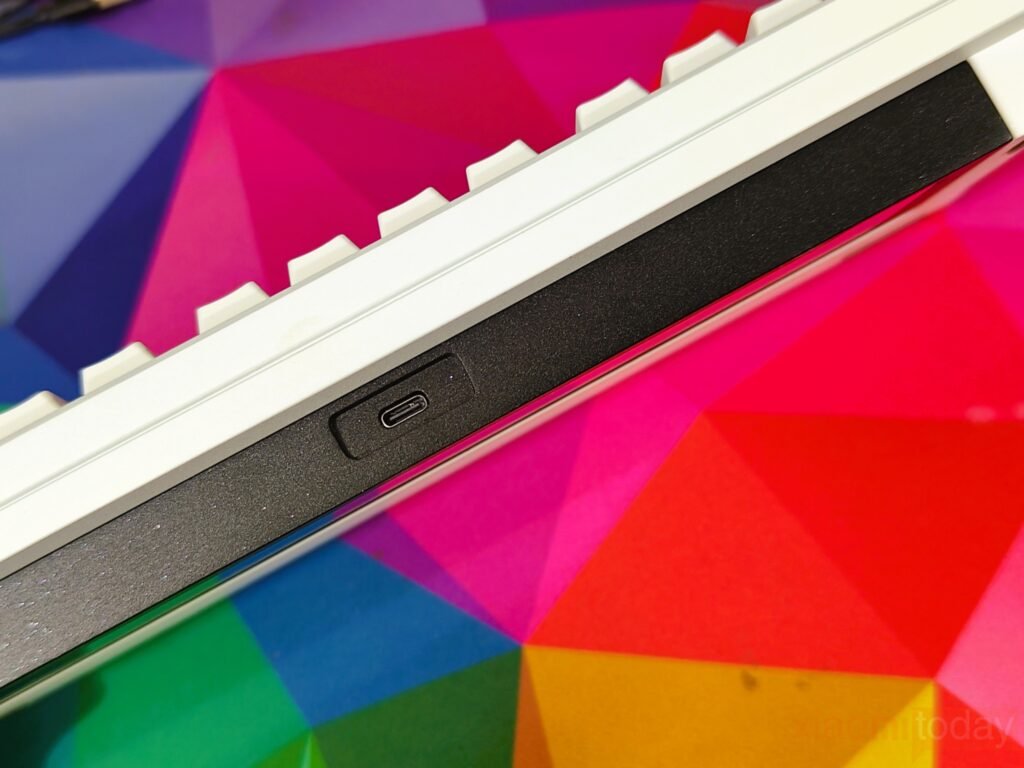
The Type-C port is positioned along the top edge, following a layout familiar to most users. It sits slightly recessed into the frame, but locating it by touch isn’t an issue, even without looking. In everyday use, the cable can be plugged in without lifting or repositioning the keyboard, adding a bit of convenience for quick swaps or charging. The placement feels well thought out and fits naturally into a typical desk setup.
The SK75 TMR is built around a layered dampening system that combines an FR4 plate with multiple acoustic materials, including IXPE, Poron, PET film, and EPDM foam. This internal stack helps reduce case noise and limit unwanted resonance, giving each keystroke a more controlled, slightly deeper tone. The FR4 plate adds a firm base without making the typing feel harsh, keeping the overall response consistent across the board. During use, the board avoids the hollow character often found in lighter builds and instead delivers a more refined sound that stays even regardless of typing speed.
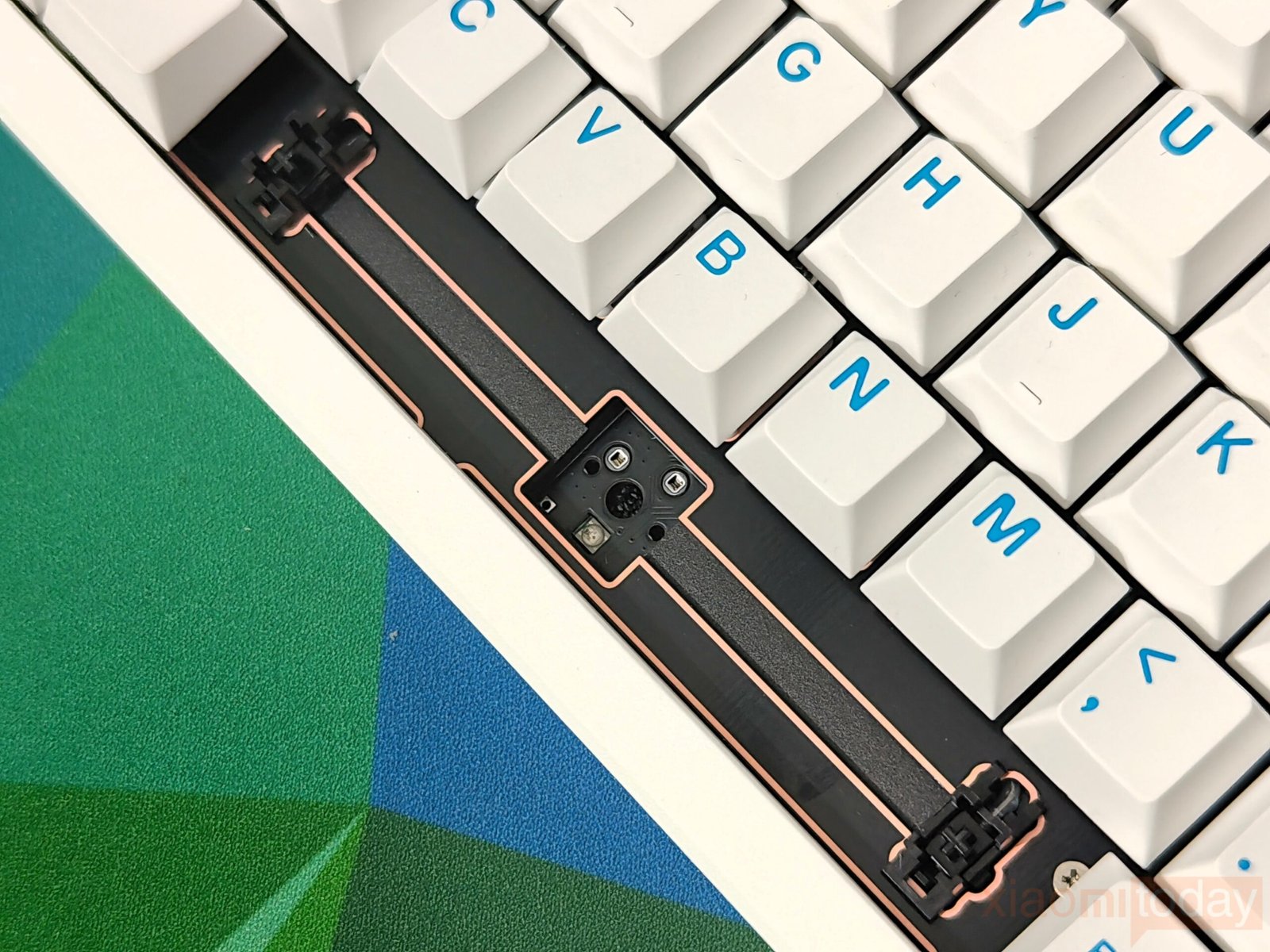
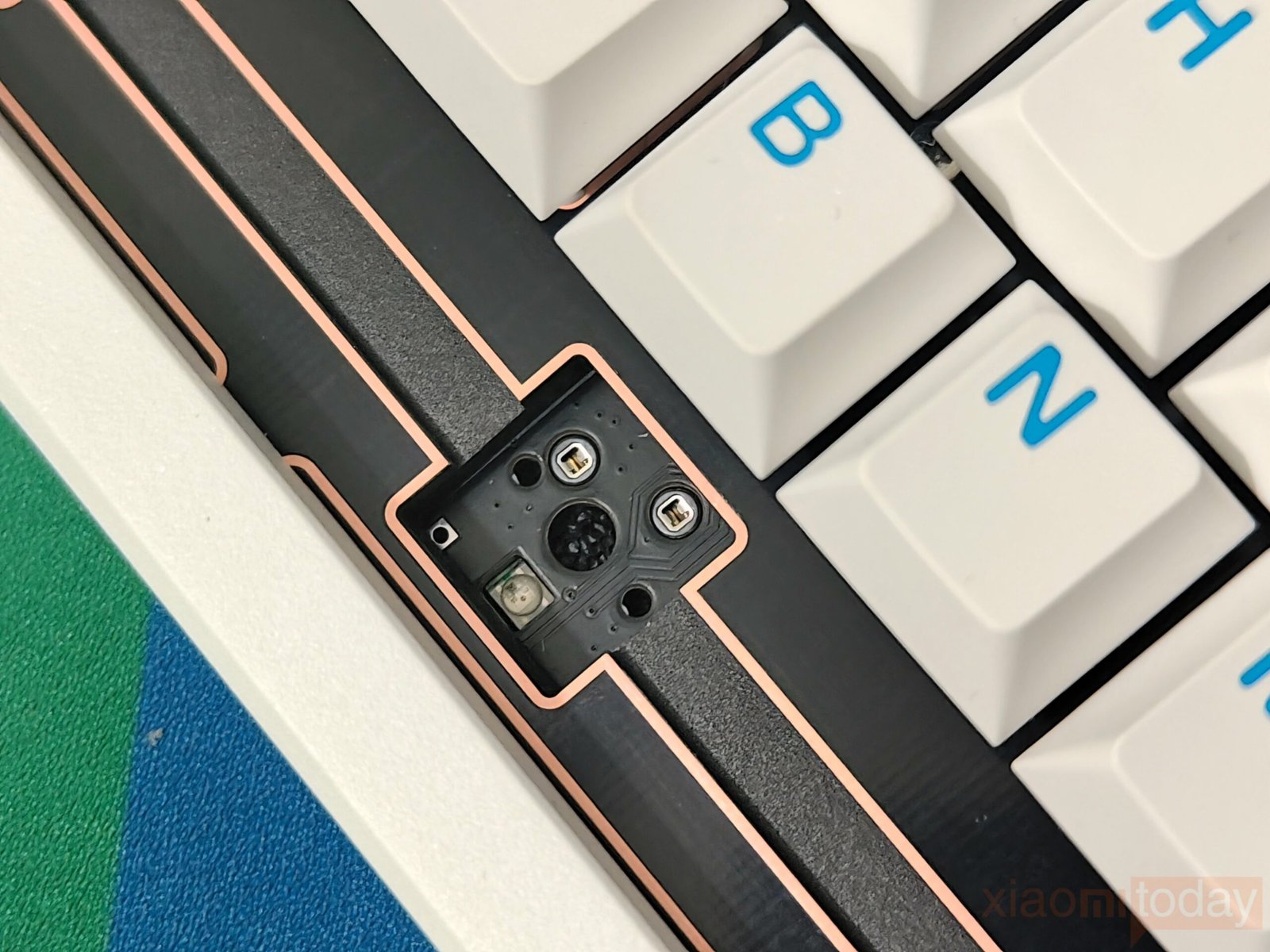
Its top-mount structure complements the internal design, offering a balanced typing feel with mild, cushioned flex. There’s enough give to keep longer sessions comfortable, but it doesn’t feel soft or unstable. This balance works well whether you’re gaming or typing for extended periods, as the feedback remains predictable and easy to get used to. In day-to-day use, the SK75 TMR stays quiet enough for shared spaces while still providing a satisfying acoustic profile that doesn’t become tiring over time.
Keycaps & RGB Lighting

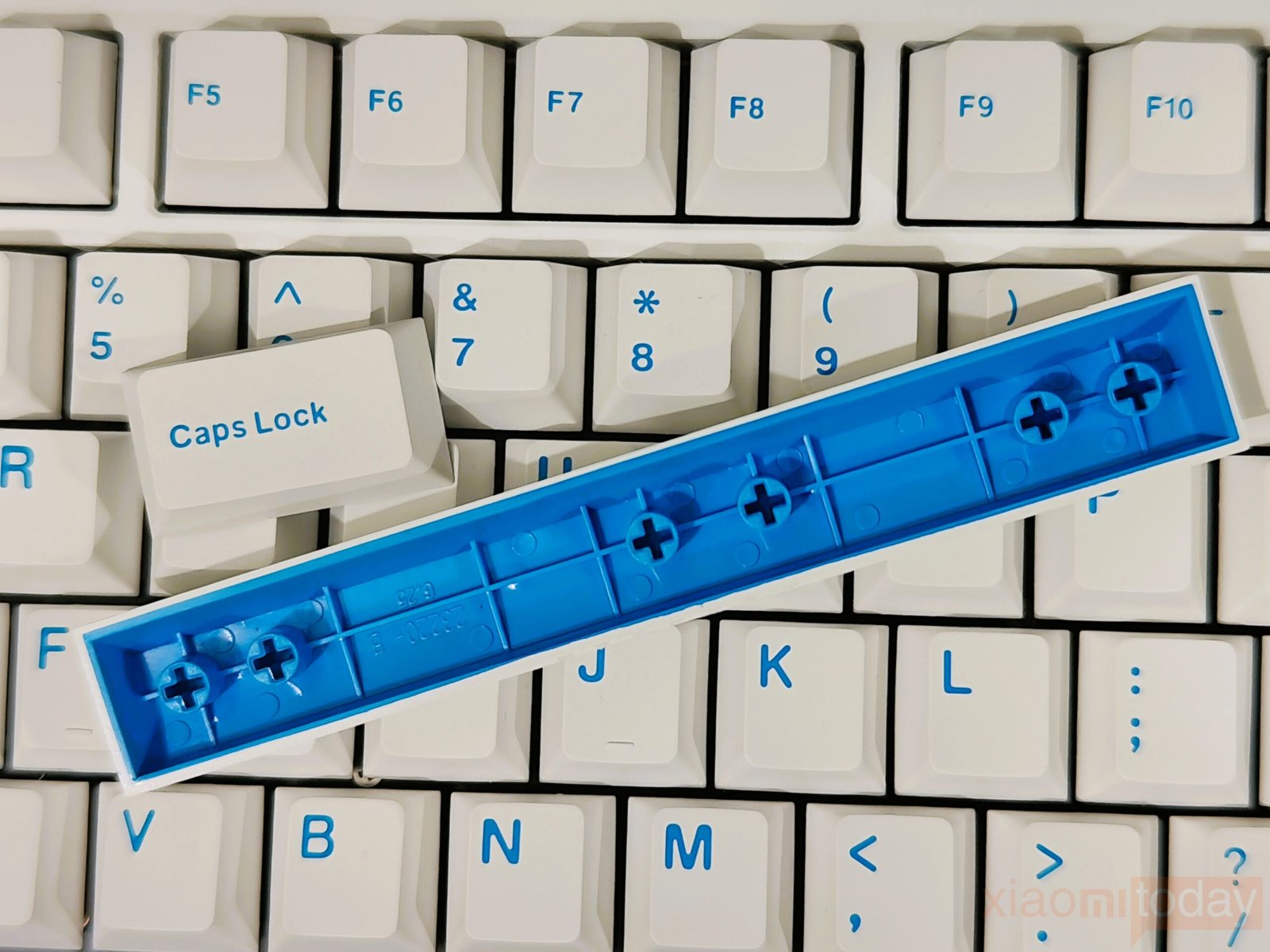
The SK75 TMR uses Cherry profile double-shot PBT keycaps, and they feel well-made right out of the box. The surface has a fine matte texture that adds a bit of grip, which helps during longer typing sessions without feeling abrasive. Key stability is solid, and the overall finish avoids the slightly glossy feel you often see on cheaper sets. While preferences vary by user, these keycaps give the board a more refined feel and pair nicely with its consistent typing feel.
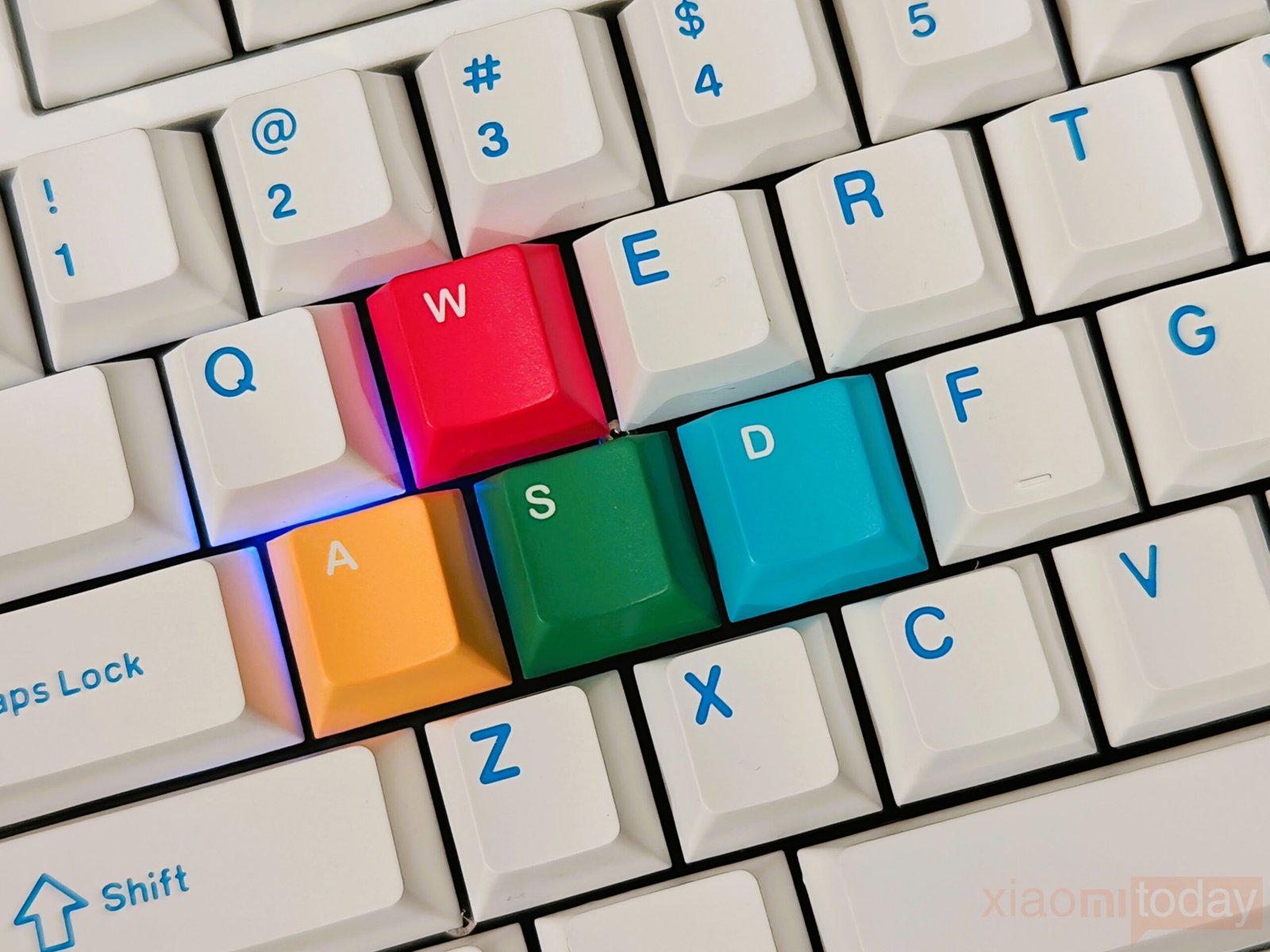
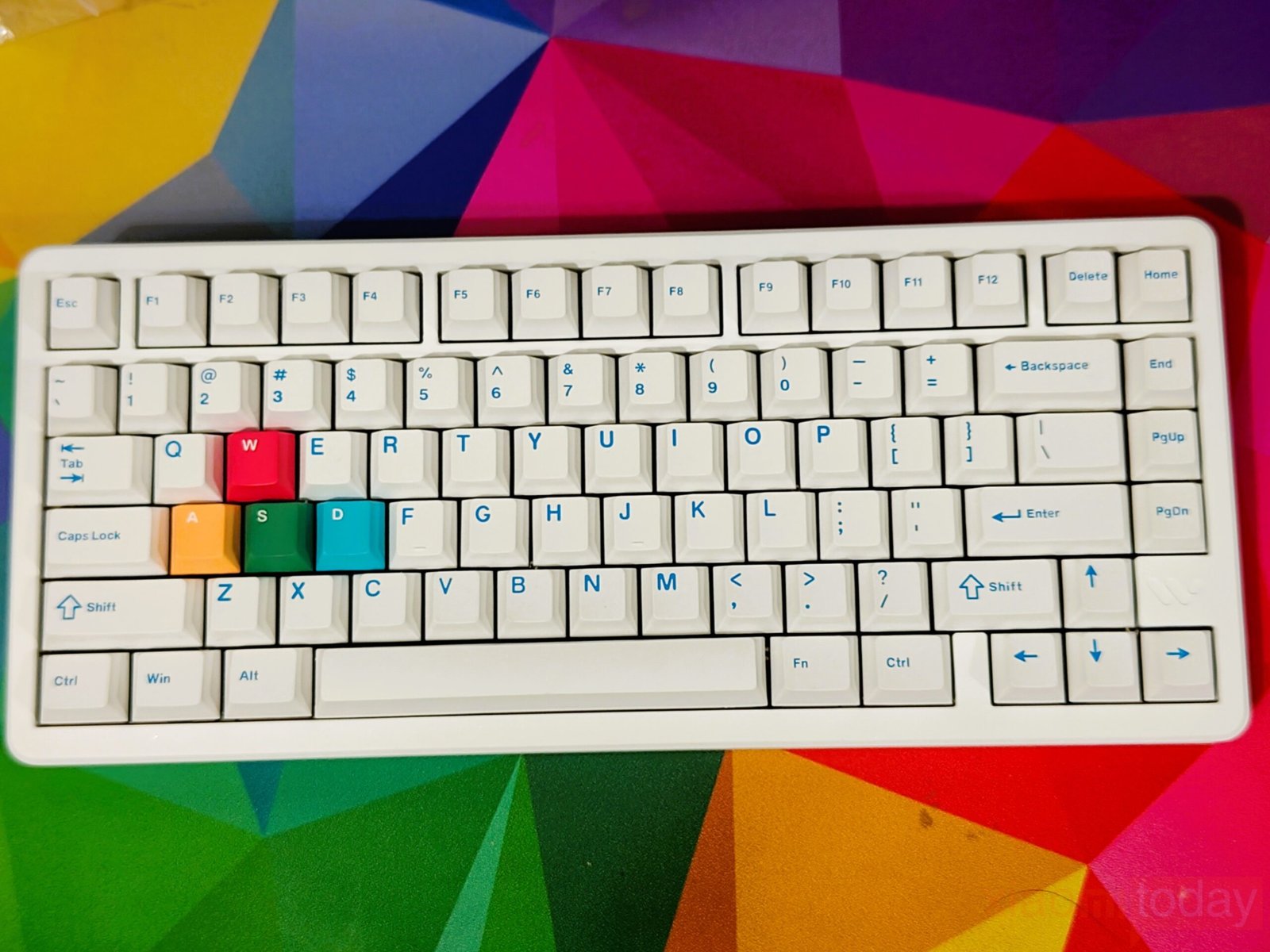
Womier also includes a set of colored replacement keycaps for WASD and a few Mac-specific keys, adding a bit of customization without going overboard. It’s a small addition, though the focus on MAC keys feels slightly uneven.
One limitation comes from the legend design. Since the keycaps are fully opaque, the RGB lighting doesn’t pass through the characters. The legends are printed in a light blue color and remain visible in normal lighting, but in darker environments, the backlight mainly serves as an underglow rather than a functional aid. The lighting itself is bright and evenly distributed around the keys, but it’s clearly tuned more for visual effect than readability.
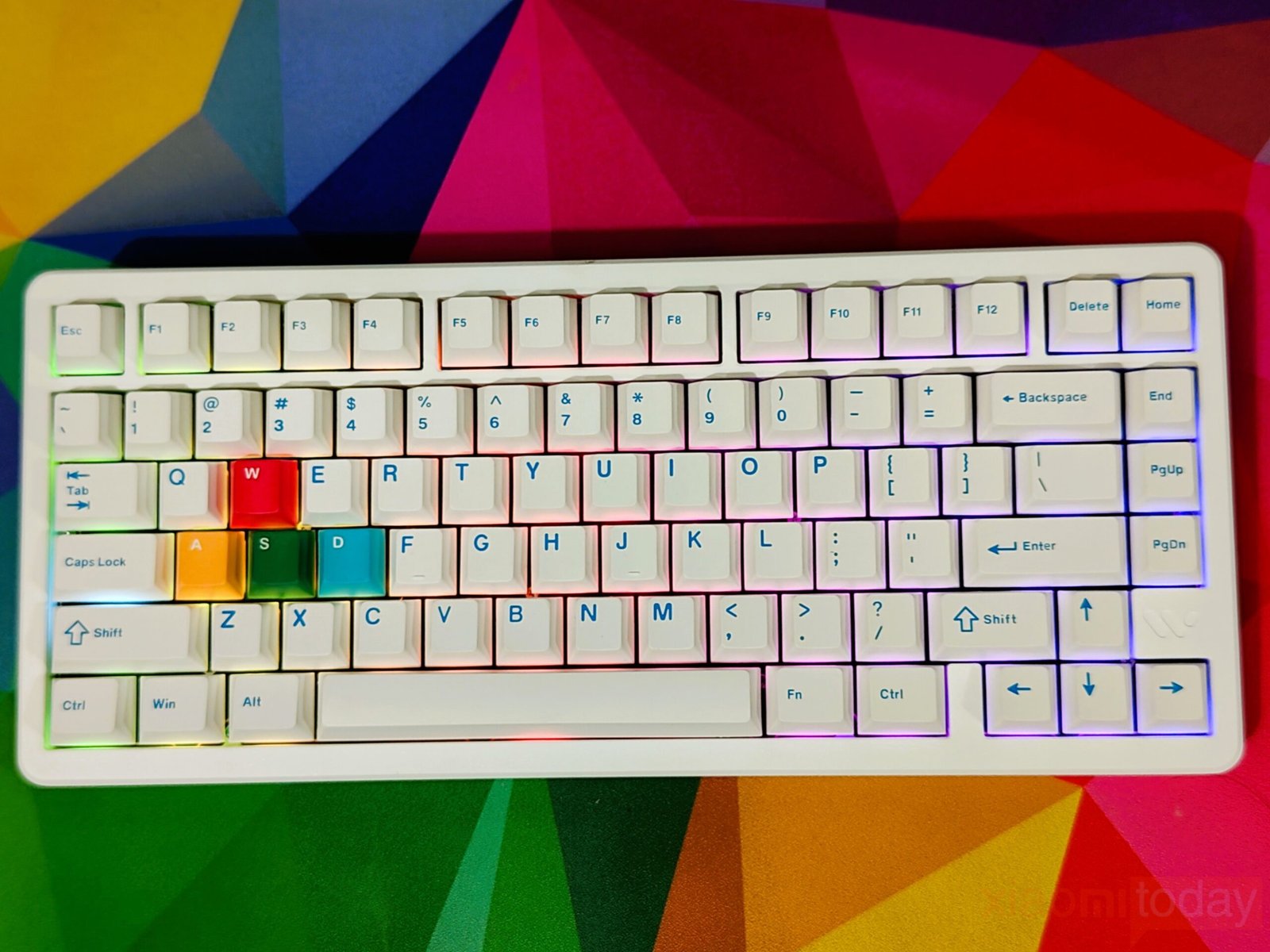
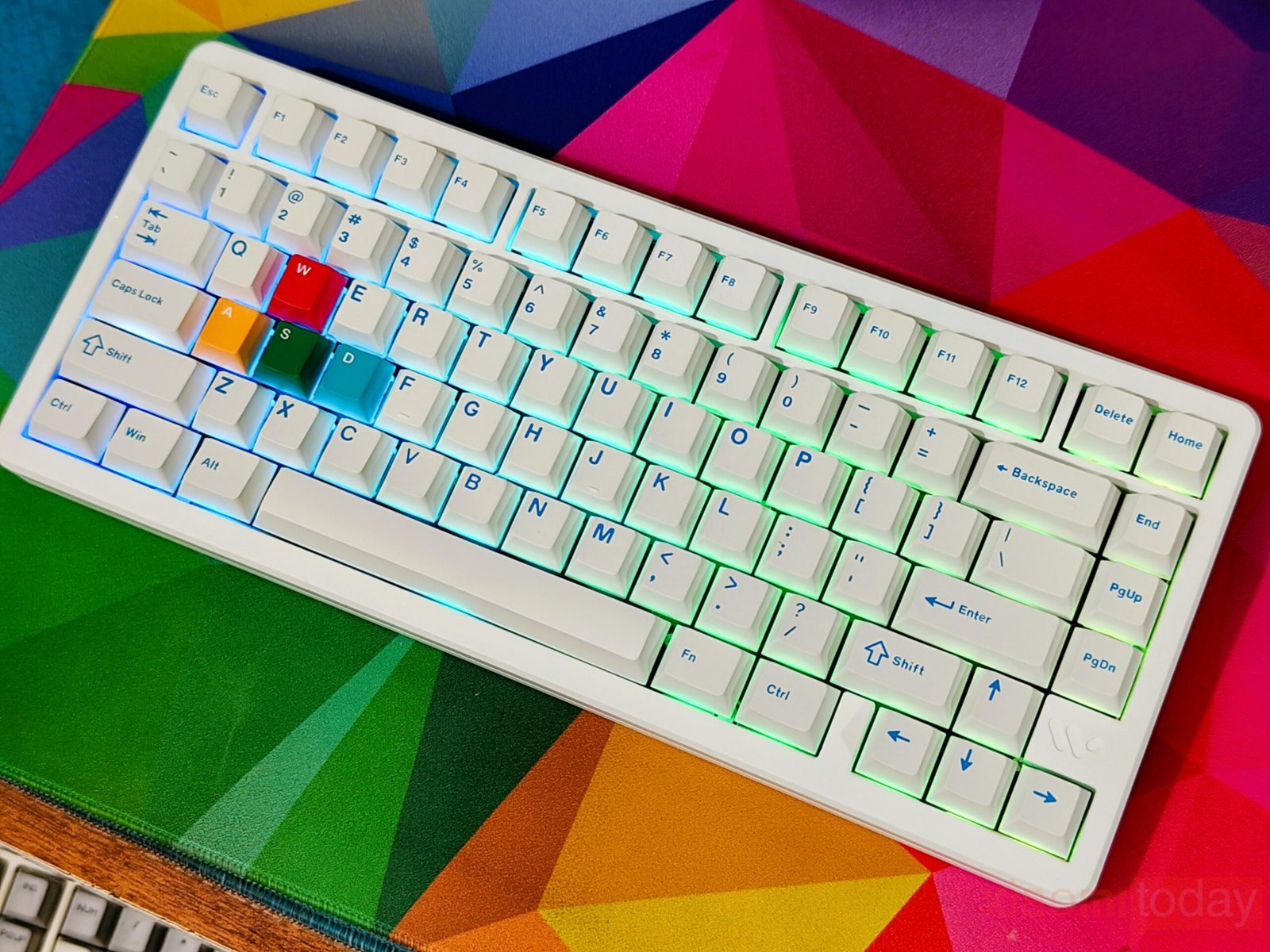
Lighting options are more flexible, with over 20 built-in effects that can be cycled through using onboard shortcuts. For users who prefer more control, the software allows adjustments to brightness, colors, and reactive effects, making it easy to tailor the look without much effort.
Womier Void Magnetic Switches
The SK75 TMR approach to switch design focuses on adaptability, thanks to its support for both magnetic and mechanical switches on the same PCB. This allows a mixed configuration where faster magnetic switches can be assigned to commonly used gaming keys, while mechanical switches handle the rest of the layout for a more traditional typing feel. In daily use, this setup feels practical, especially for users who want quicker response times without changing the overall character of the keyboard.
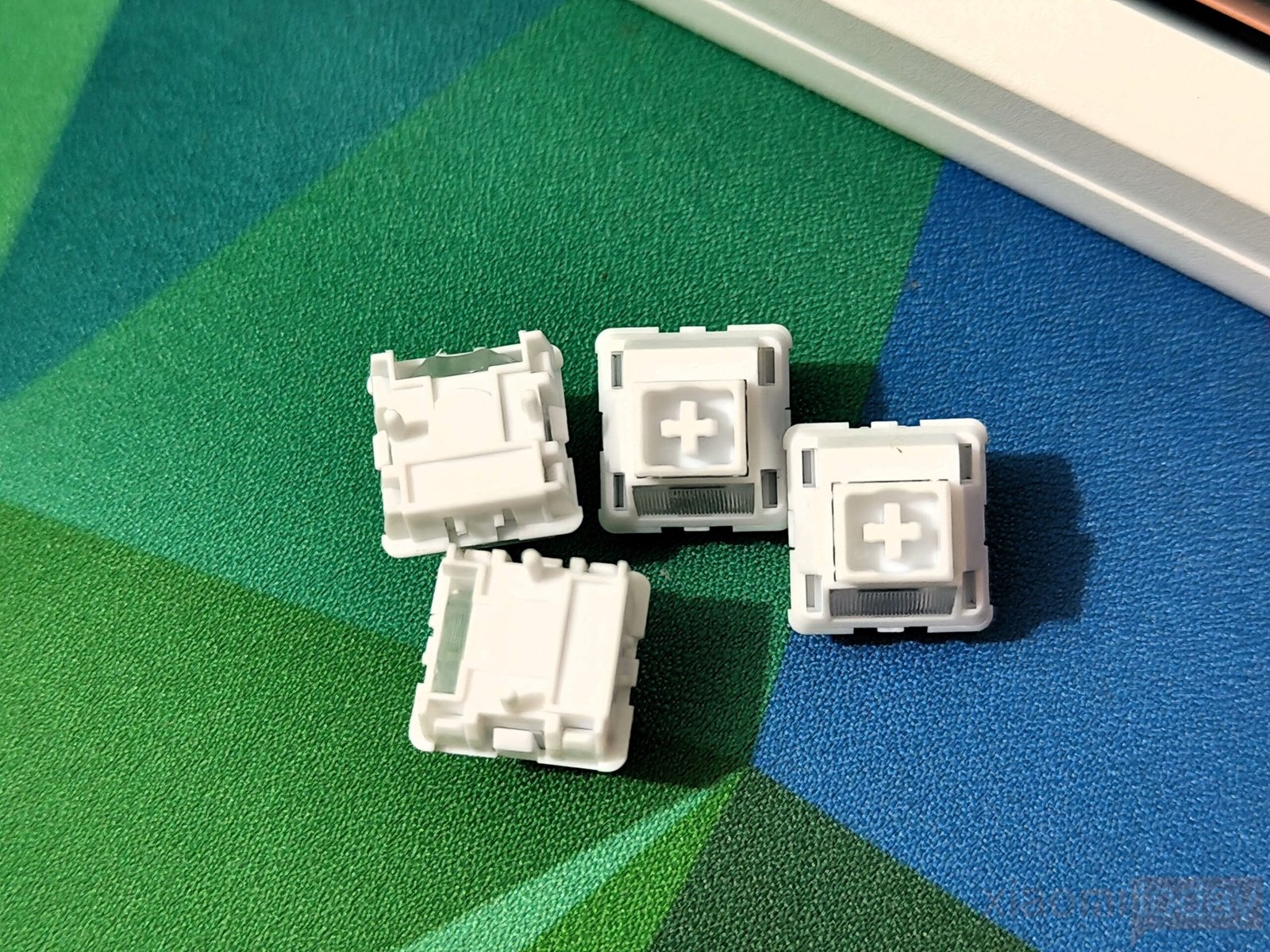
The Womier Void magnetic switches are built entirely from POM, including the stem and both housing parts. This results in a smooth keystroke with consistent travel from top to bottom. The factory lubrication helps maintain that smoothness, keeping friction low and reducing the need for immediate modifications. Acoustically, the switches produce a balanced sound that avoids harshness while still retaining enough presence to feel responsive. The integrated LED diffuser also contributes to more even backlighting, which becomes noticeable in low-light environments.
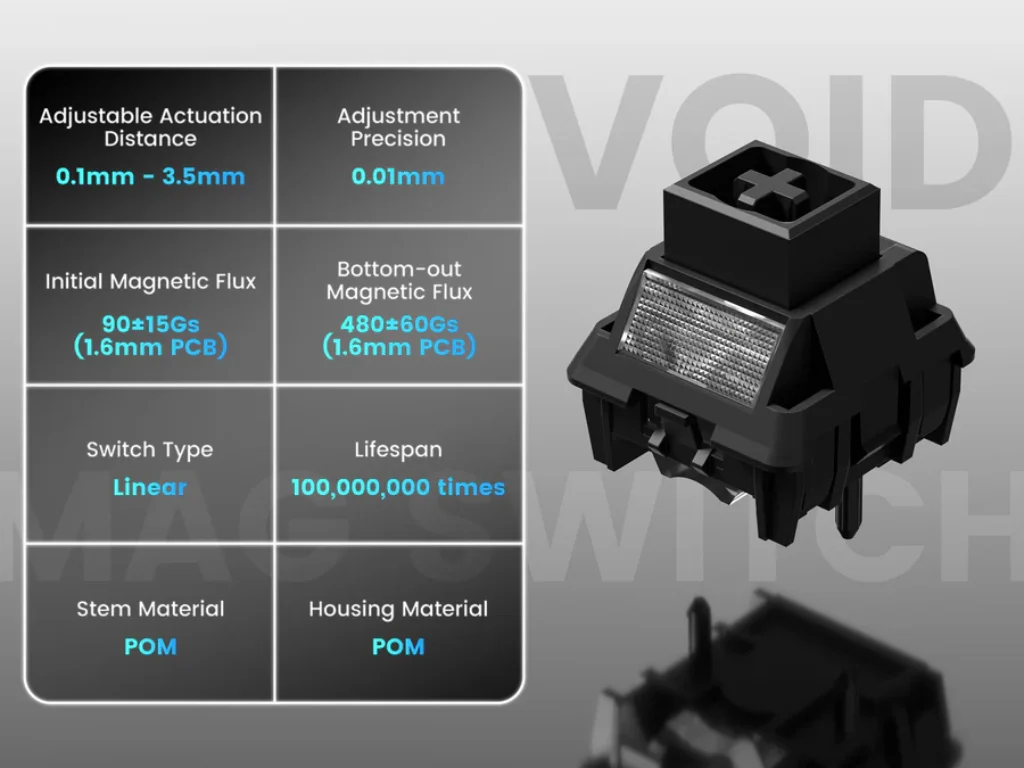
In terms of performance, the switches work alongside the TMR sensor system, allowing actuation points to be adjusted through software. Changes apply quickly, making it easy to fine-tune input response based on preference. The use of a standard MX stem ensures compatibility with a wide range of keycaps, while the internal construction supports durability with a lifespan rated at around 100 million keystrokes. With a total travel of 3.4 ± 0.2 mm, the overall feel remains familiar, while still offering the added control that comes with magnetic switch tuning.
Taken as a whole, the Void magnetic switches focus on consistency and usability. They offer smooth travel, balanced acoustics, and reliable performance, while the SK75 TMR’s hybrid support adds a level of customization not commonly found in this segment.
FN Shortcuts and Key Combinations
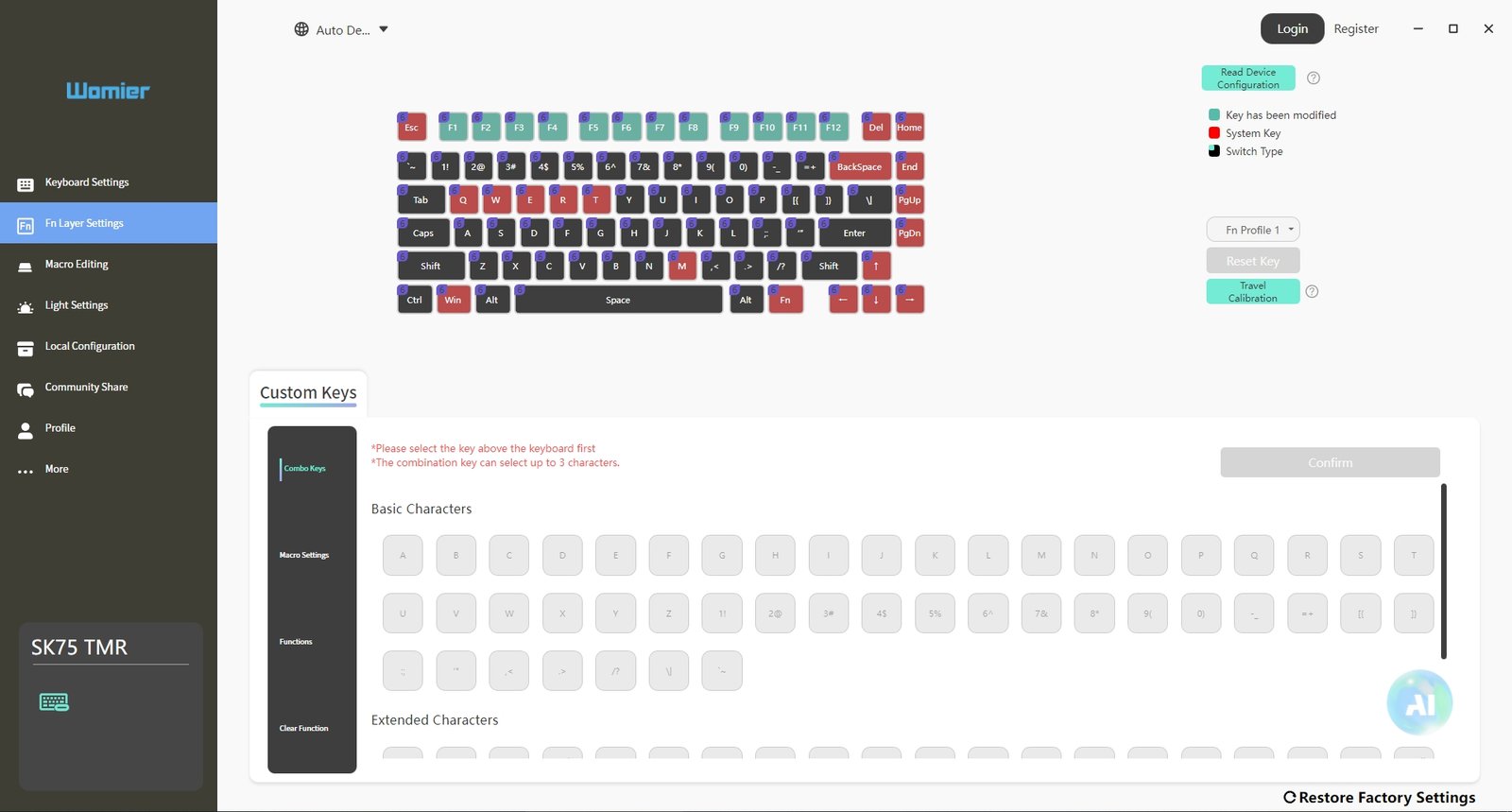
The Womier SK75 TMR uses a single, unified FN layer that keeps all core, media, and system controls within easy reach. The layout remains familiar, and switching between Windows and macOS mainly changes how the function row behaves, rather than the entire keymap. In daily use, shortcuts trigger reliably, and mode switching is quick enough not to interrupt the workflow.
| FN Combination | Function (Windows / macOS) |
|---|---|
| FN + Q / W / E | Switch Bluetooth device (Channel 1 / 2 / 3) |
| FN + R | Switch to 2.4GHz wireless mode |
| FN + T | Switch to wired mode |
| FN + Backspace | Check battery level |
| FN + WIN | Lock / Unlock Windows key |
| FN + M (Hold 3s) | Toggle Windows / macOS mode |
| FN + Delete | Backlight ON / OFF |
| FN + Home | Cycle lighting effects |
| FN + End | Change lighting colors |
| FN + ← / → | Adjust lighting direction |
| FN + ↑ / ↓ | Adjust lighting brightness |
| FN + ESC (Hold 3s) | Factory reset |
| FN + F1 | Screen brightness – |
| FN + F2 | Screen brightness + |
| FN + F3 | Task View (Win) / Mission Control (macOS) |
| FN + F4 | Previous track |
| FN + F5 | Play / Pause |
| FN + F6 | Next track |
| FN + F7 | File Explorer (Win) / Console (macOS) |
| FN + F8 | Mail (Win) / Keyboard backlight – (macOS) |
| FN + F9 | Home (Win) / Keyboard backlight + (macOS) |
| FN + F10 | Mute |
| FN + F11 | Volume – |
| FN + F12 | Volume + |
In use, the combined layout works well without adding complexity. Device switching is quick, lighting controls are grouped logically, and media shortcuts are placed where most users expect them. It’s a practical implementation that fits the SK75 TMR’s compact form without sacrificing usability.
Connectivity
The SK75 TMR keeps things practical when it comes to connectivity. It supports USB-C wired, Bluetooth 5.0, and 2.4 GHz wireless, covering both desk-bound and portable use without requiring any extra setup. In daily use, all three modes behave as expected, with no unusual quirks during switching or reconnection.
Bluetooth mode is useful if you’re working across multiple devices. The keyboard allows pairing with several systems at once, so moving between a laptop, tablet, or secondary PC is as simple as a quick key combination. The 2.4 GHz connection offers lower input latency, making it better suited for gaming or faster typing workloads. Wired mode remains the most consistent, especially when you don’t want to think about battery levels or signal stability.
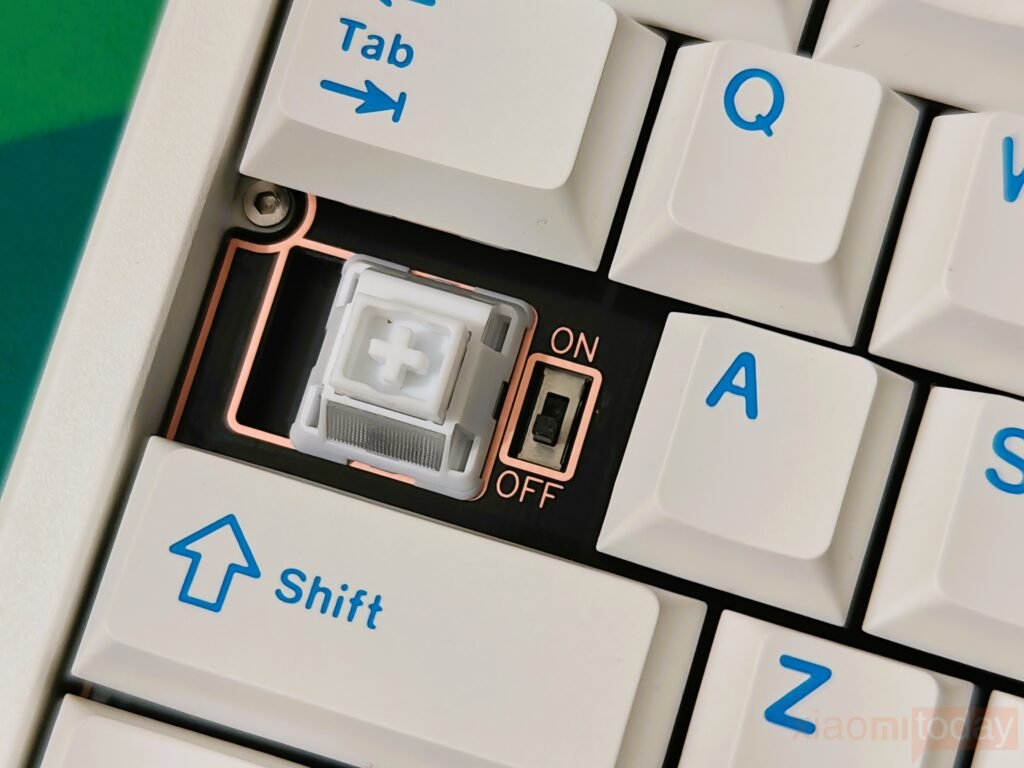
Power management is handled in a typical way. The backlight switches off after a short period of inactivity in wireless mode, and the keyboard enters sleep after extended idle time. Waking it up is instant with a keypress, and reconnection happens automatically without re-pairing.
Connectivity Overview
| Mode | Interface | Use Case | Notes |
|---|---|---|---|
| Wired | USB-C | Desktop use, long sessions | Stable connection, no battery dependency |
| Bluetooth 5.0 | Wireless | Multi-device environments | Supports multiple device pairing |
| 2.4 GHz Wireless | USB Receiver | Low-latency wireless use | Better response compared to Bluetooth |
Pairing and Mode Switching
Getting the keyboard connected is not difficult, and the shortcuts are easy to remember after a few uses.
Bluetooth Mode
- Turn on the switch under the Caps Lock key.
- Hold FN + Q / W / E for three seconds until the indicator flashes blue.
- Select the keyboard from your device’s Bluetooth menu to connect.
- Each key stores a separate device profile for quick switching.
2.4 GHz Wireless Mode
- Turn on the switch under the Caps Lock key.
- Hold FN + R for three seconds until the indicator flashes green.
- Plug in the USB receiver.
- The keyboard connects automatically within a few seconds.
Wired Mode
- Connect the USB-C cable to your device.
- Press FN + T to switch to wired input if required.
Once paired, switching between modes and devices feels consistent. It doesn’t interrupt normal use, which is what matters most in a mixed-device setup.
WOMIER Software
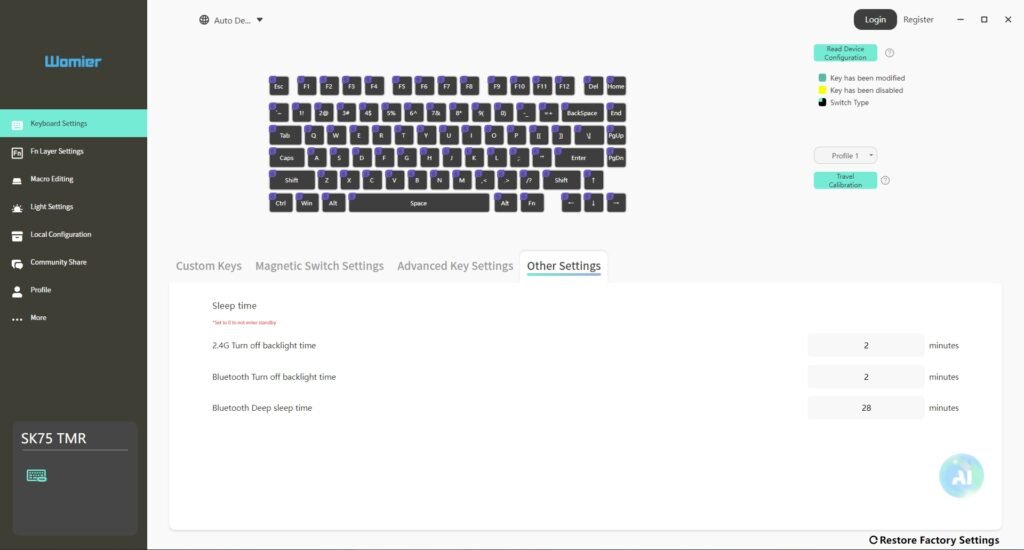
The WOMIER software included with the SK75 TMR keeps the experience focused and easy to manage. The main interface presents a full keyboard layout, allowing quick access to individual keys for adjustments. Selecting and modifying keys feels responsive, and changes apply immediately without requiring a reconnect or profile reload. The layout is clean enough that most users can get familiar with it in a short time.
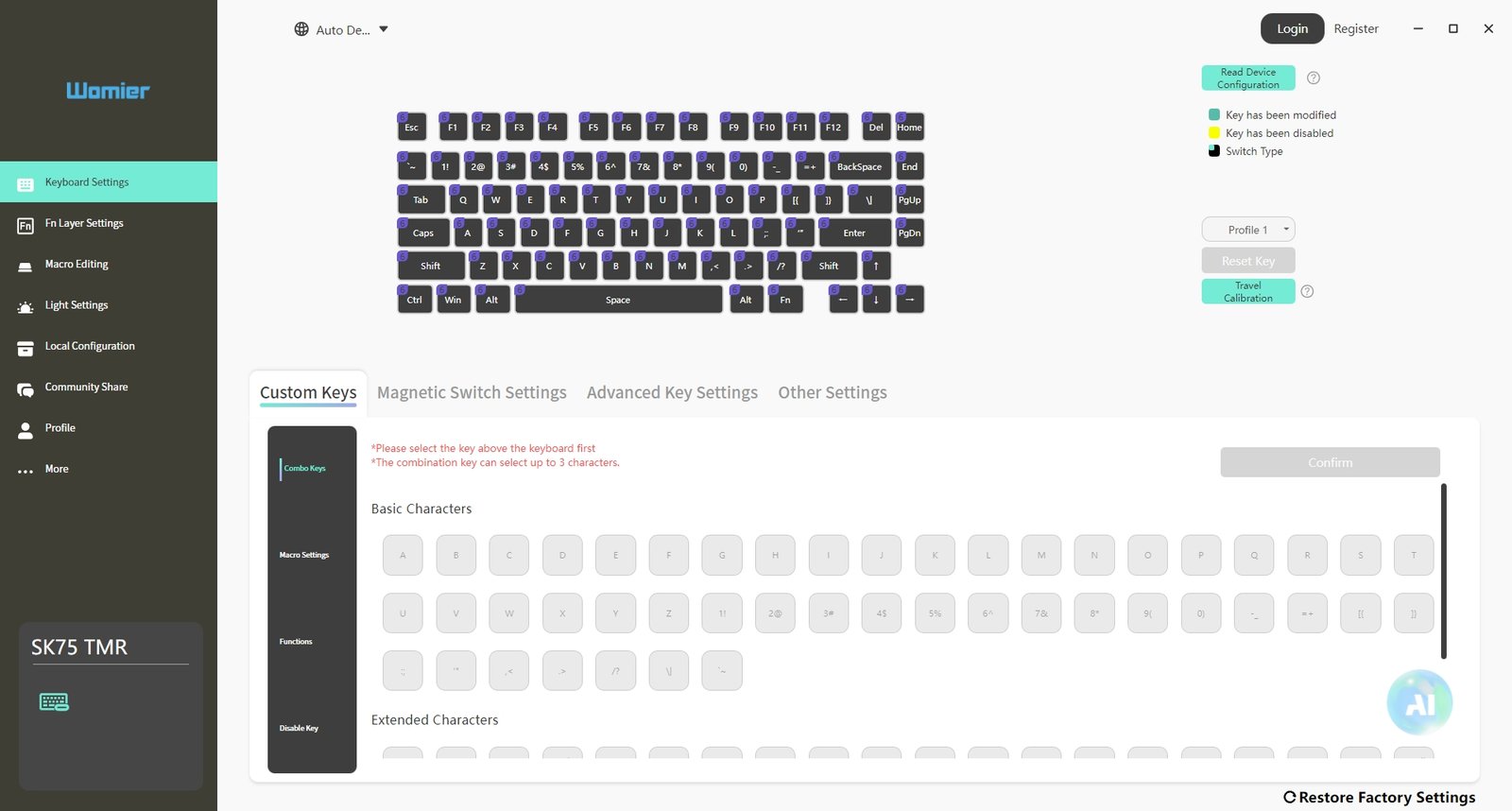
Remapping options are located under the Custom Keys tab, covering standard reassignment, function layers, and macros. The macro editor offers basic recording, loop settings, and delay adjustments. It doesn’t aim for deep scripting support, but it handles common tasks such as shortcuts and repeated inputs without issues. For general use, it provides enough flexibility without adding unnecessary steps.
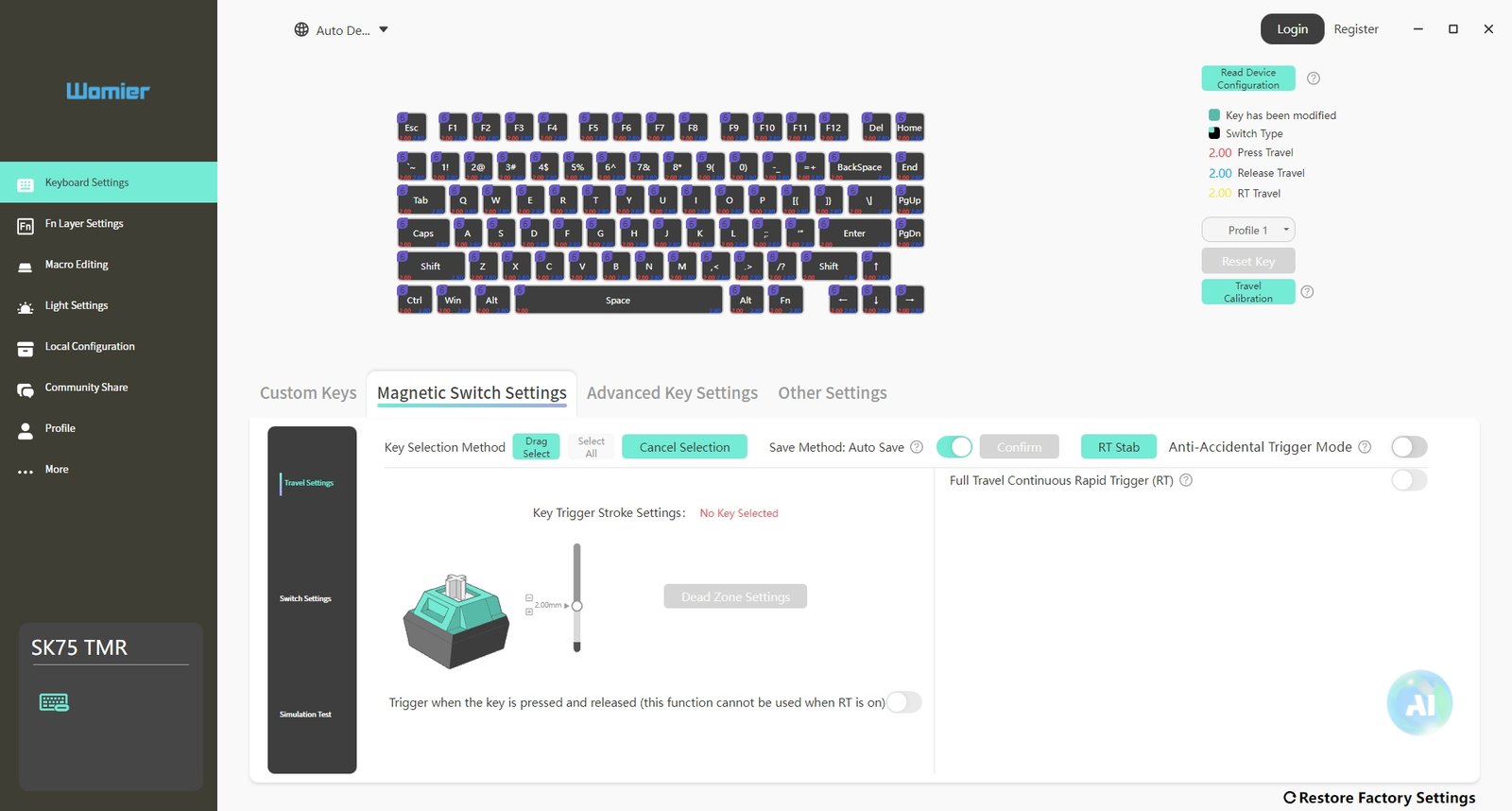
The Magnetic Switch Settings section is where most of the tuning takes place. Each key can be adjusted with custom actuation points, giving users control over how early or late a keypress registers. Rapid Trigger can be enabled per key, removing the fixed reset point and allowing inputs to respond based on movement. This behavior can improve consistency during quick inputs, especially in fast-paced scenarios. Travel calibration is also available to help maintain uniform response across all keys.
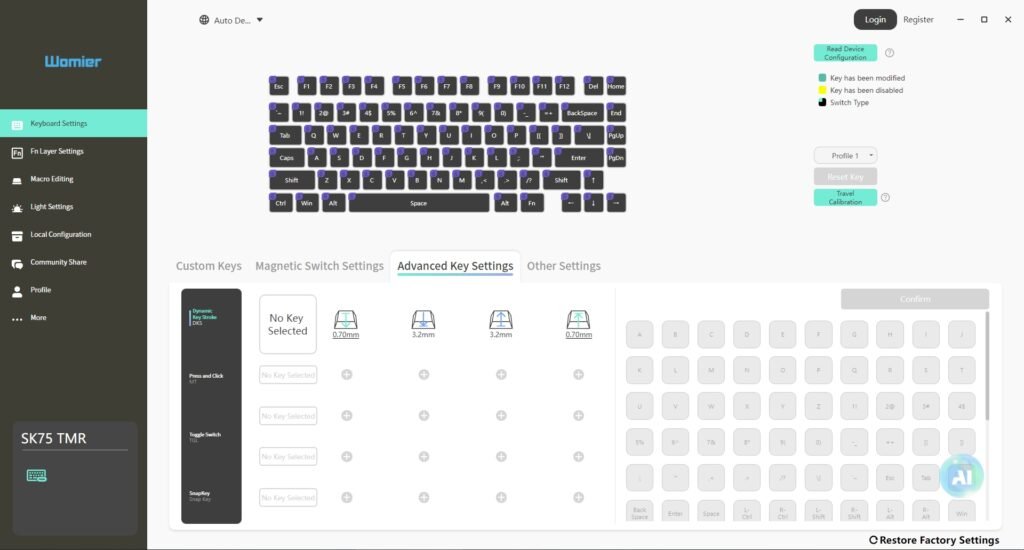
Additional features are found under Advanced Key Settings, including Dynamic Keystroke (DKS), Toggle, Multi-Trigger, and Snap Key. These functions allow a single key to perform different actions depending on how far it is pressed. A lighter press can trigger one command, while a deeper press activates another. In practice, this works reliably and can reduce the need for extra key bindings in both gaming and productivity tasks.
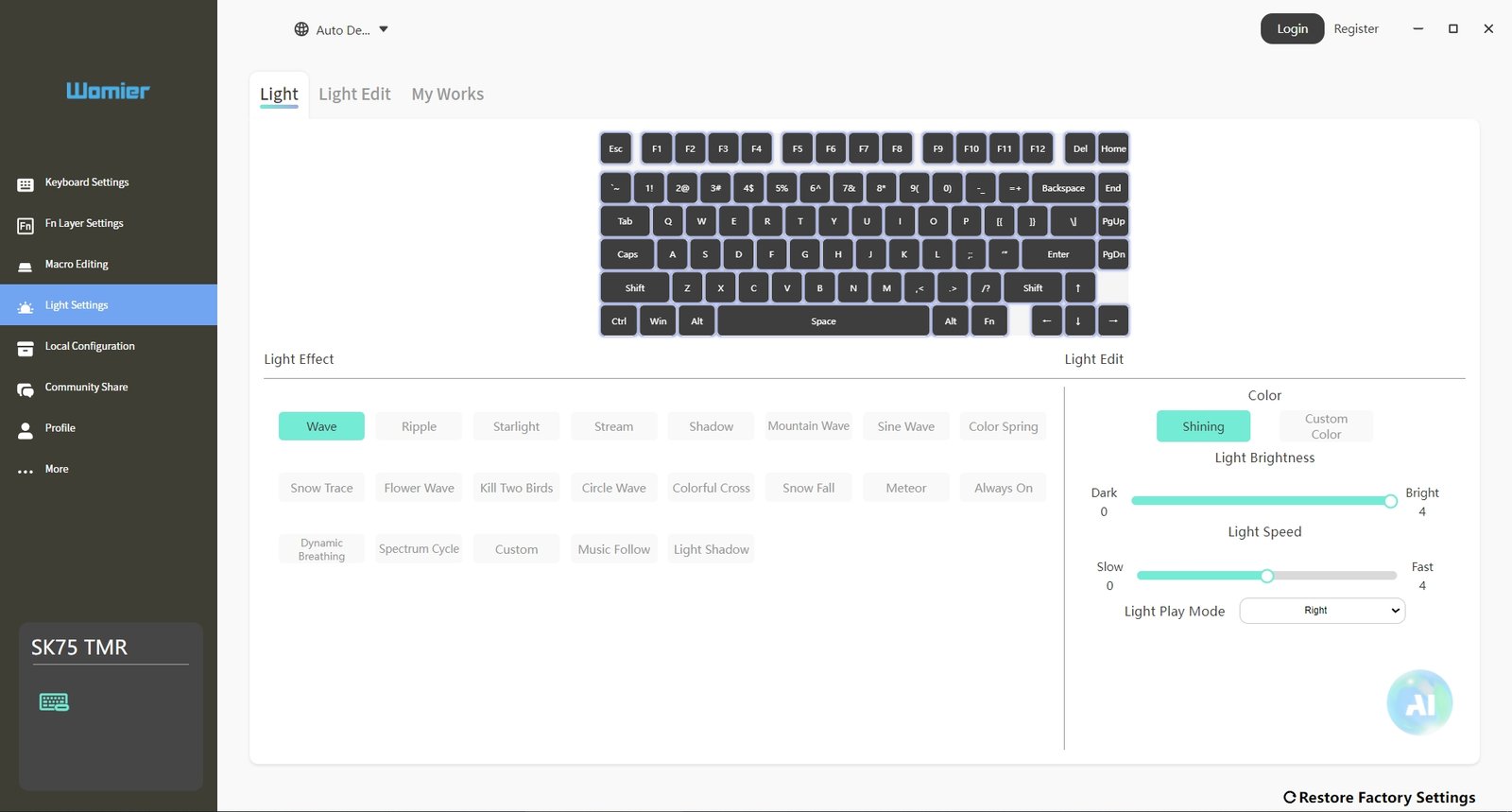
Lighting controls are separated into their own section, offering preset effects along with brightness and speed adjustments. Per-key customization is supported, though most users will likely rely on the available presets. The interface responds quickly, and lighting changes appear on the keyboard without delay.
Overall, the software delivers what’s needed without adding complexity. It provides access to the SK75 TMR’s magnetic features while keeping navigation simple and consistent, making it easy to adjust settings and move on.
Battery Performance
The keyboard is powered by a large 8000 mAh battery, and in everyday wireless use, it performs reliably without requiring frequent charging. During testing, it easily lasted for multiple days of continuous use, and after around 10 days of regular typing and navigation, the battery level remained close to 90% after a full charge. This makes it suitable for users who prefer long wireless sessions without constantly worrying about recharging. Charging time is around 3 hours, which is reasonable for this capacity.
Battery management is handled practically with both software and hardware indicators. The keyboard enters an automatic sleep state after 2 minutes of inactivity to conserve power, and it wakes instantly with any key press. Users can also adjust the sleep timer through software based on personal preference.
Battery status can also be checked without any software. Holding FN + Backspace lights up number keys 1 to 0, representing battery levels in 10% increments. The RGB indication system also helps at a glance, while charging alerts are clearly communicated through the ESC key.
Battery & Power Overview
| Feature / Function | Behavior / Detail |
|---|---|
| Battery Capacity | 8000 mAh |
| Typical Usage Runtime | Several days to over a week on a single charge |
| Charging Time | Around 3 hours |
| Sleep Mode | Activates after 2 minutes of inactivity |
| Wake Response | Instant on key press |
| Battery Check Shortcut | FN + Backspace (1–0 keys show percentage) |
| Low Battery Indicator | ESC key slowly flashes red |
| Battery Level Colors | Red (<40%), Yellow (<60%), Green (>80%) |
| Full Charge Indicator | ESC key blinks green five times |
One drawback is the placement of the power switch, which feels a bit inconvenient in daily use. It is not easily accessible, so turning the keyboard on or off may require a keycap puller. However, this is less of a concern in practice, since sleep mode handles most idle periods efficiently, keeping the keyboard powered on most of the time without manual intervention.
Use Experience (Typing Feel and Gaming Performance)
After two weeks of daily use, the Womier SK75 TMR settles into a consistent and predictable workflow across both productivity and gaming. The initial adjustment period is short, mainly focused on dialing in the magnetic switch settings through the software. Once the actuation points are set to personal preference, the keyboard becomes easy to live with daily. The 75% layout continues to feel practical, keeping navigation keys and arrows within reach while still saving desk space compared to a full-size board.
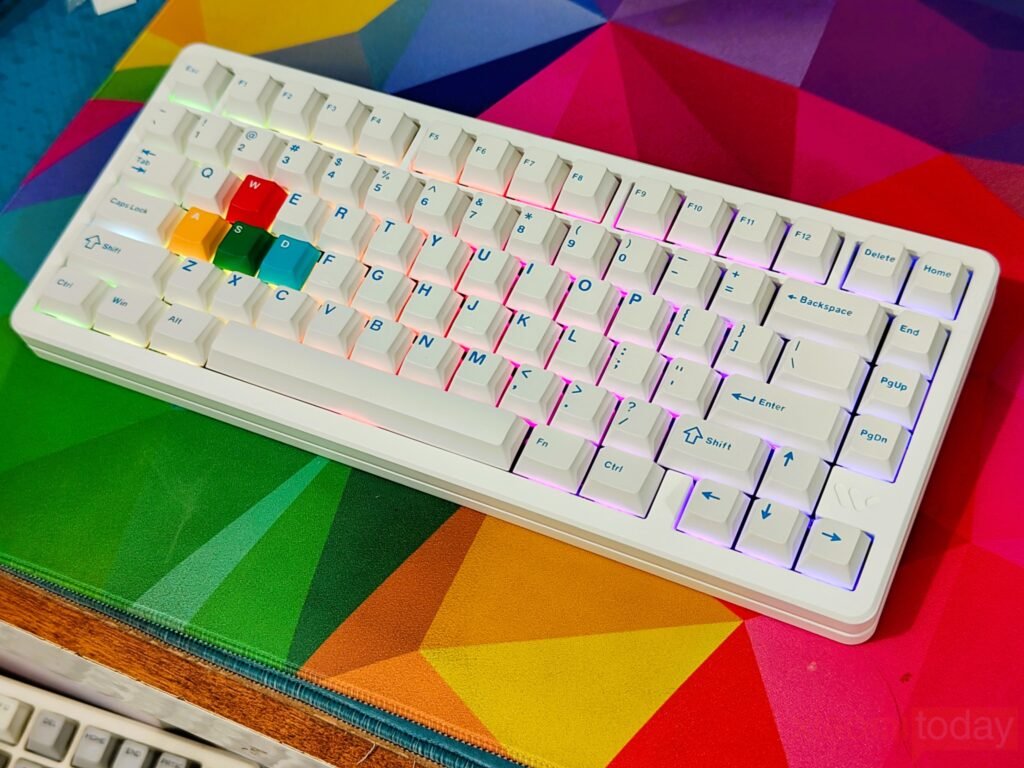
Typing performance feels stable and controlled, with a slightly firm character coming from the FR4 plate and the aluminum case. Keypresses do not feel overly soft or mushy, and there is a clear sense of bottom-out consistency across all keys. The weight of the keyboard keeps it firmly planted on the desk, even during faster typing sessions. Over time, this stability becomes one of its stronger points, especially for users who type for long hours. The Cherry profile PBT keycaps also hold up well during extended use, offering a matte texture that stays comfortable without becoming slippery.
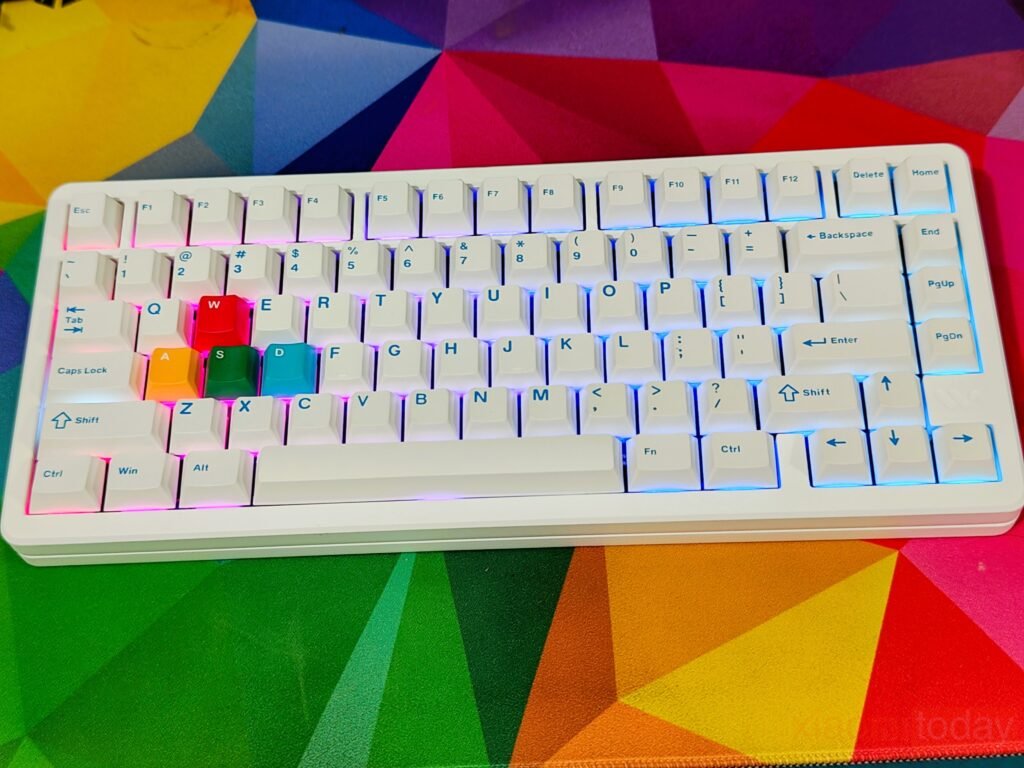
The magnetic switch system adds a different layer to the typing experience once properly tuned. Lowering the actuation point makes everyday typing feel lighter and more responsive, while higher settings improve control for users who prefer fewer accidental inputs. Rapid Trigger support is noticeable in quick corrections and repeated keystrokes, though it does not drastically change the core typing feel. Instead, it refines responsiveness in a way that becomes more apparent over time rather than immediately.
In gaming, the SK75 TMR shows clearer advantages. Fast-paced titles benefit from the adjustable actuation and rapid reset behavior, especially in movement-heavy scenarios. Inputs register quickly, and the high polling rate keeps latency low enough that the keyboard feels responsive in competitive environments. Setting different actuation profiles for gaming keys like WASD can make movements feel more immediate, particularly in shooters and action-based games. While it does not change the skill requirements, it offers tighter control over input timing.
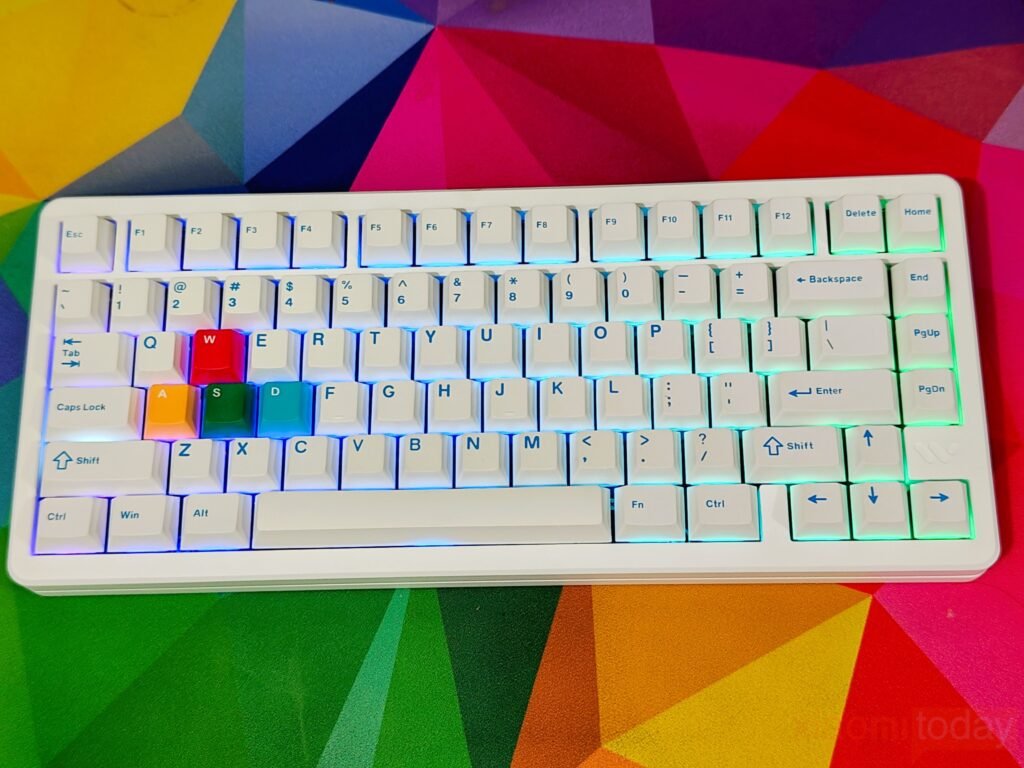
Wireless performance remains reliable over long sessions. The 2.4 GHz mode performs close to wired use, with no noticeable delays during gameplay or typing. Bluetooth is better suited for multitasking across devices, where responsiveness is less critical. Battery life also remains consistent, handling several days of mixed use without frequent charging, even with RGB lighting enabled.
After extended use, the SK75 TMR feels less like a traditional mechanical keyboard and more like a configurable input device. Its strengths become more visible once the settings are tailored, especially for users who spend time fine-tuning actuation levels for both work and gaming. It does not reinvent the typing experience, but it refines it in a way that becomes more meaningful over time.