Mechanical keyboards continue to evolve beyond basic black frames and RGB-heavy designs. With the Lipstick, Lofree is targeting users who want a keyboard that reflects personal style while still delivering the features expected from a modern mechanical setup. After spending time with the silver variant, it’s clear this model is designed to balance visual identity with practical daily use.
The Lofree Lipstick Keyboard draws inspiration from classic lipstick shades, translating that theme into eight color-accented keycaps. Our silver unit pairs a metallic frame with translucent dual-shot PBT keycaps, creating a clean desk presence without going overboard. The lipstick-shaped ESC key adds a playful touch, but it doesn’t feel like a gimmick. The matte finish across the keycaps has a soft texture, and over extended typing sessions, it feels comfortable under the fingers.
Internally, the keyboard uses a gasket-mounted structure. In daily typing, this results in a slightly cushioned bottom-out with reduced sharp feedback compared to more rigid tray-mounted boards. It’s not overly soft, but it does smooth out keystrokes in a noticeable way. The included hot-swappable GATERON linear switches offer consistent travel and allow users to experiment with other compatible switches without soldering, which adds long-term flexibility.
On first impressions, the Lofree Lipstick is more than a themed keyboard. It combines solid construction, modern connectivity, and a typing feel that fits both work and casual use. In the full review, we’ll examine its performance, battery life, build quality, and overall value in greater detail.
Specifications
| Category | Specification | Details |
|---|---|---|
| Keyboard | Number of Keys Multifunction Keys Switch Switch Type Hot-swappable N-key Rollover | 84 Keys (75%) 10 Lofree × GATERON Linear Yes Yes |
| Backlight | Lighting Backlight Modes | White LED (5000K) 7 Effects |
| Size & Weight | Dimensions Weight | 325 × 160.5 × 44.4 mm 972g |
| Materials | Frame Keycaps Stem Material | ABS PBT / PC POM |
| Connectivity | Connection Modes Bluetooth Name Polling Rate Compatibility | Bluetooth 5.3 / 2.4GHz / USB Type-C (Wired) DOT 2@Lofree 1000Hz Windows, Android, macOS, iPadOS, iOS |
| Power | Battery Capacity Charging Time Working Time (Lights On) Working Time (Lights Off) | 4000mAh About 5 Hours Up to 30 Hours Up to 14 Days |
Unboxing
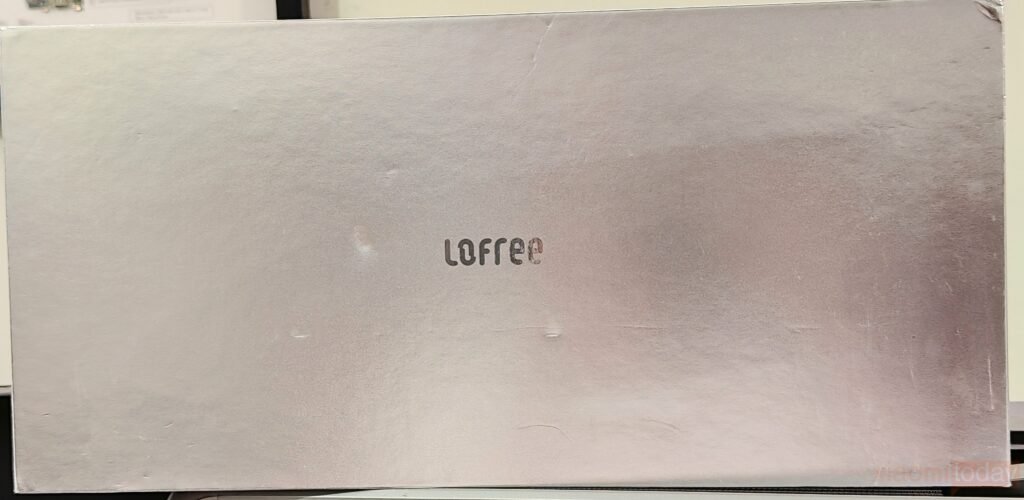
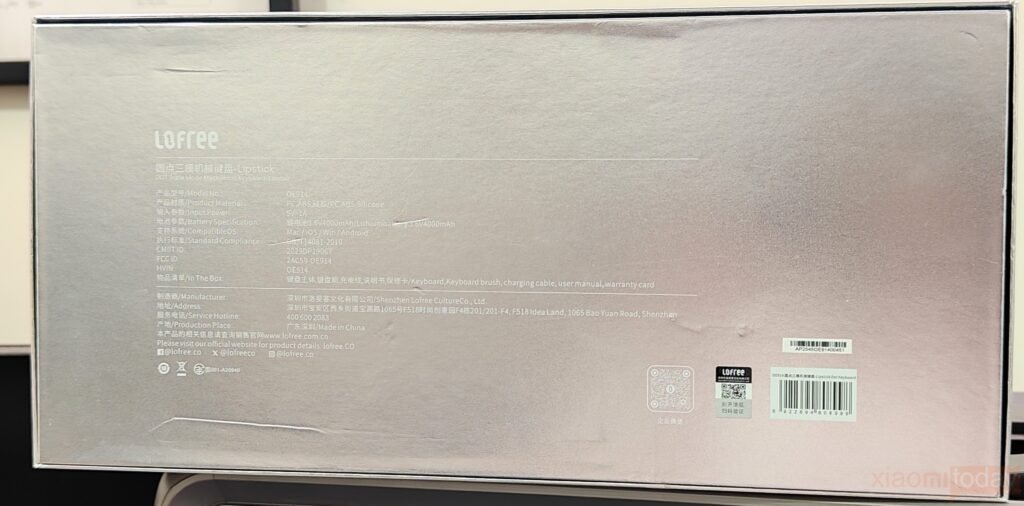
The front of the Lofree Lipstick Keyboard box takes a clean and minimal approach, featuring a soft metallic finish with the Lofree logo centered neatly. There are no flashy graphics or heavy branding, giving the packaging a refined, lifestyle-focused look rather than a gaming-oriented one. On the back, it lists important details such as the OE914 model number, materials, input power, battery specifications, and compatibility with macOS, Windows, iOS, and Android devices. The information is presented clearly, making it easy for users to understand the product at a glance.
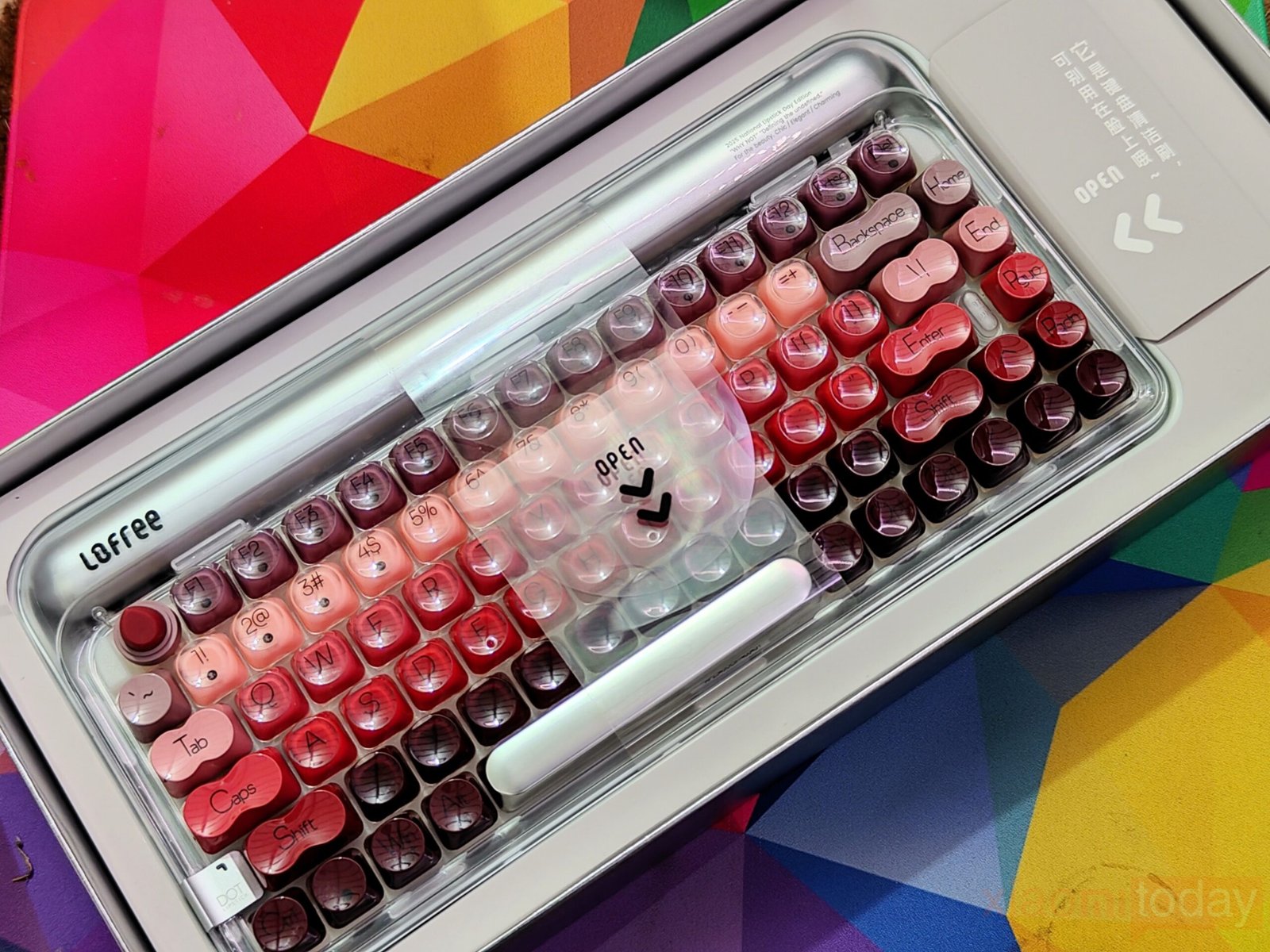
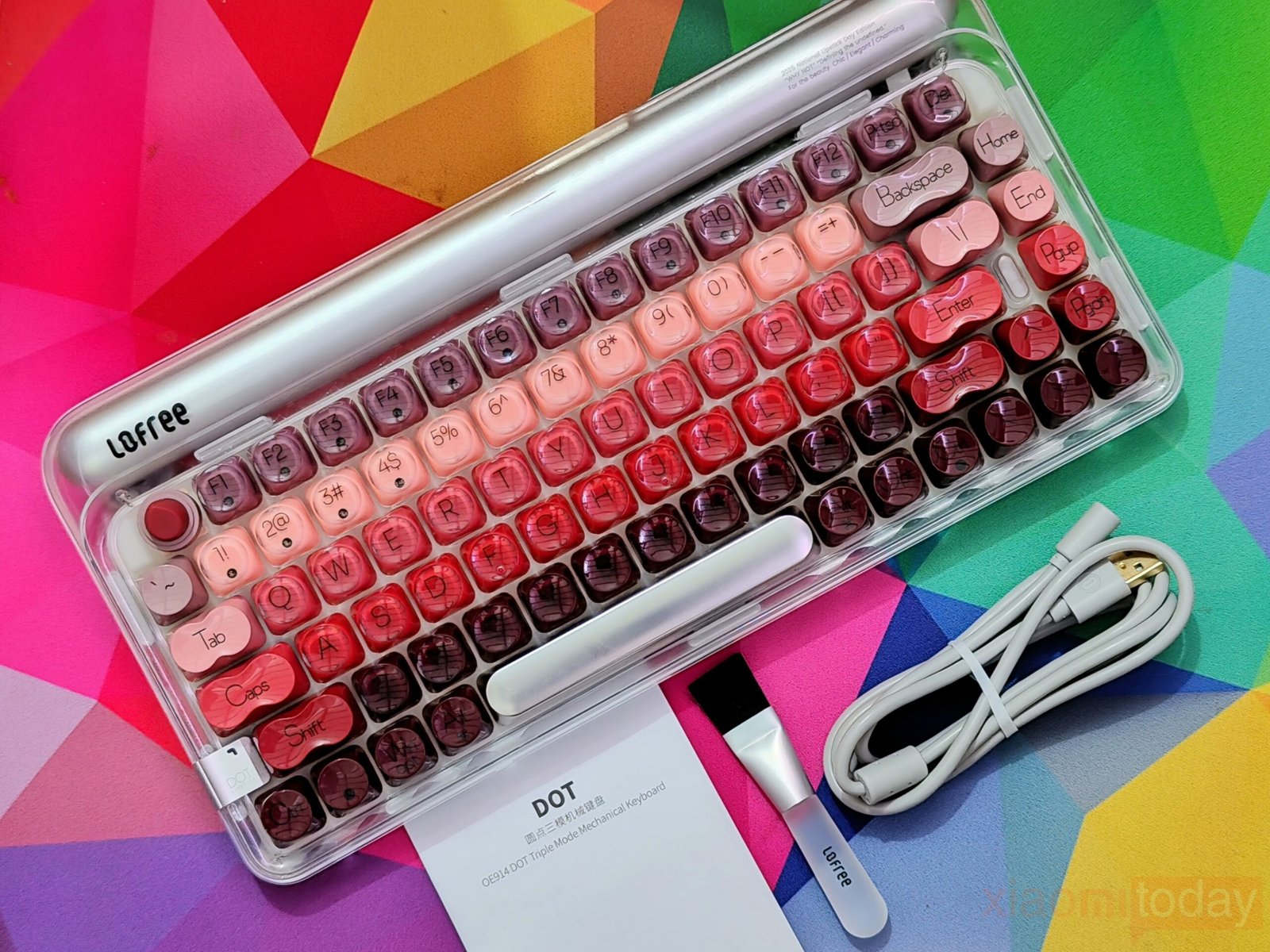
Inside the box, the keyboard comes with a small cleaning brush to help keep the keycaps free of dust and debris, a USB Type-C to Type-A cable for wired use and charging, and a user manual that guides you through the basic setup and functions.
Design and Build Quality
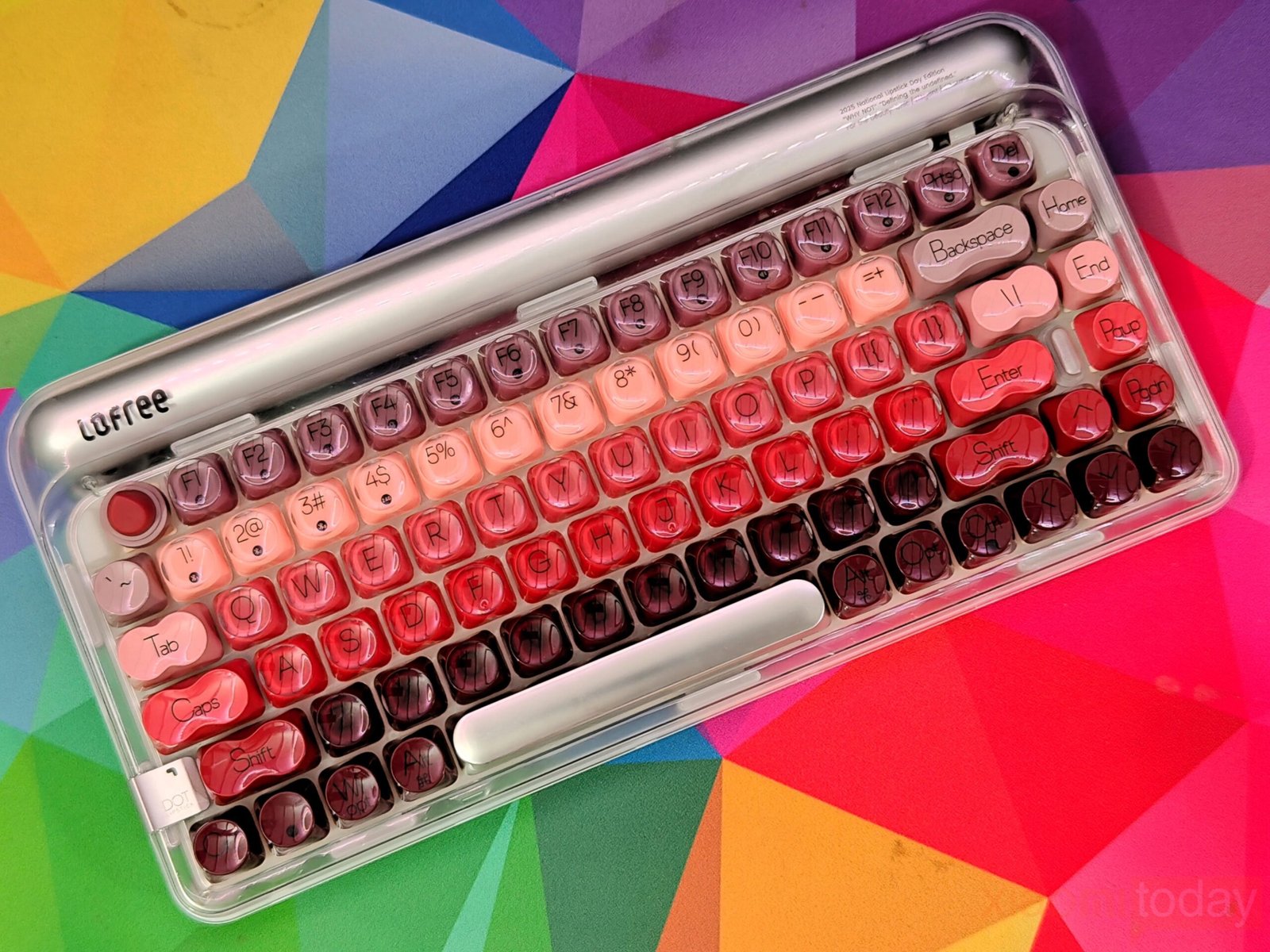
The Lofree Lipstick mechanical keyboard is built around a strong visual concept, but the design is more than color selection. Inspired by classic lipstick shades, it is available in eight vibrant finishes that allow users to coordinate their setup with a specific mood or theme. The frosted transparent housing gives the keyboard a clean, display-like appearance. Instead of using a fully clear shell, Lofree opts for a semi-transparent ABS frame that diffuses reflections while keeping the internal structure and colorful keycaps visible. This creates a layered effect that feels lifestyle-oriented without compromising usability.
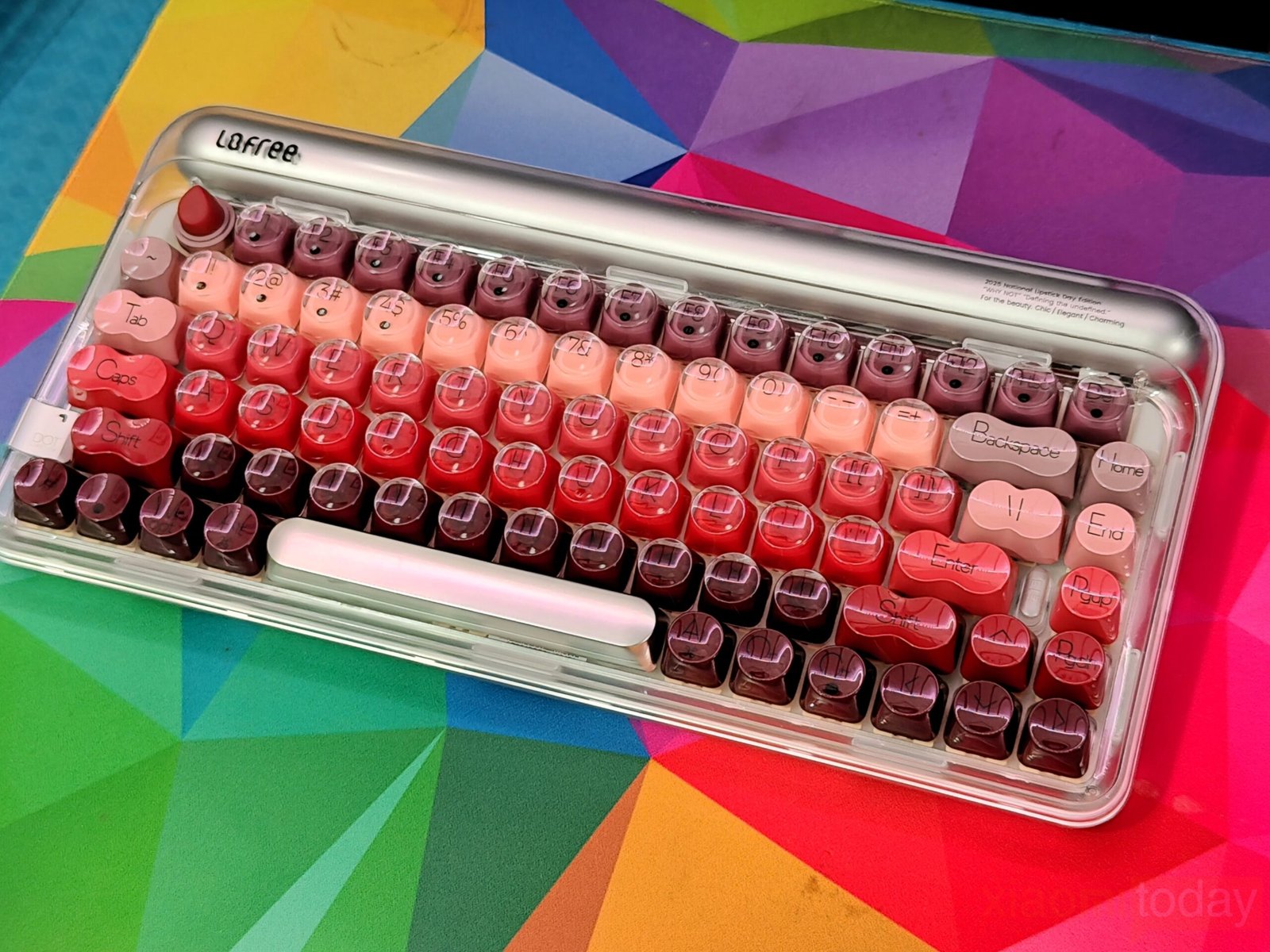
The keyboard follows an 84-key, 75% layout, preserving the function row and navigation keys while reducing overall desk space usage. Measuring 325mm x 160.5mm x 44.4mm, it sits slightly taller than many compact mechanical boards, largely due to the rounded keycaps and sculpted frame design. At 972g, the keyboard has enough weight to remain stable during daily typing. The ABS construction aligns with the frosted finish, and the curved edges maintain a consistent theme across the chassis.
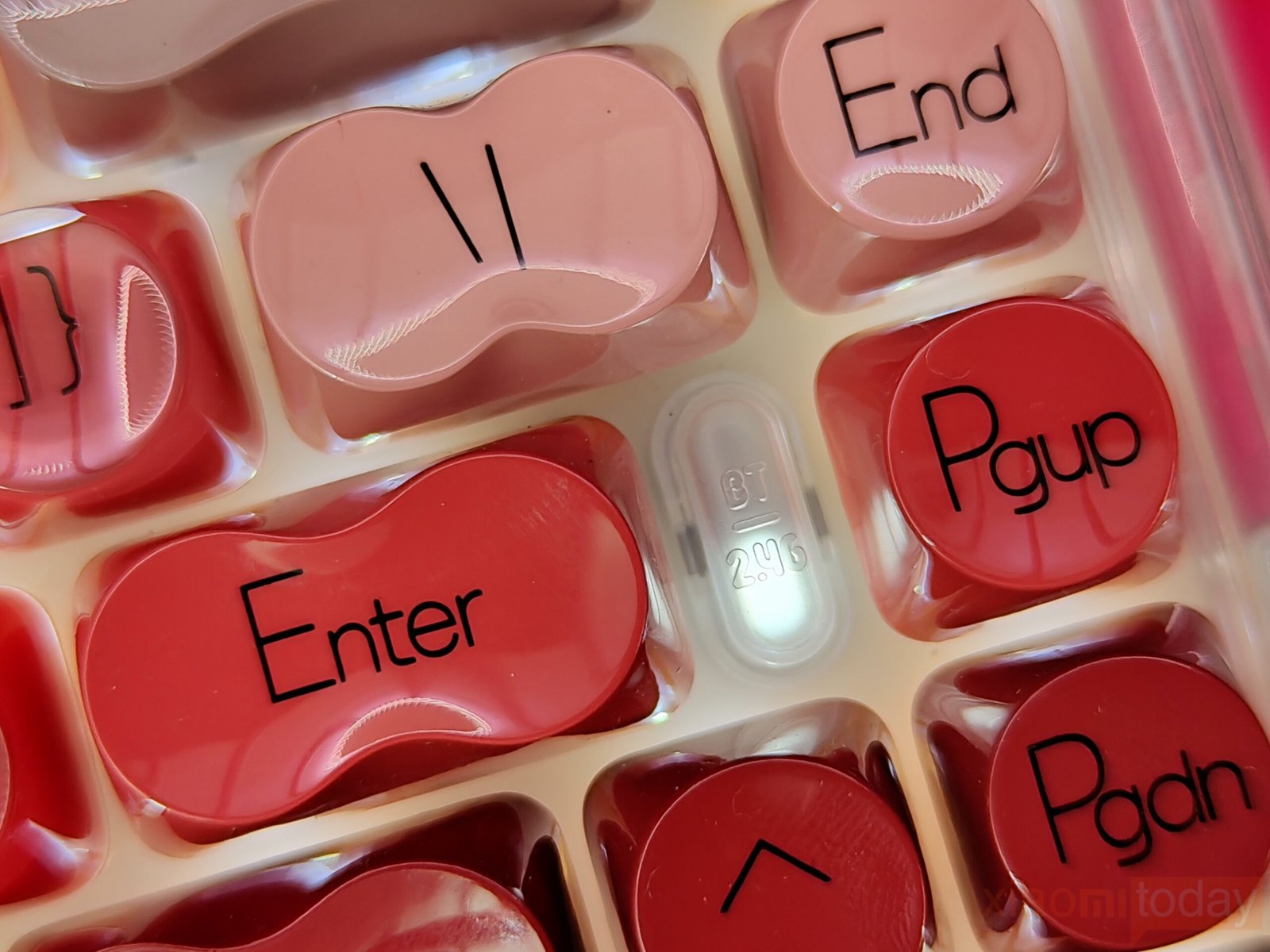
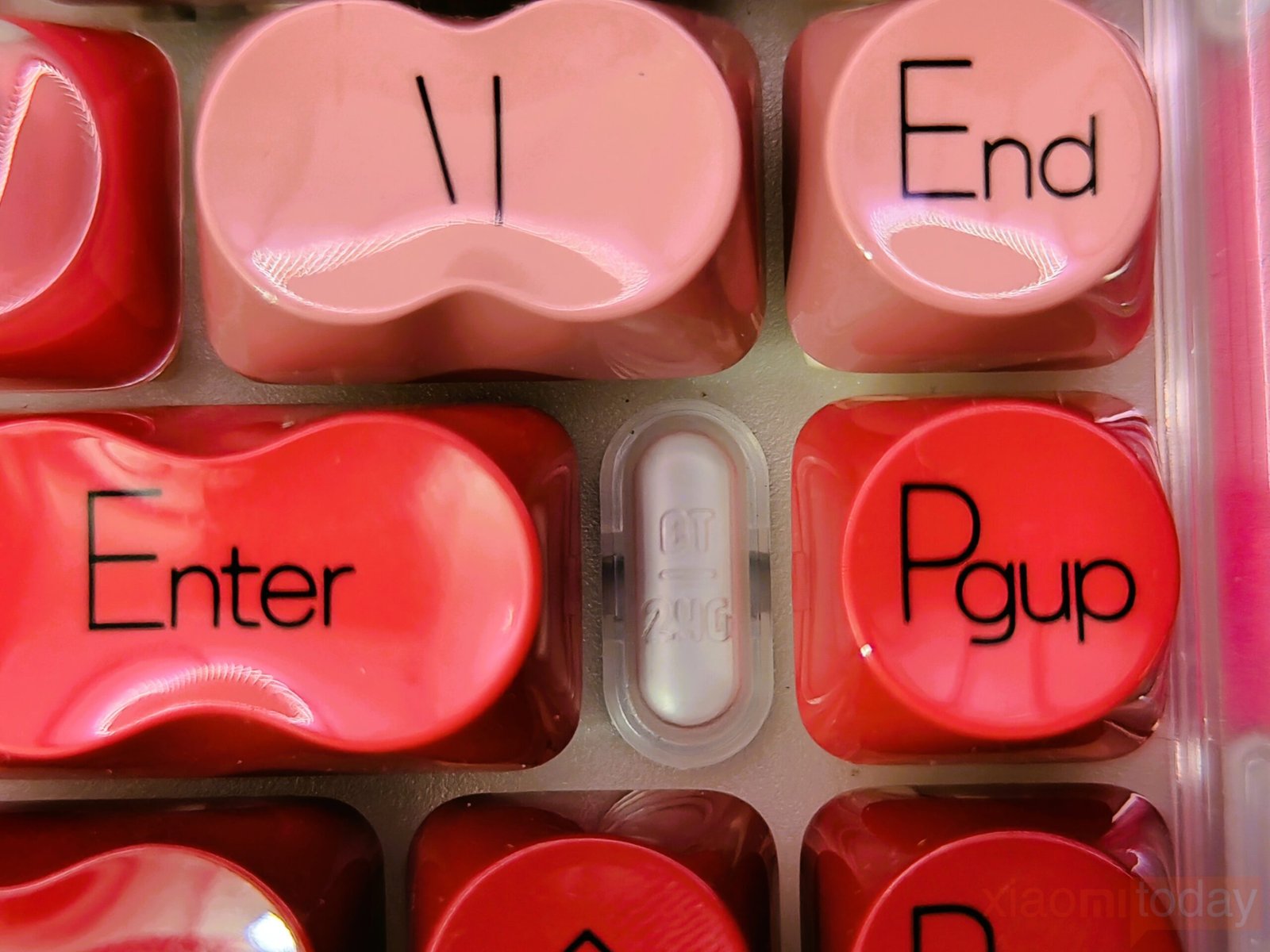
A defining detail is the lipstick-shaped ESC key positioned at the top corner. Near the arrow keys, a small BT / 2.4G indicator window provides connection status feedback. The soft lighting integrates smoothly with the translucent housing and remains subtle during operation.
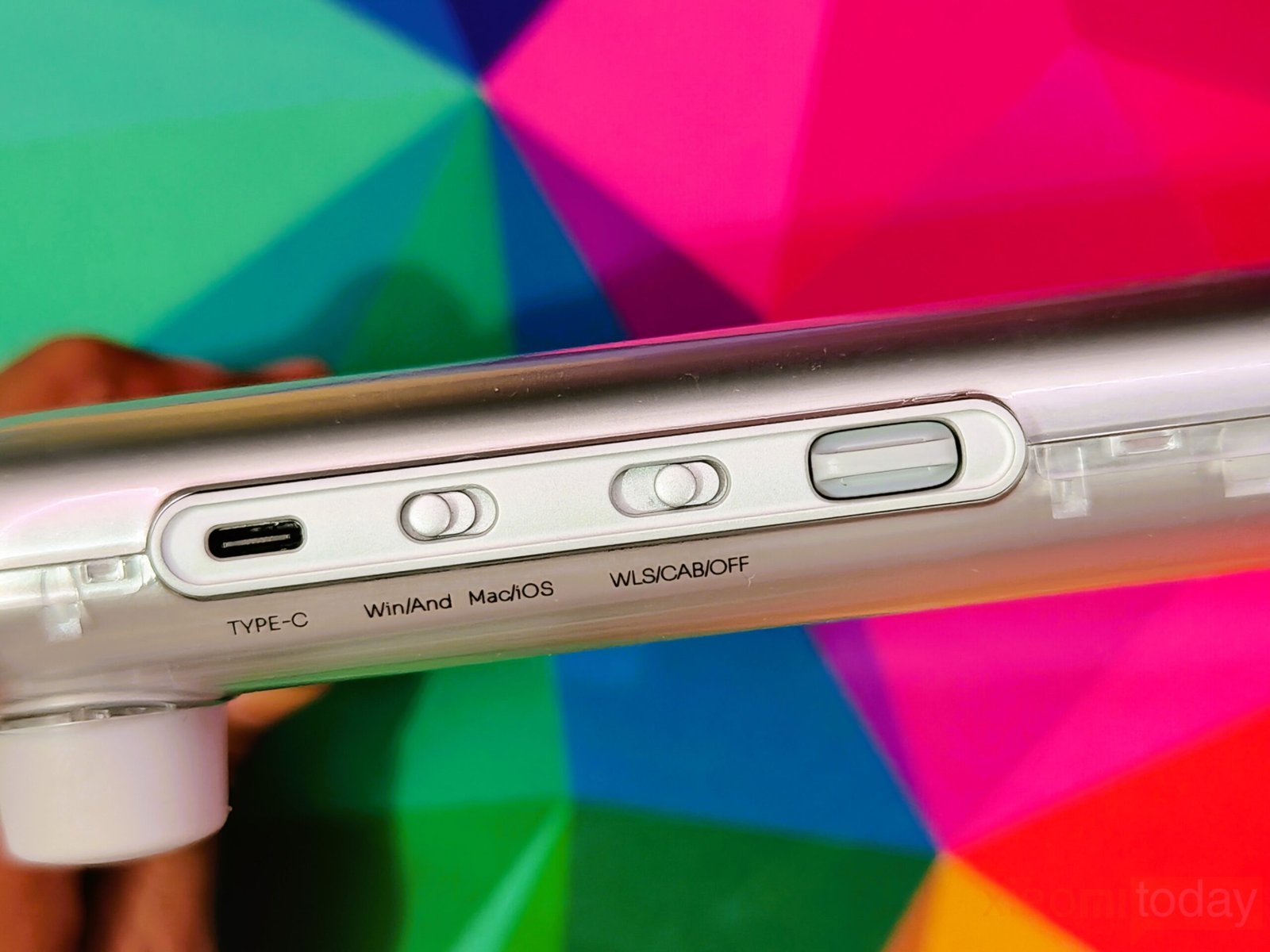
Around the frame, the layout stays functional and clean. A USB Type-C port supports wired connectivity and charging, while dedicated switches for operating system selection and wireless mode control are neatly integrated along the side.
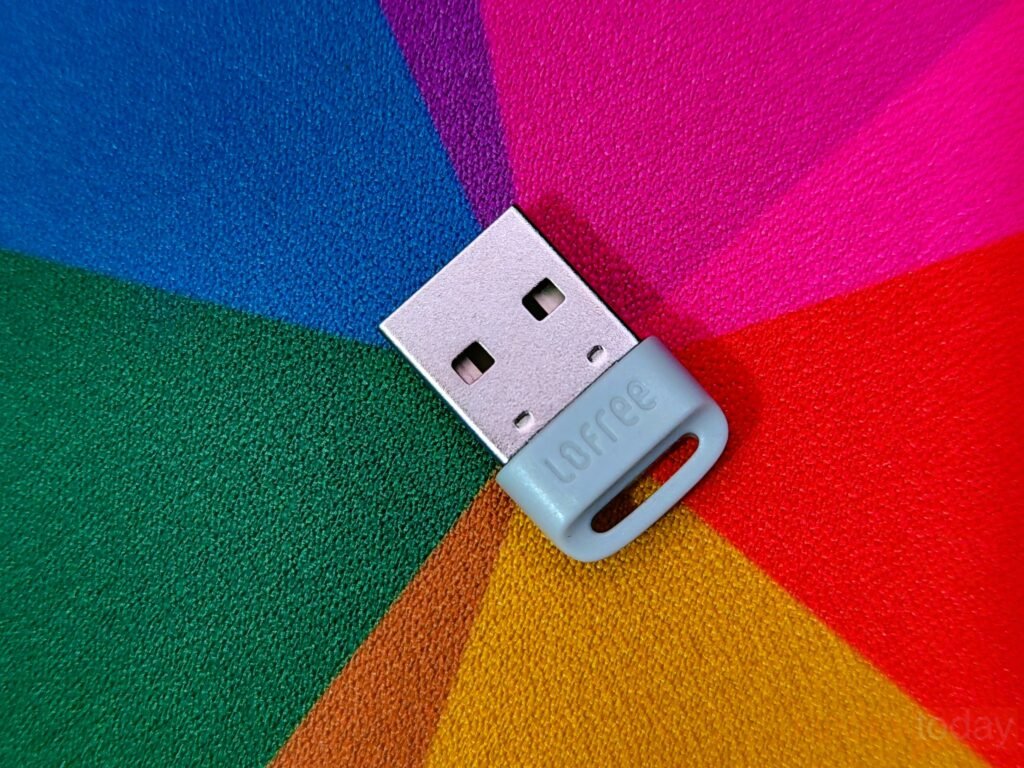
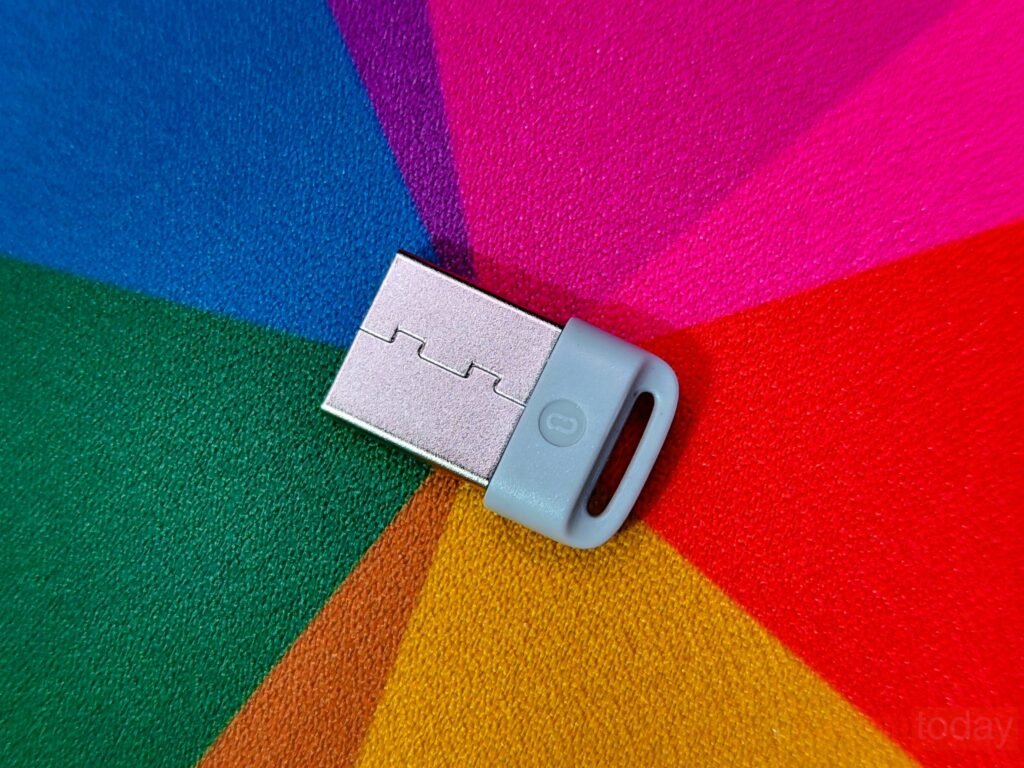
The included 2.4G USB receiver mirrors the keyboard’s minimal aesthetic, with a compact design that can remain connected to a laptop without drawing attention.
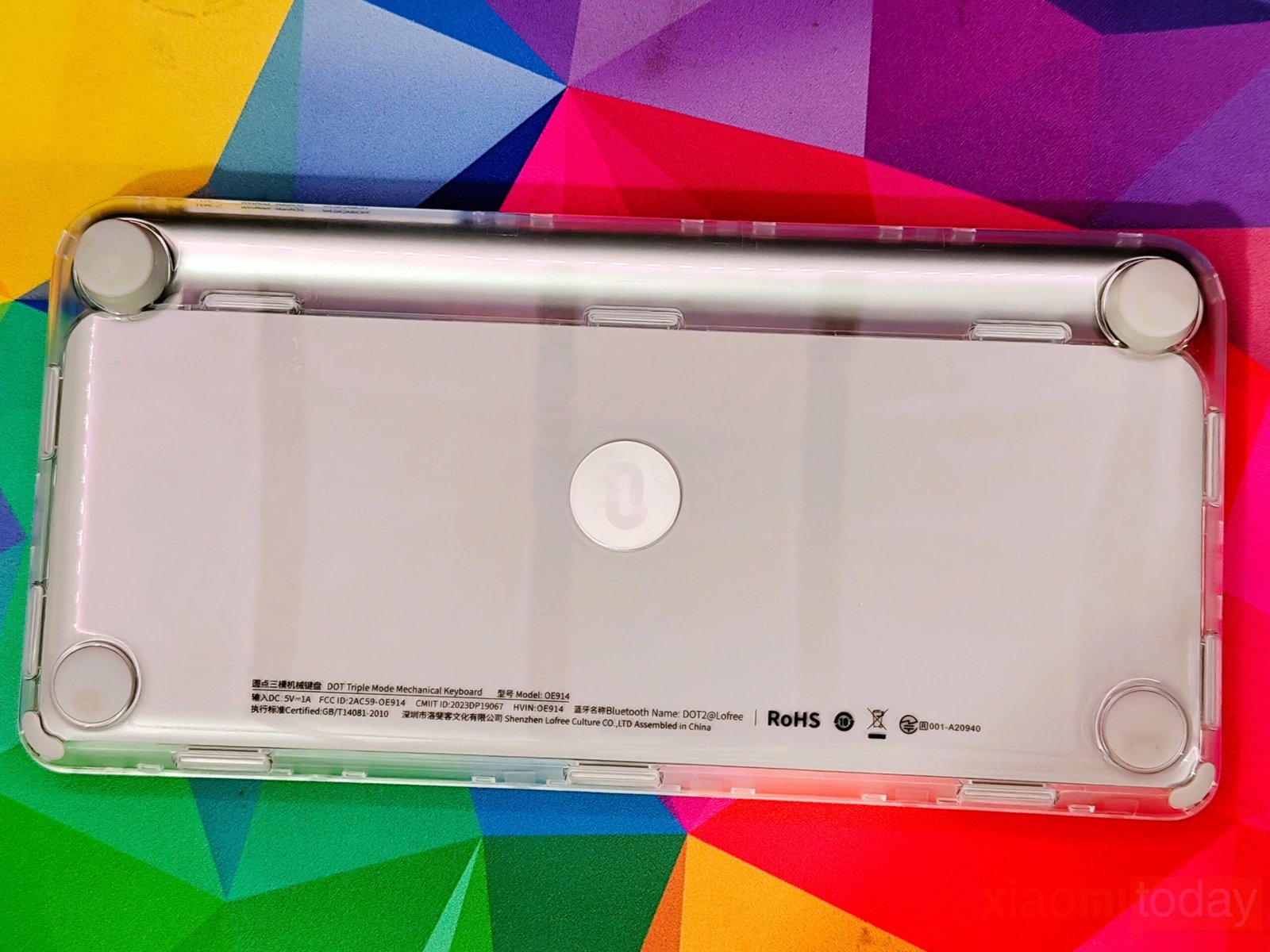
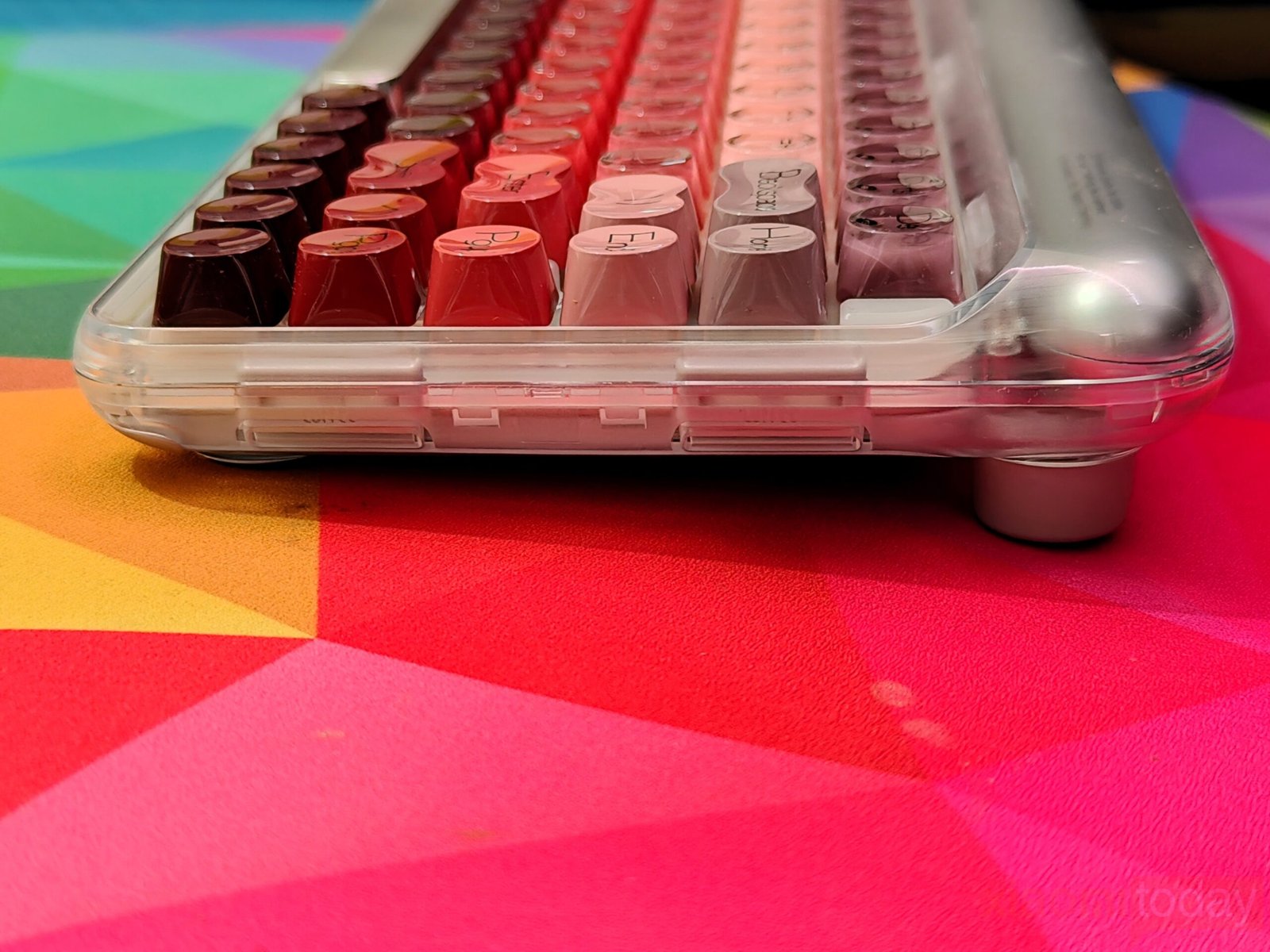
On the underside, wide rubber feet improve grip and reduce movement. Combined with its weight and slightly elevated typing angle, the keyboard feels secure on most surfaces. While the Lipstick edition emphasizes visual identity, its compact layout and practical design choices make it suitable for everyday mechanical keyboard use.
The Lofree Lipstick features a gasket-mounted design that changes how the keyboard feels under daily use. Instead of fixing the plate tightly to the case, the internal structure is cushioned with gaskets that help absorb impact during bottom-out. In practice, this creates a softer, slightly elastic typing feel with less harsh feedback. There is a mild flex across the board, and each keypress carries a gentle rebound that makes extended typing sessions more comfortable, especially for users who spend hours drafting documents or editing content.
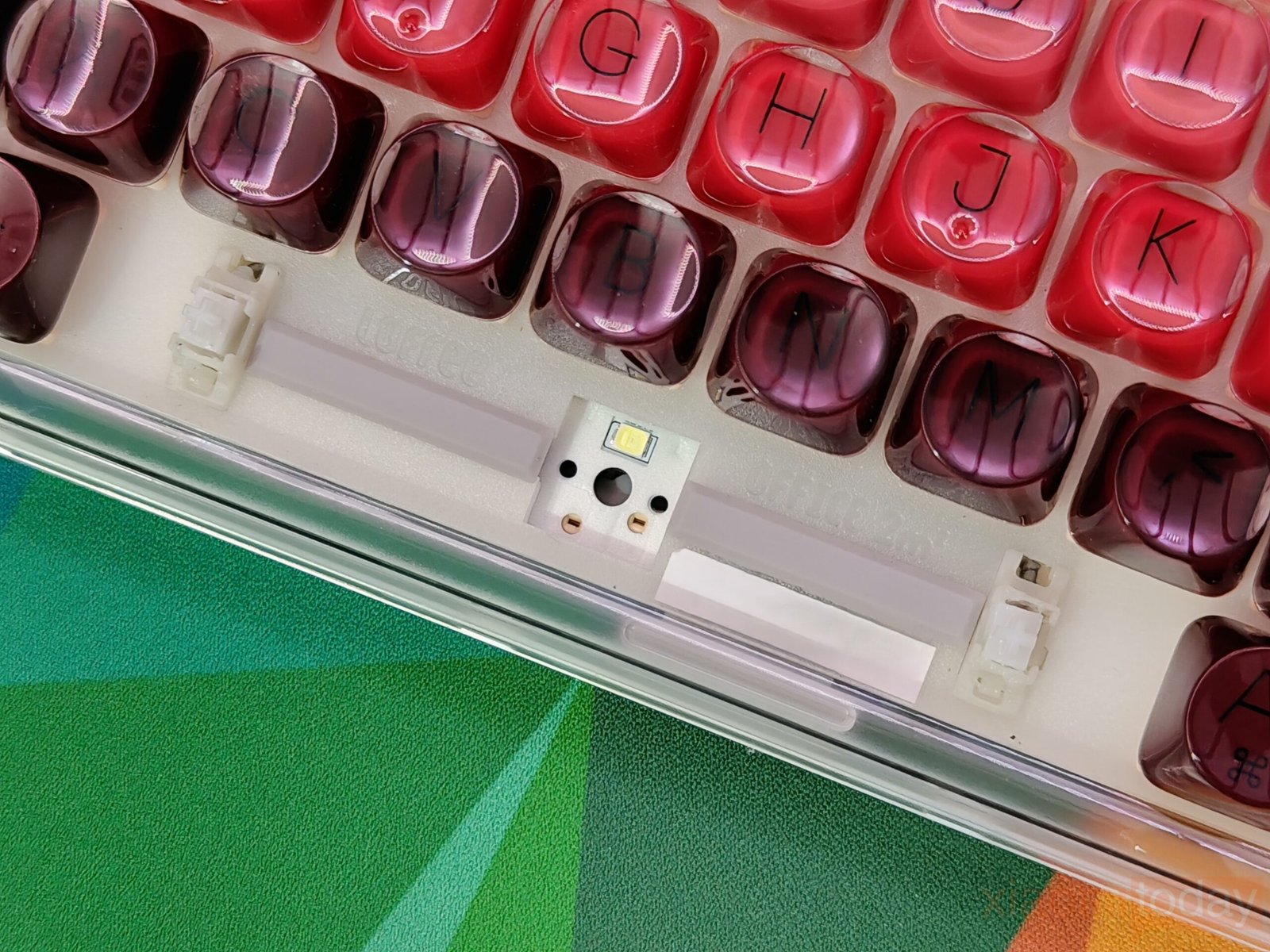
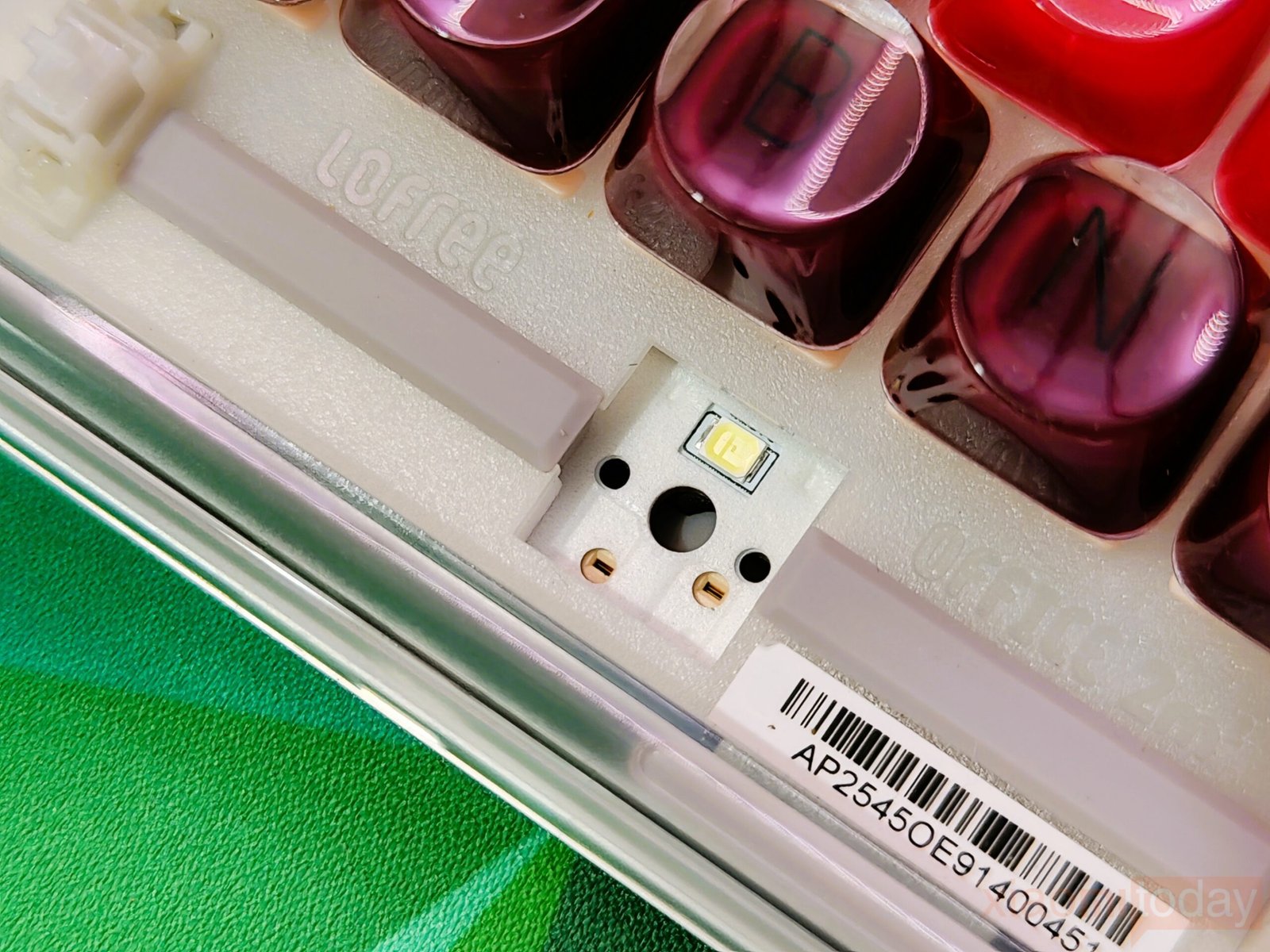
The gasket structure also improves the keyboard’s acoustic behavior. Limiting direct contact between internal components and the outer frame, it reduces sharp vibrations and unwanted metallic noise. During hands-on use, the overall sound profile feels more controlled and consistent, with fewer high-pitched echoes. The natural tone of the switches comes through more clearly, giving the Lofree Lipstick a cleaner typing sound suited for office environments, shared spaces, and home setups where noise levels matter.
Keycaps & Backlight
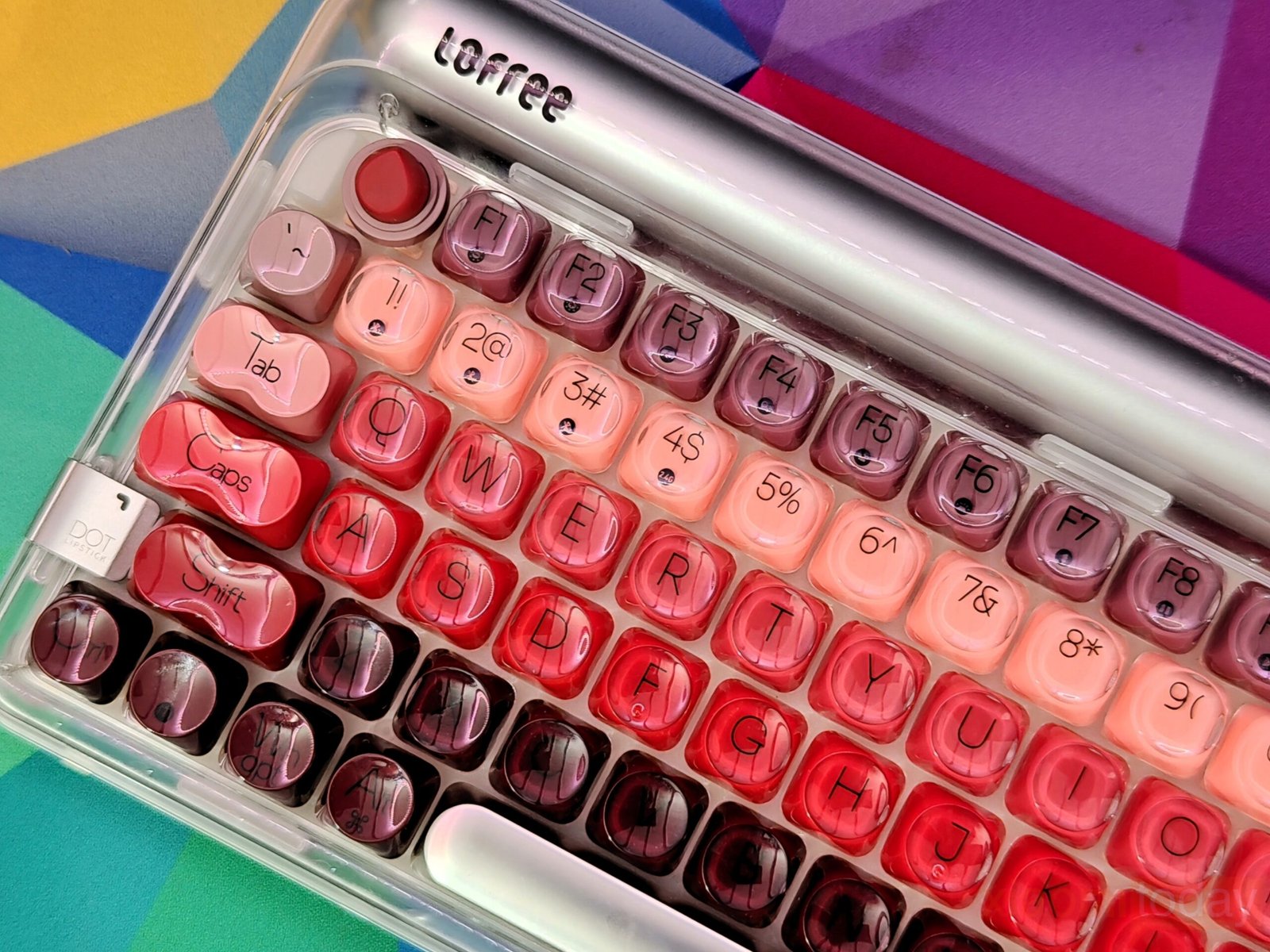
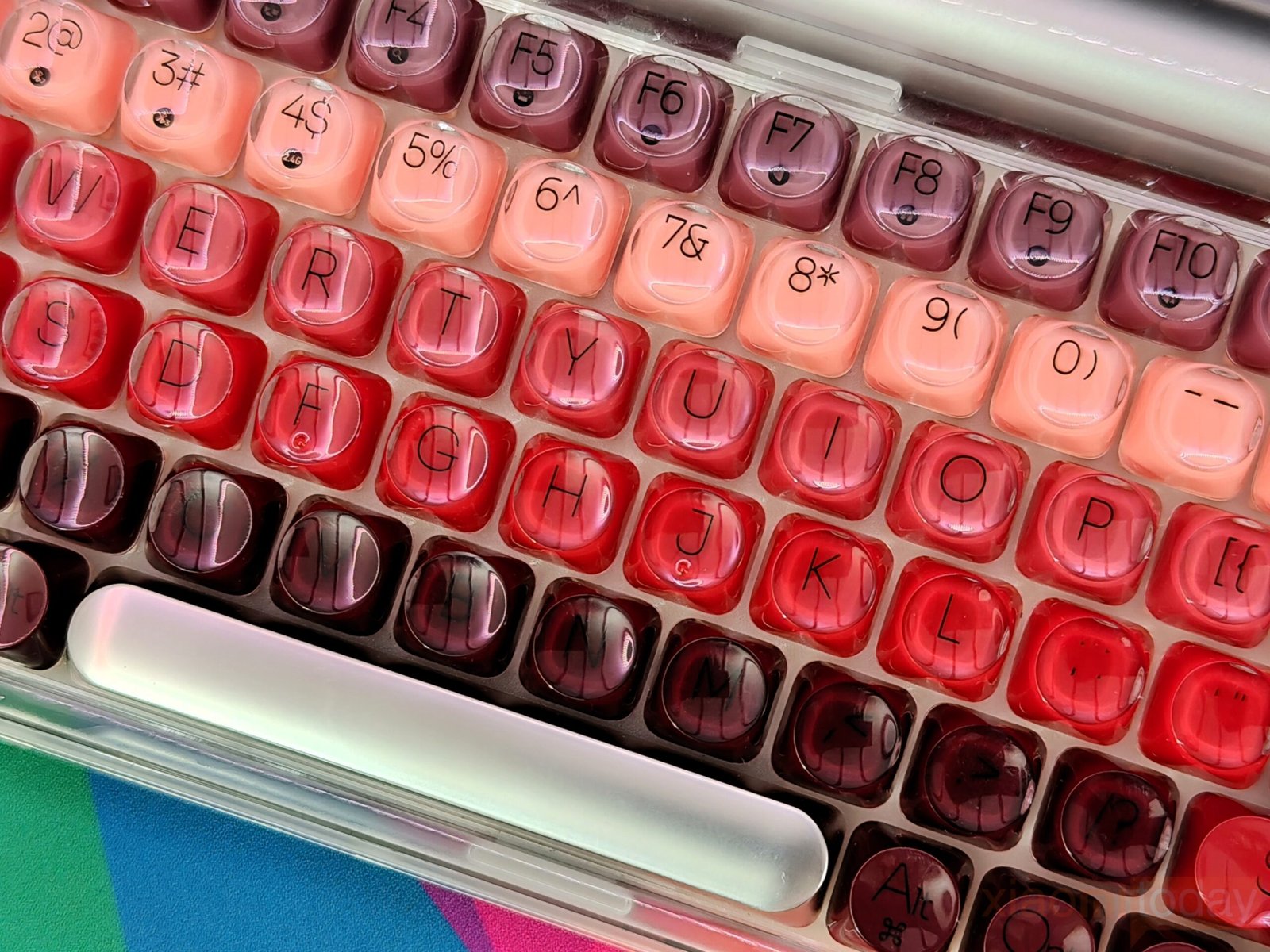
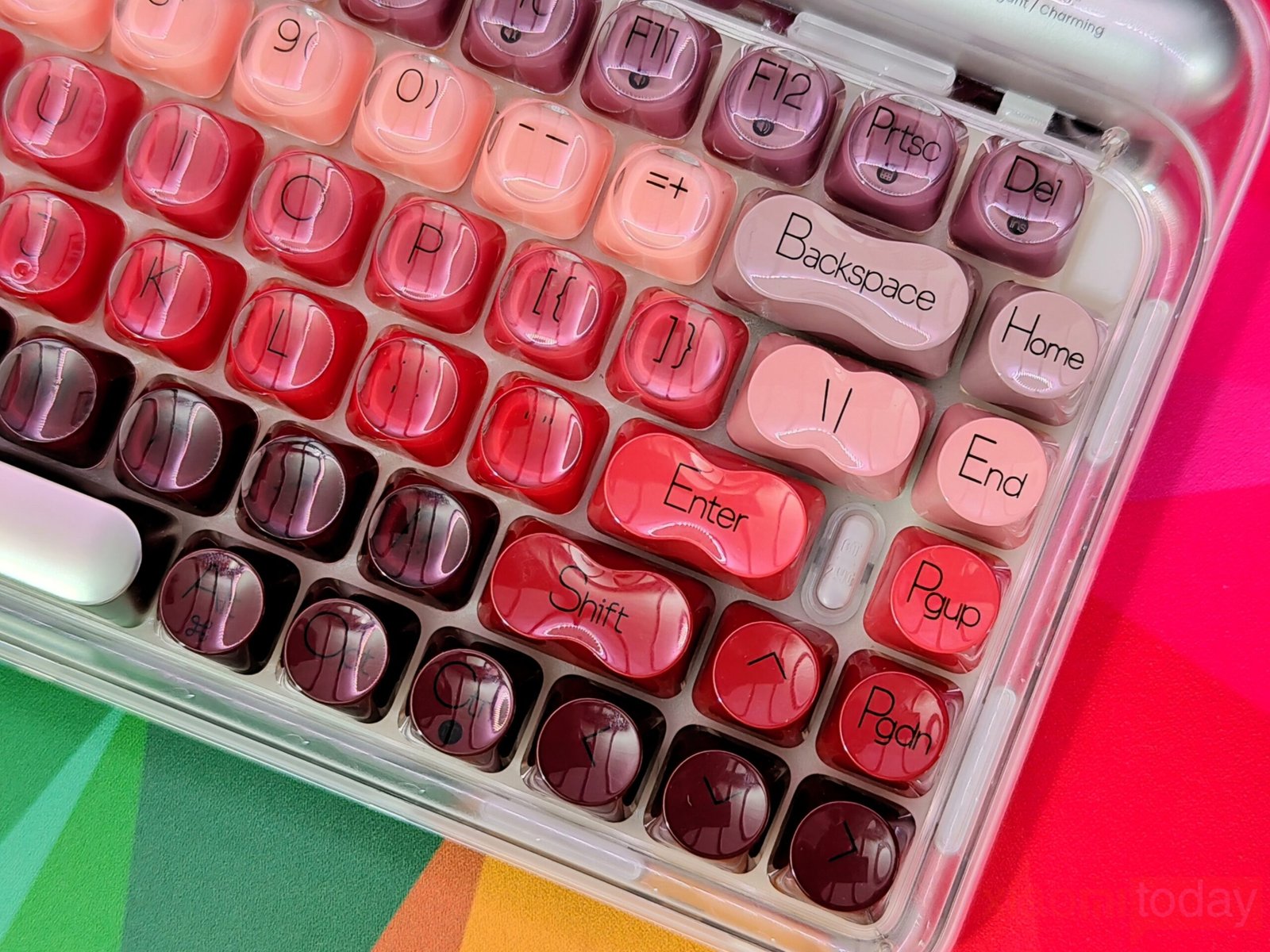
The lipstick-inspired keycap set defines the overall look of this keyboard. Lofree takes inspiration from iconic lipstick shades and blends eight vibrant hues across the layout, moving from soft peach tones to richer reds and deeper accents. The gradient flows smoothly from one section to another, keeping the overall look consistent. Each keycap uses rounded edges that echo the curves of cosmetic packaging, reinforcing the theme without affecting usability.
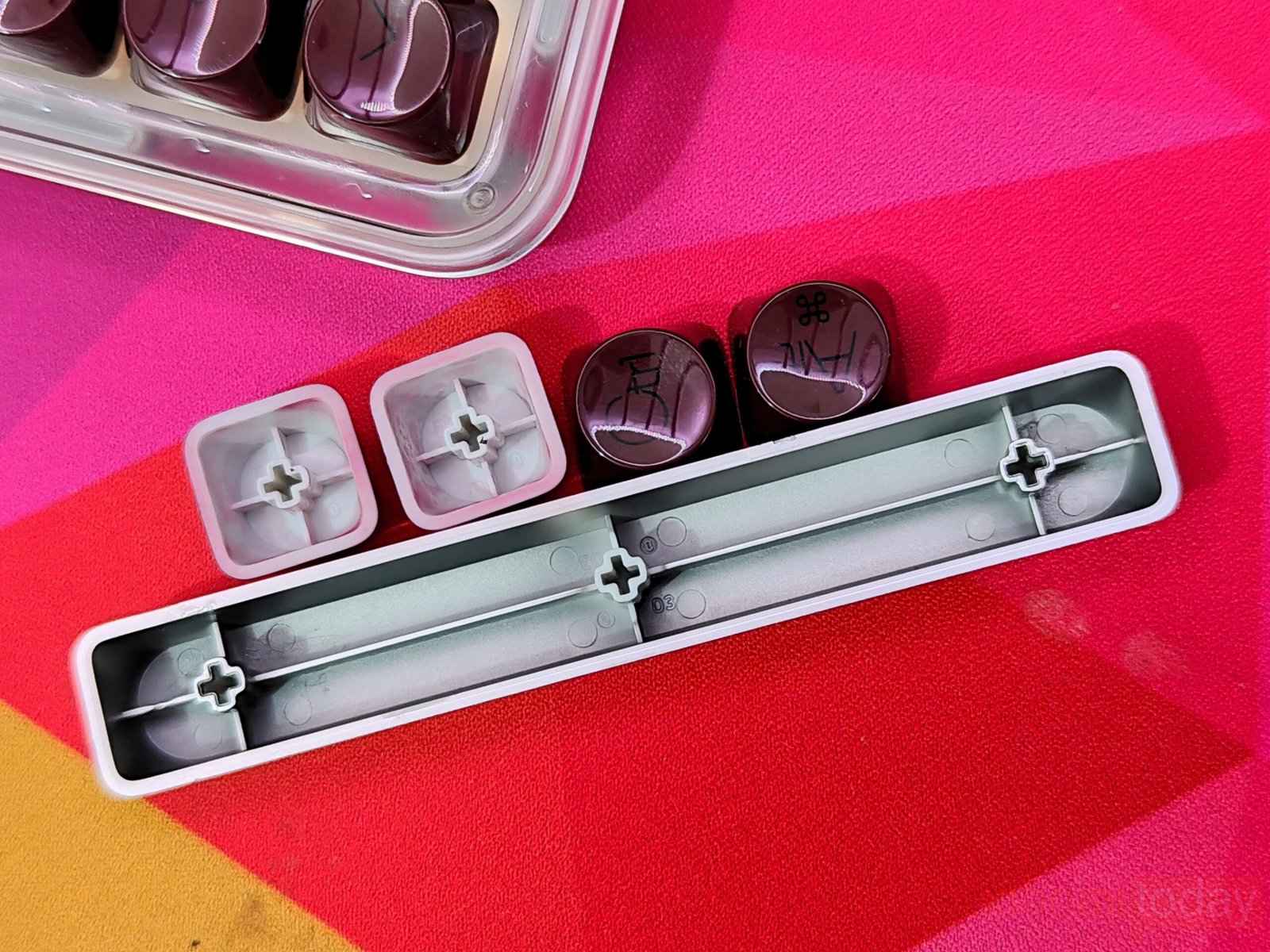
The keyboard uses translucent dual-shot PBT keycaps, combining durability with improved light diffusion. The dual-layer construction allows the legends to remain clear when the backlight is active, while the PBT material helps resist wear and surface shine over time. Certain keys feature a matte texture that reduces glare and improves grip during extended typing sessions. The larger modifier keys follow gentle curves, maintaining balance across the layout.
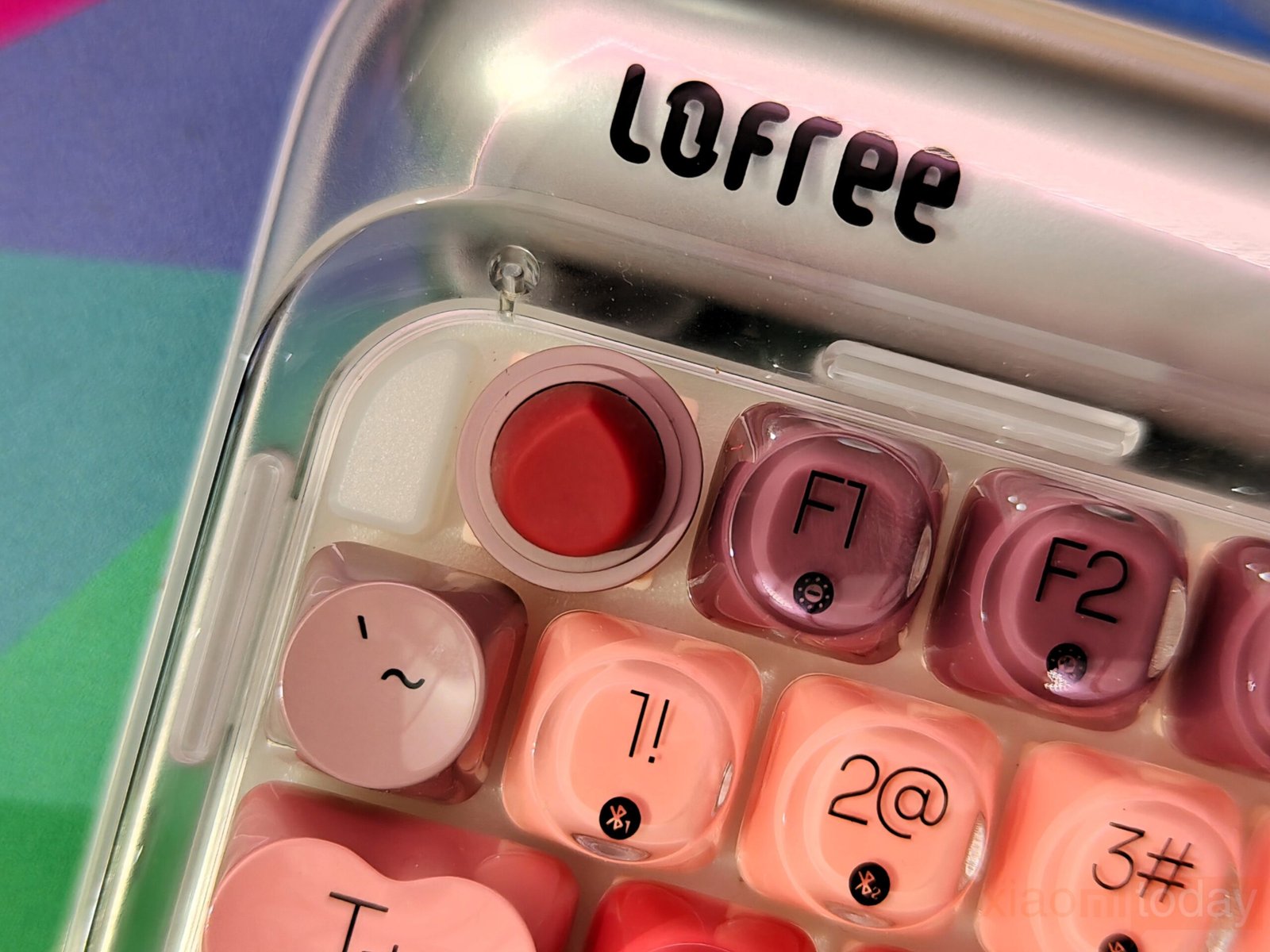
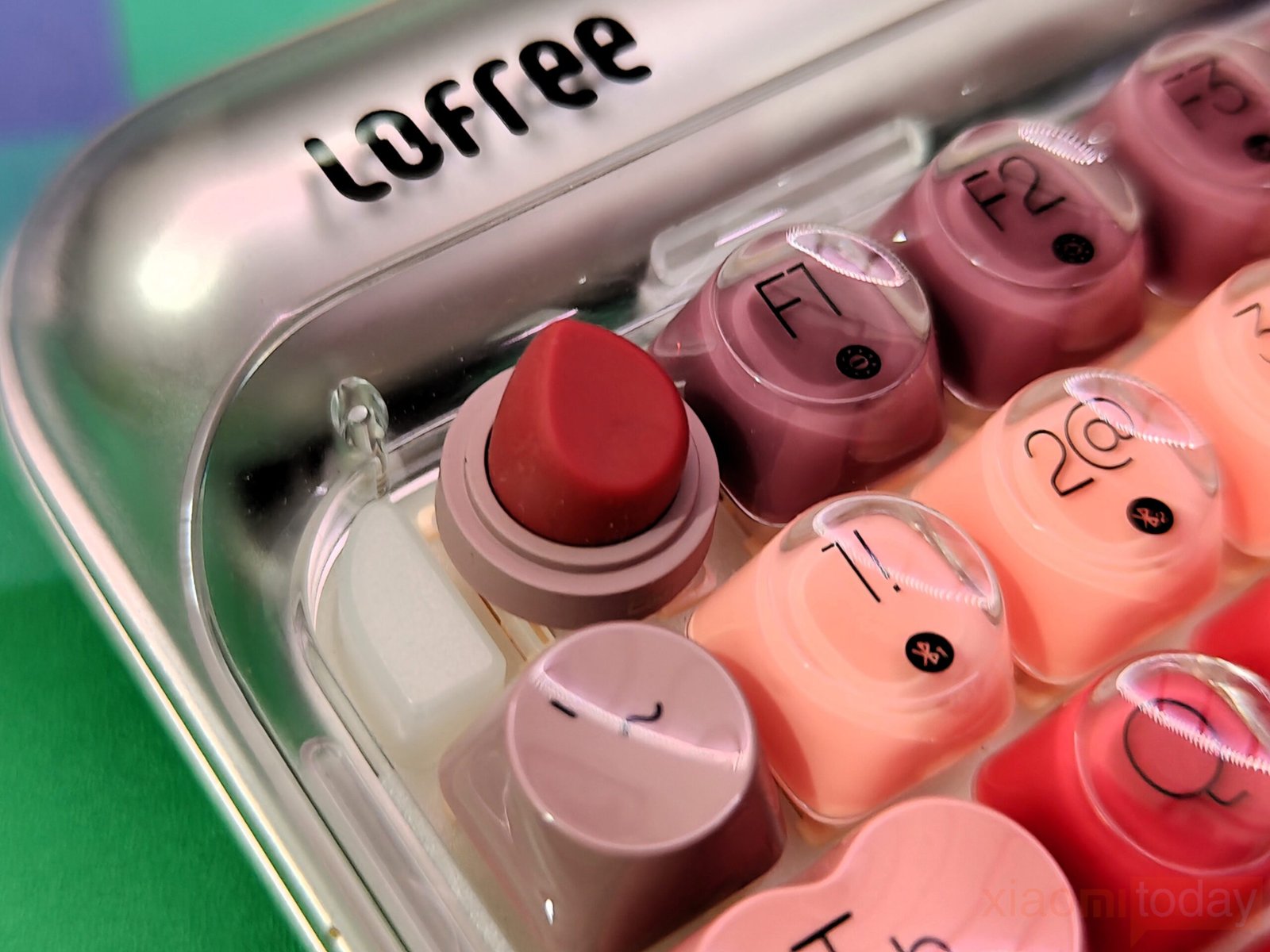
A dedicated lipstick-shaped ESC key adds a distinctive detail to the top row. Its matte finish mimics the smooth feel associated with cosmetic products, while remaining practical for everyday shortcuts. The legends are clean and readable, ensuring the artistic theme does not compromise function.
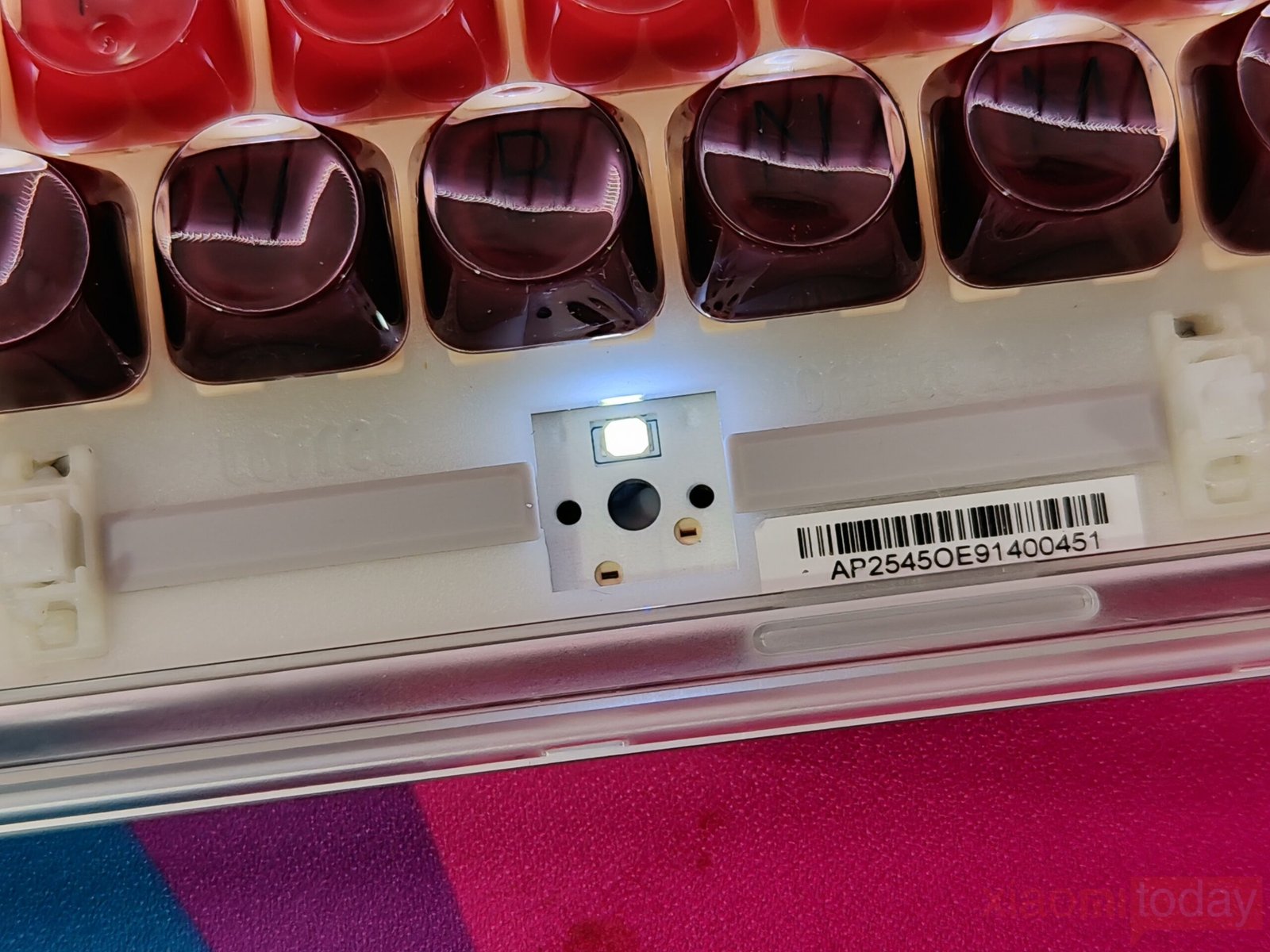
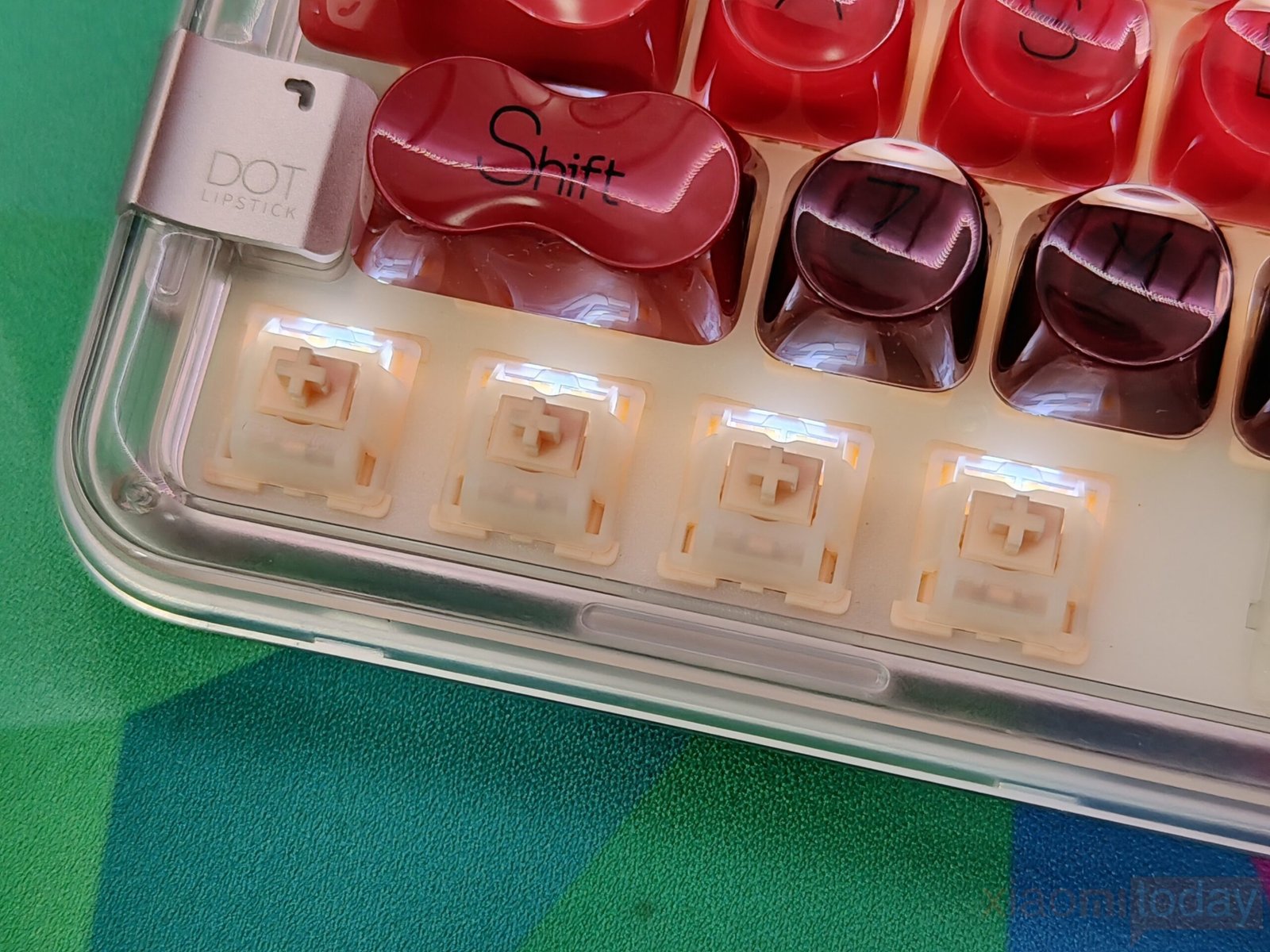
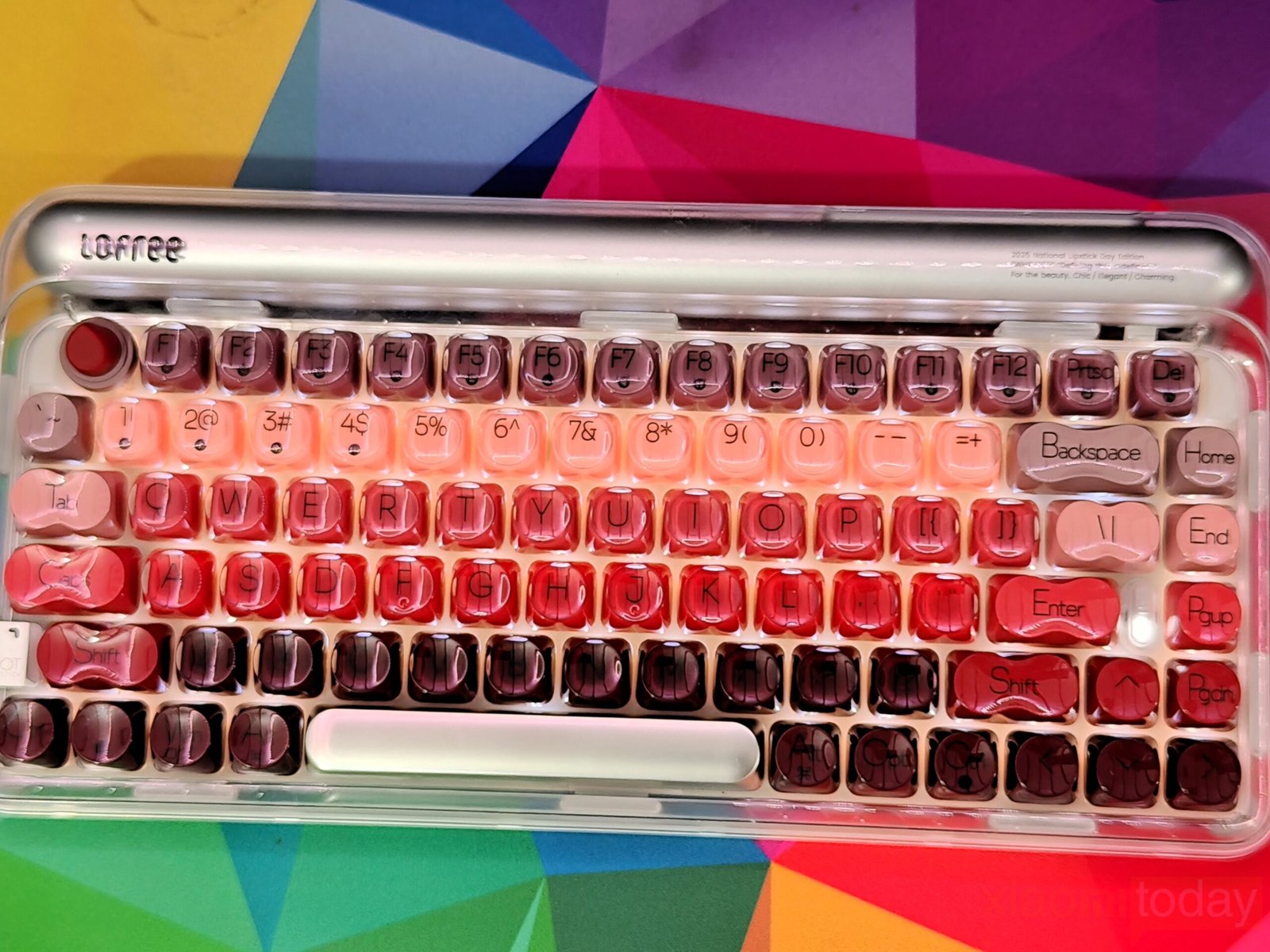
For illumination, the keyboard relies on warm white backlighting that complements the lipstick color palette. Users can choose from seven white lighting effects, along with four brightness levels and four blinking speeds. The LEDs shine evenly through the translucent legends and reflect subtly against the silver-plated frame, creating a soft glow in dim environments. The lighting enhances visibility without overpowering the keycap colors, keeping both design and usability in focus.
Multimedia Function Keys
The Lofree Lipstick keyboard keeps its function row practical, combining standard shortcut keys with multimedia controls that support both macOS and Windows layouts. The F1 to F12 keys manage common tasks such as screen brightness, multi-display switching, system search, and keyboard backlight adjustment. Dedicated media controls for previous and next track, play or pause, mute, and volume are also integrated into the top row, reducing the need for additional software or remapping.
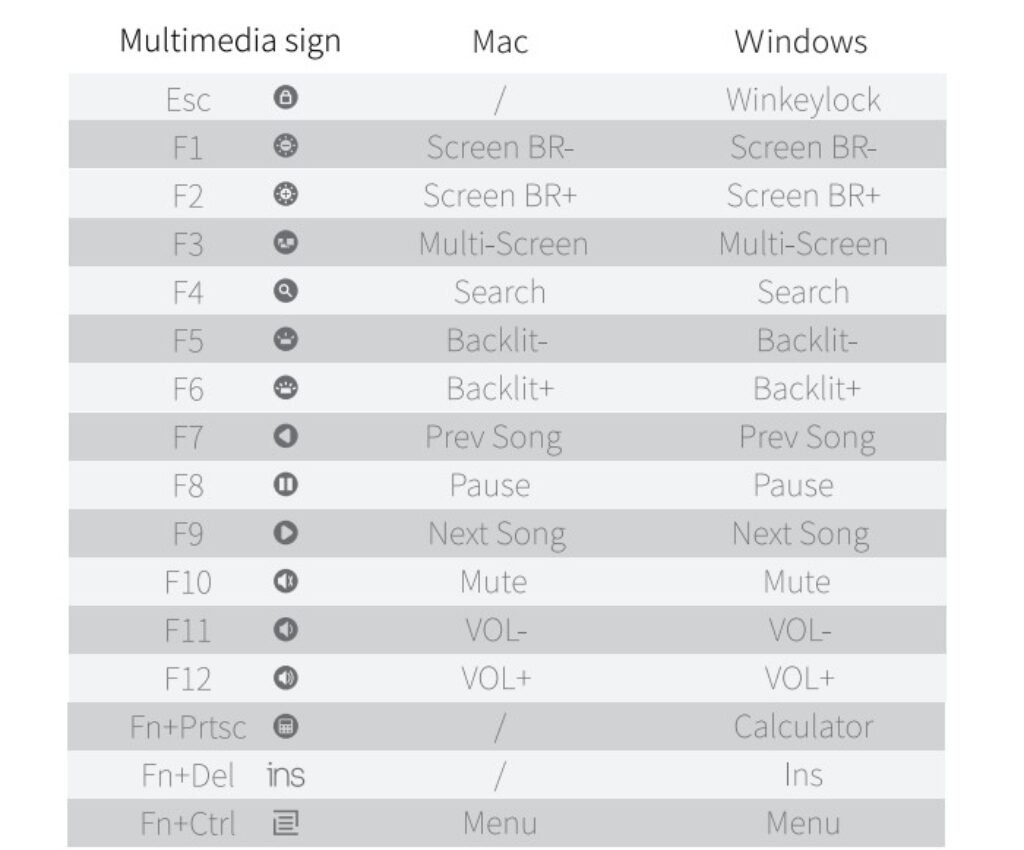
During hands-on use, the shortcuts feel familiar and require little adjustment when switching between operating systems. The layout avoids unnecessary changes, which helps maintain a consistent workflow across different devices. For Windows users, the Win key lock mapped to the Esc key is a useful addition, particularly during gaming sessions where accidental presses can disrupt gameplay. It adds a layer of control without affecting daily typing.
Additional combinations, such as Fn + PrtSc to open the calculator and Fn + Del for insert expand functionality, without crowding the keyboard. These small but practical inclusions make everyday tasks easier while keeping the layout clean. In regular use, the function row delivers reliable performance and balanced versatility, making it suitable for office work, content creation, and casual gaming.
OS Switch Function
The keyboard features a dedicated system toggle that allows quick switching between Mac/iOS and Windows/Android layouts, making it suitable for multi-device setups. When set to Mac/iOS mode, media controls are prioritized on the top row, while standard F1–F12 commands remain accessible through the Fn modifier.
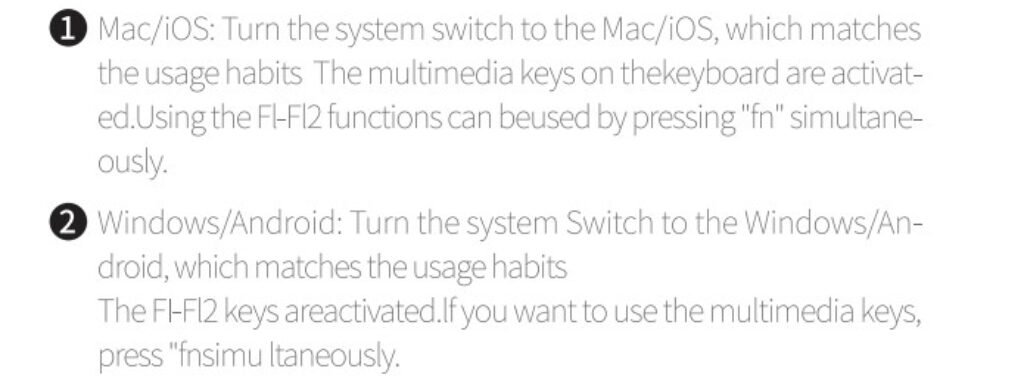
Switching to Windows/Android reverses this behavior, enabling traditional function keys by default and placing multimedia shortcuts under Fn. In regular use, this small hardware switch proves useful, especially for users who move between a desktop, laptop, smartphone, or tablet throughout the day.
Light Effect
The keyboard features a simple lighting system that can be controlled directly from the keys, without the need for additional software. Users can cycle through seven lighting modes using Fn + Up or Fn + Down, with a steady-on effect active by default. Brightness is adjustable through Fn + F5 and Fn + F6, offering four levels from off to full intensity, making it easy to adapt to both bright and low-light environments.
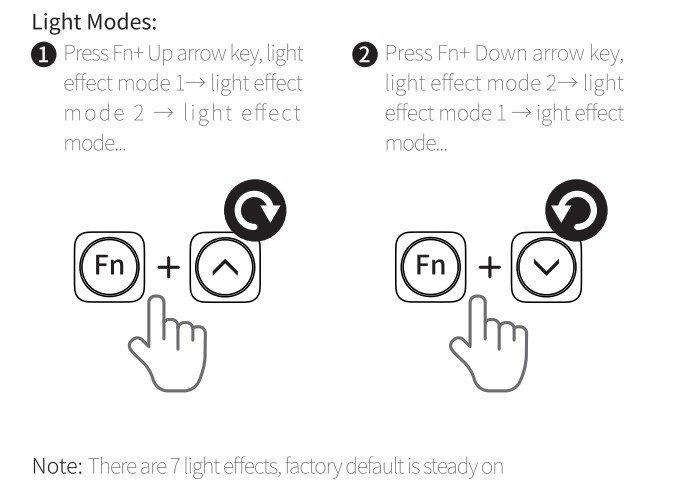
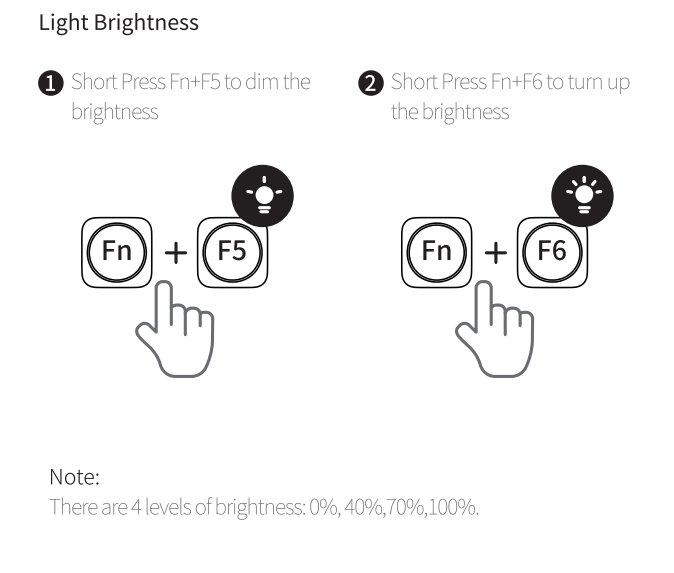
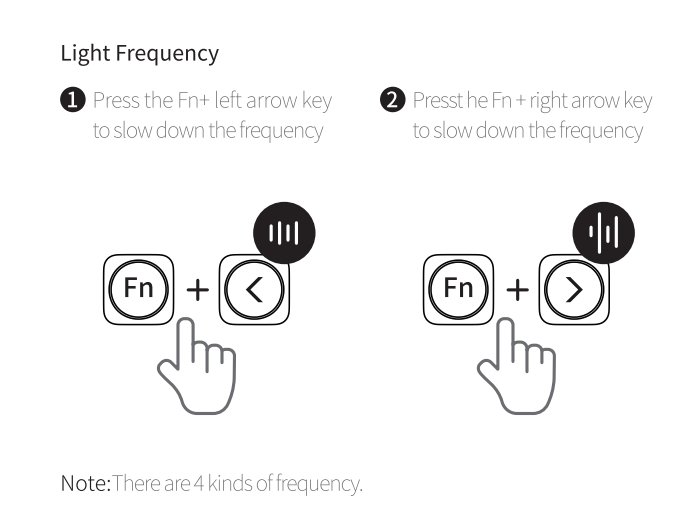
The speed of the lighting effects can be changed with Fn + Left or Right arrow keys, letting users slow down or speed up animations as needed. These onboard controls are intuitive and consistent, allowing for quick adjustments during typing, gaming, or desk setup without interrupting the workflow.
Connectivity
The keyboard offers triple-mode connectivity, allowing you to connect it to up to three devices using 2.4GHz wireless, Bluetooth, or a wired USB-C connection. Switching between a computer, phone, or tablet feels straightforward once everything is paired. With both the 2.4GHz receiver and USB-C wired mode, the polling rate can reach up to 1000Hz, which helps deliver a more responsive typing experience compared to standard wireless keyboards.
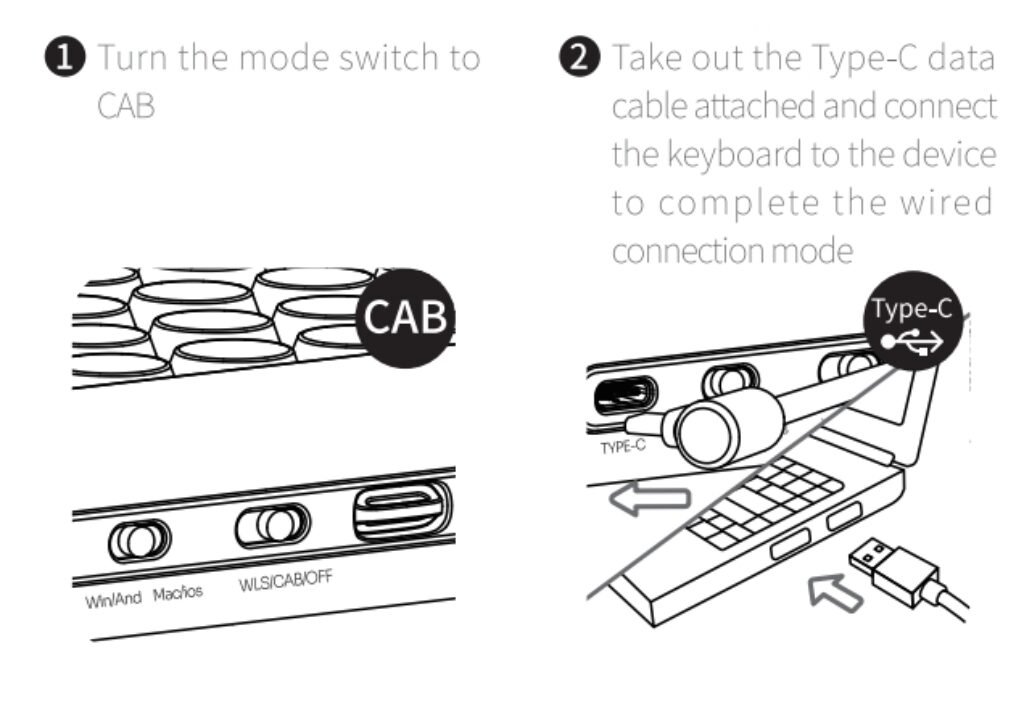
Wired mode is the simplest to set up — just switch to cable mode and plug in the Type-C cable for an instant, stable connection. The physical side switches for Windows/Android and macOS layouts also make cross-platform use more convenient.
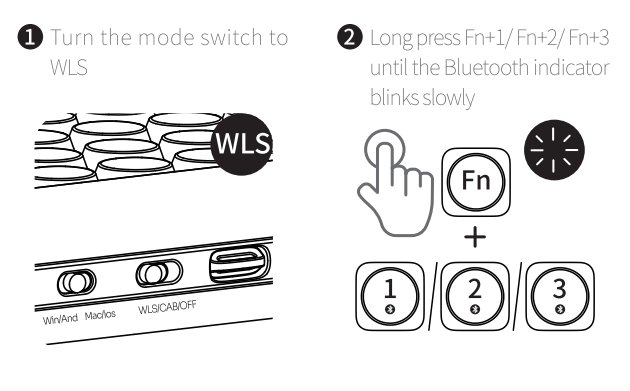
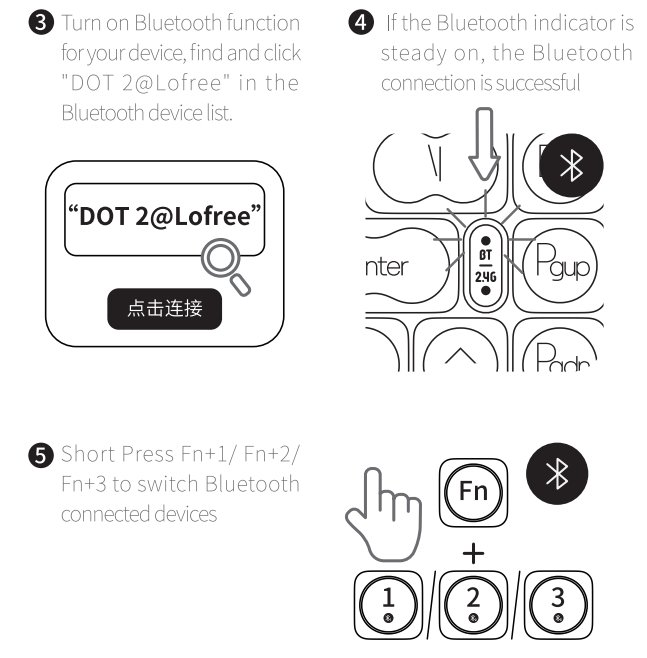
Bluetooth pairing is equally simple. Holding the Fn + 1/2/3 keys lets you connect up to three devices and switch between them without reconnecting each time. During testing, device switching felt quick enough for daily use, especially when moving between a laptop and a tablet. The keyboard appears as “DOT 2@Lofree” in the device list, and once paired, reconnection is automatic.
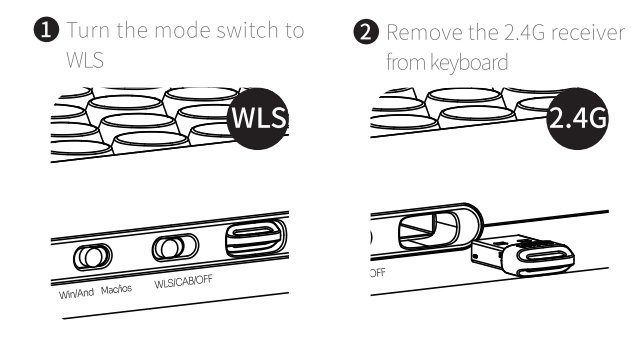
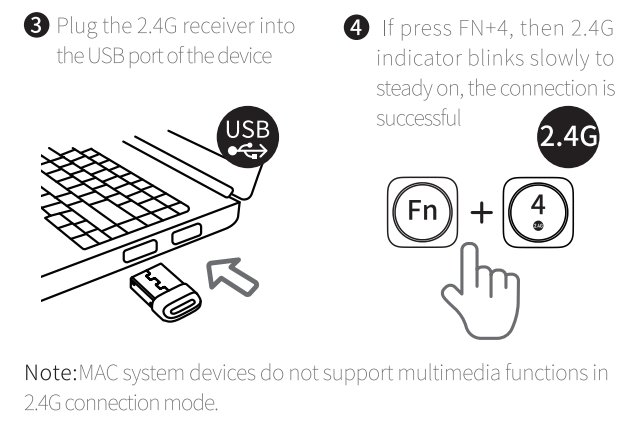
For users who prefer low-latency wireless, the included 2.4GHz receiver provides a more consistent response compared to Bluetooth. Just plug the dongle into a USB port and press Fn + 4 to activate the mode. It’s worth noting that macOS has limited multimedia support over 2.4GHz, so Bluetooth may be the better option for Mac users. Overall, the triple-mode setup keeps the keyboard flexible without making the process complicated.
Battery and Charging
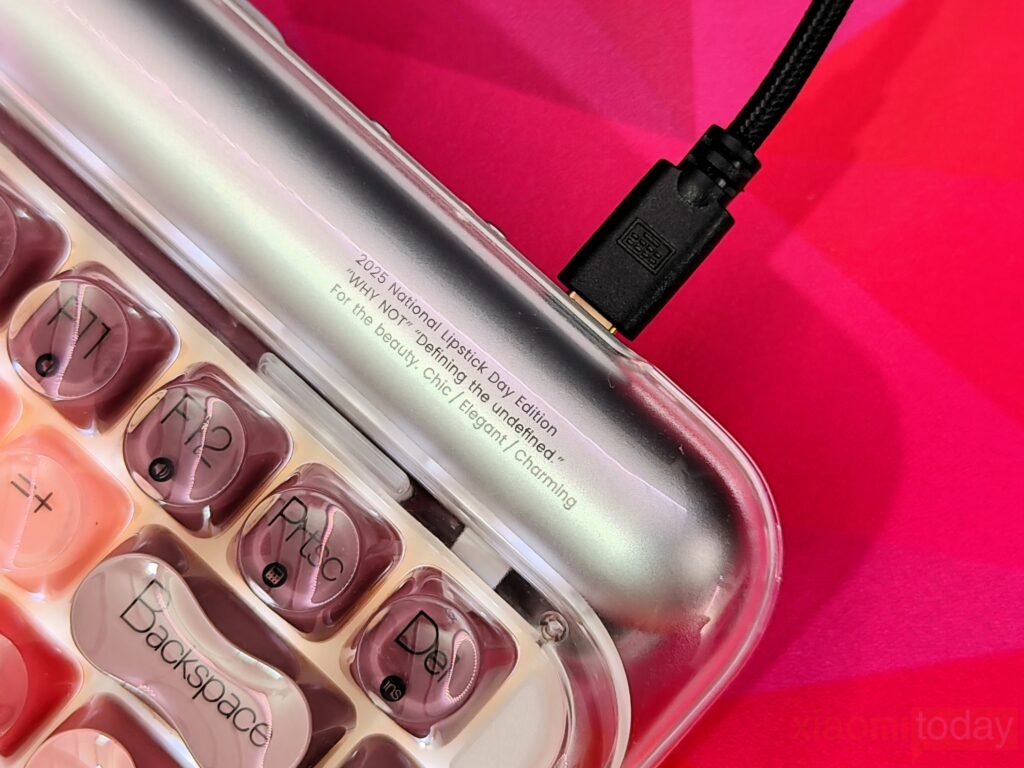
The keyboard features a built-in 4000mAh battery that handles wireless use across multiple connection modes efficiently. In typical office use with moderate backlighting, the battery lasted close to the advertised two weeks. Idle periods trigger a power-saving mode that automatically switches off the backlight, reducing energy drain while keeping the keyboard ready to respond quickly when typing resumes. A low-battery alert begins to pulse red when the charge drops below 20%, giving enough notice to recharge before the keyboard powers down.
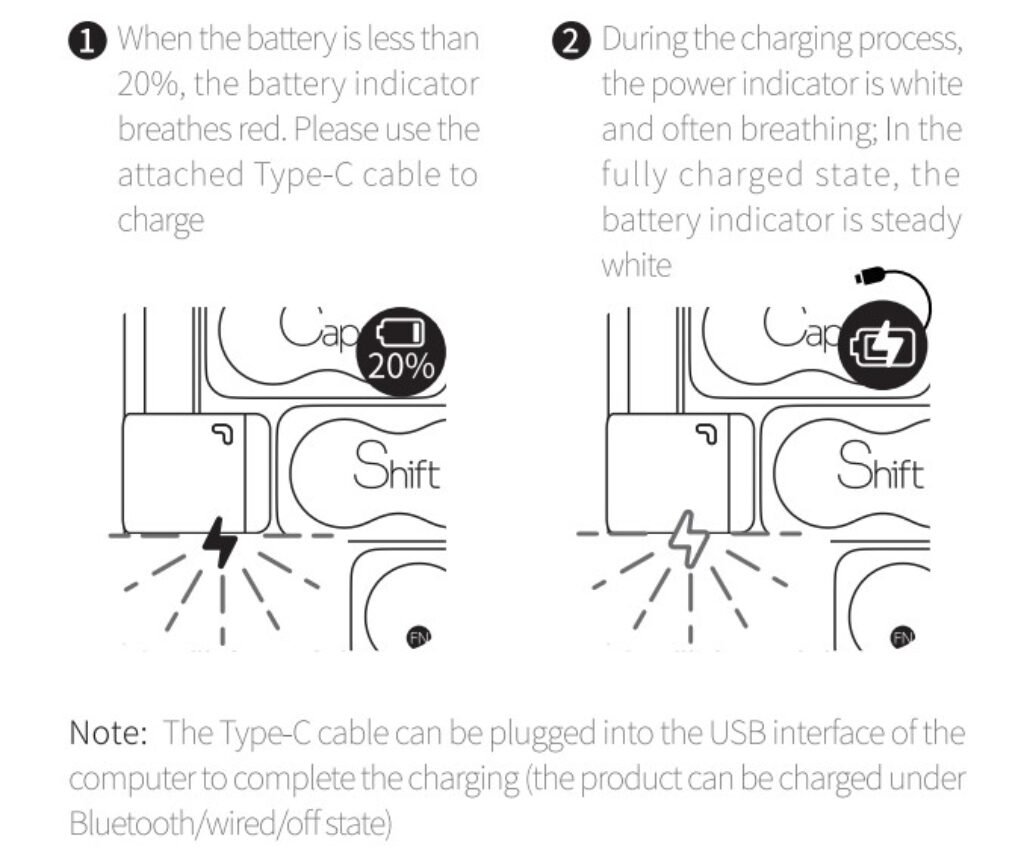
Charging is done through a USB-C port, and the keyboard can be recharged whether it’s in Bluetooth, wired, or powered-off mode. A full charge takes around five hours, which matches the battery size. While charging, the indicator pulses white and changes to a steady glow once complete, making it easy to check progress at a glance.
The keyboard can also be used while plugged in, which is helpful for longer work or gaming sessions. Overall, the battery life and charging process feel reliable, offering a consistent wireless experience without frequent interruptions.
Use Experience
After two weeks of daily use, the Lofree Lipstick keyboard proves to be a practical and comfortable option for both work and casual typing. The gasket-mounted design softens the bottom-out of each keypress, making long sessions easier on the fingers. The GATERON linear switches offer smooth travel, and the hot-swappable stems allow easy experimentation with other compatible switches without any soldering. Typing feels consistent, with a gentle rebound that is noticeable but not distracting.
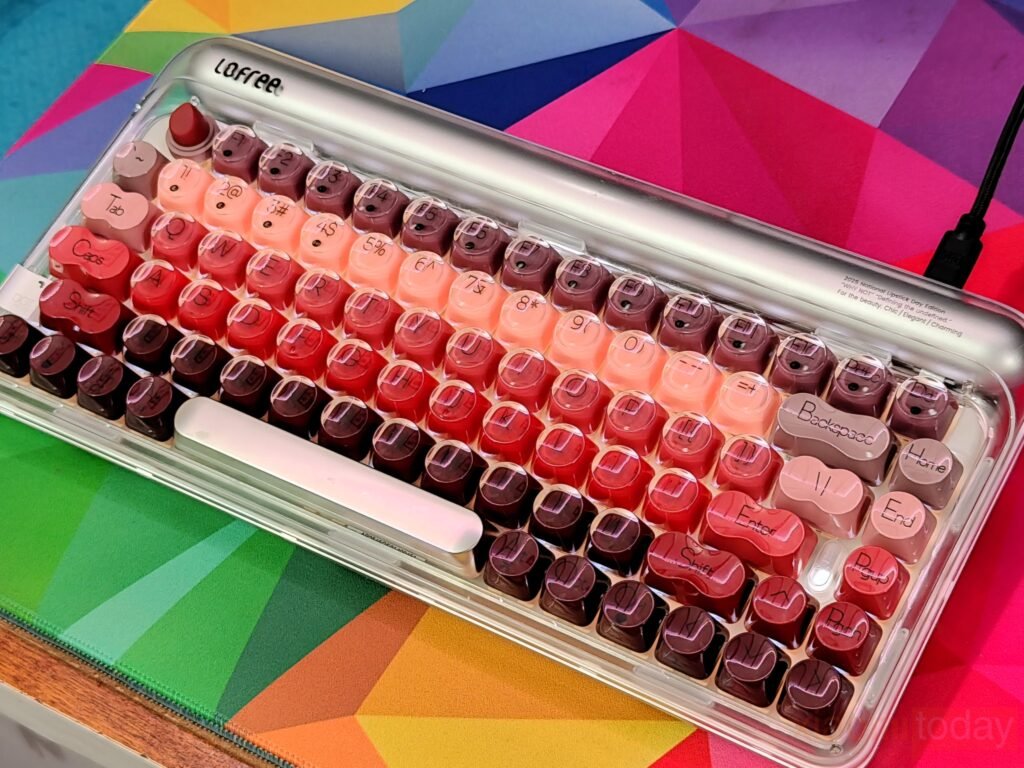
The keyboard’s 75% layout keeps the desk compact while maintaining the function row and navigation keys. The semi-transparent silver frame diffuses the white backlight evenly, giving clear visibility of the legends in low-light conditions. The lipstick-shaped ESC key adds a small, playful detail but does not interfere with daily use. Onboard controls for brightness, lighting effects, and speed are simple to access, and adjusting them while working or typing takes little effort.
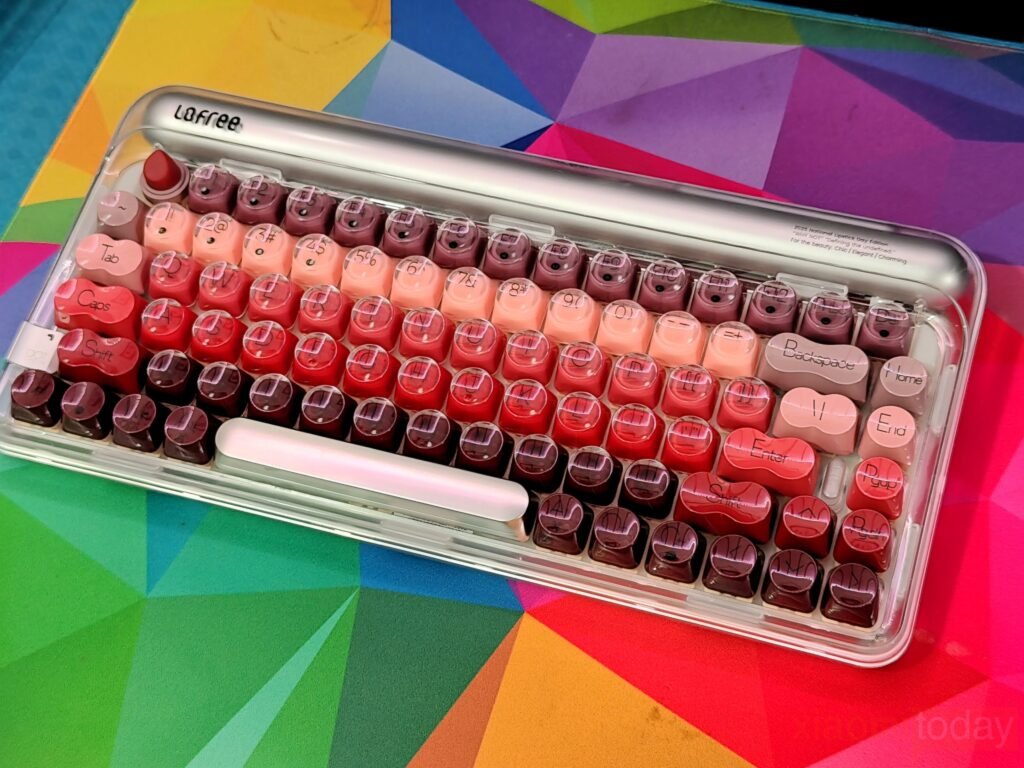
Connectivity across Bluetooth, 2.4GHz wireless, and USB-C was reliable during the two-week test. Pairing with multiple devices was easy, and switching between them felt smooth. The battery life aligns with the advertised performance, lasting close to two weeks with moderate backlighting, and charging via USB-C is convenient, allowing the keyboard to be used while plugged in. Overall, the Lofree Lipstick offers a balanced typing experience with dependable wireless performance, practical design, and a quiet yet tactile feel that suits a variety of workflows.