A fast internet plan can only go so far if your Router becomes the bottleneck. The Netis NX62 is built to serve homes and small offices with Wi-Fi 6, dual 2.5GbE ports, and advertised wireless speeds of up to 6000Mbps. On paper, that gives it the connections and bandwidth to handle newer internet plans alongside multiple phones, PCs, consoles, and smart devices.
The NX62 uses two wireless bands, with rated speeds of up to 4804Mbps on 5GHz and 1148Mbps on 2.4GHz. These are maximum link rates, not speeds one device should expect to reach in normal use. Wi-Fi 6 features, including OFDMA and MU-MIMO, are intended to help manage traffic across several connected devices, while eight antennas and beamforming are designed to improve signal coverage.
Wired connections are a key part of the NX62’s appeal. It has a 2.5Gbps WAN port, a 2.5Gbps LAN port, three gigabit LAN ports, and USB 3.0. The faster ports can serve compatible internet plans and wired devices, though the benefit depends on the rest of the network. The router also supports AP Router and WISP modes, DHCP, Static IP and PPPoE connections, as well as app management, WPS setup, and bandwidth control.
In this review, we put the Netis NX62 through everyday setup and use to see how its wireless coverage, connection stability, and wired ports hold up. We’ll also consider whether its advertised speeds and feature set translate into a useful upgrade for a busy home network.
Netis NX62 Specifications
| Category | Specification |
|---|---|
| Wi-Fi standard | Wi-Fi 6 (802.11ax); also supports 802.11ac/n/a on 5 GHz and 802.11n/b/g on 2.4 GHz |
| Wireless speed | AX6000; up to 4,804 Mbps on 5 GHz and 1,148 Mbps on 2.4 GHz |
| Antennas | 8 fixed high-performance antennas; 4T4R |
| Wi-Fi features | 160 MHz channels, beamforming, high-power FEM, 4×4 MU-MIMO, OFDMA, DFS, 8 streams |
| Wireless modes | AP Router, WISP |
| Processor | 2 GHz quad-core CPU |
| Memory | 512 MB DDR, 128 MB flash |
| Ports | 1×2.5G WAN, 1×2.5G LAN, 3×Gigabit LAN, 1×USB 3.0 |
| Buttons | Mesh/WPS, Reset, Power On/Off |
| Power | 12 V / 2 A DC output |
| Wi-Fi encryption | WEP, WPA-PSK, WPA2-PSK, WPA/WPA2-PSK |
| Network features | IPv4/IPv6, DHCP, Static IP, PPPoE, QoS by device, guest networks, port forwarding, IPTV, dynamic DNS, bandwidth control |
| Guest networks | 4×5 GHz and 4×2.4 GHz guest networks |
| Dimensions | 267 × 267 × 167 mm (W × D × H) |
| Package contents | Router, power adapter, RJ45 Ethernet cable, quick installation guide |
| Certifications | FCC, CE, RoHS, EAC, UkrSEPRO |
| Operating temperature | 0–40 °C |
Unboxing: What’s in the Box?
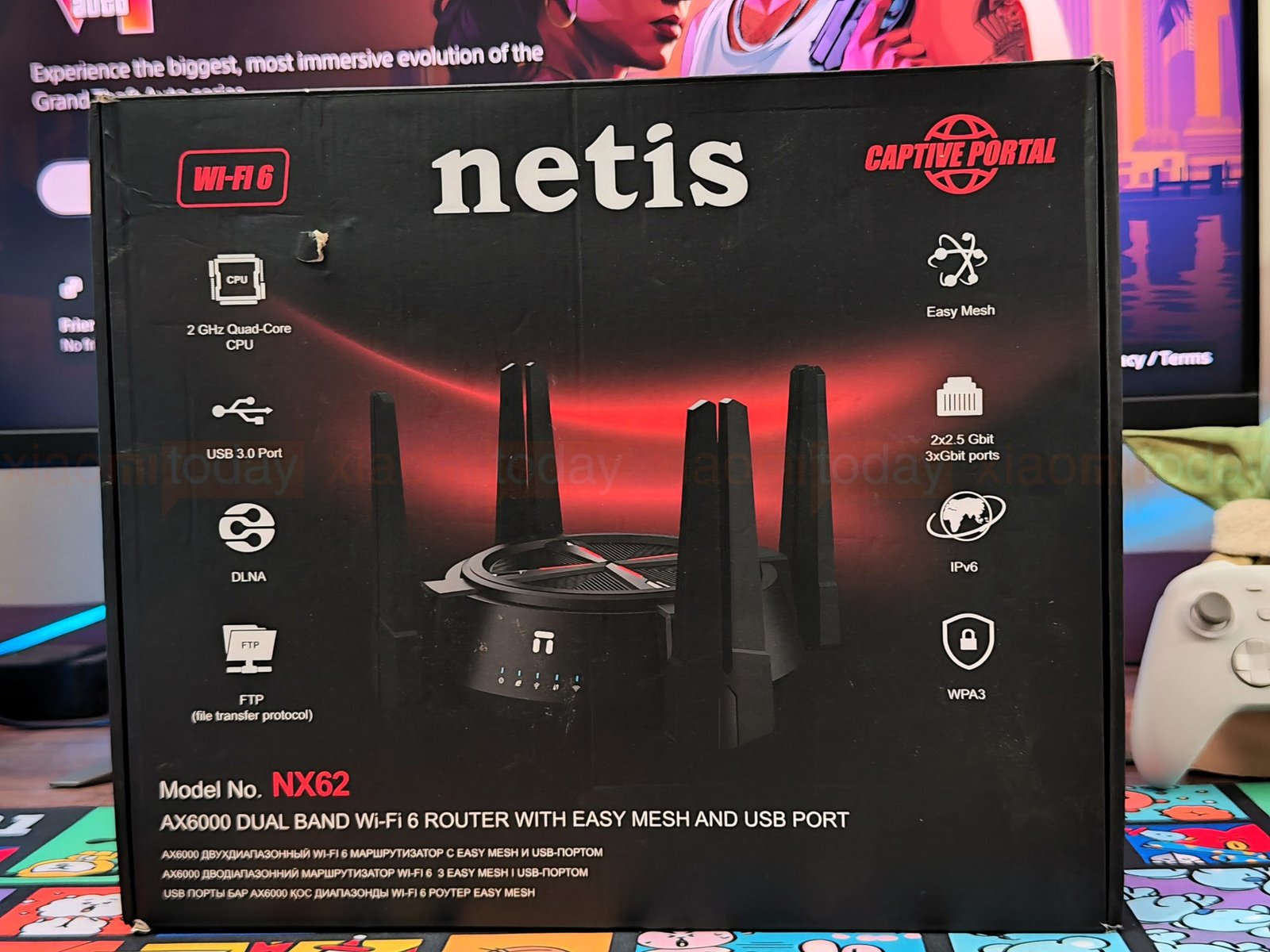
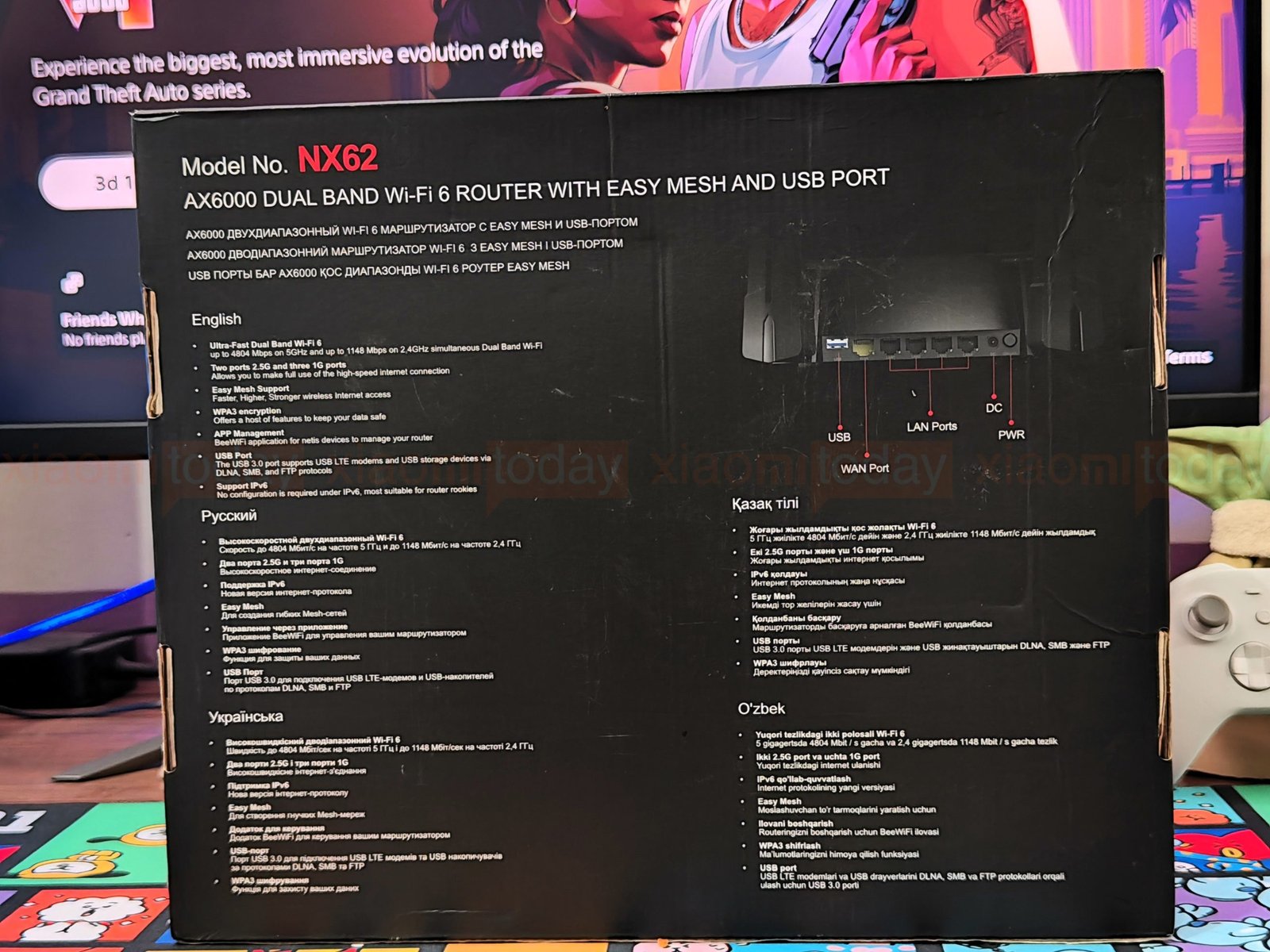
The Netis NX62 comes in a black box with red accents and a product image on the front. The packaging identifies it as an AX6000 dual-band Wi-Fi 6 router and lists features including Easy Mesh, USB 3.0, WPA3, and IPv6. The back shows the router’s rear ports and lists its advertised wireless speeds and networking features in several languages.
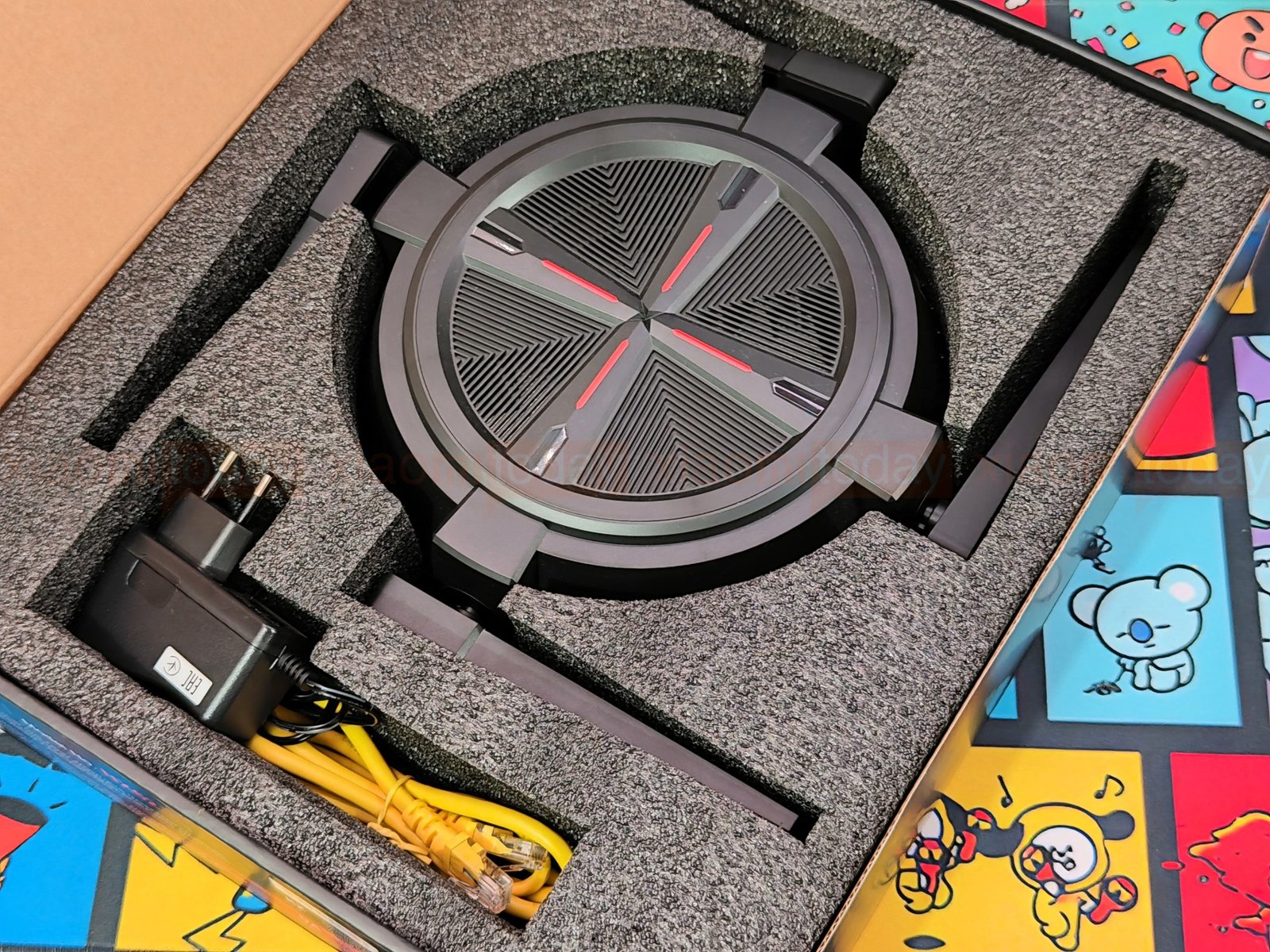
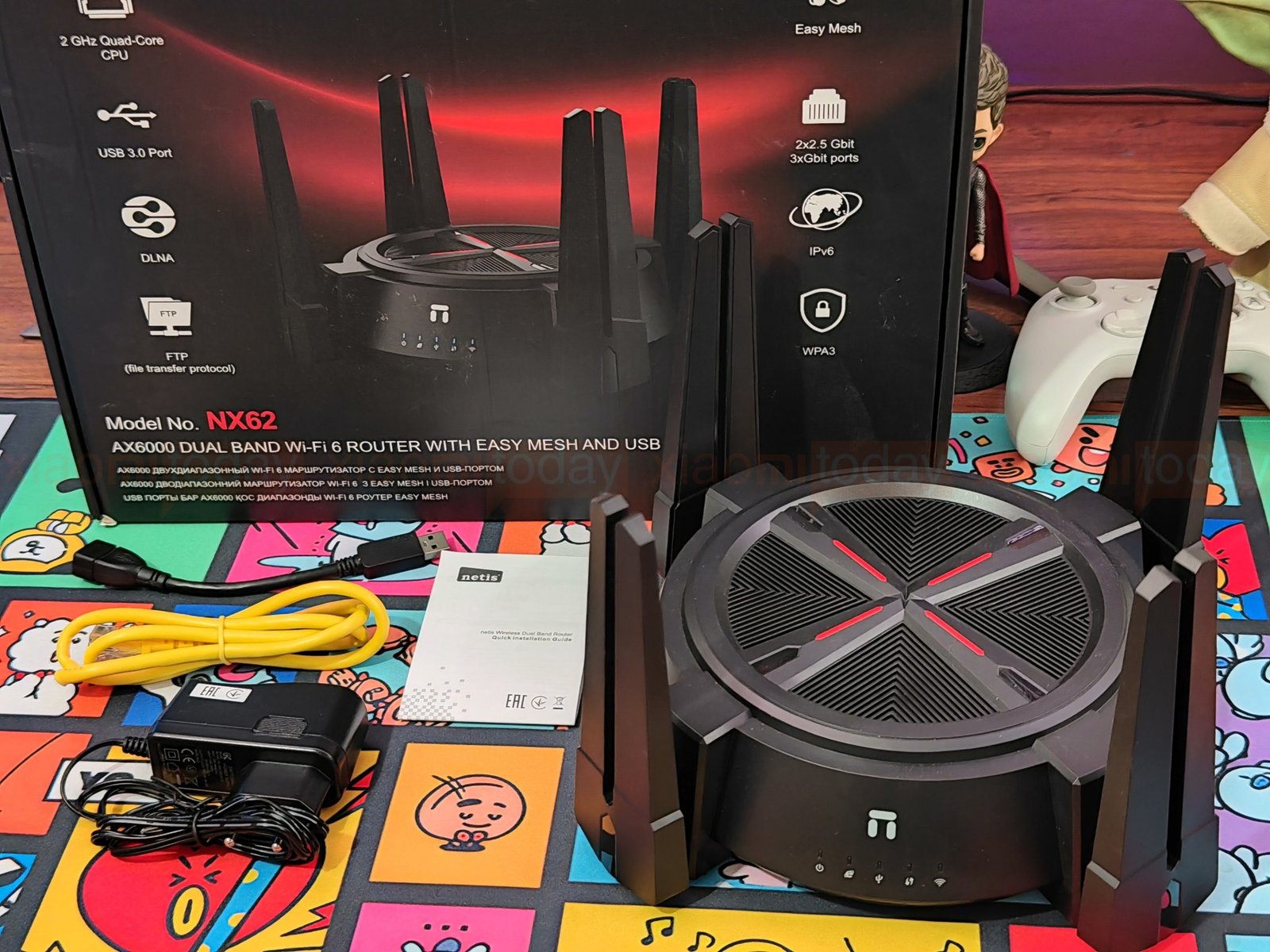
Inside, a fitted foam tray holds the netis NX62 in place, with the power adapter and yellow Ethernet cable beside it. The box also includes a USB-A to USB-A cable and a quick installation guide. Together, the included power adapter and network cable provide what’s needed to connect the router and get started.
Design and Build Quality
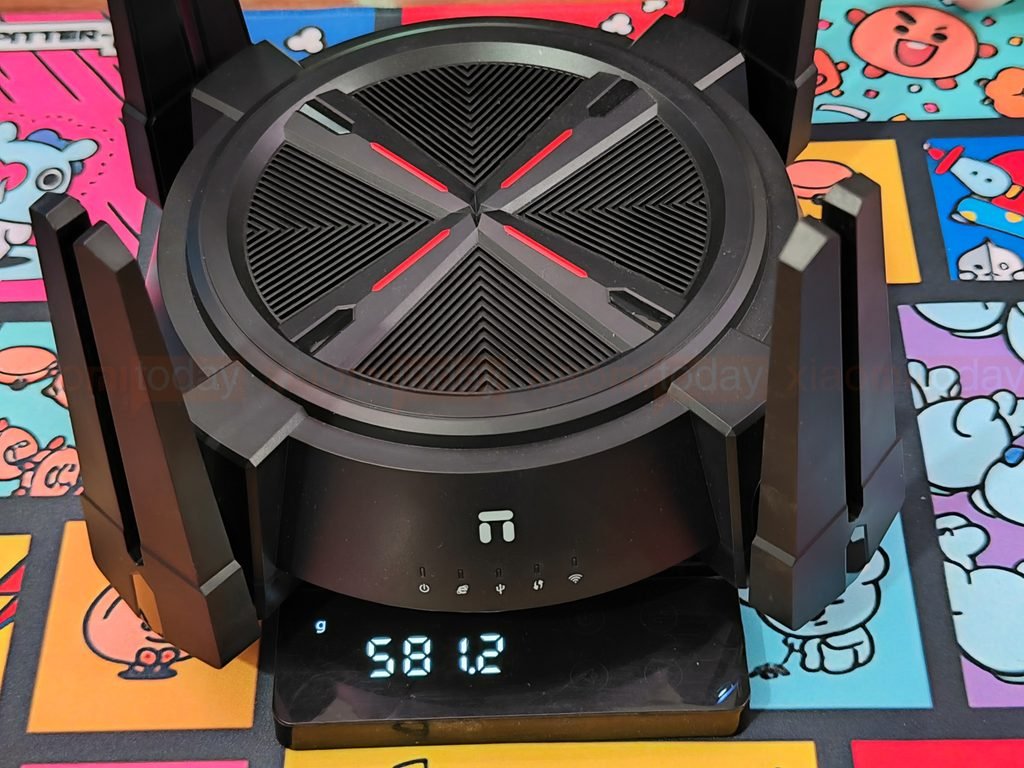
The Netis NX62 Wi-Fi 6 router has a circular black chassis with eight external antennas arranged around the body. The angular antenna housings and red accents give it a gaming-inspired look, while the matte finish keeps the rest of the design restrained. Measuring 267 × 267 × 167 mm and weighing 581 grams, it needs more room than a compact home router, especially with its antennas raised or angled outward.
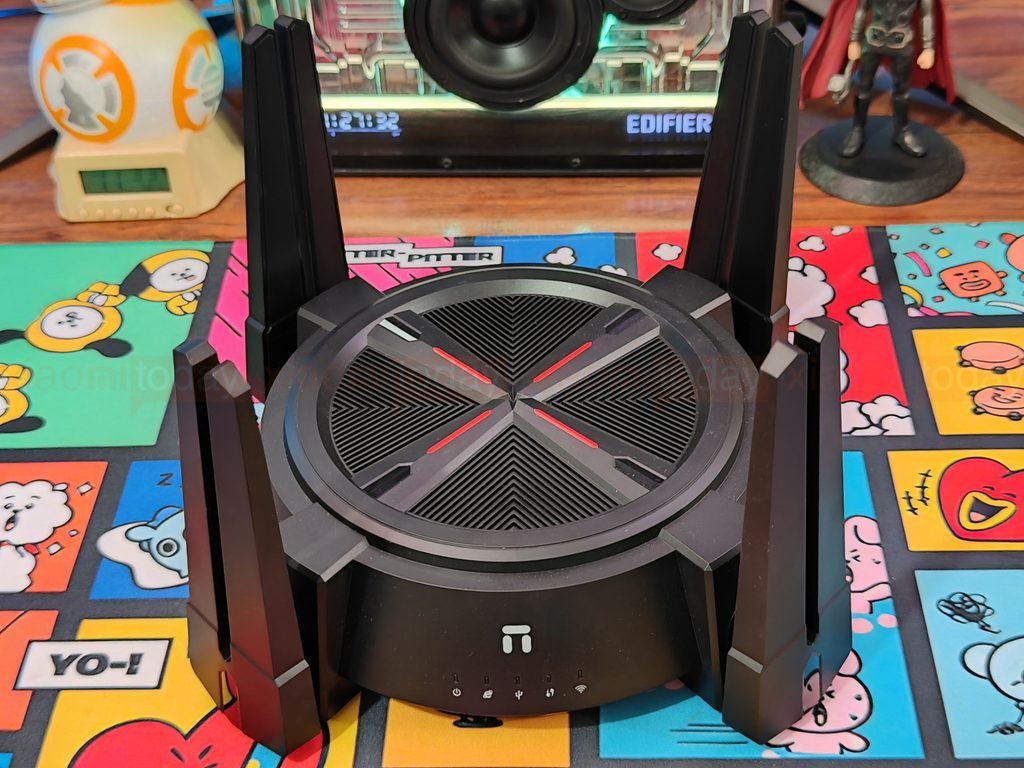
The top panel is built around a raised cross that divides the circular surface into four vented sections. Each section has rows of narrow slits arranged in a geometric pattern, with a red accent strip running along each arm of the cross. A raised outer rim frames the panel, and the angular edges around the antenna mounts match the styling. The large vent area gives heat a route out of the chassis, though cooling performance depends on the internal layout and operating conditions.

Eight broad antennas sit around the router in pairs. Their housings are thicker and more angular than the slim rods found on many routers, so the NX62 has a wide stance. The antennas can be folded outward to adjust their position, but this increases the space the router occupies. Before placing it on a shelf or desk, allow room around the unit for the antennas and connected cables.
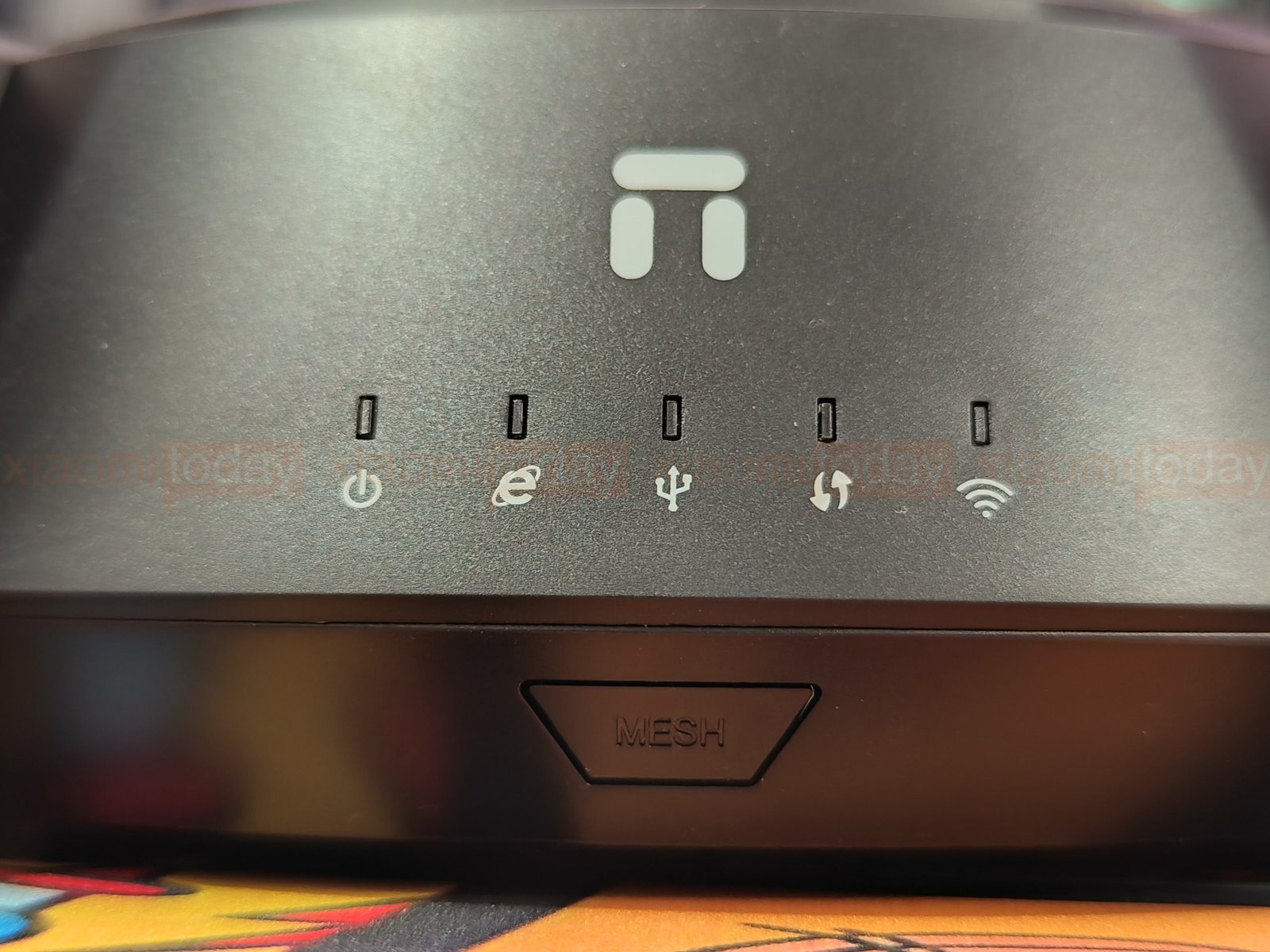
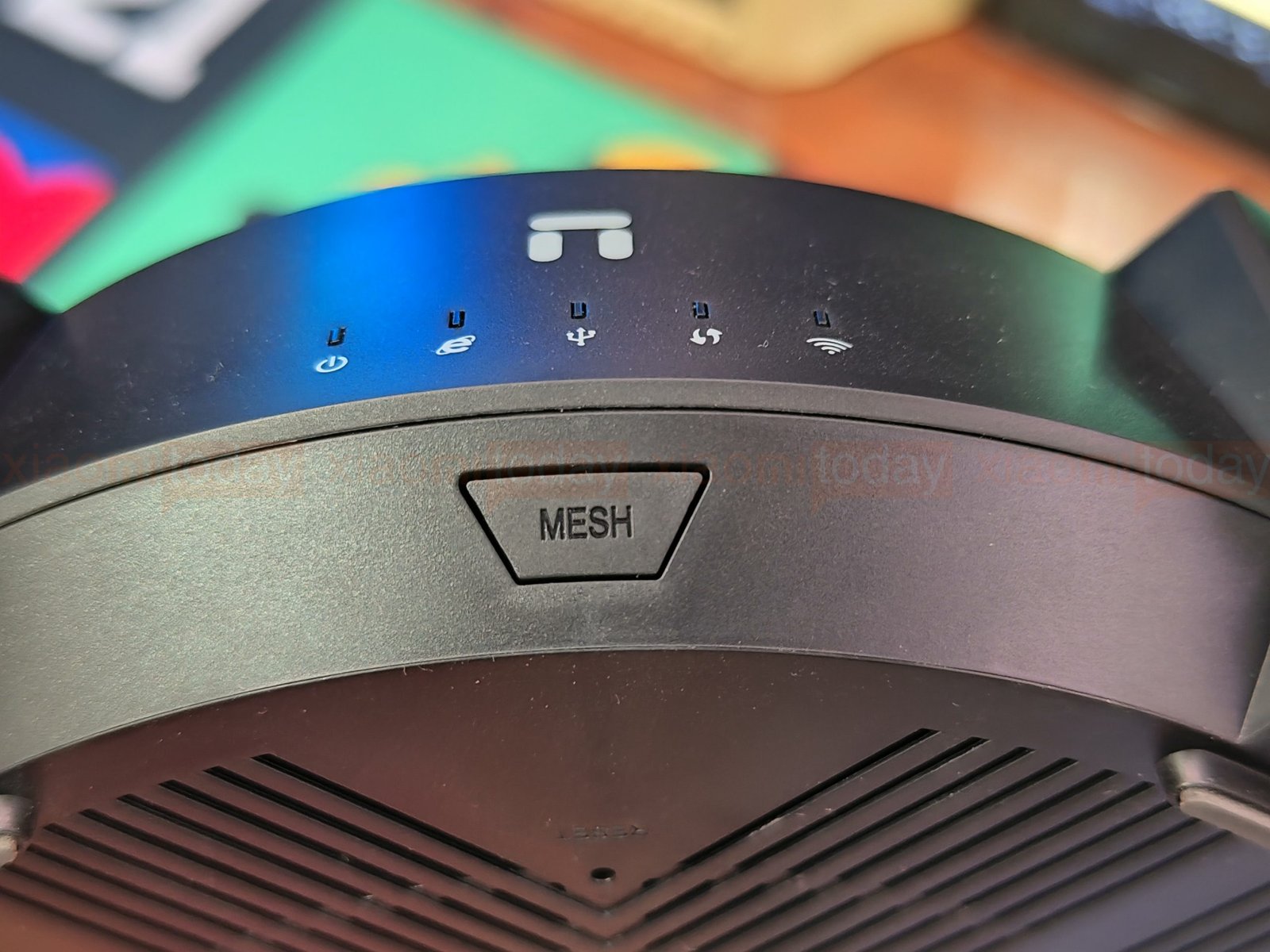
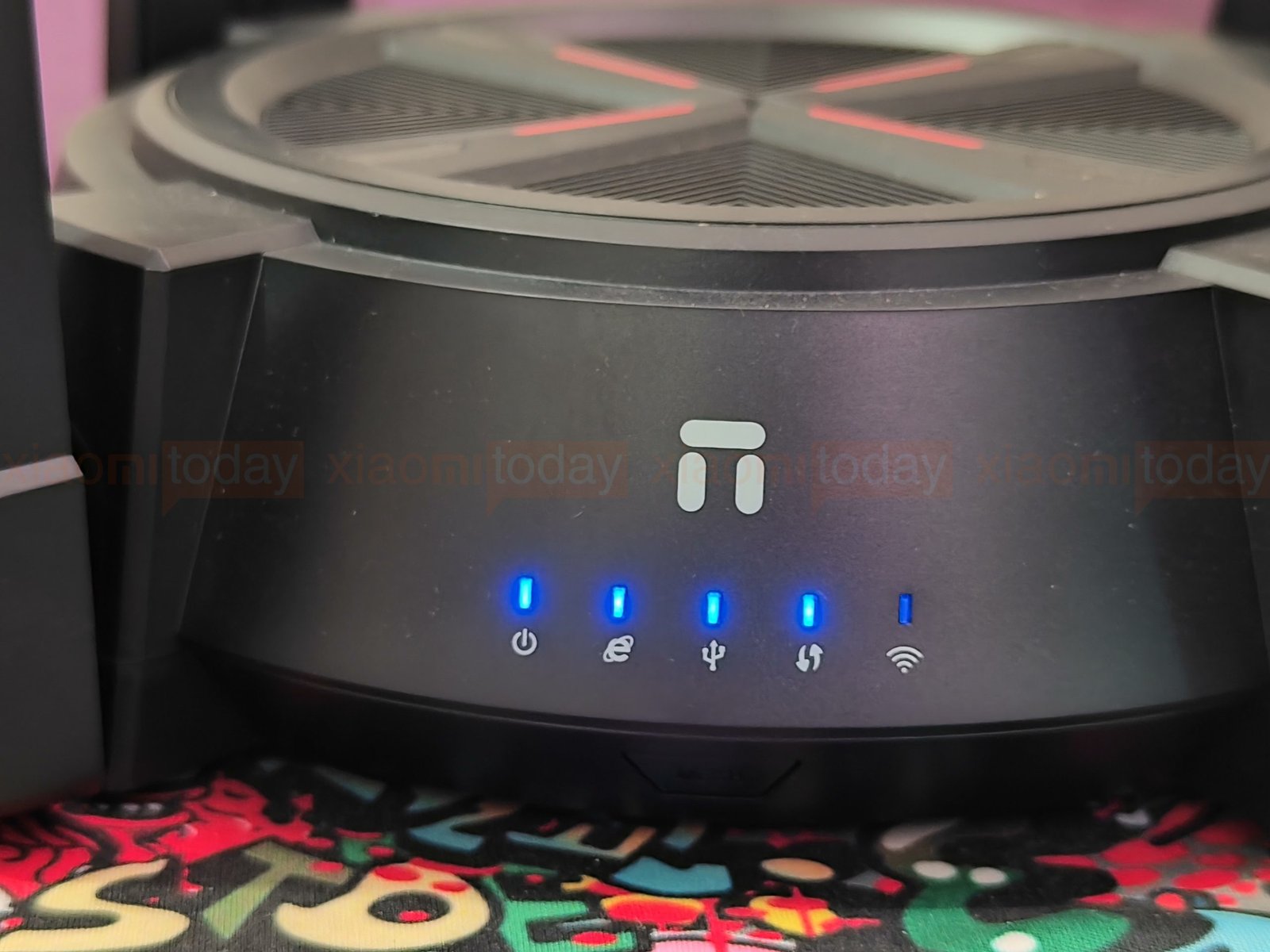
The front panel has five status indicators for power, internet, USB, mesh, and Wi-Fi, with an icon below each light. A button marked “MESH” sits underneath for mesh pairing. The indicators are easy to check from the front; their brightness may be noticeable in a dark room.
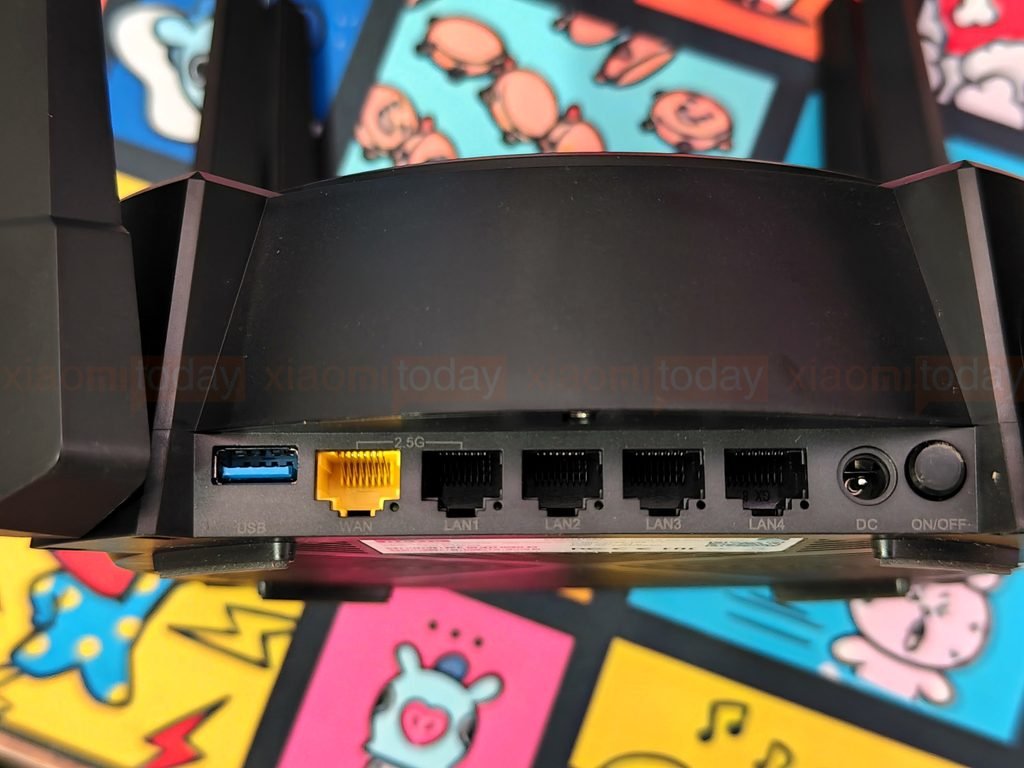
The rear I/O panel sits low in the chassis, between the antenna mounts. It includes a USB 3.0 Type-A port, a yellow WAN port, four LAN ports, a DC power input, and an on/off button. Labels beneath the connectors identify each port. The WAN connection and one LAN port support 2.5GbE, while the other three LAN ports are rated for gigabit Ethernet. The ports are recessed, which keeps the rear profile tidy but can make cable access less convenient when the router is placed close to a wall.
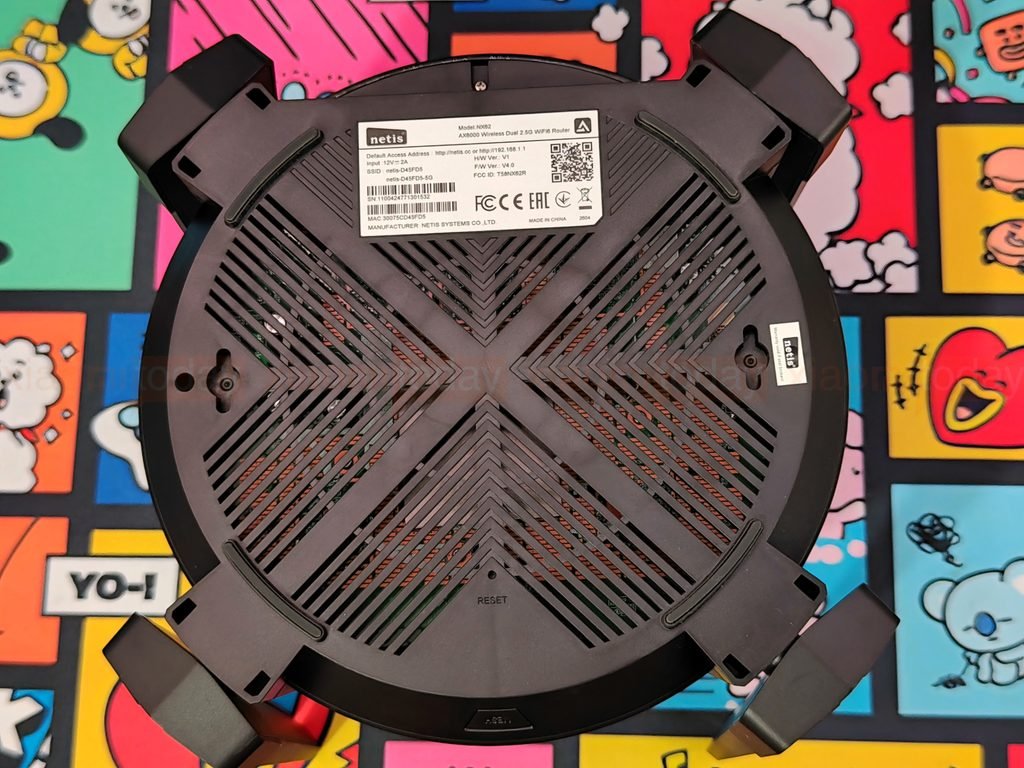
The underside uses a matching cross-shaped layout, with diagonal ventilation slots covering much of the base. It also carries the product label, a reset pinhole, small feet, and two keyhole-shaped mounting slots for wall installation. The feet raise the router slightly above a flat surface, leaving a gap below the base. Together with the top vents, the underside openings provide ventilation across both sides of the enclosure.
Hardware and Features
The Netis NX62 is a dual-band Wi-Fi 6 router rated at AX6000. It uses a 2 GHz quad-core CPU, 512 MB of DDR memory, and 128 MB of flash storage. Netis lists maximum wireless rates of 4804 Mbps on 5 GHz and 1148 Mbps on 2.4 GHz. These are combined theoretical link rates; actual speeds vary with the connected device, distance, interference, and network load.
The 5 GHz band supports 160 MHz channel width and 4×4 MU-MIMO. With compatible devices, wider channels can provide higher link rates, while MU-MIMO lets the router communicate with multiple clients at the same time. Wi-Fi 6’s OFDMA feature is designed to use airtime more efficiently when several devices are active. The practical benefit depends on client support and the wireless environment.
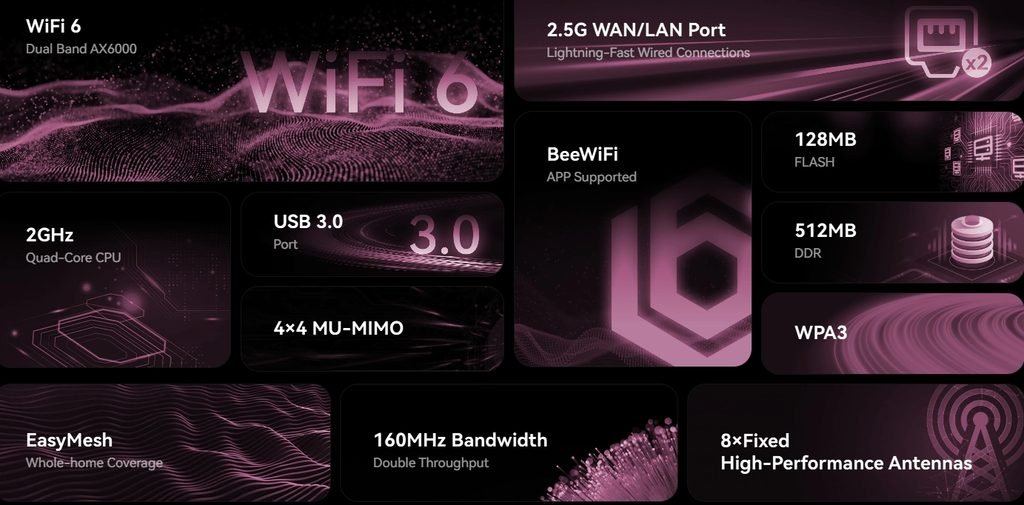
For wired connections, the NX62 has a 2.5GbE WAN port, a 2.5GbE LAN port, and three gigabit LAN ports. The faster ports can connect to a compatible internet service or wired device, while the gigabit ports are suitable for typical PCs, consoles, and TVs. A USB 3.0 port is available for compatible storage and peripherals, with supported functions determined by the router’s firmware.
Eight fixed external antennas provide the wireless connection, and EasyMesh support lets the NX62 work with compatible devices to extend coverage. Router management is available through the BeeWiFi app. WPA3 is supported for compatible wireless clients, with other security options available for devices that use older standards.
With Wi-Fi 6, dual 2.5GbE ports, and USB 3.0, the Netis NX62 covers the main connections expected from a modern home router. Its real-world value depends on wireless coverage, throughput, and stability under everyday use.
Setup and Configuration
Setting up the Netis NX62 begins with connecting the modem or ONT to the router’s WAN port. A computer can be connected to one of the LAN ports for wired setup, or a phone or laptop can join the router’s default Wi-Fi network. After connecting the power adapter, wait for the router to start.
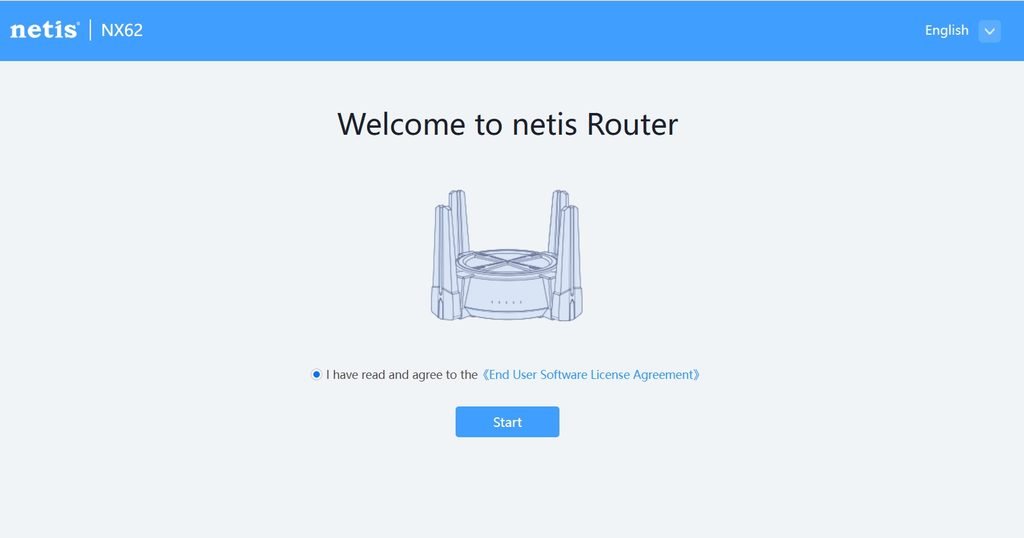
Open netis.cc or 192.168.1.1 in a browser to reach the NX62’s web interface. The setup wizard opens with a language selector and a Start button. After accepting the software license agreement, the wizard guides you through internet access and Wi-Fi settings.
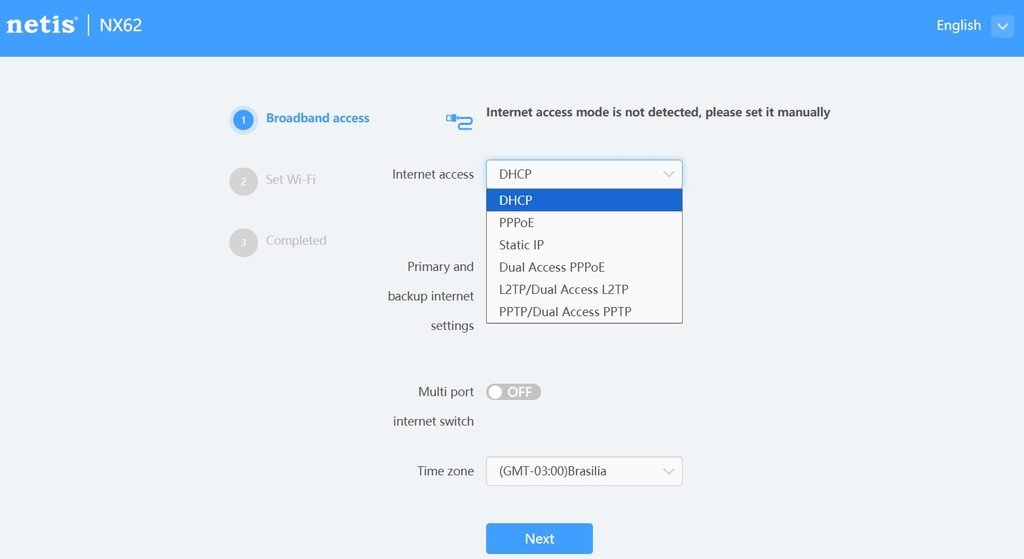
The router tries to detect the internet connection type automatically. If detection fails, select the mode provided by your ISP. Available options include DHCP, PPPoE, Static IP, Dual Access PPPoE, L2TP, and PPTP. DHCP retrieves network settings automatically; PPPoE requires ISP login details, while Static IP requires the address, subnet mask, gateway, and DNS information. The wizard also includes time zone and multi-port internet settings.
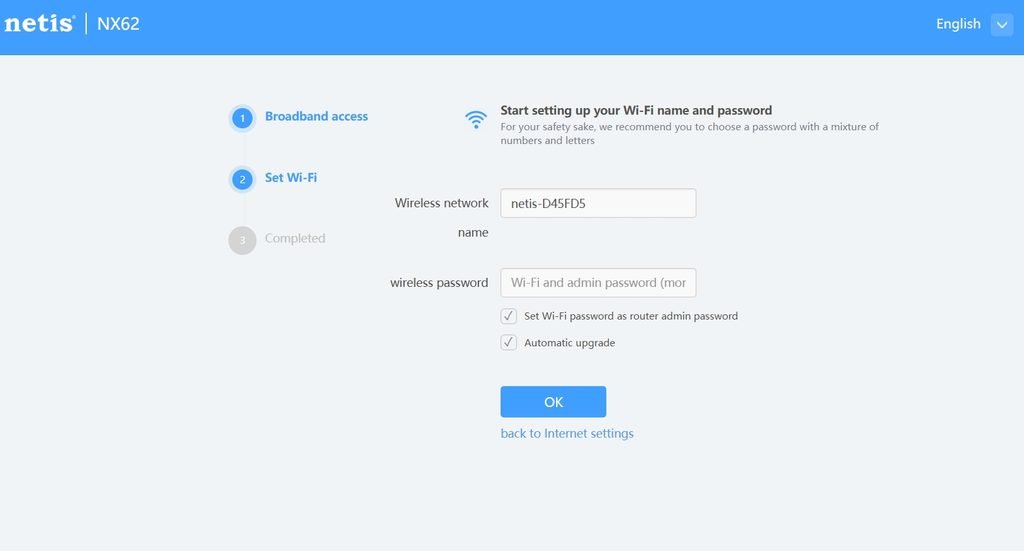
Next, set the Wi-Fi network name and password. The setup page also lets you use the Wi-Fi password as the router administrator password and enable automatic firmware upgrades.
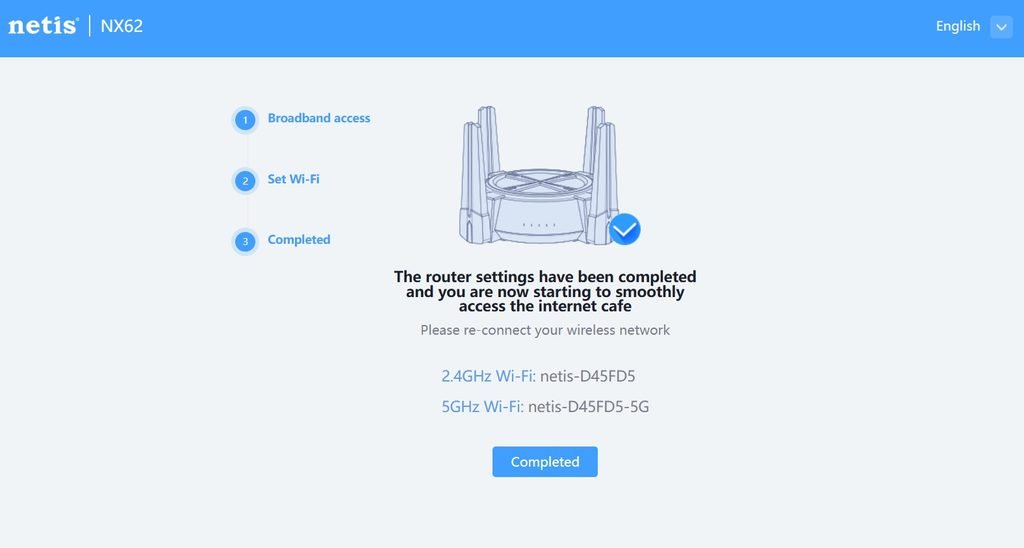
Once the settings are saved, the wizard confirms completion and shows the network names for the 2.4 GHz and 5 GHz bands. Devices then need to reconnect using the new Wi-Fi details.
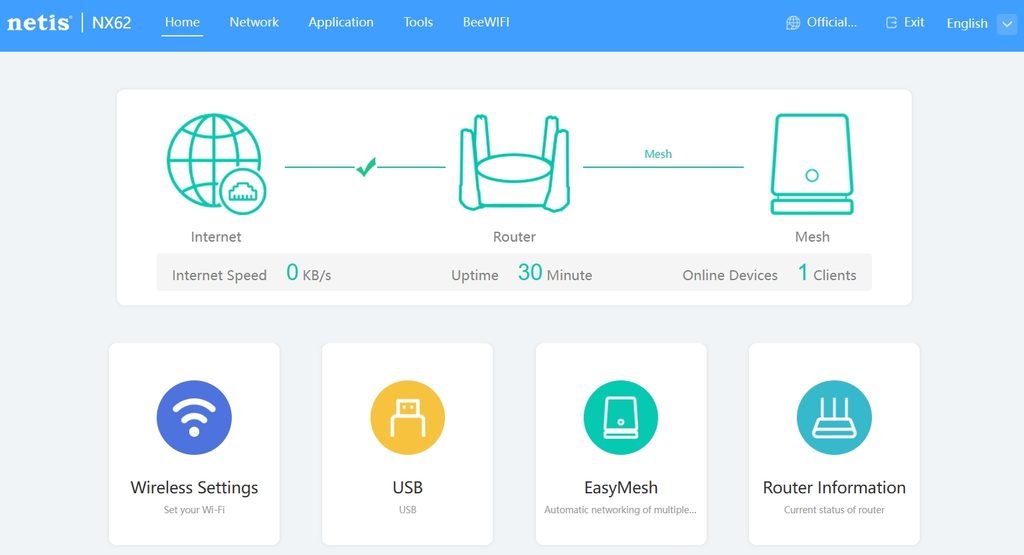
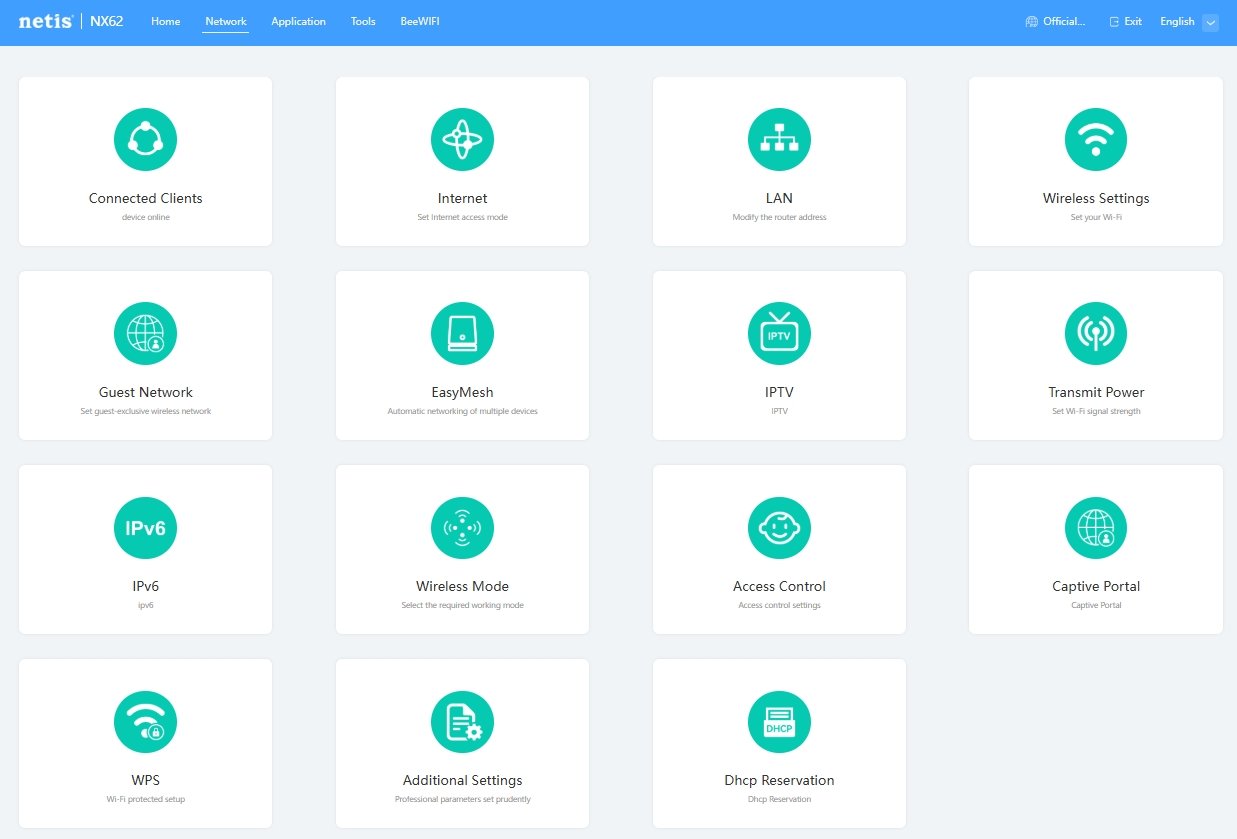
The web dashboard shows the router’s connection status, uptime, and connected devices, with shortcuts for wireless settings, USB, EasyMesh, and router information. The Network menu includes connected clients, internet and LAN settings, guest Wi-Fi, IPv6, IPTV, wireless mode, transmit power, access control, WPS, and DHCP reservations.
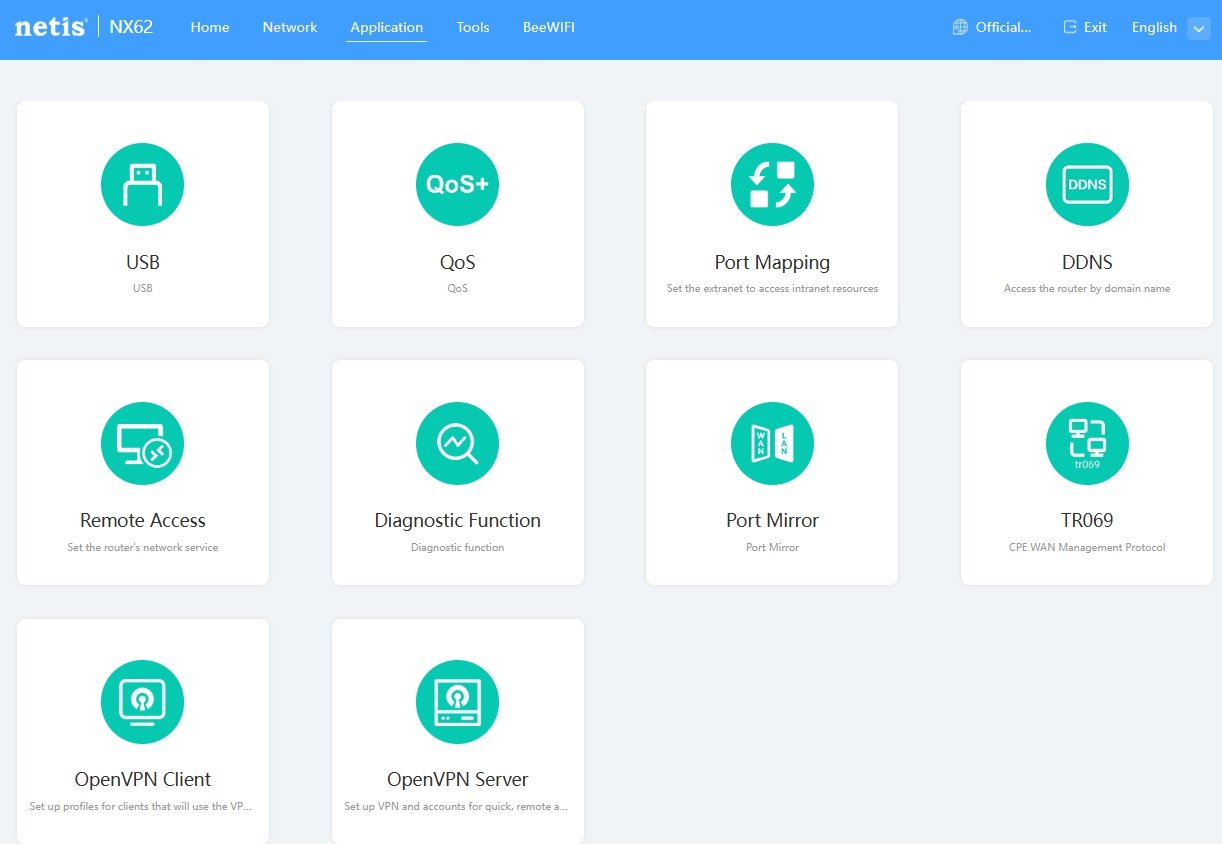
Further options appear under Application and Tools. Application settings include QoS, USB, port mapping, DDNS, remote access, diagnostics, port mirroring, TR-069, and OpenVPN client and server functions. Tools provide administrator password, firmware, time, scheduled task, reboot, restore, indicator, backup, and system log settings.
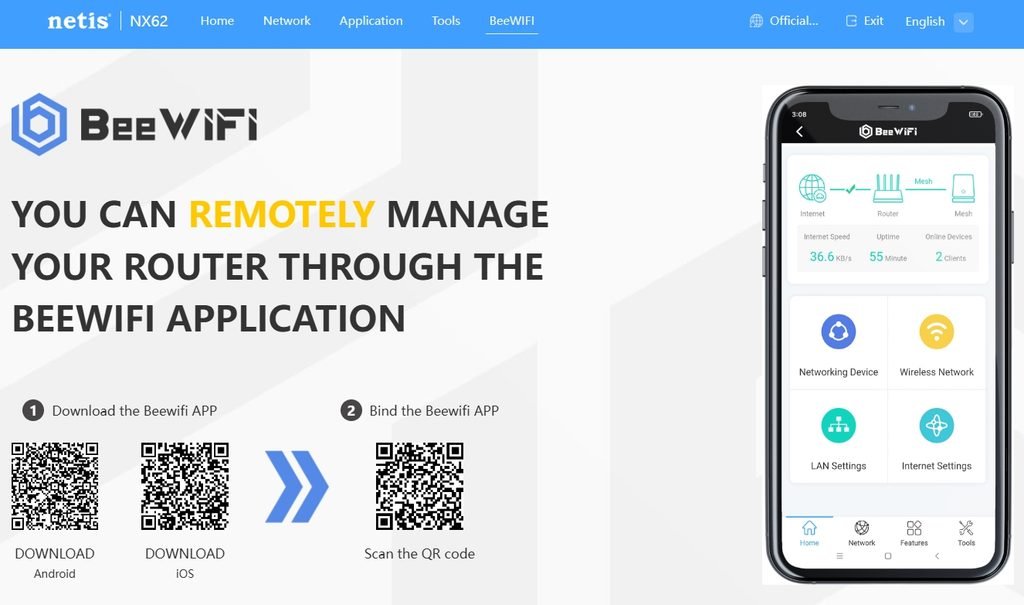
The NX62 can also be managed through the BeeWiFi app. After downloading it and linking the router, users can access network devices, Wi-Fi, LAN, and internet settings from a phone. The web interface covers the full setup process, while the app provides mobile access to common network controls.
BeeWiFi App
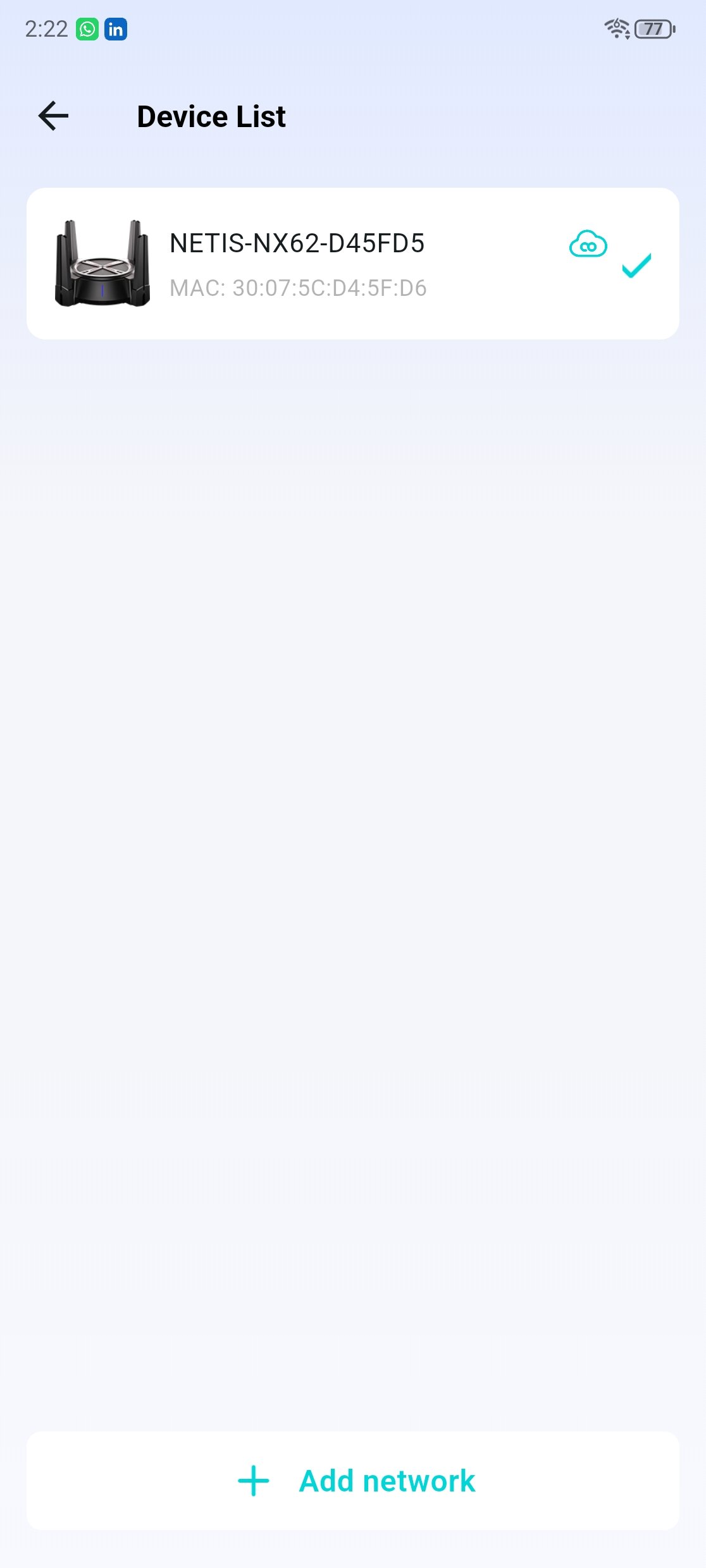
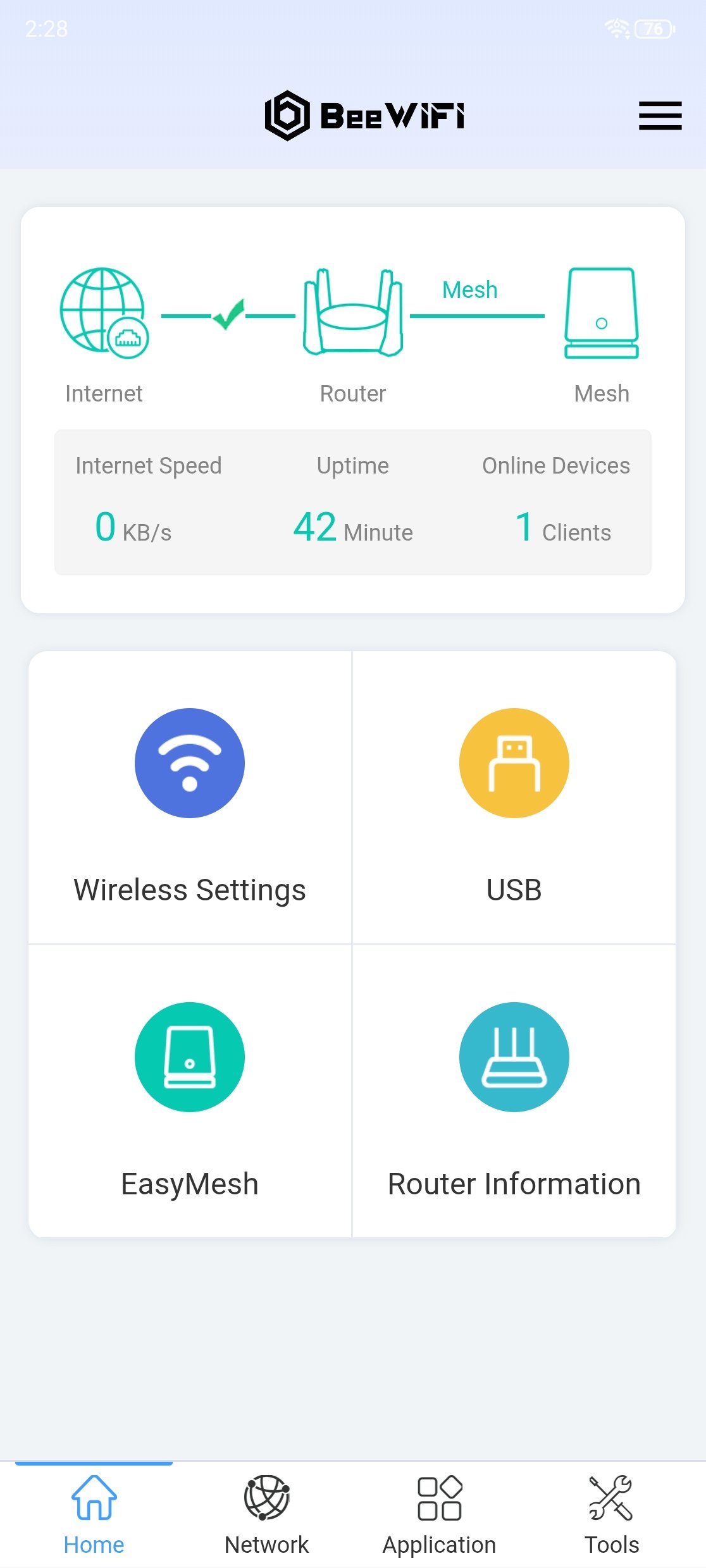
The BeeWiFi app pairs with the Netis NX62 and lists it by name. From the home screen, you can check internet and mesh status, connection speed, router uptime, and the number of connected devices. Shortcuts lead to Wi-Fi settings, USB, EasyMesh, and router information. The main sections—Home, Network, Application, and Tools—keep the controls grouped by task.
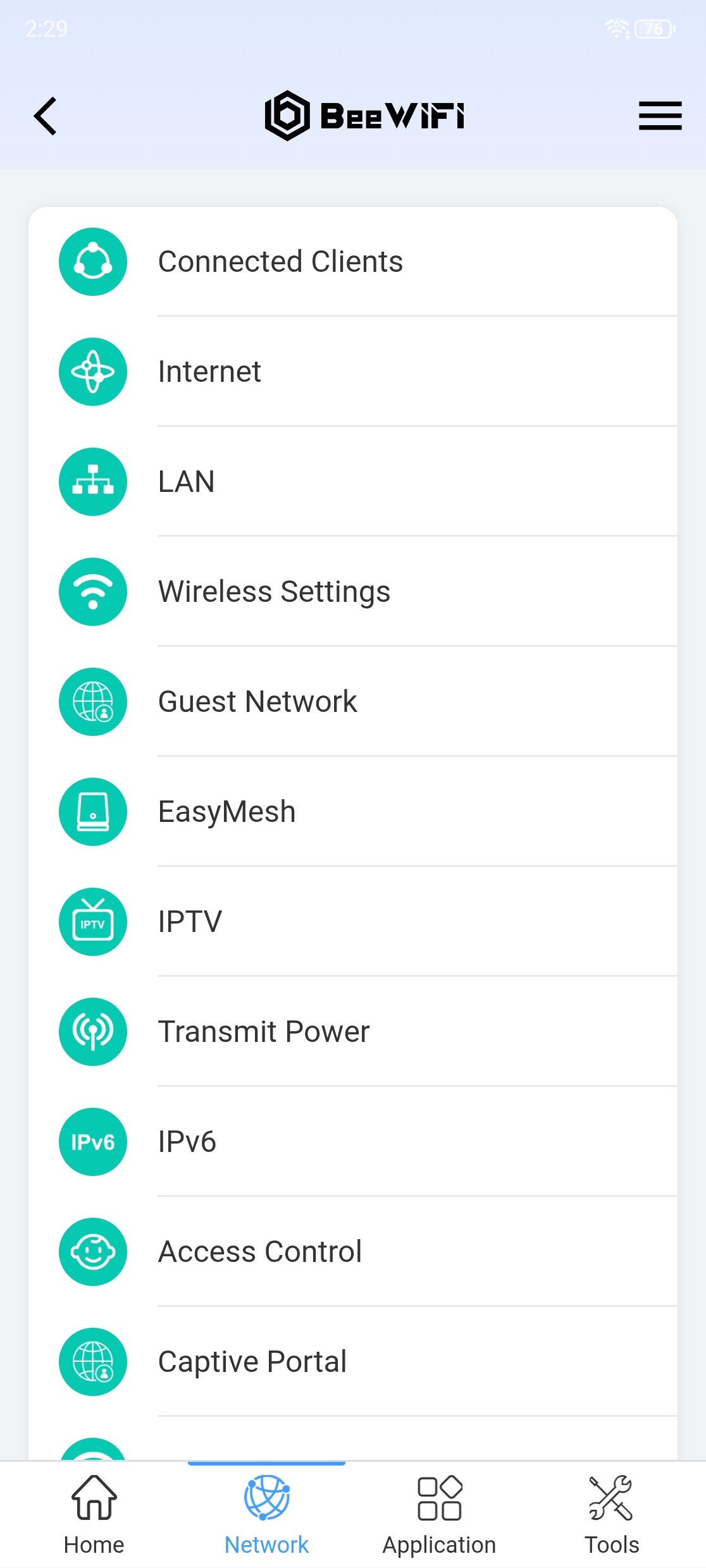
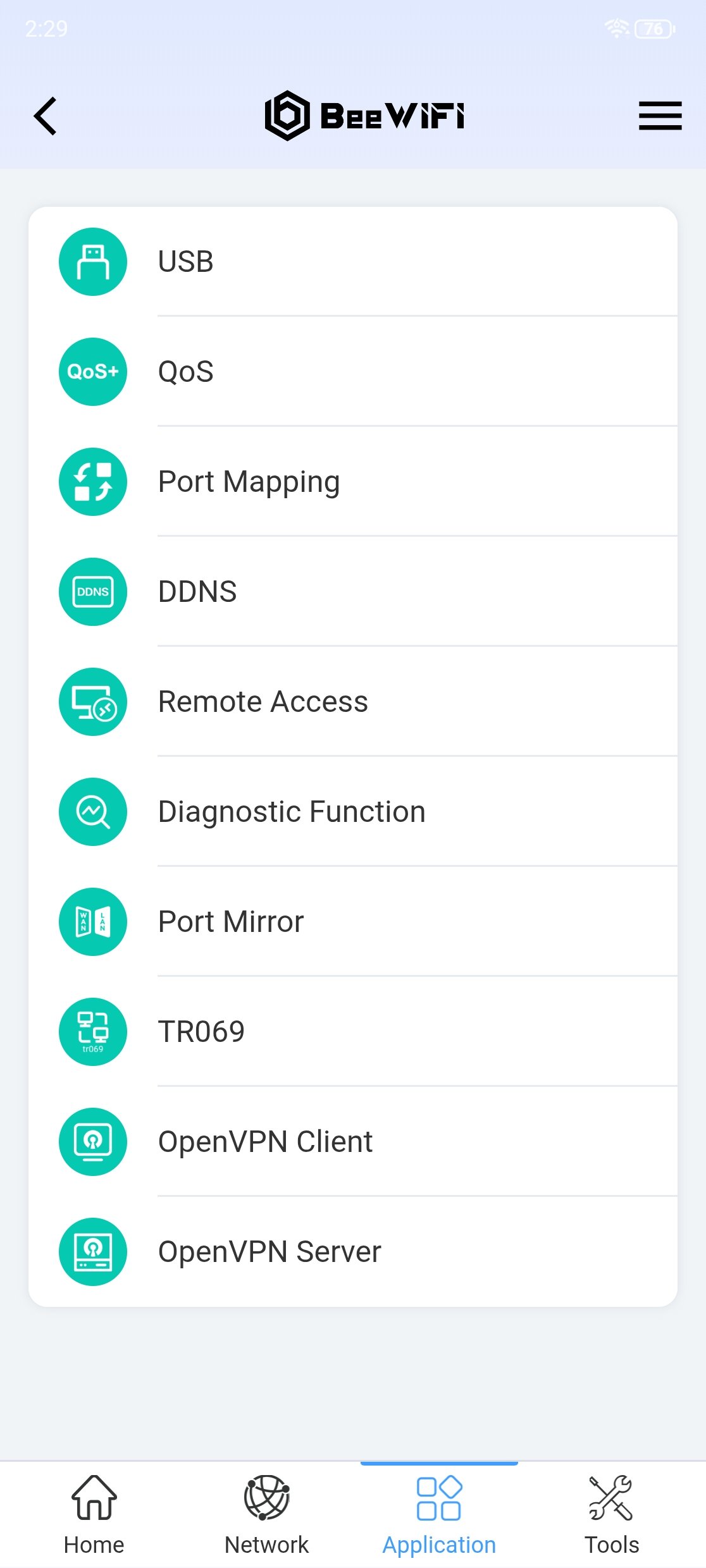
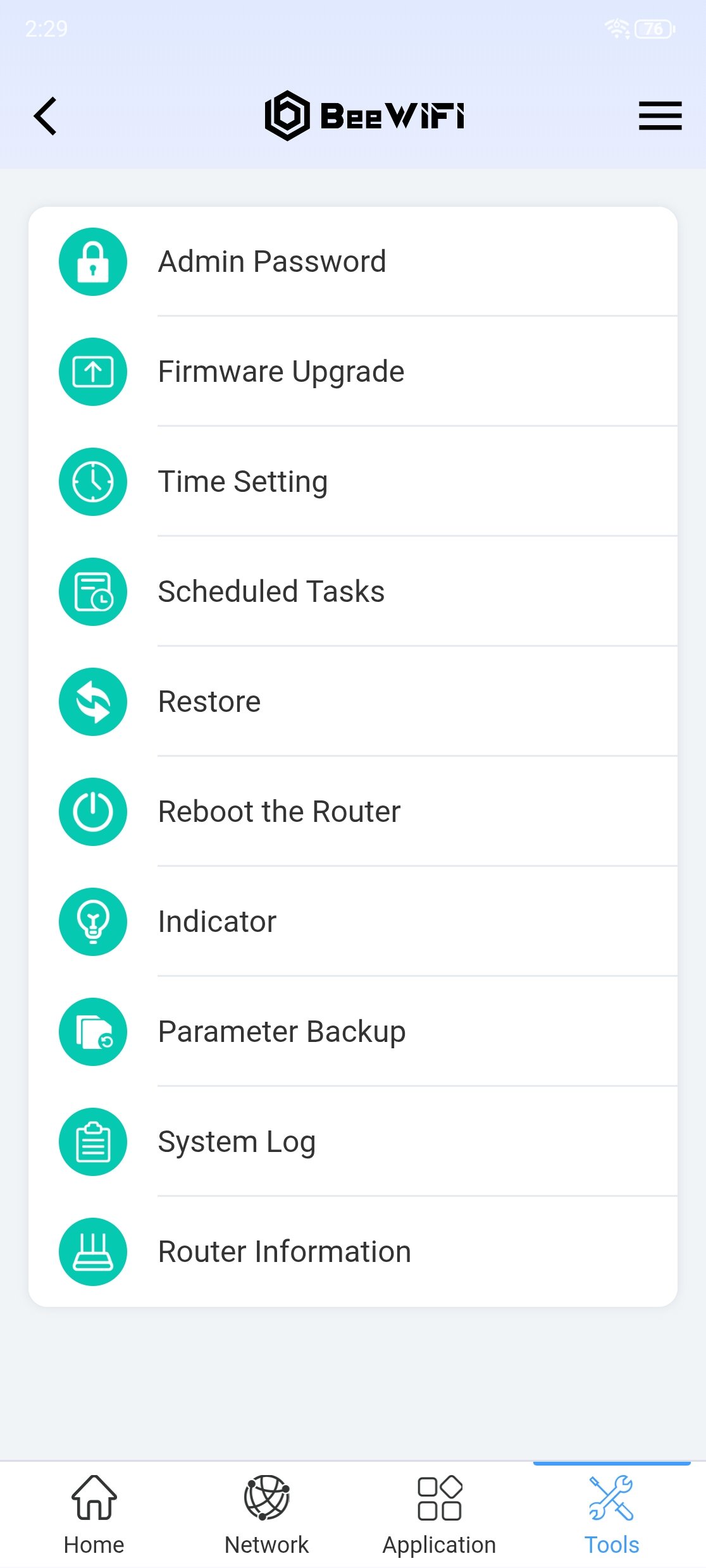
The Network menu includes connected clients, internet and LAN settings, Wi-Fi, guest networks, EasyMesh, IPTV, transmit power, IPv6, access control, and captive portal options. The Application menu provides USB, QoS, port mapping, DDNS, remote access, diagnostics, port mirroring, TR-069, and OpenVPN client and server settings. Tools include administrator password changes, firmware updates, time settings, scheduled tasks, restore and reboot controls, indicator settings, parameter backup, system logs, and router information. The range of options is useful for managing the NX62 from a phone, though some advanced settings may take time to explore.
Speed Test and Performance
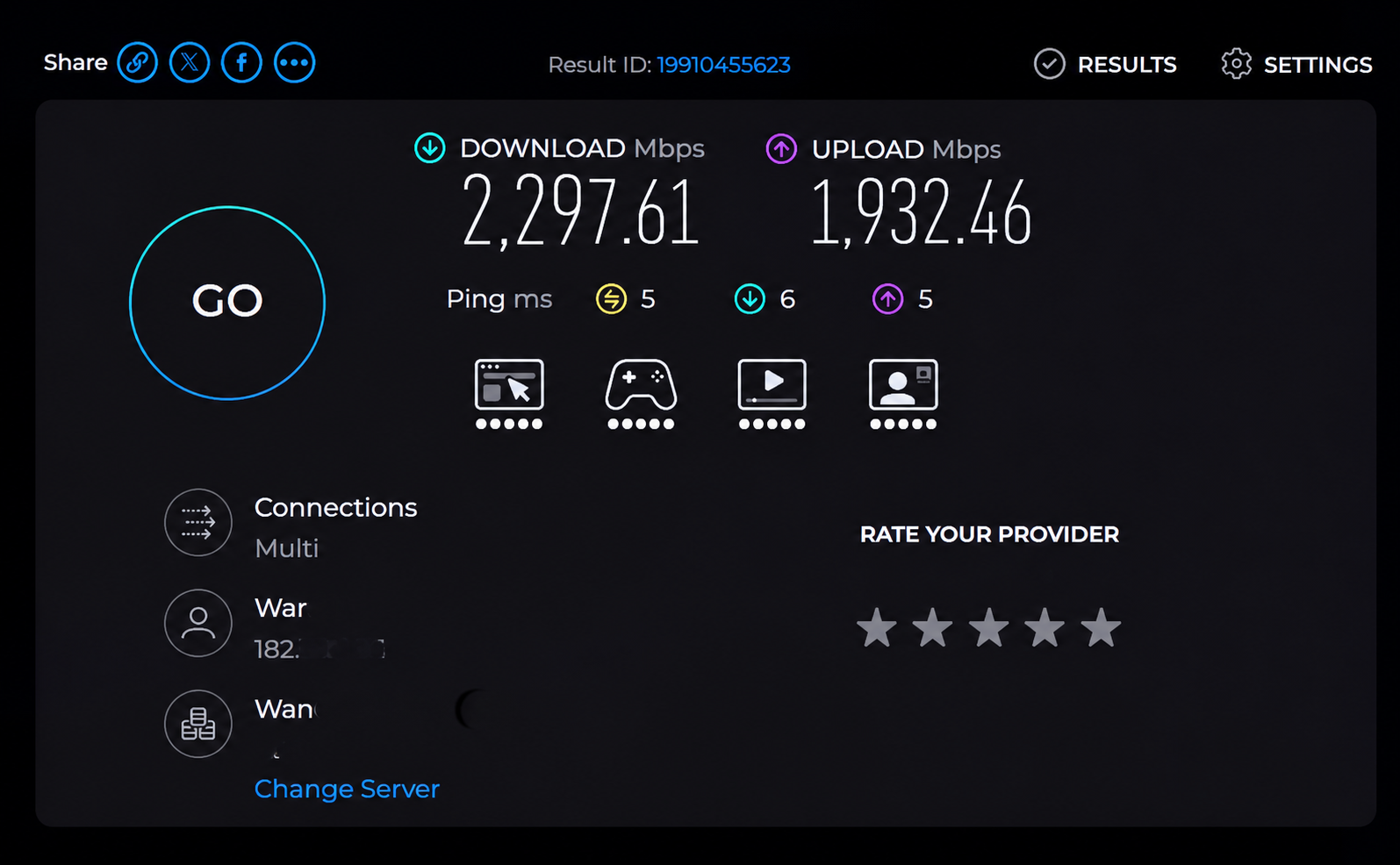
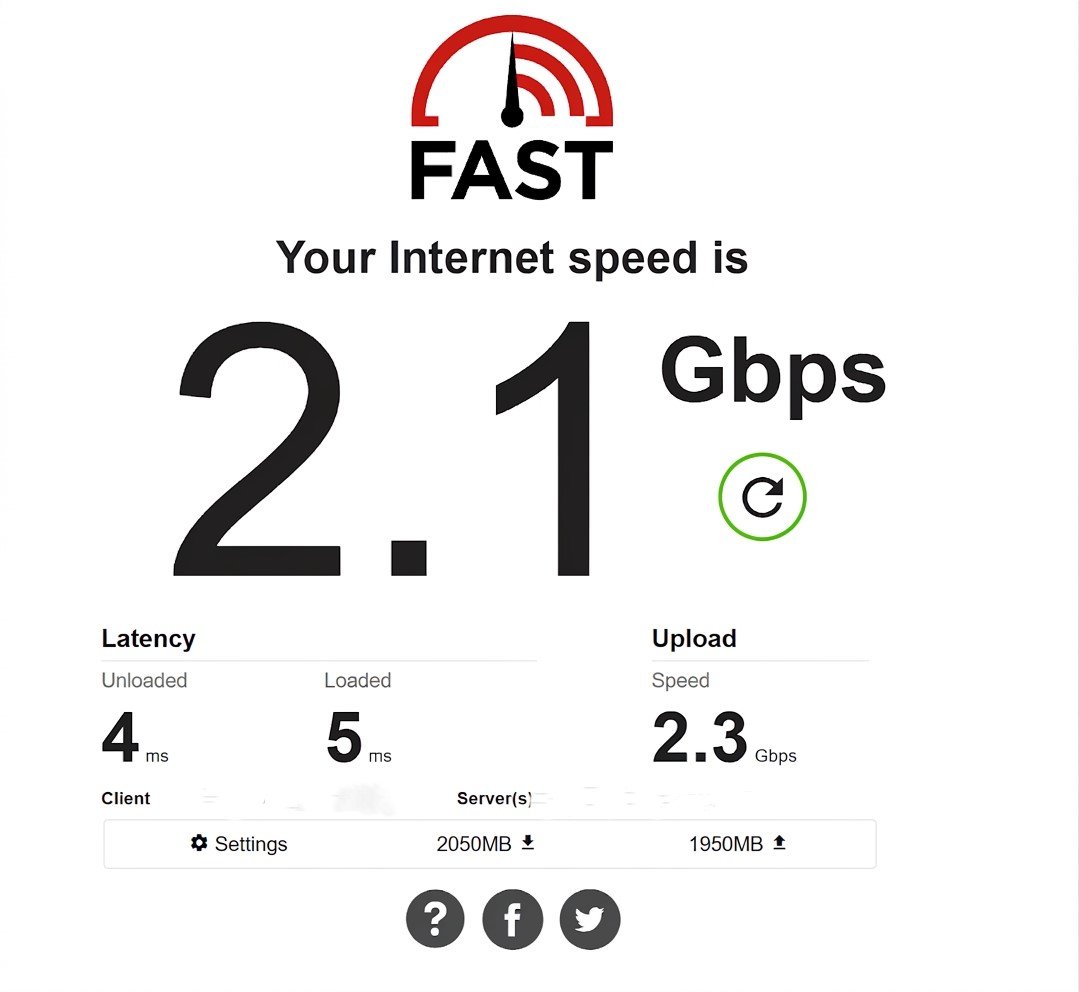
In our wired speed tests, the Netis NX62 reached 2,297.61 Mbps download and 1,932.46 Mbps upload on Speedtest, with a 5 ms ping. Fast.com recorded 2.1 Gbps download and 2.3 Gbps upload, with latency of 4 ms unloaded and 5 ms loaded. The results show multi-gigabit speeds over the NX62’s 2.5GbE connection in this setup.
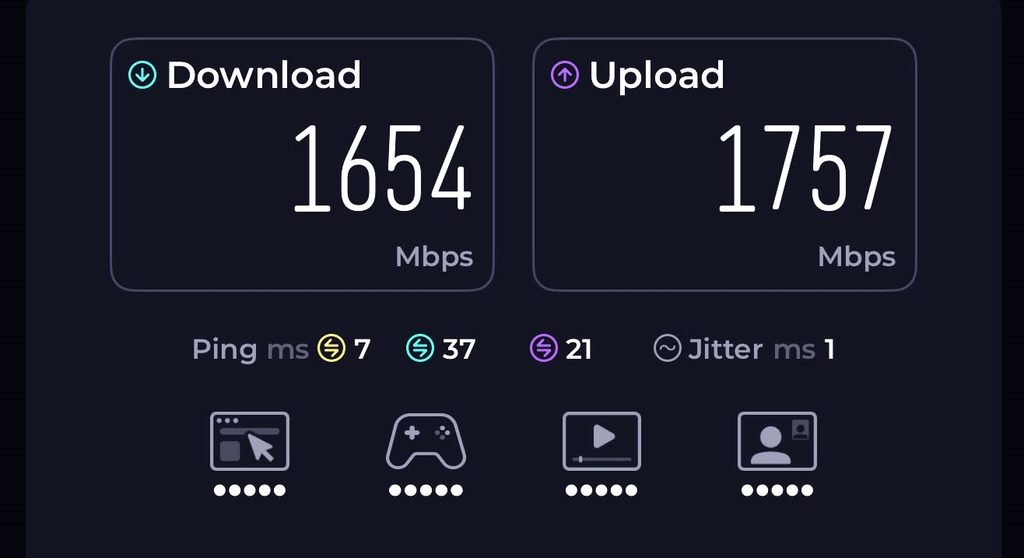
Over 5 GHz Wi-Fi, the router delivered 1,654 Mbps download and 1,757 Mbps upload. The test reported a 7 ms ping, 1 ms jitter, and latency of 37 ms during download and 21 ms during upload. That is strong throughput for a wireless connection, though results can change with distance, walls, interference, and the client device’s Wi-Fi hardware.
These figures come from internet speed tests, so they reflect more than the router alone. The internet plan, test server, computer or phone, Ethernet adapter, and network traffic can all affect results. They are a snapshot of performance in our test setup, not a guarantee of the speeds every NX62 owner will see.
Browsing and Gaming Experience
Over several weeks, the Netis NX62 handled everyday browsing, video streaming, and downloads on our home network. Web pages loaded quickly, and switching between phones, laptops, and other connected devices was easy. The BeeWiFi app also provides a quick way to check the router’s status and connected clients. Results will vary with internet service, router placement and network traffic.
For competitive games such as Counter-Strike 2, Valorant and Apex Legends, a stable connection matters more than headline Wi-Fi speeds. The NX62 recorded a 7 ms ping and 1 ms jitter in our 5 GHz speed test, though latency increased under load. These figures offer a snapshot of our connection; ping during a match also depends on the game server, distance, and network conditions.
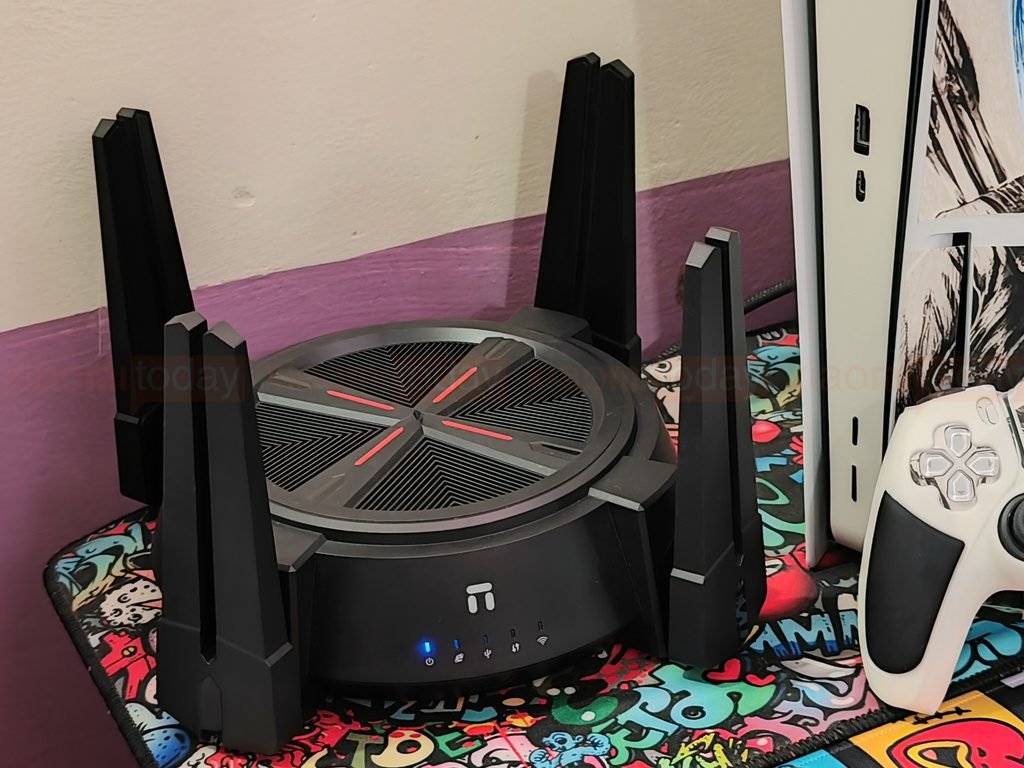
The NX62 has enough bandwidth for gaming alongside routine streaming and browsing. PCs and consoles can use Ethernet for a more consistent connection, while 5 GHz Wi-Fi offers flexibility when running a cable is impractical. Competitive players should use a wired connection where possible, since wireless performance can vary with distance, walls, and interference.
The NX62’s speed-test results point to ample capacity for a busy home network. Its gaming performance will depend on the quality of the internet connection and how consistently the router can reach the game server, rather than download speed alone.